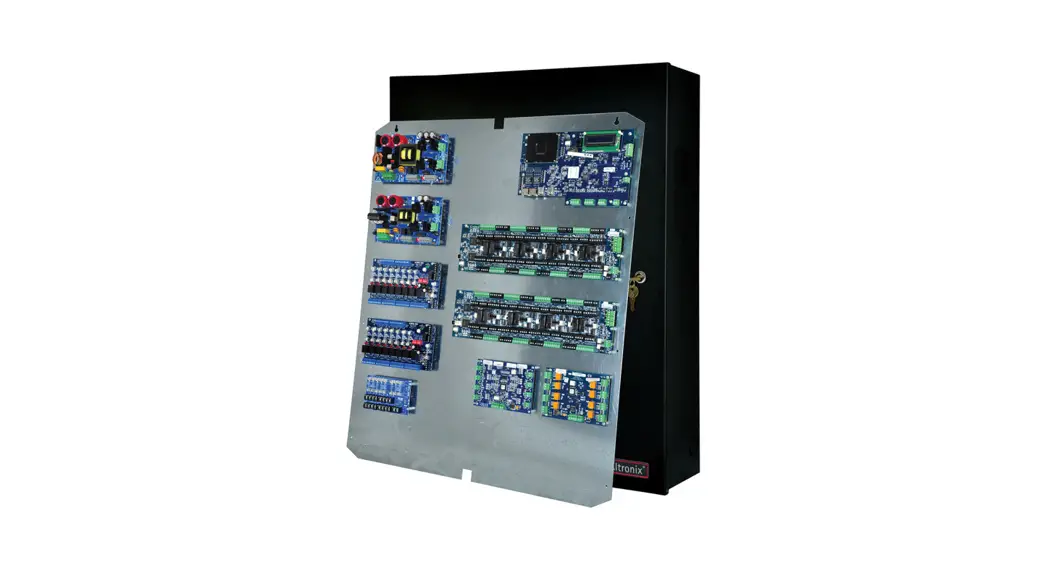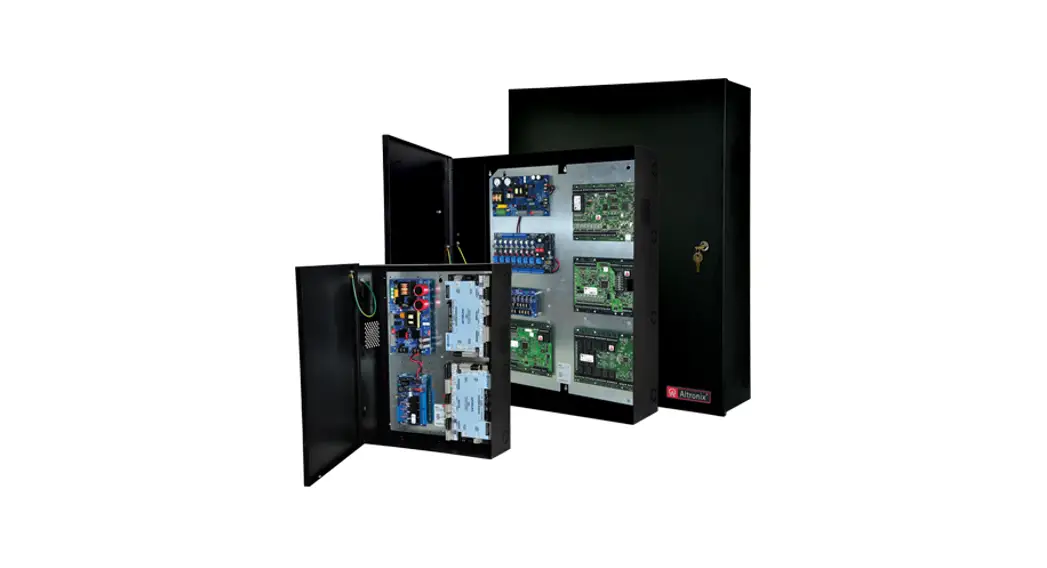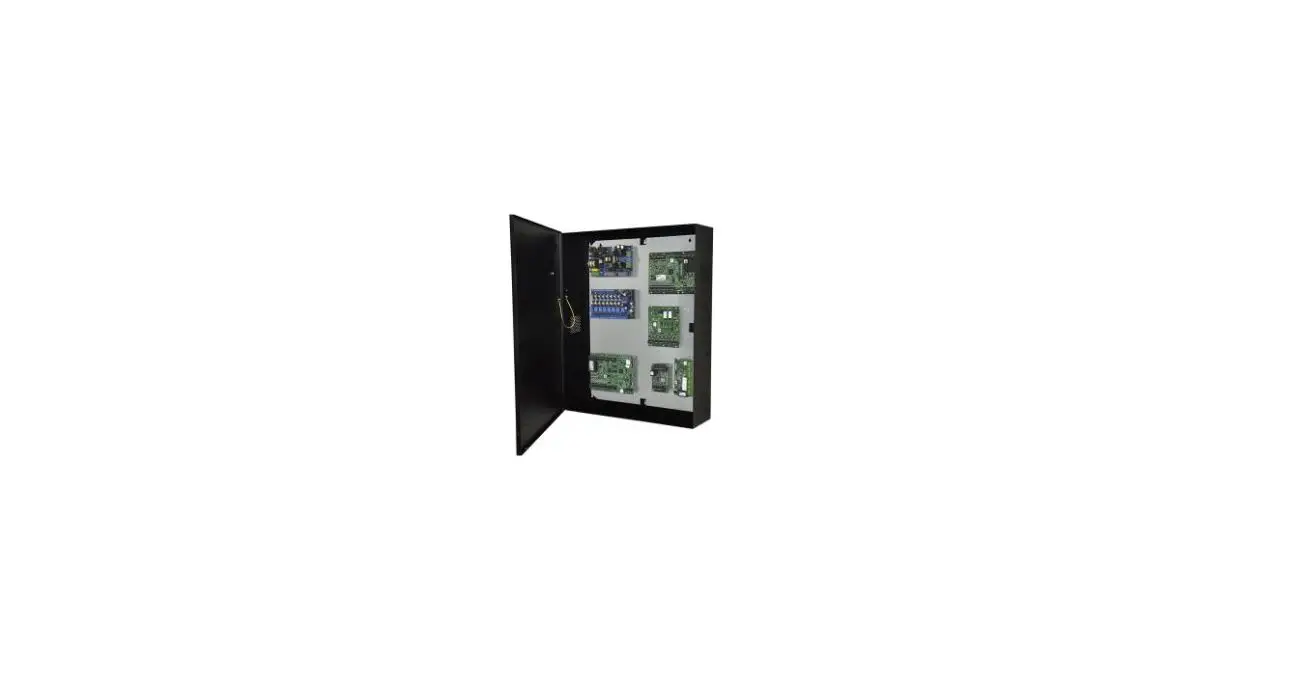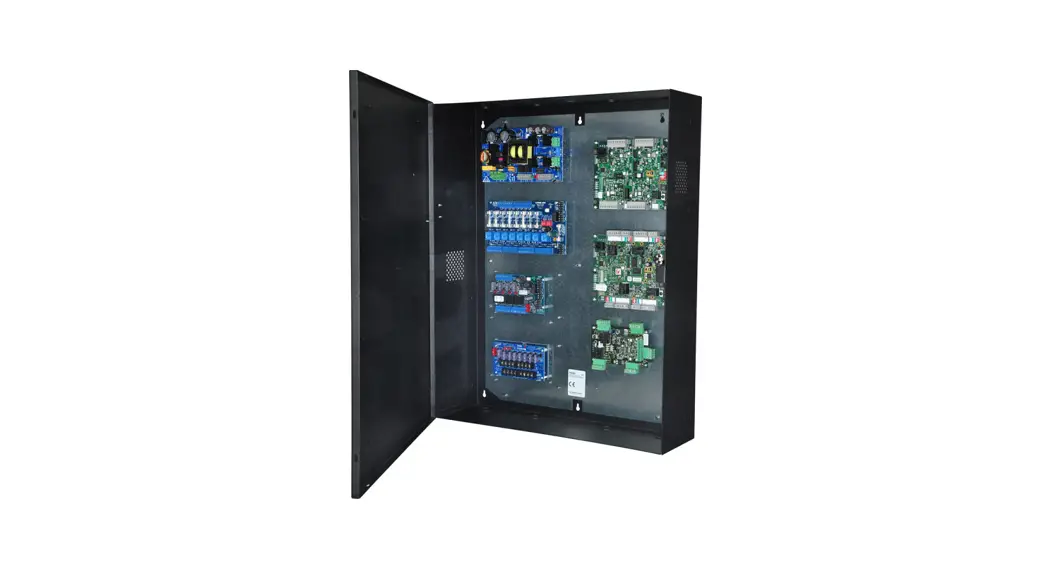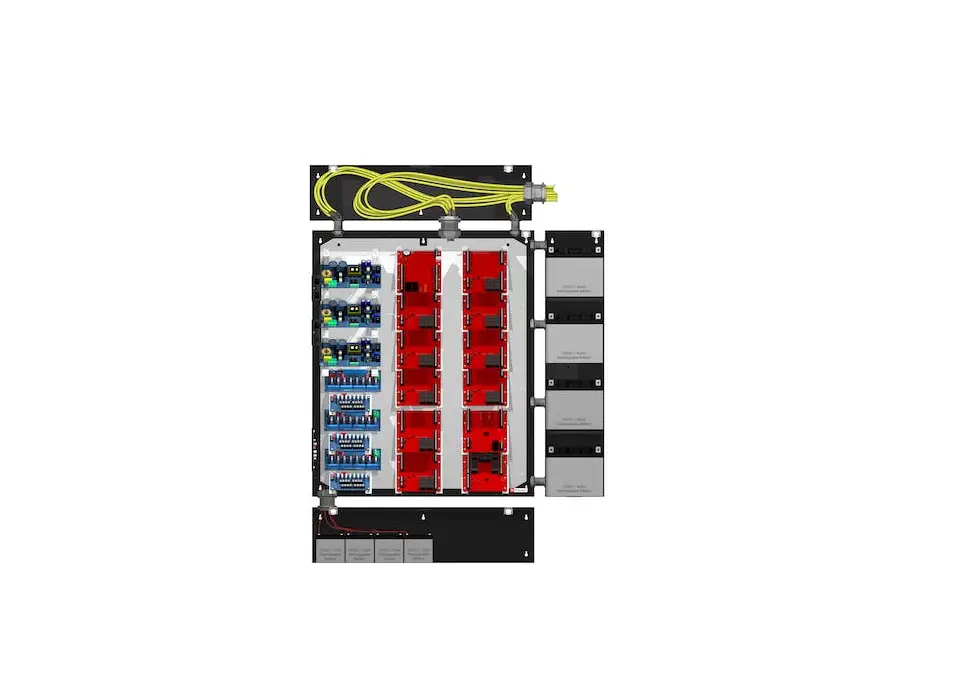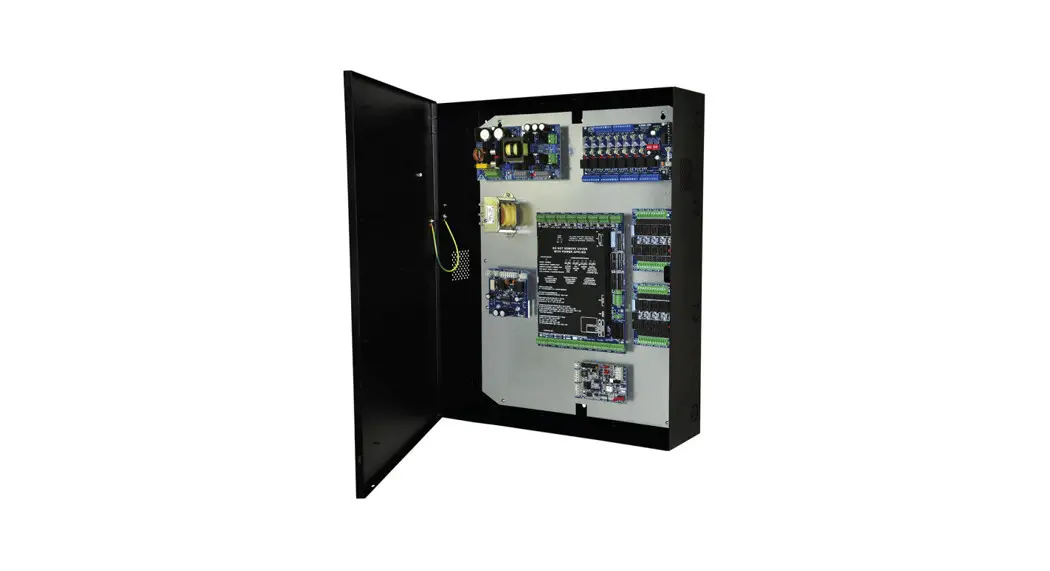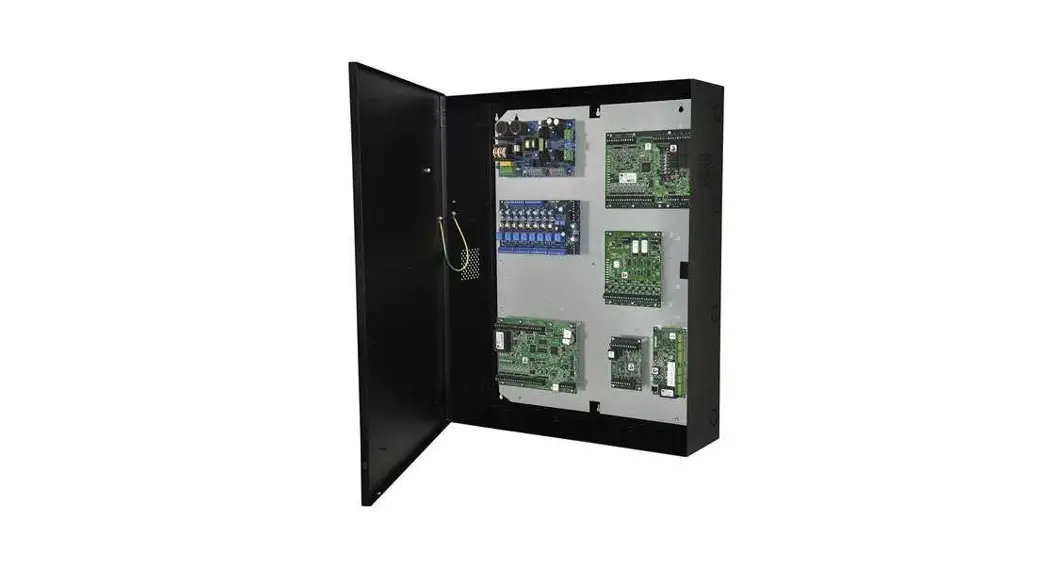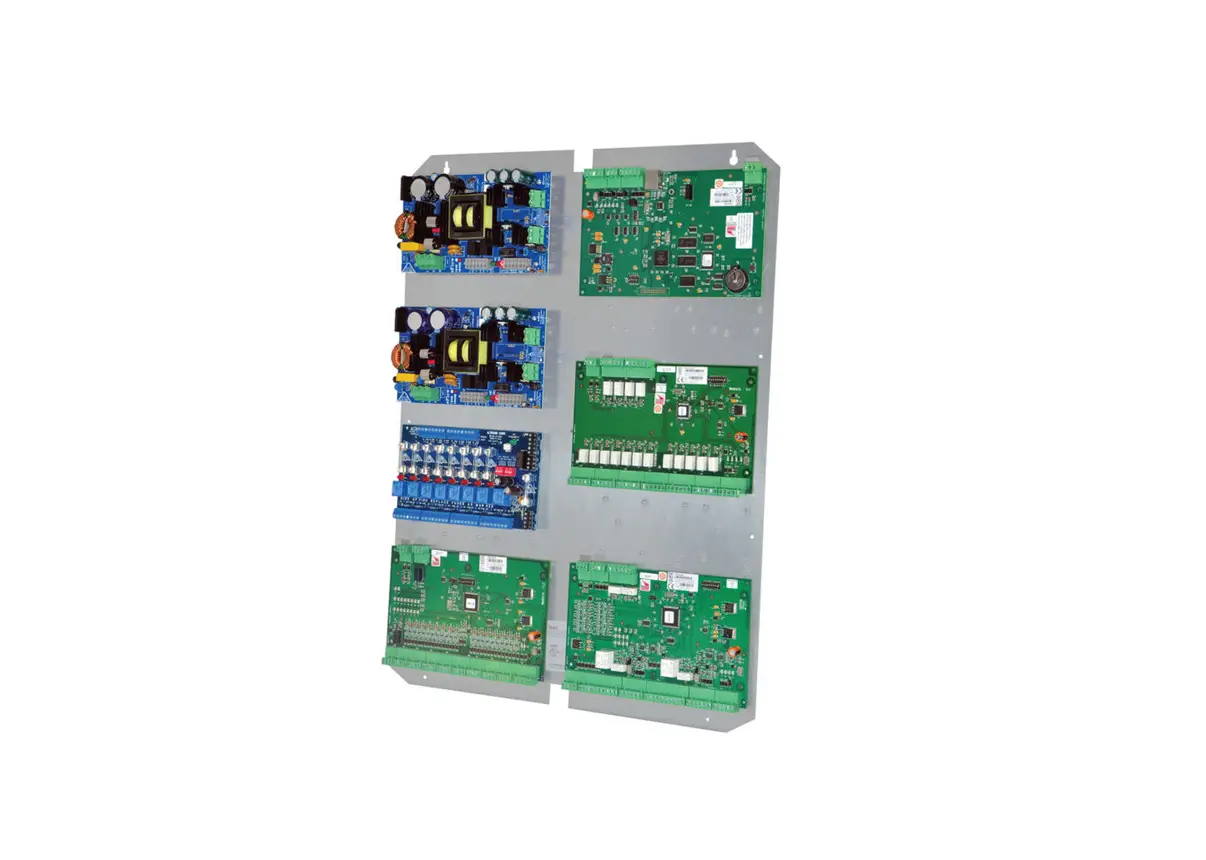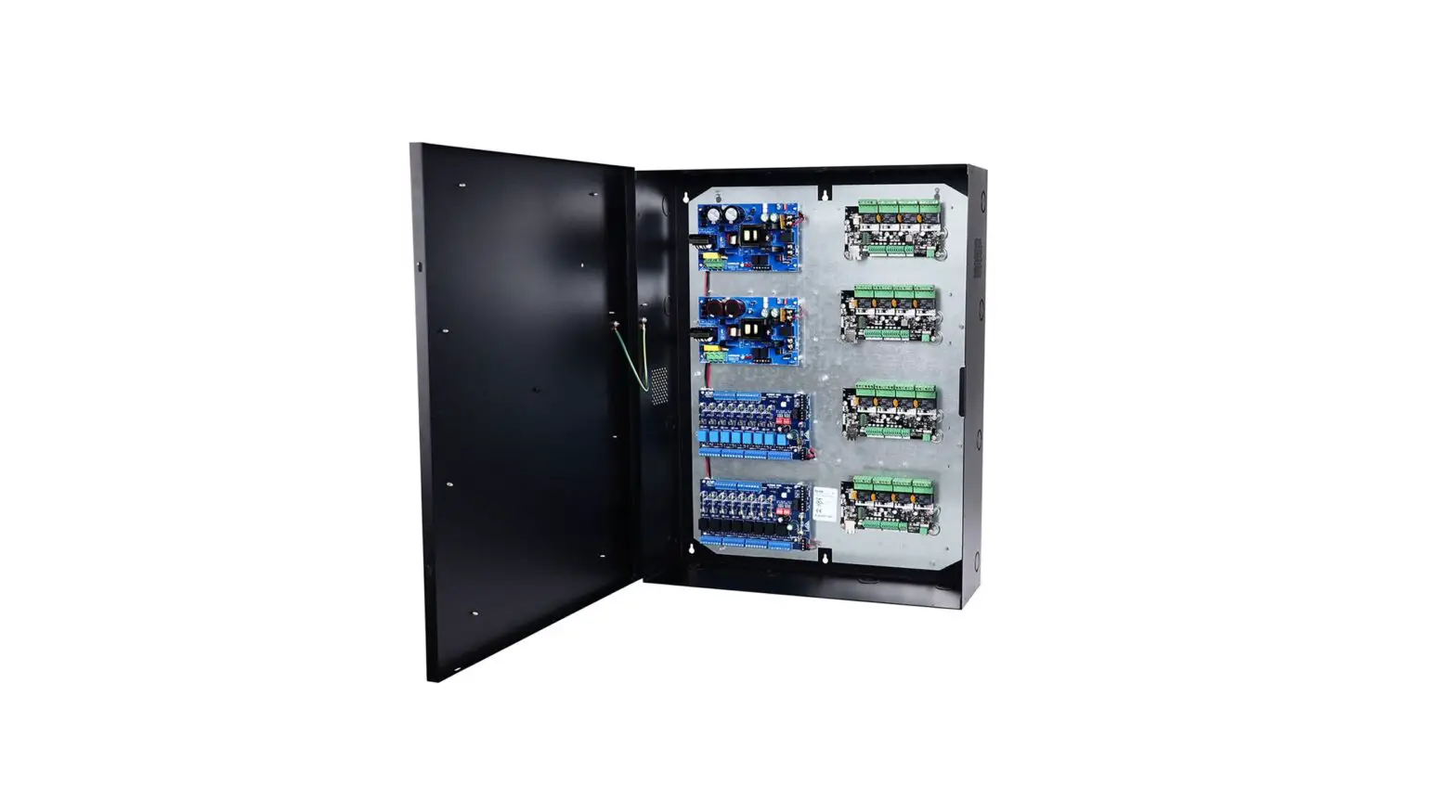
Altronix T2MK7716D Trove2 Enclosure 16-Door Panel Kit Installation Guide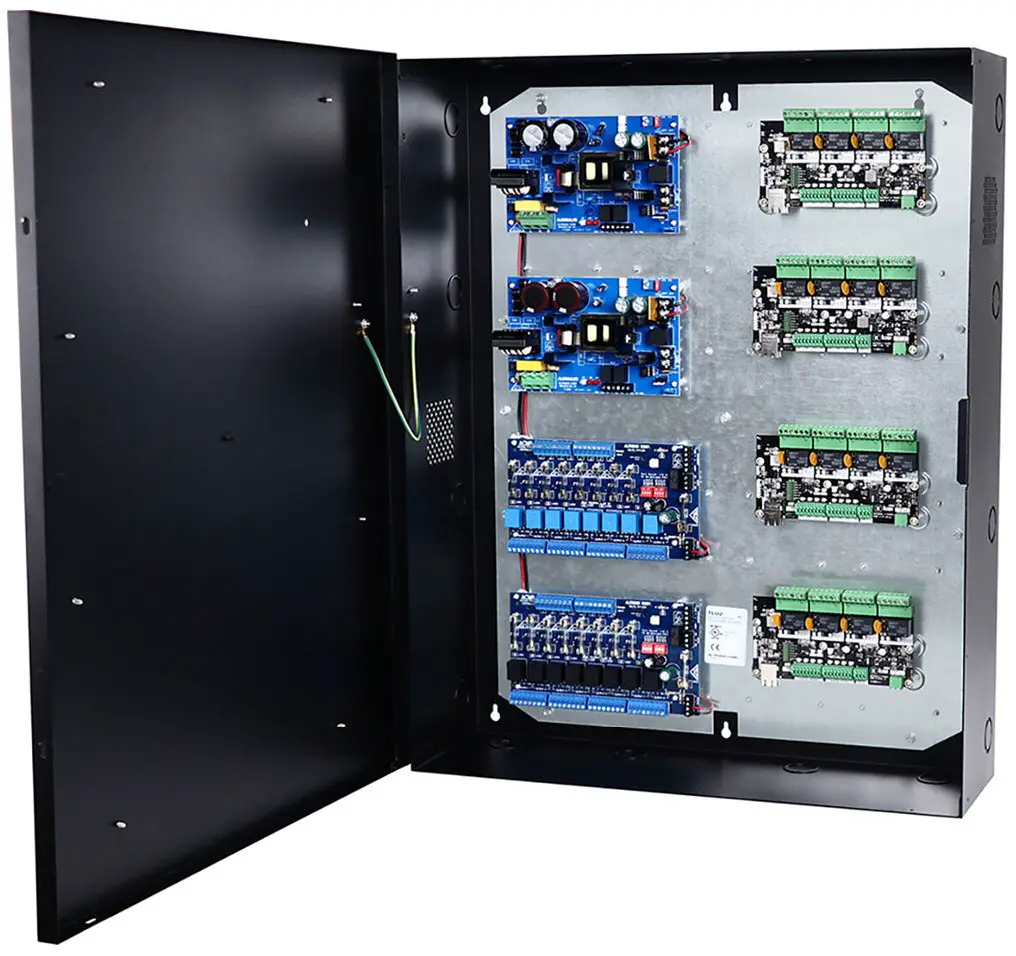
Altronix Trove2/Mercury Kits with PTC Outputs
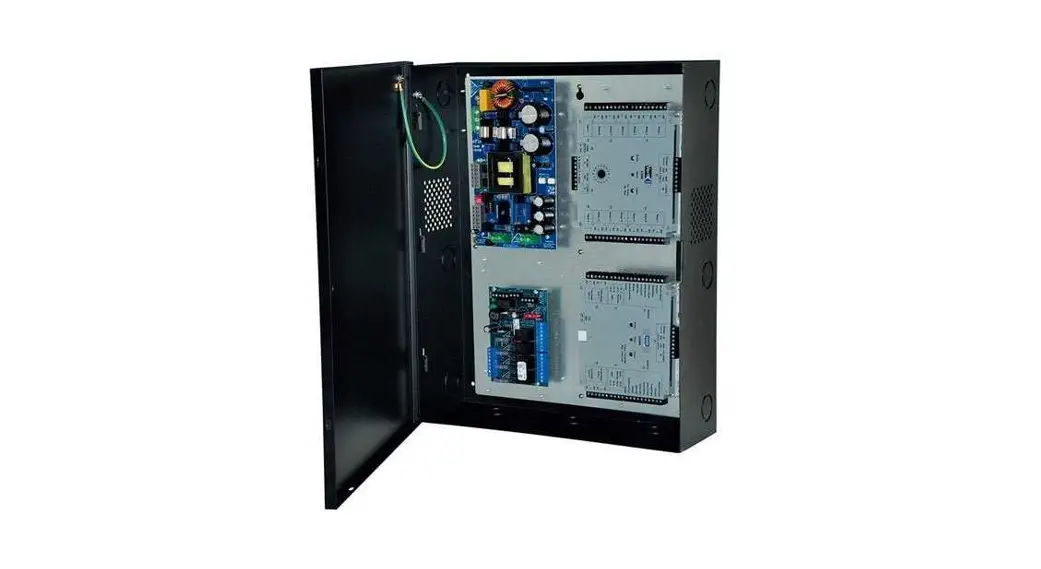
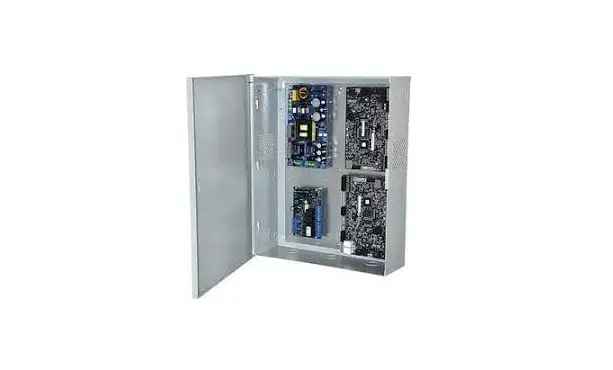
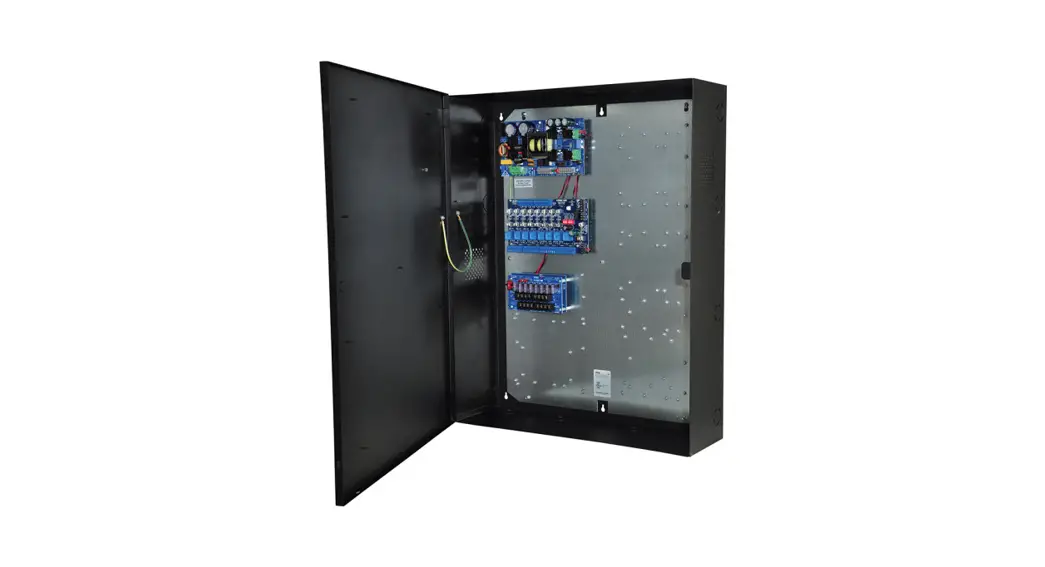
T2MK34D
Fully assembled 4 door kit includes:
- Trove2 enclosure with
TM2 Altronix/Mercury backplane - (1) AL600ULXB – Power Supply/Charger
- (1) ACM4CB – PTC Access Power Controller
- (1) VR6 – Voltage Regulator
- (1) PDS8CB – Dual Input PTC Power Distribution Module
T2MK38D
Fully assembled 8 door kit includes:
- Trove2 enclosure with
TM2 Altronix/Mercury backplane - (1) AL600ULXB – Power Supply/Charger
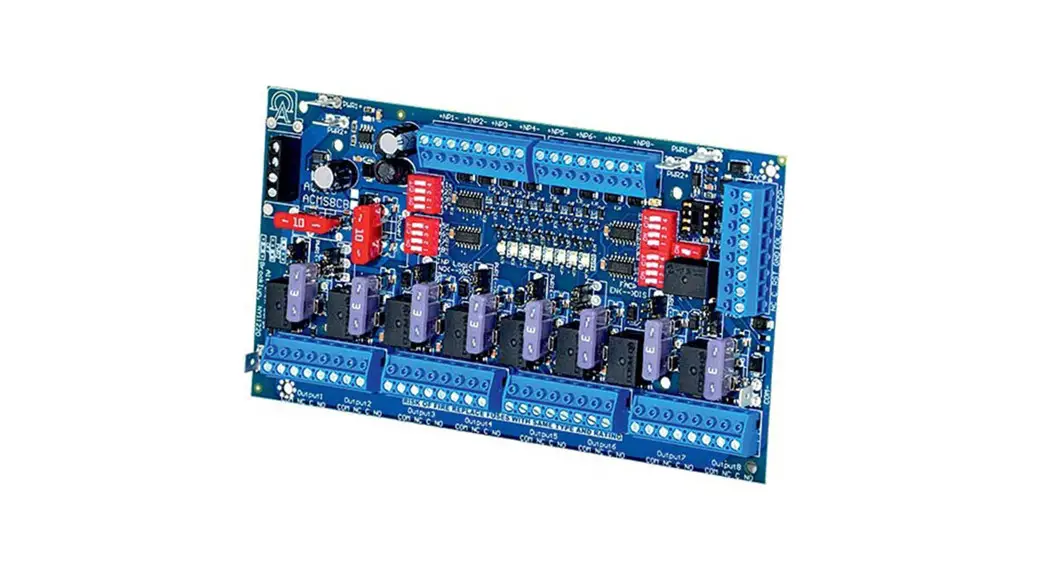
- (1) ACM8CB – PTC Access Power Controller
- (1) VR6 – Voltage Regulator
- (1) PDS8CB – Dual Input PTC Power Distribution Module
T2MK78D
Fully assembled 8 door kit includes:
- Trove2 enclosure with
TM2 Altronix/Mercury backplane - (1) AL1024ULXB2 – Power Supply/Charger
- (1) ACM8CB- PTC Access Power Controller
- (1) VR6 – Voltage Regulator
- (1) PDS8CB – Dual Input PTC Power Distribution Module
T2MK7516D
Fully assembled 16 door kit includes:
- Trove2 enclosure with TM2 Altronix/Mercury
backplane and TMV2 door backplane - (1) AL1024ULXB2 – Power Supply/Charger
- (1) AL1012ULXB – Power Supply/Charger
- (2) ACM8CB – PTC Access Power Controllers
- (1) PD16WCB – PTC Power Distribution Module
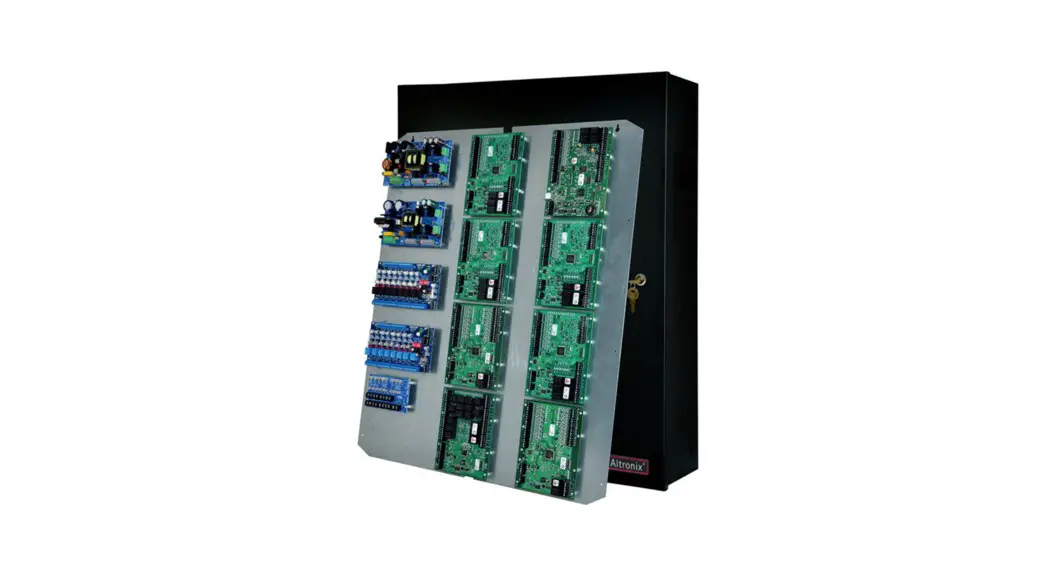
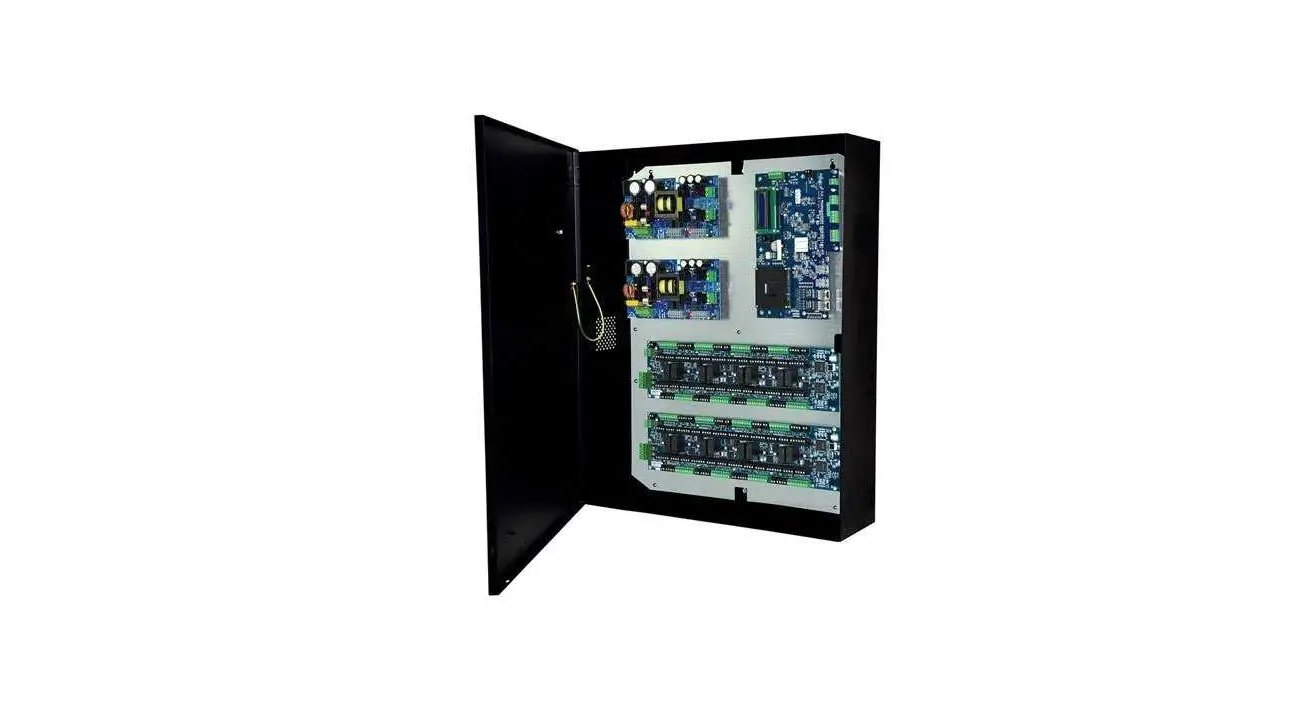
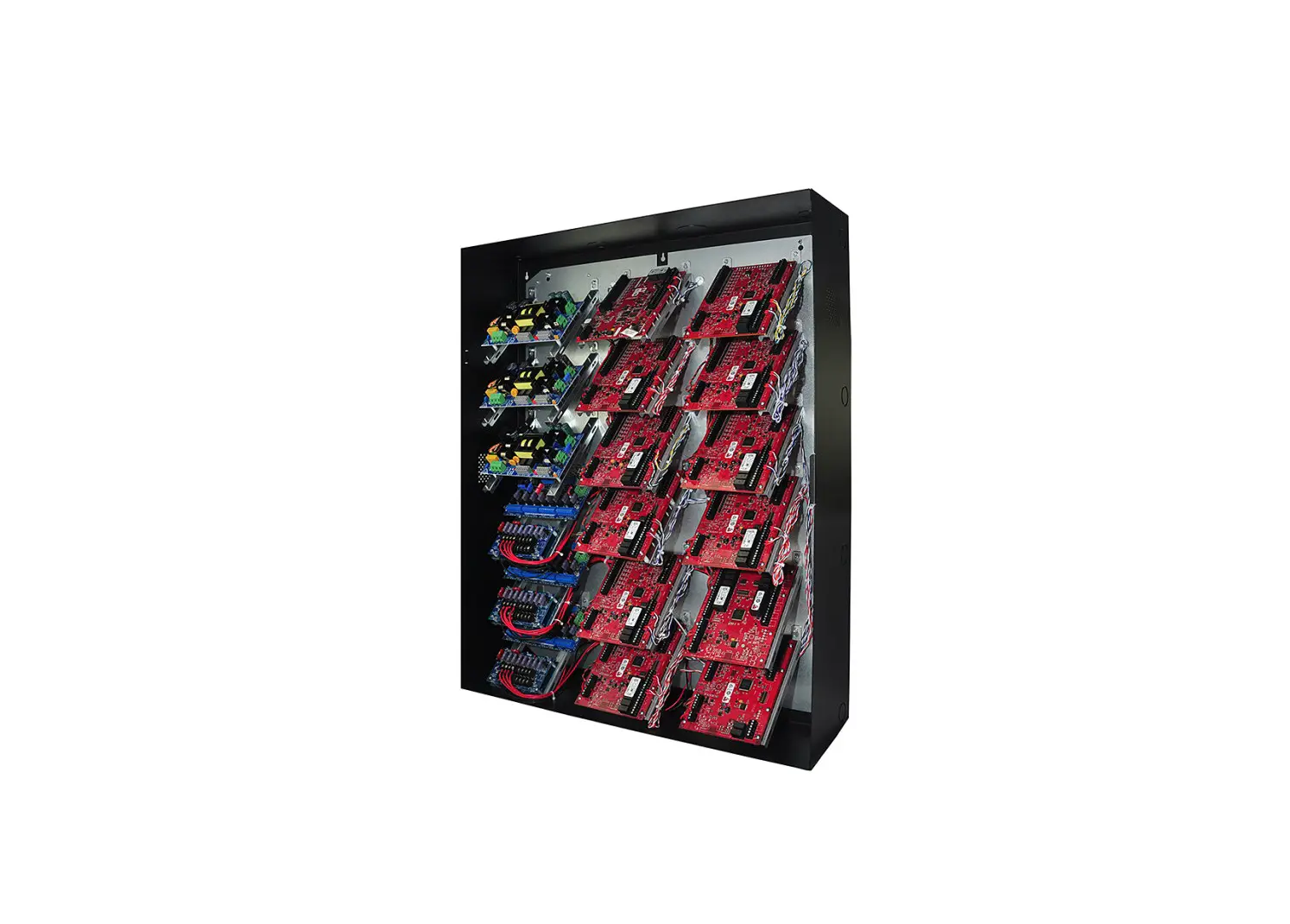
T2MK7716D
Fully assembled 16 door kit includes:
- Trove2 enclosure with TM2 Altronix/Mercury backplane and TMV2 door backplane
- (2) AL1024ULXB2 – Power Supply/Chargers
- (2) ACM8CB – PTC Access Power Controllers
- (1) VR6 – Voltage Regulator
- (1) PDS8CB – Dual Input PTC Power Distribution Module
All components of these Trove kits are UL Listed sub-assemblies.
Please refer to the included corresponding Sub-Assembly Installation Guides for further information.
Installation Guide
All registered trademarks are property of their respective owners.
- Rev. TMKDL111121
- Installing Company:
- Service Rep. Name:
- Address:
- Phone:
Overview:
Altronix Trove Mercury kits are pre-assembled and consist of Trove2M2 enclosure with factory installed Altronix power supply/charger(s) and sub-assemblies.
These kits also accommodate various combinations of Mercury boards for up to sixteen (16) doors in a single enclosure.
Configuration Chart:
| Altronix Model Number | 115VAC 60Hz Input Current (A) | Power Supply Board Input Fuse Rating | Power Supply Board Battery Fuse Rating | Output Voltage Options | Maximum Supply Current for Main and Aux. Outputs on Power Supply board and ACM4CB/ ACM8CB Access Power Controller’s outputs | Fail-Safe/Fail-Secure Auto-Resettable Outputs | Current Per ACM4CB/ ACM8CB Output (A) | ACM4CB/ACM8CB Board Input Fuse Rating | ACM4CB/ACM8CB Board Output PTC Rating | PDS8CB Board Input Fuse Rating | PDS8CB Board Output PTC Rating | PD8ULCB/PD16WCB Board Output PTC Rating | |
| Power Supply 1 | Power Supply 2 | ||||||||||||
| T2MK34D | 3.5 | 5A/ 250V | N/A | 12VDC @ 5.7A | – | 24VDC @ 5.7A | 4 | 2.0 | 10A/ 250V | 2A | 10A/ 250V | 2A | – |
| 24VDC @ 5.5A | |||||||||||||
| T2MK38D | 3.5 | 5A/ | N/A | 12VDC @ 5.7A | – | 24VDC @ 5.7A | 8 | 2.0 | 10A/ 250V | 2A | 10A/ 250V | 2A | – |
| 24VDC @ 5.5A | |||||||||||||
| T2MK78D | 4.2 | 5A/ 250V | 15A/ 32V | 24VDC @ 9.5A | – | 24VDC @ 9.5A | 8 | 2.0 | 10A/ 250V | 2A | 10A/ 250V | 2A | – |
| T2MK7516D | 6.8 | 5A/ 250V | 15A/ 32V | 12VDC @ 9.5A | 24VDC @ 9.5A | 12VDC @ 9.3A 24VDC @ 9.5A | 16 | 2.0 | 10A/ 250V | 2A | – | – | 2A |
| T2MK7716D | 8.4 | 5A/ 250V | 15A/ 32V | 24VDC @ 9.5A | 24VDC @ 9.5A | 24VDC @ 9.5A | 16 | 2.0 | 10A/ 250V | 2A | 10A/ 250V | 2A | – |
Installation Instructions
Wiring methods shall be in accordance with the National Electrical Code/NFPA 70/ANSI, and with all local codes and authorities having jurisdiction.
Product is intended for indoor use only.
- Remove backplane(s) from enclosure. Do not discard hardware.
- Mark and predrill holes in the wall to line up with the top three keyholes in the enclosure. Install three upper fasteners and screws in the wall with the screw heads protruding. Place the enclosure’s upper keyholes over the three upper screws, level and secure. Mark the position of the lower three holes. Remove the enclosure. Drill the lower holes and install the three fasteners. Place the enclosure’s upper keyholes over the three upper screws. Install the three lower screws and make sure to tighten all screws.
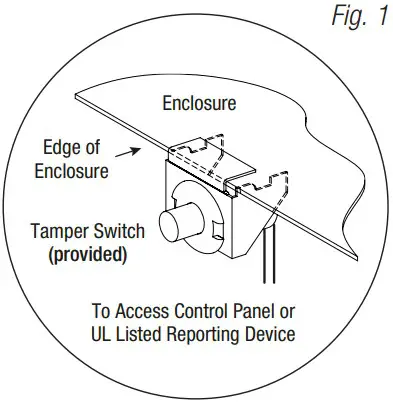
- Mount included UL Listed tamper switch (Altronix Model TS112 or equivalent) in desired location, opposite
hinge. Slide the tamper switch bracket onto the edge of the enclosure approximately 2” from the right side
(Fig. 1, pg. 2). Connect tamper switch wiring to the Access Control Panel input or the appropriate UL Listed
reporting device. To activate alarm signal open the door of the enclosure. - Refer to the ULXB Power Supply/Charger Installation Guide for AL600ULXB, AL1012ULXB and AL1024ULXB2 and Sub-Assembly Installation Guide for the following models: ACM4CB, ACM8CB, PDS8CB, VR6 for further installation instructions.
- Fasten snap on spacers onto metal pems configuration of backplane depending on the Mercury access controller (Fig. 2-5, pg. 3-6).
- Position Mercury access controller module over corresponding spacers and depress onto snap on spacers (Fig. 2-5, pg. 3-6).
- Mount back plane to enclosure with hardware.

T2MK34D and T2MK38D Configuration of Mercury Boards:
- Fasten snap on spacers onto metal pems configuration (A), (B), (C) or (D) of backplane depending on the access controller (Fig. 2, pg. 3).

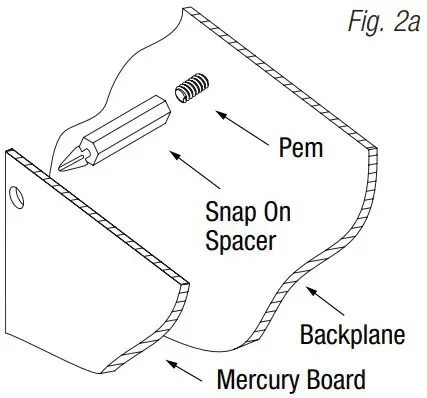
- Position access controller module over corresponding spacers and depress onto snap on spacers (Fig. 2a, pg. 3).

- Mount backplane to enclosure with hardware.
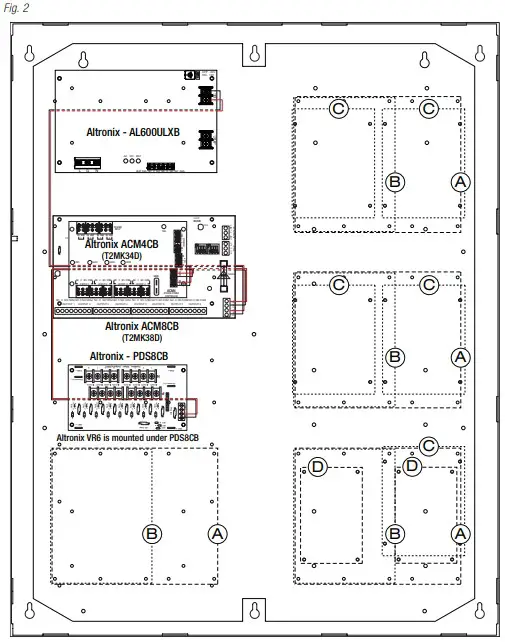
Access Controller Position Chart for the Following Models:
| Mercury Access Controller | Pem Mounting |
| EP1502, MR52, MR16IN, MR16OUT | A |
| EP2500, MUX8 | B |
| EP1501, MR51e | C |
| MR50 | D |
T2MK78D: Configuration of Mercury Boards:
- Fasten snap on spacers onto metal pems configuration (A), (B), (C) or (D) of backplane depending on the access controller (Fig. 3, pg. 4).

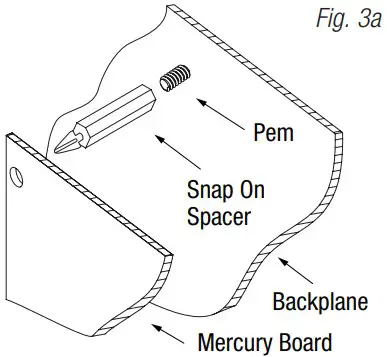
- Position access controller module over corresponding spacers and depress onto snap on spacers (Fig. 3a, pg. 4).

- Mount back plane to enclosure with hardware.
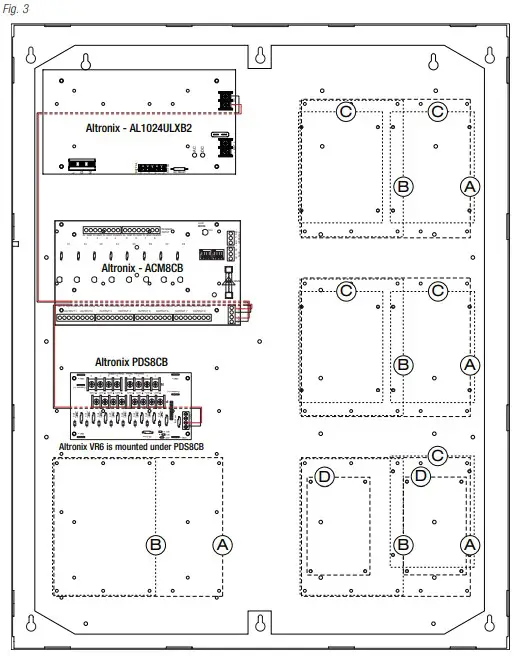
Access Controller Position Chart for the Following Models:
| Mercury Access Controller | Pem Mounting |
| EP1502, MR52, MR16IN, MR16OUT | A |
| EP2500, MUX8 | B |
| EP1501, MR51e | C |
| MR50 | D |
T2MK7516D: Configuration of Mercury Boards:
- Fasten snap on spacers onto metal pems configuration (A), (B), (C) or (D) of backplane depending on the access controller (Fig. 4, pg. 5).

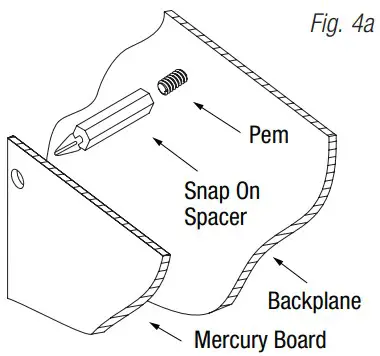
- Position access controller module over corresponding spacers and depress onto snap on spacers (Fig. 4a, pg. 5).

- Mount backplane to enclosure with hardware.
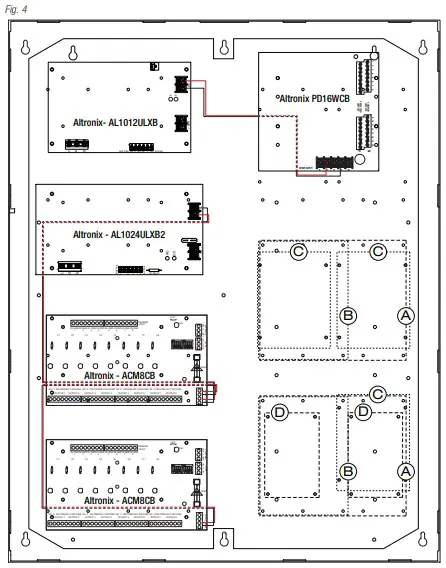
Access Controller Position Chart for the Following Models:
| Mercury Access Controller | Pem Mounting |
| EP1502, MR52, MR16IN, MR16OUT | A |
| EP2500, MUX8 | B |
| EP1501, MR51e | C |
| MR50 | D |
T2MK7716D: Configuration of Mercury Boards:
- Fasten snap on spacers onto metal pems configuration (A), (B), (C) or (D) of backplane depending on the access controller (Fig. 5, pg. 6).

- Position access controller module over corresponding spacers and depress onto snap on spacers (Fig. 5a, pg. 6).

- Mount backplane to enclosure with hardware.
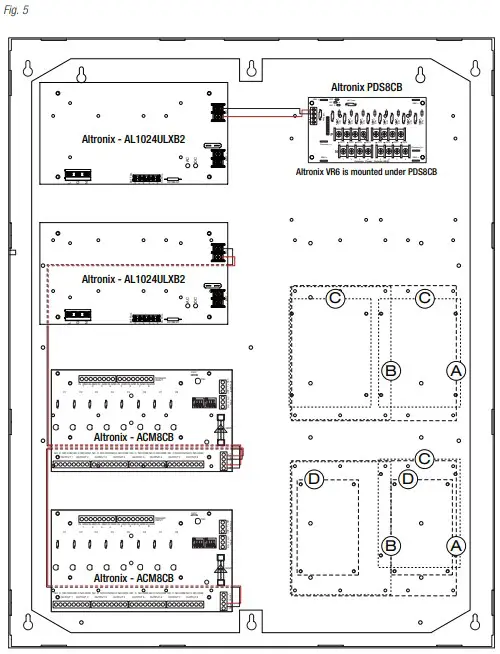
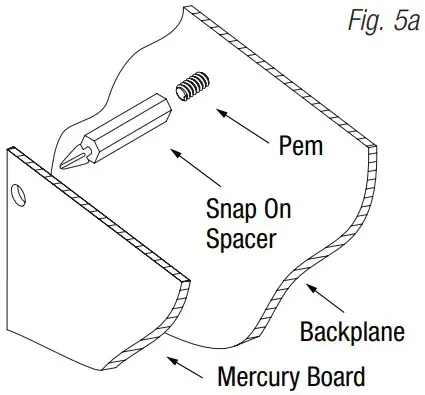
Access Controller Position Chart for the Following Models:
| Mercury Access Controller | Pem Mounting |
| EP1502, MR52, MR16IN, MR16OUT | A |
| EP2500, MUX8 | B |
| EP1501, MR51e | C |
| MR50 | D |
TMV2 (T2MK7516D and T2MK7716D):
TMV2 accommodates a variety of Mercury boards with or without Altronix sub-assemblies for access systems
Configuration of Mercury and/or Altronix Boards
Mercury Access Controllers:
- Fasten spacers onto metal pems configuration (A) (B) of backplane depending on the access controller (Fig. 6, pg. 7).
- Position access controller module over corresponding spacers and depress onto snap on spacers (Fig. 6a, pg. 7).
- Mount backplane to enclosure with hardware.

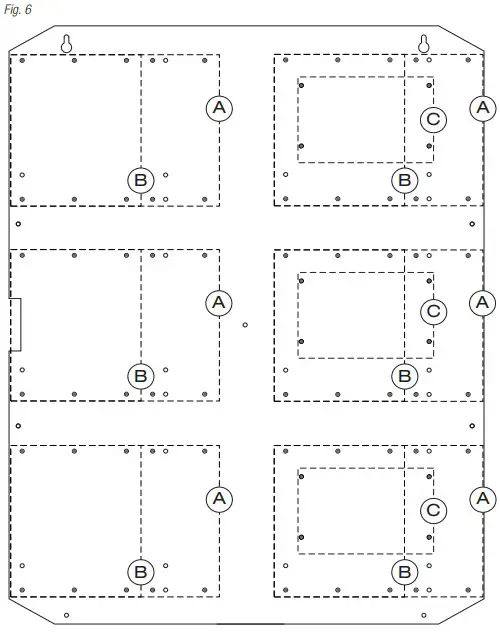
Altronix Sub-Assemblies and/or Adapters:
- Fasten spacers to pems which match the hole pattern (C) for Altronix Sub-Assemblies (Fig. 6, 6a, pg. 7).
- Mount boards to spacers utilizing pan head screws provided with the product (Fig. 6, pg. 7)

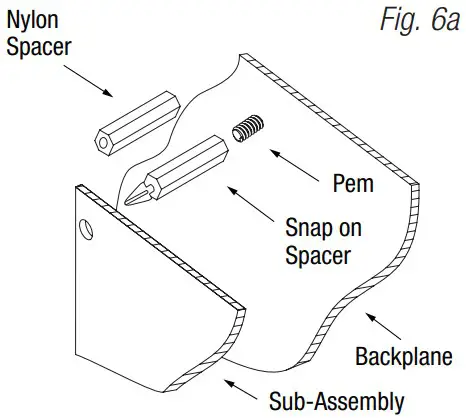
Access Controller Position Chart for the Following Models:
| Mercury | |
| Access Controller | Pem Mounting |
| EP1502, MR52, MR16IN, MR16OUT | A |
| EP2500, MUX8 | B |
| Altronix | |
| Sub-Assembly or Adapter | Pem Mounting |
| ACM4(CB), MOM5, PD4UL(CB), PD8UL(CB), PDS8(CB), VR6, GB1 (Genetec Synergis Cloud Link adapter plate) | C |
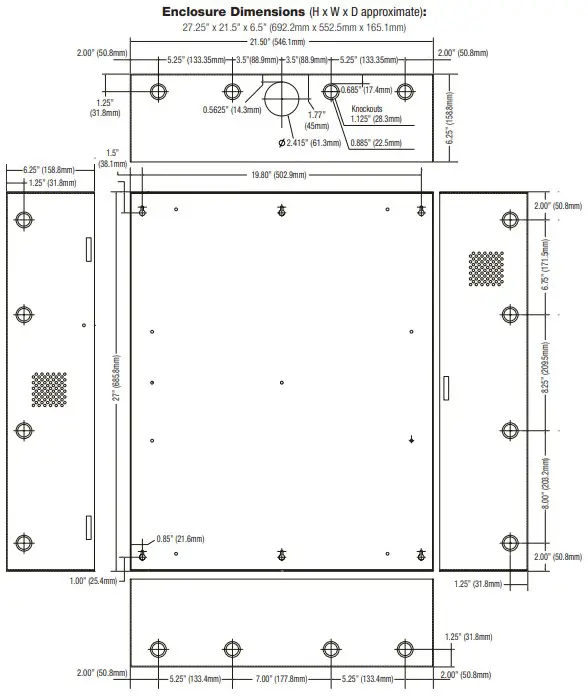
Dimensions
Support
Altronix is not responsible for any typographical errors.
140 58th Street, Brooklyn, New York 11220 USA | phone: 718-567-8181 | fax: 718-567-9056
web site: www.altronix.com | e-mail: [email protected] | Lifetime Warranty
Trove2/Mercury ULXB PTC Kits
 Altronix Home