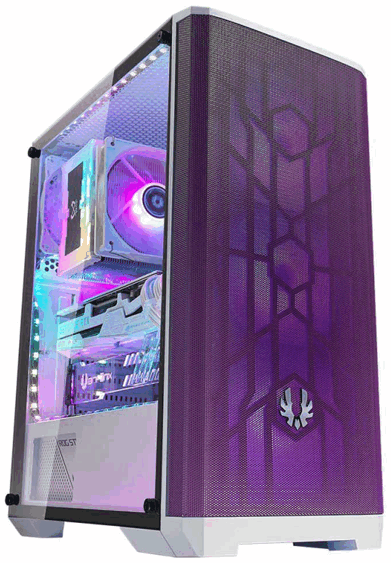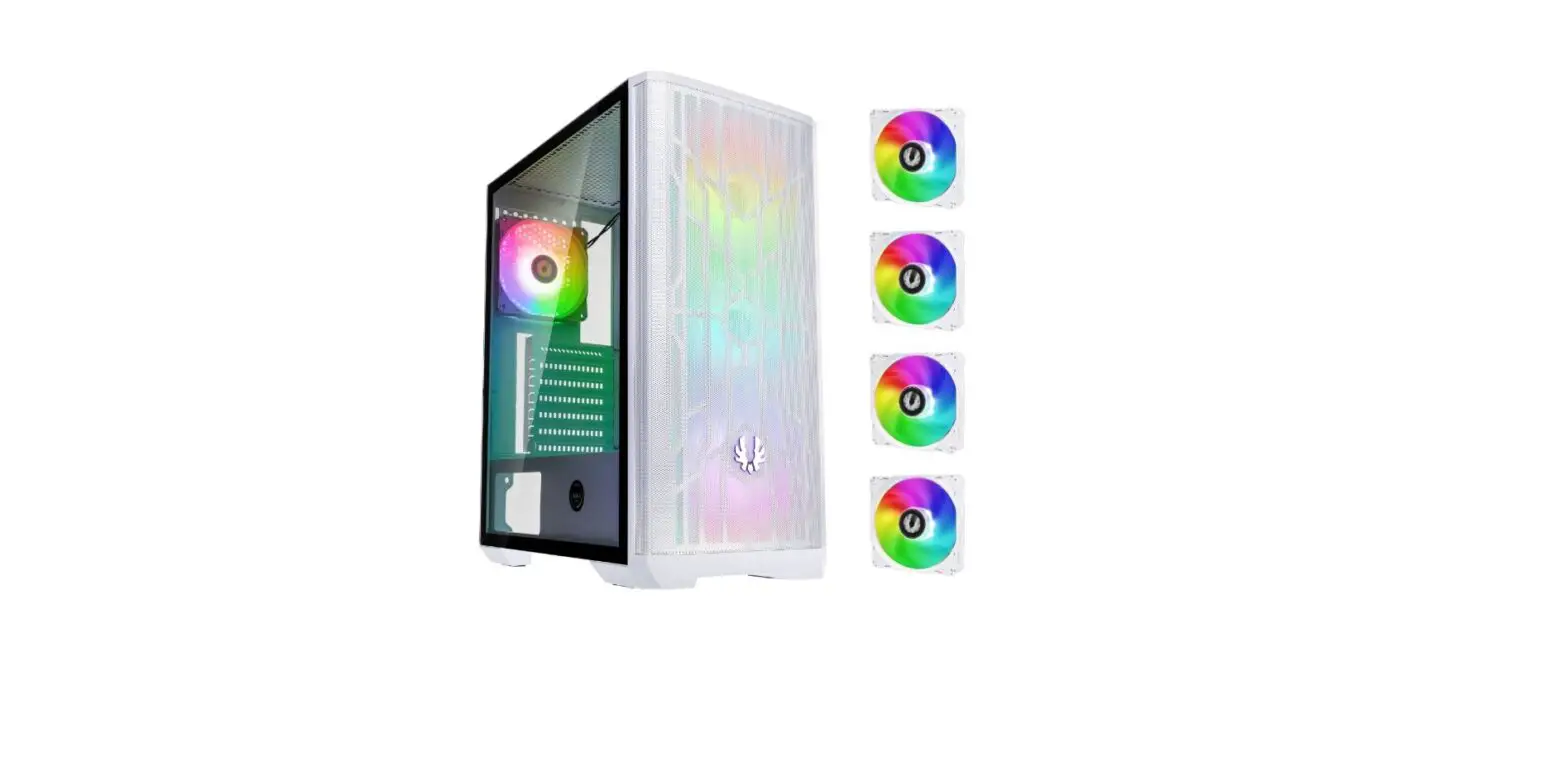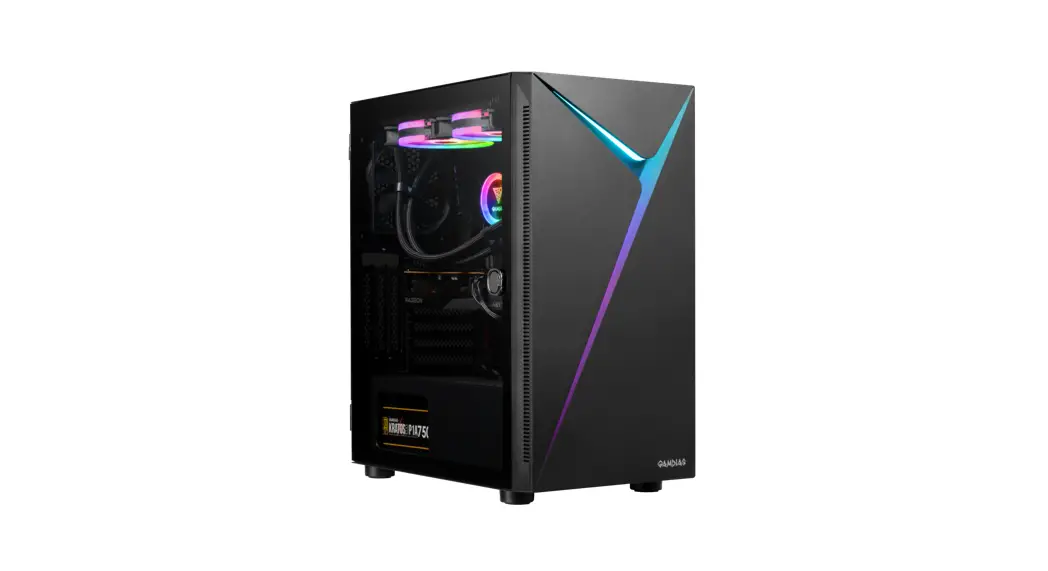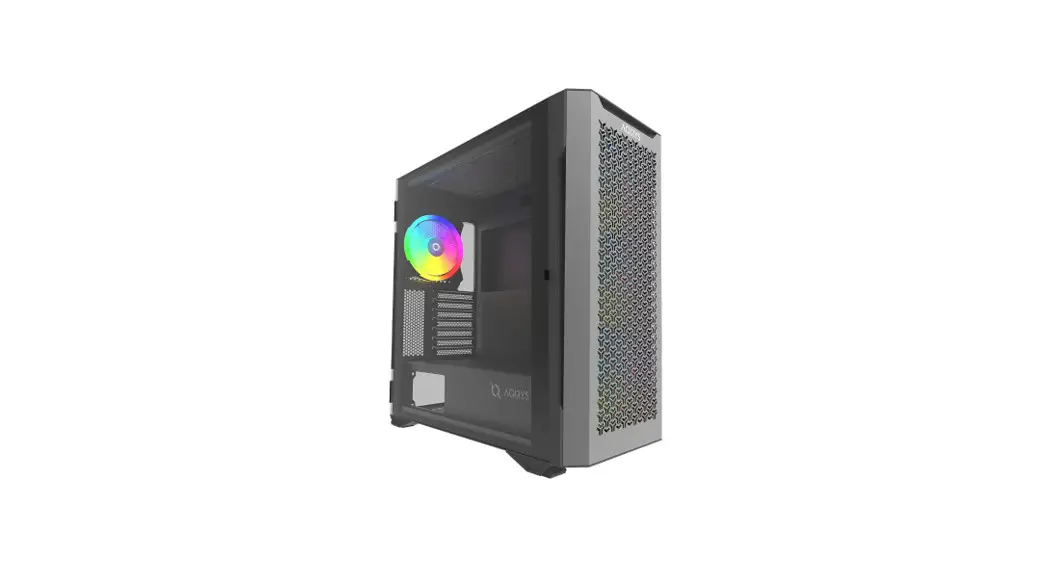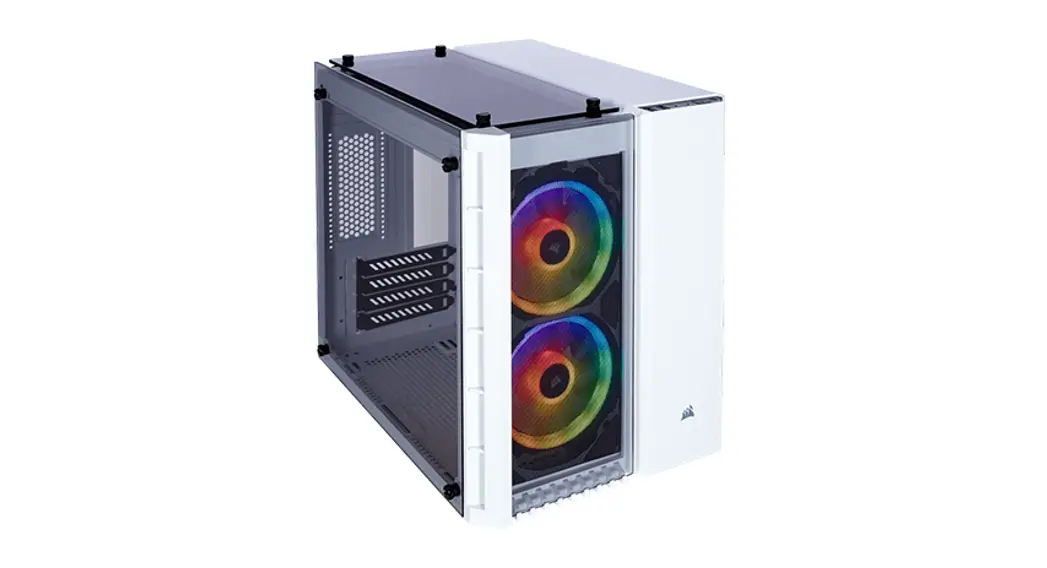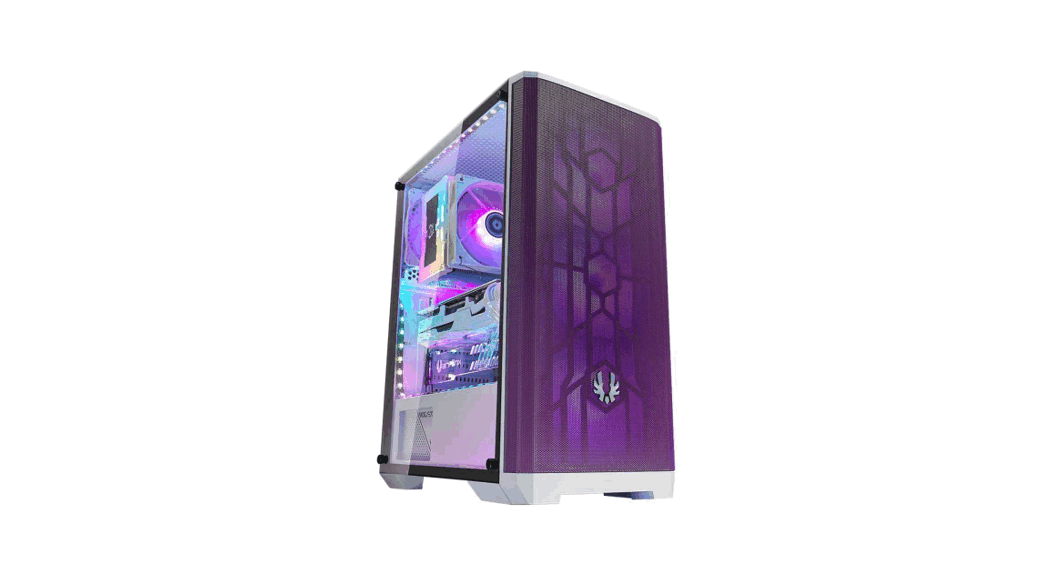

Bitfenix Nova Mesh Se Tg 4argb Crystal Tower Case Installation Guide

Bitfenix Nova Mesh Se Tg 4argb Crystal Tower Case Installation Guide

BitFenix LOGONOVA MESH SE BitFenix Nova Mesh SE TG 4ARGB Crystal Tower Case - ICON
BitFenix Nova Mesh SE TG 4ARGB Crystal Tower Case - ICON 2 4ARGB
Installation GuideBitFenix Nova Mesh SE TG 4ARGB Crystal Tower Case

Package Content:

  • NOVA MESH SETG Case
  • NOVAMESH SETG Quick Installation Guide
  • Accessory Pack
    • 3X Motherboard standoff
    • 8 X 3.5″HDD screw
    • 9X PSU screw
    • 20 X Motherboard Standard Screw
    • 1X Speaker

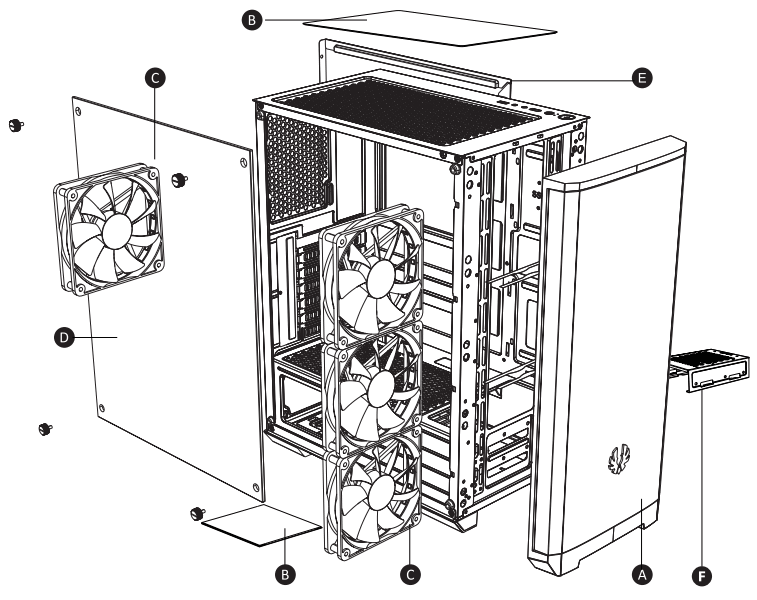
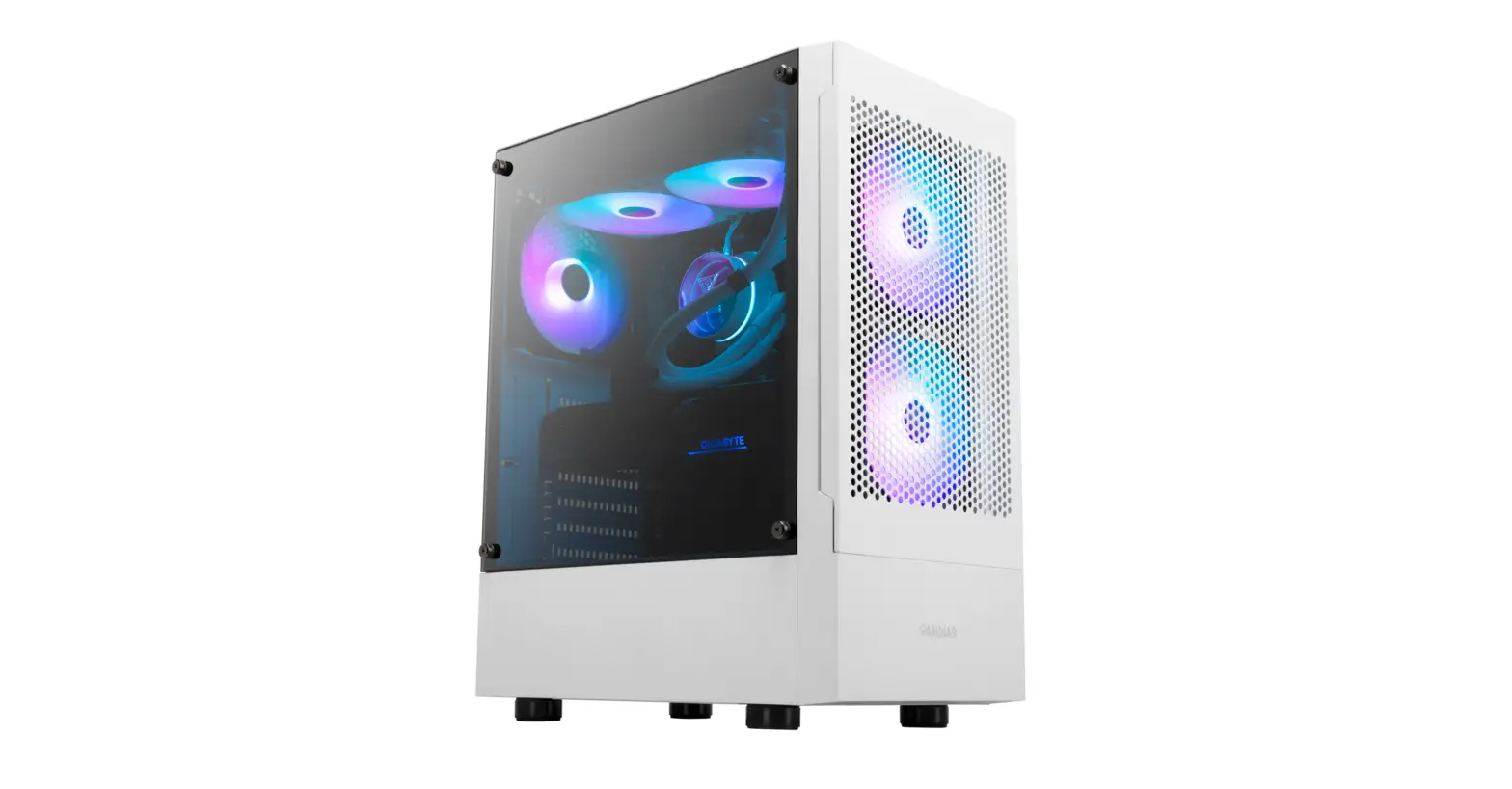
BitFenix Nova Mesh SE TG 4ARGB Crystal Tower Case - FIGUFRE 1

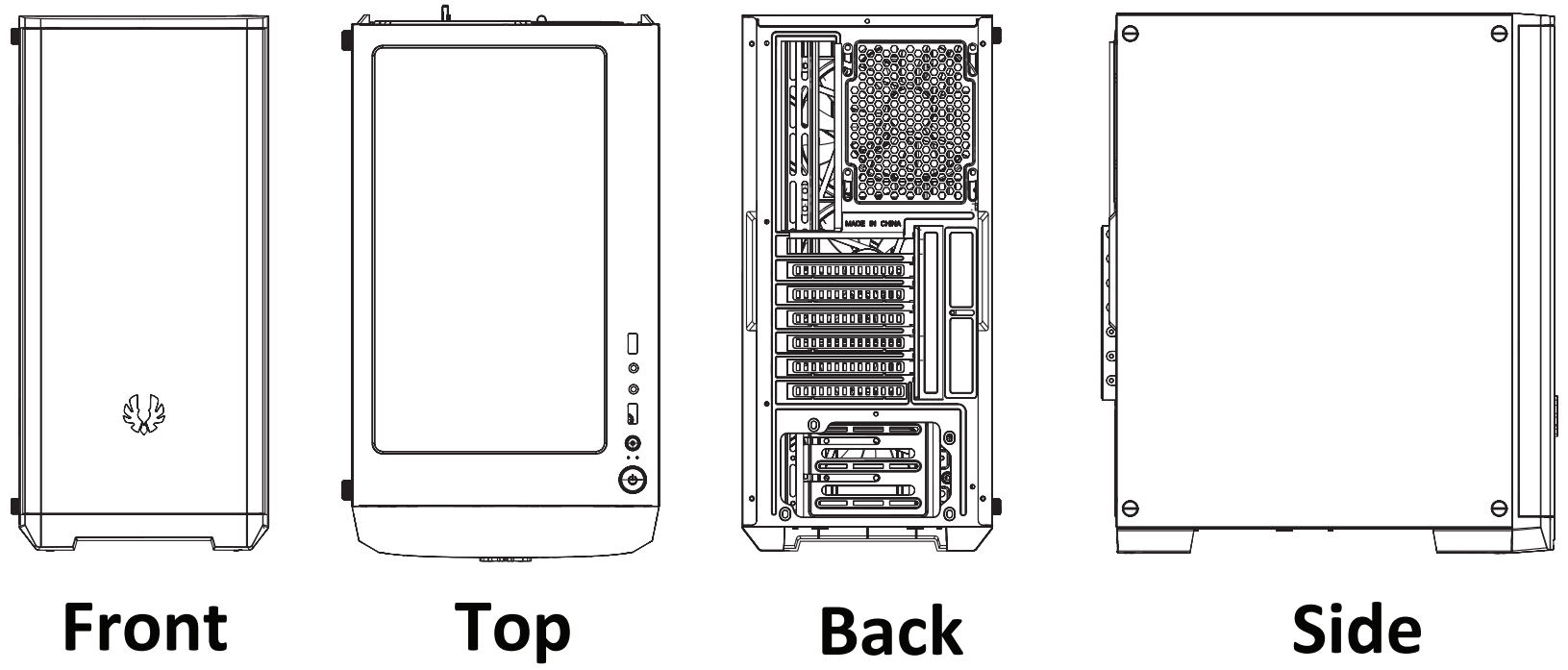
A. Front Panel
B. Dust Filter
C. Fan (120mm) Addressable Fan x4
D. Tempered Glass Side Panel
E. Side Panel
F. Modular Hard Drive Tray
BitFenix Nova Mesh SE TG 4ARGB Crystal Tower Case - FIGUFRE 2

Basic Installation

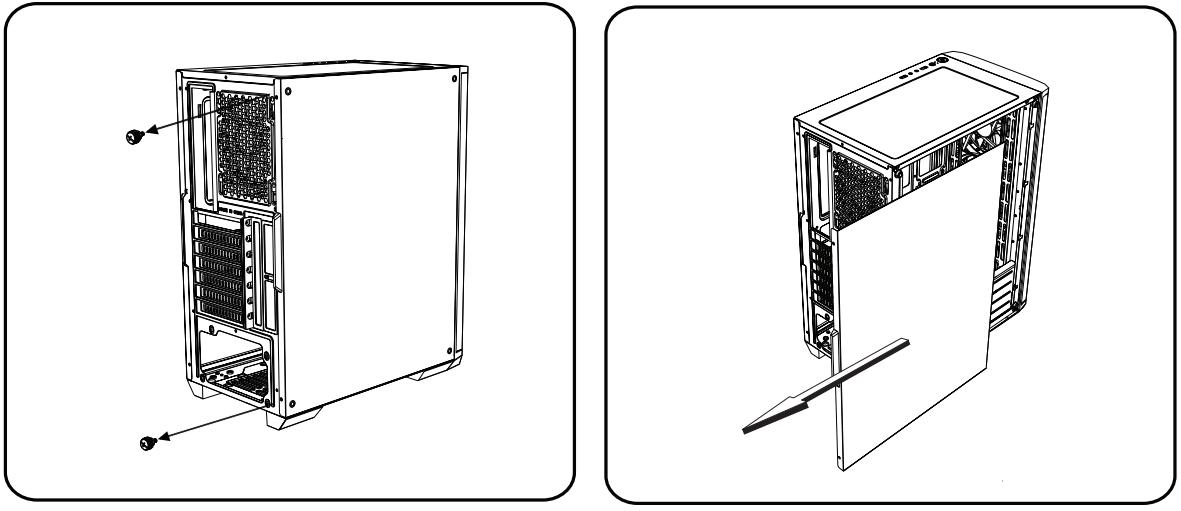
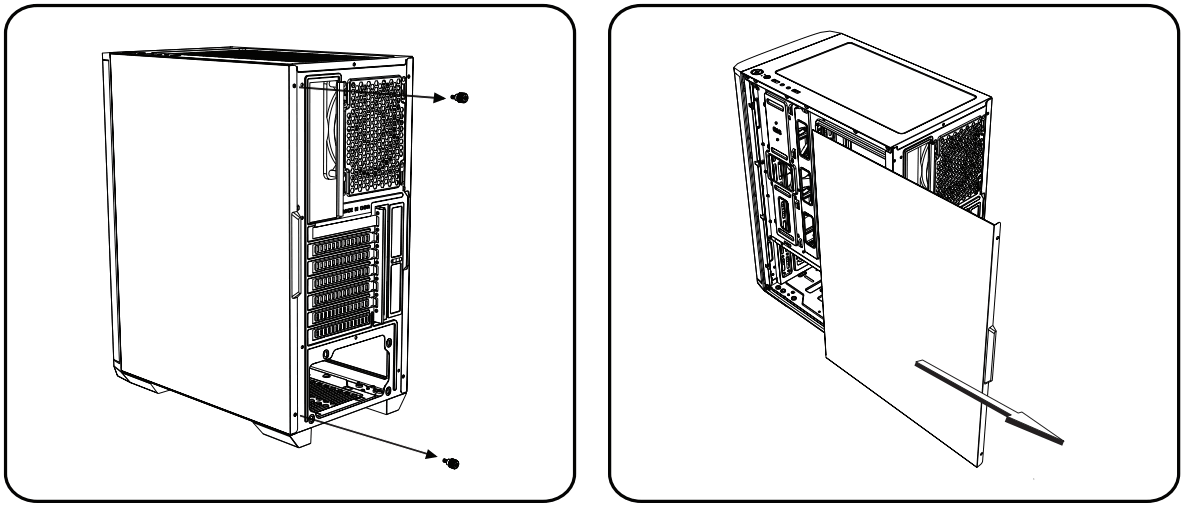
How to remove the right side panel
BitFenix Nova Mesh SE TG 4ARGB Crystal Tower Case - FIGUFRE 3
Remove both thumb screwsSlide the side panels towards the back of the case

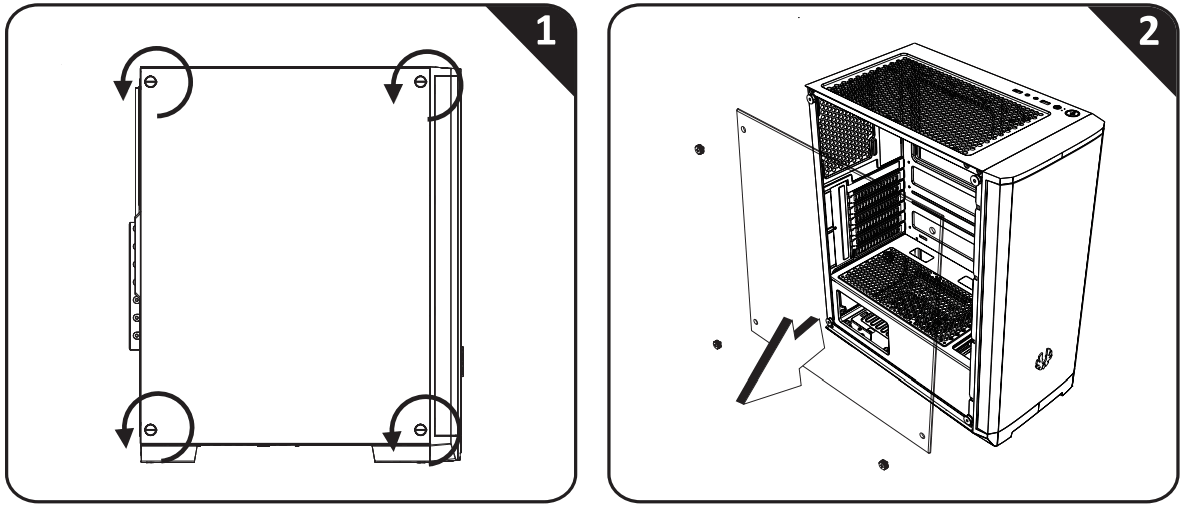
How to remove the tempered glass side panel 
BitFenix Nova Mesh SE TG 4ARGB Crystal Tower Case - FIGUFRE 4

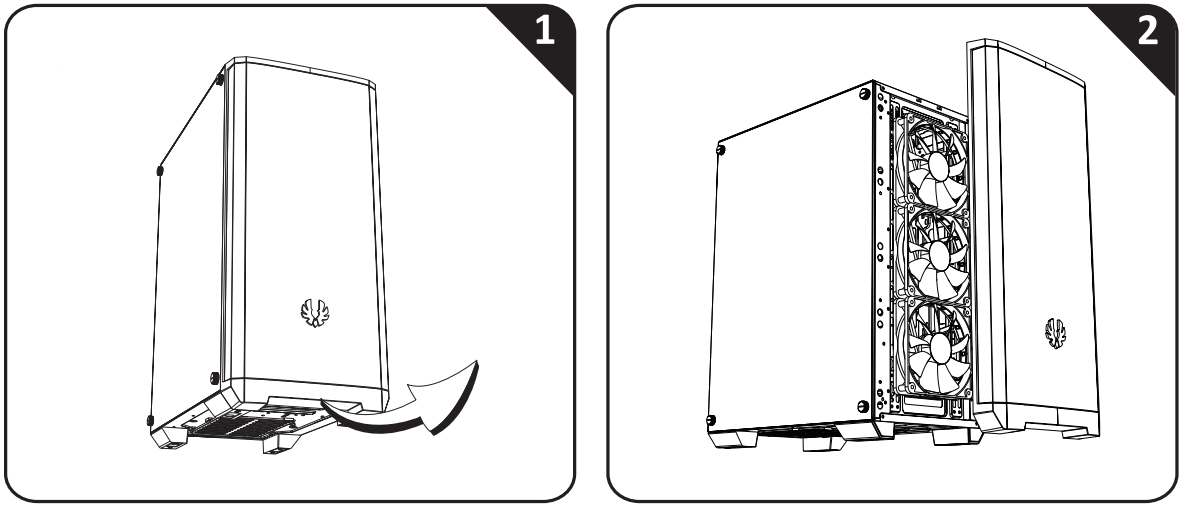
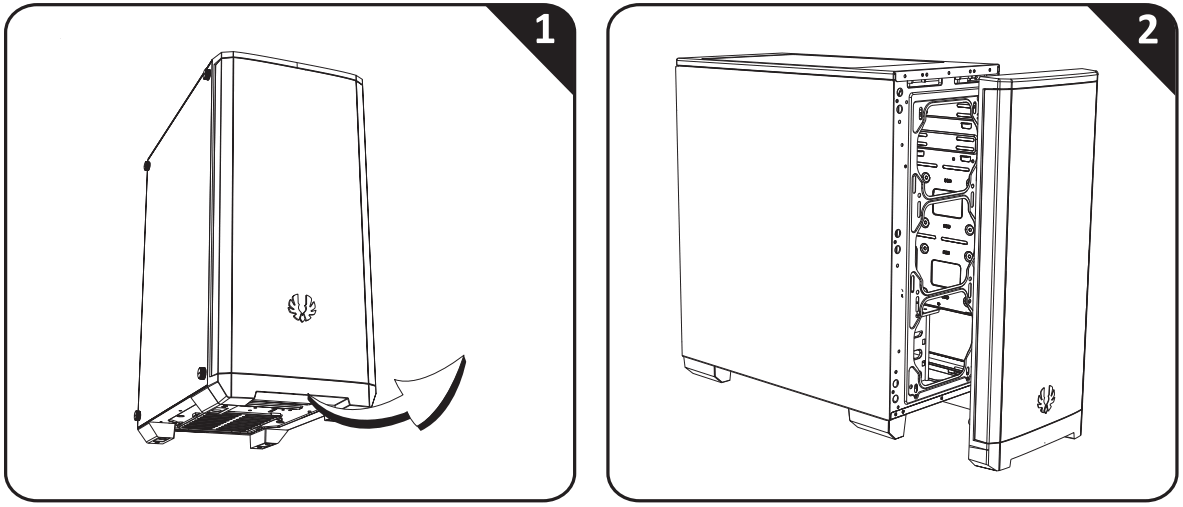
How to remove the front panel

BitFenix Nova Mesh SE TG 4ARGB Crystal Tower Case - FIGUFRE 5

Package Content:

  • NOVA MESH SE Case
  • NOVA MESH SE Quick Installation Guide
  • Accessory Pack
    • 3X Motherboard standoff
    • 8 X 3.5″HDD screw
    • 5 X PSU screw
    • 20 X Motherboard Standard Screw
    • 1 X Speaker

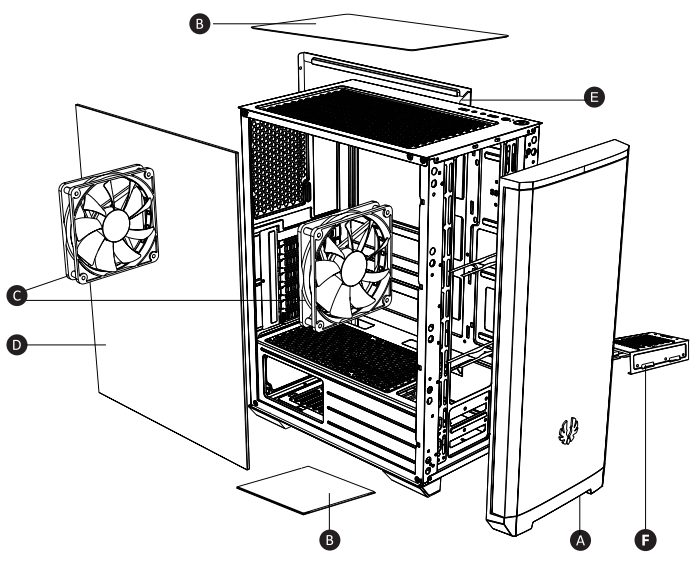
BitFenix Nova Mesh SE TG 4ARGB Crystal Tower Case - FIGUFRE 6

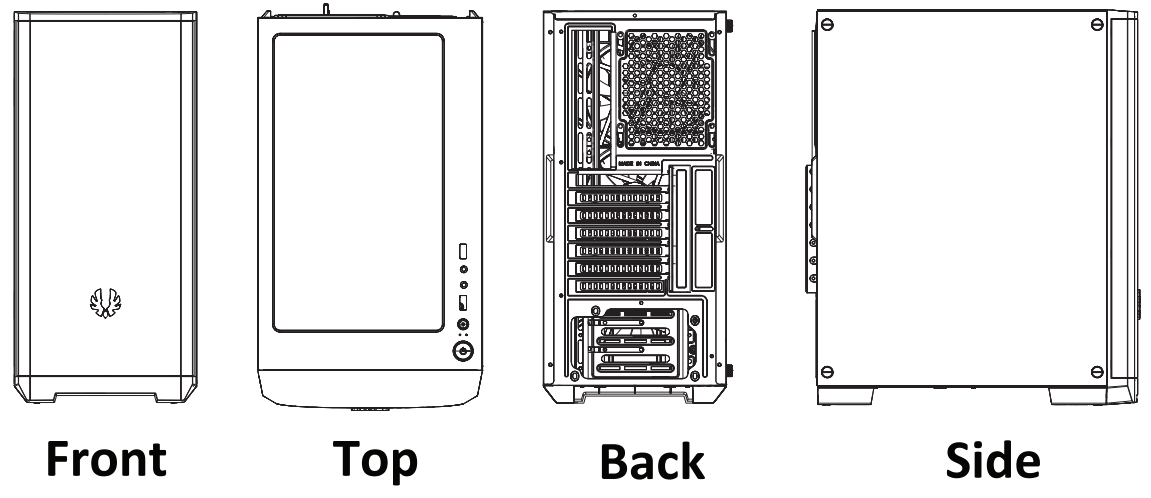
A. Front Panel
B. Dust Fitter
C. Fan (120mm)
D. Steel Left Side Panel
E. Side Panel
F. Modular Hard Drive Tray

NOVA MESH SE
BitFenix Nova Mesh SE TG 4ARGB Crystal Tower Case - FIGUFRE 7

Basic Installation
How to remove the right side panel
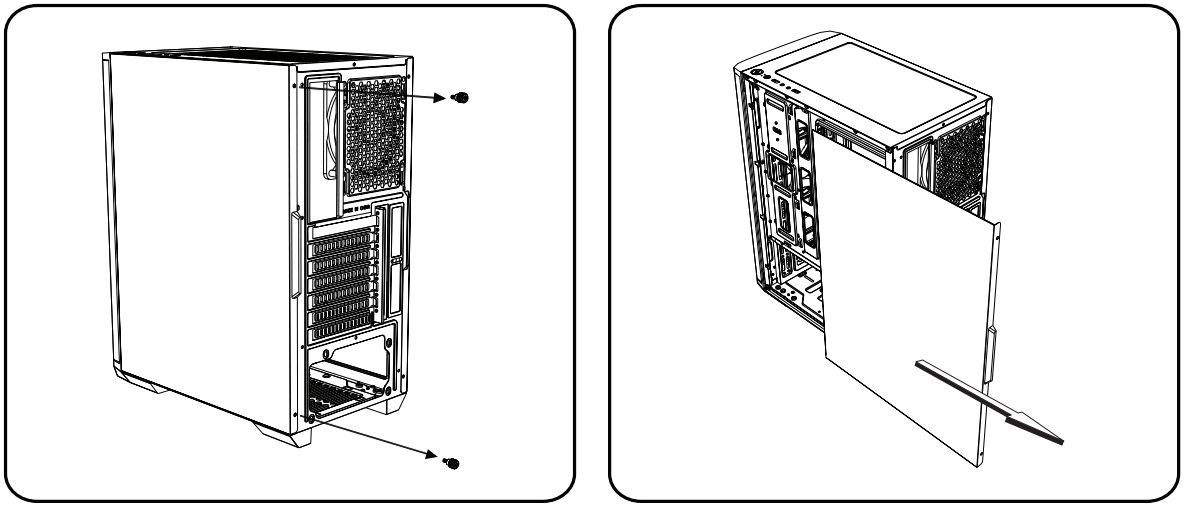
BitFenix Nova Mesh SE TG 4ARGB Crystal Tower Case - FIGUFRE 8
Remove both thumb screwsSlide the side panels towards the back of the case

How to remove the side panel

BitFenix Nova Mesh SE TG 4ARGB Crystal Tower Case - FIGUFRE 9
Remove both thumb screwsSlide the side panels towards the back of the case

How to remove the front panel 

BitFenix Nova Mesh SE TG 4ARGB Crystal Tower Case - FIGUFRE 10

How to remove the dust filters

Top Filter
Pull off the magnetic dust filter
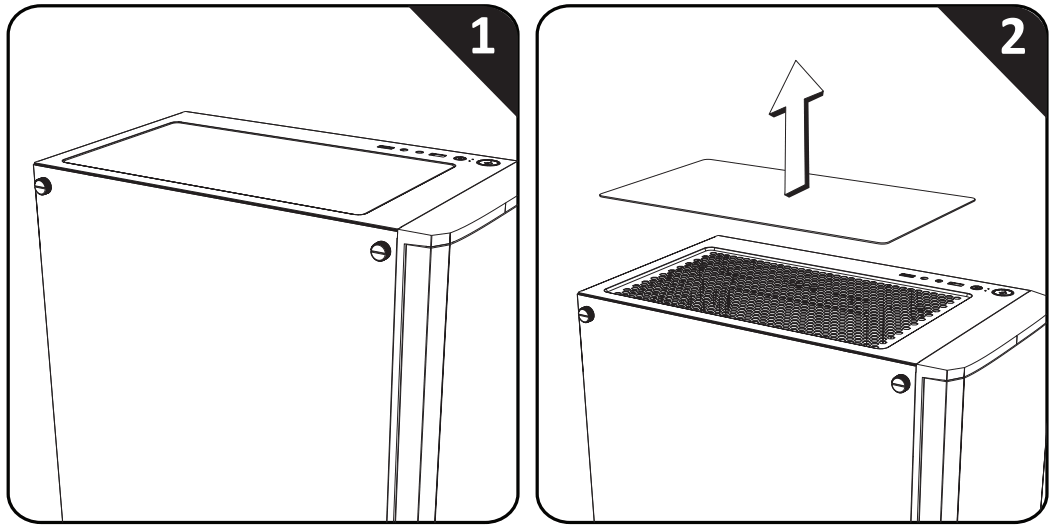
BitFenix Nova Mesh SE TG 4ARGB Crystal Tower Case - FIGUFRE 11

PSU Filter
Pull out the PSU filter from the sideof the feet
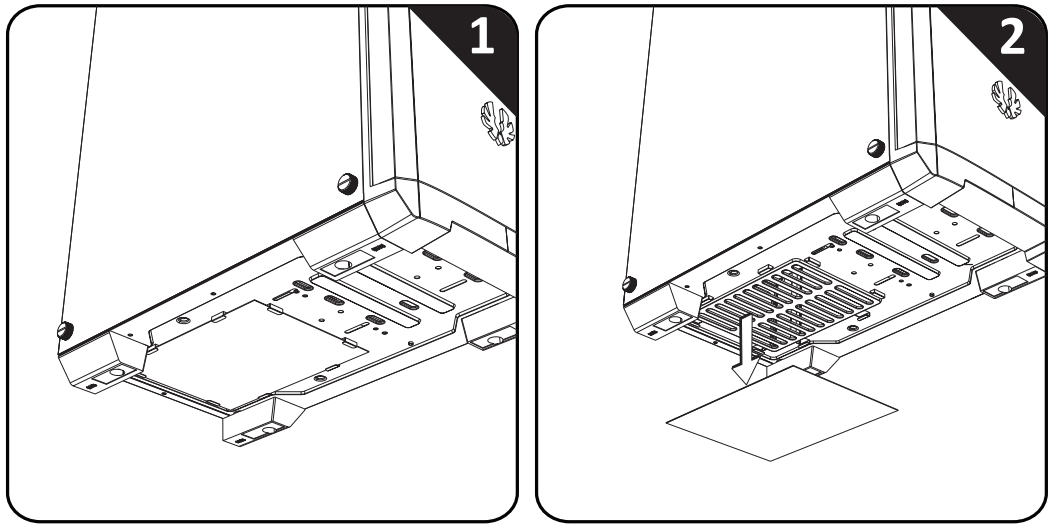
BitFenix Nova Mesh SE TG 4ARGB Crystal Tower Case - FIGUFRE 12

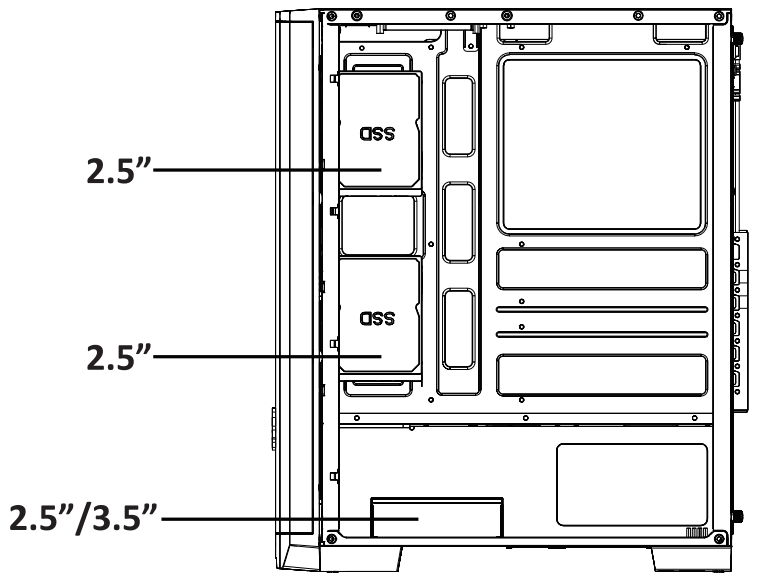
Drive Locations 

BitFenix Nova Mesh SE TG 4ARGB Crystal Tower Case - FIGUFRE 13

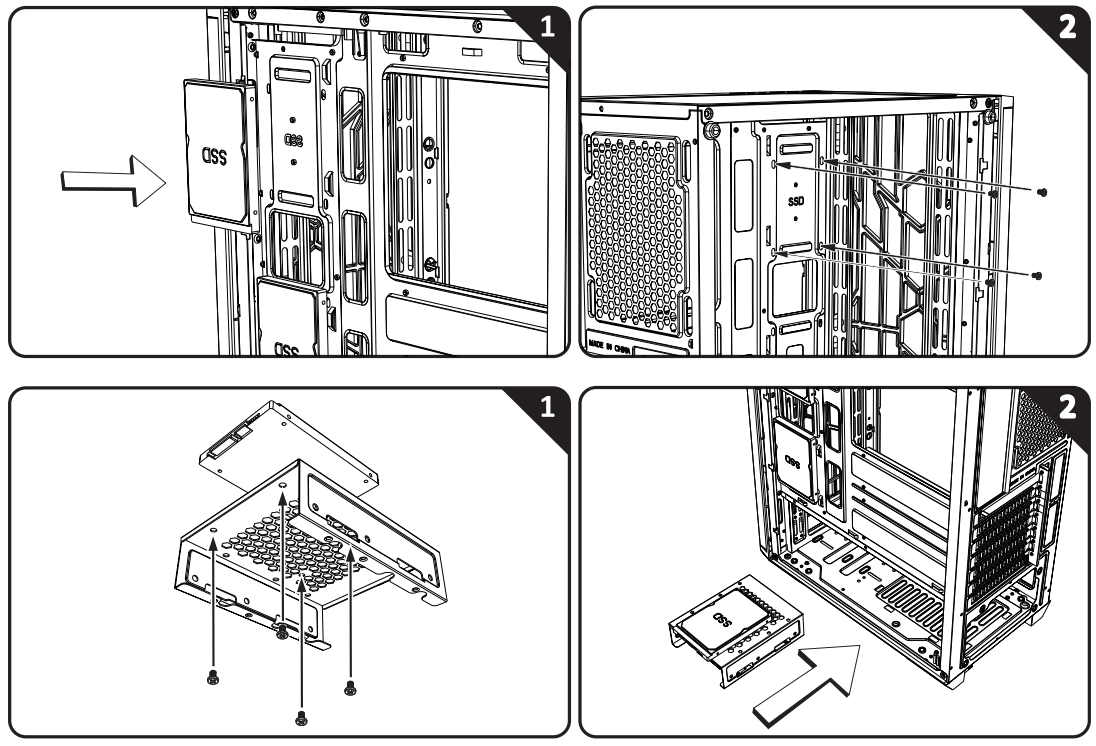
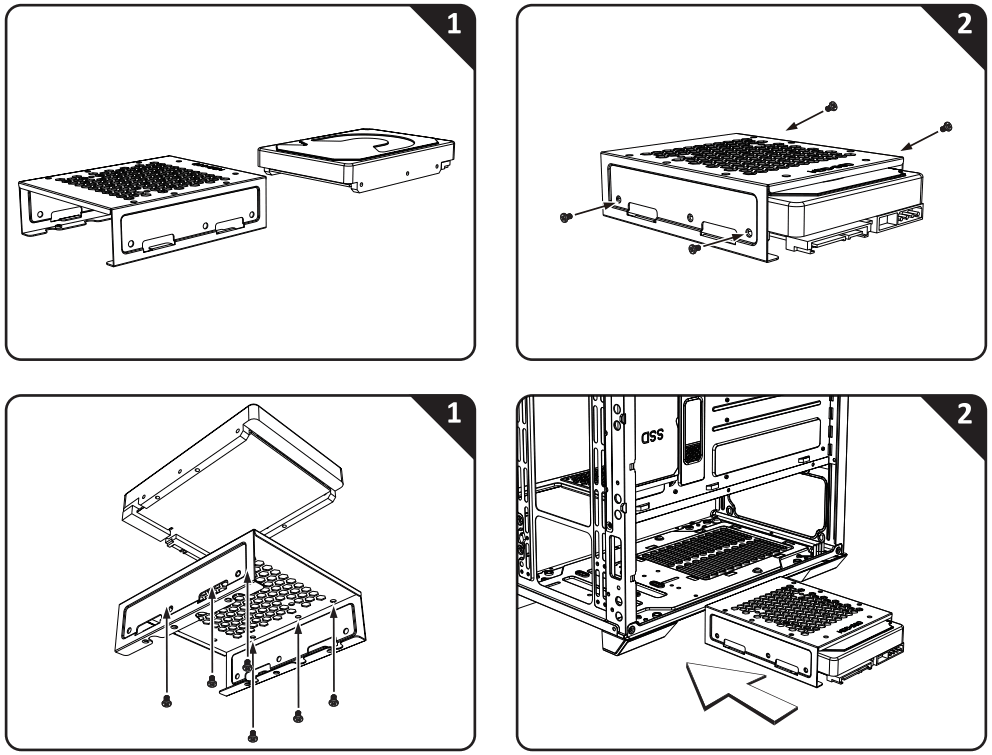
Installing 2.5” Drives

BitFenix Nova Mesh SE TG 4ARGB Crystal Tower Case - FIGUFRE 14

Installing 3.5″ Drives 

BitFenix Nova Mesh SE TG 4ARGB Crystal Tower Case - FIGUFRE 15

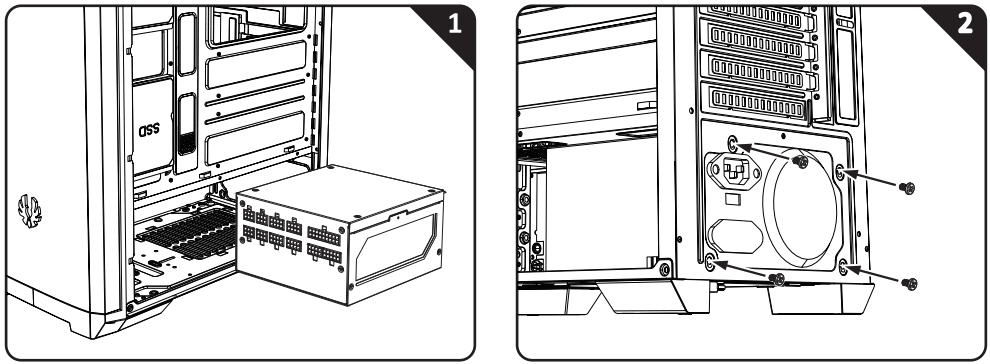
PSU Installation 

BitFenix Nova Mesh SE TG 4ARGB Crystal Tower Case - FIGUFRE 16

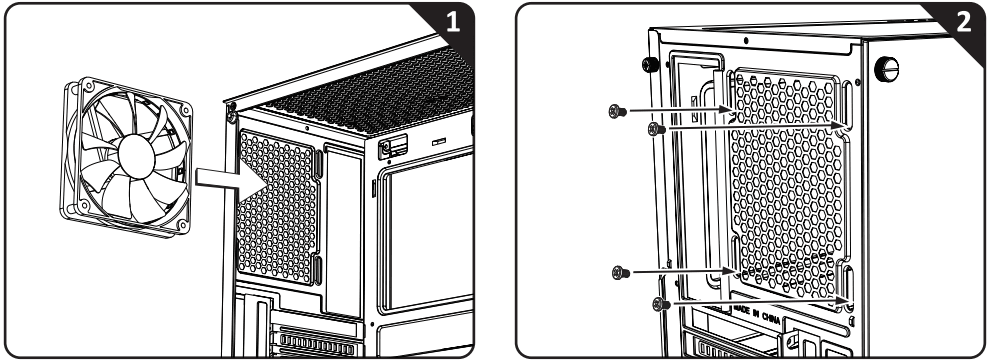
Back Fan Installation (120mm) 

BitFenix Nova Mesh SE TG 4ARGB Crystal Tower Case - FIGUFRE 17

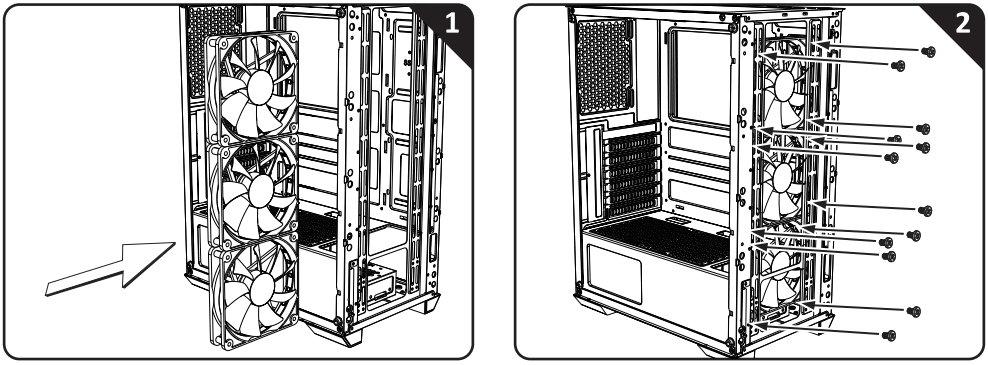
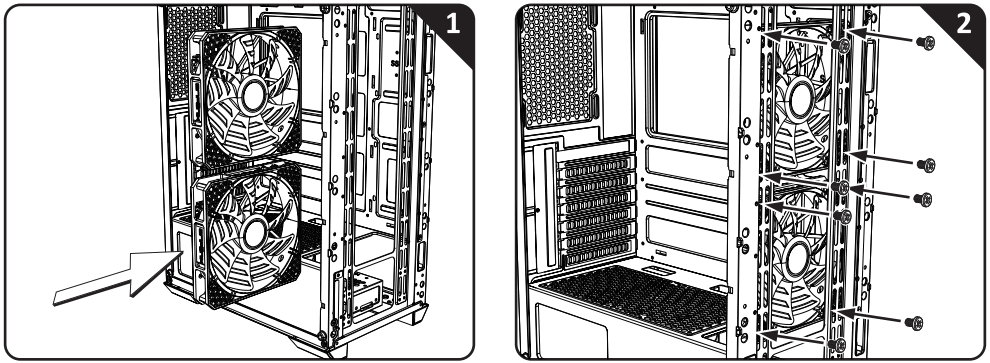
Front Fan Installation(120mm)

BitFenix Nova Mesh SE TG 4ARGB Crystal Tower Case - FIGUFRE 18

Front Fan Installation(140mm)

BitFenix Nova Mesh SE TG 4ARGB Crystal Tower Case - FIGUFRE 19

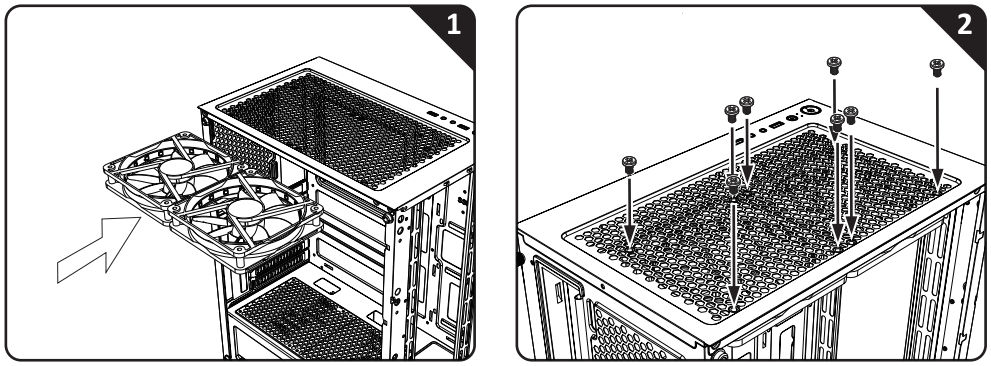
Top Fan Installation (120mm) 

BitFenix Nova Mesh SE TG 4ARGB Crystal Tower Case - FIGUFRE 20

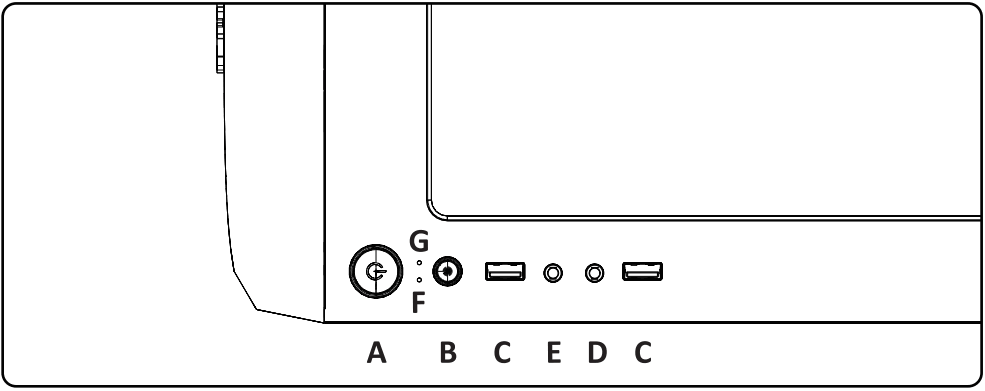
Control Panel 

BitFenix Nova Mesh SE TG 4ARGB Crystal Tower Case - FIGUFRE 21

A. Power Button
B. Reset Button /LED Button
C.USB3.0 Port
D . Microphone Jack
E .Headphone Jack
F .HDD LED
G. Power LED

VGA Card Installation 
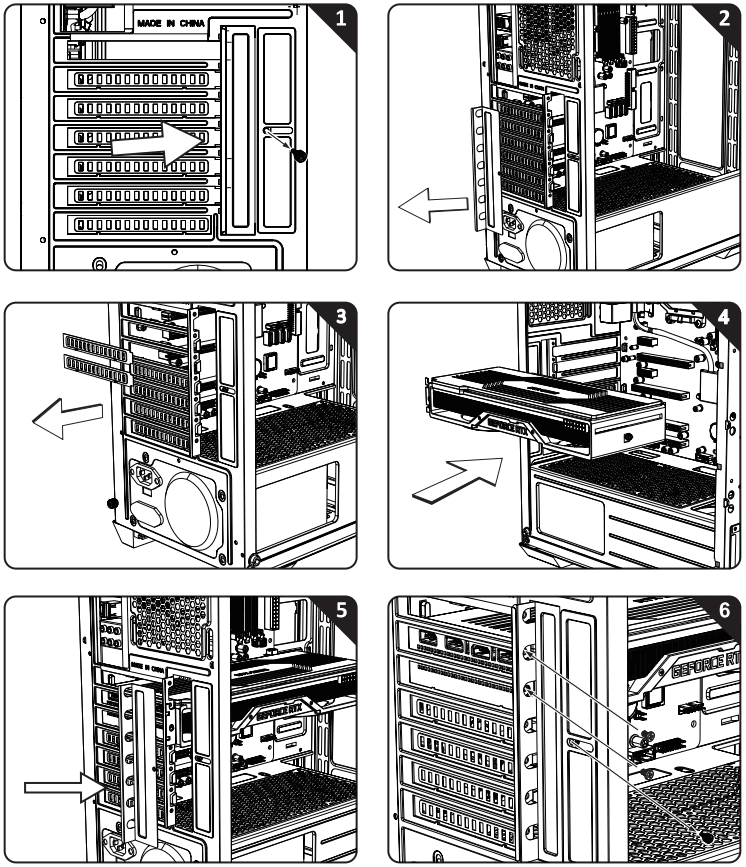
BitFenix Nova Mesh SE TG 4ARGB Crystal Tower Case - FIGUFRE 22

Remove the 6+6 controller from the case, before you connect the ARGB cable or fan.
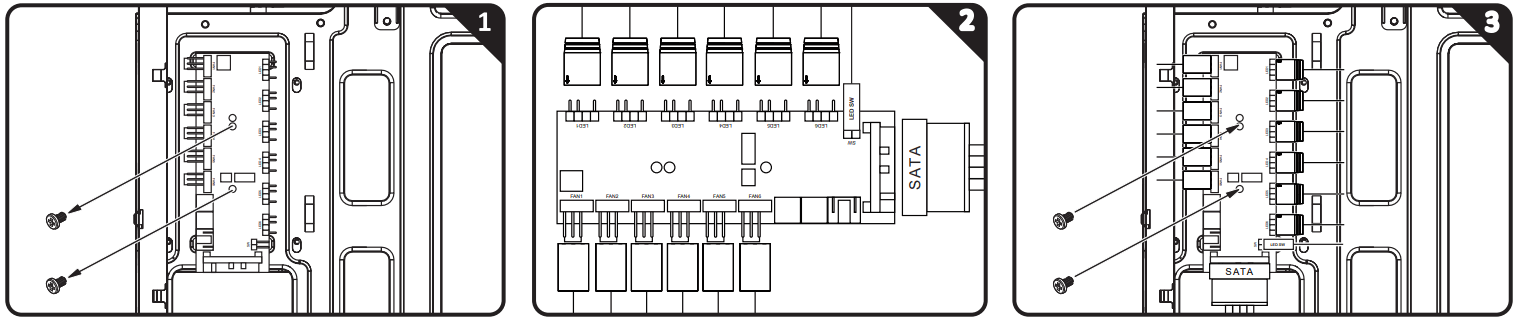
BitFenix Nova Mesh SE TG 4ARGB Crystal Tower Case - FIGUFRE 23

How to connect ARGB on the 6+6 controller:
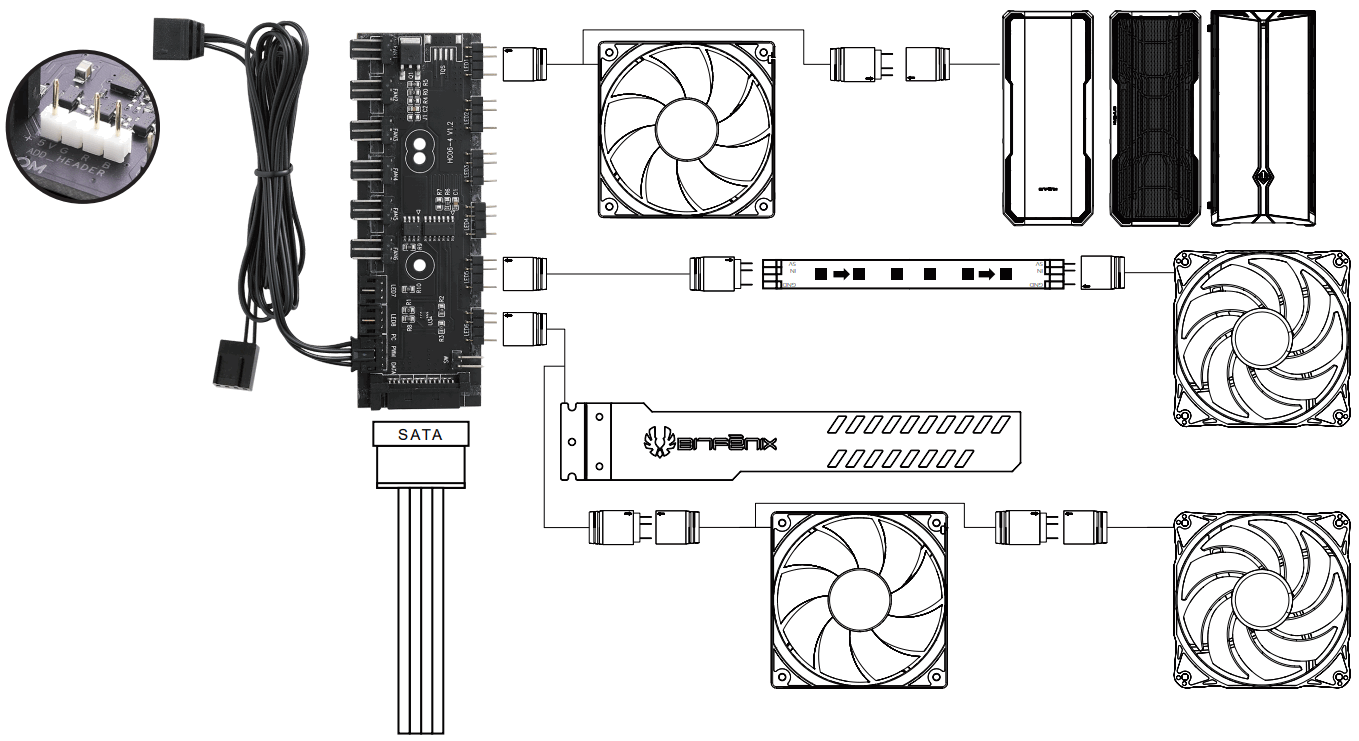
BitFenix Nova Mesh SE TG 4ARGB Crystal Tower Case - FIGUFRE 24

BitFenix Nova Mesh SE TG 4ARGB Crystal Tower Case - QR Code 16+6 Controller QIG
https://www.bitfenix.com/download/02-Chassis/ATX/Nova%20Mesh%20SE/BITFENIX%206%2B6
%20Controller%20%28ARGB%2BFAN%29.pdf

BitFenix Nova Mesh SE TG 4ARGB Crystal Tower Case - QR Code 2https://www.bitfenix.com/download/02-Chassis/ATX/Nova%20Mesh%20SE/BITFENIX%206%
2B6%20Controller%20%28ARGB%2BFAN%29-TC.pdf

BitFenix Nova Mesh SE TG 4ARGB Crystal Tower Case - QR Code 3Nova Mesh SE TG Page
https://www.bitfenix.com/products/chassis/atx/nova-mesh-se-tg/

BitFenix Nova Mesh SE TG 4ARGB Crystal Tower Case - QR Code 4https://www.bitfenix.com/download/02-Chassis/ATX/Nova%20Mesh%20SE/BITFENIX%206%2B6
%20Controller%20%28ARGB%2BFAN%29-TC.pdf

Cheak more on BitFenix website: https://www.bitfenix.com/

BE INVINCIBLE
WWW.BITFENIX.COM

Bitfenix Logo3F, No.79, Sec. 1 , Xintai 5th Rd., Breer Xi Zhi District, New Taipei City, Chinese Taipei.
©2020 BITFENIX Co., Ltd. All Rights Reserved. All trademarks are registered to their respective owners
For the most updated information, please visit our official website : http://vww.bitfenix.com
Ver 1.0 2019/05

References

Documents / Resouces

Download manual
Here you can download full pdf version of manual, it may contain additional safety instructions, warranty information, FCC rules, etc.


Related Manuals