
User’s Manual
Front I/O Panel Cabel Connection
(Please refer to the motherboard’s manual for further instructions).
Front Panel Connector
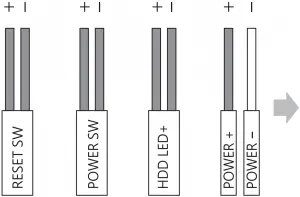
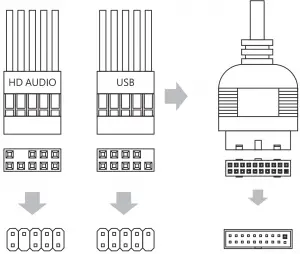
Motherboard
Accessory Bag Contents
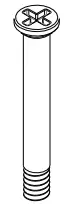 Fan Screw
 MB Standoff

SSD Screw
MB Screw

PSU Screw
PCI Screw
How to Install Guide
(1) Motherboard
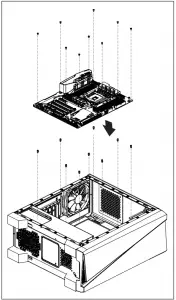 Install Motherboard
(2) PSU
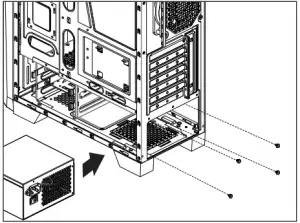 Install PSU
(3) Add-on Card
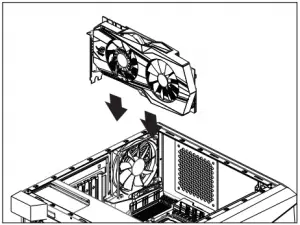 Install Add-on Card
(4) 3.5″ HDD x 2
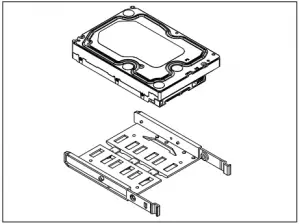 Install 3.5″ HDD
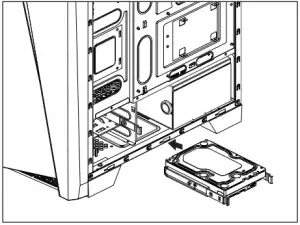 Install 3.5″ HDD
(5) 2.5″ SSD x 2
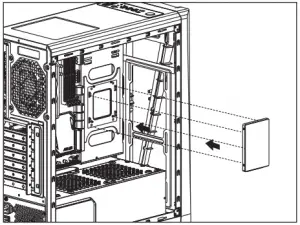 Install 2.5″ SSD
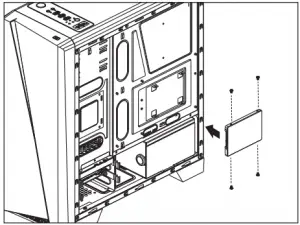 Install 2.5″ SSD
(6) Radiator
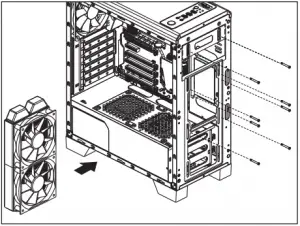 Install the fan and radiator
(7) Fan
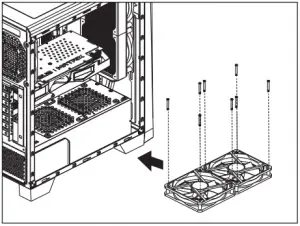 Install Fan
LED Switch
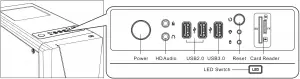
 LED Mode Switch ( Hold switch for secs to turn off LED )