
Operating and assembly instructions
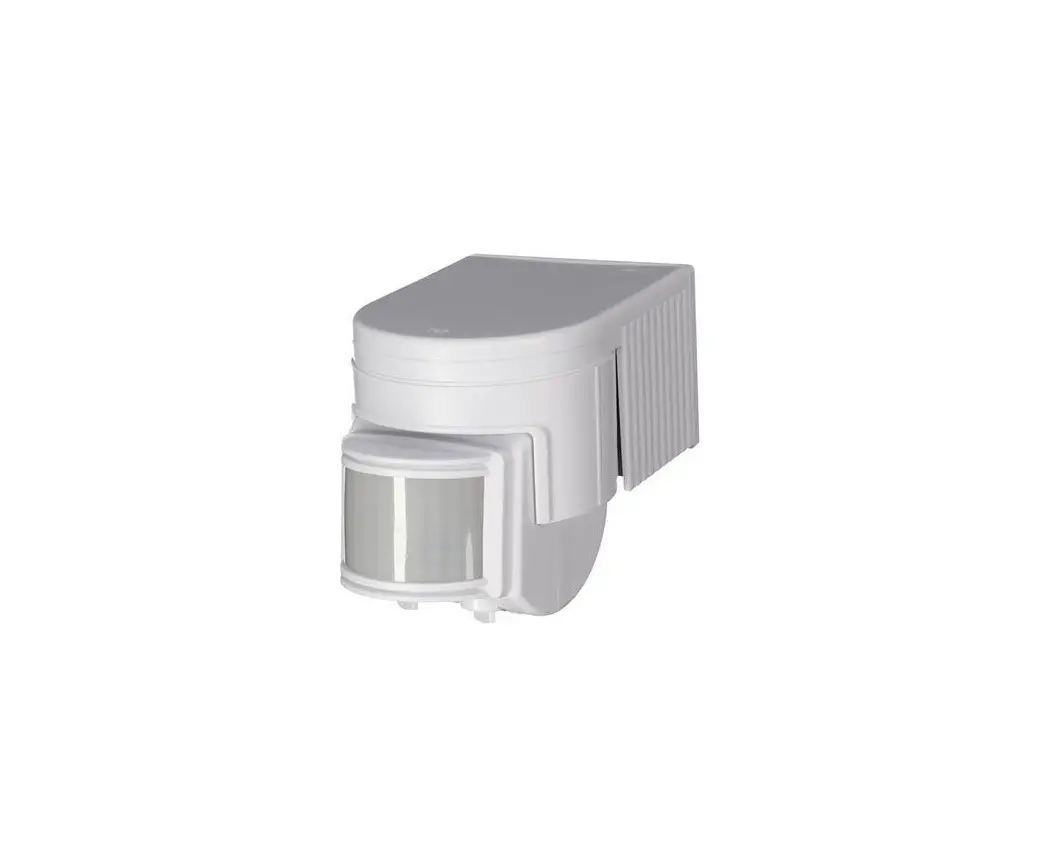
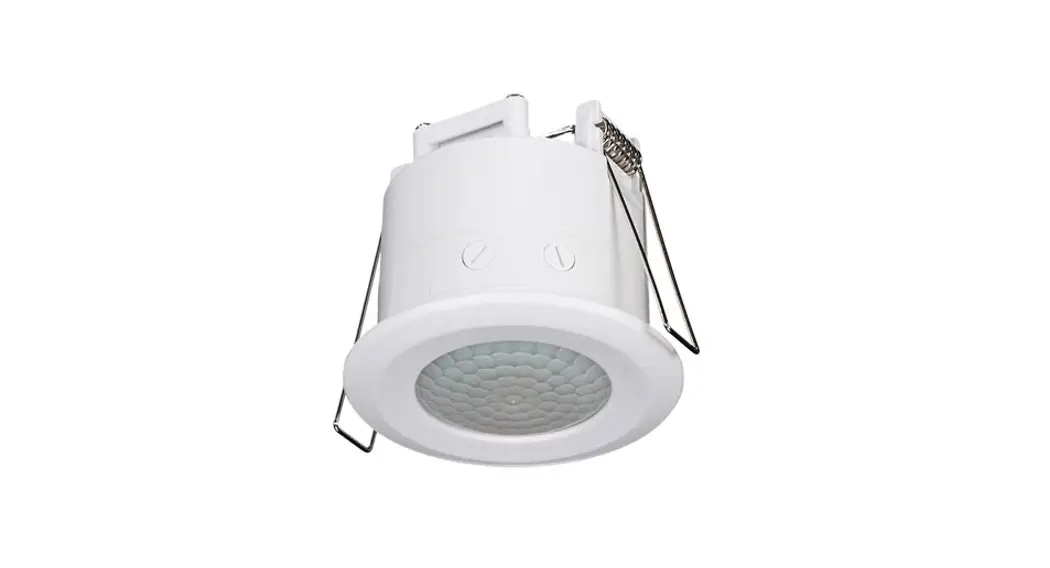
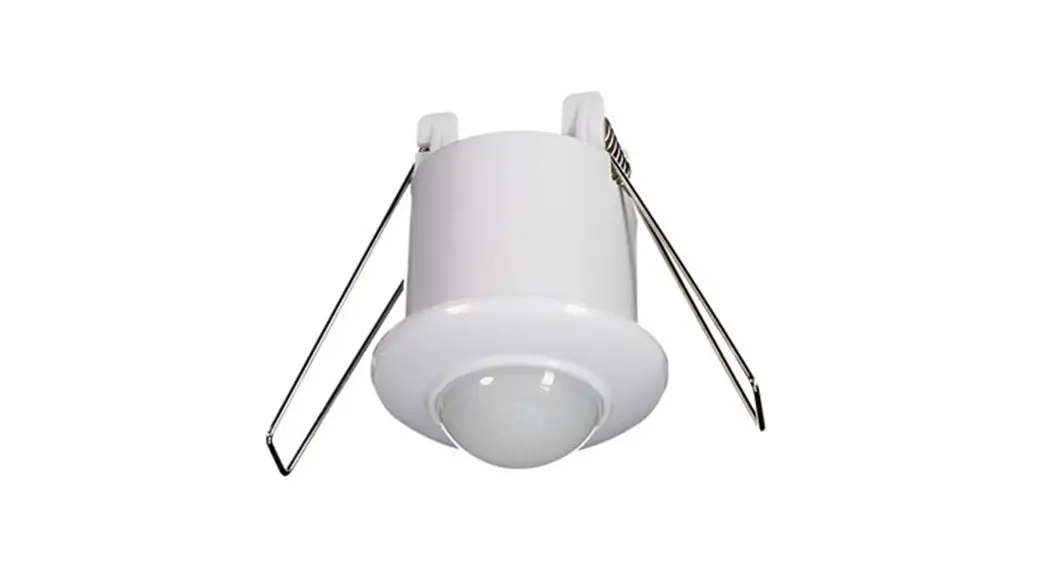
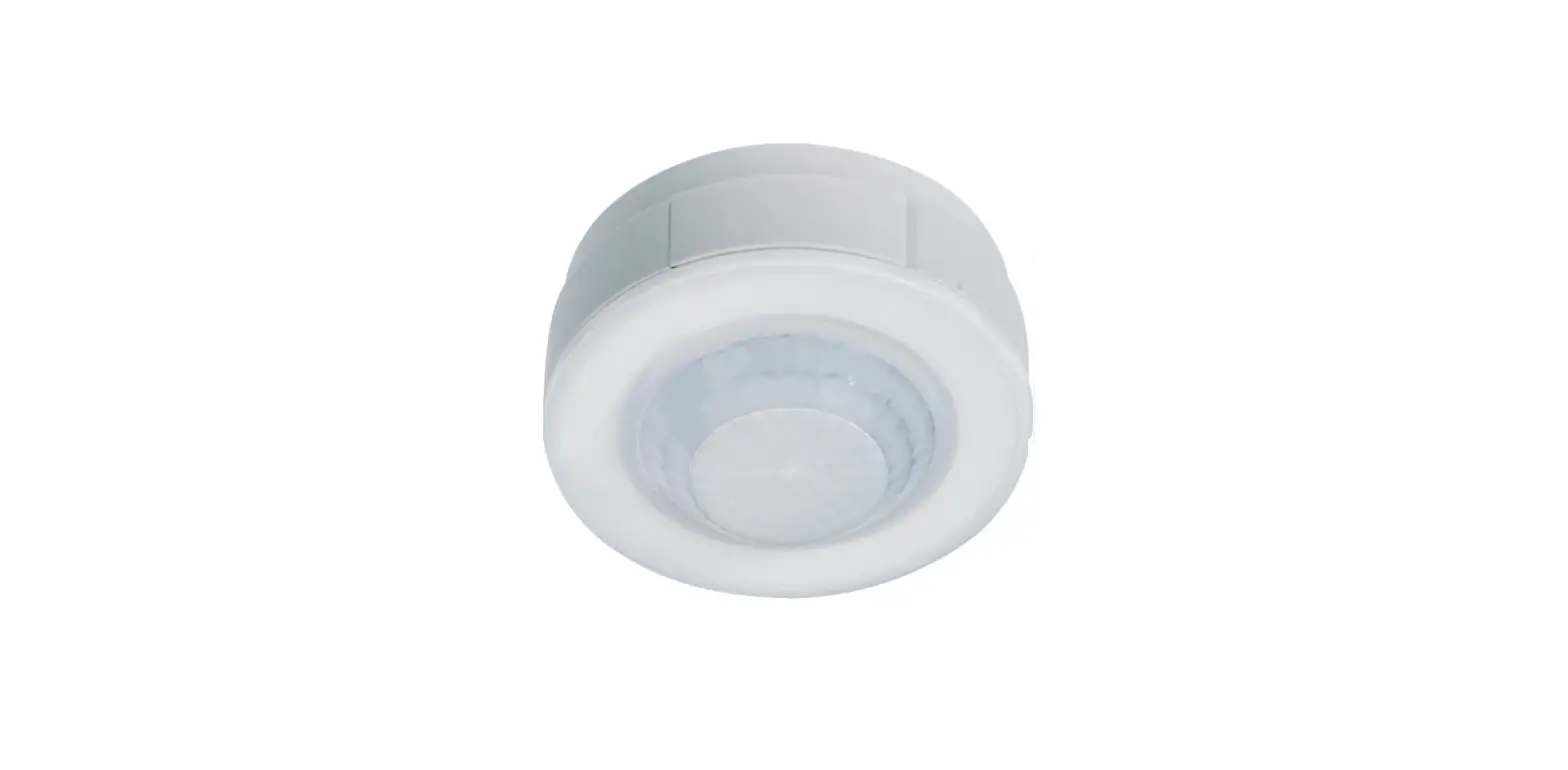
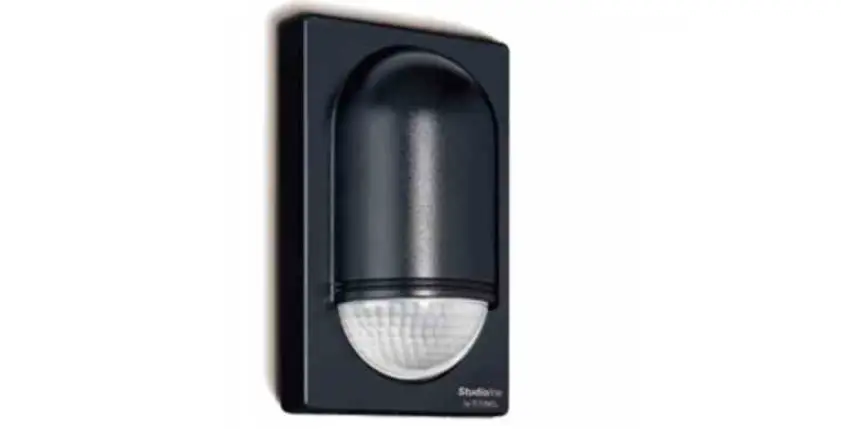
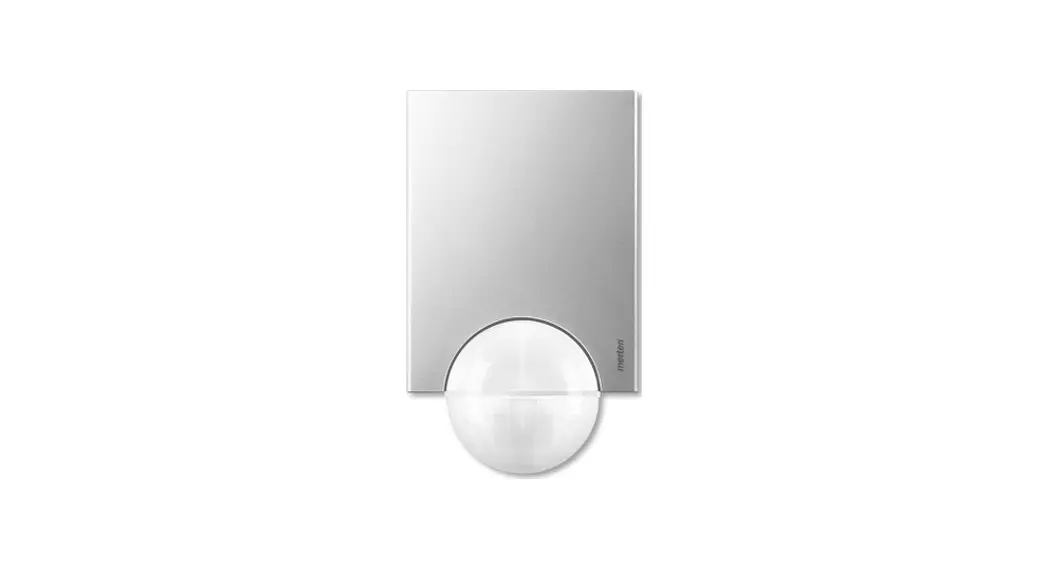
Motion detector 1.1 m
Order no.: 8534 11 ..
Motion detector 2.2 m
Order no.: 8534 21 ..
Motion detector 1.1 m / 2.2 m
Safety instructions
Electrical equipment must only be installed and assembled by a qualified electrician in accordance with the relevant installation standards, regulations, directives and safety and accident prevention directives of the country.
Failure to comply with these installation instructions may result in damage to the device, fire or other hazards.
Due to its detection behaviour the device is not suitable for use in burglary detection or alarm systems.
These instructions are an integral component of the product and must be retained by the end user.
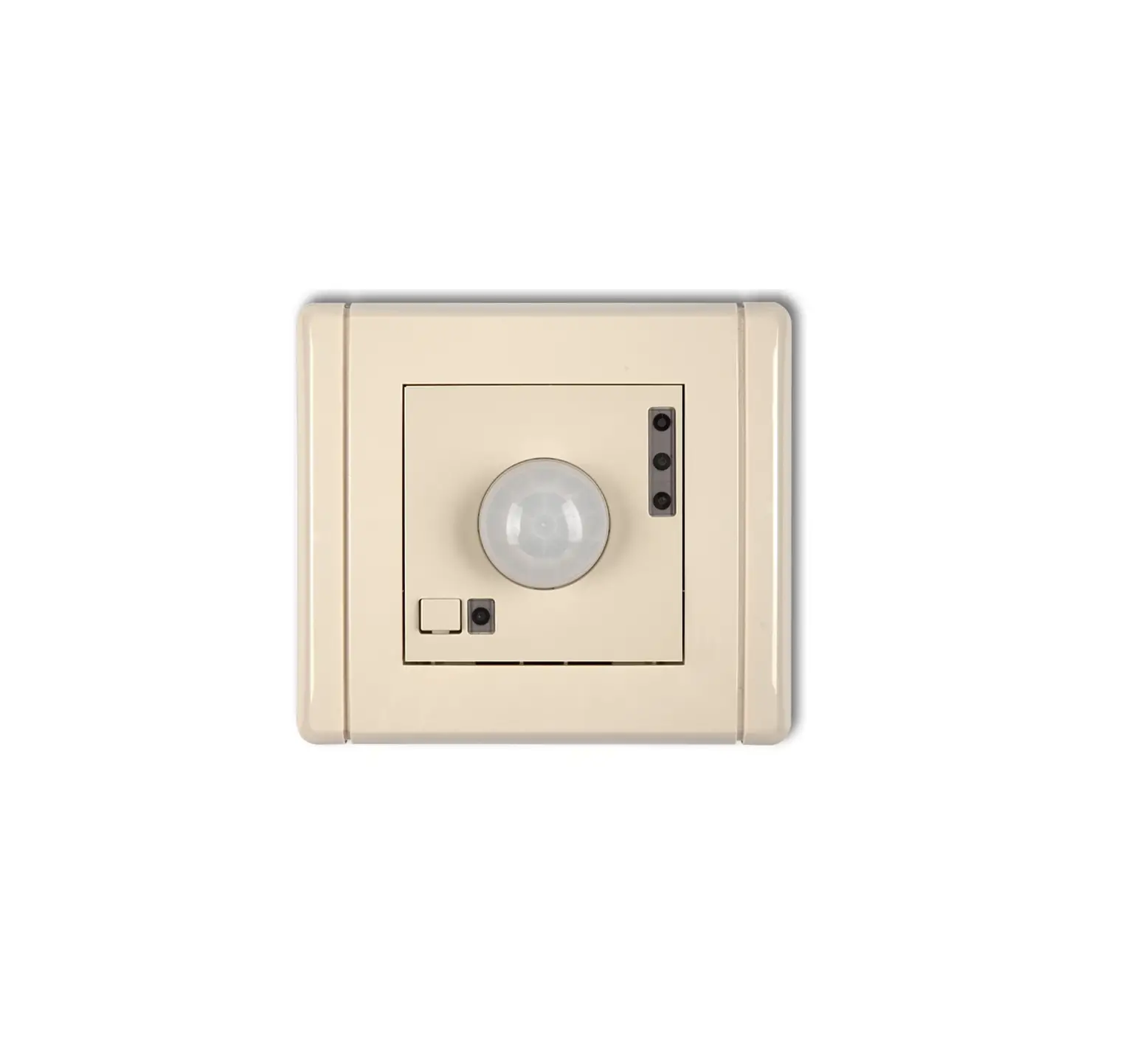
Design and layout of the device
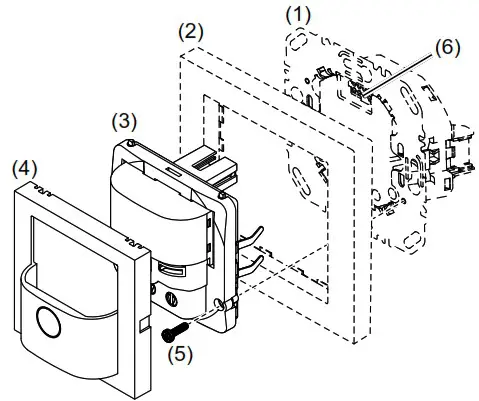
Fig. 1: Design and layout of the device
- Insert (see “Accessories”, not in scope of delivery)
- Frame (not included)
- cover
- Motion detector design cover
- Module retaining screw (not for Berker R.1/R.3/R.8)
- Interface between insert/application module
Function
Correct use
- Automatic switching of lighting depending on heat motion and ambient brightness
- Application module for switch insert, dimmer insert or motion detector extension unit
- Only suitable for use in indoor areas with no drip and no spray water.
Product characteristics
- Integrated button for selecting operating modes and special functions
- Lockable integrated button
- Operating mode – automatic mode, permanent ON, permanent OFF can be selected
- Display operating mode via LED
- Potentiometer for adjusting the response brightness and detection sensitivity
- Adjustable detection angle for adapting the detection area
- Additional adjustment of the response brightness via Teach-In function
- Party function
- Presence simulation
- Operation on motion detector extension units
- Optional extension unit operation via installation button
Automatic mode
The motion detector detects heat motion caused by people, animals, or objects.
On switch insert:
- The light will be switched on for a (fixed) delay time of 3 minutes if movements are detected in the detection area and the set brightness threshold is undershot. Each detected movement restarts the delay time.
- The light will be switched off after 3 minutes if no additional movements are detected.
On dimmer insert:
- The light will be switched on to the switch-on brightness level for a (fixed) delay time of 3 minutes if movements are detected in the detection area and the set brightness threshold is undershot. Each additional movement in the detection area restarts the delay time.
- After the delay time elapses, the lighting will be dimmed to 50% of the switch-on brightness-level and will remain at this brightness level for 30 s (switch-off pre-warning). Any motion detected during the switch-off pre-warning restarts the delay time and restores the switch-on brightness level.
- The light will be switched off if no motion is detected any longer in the detection area and the set delay time and the switch-off time have elapsed.
On extension unit
- If motion is detected in the detection area of the extension unit, the extension unit insert sends a pulse to the main unit and then locks for 10 seconds. Recording takes place independently of the brightness on the extension unit. If motion is still detected after 10 seconds, a pulse is sent again.
- Upon receiving an extension unit pulse, the main unit switches on the light for the delay time, if the set brightness threshold is undershot. Every further extension unit pulse restarts the delay time of the main unit.
Performance after mains breakdown/return of mains supply
- Mains breakdown shorter than 0.2 s: The function is not impaired.
- Mains breakdown longer than 0.2 s: There is no function during the breakdown of the main. The current configuration is saved in non-volatile memory.
- Return of mains supply:
The application module executes an initialisation for approx. 15 s, during which the lighting will be switched on. Motion detection starts thereafter. If no motion is detected during the first 5 s, the lighting is switched off. The saved configuration is loaded from memory. During this period local operation via the button or extension unit can be used.
Operation
Operating concept
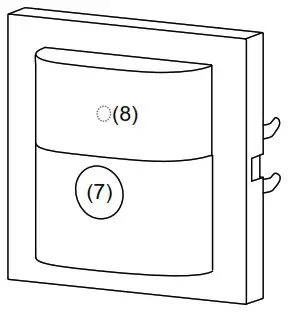
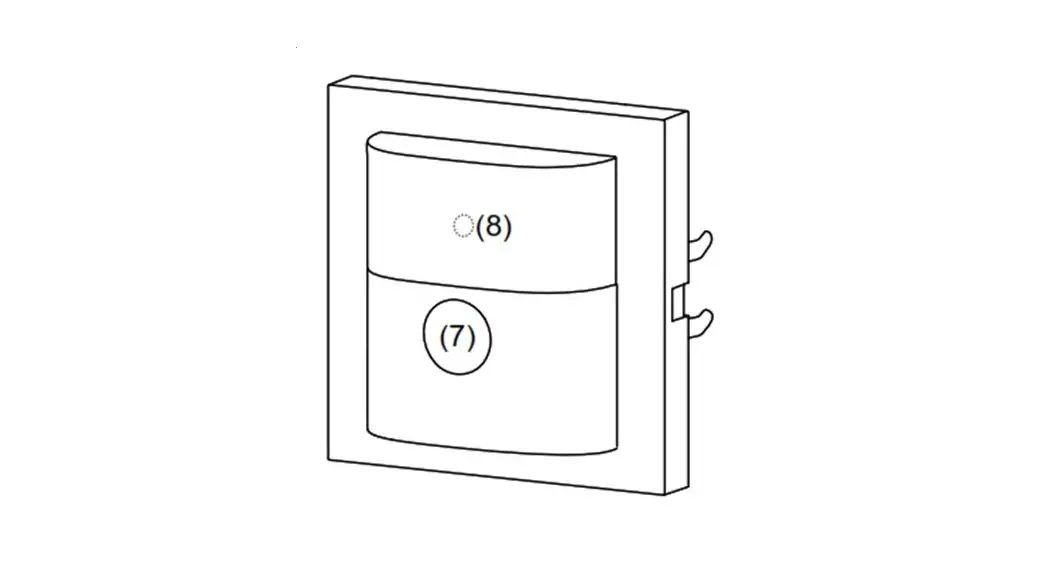
Fig. 2: Operation and display elements
(7) Button
(8) Status LED
Operation is executed by pushing the button (7) on the motion detector:
- A short press of the button switches the operating modes. The operating mode is displayed via the status LED behind the optics cover of the motion detector.
- Keeping the button pressed activates special functions. Selection of the special functions is supported by the LED display (Fig. 3).
Selecting the operating mode
- Briefly press the button repeatedly until the desired operating mode is selected.
The status LED indicates the selected operating mode (see Table 1). Switching the operating mode finishes the party function or presence simulation, if these functions were previously active.
Disabling/enabling operating mode selection via button
- Keep the button pressed for more than 15 seconds, until the status LED is flashing green (Fig. 3). Selection of the operating mode via the button is disabled.
or if the button is locked: - Keep the button pressed for more than 15 seconds, until the status LED is flashing green (Fig. 3).
The operating mode can be selected via the button again.
Switching on the lighting via push-button extension unit or changing the switch-on brightness level (Table 2)
Optionally the lighting can be switched on via a mechanical push-button extension unit. For extension unit operation, the lighting is switched on independently of the set brightness threshold. When using the dimmer inserts, the last set brightness level will be saved as the switch-on brightness-level.
Activating/interrupting party function
The party function switches the lighting on for 2 hours. During this time no extension unit commands are executed. In the case of motion detectors on extensions, activating the party function causes cyclical transmission of the switch-on pulse every 10 s. However, the light is only switched on when the brightness threshold is undershot at the main unit.
- Keep the button pressed for more than 5 seconds, until the status LED is flashing red (Fig. 3).
The lighting is switched on for 2 hours. During this time the status LED is flashing red. Upon elapse of 2 hours, the motion detector switches to Autooperation mode. - Briefly press the button.
The party function will be cancelled, the motion detector returns to Auto operation mode.
Activating/deactivating presence simulation
During operation, the motion detector counts the motion detections in one full hour and saves the result.
With active presence simulation at the beginning of the hour with the most detections saved, the light will be switched on for the duration of the delay time, even no motion is detected.
During the presence simulation, presence detection and extension unit commands will continue to be executed normally.
The presence simulation cannot be activated via the extension unit.
- Keep the button pressed for more than 20 seconds, until the status LED is slowly flashing red (Fig. 3).
The presence simulation is active. During this time the status LED lights orange. The motion detector switches the lighting on at the saved time. - Briefly press the button.
The presence simulation will be disabled, the motion detector returns to Automode.

1) Only on universal switch insert and universal dimmer insert
Fig. 3: Selection of special functions and LED display
| LED display | Operating mode | On switch insert or dimmer insert | On extension unit insert |
| — | Auto | Motion-dependent and bright- ness-dependent switch on/switch off of the load | Motion-independent switching pulse for the main unit |
| green | Permanent ON | Load is permanently switched on/switched off. Extension unit signals will not be evaluated | Cyclical transmission of the switch-on pulse every 10 s |
| red | Permanent OFF | — |
Table 1: Display of operating modes
| Dimming status | Operation button | Performance of the insert |
| Motion detector applied on switch insert | ||
| OFF | Short press | Load is switched on for the delay time (3 min) |
| ON | Short press | Extension of switch-on time by the delay time (3 min) |
| Motion detector applied on push-button dimmer comfort lgang | ||
| OFF | Short press | Load is switched on to the switch-on brightness-level for the delay time (3 min) |
| ON | Short press | Extension of switch-on time by the delay time (3 min) at the same brightness |
| OFF | Long press | Load is switched on to switch-on brightness-level, subsequent dimming in the opposite direction of the last dimming process. Thereafter the load remains switched on for the delay time (3 min). |
| ON | Long press | Changes the current brightness. Dimming takes place in the opposite direction of the last dimming operation until maximum or minimum brightness. Subsequently, the load remains switched on at the set brightness for the delay time (3 min). |
Table 2: Operation via push-button extension unit
Settings
Setting response brightness via Teach-In function
The response brightness is the brightness value saved in the motion detector; when this value is undershot the motion detector switches the connected load if movements are detected. Via Teach-In function, the current ambient brightness is saved as the response brightness. Teach-In cannot be carried out on the extension unit.
The load is switched off.
- Keep the button pressed for more than 10 seconds, until the status LED is flashing orange (Fig. 3).
The motion detector detects the current ambient brightness and saves it as response brightness. Setting of the response brightness via Teach-In function and via the brightness potentiometer has the same priority. Teach-In overwrites the response rightness set on the brightness potentiometer. If the setting is made again via the potentiometer , the Teach-In figure will be overwritten.
Setting the load
If the switching performance is not satisfactory after commissioning when using the motion detector on universal switch inserts and universal touch dimmers, a load setting must be made. A load setting is required each time the load is changed.
- Switch off load.
- Keep the button pressed for more than 25 seconds, until the status LED is slowly flashing orange.
- Release push-button.
The connected load blinks once. The device is in selection mode. If no further actions are performed within the next 10 seconds, the dimmer switches to normal operation. - Briefly press the button repeatedly to activate the desired setting mode.
► See Table 3a / 3b Information for electricians:
For the version labelling of the flush-mounted insert, see packaging label or sticker on the back of the housing.
Setting the load on a universal switch or dimmer insert from Version R1.2
| Briefly press the button | Setting mode | Duration and confirmation of the load setting The light to confirm the load flashes at 50% brightness. | Information for use |
| 1 x | Load factory setting | Settings duration: approx. 30 sec. Load switching/dimming phases may occur during the automatic settings process. The load flashes one last time as a confirmation and then goes out. The device returns to normal operation. | Factory setting with automatic load recognition. If the switching behaviour is unsatisfactory after that, restart selection mode and select the best option. |
| 2 x | LED mode 1 (phase cut-on) | After approx. 5 sec., the load flashes twice as a confirmation and then goes out. The device retums to normal op- eration. | Recommended for lower 230 V LED loads up to max. 60 W if the switching/dimming behaviour is unsatisfactory after automatic load setting. |
| 3 x | LED mode 2 (phase cut-on) | Settings duration: s 50 sec. Load switching/dimming phases may occur during the automatic settings process. Finally, the load flashes three times as a confirmation and then goes out. The device returns to normal operation. | Recommended for higher 230 V LED loads from 50 W, which can be operated in the phase cut-on. Observe manufacturers datal |
| 4 x | Fine setting of minimum brightness | 5 predefined minimum brightness levels for 2.5 sec. each, run through repeatedly (3 runs). ■ As soon as the connected load shows a satisfactory minimum brightness, confirm by quickly pressing the bottom button. After approx. 5 sec., the load flashes four times as a confirmation and remains switched on (50% brightness). The device returns to normal operation. | To optimise the switch-on be-haviour, or if the load flickers in the lower brightness range, the minimum brightness setting can be manually adjusted here. |
Table 3a
Setting the load on a universal switch or dimmer insert up to Version R1.1
| Briefly press the button | Setting mode | Confirmation of the load setting | Information for use |
| 1 x | Load fine-setting | Load blinks 1 x after approx. 30 s and changes to normal operation | Not suitable for ohmic loads (e.g. incandescent, HV halogen lamps); use factory load setting. If the load fine-setting does not bring any improvement for energy-saving lamps or 230 V LED lamps, select the energy-saving lamp fine-setting or 230 V LED lamp universal setting. |
| 2 x | Factory load setting | Load blinks 2 x after approx. 6 s and changes to normal operation | |
| 3 x | Energy-saving lamp fine-setting in phase cut-on | Load blinks 3 x after approx. 30 s and changes to normal operation | Energy-saving lamps are switched on at a brightness level of at least 50% in order to ensure an ignition process. |
| 4 x | 230 V LED lamp uni- versal setting in phase cut-on or phase cut-off | Load blinks 4 x after approx. 5 s and changes to normal operation | For connected dimmable 230 V LED lamps the dimming principle and the optimal switch-on brightness level is set automatically. |
| For all setting modes | Load blinks 5 x | The selected setting mode is not supported by the insert. |
Table 3b
Information for electricians Installation and electrical connection
Selecting installation location Observe the motion orientation: a distinction is made between “direct approach” and “transverse motion”. Motions transverse to the motion detector can be detected better than motions toward the motion detector (Fig. 4, 6, 7).
- Select an installation location that is free of vibration. Vibrations can cause undesired switching.
- Avoid sources of interference in the detection area (Fig. 6 and 7). Sources of interference, e.g. heating elements, ventilation systems, air conditioners and lamps that are cooling down can cause undesired switching (Fig. 4).
To avoid disturbing influences, the detection angle can be restricted (see Restriction of the detection area).
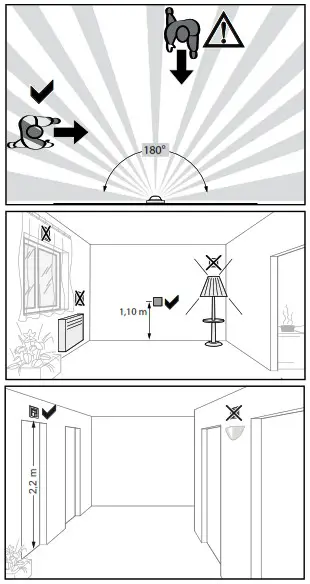
Fig. 4: Installation location of the motion detectors
Assembly of the device (Figure 1)
Information on electrical connection can be found in the operating instructions for the insert.
- Attach the cover bottom part (3) together with frame (2) to a suitable insert (1) and establish a connection between insert and the application module via the interface (6).
As soon as voltage is supplied to the application module, the status LED indicates the compatibility with the insert used.
| Status LED display | Meaning |
| LED blinks green (approx. 5 s until motion detection is active) | Compatible |
| LED flashes red for 5 s | Not compatible |
- If available, fix dismantling protection with screw (5).
- After commissioning, click the design cover (4) into place on the application module (3).
Commissioning
Overview of operation and adjustment elements
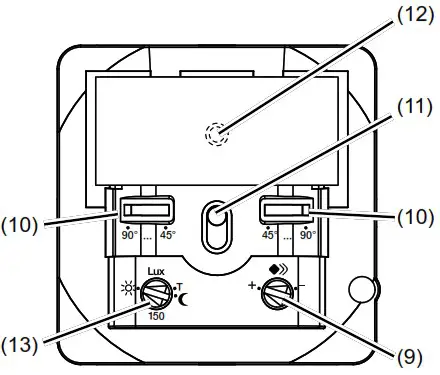
Fig. 5: Operation and adjustment elements
(9) Potentiometer for sensitivity
(10) Detection angle adjuster
(11) Button
(12) Status LED
(13) Potentiometer for response brightness
Setting the detection area
The detection angle can be restricted for the right side and for the left side via each adjuster (Fig. 5, 10) between 45° and 90° for each adjuster. This can be carried out on the device. The detection angle can therefore be between 90° and 180° (Fig. 8).
- Use the adjusters to set the detection angle for each side.
Setting the detection performance
Test mode must be used to test the detection performance. In test mode, the motion detector works independent of brightness. Each detection switches the lighting and the status LED on for 3 seconds.
The motion detection will then be deactivated for 2 seconds. The motion detector is connected and ready for operation.
- Setting the test mode. To do this, set the response brightness potentiometer (Fig. 5, 13) to the T position.
- Leave the detection area and observe the switching behaviour.
If the motion detector switches on without motion in the detection field, then sources of interference (see Installation location) are present or the sensitivity is set too high. - Reduce the sensitivity if necessary and blank out sources of interference by adjusting the detection angle or removing them.
- Check the detection area using a detection test and adjust if necessary. If the detection area is too small, it can be extended via motion detector extension units (see accessories).
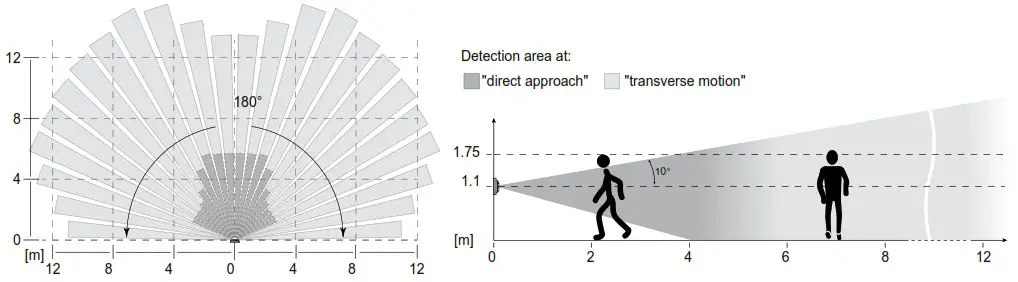
Fig. 6: Detection area of the motion detector for installation height 1.1 m
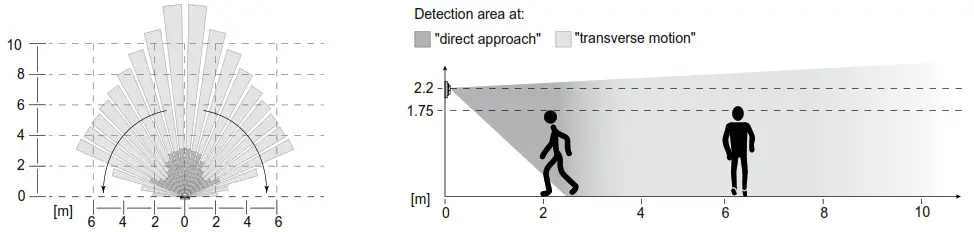
Fig. 7: Detection area of the motion detector for installation height 2.2 m
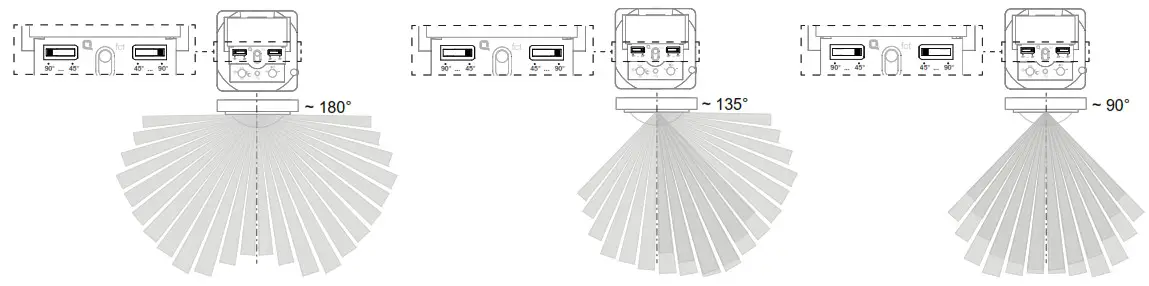 Fig. 8: Setting the detection angle
Setting the response brightness
The response brightness is the brightness value saved in the motion detector; when this value is undershot the motion detector switches the connected load if movements are detected. The response brightness can be set between approx. 5 ( ) through 150 Lux (factory setting) to daytime operation (
 ). The symbol stands for independent of brightness switching. The response brightness can be variably adjusted in the intermediate areas.
In order to control the lighting in stairwells in accordance with DIN EN 12464-1, 2003-3, select the 150 Lux potentiometer setting.
• Turn the response brightness potentiometer
(Fig. 5, 13) to the desired position. To save the current ambient brightness as response brightness, use the Teach-In function (see Setting the response brightness via Teach-In function). As the brightness evaluation only takes place via the main unit, there is no need to set the response brightness on extension units.
Setting the sensitivity
Detection is factory-set to maximum sensitivity. If there are frequent incorrect detections, the sensitivity can be reduced.
- Turn the sensitivity potentiometer (Fig. 5, 9) to the desired position.
Technical data
| Connection | Mounting on suitable inserts (see Accessories) |
| Power supply | via insert |
| Response brightness | approx. 5 … 1000 Lux (∞) |
| Sensitivity | approx. 10 … 100 % |
| Detection angle | approx. 90 … 180° |
| Detection area (1.1 m) | approx. 12 x 16 m |
| Detection area (2.2 m) | approx. 8 x 12 m |
| Degree of protection | IP 20 |
| Relative humidity | 0 … 65% (no condensation) |
| Ambient temperature | -5 … +45 °C |
| Storage/transport temperature | -20 … +60 °C |
| Mounting orientation | Interface between application and power module at top |
Accessories
| Relay insert | 8512 12 xx |
| Universal switch insert 1gang | 8512 11 xx |
| Push-button dimmer 1gang | 8542 11 xx |
| Push-button dimmer comfort 1gang | 8542 12 xx |
| Motion detector extension unit | 8532 01 xx |
Warranty
We reserve the right to realise technical and formal changes to the product in the interest of technical progress.
Our products are under guarantee within the scope of the statutory provisions.
If you have a warranty claim, please contact the point of sale.
Berker GmbH & Co. KG Zum Gunterstal 66440 Blieskastel, Germany
Tel.: + 49 6842 945 0
Fax: + 49 6842 945 4625
e-mail: [email protected]
www.berker.com
04/2022
6LE005154C
 Welcome to Berker.com