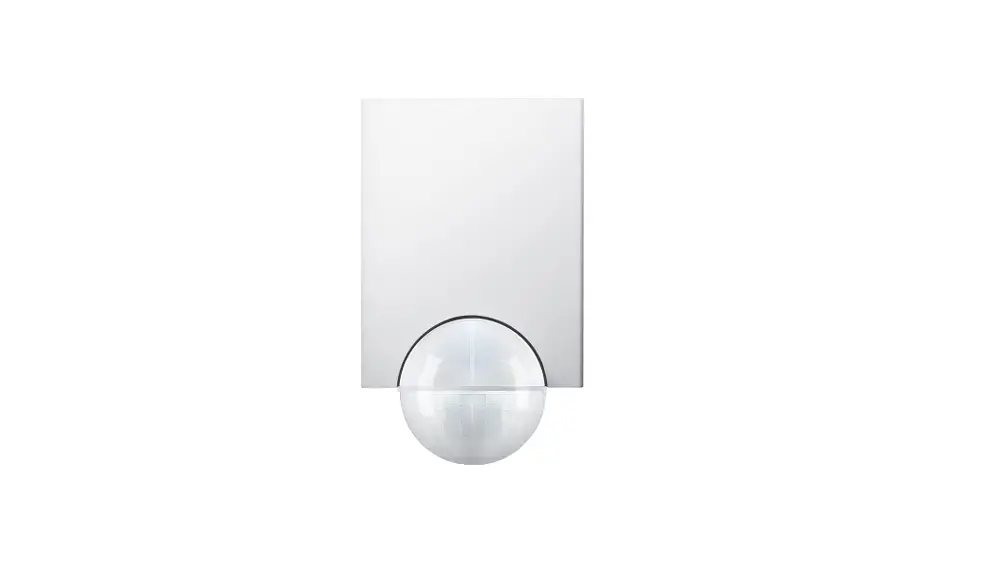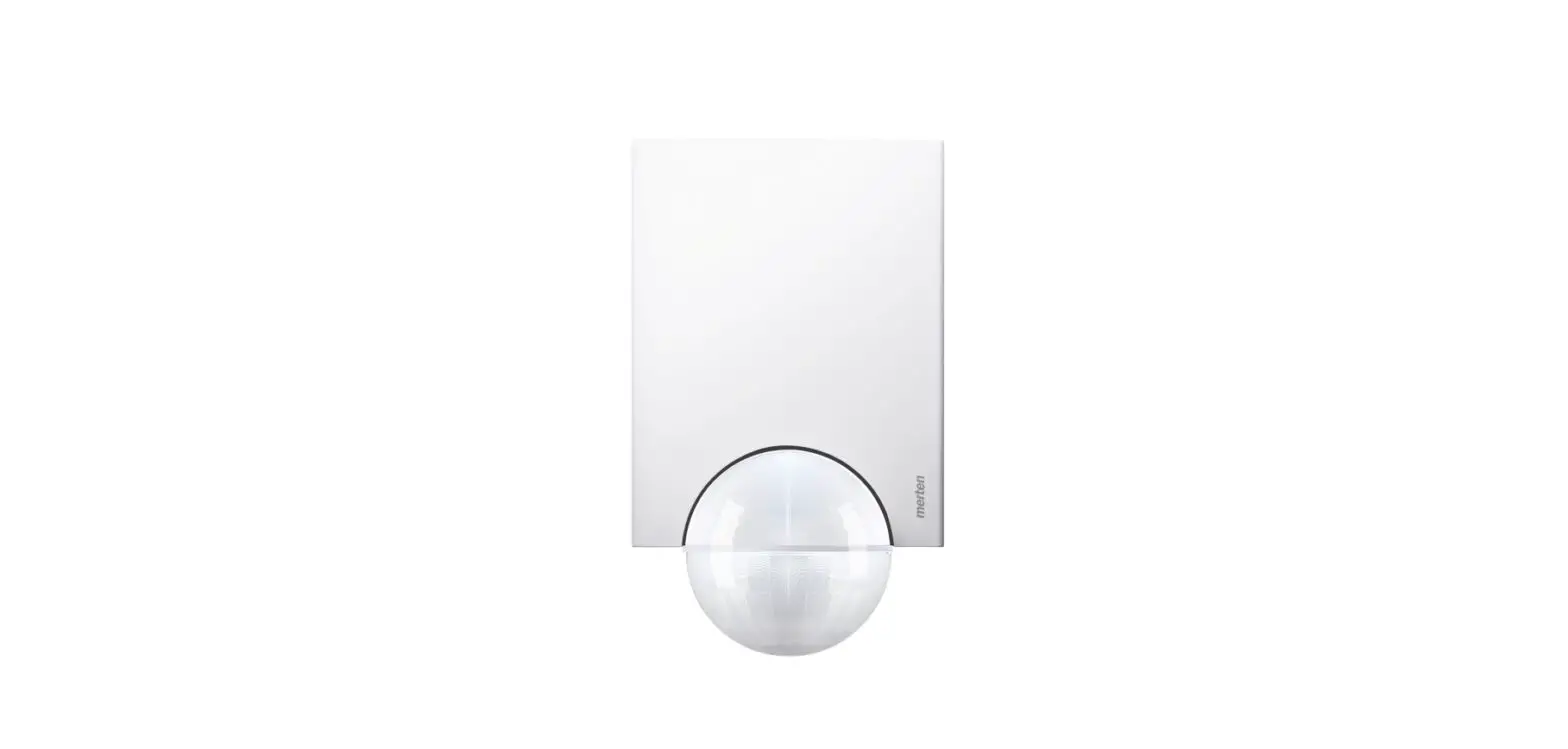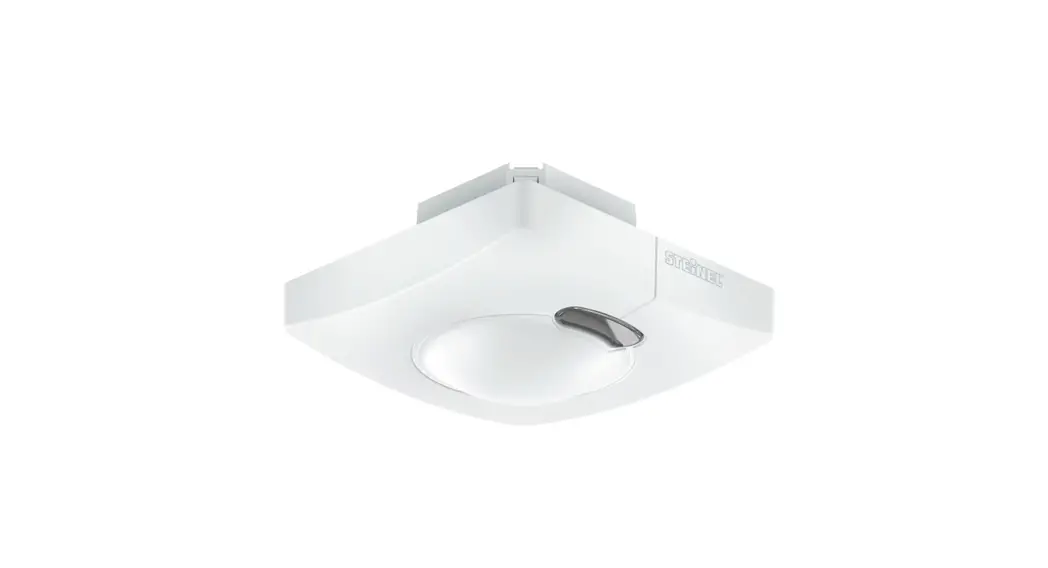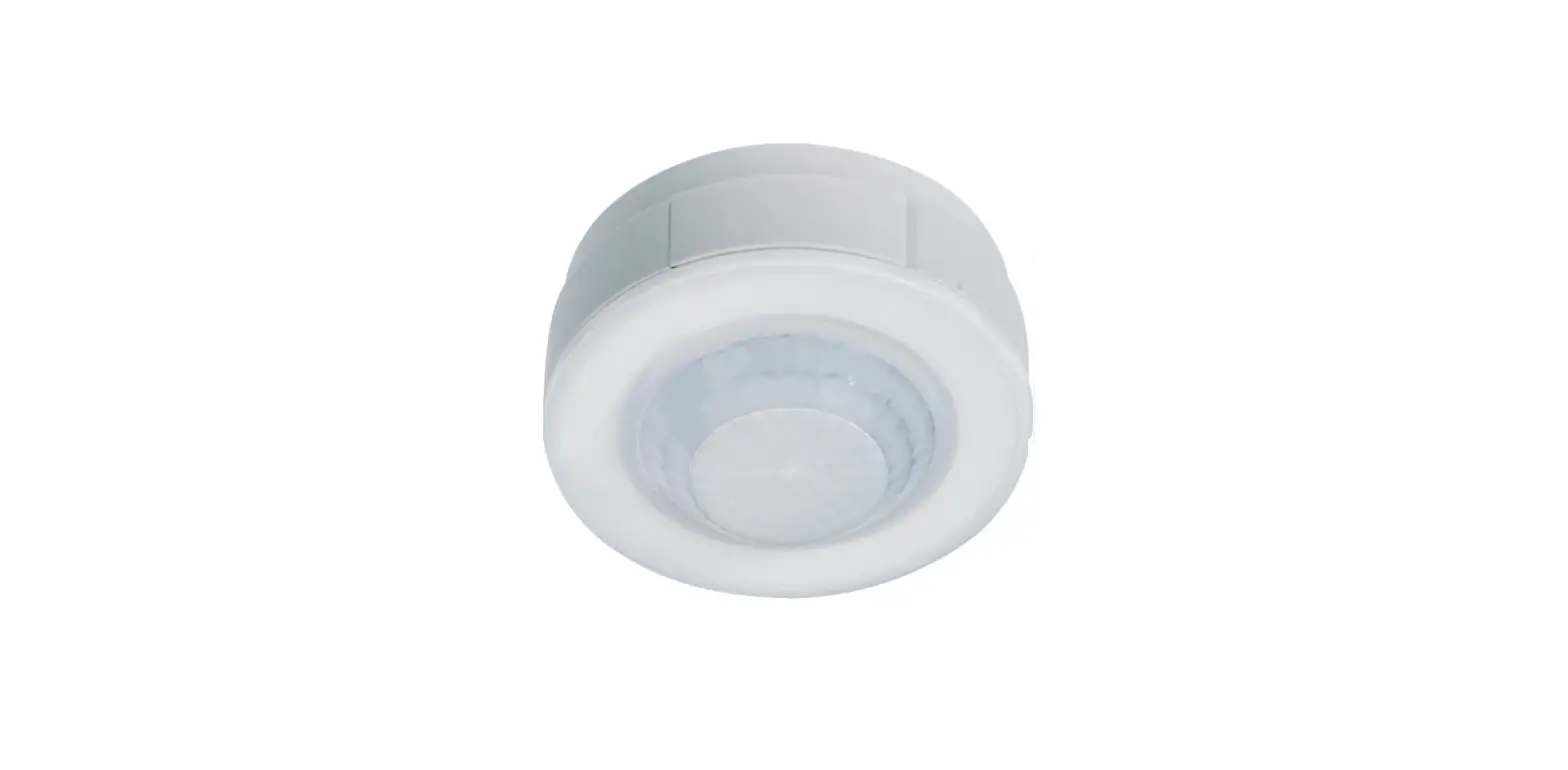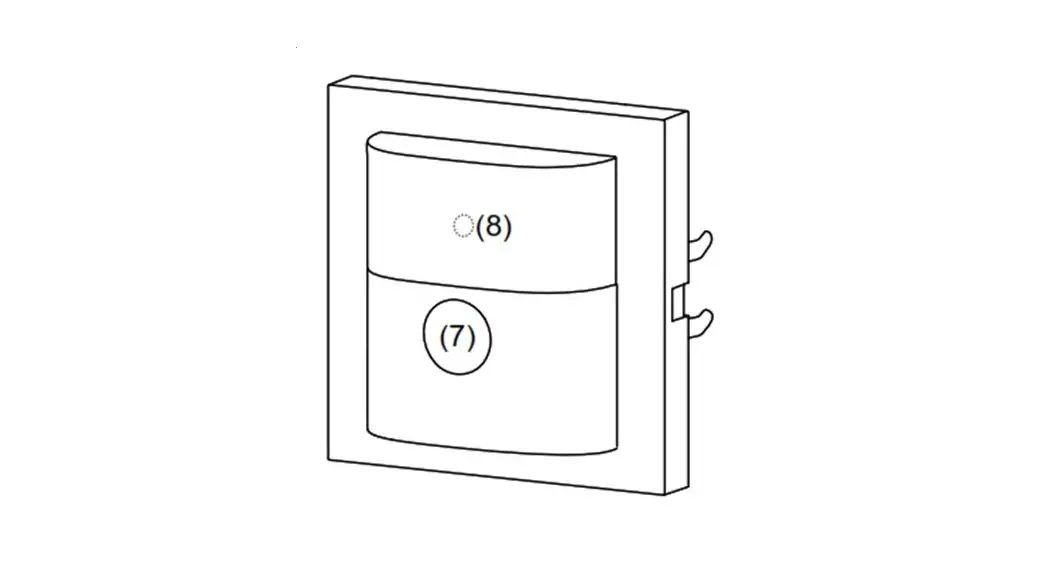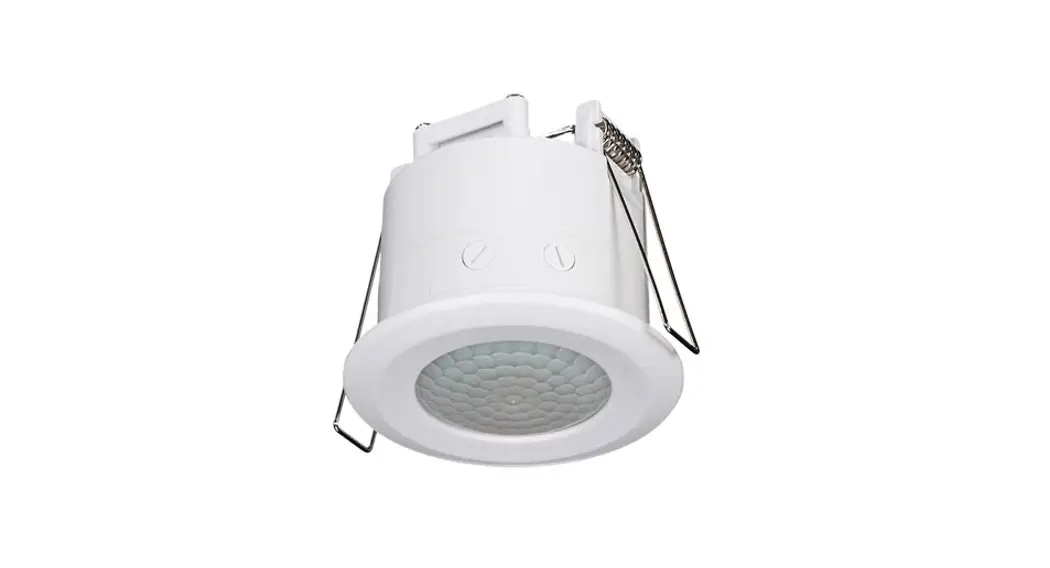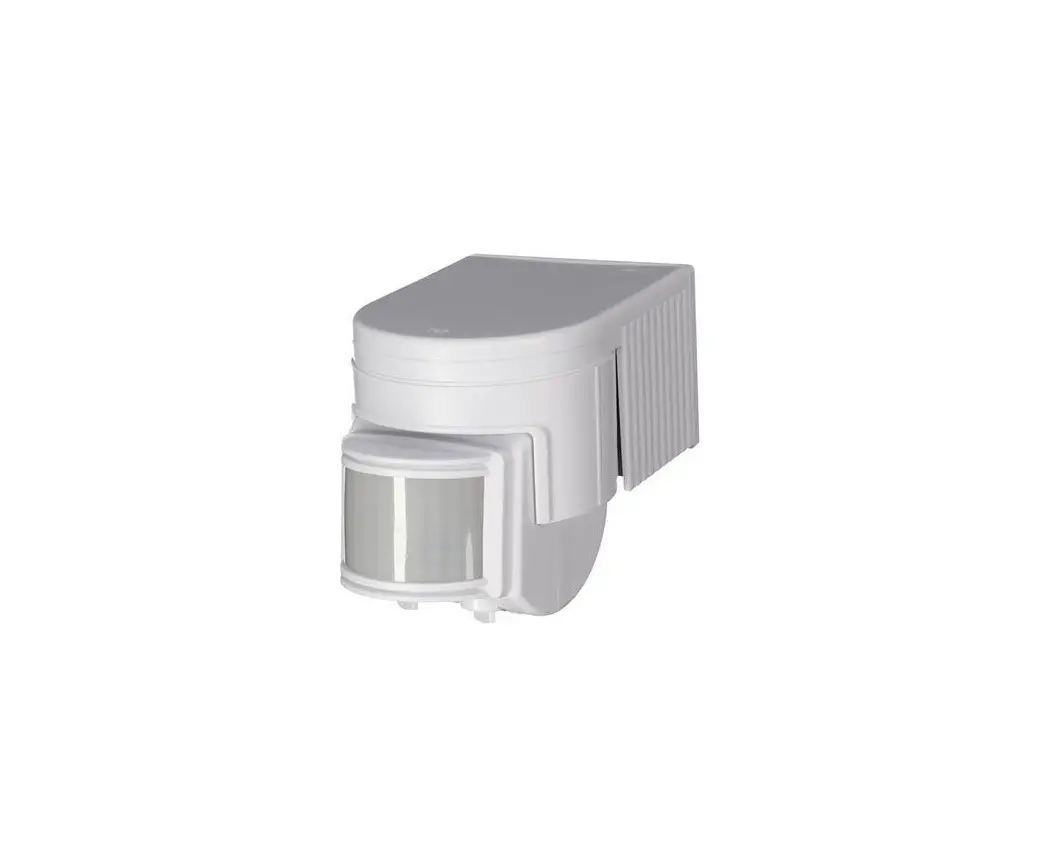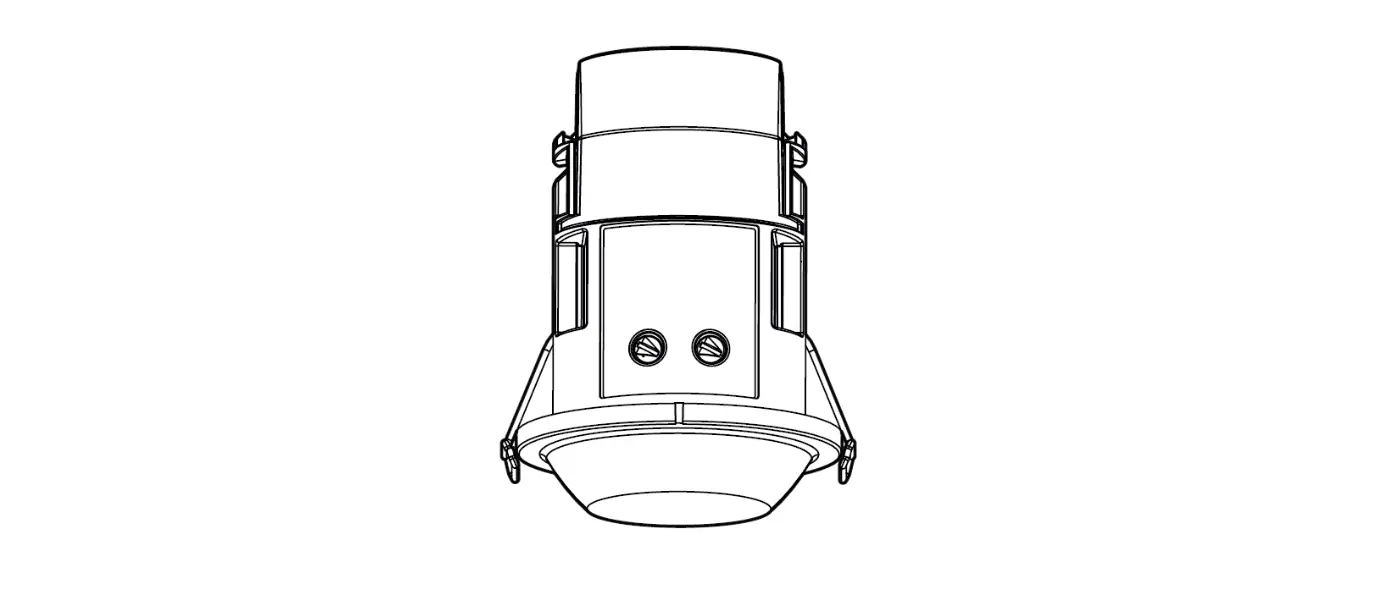
 ARGUS 220
Art. no. MEG5628-31..
Operating instructions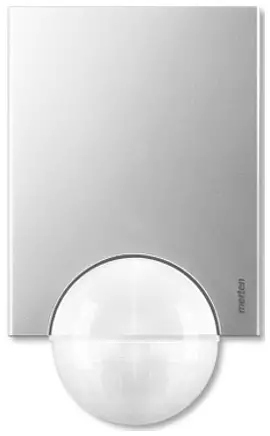
Accessories
– Mounting bracket (Art. no. 56529.)
For your safety
 DANGER
Risk of serious damage to property and personal injury, e.g. from fire or electric shock, due to incorrect electrical installation.
Safe electrical installation can only be ensured if the person in question can prove basic knowledge in the following areas:
- Connecting to installation networks
- Connecting several electrical devices
- Laying electric cables
- Outdoor electrical installation
These skills and experience are normally only possessed by skilled professionals who are trained in the field of electrical installation technology. If these minimum requirements are not met or are disregarded in any way, you will be solely liable for any damage to property or personal injury.
ARGUS introduction
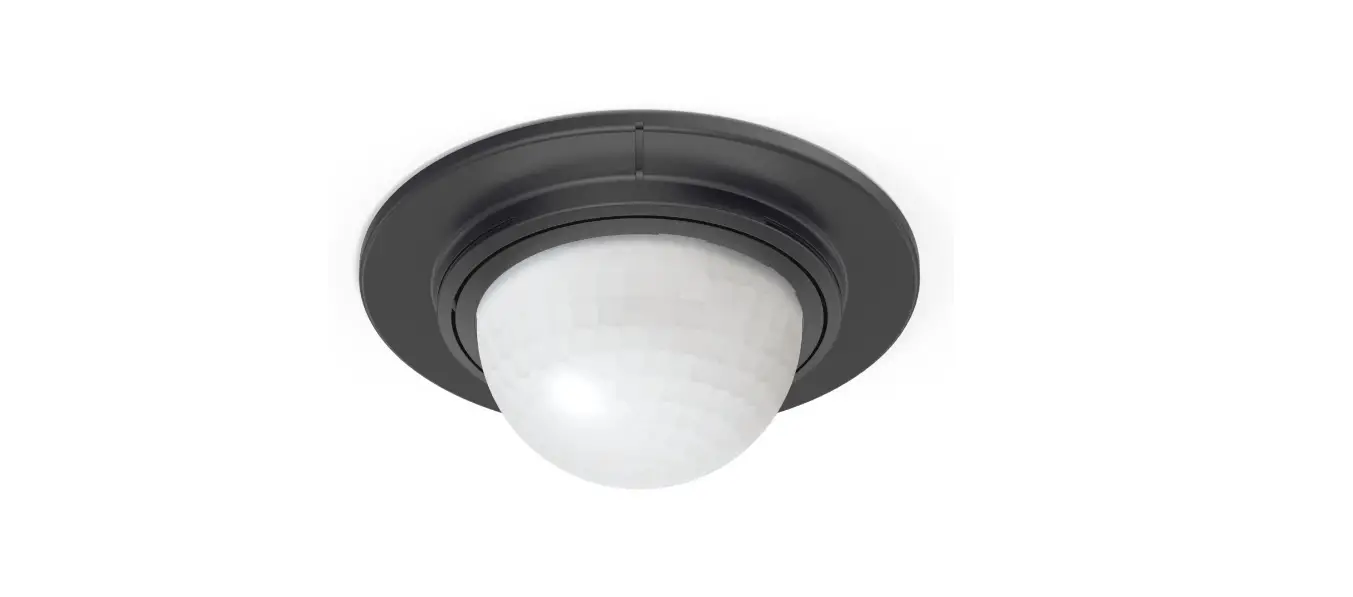
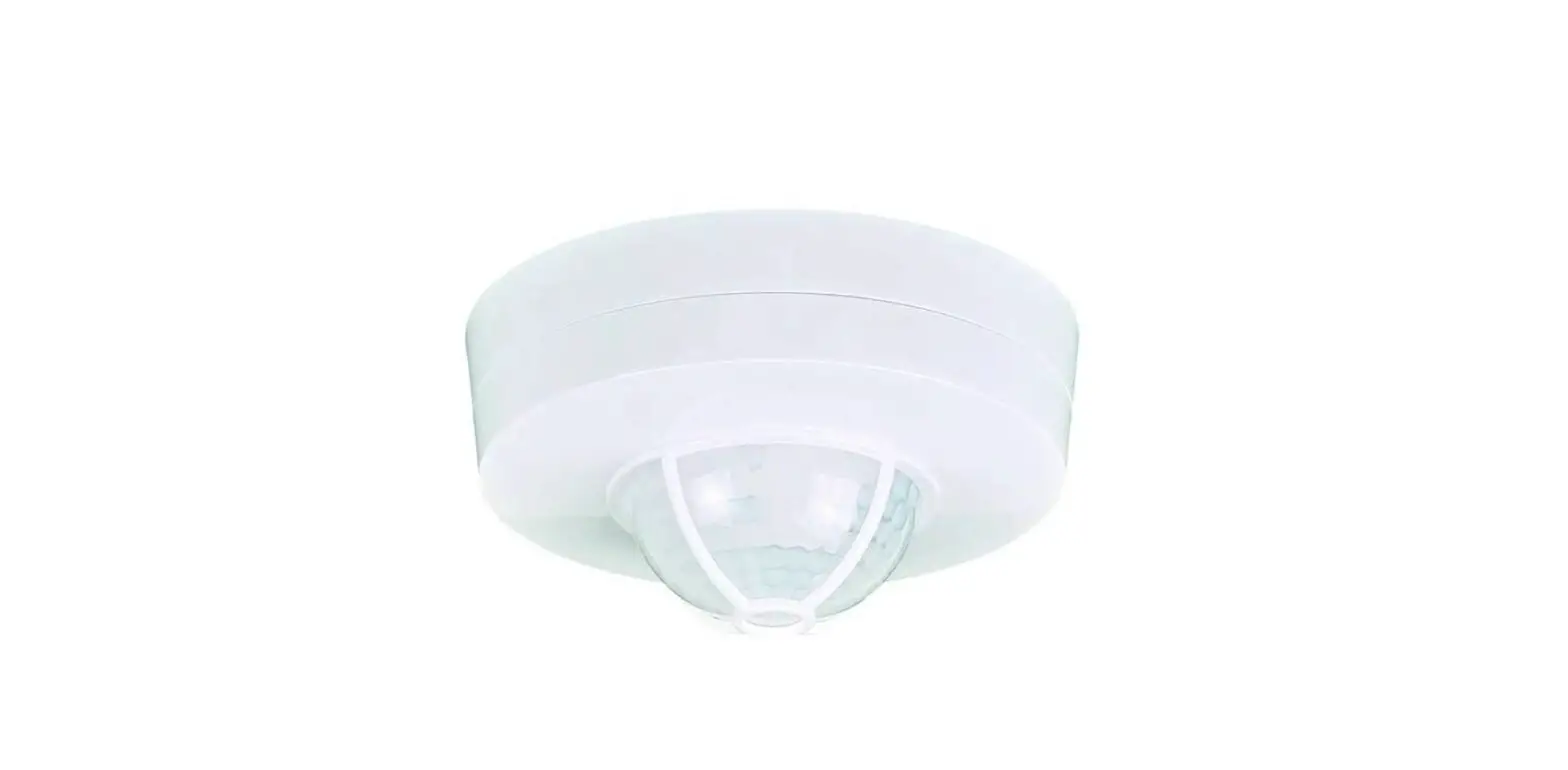
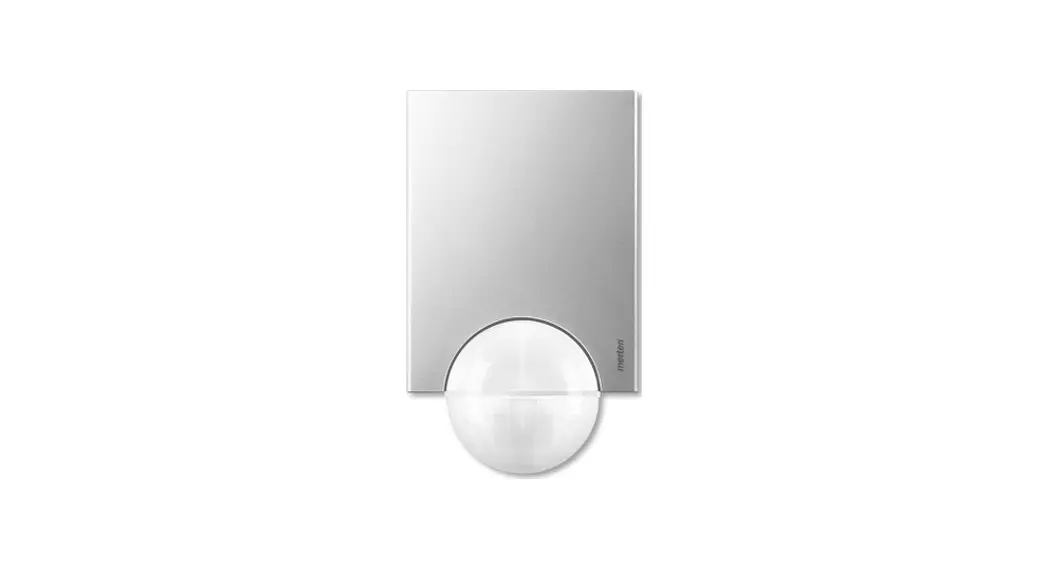
The ARGUS 220 (referred to below as the ARGUS) is a movement detector for indoor and outdoor installation. The ARGUS registers moving sources of heat within its range, e.g. people, and switches the loads connected whenever it detects a movement. This could include:
– ohmic loads (e.g. 230 V incandescent and halogen lamps)
– inductive loads (e.g. low-voltage halogen lamps with inductive transformer)
– capacitive loads (e.g. electronic transformers) Surface monitoring of 220° for larger house fronts and areas of the house (max. range of 16 m) is combined with a 360° short-range zone with a radius of approx. 4 m. The operating elements for setting the brightness threshold, switching duration and sensitivity are located under the cover plate for protection.
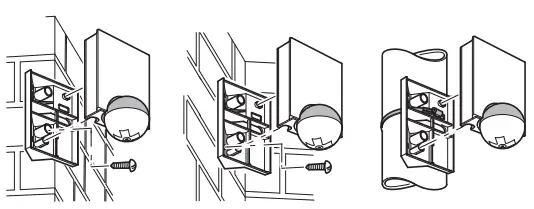
The ARGUS can be mounted on the wall or ceiling and also on to corners or fixed pipes with the mounting bracket (art. no. 56529x) which is available as an accessory.
The integrated functional display lights up when movement is detected and thus simplifies the alignment of the device at the installation site.
The area of detection can be adapted to the local conditions due to the horizontally, vertically and axially adjustable sensor head. You can also block unwanted zones or sources of interference (e.g. trees) from the area of detection using the masking segments provided. The device is fitted with a light sensor whose brightness threshold can be set between approx. 3 and 1000 lux.
Using ARGUS with alarm systems
 The ARGUS is not suitable for use as a component of an alarm system since it is supplied from the mains and will switch the connected alarm whenever the mains supply fails and recovers, regardless of whether or not a movement is detected (false alarm).
Movement detectors switch on as soon as they detect a moving heat source. This can be a person, but also trees, cars or differences in temperature in windows. In order to avoid false alarms, the chosen installation site should be such that undesired heat sources cannot be detected.
Undesired sources of heat could include the following:
- moving trees, shrubbery etc. with a temperature that differs from that of their surroundings.
- windows where the influence of sunlight and clouds could cause rapid changes in temperature.
- larger heat sources (e.g. cars), that are detected through windows.
- insects moving across the lens.
- small animals.
- rooms flooded with light where the light is reflected on objects (e.g. the floor), which can be the cause of rapid changes in temperature.
Connections, displays and operating elements
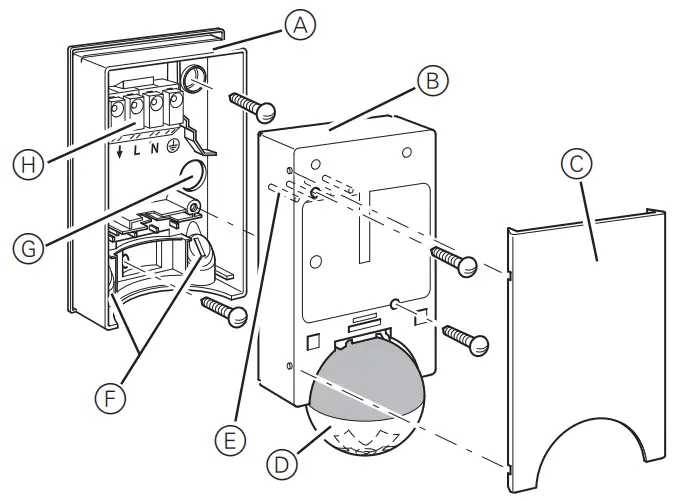
A Wall connection box
B Top section
C Cover plate
D Sensor head
E Contact pins
F Cable routing for connecting cable from underneath
G Cable routing for connecting cable from behind
H Terminal block for the connecting cable and for locating the contact pins
The ARGUS operating elements are protected under the cover plate. The arrow’s position on the controllers shows you the set values.
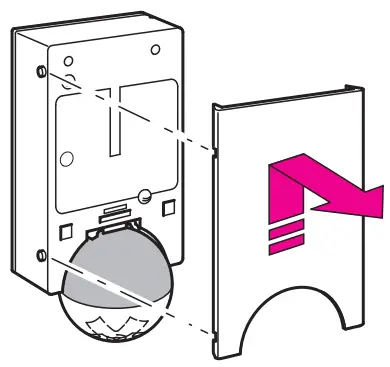
- Push up the cover plate until you feel it hit the stop (approx. 5 mm) and pull it off.


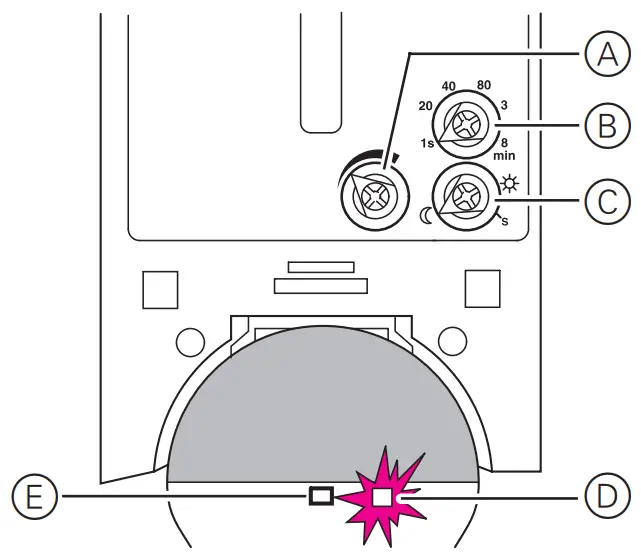
A Sensitivity controller
B Switching duration controller
C Brightness threshold controller
D Functional display, lights up each time movement is detected
E Brightness sensor, must not be covered
Selecting the installation site
Explanation of the symbols used
 | Correct |
 | Not optimal |
 | Incorrect |
When selecting a suitable installation site, you should take a number of factors into account so that the movement detector operates optimally. The following figure shows the ranges of the ARGUS at average temperature conditions and a mounting height of 2.5 m.
The range of a movement detector can vary greatly depending on the temperature.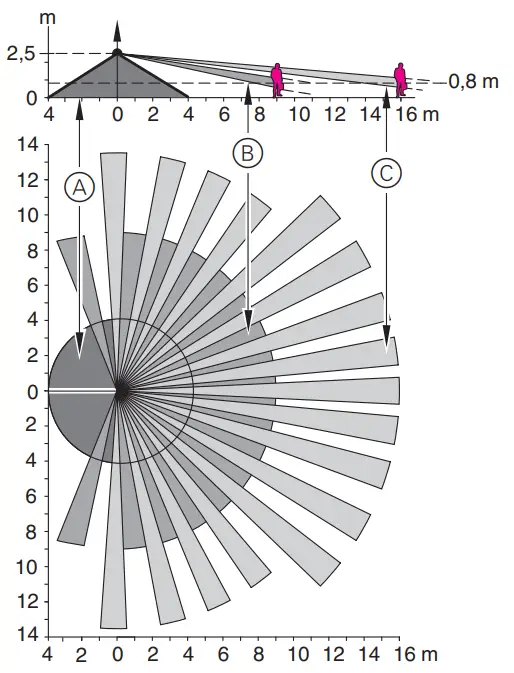
Inner security zone A: Angle of detection 360° over a radius of approx. 4 m.
Middle security zone B: Angle of detection 220° with an area of detection of approx. 9 m x 18 m.
Outer security zone C: Angle of detection 220° with an area of detection of approx. 16 m x 28 m.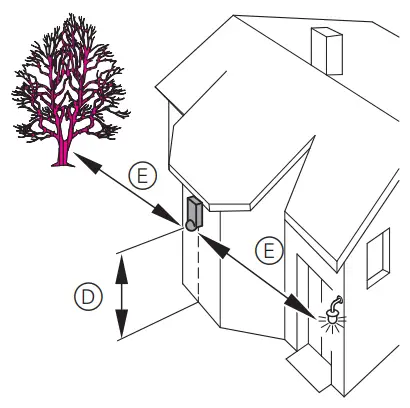
Mounting height D: 2-3 m. For optimum monitoring, we recommend a height of 2.5 m on a solid and even base.
Minimum distance E to sources of optical interference: 5 m If necessary, use the segments supplied to shade the device.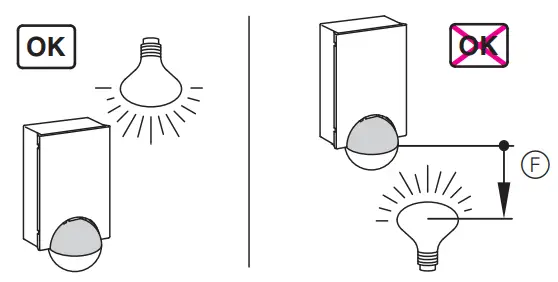
Minimum distance F between luminaire and movement detector: 5 m. If this distance cannot be achieved, you can use the segments provided to “mask” the light source from
the area of detection.
If possible, install the movement detector sideways to the direction of movement.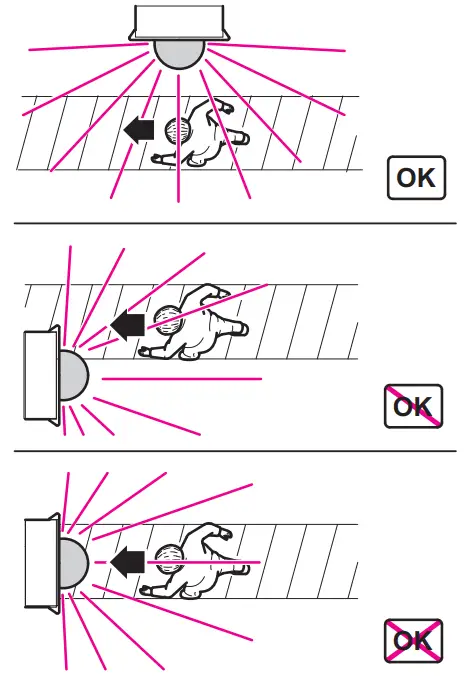
To avoid the connected load being switched on due to environmental influences, the ARGUS should be installed so that it is protected against rain and direct sunlight.
A raindrop running over the lens, for example, can activate the movement detector.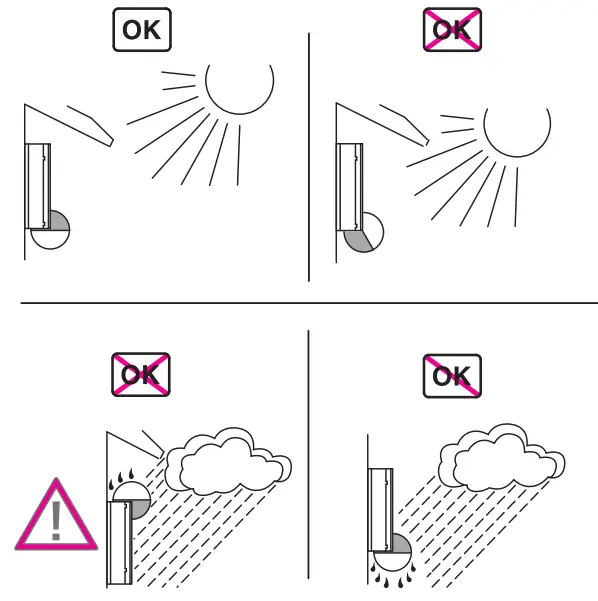
If you wish to attach several movement detectors, install them so that the detection areas of the individual movement detectors intersect each other.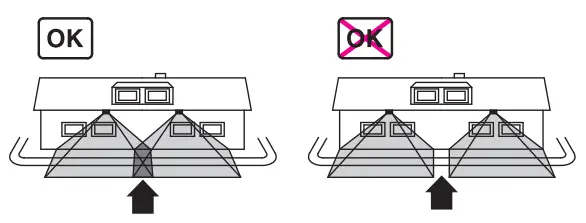
ARGUS installation
Dismantlement of the top section of the ARGUS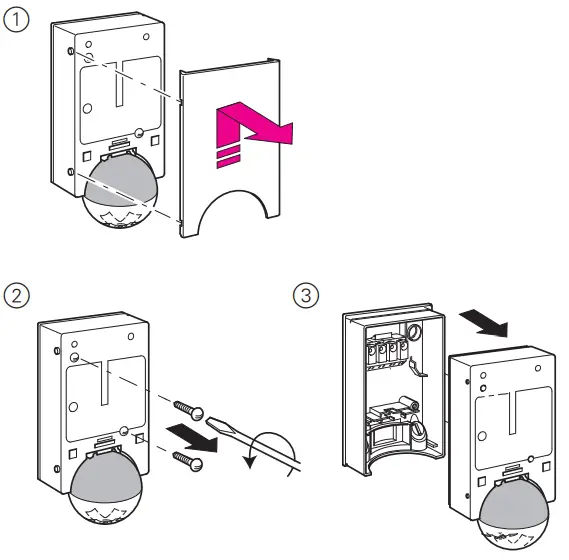
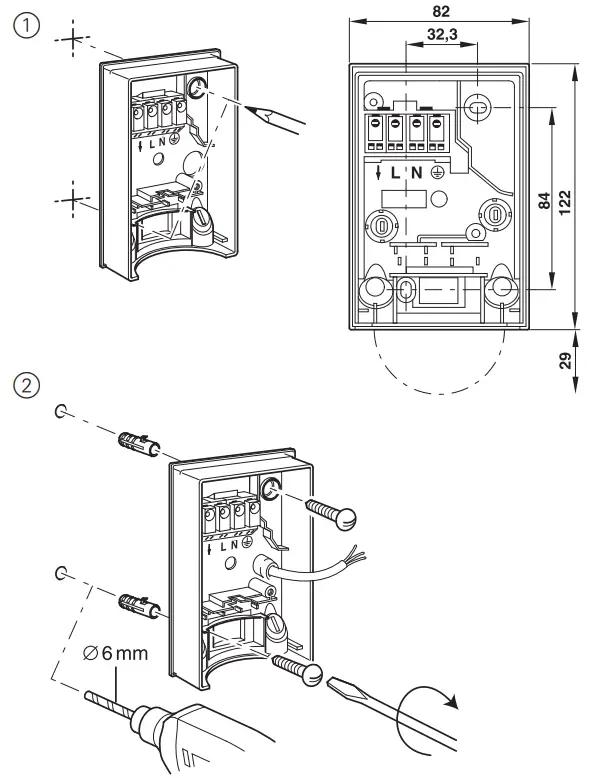
Installing the ARGUS to the wall
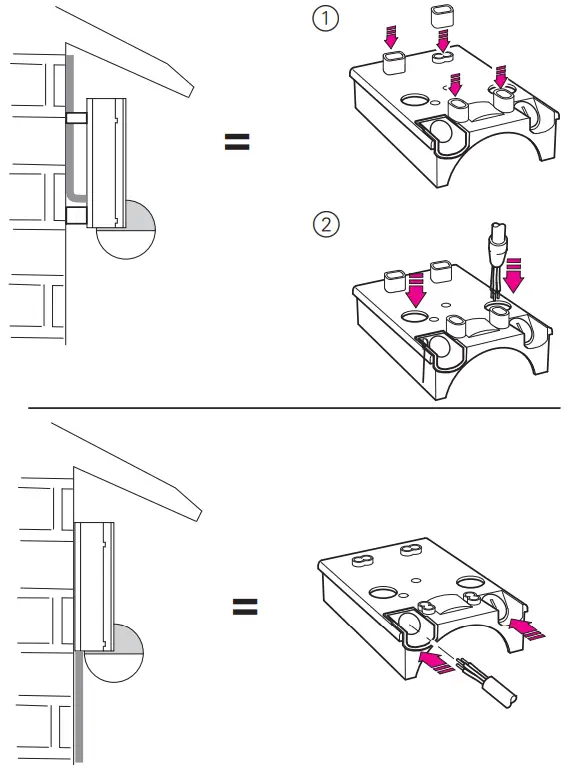
Feeding in the connecting cable
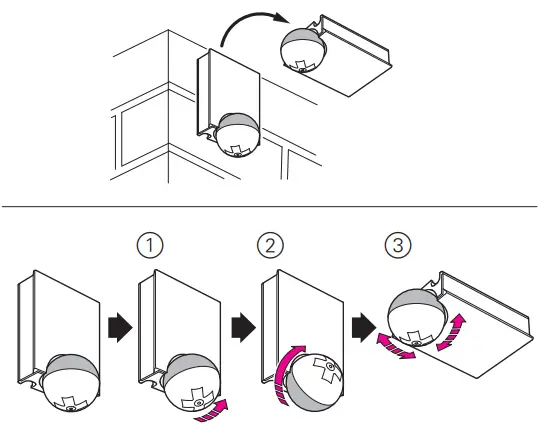
Installing the ARGUS on the ceiling
In order to install the ARGUS on the ceiling, you must rotate the sensor head. Change the direction of rotation once you have reached the end stops.
- Turn the sensor head upwards as far as it will go.
- Turn the sensor head clockwise as far as it will go.
- Align the sensor head.
 CAUTION
If not installed correctly, the device can be damaged by condensation.
In the case of sloping ceilings, install the device so that spherical head is pointing down and always at an angle of 15° – 90°.
When the spherical head points downwards, any water from condensation could run down the device. Type of protection IP 55 cannot be guaranteed if the mounting bracket is not 15° – 90°.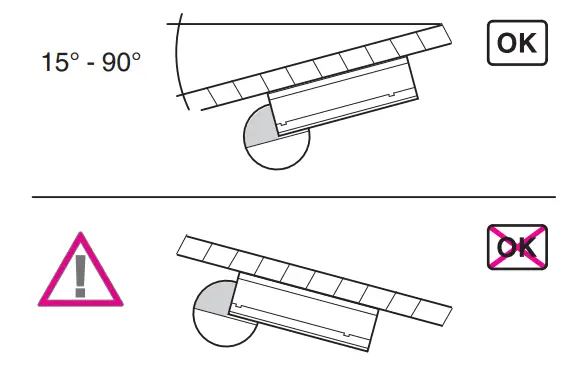
Installing the ARGUS on corners and fixed pipes
You can attach the ARGUS to inner/outer corners or fixed pipes using the mounting bracket (art. no. 56529x). You can feed the connecting cable to the device from behind through the mounting bracket.
Connecting the ARGUS
CAUTION
The device can become damaged.
Operation only possible with sinusoidal mains voltages. Phase control dimmers or inverters with square-wave or trapezoidal voltage curves will damage the device. Protect ARGUS using a 16 A circuit breaker.
When switching inductive loads such as transformers, relays, contactors or fluorescent lamps, spikes occur which could lead to the load being switched on again (“maintained light effect”). Connect a capacitor in parallel to the inductive load to reduce these spikes.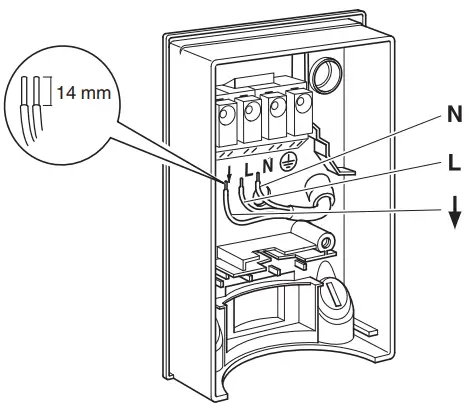
“Through-wiring” to other loads is permitted.
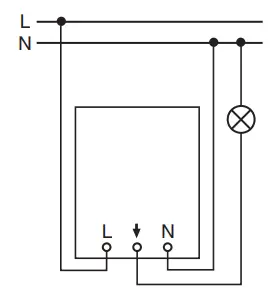
Installation options
- ARGUS permanently connected to the mains ARGUS constantly monitors its area
- ARGUS combined with two-way switch
Depending on the switch position, either maintained light or automatic mode
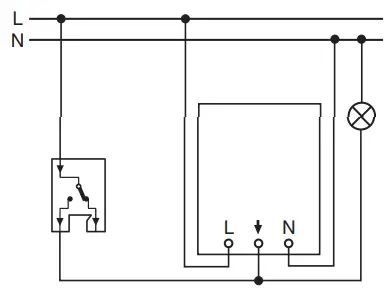
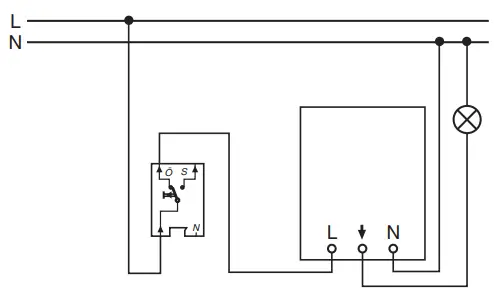
- ARGUS combined with break contact
The ARGUS is always ready for operation. By pressing the push-button (the power is briefly disconnected for 2–3 seconds), the ARGUS is switched on for the set period.
Every further movement increases the switching duration.
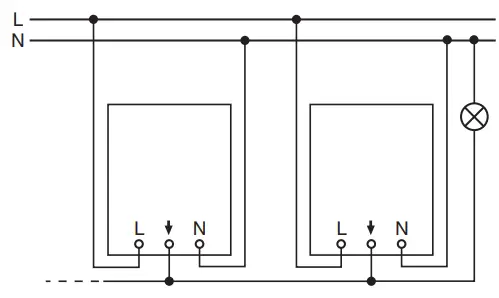
- ARGUS connected in parallel
Several ARGUS devices working together can switch a lamp group when the maximum switching capacity of one device is not exceeded. To do this, you must reduce the sensitivity of the devices. For technical and functional reasons, we do not advise using more than four ARGUS devices in one group.
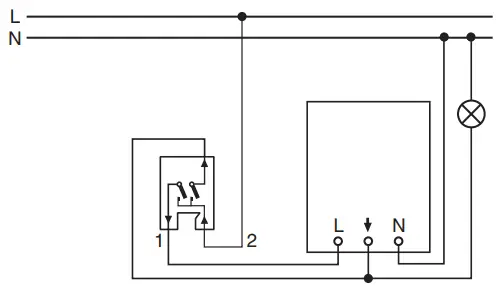
- ARGUS combined with two-circuit switch
Depending on the switch position, either manual, automatic mode or “OFF” results. In position 1, the luminaire is switched on by ARGUS (automatic) and in position 2, it is switched on permanently (manual).
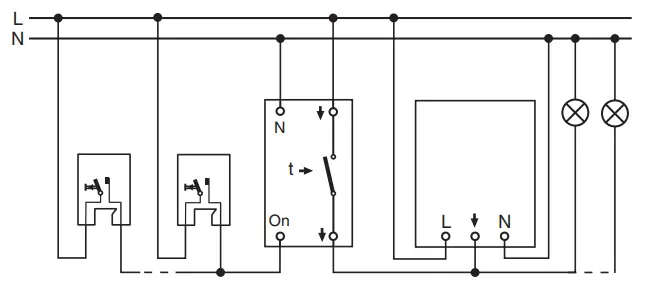
- ARGUS parallel to staircase timer
Either ARGUS or the staircase timer switches the lights on for a certain period.
Installation of the top section of the ARGUS
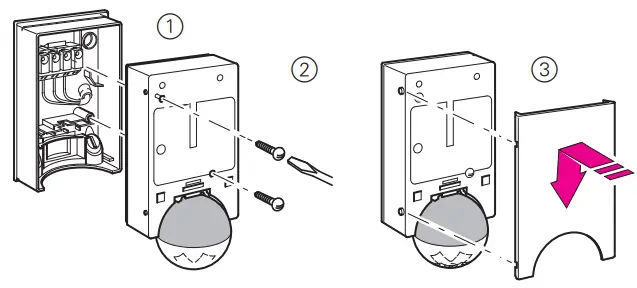
The ARGUS can now be put into operation.
Putting ARGUS into operation
- Connect the supply voltage.
The load is switched on for approx. 10 s or for the set period.
The functional display lights up for approx. 10 s.
Conducting a functional test
The brightness sensor must not be covered up.
- Set the switching duration to 1 second (left stop).
- Set the brightness threshold to daytime operation (right stop).
- Set the sensitivity controller to maximum (right stop).
- Test the functionality of ARGUS and the loads connected to it by walking to and fro in the detection area.
The functional display lights up each time movement is detected.
Setting ARGUS
CAUTION
The device could become damaged.
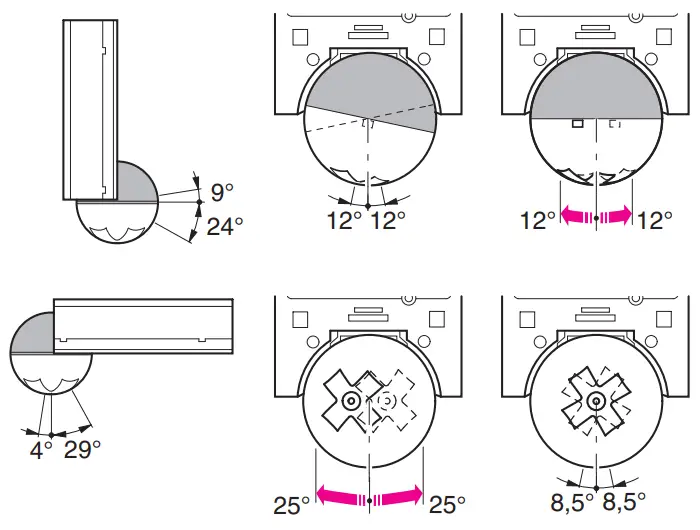
The sensor head should only be rotated until it reaches the stop and no further. To achieve an angle “above” the stop, change the direction of rotation.
- Align the sensor head in the direction of the area that is to be monitored.

- From its edge step into the area of detection to see whether the ARGUS switches the load and the functional display as required.
Setting the sensitivity
Here you can infinitely set the distance up to which ARGUS detects movements (any distance up to max. 16 m).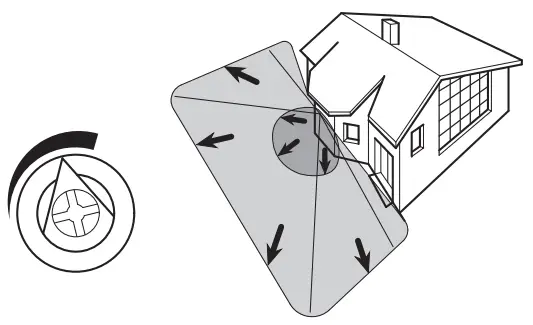
Setting the brightness threshold
Here you can infinitely set the ambient brightness level at which the ARGUS detects movements and triggers a switching procedure.
– Moon symbol (night operation): The ARGUS will only detect movements during the hours of darkness (approx. 3 lux).
– Sun symbol (day and night operation): The ARGUS detects movements up to approx. 1000 lux.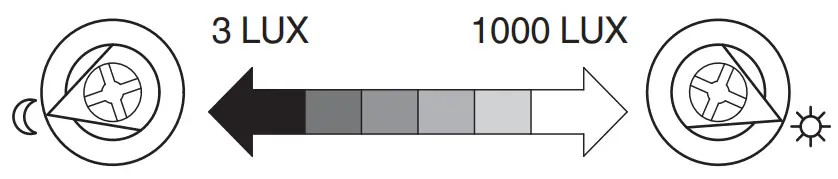
Setting the switching duration
Here you can set how long the loads connected to ARGUS are switched on for.
When a movement is detected, the load is switched on and stays switched on until the set period has elapsed.
Every further movement restarts the switching duration.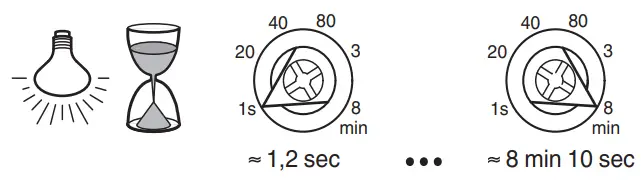
The ARGUS ignores the light-sensitive switch once the load has been switched on. If the movement detector does not switch the load off again, the reason probably is that the ARGUS constantly detects further movements and thus keeps restarting the switching duration.
Blocking out individual areas
Using the four segments supplied, you can block out unwanted zones and sources of interference from the area of detection.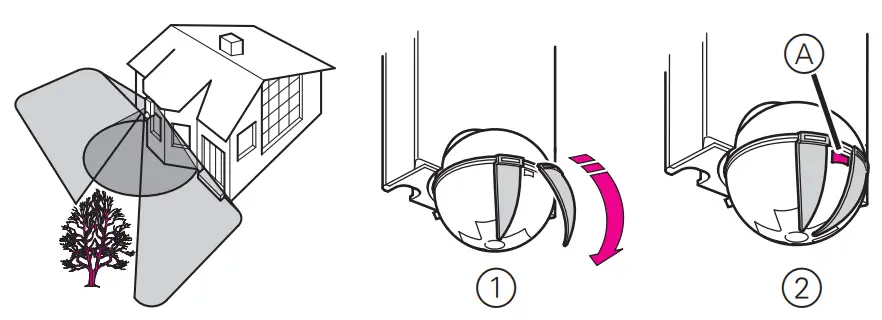
Ensure that the brightness sensor A is not covered, as the sensitivity to light is otherwise reduced.
Technical data
| Nominal voltage: | AC 230 V ∼, 50 Hz |
| Nominal current: | 10 AX, cosφ = 0.6 |
| Switching capacity Incandescent lamps: | 2200 W |
| HV halogen lamps: | 2000 W |
| LV halogen lamps with wound transformer: | 500 VA |
| Electronic transformers: | 1050 W |
| Capacitive load: | 10 A, 140 µF |
| Energy-saving lamps: | 100 VA |
| Motor load | 1000 VA |
Protection
Only use the following circuit breakers:
| Schneider Electric | 10 A, 23614 |
| ABB | 10 A, S201-B10 |
| ABL Sursum | 10 A, B10S1 |
| Hager | 10 A, MBN110 |
| Legrand | 10 A, 03268 |
| Siemens | 10 A, 5SL61106 |
| Power consumption: | < 1 W |
| Connecting terminals: | for 2×1.5 mm2 or 2×2.5 mm2 rigid conductor, stripped length 14 mm |
| External diameter of one cable: | max. 14.5 mm |
| Angle of detection: | 220° |
| Range: | max. 16 m |
| Number of levels: | 7 |
| Number of zones: | 112 with 448 switching segments |
| Minimum mounting height: | 1.7 m |
| Recommended mounting height: | 2.5 m |
| Sensitivity: | infinitely adjustable |
| Light sensor | infinitely adjustable externally, from approx. 3 lux to approx. 1000 lux |
| Switching duration: | externally adjustable in 6 levels of approx. 1 sec. to approx. 8 min. |
| Possible settings for sensor head: | |
| Wall mounting: | 9° up, 24° down, 12° left/right, ± 12° axial |
| Ceiling mounting: | 4° up, 29° down, 25° left/right, ± 8.5° axial |
| Type of protection | IP 55 at an angle of inclination from 15° to 90° |
| EC directives: | Low-voltage guideline 2006/95/ EC EMC directive 2004/108/EC |
 Dispose of the device separately from household waste at an official collection point for electrical waste. Professional recycling conserves raw material reserves and ensures that all regulations regarding the protection of health and the environment are complied with.
Schneider Electric GmbH c/o Merten
Gothaer Straße 29, 40880 Ratingen
www.merten.com
www.merten-austria.at
Customer care centre:
Phone: +49 2102 – 404 6000
 Lösungen für intelligente Gebäude | Merten
 merten.com
 Lösungen für intelligente Gebäude | Merten