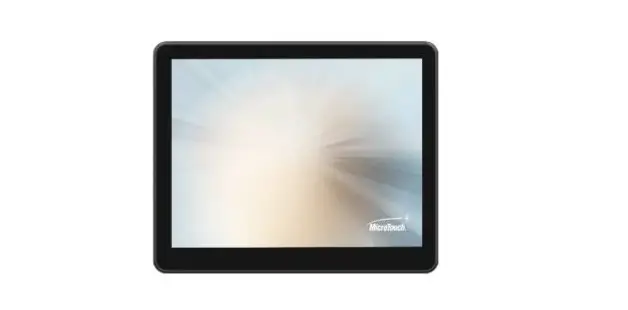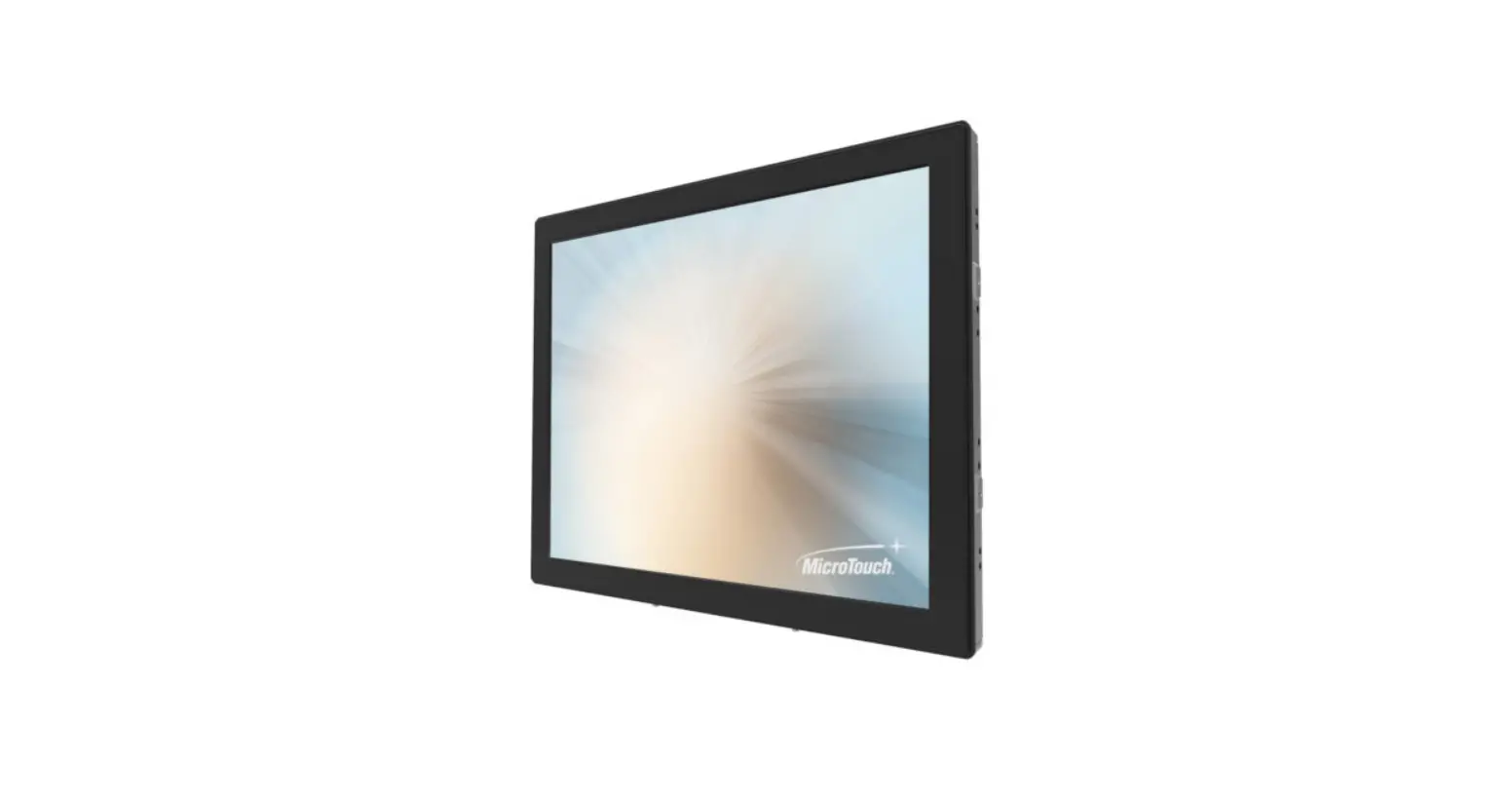
MicroTouch SK-097P-A2 Slimline Kiosk Monitor (USB-C) User Manual

About This Document
No part of this publication may be reproduced, transmitted, transcribed, stored in a retrieval system, or translated into any language or computer language, in any form or by any means, including, but not limited to, electronic, magnetic, optical, chemical, manual, or otherwise without prior written permission of Micro Touch TM a TES Company.
The information in this document is subject to change without notice. Micro Touch TM a TES Company makes no representations or warranties with respect to the contents herein, and specifically disclaims any implied warranties of merchantability or fitness for a particular purpose. Micro Touch TM a TES Company reserves the right to revise this publication and to make changes from time to time in the content hereof without obligation of Micro Touch TM a TES Company to notify any person of such revisions or changes. Windows is a registered trademark of Microsoft, Inc. Other brand or product names are trademarks of their respective holders.
FCC/ IC Statement
This device complies with Part 15 of the FCC Rules and Canadian ICES-003/NMB-003 regulation. Operation is subject to the following two conditions: (1) This device may not cause harmful interference, and (2) This device must accept any interference received, including interference that may cause undesired operation.
Warning:
This device generates, uses, and can radiate radio frequency energy and, if not installed and used in accordance with the manufacturer’s instruction manual, may cause harmful interference with radio communications. Operation of this equipment in a residential area is likely to cause harmful interference, in which case you will be required to correct the interference at your own expense.
Caution:
There is a danger of explosion if the battery is incorrectly replaced. Replace only with the same or equivalent type recommended by the manufacturer. Dispose of used batteries according to the manufacturer’s instructions and your local government’s recycling or disposal directives.
Usage Notice
 Warning – To prevent the risk of fire or shock hazards, and do not expose the product to moisture.
Precautions
Please follow all warnings, precautions and maintenance as recommended in this user’s manual to maximize the life of your unit.
Do:
- Turn off the product before
- Use a soft cloth moistened with mild detergent to clean the product
- Use only the qualified power adapter that comes with your
- Disconnect the power plug from AC outlet if the product is not going to be used for an extended period of time.
Don’t:
- Do not use abrasive cleaners, waxes or solvents for your
- Do not operate the product under the following conditions:
- Extremely hot, cold or humid
- Areas susceptible to excessive dust and
- Near any appliance generating a strong magnetic
1.1 Overview
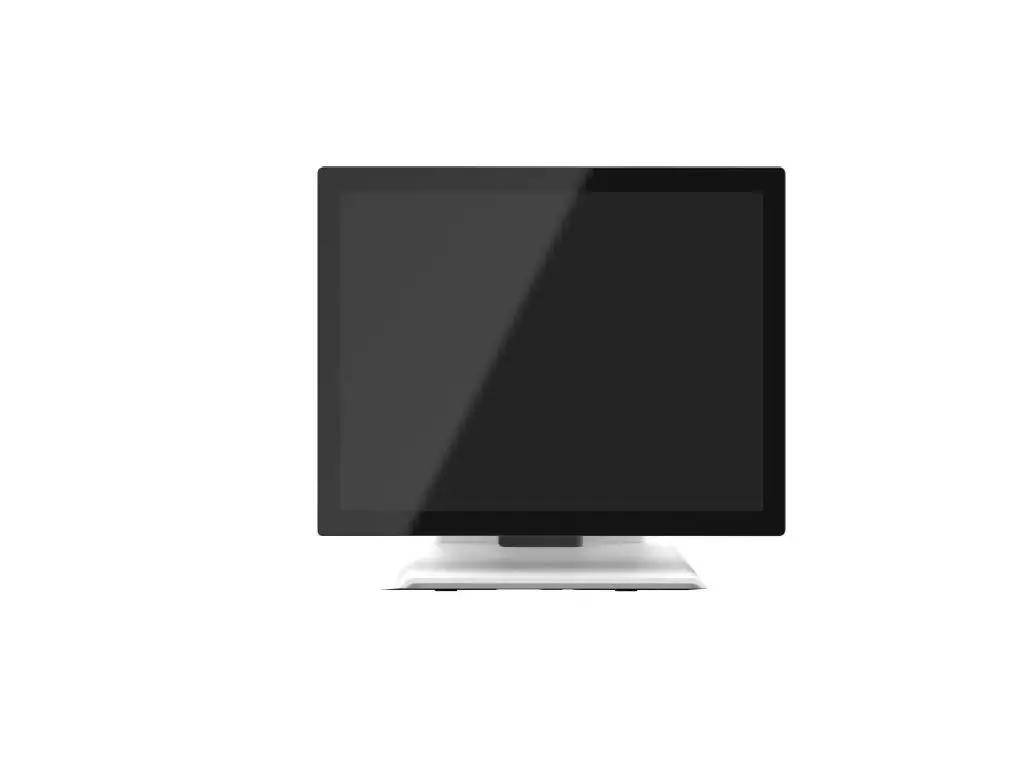
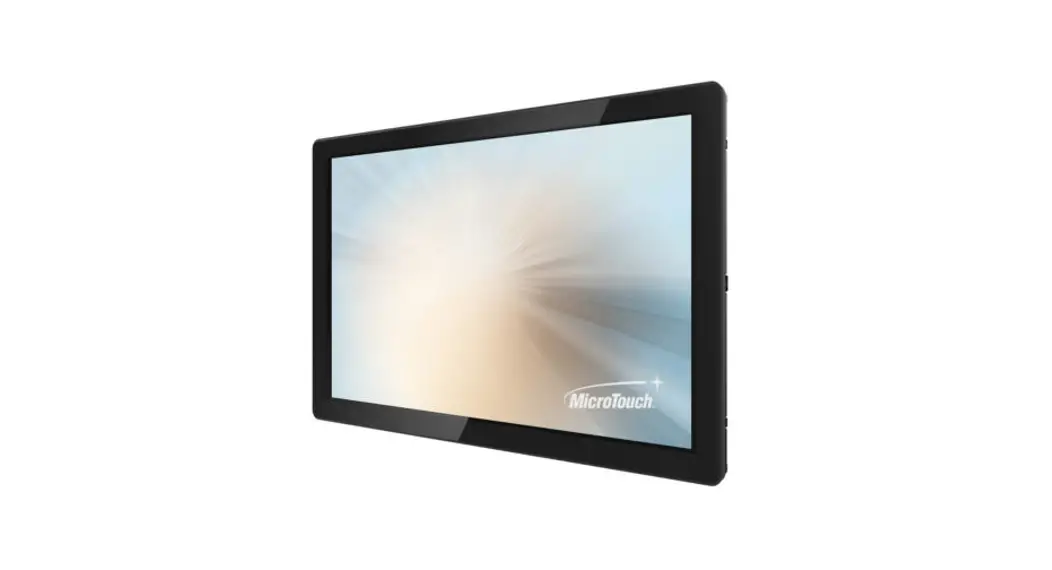
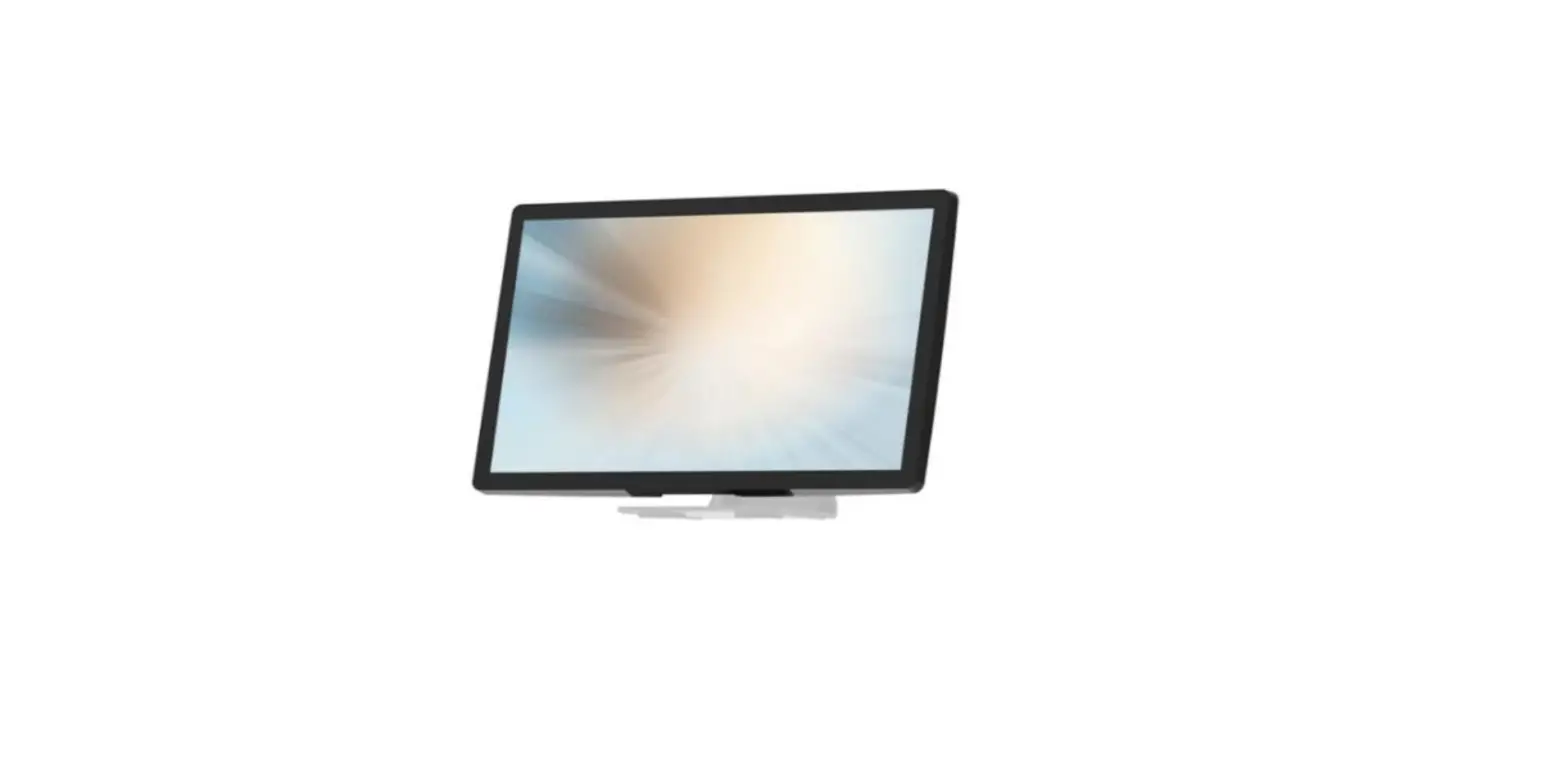
The SK-097P-A2 series is a thinnest 9.7″ monitor that offers a unique screwless design with expandability and flexibility, making expansion and accessory installation much easier. The versatility of SK-097P-A2 is an exceptional choice for applications in all business sectors, especially in the retail market.
1.2 Feature
- Unique screwless design for better user experience.
- Only one type-c connector, support PD3.0, DP ALT mode.
1.3 Specifications
| System | |
| Power Requirement | Type-C 12V / 36W |
| External I/O Port | USB 3.1 Type C x 1 (support PD3.0, DP ALT mode) |
| LCD Touch Panel | |
| Size | 9.7” TFT LCD |
| Brightness | Typ. 350 cd/m2 Min. 300 cd/m2 (Non-touch screen) Typ. 315 cd/m2 Min. 270 cd/m2 (P-CAP) |
| Number of Pixels | 1024 (H) × 768 (V)/ 60Hz |
| Touch Type | P-CAP/ 10 points |
| Tilt Angle | 0°~55° |
| Environment | |
| Certificate | CE、FCC |
| Compliance | IP54 (Front Bezel)、IPX1 |
| Operating Temperature | 0°C ~ 40°C |
| Storage Temperature | -20°C ~ 60°C |
| Operating Humidity | 0% ~ 90% RH, non-condensing |
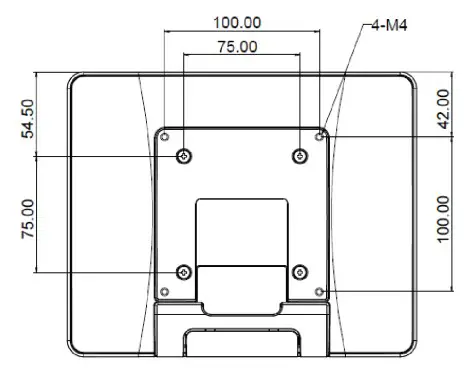
| Mounting | VESA 100 mm x 100 mm |
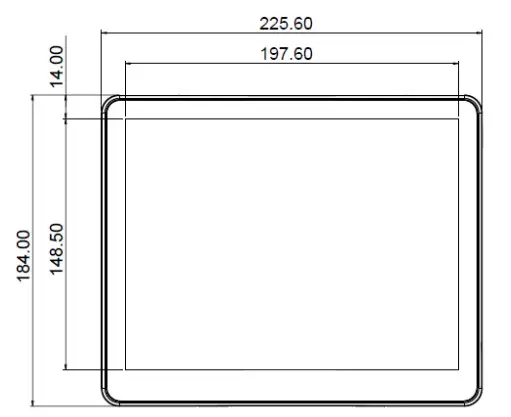
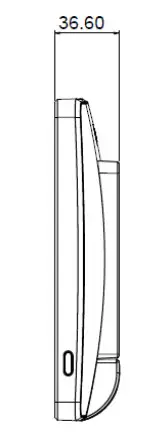
| Dimension (W x H x D) | 225.6 mm x 184.0 mm x 36.6 mm |
| Net Weight | 0.87Kg |
| Gross Weight | 1.14Kg |
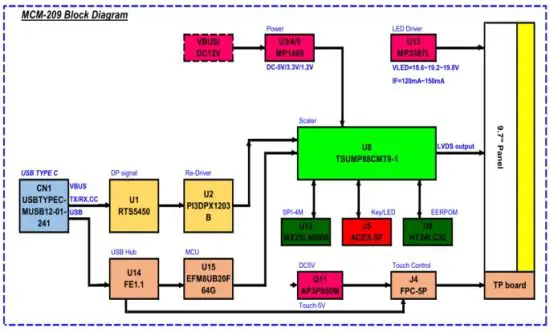
1.4 Block Diagram
1.5 Interface Connectors
1.5.1 USB3.1 type-C connector
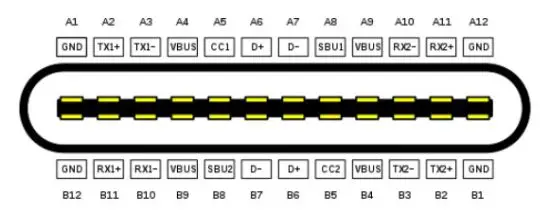
| Pin | Signal | Pin | Signal |
| A1 | GND | B12 | GND |
| A2 | SSTXp1 | B11 | SSRXp1 |
| A3 | SSTXn1 | B10 | SSRXn1 |
| A4 | VBUS | B9 | VBUS |
| A5 | CC1 | B8 | SBU2 |
| A6 | Dp1 | B7 | Dn2 |
| A7 | Dn1 | B6 | Dp2 |
| A8 | SBU1 | B5 | CC2 |
| A9 | VBUS | B4 | VBUS |
| A10 | SSRXn2 | B3 | SSTXn2 |
| A11 | SSRXp2 | B2 | SSTXp2 |
| A12 | GND | B1 | GND |
1.6 Package Overview
LCD Display screw
2.1 About VESA Mount
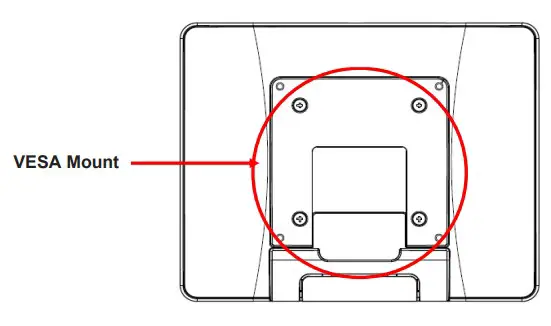
The SK-097P-A2 series conform to the “VESA Flat Display Mounting Interface Standard” which defines a physical mounting interface for touch monitor, and corresponding with the standards of touch monitor mounting devices, such as wall-mounted or pole-mounted. The VESA mount is located on the back of this unit.
 Warming!
Please select the original screws!
The distance between the back cover surface and the bottom of the screw hole is 8 mm and 18 mm. Please use four M4 screws diameter with proper length to mount your monitor.
Note: The mounting stand must be able to support at least 7.67 lbs (3.48 Kg).
2.2 User Control
2.2.1 Key Functions behavior
| Fun Key | System status | Display |
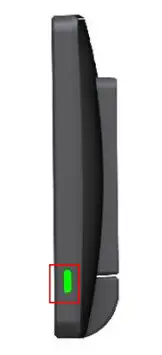
| On | Power ON-Green LED | Display (Backlight/Panel Power on) |
| Off | Power OFF-Red LED | No Display (Backlight/Panel Power off) |
Note:
Normal status: Push the power button 10 sec, into factory mode.
Sleep status: Push the power button 10 sec, into burn-in mode.
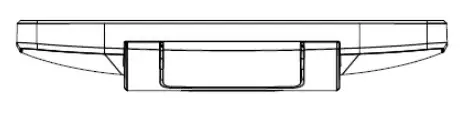
2.3 Dimension
2.3.1 Front View
2.3.2 Side View
2.3.3 Rear View
2.3.4 Bottom view
Declaration of the Presence Condition of the Restricted Substances Marking
| 設備名稱:觸控螢幕 型號(型式):SK-097P-A2 Equipment name:Touch Screen LCD Monitor Type designation (Type) :SK-097P-A2 | ||||||
|
單元 Unit | 限用物質及其化學符號 Restricted substances and its chemical symbols | |||||
| 鉛Lead (Pb) | 汞Mercury (Hg) | 鎘Cadmium (Cd) | 六價鉻Hexavalent chromium (Cr+6) | 多溴聯苯Polybrominated biphenyls (PBB) | 多溴二苯醚Polybrominated diphenyl ethers (PBDE) | |
| 塑膠零件 Plastic Parts | ○ | ○ | ○ | ○ | ○ | ○ |
| 金屬零件 Metal Parts | - | ○ | ○ | ○ | ○ | ○ |
| 線纜和電纜組件 Cable component | - | ○ | ○ | ○ | ○ | ○ |
| LCD 面板 LCD Panel | - | ○ | ○ | ○ | ○ | ○ |
| 觸控式螢幕面板 Touch Panel | - | ○ | ○ | ○ | ○ | ○ |
| PCBA | - | ○ | ○ | ○ | ○ | ○ |
| 軟體(CD 等) Software | ○ | ○ | ○ | ○ | ○ | ○ |
| Note 1:〝Exceeding 0.1 wt %〞and〝exceeding 0.01 wt %〞indicate that the percentage content of the restricted substance exceeds the reference percentage value of presence condition.。
Note 2:〝○〞indicates that the percentage content of the restricted substance does not exceed the percentage of reference value of presence.
Note 3:The〝−〞indicates that the restricted substance corresponds to the exemption. | ||||||
 File:USB Type-C Receptacle Pinout.svg - 维基百科,自由的百科全书