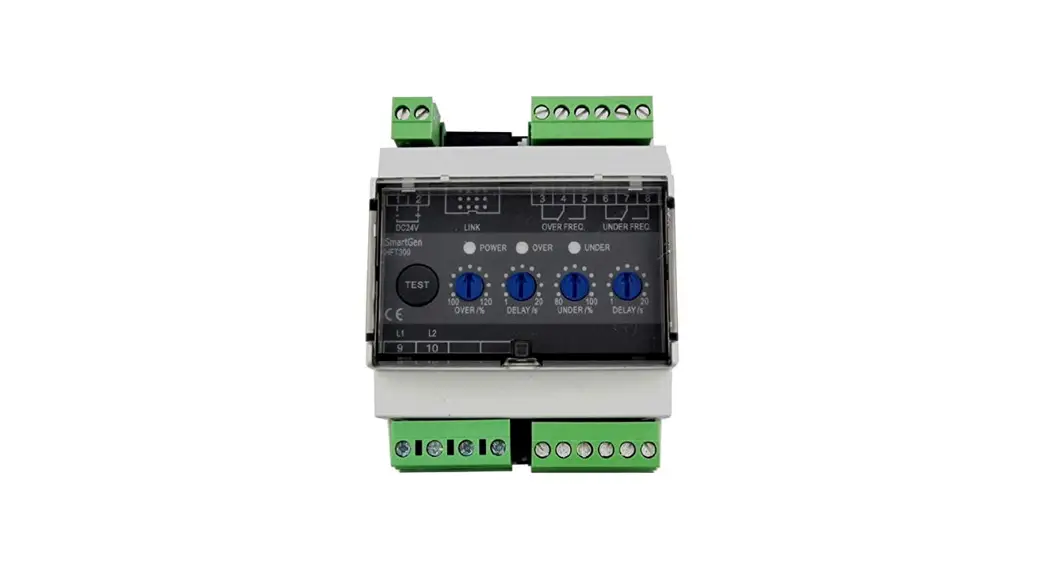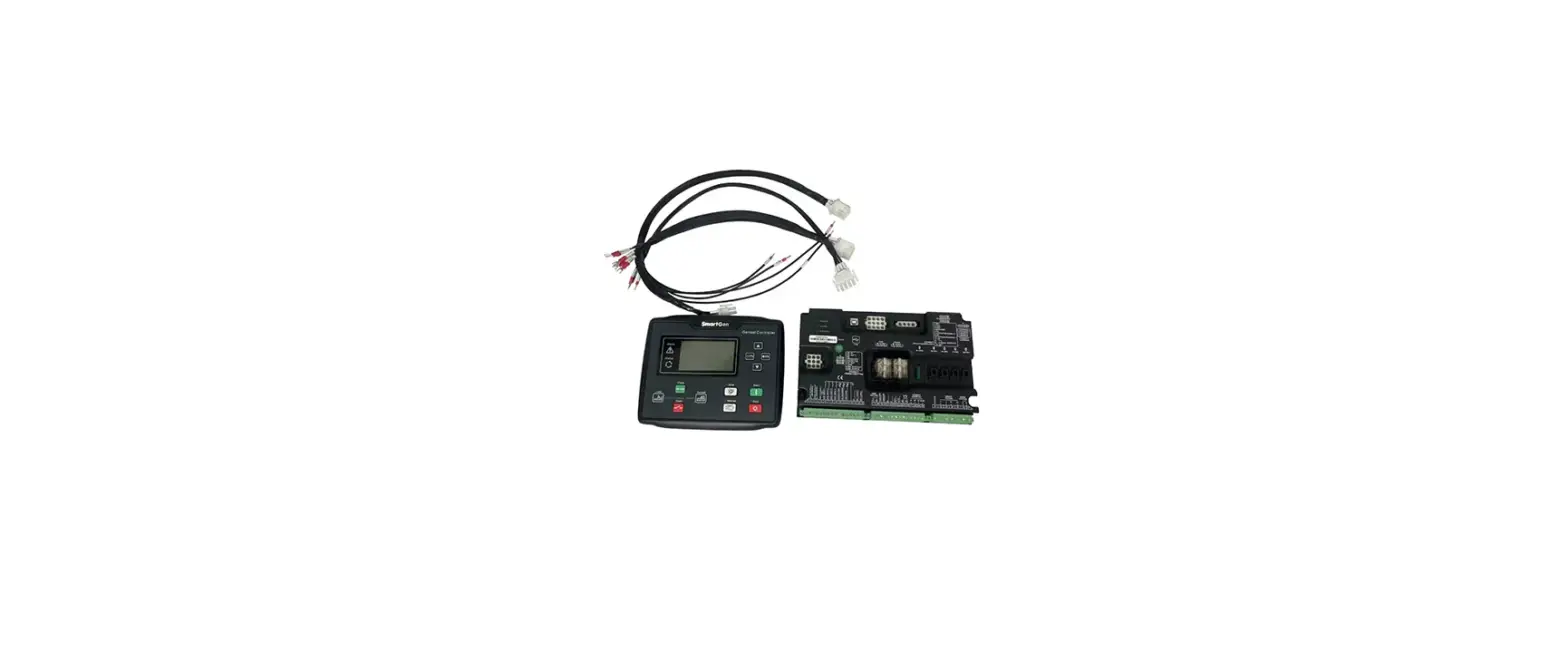

SmartGen HFT300 Frequency Test Relay Multifunctional Protection Module
Smartgen — make your generator smart
Smartgen Technology Co., Ltd
No.28 Jinsuo Road, Zhengzhou, Henan Province, China Tel: +86-371-67988888/67981888/67992951 +86-371-67981000(overseas)
Fax: +86-371-67992952
Email: [email protected]
Web: www.smartgen.com.cn
www.smartgen.cn
All rights reserved. No part of this publication may be reproduced in any material form (including photocopying or storing in any medium by electronic means or other) without the written permission of the copyright holder. Smartgen Technology reserves the right to change the contents of this document without prior notice.
Table 1- Version History
| Date | Version | Content |
| 2014-08-07 | 1.0 | Original release. |
| 2014-10-09 | 1.1 | Rename the product. |
| 2015-03-24 | 1.2 | Add “Multifunctional Protection Module” to the name |
| 2021-09-29 | 1.3 | Modify the function of TEST key. |
Table 2 – Symbol Instruction
| Symbol | Instruction |
| NOTE | Highlights an essential element of a procedure to ensure correctness. |
| CAUTION | Indicates a procedure or practice, which, if not strictly observed, could result in damage or destruction of equipment. |
OVERVIEW
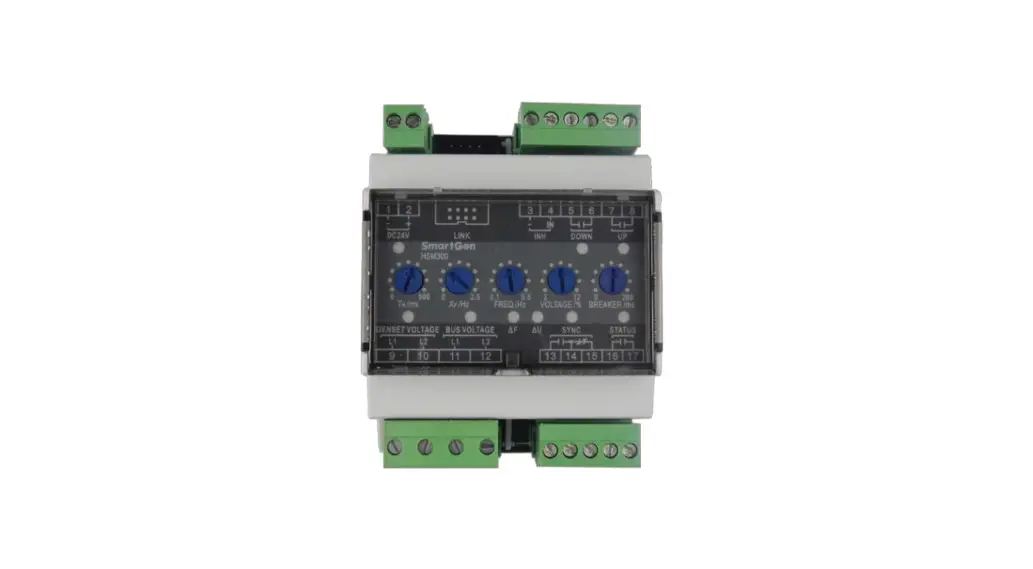
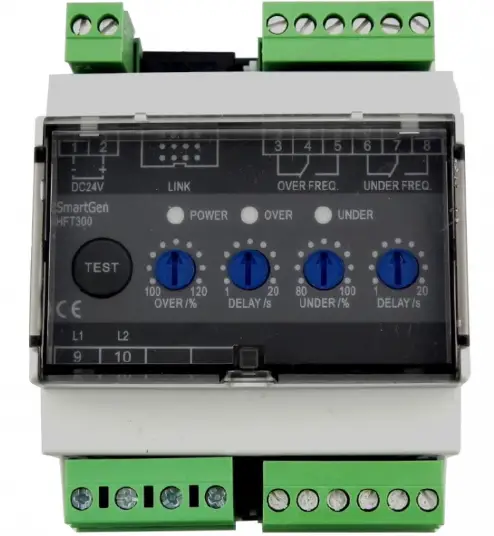
HFT300 frequency test relay is widely used in marine genset field and land genset field.
The corresponding over/under frequency relay outputs and alarm protection activates when the frequency has exceeded/fallen below the set value.
PERFORMANCE AND CHARACTERISTICS
- Suitable for 3-phase 4-wire, 3-phase 3-wire, single phase 2-wire, and 2-phase 3-wire systems with frequency 50/60/400Hz;
- Over/under frequency protection function;
- Adjustable potentiometer allows for set value adjusting and delay value setting;
- relay output;
- One test button, test the over/under frequency relay and indicator;
- Widely power supply range DC(8~35)V, suitable to different starting battery voltage environment;
- 35mm guide rail mounting;
- Modular design, pluggable terminal, compact structure with easy installation.
TECHNICAL PARAMETERS
Table 3 – Technical Parameters
| Parameter | Details |
| Working Voltage | DC8. 0V to 35. 0V, continuous power supply |
| Overall Consumption | <0.9W (Standby mode: ≤0.28W) |
| AC Input | AC50V~ AC620V (ph-ph) |
| Alternator Frequency | 50Hz/60Hz/400Hz |
| Over Frequency Relay Output | 5A AC250V Volts free output |
| Under Frequency Relay Output | 5A AC250V Volts free output |
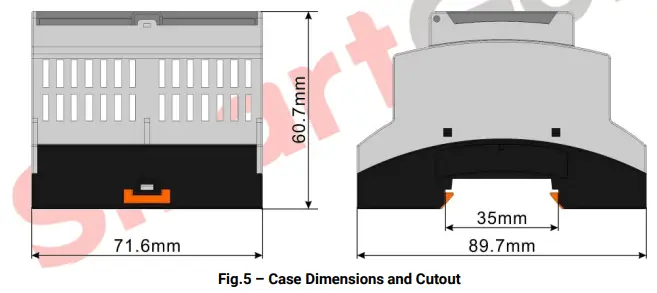
| Case Dimensions | 89.7mm x 71.6mm x 60.7mm |
| Working Conditions | Temperature: (-25~+70)°C Humidity: (20~93)%RH |
| Storage Conditions | Temperature:(-25~+70)°C |
| Insulation Intensity | Apply AC2.2kV voltage between high voltage terminal and low voltage terminal; The leakage current is not more than 3mA within 1min. |
| Weight | 0.24kg |
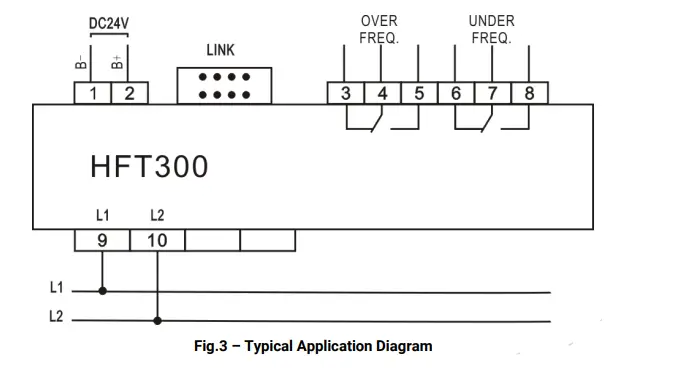
PANEL TERMINAL DESCRIPTION
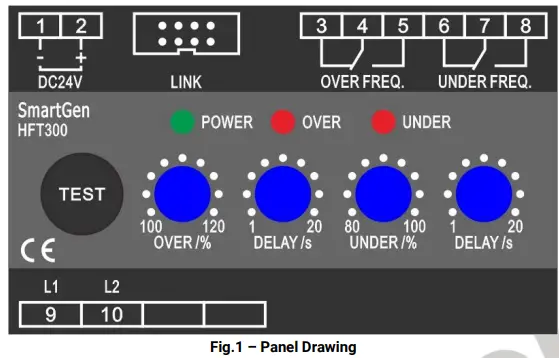
Table 4 – Description of Terminal Connection
| NO. | Functions | Cable Size | Remark | ||
| 1 | B- | 1.0mm2 | Connected with negative of starter battery. | ||
| 2 | B+ | 1.0mm2 | Connected with positive of starter battery. | ||
| 3 |
OVER FREQ. RELAY | Normally Close |
2.5 mm2 | Active when the frequency has exceeded the set value and the delay timer has expired. |
Normally open; Volts free output; 5A Rated |
| 4 | COM | ||||
| 5 | Normally Open | ||||
| 6 |
UNDER FREQ. RELAY | Normally Close |
2.5 mm2 | Active when the voltage has exceeded 50V while the frequency has fallen below the set value and the delay timer has expired. | |
| 7 | COM | ||||
| 8 | Normally Open | ||||
| 9 | L1 | 1.0 mm2 | Phase Voltage Input | ||
| 10 | L2 | 1.0 mm2 | |||
| LINK Port | Used for parameters setting. | ||||
FUNCTION DESCRIPTION
Table 5 – Function Description
| Item | Description |
| Power Indicator | Power supply indicator; It is illuminated when the relay is powered up. (green light) |
| OVER Indicator | Over frequency Indicator; It flashes once per second when the frequency has exceeded the set value and illuminated when the delay timer has expired. if the frequency return within the set value range, alarm is removed automatically and indicator is extinguished.(red light) |
| UNDER Indicator | Under frequency Indicator; It flashes once per second when the frequency has fallen below the set value and illuminated when the delay timer has expired. if the frequency return within the set value range, alarm is removed automatically and the indicator is extinguished.(red light) |
|
TEST Button | Press the button for 3 seconds and enter the Test Mode. The overfrequency relay and indicator output; Release and press the button again, underfrequency relay and indicatior output. Press the button a third time to exit the Test Mode. Exit the Test Mode after 30s without any operation. |
| OVER /% Over Frequency Potentiometer | Used for adjusting over frequency set value. Range: (100~120)%; Setting value is the percentage of rated frequency value. |
| DELAY/s Delay Value Potentiometer | Used for adjusting over frequency delay value. Range: (1~20)s. |
| UNDER /% Under Frequency Potentiometer | Used for adjusting under frequency set value. Range: (80~100)%; Setting value is the percentage of rated frequency value. |
| DELAY /s Delay Value Potentiometer | Used for adjusting under frequency delay value. Range: (1~20)s; |
SCOPES AND DEFINITIONS OF PROGRAMMABLE PARAMETERS
Table 6 – Programmable Parameters
| No. | Items | Parameters | Defaults | Description |
| 1 | Gen Rated Frequency | (10.0-400.0)Hz | 50.0 | |
| 2 | Communication Address | (1-254) | 1 |
PC Program:
Parameters setting and real-time monitoring can be implemented via LINK port by using PC software and an SG72 adapter which produced by our company. As follows: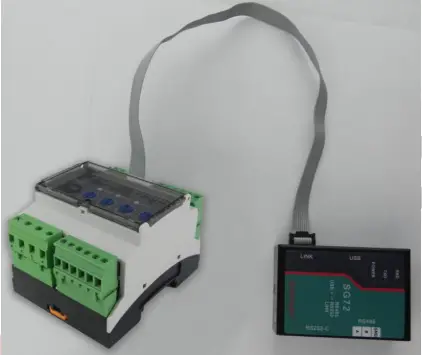 Fig.2 – PC Program Connection
TYPICAL DIAGRAM 
INSTALLATION DIMENSIONS
Output And Expand Relays
All outputs are relay contact output type. If need to expand the relays, please add freewheel diode to both ends of expand relay’s coils (when coils of relay has DC current) or, add resistance-capacitance return circuit (when coils of relay has AC current), in order to prevent disturbance to controller or others equipment.
Withstand Voltage Test
CAUTION! When relay had been installed in control panel, if need the high voltage test, please disconnect relay’s all terminal connections, in order to prevent high voltage into relay and damage it.
 众智科技
众智科技 众智科技
众智科技