
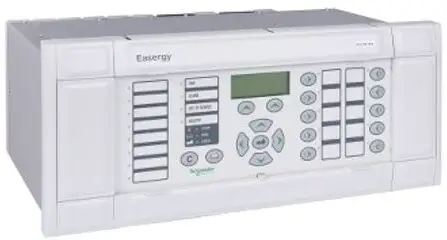
Schneider Electric Easergy MiCOM P445 Fast Multifunction Distance Protection Relay
Note
The technical manual for this device gives instructions for its installation, commissioning, and operation. However, the manual cannot cover all conceivable circumstances or include detailed information on all topics. In the event of questions or specific problems, do not take any action without proper authorization. Contact the appropriate Schneider Electric technical sales office and request the necessary information. Any agreements, commitments, and legal relationships and any obligations on the part of Schneider Electric including settlements of warranties, result solely from the applicable purchase contract, which is not affected by the contents of the technical manual.
This device MUST NOT be modified. If any modification is made without the express permission of Schneider Electric, it will invalidate the warranty, and may render the product unsafe.
Easergy MiCOM and the Schneider Electric logo and any alternative version thereof are trademarks and service marks of Schneider Electric. All trade names or trademarks mentioned herein whether registered or not, are the property of their owners. This manual is provided for informational use only and is subject to change without notice.
PROTOCOL IMPLEMENTATION EXTRA INFORMATION FOR TESTING (PIXIT)
| Date (month/year): | 03/2021 |
| Products covered by this chapter: | This chapter covers the specific versions of the MiCOM products listed below. This includes only the following combinations of Software Version and Hardware Suffix. |
| Hardware suffix: | L |
| Software version: | K3 |
| Connection diagrams: | This includes a list of the Connection Diagrams for the Products covered by this document. 10P445xx (xx = 01 to 04) |
INTRODUCTION
This document specifies the Protocol Implementation eXtra Information for Testing (PIXIT) of the IEC61850 interface in the MiCOM P445 with firmware version K3 of protection IEDs. Together with the PICS and MICS specifications the PIXIT forms the basis for conformance test according to IEC 61850-10. The PIXIT entries contain information which is not available in the PICS, MICS, TICS document or SCL file.
DOCUMENT STRUCTURE
Each table specifies the PIXIT for applicable ACSI service model as structured in IEC 61850-10. The “Ed” column indicates if the entry is applicable for IEC 61850 Edition 1 and/or Edition 2. A hyphen (“-“) in the Ed column indicates the PIXIT entry is not applicable for any version.
PIXIT FOR DOCUMENTATION
| ID | Ed | Description | Value / Clarification |
| Do1 | 2 | How to expose required firmware versions not present in the datamodel | The firmware version could be displayed in the HMI of front panel. SYSTEM DATA → Software Ref. 2 |
PIXIT FOR ASSOCIATION MODEL
| ID | Ed | Description | Value / Clarification |
| As1 | 1 | Maximum number of clients that can set-up an association simultaneously | 16 |
| As2 | 2 | TCP_KEEPALIVE value The recommended range is 1..20s | Configurable between 1 and 20 second with a setting increment of 1 second. The default value is 5. |
| As3 | 2 | Lost connection detection time | Lost connection time = TCP_KEEPALIVE + 55s |
| As4 | – | Authentication is not supported yet | Deprecated |
| As5 | 2 | What association parameters are necessary for successful association Called values: Calling values: | Transport selector Calling: N Called: Y Session selector Calling: N Called: Y Presentation selector Calling: N Called: Y AP Title Calling: N Called: N AE Qualifier Calling: N Called: N |
| As6 | 2 | If association parameters are necessary for association, describe the correct Called values and Calling parameters: e.g. | Transport selector 0001 Session selector 0001 Presentation selector 00000001 AP Title na AE Qualifier na |
| As7 | 2 | What is the maximum and minimum MMS PDU size | Max MMS PDU size 8500bytes Min MMS PDU size 600bytes |
| As8 | 2 | What is the maximum startup time after a power supply interrupt | Full IEC61850 services are available after approximate start-up time of 150 seconds. For even big IEC61850 configuration file, time will extend 30 seconds. |
| As9 | 2 | Does this device function only as test equipment? (test equipment need not have a non‐volatile configuration; but it cannot be part of the substation automation system) | N |
PIXIT FOR SERVER MODEL
| ID | Ed | Description | Value / Clarification |
| Sr1 | 2 | Which analogue value (MX) quality bits are supported (can be set by server) | Validity: Y Good, Y Invalid, (not testable) N Reserved, Y Questionable, (not testable) N Overflow N OutofRange N BadReference N Oscillatory Y Failure, (not testable) N OldData Y Inconsistent, (not testable) Y Inaccurate, (not testable) Source: Y Process N Substituted Y Test N OperatorBlocked |
| Sr2 | 2 | Which status value (ST) quality bits are supported (can be set by server) | Validity: Y Good, Y Invalid, N Reserved, Y Questionable, (not testable) N BadReference N Oscillatory Y Failure, (not testable) N OldData Y Inconsistent, (not testable) Y Inaccurate, (not testable) Source: Y Process N Substituted Y Test N OperatorBlocked |
| Sr3 | – | What is the maximum number of data object references in one GetDataValues request | Deprecated |
| Sr4 | – | What is the maximum number of data object references in one SetDataValues request | Deprecated |
| Sr5 | 1 | Which Mode values are supported 1 | On Y Implemented on all LN [On-]Blocked N Test Y Implemented on all LN Test/Blocked Y Only implemented on System\RlyGGIO1 Off Y Only implemented on the LN under LD – protection (except for Protection\LLN0) and Control\XCBR |
| ID | Ed | Description | Value / Clarification |
| Sr_ex1 | 2 | Measurement deadbands | Each measurement provides a range configuration in the data model where a minimum and maximum value can be set. Then deadbands can be specified as a percentage change based on such a range For this reason, deadband also can be configured based on an absolute value change with the following ranges: 1. deadband = 0, means deadband disabled and measurements follow the instantaneous measurement value. 2. deadband = 1-100,000, means absolute value changes of 0.001 to 100 respectively based on the formula: (deadband/100000)*(max – min).Deadband measurement will be updated when the instantaneous (absolute) value changes by more than the absolute deadband value. For complex measurement types supporting both magnitude and angle, the deadband will only apply to the magnitude element. |
PIXIT FOR DATA SET MODEL
| ID | Ed | Description | Value / Clarification |
| Ds1 | 1 | What is the maximum number of data elements in one data set (compare ICD setting) | 300 |
| Ds2 | 1 | How many persistent data sets can be created by one or more clients (this number includes predefined datasets) | 0 |
| Ds3 | 1 | How many non-persistent data sets can be created by one or more clients | 0 |
| Ds_ex1 | 2 | The fixed location of pre-configured data sets. | System\LLN0 |
| Ds_ex2 | 2 | How many pre-configured data sets can be created by one or more clients | 100 |
| Ds_ex3 | 2 | How many data attributes supported in all datasets totally? | 4000 |
PIXIT FOR SUBSTITUTION MODEL
Not support
PIXIT FOR SETTING GROUP CONTROL MODEL
| ID | Ed | Description | Value / Clarification |
| Sg1 | 1 | What is the number of supported setting groups for each logical device | 4 |
| Sg2 | 2 | What is the effect of when and how the non-volatile storage is updated (compare IEC 61850-8-1 §16.2.4) | N/A, Edit SG is not supported |
| Sg3 | 1 | Can multiple clients edit the same setting group | N/A, Edit SG is not supported |
| Sg4 | 1 | What happens if the association is lost while editing a setting group | N/A, Edit SG is not supported |
| Sg5 | 1 | Is EditSG value 0 allowed? | N/A, Edit SG is not supported. |
| Sg6 | 2 | When ResvTms is not present how long is an edit setting group locked | N/A, Edit SG is not supported |
PIXIT FOR REPORTING MODEL
| ID | Ed | Description | Value / Clarification |
| Rp1 | 1 | The supported trigger conditions are (compare PICS) | integrity Y data change Y quality change Y data update can be set but could not be triggered general interrogation Y |
| Rp2 | 1 | The supported optional fields are | sequence-number Y report-time-stamp Y reason-for-inclusion Y data-set-name Y data-reference Y buffer-overflow Y entryID Y conf-rev Y segmentation Y |
| Rp3 | 2 | Can the server send segmented reports (when not supported the device shall refuse an association request with a smaller than minimum PDU size) | Y |
| Rp4 | 2 | Mechanism on second internal data change notification of the same analogue data value within buffer period (Compare IEC 61850-7-2 Ed2 §17.2.2.9) | Send report immediately |
| Rp5 | 1 | Multi client URCB approach (compare IEC 61850-7-2:2003 §14.2.1) | Each URCB is visible to all clients |
| Rp6 | – | What is the format of EntryID | Deprecated |
| Rp7 | 2 | What is the buffer size for each BRCB or how many reports can be buffered | 100k |
| Rp8 | – | Pre-configured RCB attributes that are dynamic, compare SCL report settings | Deprecated |
| Rp9 | 1 | May the reported data set contain: – structured data objects? – data attributes? | Y Y |
| Rp10 | 2 | What is the scan cycle for binary events? Is this fixed, configurable | 1 ms Fixed |
| Rp11 | 1 | Does the device support to pre-assign a RCB to a specific client in the SCL | Y |
| Rp12 | 2 | After restart of the server is the value of ConfRev restored from the original configuration or retained prior to restart. | Restored from original configuration |
| Rp13 | 2 | Does the server accept any client to configure/enable a BRCB with ResvTms=1? What fields are used to do the identification? | N |
| Rp14 | 2 | When BRCB.ResvTms is exposed, what is the default value for BRCB.ResvTms if client does not write (must be > 0) or When BRCB.ResvTms is not exposed, what is the internal reservation time (must be >= 0) | 10 seconds |
| Rp15 | 2 | Is data model db=0 supported | Y |
| Rp_ex1 | 2 | How many URCB and BRCB support | 16 URCB and 8 instances for each URCB 8 BRCB and 4 instances for each BRCB |
PIXIT FOR LOGGING MODEL
Not support.
PIXIT FOR GOOSE PUBLISH MODEL
| ID | Ed | Description | Value / Clarification |
| Gp1 | 2 | Can the test (Ed1) / simulation (Ed2) flag in the published GOOSE be set | Y |
| Gp2 | 1 | What is the behaviour when the GOOSE publish configuration is incorrect | NdsCom = T DUT keeps GoEna=F |
| Gp3 | 2 | Published FCD supported common data classes are | ENC, ENS, MV, SPC, SPS, WYE, ACD, ACT |
| Gp4 | 2 | What is the maximum value of TAL (maxTime) Is it fixed or configurable | 60s Configured by GoCB Maximum Cycle Time |
| Gp5 | 2 | What is the fastest retransmission time | 1ms Configured by GoCB Minimum Cycle Time |
| Gp6 | – | Can the GOOSE publish be turned on / off by using SetGoCBValues(GoEna) | Deprecated See PICS – SetGoCBValues |
| Gp7 | 2 | What is the initial GOOSE sqNum after restart | 1 |
| Gp8 | 1 | May the GOOSE data set contain: – structured data objects (FCD) – timestamp data attributes | Y Y |
| Gp9 | 2 | Does Server or ICT refuse GOOSE payload dataset length greater than SCSM supports | Y ICT will reject the configuration downloading |
PIXIT FOR GOOSE SUBSCRIBE MODEL
| ID | Ed | Description | Value / Clarification |
| Gs1 | 2 | What elements of a subscribed GOOSE message are checked to decide the message is valid and the allData values are accepted? If yes, describe the conditions. Notes: · the VLAN tag may be removed by an Ethernet switch and shall not be checked · the simulation flag shall always be checked (Ed2) | Y destination MAC address Y APPID N gocbRef Y timeAllowedtoLive Y datSet Y goID N t Y stNum N sqNum Y simulation Y confRev Y ndsCom Y numDatSetEntries Y out-of-order dataset members (Type is checked) (When the numDatSetEntries in a subscribed GOOSE message is equal to or more than DO index which IED want to subscribe, the IED shall accept and parse this kind of GOOSE message as normal. When the numDatSetEntries in a subscribed GOOSE message is less than DO index which IED want to subscribe, the IED shall ignore this kind of GOOSE message.) |
| Gs2 | 2 | When is a subscribed GOOSE marked as lost (TAL = time allowed to live value from the last received GOOSE message) | Message does not arrive by (TAL + 1s) |
| Gs3 | 2 | What is the behaviour when one or more subscribed GOOSE messages isn’t received or syntactically incorrect (missing GOOSE) | An alarm will be raised to indicate GOOSE IED absent. And the virtual inputs value will be forced to its configured default value. If under the following GOOSE message conditions, GOOSE absent alarm will not be generated – data type wrong configuration or disorder configuration |
| Gs4 | 2 | What is the behavior when a subscribed GOOSE message is out-of-order | No checks are made for out-of-order GOOSE messages, they are validated in accordance with the rules given in Gs1. |
| Gs5 | 2 | What is the behavior when a subscribed GOOSE message is duplicated | Receive this message as normal. |
| Gs6 | 1 | Does the device subscribe to GOOSE messages with/without the VLAN tag? | Y, with the VLAN tag Y, without the VLAN tag |
| Gs7 | 1 | May the GOOSE data set contain: – structured data objects (FCD)? – timestamp data attributes? | Subscribed Y Y |
| Gs8 | 2 | Subscribed FCD supported common data classes are | ENC, ENS, SPC, SPS, ACD, ACT Analogue GOOSE support MV |
| Gs9 | 1 | Are subscribed GOOSE with test=T (Ed1) / simulation=T (Ed2) accepted in test/simulation mode | Y |
| Gs10 | 2 | Max number of dataset members | Count |
| Gs11 | 1 | Is Fixed-length encoded GOOSE supported | Y |
| Gs12 | 2 | Is IEC 62351-6 security supported | N |
| ID | Ed | Description | Value / Clarification |
| Gs_ex1 | 2 | Default values | The virtual inputs value will return to default value when TAL+1 expires on following GOOSE message conditions: – The publishing device is absent (i.e. No GOOSE message are received) – goID is different from GoCB and NULL – numDatSetEntries is 0, more or less than the number of data entries in the all Data – all data elements mismatching order – APPID is different from SCL and 0 – datSet is different from GoCB and NULL – The received GOOSE message has the test/ simulation flag set The virtual inputs value will return to default value immediately on following invalid GOOSE messages conditions: – TAL = 0 – The received GOOSE message has the test/ simulation flag set – The received GOOSE message has the NdsCom flag set – confRev is different from GoCB and NULL – all data missing first element or new front element – when the numDatSetEntries in a subscribed GOOSE message is less than the DO index which IED want to subscribe |
PIXIT FOR CONTROL MODEL
| ID | Ed | Description | Value / Clarification |
| Ct1 | 1 | What control modes are supported (compare ICD file enums for Ed2) | Y Dons Y SBOns Y Does Y SBOes |
| Ct2 | 2 | Is the control model fixed, configurable and/or dynamic? | Configurable |
| Ct3 | – | Is TimeActivatedOperate supported (compare PICS or SCL) | Deprecated |
| Ct4 | – | Is “operate-many” supported (compare sboClass) | Deprecated |
| Ct5 | 1 | Will the DUT activate the control output when the test attribute is set in the SelectWithValue and/or Operate request (when N test procedure Ctl2 is applicable) | DUT ignores the test value and execute the command as usual |
| Ct6 | – | What are the conditions for the time (T) attribute in the SelectWithValue and/or Operate request | Deprecated |
| Ct7 | – | Is pulse configuration supported (compare pulseConfig) | Deprecated |
| Ct8 | 1 | What is the behavior of the DUT when the check conditions are set
Is this behavior fixed, configurable, online changeable? | N synchro-check N interlock-check DUT uses the check value to perform the check. Fixed |
| Ct9 | 2 | Which additional cause diagnosis are supported | Y Unknown Y Not-supported Y Blocked-by-switching-hierarchy Y Select-failed Y Invalid-position Y Position-reached N Step-limit Y Blocked-by-Mode N Blocked-by-process N Blocked-by-interlocking N Blocked-by-synchrocheck Y Command-already-in-execution (Not applicable for SPC points) N Blocked-by-health Y 1-of-n-control N Abortion-by-cancel N Time-limit-over N Abortion-by-trip Y Object-not-selected Edition1 specific value: N Parameter-change-in-execution (Ed1 semantics) Edition 2 specific values: Y Object-already-selected N No-access-authorityN Ended-with-overshoot N Abortion‐due‐to‐deviation N Abortion-by-communication-loss Y Blocked-by-command N None Y Inconsistent-parameters Y Locked-by-other-client N Parameter-change-in-execution (Ed2 semantics) |
| ID | Ed | Description | Value / Clarification |
| Ct10 | 2 | How to force a “test-not-ok” respond with SelectWithValue request? | invalid OrCat value |
| Ct11 | 2 | How to force a “test-not-ok” respond with Select request? | the control object is already selected by other client and SBO timeout does not expire |
| Ct12 | 2 | How to force a “test-not-ok” respond with Operate request? | invalid OrCat value AddCause: Not-supported |
| Ct13 | 2 | Which origin categories are supported/ accepted? | Y bay-control Y station-control Y remote-control Y automatic-bay Y automatic-station Y automatic-remote Y maintenance Y process |
| Ct14 | 2 | What happens if the orCat value is not supported or invalid | DOns: Control could not be executed SBOns: Control could not be executed DOes: Control could not be executed SBOes: Control could not be executed |
| Ct15 | 2 | Does the IED accept a SelectWithValue / Operate with the same control value as the current status value
Is this behaviour configurable | DOns: N SBOns: N DOes: N AddCause: Position-reached SBOes: N AddCause: Position-reached N |
| Ct16 | 1 | Does the IED accept a select/operate on the same control object from 2 different clients at the same time? | Regardless of how or when a control select/operation is received by a MiCOM Px40 IED the same checks are always performed. The return condition for the request will depend upon many factors including: Is the control available or is it still operating from a previous request Is the received control value the same as the control status value In most instances, assuming the two received control request have the same control value, the second select request will result with an “Object- already-selected” response- in SBO control mode, and operate request will result with a “locked-by- other-client” Response-. DOns: See above detailed information. SBOns: See above detailed information. DOes: See above detailed information. SBOes: See above detailed information. |
| Ct17 | 1 | Does the IED accept a select/selectwithvalue from the same client when the control object is already selected (Tissue #334) | SBOns: N SBOes: N |
| Ct18 | 1 | Deprecated | |
| Ct19 | – | Can a control operation be blocked by Mod=Off or [On-]Blocked (Compare PIXIT-Sr5) | Deprecated |
| Ct20 | 2 | Does the IED support local / remote operation? | Y |
| Ct21 | 2 | Does the IED send an InformationReport with LastApplError as part of the Operate response- for control with normal security | SBOns: Y DOns: Y |
| Ct22 | 2 | How to force a “parameter-change-in-execution” | N/A |
| Ct23 | 2 | How many SBOns/SBOes control objects can be selected at the same time? | 1 |
| ID | Ed | Description | Value / Clarification |
| Ct24 | 2 | Can a controllable object be forced to keep its old state e.g. Internal Controllable Objects may not be accessible to force this, whereas a switch like Circuit Breaker outside the DUT can? | Y |
| Ct25 | 2 | When CDC=DPC is supported, is it possible to have DPC (Controllable Double Point) go to the intermediate state? (00) | Y |
| Ct26 | 2 | Name an enhanced security control point (if any) with a finite operate timeout Specify the timeout (in milliseconds) | Control\XCBR1\Pos DOes: Y SBOes: Y 5 seconds (fixed) |
| Ct27 | 2 | Does the IED support control objects with external signals? | DOns: Y SBOns: Y DOes: Y SBOes: Y |
| Ct_ex1 | 2 | Is the control mode interlocked or non-interlocked? | Interlocked mode as default |
PIXIT FOR TIME SYNCHRONISATION MODEL
| ID | Ed | Description | Value / Clarification |
| Tm1 | 1 | What time quality bits are supported (may be set by the IED) | Y LeapSecondsKnown (mandatory) N ClockFailure Y ClockNotSynchronized |
| Tm2 | 2 | Describe the behaviour when all time server(s) ceases to respond What is the time server lost detection time | On one time server: If one time server ceases to respond, the IED automatically switch to synchronize with other active time server. On all time servers: If all the time servers cease to respond, the IED keeps the previous synchronization time. The quality bit “ClockNotSynchronized” will be set after a configured time period System/LLN0$ST$SyncSt provide an indication of the clock synchronization state in IED. TRUE: Clock is synchronized (Either by SNTP or IRIG-B) FALSE: Clock is not synchronized Configurable Default: 90 seconds |
| Tm3 | 2 | How long does it take to take over the new time from time server | SNTP 90s (configurable) IRIG-B 10s |
| Tm4 | 2 | When is the time quality bit “ClockFailure” set | Not applicable for this IED |
| Tm5 | 1 | When the time quality bit “Clock not synchronised” set? | The ‘Clock not synchronized’ bit at power-up has a default status of not synchronized (set to one (1)). When the clock becomes synchronized, the bit will be reset to zero (0). All available time synchronization sources will affect the ‘Clock not synchronized’ bit. These time sources include SNTP and where applicable, IRIG-B. When “Poll Rate” expires (It is configurable, default value is 90s), if the connection to time server is still lost, the time quality bit “Clock not synchronised” shall be set. |
| Tm6 | – | Is the timestamp of a binary event adjusted to the configured scan cycle? | Deprecated |
| Tm7 | 1 | Does the device support time zone and daylight saving? | Y |
| Tm8 | 2 | Which attributes of the SNTP response packet are validated? | Y Leap indicator not equal to 3 Y Mode is equal to SERVER Y Originate Timestamp is equal to value sent by the SNTP client as Transmit Timestamp Y RX/TX timestamp fields are checked for reasonableness Y SNTP version 3 Y either unicast or anycast |
| Tm9 | 2 | Do the COMTRADE files have local time or UTC time and is this configurable | Local time Not Configurable |
PIXIT FOR FILE TRANSFER MODEL
| ID | Ed | Description | Value / Clarification |
| Ft1 | 1 | What is structure of files and directories
Where are the COMTRADE files stored
Are comtrade files zipped and what files are included in each zip file | directory structure /COMTRADE/ /COMTRADE_ALL/ /dr/ /LD/
/COMTRADE/ /COMTRADE_ALL/ /dr/ Not zipped includes:.cfg and .dat |
| Ft2 | 2 | Directory names are separated from the file name by | “/” |
| Ft3 | 1 | The maximum file name size including path (recommended 64 chars) | Disturbance record filenames are a based around the following fixed format giving a maximum filename length of twenty eight (28) characters: yyyymmdd_HHMMSS_xxx_rNNN.* Where: yyyy = The year, i.e. 2006 mm = The month, i.e. 03 (for March) dd = The day of month, i.e. 15th HH = Hours in 24hr format, i.e. 12 MM = Minutes, i.e. 59 SS = Seconds, i.e. 59 xxx = Milli-seconds, i.e. 999 r = A literal ‘r’ character NNN = Disturbance record number, i.e. 001 * = The file type, either cfg or dat Taking into account the directory structure presented in section Ft1, this gives a maximum, fully qualified, filename length of forty four (44) characters. |
| Ft4 | 2 | Are directory/file name case sensitive | Case sensitive |
| Ft5 | 2 | Maximum file size for SetFile | N/A |
| Ft6 | 1 | Is the requested file path included in the MMS fileDirectory respond file name | N/A (Ed2: always complete path) |
| Ft7 | 1 | Is the wild card supported MMS fileDirectory request | Y, wild card = * |
| Ft8 | 2 | Is it allowed that 2 clients get a file at the same time? | Y same file Y different files |
| Ft9 | 2 | Which files can be deleted | .cfg and .dat files in /COMTRADE/ If .cfg file is deleted by client firstly, then the corresponding .dat file will be deleted automatically. The same way, if .dat file is deleted by client firstly, then the corresponding .cfg file will be deleted automatically |
PIXIT FOR SERVICE TRACKING MODEL
Not support
Customer Care Centre
http://www.schneider-electric.com/ccc
Schneider Electric 35 rue Joseph Monier 92506 Rueil-Malmaison FRANCE
- Phone: +33 (0) 1 41 29 70 00
- Fax: +33 (0) 1 41 29 71 00
- web : www.schneider-electric.com
- Publication: Easergy MiCOM P445/EN PX/Ld2 Fast Multifunction Distance Protection Relay Software
- Version: K3 Hardware Suffix: L IEC61850 Edition: 2
- © 2021 Schneider Electric. All rights reserved.
 Schneider Electric Global | Global Specialist in Energy Management and Automation