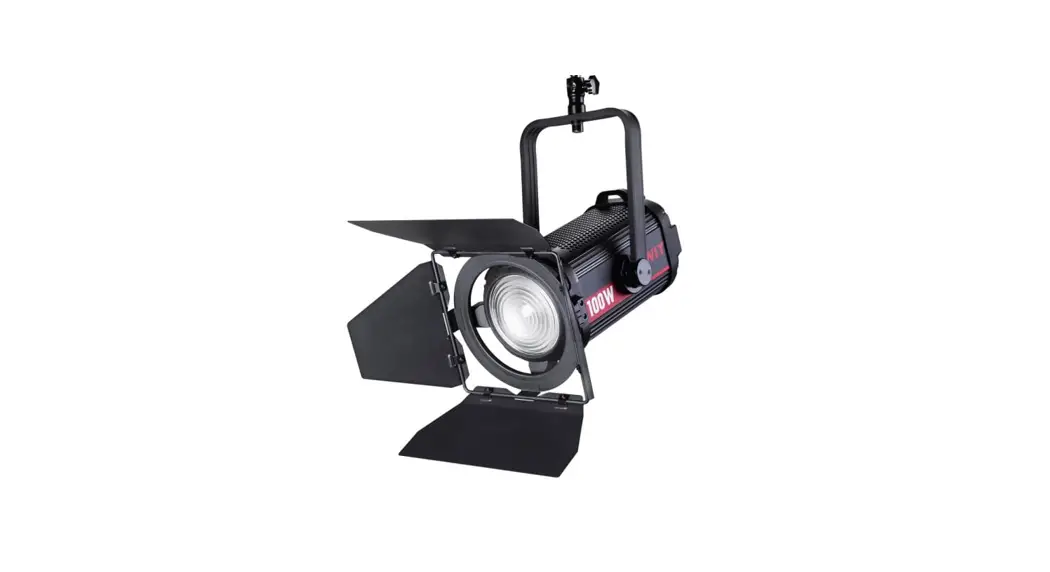
 FL-C100 LED Spot Light
User Manual
Thank you for choosing SWIT products. Please read the instructions before using, and keep it for future reference.
Specification
| Model | FL-C100 |
| Half Beam Angle | 12°-26° |
| Color temperature | 5600K |
| CRI | 96 |
| TLCI | 97 |
| SSI(D55) | 74 |
| Max Illuminance | 60000Lux@Lm(Spot)/22000Lux@Lm(Flood) 6700 Lux@3m(Spot)/2400 Lux@3m(Flood) 2400 Lux@5m(Spot)/880 Lux@5m(Flood) |
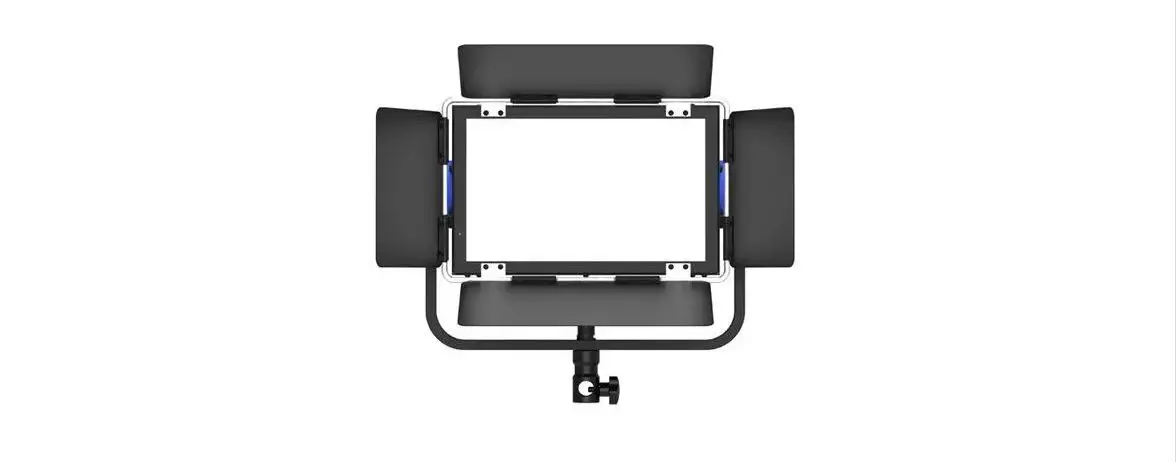
| Control | Local control. DMX |
| Working Voltage | AC 100-240V_50/60Hz |
| Power | Approx.100W |
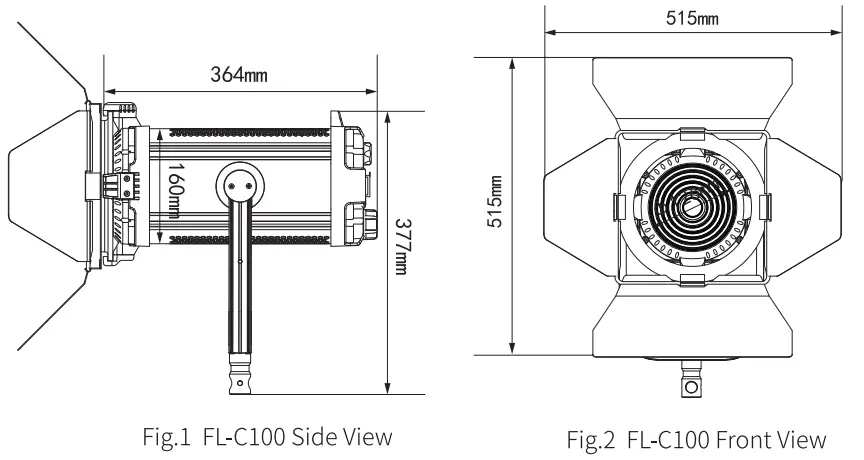
| Dimension (mm) | See Fig.1, Fig.2 |
| Weight (With Barndoor) | 5.2Kg |
Appearance
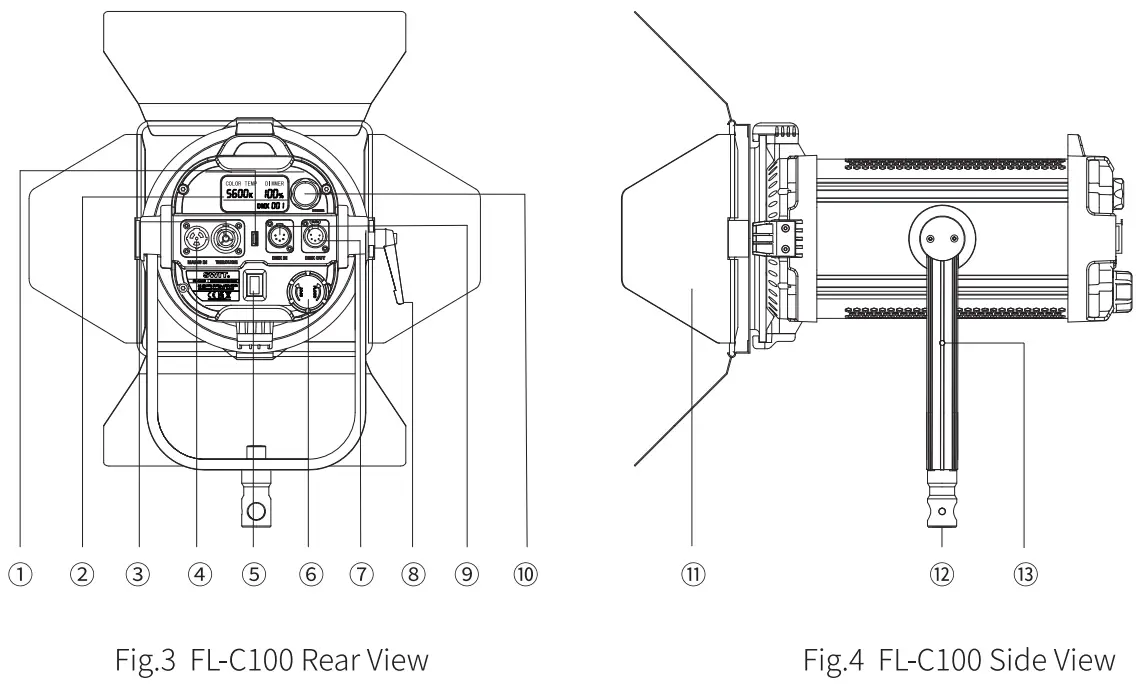
| 1. USB 2. LCD 3. AC OUTPUT 4. AC INPUT 5. POWER Switch 6. Flood/Spot knob 7. DMX OUTPUT | 8. Adjustable Handle 9. DMX INPUT 10. Dimmer Knob 11. Barn Door 12. Bracket Adaptor 13. Hanging Ring install hole |
Caution
- Do not disassemble the light or touch the interior of the light with metal objects, so as not to cause damage;
- Please avoid storing lights in dusty or humid environment to avoid damaging or affecting the usage;
- In order to avoid accidental dropping and damage of the barn doors during transportation, please reduce the light head to the minimum position for storage;
- Use this product only within the temperature range of -10 °C – 40 °C.
Usage
- Installation
Before use, please install the barndoor and honeycomb according to the requirements. When lifting and using the lamps, please pass the safety rope (hereafter referred to as “safety rope”) through the hanging ring and the bracket(Hanging ring need to be installed in Fig.4 ⑬ ). - Power supply
The working voltage of this light is AC 100-240V, 50/60Hz, Support AC loop out. - Brightness and DMX address setting
This product is a 5600K spotlight. After the power is switched on, users can adjust the brightness parameters of the lamp through the DMX lamp console or brightness adjustment knob according to the requirements of use. The specific operation of adjusting brightness of lamps through DMX controller is as follows:
• DMX Control
Each lamp occupies a total of one DMX channel. If the DMX address set for the lamp is N, then the N channel of the DMX lamp console controls the luminosity parameter of the lamp. If the DMX address set for the lamp is 001, then the relevant control channel and functions of the lamp console are shown in Table 1:Form.1 DMX Communication Address Function CH1 Brightness 0%-100% • DMX Address setting
Hold the brightness adjustment knob (As shown in Figure 3 ⑩) for about 2 seconds to enter the communication address setting interface. The communication address setting range is 001-512. The LCD (Figure 3 ②) blinks, indicating that the current position is selected. Rotate the brightness adjustment knob (Figure 3 ⑩) to set the current position and press the brightness adjustment Knob (Figure 3 ⑩) to determine the current bit Settings and enter the next bit Settings. When the last bit Settings are completed, press the brightness adjustment knob (Figure3 ⑩) or wait for about 5 seconds to exit the communication address Settings - Flood/Spot
Rotate the Flood/Spot knob clockwise, the light will change from Flood to Spot, Rotate the Flood/Spot knob anticlockwise, the light will change from Spot to Flood.
Packing List
| No. | Item | Quantities |
| 1 | FL-C100 | x1 |
| 2 | Barn Door | X1 |
| 3 | Power Cable | x1 |
| 4 | Shade Cloth | x1 |
| 5 | Safety Rope. | x2 |
| 6 | Hanging Ring | x1 |
| 7 | AC Plug | X1 |
SWIT Electronics Co.,Ltd.
Tel: +86-25-85805753
Fax: +86-25-85805296
http://www.swit.cc
E-mail: [email protected]