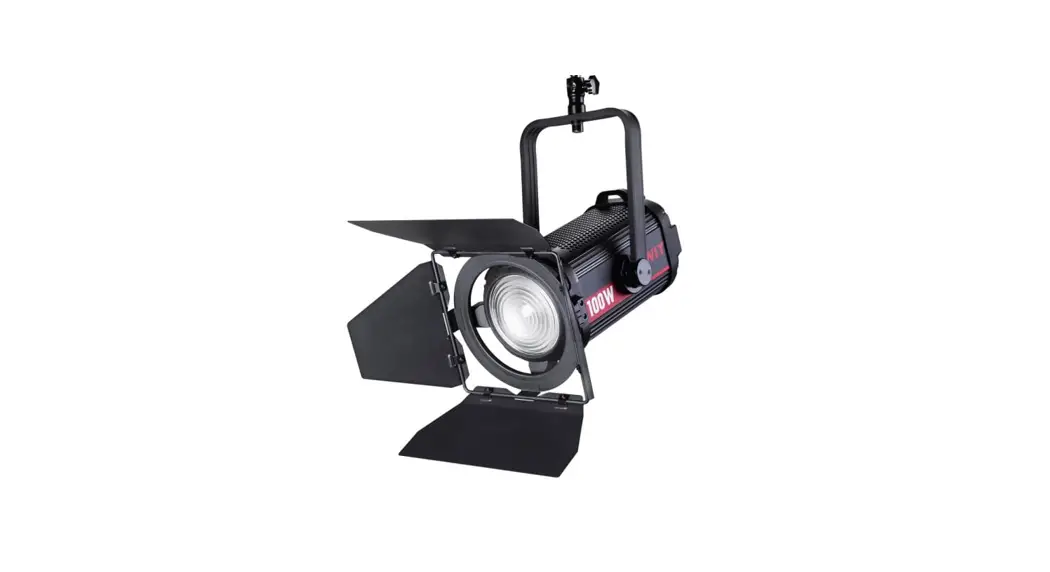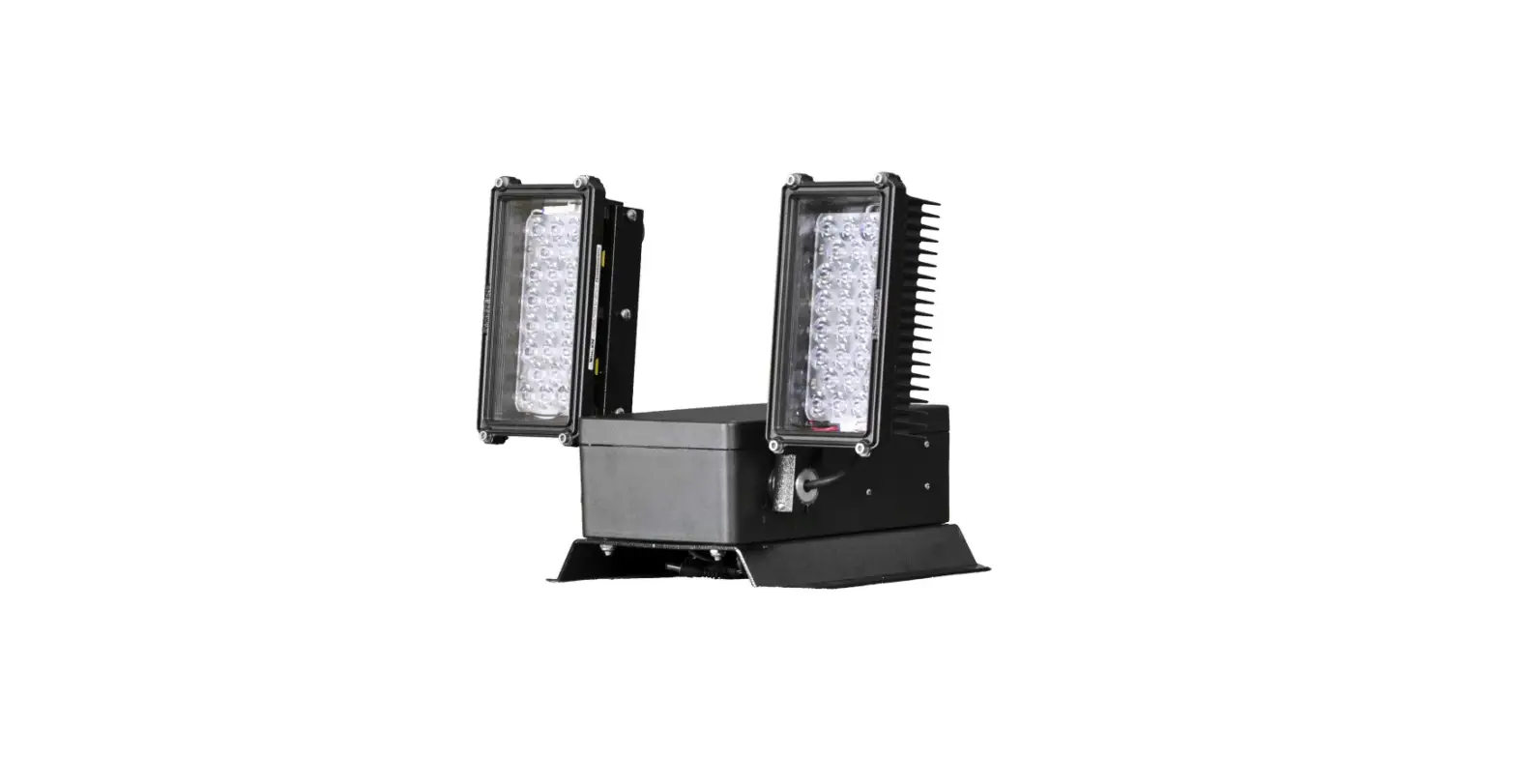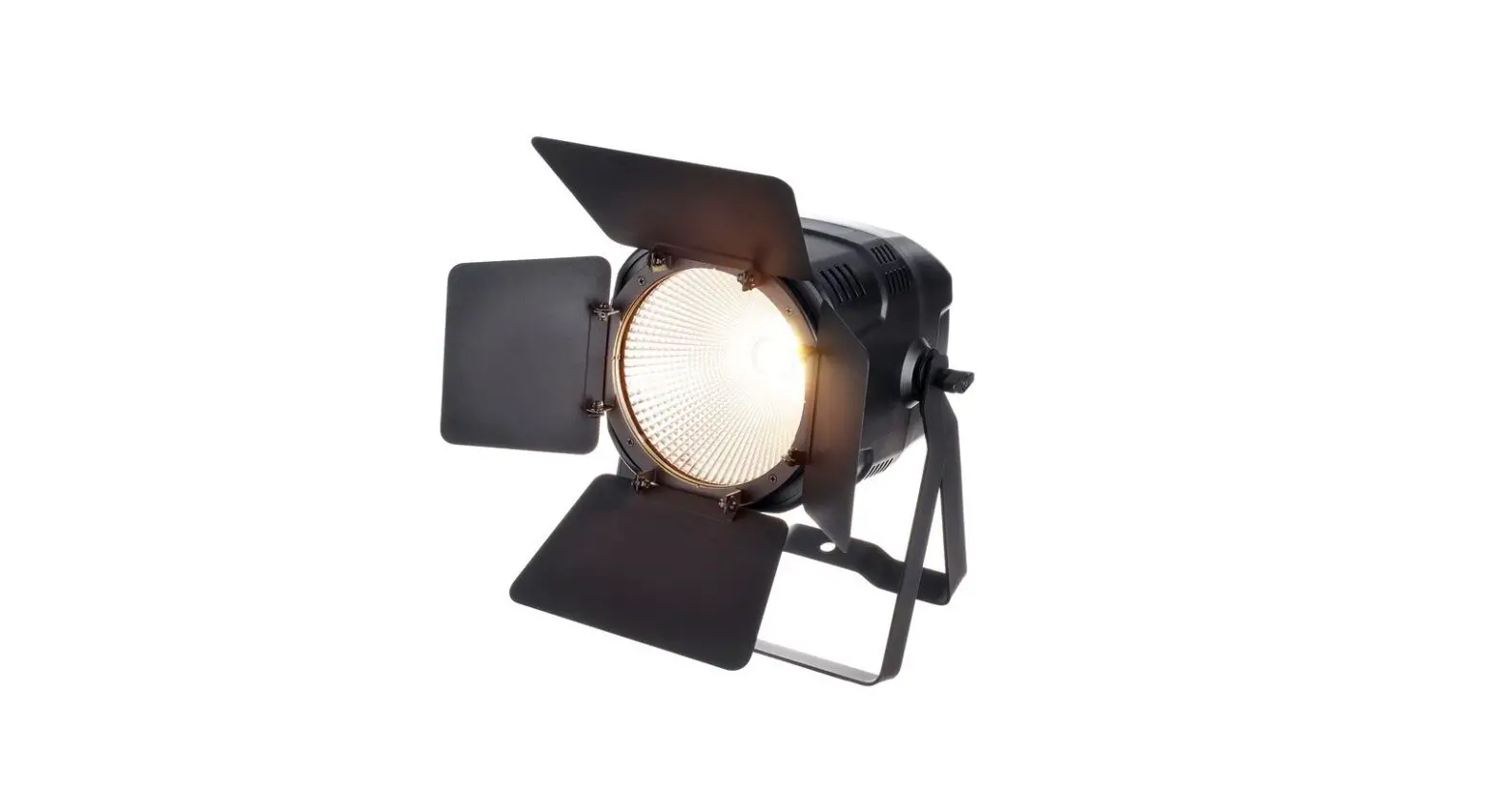

FL-C200D LED Dual Colour Temperature Spotlight
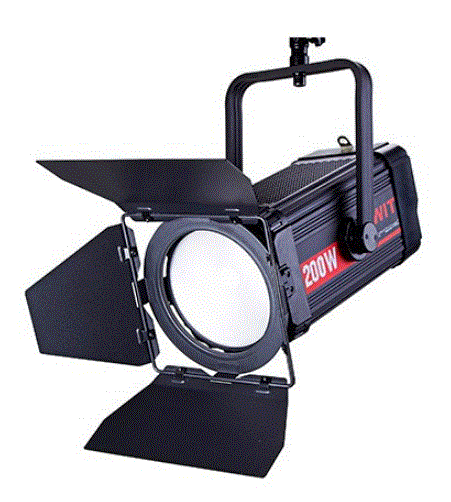
Thank you for choosing SWIT products. Please read the instructions before using, and keep it for future reference.
TECHNICAL PARAMETERS
| Model | FL-C200D | FL-C400D |
| Colour temperature | 2700K-6500K | |
| Brightness | 0%-100% | |
| CRI | 97 | |
| TLCI | 99 | |
| SSl(DSS) | 75 | |
|
Central illumination | Spot: around 65000 Lux@lm 7200 Lux@2m 2600 Lux@3m Flood: around 12000 Lux@lm 1300 Lux@2m 480 Lux@3m | Spot: around 130000 Lux@lm 15000 Lux@2m 5200 Lux@3m Flood: around 24000 Lux@lm 2600 Lux@2m 960 Lux@3m |
| Half-peak beam angle | Spot:15′ Flood:50′ | |
| Control mode | CCT, DMX, EFF, SYS | |
| Operating Voltage | local control,DMX | |
| Complete lamp power | AC 100-240V, 50/60Hz | |
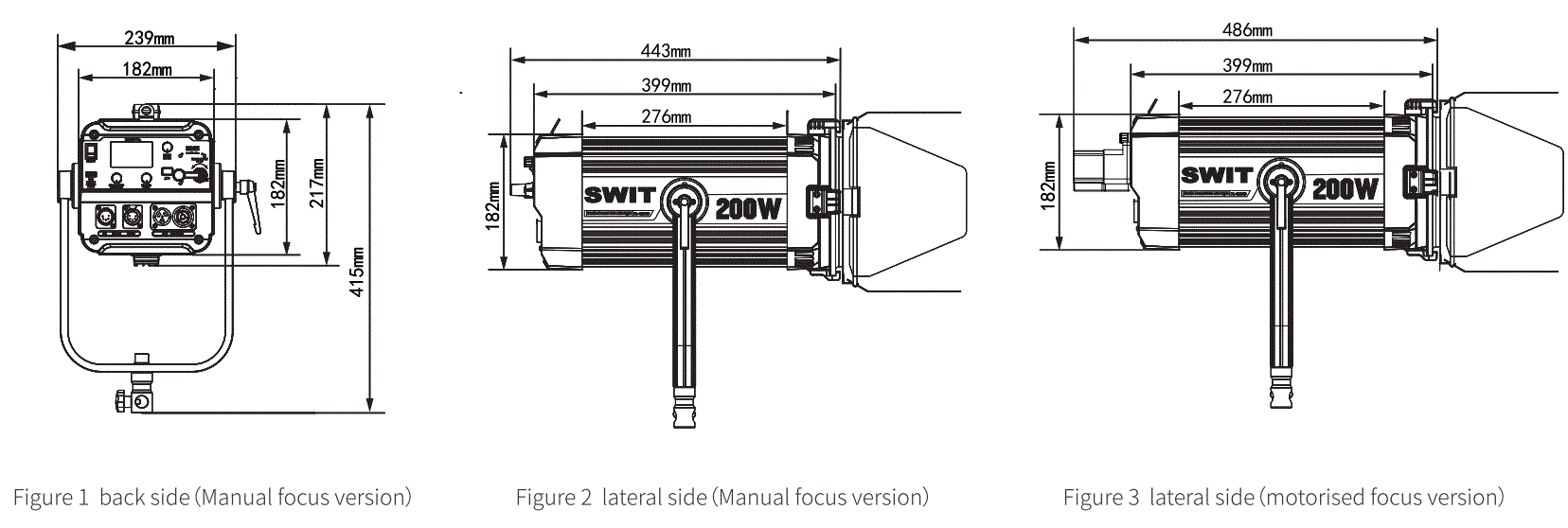
| Size(mm) | Around 185W (AC 220V) | Around 380W(AC 220V) |
|
Overall Net Weight | Details Figurel Figure 2 Figure3 Note: FL-C200D and FL-C400D have the same external dimensions, the side dimensional drawing shows FL-C200D as an example | |
| Model | 6.85Kg (Manual focus version with blackout filter) 7.2Kg (with blackout filter, motorised focus version) | |
 | ||
CAUTIONS
- Do not disassemble the luminaire or touch the interior of the luminaire with metal objects as this may cause damage;
- Do not use outdoors in rain or snow or leave the luminaire in a wet environment;
- To ensure safety when using the luminaire, please use it with a safety rope;
- Use this product only in the temperature range of -l0°C to 40°
APPEARANCE
The FL-C200D and FL-C400D products are identical in appearance except for the silk-screened side labels which are different. Product display with FL-C200D as an example.
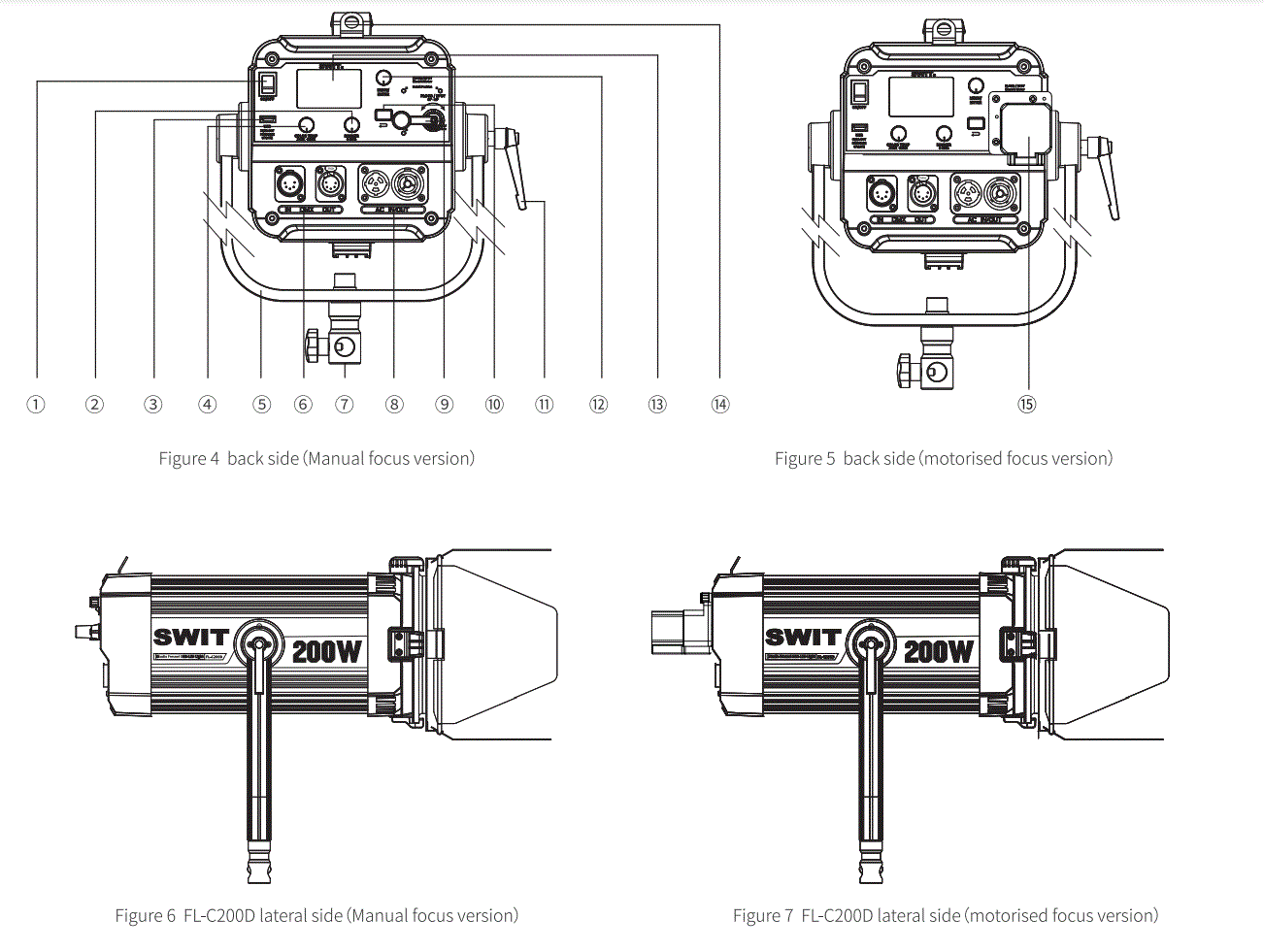
- Power switch
- DIMMER”Knob
- USB
- “COLOR TEMP”Knob
- shaped bracket
- DMXIN/OUT
- U-bracket adapters
- AC IN/OUT
- Focusing handle (Adjusting focus)
 Button
- Pitch angle adjustment knob
- “MENU/ENTER”knob
- LCD
- Insurance loop
- Motor
 Button
MODIFICATIONS-MOTOR FOCUSING SOLUTIONS
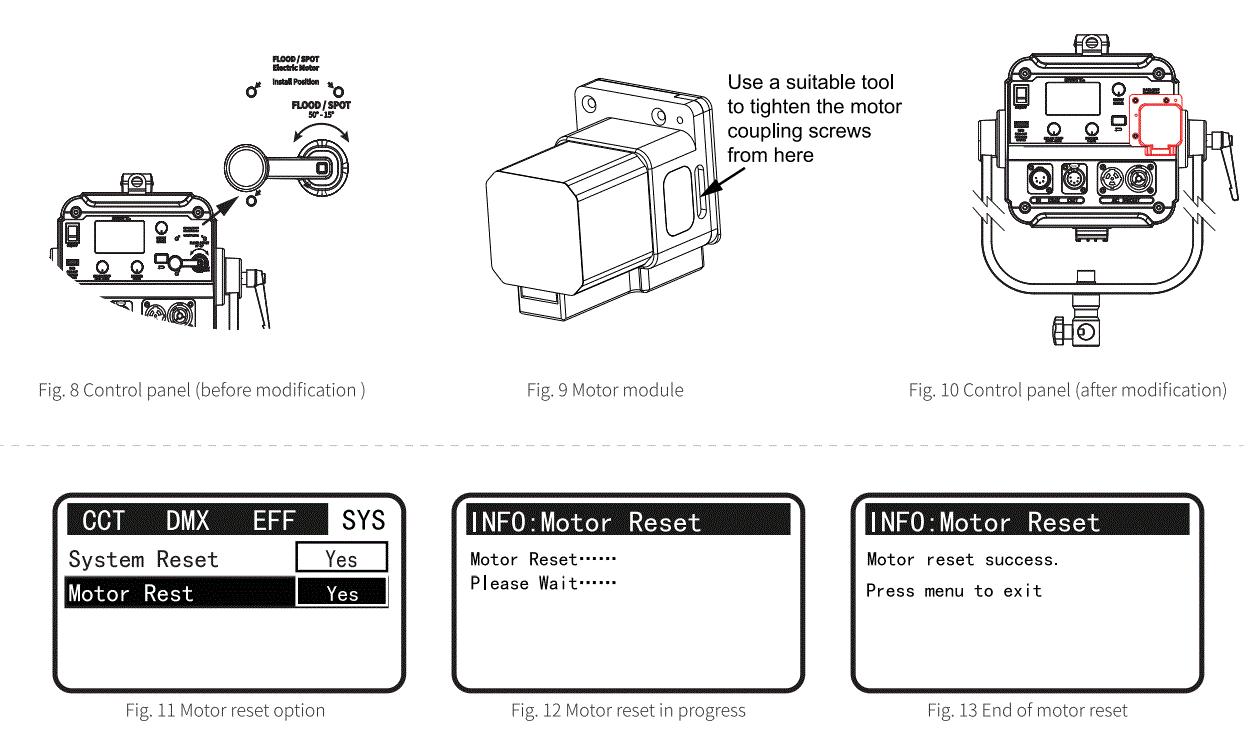
This product is supplied with a motor module as an option, the user can purchase the motor module according to the usage requirements and carry out the modification of the version with motor by themselves in the following way:
- Use the tool (Allen key) inside the accessory box to remove the focus handle in figure 8;
Note: The fastening screws for the focusing handle are of the following sizes M4*8 - Follow the instructions on the control panel label to find the holes reserved for the motor mounting label and remove the excess;
- Plug in the motor module communication cable to establish a valid connection between the motor module and the FL-C200D/FL-C400D lamp body;
- Smooth out the motor module communication lines and fit the motor module coupling to the lamp body focusing screw;
- Hold the motor module against the flat surface of the FL-C200D/FL-C400D rear housing with your hand (be careful not to press on the motor module communication wires);
- Use the matching tool (Allen key) to tighten the motor coupling screws as shown in Figure 9;
- Align the motor module with the corresponding motor mounting screw holes on the control panel and use M3*12 screws for fastening, the appearance of the complete machine after modification is shown in Figure 7 and Figure 10;
- Motor Reset
After the initial installation of the motor, the motor must be reset:- Turn on the FL-C200D/FL-C400D power switch;
- The motor is reset by turning and pressing the “MENU/ENTER” knob and pressing the “SYS” -> “Motor Reset path, the motor reset process is shown in Figure 11 to Figure 13
- Once the motor has been successfully reset, press the “MENU/ENTER” knob or the ” ” button to exit this screen.
- Turn on the FL-C200D/FL-C400D power switch;
CONTROL PANEL AND USAGE
The operating modes include: CCT mode, DMX mode, EFF mode, SYS mode, the control panel knobs and keys function as follows:
- “MENU/ENTER”Knob: Working mode switching and parameter setting by pressing or rotating;
- “»” Button: Back to previous menu
- “COLOR TEMP”Knob: Colour temperature parameter adjustment
- “DIMMER”Knob: Brightness parameter adjustment
- Focusing handle/motor: Focusing
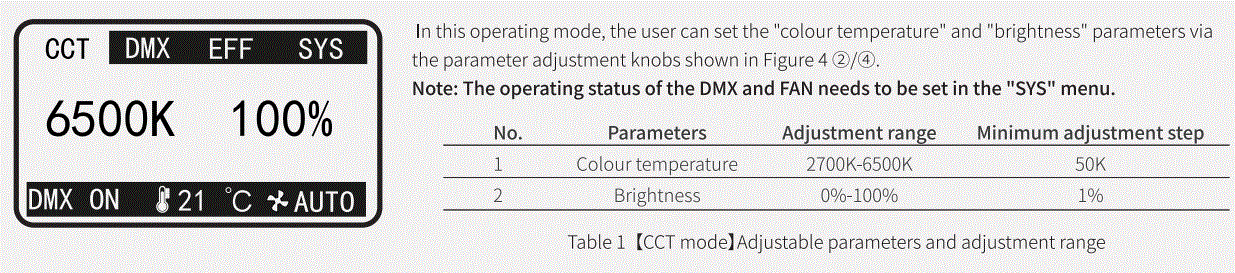
CCT mode
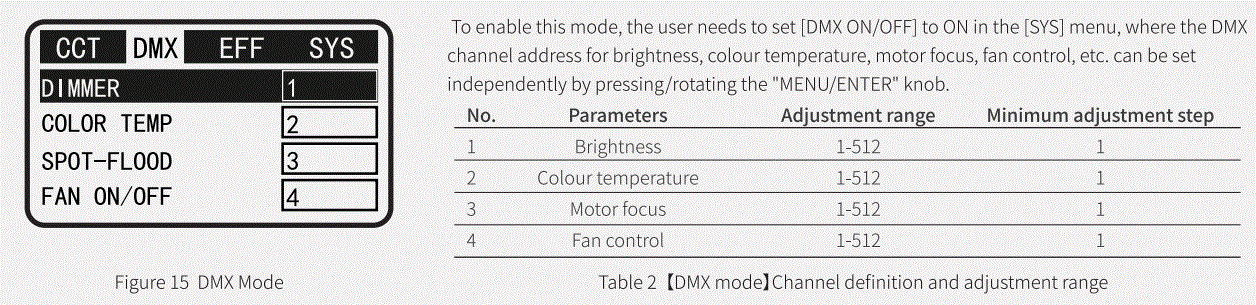
DMX mode
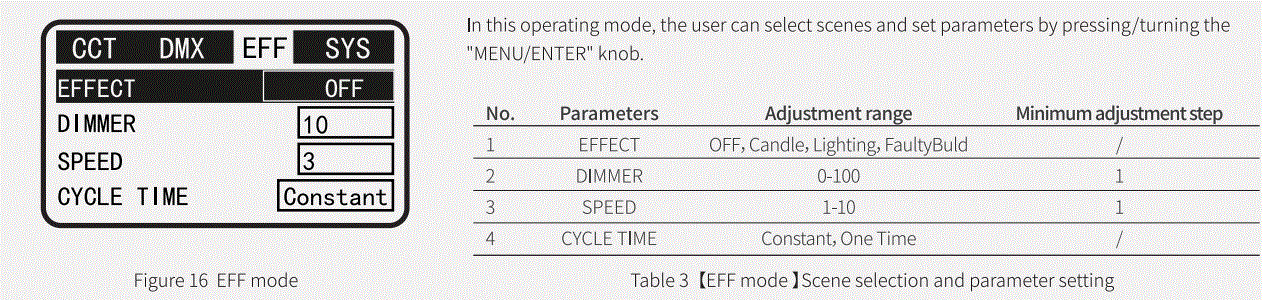
EFF mode
SYS Setting
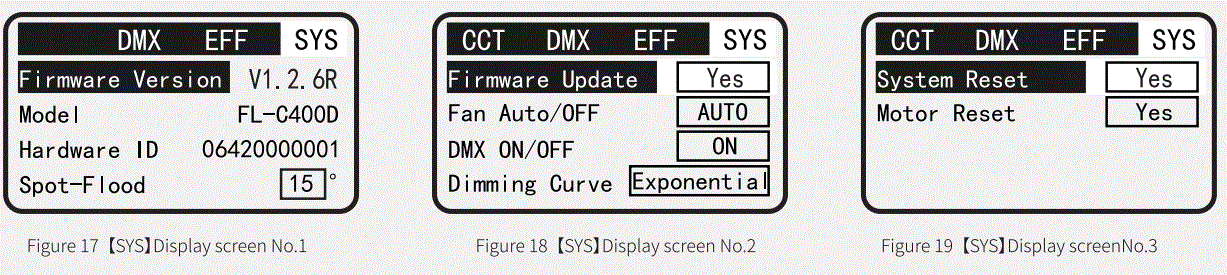
Under the [SYS] display, users can set system parameters and learn other relevant information such as firmware version number, product specification, hardware number, etc.
| No. | Menu list | Parameter List | Function description |
| l | Firmware Version | Vl.2.6R | Firmware version of this machine |
| 2 | Model | FL-C400D | Product Specification |
| 3 | Hardware ID | 06420000001 | Local hardware number |
| 4 | Spot-Flood | 15′-50° | Motor regulation: 15′ for spot light, 50′ for flood light |
| 5 | Firmware Update | Yes | Firmware upgrade |
|
6 |
Fan ON/OFF | AUTO | Fan status “Auto |
| OFF | The fan status is “OFF”, when: 1) the FL-C200D Dimmer parameter has a control range of 0% to 73%; 2) The FL-C400D Dimmer parameter has a control range of 0%-48%. | ||
| 7 | DMX ON/OFF | ON | DMX function on |
| OFF | DMX function off | ||
|
8 |
Dimming Curve | Linear | Linear dimming curve |
| Logarithmic | Logarithmic dimming curve | ||
| Exponential | Exponential dimming curve | ||
| S Curve | “s” dimming curve | ||
| 9 | System Reset | Yes | System Reset, initialisation |
| 10 | Motor Reset | Yes | Motor reset Note: This must be done for first time motor installation |
Use of motors
There are two types of motor regulation for this product: local control and DMX control.
Local control
Rotate and press the “MENU/ENTER” knob and press the “SYS” “Spot-Flood” path for manual adjustment of the motor parameters, parameter adjustment range: 15°-50°.
DMX control
- makes a valid connection between the DMX external control device and the FL-C200D/FL-C400D;
- Turn and press the “MENU/ENTER” knob, press “SYS” “DMX ON/OFF” to select the path “ON” to turn on the DMX switch;
- Press the”” button to exit the “SYS” screen;
- Rotate and press the “MENU/ENTER” knob to set the DMX address in “DMX” mode, valid range for DMX addresses: 001-512; See Figure 15 and Table 2 for details.
- Find the motor control corresponding channel actuator and slide the actuator to control the motor.
FIRMWARE UPGRADES
- Program upgrade package access
Access: http://www.swit.cc - Firmware upgrade steps
- Prepare an empty USB stick with a FAT32 file system;
- Place the firmware upgrade package in the root directory of the USB stick;
- Turn on the power switch so that the FL-C200D/400D is in working condition, insert the USB flash drive into Figure 4@ USB port;
- Rotate, press the “MENU/ENTER” knob and press “SYS” ➔ “Firmware Update” ➔”Yes” to upgrade the firmware:
- Wait for a successful prompt and reboot the FL-C200D/400D to check the firmware version and confirm that the upgrade was successful:
- Rotate, press the “MENU/ENTER” knob, press “SYS” ➔ “Firmware Version” path to check the firmware version of the machine, if the version number is the same as the upgrade package version number, then the firmware upgrade is successful;
- If the firmware upgrade fails, see [General Handling of Upgrade Failures] for details
- General handling of failed upgrades
If the firmware upgrade prompt fails, try the following two methods:- Press the “MENU/ENTER” key to exit the current interface and repeat [firmware upgrade steps] step 4) until the upgrade is successful;
- Replace the USB flash drive with one that meets the requirements and repeat steps 2} to 5) of the [Firmware Upgrade Procedure] until the upgrade is successful;
Attention:
- Do not power off or unplug the USB drive during the upgrade process!
- The file system of the USB flash drive is FAT32!
- The firmware upgrade package is placed in the root directory of the USB drive!
PACKING LIST
| NO | Manual focus version | motorised focus version | Amount |
| 1 | FL-C200D/FL-C400D | Xl | |
| 2 | Blackout hoods | Xl | |
| 3 | Blackout Cloths | Xl | |
| 4 | AC plugs | Xl | |
| 5 | Safety ropes | Xl | |
| 6 | Power cables | Xl | |
| 7 | Motor module (optional) | Optional | |
CONTACT DETAILS
- Tel:+86-25-85805753
- Fax:+86-25-85805296
- http://www.swit.cc
- E-mail: [email protected]