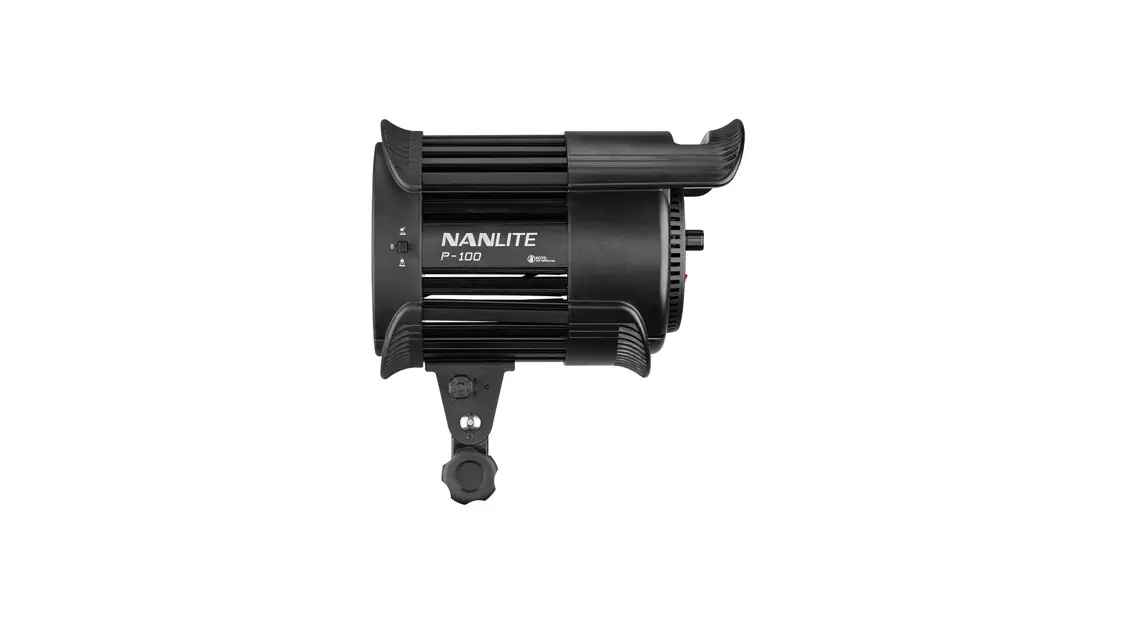
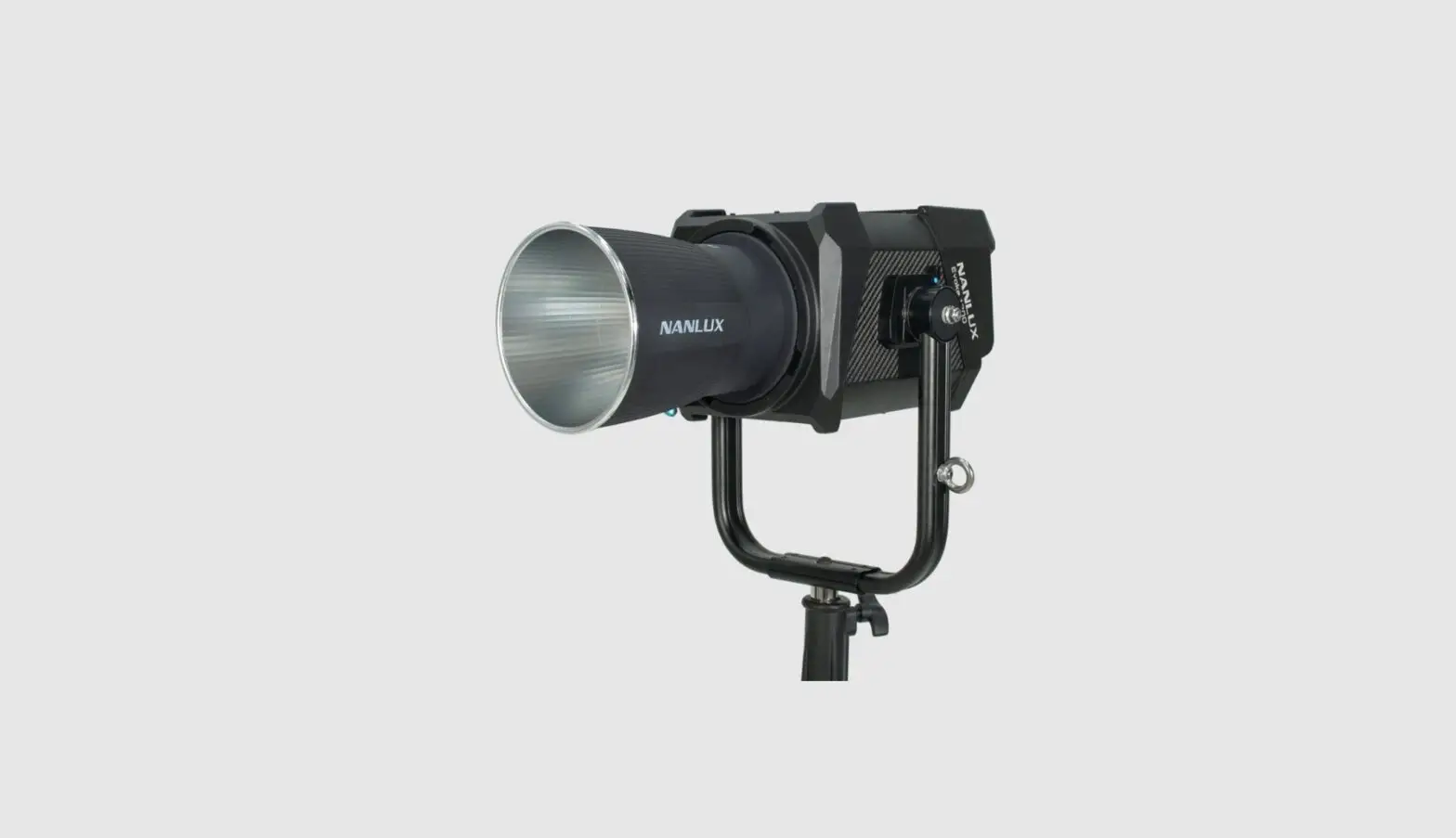
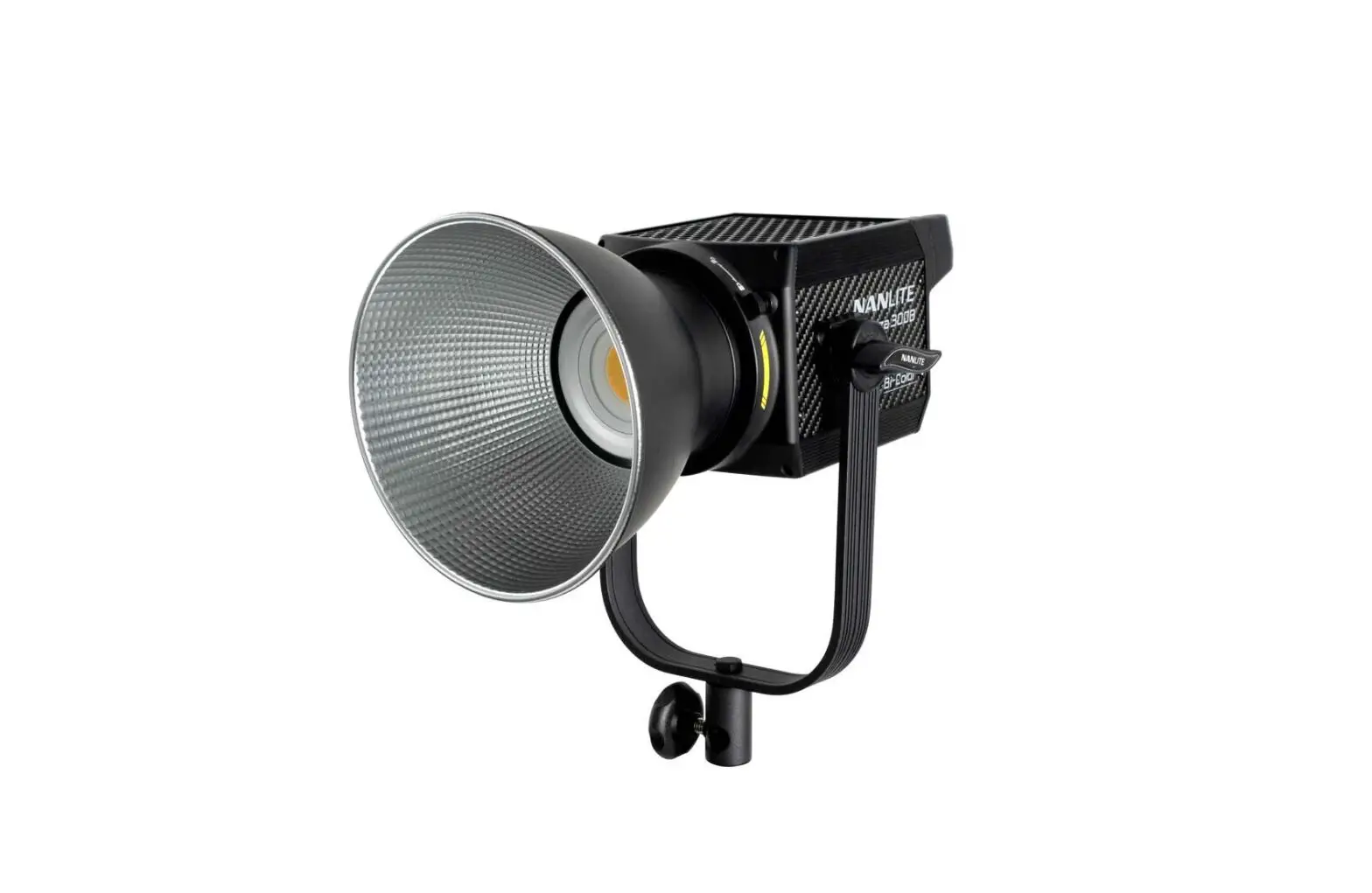
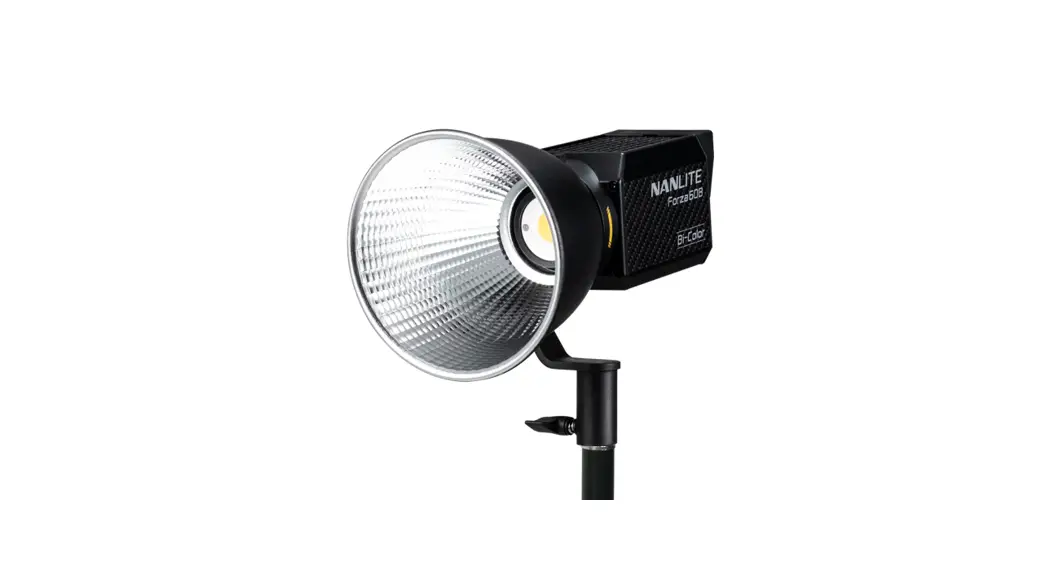
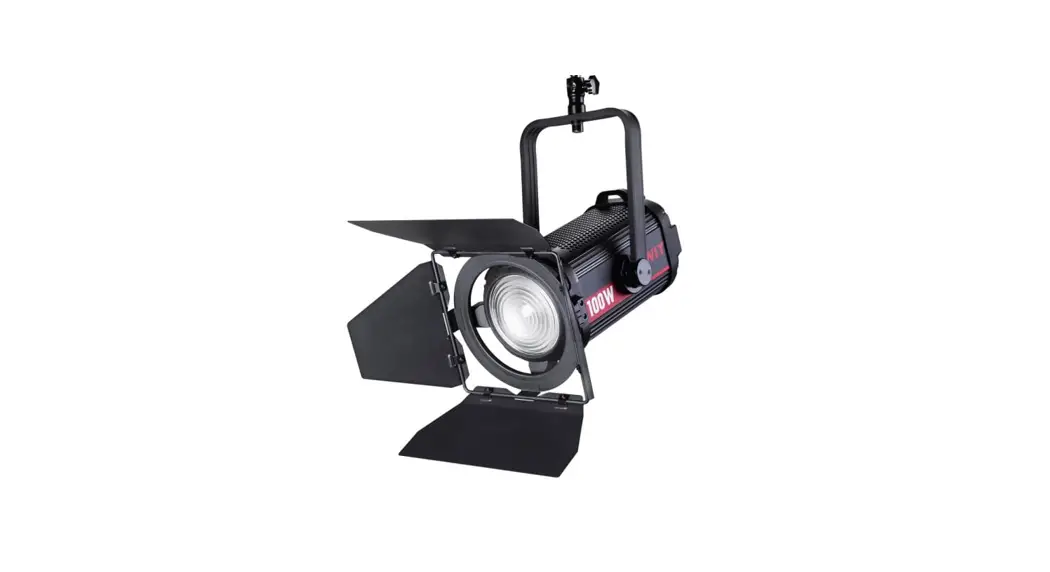
FS-150B LED Spot Light
Product Information
The FS-150B/FS-200B/FS-300B LED Spot Light is a high-quality
lighting fixture manufactured by Guangdong NanGuang Photo&Video
Systems Co., Ltd. It is designed to provide powerful and adjustable
lighting for various photography and videography applications.
Technical Data
- Model No.: FS-150B
- Rated power: 175W
- Input: AC100-240V 50/60HZ
- Color Temperature: 2700K-6500K
- CRI (Color Rendering Index): Average 96
- TLCI (Television Lighting Consistency Index): Average 97
- Model No.: FS-200B
- Rated power: 220W
- Input: AC100-240V 50/60HZ
- Color Temperature: 2700K-6500K
- CRI (Color Rendering Index): Average 96
- TLCI (Television Lighting Consistency Index): Average 97
- Model No.: FS-300B
- Rated power: 350W
- Input: AC100-240V 50/60HZ
- Color Temperature: 2700K-6500K
- CRI (Color Rendering Index): Average 96
- TLCI (Television Lighting Consistency Index): Average 97
Product Details
- Lock catch
- Umbrella hole
- Reflector
- Angle fixing knob
- LCD screen
- Lamp body handle
- USB port
- Right knob
- MODE button
- Power switch
- Fuse base
- Left knob
- Power socket
- Yoke
- Bracket fixing knob
Product Usage Instructions
Installation of the Reflector
- Ensure the mounting points of the reflector align with the
slots on the light fixture. - Push the reflector into place and rotate it in the indicated
direction until it clicks into place.
Installation of an Umbrella
- When removing the reflector, push and hold the lock catch and
rotate until the reflector is free to be removed. - Press the lock catch to release the reflector.
- Loosen the angle fixing knob.
- Insert the umbrella into the umbrella hole.
- Tighten the angle fixing knob to lock the umbrella in
place.
2.4G and Bluetooth Remote Control
The FS-150B/200B/300B can be remotely controlled using a 2.4G
remote controller or the NANLINK APP through the WS-TB-1
transmitter box or via Bluetooth module directly.
Note: The 2.4G remote controller and transmitter box are sold
separately. The fixtures support the 2.4G wireless protocol V1.0
and V2.0. The fixture should be set in V2.0 while using WS-RC-C1 or
WS-RC-C2 remote controller, and set in V1.0 while using other
remote controllers.
Operating Instructions
- Ensure that the power switch of the fixture is off before
proceeding. - Turn on the light, and the LCD screen will display all the
relevant information for the fixture.
CCT Mode Setting
- Press the MODE button to enter CCT mode.
- Rotate the left knob to set the DIM (DIM range:
000%…100%). - Rotate the right knob to set the color temperature (CCT range:
2700K…6500K).
Note:
- In effect mode, the DIM range is the same as the CCT mode.
- In effect mode, the color temperature is not synchronized with
the color temperature in CCT mode, and the CCT adjustment range is
the same as that in the CCT mode. - When the fixture function is unlocked, in any modes, press the
left knob to turn off the light. The brightness percentage on the
screen will be 000% in this case. Press again to restore the light
to its previous state, and press continuously to switch between on
and off.
FS-150B FS-200B FS-300B
USER MANUAL
Guangdong NanGuang Photo&Video Systems Co., Ltd.
FS-150B/FS-200B/FS-300B
LED Spot Light Product Diagram
Technical Data
Model No.: FS-150B Rated power: 175W Input: AC100-240V
50/60HZ Color Temperature: 2700K-6500K CRI: Average 96 TLCI: Average 97
Model No.: FS-200B Rated power: 220W Input: AC100-240V
50/60HZ Color Temperature: 2700K-6500K CRI: Average 96 TLCI: Average 97
Model No.: FS-300B Rated power: 350W Input: AC100-240V
50/60HZ Color Temperature: 2700K-6500K CRI: Average 96 TLCI: Average 97
1
Product Details
1. Lock catch 2. Umbrella hole
3. Reflector
4. Angle fixing knob
5. LCD screen
6. Lamp body handle 7. USB port 8. Right knob 9. MODE button 10. Power switch 11. Fuse base 12. Left knob 13. Power socket 14. Yoke 15. Bracket fixing knob
2
Detailed Description
1. Lock catch: For installing and disassembling reflector and other accessories. 2. Umbrella hole: For installing/removing an umbrella. 3. Reflector: For gathering light to improve the central illumination. 4. Angle fixing knob: Allows for adjusting and fixing the illumination direction. 5. LCD screen: For displaying the data. 6. Lamp body handle: Be convenient for users to lift the lamps and adjust the direction of the light. 7. USB port: For updating the firmware. 8. Right knob: For selecting options and adjusting the color temperature under CCT mode. 9. MODE button: For switching between CCT mode, EFFECT mode and MENU. 10. Power switch: For switching on/off the fixture. 11. Fuse base: For placing the fuse. 12. Left knob: For adjusting the DIM and scrolling through different selections. 13. Power socket: AC power input socket. 14. Yoke: Designed for connecting the lamp to the light stand and adjusting the direction of light. 15. Bracket fixing knob: For locking the light fixture and stand, and adjusting the horizontal direction of light.
3
Usage
1. Installation of the Reflector
When installing the reflector, ensure its mounting points align with the slots on the light fixture. When the mounting points and slots are aligned, push the reflector in place and rotate it in the direction shown on the light until it clicks into place.
2. Installation of an Umbrella
When removing the reflector, push and hold the lock catch and rotate until the reflector is free to be removed from the fixture.
Press lock catch to release the reflector.
Loosen the angle fixing knob.
Put the umbrella into the umbrella hole.
Tighten the angle fixing knob to lock the umbrella in place.
4
3. 2.4G and Bluetooth Remote Control FS-150B/200B/300B are able to be remotely controlled by 2.4G remote controller, or by NANLINK APP through the WS-TB-1 transmitter box or via Bluetooth module directly.
Note: 2.4G remote controller and transmitter box are sold separately. The fixtures support the 2.4G wireless protocol V1.0 and V2.0. The fixture should be set in V2.0 while using WS-RC-C1 or WS-RC-C2 remote controller, set in V1.0 while using other remote controllers.
.&/6
$) 065165.0%&.”9
MODE
Press MODE button to enter the menu.
.&/6 $) 065165.0%&.”9
Rotate the “right knob” to WIRELESS PROTOCOL.
.&/6
#53&4&5 8*3&-&44137
.&/6 #53&4&5 8*3&-&44137
Rotate the “left knob” to select V1.0 or V2.0.
.&/6
#53&4&5 8*3&-&44137
5
Operating Instructions
1. First ensure that the power switch of the fixture is off. Now turn on the light, the LCD screen will display all the relevant information for the fixture.
$$5$)
,
2. CCT Mode Setting Press MODE button to CCT mode, rotate the “left knob” to set the DIM (DIM range: 000%…100%), rotate the “right knob” to set the color temperature (CCT range: 2700K…6500K).
$$5$)
,
MODE
Press MODE button to CCT mode.
0% …
100%
$$5$)
,
Rotate the “left knob” to set the DIM.
$$5$)
,
6
2700K …
6500K
$$5$)
,
$$5$)
,
Rotate the “right knob” to set the color temperature. Note: 1. In effect mode, DIM range is the same as the CCT MODE.
2. In effect mode, the color temperature is not synchronized with the color temperature in CCT mode, and the CCT adjustment range is the same as that in the CCT mode.
3. When the fixture function is unlocked, in any modes, press the “left knob” to turn off the light, the brightness percentage on the screen is 000% in this case. Press again to restore the light to its previous state, and press continuously to switch between on and off.
3. EFFECT Mode setting Press the MODE button to EFFECT mode. The FS-150B/200B/300B have built-in effects including CCT LOOP, INT LOOP, FLASH, PULSE, STORM, TV, PAPARAZZI, CANDLE/FIRE, BAD BULB, FIREWORK, EXPLOSION and WELDING.
&”&$5$)
‘9$$5-001 %*.
MODE
Press the MODE button to EFFECT mode.
&”&$5$) ‘9$$5-001 %*.
Rotate the “right knob” to FX.
&”&$5$) ‘9$$5-001 %*.
7
&”&$5$)
‘9$$5-001 %*.
CCT LOOP …
WELDING
&”&$5$)
‘9$$5-001 %*.
Rotate the “left knob” to select the desired effect.
CCT LOOP CCT LOOP setting: rotate the “right knob” to select from DIM, CCT and SPD (Range: 02S…30S), then rotate the “left knob” to adjust the value of DIM, CCT and SPD.
&”&$5$)
‘9$$5-001 %*.
&”&$5$)
‘9$$5-001 %*.
Rotate the “right knob” to select from DIM, CCT and SPD.
&”&$5$)
‘9$$5-001 %*.
&”&$5$)
‘9$$5-001 %*.
Rotate the “left knob” to adjust the value of DIM, CCT and SPD.
8
INT LOOP INT LOOP setting: rotate the “right knob” to select from DIM, CCT and SPD (Range: 02S…30S), then rotate the “left knob” to adjust the value of DIM, CCT and SPD.
&”&$5$) ‘9*/1-001 %*.
Rotate the “right knob” to select from DIM, CCT and SPD.
&”&$5$)
‘9*/1-001 %*.
&”&$5$)
‘9*/1-001 %*.
&”&$5$)
‘9*/1-001 %*.
Rotate the “left knob” to adjust the value of DIM, CCT and SPD.
FLASH FLASH setting: rotate the “right knob” to select from DIM, CCT and INTERVALS (Range: 0.1S…10S), then rotate the “left knob” to adjust the value of DIM, CCT and INTERVALS.
&”&$5$)
‘9’-“4) %*.
&”&$5$)
‘9’-“4) %*.
Rotate the “right knob” to select from DIM, CCT and INTERVALS.
9
&”&$5$)
‘9’-“4) %*.
&”&$5$)
‘9’-“4) %*.
Rotate the “left knob” to adjust the value of DIM, CCT and INTERVALS.
PULSE PULSE setting: rotate the “right knob” to select from DIM, CCT and PULSES/MIN (Range: 001…240), then rotate the “left knob” to adjust the value of DIM, CCT and PULSES/MIN.
&”&$5$)
‘916-4& %*.
&”&$5$)
‘916-4& %*.
Rotate the “right knob” to select from DIM, CCT and PULSES/MIN.
&”&$5$)
‘916-4& %*.
&”&$5$)
‘916-4& %*.
Rotate the “left knob” to adjust the value of DIM, CCT and PULSES/MIN.
10
STORM STORM setting: rotate the “right knob” to select from DIM, CCT and INTVL (Range: 1s … 60s) , then rotate the “left knob” to adjust the value of DIM, CCT and INTVL.
&”&$5$)
‘94503. %*.
&”&$5$)
‘94503. %*.
Rotate the “right knob” to select from DIM, CCT and INTVL.
&”&$5$)
‘94503. %*.
&”&$5$)
‘94503. %*.
Rotate the “left knob” to adjust the value of DIM, CCT and INTVL.
TV TV setting: rotate the “right knob” to select from DIM, CCT and SPD (Range: 001…100), then rotate the “left knob” to adjust the value of DIM, CCT and SPD.
&”&$5$) ‘957 %*.
Rotate the “right knob” to select from DIM, CCT and SPD.
&”&$5$)
‘957 %*.
11
&”&$5$)
‘957 %*.
&”&$5$)
‘957 %*.
Rotate the “left knob” to adjust the value of DIM, CCT and SPD.
PAPARAZZI PAPARAZZI setting: rotate the “right knob” to select from DIM, CCT and SPD (Range: 001…100), then rotate the “left knob” to adjust the value of DIM, CCT and SPD.
&”&$5$) ’91″1″3″;;* %*.
Rotate the “right knob” to select from DIM, CCT and SPD.
&”&$5$)
’91″1″3″;;* %*.
&”&$5$)
’91″1″3″;;* %*.
&”&$5$)
’91″1″3″;;* %*.
Rotate the “left knob” to adjust the value of DIM, CCT and SPD.
12
CANDLE/FIRE CANDLE/FIRE setting: rotate the “right knob” to select from DIM, CCT and SPD (Range: 001…100), then rotate the “left knob” to adjust the value of DIM, CCT and SPD.
&”&$5$) ‘9$”/%-&’*3& %*.
Rotate the “right knob” to select from DIM, CCT and SPD.
&”&$5$)
‘9$”/%-&’*3& %*.
&”&$5$)
‘9$”/%-&’*3& %*.
&”&$5$)
‘9$”/%-&’*3& %*.
Rotate the “left knob” to adjust the value of DIM, CCT and SPD.
BAD BULB BAD BULB setting: rotate the “right knob” to select from DIM, CCT and SPD (Range: 001…100), then rotate the “left knob” to adjust the value of DIM, CCT and SPD.
&”&$5$) ‘9#”%#6-# %*.
Rotate the “right knob” to select from DIM, CCT and SPD.
&”&$5$)
‘9#”%#6-# %*.
13
&”&$5$)
‘9#”%#6-# %*.
&”&$5$)
‘9#”%#6-# %*.
Rotate the “left knob” to adjust the value of DIM, CCT and SPD.
FIREWORK RIREWORK setting: rotate the “right knob” to select from DIM, CCT, SPD (Range: 001…100) and DECAY (Range: 001…100), then rotate the “left knob” to adjust the value of DIM ,CCT, SPD and DECAY.
&”&$5$)
‘9’*3&803, %*.
&”&$5$)
‘9’*3&803, %*.
Rotate the “right knob” to select from DIM, CCT, SPD and DECAY.
&”&$5$)
‘9’*3&803, %*.
&”&$5$)
‘9’*3&803, %*.
Rotate the “left knob” to adjust the value of DIM, CCT, SPD and DECAY.
14
EXPLOSION EXPLOSION setting: rotate the “right knob” to select from DIM, CCT, SPD (Range: 001…100) and DECAY (Range: 001…100), then rotate the “left knob” to adjust the value of DIM ,CCT, SPD and DECAY.
&”&$5$)
‘9&91-04*0/ %*.
&”&$5$)
‘9&91-04*0/ %*.
Rotate the “right knob” to select from DIM, CCT, SPD and DECAY.
&”&$5$)
‘9&91-04*0/ %*.
&”&$5$)
‘9&91-04*0/ %*.
Rotate the “left knob” to adjust the value of DIM ,CCT, SPD and DECAY.
WELDING WELDING setting: rotate the “right knob” to select from DIM, CCT, SPD (Range: 001…100) and PAUSE (ON/OFF), then rotate the “left knob” to adjust the value of DIM, CCT, SPD and PAUSE.
&”&$5$)
’98&-%*/( %*.
&”&$5$)
’98&-%*/( %*.
Rotate the “right knob” to select from DIM, CCT, SPD and PAUSE.
15
&”&$5$)
’98&-%*/( %*.
&”&$5$)
’98&-%*/( %*.
Rotate the “left knob” to adjust the value of DIM, CCT, SPD and PAUSE. ·Special effects may be upgraded based on the firmware update. Please refer to the latest firmware function
description for reference.
4.MENU setting
.&/6
$) 065165.0%&.”9
MODE
Press MODE button to MENU.
.&/6
$) 065165.0%&.”9
.&/6
$) 065165.0%&.”9
Press the “right knob” to select from CH, OUTPUT MODE, BLUETOOTH, WIRELESS PROTOCOL, FAN, FIRMWARE UPDATE, LANGUAGE and VERSION. CH
.&/6
$) 065165.0%&.”9
MODE
Press the “right knob” to MENU. 16
.&/6
$) 065165.0%&.”9
Rotate the “left knob” to set the channel.
OUTPUT MODE
.&/6
$) 065165.0%&.”9
MODE
Press MODE button to MENU.
.&/6 $) 065165.0%&.”9
Rotate the “right knob” to OUTPUT MODE.
.&/6 $) 065165.0%&.”9
Rotate the “left knob” to select MAX or CONSTANT.
.&/6 $) 065165.0%&.”9
.&/6 $) 065165.0%&.”9
.&/6 $) 065165.0%&$0/45
17
BLUETOOTH RESET
.&/6 $) 065165.0%&.”9
MODE
Press MODE button to switch to the MENU.
.&/6 $) 065165.0%&.”9
Rotate the “right knob” to BT.
.&/6 #53&4&5 8*3&-&44137
Press the “right knob” to the interface of bluetooth reset.
#53&4&5 #”$, 3&4&5
Rotate the “right knob” to select RESET.
.&/6 #53&4&5 8*3&-&44137
#53&4&5 #”$, 3&4&5
#53&4&5 #”$, 3&4&5
18
#53&4&5 #”$, 3&4&5
.&/6
$) 065165.0%&.”9
Press the “right knob” to confirm the reset, and it will return to menu after bluetooth reset.
WIRELESS PROTOCOL Please refer to P5 for the details of wireless protocol setting.
FAN
.&/6
$) 065165.0%&.”9
MODE
Press MODE button to MENU.
.&/6 $) 065165.0%&.”9
Rotate the “right knob” to FAN.
.&/6
‘”/0” ‘861%”5&61%”5&
19
.&/6
‘”/0” ‘861%”5&61%”5&
.&/6
‘”/0/ ‘861%”5&61%”5&
Rotate the “left knob” to select ON or OFF.
Note: When the fan is turned on, the maximum output of the light will be 100%. When the fan is turned off, the maximum output of FS-150B/Forza 200B are 15%, while the maximum output of FS-300B is 25%.
FIRMWARE UPDATE Insert the USB flash drive with latest firmware into the fixture.
.&/6
$) 065165.0%&.”9
MODE
Press MODE button to MENU.
.&/6 $) 065165.0%&.”9
Rotate the “right knob” to FW UPDATE.
.&/6 ‘”/0” ‘861%”5&61%”5&
.&/6 ‘”/0” ‘861%”5&61%”5&
’06/%’*3.8″3& @7
#”$, 61%”5&
Press the “right knob” to enter the interface of firmware update.
20
’06/%’*3.8″3& @7
#”$, 61%”5&
Rotate the “right knob” to select UPDATE.
’06/%’*3.8″3& @7
#”$, 61%”5&
’06/%’*3.8″3& @7
#”$, 61%”5&
‘*3.8″3& 61%”5&%
Press the “right knob” to confirm the update, it will show “FIRMWARE UPDATED” after the firmware update is completed.
LANGUAGE
.&/6
$) 065165.0%&.”9
MODE
Press MODE button to MENU.
.&/6 $) 065165.0%&.”9
Rotate the “right knob” to LANGUAGE.
.&/6
-“/(6″(&&/( 7&34*0/7
21
.&/6
-“/(6″(&&/( 7&34*0/7
7
Rotate the “left knob” to select or English. VERSION
.&/6
$) 065165.0%&.”9
MODE
Press MODE button to MENU.
.&/6
$) 065165.0%&.”9
.&/6
-“/(6″(&&/( 7&34*0/7
Rotate the “right knob” to VERSION to check the firmware version.
Long press the “right knob” to lock all functions, then the current status can’t be changed by rotate knobs. Long press the “right knob” again to unlock.
&”&$5$)
‘9$$5-001 %*.
&”&$5$)
‘9$$5-001 %*.
Long press the “right knob” to lock all functions. 22
&”&$5$)
‘9$$5-001 %*.
&”&$5$)
‘9$$5-001 %*.
Long press the “right knob” again to release the lock status. 5. When the fixture is not in use, please turn off the power switch.
Safety Precautions
1. Please check for possible damage caused in transit after opening the package. Please do not use if damage is found. And contact with the distributor or manufacturer as soon as possible.
2. Please do not use a power cable with damaged insulation. Please do not unplug too hard or drag the power cable directly.
3. Please make sure the voltage of power supply accords with the voltage specified on the fixture before installation. 4. Please turn the fixture off when it is not in use or before cleaning. 5. Please keep the fixture safely stored and away from children.
23
Notice
1. Please remove the COB protective cap before using the fixture. 2. Please do not look directly at the emitter when the fixture is on . 3. Please wait for 10 seconds before turning off the fixture if parameter settings are done, in order to save the settings. 4. Please do not place any object on the fixture or allow liquid to flow inside the fixture. 5. Please do not place the fixture near any flammable or volatile substances like alcohol or gasoline. 6. Please do not use strong detergent for cleaning. Please wipe off the dirt by using a cloth with neutral cleanser when
cleaning the fixture. 7. Please set up the fixture in a dry and well-ventilated place. Please do not use it in any humid, dusty or overheated
environment. Meanwhile, please also check whether the fan and vent are unimpeded. 8. Please do not disassemble the fixture at will to repair by yourself. Qualified professionals should conduct
maintenance under the condition of strictly following the operating procedures described in this manual. 9. Please do not cover the vents when using, to avoid affecting heat dissipation, and resulting in damage. Please pay
attention to anti-scald when using the fixture for a long time, since the surface temperature of fixture will be high.
What’s in the box? Please kindly check
Light Fixture x 1 Power Cable 4.5M x 1 Reflector x 1 COB Protective Cap x 1 User Manual x 1
FS-150B FS-200B FS-300B
USER MANUAL
Guangdong NanGuang Photo&Video Systems Co., Ltd
24
Genaral Fault Detection and Diagnosis
Fault Detection The light won’t boot up properly.
Diagnosis
1. Please check whether the power cable and outlet connection is properly connected or loose.
2. Please check whether the voltage value is within the specified parameters.
The fixture produces light, but the LCD display is not working.
Control board is damaged or connecting cables of control board fall off.
LCD display is on but no light output.
1. Please check whether the DIM is set to zero. 2. LED board or main board may be damaged. 3. Please check whether the connecting cable of LED
board fall off.
The fixture has an abnormal flicker.
1. Please check if there are any high temperature object near that make the operational environment temperature too high.
2. Please check if the fixture is in any special effect mode.
The inside fan can not work.
If the LCD screen displays “The fixture is overheated, please check the fixture!” that means the fan is damaged, please contact with place of purchase or manufacturer.
If the failure is not resolved after troubleshooting, please contact with place of purchase or manufacturer.
This manual has been compiled according to the rigorous testing for Nanlite products. Product designs are subject to change without prior notice. The latest version of the manual for this product is downloadable at www.nanlite.com.
25
Version: V1 2022-09-28
+86-754-85751187
+86-754-85300887
Dongli Section, Highway 324, Chenghai, Shantou City, Guangdong Province, China
www.nanlite.com
 NANLITE