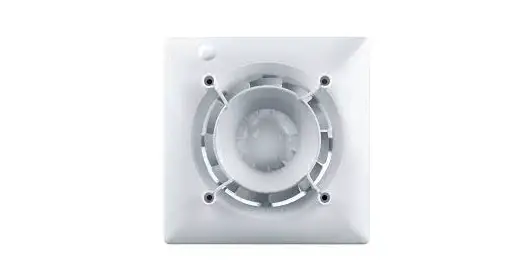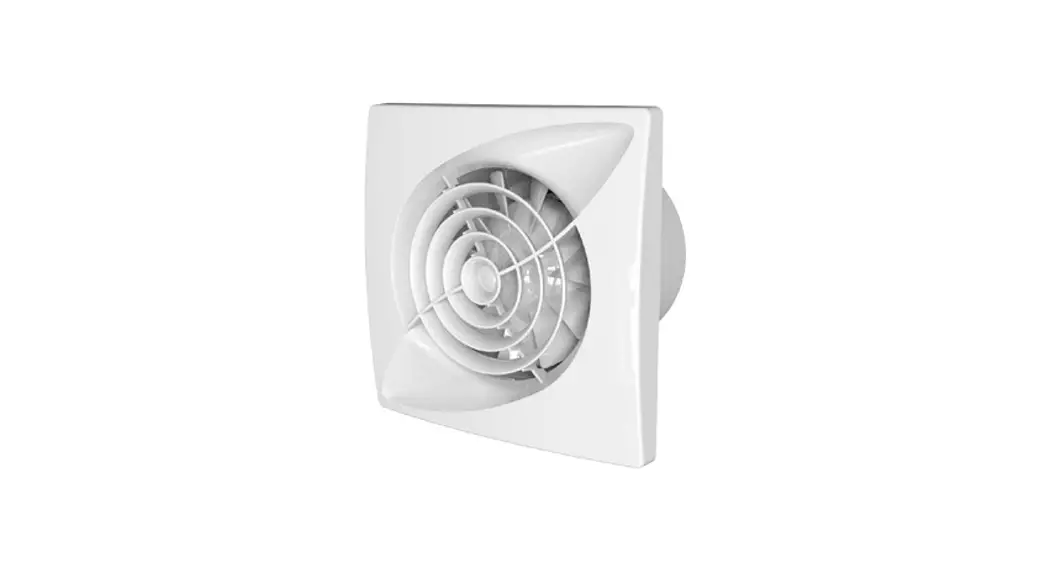

Avant Multifunctional Bathroom Ventilation Extractor Fan
Instruction Manual
Avant Multifunctional Bathroom Ventilation Extractor Fan

Trademarks, copyrights, and property rights
inVENTer® is a registered trademark of inventor GmbH.
The copyright to this document remains with the manufacturer. Rights to all content and images: © inventor GmbH 2022.
All trademarks used in this documentation are the property of their respective owners and are hereby acknowledged.
Disclaimer
This documentation represents a translation of the original german operating instructions. After completion of installation, it must be passed on to the user.
The contents of this documentation have been checked for conformity with the hardware and software described. Nevertheless, deviations cannot be excluded, so no guarantee can be given for complete conformity.
This documentation describes the functionality of the standard scope. For reasons of clarity, the documentation does not purport to cover all details on all types of products and cannot cover every conceivable scenario of operation, cleaning, and maintenance. The illustrations in this document may differ slightly from the design of the product that you have purchased. The same functionality is ensured despite any design deviations.
This documentation is updated regularly. Necessary corrections and appropriate supplements are always included in subsequent editions. You can also find the latest version at
www.inventer.eu/downloads.
Publisher:
| inventor GmbH | Phone: | +49 (0) 36427 211-0 |
| Ortsstraße 4a | Fax: | +49 (0) 36427 211-113 |
| 07751 Löberschütz Germany | E-Mail: | [email protected] |
| Germany | Web: | www.inventer.eu |
CEO: Annett Wettig
VAT ID number: DE 815494982
Jena District Court HRB 510380
User and Safety instructions
Thank you for purchasing this high-quality product from inventor! This section provides an overview of the basic safety precautions for safe and proper operation of your
ventilation system.
1.1 User information
Safety and warning instructions
The safety and warning instructions in these installation instructions have a uniform structure and are marked with a symbol on the left side of the instruction. A signal word in
front of the text also indicates the hazard level. If several hazard levels exist, the highest level of safety instruction is always used. The safety and warning instructions contain the following information: SIGNAL WORD
Type and origin of the hazard.
Possible consequences of the danger!
- Measures to avoid hazards.
The signal word indicates the severity of the potential hazard unless preventive measures are taken: DANGER means Imminent danger of serious injury or death.
 WARNING means Possible danger of serious injury or death.
 CAUTION means Direct danger or minor/significant injury.
 NOTICE means: Direct or possible risk of property damage due to an adverse event/state.
Other symbols used in this documentation
A TIP symbol indicates practical and useful tips for handling your extractor fan.
►Action required: This prompts the user to perform a specific action. Check results: Requires the user to check the results of the action performed.
All graphics represent the interior wall.
1.2 Safety instructions
The operating instructions are part of your Avant ventilation unit and must be available at all times (see www.inventer.eu/downloads). When handing the system to a third party, the information regarding access to the operating instructions must be handed over also. Before carrying out any work on the system, read this document carefully and observe all the instructions for operation and maintenance given in this chapter. Also, note the safety instructions that precede the described handling instructions.
Non-observance of safety instructions could result in injury and/or property damage.
Intended use
The Avant extractor fan (hereinafter referred to as “Avant”) is used to ventilate rooms with external windows.
Modifications or conversions to the device are not permitted. Avant complies with the technical safety requirements and standards of electrical appliances for domestic use.
The full text of the EU Declaration of Conformity is available at the following Internet address: https://www.inventer.eu/downloads.
Faultless and safe operation of the device requires proper operation and maintenance.
 DANGER: The Avant must not be used in locations where direct contact with splashing water is possible over a long period of time and/or where the device is exposed to direct jets of water.
 WARNING: For the joint operation of a ventilation device with fireplaces, securing measures must be taken to prevent the occurrence of negative pressure in the building. The decision as to which measures should be carried out is made by the responsible chimney sweep and/or building planner.
 CAUTION: The Avant must not be operated and cleaned by children and/or persons who, due to their physical, sensory, or mental capabilities, inexperience, or lack of knowledge, are not safely able to do so, unless they are supervised by a person responsible for their safety or have been instructed by him/her on how to operate the ventilation unit. Small children must be supervised so that they do not play with the device.
- NOTICE: The device has plastic surfaces that are sensitive to scratches. Do not touch components with oily and/or dirty hands. Avoid contact with sharp or pointed objects.
- NOTICE: The fan of the ventilation unit must not be immersed in water or sprayed directly with water.
- Ensure that there is sufficient air supply in the room.
If your device has a defect, contact your factory representative or our technical service.
Use contrary to the intended purpose leads to the exclusion of any liability claims.
Improper use
Any use that is not mentioned in the chapter intended use is considered improper use.
In particular, do not operate the equipment in areas where the following may enter or occur:
- An environment containing strong oils or lubricants.
- Flammable, aggressive, and corrosive gases, liquids, or vapors.
- Ambient temperatures outside the range of 5 – 50 °C Possible obstacles preventing access or the removal of the fan.
System Overview
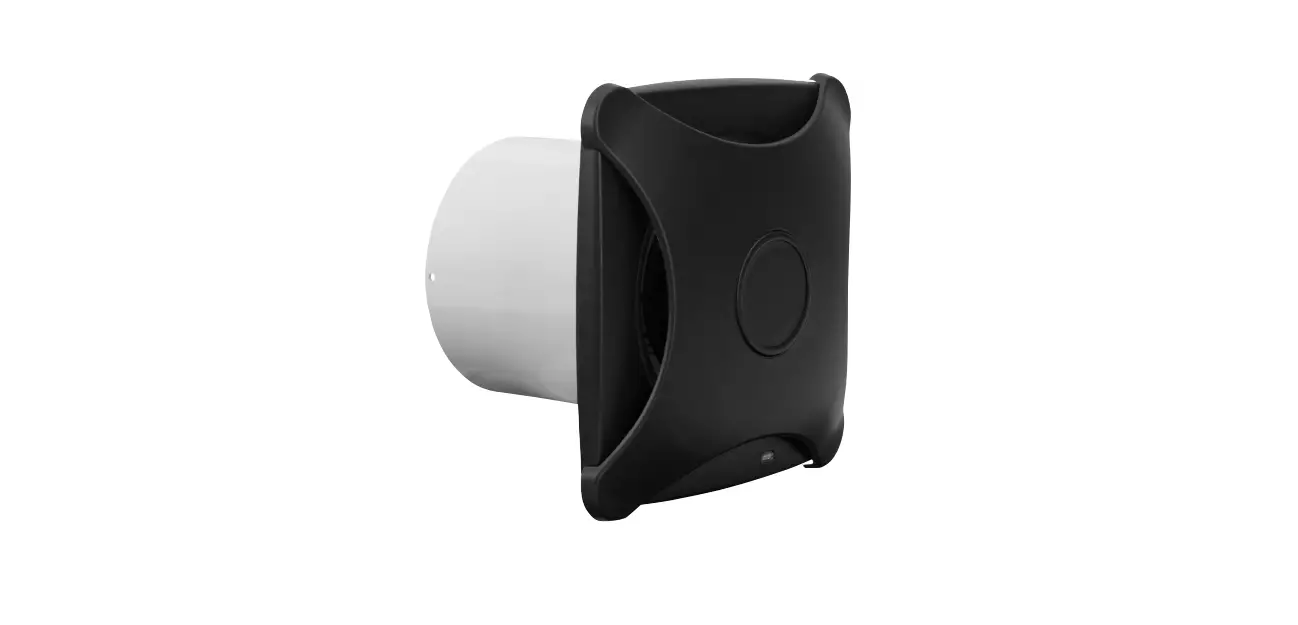
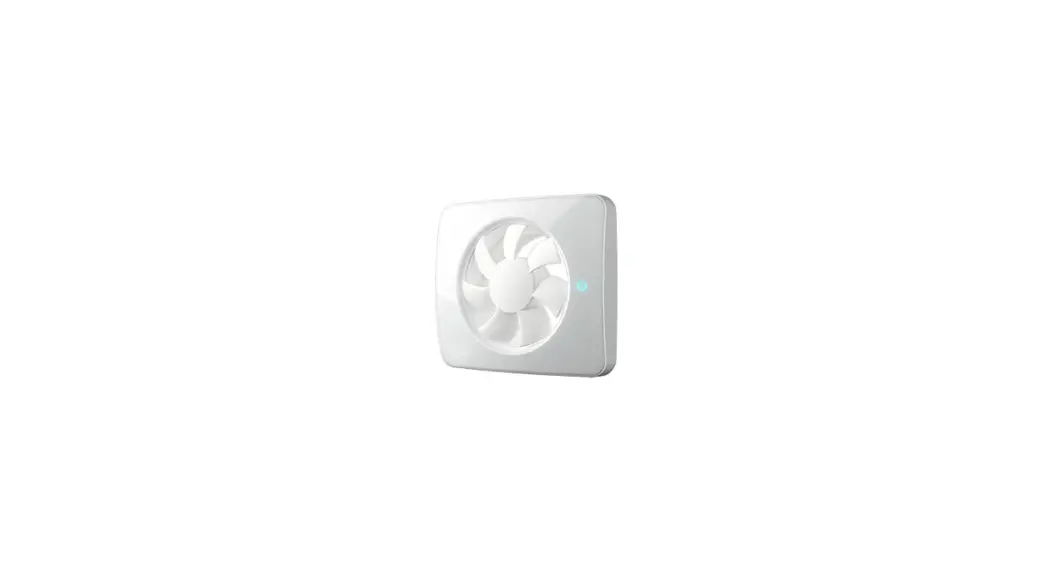
The Avant is an innovative extractor fan with a contemporary design. It improves the basic ventilation in your rooms and enables continuous ventilation to reduce humidity and
odors in wet rooms (WC/bath/shower room/laundry room).
The Avant is installed in a wall sleeve. On the facade, an external closure hides the components of the ventilation unit. The Avant is connected directly to the 230 V mains.
The Avant is controlled and set up using the “inventor Mobile” application software or directly on the Avant control panel. You can download the app free of charge from the Google Play Store (Android) or the App Store (iOS).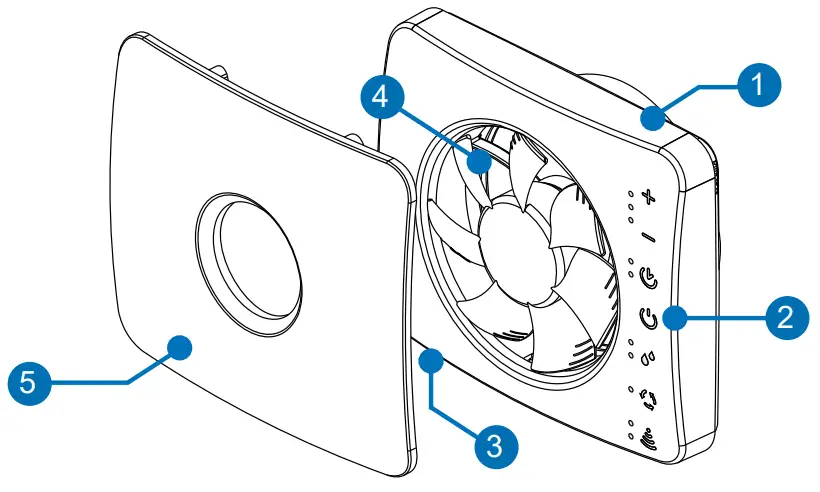
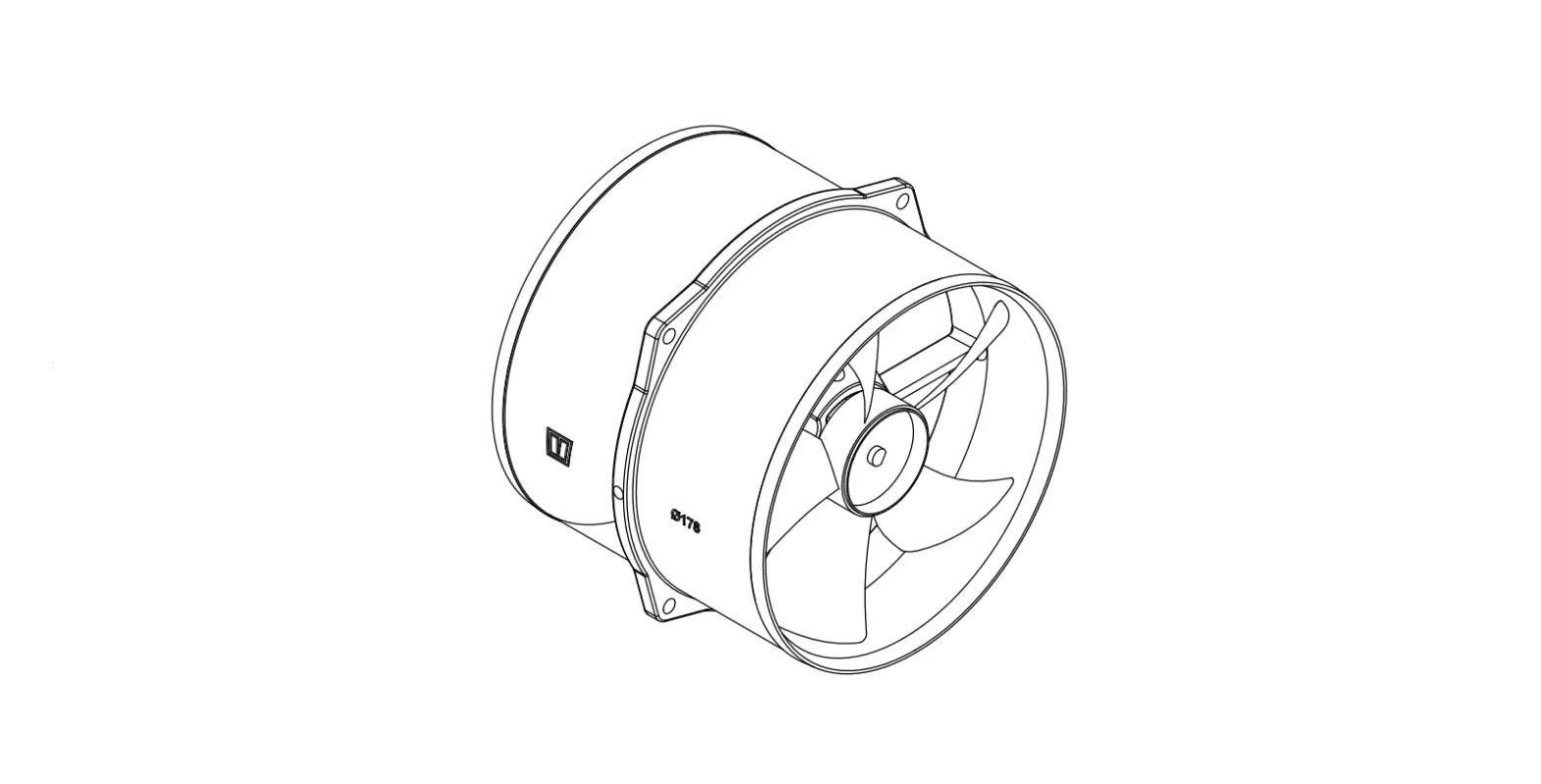
Figure 1: Avant extractor fan with cover
- Fan housing
- Control panel
- ON/OFF switch
- Fan
- Inner cover (magnetic)
2.1 Functions
- Humidity sensor (Automatic humidity monitoring):
Increase the airflow volume to dissipate peak humidity loads. The intensity of the airflow volume can be adjusted via the app or on the control panel. - Air quality sensor:
Increase the airflow volume when the air quality in the interior deteriorates. The intensity corresponds to the selected maximum when activating the humidity sensor. - Run-on Function:
After the switch-off pulse (humidity sensor, light sensor or external switching contact as pulse generator), the fan continues to run until the end of the run-on time. Subsequently, it is checked whether the limit values (determined by the sensor system) are still exceeded. If this is the case, a new run-on cycle begins. If the limit values are complied with, the Avant switches off automatically. - Switch-on delay:
Activation takes place exclusively via an external switching contact as a pulse generator. After the switch-on pulse, the fan does not start immediately, but the switch-on delay is activated. After the switch-on delay has elapsed, the fan starts up. The intensity of the airflow volume can be set via the app or on the control panel. - Continuous Ventilation
Continuous/permanent ventilation. The intensity of the airflow volume can be set via the app or on the control panel. - Automatic Basic Ventilation Cycles: Once a day, the ventilation unit runs automatically for 60 minutes if it has not been activated in the meantime. The function is not active if the ventilation device is set in continuous operation (permanent ventilation).
Note: The sensors are switched with priority. If the Avian was activated in the meantime by means of sensors, the basic ventilation cycle is shifted back accordingly. The intensity of the airflow volume can be set via the app or on the control panel.
The following factory settings are active when the fan is first started up:
- Automatic Basic Ventilation Cycles
- Humidity monitoring with an airflow volume of approx. 90 m³/h when activating the sensor
- Switch-on delay: 2 Minutes
- Run-on Function: 15 minutes with an airflow volume of approx. 72 m³/h
Operation on Avant’s control panel
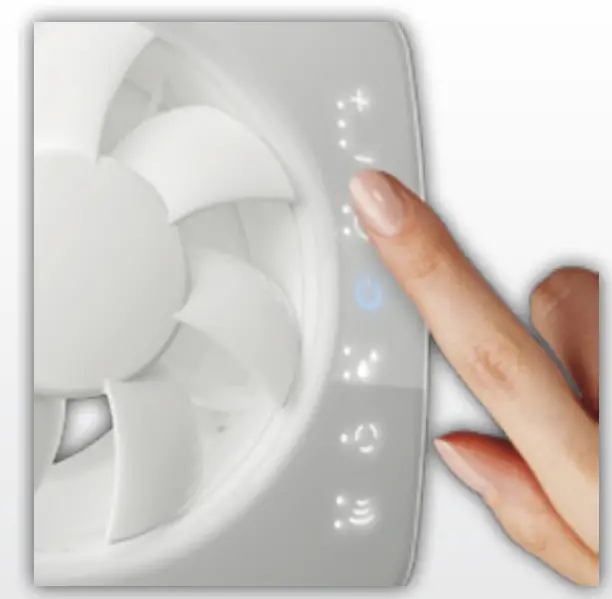
All functions of the extractor fan can be set directly on the control panel of the fan. The function indicator lights up in different colors depending on the active function:
 No indicator light
Continuos ventilation / Off Blue indicator light
Permanent: Activated by a humidity sensor.
Flashing: Run-on function activated. High humidity levels detected. Green indicator light
Activated by air quality sensor. Violet indicator light
Automatic basic ventilation cycles (1 x daily without use) Yellow or Orange indicator light
Permanent: Run-on function active
Flashing: Switch-on delay is active, the flashing becomes faster towards the end of the switch-on delay. Red indicator light
Connection error. Touch the Function icon or start the “invented mobile” application again.
Quick overview
To access the control panel, first, remove Aviant’s magnetic inner cover.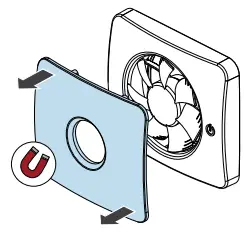 To access the programmable functions press the following icon:
All programmable function icons light up: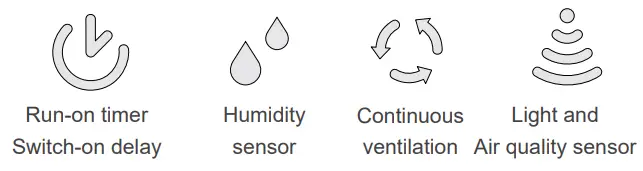
To activate the desired function:
Press the icon whose function is to be changed. Only the selected function icon lights up to indicate what settings can be changed.
Set the desired parameters for this function by repeatedly pressing the respective symbol button.
The function selection is terminated by pressing the icon twice. If the
  symbol lights up permanently on the control panel, the ventilation unit is already paired with a mobile device and cannot be controlled on the control panel. The first is to connect the Bluetooth connection. The symbol goes out and operation on the control panel is possible.
3.1 Humidity sensor
The sensor continuously measures the air humidity. If the air humidity rises very sharply within a short time (humidity peak), e.g. when showering, the fan operates at the set speed. If the humidity level before the start of the humidity load peak is reached again, the fan switches off or the time delay starts, if set.
Set sensor sensitivity
► Touch the icon to activate the control panel.
► Touch the icon .The set sensor sensitivity is displayed.
| High |  |
| Medium |  |
| Low |  |
| Inactive | |
► Touch the symbol twice to apply the changes.
Set the airflow volume when activated by the humidity sensor and the air quality sensor
In this menu item, the air flow volume is set when the Avant is activated by the humidity sensor, as well as the air quality sensor.
► Touch the icon to activate the control panel.
► Touch the icon.The +/- indicator light becomes active.
► Touch the + / – icon to increase/decrease the air flow rate in humidity-related operation (unit is activated by humidity sensor) and active air quality sensor:
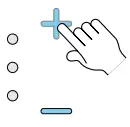
► Touch the symbol twice to apply the changes.The airflow volume when activated by the humidity sensor and when activated by the air quality sensor is set.
3.2 Light and Air quality sensor
The light sensor is used to automatically monitor changes in light. The air quality sensor monitors indoor air quality to quickly remove unpleasant odours when needed.
► Touch the icon to activate the control panel.
► Touch the icon.The active sensors are shown:
| Light sensor |  |
| Air quality sensor |  |
| Both active |  |
| Both inactive |  |
► Touch the icon again for 2 seconds.The sensors can be activated/deactivated.
► Touch the icon repeatedly until the desired sensor the combination is active:
| Light sensor | |
| Air quality sensor | |
| Both active | |
| Both inactive | |
► Touch the symbol twice to apply the changes.The airflow volume when activated by the light sensor corresponds to the airflow volume in the run-on function.The airflow volume, when activated by the air quality sensor, corresponds to the airflow volume when activated by the humidity sensor.
3.3 Run-on time and switch-on delay
Set run-on time
After the fan switch-off pulse, the fan continues to run for a selected period of time, if set.
This run-on is activated when the switch-off pulse is triggered
- through humidity sensor;
- through the light sensor;
- by means of an external sensor.
The run-on time always occurs for all shutdown options. The selection of only one option, e.g. run-on following an activated humidity sensor, is not possible.
After the end of a run-on cycle, the fan checks whether the limit values (determined by the sensors) are still exceeded. If this is the case, a new run-on cycle begins, at the end of which the shutdown requirements are checked again. If the limit values are complied with, the Avant switches off automatically. ”
The run-on time can be set to 15 minutes or 30 minutes on the control panel. If no run-on time is set, the fan switches off immediately.
► Touch the icon to activate the control panel.
► Touch the icon. The currently set run-on time is displayed:
| 15 minutes |  |
| 30 minutes |  |
► Touch the icon repeatedly until the indicator light with the desired run-on time lights up:
| 15 minutes | |
| 30 minutes | |
► Touch the icon twice to apply the changes.The run-on time is set.
Set airflow volume in run-on function and when activated by the light sensor
In this menu item, the airflow volume is set during the run-on time and when the Avant is activated by the light sensor.
► Touch the icon to activate the control panel.
► Touch the icon.The +/- indicator light becomes active.
► Touch the + / – icon to increase/decrease the airflow volume during the run-on time and when activated by the light sensor:
► Touch the symbol twice to apply the changes.The airflow volume during the run-on time and when activated by the light sensor is set.
Set switch-on delayThe switch-on delay can only be activated via an external switching element.
After the switch-on pulse, the fan does not start immediately, but the switch-on delay is activated. After the switch-on delay has elapsed, the fan starts.
The delay time can be set to 2 minutes or 4 minutes exclusively via the app.
► Touch the icon to activate the control panel.
► Touch the icon for 2 seconds.Both indicator lights flash three times:
► Touch the icon twice to apply the changes.The switch-on delay is activated/deactivated.
3.4 Permanent operation
Permanent operation is used to achieve permanent venting (continuous ventilation). If the Aviant is in permanent operation, all sensors as well as the run-on function and switch-on delay (if set) are active.Automatic ventilation once a day does not take place in permanent operation.When the permanent operation is deactivated, no automatic basic ventilation takes place. The automatic basic ventilation is activated or deactivated separately, exclusively through the app.
Activate/deactivate permanent operation
► Touch the icon to activate the control panel.
► Touch the icon until the indicator light
- lights up:
Permanent mode is activated.
OR
- goes out:
permanent mode is deactivated.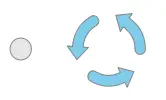
Set the airflow volume in permanent operation.
► Touch the icon to activate the control panel.
► Touch the icon.The +/- indicator light becomes active.
► Touch the + / – icon to increase/decrease the airflow volume in permanent mode:
► Touch the symbol twice to apply the changes.The airflow volume in permanent operation is set.
3.5 Resetting the Aviant to factory settings
► Touch the icon to activate the control panel.
► Touch the icon for 5 seconds.The Avant is reset to factory settings.
App “invented Mobile”
The app “inventor Mobile” (in the further text “App”) is the free app of the inventor for the operating systems Android and iOS for controlling and programming the system.NOTICE: Connect the Avant to your mobile end device exclusively via the inventor Mobile App. Direct pairing via Bluetooth LE leads to installation errors and the Avant must be reset.
Installing the “inventor Mobile” app Technical requirements:
- Mobile device with Android or iOs operating system
- Bluetooth LE
The operating systems and their versions are updated continuously. You can find more information directly in the Play Store (Android) or App Store (iOs).
You can also download the app directly here:
 |  |
| https://play.google.comostore/apps/details?id=de.inventer.mobile&hl=de | https://apps.apple.com/de/app/inventer-mobile/id1104289176?l=de |
4.1 Add Avant to the app
► Download the “inventor Mobile” app to your mobile device (mobile phone or tablet with Android or iOS operating system).After the successful installation of the app, the corresponding icon appears on the display screen.  To connect the app to the Avant, Bluetooth must be enabled and the app must be granted location sharing. Enable Bluetooth and location on your mobile device if these features are disabled.
► On the display screen of your mobile end device, touch the icon of the “inventor Mobile” app. The start screen appears.
► Press the START button.A selection window appears with devices that can be paired with your mobile device.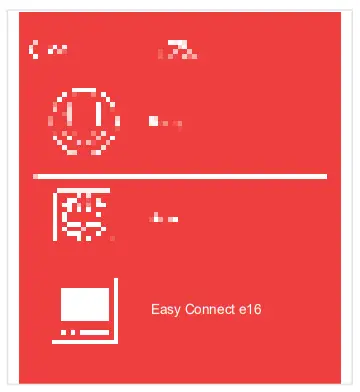
► Select the “Avant” button here. A prompt to connect to the extractor fan appears on the mobile device screen.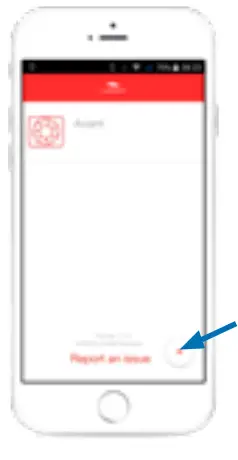
Alternatively: If you have already installed the inventor Mobile App on your mobile device and have already connected devices, you can add your Avant to the device list by selecting the “+” button.
4.2 Pair Avant with the appTo use the app, a Bluetooth connection must first be established between the controller and the mobile device. Note the Bluetooth range.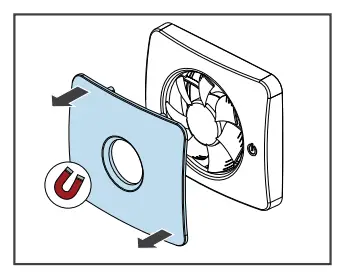
► Remove the magnetic inner cover of your Avant to be able to reach the control panel.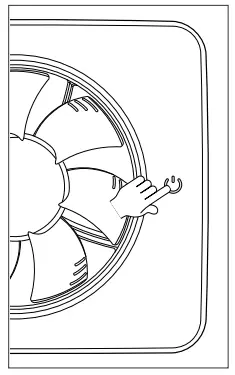
► Touch the function display icon on the control panel of your Avant.The symbols of all adjustable functions light up:
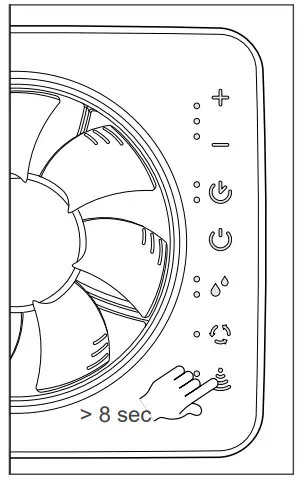
► Touch the icon for at least 8 seconds.The icon on the control panel starts blinking, the Bluetooth connection can be established.
► While the icon is flashing on the Avant, press the “Connect” button on your mobile device.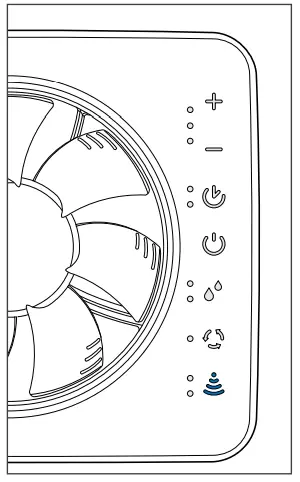 Your Avant and the mobile device connect.The symbol on the control panel lights up permanently.
► A message will appear to indicate the completion of the connection.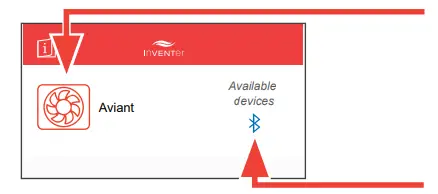 The Avant appears on the display screen, indicating that it is connected and available.The Bluetooth icon lights up blue.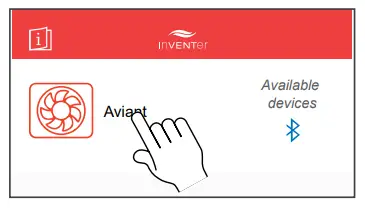
You have activated the App and may configure your Avant.
► Touch the “Avant” button.The Start menu opens.
4.3 The Start menu of the App
All settings can be made menu-driven.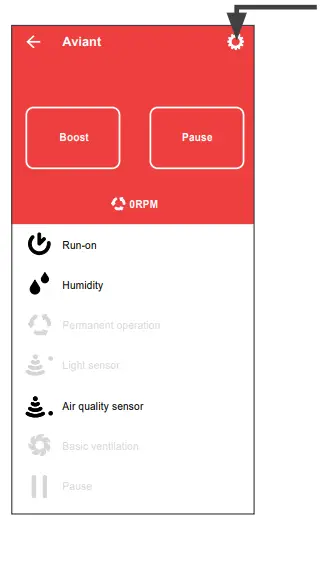
Settings: Change product name and reset to factory settings. Quick selection area:
- Quick setting of the boost or pause time; display of the remaining boost or pause time.
- Display the current fan speed.
Settings menus:
- Activate/deactivate functions (black: function active/ grey: function not active).
- Set the setting parameters of the individual functions:
e.g. sensor sensitivity, air flow volume, function intervals.
4.4 Menu settings in the app
By pressing the button, the settings menu of the selected function opens.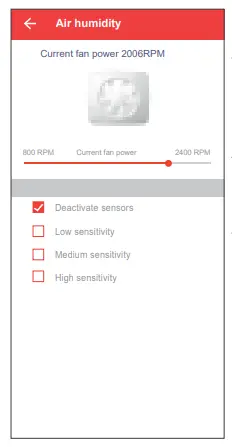
Display currently set function-parameterAdjustment range airflow volumeSetting range of other parameters varies depending on the selected function menu:
- Enable/disable the function
- Sensor sensitivity
- Set run-on time, switch-on delay, pause times, boost times
 During operation with the app, there must be a Bluetooth connection between the Avant and the mobile device. Note the range.
- The following functions can be set exclusively via the app:
– Boost function (maximum airflow volume for a defined period of time).
– Automatic basic ventilation cycles.
– Pause the Avant, and
– Set the pause duration. - The airflow volumes of the humidity and air quality sensor are interconnected. Therefore, they cannot be set independently of each other. If the airflow volume is changed in one of the two set menus, an adjustment to the same value is automatically made in the other. This applies equally to the airflow volume of the light sensor and run-on time.
- For certain functions, e.g. run-on time, the app offers more selection options than operation on the control panel.
Cleaning and care
CAUTION: Rotating parts on the fan lead to injuries.
- Before working on electrical equipment, disconnect all affected equipment from the power supply (switch at the bottom left of the control unit).
CAUTION:
Cleaning by children and persons with limited abilities may result in injury to parts of the body and/ or malfunction of the ventilation system!
- The Avant must not be operated and cleaned by children and/or persons who, due to their physical, sensory, or mental capabilities, inexperience, or lack of knowledge, are not safely able to do so, unless they are supervised by a person responsible for their safety or have been instructed by him/her on how to operate the ventilation unit.
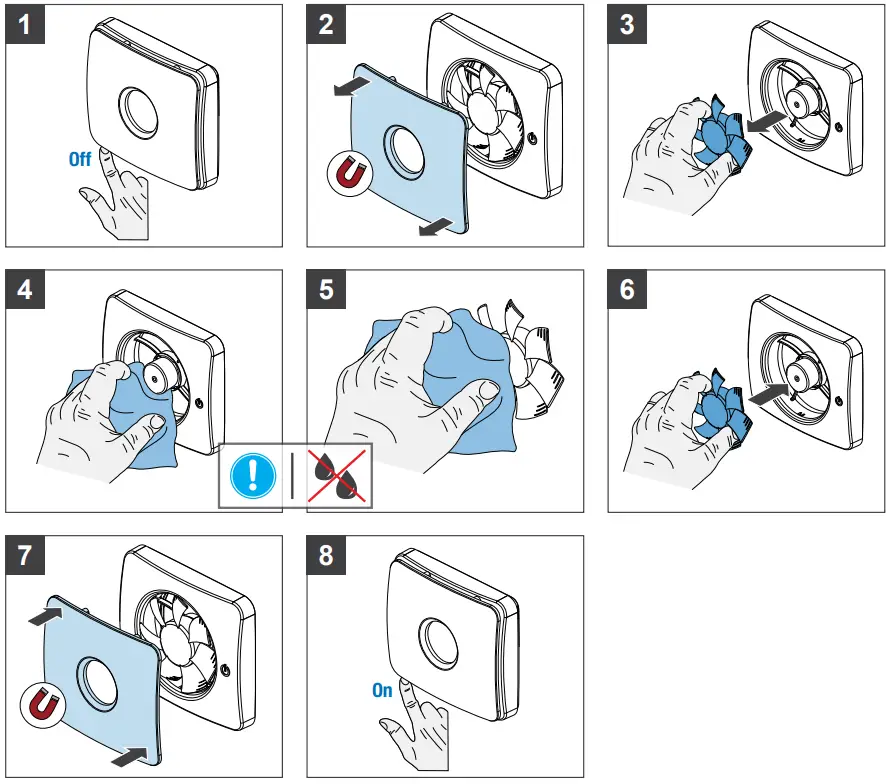
The Avant is virtually maintenance-free. The necessary cleaning and maintenance work can be carried out by the user after a short instruction.
The measures and intervals listed here are recommendations by inventor GmbH to maintain the functional and performance capability of your Avant. Depending on your needs and/or air quality, your personal cleaning schedule may vary from these recommendations.
| Interval | Assembly | Maintenance measure |
| Monthly | Fan housing | Clean the surface with a damp cloth. |
| Semiannual | Fan unit | Remove the fan unit from the fan housing and clean it with a damp cloth. |
Cleaning agents:
The Avant extractor fan has a plastic surface that is sensitive to scratches. Do not use cleaning agents containing sand, soda, acid, or chlorine to avoid damaging the surface.
A commercial dishwashing detergent in warm water can be used to clean surfaces.NOTICE Malfunction/no function of the ventilation unit due to damage to the fan (water penetrating).
- The fan of the ventilation unit must not be immersed in water or sprayed directly with water.
Accessories and spare parts
| Component | Order number |
| Accessories | |
| Windscreen insert WSE R-D100 Spare part | 1004-0173 |
| Spare part | |
| Inner cover (magnetic) | 3006-0324 |
Warranty and guarantee
Warranty
Outside Germany, the national warranty regulations of the country in which the system is sold apply. Contact the distributor of your home country. The warranty covers all defects that were present at the time of purchase. Observe the intended use in order to maintain the warranty claim.
Manufacturer guarantee
inventor GmbH provides a five-year warranty for the Avant extractor fan. This covers premature product wear. Information on the warranty conditions can be found at
www.inventer.eu/guarantee.
Warranty and guarantee claim
In the event of a warranty or guarantee claim, contact the dealer or factory representative responsible for you. In any case, send the complete unit back to the manufacturer. The warranty claim is an additional offer by the manufacturer and does not affect applicable law in any way.
Service
Complaints
Check the delivery for completeness and transport damage upon receipt, using the delivery note. Complain about missing items immediately, at the latest within 14 days, to your supplier, distributor, or factory representative.
Accessories and spare parts
To order components for your ventilation unit, contact your factory representative or our service staff.
Technical customer service:
For technical advice, please contact our technical service staff:
 +49 (0) 36427 211-0
 +49 (0) 36427 211-13
 [email protected]
 www.inventer.eu
Disposal
Dispose of the product in accordance with the applicable national regulations. Contact a disposal company for electronic equipment for environmentally friendly recycling and disposal of your old system.
The disassembly required for disposal is performed in reverse order of assembly ( Avant installation instructions [www.inventer.eu/downloads]).
inventor GmbH
Ortsstraße 4a
D-07751 Löberschütz
Germany
www.inventer.eu
Subject to modifications.
We accept no liability for printing errors.
Item Number: 5010-0015
Version: 1.0 – 05/2022

 Decentralized ventilation systems - invisible, energy-efficient, silent