HFI-SIM-01 Altair Wall Sounder Module
Product Information: HFI-SIM-01 Altair Wall Sounder Module
The HFI-SIM-01 Altair Wall Sounder Module is an add-in interface
module that allows the use of the conventional HFC-WSW-03 sounder
and HFC-SBW-23-03 sounder/VAD on an Altair intelligent loop. This
module is compatible only with intelligent control panels and
systems based on the Argus Security Altair protocol. The module
must be wired according to the wiring details described in the
manual, and the intelligent loop must be disconnected from the
control panel before wiring. An address must be assigned to the
device, and it is possible to select an address between 1 and
240.
Product Usage Instructions
- Before adding in the module, detach the front sounder body from
the sounder back box, prepare the cable entry (or entries) on the
sounder back box, and fix the sounder back box to the wall. - Assign a loop address to this module by using one of the
following methods:
- Use the HFI-DPT-05 manual programmer: this must be connected to
the intelligent interface module using a suitable connector; for
further information consult the manual programmer’s instructions
and refer to the CONNECTION TO THE HFI-DPT-05 MANUAL PROGRAMMER
section in the manual. - Perform the automatic addressing routine from the control panel
once all loop devices have been wired. This method can be used only
if the control panel has been designed with this functionality; in
any case, refer to your control panel manual and your system
supplier, since performing this process is not possible on all
types of installations.
number and device address on the module label.
HFC-SBW-23-03 assembly.
HFC-SBW-23-03, refer to their separate manuals: HFC-WSW-03
installation instructions code: L20-CWS1W-1400 and HFC-SBW-23-03
installation instructions code: L20-CWSVW-1400.
It is important to note that the sounder module must not be
connected to the loop or to other devices when using the
programmer. For more specific information regarding compatibility,
refer to your fire security system supplier and the technical
documentation concerning the control panel in use.
OVERVIEW
HFI-SIM-01
ALTAIR WALL SOUNDER MODULE
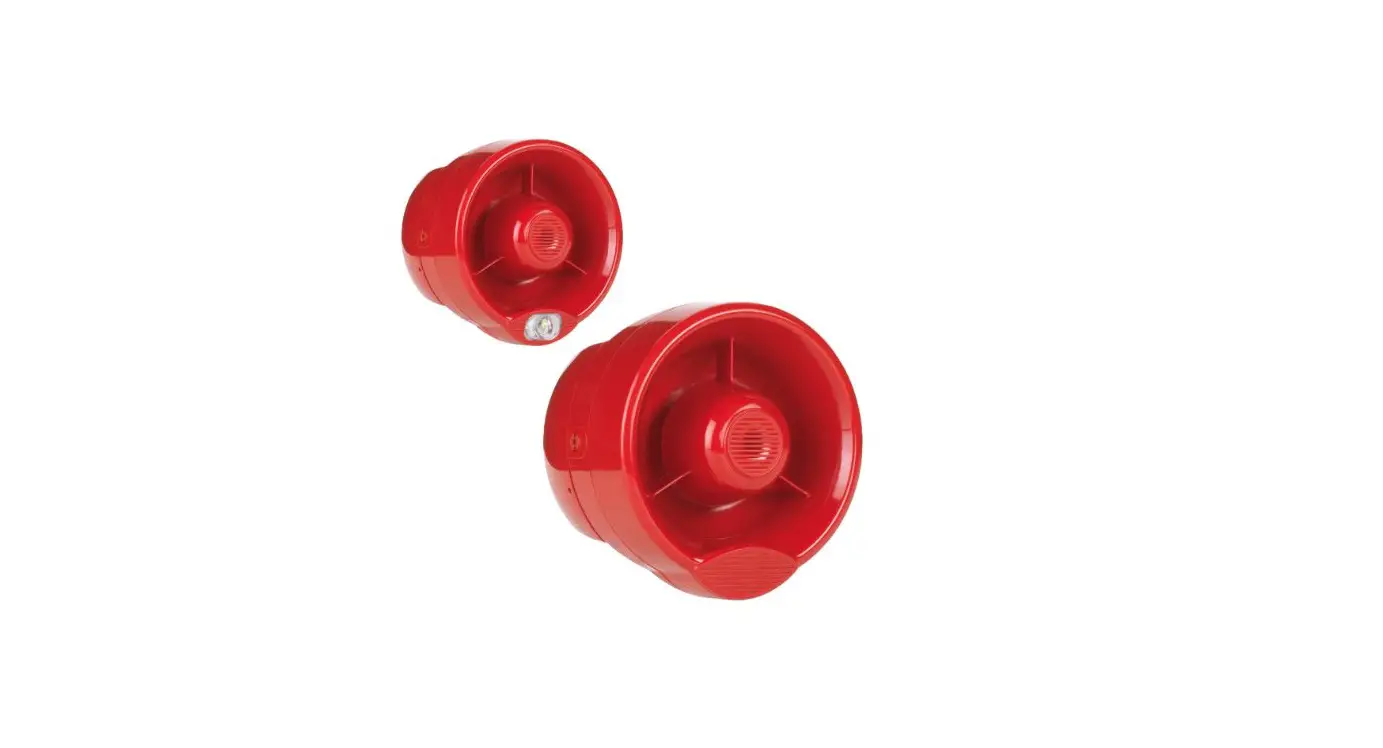
928ah/01 * 928z/01 ** * HFI-SIM-01 + HFC-WSW-03 ** HFI-SIM-01 + HFC-SBW-23-03
This add-in interface module permits the use of the HFC-WSW-03 and HFC-SBW-23-03 conventional sounders on an Altair intelligent loop.
COMPATIBILITY
This module is compatible only with:
– Intelligent control panels and systems based on the Argus Security Altair protocol.
– the conventional HFC-WSW-03 sounder and HFC-SBW-23-03 sounder/VAD.
For more specific information regarding compatibility refer to your fire security system supplier and the technical documentation concerning the control panel in use.
INSTALLATION – IMPORTANT NOTES
This module must be wired according to the wiring details described in this manual.
Disconnect the intelligent loop from the control panel before wiring.
Test the HFI-SIM-01 and HFC-WSW-03 / HFC-SBW-23-03 assembly after installation.
ASSOCIATED DEVICE’S INSTALLATION INSTRUCTIONS
This manual provides installation instructions limited only to the HFI-SIM-01. For specific installation instructions about the HFC-WSW-03 and HFC-SBW-23-03 refer to their separate manuals:
HFC-WSW-03 installation instructions
code: L20-CWS1W-1400
HFC-SBW-23-03 installation instructions code: L20-CWSVW-1400
BEFORE ADDING IN THE MODULE
As described in the HFC-WSW-03 / HFC-SBW-23-03 manuals remember to:
1) Detach the front sounder body from the sounder back box.
2) Prepare the cable entry (or entries) on the sounder back box.
3) Fix the sounder back box to the wall.
Furthermore:
4) Assign a loop address to this module (as described below).
ADDRESS ASSIGNMENT
An address must be assigned to the device:
– The address must be unique: no other device on the intelligent loop must have the same address.
– It is possible to select an address between 1 and 240.
In order to address the module, use one of the following methods:
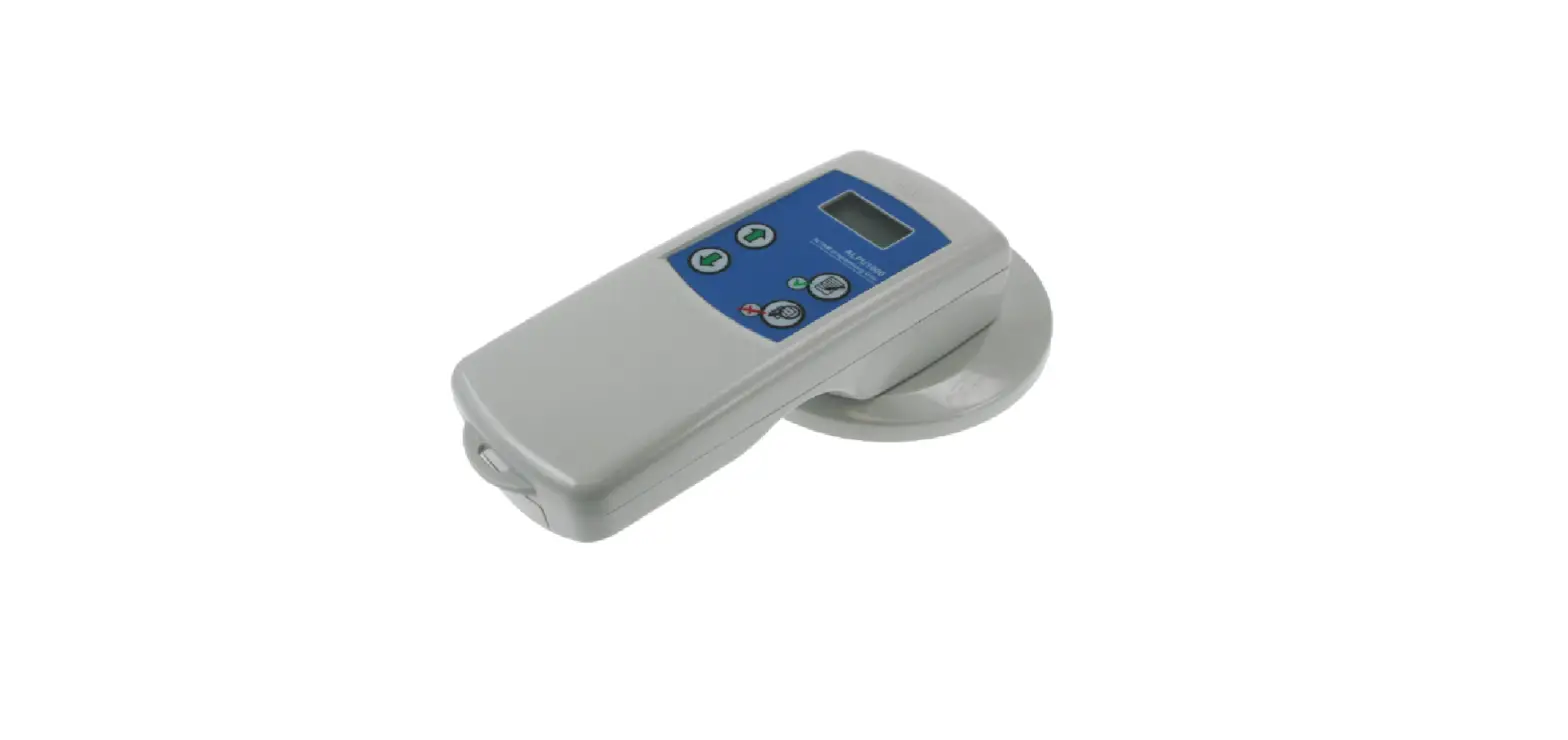
– Use the HFI-DPT-05 manual programmer: this must be connected to the intelligent interface module using a suitable connector; for further information consult the manual programmer’s instructions and refer to the following “CONNECTION TO THE HFI-DPT-05 MANUAL PROGRAMMER” section.
– Perform the automatic addressing routine from the control panel once all loop devices have been wired. This method can be used only if the control panel has been designed with this functionality; in any case, refer to your contr ol panel manual
and, above all, your system supplier, since performing this process is not possible on all types of installations.
For identification purposes, it is possible to record the loop number and device address on the module label.
Hyfire Wireless Fire Solutions Limited – Unit B12a, Holly Farm Business Park, Honiley, Warwickshire, CV8 1NP – United Kingdom
www.hyfirewireless.com
CONNECTION TO THE HFI-DPT-05 MANUAL PROGRAMMER
Unscrew and detach the terminal block
from the jack connection cable (supplied with the HFI-DPT-05).
Insert and SECURE using screw terminals: – The BLACK wire into the Loop in (-) terminal block. – The RED wire into the Loop in (+) terminal block.
The sounder module must not be connected to the loop or to other devices when using the programmer.
Insert the cable jack into the jack port of the HFI-DPT-05.
Cable connections to the
module terminal blocks
must be firm and secure:
disconnection
during
address programming can damage
the device beyond repair.
INSTALLATION PROCEDURE FOR THE MODULE 1) Insert the terminal edge of the module between the securing points on the wall of the back box.. 2) Gently push down the module body so that the locking catch engages fully to hold the PCB in place. Check that it feels secure.
Picture 1
LOCKING CATCH
When assembling or removing the front operating section of the sounder to/from the back box, be careful to ensure the interconnection block is not twisted which may cause damage. Perform these operations without using excessive force.
REMOVAL PROCEDURE FOR THE MODULE
If required for any reason, the module can be removed from the back box as follows:
1) Gently release the locking catch allowing the module to lift and rotate to release from the side wall.
2) Remove the module.
Picture 2
L20-ALWSMW-1400 (vA.8)
WIRING Connect the loop wiring to the module as illustrated in picture 3 and explained in table 1; a loop wiring example is illustrated in picture 4.
Loop in (+) Loop in (-)
Loop out (-) Loop out (+)
Picture 3
Terminal block number Terminal block denomination Description
1
Loop in (-)
Connection for the intelligent loop’s input negative (-) cable.
2
Loop in (+)
Connection for the intelligent loop’s input positive (+) cable.
3
Loop out (-)
Connection for the intelligent loop’s output negative (-) cable.
4 Table 1
Loop out (+)
Connection for the intelligent loop’s output positive (+) cable.
Loop in (+)
Intelligent loop (+)
Loop out (+)
Loop in (-)
Intelligent loop (-)
Picture 4 LOOP SHORT CIRCUIT PROTECTION
Loop out (-)
The HFI-SIM-01 and HFC-WSW-03 / HFC-SBW-23-03 assembly is protected from wiring short circuits. If one of the local loop circuits suffers from a short circuit the isolator will open and protect until the short circuit condition is resolved.
BEFORE FITTING THE SOUNDER BODY
As described in the HFC-WSW-03 / HFC-SBW-23-03 manuals remember to:
1) Set the output tone.
2) Set the output volume.
Hyfire Wireless Fire Solutions Limited – Unit B12a, Holly Farm Business Park, Honiley, Warwickshire, CV8 1NP – United Kingdom
www.hyfirewireless.com
TESTING
1) Activate the alarm or evacuation condition at the control panel.
2a) Check the acoustic output is operating.
2b) Check the visual alarm output is operating (HFI-SIM-01 + HFC-SBW-23-03 assembly only).
3) Press the SILENCE SOUNDERS button (or equivalent) and ensure all Audio Visual type devices have been silenced before continuing.
4) Reset the system from the control panel.
TECHNICAL SPECIFICATIONS (HFI-SIM-01 + HFC-WSW-03) *
Power supply voltage range Activated current load range, volume set to HIGH. Dependent upon tone selected Acoustic emission frequency range. Dependent upon tone selected Maximum acoustic intensity, volume set to HIGH. Valid for all tones Tolerated temperature range
Maximum tolerated humidity
15 – 40 Vdc (24 Vdc standard value) 5 – 8 mA at 24 Vdc 440 – 2900 Hz 100 dB(A) ± 3 -10 °C / +55 °C 85% RH (without condensation)
Height
185 mm
Diameter
130 mm
Weight
290 g
All devices must be tested after installation and periodically as required by local standards and codes of practice.
7.0m (y)
7.0m (y)
2.5m (x)
TECHNICAL SPECIFICATIONS (HFI-SIM-01 + HFC-SBW-23-03) *
Power supply voltage range Activated current load range, volume set to HIGH. Dependent upon tone selected Acoustic emission frequency range. Dependent upon tone selected Maximum acoustic intensity, volume set to HIGH. Valid for all tones Visual Alarm Device (VAD) frequency
VAD flash coverage
Tolerated temperature range
Maximum tolerated humidity
Height (base included)
Diameter
Weight (base included)
15 – 40 Vdc (24 Vdc standard value) 11 – 25 mA at 24 Vdc
440 – 2900 Hz
100 dB(A) ± 3 0.5 Hz W – 2.5 – 7 (122.5 m3) -10 °C / +55 °C 85% RH (without condensation) 192 mm 130 mm 320 g
Wall mounted device demonstration
* Consult the latest version of the TDS-ALWSX document for further information, obtainable from your supplier.
SHORT CIRCUIT ISOLATORS SPECIFICATIONS *
Rated continuous current with the switch closed (IC max)
Current at which the device reconnects (ISC)
Leakage current with the switch open (IL)
Series impedance with the switch closed (ZC) Voltage at which the device isolates (VSO) Isolator closed status time at power-on Delay before opening isolator in short circuit conditions Delay before closing isolator when short circuit has been removed
1 A
2 – 3 mA at 15 V 3.5 – 5.5 mA at 24 V 6 – 10 mA at 40 V 3.5 – 4.5 mA at 15 V 6 – 8 mA at 24 V 11.5 – 13.5 mA at 40 V 0.150 (typical) 0.500 (maximum) 10 – 12.6 V 40 – 70 ms
50 – 95 ms
5 – 15 ms
WARNINGS AND LIMITATIONS
Our devices use high quality electronic components and plastic materials that are highly resistant to environmental deterioration. However, after 10 years of continuous operation, it is advisable to replace the devices in order to minimize the risk of reduced performance caused by external factors.
Ensure that this device is only used with compatible control panels. Detection systems must be checked, serviced and maintained on a regular basis to confirm correct operation.
Smoke detectors may respond differently to various kinds of smoke particles, thus application advice should be sought for special risks. Detectors cannot respond correctly if barriers exist between them
and the fire location and may be affected by special environmental conditions. Refer to and follow national codes of practice and other internationally recognized fire engineering standards.
Appropriate risk assessment should be carried out initially to determine correct design criteria and updated periodically.
2831 18
HF-20-011CPR HF-20-012CPR
0832 21 HF-20-011UK HF-20-012UK
Hyfire Wireless Fire Solutions Limited – Unit B12a, Holly Farm Business Park, Honiley, Warwickshire, CV8 1NP – United Kingdom
WARRANTY
All devices are supplied with the benefit of a limited 5 years warranty relating to faulty materials or manufacturing defects, effective from the production date indicated on each product.
This warranty is invalidated by mechanical or electrical damage caused in the field by incorrect handling or usage.
Product must be returned via your authorized supplier for repair or replacement together with full information on any problem identified. Full details on our warranty and product’s returns policy can be obtained upon request.
HFI-SIM-01 EN 54-17:2005 & EN 54-18:2005 + with HFC-WSW-03 EN54-3:2001+A1:2002+A2:2006 + with HFC-SBW-23-03 EN54-3:2001+A1:2002+A2:2006 EN54-23:2010
For use in compatible fire detection and alarm system.
L20-ALWSMW-1400 (VA.8)