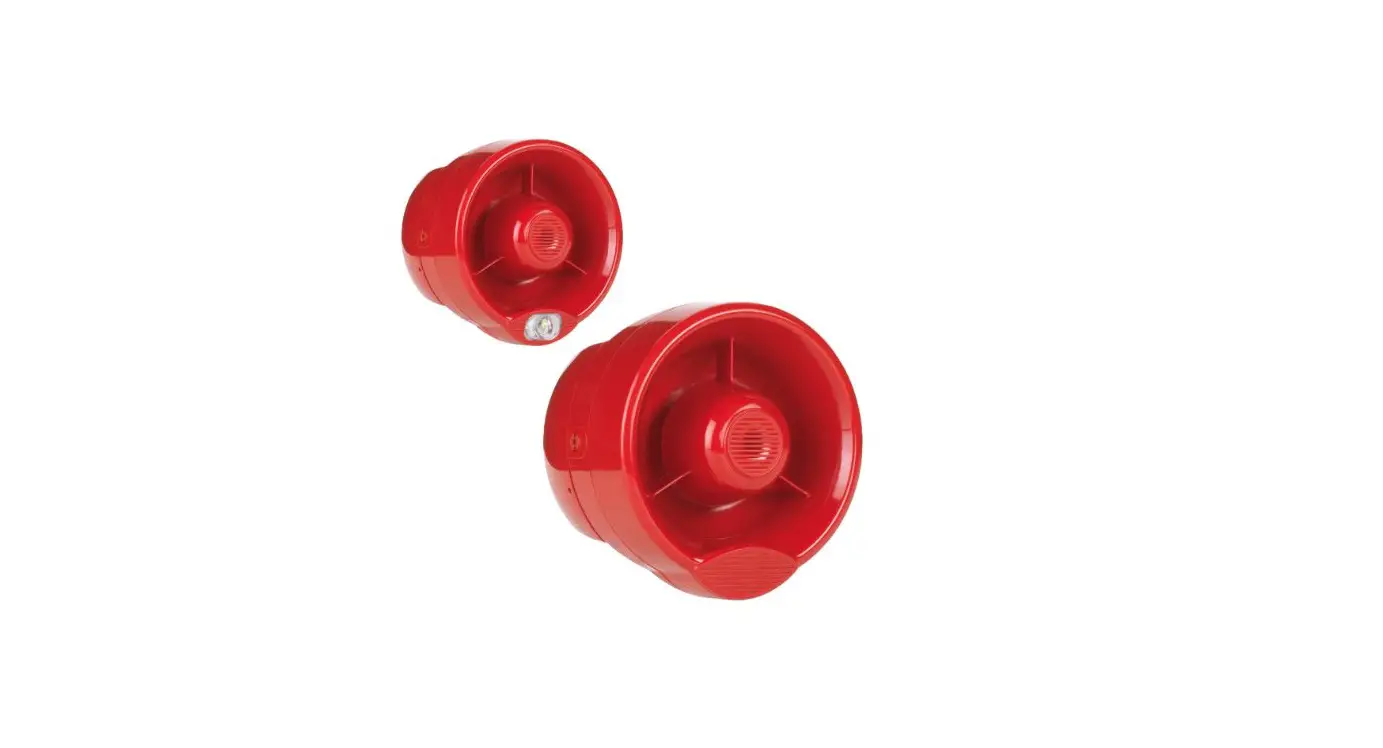
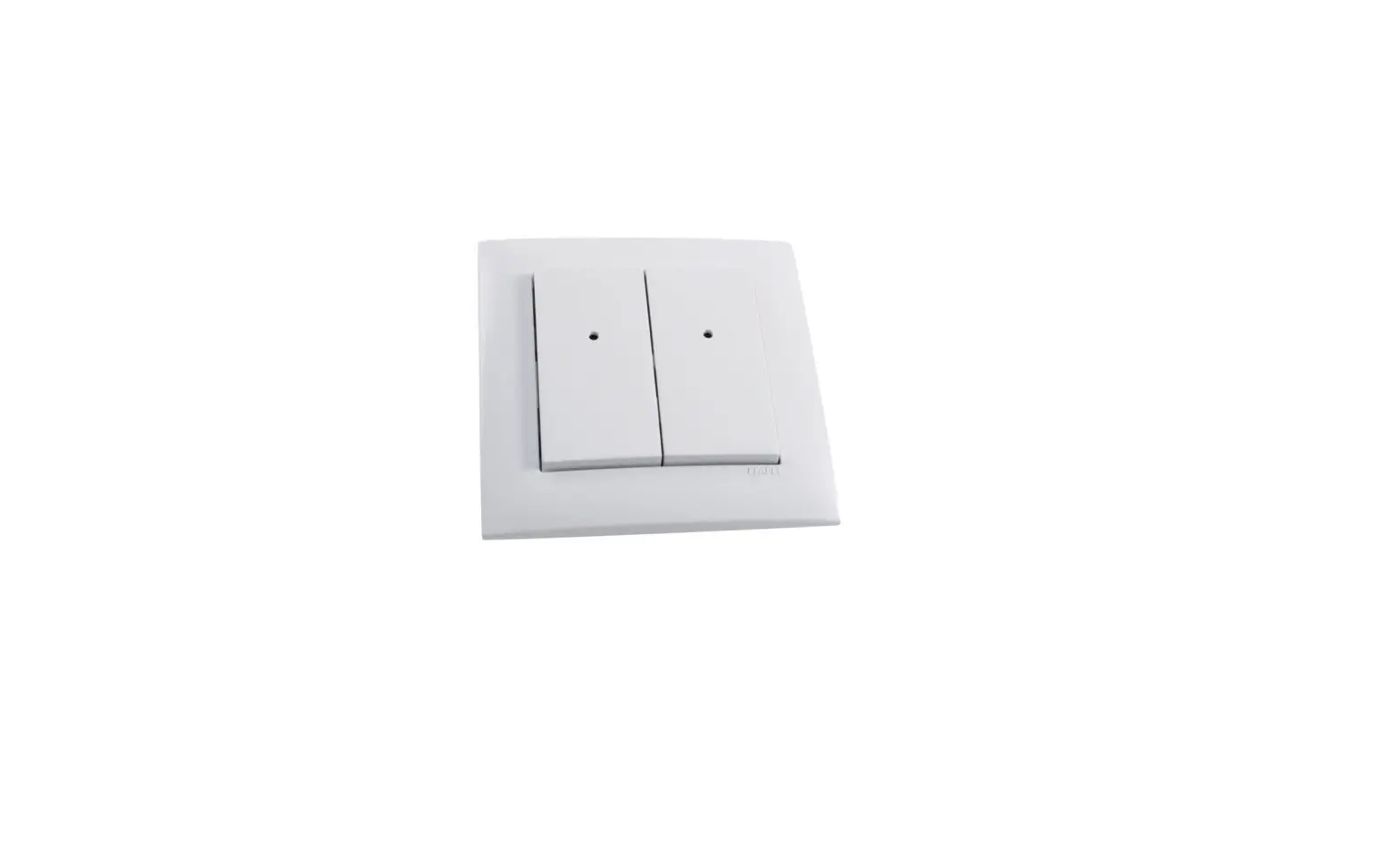
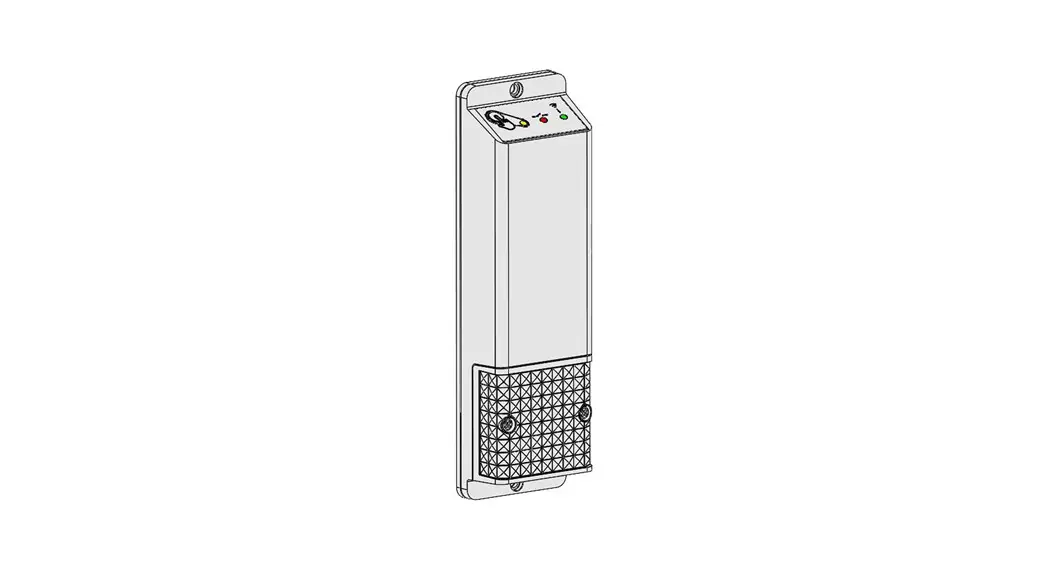
HFW-SIM-01 Wireless Wall Sounder and Wall Sounder VAD
Product Information
The device is a Sagittarius Type B Wall Sounder that consists of
an HFW-SIM-01 Sagittarius system interface module and either an
HFC-WSR-03 conventional sounder or an HFC-SBR-2303 conventional
sounder with a visual alarm device. The sounder’s output is
activated following an alarm condition of the Sagittarius
system.
Installation Instructions
Before installing the device, it is important to follow your
national and/or international codes of practice and standards. Test
the device after installation to ensure proper functionality.
Sounder Opening Procedure
To detach the upper sounder body from the base:
- Insert the pins of the compatible key into the holes of one of
the two side locking mechanisms. - When assembling or removing the front operating section of the
sounder to/from the back box, ensure the interconnection block is
not twisted, which may cause damage. Perform such operations
without using excessive force. - Repeat step one for the second side locking mechanism; the
locking mechanism appears as in picture 1 when in the open position
(flush). - Detach the sounder body from the base by pulling gently to
separate (picture 2).
Module’s Extraction
To extract the module:
- Gently release the locking catch allowing the module to lift
and rotate to release from the side wall. - Remove the module.
Linking Instructions
The translator / expander module is waiting to achieve a
wireless child device. Follow these steps:
- Move the link switch’s cursor from ON to the opposite side
(BLANK side); HFW-SIM-01 indicates Linking to the system. - If the linking outcome is okay, HFW-SIM-01 stops indicating
Linking to the system. - If the linking outcome is not okay, perform the LINKING
RECOVERY procedure.
Linking Recovery
If something goes wrong with the linking operation:
- Take out both batteries from their holders.
- Move alternatively the link switch to ON / BLANK five
times. - Move the link switch to ON.
- Reinsert both batteries into their holders, oriented as per
polarity marks. - Perform the LINKING procedure.
Wireless Link Quality Check
It is possible to check wireless link quality between the
sounder module and its linked-to translator or expander in this
way:
During all the duration of the linking phase, the module must be
only a few inches away from the translator / expander module you
are linking to.
Module’s Status
The module’s status is indicated by LED lights as follows:
| Status | Green LED | Red LED |
|---|---|---|
| Power up | 0.5 second green and red (amber) and 1 second off | – |
| Linking to the system | Blinking until linking is completed | – |
| Normal condition | 0.5 second on and 10 seconds off | 0.5 second on and 10 seconds off (orange tonality) |
| Main battery fault | 1 second green, then 0.5 second red for 4 times | – |
| Secondary battery fault | – | 0.5 second on and 10 seconds off |
| Both batteries fault | – | 0.5 second on and 10 seconds off (orange tonality) |
| Lost link with wire to wireless translator / wireless expander | 0.5 second on and 10 seconds off | – |
Contact Information
Contact Hyfire Wireless Fire Solutions Limited at
[email protected] or Unit B12a, Holly Farm Business Park,
Honiley, Warwickshire, CV8 1NP, United Kingdom.
HFW-SIM-01 + HFC-WSR-03 HFW-SIM-01 + HFC-SBR-23-03
SAGITTARIUS TYPE B WALL SOUNDER SAGITTARIUS TYPE B WALL SOUNDER + VISUAL ALARM DEVICE
OVERVIEW This device is an assembly of an HFW-SIM-01 Sagittarius system interface module and a HFC-WSR-03 conventional sounder / HFC-SBR-2303 conventional sounder + visual alarm device. Sounder’s output is activated following an alarm condition of the Sagittarius system. INSTALLATION – IMPORTANT NOTES – The device must be installed following your national and/or international codes of practice and standards: check them before performing the
installation of this device. – Test this device after installation.
INSTALLATION
1) Detach the front operating section from the sounder back box ( SOUNDER OPENING PROCEDURE). 2) Extract the HFW-SIM-01 from the sounder’s back box ( MODULE’S EXTRACTION). 3) Set the HFW-SIM-01’s link switch to ON. 4) Extract the HFW-SIM-01’s battery covers. 5) Insert both batteries into their HFW-SIM-01 holders, oriented as per polarity marks. 6) Link the HFW-SIM-01 device to the Sagittarius system ( LINKING). 7) Reinstall the battery covers. 8) Check the wireless link quality of the HFW-SIM-01 positioned in the final installation location ( WIRELESS LINK QUALITY CHECK). 9) Install the sealing pad if the sounder is to be installed outdoors and/or in damp environments (not EN 54-3 approved)
( OUTDOORS AND DAMP ENVIRONMENTS INSTALLATION). 10) Fix the sounder back box to the wall on the final installation location ( WALL INSTALLATION). 11) Reinstall the HFW-SIM-01 into the sounder’s back box ( MODULE’S INSTALLATION). 12) Set sounder’s tone and volume ( OUTPUT TONE SETTING , OUTPUT VOLUME SETTING). 13) Reinstall the front operating section onto the sounder back box ( SOUNDER CLOSING PROCEDURE). 14) Test the HFW-SIM-01 + HFC-WSR-03 / HFC-SBR-23-03 to check if it works properly ( TESTING).
Hyfire Wireless Fire Solutions Limited – Unit B12a, Holly Farm Business Park, Honiley,
www.hyfirewireless.com
Warwickshire, CV8 1NP – United Kingdom
1
SOUNDER OPENING PROCEDURE
In order to detach the upper sounder body from the base:
1) Insert the pins of the compatible key into the holes of one of the two side locking mechanisms.
2) Turn the key 90° to the left whilst applying light pressure.
When assembling or removing the front operating section of the sounder to/from the back box be careful to ensure the interconnection block is not twisted which may cause damage. Perform such operations without using excessive force.
3) Repeat this step for the second side locking mechanism; the locking mechanism appears as in picture 1 when in the open positi on (flush).
4) Detach the sounder body from the base by pulling gently to separate (picture 2).
Picture 1
MODULE’S EXTRACTION 1) Gently release the locking catch allowing the module to lift and rotate to release from the side wall. 2) Remove the module.
Picture 2
Picture 3 L20-SGWSM-1400 (vA.6)
2
LINKING
The translator / expander module is waiting to achieve a wireless child device.
1) Move the link switch’s cursor from ON to the opposite side (BLANK side); HFW-SIM-01 indicates “Linking to the system”.
2) If linking outcome is ok: HFW-SIM-01 stops indicating “Linking to the system”.
3) If linking outcome is not ok: perform the LINKING RECOVERY procedure.
LINKING RECOVERY
In case something goes wrong with the linking operation: 1) Take out both batteries from their holders.
LED INDICATOR
LINK SWITCH
2) Move alternatively the link switch to ON / BLANK five times. 3) Move the link switch to ON. 4) Reinsert both batteries into their holders, oriented as per polarity marks. 5) Perform the LINKING procedure.
Picture 4
During all the duration of the linking phase, the module must be only a few inches away from the translator / expander module you are linking to.
MODULE’S STATUS Power up Linking to the system Normal condition
Main battery fault
Secondary battery fault
Both batteries fault Lost link with wire to wireless translator / wireless expander
GREEN LED
RED LED
1 second green, then 0.5 second red for 4 times
Blinking until linking is completed
–
–
–
0.5 second on and 10 seconds off
0.5 second on and 10 seconds off (orange tonality)
–
0.5 second on and
–
10 seconds off
(orange tonality)
0.5 second green and red (amber) and 1 second off
Table 1
WIRELESS LINK QUALITY CHECK
It is possible to check wireless link quality between the sounder module and its linked-to translator or expander in this way:
1) Move the link switch to the ON position.
2) Module’s LED indicator will start blinking according to the following table:
LINK QUALITY No connection Link margin is less than 10 dB
EVALUATION Fail Poor
DEVICE’S INDICATION Two red blinks One red blink
Robust communication with link margin from 10 dB to 20 dB Robust communication with link margin over 20 dB
Good Excellent
One green blink Two green blinks
3) Move the link switch to position BLANK again; device will NOT WORK if the link switch is on position ON !
Table 2
Hyfire Wireless Fire Solutions Limited – Unit B12a, Holly Farm Business Park, Honiley,
www.hyfirewireless.com
Warwickshire, CV8 1NP – United Kingdom
3
OUTDOORS AND DAMP ENVIRONMENTS INSTALLATION
When installing the sounder outdoors or in a damp environment, carefully apply the selfadhesive sealing pad to the back of the sounder base (picture 5).
Suitable, but not EN 54-3 approved for outdoor use.
WALL INSTALLATION
Fix the sounder base to the wall; the prepared location options for the fixing screws are highlighted in picture 6.
Picture 5
Picture 6
MODULE’S INSTALLATION 1) Insert the terminal edge of the module between the securing points on the wall of the back box. 2) Gently push down the module body so that the locking catch engages fully to hold the PCB in place. Check that it feels secure.
LOCKING CATCH
Picture 7
L20-SGWSM-1400 (vA.6) 4
OUTPUT TONE SETTING
Use the DIP switch on the back of the sounder body to select the tone required; for this function the first five switches are used, highlighted in picture 8.
Picture 8
The switches positioned upwards acquire value “1”; on the other hand, if positioned downwards acquire value “0”. 1) From the TONE SET table (table 4) select the output alarm tone triggered when the sounder is activated. 2) Refer to the corresponding line of the “DIP configuration” column to select the five switch selection settings. OUTPUT VOLUME SETTING Use the DIP switch at the back of the sounder body to select the output volume; in particular, switches 6 and 7, highlighted in picture 9, are used.
Picture 9
The switches positioned upwards acquire value “1”; on the other hand, if positioned downwards acquire value “0”. 1) Select the alarm volume required when the sounder is activated (table 3). 2) Refer to the corresponding line of the “DIP configuration” column to set the two volume selection switches.
Tone volume HIGH
MEDIUM HIGH MEDIUM LOW
LOW
DIP configuration – switch 6 and 7 11 01 10 00
dB(A) evaluation 100 dB(A) +/- 3
Notes All tones
Table 3
Hyfire Wireless Fire Solutions Limited – Unit B12a, Holly Farm Business Park, Honiley,
www.hyfirewireless.com
Warwickshire, CV8 1NP – United Kingdom
5
TONE SET
Tone number
Tone designation
Tone description
1 *
Warble Tone
800Hz for 500ms, then 1000Hz for 500ms
2 *
Continuous tone
970Hz continuous tone
3 *
Slow Whoop (Dutch)
500-1200Hz for 3500ms, then off for 500ms
4 *
German DIN tone
1200-500Hz swept every 1000ms (1Hz)
5
Alternate HF slow sweep
2350-2900Hz swept every 333ms (3Hz)
6
Alternative warble
800Hz for 250ms, then 960Hz for 250ms
7
Alternative warble
500Hz for 250ms, then 600Hz for 250ms
8
Analogue sweep tone
500-600Hz swept every 500ms (2Hz)
9
Australian Alert (intermittent tone) 970Hz for 625ms, then OFF for 625ms
10
Australian Evac (slow whoop)
500-1200Hz sweep for 3750ms, then OFF for 250ms
11
Alternative Warble
990Hz for 250ms, then 665Hz for 250ms
12
French tone AFNOR
554Hz for 100ms, then 440Hz for 400ms
13
HF Back up interrupted tone
2800Hz for 1s, then OFF for 1s
14
HF Back up interrupted tone fast 2800Hz for 150ms, then OFF for 150ms
15
HF Continuous
2800Hz continuous
16
Interrupted tone
800Hz for 500ms,then OFF for 500ms
17
Interrupted tone medium
1000Hz for 250ms, then OFF for 250ms
18
ISO 8201 LF BS5839 Pt 1 1988
970Hz for 500ms, then OFF for 500ms
19
ISO 8201 HF
2850Hz for 500ms, then OFF for 500ms
20
LF Back up Alarm
800Hz for 150ms, then OFF for 150ms
21
LF Buzz
800-950Hz swept every 9ms
22
LF Continuous tone BS5839
800Hz continuous
23
Silent
No sound
24
Siren 2 way ramp (long)
500-1200Hz rising for 3000ms, then falling for 3000ms
25
Siren 2 way ramp (short)
500-1200Hz rising for 250ms, then falling for 250ms
26
Swedish all clear signal
660Hz continuous
27
Swedish Fire signal
660Hz for 150ms, then OFF for 150ms
28
Sweep tone (1 Hz)
800-900Hz swept every 1000ms
29
Sweep tone (3 Hz)
800-970Hz swept every 333ms (3Hz)
30
Sweep tone (9 Hz)
800-970Hz swept every 111ms (9Hz)
31
US Temporal Pattern HF
(2900Hz for 500ms ON, 500ms OFF) x3, then 1500ms OFF
32
LF Sweep (Cranford tone)
800-1000Hz swept every 500ms (2Hz)
* EN 54-3 certified tones
DIP switch configuration: 1,2,3,4 e 5 11101 01011 10101 00111 10010 11110 11100 10100 10001 10110 00001 00101 11011 11001 01001 01111 01101 01110 01100 11010 01010 11000 11111 00000 00010 00100 00110 10111 10011 01000 00011 10000
Table 4
L20-SGWSM-1400 (vA.6) 6
SOUNDER CLOSING PROCEDURE In order to assemble the sounder body to the base: 1) Assemble the sounder body to the base using gentle pressure (picture 10). 2) Insert the pins of the compatible key into the holes of one of the two side locking
mechanisms. 3) Turn the key 90° to the right. 4) Repeat this step for the second side locking mechanism, starting from point 2; the
locking mechanism appears as in picture 11 once closed (recessed). 5) To secure use the retaining screws, using the location holes on both sides of the
base (picture 12).
When assembling or removing the front operating section of the sounder to/from the back box be careful to ensure the interconnection block is not twisted which may cause damage. Perform such operations without using excessive force.
Picture 10
Picture 11
Picture 12
Hyfire Wireless Fire Solutions Limited – Unit B12a, Holly Farm Business Park, Honiley,
www.hyfirewireless.com
Warwickshire, CV8 1NP – United Kingdom
7
TAMPERING DETECTION AND NOTIFICATION Tampering attempts are detected by a pair of switches (one on the front, the other on the back of the module); once detected, a tampering event message is broadcasted to the system.
TESTING 1) Activate the fire security system’s alarm condition. 2) Check the HFW-SIM-01 + HFC-WSR-03 / HFW-SIM-01 + HFC-SBR-23-03 output activation. 3) Press the SILENCE SOUNDERS button (or equivalent) on the control panel. 4) Reset the system from the control panel. All devices must be tested after installation and, successively, on a periodic basis.
BATTERY REPLACEMENT When the translator module indicates a low battery condition on a child device, batteries must be replaced. When a low battery condition is indicated, both batteries must be changed altogether. During this procedure the linking switch must NOT be touched at all ! 1) Detach the front operating section from the sounder back box. 2) Extract the HFW-SIM-01 from the sounder’s back box. 3) Extract the HFW-SIM-01’s battery covers. 4) Extract the batteries. 5) Insert the new batteries into their holders, oriented as per polarity marks. 6) Reinstall the battery covers. 7) Reinstall the HFW-SIM-01 into the sounder’s back box. 8) Reinstall the front operating section onto the sounder back box. 9) Test the HFW-SIM-01 + HFC-WSR-03 / HFW-SIM-01 + HFC-SBR-23-03 to check if it works properly.
L20-SGWSM-1400 (vA.6) 8
Picture 13
Hyfire Wireless Fire Solutions Limited – Unit B12a, Holly Farm Business Park, Honiley,
www.hyfirewireless.com
Warwickshire, CV8 1NP – United Kingdom
9
TECHNICAL SPECIFICATIONS (HFW-SIM-01)
Communication range with the translator / expander
200 m (in open space)
Operating frequency
868 MHz
Operating frequency channels
7
Battery voltage range Batteries type Radiated power
Batteries lifespan
Parent expander’s check-up period
3 V
2 X CR123A (3V)
14 dBm (25 mW)
>3 years (with parent expander’s check-up period default setting); remains operational for up to 60 days from first appearance of the low battery warning
7 seconds (default setting)
TECHNICAL SPECIFICATIONS (HFW-SIM-01 + HFC-WSR-03)
Max current draw (at 3 V)
Acoustic emission frequency range. Valid for all tones Maximum acoustic intensity, volume set to HIGH. Valid for all tones Tolerated temperature range
Maximum tolerated humidity
Height
Diameter
Weight
IP rating (EN 54-3 certified)
IP rating (not certified) *
50 mA 440 – 2900 Hz
100 dB(A) ± 3
-10 °C / +55 °C 85% RH (without condensation) 185 mm
130 mm
350 g
33C Type B
65
* Independently assessed and certified to IPX5 (not part of the current EN54-3 certification).
TECHNICAL SPECIFICATIONS (HFW-SIM-01 + CWS100-AV)
Max current draw (at 3 V)
260 mA
Acoustic emission frequency range. Valid for all tones Maximum acoustic intensity, volume set to HIGH. Valid for all tones Visual Alarm Device (VAD) frequency
VAD flash coverage
Tolerated temperature range
Maximum tolerated humidity
Height (base included) Diameter
Weight
IP rating (EN 54-3 certified)
IP rating (not certified) *
440 – 2900 Hz
100 dB(A) ± 3
0.5 Hz W – 2.5 – 7 (122.5 m3) -10 °C / +55 °C 85% RH (without condensation) 192 mm 130 mm 380 g 33C Type B 65
7.0m (y) 2.5m (x)
7.0m (y)
Wall mounted device demonstration
L20-SGWSM-1400 (vA.6) 10
WARNINGS AND LIMITATIONS
Our devices use high quality electronic components and plastic materials that are highly resistant to environmental deterioration. However, after 10 years of continuous operation, it is advisable to replace the devices in order to minimize the risk of reduced performance caused by external factors. Ensure that this device is only used with compatible control panels. Detection systems must be checked, serviced and maintained on a regular basis to confirm correct operation. Smoke detectors may respond differently to various kinds of smoke particles, thus application advice should be sought for special risks. Detectors cannot respond correctly if barriers exist between them and the fire location and may be affected by special environmental conditions. Refer to and follow national codes of practice and other internationally recognized fire engineering standards. Appropriate risk assessment should be carried out initially to determine correct design criteria and updated periodically.
WARRANTY
All devices are supplied with the benefit of a limited 5 years warranty relating to faulty materials or manufacturing defects, effective from the production date indicated on each product. This warranty is invalidated by mechanical or electrical damage caused in the field by incorrect handling or usage. Product must be returned via your authorized supplier for repair or replacement together with full information on any problem identified. Full details on our warranty and product’s returns policy can be obtained upon request.
0051 16
SG0920CPR SG1020CPR
8504 22
SG0920UK SG1020UK
Hyfire Wireless Fire Solutions Limited – Unit B12a,
Holly Farm Business Park, Honiley, Warwickshire, CV8 1NP – United Kingdom
HFW-SIM-01 + HFC-WSR-03 HFW-SIM-01 + HFC-SBR-23-03
EN 54-25:2008 EN 54-3:2001+A1:2002+A2:2006
HFW-SIM-01 + HFC-SBR-23-03 (only)
EN 54-23:2010
For use in compatible fire detection and alarm system.
Category rating: W – 2.5 – 7
Duration of operation: Pass Provision for external conductors: Pass Flammability of materials: Pass Enclosure protection: Pass Access: Pass Manufacturer’s adjustments: Pass On-site adjustment of behaviour: Pass Requirements for software controlled devices: Pass Coverage volume: Pass Variation of light output: Pass Minimum and maximum light intensity: Pass Light colour: White Light temporal pattern / frequency of flashing: N/A / 0.5 Hz Marking and data: Pass Synchronization: Pass Durability: Pass Temperature resistance: Pass Humidity resistance: Pass Shock and vibration resistance: Pass Corrosion resistance: Pass Electrical stability: Pass
For use in compatible fire detection and alarm system
Hyfire Wireless Fire Solutions Limited – Unit B12a, Holly Farm Business Park, Honiley,
www.hyfirewireless.com
Warwickshire, CV8 1NP – United Kingdom
11