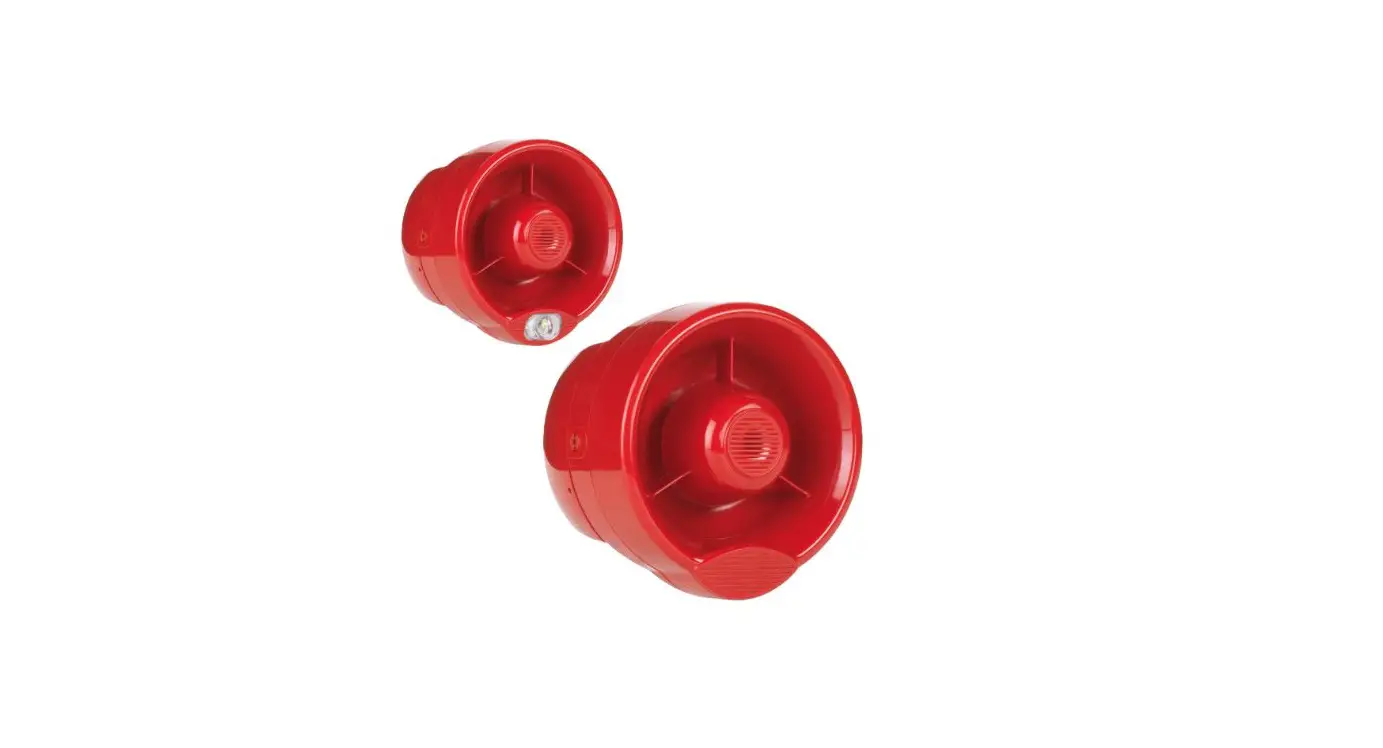
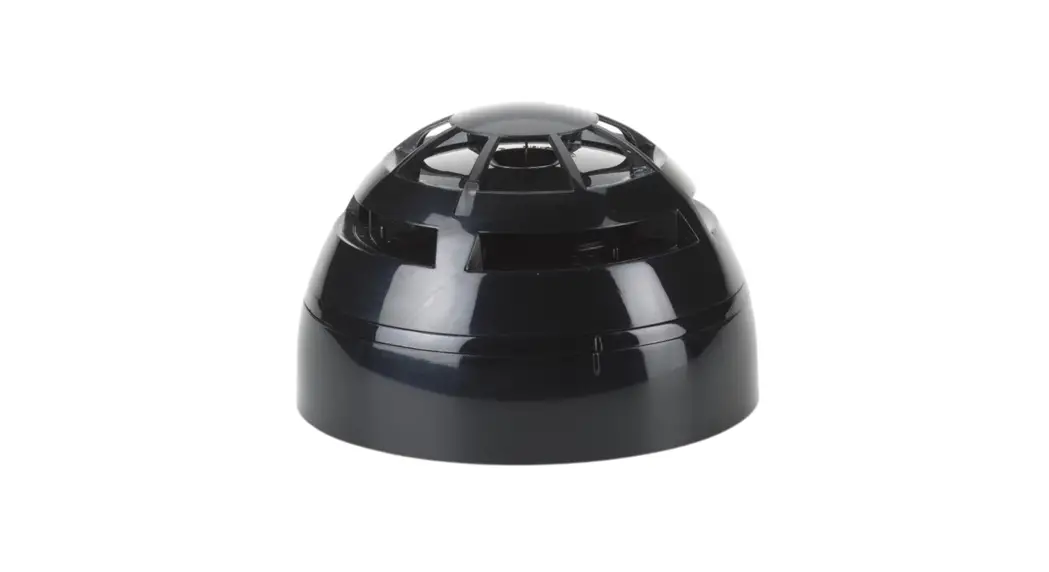
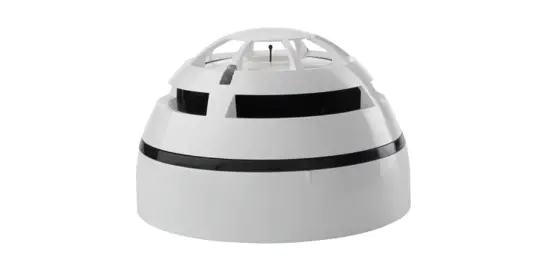
TAU-BS-01-BL Taurus Sounder Base Black
Product Information:
- Product Name: Hyfire Taurus Sounder Base Black
- Model Numbers: TAU-BS-01-BL, TAU-BSB-23W-01-BL
- Manufacturer: Hyfire Wireless Fire Solutions Ltd
- Address: Unit B12a, Holly Farm Business Park, Honiley,
Warwickshire, CV8 1NP, United Kingdom - Website: www.hyfirewireless.com
- Email: [email protected]
- Compatibility: Designed to host Taurus series detectors and can
operate autonomously if associated with a suitable cover
plate. - Power Source: Battery powered and does not require any system
cabling installation. - Features: Tamper switch, battery A lodgement, battery B
lodgement, output selection DIP switch, LED indicator, link program
switch, acoustic alarm outlet, and sound diffuser. - Safety Standards: EN 54-3:2001+ A1:2002 + A2:2006, EN
54-25:2008, EN 54-23:2010 Type A (for indoor use only)
Product Usage Instructions:
- Select a location for the base sounder that conforms to your
local applicable safety standards and is in a good position for
sending/receiving wireless signals to/from the father TAU-TRM-01,
TAU-CEM-01 or TAU-EXM-01 network device. It is advisable to use the
TAU-STK-01 survey kit to locate a good wireless installation
location. - Mount the base sounder as far as possible from metal objects,
metal doors, metal window openings, etc. as well as cable
conductors, cables (especially from computers), otherwise the
operating distance may greatly drop. The base sounder must NOT be
installed near electronic devices and computer equipment that can
interfere with its wireless communication quality. - To detach the battery cover, pull the tab highlighted in
Picture 2. Every time the cover is removed, the tamper switch is
released, causing a tamper attempt message to be sent to the
control panel. Always install the battery cover, since it is a
vital part of the anti-tampering feature. Make sure the battery
cover is safely fixed, blocked and closed. - To reinstall the battery cover, insert its two hooks into the
device’s recesses as indicated in Picture 2; then block it by
pressing down the opposite side. - To detach/reinstall the wall plate to the base sounder, refer
to Picture 3. Make sure that the sound diffuser cone printed on the
wall plate corresponds to the acoustic alarm signal outlet of the
base sounder. Drill templates on the wall plate are highlighted in
Picture 3. - Use only in Taurus fire detection and alarm systems.
TAU-BS-01-BL
Hyfire Taurus Sounder Base Black
TAU-BSB-23W-01-BL
Hyfire Taurus Sounder VAD Base Black (White Flash)
WARNINGS AND LIMITATIONS
Our devices use high quality electronic components and plastic materials that are highly resistant to environmental deterioration. However, after 10 years of continuous operation, it is advisable to replace the devices in order to minimize the risk of reduced performance caused by external factors. Ensure that this device is only used with compatible control panels. Detection systems must be checked, serviced and maintained on a regular basis to confirm correct operation. Smoke sensors may respond differently to various kinds of smoke particles, thus application advice should be sought for special risks. Sensors cannot respond correctly if barriers exist between them and the fire location and may be affected by special environmental conditions. Refer to and follow national codes of practice and other internationally recognized fire engineering standards. Appropriate risk assessment should be carried out initially to determine correct design criteria and updated periodically.
Use only in Taurus fire detection and alarm systems.
WARRANTY
All devices are supplied with the benefit of a limited 5 years warranty relating to faulty materials or manufacturing defects, effective from the production date indicated on each product. This warranty is invalidated by mechanical or electrical damage caused in the field by incorrect handling or usage. Product must be returned via your authorized supplier for repair or replacement together with full information on any problem identified. Full details on our warranty and product’s returns policy can be obtained upon request.
0051 22
HF-20-018CPR HF-20-019CPR Hyfire Wireless Fire Solutions Ltd – Unit B12a, Holly Farm Business Park, Honiley, Warwickshire, CV8 1NP United Kingdom
TAU-BS-01-BL TAU-BSB-23W-01-BL EN 54-3:2001+ A1:2002 + A2:2006 EN 54-25:2008
TAU-BSB-23W-01-BL EN 54-23:2010 Type A – for indoor use only TAU-BSB-23W-01-BL C3-15 & O4.6-15 (white / high power) C3-10 (white / low power)
GENERAL DESCRIPTION
TAU-BS-01-BL and TAU-BSB-23W-01-BL base sounders are audio and audio-visual signalling devices used to alert people in the event of a fire.
These base sounders are designed to host Taurus series detectors, but they can operate autonomously if associated with a suitable cover plate.
TAU-BS-01-BL and TAU-BSB-23W-01-BL are battery powered and they don’t need any system cabling installation.
Tamper switch
Battery A lodgement
Battery B lodgement
Output selection DIP switch
LED indicator
Link program switch
Acoustic alarm outlet
Sound diffuser
All pictures are for product in black variant. Shown white for illustrative purpose only
Picture 1
Hyfire Wireless Fire Solutions Ltd – Unit B12a, Holly Farm Business Park, Honiley, Warwickshire, CV8 1NP – United Kingdom
www.hyfirewireless.com
2
DEPLOYMENT PROCEDURE The general applicable procedure for the deployment of these products is the following: 1) Select a location for the base sounder. See LOCATION SELECTION. 2) Unbox the base sounder product from its packaging. 3) Detach the battery cover from the base sounder. See BATTERY COVER. 4) Detach the wall installation plate from the device. See WALL INSTALLATION PLATE. 5) Power up the base sounder. See POWERING UP – FIRST TIME USE / POWERING UP – RECOVERY. 6) Link the base sounder to the system. See LINKING – WAKE-UP / LINKING – ONE-BY-ONE. 7) Set the output acoustic’s tone. See SOUNDER OUTPUT’S CONFIGURATION. 8) Set the output acoustic’s volume. See SOUNDER OUTPUT’S CONFIGURATION. 9) Set the output visual signal’s power (applicable only to TAU-BSB-23W-01-BL).
See SOUNDER OUTPUT’S CONFIGURATION. 10) Drill out the required fixing holes on the wall installation plate. See WALL INSTALLATION PLATE. 11) Fix the wall plate. See WALL INSTALLATION PLATE. 12) Install the base sounder to the wall plate. See WALL INSTALLATION PLATE. 13) Fix the base sounder to the wall plate. See FIXING THE BASE SOUNDER. 14) Reinstall the battery cover. See BATTERY COVER. 15) Install the host detector. See HOST DETECTOR / PLASTIC COVER INSTALLATION. 16) Install the cover plate if the base sounder operates as standalone. See HOST DETECTOR / PLASTIC COVER INSTALLATION. 17) Secure the detector / cover plate with the safety anti-tamper screw. See HOST DETECTOR / PLASTIC COVER INSTALLATION. 18) Test the base sounder. See TESTING.
L20-TWBSXB-1400 (vA.2)
3
LOCATION SELECTION
Select a location for the base sounder that conforms to your local applicable safety standards and that is in a good position for sending / receiving wireless signals to / from the father TAU-TRM-01, TAU-CEM-01 or TAU-EXM-01 network device.
It is advisable to use the TAU-STK-01 survey kit to locate a good wireless installation location.
Mount the base sounder as far as possible from metal objects, metal doors, metal window openings, etc. as well as cable conductors, cables (especially from computers), otherwise the operating distance may greatly drop.
The base sounder must NOT be installed near electronic devices and computer equipment that can interfere with its wireless communication quality.
BATTERY COVER
To detach the battery cover, pull the tab highlighted in the following picture.
Picture 2
To reinstall the battery cover, insert its two hooks into the device’s recesses as indicated in the picture below; then block it by pressing down the opposite side.
Every time the cover is removed, the tamper switch is released, causing a temper attempt message to be sent to the control panel. Always install the battery cover, since it is a vital part of the anti-tampering feature. Make sure the battery cover is safely fixed, blocked and closed.
Hyfire Wireless Fire Solutions Ltd – Unit B12a, Holly Farm Business Park, Honiley,
Warwickshire, CV8 1NP – United Kingdom
4
Picture 3 www.hyfirewireless.com
WALL INSTALLATION PLATE To detach / reinstall the wall plate to the base sounder refer to the following picture:
Make sure that the sound diffuser cone printed on the wall plate corresponds to the acoustic alarm signal outlet of the base sounder. Drill templates on the wall plate are highlighted in the following picture:
Picture 4
Picture 5 L20-TWBSXB-1400 (vA.2)
5
LED INDICATOR STATUS MESSAGES
The LED indicator’s messages are used only during installation and servicing. LED indicator is inactive when the battery cover is in place for saving up battery charge (and due to the fact that normally the LED is hidden by
the detector or the cover plate).
Device status Power up (DIP on “ON”) Power up (DIP opposite “ON”) Entering wake-up mode Link success (one-by-one) Link failure (one-by-one) Link success (wake-up) Link failure (wake-up) Normal condition Alarm activation Battery fault Tamper fault Replaced
LEDs indication Blinks red 4 times Blinks green 4 times Blinks alternatively green / red 4 times Blinks green 4 times, then the same pattern again Enters wake-up mode and signals “Entering wake-up mode” following this failure Blinks green 4 times, then same pattern again Blinks green 4 times, then blinks red on once, then blinks alternatively green / red 4 times LED off (can be programmed so as to blink green every wireless communication) Blinks red every 2 seconds LED off (can be programmed so as to blink amber every 5 seconds) LED off Blinks amber 2 times
With the battery cover installed, the LED indicator remains inactive.
Table 1
POWERING UP AND LINKING – PRELIMINARY NOTES TAU-BS-01-BL and TAU-BSB-23W-01-BL need to be powered up with the supplied batteries. Linking is the operation through which these devices are “wirelessly connected” to a TAU-TRM-01, TAU-CEM-01 or TAU-EXM-01 Taurus network device. POWERING UP – FIRST TIME USE Use this procedure the first time you power up a TAU-BS-01-BL or a TAU-BSB-23W-01-BL. 1) Make sure the Link / program switch is set on “ON”. 2) Insert the two supplied batteries into their device’s lodgments. Ensure that the batteries are installed properly, with their polarities matching the indications on the device. POWERING UP – DEVICE LINKED TO THE SYSTEM Use this procedure when a TAU-BS-01-BL or a TAU-BSB-23W-01-BL is successfully linked to its Taurus system and you have to extract one or both batteries (e.g. batteries substitution). 1) Reinsert the battery or both batteries into their lodgments. Do not touch the Link / program switch. If performing a batteries substitution, use two brand new batteries and substitute both of them. Ensure that the batteries are installed properly, with their polarities matching the indications on the device. POWERING UP – RECOVERY Use this procedure when you fail to link successfully a TAU-BS-01-BL or a TAU-BSB-23W-01-BL or you want to link it again. 1) Move alternatively the Link / program switch 5 times. 2) Set the Link / program switch on “ON”. 3) Insert the two supplied batteries into their device’s lodgments. Ensure that the batteries are installed properly, with their polarities matching the indications on the device.
Hyfire Wireless Fire Solutions Ltd – Unit B12a, Holly Farm Business Park, Honiley, Warwick-
shire, CV8 1NP – United Kingdom
6
www.hyfirewireless.com
LINKING – WAKE-UP “Wake-up” linking consists in associating one or more child devices to the Taurus system altogether in a single operation. Wake-up is performed either through the TauREX software or the TAU-TRM-01 / TAU-CEM-01 keyboard-screen interface; it CANNOT be done through TAU-EXM-01 devices. 1) Create the “virtual model” of the base sounder device either on TauREX or on the TAU-TRM-01 / TAU-CEM-01. 2) Power-up the base sounder (either “first time use” or “recovery”). 3) Set the Link / program switch OPPOSITE to “ON”. 4) Trigger the wake-up procedure either from TauREX or from the TAU-TRM-01 / TAU-CEM-01. 5) Wait the end of the “wake-up” linking procedure. 6) Check on TauREX or from TAU-TRM-01 / TAU-CEM-01 for linking success.
Consult their user manual. LINKING – ONE-BY-ONE “One-by-one” linking consists in associating one child device at a time to the Taurus system. This operation is performed either through the TauREX software or the TAU-TRM-01 / TAU-CEM-01 keyboard-screen interface; it CANNOT be done through TAU-EXM-01 devices. 1) Create the “virtual model” of the child device either on TauREX or on the TAU-TRM-01 / TAU-CEM-01. 2) Trigger the linking procedure either from TauREX or from the TAU-TRM-01 / TAU-CEM-01. 3) Power-up the child device (either “first time use” or “recovery”). 4) Set the child device’s Link / program switch OPPOSITE to “ON”. 5) Wait the end of the “one-by-one” linking procedure. 6) Check on TauREX or from TAU-TRM-01 / TAU-CEM-01 for linking success.
Consult their user manual.
L20-TWBSXB-1400 (vA.2)
7
SOUNDER OUTPUT’S CONFIGURATION
To configure the acoustic and visual output you must set the DIP switch component placed inside the sounder’s base. Switches’ layout and function is illustrated below:
Switch number
Function
1
2
3
Acoustic output tone setting
4
5
6 Acoustic output volume setting
7
8
Visual output power setting
Picture 6
Table 2
1) Orientate the DIP component in front of you so as to see it straight; “below” corresponds to “0”, “up” corresponds to “1”.
To change the switches use the tip of a little screwdriver.
2) Select the required output tone; switches combinations and the corresponding tones are found on table 5 for the main tone set and on table 6 for the alternative tone set.
3) Select the required output volume; switches combinations and the corresponding volume levels are found on table 3.
4) Select the visual emission’s power; switch settings and the corresponding power levels are found on table 4 (applies only to TAU-BSBS-23W-01/BL).
Acoustic volume level High * Medium-High Medium-Low Low
* EN 54-3 approved volume
Switches configuration
11 01 10 00
Table 3
Visual emission power level High Low Table 4
Switch configuration 1 0
Hyfire Wireless Fire Solutions Ltd – Unit B12a, Holly Farm Business Park, Honiley, Warwick-
shire, CV8 1NP – United Kingdom
8
www.hyfirewireless.com
Tone number Main tone designation
0
Silent
1 *
Warble Tone
2 *
Continuous tone
3 *
Slow Whoop (Dutch)
4 *
German DIN tone
5
Alternate HF slow sweep
6
Alternative warble
7
Alternative warble
8
Analogue sweep tone
9
Australian Alert (intermittent tone)
10
Australian Evac (slow whoop)
11
FP1063.1-Telecom
12
French tone AFNOR
13
HF Back up interrupted tone
14
HF Back up interrupted tone – fast
15
HF Continuous
16
Interrupted tone
17
Interrupted tone medium
18
ISO 8201 LF BS5839 Pt 1 1988
19
ISO 8201 HF
20
LF Back up Alarm
21
LF Buzz
22
LF Continuous tone BS5839
23
Siren 2 way ramp (long)
24
Siren 2 way ramp (short)
25
Swedish all clear signal
26
Swedish Fire signal
27
Sweep tone (1 Hz)
28
Sweep tone (3 Hz)
29
Sweep tone (9 Hz)
30
US Temporal Pattern HF
31
LF Sweep (Cranford tone)
* EN 54-3 approved tone
Main tone pattern description
No sound 800Hz for 500ms, then 1000Hz for 500ms 970Hz continuous tone 500-1200Hz for 3500ms, then off for 500ms 1200-500Hz swept every 1000ms (1Hz) 2350-2900Hz swept every 333ms (3Hz) 800Hz for 250ms, then 960Hz for 250ms 500Hz for 250ms, then 600Hz for 250ms 500-600Hz swept every 500ms (2Hz) 970Hz for 625ms, then OFF for 625ms 500-1200Hz sweep for 3750ms, then OFF for 250ms 800Hz for 250ms, then 970Hz for 250ms 554Hz for 100ms, then 440Hz for 400ms 2800Hz for 1s, then OFF for 1s 2800Hz for 150ms, then OFF for 150ms 2800Hz continuous 800Hz for 500ms,then OFF for 500ms 1000Hz for 250ms, then OFF for 250ms 970Hz for 500ms, then OFF for 500ms 2850Hz for 500ms, then OFF for 500ms 800Hz for 150ms, then OFF for 150ms 800-950Hz swept every 9ms 800Hz continuous 500-1200Hz rising for 3000ms, then falling for 3000ms 500-1200Hz rising for 250ms, then falling for 250ms 660Hz continuous 660Hz for 150ms, then OFF for 150ms 800-900Hz swept every 1000ms 800-970Hz swept every 333ms (3Hz) 800-970Hz swept every 111ms (9Hz) (2900Hz for 500ms ON, 500ms OFF) x3, then 1500ms OFF 800-1000Hz swept every 500ms (2Hz)
DIP switches
11111 11101 01011 10101 00111 10010 11110 11100 10100 10001 10110 00001 00101 11011 11001 01001 01111 01101 01110 01100 11010 01010 11000 00000 00010 00100 00110 10111 10011 01000
00011
10000
Table 5
L20-TWBSXB-1400 (vA.2)
9
Tone number
0 1 2 3 4 5 6 7 8 9 10 11 12 13 14 15 16 17 18 19 20 21 22 23 24 25 26 27 28 29 30 31 Table 6
Alternative tone pattern description
970Hz continuous 800Hz continuous 1000Hz continuous tone 500-1200Hz for 3500ms, then off for 500ms 800Hz continuous 2400Hz continuous 800Hz continuous 500Hz continuous 500Hz continuous 2400Hz continuous 500-1200Hz sweep for 3750ms, then OFF for 250ms 500-1200Hz rising for 250ms, then falling for 250ms 800Hz continuous 2800Hz continuous 800Hz continuous 2800Hz continuous 800Hz continuous 800Hz continuous 970Hz for 500ms, then OFF for 500ms 2850Hz for 500ms, then OFF for 500ms 800Hz continuous 800Hz continuous 800Hz continuous 800Hz continuous 800Hz continuous 660Hz continuous 660Hz for 150ms, then OFF for 150ms 800Hz continuous 800Hz continuous 800Hz continuous 2900Hz continuous 800Hz continuous
DIP switches
11111 11101 01011 10101 00111 10010 11110 11100 10100 10001 10110 00001 00101 11011 11001 01001 01111 01101 01110 01100 11010 01010 11000 00000 00010 00100 00110 10111 10011 01000 00011 10000
Hyfire Wireless Fire Solutions Ltd – Unit B12a, Holly Farm Business Park, Honiley, Warwick-
shire, CV8 1NP – United Kingdom
10
www.hyfirewireless.com
FIXING THE BASE SOUNDER To fix the base sounder to the wall plate insert and fix the supplied screws in the holes highlighted in the following picture:
HOST DETECTOR / PLASTIC COVER INSTALLATION
Picture 7
If a detector is hosted, follow the setup instructions on its installation manual.
Make sure the detector’s OWN battery cover is installed to avoid tamper detection events.
If a detector is not hosted, always use a Taurus cover plate to close and protect the inside of the base sounder.
The cover plate is not supplied together with the product.
For placing the detector / plastic cover refer to the following picture:
Always install the safety blocking screw.
11
Picture 8 L20-TWBSXB-1400 (vA.2)
BATTERY FAULTS AND BATTERY SUBSTITUTION PROCEDURE When one or both batteries are low in charge, a specific fault message is routed to the control panel. If such event occurs: 1) Remove the safety screw. 2) Remove the detector / plastic cover from its base. 3) Remove the batteries cover. 4) Extract both batteries.
When a low battery condition is indicated, both batteries must be changed altogether. Batteries must be brand new. Do not touch the Link / program switch. Ensure that the batteries are installed properly, with their polarities matching the indications on the device.
5) Insert both new batteries into their holders, oriented as per polarity marks. See POWERING UP – DEVICE LINKED TO THE SYSTEM.
6) Check, through the indicator LED, that the device is in normal condition.
7) Reinstall the batteries cover.
8) Reinstall the detector / plastic cover.
9) Reinstall the safety screw.
TESTING
Test the base sounders as follows:
1) Trigger an alarm condition (call point activation, approved detector aerosol / heat testers).
2) Check the acoustic alarm output of the base sounder.
3) Check the visual alarm output of the base sounder (TAU-BSB-23W-01-BL only).
4) Remove the alarm condition.
5) Check that a normal condition persists (i.e. test smoke can stagnate in a detector’s smoke chamber causing the alarm to be triggered again).
Local safety standards may require you to test these devices on a regular basis.
Hyfire Wireless Fire Solutions Ltd – Unit B12a, Holly Farm Business Park, Honiley, Warwick-
shire, CV8 1NP – United Kingdom
12
www.hyfirewireless.com
TECHNICAL SPECIFICATIONS *
Specification
Communication range with TAU-TRM-01, TAU-CEM-01 or TAUEXM-01 network devices Wireless frequency band Number of wireless channels Radiated power Operating temperature range Maximum humidity (non condensing) Certified IP rating (EN 54) Environmental application
Value
200 m (in open space)
868 MHz 66 14 dBm (25 mW) -10 °C to 55 °C 95% RH IP 21C Indoor use only (Type A as per EN 54-3)
* See TDS-TWBSX technical specification document for further technical data.
BATTERY SPECIFICATIONS
Specification
Value
Batteries type *
CR123A (3 V, 1.25 Ah)
TAU-BS-01-BL
5 + 1/2 years
TAU-BSB-23W-01-BL Low battery threshold value (nominal)
4 + 1/2 years 2.850 V
* When a low battery condition is indicated, both batteries must be changed altogether. ** Batteries lifespan depends by environmental conditions, default monitor settings and link quality.
Table 7 Table 8
L20-TWBSXB-1400 (vA.2)
13
ACOUSTIC SPECIFICATIONS Specification Number of tones Tone 1 (warble tone) typical sound output * Tone 2 (continuous tone) typical sound output * Tone 3 (Dutch slow whoop tone) typical sound output * Tone 4 (German DIN tone) typical sound output * Acoustic output frequency range
Value 32 88 dB(A) 91 dB(A) 91 dB(A) 89 dB(A) 440 Hz to 2900 Hz
* EN 54-3 approved tone. ACOUSTIC PERFORMANCE
Tone Number
15°
Tone 1 *
81.1
Tone 2 *
77.0
Tone 3 *
83.2
Tone 4 *
82.3
* EN 54-3 approved tone.
Tone Number
Tone 1 * Tone 2 * Tone 3 * Tone 4 *
15° 84.0 87.2 86.7 85.4
Horizontal plane LAFmax @ 1m (dBA)
Angle
45°
75°
105°
81.3
84.6
85.0
84.3
77.7
89.2
84.9
88.5
88.7
84.2
87.0
87.5
135° 80.4 88.3 89.5 86.8
45° 89.0 86.8 88.1 87.0
Vertical plane LAFmax @ 1m (dBA)
Angle
75°
105°
84.4
91.6
76.7
96.9
85.4
95.1
84.9
92.9
135° 87.2 90.0 90.4 89.0
165° 82.7 86.6 87.7 85.2
165° 88.0 89.1 90.5 88.9
* EN 54-3 approved tone. VAD SPECIFICATIONS
Specification Flash frequency
WHITE flash / HIGH power coverage
RED flash / HIGH power coverage
Value
0.5 Hz Ceiling mounted, 3 m height, 15 m coverage diameter, 10.61 m x 10.61 m (112.5 m2) square coverage. Ceiling mounted (EN 54-23 open “O” class), 4.6 m height, 15 m coverage diameter, 10.61 m x 10.61 m (112.5 m2) square coverage
Ceiling mounted, 3 m height, 10 m coverage diameter, 7.07 m x 7.07 m (50 m2) square coverage
Notes
C3-15 (EN 54-23) O4.6-15 (EN 54-23)
C3-10 (EN 54-23)
WHITE flash / LOW power coverage RED flash / LOW power coverage
Ceiling mounted, 3 m height, 10 m coverage diameter, 7.07 m x 7.07 m (50 m2) square coverage
C3-10 (EN 54-23)
Ceiling mounted (EN 54-23 open “O” class), 1.7 m height, 6 m coverage diameter, 4.24 m x 4.24 m (18 m2) square coverage
O1.7-6 (EN 54-23)
Table 9
Average 82.9 85.9 87.6 85.8
Table 10 Average 88.2 91.1 90.6 88.9
Table 11
Table 12
Hyfire Wireless Fire Solutions Ltd – Unit B12a, Holly Farm Business Park, Honiley, Warwickshire, CV8 1NP – United Kingdom
www.hyfirewireless.com
14