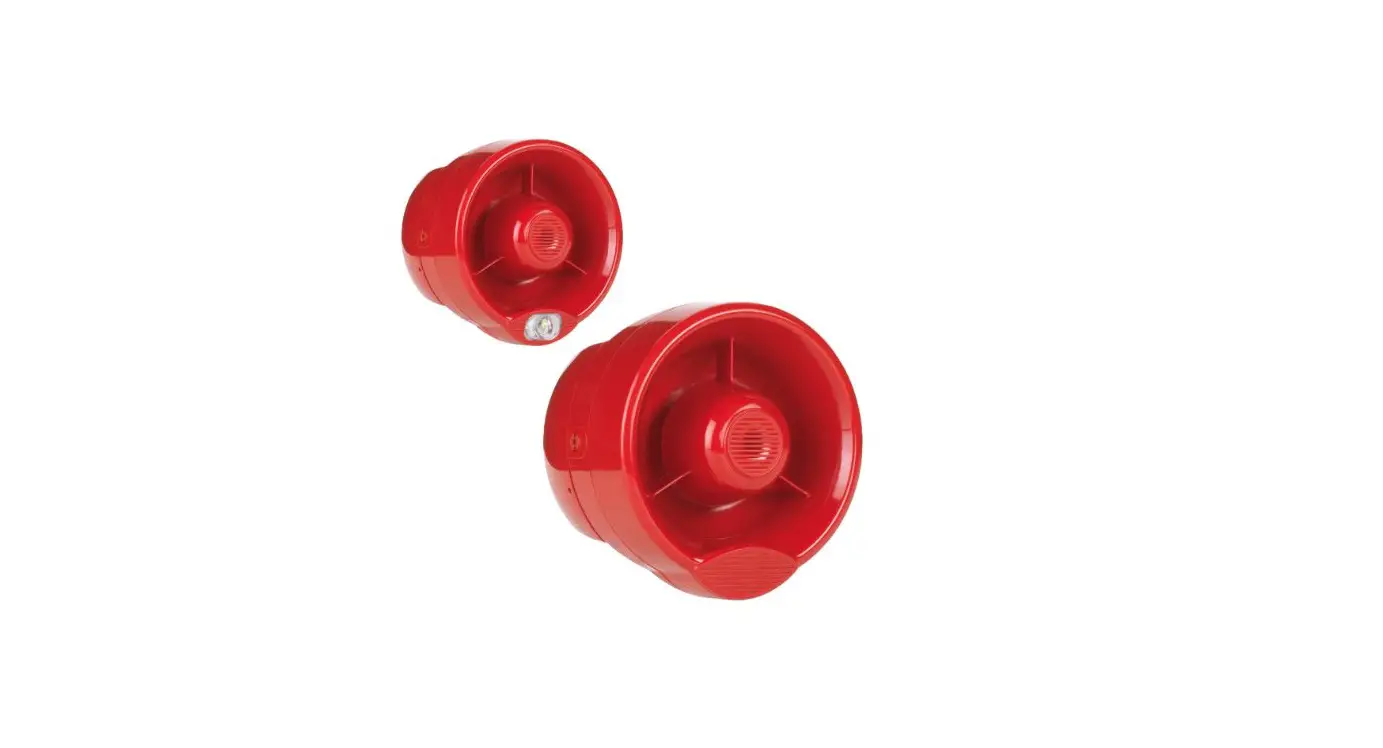
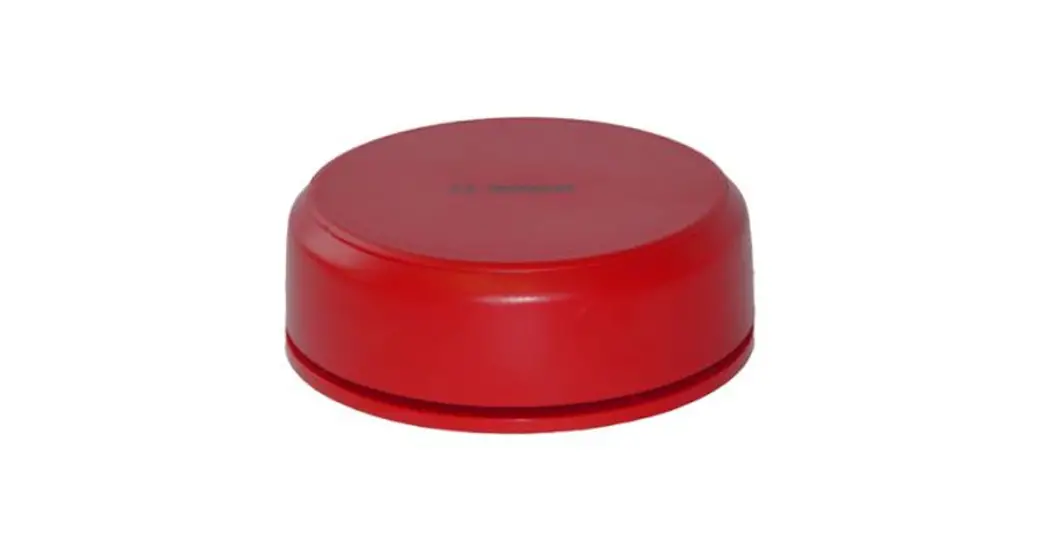
HFC-WSR-03 Conventional Wall Sounder
Product Information: HFC-WSR-03 Conventional Wall Sounder
The HFC-WSR-03 is an acoustic device that is designed to be used
in conjunction with conventional control panels and systems. It has
a power output of 928w/07 and is only compatible with conventional
panels and systems unless an approved optional module is fitted.
The device must be wired according to the connection details
described in the manual.
Compatibility
The device is only compatible with conventional control panels
and systems. For more specific information regarding compatibility,
refer to your fire security system supplier and the technical
documentation concerning the control panel in use.
Installation – Important Notes
Refer to national and international standards for spacing and
positioning of the fire security system devices. If the system is
going to be installed in particular environments or environments
where specific risks exist, refer to specific standards and your
supplier. Disconnect the sounder line from the control panel before
installing this device. Test the device after installation.
Sounder Opening Procedure
In order to detach the upper sounder body from the base:
- Insert the pins of the compatible key into the holes of one of
the two side locking mechanisms. - Repeat this step for the second side locking mechanism; the
locking mechanism appears as in picture 1 when in the open position
(flush). - Detach the sounder body from the base by pulling gently to
separate (picture 3).
Sounder Closing Procedure
In order to assemble the sounder body to the base:
- Assemble the sounder body to the base using gentle pressure
(picture 3). - Insert the pins of the compatible key into the holes of one of
the two side locking mechanisms. - Repeat this step for the second side locking mechanism,
starting from point 2; the locking mechanism appears as in picture
2 once closed (recessed). - To secure use the retaining screws, using the location holes on
both sides of the base (picture 4).
Outdoors and Damp Environments Installation
When installing the sounder outdoors or in a damp environment,
carefully apply the self-adhesive sealing pad to the back of the
sounder base (picture 5).
Wall Installation
- Choose the installation location for the sounder based upon
system design regulations. - Fix the sounder base to the wall; the prepared location options
for the fixing screws are highlighted in picture 6.
Cable Entries
The sounder base is provided with a knockout entry for the
system cables, located in the centre of the base (picture 7). The
side wall of the base has prepared drilling points to allow for
installation of cable glands; a row of three drilling points are
provided to allow for single or twin cable connection (picture
8).
Terminal Block Installation
The terminal block on the back of the sounder body is installed
as illustrated in picture 9.
Wiring
Connect the sounder to the sounder circuit from the control
panel; wiring terminal connections are as illustrated in picture 10
and described in table 1; an example of a typical circuit wiring
arrangement is shown in picture 11.
HFC-WSR-03
CONVENTIONAL WALL SOUNDER
928w/07
COMPATIBILITY
This acoustic device is only compatible with conventional control panels and systems, unless an approved optional module is fitted. For more
specific information regarding compatibility refer to your fire security system supplier and the technical documentation concerning the control panel in use.
INSTALLATION – IMPORTANT NOTES
Refer to national and international standards in use for spacing and positioning of the fire security’s system devices; refer also to specific standards and your supplier if the system is going to be installed in particular environments or environments where specific risks exist.
This device is to be used only with conventional control panels and systems (check the COMPATIBILITY paragraph).
This device must be wired according to the connection details described in this manual.
Disconnect the sounder line from the control panel before installing this device.
Test the device after installation.
SOUNDER OPENING PROCEDURE In order to detach the upper sounder body from the base:
Picture 1
1) Insert the pins of the compatible key into the holes of one of the two side locking mechanisms.
2) Turn the key 90° to the left whilst applying light pressure.
3) Repeat this step for the second side locking mechanism; the locking mechanism appears as in picture 1 when in the open position (flush).
4) Detach the sounder body from the base by pulling gently to separate (picture 3).
SOUNDER CLOSING PROCEDURE
In order to assemble the sounder body to the base:
1) Assemble the sounder body to the base using gentle pressure (picture 3). 2) Insert the pins of the compatible key into the holes of one of the two side locking mechanisms.
Picture 2
3) Turn the key 90° to the right.
4) Repeat this step for the second side locking mechanism, starting from point 2; the locking mechanism appears as in picture 2 once closed (recessed).
5) To secure use the retaining screws, using the location holes on both sides of the base (picture 4).
Picture 3
Picture 4
Hyfire Wireless Fire Solutions Limited – Unit B12a, Holly Farm Business Park, Honiley, Warwickshire, CV8 1NP – United Kingdom
www.hyfirewireless.com
EN 54-3 Type B – approved for outdoor use.
OUTDOORS AND DAMP ENVIRONMENTS INSTALLATION When installing the sounder outdoors or in a damp environment, carefully apply the self-adhesive sealing pad to the back of the sounder base (picture 5).
WALL INSTALLATION
Picture 5
1) Choose the installation location for the sounder based upon system design regulations.
2) Fix the sounder base to the wall; the prepared location options for the fixing screws are highlighted in picture 6.
CABLE ENTRIES
The sounder base is provided with a knockout entry for the system cables, located in the centre of the base (picture 7).
The side wall of the base has prepared drilling points to allow for installation of cable glands; a row of three drilling points are provided to allow for single or twin cable connection (picture 8).
Picture 6
Picture 7
TERMINAL BLOCK INSTALLATION
Picture 8
The terminal block on the back of the sounder body is installed as illustrated in picture 9.
Picture 9 [email protected]
L20-CWSXX-1400 (vA.8)
WIRING
Connect the sounder to the sounder circuit from the control panel; wiring terminal connections are as illustrated in picture 10 and described in table 1; an example of a typical circuit wiring arrangement is shown in picture 11.
Po s Tone Al t
Picture 10
Terminal block number Terminal block designation Notes
Usage
1 2
Pos
Terminal blocks for the line’s positive terminals (+). These connections are shorted: either one
can be used.
Connect to the positive terminals of the control panel’s sounder circuit.
3 4
Tone
Terminal blocks for the line’s negative terminals (-). These connections are shorted: either one
can be used.
Connect to the negative terminals of
the control panel’s sounder circuit. Wiring to these terminal blocks acti-
vates the main tone set.
5 Alt
6
Terminal blocks for the line’s negative terminals
(-). These connections are shorted: either one can be used.
Connect to the negative terminals of the control panel’s sounder circuit.
Wiring to these terminal blocks activates the alternate tone set.
Table 1
Use of the Tone or Alt terminals enable, respectively, the main tone set or the alternate one; refer to the MAIN TONE SET and the ALTERNATE TONE SET paragraphs.
Picture 11
Sounder line (+)
Sounder line (-)
Hyfire Wireless Fire Solutions Limited – Unit B12a, Holly Farm Business Park, Honiley, Warwickshire, CV8 1NP – United Kingdom
www.hyfirewireless.com
OUTPUT TONE SETTING
Use the DIP switch on the back of the sounder body to select the tone required; for this function the first five switches are used, highlighted in picture 12.
Picture 12
The switches positioned upwards acquire value “1”; on the other hand, if positioned downwards acquire value “0”.
1) From the MAIN TONE SET table or the ALTERNATE TONE SET table (the choice of the table depends on how the sounder’s wiring has been carried out) select the output alarm tone triggered when the sounder is activated.
2) Refer to the corresponding line of the “DIP configuration” column to select the five switch selection settings.
OUTPUT VOLUME SETTING Use the DIP switch at the back of the sounder body to select the output volume; in particular, switches 6 and 7, highlighted in picture 13, are used.
Picture 13
The switches positioned upwards acquire value “1”; on the other hand, if positioned downwards acquire value “0”. 1) Select the alarm volume required when the sounder is activated (table 2). 2) Refer to the corresponding line of the “DIP configuration” column to set the two volume selection switches.
Tone volume HIGH
MEDIUM HIGH MEDIUM LOW
LOW
DIP configuration – switch 6 and 7 11 01 10 00
dB(A) evaluation 100 dB(A) +/- 3
Notes All tones
Table 2
L20-CWSXX-1400 (vA.8)
MAIN TONE SET
Tone number
Tone designation
Tone description
1 *
Warble Tone
800Hz for 500ms, then 1000Hz for 500ms
2 *
Continuous tone
970Hz continuous tone
3 *
Slow Whoop (Dutch)
500-1200Hz for 3500ms, then off for 500ms
4 *
German DIN tone
1200-500Hz swept every 1000ms (1Hz)
5
Alternate HF slow sweep
2350-2900Hz swept every 333ms (3Hz)
6
Alternative warble
800Hz for 250ms, then 960Hz for 250ms
7
Alternative warble
500Hz for 250ms, then 600Hz for 250ms
8
Analogue sweep tone
500-600Hz swept every 500ms (2Hz)
9
Australian Alert (intermittent tone) 970Hz for 625ms, then OFF for 625ms
10
Australian Evac (slow whoop)
500-1200Hz sweep for 3750ms, then OFF for 250ms
11
Alternative warble
990Hz for 250ms, then 665Hz for 250ms
12
French tone AFNOR
554Hz for 100ms, then 440Hz for 400ms
13
HF Back up interrupted tone
2800Hz for 1s, then OFF for 1s
14
HF Back up interrupted tone fast 2800Hz for 150ms, then OFF for 150ms
15
HF Continuous
2800Hz continuous
16
Interrupted tone
800Hz for 500ms,then OFF for 500ms
17
Interrupted tone medium
1000Hz for 250ms, then OFF for 250ms
18
ISO 8201 LF BS5839 Pt 1 1988
970Hz for 500ms, then OFF for 500ms
19
ISO 8201 HF
2850Hz for 500ms, then OFF for 500ms
20
LF Back up Alarm
800Hz for 150ms, then OFF for 150ms
21
LF Buzz
800-950Hz swept every 9ms
22
LF Continuous tone BS5839
800Hz continuous
23
Silent
No sound
24
Siren 2 way ramp (long)
500-1200Hz rising for 3000ms, then falling for 3000ms
25
Siren 2 way ramp (short)
500-1200Hz rising for 250ms, then falling for 250ms
26
Swedish all clear signal
660Hz continuous
27
Swedish Fire signal
660Hz for 150ms, then OFF for 150ms
28
Sweep tone (1 Hz)
800-900Hz swept every 1000ms
29
Sweep tone (3 Hz)
800-970Hz swept every 333ms (3Hz)
30
Sweep tone (9 Hz)
800-970Hz swept every 111ms (9Hz)
31
US Temporal Pattern HF
(2900Hz for 500ms ON, 500ms OFF) x3, then 1500ms OFF
32
LF Sweep (Cranford tone)
800-1000Hz swept every 500ms (2Hz)
DIP switch configuration: 1, 2, 3, 4 and 5 11101 01011 10101 00111 10010 11110 11100 10100 10001 10110 00001 00101 11011 11001 01001 01111 01101 01110 01100 11010 01010 11000 11111 00000 00010 00100 00110 10111 10011 01000 00011 10000
* EN 54-3 certified tones
Table 3
Hyfire Wireless Fire Solutions Limited – Unit B12a, Holly Farm Business Park, Honiley, Warwickshire, CV8 1NP – United Kingdom
www.hyfirewireless.com
ALTERNATE TONE SET
Tone number
1
Tone description 800Hz continuous
2
1000Hz continuous tone
3
500-1200Hz for 3500ms, then off for 500ms
4
800Hz continuous
5
2400Hz continuous
6
800Hz continuous
7
500Hz continuous
8
500Hz continuous
9
2400Hz continuous
10
500-1200Hz sweep for 3750ms, then OFF for 250ms
11
990Hz continuous
12
800Hz continuous
13
2800Hz continuous
14
800Hz continuous
15
2800Hz continuous
16
800Hz continuous
17
800Hz continuous
18
970Hz for 500ms, then OFF for 500ms
19
2850Hz for 500ms, then OFF for 500ms
20
800Hz continuous
21
800Hz continuous
22
800Hz continuous
23
970Hz continuous
24
800Hz continuous
25
800Hz continuous
26
660Hz continuous
27
660Hz for 150ms, then OFF for 150ms
28
800Hz continuous
29
800Hz continuous
30
800Hz continuous
31
2900Hz continuous
32
800Hz continuous
Table 4
DIP switch configuration: 1, 2, 3, 4 and 5
11101 01011 10101 00111 10010 11110 11100 10100 10001 10110 00001 00101 11011 11001 01001 01111 01101 01110 01100 11010 01010 11000 11111 00000 00010 00100 00110 10111 10011 01000 00011 10000
L20-CWSXX-1400 (vA.8)
TESTING 1) Activate an alarm or evacuate condition at the control panel. 2) Check the audible activation of the sounder. 3) Press the SILENCE SOUNDERS button (or equivalent) and ensure all Sounder type devices have silenced before continuing. 4) Reset the system from the control panel. All devices must be tested after installation and thereafter on a periodic basis as required by local codes.
TECHNICAL SPECIFICATIONS * Power supply voltage range Activated current range, volume set to HIGH. Dependent upon tone selected Audible frequency range. Dependent upon tone selected Maximum sound output, volume set to HIGH. Valid for all tones Maximum temperature range Maximum humidity Height (base included) Diameter Weight (base included)
IP rating (EN 54-3 certified)
IP rating (not certified) **
ACOUSTIC OPERATIONAL PERFORMANCE
15 – 40 Vdc (24 Vdc standard value) 5 – 8 mA at 24 Vdc
440 – 2900 Hz
100 dB(A) ± 3 -25 °C / +70 °C 95% RH (without condensation) 185 mm 130 mm 270 g 33 65
* Consult the latest version of the TDS-CWSXX document for further information, obtainable from your supplier. ** Independently assessed and certified to IPX5 (not part of the current EN54-3 certification).
Picture 14
Hyfire Wireless Fire Solutions Limited – Unit B12a, Holly Farm Business Park, Honiley, Warwickshire, CV8 1NP – United Kingdom
www.hyfirewireless.com
Picture 15
WARNINGS AND LIMITATIONS
Our devices use high quality electronic components and plastic materials that are highly resistant to environmental deterioration. However, after 10 years of continuous operation, it is advisable to replace
the devices in order to minimize the risk of reduced performance caused by external factors. Ensure that this device is only used with compatible control panels. Detection systems must be checked, serviced and maintained on a regular basis to confirm correct operation.
Smoke detectors may respond differently to various kinds of smoke particles, thus application advice should be sought for special risks. Detectors cannot respond correctly if barriers exist between them
and the fire location and may be affected by special environmental conditions. Refer to and follow national codes of practice and other internationally recognized fire engineering
standards. Appropriate risk assessment should be carried out initially to determine correct design criteria and updated periodically.
2831 18
HF-20-009CPR
0832 21
HF-20-009UK
Hyfire Wireless Fire Solutions Limited – Unit B12a, Holly Farm Business Park, Honiley, Warwickshire, CV8 1NP – United Kingdom
WARRANTY
All devices are supplied with the benefit of a limited 5 years warranty relating to faulty materials or
manufacturing defects, effective from the production date indicated on each product. This warranty is invalidated by mechanical or electrical damage caused in the field by incorrect handling or usage.
Product must be returned via your authorized supplier for repair or replacement together with full information on any problem identified.
Full details on our warranty and product’s returns policy can be obtained upon request.
EN 54-3:2001+A1:2002+A2:2006
HFC-WSR-03
For use in compatible fire detection and alarm system.
L20-CWSXX-1400 (vA.8)
 Hyfire Wireless Fire Solutions