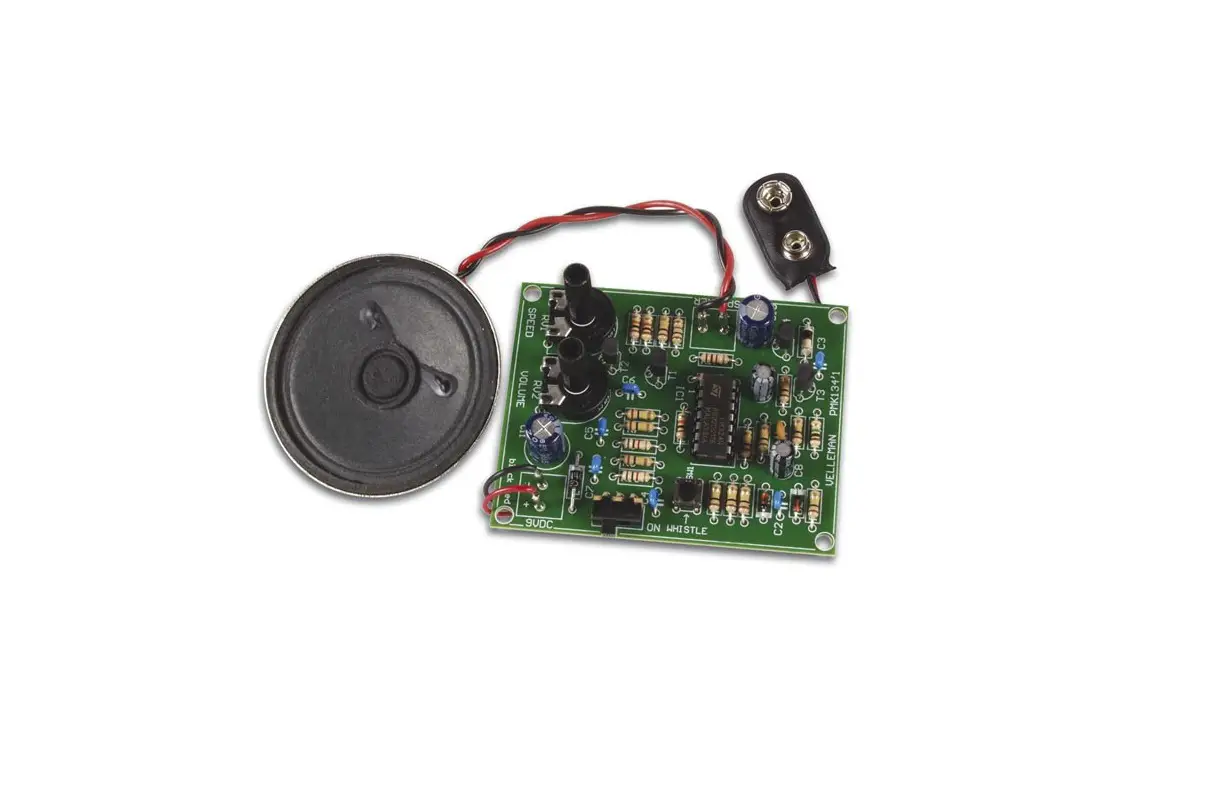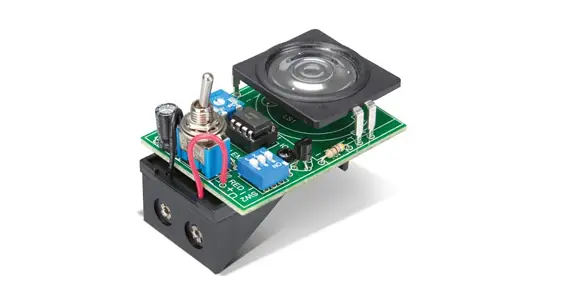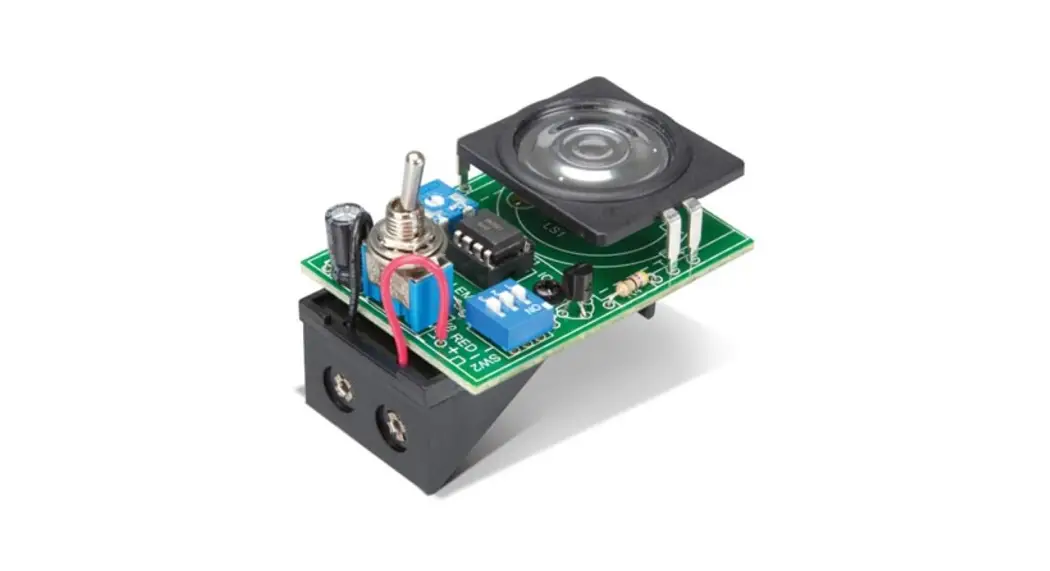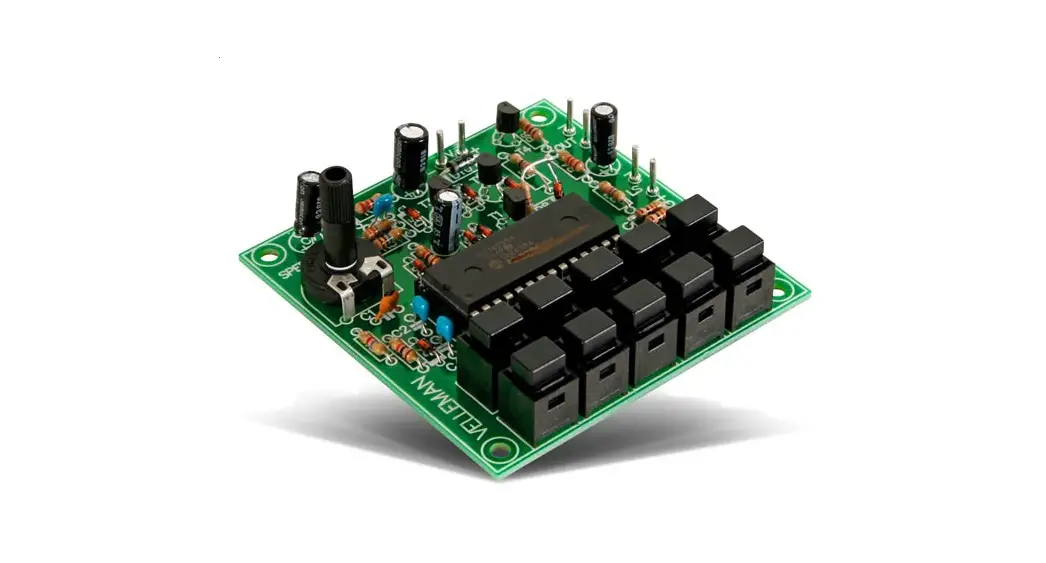

SOUND GENERATOR
K4401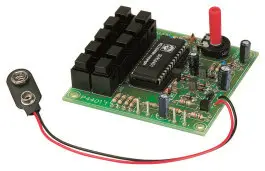
Sound effects, tunes, sirens … 10 of
them at the touch of a button.
Specifications
- Loudspeakers output: 8 ohm/1W
- Line output: 1VRms.
- Power supply : 8 – 10VDC (9v battery).
- Max. current consumption : 100mA
- 10 different Sounds : Sirens, Machine gun, Mortar, Car engine…
Features:
- 10 different Sounds : Sirens, Machine gun, Mortar, Car engine…
- Adjustable sound speed.
- Push-button keyboard.
Specifications:
- Loudspeakers output : 8 ohm/1W
- Line output : 1VRms.
- Power supply : 8 – 10VDC (9v battery).
- Max. current consumption : 100mA
- Secured against polarity reversal of the supply voltage.
Effects :
- Machine-gun (random number of shots with bullet impact).
- European siren.
- Phasor gun (STAR-WARS-like machine-gun).
- Racing-car engine (increase/decrease the number of r.p.m.).
- Car tire screech
- Explosion.
- Mortar shot followed by an explosion.
- Tune: “Wild charge tune”.
- Tune: “Snake charmers tune”.
- U.S.A. siren.
Assembly (Skipping this can lead to troubles ! )
Ok, so we have your attention. These hints will help you to make this project successful. Read them carefully.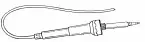
Make sure you have the right tools:
- A good quality soldering iron (25-40W) with a small tip.
- Wipe it often on a wet sponge or cloth, to keep it clean; then apply solder to the tip, to give it a wet look. This is called ‘thinning’ and will protect the tip, and enables you to make good connections. When solder rolls off the tip, it needs cleaning.

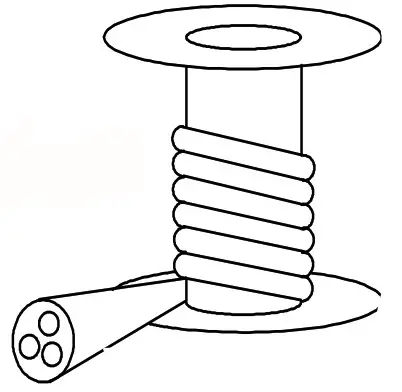
- Thin raisin-core solder. Do not use any flux or grease.
- A diagonal cutter to trim excess wires. To avoid injury when cutting excess leads, hold the lead so they cannot fly towards the eyes.

- Needle nose pliers, for bending leads, or to hold components in place.
- Small blade and Phillips screwdrivers. A basic range is fine.

 For some projects, a basic multi-meter is required, or might be handy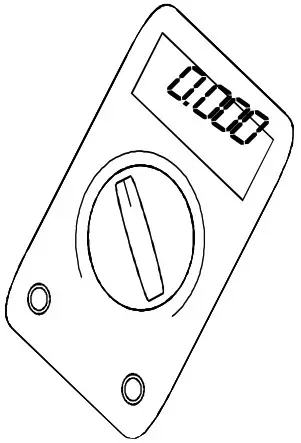
Assembly Hints :
- Make sure the skill level matches your experience, to avoid disappointments.
- Follow the instructions carefully. Read and understand the entire step before you perform each operation.
- Perform the assembly in the correct order as stated in this manual
- Position all parts on the PCB (Printed Circuit Board) as shown on the drawings.
- Values on the circuit diagram are subject to changes.
- Values in this assembly guide are correct*
- Use the check-boxes to mark your progress.
- Please read the included information on safety and customer service
* Typographical inaccuracies excluded. Always look for possible last minute manual updates, indicated as ‘NOTE’ on a separate leaflet.
Soldering Hints :
- Mount the component against the PCB surface and carefully solder the leads

- Make sure the solder joints are cone-shaped and shiny

- Trim excess leads as close as possible to the solder joint
 REMOVE THEM FROM THE TAPE ONE A TIME!
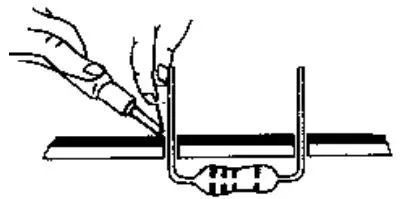
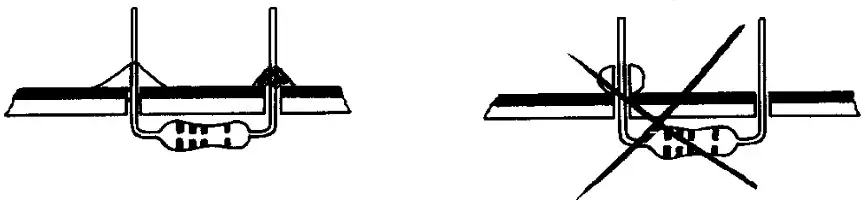
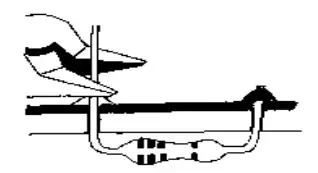 REMOVE THEM FROM THE TAPE ONE A TIME!
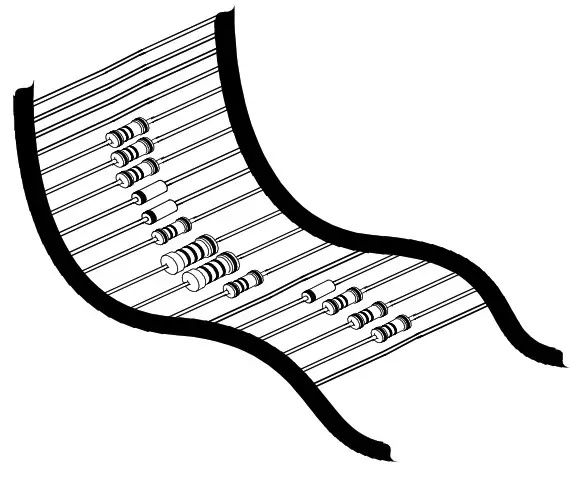
AXIAL COMPONENTS ARE TAPED IN THE CORRECT MOUNTING SEQUENCE!
Diodes. Watch the polarity!
| • D1: 1N4148 • D2: 1N4148 • D3: 1N4148 • D4: 1N4148 • D5: 1N4148 • D6: 1N4148 • D7: 1N4148 • D9: 1N4148 • D10: 1N4007 | 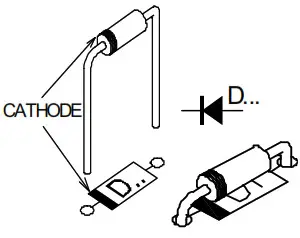 |
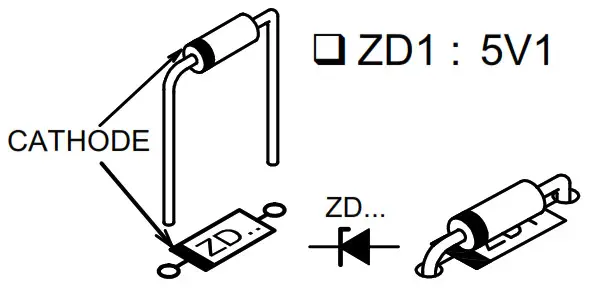
Zenerdiode. Watch the polarity !
Resistors
)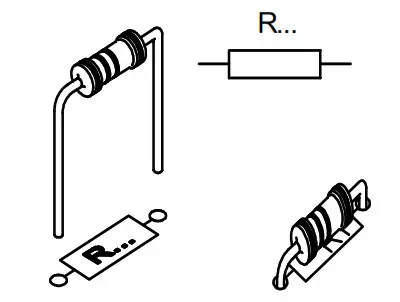 | • R1 : 4K7 (4 – 7 – 2 – B) • R2 : 330 (3 – 3 – 1 – B) • R3 : 2M2 (2 – 2 – 5 – B) • R4 : 2K2 (2 – 2 – 2 – B) • R5 : 10M (1 – 0 – 6 – B • R7 : 470 (4 – 7 – 1 – B) • R8 : 1K (1 – 0 – 2 – B) | • R9 : 10K (1 – 0 – 3 – B) • R10 : 10K (1 – 0 – 3 – B) • R11 : 10K (1 – 0 – 3 – B) • R12 : 10K (1 – 0 – 3 – B) • R13 : 10K (1 – 0 – 3 – B) • R14 : 10K (1 – 0 – 3 – B) • R15 : 3K3 (3 – 3 – 2 – B) |
Metal film resistor
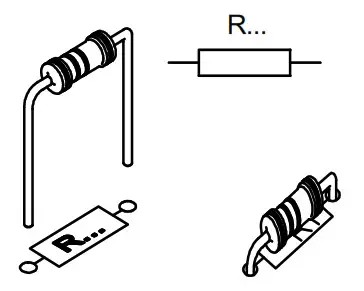
• R6 : 27 (2 – 7 – 0 – B – 9)
IC socket. Watch the position of the notch!
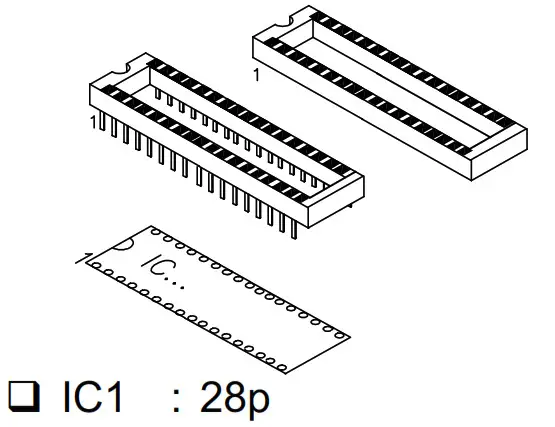
Correction network
Fit the diode D8 vertically and with one lead connected for the present.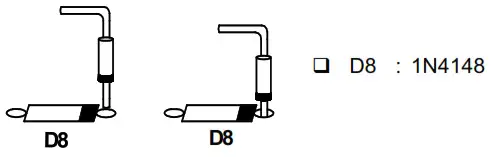
Mount one side of R16 vertically on the anode side of D8.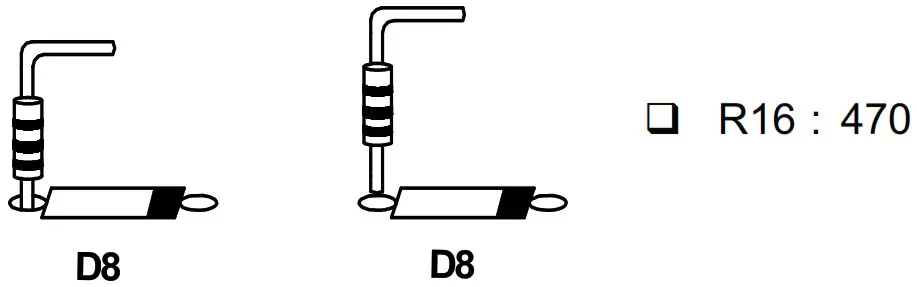 Then connect the free extremities of each diode resistor pair together and cut them.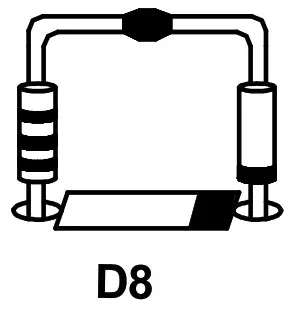
Capacitors.
 | • C1 : 22pF (22) • C2 : 100nF (104) • C3 : 100nF (104) • C4 : 100nF (104) |
Transistors.
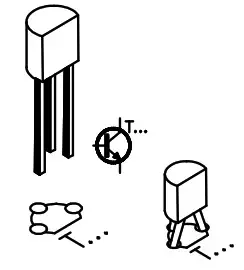 | • T1 : BC557B • T2 : BC557B • T3 : BC557B • T4 : BC517 |
PCB – pins
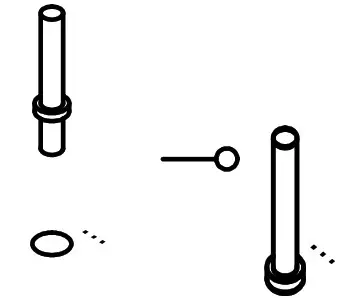 | • OUT + • OUT – • LS + • LS – • +9V • -9V |
Trim potentiometer
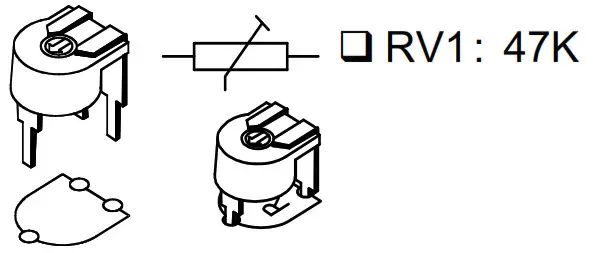
Electrolytic Capacitors. Watch the polarity!
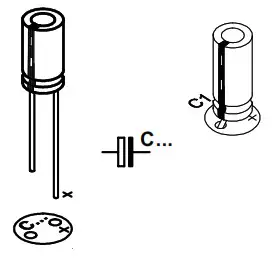 | • C5: 1µF • C6 : 47µF • C7 : 47µF • C8: 100µF |
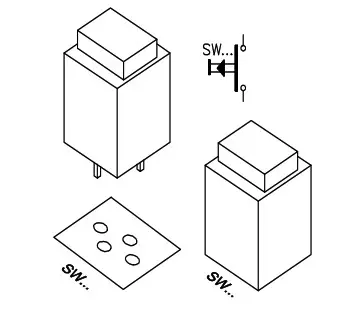 | • SW1 • SW2 • SW3 • SW4 • SW5 | • SW6 • SW7 • SW8 • SW9 • SW10 |
IC Watch the polarity!

• IC1: VK4401 Programmed PIC16C55A
Axe.
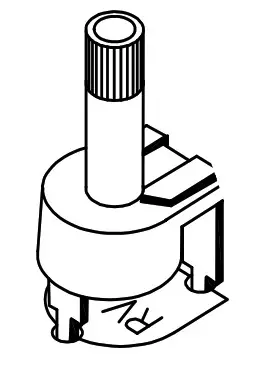
Fit the potentiometer axe.
Connection & use
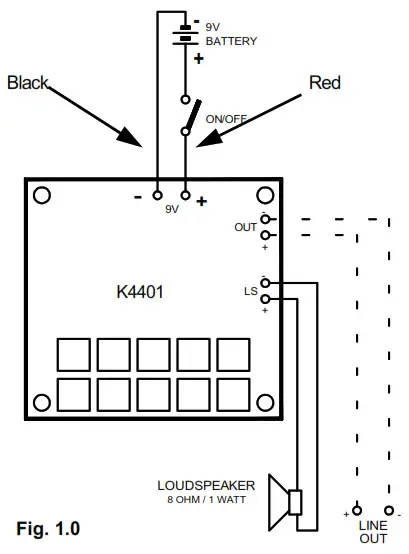
- Turn the potentiometer to its centre position.
- Connect a loudspeaker (8 ohm / 1Watt min.) between the points LS.
- Connect a power supply (9VDC) or a 9V battery between the points +9V and -9V.
- Pressing the different push buttons now causes the respective effects to be produced.
 ATTENTION: With some of the effects (e.g. sirens, car engine) it’s necessary to keep the push-button pressed. The speed of the effects can be changed (optimized) by turning the potentiometer.
The OUT output allows you to extra amplify the sounds or to connect them to a mixing panel. In this case, you possibly can disconnect the loudspeaker. Thanks to the position of the push buttons and of the potentiometer, this circuit can be built into a plastic housing, or the PCB be counted behind a panel very easily.
Loudspeaker & on/off switch are not included !
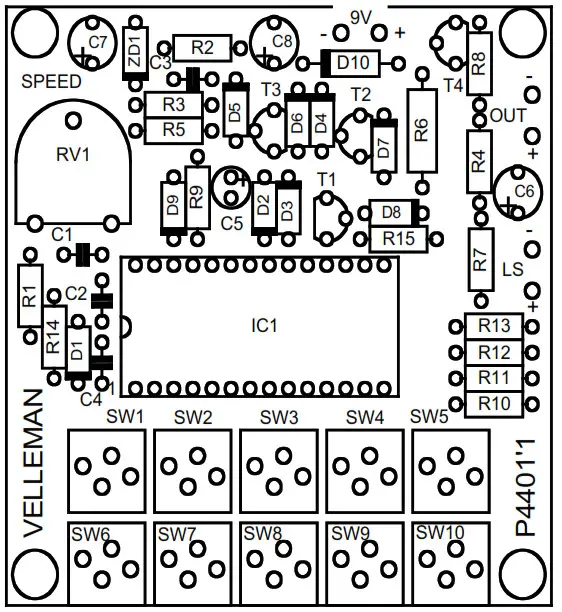
PCB layout.
Diagram
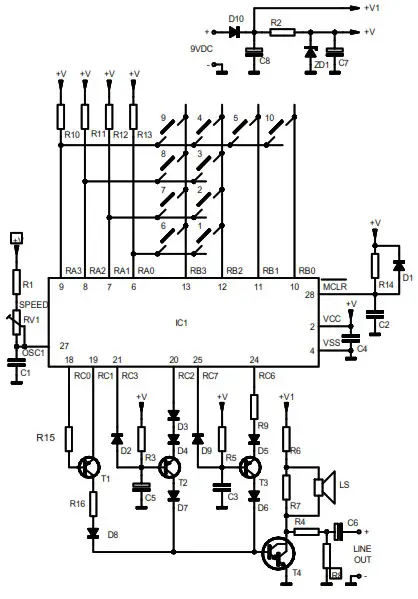
| 1. WILD CHARGE 2. MORTAR & EXPL. 3. EXPLOSION 4. TIRE SCREECH 5. SNAKE CHARMERS | 6. ENGINE UP/DOWN 7. PHASOR GUN 8. EUROP. SIREN 9. MACHINE GUN 10. USA SIREN |
 VELLEMAN NV
Legen Heirweg 33 9890 Gavere Belgium Europe
www.velleman.be
www.velleman-kit.com

VELLEMAN NV
Legen Heirweg 33, B-9890 GAVERE
Belgium (Europe) @velbus
 Modifications and typographical errors reserved – © Velleman nv. H4401IP’1 – 2014 (rev1)