HFI-IO-404-01 Vega Multi-Modules
Product Information
- Product Name:
- HFI-IO-404-01 – MULTIWAY I/O UNIT 4 INPUT, 4 RELAY OUTPUT –
BOXED - HFI-IO-422-01 – MULTIWAY I/O UNIT 4 INPUT, 2 RELAY OUTPUT, 2
SUPERVISED OUTPUT – BOXED - HFI-IO-602-01 – MULTIWAY I/O UNIT 6 INPUT, 2 RELAY OUTPUT –
BOXED
- HFI-IO-404-01 – MULTIWAY I/O UNIT 4 INPUT, 4 RELAY OUTPUT –
- General Description:
- The VEGA Multi-Modules are I/O units with multiple inputs and
outputs for use with the VEGA analogue-intelligent protocol
communication/control system. - The multi-modules have IP-safe screw holes and knockout screw
holes for wall fixing and cable entry. - The device box’s dimensions are 210 x 170 x 65 mm, and it
weighs 470 grams. - The multi-module has a built-in bidirectional isolator for
short circuit isolation and functional protection features for the
analogue-intelligent loop. - The product operates down to 15 V but without LED
indication.
- The VEGA Multi-Modules are I/O units with multiple inputs and
- Technical Specifications:
- Compatible communication/control protocol: VEGA
analogue-intelligent protocol - Vega protocol voltage range: from 4 V to 42 V
- Device operative voltage range: from 18 V to 40 V
- Standby current consumption
- Supervised input and supervised output end of line resistor
recommend value (REOL) - Supervised input auxiliary device’s series resistor to the
switch recommended value (RSW) - Operating temperature range
- Humidity from 5 RH% to 93 +- 3% RH not condensing)
- Dimensions: 210 x 170 x 65 mm
- Weight: 470 grams
- Cable entry knockout holes measures IP rating
- Applicable wire gauge range: from 0.5 mm2 to 2.5 mm2
- Compatible communication/control protocol: VEGA
- Isolator Specifications:
- Maximum rated continuous current with the switch closed – IC
max: 350 mA - Maximum rated switching current (e.g. under short circuit
conditions) – IS max: 350 mA - Maximum leakage current with the switch open (isolated state) –
IL max: 7.4 mA - Maximum series impedance with the switch closed – ZC max:
0.11
- Maximum rated continuous current with the switch closed – IC
- LED Indicators:
- The multi-modules are equipped with two LED indicators, one for
input channels and the other for output channels. - The LED indicators are green/red/amber three-colour LEDs.
- The first input channel and the first output channel are
signalled on the input LED and the output LED respectively when all
channels are in normal conditions. - If a channel alters its condition, then the related LED signals
the condition of it. - If more than one channel is in a not-normal condition, the
first one in addressing order is signalled.
- The multi-modules are equipped with two LED indicators, one for
Product Usage Instructions:
- Mounting:
- Mount the multi-module on a wall using the IP-safe screw holes
and knockout screw holes. - Refer to Picture 5 for the locations of the wall fixing screw
insertion holes on the multi-module. - Refer to Picture 6 for the distances between screw insertion
holes on the device box’s rear view. - Refer to Picture 7 for the cable’s entry knockout holes.
- Mount the multi-module on a wall using the IP-safe screw holes
- Wiring:
- Connect the VEGA analogue-intelligent protocol
communication/control system to the multi-module. - Refer to Table 1 for the applicable wire gauge range.
- Use 1X M25/32 and 2X M16/20 for each lateral side of the
device’s box for cable entry knockout holes. - Refer to Picture 4 for the device’s dimensions.
- Install the supervised input and supervised output end of line
resistor recommend value (REOL) and supervised input auxiliary
device’s series resistor to the switch recommended value
(RSW).
- Connect the VEGA analogue-intelligent protocol
- Operating:
- Ensure that the device operative voltage range is from 18 V to
40 V. - Refer to the manufacturer’s document TDS-VMICX for technical
data. - When all channels are in normal conditions, the status of the
first input channel and the first output channel are signalled on
the input LED and the output LED respectively. - If a channel alters its condition, the related LED signals the
condition of it. - If more than one channel is in a not-normal condition, the
first one in addressing order is signalled.
- Ensure that the device operative voltage range is from 18 V to
HFI-IO-404-01 – MULTIWAY I/O UNIT 4 INPUT, 4 RELAY OUTPUT – BOXED HFI-IO-422-01 – MULTIWAY I/O UNIT 4 INPUT, 2 RELAY OUTPUT, 2 SUPERVISED OUTPUT – BOXED HFI-IO-602-01 – MULTIWAY I/O UNIT 6 INPUT, 2 RELAY OUTPUT – BOXED
VEGA MULTI-MODULES
GENERAL DESCRIPTION
Generally speaking, the Vega multi-module series is a family of microprocessor controlled interface devices permitting the monitoring and control of auxiliary devices. These are loop powered devices that operate according to the Vega analogue-intelligent protocol and are characterized by low current consumption; their particular design allow an easy and fast installation. A channel is a multi-module’s sub-device through which monitoring and control of analogue-loop-extraneous auxiliary devices is exerted by the analogue control panel. Multi-modules are, by a matter of fact, multi-channel devices. In detail Vega multi-modules are:
HFI-IO-404-01 is composed by 4 input channels and 4 form C outputs.
HFI-IO-422-01 is composed by 4 input channels, 2 supervised output channels and 2 form C output channels.
HFI-IO-602-01 is composed by 6 input channels and 2 form C output channels.
IP-safe screw holes
Knockout screw holes
IP-safe screw holes Picture 5 – locations for wall fixing screw insertion holes on the multi-module
195 mm
155 mm
120 mm
160 mm
Picture 6 – device box’s rear view: distances between screw insertion holes
Picture 7 – cable’s entry knockout holes
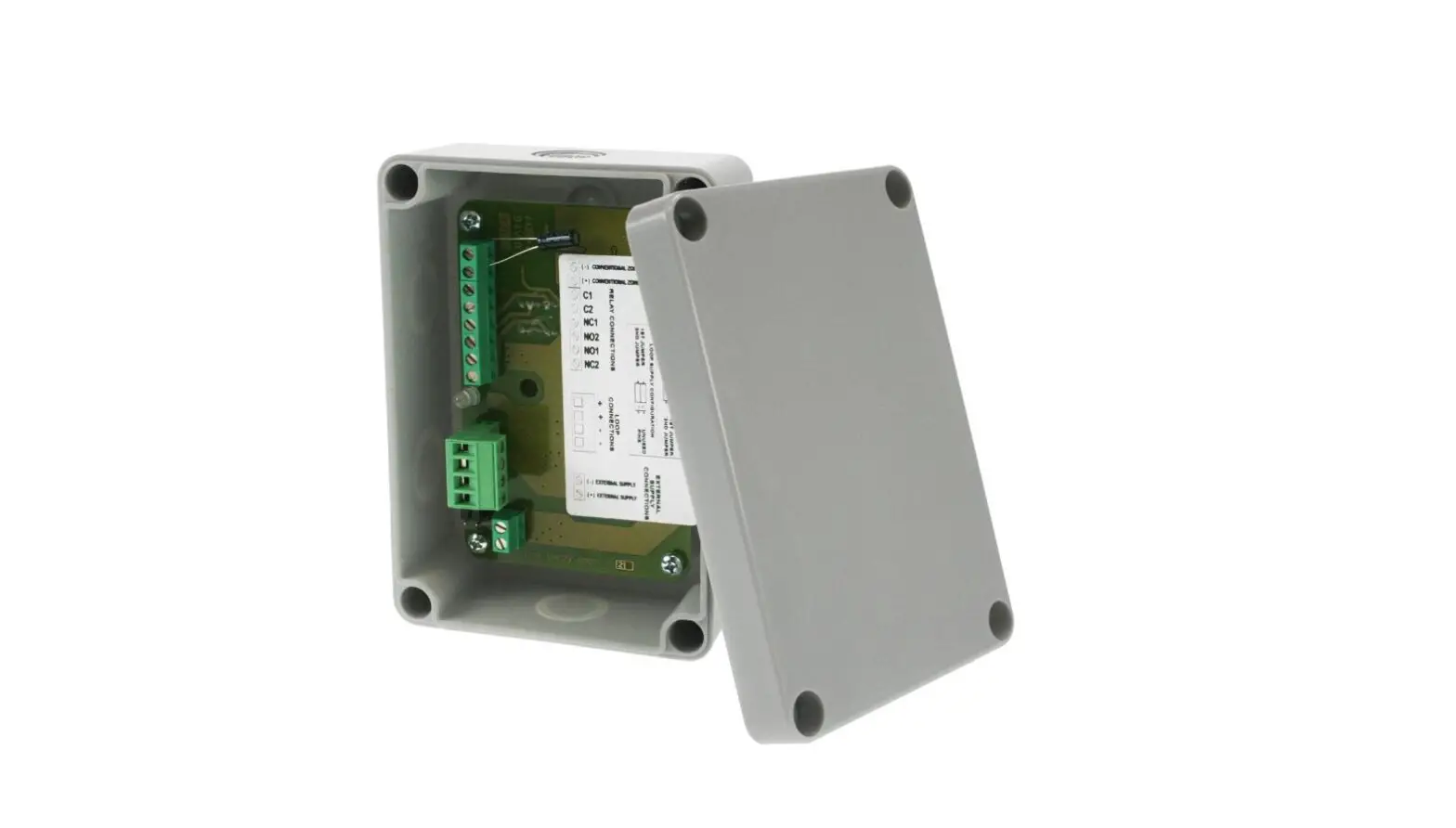
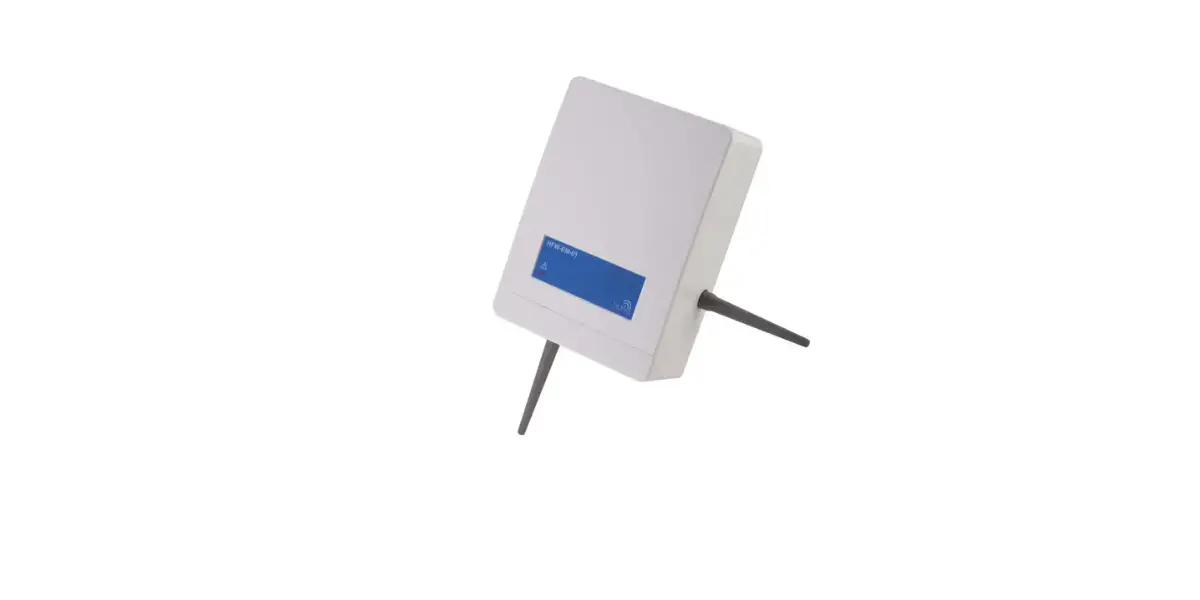
Picture 1 – multi-module’s external overview
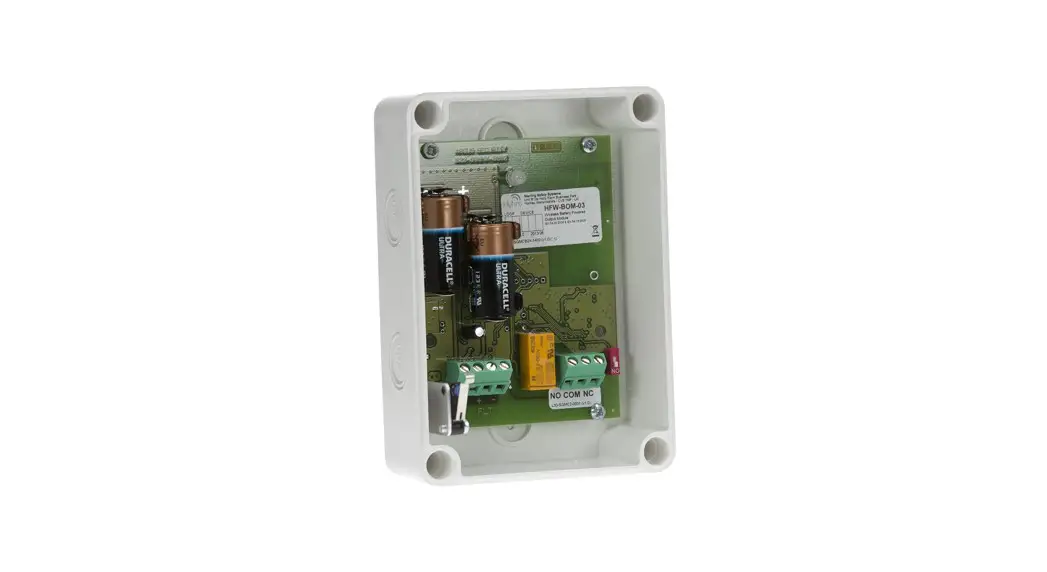
Picture 2 – multi-module’s overview (without front cover)
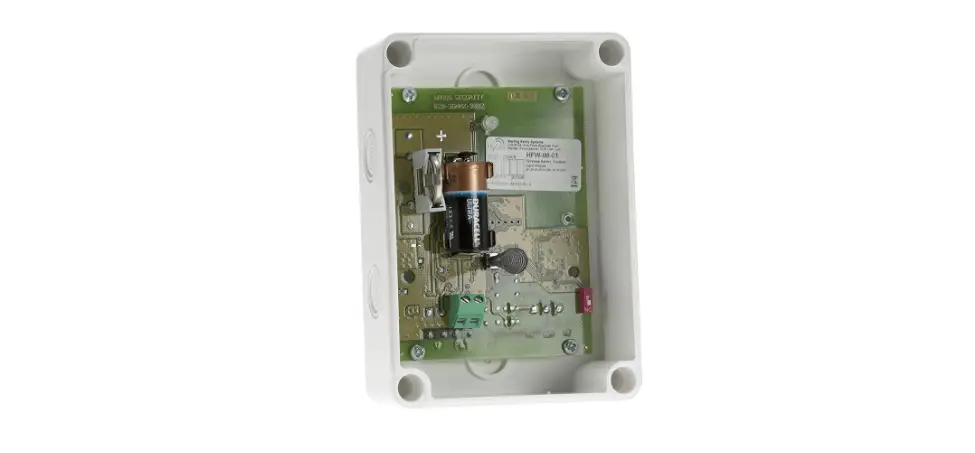
Picture 3 – multi-module’s internal overview showing the device’s internal PCB.
TECHNICAL SPECIFICATIONS **
Compatible communication / control protocol
Vega analogue-intelligent protocol
Vega protocol voltage range
from 4 V to 42 V
Device operative voltage range * from 18 V to 40 V
Standby current consumption
Supervised input and supervised output “end of line” resistor recommend value (REOL) Supervised input auxiliary device’s series resistor to the switch recommended value (RSW)
Operating temperature range
500 µA at 24 V 27 K
10 K from 10 °C to + 55 °C
Humidity
from 5 RH% to 93 +- 3% RH not condensing)
Dimensions
210 x 170 x 65 mm
Weight Cable entry knockout holes measures IP rating
Applicable wire gauge range
470 grams
1X M25/32, 2X M16/20 for each lateral side of the device’s box
65
from 0.5 mm2 to 2.5 mm2
Table 1
210 mm
170 mm
65 mm Picture 4 – device’s dimensions
*Product operates down to 15 V, but without LED indication. **Technical data: see document TDS-VMICX held by the manufacturer.
ISOLATOR SPECIFICATIONS Maximum rated continuous current with the switch closed – IC max
350 mA
SHORT-CIRCUIT ISOLATOR
The multi-module has a built-in bidirectional isolator designed to provide short circuit isolation and functional protection features for the analogue-intelligent loop. When activated, the isolator will “cut out” the adjacent loop’s section where the short occurred; on the other hand, all functions of the devices situated on opposite loop’s section of the multi-module will be unaffected and operate normally.
Maximum rated switching current (e.g. under short circuit conditions) – IS max Maximum leakage current with the switch open (isolated state) – IL max Maximum series impedance with the switch closed – ZC max
350 mA 7.4 mA 0.11
When the short is removed, the multi-module restores power to the isolated loop’s section and its devices.
LED INDICATORS
The voltage at which the device isolates (i.e. switches from closed to open) – VSO The voltage at which the device reconnects (i.e. switches from open to closed) – VSC
11 V ± 5% 13 V ± 5%
Multi-modules are equipped with two LED indicators: one is dedicated to the input channels and the second one is dedicated to the output channels (picture 9); these are green/red/amber three-colour LEDs. When all channels are in normal conditions, the status of the first input
channel (considering a sequential order based on the loop addresses given to the channels) is signalled on the input LED, and the status of the first output channel is signalled on the output LED. If one channel alters its condition (fault or alarm), then the related LED signals the condition of it. If more than one channel is in a not-normal condition, the first one in addressing order is signalled.
ADDRESSING
Multi-modules are analogue-addressable devices. Each multi-module type can be assigned more than one address, this depends by the
choices made by the installer of the fire security system and its design. If installed on a loop, the multi-module must be assigned at least one address, with a value ranging from 1 to 240, which corresponds to the first input channel that is always active and cannot be disabled: all the other ones can be activated or deactivated by the installer, depending
on his needs, from the control panel (if it has been implemented with such control feature); each multi-module takes up to 8 addresses sequentially, and no inactive gaps are allowed between two active addresses.
Similarly to every Vega device, each active channel can be controlled by the control panel and must have a unique address. Automatic addressing can be performed on this kind of devices (consult the analogue-intelligent auto-addressing feature described on the related application notes).
Alternatively to control panel’s addressing and management, the first address of multi-modules can be set by using a special hand-held programming unit; for more information about manual addressing, please, refer to the programming unit’s instruction manual.
NOTE: The multi-modules can hold up to 8 active addresses. The address assigned by the programmer always relates to the input channel; to the remaining active channels are automatically assigned the consecutive addresses.
INSTALLING THE MULTI-MODULES
For specific information regarding detector and device’s spacing, placement and special applications refer to your specific national standards.
1. Select the position of the multi-module before installing and fixing it.
2. Securely fix the device’s box to the wall with the provided screws (see picture 5 and 6).
3. Multi-module’s device box is designed with three cable entry knockout holes, present on each lateral side, allowing sealed, cable gland fitted, loop and auxiliary device’s cables to be connected to the device and, at the same time, to preserve the IP protection rating (picture 7). Fit the cable gland (or glands) to the cables.
4. Fit the cable’s gland (or glands) into the device box’s cable entry (or entries).
5. Feed the cables into the box, giving them a sufficient length.
6. Connect the cable’s terminals to the device’s terminal blocks as indicated in the wiring paragraphs.
7. After installing all multi-modules and other loop devices, apply power to the loop in accordance with the control panel’s installation instructions.
8. Test multi-module’s effectiveness and reset the system as described in the TESTING and RESET paragraph.
9. Position the front cover onto the device’s box and tight it with the supplied screws until a good seal is obtained (picture 8).
WARNINGS AND LIMITATIONS
Our devices use high quality electronic components and plastic materials that are highly resistant to environmental deterioration. However, after 10 years of continuous operation, it is advisable to replace the devices in order to minimize the risk of reduced performance caused by external factors. Ensure that this device is only used with compatible control panels. Detection systems must be checked, serviced and maintained on a regular basis to confirm correct operation.
Smoke sensors may respond differently to various kinds of smoke particles, thus application advice should be sought for special risks. Sensors cannot respond correctly if barriers exist between them and the fire location and may be affected by special environmental conditions. Refer to and follow national codes of practice and other internationally recognized fire engineering standards.
0051 21 HF-20-032CPR HF-20-033CPR HF-20-034CPR
8504
22 HF-20-032UK HF-20-033UK HF-20-034UK
Appropriate risk assessment should be carried out initially to determine correct design criteria and updated periodically.
WARRANTY
All devices are supplied with the benefit of a limited 5 years warranty relating to faulty materials or manufacturing defects, effective from the production date indicated on each product.
This warranty is invalidated by mechanical or electrical damage caused in the field by incorrect handling or usage. Product must be returned via your authorized supplier for repair or replacement together with full information on any problem identified.
Full details on our warranty and product’s returns policy can be obtained upon request.
Hyfire Wireless Fire Solutions Limited – Unit B12a, Holly Farm Business Park, Honiley, Warwickshire, CV8 1NP – United Kingdom
EN 54-17:2005 EN 54-18:2005 HFI-IO-404-01 HFI-IO-422-01 HFI-IO-602-01 For use in compatible fire detection and alarm system
Hyfire Wireless Fire Solutions Limited – Unit B12a, Holly Farm Business Park, Honiley, Warwickshire, CV8 1NP – United Kingdom
www.hyfirewireless.com
Picture 8 – placement of the device’s cover onto its box and sealing screw’s insertion holes
WIRING THE MULTI-MODULE – GENERALITIES The multi-module must be: a) connected to the analogue loop, as any other analogue device b) connected to the monitored and/or controlled auxiliary device (or devices). In picture 9 are illustrated the terminal block’s schemes of the various types of multi-modules. Picture 10 illustrates specifically the connection of the M1 terminal block’s set, common to all multi-modules devices, for the connection to the analogue-intelligent loop.
HFI-IO-404-01
HFI-IO-422-01
HFI-IO-602-01
Picture 9 – terminal block’s schemes for the multi-module’s family
CAUTION Disconnect loop power before installing the multi-
modules.
CAUTION Electrostatic Sensitive Device. Observe precautions when handling and making connections.
Picture 10 – terminal block M1 for device’s connection to the loop
THE SUPERVISED INPUT CHANNEL AND ITS WIRING
External device
This channel provides monitoring of normally open contact fire alarm devices (picture 11). This channel is capable of supervising an adequate “end of line” resistor (REOL) fitted into its terminals; purpose of this supervision is to distinguish between the following conditions:
a. Normal condition. b. Alarm condition. c. Short circuit fault condition. d. Open circuit fault condition.
RSW guarantees the alarm current when the switch is closed.
Channel’s input (-) Channel’s input (+)
RSW Switch
REOL
Picture 11 – supervised input channel’s wiring
L20-VMICX-1400 (vA.3)
THE SUPERVISED OUTPUT CHANNEL AND ITS WIRING
This channel (picture 12) provides control of external, loop-unrelated auxiliary devices such as fire shutters; it performs two main functions:
External power (-)
a) supervises the connection to the controlled external load through an “end of line” resistor (REOL)
b) supervises the presence of an external power supply for the output.
External power (+)
The purpose of the supervision functionality of this channel is to distinguish between the following conditions:
a) Normal condition.
b) Short circuit fault condition on the load’s “loop”. c) Open circuit fault condition on the load’s “loop”.
Channel’s output (-)
d) External power supply shortage fault condition; this can be caused by a short or open circuit on the power supply “loop”, or by the VEXT value under a certain threshold.
Channel’s output (+)
Output channel
VEXT
+
Diode REOL
LOAD
Picture 12 – supervised output channel’s wiring
NO C
NC
LOAD LOAD
THE FORM C OUTPUT CHANNEL AND ITS WIRING
This output channel provides relay’s double pole contacts changeover for the control of auxiliary devices (picture 13 illustrates a wiring example). This nonsupervised form C output is controlled and can be switched over by the control panel.
This channel type is characterized by 3 terminals:
a) C: “common” terminal
b) NC: “normally closed” terminal
c) NO: “normally open” terminal
By default, C is switched over the NC terminal; when activated, C is switched over the NO terminal.
Please note that due to the non supervised nature of this output, only technologic devices can be connected to it (fire shutters hold / release devices and so on).
Picture 13 – form C output channel’s wiring
TESTING In order to try out the functionality of the installed multi-module, the following tests must be performed: All active output channels – alarm test: trigger an alarm condition on the control panel (by a call-point or sensor in the installed system): the control panel will activate or switch-over the multi-module’s output (or outputs). All active input channels – alarm test: activate the external device: the control panel must trigger a system alarm. All active supervised input and output channels – fault tests: generate open and short circuit conditions on the supervised channel’s loops: the control panel must signal one or more fault conditions. After each test the device must be reset by the specific command on the control panel (see the RESET paragraph). All devices must be tested after installation and, successively, on a periodic basis. RESET To reset the multi-module from an alarmed or a fault condition, it is necessary to: 1) solve the cause of the abnormal condition 2) reset the system from the control panel.
Hyfire Wireless Fire Solutions Limited – Unit B12a, Holly Farm Business Park, Honiley, Warwickshire, CV8 1NP – United Kingdom
www.hyfirewireless.com
L20-VMICX-1400 (vA.3)
 Hyfire Wireless Fire Solutions