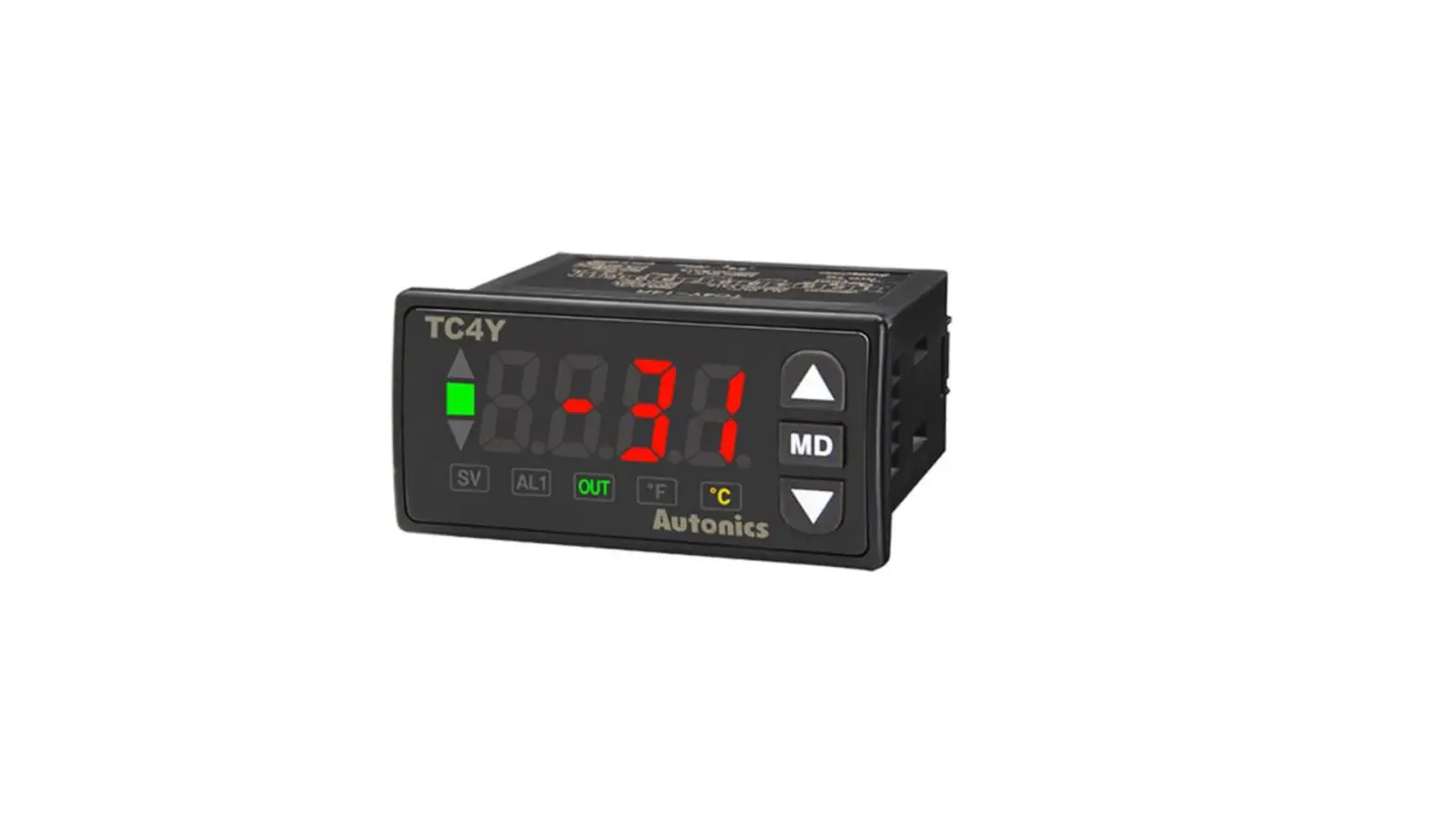
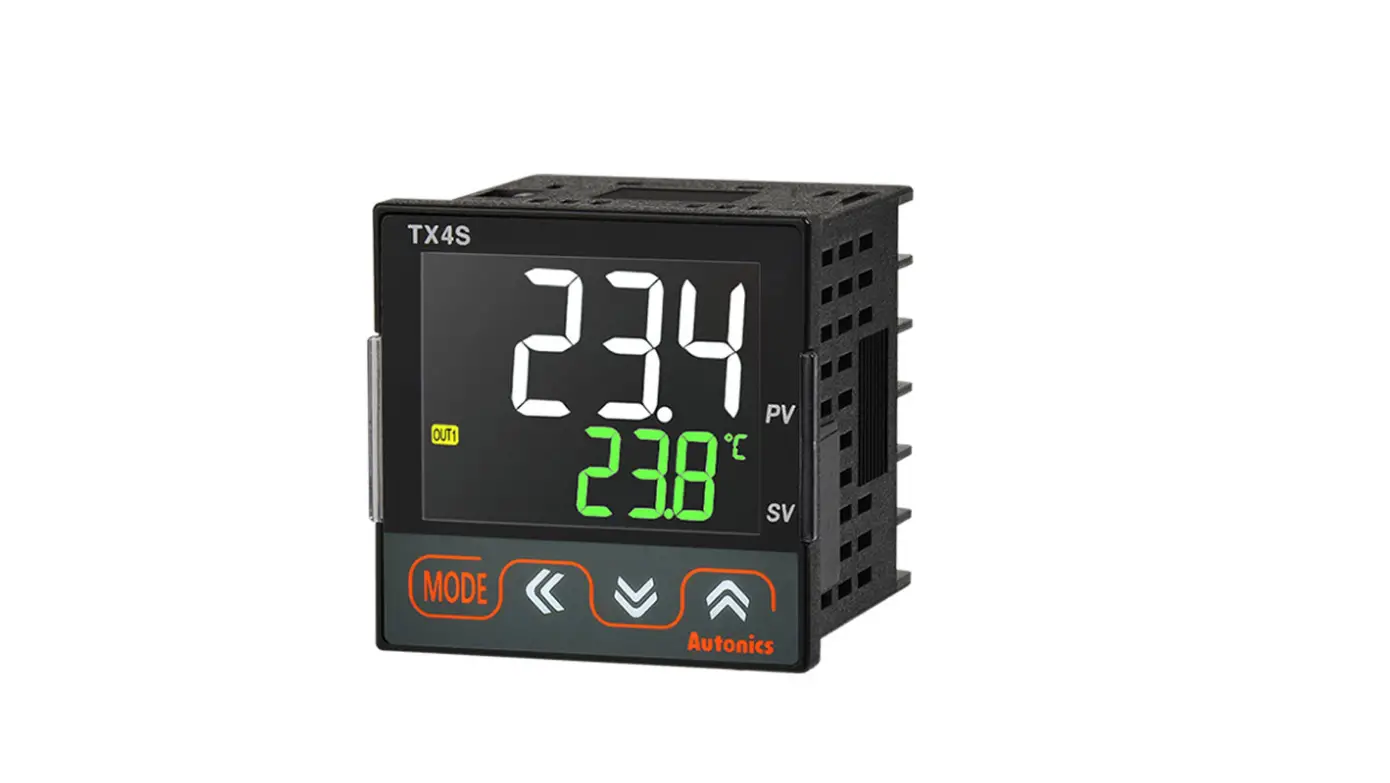
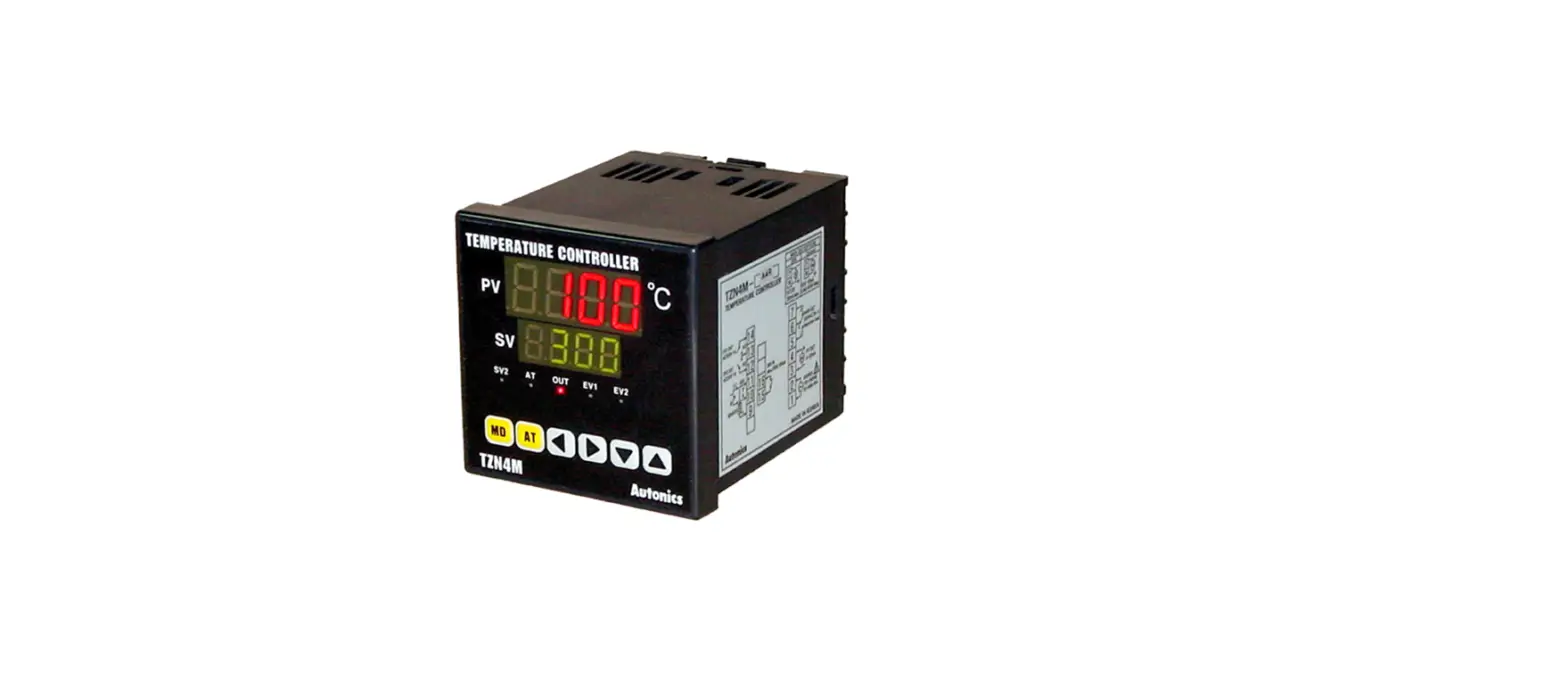
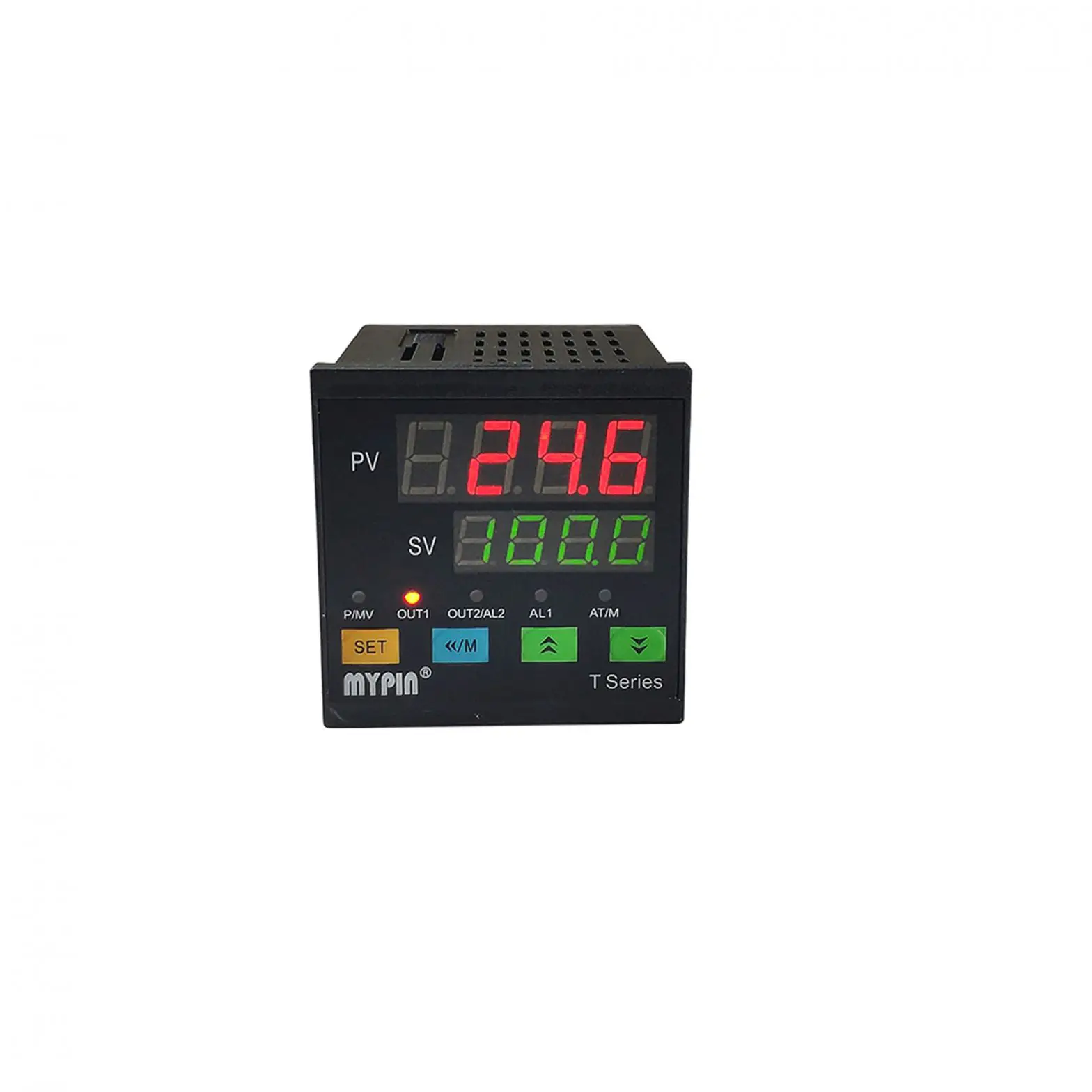
TCN4 SERIES Dual Indicator Temperature Controller
Product Information
The Autonics Dual Indicator Temperature Controller is part of
the TCN4 Series and is a touch-switch settable, dual display type
controller. It has the ability to control and monitor temperature
with great accuracy.
Features
- Dual display for easy temperature monitoring.
- Touch switch setting for easy configuration.
- Relay contact and Solid State Relay (SSR) output modes
available. - Multiple alarm outputs for enhanced safety.
- Available in various power supply options.
- Compact size for easy installation.
Specifications
- Wiring Method: Bolt (No mark)
- Control Output: Relay Contact + SSR Drive Output
- Power Supply: 24VAC 50/60Hz, 24-48VDC or 100-240VAC
50/60Hz - Alarm Outputs: 2 (Alarm1 + Alarm2)
- Digit Setting Type: 4 (9999 – 4 digit)
- Display Type: Dual
- Item: Temperature Controller
- Size: S (Small), M (Medium), H (High), L (Low)
Product Usage Instructions
- Before using the Autonics Dual Indicator Temperature
Controller, read the safety considerations mentioned in the
instruction manual carefully. - Install the controller on a device panel to ensure safe usage
and avoid electric shock or fire hazards. - Ensure that the power source is disconnected before connecting,
repairing, or inspecting the unit. Failure to do so may result in
electric shock or fire hazards. - Check ‘Connections’ before wiring to avoid any mishaps, which
may result in fire hazards. - Use AWG 20(0.50mm2) or thicker cable when connecting the power
input and relay output. Use AWG 28~16 cable and tighten the
terminal screw with a tightening torque of 0.74~0.90N.m when
connecting the sensor input and communication cable. Failure to do
so may result in fire or malfunction due to contact failure. - Use the Autonics Dual Indicator Temperature Controller within
the rated specifications to avoid fire or product damage
hazards. - Use a dry cloth to clean the unit; never use water or organic
solvents. Failure to do so may result in electric shock or fire
hazards. - Avoid using the unit in places where
flammable/explosive/corrosive gas, humidity, direct sunlight,
radiant heat, vibration, impact, or salinity may be present.
Failure to do so may result in fire or explosion hazards. - Keep metal chips, dust, and wire residue from flowing into the
unit to avoid fire or product damage hazards. - Refer to the ordering information mentioned in the instruction
manual before ordering the Autonics Dual Indicator Temperature
Controller.
DRW170776A A
DUAL INDICATOR TEMPERATURE CONTROLLER
TCN4 SERIES
INSTRUCTION MANUAL
Thank you for choosing our Autonics product. Please read the following safety considerations before use.
Safety Considerations
Please observe all safety considerations for safe and proper product operation to avoid hazards.
Safety considerations are categorized as follows. Warning Failure to follow these instructions may result in serious injury or death.
Caution Failure to follow these instructions may result in personal injury or product damage.
The symbols used on the product and instruction manual represent the following symbol represents caution due to special circumstances in which hazards may occur.
Warning
1. Fail-safe device must be installed when using the unit with machinery that may cause serious injury or substantial economic loss. (e.g. nuclear power control, medical equipment, ships, vehicles, railways, aircraft, combustion apparatus, safety equipment, crime/disaster prevention devices, etc.) Failure to follow this instruction may result in fire, personal injury, or economic loss.
2. Install on a device panel to use. Failure to follow this instruction may result in electric shock or fire.
3. Do not connect, repair, or inspect the unit while connected to a power source. Failure to follow this instruction may result in electric shock or fire.
4. Check ‘Connections’ before wiring. Failure to follow this instruction may result in fire.
5. Do not disassemble or modify the unit. Failure to follow this instruction may result in electric shock or fire.
Caution
1. When connecting the power input and relay output, use AWG 20(0.50mm2) cable or over and tighten the terminal screw with a tightening torque of 0.74~0.90N.m. When connecting the sensor input and communication cable without dedicated cable, use AWG 28~16 cable and tighten the terminal screw with a tightening torque of 0.74~0.90N.m. Failure to follow this instruction may result in fire or malfunction due to contact failure.
2. Use the unit within the rated specifications. Failure to follow this instruction may result in fire or product damage.
3. Use dry cloth to clean the unit, and do not use water or organic solvent. Failure to follow this instruction may result in electric shock or fire.
4. Do not use the unit in the place where flammable/explosive/corrosive gas, humidity, direct sunlight, radiant heat, vibration, impact, or salinity may be present. Failure to follow this instruction may result in fire or explosion.
5. Keep metal chip, dust, and wire residue from flowing into the unit. Failure to follow this instruction may result in fire or product damage.
Ordering Information
T CN 4 S 2 4 R P
Wiring method Control output
No-mark Bolt wiring method
P
Connector plug connection method 1
R
Relay contact + SSR drive output 2
Power supply Sub output
2
24VAC 50/60Hz, 24-48VDC
4
100-240VAC 50/60Hz
2
Alarm1 + Alarm2 output
Size
Digit Setting type
S
DIN W48 × H48mm
M
DIN W72 × H72mm
H
DIN W48 × H96mm
L
DIN W96 × H96mm
4
9999 (4 digit)
CN
Dual display type, set by touch switch
Item
T
Temperature controller
1: Only for TCN4S model. 2: In case of the AC voltage model, SSR drive output method (standard ON/OFF control, cycle
control, phase control) is available to select.
The above specifications are subject to change and some models may be discontinued without notice.
Be sure to follow cautions written in the instruction manual and the technical descriptions (catalog, homepage).
Specification
Series
Power supply
TCN4S
TCN4M
AC Power 100-240VAC 50/60Hz
AC/DC Power 24VAC 50/60Hz, 24-48VDC
TCN4H
TCN4L
Allowable voltage range 90 to 110% of rated voltage
Power
AC Power Max. 5VA(100-240VAC 50/60Hz)
consumption AC/DC Power Max. 5V(24VAC 50/60Hz), Max. 3W(24-48VDC)
Display method
7 segment (PV: red, SV: green), other display part(green, red) LED method
Character PV(W×H) 7.0×15.0mm
size
SV(W×H) 5.0×9.5mm
9.5×20.0mm 7.5×15.0mm
7.0×14.6mm 6.0×12.0mm
11.0×22.0mm 7.0×14.0mm
Input type
RTD TC
DIN Pt100, Cu50 (Allowable line resistance max.5 per a wire) K(CA), J(IC), L(IC), T(CC), R(PR), S(PR)
Display RTD
accuracy
1
TC
Control Relay output SSR
Alarm output
At room temperature(23ºC ± 5ºC): (PV ± 0.5% or ±1ºC, select the higher one) ± 1 digit Out of room temperature range: (PV± 0.5% or ±2ºC, select the higher one)± 1digit For TCN4S- -P, add ±1 by accuracy standard. 250VAC 3A 1a 12VDC±2V 20mA Max. AL1, AL2 Relay: 250VAC 1A 1a
Control method
ON/OFF control, P, PI, PD, PID control
Hysteresis
1 to 100/ (0.1 to 50.0/)
Proportional band(P) 0.1 to 999.9ºC/
Integral time(I)
0 to 9999 sec.
Derivative time(D)
0 to 9999 sec.
Control period(T)
0.5 to 120.0 sec.
Manual reset
0.0 to 100.0%
Sampling period
100ms
Dielectric AC power 2000VAC 50/60Hz 1min.(between input terminal and power terminal) strength AC/DC power 1000VAC 50/60Hz 1min.(between input terminal and power terminal)
Vibration
0.75mm amplitude at frequency of 5 to 55Hz in each X, Y, Z direction for 2 hours
Relay life Mechanical OUT: Over 5,000,000 times, AL1/2: Over 5,000,000 times
cycle
Electrical
OUT: Over 200,000 times(250VAC 3A resistive load) AL1/2: Over 300,000 times(250VAC 1A resistive load)
Insulation resistance Min. 100M(at 500VDC megger)
Noise
Square-wave noise by noise simulator(pulse width 1) ±2KV R-phase and S-phase
Memory retention
Approx. 10 years (when using non-volatile semiconductor memory type)
Environ Ambient temp. -10 to 50ºC, Storage: -20 to 60ºC -ment Ambient humi. 35 to 85%RH, Storage: 35 to 85%RH
Insulation type
Double insulation or reinforced insulation (mark: , dielectric strength between the measuring input part and the power part : AC power 2kV, AC/DC power 1kV)
Approval
Weight 2
Approx. 147g (approx. 100g)
Approx. 203g (approx. 133g)
Approx. 194g (approx. 124g)
Approx. 275g (approx. 179g)
1: At room temperature(23ºC±5ºC) – Below 200ºC of thermocouple R(PR), S(PR) is (PV ±0.5% or ±3ºC, select the higher one) ±1 digit – Over 200ºC of thermocouple R(PR), S(PR) is (PV ±0.5% or ±2ºC, select the higher one) ±1 digit – Termocouple L (IC), RTD Cu50 is (PV ±0.5% or ±2ºC, select the higher one) ±1 digit Out of room temperature range – Below 200ºC of thermocouple R(PR), S(PR) is (PV ±1.0% or ±6ºC, select the higher one) ±1 digit – Over 200ºC of thermocouple R(PR), S(PR) is (PV ±0.5% or ±5ºC, select the higher one) ±1 digit – Thermocouple L(IC), RTD Cu50 is (PV ±0.5% or ±3ºC, select the higher one) ±1 digit For TCN4S- -P, add ±1 by accuracy standard.
2: The weight includes packaging. The weight in parentheses is for unit only. Environment resistance is rated at no freezing or condensation.
Unit Description
1. Present temperature (PV) display (Red) 1) RUN mode: Present temperature (PV) display 2) Parameter setting mode: Parameter display
2. Set temperature (SV) display (Green)
1
1) RUN mode: Set temperature (SV) display 2) Parameter setting mode
: Parameter setting value display
8 3. Control/Alarm output display indicator
3
1) OUT: It turns ON when the control output is ON.
2
During SSR drive output type in CYCLE/
PHASE control, this indicator turns ON when
4
7
MV is over 3.0%.
5
2) AL1/AL2: It turns ON when the alarm output is ON.
4. Auto tuning indicator
AT indicator flashes by every 1 sec during operating
auto tuning.
6
5.
key
Used when entering into parameter groups,
returning to RUN mode, moving parameter, and saving
6. Adjustment
setting values.
Used when entering into set value change mode, digit moving and digit up/down.
7. Digital input key
Press
keys for 3 sec. to operate the set function
(RUN/STOP, alarm output reset, auto tuning) in digital input key [DI-T].
8. Temperature unit (ºC/) indicator It shows current temperature unit.
Input Sensor and Temperature Range
Input sensor Thermocouple RTD
K(CA)
J(IC)
L(IC)
T(CC) R(PR) S(PR) DPt100 Cu50
Display KCaH KCaL JIcH JIcL LIcH LIcL TCcH TCcL RPR SPR DPtH DPtL CUsH CUsL
Temperature range(ºC) -50 to 1200 -50.0 to 999.9 -30 to 800 -30.0 to 800.0 -40 to 800 -40.0 to 800.0 -50 to 400 -50.0 to 400.0 0 to 1700 0 to 1700 -100 to 400 -100.0 to 400.0 -50 to 200 -50.0 to 200.0
Temperature range() -58 to 2192 -58.0 to 999.9 -22 to 1472 -22.0 to 999.9 -40 to 1472 -40 to 999.9 -58 to 752 -58.0 to 752.0 32 to 3092 32 to 3092 -148 to 752 -148.0 to 752.0 -58 to 392 -58.0 to 392.0
Dimensions
TCN4S Series
48
6
64.5
TCN4S- -P 48
6
56
11.5
1.7
TCN4M Series 72
6
64.5
(unit: mm)
44.8 67.5
16 45
91.5
TCN4H Series 48
6
64.5
TCN4L Series 96
6
64.5
B 91.5
D
96 36
Terminal cover(sold separately)
RSA-COVER(48×48mm) 48.4
RMA-COVER(72×72mm)
70
3
64
68.5
18 22
41.5
44.9
Bracket TCN4S Series
48.6 45
55
56
31 20 5
TCN4M, TCN4H, TCN4L Series
3.3
4
37.5 40.5
46
15 21
12 23.9
Panel cut-out A
C
Size
A
B
C
Series
TCN4S
Min. 65
Min. 65
45 0.6 0
TCN4M
Min. 90
Min. 90
68 0.7 0
TCN4H
Min. 65
Min. 115
45 0.6 0
TCN4L
Min. 115
Min. 115
92 0.8 0
D
45 0.6 0
68 0.7 0
92 0.8 0
92 0.8 0
9.8 22.5
RHA-COVER(48×96mm)
47.2
4
91.5
86
RLA-COVER(96×96mm )
94
3
13
91.5
13
13
86
Connections
1)TCN4S Series
3)TCN4M Series
SSR OUT1
AL1 OUT 250VAC
1A 1a
AL2 OUT 250VAC
1A 1a
Relay OUT 250VAC 3A 1a
SOURCE2
2)TCN4S- -P
B’
B TC
A RTD
SSR OUT1
AL1 OUT 250VAC
1A 1a
AL2 OUT 250VAC
1A 1a
Relay OUT 250VAC 3A 1a
+
SOURCE2 4)TCN4H/L Series
B’
B
+
TC A
RTD
SSR OUT1
Relay OUT 250VAC 3A 1a
AL1 OUT 250VAC 1A 1a
AL2 OUT 250VAC 1A 1a
B’
B
A
TC
RTD
SOURCE2
TCN4 Series has selectable control output; Relay output, and SSR drive output. AC/DC voltage type does not have SSRP
function.
1: 12VDC±2V 20mA Max. 2: AC voltage type: 100-240VAC 5VA 50/60Hz
AC/DC voltage type: 24VAC 5VA 50/60Hz
24-48VDC 3W
Use crimp terminals or teminals of size specified below. (unit: mm)
a
Terminal number
a
b
c
c
b 1 to 8 6
Max. 1.7 Max. 3.7
9 to 11 6 to 8 Max. 2.1 Max. 4.2
<Crimp terminal> 12 to 14 6 to 8 Max. 1.5 Max. 3.5
SSR OUT1
AL1 OUT 250VAC
1A 1a
Relay OUT 250VAC 3A 1a
AL2 OUT 250VAC
1A 1a
TC RTD B’
B
A
ab
<Round> a Min. 3.0 b Max.5.8
ab
<Forked> Min. 3.0 Max.5.8
SOURCE2
Parameter Groups
1. All Parameter
Run mode
Please any key among
2sec.
, , ,
SV setting
Parameter 1group
PAR1
4sec.
Parameter 2group
PAR2
AL1 alarm termerature
AL1
AL2 alarm termerature
AL2
Auto tunung
AT
Input sensor
IN-T
Temperature unit
UNIT
Input correction
IN-B
Control type
C-MD
Control output operation
O-FT
SV highlimit value
H-SV
Proportional band
P
Integral time
I
Derivative time
D
Control output type
OUT
SSR drive output method1
SSrM
Control cycle
T
LBA detection band
LBaB
LBA monitoring time
LBaT
Alarm output hysteresis
AHYS
Manual reset
REST
Hysteresis
HYS
Digital input Control output MV in case Parameter
key
of input break error
lock
DI-K ErMV
LOC
Input digital filter
MAvF
SV low-limit value
L-SV
AL1 alarm operation mode
AL-1
AL2 alarm operation mode
AL-2
3sec.
3sec.
Press
key over 3 sec in any parameter group, it saves the set value and returns to RUN mode.
(Exception: Press
key once in SV setting group, it returns to RUN mode).
If no key entered for 30 sec., it returns to RUN mode automatically and the set value of parameter
is not be saved.
Press key again within 1 sec. after returning to RUN mode, it advances of the first parameter
of previous parameter group.
Press
key to move next parameter.
Parameter marked in might not be displayed depending on other parameter settings.
Set parameter as ‘Parameter 2 group Parameter 1 group Setting group of set value’ order
considering parameter relation of each setting group.
1: It is not displayed for AC/DC power model (TCN4 -22R).
2. Parameter 2group
Parameter
Display
Input sensor
IN-T
Temperature unit UNIT
Input correction IN-B Input digital filter MAvF SV low-limit value L-SV
SV high-limit value
H-SV
Control output operation
O-FT
Control type
C-MD
Control output type OUT SSR drive output SSrM method
Control cycle
T
key: Moves parameter and saves the set, key: Moves digit, or key: Changes the set
Description
Setting range: Refer to ‘ Input Sensor And Temperature Range’. If changing input sensor, SV, IN-B, H-SV, L-SV, AL1, AL2, LBaT, LBaB, AHYS parameter values are initialized.
?C ?F If changing temperature unit, SV, IN-B, H-SV, L-SV, AL1, AL2, LBaT, LBaB, AHYS parameter values are initialized.
Setting range KCaH, JIcH, LIcH, TCcH, RPR, SRP, DPtH, CUsH:-999 to 999/ KCaL, JIcL, LIcL, TCcL, DPtL, CUsL: -199.9 to 999.9/ Setting range: 0.1 to 120.0 sec.
Setting range: Within the rated temperature range by input sensor[ L-SV (H-SV-1digit)] When changing SV lower limit value, if SV L-SV, SV is initialized as L-SV. In case of changing input sensor type[IN-T], it changes automatically as min. value of the changed input sensor.
Setting range: Within the rated temperature range by input sensor[ H-SV (L-SV+1digit)] When changing SV higher limit value, if SV H-SV, SV is initialized as H-SV. In case of changing input sensor type [IN-T], it changes automatically as max. value of the changed input sensor.
HEAT COOL When changing control output operation, ErMV is initialized.
PID ONOF When changing control type, ErMV is initialized (control output MV is
below 100%) and DI-T turns OFF automatically. RLY SSR STND CYCL PHAS
It is displayed when selecting control output [OUT] as [SSR]. It is not displayed for AC/DC power model (TCN4 -22R).
Setting range: 0.5 to120.0 sec. In case of Relay drive output [RLY] of control output [OUT], it is set as 20.0 sec. In case of SSR drive output [SSR] of that, it is set as 2.0 sec. T is not displayed when SSR drive output [SSR.M] method is set as CYCL, PHAS.
AL1 alarm operation mode
AL-1
AM)_
AM!A
AM@A
AM^A
SBaA
LBaA
SBaB SBaA
LBaB L BaA
AM!A AM!B AM!C AM!D AM!E AM!F
AL2 alarm operation mode
AL-2
For more details refer to Functions 6. Alarm. Black: Flashes, Gray: Fixed When changing AL1, AL2 alarm operation mode, AL1, AL2 alarm temperature value are initialized.
Alarm output hysteresis
LBA monitoring time
LBA monitoring range
AHYS LBaT LBaB
Setting range: Refer to Functions 4. Alarm output hysteresis. AHYS is not displayed when AL1, AL2 alarm operation mode [AL-1, AL-2] is set as [AM0._, SBa , LBa ].
Setting range: 0 to 9999 sec. ‘0’ is set, loop break alarm function is OFF. LBaT is displayed when AL1, AL2 alarm operation mode [AL-1, AL-2] is set as LBa .
Setting range: 0 to 999(0.0 to 999.9) , ‘0’ is set, loop break alarm function is OFF. LBaB is displayed when AL1, AL2 alarm operation mode [AL-1, AL-2] is set as LBa and LBaT is not ‘0’.
Digital input key DI-K
Control output MV in case of ErMV input break error
STOP AlRE AT OFF
Press
keys for 3 sec. and it executes the set function.
For more information, refer to Functions 5. Digital input key.
When control type [C-MD] is ONOF, AT is not displayed.
Setting range 0.0 to 100.0%
Only 0.0, 100% are displayed when control type [C-MD] is set as ONOF.
When changing PID control to ON/OFF control, if MV is below
100.0%, it is initialized as 0.0%.
Parameter lock
OFF LOC1 LOC2 LOC3
LOC
LOC1: Locks parameter 2 group, LOC2: Locks parameter 1, 2 group LOC3: Locks parameter 1, 2 group and SV setting
Parameter setting values are still possible to check when parameter lock is set.
3. Parameter 1 group
key: Moves parameter and saves the set, key: Moves digit, or key: Changes the set
Parameter
Display Description
AL1 alarm temp. AL2 alarm temp. Auto tuning
AL1 AL2
AT
Setting range: Deviation alarm(-F.S to F.S), Absolute value alarm(temperature range) In case alarm operation mode [AL-1, AL-2] of Parameter 2 group AM)_/ SBa / LBA , no parameters is displayed.
OFF ON Front AT indicator flashes during auto tuning operation.
Proportional band
P Setting range: 0.1 to 999.9
Integral time
I Setting range: 0 to 9999 sec. Integral operation is OFF when set value is “0”.
Derivative time
D Setting range: 0 to 9999 sec. Derivative operation is OFF when set value is “0”.
Manual reset REST Setting range: 0.0 to 100.0%/ It is displayed in P/PD control.
Hysteresis
Setting range
HYS
KCaH, JIcH, LIcH, TCcH, RPR, SRP, DPtH, CUsH: 1 to 100 KCaL, JIcL, LIcL, TCcL, DPtL, CUsL: 0.1 to 50.0
It is displayed when control type [C-MD] of parameter 2 group is set ONOF.
4. SV setting
You can set the temperature to control with
keys.
Setting range is within SV lower limit value [L-SV] to SV higher limit value [H-SV].
E.g.) In case of changing set temperature from 210ºC to 250ºC
RUN mode
Press any key among
,, ,
SV setting mode Change SV by , ,
keys
once.
Completes SV setting
Check SV
5. Parameter reset
Reset all parameters as factory default. Hold the front + + keys for 5 sec., to enter parameter reset [INIT] parameter. Select ‘YES’ and all parameters are reset as factory default. Select `NO’ and previous settings are maintained. If setting parameter lock [LOC] or processing auto-tuning, parameter reset is unavailable.
Functions
1. Auto tuning [AT]
Auto tuning measures the control subject’s thermal characteristics and thermal response rate, and then
determines the necessary PID time constant. (When control type[C-MD] is set as PID, it is displayed.)
Application of the PID time constant realizes fast response and high precision temperature control.
If error [OPEN] occurs during auto tuning, it stops this operation automatically. To stop auto tuning,
change the set as [OFF]. (It maintains P, I, D values of before auto tuning.)
2. Hysteresis [HYS] In case of ON/OFF control, set between ON and OFF intervals as hysteresis. (When control type [C-MD] is set as ONOF, it
Heating operation
ON
OFF
is displayed.) If hysteresis is too small, it may cause control
Hysteresis
output hunting (takeoff, chattering) by external noise, etc.
[HYS]
Temperature
3. SSR drive output selection(SSRP function) [SSrM]
SV
SSRP function is selectable one of standard ON/OFF control, cycle control, phase control by utilizing
standard SSR drive output.
Realizing high accuracy and cost effective temperature control as linear output(cycle control and
phase control).
Select one of standard ON/OFF control [STND], cycle control [CYCL] , phase control [PHAS] at [SSrM]
parameter of parameter 2 group. For cycle control, connect zero cross turn-on SSR or random
turn-on SSR. For phase control, connect random turn-on SSR.
Temperature controller (TCN4 series) SSR drive output (12VDC)
SSR Module
Load
Power 100-240VAC
50/60Hz
When selecting phase or cycle control mode, the power supply for load and temperature controller must be the same. In case of selecting PID control type and phase [PHAS] / cycle [PHAS] control output modes, control cycle [T] is not allowed to set. For AC/DC power model (TCN -22R), this parameter is not displayed and it is available only standard control by relay or SSR.
1)Standard ON/OFF control mode [STND] A mode to control the load in the same way as Relay output type. (ON: output level 100%, OFF: output level 0%)
AC
OUT ON
OFF
ON
OFF
2)Cycle control mode [CYCL] A mode to control the load by repeating output ON / OFF according to the rate of output within setting cycle. Having improved ON / OFF noise feature by Zero Cross type.
AC
OUT
50Cycle
50Cycle
50%
80%
3)Phase control mode [ PHAS] A mode to control the load by controlling the phase within AC half cycle. Serial control is available. RANDOM Turn-on type SSR must be used for this mode.
AC
OUT
10%
50%
4. Alarm output hysteresis [AHYS]
It displays alarm output ON and OFF interval and hysteresis is applied to both AL1 OUT and AL2 OUT. KCaH, JIcH, LIcH, TCcH, RPR, SPR, DPtH, CUsH: 1 to 100 KCaL, JIcL, LIcL, TCcL, DPtL, CUsL: 0.1 to 50.0
E.g.)AL1 alarm operation[AL-1]: AM#A Temp. AL1 alarm operation[AL1]: 10ºC Alarm output hysteresis[AHYS]: 4 210ºC
AHYS: 4
SV 200ºC
190ºC
AL1 OUT
ON OFF
210
206
PV AHYS: 4
Time 190 194
5. Digital input key ( + 3sec.) [DI-K]
Parameter
Operation
OFF
OFF It does not use digital input key function.
RUN/STOP
STOP
Pauses control output. Auxiliary output (except loop break alarm, sensor break alarm)
except Control output operates as setting. Hold the digital input keys for 3 sec. to restart.
t
t
t
t
Digital input key (t: over 3 sec.)
RUN STOP
RUN
STOP
RUN
Clear alarm Auto-tuning
AlRE AT
Clears alarm output by force. (only when alarm option is alarm latch, or alarm latch and standby sequence 1/2 .) This function is applied when present value is out of alarm operation range but alarm output is ON. Alarm operates normally right after clearing alarm.
Starts/Stops auto-tuning. This function is same as auto-tuning[AT] of parameter 1 group. (You can start auto-tuning [AT] of parameter 1 group and stop it by digital input key.) This parameter AT appears only when control method [C-MD] parameter 2 group
is set as PID. When control method [C-MD] parameter 2 group is set as ONOF, this parameter is changed as OFF.
6. Alarm
AM!A
Alarm operation
1)Alarm operation
Alarm option
Set both alarm operation and alarm option by combining. Alarm outputs are two and each one operates individually. When the current temperature is out of alarm range, alarm clears automatically. If alarm option is alarm latch or alarm latch and standby sequence 1/2, press digital input key( + 3 sec., digital input key[DI-K] of parameter 2 group set as AlRE), or turn OFF the power and turn ON to clear alarm.
Mode Name AM)_ –
Alarm operation –
Description No alarm output
AM!
Deviation high-limit alarm
OFF
H ON
SV
PV
100 110
High deviation: Set as 10
OFF H ON
PV
SV
90 100
High deviation: Set as -10
If deviation between PV and SV as high-limit is higher than set value of deviation temperature, the alarm output will be ON.
AM@
Deviation low-limit alarm
ON H
OFF
PV
SV
90 100
Lower deviation: Set as 10
ON H OFF
SV
PV
100 110
Lower deviation: Set as -10
If deviation between PV and SV as low-limit is higher than set value of deviation temperature, the alarm output will be ON.
AM# AM$
Deviation high/lowlimit alarm
Deviation high/lowlimit reserve alarm
ON H
OFF
H ON
PV
SV
PV
90
100
110
High/Lower deviation: Set as 10
OFF H
ON
H OFF
PV
SV
PV
90
100
110
High/Lower deviation: Set as 10
If deviation between PV and SV as high/low-limit is higher than set value of deviation temperature, the alarm output will be ON.
If deviation between PV and SV as high/low-limit is higher than set value of deviation temperature, the alarm output will be OFF.
AM%
Absolute value high limit alarm
OFF H ON
PV
SV
90 100
Absolute-value Alarm:
Set as 90
OFF
H ON
SV
PV
100 110
Absolute-value Alarm:
Set as 110
If PV is higher than the absolute value, the output will be ON.
AM^
SBa LBa
Absolute value low limit alarm
ON H
OFF
PV
SV
90 100
Absolute-value Alarm:
Set as 90
Sensor break alarm
–
Loop break alarm
–
ON H OFF
SV
PV
100 110
Absolute-value Alarm:
Set as 110
If PV is lower than the absolute value, the output will be ON.
It will be ON when it detects sensor disconnection. It will be ON when it detects loop break.
H: Alarm output hysteresis[AHYS] 2)Alarm opetion
Option Name
Description
AM .A
Standard alarm
If it is an alarm condition, alarm output is ON. If it is a clear alarm condition, alarm output is OFF.
AM .B
Alarm latch
If it is an alarm condition, alarm output is ON and maintains ON status. (Alarm output HOLD)
AM .C
Standby sequence 1
First alarm condition is ignored and from second alarm condition, standard alarm operates. When power is supplied and it is an alarm condition, this first alarm condition is ignored and from the second alarm condition, standard alarm operates.
Alarm latch If it is an alarm condition, it operates both alarm latch and standby sequence. When AM .D and standby power is supplied and it is an alarm condition, this first alarm condition is ignored and
sequence 1 from the second alarm condition, alarm latch operates.
AM .E
Standby sequence 2
First alarm condition is ignored and from second alarm condition, standard alarm operates. When re-applied standby sequence and if it is alarm condition, alarm output does not turn ON. After clearing alarm condition, standard alarm operates.
AM .F
Alarm latch and standby sequence 2
Basic operation is same as alarm latch and standby sequence1. It operates not only by power ON/OFF, but also alarm setting value, or alarm option changing. When re-applied standby sequence and if it is alarm condition, alarm output does not turn ON. After clearing alarm condition, alarm latch operates.
Condition of re-applied standby sequence for standby sequence 1, alarm latch and standby sequence 1: Power ON
Condition of re-applied standby sequence for standby sequence 2, alarm latch and standby sequence 2: Power ON,
changing set temperature, alarm temperature (AL1, AL2) or alarm operation (AL-1, AL-2), switching STOP mode
to RUN mode.
3)Sensor break alarm The function that alarm output will be ON when sensor is not connected or when sensor’s disconnection is detected during temperature controlling. You can check whether the sensor is connected with buzzer or other units using alarm output contact. It is selectable between standard alarm [SBaA] or alarm latch [SBaB]. 4)Loop break alarm(LBA) It checks control loop and outputs alarm by temperature change of the subject. For heating control(cooling control), when control output MV is 100%(0% for cooling control) and PV is not increased over than LBA detection band [LBaB] during LBA monitoring time [LBaT], or when control output MV is 0%(100% for cooling control) and PV is not decreased below than LBA detection band [LBaB] during LBA monitoring time [LBaT], alarm output turns ON.
Time
Start control When control output MV is 100%, PV is increased over than LBA detection band [LBaB] during
to
LBA monitoring time [LBaT].
to
The status of changing control output MV (LBA monitoring time is reset.)
to
When control output MV is 0% and PV is not decreased below than LBA detection band [LBaB] during LBA monitoring time [LBaT], loop break alarm (LBA) turns ON after LBA monitoring time.
to
Control output MV is 0% and loop break alarm (LBA) turns and maintains ON.
to
The status of changing control output MV (LBA monitoring time is reset.)
to
When control output MV is 100% and PV is not increased over than LBA detection band [LBaB] during LBA monitoring time [LBaT], loop break alarm (LBA) turns ON after LBA monitoring time.
to
When control output MV is 100% and PV is increased over than LBA detection band [LBaB] during LBA monitoring time [LBaT], loop break alarm (LBA) turns OFF after LBA monitoring time.
to
The status of changing control output MV (LBA monitoring time is reset.)
When executing auto-tuning, LBA detection band[LBaB] and LBA monitoring time are automatically set based on auto tuning value. When alarm operation mode [AL-1, AL-2] is set as loop break alarm(LBA) [LBa ], LBA detection band [LBaB] and LBA monitoring time [LBaT] parameter is displayed.
7. Manual reset[REST]
·Manual reset [REST] by control result
When selecting P/PD control mode, certain temperature difference exists even after PV reaches stable status because
Set below 50.0 as reset value
heater’s rising and falling time is inconsistent due to thermal
characteristics of controlled objects, such as heat capacity,
SV
heater capacity. This temperature difference is called offset
Offset Offset
and manual reset [REST] function is to set/correct offset. When PV and SV are equal, reset value is 50.0%. After control
Set over 50.0 as reset value
is stable, PV is lower than SV, reset value is over 50.0% or PV is higher than SV, reset value is below 50.0%.
Measured value
8. Input correction[IN-B]
Controller itself does not have errors but there may be error by external input temperature sensor.
This function is for correcting this error.
E.g.) If actual temperature is 80ºC but controller displays 78ºC, set input correction value [IN-B] as
‘002’ and controller displays 80ºC.
As the result of input correction, if current temperature value (PV) is over each temperature range
of input sensor, it displays ‘HHHH’ or ‘LLLL’.
9. Input digital filter[MAvF] If current temperature (PV) is fluctuating repeatedly by rapid change of input signal, it reflects to MV
and stable control is impossible. Therefore, digital filter function stabilizes current temperature value. For example, set input digital filter value as 0.4 sec, and it applies digital filter to input values during 0.4
sec and displays this values. Current temperature may be different by actual input value.
10. Error
Display Description
Troubleshooting
OPEN
Flashes if input sensor is disconnected or sensor is not connected. Check input sensor state.
HHHH LLLL
Flashes if measured sensor input is higher than temperature range. When input is within the rated temperature range, this display
Flashes if mesured sensor input is lower than temperature range disappears.
Factory Default
1. SV setting
Parameter Default
–
0
2. Parameter 1 group
Parameter Default Parameter Default Parameter Default Parameter Default
AL1
1250
AL2
1250
AT
OFF
P
01)0
I
0000
REST
05)0
D
0000
HYS
002
3. Parameter 2 group
Parameter Default Parameter Default Parameter Default Parameter Default
IN-T
KCaH
H-SV
1200
T
02)0
LBaB
0002
UNIT
?C
O-FT
HEAT
AL-1
AMiA
DI-K
STOP
IN-B
0000
C-MD
PID
LA-2
Am@A
ErMV
00)0
MAvF
00)1
OUT
RLY
AHYS
001
LOC
OFF
L-SV
-050
SSrM
STND
LBaT
0000
The AC/DC voltage models do not have SSR drive output method[SSrM]. In case of control output [ OUT] , if set as SSR, it supports only ON/OFF output.
Installation
TCN4S(48×48mm) Series
Other Series
Insert product into a panel, fasten bracket by pushing with tools as shown above.
Cautions during Use
1. Follow instructions in ‘Cautions during Use’. Otherwise, It may cause unexpected accidents.
2. Check the polarity of the terminals before wiring the temperature sensor.
For RTD temperature sensor, wire it as 3-wire type, using cables in same thickness and length.
For thermocouple (CT) temperature sensor, use the designated compensation wire for extending wire.
3. Keep away from high voltage lines or power lines to prevent inductive noise.
In case installing power line and input signal line closely, use line filter or varistor at power line and
shielded wire at input signal line.
Do not use near the equipment which generates strong magnetic force or high frequency noise.
4. Install a power switch or circuit breaker in the easily accessible place for supplying or disconnecting
the power.
5. Do not use the unit for other purpose (e.g. voltmeter, ammeter), but temperature controller.
6. When changing the input sensor, turn off the power first before changing.
After changing the input sensor, modify the value of the corresponding parameter.
7. 24VAC, 24-48VDC power supply should be insulated and limited voltage/current or Class 2, SELV
power supply device.
8. Make a required space around the unit for radiation of heat.
For accurate temperature measurement, warm up the unit over 20 min after turning on the power.
9. Make sure that power supply voltage reaches to the rated voltage within 2 sec after supplying power.
10. Do not wire to terminals which are not used.
11. This unit may be used in the following environments.
Indoors (in the environment condition rated in ‘Specifications’) Altitude max. 2,000m
Pollution degree 2
Installation category II
Major Products
Photoelectric Sensors Temperature Controllers
Fiber Optic Sensors Temperature/Humidity Transducers
Door Sensors
SSRs/Power Controllers
Door Side Sensors Counters
Area Sensors
Timers
Proximity Sensors
Panel Meters
Pressure Sensors
Tachometer/Pulse (Rate) Meters
Rotary Encoders
Display Units
Connector/Sockets Sensor Controllers
Switching Mode Power Supplies
Control Switches/Lamps/Buzzers
I/O Terminal Blocks & Cables
Stepper Motors/Drivers/Motion Controllers
Graphic/Logic Panels
Field Network Devices
Laser Marking System (Fiber, Co, Nd: YAG)
Laser Welding/Cutting System
http://www.autonics.com
HEADQUARTERS: 18, Bansong-ro 513beon-gil, Haeundae-gu, Busan, South Korea, 48002 TEL: 82-51-519-3232 E-mail: [email protected]
DRW170776AA
 autonics.com