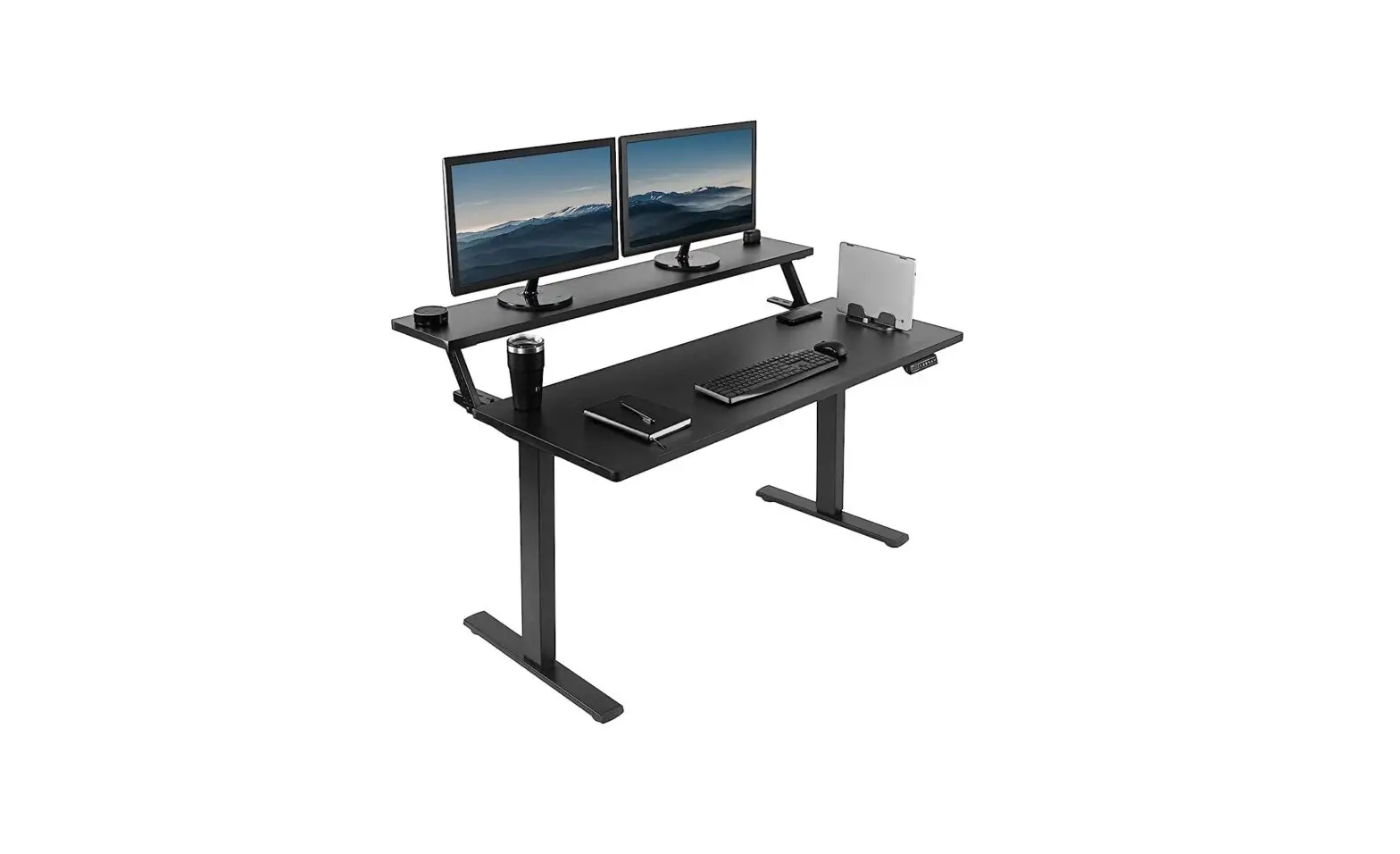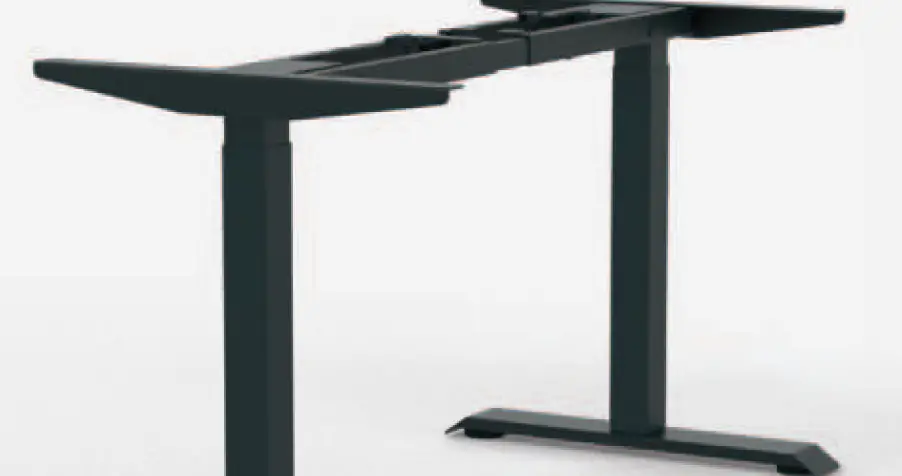

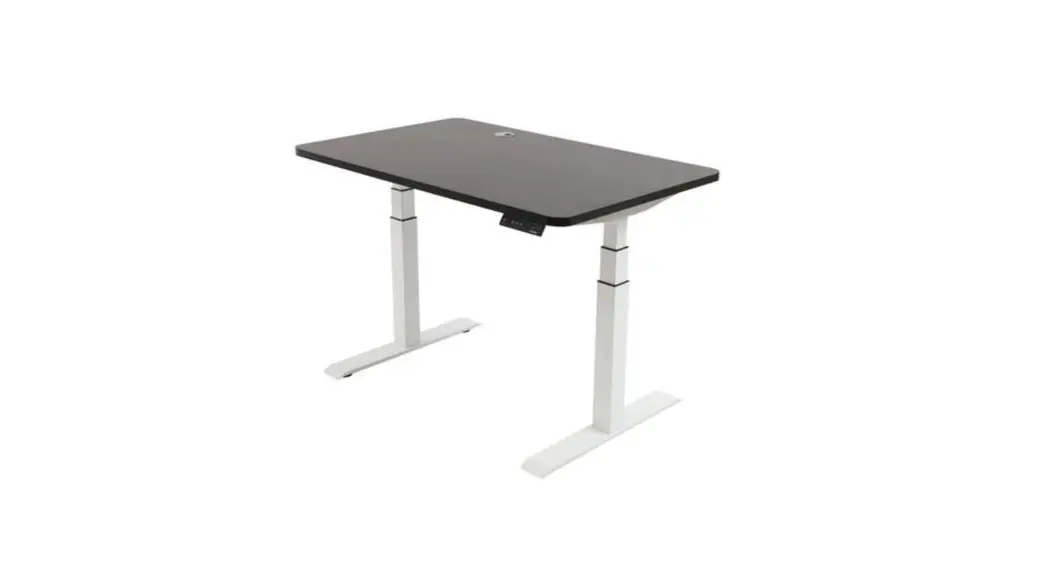
BMB E-MORE 2M2S/2M3S TQD Electrical Height Adjustable Desk Frame
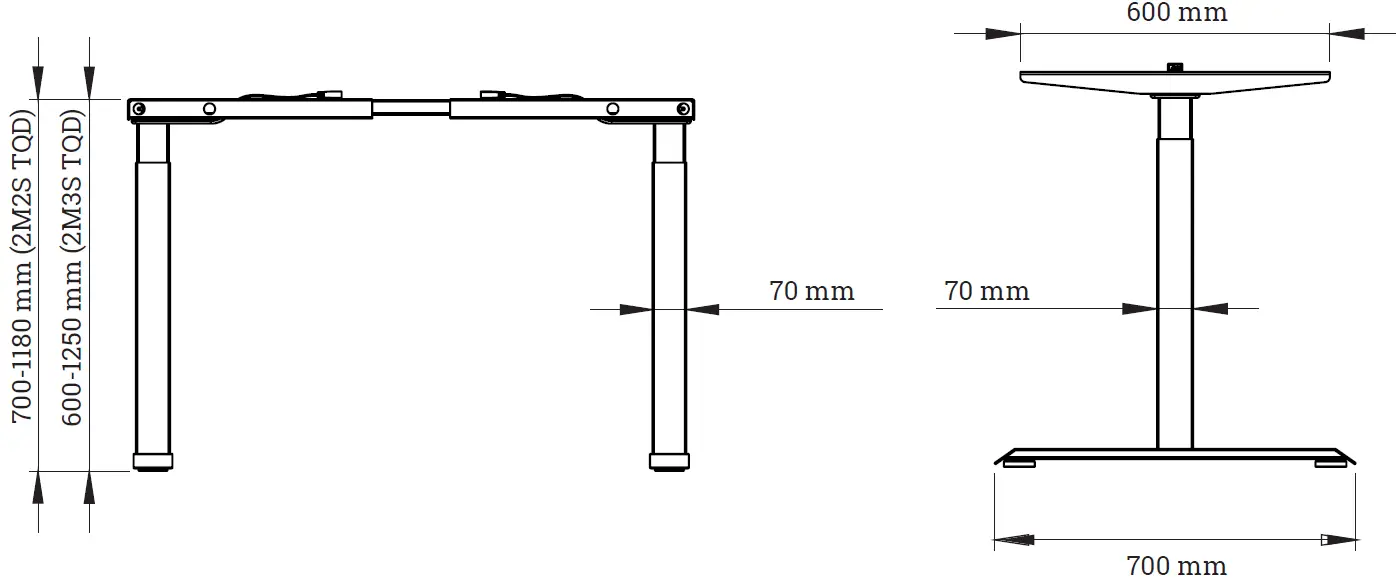
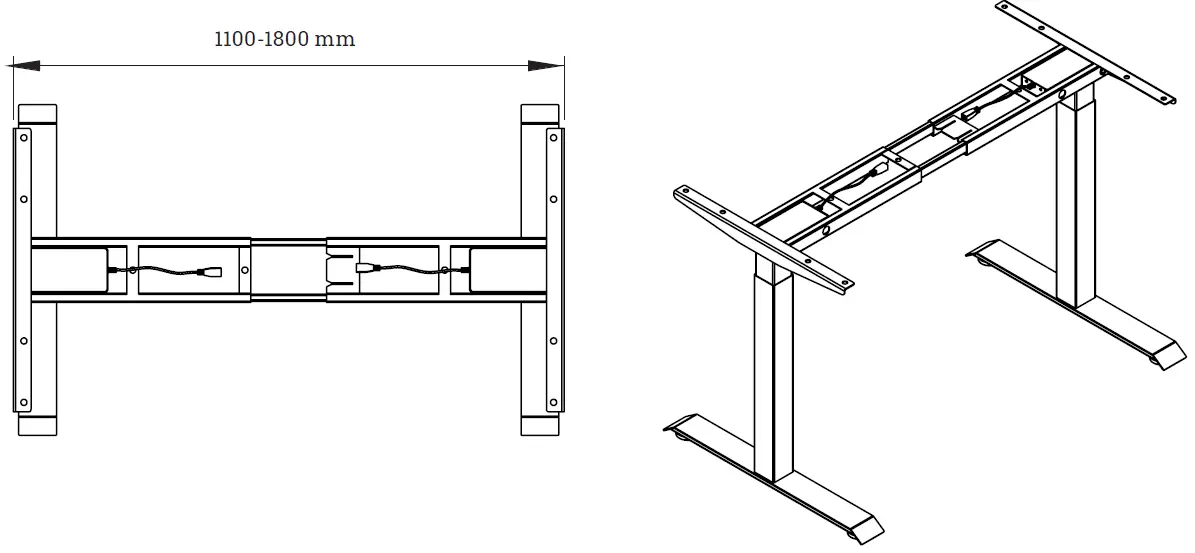
DIMESION
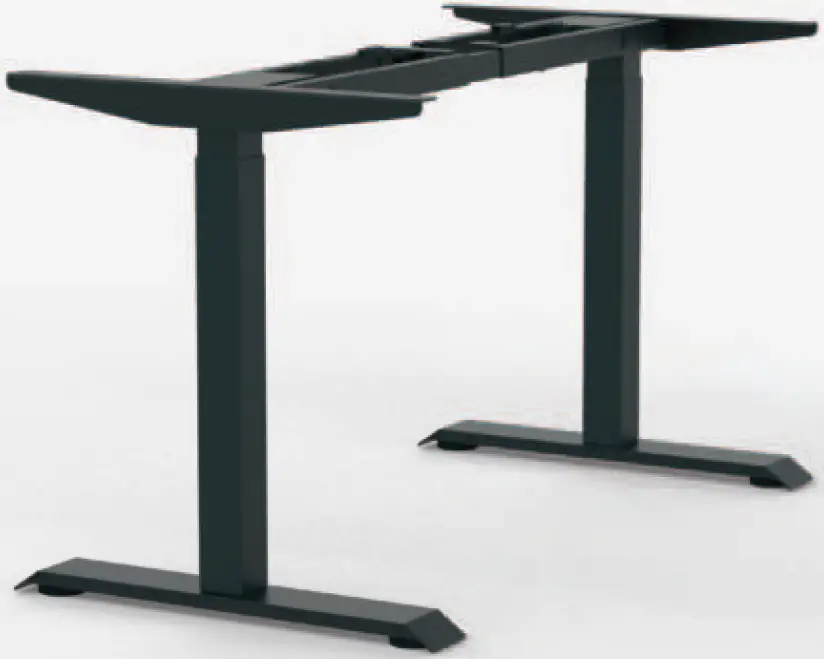
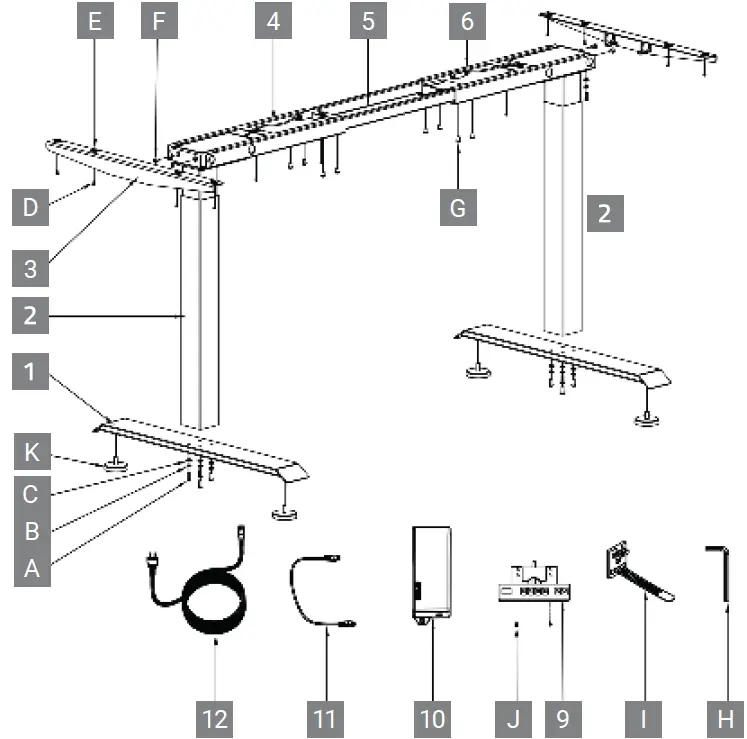
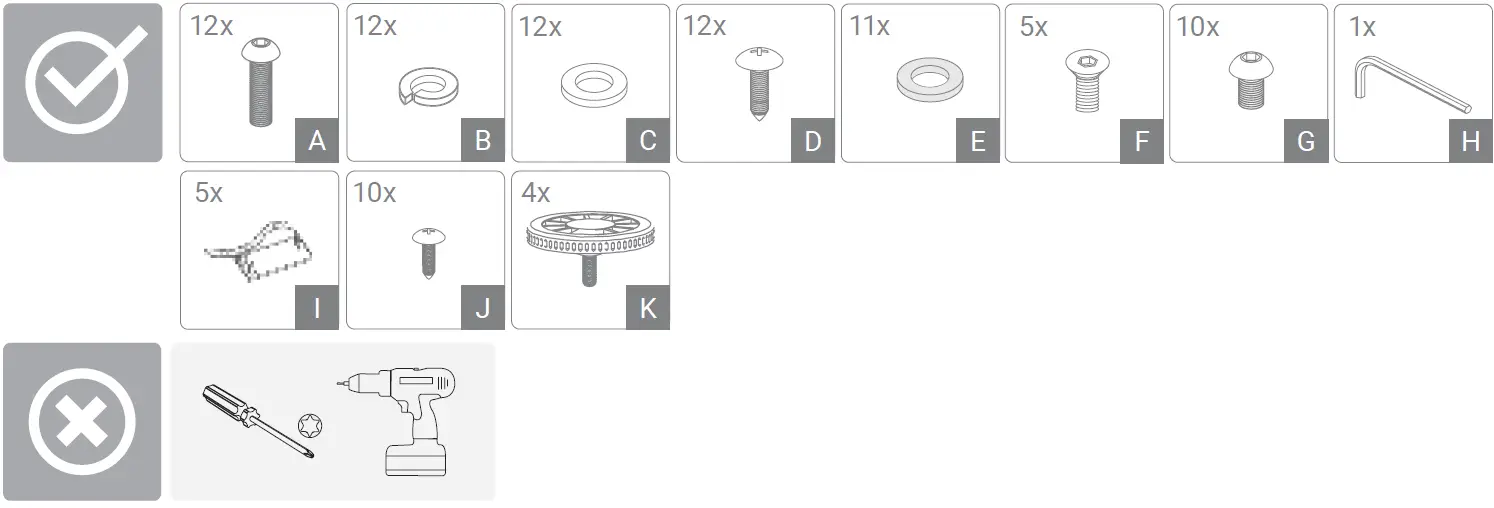
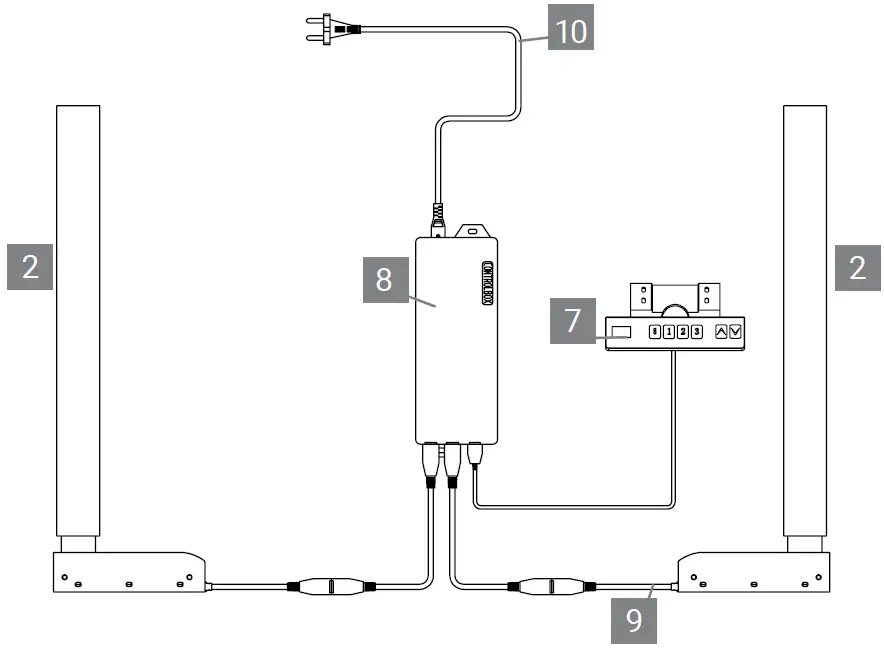
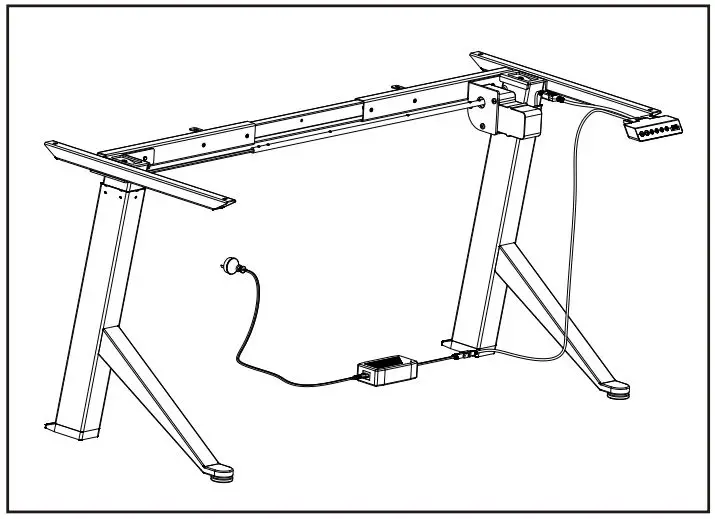
PARTS
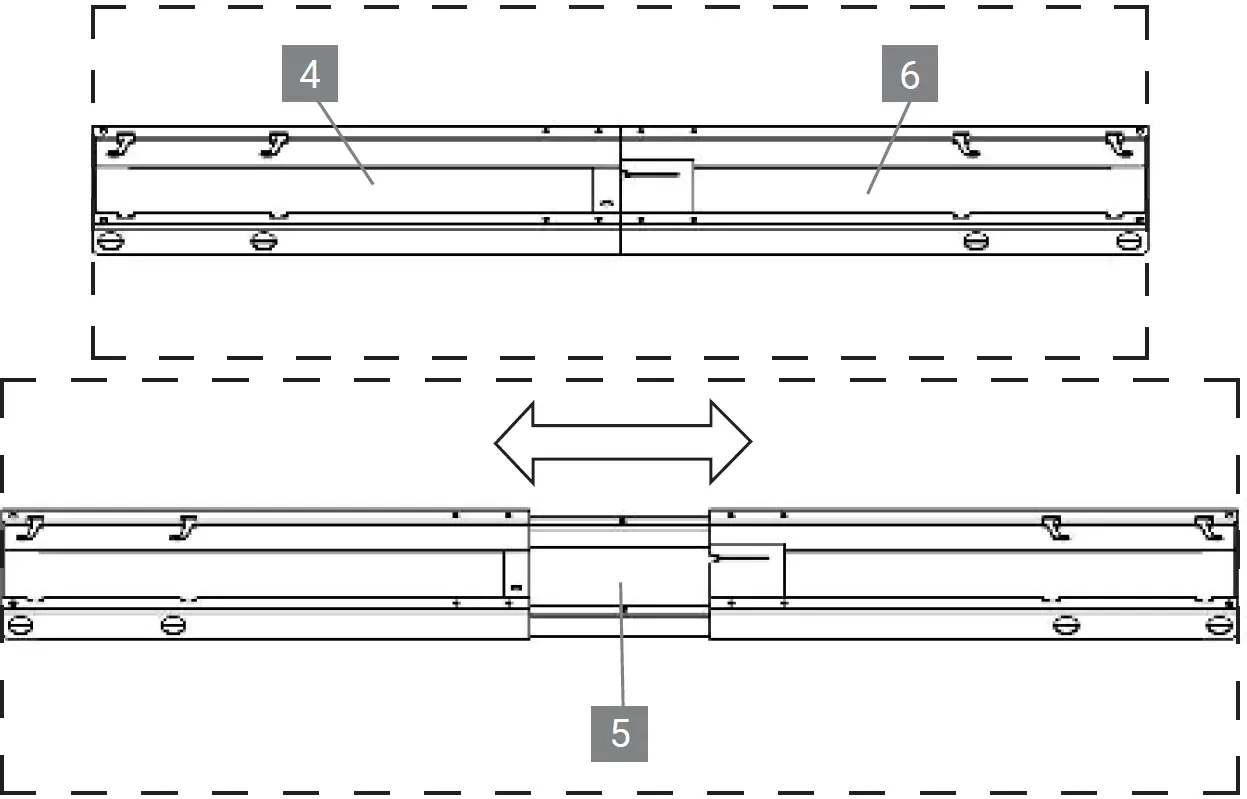
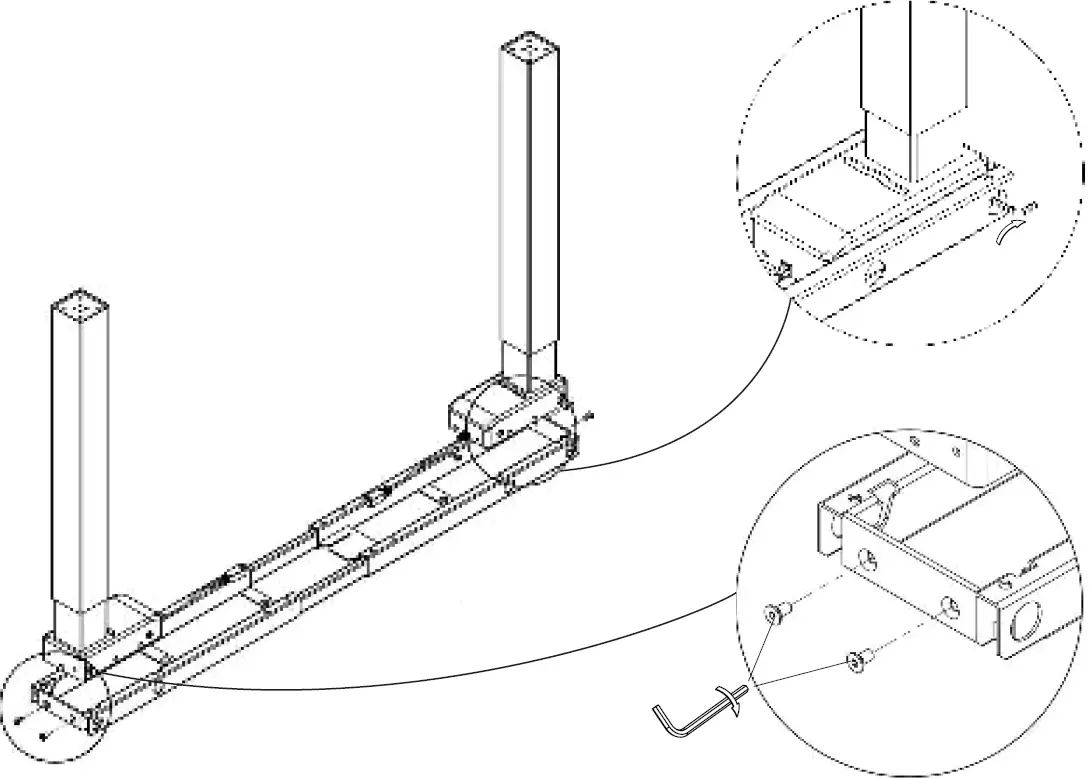
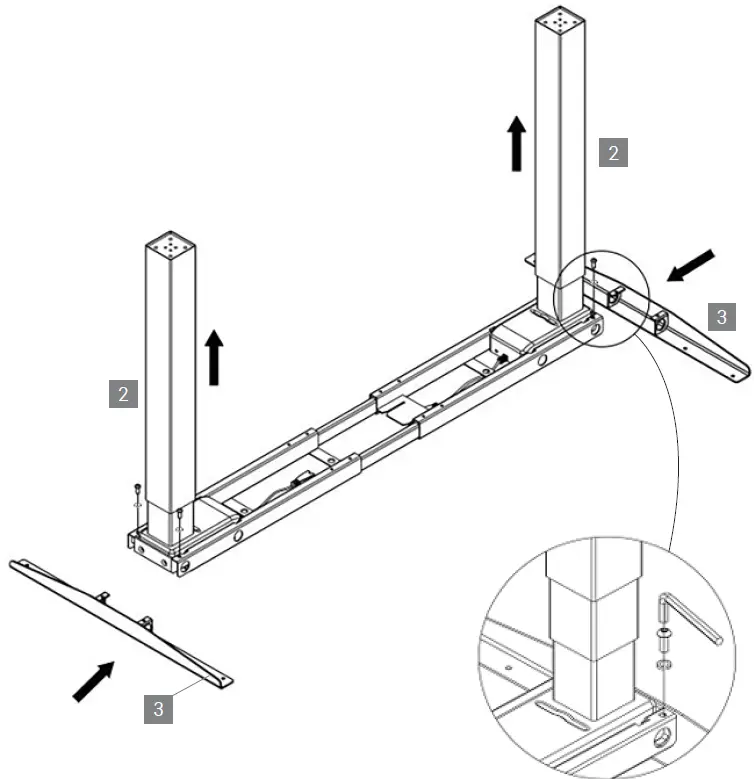
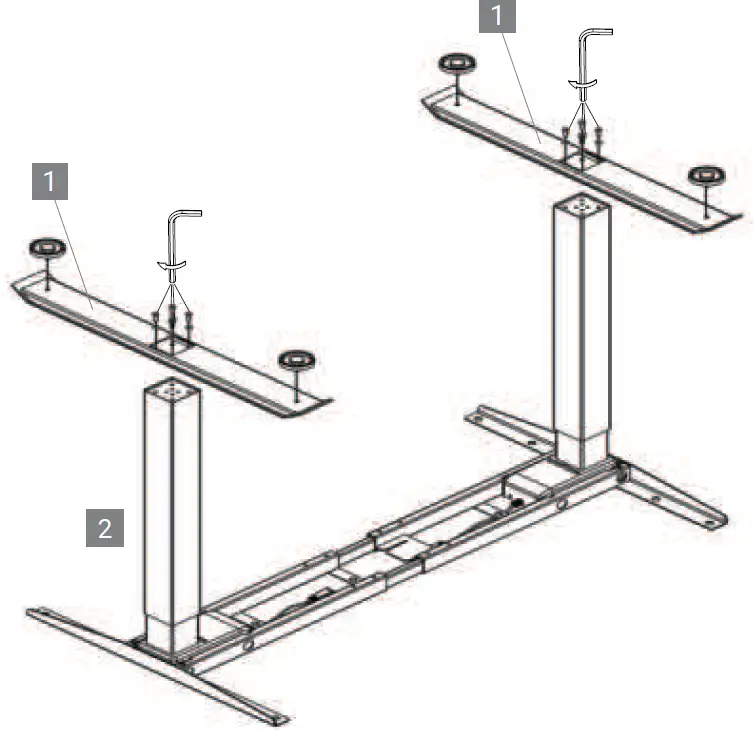
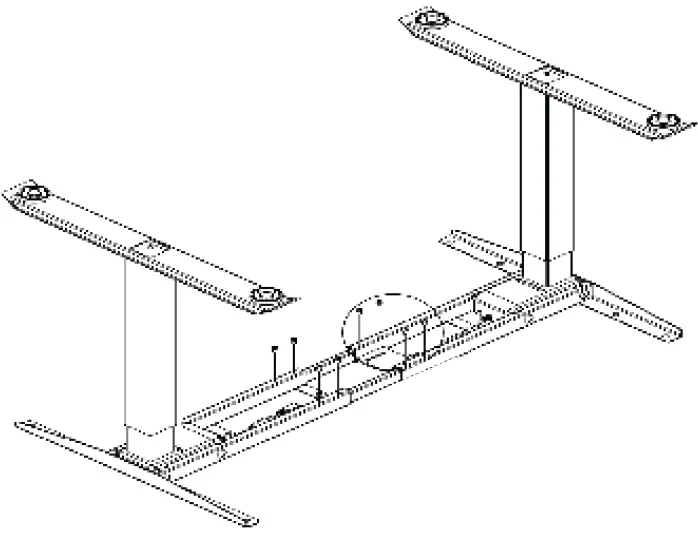
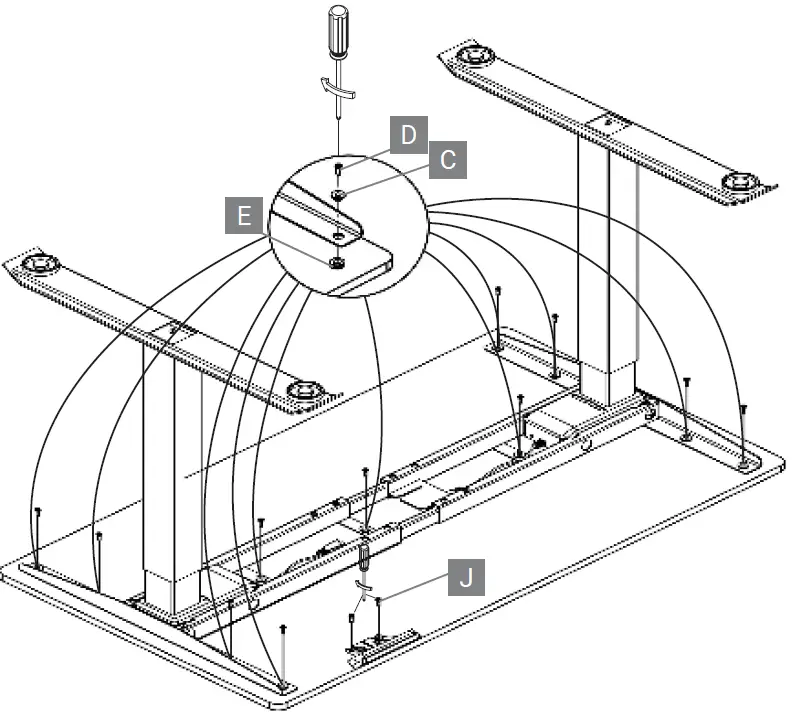
MOUNTING
TECHNICAL SPECIFICATIONS
Electric Components:
- Input Voltage:
- Output Voltage:
- Duty cycle:
100-240V AC
29V DC
10% max 2min on 18 min off Automatic power off, low energy consumption
Desk Frame
Anti-Collission
Built-in load limit switch
- Maximum load:
- Speed:
- Minimum height:
- Travel-Distance:
120 KG (including tabletop weight)
- 30 mm/s (2M2S TQD)
- 38 mm/s (2M3S TQD)
- 700 mm (2M2S TQD)
- 600 mm (2M3S TQD)
- 480 mm (2M2S TQD)
- 650 mm (2M3S TQD)
SAFETY AND WARNING!
This product can be used by children age 8 years and older, a persons with reduced physical, sensory or mental capacity as long as they have been given proper instructions / training on how to use the product in a safe way and understand the haz-ards involved. Children shall not play with the product.
CORRECT DISPOSAL
This sign indicates that this product must not be disposed through regular household waste within the European Union. To prevent possible harm to the environment or human health from uncontrolled waste disposal, recycle it responsibly to promote the sustainable reuse of material resources. To return your used device, please use the return and collection systems or contact the retailer where the product was purchased. There you can obtain all information necessary to dispose of this product properly. (WEEE-Reg.-Nr. DE: 52242201)
HANDSET
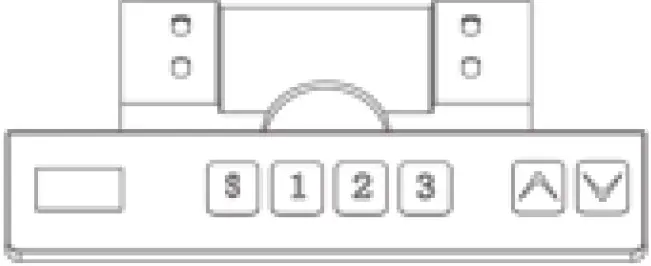
- Up / Down Keys
To adjust the height of the desk, keep pressing the “UP” or “DOWN” key until the tabletop reaches the desired position. - Display Screen
Display the height value of the desk. - Memory Key (1 / 2 / 3)
After setting memory keys, the desk will move automatically to the saved position. How to set a memory key: Please select the desired position. Then press the S-Key, the display will show a “S”-Sign.Then press the desired Button from 1 to 4 to assign the current height to a number on the control panel. Whenever a pro-grammed memory key is pressed, the tabletop will automatically adjust to the entered/saved height. - Set Key
The set key can be used to save the height of the table. - Anti-collision function
When the desktop encounters reverse resistance while moving, the desk will stop and move slightly in the opposite direc-tion. - Keypad Lock
To lock: Press and hold “UP” and “DOWN” buttons for 5 seconds until “LOC” sign appears on the display, indicating that the system is locked.
To unlock: Press the “UP” and “DOWN” buttons for 5 seconds at the same time until the “LOC” sign disappears and the height of the desk is displayed, indicating that the system is ready to be adjusted again. - Reset
When the system is experiencing a problem or the control panel displays “RES”, the system must be reset. Press and hold the “DOWN” button throughout the process. After 5 seconds, the desk will lower slightly until it reaches its lowest height, then rises slightly and the display changes back to the numeric height setting. After the desk stops, the reset process is successfully completed.
IMPORTANT SAVETY INSTRUCTIONS
TROUBLESHOOTING
| Error Code | Possible Cause | How To Correct |
| E01, E02 | Cables are not connected or broken the weight of the desk exceeds 120 kg Lifting columns out of synch Load weight exceeds 120 kg Input voltage lower than required Input voltage higher than allowed Control panel is not connected or does not receive power Reset is required Excessive use | Connect cables properly, if problem persists change engine Remove weight from desk Perform a reset as described under RES. Remove weight from desk Improve the input voltage Lower the input voltage Wait 1 second for the error code to disappear If it persists check the connection cables Hold the “Down”-Button for a while. The desk will lower to the minimum height. Do not use for 18 minutes. System will recover automatically. |
| E06 | ||
| E07 | ||
| E08 | ||
| E09 | ||
| E10 | ||
| RES | ||
| HOT |
ADVANCED PROGRAMMING
Display units (1Un)
Change the numeric display to show height in either inches or centimeters. Press S button and hold for 3 seconds, handset displays . Release S button, press S button to enter, it displays Press S button again to confirm the first programming setting. . Press S button to get CM display, wait 2 seconds, centimeters setting is done. It will display current height (cm) After it display , press UP or DOWN. It will display , press button S , wait 2 seconds, inches setting is done. It will display current height (Inch)
Handset display brightness (2br)
Press S button and hold for 3 seconds, handset displays . Release S button, press S button to enter, it displays Press UP/Down, it will display 2br. Press S to enter, it will display current brightness level : Means normal brightness : Means low brightness : Means high brightness Press UP or DOWN to select the desired brightness level, press S button to confirm, wait 2 second. It will display the current height.
Setting voice (3bE)
Press S button and hold 3 seconds, handset displays . Release S button, press S button again to enter, it displays . Press UP or DOWN. It will display “3bE” Press S button, it will display current sound status , or : Means no voice when you press the button . Means with voice when you press the button. Press UP or DOWN to select or , then press S to confirm, wait 2 seconds. It will display the current height.
Go up anti-collision sensitivity (4Fu)
The desk has an Anti-Collision Sensitivity that will stop the desk’s movement if it hits something on the way up. You can change this sensitivity level by doing the following:
Press S button and hold for 3 seconds, handset displays . Release S button, press S again to enter, it displays Press UP or DOWN. It will display 4Fu. Press S button to enter. It will display the current anti-collision sensitivity level. There are 9 levels for up from to ; is the most sensitive setting, is the least sensitive setting. Press UP or Down to select the your favorite level. Press S button to confirm, wait 2 seconds, it will display the current height.
Go down anti-collision sensitivity (5Fd)
The desk has an Anti-Collision Sensitivity that will stop the desk’s movement if it hits something on the way down. You can change this sensitivity level by doing the following:
Press S button and hold for 3 seconds, handset displays . Release S button, press S again to enter, it displays Press UP or DOWN. It will display 5Fd. Press S button to enter. It will display the current anti-collision sensitivity level. There are 9 levels for down From to ; is the most sensitive setting is the least sensitive setting. Press UP or Down to select your favorite level. Press S button to confirm, wait 2 seconds, it will display the current height.
Balance sensitivity (6FS)
The desk has a balance sensitivity to make sure the 2 columns always work in the same position . You can change this Sensitivity level by doing the following: Press S button and hold for 3 seconds, handset display . Release S button, press S button again to enter, it displays Press UP or DOWN. It will display 6FS. Press S button to enter. It will display the current balance sensitivity level. There are 9 levels for down from to ; is the most sensitive setting | is the least sensitive setting. Press UP or Down to select your favourite level. Press S button to confirm, wait 2 seconds. It will display the current height.
Setting the new lowest display and height range (7SH)
The desk frame ships defaulted to its minimum and maximum height limits. These steps allow the upper and lower limits to be adjusted to your preference: Press S button and hold for 3 seconds, handset display . Release S button, press S button again to enter, it displays Press UP or DOWN. It will display 7FS. Press S button to enter. It will display , press UP or DOWN. It will display and : Sets the lowest position height display. :Sets a new minimum desk height :Sets a new maximum desk height Press UP or DOWN. It will display , press S button to enter. It will display the current lowest height. Press UP or DOWN to set the lowest height display, press S to confirm . Press UP or DOWN ,It will display . Press S button to enter. It will display the current lowest height. Press UP or DOWN to set a lowest height position, press S to confirm . Press UP or DOWN ,It will display . Press S button to enter. It will display the current highest height. Press UP or DOWN to set a new highest height position, press S to confirm .
Setting Constant-touch & One-touch for go Up or Down (8Hc)
Press S button and hold for 3 seconds, handset display . Release S button, press S button again to enter, it displays . Press UP or DOWN. It will display 8Hc. Press S button to enter. It will display current mode . Press UP or DOWN, it will display . : Keep pressing UP or DOWN button to make the desk move up or down. : Press UP or DOWN button and release, the desk will be moving up or down automatically; Press any button to stop the desk when it’s moving. Press S to confirm your preference, wait 2 seconds, setting is saved.
Reminder setting (9St)
To get a healthier working style, the desk can remind you to stand up when you sit for a long time. You can set it by doing the following: Press S button and hold for 3 seconds, handset displays . Release S button, press S again to enter, it displays Press UP or DOWN go to display 9St. Press S to enter. It will display . 0.0 is the standard and means no time reminder (H means Hour). Press UP or DOWN to select the time reminder you want, ( means 1.5 hours), press S to confirm.
Note:
When the handset time reminder beeps, press any button to make it disappear; the time reminder will last for 30 se-conds if no buttons are pressed.
Setting bounce height (10H)
Press S button and hold for 3 seconds, handset display . Release S button, press S button again to enter, it displays . Press UP or Down to display 10H. Press S button to enter. It will show the current bounce height. Press UP or DOWN to get the bounce height. Press S to confirm, wait 2 seconds, it will display the current height.
Restore Factory Defaults (11r)
Press S button and hold for 3 seconds, handset display . Release S button, press S button again to enter, it displays Press UP or DOWN to display 11r. Press S to enter. It will display and flash. Press S to confirm, wait 2 seconds, it will display the current height.
Fatigue test mode (d)
Factory use, please ignore this programming.
 Ersatzteile - Mäusbacher Möbelfabrik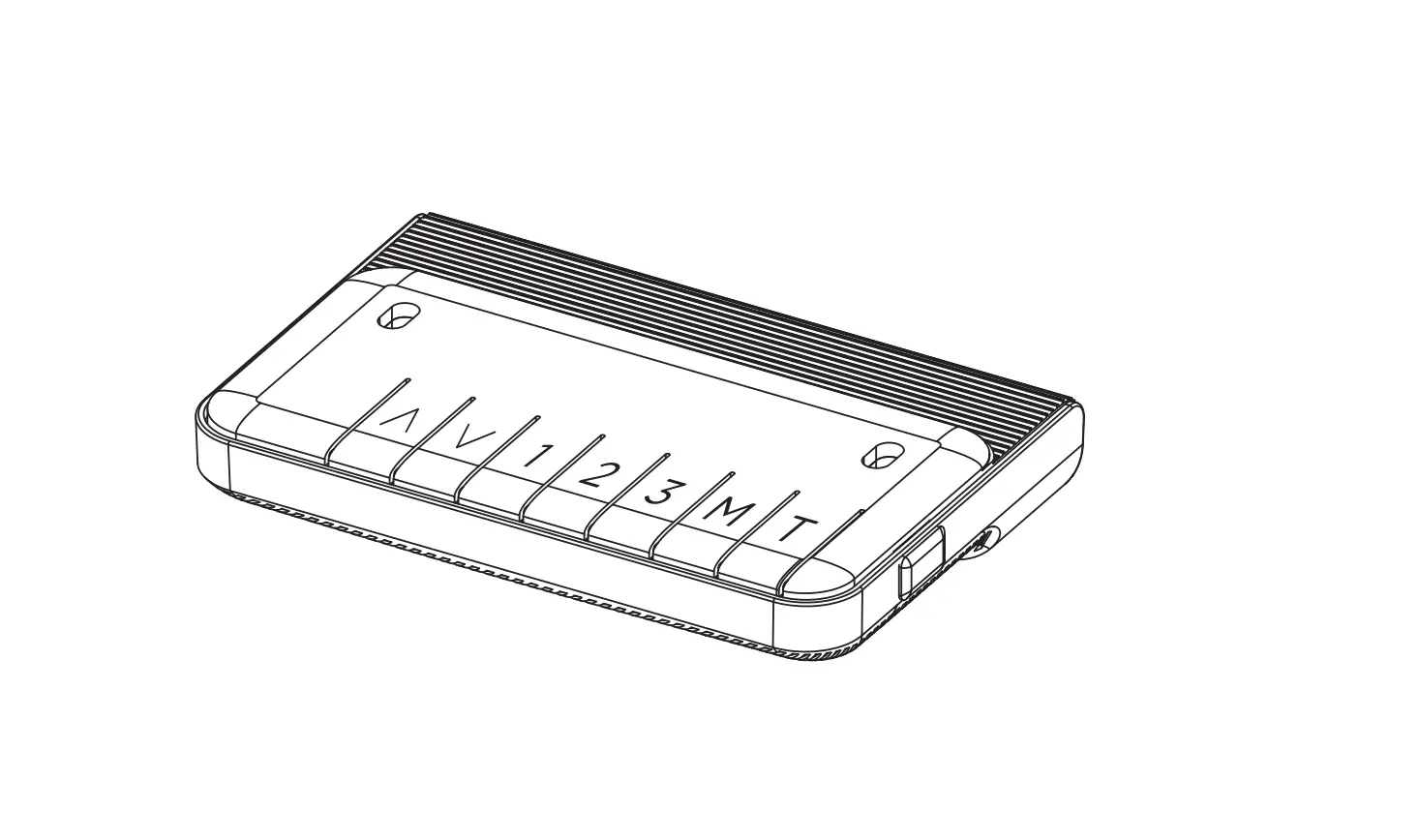

![Matrix Executive Electric Height Adjustable Desk [jbmatel12k, Jbmatel15k] User Manual](https://static-data1.manualsee.com/1/img/202/58891/2021/02/Matrix-Executive-Electric-Height-Adjustable-Desk-JBMATEL12K-JBMATEL15K-User-Manual.jpg "Matrix Executive Electric Height Adjustable Desk [jbmatel12k, Jbmatel15k] User Manual")