
Galenvs Magneti Pcr Clean Up Kit User Guide

Galenvs Magneti Pcr Clean Up Kit User Guide

GALENVS-logo

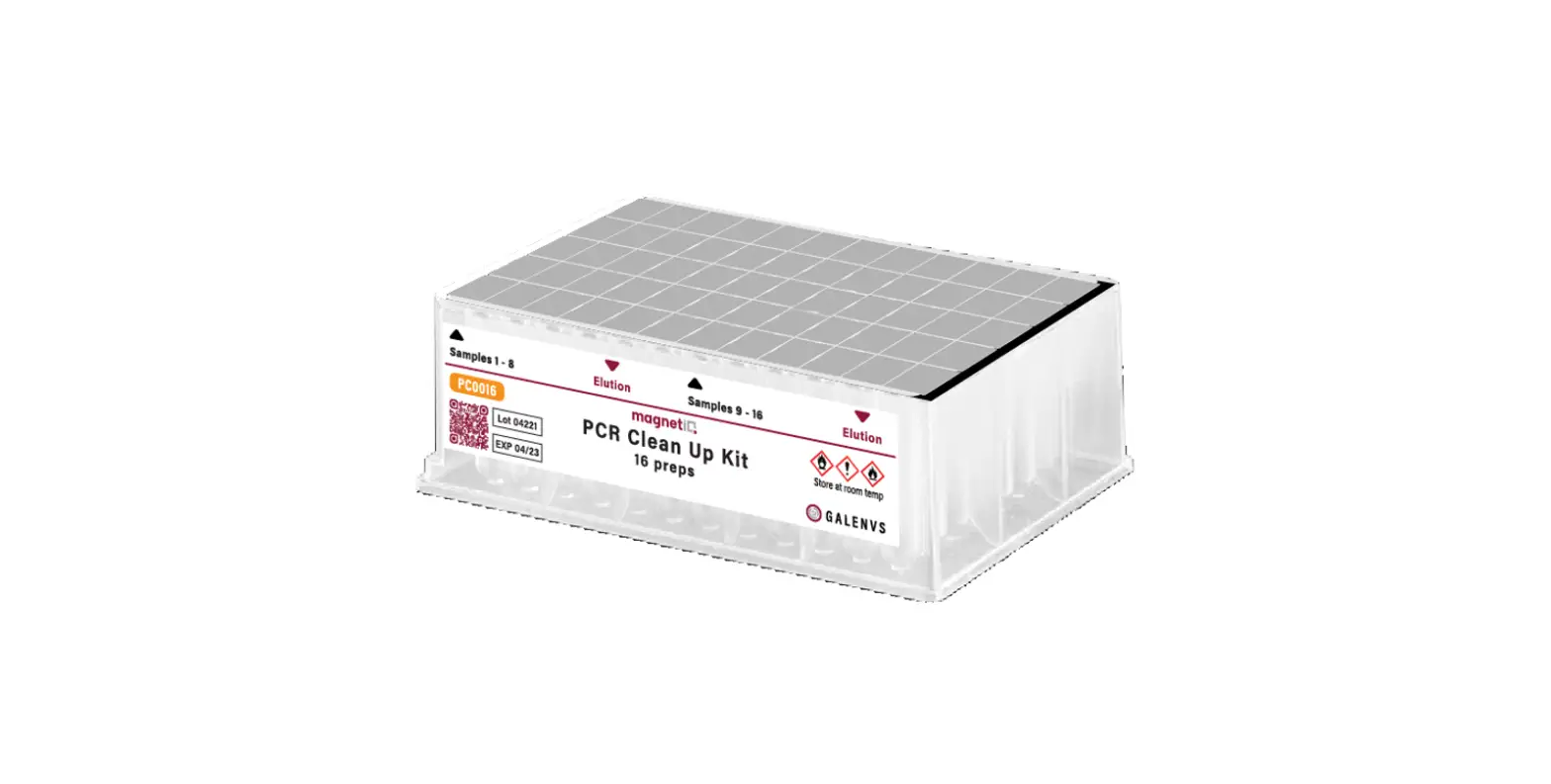
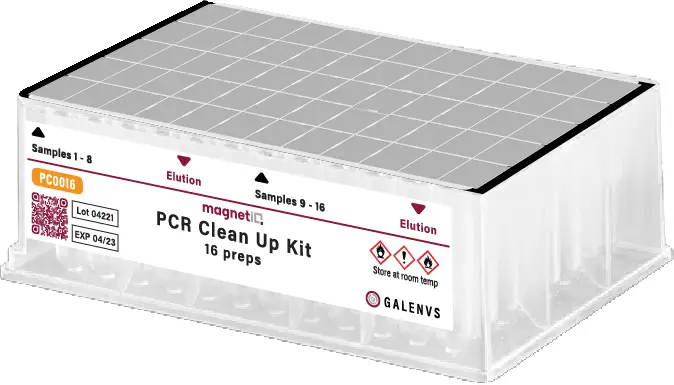
GALENVS magneti PCR Clean Up Kit
GALENVS magneti PCR Clean Up Kit-fig1

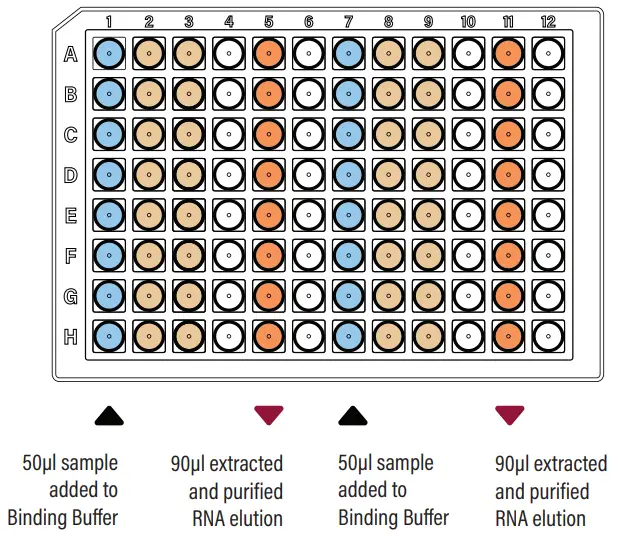
COLOR REPRESENTATION

  • Binding Buffer (150µl)
    Columns 1 & 7
  • Wash Buffer (400µl)
    • Columns 2 & 8
    • Columns 5 & 11
  • Elution Buffer (90µl)
    Columns 5 & 11

    GALENVS magneti PCR Clean Up Kit-fig2

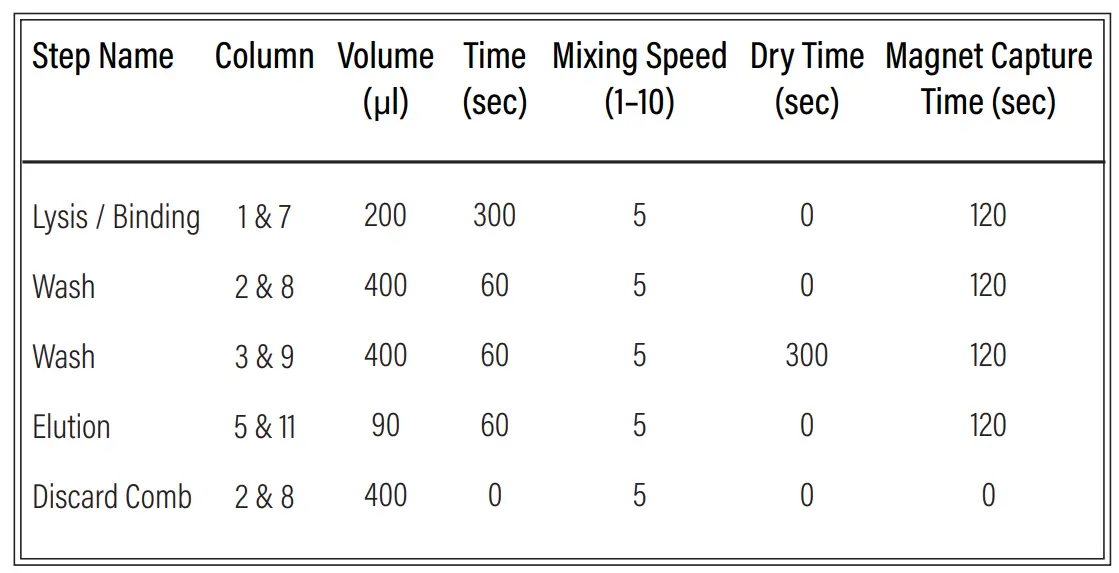
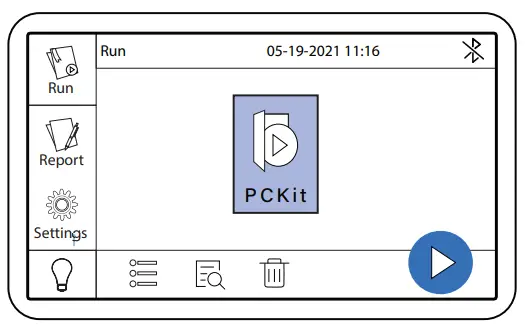
PCKit miQron protocol parameters

GALENVS magneti PCR Clean Up Kit-fig9

CLEANING INSTRUCTION

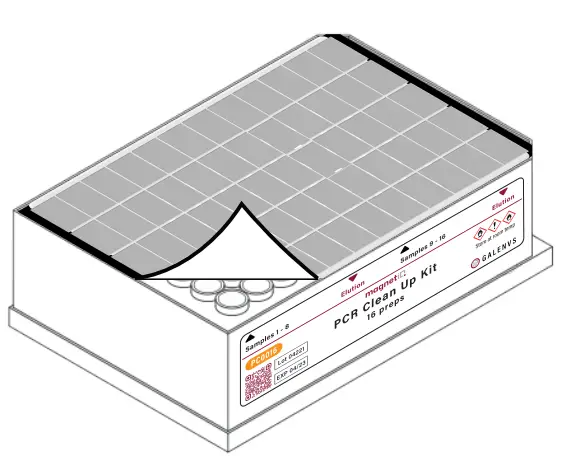
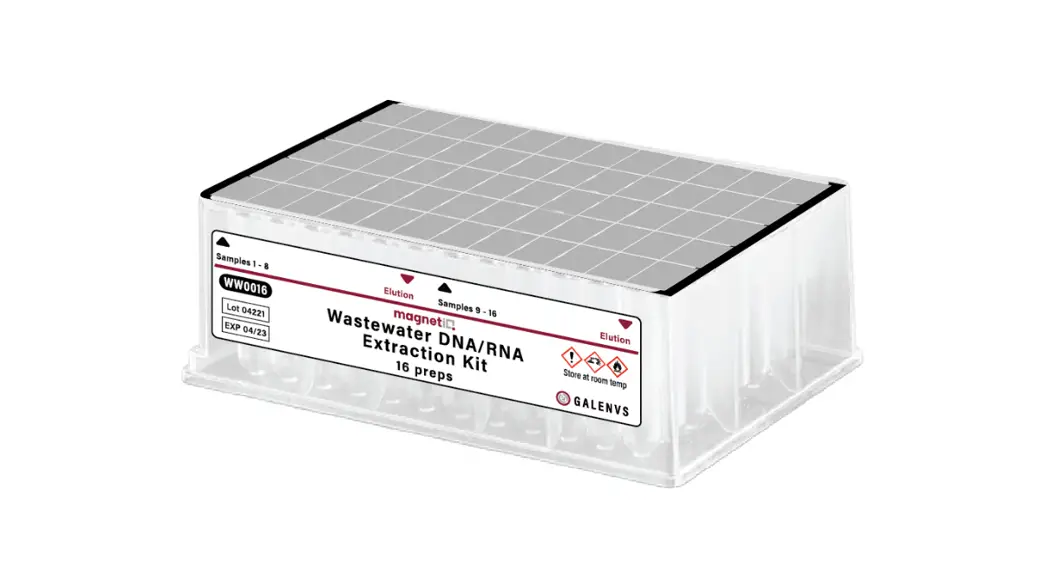
  1. Remove the protective foil.

    GALENVS magneti PCR Clean Up Kit-fig3

  2. Add up to 16 samples to Binding Buffer (columns 1 and 7).
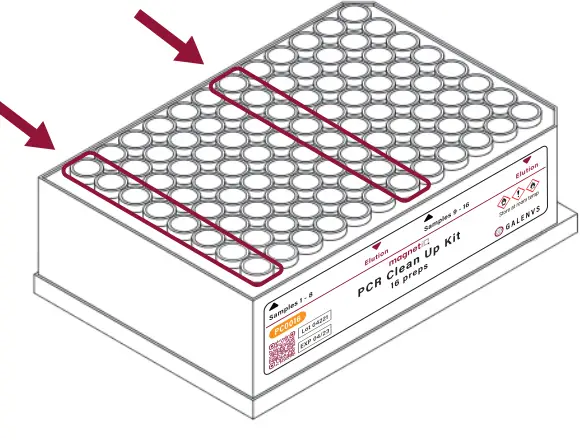
    GALENVS magneti PCR Clean Up Kit-fig4

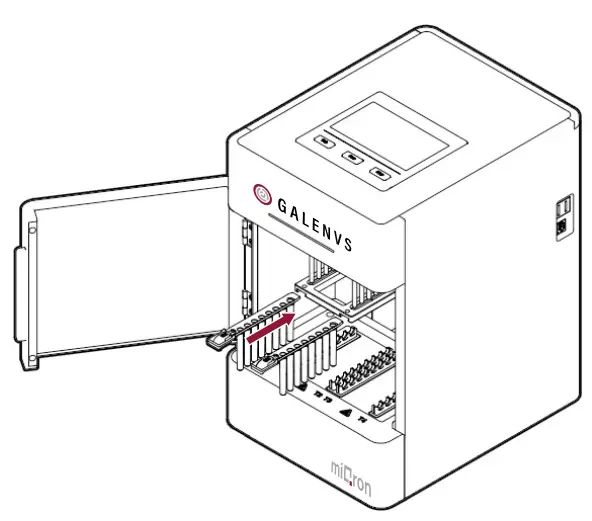
  3. Place plate into the miQron, taking care that the label is facing outward.
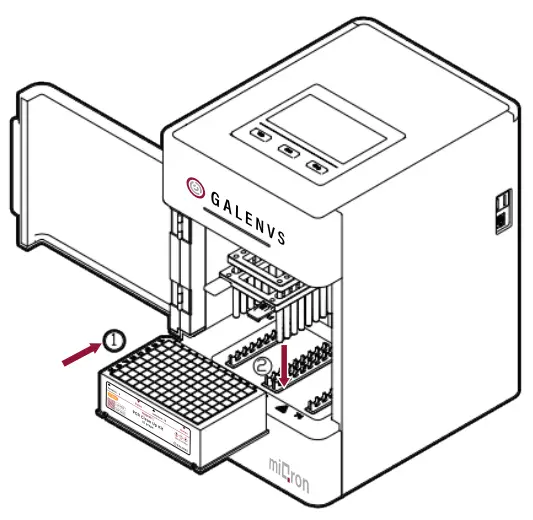
    GALENVS magneti PCR Clean Up Kit-fig5

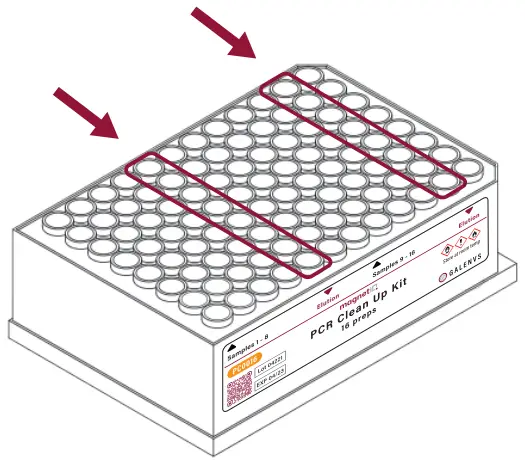
  4. Insert two combs.

    GALENVS magneti PCR Clean Up Kit-fig6

  5. Select the PCKit protocol and press GALENVS magneti PCR Clean Up Kit-fig10.

    GALENVS magneti PCR Clean Up Kit-fig7

    • When program is complete, remove plate from miQron and discard combs.
    • Columns 5 and 11 contain the purified DNA elution
      GALENVS magneti PCR Clean Up Kit-fig8

Documents / Resouces

Download manual
Here you can download full pdf version of manual, it may contain additional safety instructions, warranty information, FCC rules, etc.


Related Manuals