Product Information
| Brand | DMTECH |
|---|---|
| Model | DMT-D9000-MCP-B |
| Power Consumption | 9~30VDC |
| Activation Indicator | Yes (permanent LED) |
| Supported Cable | 0.4~1.5mm2 |
| Material / Color | N/A |
| Temperature | N/A |
| Mounting | Surface installation |
| IP Protection | N/A |
| Dimensions | N/A |
| Weight | N/A |
Product Usage Instructions
To use the DMT-D9000-MCP-B product, follow these steps:
- Ensure the product is connected to a power source within the
voltage range of 9~30VDC. - Locate the reset button on the product. This button is
specifically designed for fire extinguishing panels. - In case of an emergency, press the emergency stop button to
halt any ongoing operations. - Observe the LED indicator to determine the status of the
product. - The product is designed for surface installation. Choose a
suitable location for mounting. - To reset the product, you have two options:
- Reset by hand: Simply press the reset button on the
product. - Reset by key: Use the provided reset key to reset the product
manually.
- Reset by hand: Simply press the reset button on the
Note: The resettable key allows for manual resetting without a
key.
DMT-D9000-MCP-B
Dmtech
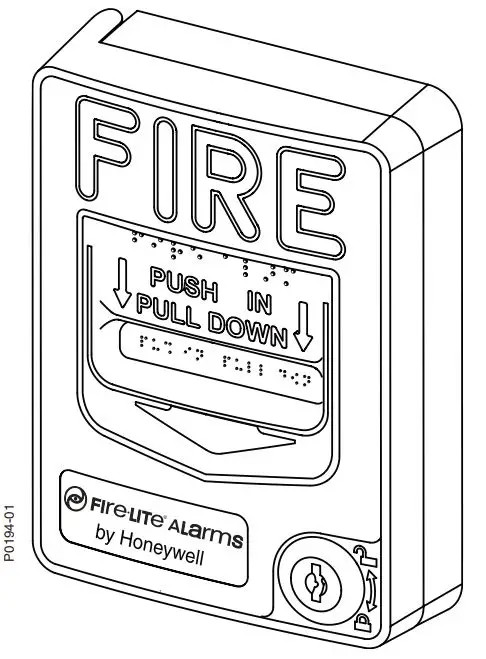
DMTECH Reset button Special for fire extinguishing panel Emergency stop Led indicator Surface installation Resettable key Possibility of manual resetting without a key Colour blue
Features
Reset button Special for fire extinguishing panel Emergency stop Led indicator Surface installation Reset by hand or by key
Specs
Brand Power Consumption Activation indicator Supported cable
DMTECH 9~30VDC 46mA max Yes (permanent LED) 0.4~1.5mm2
Material / Color Temperature Mounting IP protection Dimensions Weight
Package content
Push-button Reset key User instructions
ABS fire retardant -10ºC ~ +50ºC Surface IP40 90x90x44 mm 120 gr.
Powered by TCPDF (www.tcpdf.org)
 TCPDF
TCPDF