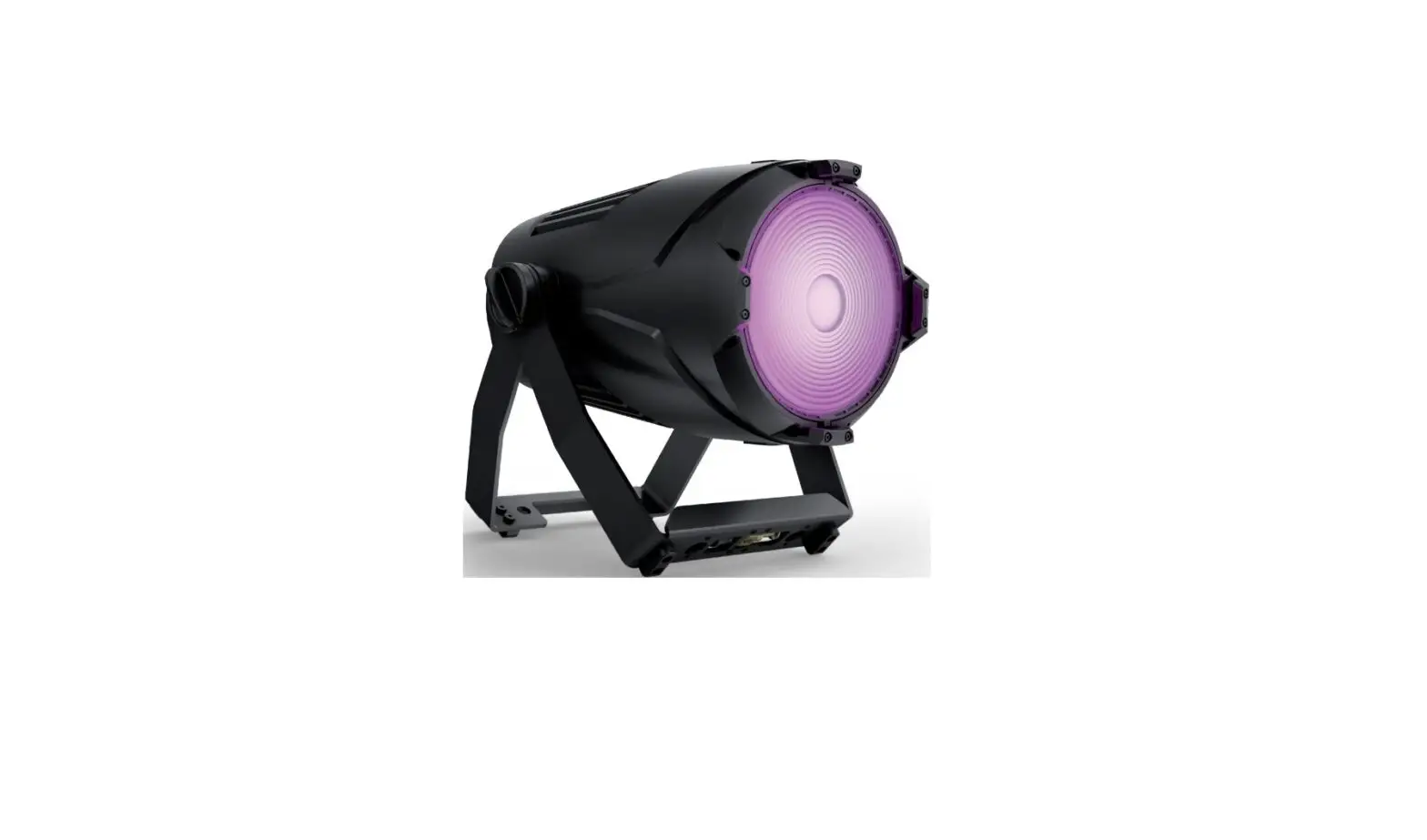
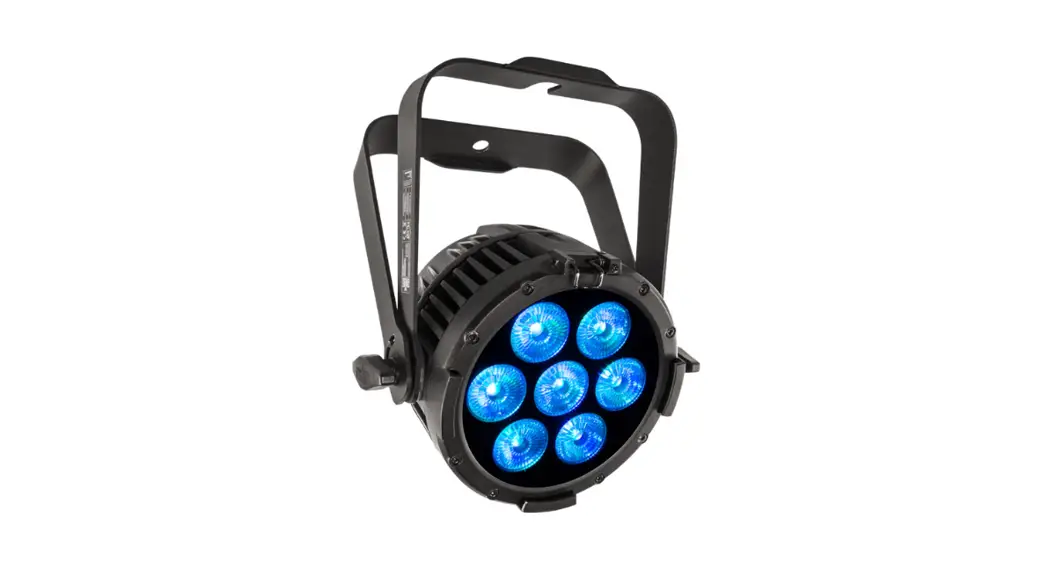
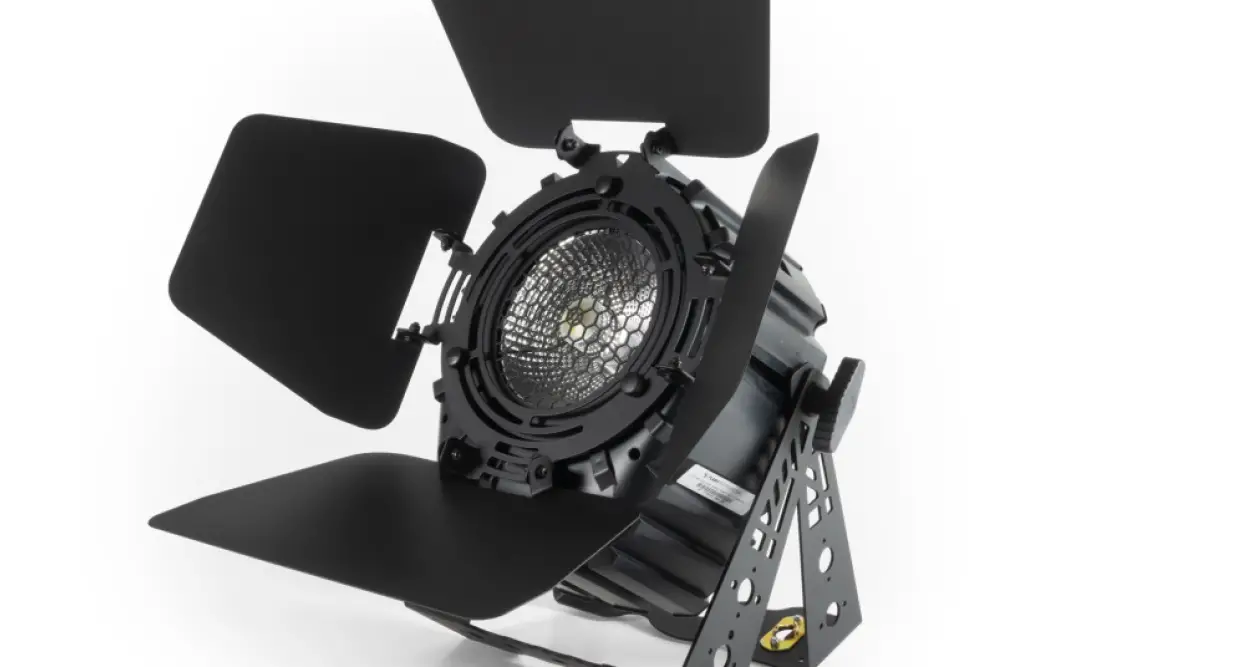
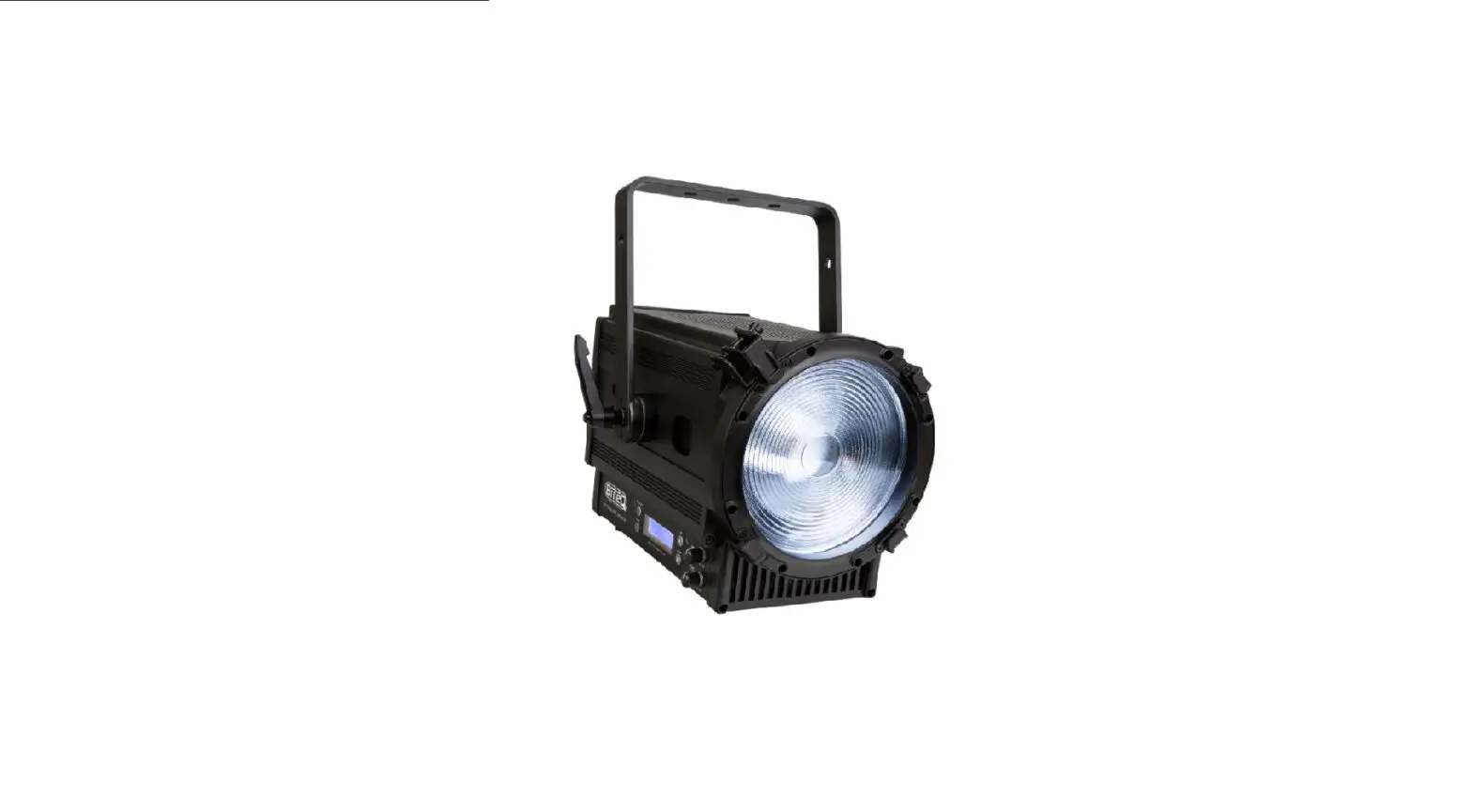
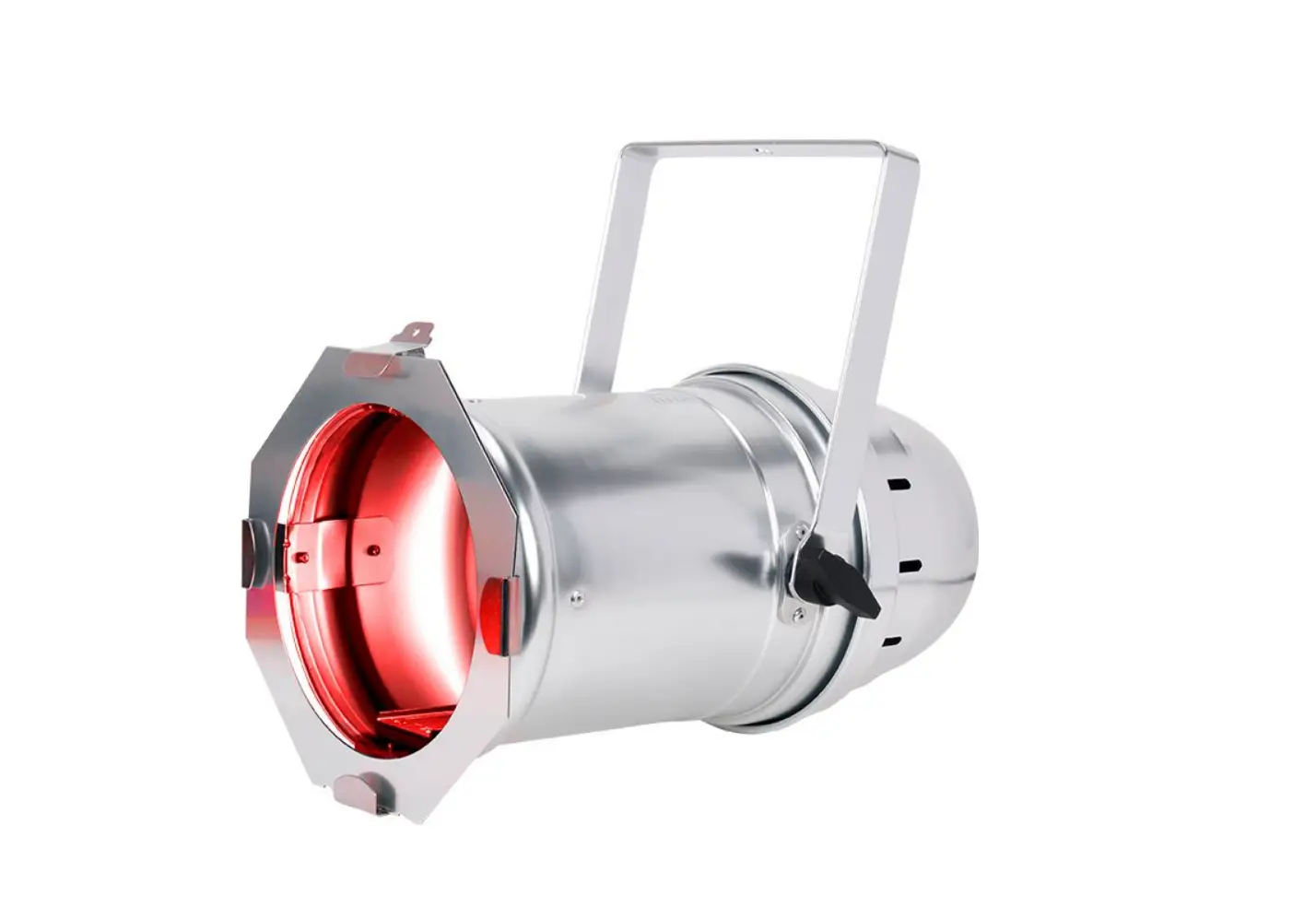
LEDJ377 200W COB RGBAL Par
Product Information
The 200W COB RGBAL Par is a stage lighting fixture designed for
entertainment applications. It should not be used for extended
periods of time in house-light, industrial, or architectural
applications. The fixture operates on a power supply of 100-240V,
50/60Hz and consumes 205W of power. It features a T3.15A 250V fuse
for safety.
The dimensions of the fixture are 300 x 260 x 280mm and it
weighs 4.3kg. The order code for this product is LEDJ377.
Product Usage Instructions
- Safety Precautions: Before using the fixture,
read the user manual carefully to ensure your safety. Keep the
equipment away from rain, moisture, and liquids. Do not modify the
equipment without authorization. Incorrect operation may cause
damage or danger. - Installation: Install the fixture securely in
the desired location. Ensure that it is not near any flammable
materials and is properly grounded. - Power Connection: Connect the fixture to a
power supply of 100-240V, 50/60Hz. Use the provided PowerCON input
for power input and PowerCON output for power output. - DMX Connection: Use the 3-Pin DMX input and
output connectors for DMX control. The fixture also has 5-Pin DMX
input and output connectors for more advanced setups. - Main Menu: Access the main menu using the
function buttons on the fixture. The main menu allows you to access
various settings and features. - DMX Address: Set the DMX address for the
fixture using the sub-menu. The DMX address determines which
channel the fixture will respond to. - Master/Slave: Choose the master or slave mode
for the fixture in the sub-menu. In master mode, the fixture
controls other slave fixtures. - Manual Dimming: Adjust the dimming level of
the fixture manually using the adjustable knobs. - Sound Active: Activate sound active mode to
make the fixture respond to sound or music. - Auto Fade: Enable auto fade mode to
automatically fade between colors or effects. - Static Colour: Select a static color for the
fixture to display. - Display Fixture Information: Access
information about the fixture, such as model number and technical
specifications. - Reset Factory: Reset all settings to factory
defaults.
For more detailed instructions and information, refer to the
user manual provided with the product.
200W COB RGBAL Par
User Manual
Order code: LEDJ377
Safety advice
WARNING
FOR YOUR OWN SAFETY, PLEASE READ THIS USER MANUAL CAREFULLY BEFORE YOUR INITIAL START-UP!
· Before your initial start-up, please make sure that there is no damage caused during transportation. · Should there be any damage, consult your dealer and do not use the equipment. · To maintain the equipment in good working condition and to ensure safe operation, it is necessary
for the user to follow the safety instructions and warning notes written in this manual. · Please note that damages caused by user modifications to this equipment are not subject to warranty.
CAUTION!
KEEP THIS EQUIPMENT AWAY FROM RAIN, MOISTURE AND LIQUIDS
CAUTION!
TAKE CARE USING THIS EQUIPMENT!
HIGH VOLTAGE-RISK OF ELECTRIC SHOCK!!
IMPORTANT:
The manufacturer will not accept liability for any resulting damages caused by the non-observance of this manual or any unauthorised modification to the equipment.
· Never let the power cable come into contact with other cables. Handle the power cable and all mains voltage connections with particular caution!
· Never remove warning or informative labels from the unit. · Do not open the equipment and do not modify the unit. · Do not connect this equipment to a dimmer pack. · Do not switch the equipment on and off in short intervals,
as this will reduce the system’s life. · Only use the equipment indoors.
· If the equipment has been exposed to drastic temperature fluctuation (e.g. after transportation), do not connect power or switch it on immediately. The arising condensation might damage the equipment. Leave the equipment switched off until it has reached room temperature.
· If your product fails to function correctly, stop use immediately. Pack the unit securely (preferably in the original packing material), and return it to your Pro Light dealer for service.
· Do not expose to flammable sources, liquids or gases.
· Only use fuses of same type and rating.
· Always disconnect the power from the mains when equipment is not in use or before cleaning! Only handle the power-cable by the plug. Never pull out the plug by pulling the power-cable.
· Make sure that the available mains supply voltage is between 100~240V AC, 50/60Hz.
· Make sure that the power cable is never crimped or damaged. Check the equipment and the power cable periodically.
· If the equipment is dropped or damaged, disconnect the mains power supply immediately and have a qualified engineer inspect the equipment before operating again.
· Repairs, servicing and power connection must only be carried out by a qualified technician. THIS UNIT CONTAINS NO USER SERVICEABLE PARTS.
· This lighting fixture is for professional use only – it is not designed for or suitable for household use. The product must be installed by a qualified technician in accordance with local territory regulations. The safety of the installation is the responsibility of the installer. The fixture presents risks of severe injury or death due to fire hazards, electric shock and falls.
· Warning! Risk Group 2 LED product according to EN 62471. Do not view the light output with optical instruments or any device that may concentrate the beam.
OPERATING DETERMINATIONS
· WARRANTY: One year from date of purchase.
If this equipment is operated in any other way, than those described in this manual, the product may suffer damage and the warranty becomes void. Incorrect operation may lead to danger e.g: short-circuit, burns and electric shocks etc.
Do not endanger your own safety and the safety of others!
Incorrect installation or use can cause serious damage to people and/or property.
Please note: These fixtures are intended for stage lighting and entertainment applications only, and are not intended for extended periods of use, including but not limited to house-light, industrial or architectural applications and should only be operated with short duty cycles.
www.prolight.co.uk
200W COB RGBAL Par User Manual 2
Product overview & technical specifications
200W COB RGBAL Par
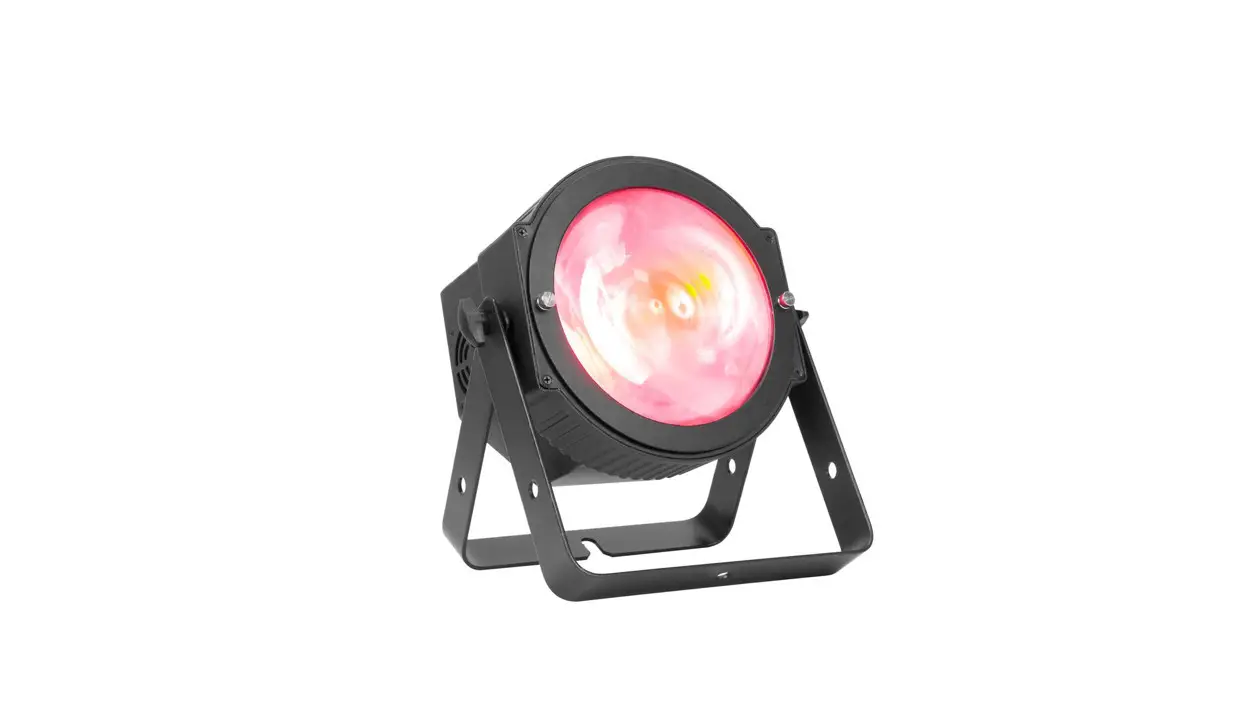
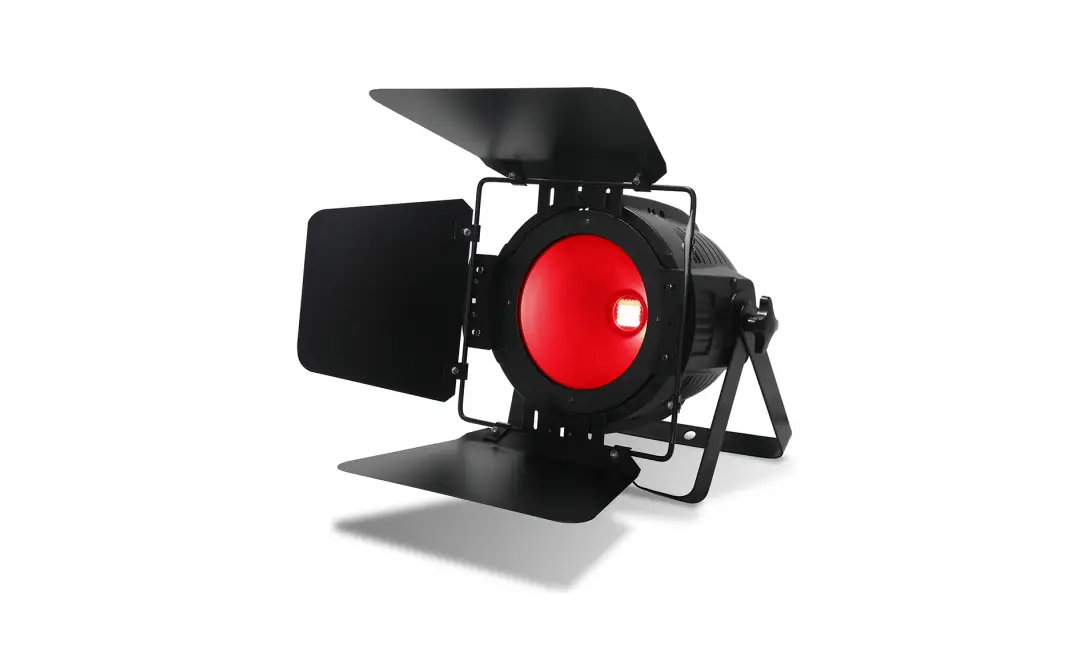
The LEDJ 200W COB RGBAL Par is a powerful lighting fixture with a COB LED for high-output wash and seamless colour mixing. It features a high CRI for accurate colour representation, an 80° beam angle and includes three interchangeable beam reduction lenses (25°, 40°, and 50°). The 4-button OLED display allows easy access to built-in colour macros, colour temperature presets, auto, sound active, and DMX modes.
· 1 x 200W quad-colour COB LED (RGBAL) · Beam angle: 80° native, 25°, 40° and 50° beam reduction
lenses supplied · 80° – 2,307 Lux @ 2m (full on), 25° – 11,716 Lux @ 2m (full on),
40° – 5,227 Lux @ 2m (full on), 50° – 4,110 Lux @ 2m (full on) · Refresh rate: 1kHz 10KHz, 15KHz, 20KHz selectable · DMX channels: 2/5/7/8/9 or 13 selectable · CRI: 93 · Auto, sound active and master/slave modes plus built-in programs · 0-100% dimming · Variable strobe · Supplied with hanging bracket · 4 push button menu with OLED display · PowerCON input/output · 5-Pin XLR input/output · 3-Pin XLR input/output · Fan cooled
Specifications Power consumption Power supply Fuse Dimensions Weight Order code
200W COB RGBAL Par 205W 100~240V, 50/60Hz T3.15A 250V 300 x 260 x 280mm 4.3kg LEDJ377
25° – Lux FULL ON R G B A L
46864 11800 13300 4380 11000 17172
40° – Lux FULL ON R G B A L
20908 5312 5668 1940 4296 8064
50° – Lux FULL ON R G B A L
16440 3924 4156 1424 3160 6312
80° – Lux FULL ON R G B A L
9228 2420 2404 824 1924 3520
0m
1m
260mm
280mm
11716 2950 3325 1095 2750 4293
5227 1328 1417 485 1074 2016
4110 981 1039 356 790 1578
2307 605 601 206 481 880
2m
5207 1311 1477 487 1222 1908
2323 590 630 215 477 896
1827 436 462 158 351 701
1025 269 267 91 214 391
2929 737 831 274 687 1073
1307 332 354 121 268 504
1027 245 260 89 197 394
577 151 150 51 120 220
1874 472 532 175 440 687
836 212 227 78 172 322
658 157 166 57 126 252
369 97 96 33 77 141
25° 40° 50° 80°
3m
4m
5m
300mm
www.prolight.co.uk
200W COB RGBAL Par User Manual 3
Technical specifications
01
02
03
03
MENU UP DOWN ENTER
POWER INPUT: 100-240V~
200W COB RGBAL Par
POWER OUTPUT: 100-240V~ 10A
04
04
50/60Hz
www.prolight.co.uk
50/60Hz
12 05
11 06
DMX INPUTS
DMX OUTPUTS
01 – OLED display 02 – Function buttons 03 – Hanging bracket 04 – Adjustable knobs 05 – PowerCON input 06 – 3-Pin DMX input
www.prolight.co.uk
FUSE: T3.15A 250V
POWER CONSUMPTION: 205W ta..40°C
07
08
09
07 – Fuse T3.15A 250V 08 – 5-Pin DMX input 09 – 5-Pin DMX output 10 – Safety eye 11 – 3-Pin DMX output 12 – PowerCON output
10
In the box: 1 x fixture, 1 x 25° beam reduction lens, 1 x 40° beam reduction lens, 1 x 50° beam reduction lens, & 1 x power cable
200W COB RGBAL Par User Manual 4
Operating instructions
Main Menu
DMX Address
Master/Slave Manual Dimming Sound Active Auto Fade Static Colour Display Fixture information Reset Factory
Sub Menu DMX Address Channel
Dimmer Curve
Options/Values (Default Settings in BOLD) 001-512 2 Channel 5 Channel 7 Channel 8 Channel 9 Channel 13 Channel Linear Square Law Inv SQ Law S Curve
LED Refresh
900Hz, 1000Hz, 1200Hz, 1500Hz, 2500Hz, 4000Hz, 5000Hz, 10kHz, 15kHz, 20kHz
DMX Fail
Slave
Red Green Blue Amber Lime Flash Sound Inex Sound Sensitivity Auto Fade Auto Change Speed Colour
CCT
Flash Display Backlight Auto Display Inverse
Display Contrast Fixture use time Fixture version
Default No
Blackout Last Program Master Slave 000-255 000-255 000-255 000-255 000-255 0-15 1-16 1-8 (6) 1-16 1-16 (4) 1-16 00-64 (1) 00, 1800K, 1850K, 1900K, 1950K, 2000K, 2050K, 2100K, 2150K, 2200K, 2250K, 2300K ,2350K, 2400K, 2450K, 2500K, 2550K, 2600K, 2650K, 2700K, 2750K, 2800K, 2900K, 3000K, 3100K, 3200K, 4400K, 5600K, 7200K, 10000K 00-15 On Off No Yes 1-10 0 CPU-A V 1.0 B 1.0 No Yes
www.prolight.co.uk
200W COB RGBAL Par User Manual 5
DMX mode:
2 channel mode:
Channel Value Function
000-009 No function
010-017 1800K
018-025 1850K
026-033 1900K
034-041 1950K
042-049 2000K
050-057 2050K
058-065 2100K
066-073 2150K
074-081 2200K
082-089 2250K
090-097 2300K
098-105 2350K
106-113 2400K 114-121 2450K 1 122-129 2500K 130-137 2550K
Colour temperature
presets
138-145 2600K
146-153 2650K
154-161 2700K
162-169 2750K
170-177 2800K
178-185 2900K
186-193 3000K
194-201 3100K
202-209 3200K
210-217 4400K
218-225 5600K
226-233 7200K
234-255 10000K
2
000-255 Master dimmer (0-100%)
Operating instructions
3 channel mode:
Channel Value Function
1
000-255 Colour macros (see page 10)
000-031 LED off
032-063 LED on
064-095 Strobe (slow-fast)
096-127 LED on 2
128-159 Strobe pulse (slow-fast)
160-191 LED on
192-223 Strobe random (slow-fast)
224-255 LED on
3
000-255 Master dimmer (0-100%)
5 channel mode:
Channel Value Function
1
000-255 Red dimmer (0-100%)
2
000-255 Green dimmer (0-100%)
3
000-255 Blue dimmer (0-100%)
4
000-255 Amber dimmer (0-100%)
5
000-255 Lime dimmer (0-100%)
7 channel mode:
Channel Value Function
1
000-255 Red dimmer (0-100%)
2
000-255 Green dimmer (0-100%)
3
000-255 Blue dimmer (0-100%)
4
000-255 Amber dimmer (0-100%)
5
000-255 Lime dimmer (0-100%)
000-031 LED off
032-063 LED on
064-095 Strobe (slow-fast)
096-127 LED on 6
128-159 Strobe pulse (slow-fast)
160-191 LED on
192-223 Strobe random (slow-fast)
224-255 LED on
7
000-255 Master dimmer (0-100%)
www.prolight.co.uk
200W COB RGBAL Par User Manual 6
Operating instructions
9 channel mode:
Channel Value Function
1
000-255 Red dimmer (0-100%)
2
000-255 Green dimmer (0-100%)
3
000-255 Blue dimmer (0-100%)
4
000-255 Amber dimmer (0-100%)
5
000-255 Lime dimmer (0-100%)
000-031 LED off
032-063 LED on
064-095 Strobe (slow-fast)
096-127 LED on 6
128-159 Strobe pulse (slow-fast)
160-191 LED on
192-223 Strobe random (slow-fast)
224-255 LED on
7
000-255 Master dimmer (0-100%)
000-020 Linear
021-040 Square Law
8
041-060 Inverse Square Law
Dimming curve
061-080 S-Curve
081-255 Default (set via menu)
000-015 Default (set via menu)
016-040 900Hz
041-065 1000Hz
066-090 1200Hz
091-115 1500Hz
9
116-140 2500Hz
141-165 4000Hz
166-190 5000Hz
190-215 10KHz
216-240 15KHz
241-255 20KHz
13 channel mode:
Channel Value Function
1
000-255 Red dimmer (0-100%)
2
000-255 Green dimmer (0-100%)
3
000-255 Blue dimmer (0-100%)
4
000-255 Amber dimmer (0-100%)
5
000-255 Lime dimmer (0-100%)
000-031 LED off
032-063 LED on
064-095 Strobe (slow-fast)
096-127 LED on 6
128-159 Strobe pulse (slow-fast)
160-191 LED on
192-223 Strobe random (slow-fast)
224-255 LED on
7
000-255 Master dimmer (0-100%)
000-009 No function
010-017 1800K
018-025 1850K
026-033 1900K
034-041 1950K
042-049 2000K
050-057 2050K
058-065 2100K
066-073 2150K
074-081 2200K
082-089 2250K
090-097 2300K
8
098-105 2350K
106-113 2400K
Colour temperature
presets
114-121 2450K
122-129 2500K
130-137 2550K
138-145 2600K
146-153 2650K
154-161 2700K
162-169 2750K
170-177 2800K
178-185 2900K
186-193 3000K
194-201 3100K
www.prolight.co.uk
200W COB RGBAL Par User Manual 7
13 channel mode (cont):
Channel Value Function
000-255 3200K
000-255 4400K 8 (cont.) 000-255 5600K
000-255 7200K
Colour temperature
presets
000-255 10000K
000-051 No function
052-102 Colour temperature presets (CH8 value 000-255)
9
103-153 Colour change mode
154-204 Colour fade mode
205-255 Sound active mode
000-042 Colour Change 1/Colour fade 1
043-084 Colour Change 2/Colour fade 3
085-127 Colour Change 3/Colour fade 3
10
128-170 Colour Change 4/Colour fade 4
171-213 Colour Change 5/Colour fade 5
213-255 Colour Change 6/Colour fade 6
213-255 Sound Active
000-255 No function (CH9 value 000-102)
11
000-255 Speed (slow-fast) (CH9 value 103-204)
000-255 Sensitivity (low-high) (CH9 value 205-255)
000-020 Linear
021-040 Square Law
12
041-060 Inverse Square Law
Dimming curve
061-080 S-Curve
081-225 Default (set via menu)
000-015 Default (set via menu)
016-040 900Hz
041-065 1000Hz
066-090 1200Hz
091-115 1500Hz
13
116-140 2500Hz
141-165 4000Hz
166-190 5000Hz
190-215 10KHz
216-240 15KHz
241-255 20KHz
Operating instructions
www.prolight.co.uk
200W COB RGBAL Par User Manual 8
Operating instructions
Colour Chart:
Menu Colour 1 Colour 2 Colour 3 Colour 4 Colour 5 Colour 6 Colour 7 Colour 8 Colour 9 Colour 10 Colour 11 Colour 12 Colour 13 Colour 14 Colour 15 Colour 16 Colour 17 Colour 18 Colour 19 Colour 20 Colour 21 Colour 22 Colour 23 Colour 24 Colour 25 Colour 26 Colour 27 Colour 28 Colour 29 Colour 30 Colour 31 Colour 32 Colour 33 Colour 34 Colour 35 Colour 36 Colour 37 Colour 38
DMX Values Colour Temperature Red Green Blue Amber Lime
001-004
–
000 255 255 001 116
005-008
–
127 255 212 001 124
009-012
–
151 125 003 255 043
013-016
–
000 000 255 001 000
017-020
–
138 043 226 001 177
021-024
–
223 108 007 255 077
025-028
–
165 042 042 001 200
029-032
–
095 158 160 044 071
033-036
–
171 036 000 120 255
037-040
–
127 255 000 001 255
041-044
–
210 105 030 001 022
045-048
–
255 015 018 255 174
049-052
–
100 149 237 003 000
053-056
–
255 000 010 255 144
057-060
–
220 020 060 001 000
061-064
–
000 255 255 000 012
065-068
–
006 000 139 001 003
069-072
–
000 139 139 002 005
073-076
–
000 111 000 001 024
077-080
–
255 000 002 021 003
081-084
–
188 000 003 255 044
085-088
–
255 012 000 077 062
089-092
–
255 130 25 229 030
093-096
–
140 000 139 002 135
097-100
–
255 140 000 001 000
101-104
–
153 050 204 001 005
105-108
–
143 188 143 001 035
109-112
–
072 061 139 004 002
113-116
–
000 206 209 002 002
117-120
–
255 000 004 011 008
121-124
–
148 000 211 005 002
125-128
–
255 020 147 001 000
129-132
–
000 191 255 002 003
133-136
–
160 000 26 000 004
137-140
–
034 139 034 001 001
141-144
–
255 000 255 002 000
145-148
–
255 215 000 001 001
149-152
–
005 255 190 003 011
www.prolight.co.uk
200W COB RGBAL Par User Manual 9
Operating instructions
Colour Chart (cont):
Menu Colour 39 Colour 40 Colour 41 Colour 42 Colour 43 Colour 44 Colour 45 Colour 46 Colour 47 Colour 48 Colour 49 Colour 50 Colour 51 Colour 52 Colour 53 Colour 54 Colour 55 Colour 56 Colour 57 Colour 58 Colour 59 Colour 60 Colour 61 Colour 62 Colour 63 Colour 64
DMX Values Colour Temperature Red Green Blue Amber Lime
153-156
–
012 255 062 095 049
157-160
–
005 209 255 015 170
161-164
–
000 005 128 005 005
165-168
–
255 105 180 002 001
169-172
–
007 255 025 070 077
173-176
–
147 164 212 000 002
177-180
–
002 255 015 003 019
181-184
–
000 038 086 000 000
185-188
–
255 000 005 121 010
189-192
–
005 148 209 005 019
193-196
–
001 255 062 093 044
197-200
2300K
150 004 004 255 255
201-204
2600K
140 015 008 255 255
205-208
2800K
130 025 010 255 255
209-212
3100K
110 030 015 255 255
213-216
3400K
100 050 020 255 255
217-220
7000K
075 110 070 255 255
221-224
8000K
075 125 085 255 255
225-228
3800K
090 060 025 255 255
229-232
4100K
080 071 030 255 255
233-236
4500K
080 085 038 255 255
237-240
4900K
080 095 046 255 255
241-244
5500K
075 110 055 255 255
245-248
6000K
075 110 070 255 255
249-252
9000K
065 045 097 255 255
253-255
9900K
055 165 117 255 255
www.prolight.co.uk
200W COB RGBAL Par User Manual 10
DMX setup
Setting the DMX address: The DMX mode enables the use of a universal DMX controller. Each fixture requires a “start address” from 1- 512. A fixture requiring one or more channels for control begins to read the data on the channel indicated by the start address. For example, a fixture that occupies or uses 7 channels of DMX and was addressed to start on DMX channel 100, would read data from channels: 100, 101, 102, 103, 104, 105 and 106. Choose a start address so that the channels used do not overlap. E.g. the next unit in the chain starts at 107.
DMX 512: DMX (Digital Multiplex) is a universal protocol used as a form of communication between intelligent fixtures and controllers. A DMX controller sends DMX data instructions form the controller to the fixture. DMX data is sent as serial data that travels from fixture to fixture via the DATA “IN” and DATA “OUT” XLR terminals located on all DMX fixtures (most controllers only have a data “out” terminal).
DMX linking: DMX is a language allowing all makes and models of different manufactures to be linked together and operate from a single controller, as long as all fixtures and the controller are DMX compliant. To ensure proper DMX data transmission, when using several DMX fixtures try to use the shortest cable path possible. The order in which fixtures are connected in a DMX line does not influence the DMX addressing. For example; a fixture assigned to a DMX address of 1 may be placed anywhere in a DMX line, at the beginning, at the end, or anywhere in the middle. When a fixture is assigned a DMX address of 1, the DMX controller knows to send DATA assigned to address 1 to that unit, no matter where it is located in the DMX chain.
DATA cable (DMX cable) requirements (for DMX operation): This fixture can be controlled via DMX-512 protocol. The DMX address is set on the back of the unit. Your unit requires either a standard 3-pin or 5-pin XLR connector for data input/output, see images below.
Further DMX cables can be purchased from all good sound and lighting suppliers or Prolight Concepts dealers. Please quote: 3-Pin: CABL10 2m CABL11 5m CABL12 10m
5-Pin: CABL185 2m CABL187 5m CABL188 10m
Also remember that DMX cable must be daisy chained and cannot be split.
www.prolight.co.uk
200W COB RGBAL Par User Manual 11
DMX setup
Notice:
Be sure to follow the diagrams below when making your own cables. Do not connect the cables shield conductor to the ground lug or allow the shield conductor to come in contact with the XLRs outer casing. Grounding the shield could cause a short circuit and erratic behaviour.
Pin Configuration
3-Pin
5-Pin
Pin 1 – Ground
Pin 2 – Negative
Pin 3 – Positive
Pin 4 – N/C
Pin 5 – N/C
DMX 512 3-Pin XLR output
1 3
2
GROUND DMX + DMX
DMX 512 3-Pin XLR input
1 3
2
3-Pin XLR male
3-Pin XLR female
1 ground 3 hot
2 cold
2 cold
1 ground 3 hot
DMX 512 5-Pin XLR output
DMX 512 5-Pin XLR input
GROUND
12
DMX
21
3
DMX + 3
54
N/C
45
N/C
5-Pin XLR male
5-Pin XLR female
1 ground 2 cold
3 hot
5 N/C 4 N/C
5 N/C 4 N/C
3 hot
1 ground 2 cold
Line termination:
When longer runs of cable are used, you may need to use a terminator on the last unit to avoid erratic behaviour.
Using a cable terminator will decrease the possibilities of erratic behaviour. (3-pin – Order ref: CABL90, 5-pin – Order ref: CABL89)
3-Pin
12 3
Termination reduces signal transmission problems and
interference. It is always advisable to connect a DMX
terminal, (resistance 120 Ohm 1/4W) between pin 2 (DMX-) and pin 3 (DMX+) of
the last fixture.
5-Pin
15 24
3
5-pin XLR DMX connectors:
Some manufactures use 5-pin XLR connectors for data transmission in place of 3-pin. 5-pin XLR fixtures may be implemented in a 3-pin XLR DMX line. When inserting standard 5-pin XLR connectors in to a 3-pin line a cable adaptor must be used. The diagram below details the correct cable conversion.
5-pin XLR (female) Pin 1: GND (screen) Pin 2: Signal (-) Pin 3: Signal (+) Pin 4: N/C Pin 5: N/C
3-pin XLR (male) Pin 1: GND (screen) Pin 2: Signal (-) Pin 3: Signal (+)
3-pin XLR (female) Pin 1: GND (screen) Pin 2: Signal (-) Pin 3: Signal (+)
5-pin XLR (male) Pin 1: GND (screen) Pin 2: Signal (-) Pin 3: Signal (+) Pin 4: N/C Pin 5: N/C
www.prolight.co.uk
200W COB RGBAL Par User Manual 12
Multiple fixture power linking
Power linking: This fixture provides power linking via the power output on the rear allowing multiple units to be connected together. The maximum number of fixtures that can be connected is 12 fixtures @ 240V or 6 fixtures @ 120V (including the first fixture). After the maximum number of fixtures are connected a new power run will need to be started. Please note: Caution should be used when power linking other fixtures to the 200W COB RGBAL Par as the power consumption of other fixtures will vary. Fixtures fitted with lamps often require 2/3 times more current on startup, these may require their own power source.
DMX INPUTS DMX INPUTS
POWER INPUT: 100-240V~ 50/60Hz
MENU UP DOWN ENTER
200W COB RGBAL Par
www.prolight.co.uk
POWER OUTPUT: 100-240V~ 10A
50/60Hz
FUSE: T3.15A 250V
POWER CONSUMPTION: 205W ta..40°C
DMX OUTPUTS DMX OUTPUTS
POWER INPUT: 100-240V~ 50/60Hz
MENU UP DOWN ENTER
200W COB RGBAL Par
www.prolight.co.uk
POWER OUTPUT: 100-240V~ 10A
50/60Hz
FUSE: T3.15A 250V
POWER CONSUMPTION: 205W ta..40°C
www.prolight.co.uk
200W COB RGBAL Par User Manual 13
WEEE notice
Correct Disposal of this Product (Waste Electrical & Electronic Equipment)
(Applicable in the European Union and other European countries with separate collection systems)
This marking shown on the product or its literature, indicates that it should not be disposed with other household wastes at the end of its working life. To prevent possible harm to the environment or human health from uncontrolled waste disposal, please separate this from other types of wastes and recycle it responsibly to promote the sustainable reuse of material resources. Household users should contact either the retailer where they purchased this product, or their local government office, for details of where and how they can take this item for environmentally safe recycling. Business users should contact their supplier and check the terms and conditions of the purchase contract. This product should not be mixed with other commercial wastes for disposal.
www.prolight.co.uk
200W COB RGBAL Par User Manual 14