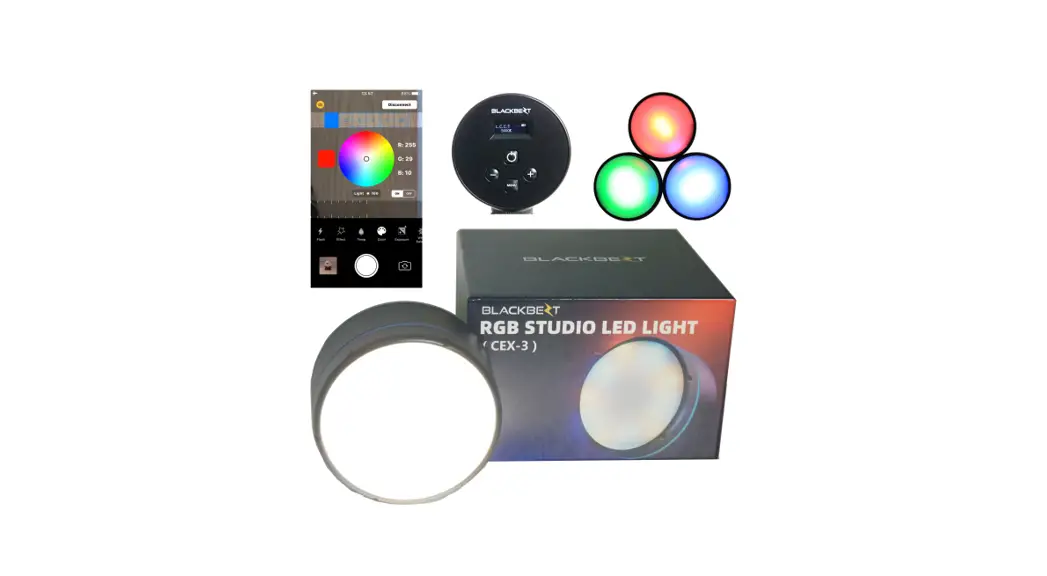

Instruction Manual
CEX-3
SAFETY WARNINGS
- The environment should be kept dry anc ventilated when using the light The unitshould never be exposed to water and moisture. Take heed when operating outdoors in precipitation.
- Don’t stick metal pointy things into the Lnit.
- Don’t attempt to modify the unit yourself. If it becomes damaged please. contact your vendor or take itto an authorized repair se– Do not disassemble this equipment. Touching the product’s internals coutc result in injury. In the event of malfunction, the product should 3e repaired only by a qualified technician.
- Make sure you only use accessories of the proper voltage.
- Don’t let children play with the unit. Keen the light at of reach frcm
- Serious damage may occur by using nea– people or animals’ eyes. That can cause. Please do not directly look at the illuminatec light.
- Should smoke come from the unit, disconnect the pother immediately and place it in a safe location. It is lomat for the fixture to become warn– When
- Don’t use the light near flammable liquids or vapors, ike gasoline.
- If you are packing the light, please triplecheck that itis turned off 10,After using the light for extended periods, allow it tocool before goring to avoid damage to the electronic components.
- Don’t use the light to support any other equipment or lift your imaging device by the unit.
- ,Please use the soft dry cloth to clean the light. If necessary, carefully wash with a cloth dampened with reutral detergents, and then dry with a soft cloth
- ,Use prudence and attach f rmly to a support with the stand adap:er.
CEX-3 RGB LED LIGHT INSTRUCTION BOOK
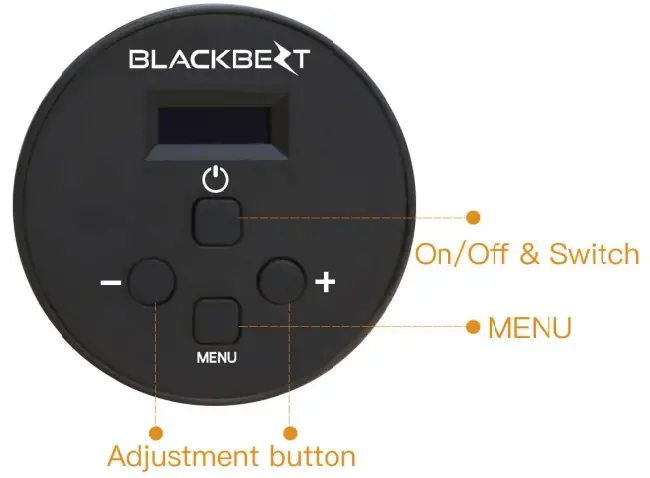
Press button for 3 seconds to turn on the device.
Press button to switch to different functions
- C.T Mode
- Lightning
- Party
- Color Mode
- Freworks
- Address
Function Mode
- C.C.T Mode
 (Color Tenrperature Range 2300K-1000OK)
 (Color Tenrperature Range 2300K-1000OK)
- Press
 button to switch to CCT and Dimmer
 - Press
 button to adjust the color temperature and the dimmer
 button to adjust the color temperature and the dimmer
- Color Mode
 (0°- 360°)
 (0°- 360°)
- Press button to switch to Color Function anc Dimmer Function
- Press button to adjust the Color and the Dimmer value
3.Lightning Effect
- Presss button button to switch to Lightning Functionand Dimmer Function
- Press buttonto adjust the Lightning
(tie speed of Lightning effect’, and the Dimmervalue.
- Party Effect


- Press button to switch to Party Function and Dimmer Function
- Press buttonto adjust the Party(:he speed cf Party effect) and the Dimmer value.
- Fireworks Effect


- Press button to switch to Fireworks Functior and Dimmer Function
- Press button to adjust the Firewor ks(t he speed of Firetnorks effect) and the Dimmer value
- Address

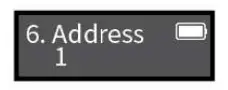
- Press button to adjust the address of light(1.5). This function need to beused with APP of mob le phone.

https://apps.apple.com/cn/app/id1545806987
Scar the QR code to download the APP from Apple APP store

Search for Blackbezt inAPP store to cownload the APP
APP Function Instruction
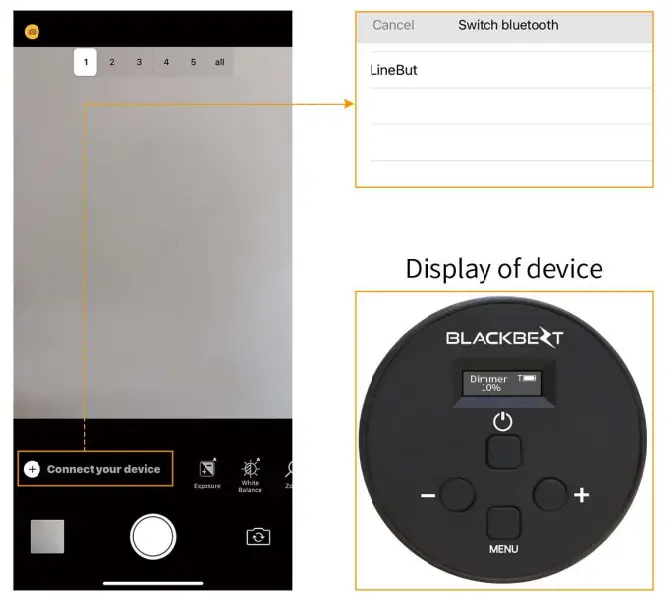 | 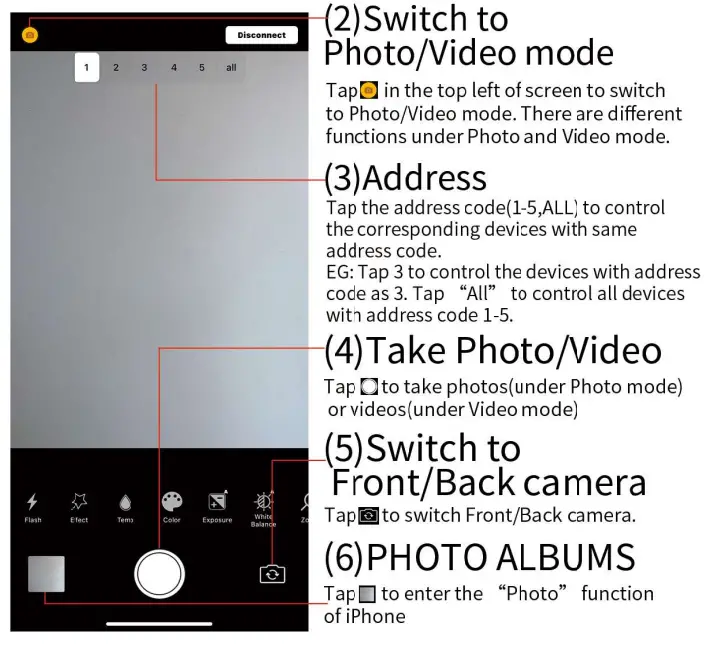 |
Photo Mode
 II FLASH
• The speed and intensity of the Flash can be adjusted through sliding the bars.
(The speed of flask default setting is 50)
• The levels of bars can be adjusted indepeniently left and right.
Tab al to turn on/off the flash furction and light
 EFFECT
 10 effects can be chosen
(Party, Lightning, Fireworks, SOS, Police, Fire fighting,Am bula ice, Candle, Circulation, Bad Bulb)
• Swipe up and down the baron the left to choosethe effects.
• The speed and intensity of effects can be adjusted through sliding the ham on the right. TEMP
TEMP • The colortemperature and inteisity of the light can be adjusted though sliding the bars.
• The range of color temperatureis from 2800K to 1.0000K. COLOR
COLOR • Tap on the color wheel to chcose the color
• The intensity of color can be adjusted through sliding the bar.- EXPOSURE
 • The ISO aid Sutter of the camera can be adusted through sliding the bars.
• TAB to switch AUTO/MANUAL mode.
• The default setting is AUTO. - WHITE BALANCE
 • The Kevin and ‘int of the camera can be adjusted througn sliding the bars.
• Tapto switch AUTO/MANUAL mode.
• The default setting i; AUTO.  ZOOM
ZOOM • Zoon in or oLt of camera can be adjusted through sliding the bar.
• Different models of ‘Phone have different digital zoom. TIMER
TIMER • The self-timer of camera can be adjusted through sliding the bar.(Delay range is from 0 to 10 seconds).
 II FLASH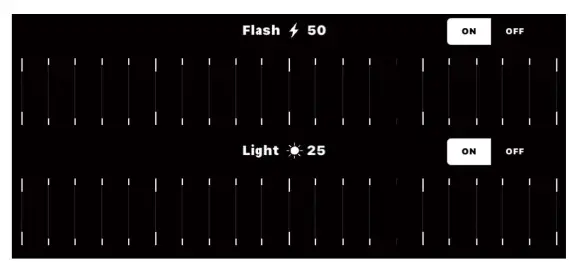
 EFFECT
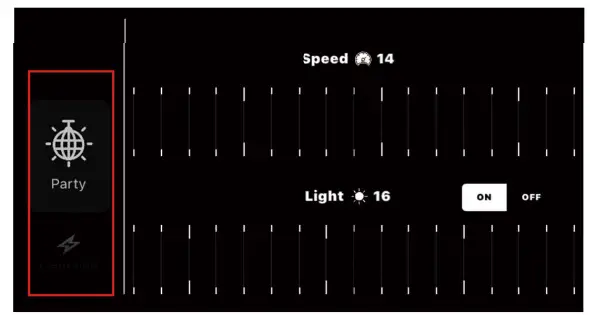 10 effects can be chosen
 TEMP
TEMP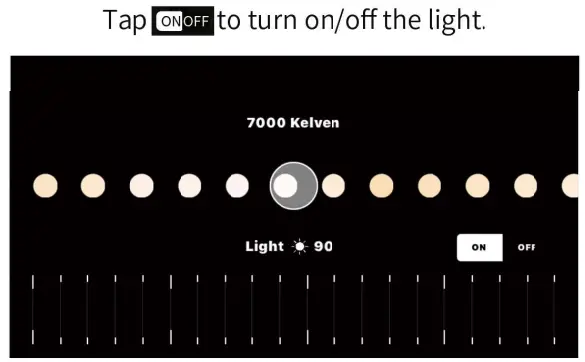 • The colortemperature and inteisity of the light can be adjusted though sliding the bars.
 COLOR
COLOR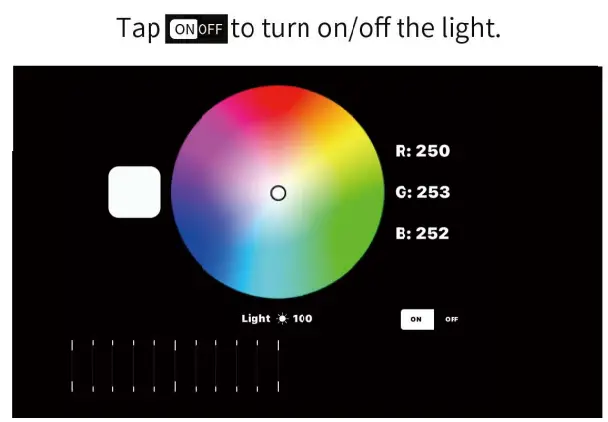 • Tap on the color wheel to chcose the color
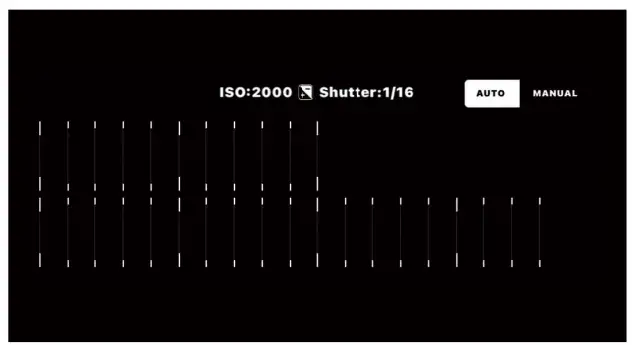 • The ISO aid Sutter of the camera can be adusted through sliding the bars.
 to
to 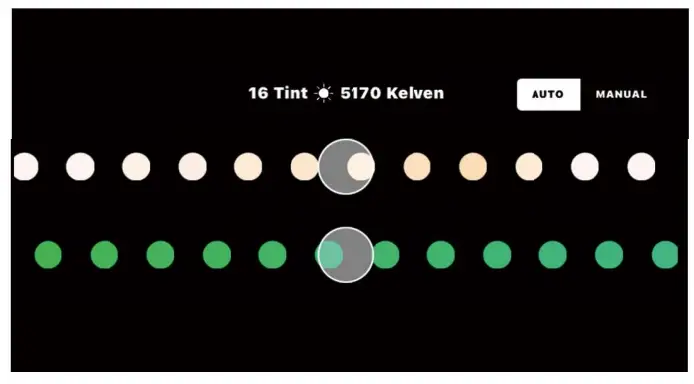
 ZOOM
ZOOM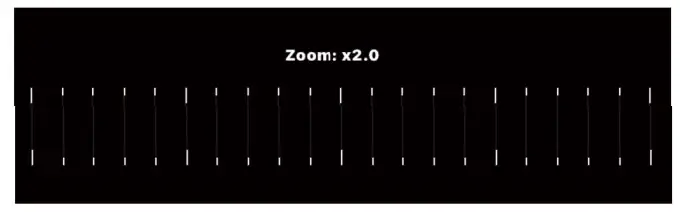
 TIMER
TIMER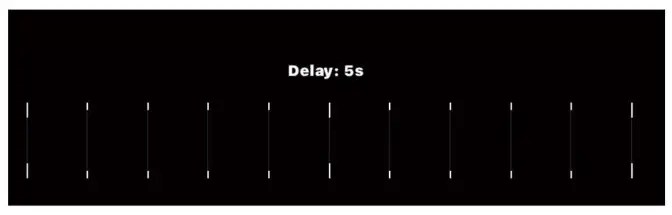
Video Mode
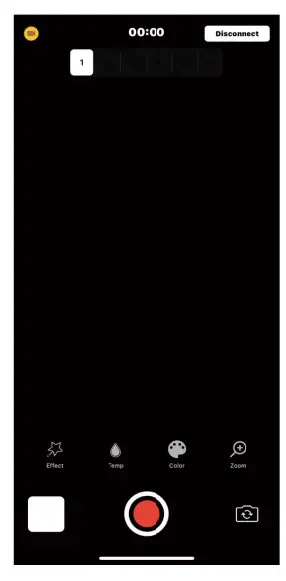
4 Functions under Video mode.
- EFFECT
- TEMP
- UCOLOR
- ZOOM
- All the operat ons are the same as Photomode.
- ‘Please read page 8,9,10 & 13 of instruction book
ANNCUNCEMENT
Dear custom Ks.
Thank you fa purchasingelacktezt Lighting lechnciogy Co., Ltd’s LED products. CE(-3wa; released on2021. Blackint reserves tie nett to change the sae, material and the specification of product withott further notice. Eilac(bezt Lighting Technology Co., Lid reseves the right of final explanation
Trademarks
Apple is tractrnadu or registered trademarksof Apple inc. n Chire and Intematonally Oche( name: and marks ie the ‘Needyof deli respective ewers.
Note:
All the abovcdata is for ycur refeence only, rrodels may slighdy Offer due tc factor/ operation
BLACKBEZTLIGHTNG TECH NCLOGY CO., LT)
Company acdress Unit £01 of Luddite 7,1:hong/in Lu,.1shul, Nankai, Foslan, Guangdong, Cline
Tel:+006521568.6223(4,ngkeng)
+96 75181249145 (Mainlaid China)
Email:salesObla<kbed.com help@bla<klezt.com www.blackbezt.com
Made in China
FCC Caution
This device complies with part 15 of the FCC Rules. Operation is subject to the following two conditions: (1) This device may not cause harmful interference, and (2) this device must accept any interference received, including interference that may cause undesired operation.
Any Changes or modifications not expressly approved by the party responsible for compliance could void the user’s authority to operate the equipment.
Note: This equipment has been tested and found to comply with the limits for a Class B digital device, pursuant to part 15 of the FCC Rules. These limits are designed to provide reasonable protection against harmful interference in a residential installation. This equipment generates uses and can radiate radio frequency energy and, if not installed and used in accordance with the instructions, may cause harmful interference to radio communications. However, there is no guarantee that interference will not occur in a particular installation. If this equipment does cause harmful interference to radio or television reception, which can be determined by turning the equipment off and on, the user is encouraged to try to correct the interference by one or more of the following measures:
-Reorient or relocate the receiving antenna.
-Increase the separation between the equipment and receiver.
-Connect the equipment into an outlet on a circuit different from that to which the receiver is connected.
-Consult the dealer or an experienced radio/TV technician for help.
This equipment complies with FCC radiation exposure limits set forth for an uncontrolled environment.