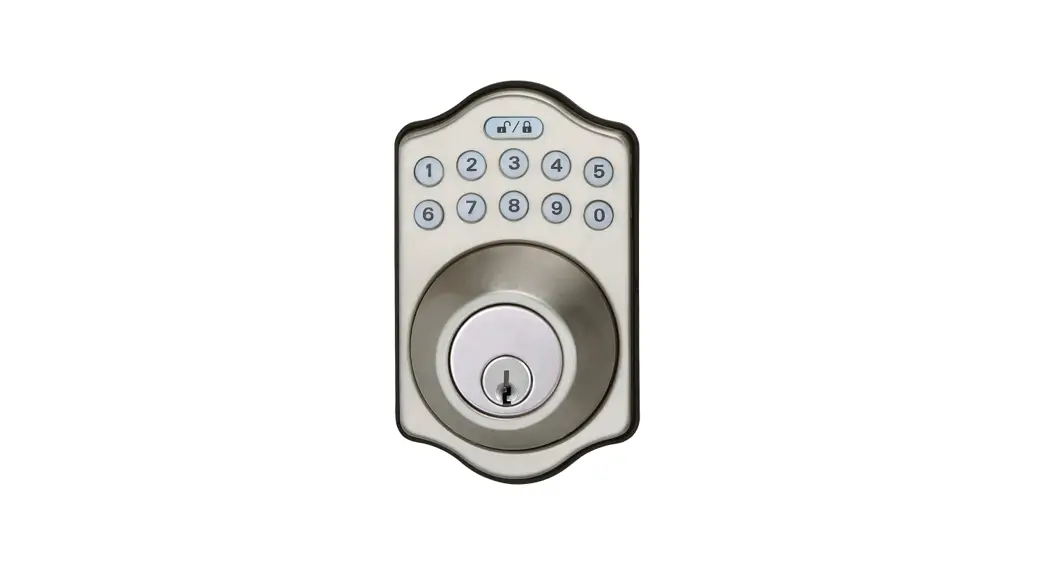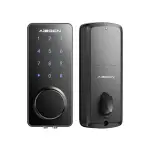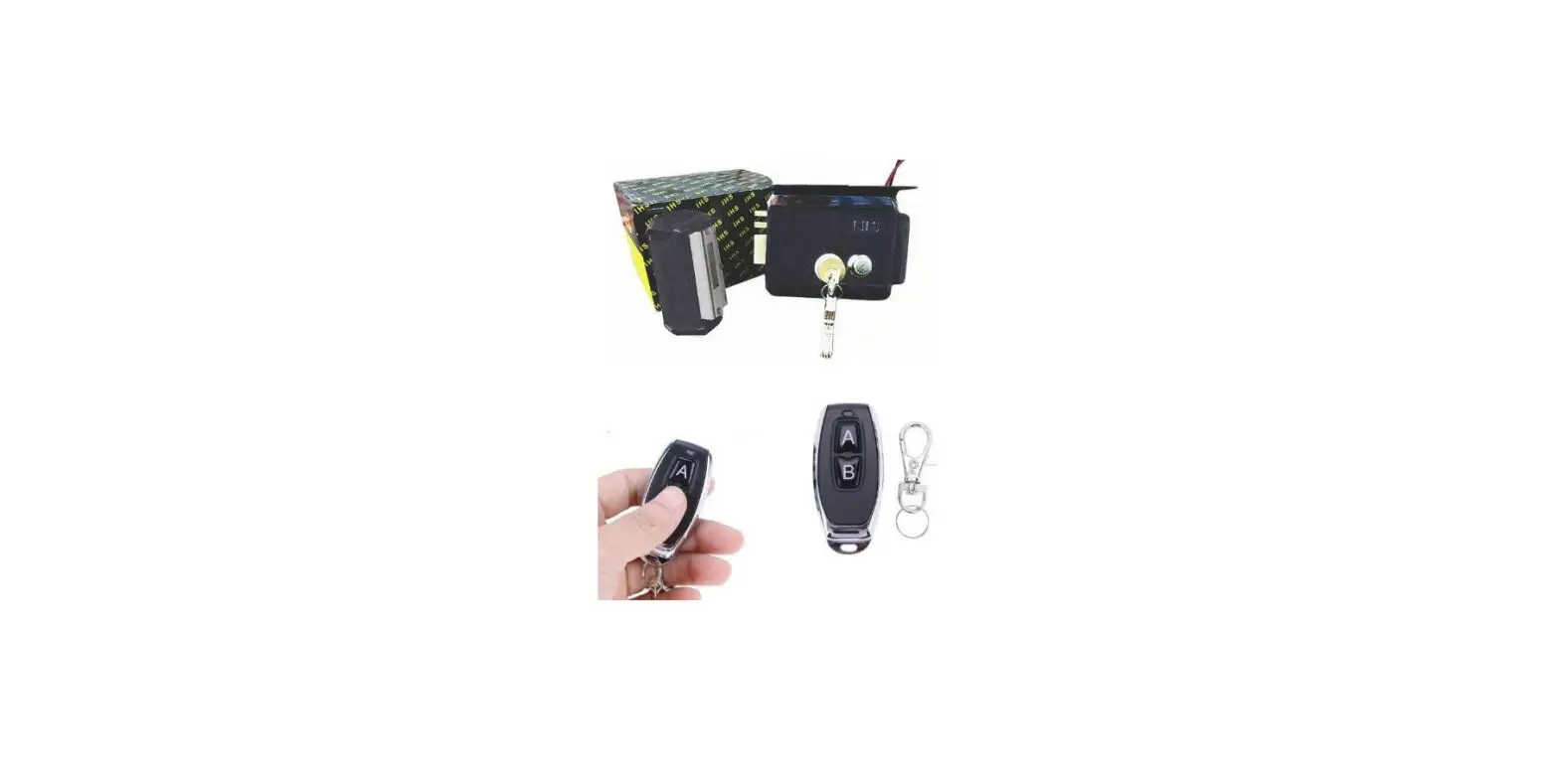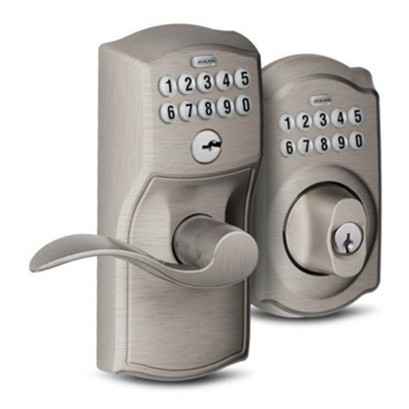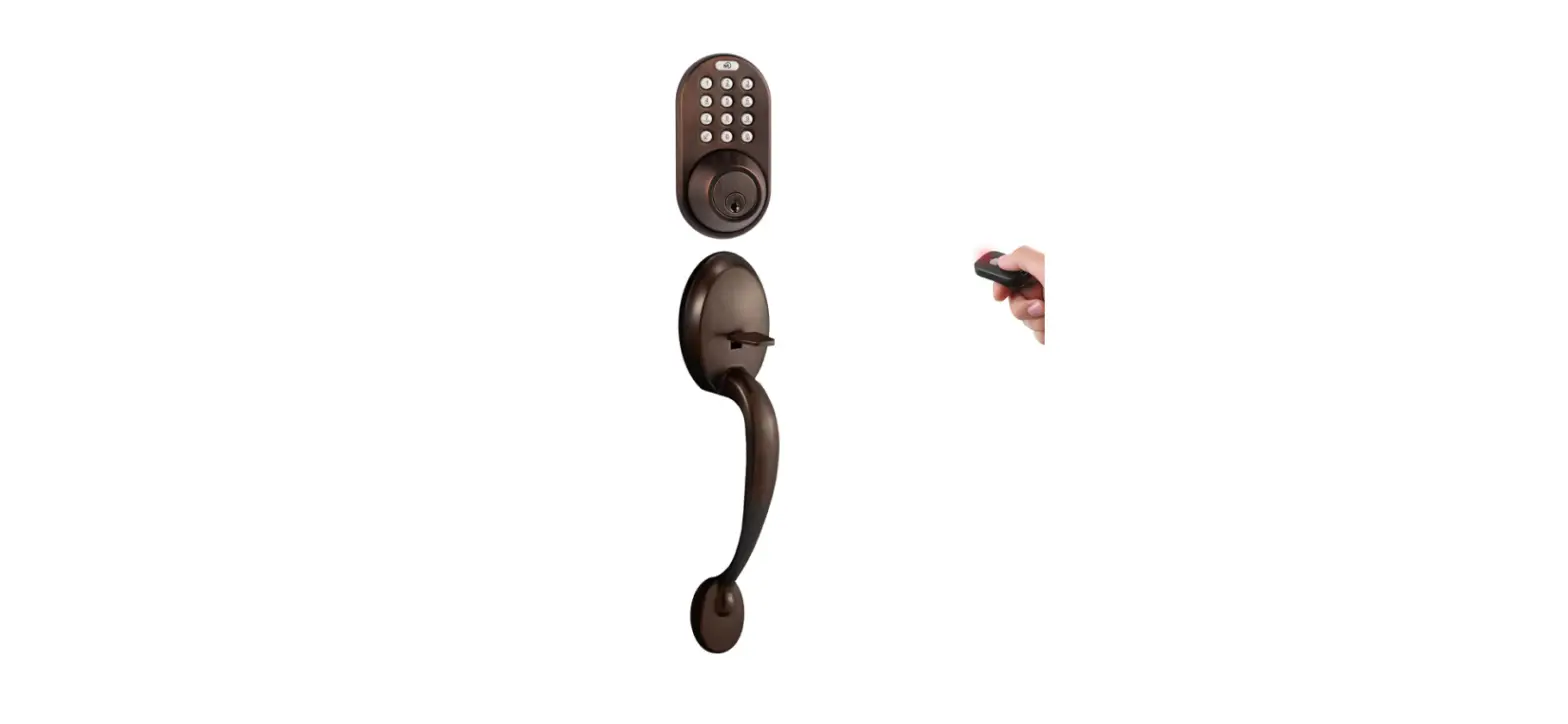
 MiLocks BXF-02OB Digital Deadbolt Door Lock
 MiLocks BXF-02OB Digital Deadbolt Door Lock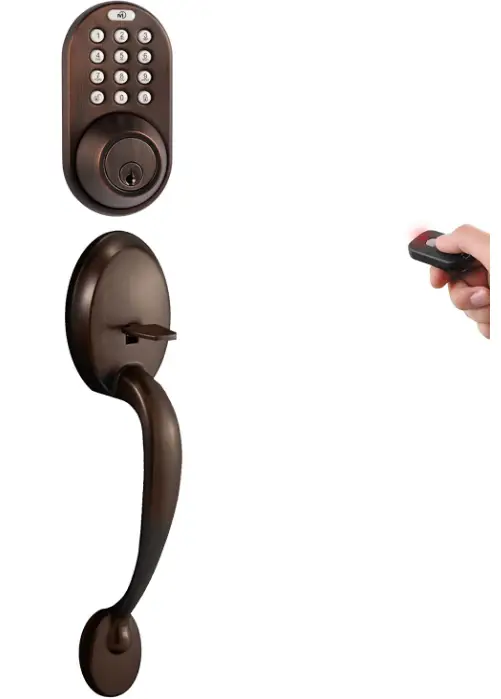
PARTS
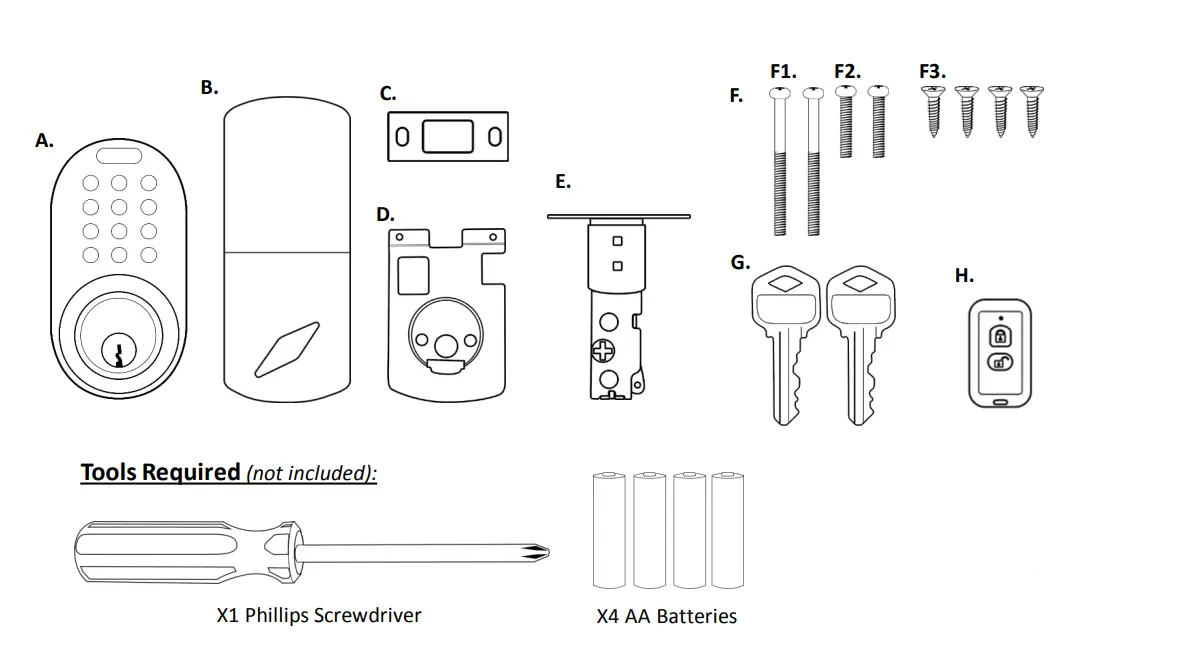
1-2 Switch on Part B.) Left Handed & Right Handed Setting:
On the back module (part B), there is a switch labeled “1-2” which controls the left handed and right handed setting.
- 1 = Right Hand Doors (most common)
- 2 = Left Hand Doors
When entering the doorway, if the hinges are on the left, you have a left handed door. If the hinges are on the right, you have a right handed door.
GENERAL WARNINGS & CAUTIONS
- The back module (Part B.) needs to be protected from the weather
- Remote works up to 30’ without obstructions
For assistance with assembly or installation, parts and customer service, call:1-800-355-0157 (English & Spanish)9am –5pm PST Mon. –Fri.
North America
Battery Precautions
- Do not mix old with new batteries.
- Do not use rechargeable batteries.
- Remove batteries from product when storing for extended periods of time.
- Do not dispose of batteries in fire as they may explode. Please follow your local battery disposal procedure.
- Do not puncture batteries. Electrolyte leakage from the batteries is corrosive and can cause serious harm to the eyes or skin. If swallowed, the electrolyte can be toxic.
- Do not allow conductive materials such as jewelry or metal tools to make contact with the batteries which may cause a short circuit. With a short circuit, the batteries and conductive material can become extremely hot and cause burns.
Register Your Product
- Although we hope you never have to deal with a warranty claim during the use of our product, you should submit a product registration to validate the warranty. This keeps it on record with us so you don’t have to save a receipt or record of any kind. Just give us a call and we will take care of you.
- Register at www.milocks.com
INSTALLATION
- Adjust Latch Backset

- Install Door Latch (w/ Bolt Retracted)

- Mount Front Module

- Fasten Back Mounting Plate

- Connect, Mount & Fasten Back Module

- Install Battery Cover

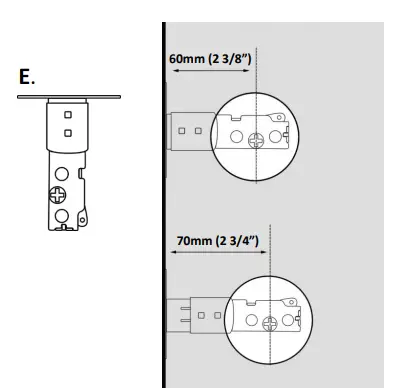
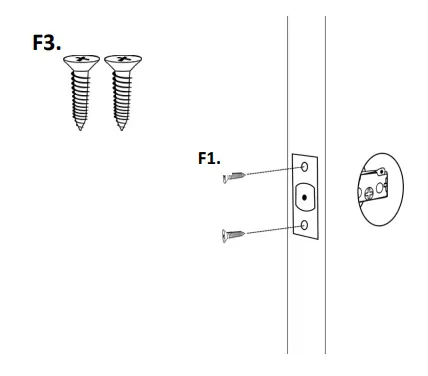
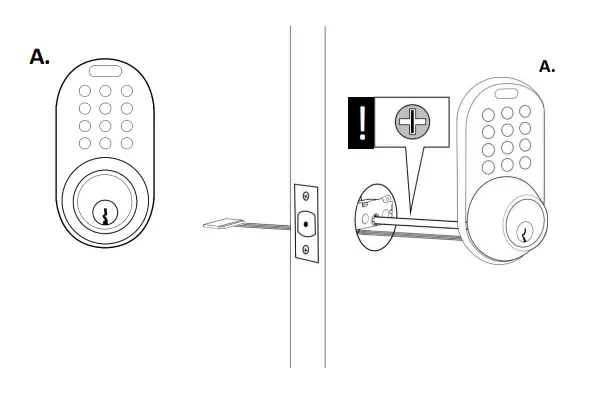
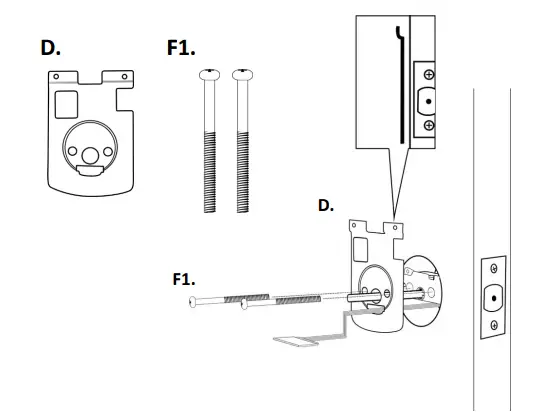

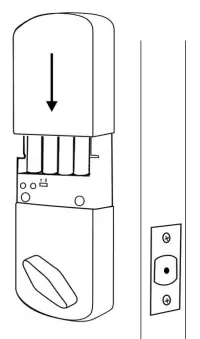
KEYPAD PROGRAMMING
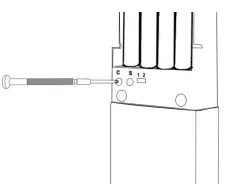
- Delete All Codes (Recommended for initial set up):
Press and hold C button and wait for a series of confirmation beeps. You will have to hold the C button for about 10-15 seconds.
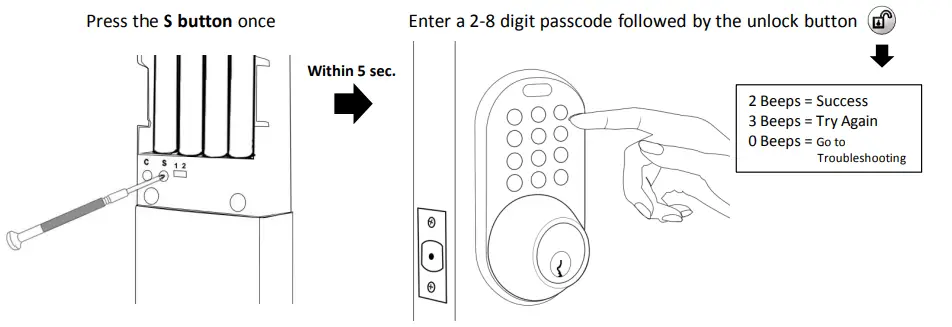
- Add a Code

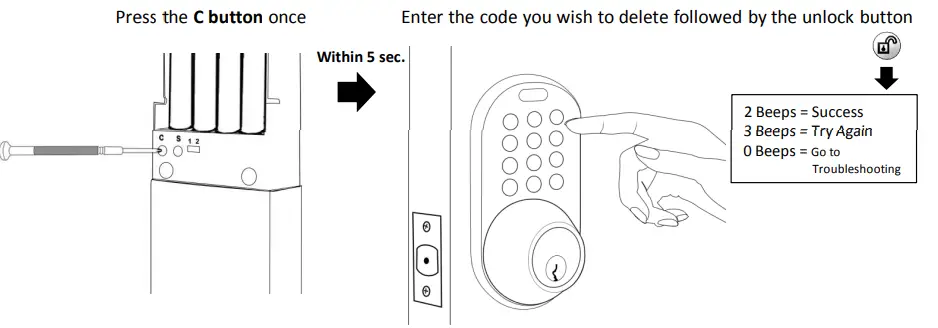
- Delete a Code

OPERATING INSTRUCTIONS
- TO LOCK: Press the LOCK button once
- TO UNLOCK: Enter code followed by the UNLOCK button
- TO LIGHT KEYPAD: Press the “Mi” button once
- 1-2 Switch: 1 = Right Hand Door 2 = Left Hand Door
TROUBLESHOOTING
Low Batteries (Most Common Issue): If the lock produces a longer set of rapid beeps and either locks or does not lock the door, you have low batteries. To avoid any difficulties during set up, make sure you are using brand new AA alkaline batteries. Using a battery tester is not recommended.
Door Jam Alignment: Make sure the deadbolt and the hole in the door jam line up so that there is minimal resistance on the deadbolt as it extends and retracts from the door.
Driver Bar Position: In step 3 of the installation, you are instructed to position the driver bar in the vertical position while the deadbolt is retracted. In step 5 of the installation, you are instructed to position the thumb turn according to which side the door latch faces. If these parts are not positioned according to the instructions, you will encounter issues such as the lock only working with the key in the cylinder, a jammed thumb turn, or a key that will not release from the cylinder. The best thing to do is remove the lock from the door and install the lock according to the instructions provided.
Loose Keypad Connection: If not connected securely, the keypad wire harness connection may come loose and cause some of the numbers to operate inconsistently. To confirm your door lock issue is not being cause by a loose keypad connection, press every number on the keypad and confirm every button beeps when pressed.
If some of the numbers are not beeping, remove the back module (part B) and inspect the wires for any pinches or tears. Make sure to check the wires coming from the keypad as well. Disconnect the wire harness and make sure the pins in the male connectionare not bent out of alignment. Reconnect your wires and confirm every button on the keypad beeps when pressed.
If you are still having keypad issues after following our troubleshooting guide, call us for a replacement under warranty.
Function Test: If a passcode has not been successfully programmed, the lock will not operate using the keypad. Lets check if a passcode has been successfully programmed in the memory:
- Unlock the door lock and open the door. Make sure you keep the door open while troubleshooting.
- Press the LOCK button on the keypad 1 time and listen to the beeps:
- If the lock beeps 3 times and does not lock, it does not have a passcode set in its memory. Refer to the programming page for instructions on adding a passcode.
- If the lock produces a longer set of rapid beeps and either locks or does not lock the door, you have low batteries. Replace thebatteries with a set of 4 premium “AA” alkaline batteries.
- If the lock beeps 2 times and locks successfully, it has at least 1 passcode stored in its memory and is operating correctly.
If you are unable to get your lock to work please give us a call during business hours.
US Live Tech Support: 1-800-355-0157 M-F 9am -5pm PST (English & Spanish) Warranty shipments are always shipped promptly.
WARRANTY
Mi Products Corporation warrants to the original residential user of this product that it will be free from defects in materials and workmanship, under normal use, for 1 year from the date of purchase. User must provide a copy of original purchase receipt. Thiswarranty does not cover abuse or misused products or products used in commercial applications. All mechanical components carry a limited warranty, for a period of 25 years from the date of purchase. The finish of the exterior of this lock carries a limited warranty of the lifetime of the unit against deterioration due to normal weather conditions. This warranty does not apply to locks that havebeen improperly installed, modified, put to a use other than designed, or subjected to acts of God (such as floods, lightning, earthquakes, etc.) This warranty is limited to repairing or replacing of this lock only at MiProducts Corporation’s sole discretion. MiProducts Corporation will NOT be liable for the cost of installing, removing, nor reinstalling this product, nor direct, indirect, or consequential damages to persons or property resulting from the use of this product. This warranty only covers the cost of replacement parts, it does not cover shipping & handling fees.
To implement this warranty please give us a call during business hours at 1-800-355-0157, or visit www.milocks.com.
MiProducts Corp. La Puente, CA 91746 1-800-355-0157 MADE IN TAIWAN
FAQS
The Interior portion is a round knob
No, the was no dummy door handle for dual door entry.
No- on set is the decorative lower lock. The top one is the one that locks in and out the deadbolt. You can buy several and program them with the same code. But you would have to have the keys rekeyed so they all match I assume. I don’t know I guess you’d have to ask the company if they can send some with the same keys.
It uses +AA Alkaline Battery
Yes, it does come with a remote.
Yes it has a keys
locks 1/8″
You have installed the lock incorrectly. You can fix the unlock and lock issue by flipping the switch nect to the C and S button to the opposite position. Take the lock apart and install the lock with the keys off and make fure that the front driver bar is in the vertical
position when assembling.
Yes you should be fine, you do not have to install our handle set if you do not like.
If you are having this issue call our customer service number on the back part of the lock.
No there is no remote only the key pad.