 PN-65HC1 Dismantle Instruction
LCD MONITOR
MODEL PN-65HC1
Dismantle Instruction
1. Scope
This document describes dismantling instruction according to Annex VII of Directive 2012/19/EU.
2. Tools for dismantling
Below tools are required to dismantle this product.
– Screw Driver
– Nipper
3. Dismantle Procedure
This product can be dismantled by below steps.
- Remove Back covers (section 4)
- Remove the shielding
- Remove Printed circuit boards (section 5)
- Remove battery (section 6)
- Dismantle LCD (section 7)
- Remove Electrolyte Capacitors (section 8)
4. Back cover
Back cover can be removed by screw driver.
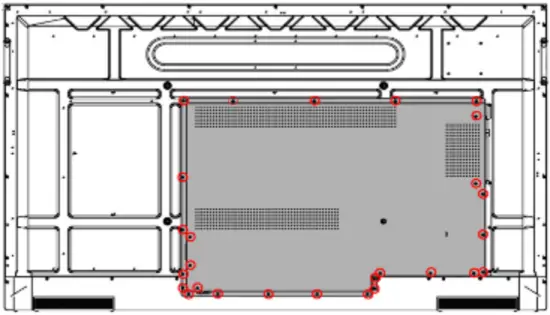
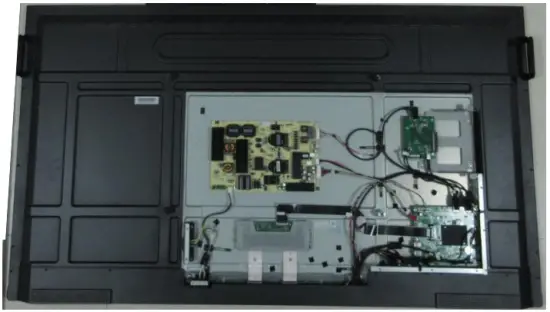
5. Printed circuit boards
All PWBs can be removed by screw driver.
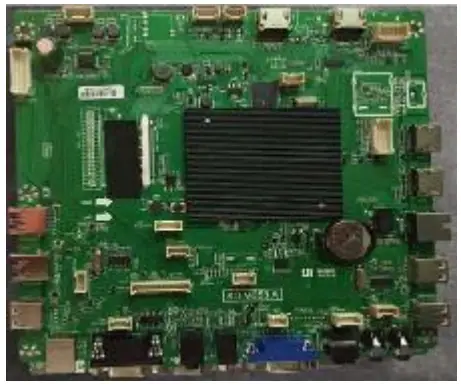
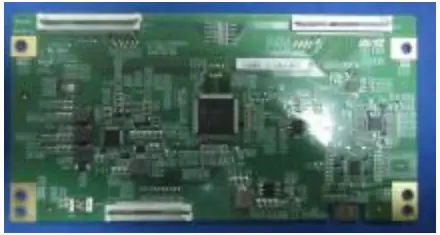
Main PWB (1pcs) T-con PWB (1pcs)
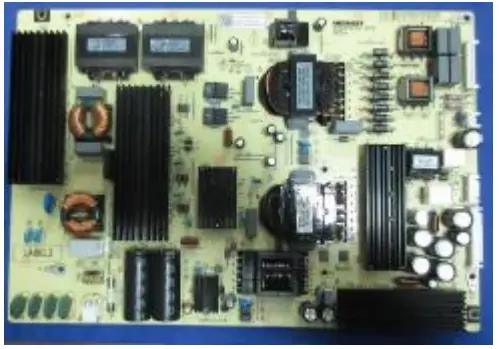
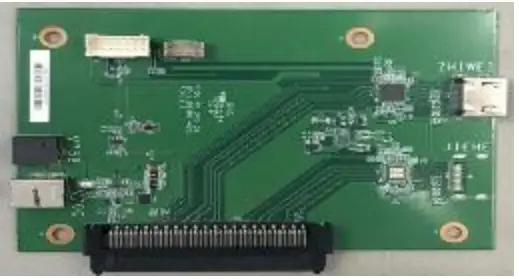
Power PWB (1pcs) OPS PWB(1pcs)
6. Batteries
This model uses CR2032 Lithium Coin battery on MAIN PWB.
Battery CR2032 can easily be removed from the battery holder.
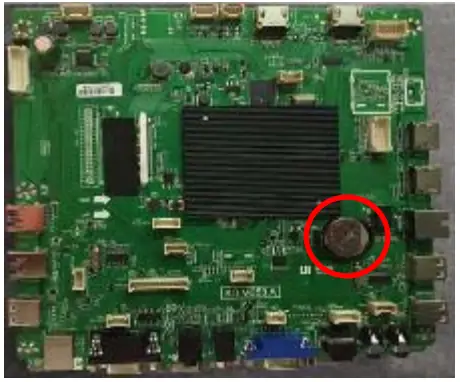
This model uses AAA battery for remote control.
Battery can easily be removed.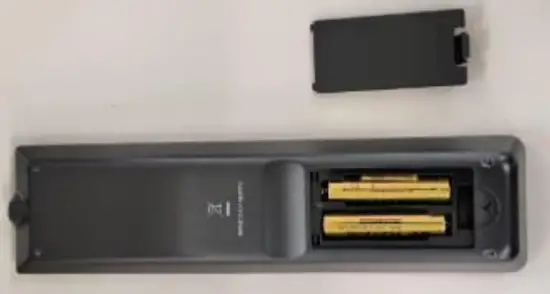
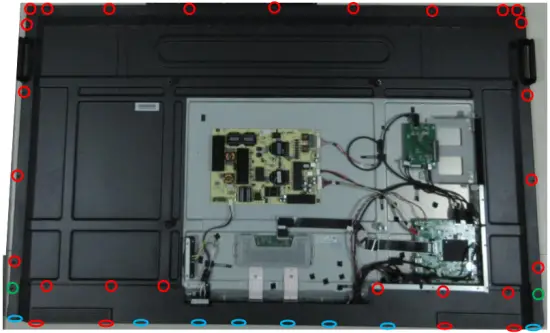
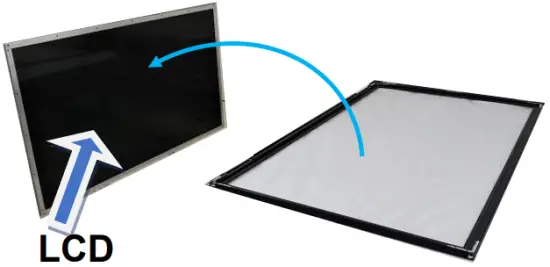
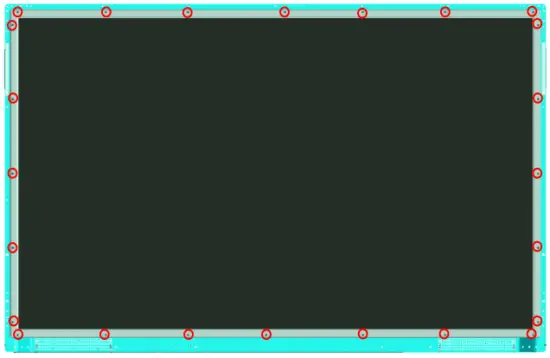
7. LCD Module bezels/bracket
LCD Dismantle procedure
- Remove screws
- Remove Cover glass and Bezels
- Remove screws
- Remove Middle Frame
- After you have removed the PWB´s, the cover glass and bezels please take out the cables from the LCD module.
8. Capacitors
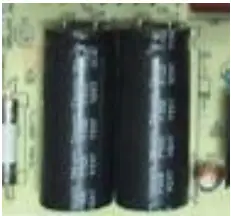
Electrolyte Capacitors which diameter/height is larger than 25mm is installed on the Power PWB. These capacitors can be removed by using nipper to cut the leads.
9. Parts List
Parts described in Annex VII of directive 2012/19/EU are as below.
| Parts | Note |
| LCD | 65inch LCD module |
| Batteries | Battery CR2032 of the main board Battery (AAA) of remote control |
| Printed Circuit Boards | Main PWB Power PWB OPS PWB T-CON PWB |
| Electrolyte capacitors (height >25mm, diameter >25mm) | On the Power PWB |
| External electric cables | 2 kinds of Power Cord – CEE 7 (for EU) – Type-BF (for UK) |