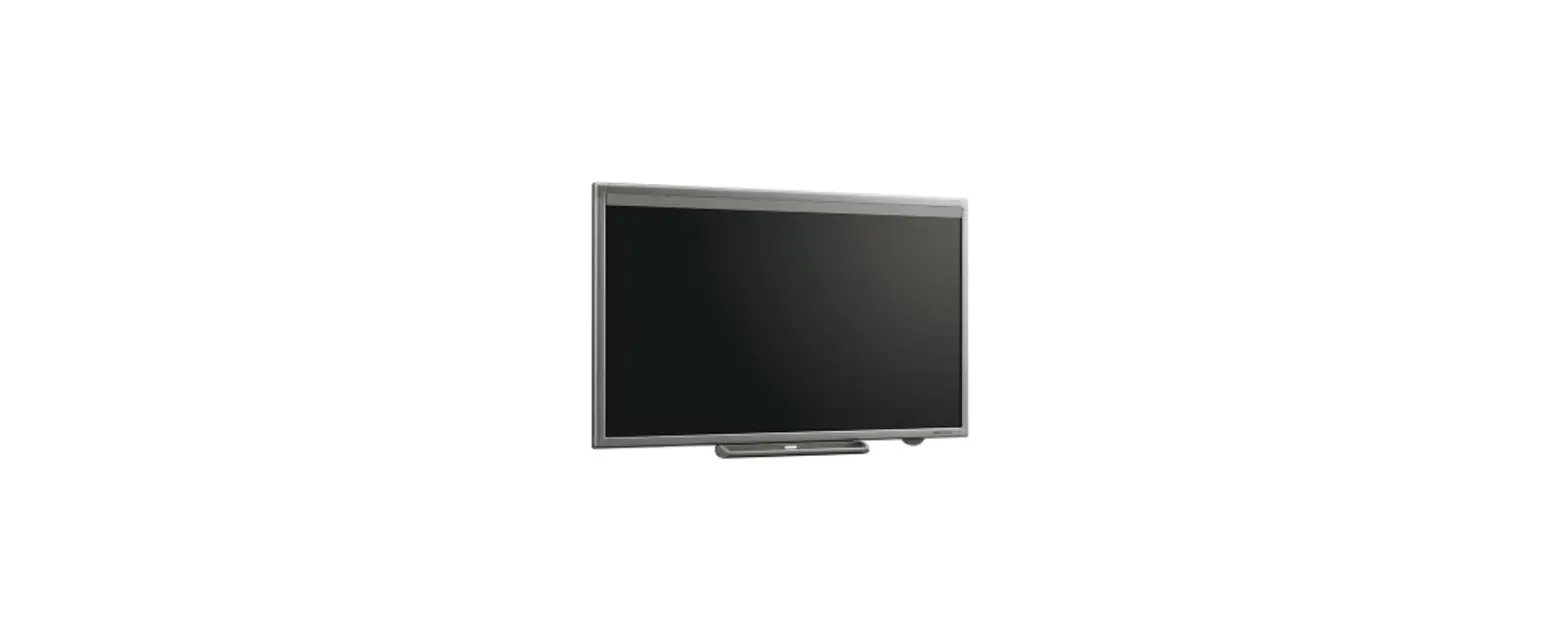
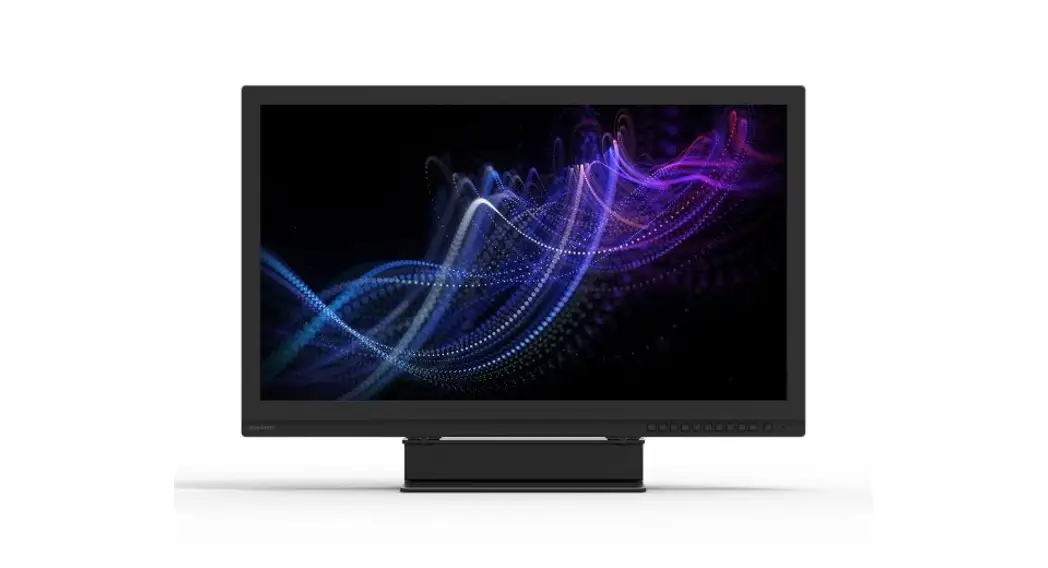
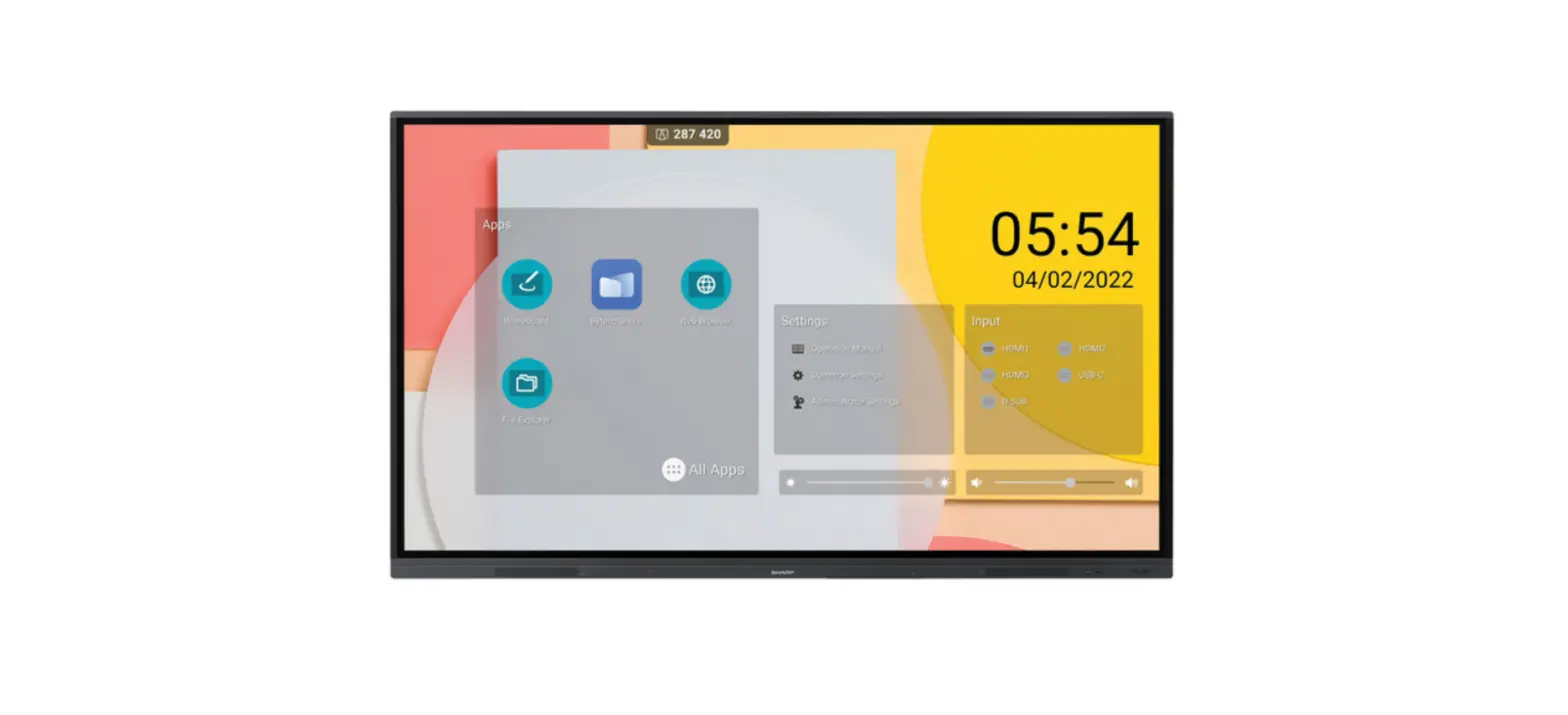
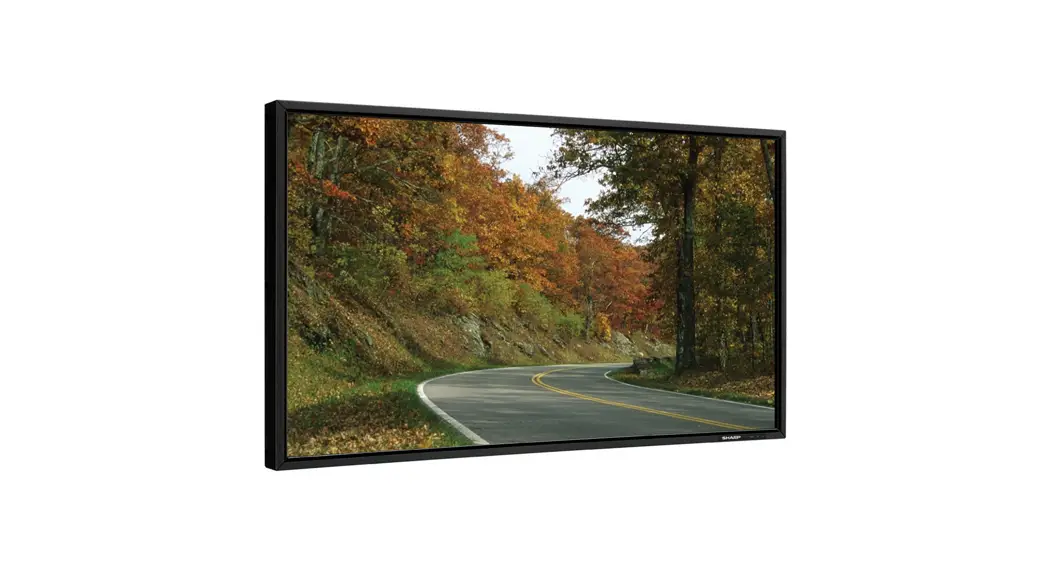
PN-LC862 Touch Display
Product Information
| Product Name | SHARP Touch Display |
|---|---|
| Model | PN-LC862/LC752/LC652 series |
| Revision | 1.0 |
Product Usage Instructions
Preparation
Connectors and Wiring
Ensure the proper connectors and wiring are used for external
control:
- RS-232C Remote Control
- Connector: 9-pin D-Sub
- Cable: Straight cable
- The terminal on the monitor is a female-type connector.
- LAN Control
- Connector: RJ-45
- Cable: Category 5 or higher LAN cable
Monitor Settings
Ensure the following settings are configured on the monitor:
- Power Save Mode: Off
- Monitor Control via Network: On
- Command Format: N-format (Please refer to Menu Items in the
operation manual for more details.)
Communication Specification
RS-232C Remote Control
| Communication System | Interface | Baud Rate | Data Length | Parity | Stop Bit | Communication Code |
|---|---|---|---|---|---|---|
| Asynchronous RS-232C | – | 9600bps | 8 bits | None | 1 bit | ASCII |
LAN Control
| Communication System | Interface | Communication Layer | IP Address | Port No. |
|---|---|---|---|---|
| TCP/IP (Internet protocol suite) | Ethernet (CSMA/CD) | Transport layer (TCP) | Automatic setup* If you need to change, please refer Network settings on User’s manual. | 7142 (Fixed) |
Communication Timing
The controller should wait for a reply packet before sending the
next command. The following commands have specified waiting
periods:
- Power On, Power Off: 15 seconds
- Input Change: 10 seconds
Communication Format
The command packet consists of four parts: Header, Message,
Check code, and Delimiter. Do not add extra data (e.g., padding
data) after the Delimiter.
Recommended Sequence for Controlling a Monitor
For general commands:
| Controller | Monitor |
|---|---|
| Get Parameter | Get Parameter Reply |
| Set Parameter | Set Parameter Reply |
| Get Parameter | Get Parameter Reply |
For special commands, please refer to section 7 and 8 of the
user manual.
Header Block Format (Fixed Length)
| Header | Message | Check Code | Delimiter |
|---|---|---|---|
| SOH (Start of Header) | Reserved | Destination | Source |
Note: The reserved field must be ASCII ‘0’ (30h) on this
monitor.
External Control
SHARP Touch Display
Rev.1.0 (PN-LC862/LC752/LC652 series)
INDEX
I. Application…………………………………………………………………………………………………………………………… 2 II. Preparation …………………………………………………………………………………………………………………………. 2 2. Connectors and wiring …………………………………………………………………………………………………………. 2 2.1 RS-232C Remote control …………………………………………………………………………………………………….. 2 2.2 LAN control ……………………………………………………………………………………………………………………….. 2 2.3 Monitor settings ………………………………………………………………………………………………………………… 2 III. Communication specification ……………………………………………………………………………………………… 3 3. Communication Parameter …………………………………………………………………………………………………… 3 3.1 RS-232C Remote control …………………………………………………………………………………………………….. 3 3.2 LAN control ……………………………………………………………………………………………………………………….. 3 3.3 Communication timing ……………………………………………………………………………………………………….. 3 4. Communication Format………………………………………………………………………………………………………… 4 4.1 Header block format (fixed length) ……………………………………………………………………………………… 5 4.2 Message block format………………………………………………………………………………………………………… 7 4.3 Check code ……………………………………………………………………………………………………………………….. 9 4.4 Delimiter …………………………………………………………………………………………………………………………… 9 5. Message type…………………………………………………………………………………………………………………….. 10 5.1 Get current Parameter from a monitor. ……………………………………………………………………………… 10 5.2 “Get parameter” reply ………………………………………………………………………………………………………. 11 5.3 Set parameter ………………………………………………………………………………………………………………….. 13 5.4 “Set parameter” reply ………………………………………………………………………………………………………. 14 5.5 NULL Message…………………………………………………………………………………………………………………. 15 IV. Control Commands …………………………………………………………………………………………………………… 16 6. Typical procedure example ………………………………………………………………………………………………… 16 6.1. How to change the “Input source” setting. ……………………………………………………………………….. 16 6.2. Operation Code (OP code) Table ………………………………………………………………………………………. 19 7. Power control procedure ……………………………………………………………………………………………………. 20 7.1 Power status read ……………………………………………………………………………………………………………. 20 7.2 Power control ………………………………………………………………………………………………………………….. 22 8. Serial No. & Model Name Read …………………………………………………………………………………………… 24 8.1 Serial No. Read ………………………………………………………………………………………………………………… 24 8.2 Model Name Read ……………………………………………………………………………………………………………. 26
(1/28)
I. Application
This document defines the communications method for control of the SHARP PN-LC862/LC752/LC652 when using an external controller.
II. Preparation 2. Connectors and wiring
2.1 RS-232C Remote control Connector: 9-pin D-Sub Cable: Straight cable. The terminal on the monitor is a female-type connector.
2.2 LAN control Connector: RJ-45 10/100/1000 BASE-T Cable: Category 5 or higher LAN cable
2.3 Monitor settings
The following settings are required on the monitor side. Please check if communication fails.
(1) Power Save Mode
off
(2) Monitor Control via Network on
(3) Command format
N-format
(Please refer to “Menu Items” in the operation manual.)
(2/28)
III. Communication specification
3. Communication Parameter
3.1 RS-232C Remote control
(1) Communication system (2) Interface (3) Baud rate (4) Data length (5) Parity (6) Stop bit (7) Communication code
Asynchronous RS-232C 9600bps 8bits None 1 bit ASCII
3.2 LAN control (1) Communication system (2) Interface (3) Communication layer
(4) IP address
(5) Port No.
TCP/IP (Internet protocol suite) Ethernet (CSMA/CD) Transport layer (TCP) * Using the payload of TCP segment. (Default) Automatic setup * If you need to change, Please refer “Network settings” on User’s manual. 7142 (Fixed)
3.3 Communication timing
The controller should wait for a reply packet before the next command is sent. (Note) When the following commands are sent, a controller should wait for specified period after receiving the reply command before sending the next command.
Power On, Power Off: 15 seconds Input Change: 10 seconds
(3/28)
4. Communication Format
Header
Message
Check Code Delimiter
The command packet consists of four parts, Header, Message, Check code and Delimiter. Note: Don’t add extra data (Example: padding data) after Delimiter.
Recommended sequence of a typical procedure to control a monitor is as follows, [A controller and a monitor, two-way communication composition figure]
For the general command (see the part “6.2. Operation Code (OP code) Table”)
Controller
Monitor
Get Parameter Get Parameter Reply
Set Parameter Set Parameter Reply
Get Parameter Get Parameter Reply
The controller sends command to get a value from the monitor that you want to change.
The monitor replies a current value of the requested item.
The controller sends commands to set an adjusted value.
The monitor replies to the controller for confirmation.
The controller sends command to get a value for confirmation.
The monitor replies an adjusted value.
For the special command (see the part 7, 8) Controller Command
Command Reply
Monitor
The control does not suitable for above fixed protocol; use the proper command for each control. Please refer section 7 and 8.
The monitor replies a proper message defined for each control.
(4/28)
4.1 Header block format (fixed length)
Header Message Check code Delimiter
SOH
Reserved Destination
‘0’
1st
2nd
3rd
1stbyte) SOH: Start of Header
ASCII SOH (01h)
Source 4th
Message Type 5th
Message Length 6th -7th
2ndbyte) Reserved: Reserved for future extensions. On this monitor, it must be ASCII ‘0’(30h).
3rdbyte) Destination: Destination equipment ID. (Receiver) Specify a commands receiver’s address. The controller sets the “MONITOR ID” of the monitor controlled in here. On the reply, the monitor sets `0′ (30h), always.
“MONITOR ID” to “Destination Address” conversion table is as follows,
Monitor ID 1 ALL
Destination Address 41h(`A’) 2Ah(`*’)
MONITOR ID of PN-LC862/LC752/LC652 are “1” (Fixed). Therefore PN-LC862/LC752/LC652 should accept, only when 3rd Byte is 41h or 2Ah.
4thbyte) Source: Source equipment ID. (Sender) Specify a sender address. The controller must be `0′ (30h). On the reply, the monitor sets the own MONITOR ID in here.
5thbyte) Message Type: (Case sensitive.) Refer to section 4.2 “Message block format” for more details. ASCII ‘A’ (41h): Command. ASCII ‘B’ (42h): Command reply. ASCII ‘C’ (43h): Get current parameter from a monitor. ASCII ‘D’ (44h): “Get parameter” reply. ASCII ‘E’ (45h): Set parameter. ASCII ‘F’ (46h): “Set parameter” reply.
(5/28)
6th -7th bytes) Message Length: Specify the length of the message (that follows the header) from STX to ETX. This length includes STX and ETX. The byte data must be encoded to ASCII characters. Ex.) The byte data 3Ah must be encoded to ASCII characters ‘3’ and ‘A’ (33h and 41h). The byte data 0Bh must be encoded to ASCII characters ‘0’ and ‘B’ (30h and 42h).
(6/28)
4.2 Message block format
Header Message Check code Delimiter
“Message block format” is allied to the “Message Type” in the “Header”.
Refer to the section 4.1 “Header block format” for more detail.
1) Get current parameter
The controller sends this message when you want to get the status of the monitor.
For the status that you want to get, specify the “OP code page” and “OP code”,
refer to “6.2 Operation code table”.
“Message format” of the “Get current parameter” is as follows,
STX
OP code
OP code ETX
page
Hi Lo Hi Lo
Refer to section 5.1 “Get current parameter from a monitor.” for more details.
2) Get Parameter reply
The monitor will reply with the status of the requested item specified by the controller
in the “Get parameter message”.
“Message format” of the “Get parameter reply” is as follows,
STX
Result
OP code
OP code
page
Type
Max value
Current Value
ETX
Hi Lo Hi Lo Hi Lo Hi Lo MSB
LSB MSB
LSB
Refer to section 5.2 “Get parameter reply” for more details.
3) Set parameter
The controller sends this message to change a setting of the monitor. Message format of the “Set parameter” is as follows,
STX OP code OP code
Set Value
ETX
page
Hi Lo Hi Lo MSB
LSB
Refer to section 5.3 “Set parameter” for more details.
4) Set Parameter reply
The monitor replies with this message for a confirmation of the “Set parameter message”.
Message format of the “Set parameter reply” is as follows,
STX Result OP code OP code page
Type
Max value
Requested setting
ETX
Value
Hi Lo Hi Lo Hi Lo Hi Lo MSB
LSB
MSB
LSB
Refer to section 5.4 “Set parameter reply” for more details.
(7/28)
5) Command “Command message” format depends on each command. Usually, this “command message” is used for some non-slider controls and some special operations, such as “Save current settings”, “Get timing report”, “power control”, etc. Refer to section 5.5 “Commands message” for more details.
6) Command reply The monitor replies to a query from the controller. “Command reply message” format depends on each command. Refer to section 5.5 “Commands message” for more details.
(8/28)
4.3 Check code
Header Message Check code Delimiter
Check code is the Block Check Code (BCC) between the Header and the End of Message except SOH.
SOH Reserved Destination Source Type Length(H) Length(L) STX Data
| | ETX Check code
27
26
25
24
23
22
21
20
D0
D1
D2
D3
D4
D5
D6
D7
D8
|
|
Dn
Dn+1
P
P
P
P
P
P
P
P
Dn+1 = D1 XOR D2 XOR D3 XOR ,,, Dn XOR: Exclusive OR
Following is an example of a Check code (BCC) calculation.
Header
SOH Reserved Destination Source Message Address Address type
01 30
41
30
45
D0
D1
D2
D3
D4
Message length
30
41
D5
D6
Message
STX OP code OP code page
Set Value
Check Delimiter ETX code
(BCC)
02 30 30 31 30 30 30 36 34 03 77 0D
D7 D8 D9 D10 D11 D12 D13 D14 D15 D16 D17
D18
Check code (BCC) D17 = D1 xor D2 xor D3 xor … xor D14 xor D15 xor D16 = 30h xor 41h xor 30h xor 45h xor 30h xor 41h xor 02h xor 30h xor 30h xor 31h xor 30h xor 30h xor 30h xor 36h xor 34h xor 03h = 77h
4.4 Delimiter
Header Message Check code
Packet delimiter code; ASCII CR(0Dh).
Delimiter
(9/28)
5. Message type
5.1 Get current Parameter from a monitor.
STX
OP code
OP code
ETX
page
Hi Lo Hi Lo
1st
2nd-3rd
4th5th
6th
Send this message when you want to get the status of a monitor. For the status that you want to get, specify the “OP code page” the “OP code”, refer to “6.2 Operation code table”.
1stbyte) STX: Start of Message ASCII STX (02h)
2nd-3rdbytes) OP code page: Operation code page. Specify the “OP code page” for the control which you want to get the status. Refer to “Operation code table” for each item. OP code page data must be encoded to ASCII characters. Ex.) The byte data 02h must be encoded to ASCII characters ‘0’ and ‘2’ (30h and 32h). OP code page 02h -> OP code page (Hi) = ASCII ‘0’ (30h) OP code page (Lo) = ASCII ‘2’ (32h) Refer to Operation code table.
4th5thbytes) OP code: Operation code Refer to “6.2 Operation code table” for each item. OP code data must be encoded to ASCII characters. Ex.) The byte data 3Ah must be encoded to ASCII characters ‘3’ and ‘A’ (33h and 41h). OP code 3Ah -> OP code (Hi) = ASCII ‘3’ (33h) OP code (Lo) = ASCII ‘A’ (41h) Refer to Operation code table.
6thbyte) ETX: End of Message ASCII ETX (03h)
(10/28)
5.2 “Get parameter” reply
STX Result
OP code OP code
Type
Max value
Current Value
ETX
page
Hi Lo Hi Lo Hi Lo Hi Lo MSB
LSB MSB
LSB
1st
2nd-3rd
4th5th
6th 7th
8th -9th
10th -13th
14th -17th
18th
The monitor replies with a current value and the status of the requested item (operation code). 1stbyte) STX: Start of Message ASCII STX (02h) 2nd-3rdbytes) Result code. These bytes indicate a result of the requested commands as follows, 00h: No Error. 01h: Unsupported operation with this monitor or unsupported operation under current condition. This result code from the monitor is encoded to ASCII characters. Result code is always 00h(No Error). Because monitor does not reply any command to the controller when monitor gets an unsupported command on PN-LC862/LC752/LC652. Ex.) The byte data 00h is encoded to ASCII character ‘0’ and ‘0’ (30h and 30h). 4th5thbytes) OP code page: Operation code page. These bytes indicate a replying item’s OP code page. This returned value from the monitor is encoded to ASCII characters. Ex.) The byte data 02h is encoded to ASCII character ‘0’ and ‘2’ (30h and 32h). Refer to the operation code table. 6th7thbytes) OP code: Operation code These bytes indicate a replying item’s OP code. This returned value from the monitor is encoded to ASCII characters. Refer to the operation code table. Ex.) The byte data 1Ah is encoded to ASCII character ‘1’ and ‘A’ (31h and 41h). 8th-9thbytes) Type: Operation type code 00h: Set parameter 01h: Momentary Like the Auto Setup function which automatically changes the parameter. This returned value from the monitor is encoded to ASCII characters. Ex.) The byte data 01h is encoded to ASCII character ‘0’ and ‘1’ (30h and 31h). 10th-13thbytes) Max. value: Maximum value which monitor can accept. (16bits) This returned value from the monitor is encoded to ASCII characters. Ex.) ‘0’,’1′,’2′ and ‘3’ means 0123h (291) 14th-17thbytes) Current Value: (16bits) This returned value from the monitor is encoded to ASCII characters.
(11/28)
Ex.) ‘0’,’1′,’2′ and ‘3’ means 0123h (291) 18thbyte) ETX: End of Message
ASCII ETX (03h)
(12/28)
5.3 Set parameter
STX OP code OP code
Set Value
ETX
page
Hi Lo Hi Lo MSB
LSB
1st
2nd-3rd
4th-5th
6th-9th
10th
Send this message to change monitor’s adjustment and so on.
The controller requests a monitor to change value.
1stbyte) STX: Start of Message
ASCII STX (02h)
2nd-3rdbytes) OP code page: Operation code page
This OP code page data must be encoded to ASCII characters.
Ex.) The byte data 02h must be encoded to ASCII ‘0’ and ‘2’ (30h and 32h).
Refer to the Operation code table.
4th-5thbytes) OP code: Operation code
This OP code data must be encoded to ASCII characters.
Ex.) OP code 1Ah -> OP code (Hi) = ASCII ‘1’ (31h)
OP code (Lo) = ASCII ‘A’ (41h)
Refer to the Operation code table.
6th-9thbytes) Set value: (16bit)
This data must be encoded to ASCII characters.
Ex.) 0123h -> 1st(MSB) = ASCII ‘0’ (30h)
2nd = ASCII ‘1’ (31h)
3rd = ASCII ‘2’ (32h)
4th(LSB) = ASCII ‘3’ (33h) ASCII ‘0’’9′ and ‘A’’F’ should be used for Set value.
10thbyte) ETX: End of Message
ASCII ETX (03h)
(13/28)
5.4 “Set parameter” reply
STX Result
OP code
page
Hi Lo Hi Lo
1st
2nd-3rd
4th-5th
OP code
Hi Lo 6th-7th
Type
Hi Lo 8th-9th
Max value
MSB
LSB
10th-13th
Requested setting ETX
Value
MSB
LSB
14th -17th
18th
The Monitor echoes back the parameter and status of the requested operation code.
1stbyte) STX: Start of Message
ASCII STX (02h)
2nd-3rdbytes) Result code
ASCII ‘0”0’ (30h, 30h): No Error.
ASCII ‘0”1’ (30h, 31h): Unsupported operation with this monitor or unsupported operation
under current condition.
4th-5thbytes) OP code page: Echoes back the Operation code page for confirmation.
Reply data from the monitor is encoded to ASCII characters.
Ex.) OP code page 02h ->
OP code page = ASCII ‘0’ and ‘2’ (30h and 32h)
Refer to Operation code table.
6th-7thbytes) OP code: Echoes back the Operation code for confirmation.
Reply data from the monitor is encoded to ASCII characters.
Ex.) OP code 1Ah -> OP code (Hi) = ASCII ‘1’ (31h)
OP code (Lo) = ASCII ‘A’ (41h)
Refer to Operation code table
8th-9thbytes) Type: Operation type code
ASCII ‘0”0’ (30h, 30h): Set parameter
ASCII ‘0”1’ (30h, 31h): Momentary
Like Auto Setup function, that automatically changes the parameter.
10th-13thbytes) Max. value: Maximum value that monitor can accept. (16bits)
Reply data from the monitor is encoded to ASCII characters.
Ex.) ‘0”1”2”3’ means 0123h (291)
14th -17thbytes) Requested setting Value: Echoes back the parameter for confirmation. (16bits)
Reply data from the monitor is encoded to ASCII characters.
Ex.) ‘0”1”2”3’ means 0123h (291)
18thbyte) ETX: End of Message
ASCII ETX (03h)
(14/28)
5.5 NULL Message The NULL message returned from the monitor is used in the following cases; To tell the controller that the monitor does not have any answer to give to the host (not ready or not expected) To tell the controller that the monitor received the command which isn’t supported Complete “NULL Message” command packet as follows; 01h-30h-30h-41h-42h-30h-34h-02h-42h-45h-03h-CHK-0Dh SOH-‘0’-‘0’-‘A’-‘B’-‘0’-‘4’-STX-‘B’-‘E’-ETX-CHK- CR
(15/28)
IV. Control Commands 6. Typical procedure example
The following is a sample of procedures to control the monitor, these are examples of “Get
parameter”, “Set parameter” and “Save current settings”.
6.1. How to change the “Input source” setting.
Step 1. The controller requests the Monitor to reply with the current brightness setting and
capability to support this operation. (Get parameter)
Header SOH-‘0’-Monitor ID-
‘0’-‘C’-‘0’-‘6’
Message STX-‘0’-‘0’-‘6’-‘0’-ETX
Check code BCC
Delimiter CR
Header SOH (01h): Start of Header ‘0’ (30h): Reserved Monitor ID: Specify the Monitor ID from which you want to get a value. Ex.) If Monitor ID is ‘1’, specify ‘A’. ‘0’ (30h): Message sender is the controller. ‘C’ (43h): Message type is “Get parameter command”. ‘0’-‘6’ (30h, 36h): Message length is 6 bytes.
Message STX (02h): Start of Message ‘0’-‘0’ (30h, 30h): Operation code page number is 0. ‘6’-‘0’ (31h, 30h): Operation code is 60h (in the OP code page 0). ETX (03h): End of Message
Check code BCC: Block Check Code Refer to the section 4.3 “Check code” for a BCC calculation.
Delimiter CR (0Dh): End of packet
Step 2. The monitor replies with current Backlight setting and capability to support this operation.
Header
SOH-‘0’-‘0′-Monitor ID’D’-‘1’-‘2’
Message
STX-‘0’-‘0’-‘0’-‘0’-‘6’-‘0’-‘0’-‘0’ -‘0’-‘0’-‘8’-‘9’-‘0’-‘0’-‘0’-‘1’-ETX
Check code BCC
Delimiter CR
Header SOH (01h): Start of Header ‘0’ (30h): Reserved ‘0’ (30h): Message receiver is the controller. Monitor ID: Indicate a replying Monitor ID. Ex.) When this byte is set to ‘A’, the replying Monitor ID is ‘1’. ‘D’ (44h): Message Type is “Get parameter reply”. ‘1’-‘2’ (31h, 32h): Message length is 18 bytes.
Message STX (02h): Start of Message ‘0’-‘0’ (30h, 30h): Result code. No error. ‘0’-‘0’ (30h, 30h): Operation code page number is 0. ‘6’-‘0’ (31h, 30h): Operation code is 60h (in the page 0). ‘0’-‘0’ (30h, 30h): This operation is “Set parameter” type. ‘0’-‘0’-‘8’-‘9’ (30h, 30h, 38h, 39h): Input source max value is 0089h (USB-C). ‘0’-‘0’-‘0’-‘1’ (30h, 30h, 30h, 31h): Current Input source setting is 0001 (VGA). ETX (03h): End of Message
(16/28)
Check code BCC: Block Check Code Refer to the section 4.3 “Check code” for a BCC calculation.
Delimiter CR (0Dh): End of packet
Step 3. The controller request the monitor to change the Input source setting
Header
SOH-‘0′-Monitor ID’0’-‘E’-‘0’-‘A’
Message
STX-‘0’-‘0’-‘6’-‘0”0’-‘0’-‘1’-‘1’-ETX
Check code BCC
Delimiter CR
Header SOH (01h): Start of Header ‘0’ (30h): Reserved Monitor ID: Specify the Monitor ID of which you want to change a setting. Ex.) If Monitor ID is ‘1’, specify ‘A’. ‘0’ (30h): Message sender is the controller. ‘E’ (45h): Message Type is “Set parameter command”. ‘0’-‘A’ (30h, 41h): Message length is 10 bytes.
Message STX (02h): Start of Message ‘0’-‘0’ (30h, 30h): Operation code page number is 0. ‘6’-‘0’ (36h, 30h): Operation code is 60h (in the page 0). ‘0’-‘0’-‘1’-‘1’ (30h, 30h, 35h, 30h): Set Input source setting 0011h (HDMI1). ETX (03h): End of Message
Check code
BCC: Block Check Code Refer to the section 4.3 “Check code” for a BCC calculation.
Delimiter CR (0Dh): End of packet
Step 4. The monitor replies with a message for confirmation.
Header
Message
SOH-‘0’-‘0’- Monitor ID ‘F’-‘1’-‘2’
STX-‘0’-‘0’-‘0’-‘0’-‘6’-‘0’–‘0’-‘0”0’-‘0’-‘8’-‘9’-‘0’-‘0’-‘1’-‘1’-ETX
Check code BCC
Delimiter CR
Header SOH (01h): Start of Header ‘0’ (30h): Reserved ‘0’ (30h): Message receiver is the controller. Monitor ID: Indicate a replying Monitor ID. Ex.) When this byte is set to ‘A’, the replying Monitor ID is ‘1’. ‘F’ (46h): Message Type is “Set parameter reply”. ‘1’-‘2’ (31h, 32h): Message length is 18 bytes.
Message STX (02h): Start of Message ‘0’-‘0’ (30h, 30h): Result code. No error. ‘0’-‘0’ (30h, 30h): Operation code page number is 0. ‘1’-‘0’ (31h, 30h): Operation code is 10h (in the page 0). ‘0’-‘0’ (30h, 30h): This operation is “Set parameter” type. ‘0’-‘0’-‘8’-‘9’ (30h, 30h, 38h, 39h): Input source max value is 0089h (USB-C). ‘0’-‘0’-‘1’-‘1’ (30h, 30h, 31h, 31h): Received an Input source setting was 0011h (HDMI1). ETX (03h): End of Message
Check code
BCC: Block Check Code Refer to the section 4.3 “Check code” for a BCC calculation.
(17/28)
Delimiter CR (0Dh): End of packet
Repeat Step 1 and Step 2, if you need to check Input source setting. (Recommended)
(18/28)
6.2. Operation Code (OP code) Table
OP code page 00h
00h 00h 02h 02h
02h
02h 10h 10h
OP code 60h
62h 8Dh 3Eh 50h 51h 70H C2h C3h
OP code name
Parameters
Input Source
Audio Speaker Volume Adjust TV Audio Mute Monitor ID H Resolution
V Resolution
ASPECT START UP PC FORCE QUIT
Input source select. 00h: No mean 01h: VGA 05h: Video 0Dh: OPTION 0Fh: DisplayPort 11h: HDMI1 12h: HDMI2 82h: HDMI3 87h: HOME 89h: USB-C
Audio Speaker Volume Value : 00h (max value: 0064h) Set VCP data value :
00h < —– > 100 (64h) ( whisper) ( loud ) Mute the TV audio volume. 00h : Unmute the audio (Set only) 01h : Mute the audio 02h : Unmute the audio >02h: Ignore
Monitor ID number 1 (fixed) Read only
Get Horizontal Resolution Value :
0 —— FFFFh) ( small ) ( large ) * Depend on signal * Read only
Get Vertical Resolution Value :
0 —— FFFFh) ( small ) ( large ) * Depend on signal * Read only Picture Size adjust 00h : No mean 01h : 4:3 02h : Wide 07h : Dot by Dot Internal PC power on 00h: Not operate, 01h: Execute
Internal PC force off 00h: Not operate 01h: Execute
(19/28)
7. Power control procedure
7.1 Power status read
1) The controller requests the monitor to reply a current power status.
Header
SOH-‘0′-Monitor ID’0’-‘A’-‘0’-‘6’
Message STX-‘0’-‘1’-‘D’-‘6’-ETX
Check code BCC
Delimiter CR
Header SOH (01h): Start of Header ‘0’ (30h): Reserved Monitor ID: Specify the Monitor ID from which you want to get status. Ex.) If Monitor ID is ‘1’, specify ‘A’. ‘0’ (30h): Message sender is the controller. ‘A’ (41h): Message Type is “Command”. ‘0’-‘6’ (30h, 36h): Message length is 6 bytes.
Message STX (02h): Start of Message ‘0’-‘1’-‘D’-‘6’: Get power status command. ETX (03h): End of Message
Check code
BCC: Block Check Code Refer to the section 4.3 “Check code” for a BCC calculation.
Delimiter CR (0Dh): End of packet
2) The monitor returns with the current power status.
Header
Message
SOH-‘0’-‘0′-Monitor ID’B’-‘1’-‘2’
STX-‘0’-‘2’-‘0’-‘0’-‘D’-‘6’-‘0’-‘0”0’-‘0’-‘0’-‘4’-‘0’-‘0’-‘0’-‘1’-ETX
Check code BCC
Delimiter CR
Header SOH (01h): Start of Header ‘0’ (30h): Reserved ‘0’ (30h): Message receiver is the controller. Monitor ID: Indicate a replying Monitor ID. Ex.) When this byte is set to ‘A’, the replying Monitor ID is ‘1’. ‘B’ (42h): Message Type is “Command reply”. ‘1’-‘2’ (31h, 32h): Message length is 18 bytes.
Message STX (02h):Start of Message ‘0’-‘2’ (30h, 32h): Reserved data ‘0’-‘0’ (30h, 30h): Result code 00: No Error. 01: Unsupported. ‘D’-‘6′(44h, 36h): Display power mode code ‘0’-‘0’ (30h, 30h): Parameter type code is “Set parameter”. ‘0’-‘0’-‘0’-‘4’ (30h, 30h, 30h, 34h): Power mode is 4 types. ‘0’-‘0’-‘0’-‘1’ (30h, 30h, 30h, 31h): Current power mode (Machine status) <Status> 0001: Power on 0002: Sleep state 0004: Power off ETX (03h): End of Message
Check code BCC: Block Check Code Refer to the section 4.3 “Check code” for a BCC calculation.
(20/28)
Delimiter CR (0Dh): End of packet
(21/28)
7.2 Power control
1) The controller requests the monitor to control monitor power.
Header
SOH-‘0′-Monitor ID’0’-‘A’-‘0’-‘C’
Message
STX-‘C’-‘2’-‘0’-‘3’-‘D’-‘6”0’-‘0’-‘0’-‘1’-ETX
Check code BCC
Delimiter CR
Header SOH (01h): Start of Header ‘0’ (30h): Reserved Monitor ID: Specify the Monitor ID which you want to change a setting. Ex.) If Monitor ID is ‘1’, specify ‘A’. ‘0’ (30h): Message sender is the controller. ‘A’ (41h): Message type is “Command”. ‘0’-‘C (30h, 43h): Message length is 12 bytes.
Message STX (02h): Start of Message ‘C’-‘2’-‘0’-‘3’-‘D’-‘6’ (43h, 32h, 30h, 33h, 44h, 36h): power control command ‘0’-‘0’-‘0’-‘1’ (30h, 30h, 30h, 31h): Power mode (Machine status) 0001: Power on 0002, 0003: Do not set. 0004: Power off ETX (03h): End of Message
Check code BCC: Block Check Code Refer to the section 4.3 “Check code” for a BCC calculation.
Delimiter CR (0Dh): End of packet
2) The monitor replies a data for confirmation.
Header
SOH-‘0’-‘0′-Monitor ID’B’-‘0’-‘E’
Message
STX-‘0’-‘0’-‘C’-‘2’-‘0’-‘3’-‘D’-‘6”0’-‘0’-‘0’-‘1’-ETX
Check code BCC
Delimiter CR
Header SOH (01h): Start of Header ‘0’ (30h): Reserved ‘0’ (30h): Message receiver is the controller. Monitor ID: Indicate a replying Monitor ID. Ex.) When this byte is set to ‘A’, the replying Monitor ID is ‘1’. ‘B’ (42h): Message type is “Command reply”. ‘N’-‘N’: Message length Note.) The maximum data length that can be written to the monitor at a time is 32bytes. Ex.) The byte data 20h is encoded as ASCII characters ‘2’ and ‘0’ (32h and 30h).
Message STX (02h): Start of Message ‘0’-‘0’ (30h, 30h): Result code. No error. ‘C’-‘2′,’0’-‘3’-‘D’-‘6’ (43h, 32h, 30h, 33h, 44h, 36h): power control reply command The monitor replies same as power control command to the controller. ‘0’-‘0’-‘0’-‘1’ (30h, 30h, 30h, 31h): Power mode (Machine status) 0001: Power on 0002, 0003: Do not set. 0004: Power off ETX (03h): End of Message
(22/28)
Check code BCC: Block Check Code Refer to the section 4.3 “Check code” for a BCC calculation.
Delimiter CR (0Dh): End of packet
(23/28)
8. Serial No. & Model Name Read
8.1 Serial No. Read This command is used in order to read a serial number.
1) The controller requests the monitor to read a serial number.
Header
Message
Check
code
SOH-‘0’-Monitor ID-
STX-‘C’-‘2’-‘1’-‘6’-ETX
BCC
‘0’-‘A’-‘0’-‘6’
Delimiter CR
Header SOH (01h): Start of Header ‘0’ (30h): Reserved Monitor ID: Specify the Monitor ID which you want to get serial number. Ex.) If Monitor ID is ‘1’, specify ‘A’. ‘0’ (30h): Message sender is the controller. ‘A’ (41h): Message type is “Command”. ‘0’-‘6′(30h, 36h): Message length
Message STX (02h): Start of Message ‘C’-‘2’-‘1’-‘6’ (43h, 32h, 31h, 36h): Serial No. command
ETX (03h): End of Message
Check code BCC: Block Check Code Refer to the section 4.3 “Check code” for a BCC calculation.
Delimiter CR (0Dh): End of packet
2) The monitor replies the serial No. data to the controller.
Header SOH-‘0’-‘0’-Monitor ID-
‘B’-N-N
Message STX-‘C’-‘3’-‘1’-‘6’-
Data(0)-Data(1)—Data(n)-ETX
Check code Delimiter
BCC
CR
Header
SOH (01h): Start of Header
‘0’ (30h): Reserved
‘0’ (30h): Message receiver is the controller.
Monitor ID: Indicate a replying Monitor ID.
Ex.) When this byte is set to ‘A’, the replying Monitor ID is ‘1’.
‘B’ (42h): Message type is “Command reply”.
N-N: Message length
Note.) The maximum data length that can be returned from the monitor at a time is
32bytes.
Ex.) The byte data 20h is encoded as ASCII characters ‘2’ and ‘0’ (32h and 30h).
Message
STX (02h): Start of Message
‘C’-‘3’-‘1’-‘6’ (43h, 33h, 31h, 36h): Serial No. reply command
Data(0)-Data(1)—-Data(n):Serial Number
The byte data 20h is encoded as ASCII characters ‘2’ and ‘0’ (32h and 30h).
Ex.) Foe example when receiveing Serial Number data 33h 31h 33h 32h 33h 33h 33h 34h
Step1: Serial Number data is encoded as character string.
Example:
33h 31h 33h 32h 33h 33h 33h 34h -> ‘3’,’1′,’3′,’2′,’3′,’3′,’3′,’4′
Step2: Decode pairs of ASCII characters to hexadecimal values.
Example:
‘3’,’1′,’3′,’2′,’3′,’3′,’3′,’4′ -> 31h 32h 33h 34h
Step3: Byte data represents the ASCII string data.
Example:
31h 32h 33h 34h -> “1234”
Result: Serial Number is “1234”.
(24/28)
Note: No null termination character is sent. ETX (03h): End of Message Check code BCC: Block Check Code
Refer to the section 4.3 “Check code” for a BCC calculation. Delimiter
CR (0Dh): End of packet
(25/28)
8.2 Model Name Read This command is used in order to read the Model Name.
1) The controller requests the monitor to read Model Name.
Header
Message
Check
code
SOH-‘0’-Monitor ID-
STX-‘C’-‘2’-‘1’-‘7’-ETX
BCC
‘0’-‘A’-‘0’-‘6’
Delimiter CR
Header SOH (01h): Start of Header ‘0’ (30h): Reserved Monitor ID: Specify the Monitor ID which you want to get Model Name. Ex.) If Monitor ID is ‘1’, specify ‘A’. ‘0’ (30h): Message sender is the controller. ‘A’ (41h): Message type is “Command”. ‘0’-‘6′(30h, 36h): Message length
Message STX (02h): Start of Message ‘C’-‘2’-‘1’-‘7’ (43h, 32h, 31h, 37h): Model Name command ETX (03h): End of Message
Check code
BCC: Block Check Code Refer to the section 4.3 “Check code” for a BCC calculation.
Delimiter CR (0Dh): End of packet
2) The monitor replies the model name data to the controller.
Header
Message
SOH-‘0’-‘0′-Monitor ID’B’-N-N
STX-‘C’-‘3’-‘1’-‘7’Data(0) -Data(1)——Data(n)-ETX
Check code BCC
Delimiter CR
Header
SOH (01h): Start of Header
‘0’ (30h): Reserved
‘0’ (30h): Message receiver is the controller.
Monitor ID: Indicate a replying Monitor ID.
Ex.) When this byte is set to ‘A’, the replying Monitor ID is ‘1’.
‘B’ (42h): Message type is “Command reply”.
N-N: Message length
Note.) The maximum data length that can be returned from the monitor at a time is
32bytes.
Ex.) The byte data 20h is encoded as ASCII characters ‘2’ and ‘0’ (32h and 30h).
Message
STX (02h): Start of Message
‘C’-‘3’-‘1’-‘7’ (43h, 33h, 31h, 37h): Model Name reply Command
Data(0)-Data(1)—-Data(n):Model name
The byte data 20h is encoded as ASCII characters ‘2’ and ‘0’ (32h and 30h).
Ex.) For example when receiving Model Name data
-> 34h 33h 34h 32h 33h 36h 33h 35h 33h 31h 35h 31h
Step1: Model Name data is encoded character string.
Example:
34h 33h 34h 32h 33h 36h 33h 35h 33h 31h 35h 31h
-> ‘4’,’3′,’4′,’2′,’3′,’6′,’3′,’5′ ‘3’,’1′,’5′,’1′
Step2: Decode pairs of ASCII characters to hexadecimal values.
Example:
‘4’,’3′,’4′,’2′,’3′,’6′,’3′,’5′ ‘3’,’1′,’5′,’1′
-> 43h 42h 36h 35h 31h 51h
Step3: Byte data represents the ASCII string data.
Example:
43h 42h 36h 35h 31h 51h -> “CB651Q”
(26/28)
Result: Model Name is “CB651Q”. Note: No null termination character is sent. ETX (03h): End of Message Check code BCC: Block Check Code Refer to the section 4.3 “Check code” for a BCC calculation. Delimiter CR (0Dh): End of packet
(27/28)
All data are subject to change without notice.
(February 27, 2023)
Copyright 2023 SHARP CORPORATION All Right Reserved This document provides the technical information for users. SHARP CORPORATION reserves the right to change or modify the information contained herein without notice. SHARP CORPORATION makes no warranty for the use of its products and bears no responsibility for any errors or omissions which may appear in this document.
(28/28)