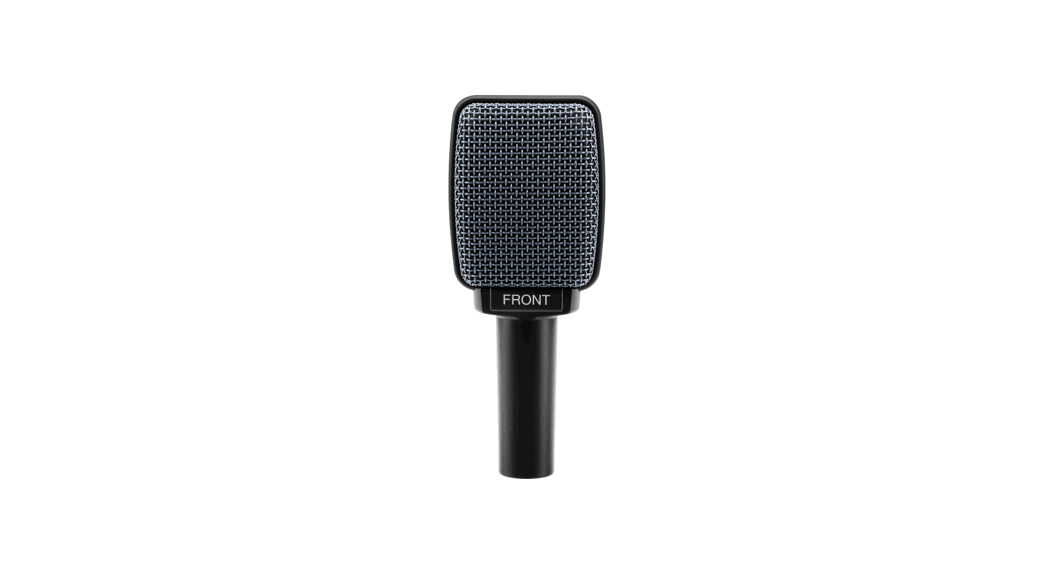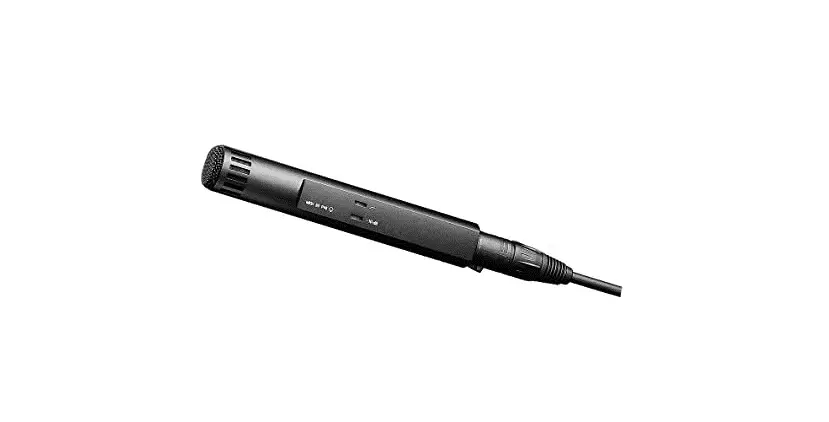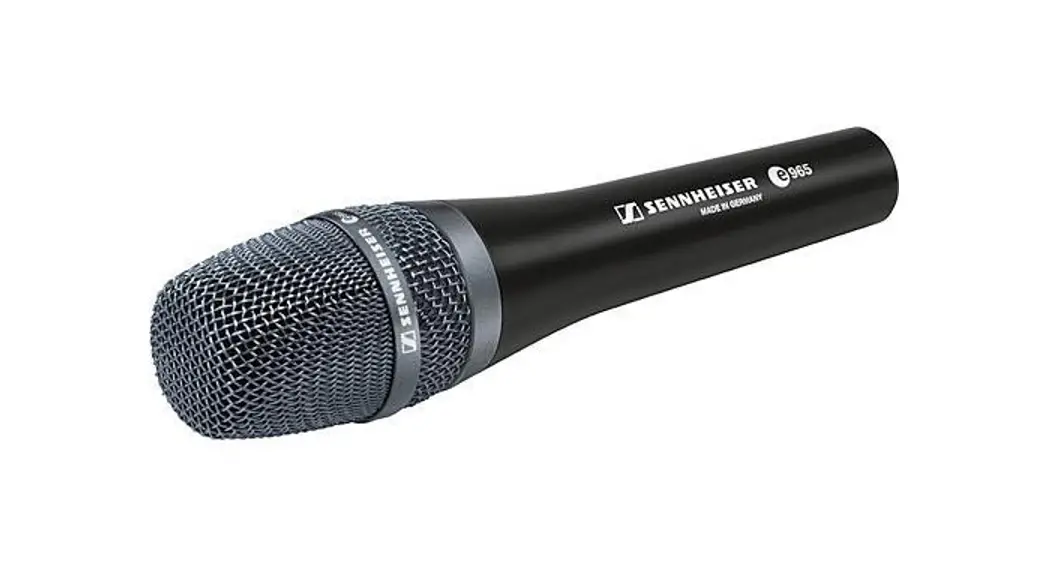
 e 865/e 865 S
Handheld Supercardioid Condenser Microphone
Instruction manual 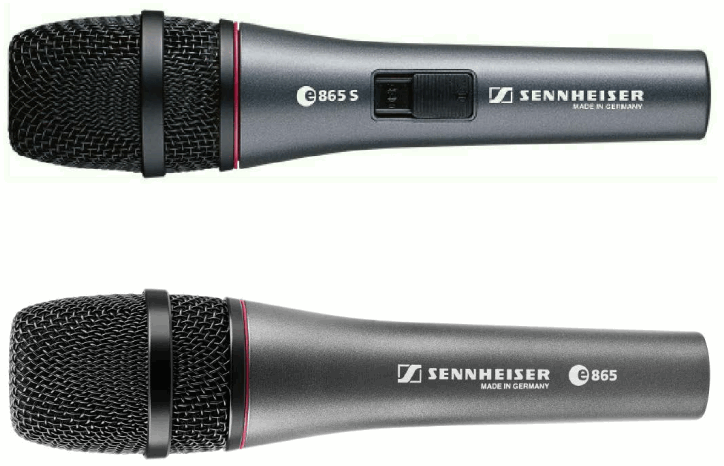
Delivery includes
- e 865 / e 865 S
- MZQ 800 microphone clamp
- pouch
- quick guide
- safety guide
Product Overview
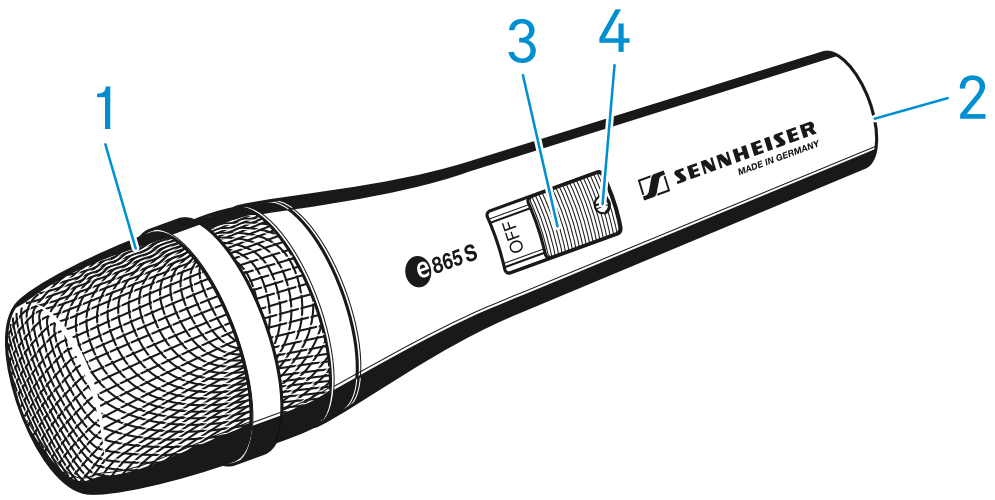
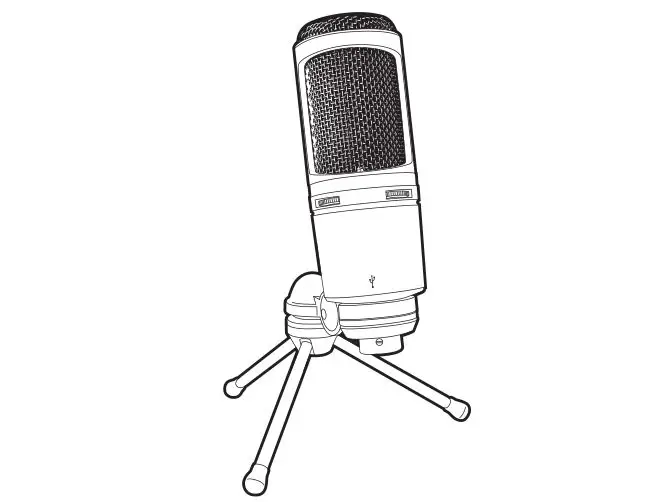
- Sound inlet basket
- XLR-3 connector
- On/off switch (e 865 S only)
- Screw (e 865 S only)
Installation
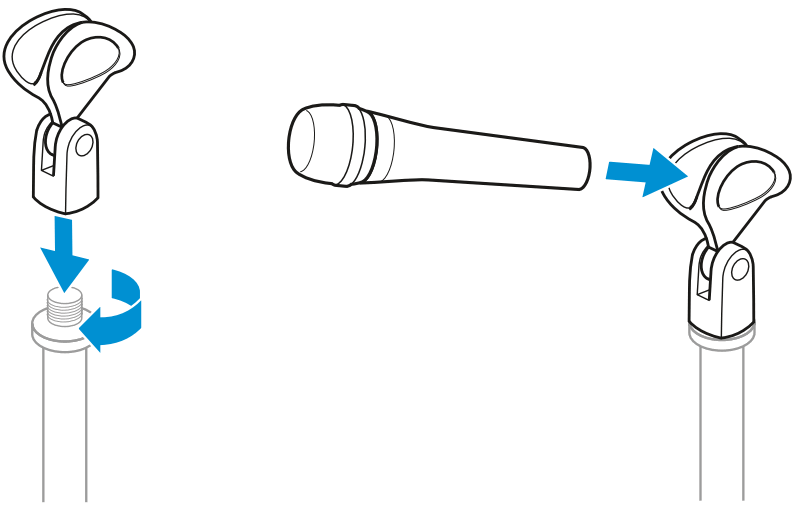
Attaching the microphone Screw the microphone clamp to a stand. Place the microphone with its back end into the microphone clamp. Orient the microphone together with the microphone clamp.
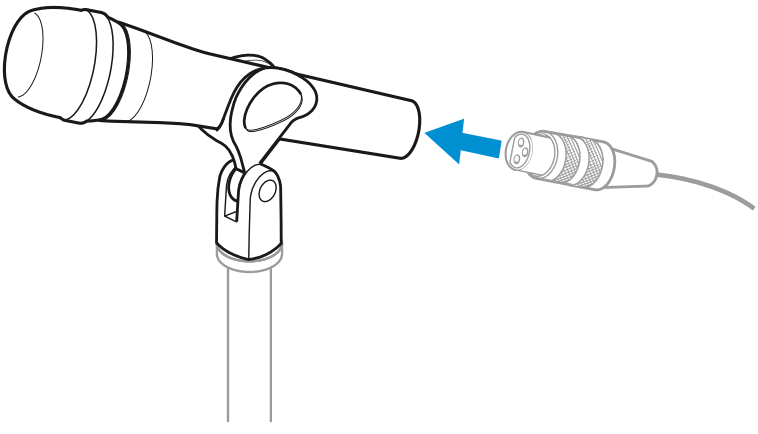
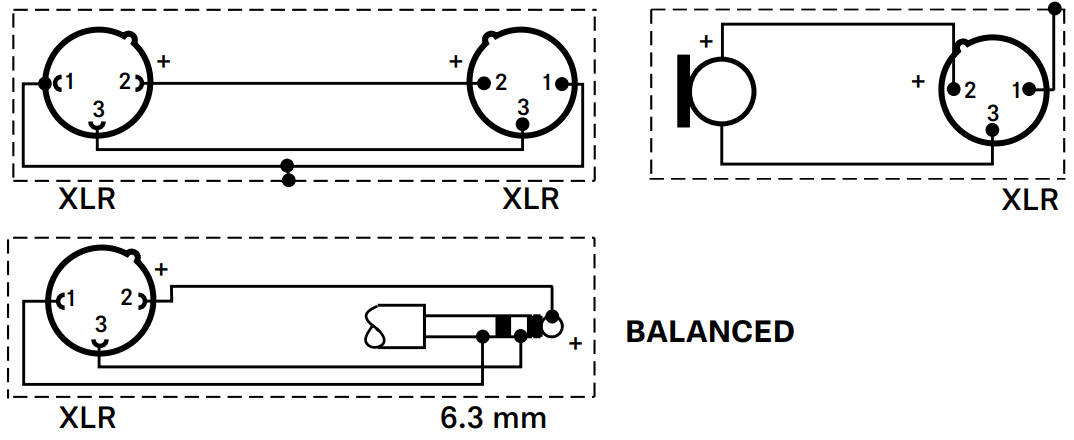
Connecting the microphone Connect the XLR-3 socket of the microphone cable (optional accessories) to the XLR-3 socket of the microphone.
Using the windshield Place the MZW 4032 (optional accessories) windshield over the microphone head.
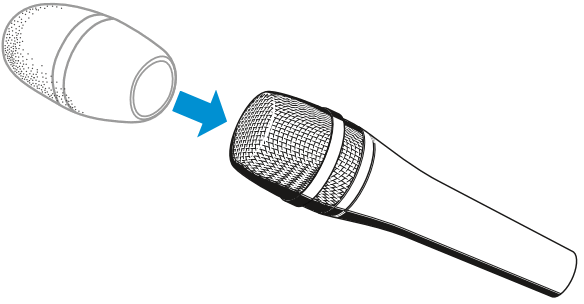
Operation
Holding the microphone
If you cover the microphone head during transmission, this will change the pick-up pattern of the microphone and consequently the sound. Only hold the microphone by its body.

Positioning the microphone It is vital to observe the following notes:
| Position | Resulting sound | Commentary |
| A | High proximity effect (large bass boost) Powerful, direct sound | Very little crosstalk from other sound sources |
| B | Less proximity effect (less bass boost) Some room ambiance, natural, balanced sound | More crosstalk from other sound sources |
| C | Very little proximity effect (minimal bass boost) More room ambiance, indirect sound | Higher crosstalk from other sound sources |
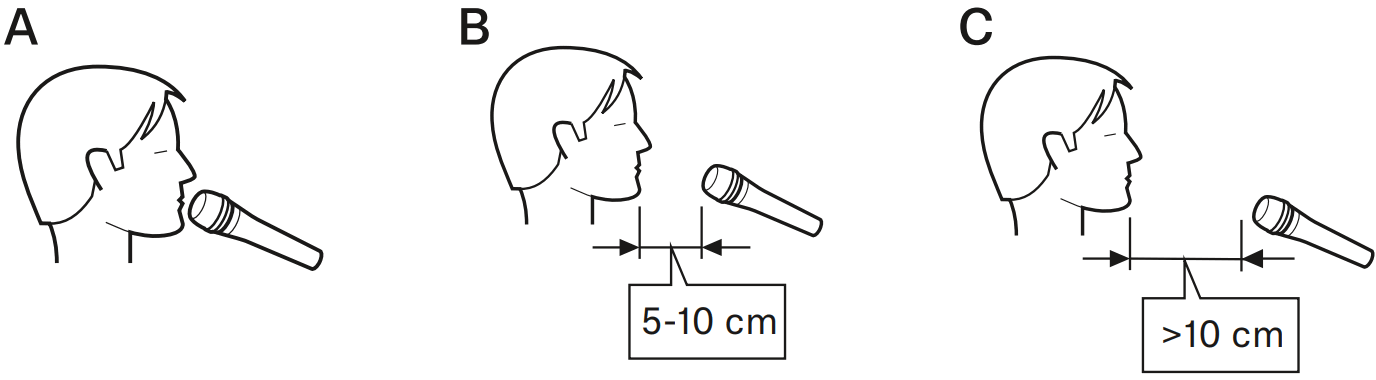
If sibilance occurs: Position the microphone slightly to the side and not directly in front of the mouth.
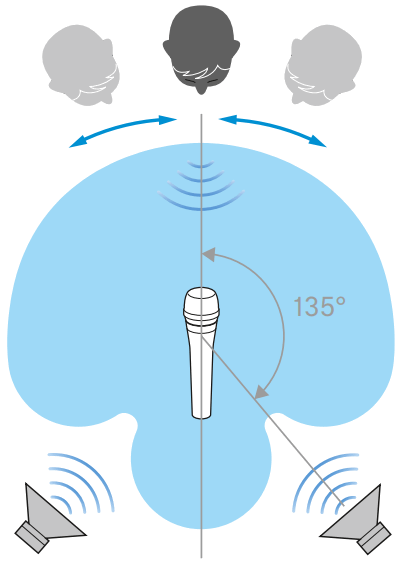
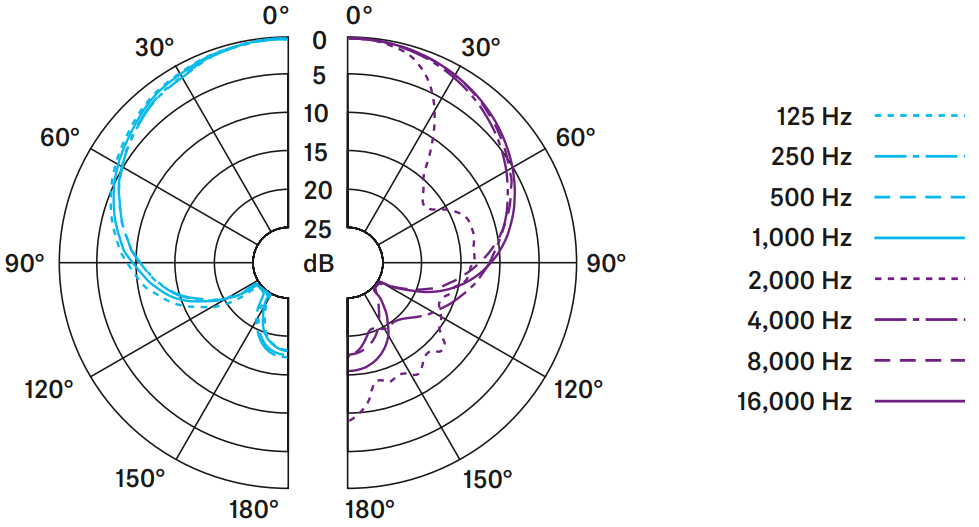
Positioning the monitor loudspeakers To prevent feedback and crosstalk, position your monitor loudspeakers in the angle area of the highest cancellation of the microphone (approx. 135°).
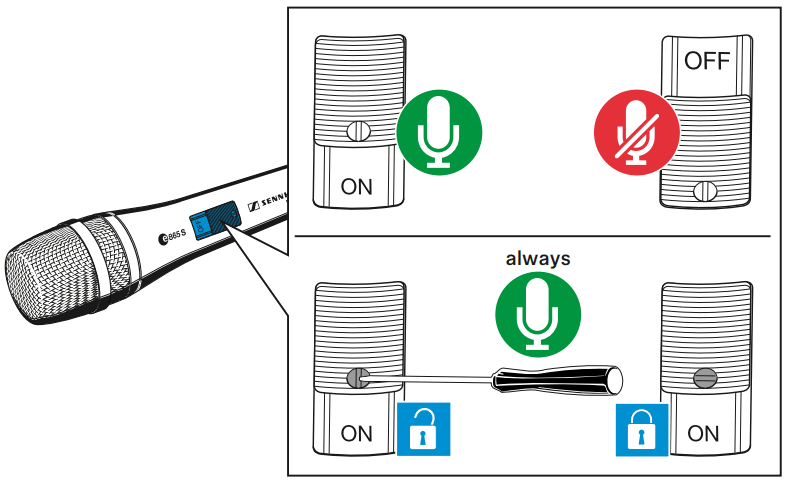
Switching the e 865 S on/off Use the on/off switch to switch the e 865 S on or off. If necessary, use the screw to lock the on/off switch in the „on“ position.
Cleaning and maintaining the e 865 / e 865 S
CAUTION
LIQUIDS CAN DAMAGE THE ELECTRONICS OF THE PRODUCT!
Liquids entering the housing of the product can cause a short-circuit and damage the electronics.
Keep all liquids away from the product. Do not use any solvents or cleansing agents. Disconnect the products from the power supply system and remove rechargeable batteries and batteries before you begin cleaning. Clean all products only with a soft, dry cloth.
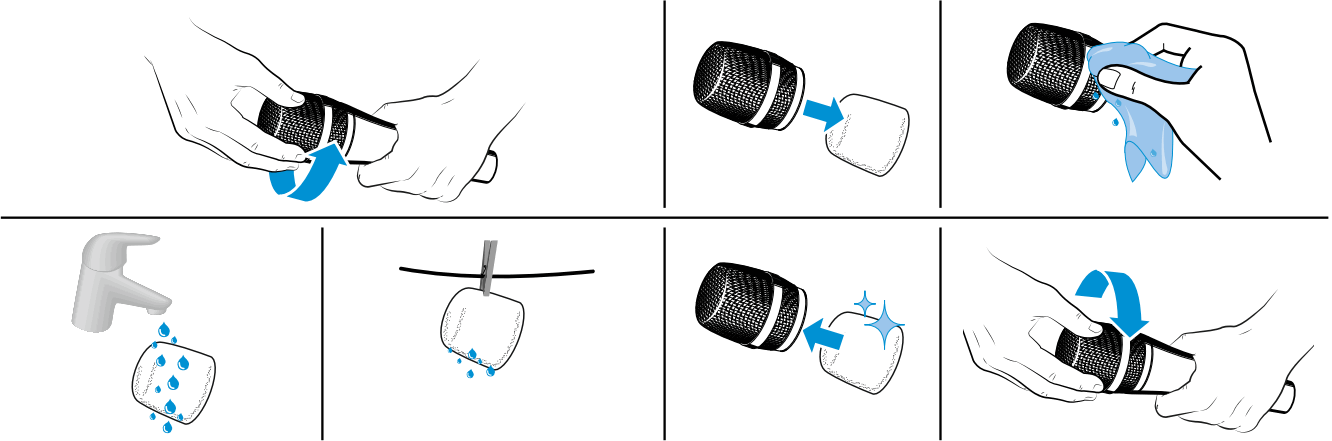
Cleaning the sound inlet basket of the microphone module Unscrew the sound inlet basket. Remove the foam insert from the sound inlet basket. Use a slightly damp cloth to clean the sound inlet basket from the inside and outside. If necessary, clean the foam insert with a mild detergent or replace the foam insert. Dry the foam insert. Reinsert the foam insert. Replace the sound inlet basket on the microphone head and screw it tight.
Specifications
| Transducer principle | pre-polarized condenser microphone |
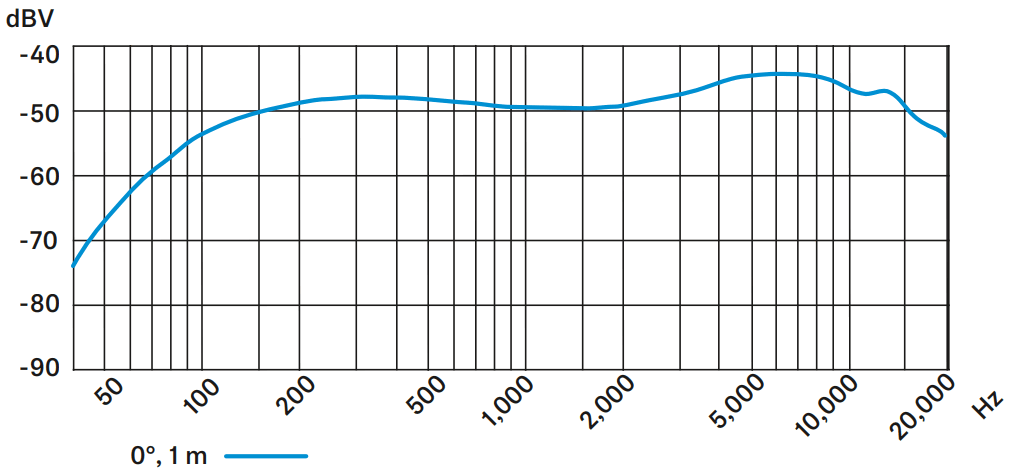
| Frequency response | 40 – 20,000 Hz |
| Pick-up pattern | super-cardioid |
| Sensitivity (free field, no load) | 3 mV/Pa |
| Nominal impedance (at 1 kHz) | 200 Ω (balanced) |
| Min. terminating impedance | 1 kΩ |
| Max. sound pressure level (at 1 kHz) | 150 dB |
| Phantom powering | 12 – 48 V |
| Connector | XLR-3 |
| Temperature range | 0 °C to +40 °C |
| Dimensions | ⌀ 47 x 193 mm |
| Weight | 311 g |
Polar pattern
Frequency response
 Connector assignment
Overview of applications
 Primary application
 Secondary application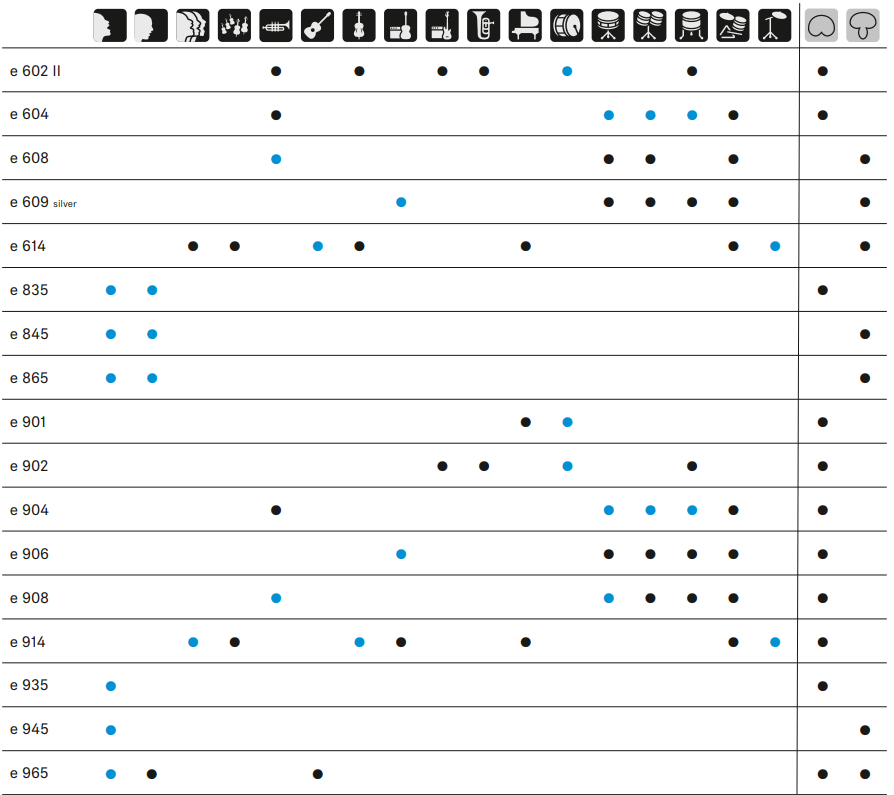
e 865/e 865 S