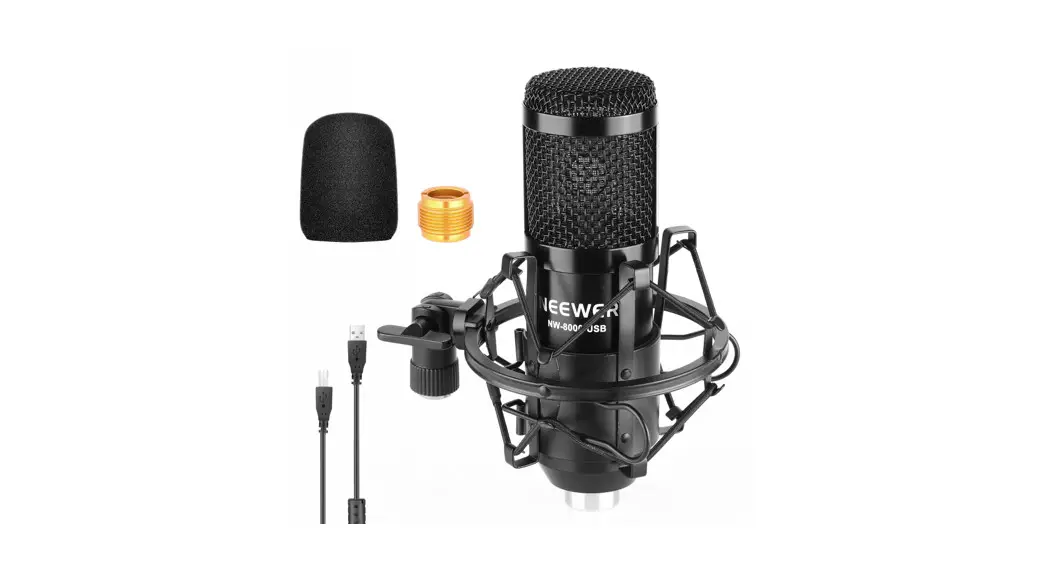
 NW-8000-USB USB Microphone Supercardioid Condenser Mic
Instruction Manual 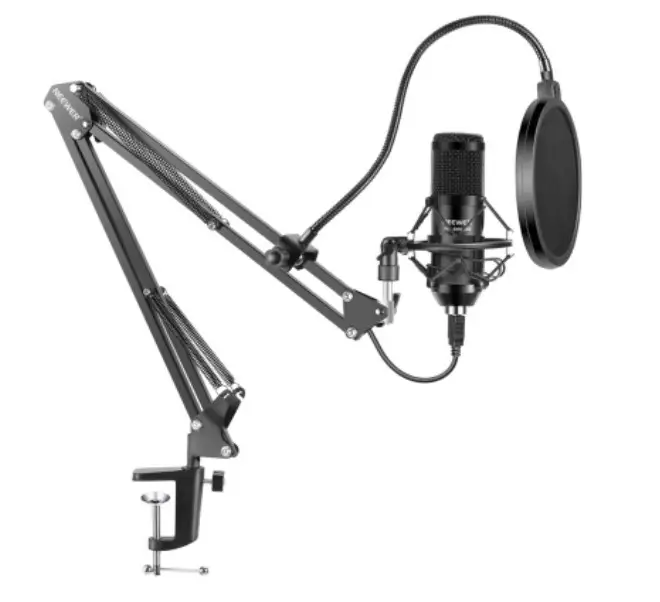
Document Information
© 2020 Shenzhen Neewer Technology Co., Ltd. All Rights Reserved.
This document is the sole property of Shenzhen Neewer Technology Co., Ltd and shall not be, reproduced, transmitted, transcribed, stored in a retrieval system, or translated in any form, by any means, without prior written permission from Shenzhen Neewer Technology Co., Ltd. Shenzhen Neewer Technology Co., Ltd reserves the right to change content in this instruction manual at any time and without prior notice.
Version Control
Date | Version number | Description | Issued by |
| 12/22/2020 | 1.0 | GL1 Live gaming & streaming LED light Instruction Manual | Neewer° |
Introduction
Thank you for purchasing the NEEWER condenser microphone.
Please read this user manual carefully.
Product Specifications
| Microphone core | 16mm electret capacitor |
| Polar Pattern | Super cardioid |
| Frequency Response | 40Hz-20kHz |
| Sensitivity | 2.67mV/Pa(1V/Pa at 1kHz) |
| Model | NW-8000-USB |
| Distortion | <2% |
| S/N ratio | 84.7dB |
| Sampling rate | 192kHz/24bit |
| Cable | USB-B to USB-A cable 2m |
Frequency response, magn dB re 1.000V/Pa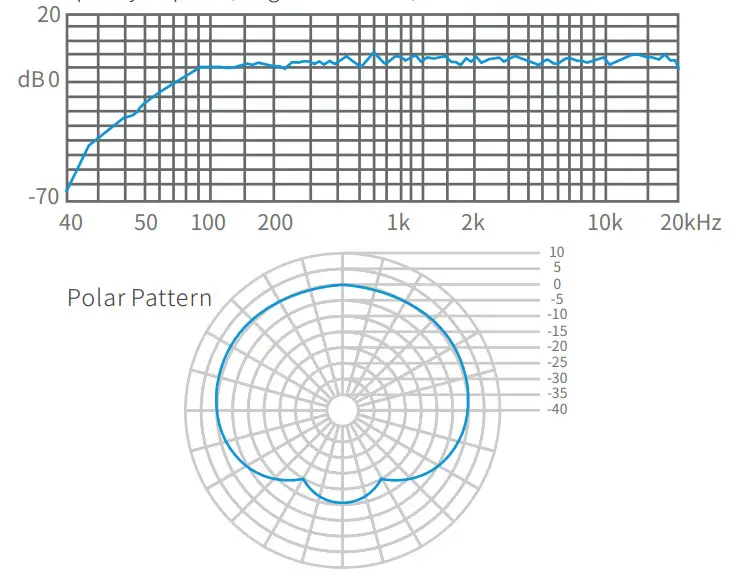
Tips
The product contains a built-in driver, that you can connect directly to the USB port, without the need for installing extra drivers.
Product Features
- High-speed USB2.0
- Integrated professional noise reduction, audio decoding chip.
- High sensitivity, clear sound, low noise output.
- Built-in USB sound card driver, plug and play – no need to install extra drivers.
- Compatible with Windows 7 or later and Mac OS X 10.9z or later.
Only suitable for use with a computer
Simply plug the microphone into your laptop or desktop computer’s USB port. 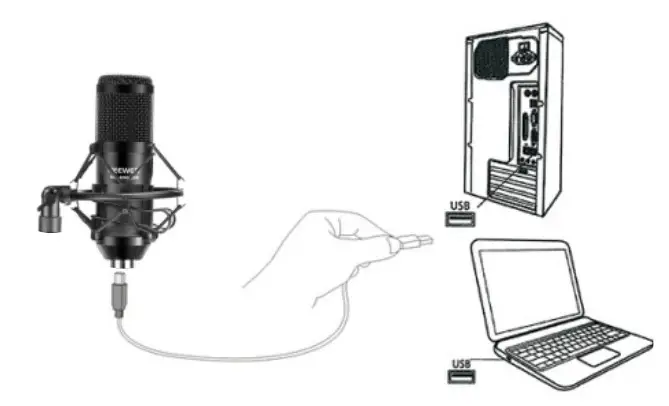
Listening to the microphone’s sound output
Using the product without a separate sound card and/or sound amplifier Windows 10 operating system example: 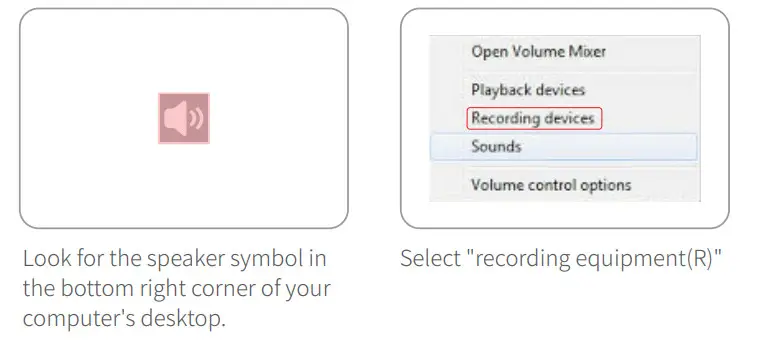
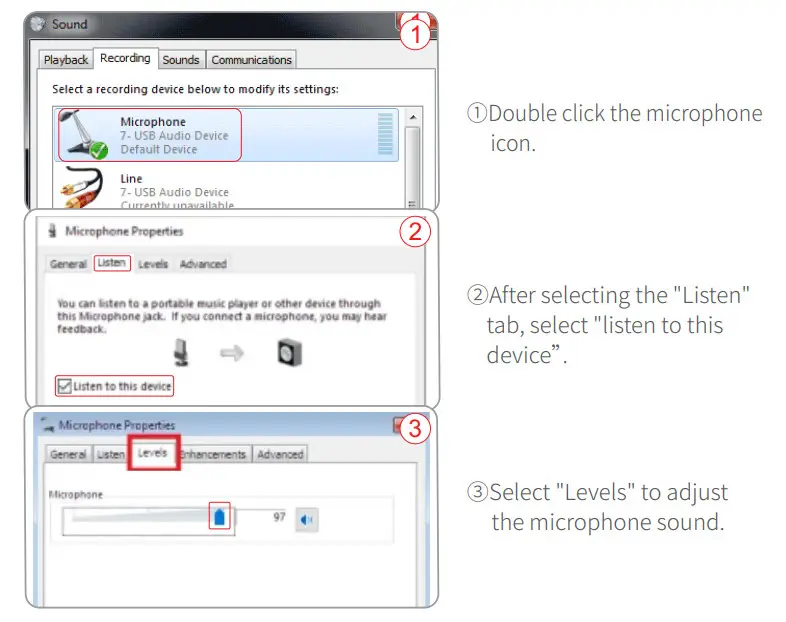
Microphone sound testing
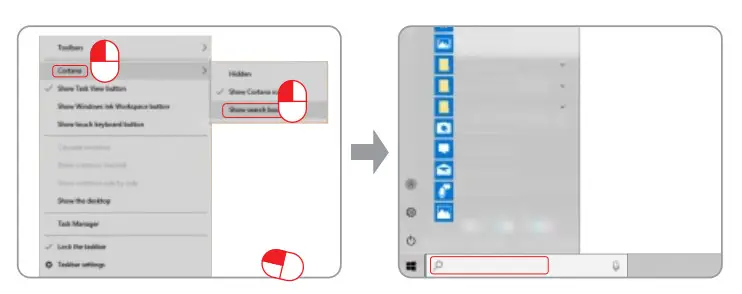
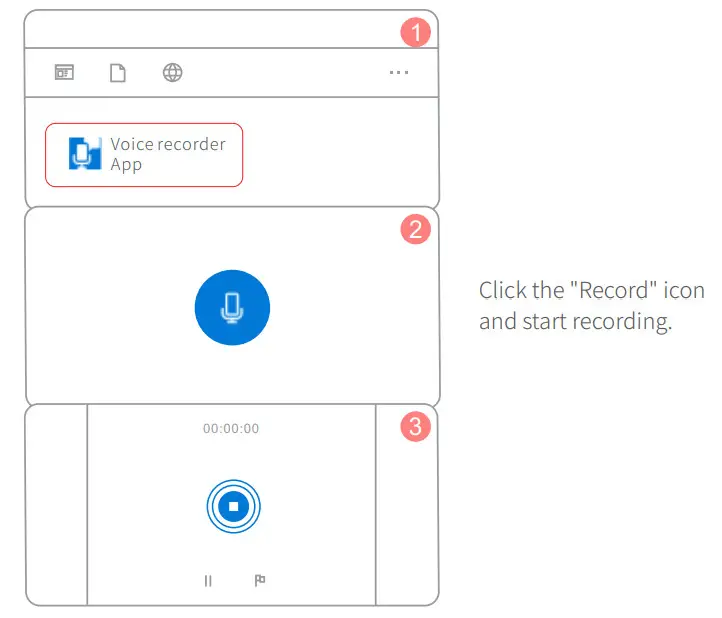
- Right-click the taskbar on the bottom of a computer screen, select “Cortana (0)” and then select ” Show search box (B)”.
- Enter the search term “recorder” in the search box at the bottom left of the computer.

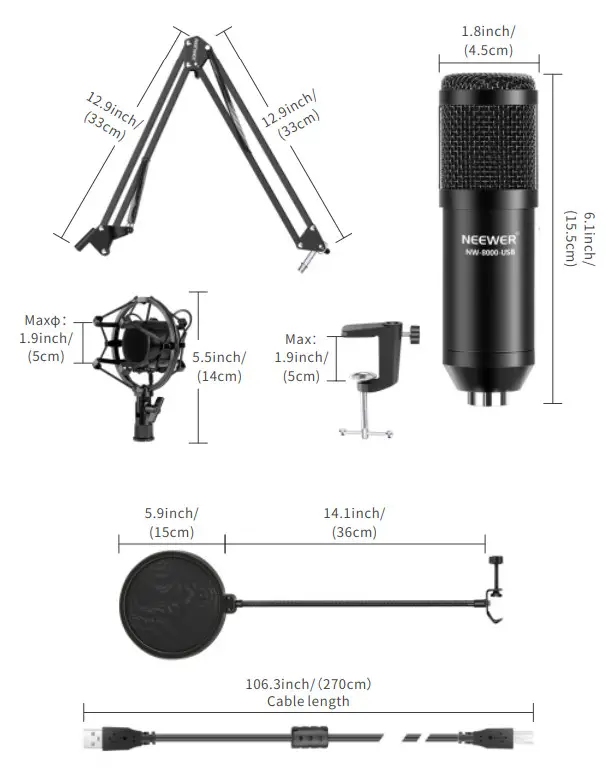
Accessories
Mounting the microphone stand on a table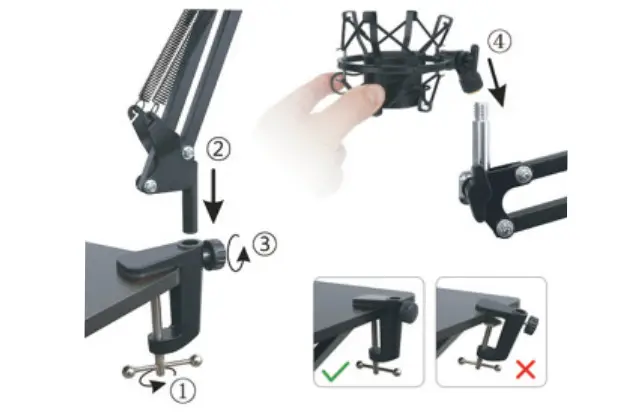
- Attach the table clamp on the edge of the table.
- Insert the base part of the mic scissor arm into the hole.
- Rotate the turning wheel clockwise until secure.
- Screw the microphone shock mount onto the stand.
Super Cardioid condenser microphone Clear voice without distortion.
Please speak into the side with the “Neewer” logo facing you and start recording. 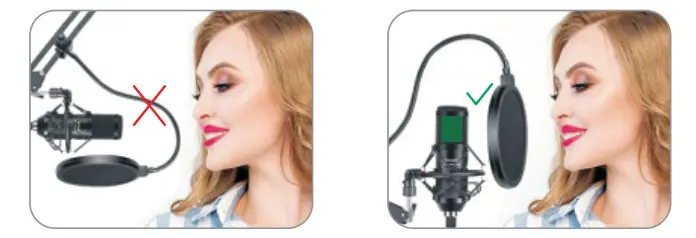
Shenzhen Neewer Technology Co.,Ltd.
Room 1903, Block A, Lu Shan Building No. 3023
Chunfeng Rd Luo Flu District, Shenzhen
Guangdong 518001, China
Lingfeng Electronic (UK) Ltd
International House, 10 Churchill Way, Cardiff, CF10 2HE, United Kingdom
NW Formations GmbH(for authorities only) Hoferstrasse 9B,
71636 Ludwigsburg, Germany