
INSTRUCTION MANUAL
Lithium Series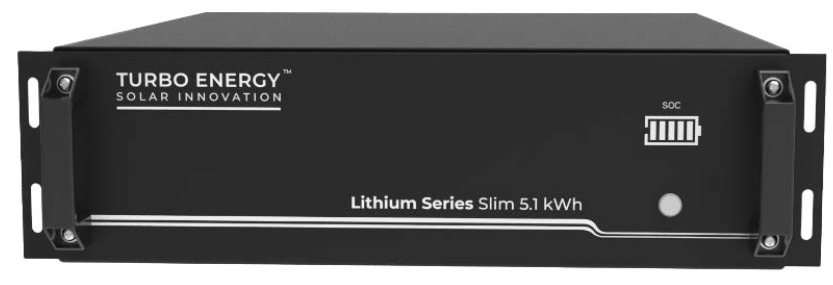
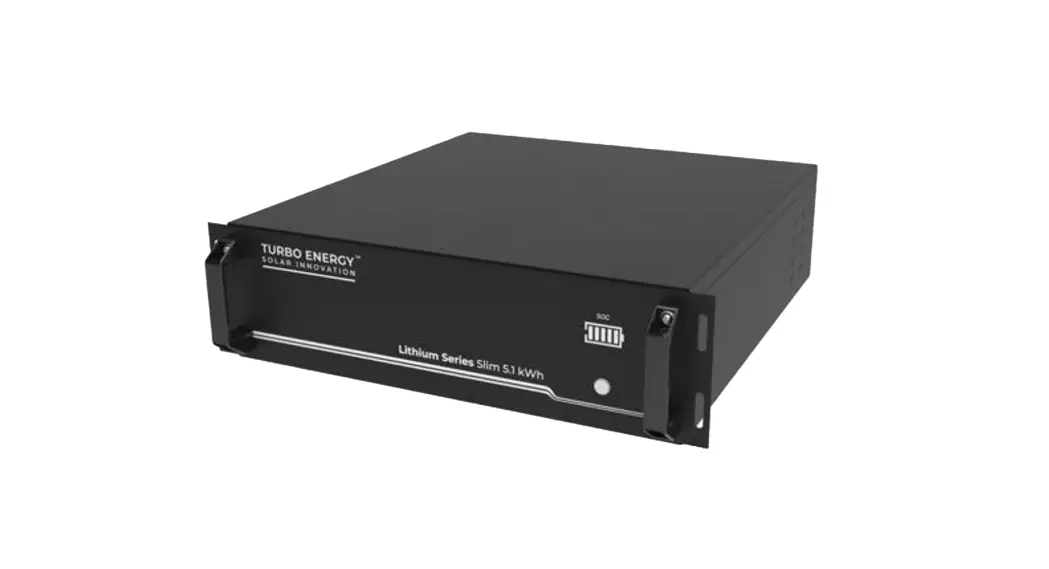
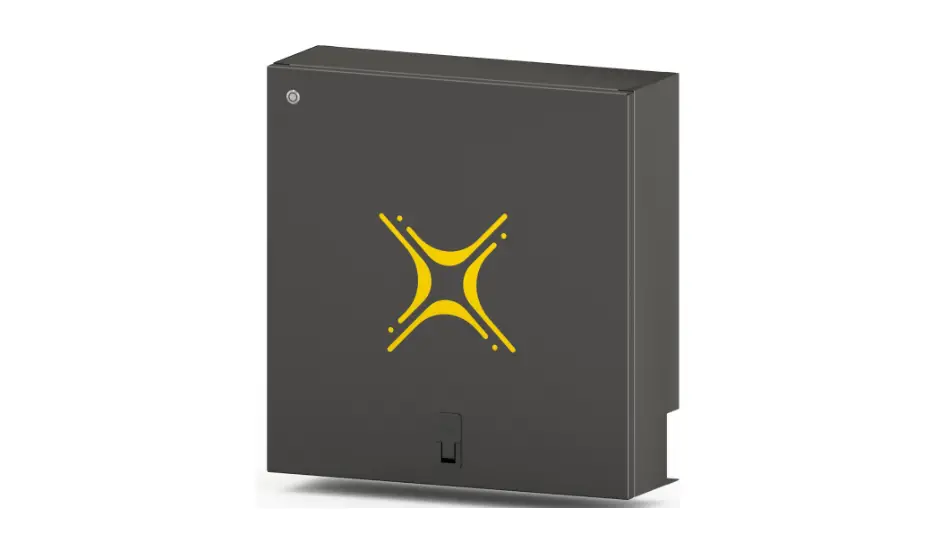
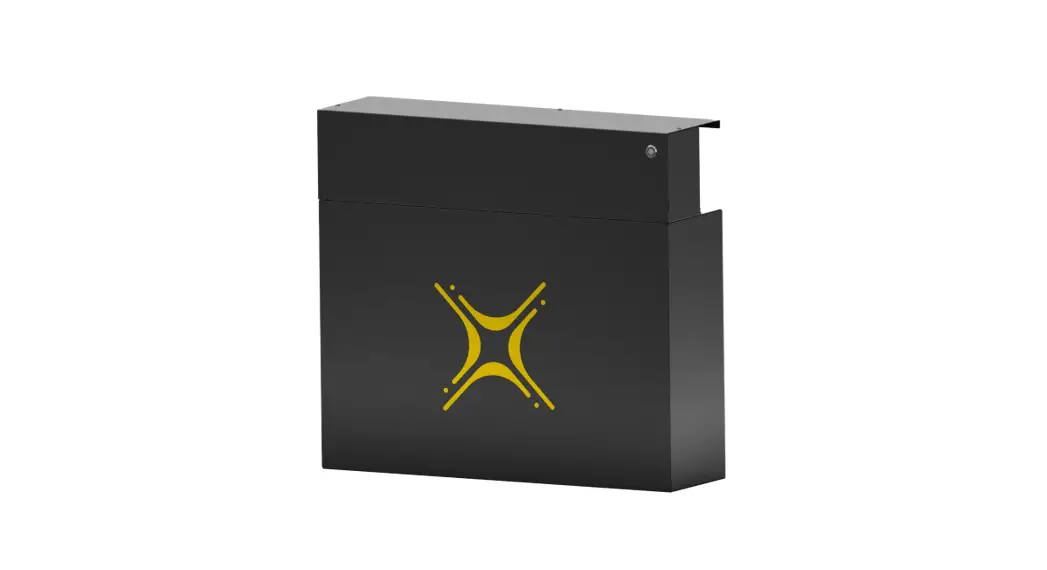
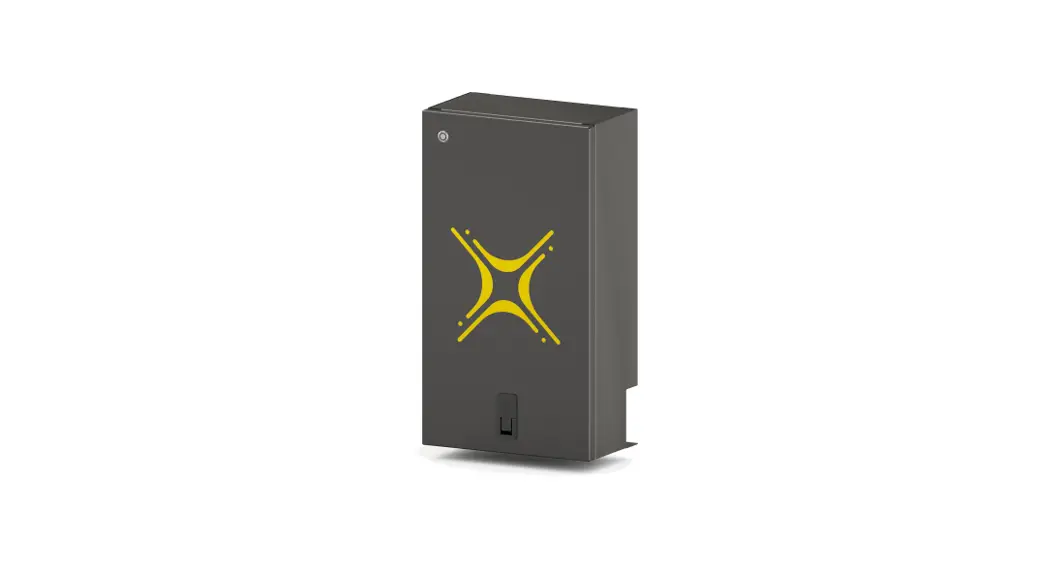
Slim 48V 5.1kWh

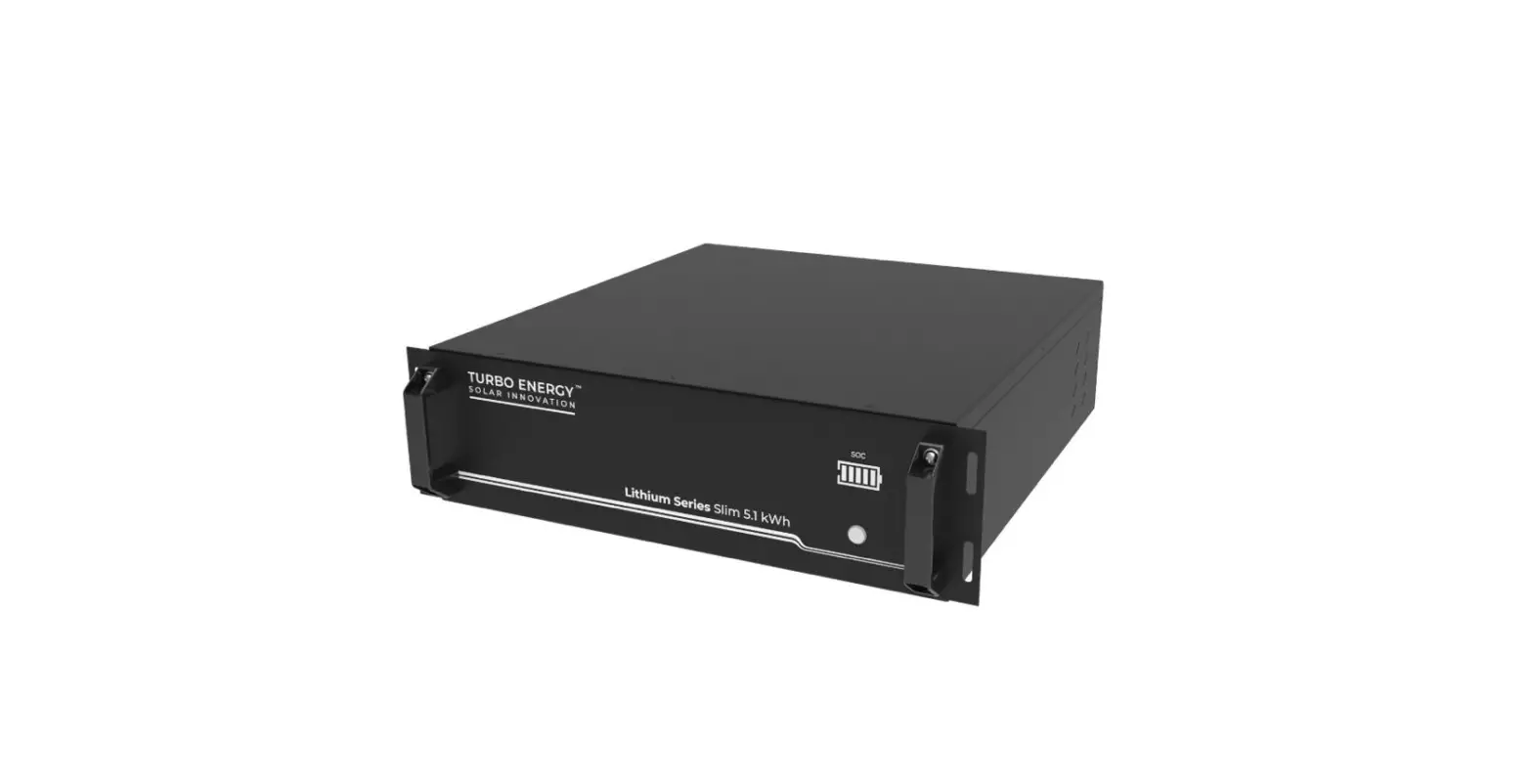
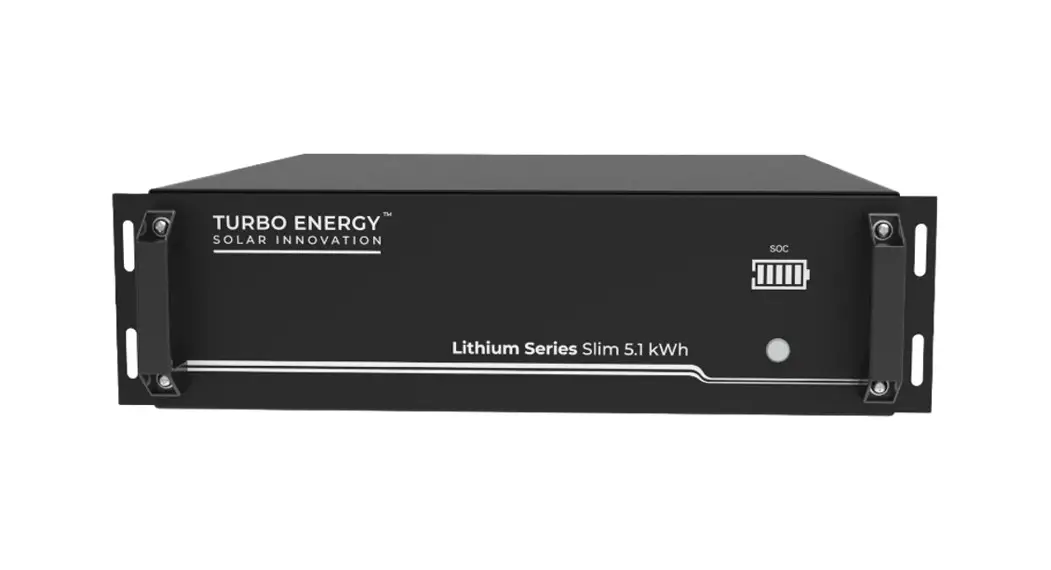
Lithium Series Slim 48V 5.1kWh
 | LONG-LASTING LITHIUM-ION BATTERIES |
 | MAXIMUM CUSTOMER SATISFACTION |
 | PLUG & PLAY |
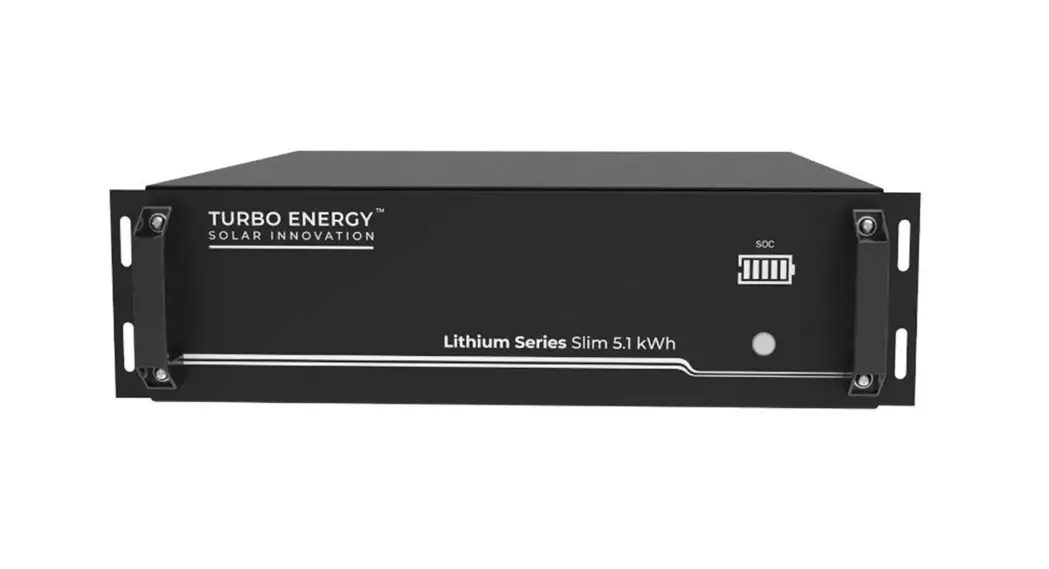
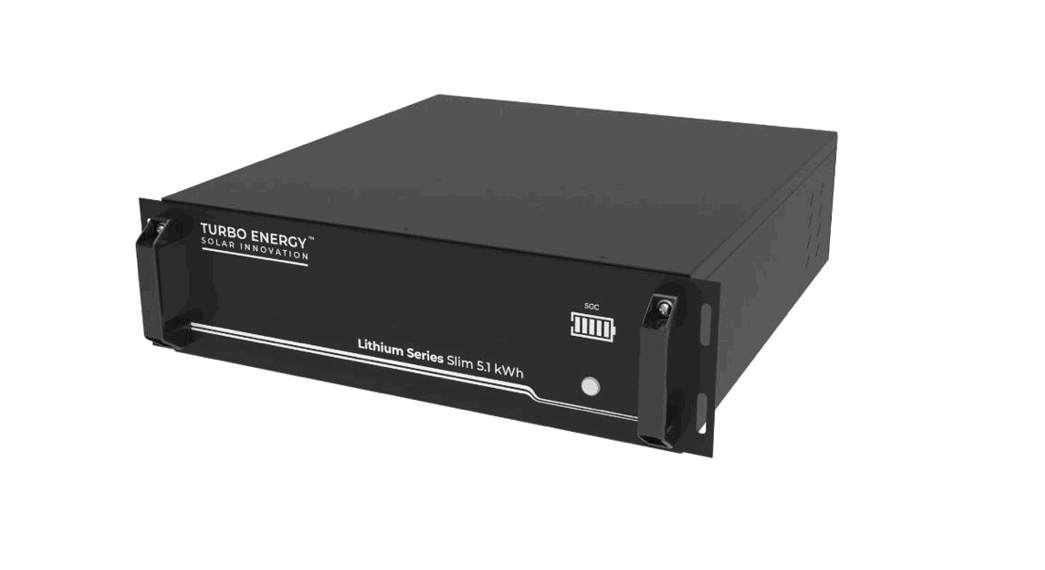
LITHIUM SERIES SLIM 48V 5,1KWH BATTERY Read this manual before installing the battery and follow the instructions carefully during the installation process.
Scope
This document describes the basic operation of the Turbo Energy brand lithium-ion rechargeable battery (Lithium Series 48V 5.1 kWh Slim model). This manual contains
all the necessary details for understanding the operation of the equipment and for its correct application.
Specifications
Electrical
| Nominal Capacity | 5.12 kWh |
| Usable Capacity | 5 kWh |
| Depth of Discharge (DoD) | 90% |
| Nominal Voltage | 51.2V |
| Voltage operating range | 43.2 – 57.6V |
| Cycle Life | >= 6000 |
Physical
| Weight | 44 kg |
| Dimensions | 440 x 460 x 133 mm |
| Protection class | IP20 |
| Battery type | LiFePO4 |
Operation
| Maximum charge/discharge current | 100A (1 C) |
| Standard charge/discharge current | 50 A (0.5C) |
| Temperature operating range | 0ºC…50ºC |
| Humidity | 20% – 90% |
| Maximum operating altitude | < 4000 m |
BMS
| Self-current consumption (OFF mode) | <100 µ A |
| Monitoring parameters | System voltage and current, cell voltage and temperature |
| Communication | Compatible CAN and RS-485 |
Battery Dimensions
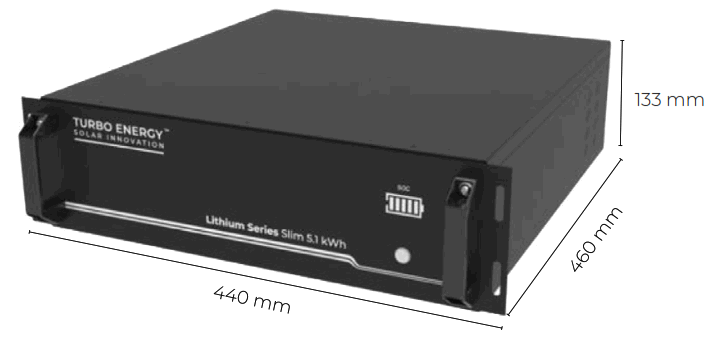
Features
The Lithium Series 48V 5.1 kWh Slim battery has the following features:
- Designed for use in photovoltaic applications.
- Battery Management System (BMS): The BMS system built into the battery that monitors its operation and does not allow it to work outside the bounds of the design regime (V, I).
- Expandability: The system’s accumulation capacity can be expanded by incorporating more batteries.
Operation
5.1. BATTERY FRONT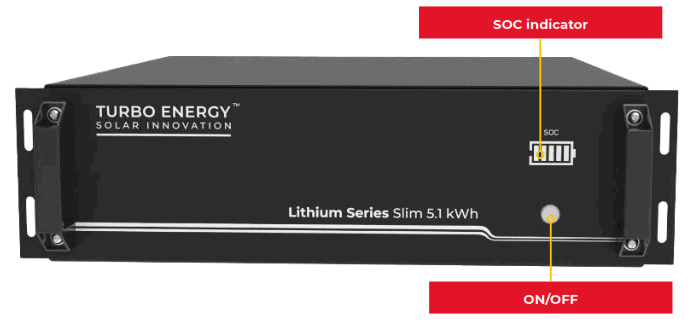
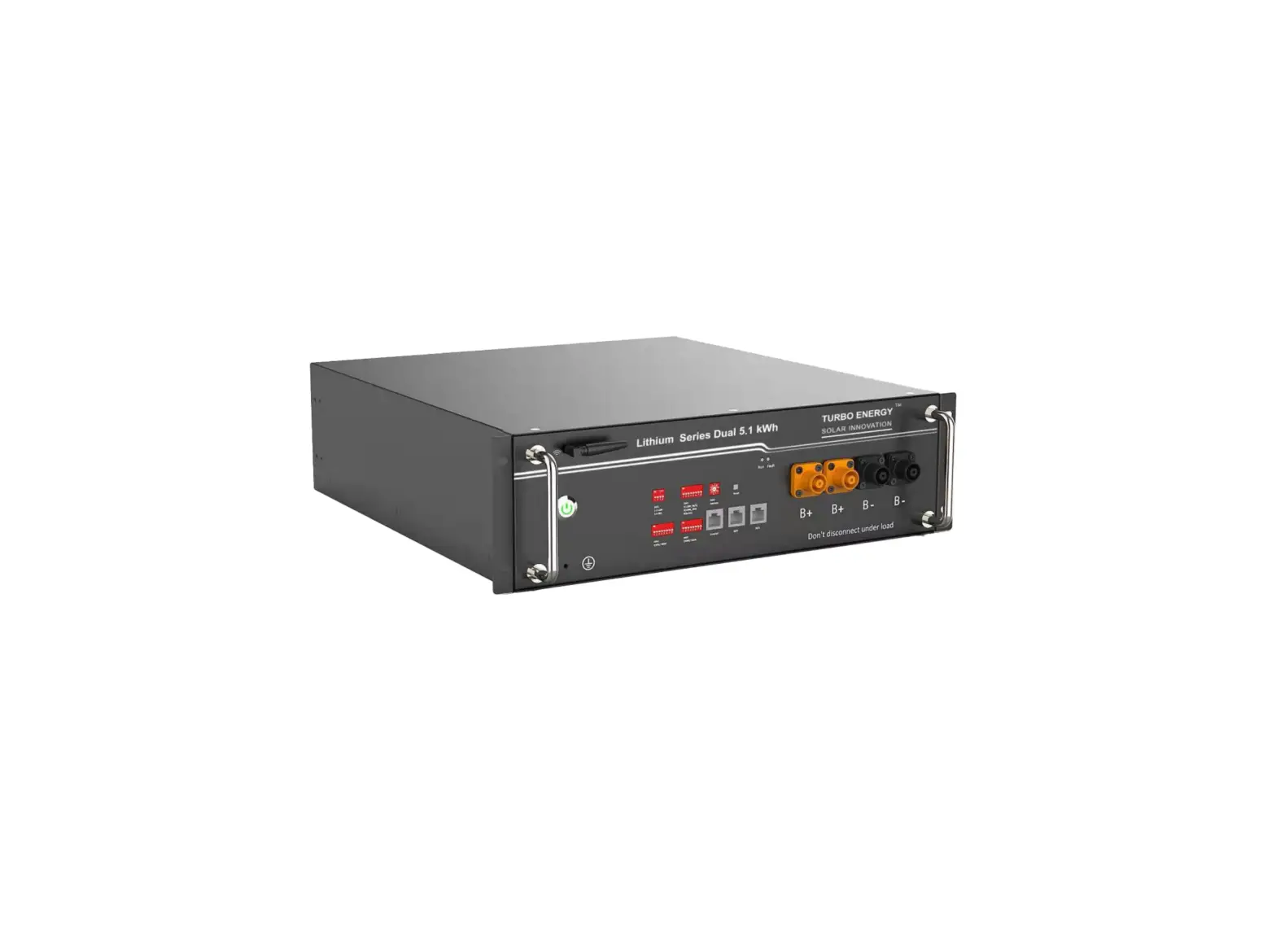
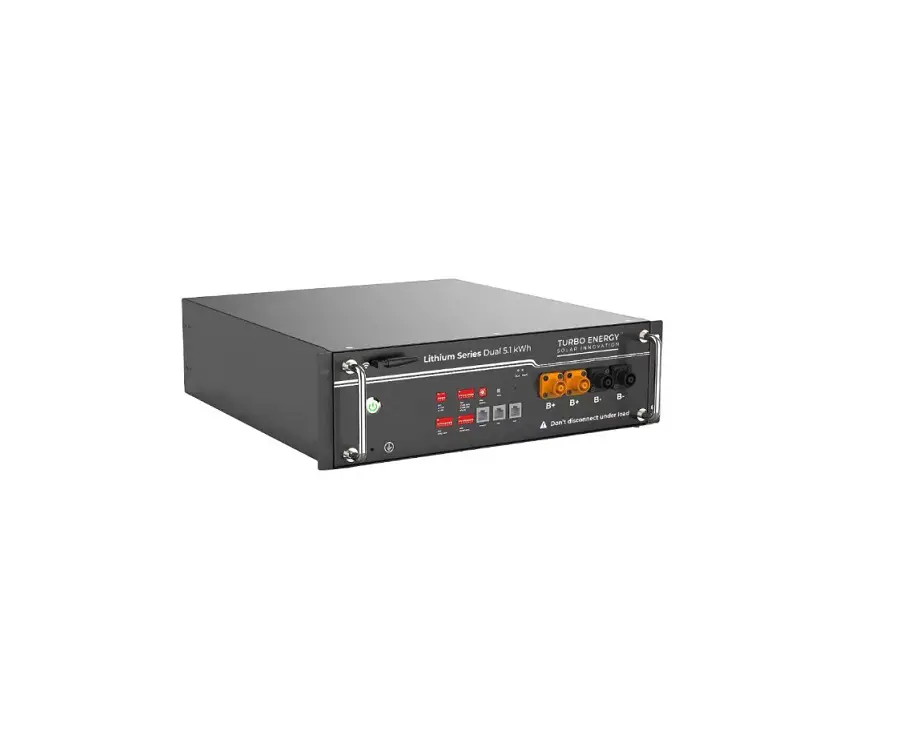
5.2. BATTERY BACK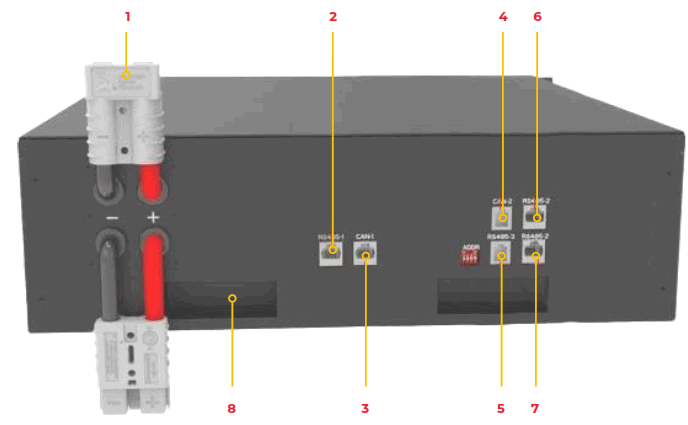
| Artículo | Definición |
| 1 | Positive and negative connector * 2 – for battery parallel connection and power output, model: Anderson 120A. |
| 2 | RS485-1 support the BMS monitor or customer’s EMS device. |
| 3 | CAN-1 support Turbo Energy™, Goodwe, Solis, Sermatec, Sofar, Ingeteam lnverter. |
| 4 | CAN-2 support Victron inverter. |
| 5 | RS485-3 support Growatt inverter. |
| 6 | RS485-2 support Voltronic inverter and inner parallel communication between batteries. |
| 7 | RS485-2 support Voltronic inverter and inner parallel communication between batteries. |
| 8 | Handles |
The standard packing list of Lithium Series Slim is as follows:
| Item | Part name | Description | Quantity |
| 1 | Batery | Lithium Series Slim | 1 |
| 2 | RJ45 netting cable | RS485 parallel netting cable / 0.2m | 1 |
| 3 | CANBUS communication cable with Turbo Energy™ inverter / 2m | 1 | |
| 4 | CANBUS communication cable with Victron inverter / 2m | 1 | |
| 5 | RS485 communication cable with Voltronic inverter / 2m | 1 | |
| 6 | Grounding wire | Black / 1.5m / 10AWG | 1 |
5.3. ASSEMBLY AND CONNECTION
Batteries may be connected in parallel up to a maximum of 15. All batteries must be grounded. It is suggested to connect the installation ground to the rack at the same point
as all battery lands. Connection between batteries:
- Up to 15 batteries are allowed to be used in parallel.
- The batteries used in parallel must be the same batch of cases with the same SOC.
- The Voltage difference of batteries used in parallel must be within 0,5V.
- The dimensions of parallel cable must be the same.
- The batteries must be connected two by two with the same cable to the bus, following next scheme.
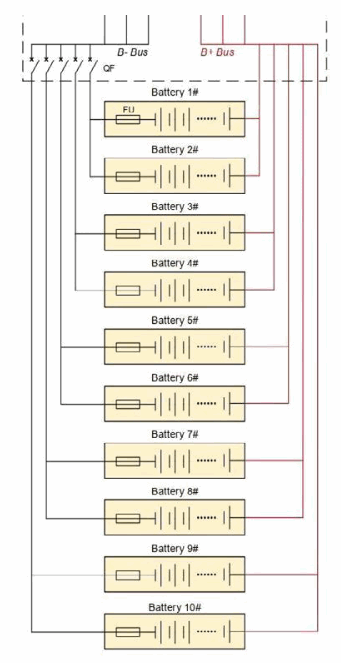
Connection between battery and inverter: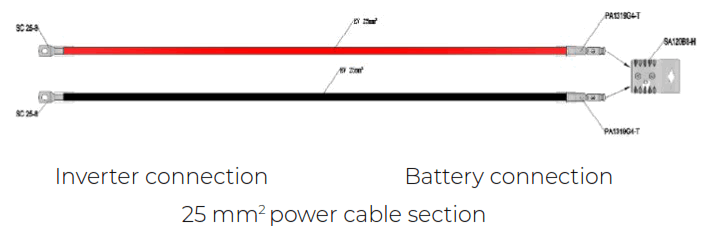
NOTE: Each power cord can carry a maximum of 120 A, so every two batteries would need to connect a new cable to the inverter. However, if the inverter is 5 kW only with one cable it would be enough to be at the limit of the maximum current recommended. Warning when doing a battery expansion: It is very important that in the case of connecting batteries in parallel that are not new (for example, we add a new battery to an existing system), we previously perform a voltage balancing (without load) between them to avoid overcurrents that could damage the system. As an alternative to balancing
voltages, balancing can be done by equalizing the SOC of the batteries. In addition, when connecting new batteries, we must take into account that the number of batteries at the time of connection must be similar to the number of batteries that are already connected in the system. For example, if we have five batteries installed and we want to connect a new one, we must first connect the new battery with two of the five that were already in place to balance them, and then connect these three with the other three remaining batteries in the system. Batteries should always be connected in groups of similar numbers so that a large group cannot damage a smaller group of batteries at the time of connection.
5.3.1. CONFIGURATION WITHOUT COMMUNICATIONS
For those cases where the battery is intended to operate connected to an inverter without communications, it’s not necessary to select a specific configuration of the DIP switches and the batteries do not need to be connected each other with the communication cable.
5.3.2. CONFIGURATION WITH COMMUNICATIONS
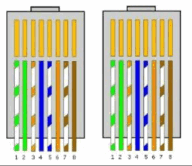
Communication cable: It will be configured one way or another depending on the inverter used.
Cable configuration Hybrid Inverter Turbo Energy™/Goodwe/ Solis /Growatt
- It can be used a Straight-through cable
- Connect the cable to the CAN-2 port
- Growatt inverter is connected to the RS485-3 port
Cable configuration Victron
Connect the cable to the CAN-2 portc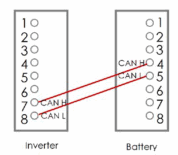
Cable configuration Sofar
Connect the cable to the CAN-1 port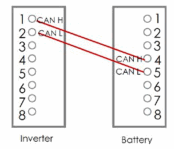
Cable configuration Voltronic
Connect the cable to the RS485-2 port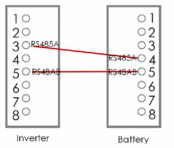
DIP switch
Each module has 4 DIP switches (Dual Inline Package) that will be configured differently according to the number of batteries will be connected.
| Address | Dial switch position | Explain |
| 1 | 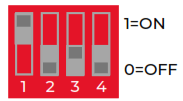 | Pack 1 / Master |
| 2 | 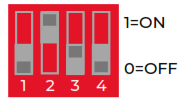 | Pack 2 |
| 3 | 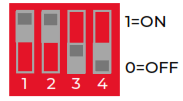 | Pack 3 |
| 4 | 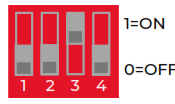 | Pack 4 |
…
5.4. ON AND OFF
To turn on, press the power button for 2 seconds. The BMS will start and the LCD screen light up.
To turn off the batteries, press the power button for more than 3-6 seconds.
Sleep Function
When RS485/CAN communication interruption, no charge and discharge, no button operation, 5 minutes later, the system will go into sleep mode to reduce self-consumption.
In this mode, the battery power connectors still have normal battery voltage.
When the battery is in the sleep mode and meets any of following conditions, the system will quit sleep mode and wake up.
- Charge or discharge current is detected.
- Press the “ON/OFF” button for 1 second.
- Access communication cable (RS485/CAN).
Power down function
When any of the following conditions are satisfied, the system will go into power down mode to reduce self-consumption and protect the cells:
- Press the “ON/OFF” button for 3~6 seconds and release it;
- The lowest cell voltage is lower than the power down voltage, and the duration reaches the power down delay time (while no charging current).
In this mode, the battery power connectors don’t have voltage.
When the battery is in the power down mode and meets any of following conditions, the battery will quit power down mode and wake up.
- Charging current is detected (charging voltage should be higher than 51.2V);
- Press the “ON/OFF” button for 2 seconds and release it.
5.5. LED DISPLAY
The LED light on the front of the battery will indicate the State Of Charge (SOC) as shown in the following table:
| SOC LED | Charge status |
 | SOC < 5% |
 | 5% ≤ SOC ≤ 25% |
 | 25% ≤ SOC ≤ 55% |
 | 50% ≤ SOC ≤ 75% |
 | 75% ≤ SOC ≤ 95% |
 | SOC ≥ 95% |
5.6. PROTECTION CODES
LED Alarm:
| Red light: 1 flicker | Green light: Nº flickers = protection code |
| Protection code | Display LED | Description |
| 1 |  | Temperature difference |
| 3 |  | High temperature |
| 4 |  | Low discharge temperature |
| 5 |  | Charge over-current |
| 6 |  | DIscharge over-current |
| 8 |  | Cell overvoltage |
| 9 |  | Cell under voltage |
| 11 |  | Low charge temperature |
5.7. ERROR CODES
LED Alarm:
| Red light: 2 flickers | Green light: Nº flickers = error code |
| Error code | Display LED | Description | Solution |
| Error 01 |  | Hardware error | Wait for automated recovery. If the problem is not resolved, call for repair |
| Error 03 |  | Hardware error | |
| Error 05 | 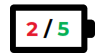 | Hardware error | |
| Error 06 |  | Open breaker | Close the circuit breaker after turning off the battery system |
| Error 07 |  | DIP difference | Maintain consistency of DIP switches, reboot system |
| Error 08 |  | LMU disconnected (slave) | Reconnect the communication cable |
| Error 09 |  | SN missing | Enter the serial number, restart the system or call for repair |
| Error 10 | 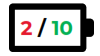 | LMU disconnected (master) | Reconnect the communication cable |
| Error 11 | 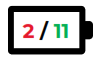 | Software version inconsistent | Call for repair |
If the battery constantly runs for 30 days and its SOC has not been corrected, the discharge function will not be available until the battery is fully charged at least once and the SOC is corrected.
Appendix
6.1. INSTRUCCIONES DE SEGURIDAD
- Please read the battery instructions before use.
- Keep the battery away from high voltage and out of reach of children.
- In operation, the battery should be kept in the set temperature ranges (between -10 C and 50 C) and a humidity less than 80%.
- During handling, be very careful to avoid bumps/falls of the battery.
- Be careful not to touch the contacts at the same time.
- The battery, at the end of its useful life, requires a recovery process, not disassemble it.
- Avoid locating batteries in damp places to avoid danger.
- When not in use for a long time, store the battery intact and let the battery be half charged. Wrap the battery with non-conductive material to avoid direct contact of the metal. Store the battery in a cool, dry place.
- Never expose the battery to fire or water.
6.2. SAFETY WARNINGS
- Do not disassemble the batteries. The inside of the battery has a protective mechanism and a protective circuit to avoid danger. Improper disassembly will damage the protection function permanently, leaving the battery without safety conditions.
- Never short-circuit the poles of the Battery. Avoid contact of positive and negative poles with metals.
- Keep the batteries away from fire and extreme temperatures. Monitor the distance to thermal bulbs, stoves, etc.
- Keep the battery away from the water. Always be careful that the battery is not located in damp places where the dew point can be reached.
- Do not use batteries that have physical damage that may be due to falls or bumps.
- Do not weld near the battery.
- Overheating will result in the loss of the protective function of its life cycle, even, it could render the battery useless and in extreme cases self-ignition of the battery
occurs. - Never connect this battery in series and connect it in parallel only with identical batteries up to a maximum number of 6.
- If the battery has liquid leakage, avoid contact with it completely. It can be harmful to the skin, and if you touch the eyes, wash, and go to the hospital immediately
for treatment.
6.3. WARRANTY
Please refer to the Warranty Document for specific warranty terms.
6.4. SHIPPING
During transportation, keep the battery from acutely vibration, impacting, solarization, drenching.
6.5. STORAGE
Storage environment requirement:
- 1 month: Under temperature of -20ºC~ 45ºC and relative humidity of 45~85%.
- 3 months: Under temperature of -20ºC~ 35ºC and relative humidity of 45~85%.
- 6 months and more: Under temperature of -20ºC~ 25ºC and relative humidity of 45~85%.
The battery must be charged every six months, and must be charged and discharged a complete cycle every nine months.
6.6. CONTACT DETAILS
For any incident with the battery write, indicating your contact details, an email to the address: [email protected] and we will contact you as soon as possible.
 Página Principal - Turbo Energy