ZKBio710 Series True-Flat PCAP Touch Screen
Product Information
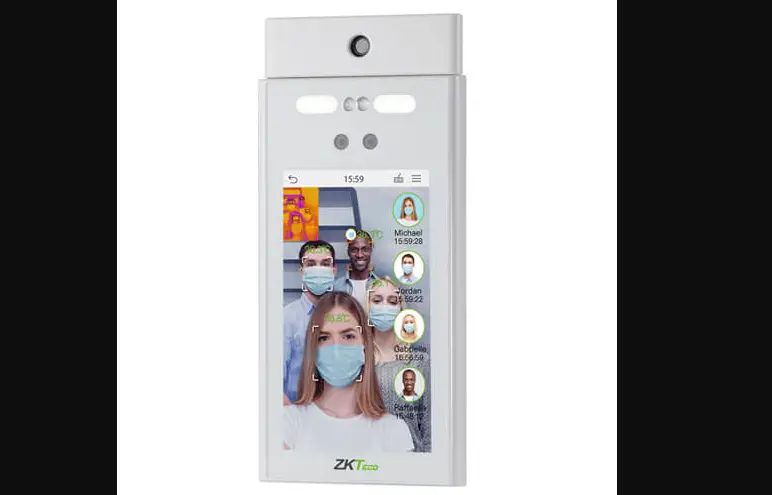
The product is called ProFace X [TD] from the ZKBio710
Series.
Date: March 2023
Document Version: 1.0 English
Trademark: ZKTeco
Other trademarks involved in this manual are owned by their
respective owners.
ZKTeco offers no warranty, guarantee, or representation
regarding the completeness of any information contained in this
manual or any of the amendments made thereto. ZKTeco does not
extend the warranty of any kind, including, without limitation, any
warranty of design, merchantability, or fitness for a particular
purpose.
ZKTeco does not assume responsibility for any errors or
omissions in the information or documents which are referenced by
or linked to this manual. The entire risk as to the results and
performance obtained from using the information is assumed by the
user.
ZKTeco shall not be liable to the user or any third party for
any incidental, consequential, indirect, special, or exemplary
damages arising out of, in connection with, or relating to the use
of the information contained in or referenced by this manual, even
if ZKTeco has been advised of the possibility of such damages.
Product Usage Instructions
- Read the instructions carefully before operating the
product. - Visit the company’s website at www.zkteco.com for further
details. - Ensure that the operating and maintenance personnel are fully
familiar with the design of the product and have received thorough
training in operating and maintaining it. - Follow the safety instructions contained in the manual for the
safe operation of the product. - In case of any conflict between the terms and conditions of
this manual and the contract specifications, drawings, instruction
sheets, or any other contract-related documents, the contract
conditions/documents shall prevail. - Periodically check for new additions/amendments to the manual
as ZKTeco reserves the right to add, delete, amend, or modify the
information contained in the manual for better operation and safety
of the product.
ProFace X [TD]
User Manual
User Manual
ZKBio710 Series
Date: March 2023 Doc Version: 1.0 English
Thank you for choosing our product. Please read the instructions carefully before operation. Follow these instructions to ensure that the product is functioning properly. The images shown in this manual are for illustrative purposes only.
For further details, please visit our Company’s website www.zkteco.com.
P a g e |1
Copyright©2020ZKTECO CO., LTD. All rights reserved.
ZKBio710 Series
User Manual
Copyright © 2023 ZKTECO CO., LTD. All rights reserved.
Without the prior written consent of ZKTeco, no portion of this manual can be copied or forwarded in any way or form. All parts of this manual belong to ZKTeco and its subsidiaries (hereinafter the “Company” or “ZKTeco”).
Trademark
is a registered trademark of ZKTeco. Other trademarks involved in this manual are owned by their respective owners.
Disclaimer
This manual contains information on the operation and primarytenance of the ZKTeco Device. The copyright in all the documents, drawings, etc. in relation to the ZKTeco supplied Device vests in and is the property of ZKTeco. The contents hereof should not be used or shared by the receiver with any third party without express written permission of ZKTeco. The contents of this manual must be read as a whole before starting the operation and primarytenance of the supplied Device. If any of the content(s) of the manual seems unclear or incomplete, please contact ZKTeco before starting the operation and primarytenance of the said Device.
It is an essential pre-requisite for the satisfactory operation and primarytenance that the operating and primarytenance personnel are fully familiar with the design and that the said personnel have received thorough training in operating and primarytaining the machine/unit/Device. It is further essential for the safe operation of the machine/unit/Device that personnel has read, understood, and followed the safety instructions contained in the manual.
In case of any conflict between terms and conditions of this manual and the contract specifications, drawings, instruction sheets or any other contract-related documents, the contract conditions/documents shall prevail. The contract-specific conditions/documents shall apply in priority.
ZKTeco offers no warranty, guarantee, or representation regarding the completeness of any information contained in this manual or any of the amendments made thereto. ZKTeco does not extend the warranty of any kind, including, without limitation, any warranty of design, merchantability, or fitness for a particular purpose.
ZKTeco does not assume responsibility for any errors or omissions in the information or documents which are referenced by or linked to this manual. The entire risk as to the results and performance obtained from using the information is assumed by the user.
ZKTeco in no event shall be liable to the user or any third party for any incidental, consequential, indirect, special, or exemplary damages, including, without limitation, loss of business, loss of profits, business interruption, loss of business information or any pecuniary loss, arising out of, in connection with, or relating to the use of the information contained in or referenced by this manual, even if ZKTeco has been advised of the possibility of such damages.
This manual and the information contained therein may include technical, other inaccuracies or typographical errors. ZKTeco periodically changes the information herein which will be incorporated into
P a g e |2
Copyright © 2023 ZKTECO CO., LTD. All rights reserved.
ZKBio710 Series
User Manual
new additions/amendments to the manual. ZKTeco reserves the right to add, delete, amend, or modify the information contained in the manual from time to time in the form of circulars, letters, notes, etc. for better operation and safety of the machine/unit/Device. The said additions or amendments are meant for improvement /better operations of the machine/unit/Device and such amendments shall not give any right to claim any compensation or damages under any circumstances.
ZKTeco shall in no way be responsible (i) in case the machine/unit/Device malfunctions due to any noncompliance of the instructions contained in this manual (ii) in case of operation of the machine/unit/Device beyond the rate limits (iii) in case of operation of the machine and Device in conditions different from the prescribed conditions of the manual.
The product will be updated from time to time without prior notice. The latest operation procedures and relevant documents are available on http://www.zkteco.com.
If there is any issue related to the product, please contact us.
ZKTeco Headquarters
Address
ZKTeco Industrial Park, No. 32, Industrial Road,
Tangxia Town, Dongguan, China.
Phone
+86 769 – 82109991
Fax
+86 755 – 89602394
For business-related queries, please write to us at [email protected].
To know more about our global branches, visit www.zkteco.com.
P a g e |3
Copyright © 2023 ZKTECO CO., LTD. All rights reserved.
ZKBio710 Series
User Manual
About the Company
ZKTeco is one of the world’s largest manufacturers of RFID and Biometric (Fingerprint, Facial, and Fingervein) readers. Product offerings include Access Control readers and panels, Near & Far-range Facial Recognition Cameras, Elevator/floor access controllers, Turnstiles, License Plate Recognition (LPR) gate controllers and Consumer products including battery-operated fingerprint and face-reader Door Locks. Our security solutions are multi-lingual and localized in over 18 different languages. At the ZKTeco stateof-the-art 700,000 square foot ISO9001-certified manufacturing facility, we control manufacturing, product design, component assembly, and logistics/shipping, all under one roof. The founders of ZKTeco have been determined for independent research and development of biometric verification procedures and the productization of biometric verification SDK, which was initially widely applied in PC security and identity authentication fields. With the continuous enhancement of the development and plenty of market applications, the team has gradually constructed an identity authentication ecosystem and smart security ecosystem, which are based on biometric verification techniques. With years of experience in the industrialization of biometric verifications, ZKTeco was officially established in 2007 and now has been one of the globally leading enterprises in the biometric verification industry owning various patents and being selected as the National High-tech Enterprise for 6 consecutive years. Its products are protected by intellectual property rights.
About the Manual
This manual introduces the product of ZKBio710 Series. All figures displayed are for illustration purposes only. Figures in this manual may not be exactly consistent with the actual products.
P a g e |4
Copyright © 2023 ZKTECO CO., LTD. All rights reserved.
ZKBio710 Series
User Manual
TABLE OF CONTENTS
1. OVERVIEW………………………………………………………………………………………………………………………….. 6 1.1. BASIC FEATURES ……………………………………………………………………………………………………………………………. 6 1.2. APPLICATION AREAS ………………………………………………………………………………………………………………………. 6
2. APPEARANCE ……………………………………………………………………………………………………………………… 7 3. TECHNICAL PARAMETERS……………………………………………………………………………………………………. 8
3.1. BASIC TECHNICAL PARAMETERS ……………………………………………………………………………………………………….. 8 3.2. RELIABILITY TEST PARAMETERS ………………………………………………………………………………………………………… 9 3.3. TECHNICAL PARAMETERS OF KEY COMPONENTS ………………………………………………………………………………….. 9 4. APPEARANCE STRUCTURE DIAGRAM …………………………………………………………………………………. 11 5. COMMUNICATION INTERFACE …………………………………………………………………………………………… 12 5.1. J1900 MOTHERBOARD …………………………………………………………………………………………………………………. 12 5.2. J6412 MOTHERBOARD …………………………………………………………………………………………………………………. 14 5.3. 6 GENERATION I3/I5 MOTHERBOARD………………………………………………………………………………………………. 16 6. PHYSICAL INSTALLATION INSTRUCTIONS…………………………………………………………………………… 18 7. PRODUCT FEATURES AND OPERATING INSTRUCTIONS ……………………………………………………….. 18 7.1. PRINTER……………………………………………………………………………………………………………………………………… 18 7.2. SCANNER ……………………………………………………………………………………………………………………………………. 18 8. SUPPORTING SOFTWARE AND INSTRUCTIONS FOR USE ……………………………………………………… 18 9. PACKING LIST……………………………………………………………………………………………………………………. 19 10. COMMON PROBLEMS AND SOLUTIONS…………………………………………………………………………… 20 11. CAUTIONS …………………………………………………………………………………………………………………….. 21
P a g e |5
Copyright © 2023 ZKTECO CO., LTD. All rights reserved.
ZKBio710 Series
1. Overview
1.1. Basic Features
All-in-one solution. Support multiple CPU processor solutions (J1900/J6412/i3/i5). Main screen splash-proof design. Fashionable and simple design, color black + gray, white optional. Modular design. Built-in printer. Hidden and cluster cable management. Hand UV paint process.
1.2. Application Areas
Retail convenience store Milk tea and fruit drink store Snack deli Fresh fruit store Fast food restaurant Food court
User Manual
P a g e |6
Copyright © 2023 ZKTECO CO., LTD. All rights reserved.
ZKBio710 Series
2. Appearance
User Manual
Black + Gray (Standard)
VFD Guest Display (Optional)
9.7-inch Secondary Screen (Optional)
15-inch Secondary Screen (Optional)
P a g e |7
Copyright © 2023 ZKTECO CO., LTD. All rights reserved.
ZKBio710 Series
3. Technical Parameters
User Manual
3.1. Basic Technical Parameters
Product Appearance Color Operating System
Motherboard Solution
Memory (Samsung Dismantled)
Solid State Drive (Longsys Original) Main Screen (Original) Touch Screen (An-Touch)
Printer (Icod)
Secondary Screen
Card Reader Fingerprint Sensor
Scanner Built-In WIFI (Optional)
Appearance Size Product Weight Product Process
Standard black + gray, optional white Windows 11/10/8/7 available Standard J1900 (original) Optional J6412 (original) Optional 6th generation I3 (disassembled) Optional 6th generation I5 (disassembled) Standard 4G DDR3 Optional 2G DDR3 /4G DDR4 /8G DDR3 /8G DDR4
Standard 64G SSD Optional 32G SSD/128G SSD/256G SSD
15″ LCD (1024*768) Multi-touch capacitive screen Standard built-in 80 USB Optional built-in 58 USB Optional 15-inch sub-screen: 15-inch LED (1024 * 768) Standard with 8-bit digital display: LED-8 Optional VFD: VFD-220 Optional LCD: LCD-220 (122.8 * 22.5mm) Optional magnetic stripe MSR: full three-track swipe card Optional ID: RFID card swiper ZKM101 Optional VP8401 2D barcode scanning module 2.4ghz 405*300*450 (mm) Single screen: 5.4kg Double screen: 6.3kg Aluminum alloy, ABS material
P a g e |8
Copyright © 2023 ZKTECO CO., LTD. All rights reserved.
ZKBio710 Series
User Manual
3.2. Reliability Test Parameters
Technical Parameters Environmental Requirements
Protection Level Electrostatic Rating
Life Rating
Content Working temperature and humidity: 0 to 50°C and 0 to 90%RH Storage temperature and humidity: -40 to 70°C and 0 to 90%RH None Contact ±4kV Air ±6kV 3000 hours MTBF
3.3. Technical Parameters of Key Components
Parameters
Performance
Screen Size
304*228 (mm)
Resolution
1024*768
Brightness
350 cd/m² (Typ.)
LCD
Viewing Angle Full view
Refresh Frequency 60Hz
Signal System LVDS
Backlight Type WLED [12S4P]
Notebook memory slot 1pc, support DDR3L 1333MHz max Samsung Memory 8GB
J1900 Motherboard
Hard Drive Sound Card
Ethernet
USB Motherboard Size Samsung Memory
mSATA (2.0) 1pc, SATA 1pc
Realtek ALC662
Realtek RTL8106E network card chip 1pc. MINI PCI-E interface 1pc, support WIFI, 4G. DC12V 1pc, HDMI 1pc, VGA 1pc, RJ45 (1000m) 1pc, Line-out 1pc
USB 2.0 5pcs, USB 3.0 1pc
146*102(mm)
Laptop memory slot 1pc, supports DDR4 3200MHz up to 32GB
Hard Drive
MSATA(SATA3.0) 1pc, SATA 1pc
J6412 Motherboard
Sound Card Ethernet
Realtek ALC897
Realtek RTL8106E network card chip 1pc, MINI PCI-E interface 1pc, support WIFI/3G/4G. DC12V 1pc, HDMI 1pc, VGA 1pc, RJ45 (1000m) 1pc, Line-out 1pc
USB
USB 3.1 GEN2 4pcs, USB 2.0 2pcs
Motherboard Size 146*102(mm)
P a g e |9
Copyright © 2023 ZKTECO CO., LTD. All rights reserved.
ZKBio710 Series
User Manual
6 Generation I3/I5
Motherboard
CWT Adapter
Touch Screen
Samsung Memory
Hard Drive Sound Card
Ethernet
USB Motherboard Size
Input Output Model Dimension Viewing Area Drive Area
Laptop memory slot 1pc, supports DDR4 2133MHz up to 32GB MSATA(SATA3.0) 1pc, SATA 1pc Realtek ALC662 Realtek RTL8106E network card chip 1pc, MINI PCI-E interface 1pc, support WIFI/3G/4G. DC12V 1pc, HDMI 1pc, VGA 1pc, RJ45 (1000m) 1pc, Line-out 1pc, MIC 1pc USB 3.0 4pcs, USB 2.0 2pcs 170*170(mm) 100-240V~50/60Hz 1.7A +12V 5A AC-1645(Main control IC: ILI2510) 354.1(L)*277.1(W)*2.7(H) mm 305.00(L)*229.00(W) mm 307.00(L)*231.00(W) mm
P a g e | 10
Copyright © 2023 ZKTECO CO., LTD. All rights reserved.
ZKBio710 Series
4. Appearance Structure Diagram
User Manual
P a g e | 11
Copyright © 2023 ZKTECO CO., LTD. All rights reserved.
ZKBio710 Series
5. Communication Interface
5.1. J1900 Motherboard
User Manual
Side View of Motherboard Interface
Front View of Motherboard Interface
No. 1 Power interface 2 VGA interface 3 HDMI interface 4 USB interface
P a g e | 12
Name
Definition DC 12V input Analog signal display interface HD multimedia interface USB2.0
Copyright © 2023 ZKTECO CO., LTD. All rights reserved.
ZKBio710 Series
User Manual
5 LAN interface
RJ45 Gigabit LAN port
6 USB interface
USB2.0/USB3.0 interface (lower)
7 Audio output interface
AUDIO OUT
8 Built-in USB pins
USB2.0
9
Parallel communication protocol expansion interface (optional)
LPT
10 Serial port expansion interface (secondary screen)
COM2 communication interface
11 Serial port expansion interface (optional)
COM3 communication interface
12 Serial port expansion interface (optional)
COM4 communication interface
13 Printer power supply
DC12V output
P a g e | 13
Copyright © 2023 ZKTECO CO., LTD. All rights reserved.
ZKBio710 Series
5.2. J6412 Motherboard
Side View of Motherboard Interface
User Manual
Front View of Motherboard Interface
No. 1 Power interface
Name
2 HDMI interface
3 VGA interface
4 USB interface
5 LAN interface
6 USB interface
7 Audio output interface
Definition DC 12V input HD multimedia interface Analog signal display interface USB3.0 interface RJ45 Gigabit LAN port USB3.0 interface AUDIO OUT
P a g e | 14
Copyright © 2023 ZKTECO CO., LTD. All rights reserved.
ZKBio710 Series
User Manual
8 Built-in USB pins
USB2.0
9
Parallel communication protocol expansion interface (optional)
LPT
10 Serial port expansion interface (secondary screen)
COM2 communication interface
11 Serial port expansion interface (optional)
COM3 communication interface
12 Serial port expansion interface (optional)
COM4 communication interface
13 Printer power supply
DC12V output
P a g e | 15
Copyright © 2023 ZKTECO CO., LTD. All rights reserved.
ZKBio710 Series
5.3. 6 Generation I3/I5 Motherboard
User Manual
Side View of Motherboard Interface
P a g e | 16
Front View of Motherboard Interface Copyright © 2023 ZKTECO CO., LTD. All rights reserved.
ZKBio710 Series
User Manual
No. 1 Power interface
Name
Definition DC 12V input
2 HDMI interface
HD multimedia interface
3 VGA interface
Analog signal display interface
4 USB interface
USB3.0 interface
5 LAN interface
RJ45 Gigabit LAN port
6 USB interface
USB3.0 interface
7 Microphone input interface
MIC IN
8 Audio output interface
AUDIO OUT
9 Built-in USB pins
USB2.0
10
Parallel communication protocol expansion interface (optional)
LPT
11 Serial port expansion interface (secondary screen)
COM2 communication interface
12 Serial port expansion interface (optional)
COM3 communication interface
13 Serial port expansion interface (optional)
COM4 communication interface
14 Printer power supply
DC12V output
P a g e | 17
Copyright © 2023 ZKTECO CO., LTD. All rights reserved.
ZKBio710 Series
6. Physical Installation Instructions
1. Remove the front cover of the machine to access the printer installation position. 2. Align the printer into the installation position and attach it securely to the main body. 3. Connect the printer’s connection cable to the motherboard correctly. 4. Attach the back cover to complete the installation.
User Manual
7. Product Features and Operating Instructions
7.1. Printer
1. Press the printer open cover key to open the printer cover. 2. Put the thermal paper roll into the paper loading cavity and extend the paper beyond the rollers. 3. Cover the printer cover and make sure that the paper extends beyond the paper outlet, then the
paper loading operation is completed.
7.2. Scanner
1. Fix the scanner on the installation position of the back cover. 2. Connect the scanner to the main board correctly. 3. Cover the back cover.
8. Supporting Software and Instructions for Use
Windows 11/10/8/7, Linux Motherboard Model J1900 J6412 6 Generation I3/I5
Windows 7 × ×
Windows 10
Windows 11 ×
Linux
P a g e | 18
Copyright © 2023 ZKTECO CO., LTD. All rights reserved.
ZKBio710 Series
9. Packing List
Content Power Adapter
US Power Cord
UK Power Cord
Quantity 1 pc 1 pc 1 pc
EU Power Cord
1 pc
ZKTECO Packing Carton
Size: 450*320*470 (mm)
Packing gross weight:
1 pc
Single screen: 5.4kg
Double screen: 6.3kg
Note: Only one power cord is required according to the order.
User Manual
Picture
P a g e | 19
Copyright © 2023 ZKTECO CO., LTD. All rights reserved.
ZKBio710 Series
User Manual
10. Common Problems and Solutions
1. The machine does not start when it is turned on, and the power indicator does not light up.
Problem:
1) Check whether the socket is energized. 2) Check whether the power wiring of the machine is not tightly plugged. 3) Connected other USB devices externally.
Solution:
1) Test with other sockets. 2) If you have moved the machine, it is likely that the power cord is loose. 3) Power off and remove the USB peripherals and then power on.
2. No display on the secondary screen of the machine with dual screens. Problem: This problem tends to occur after installing the system. Solution: After the system is installed, the graphics card driver is not installed properly, resulting in the system not recognizing the secondary screen. The problem can be solved by installing all the mainboard drivers.
3. Touch screen no respond.
Problem:
1) Appears after installing the system. 2) Appears when dual display is set to extended display.
Solution:
1) It appears when the system enters the desktop for the first time after successful installation, the system has not yet recognized the touch controller, its driver has not been successfully installed, just restart the system once.
2) Open the Control Panel (W7 for example) – Tablet PC Settings – Display – Configuration – Settings, click the touch screen twice with your finger.
4. Unable to install the system. Problem: Common for W10 system cannot be successfully installed. Solution: The factory partition table format of the hard drive is MBR, some versions of the W10 system may not be installed successfully, just convert the MBR format to GPT format.
P a g e | 20
Copyright © 2023 ZKTECO CO., LTD. All rights reserved.
ZKBio710 Series
User Manual
11. Cautions
1. Choose a suitable location for the machine that is away from direct sunlight, sources of eater and dusty environments and where temperature changes are minimal.
2. Please keep the machine away from strong electromagnetic fields. 3. In areas or stores with poor power grid quality, a regulated power supply should be provided to
power the machine separately. 4. To avoid damage or malfunction, please handle the machine carefully and avoid shaking or hitting it
forcefully. 5. Do not plug or unplug the machine’s live parts and peripherals in a charged state, and do not move
the machine or disassemble the internal components at will. 6. Please pay attention to keep the machine clean and protected from water, dust, and oil. When
cleaning the machine, please use dry rags and avoid using wet rags or chemicals to wipe the body, such as: gasoline, thinner, etc. 7. In case of a malfunction, please turn off the power immediately and stop using the machine. Do not attempt to disassemble or repair the machine yourself. Instead, please contact our company for efficient maintenance treatment. 8. Regularly check that all wiring interfaces are secure and tight to prevent malfunctions or damage. 9. You will not be using the machine for a long time, please disconnect the power supply.
P a g e | 21
Copyright © 2023 ZKTECO CO., LTD. All rights reserved.
ZKTeco Industrial Park, No. 32, Industrial Road, Tangxia Town, Dongguan, China. Phone : +86 769 – 82109991 Fax : +86 755 – 89602394 www.zkteco.com
P a g e | 22
Copyright © 2023 ZKTECO CO., LTD. All rights reserved.
Copyright © 2023 ZKTECO CO., LTD. All Rights Reserved.
 ZKTeco | Home Page