 User’s Manual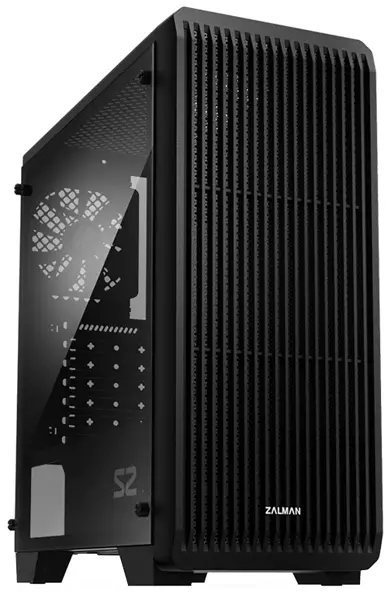

※ To ensure safe and easy installation, please read the following precaution. Product design and specifications may be revised to improve quality and performance.
Precautions
- Read this manual carefully before installing.
- Check the product and components before installing. If you find any abnormality, contact the location where you purchased the product for a replacement or refund.
- Wear gloves to prevent accidents when installing the product.
- Severe damage may occur when mounting the system, so do not apply excessive force.
- Connecting the cable incorrectly may cause a fire due to a short circuit. Make sure to refer to the manual when connecting the cable.
- Be careful not to block the ventilation hole of the product when using the system.
- Avoid locations with direct sunlight, water, moisture, oil, and excessive dust. Store and use the product in a well-ventilated location.
- Do not wipe the surface of the product using chemicals. (organic solvents such as alcohol or acetone)
- Do not insert your hand or other object into the product during operation, as this may injure your hand or damage the object.
- Store and use the product out of children’s reach.
- Our company assumes no responsibility for any problem that occurs due to the use of the product for purposes other than its designated pur poses and/or the carelessness of the consumer.
- The exterior design and specifications of the product are subject to change without prior notice to consumers for quality improvement.
Specifications
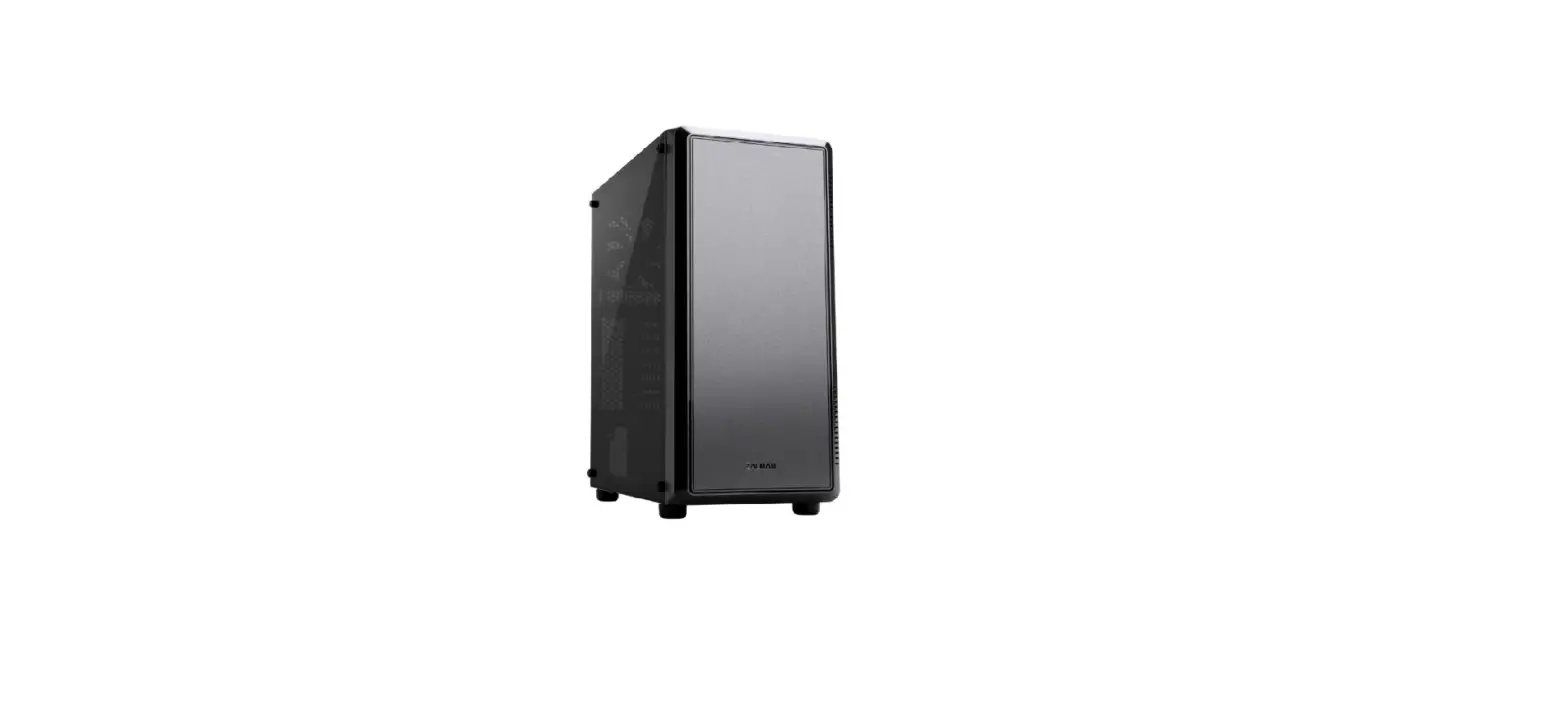
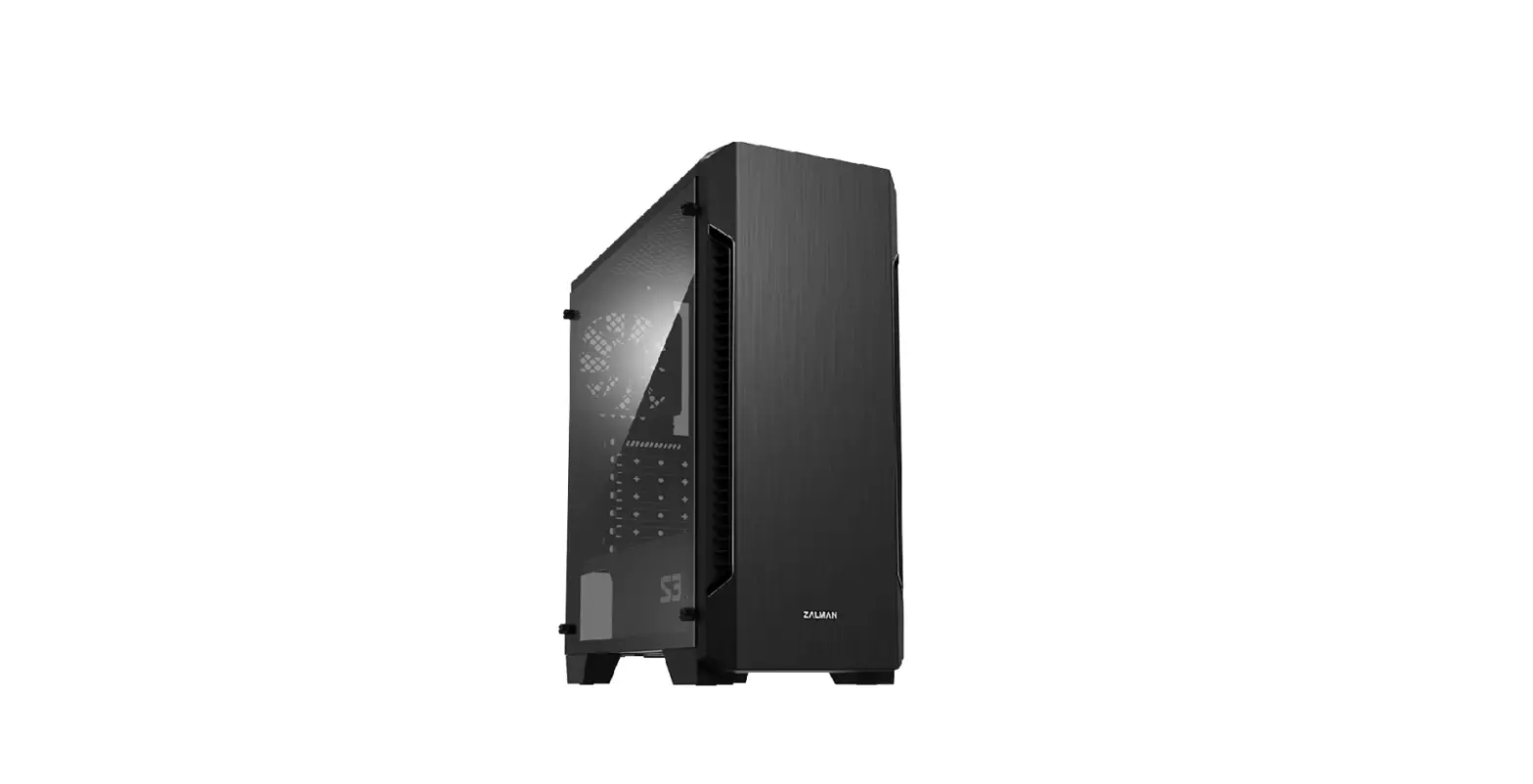
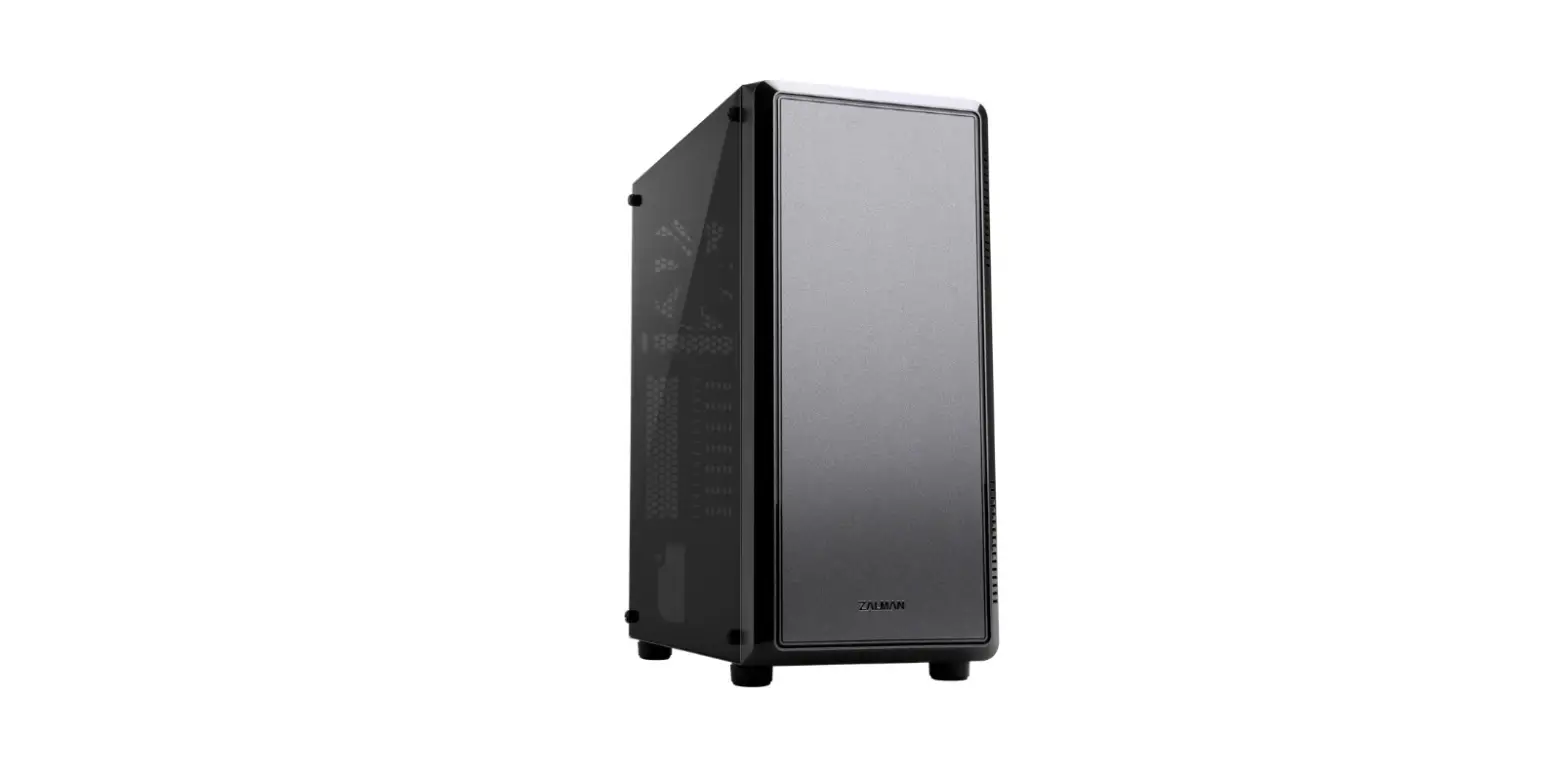
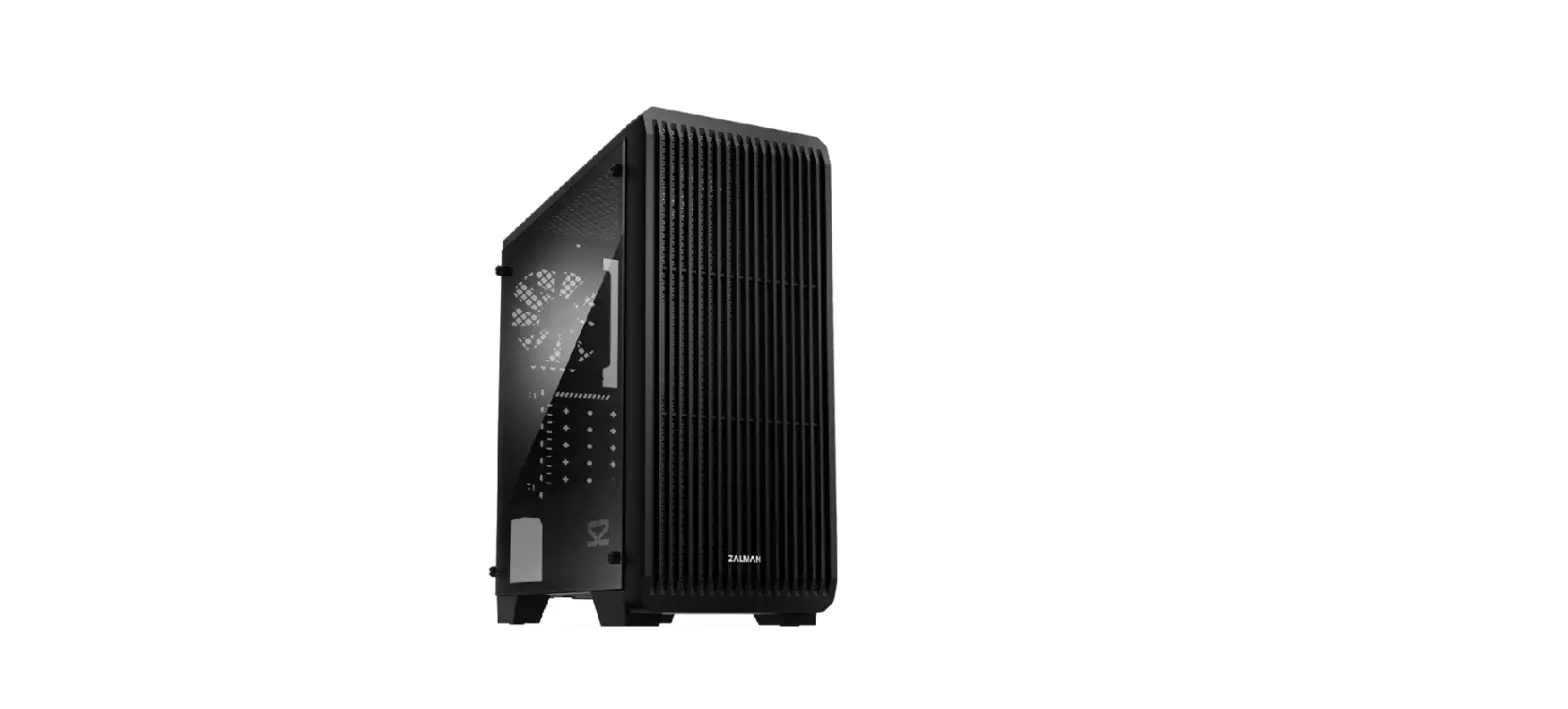
| Model | S2 | I S2(KOR) | |
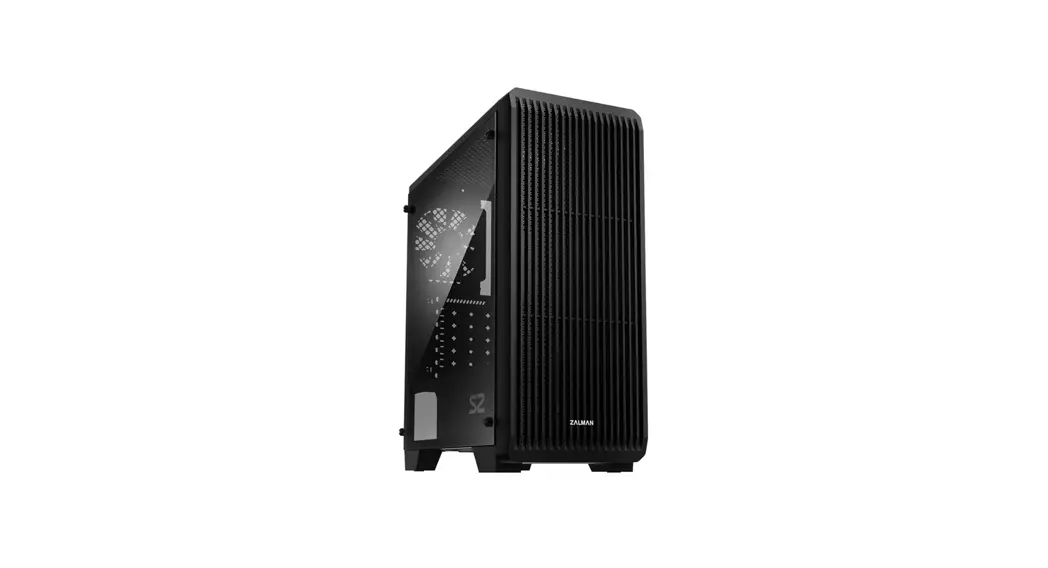
| Case Form Factor | ATX Mid-Tower | ||
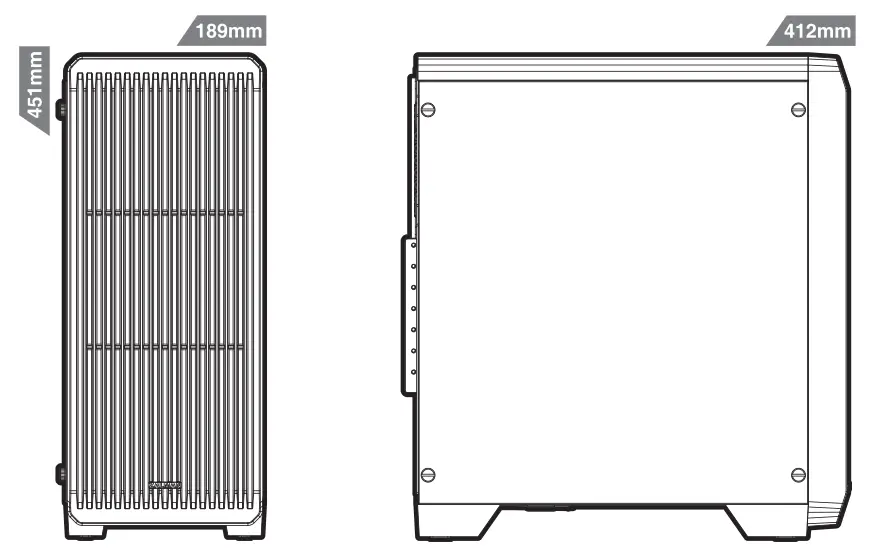
| Dimensions | 412(D) x 189(W) x 451(H) mm | ||
| Weight | 3.9kg | I 4kg | |
| Case Materials | Steel, Plas ic, Acrylic | ||
| Motherboard Support | ATX / mATX / Mini-ITX | ||
| Maximum VGA Length | 330mm | ||
| Maximum CPU Cooler Height | 156mm | ||
| Maximum PSU Length | 180mm | ||
| PCI Expansion Slots | 7 | ||
| Case Drive Bays | 2 x 3.5″, 2 x 2.5″ | ||
| Fan Support | Front | 3 x 120mm | |
| Top | 2 x 120mm | ||
| Rear | 1 x 120mm | ||
| Bottom | 2 x 120mm | ||
| Fan(s) Included | Front | 2 x 120mm | |
| Rear | 1 x 120mm | 1 x 120mm | |
| Radiator Support | Front | 1 x 120mm | |
| Rear | 1 x 120mm | ||
| I/O Ports | 1 x Headphone, 1 x Mic, 2 x USB 2.0, 1 x USB 3.0 | ||
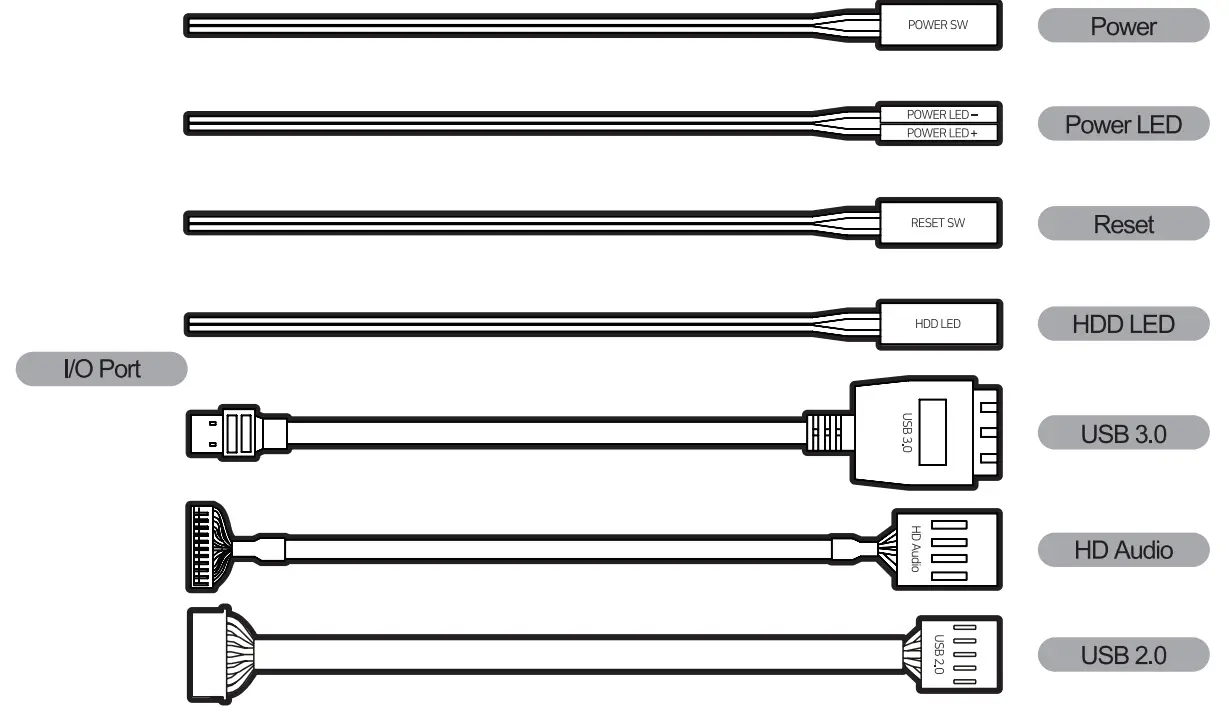
I/O Port
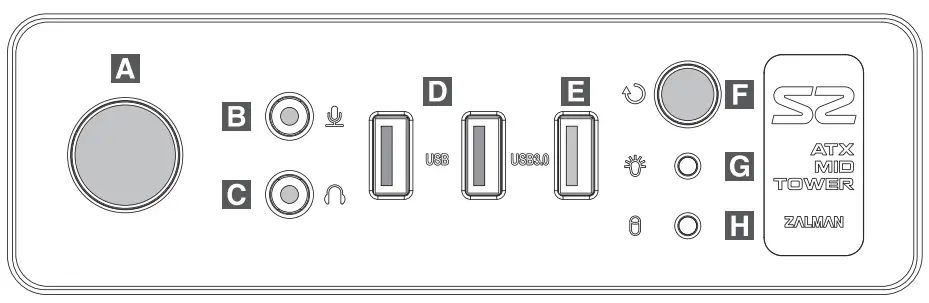
| # | Part | # | Part | # | Part | # | Part |
| A | Power button | B | Microphone jack | C | Headphone jack | D | USB 2.0 |
| E | USB 3.0 | F | Reset button | G | Power LED | H | HDD LED |
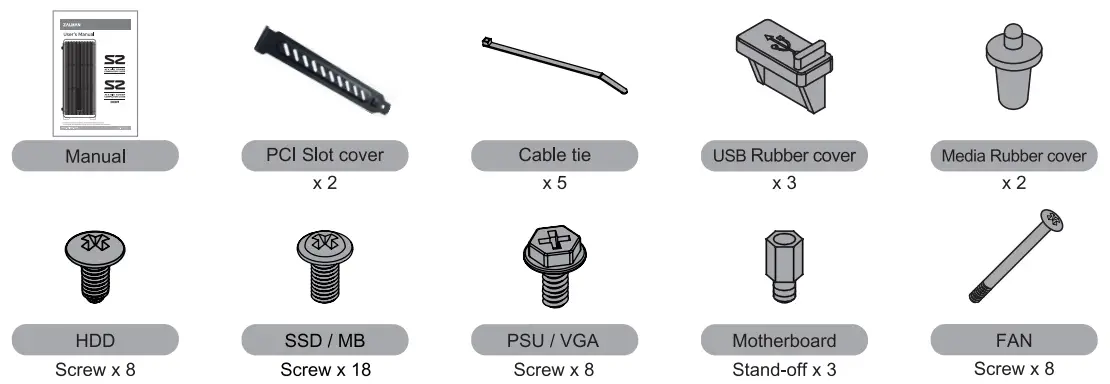
Accessories Component
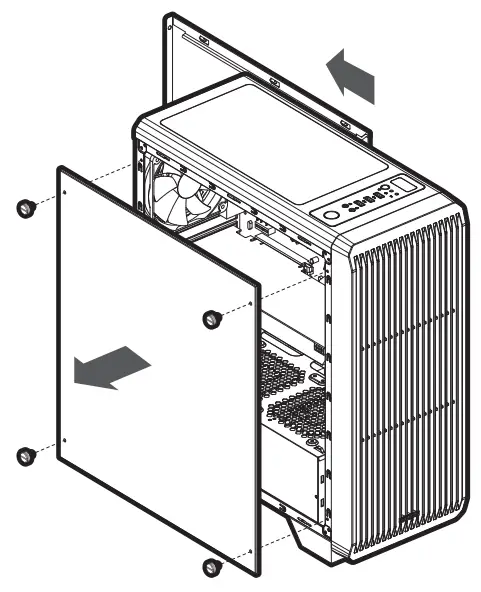
Separating the side panel
Side Panel Removal
Mounting the motherboard
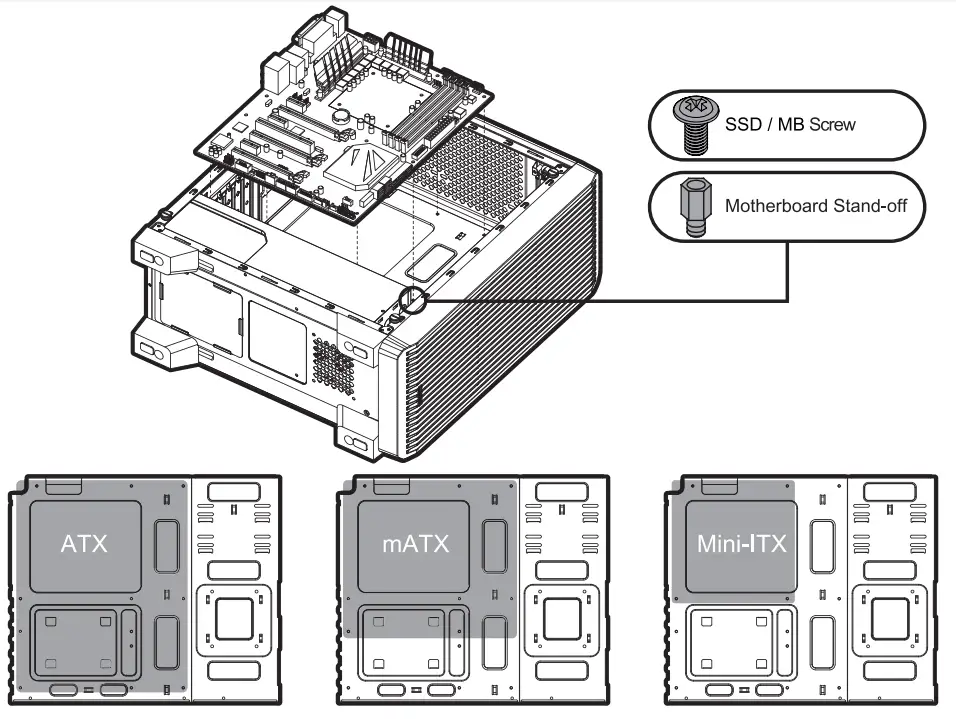
As 6 stand-offs are mounted by default, insert an additional stand-off according to the type of motherboard by referring to the mounting position of the main board, and mount the motherboard on the case.
Mounting the 3.5″ and 2.5″ SSD / HDD
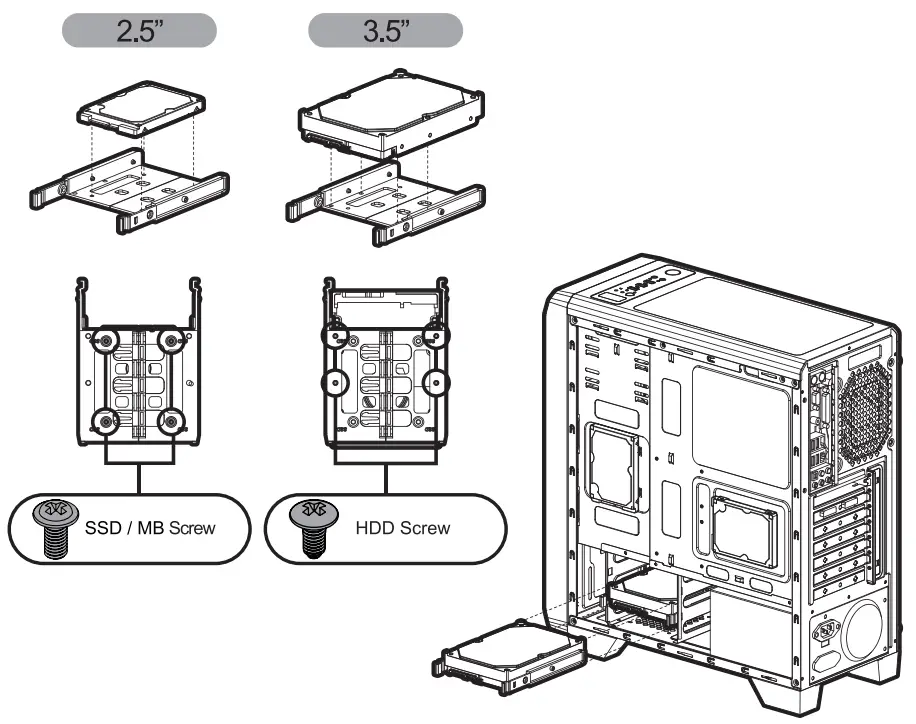
Separate the 2.5- and 3.5″ combo HDD guide and assemble the HDD or SSD. Mount the assembled HDD on the slot.
Mounting 2.5″ SSD / HDD
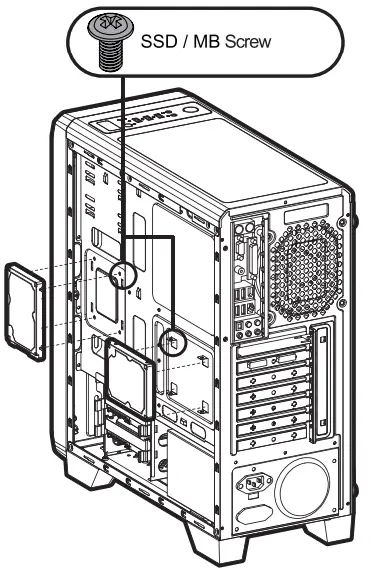
2.5″ SSD and HDD can be installed on the right side of case as shown in the diagram.
Mounting PCI-E(VGA) card
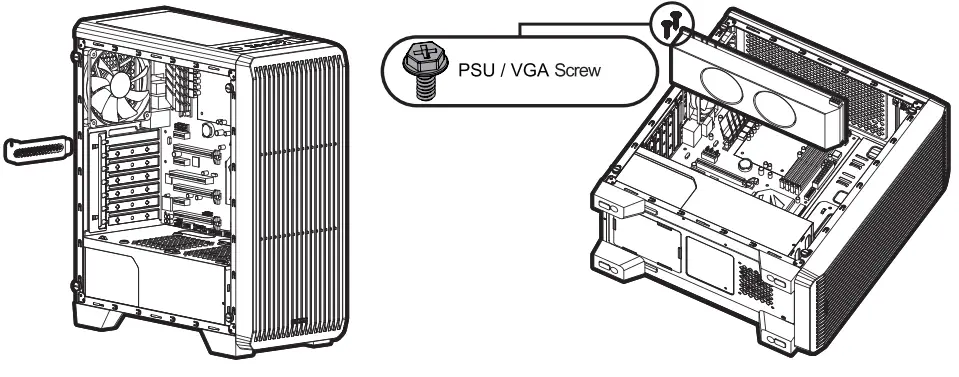
Loosen the screw, separate the PCI cover, mount the graphic card, and fix it using the screw.
Mounting the top an
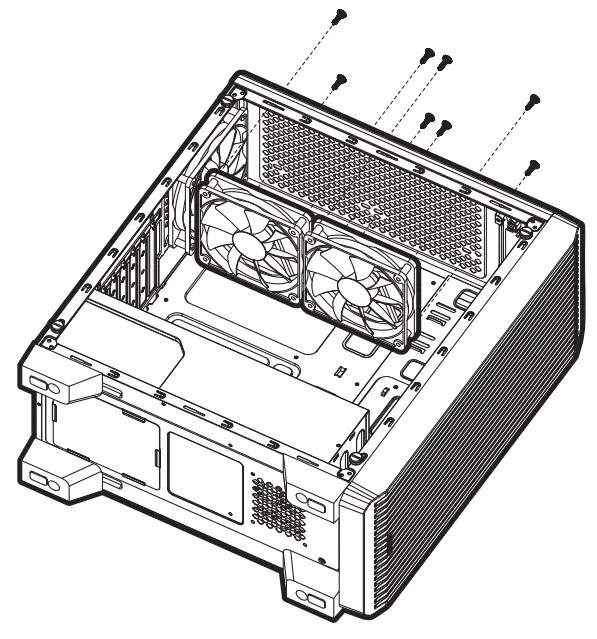
As shown in the picture, install the fan on the top of the case using bolts
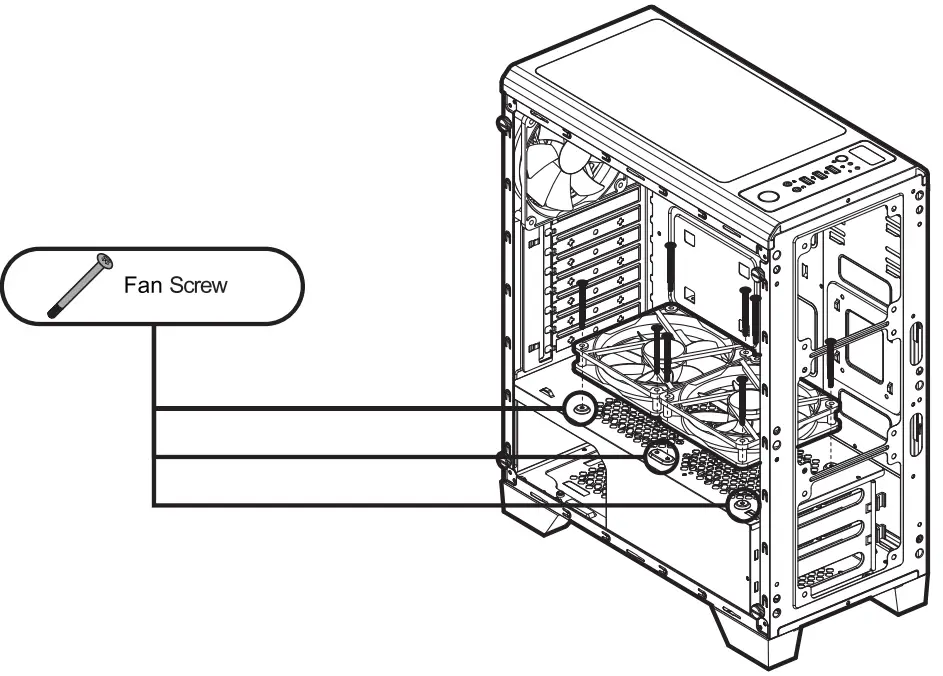
Mountine the bottom fan
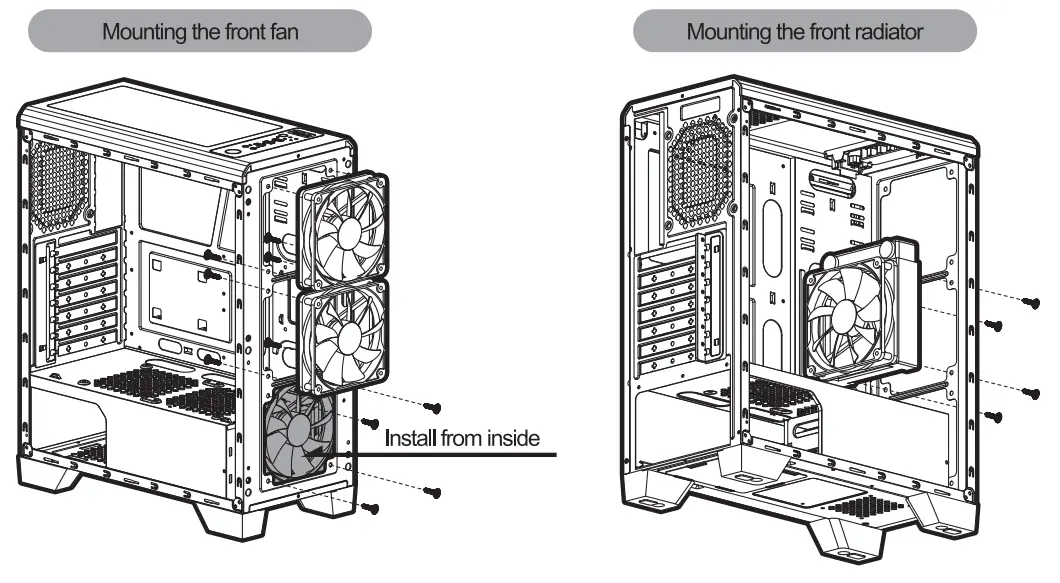
Mounting the front fan and front radiator
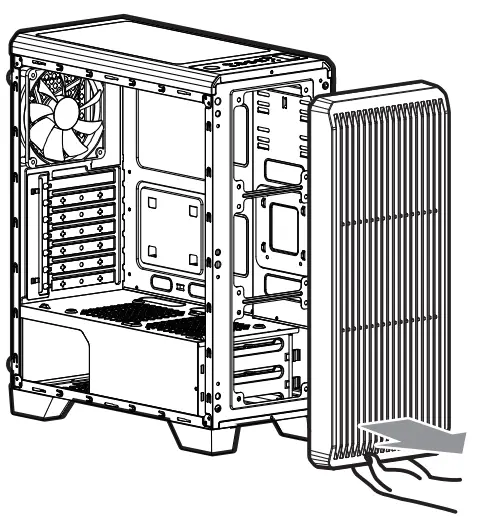
After Front Cover Removal and Mount the fan or the radiator on the mount hole in the front as shown in the figure. (For liquid-coolers, only products with a hose length of 240 mm or more can be installed)
Cable Connection
COOL INNOVATIONS