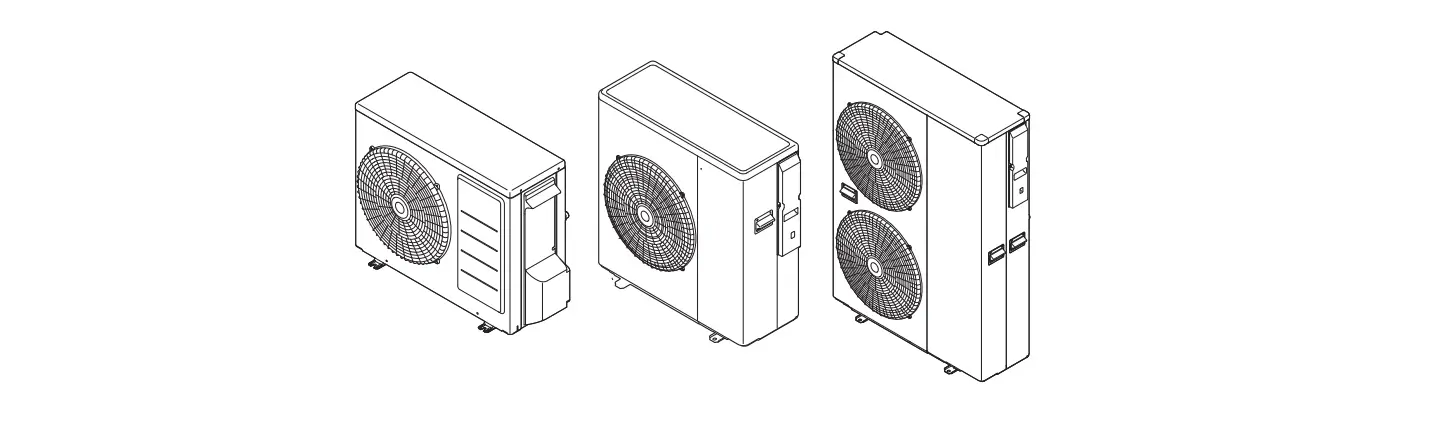
ECO-0600 Liquid, Air to Water Heat Pump Controller
Product Information
The HBX ECO-0600 Geothermal Control Version 1.0.0 is a
stand-alone Outdoor Reset Control device designed for Geothermal
applications. It is capable of managing single tank applications as
well as applications with separate hot and cold tanks. This control
can also function as a stand-alone system without WiFi
capabilities.
Features:
- Zone Controller
- Relays: 240VAC 5A Max
- Input: 120VAC 15A Max
Product Usage Instructions
Before proceeding with the installation or usage of the HBX
ECO-0600 Geothermal Control, please read and understand the safety
warnings and symbols provided in the user manual.
Safety Warnings:
- This product is non-serviceable. In case of any issues, send it
to HBX Controls Inc. for service. - Only suitably qualified individuals with formal training in
electrical and hydronic controls should attempt the installation of
this equipment. - This product contains chemicals, including lead, known to the
State of California to cause cancer and birth defects or other
reproductive harm. Refer to www.P65Warnings.ca.gov for more
information. - This control is a microprocessor-based controller and should
not be regarded as a safety (limit) control. Install the heating or
cooling appliance in accordance with the manufacturer’s
recommendations. - Follow the recommended guidelines for wiring connections, using
appropriate conductors (copper or aluminum) based on the
acceptability of the terminal. - All circuits must have a common disconnect and be connected to
the same pole of the disconnect.
For detailed instructions on installation, troubleshooting
guides, and warranty information, please refer to the user manual
provided by HBX Control Systems Inc.
Installation Manual
ECO-0600 Version 1.0.0
· Geothermal Control
ECO-0600
HBX Control Systems Inc.
Table of Contents
Control Systems Inc.
HBX ECO-0600 Geothermal Control Version 1.0.0.0
TABLE OF CONTENTS
Introduction ……………………………………………………………………………….. 1-3 Description …………………………………………………………………………………. 1 Safety Symbols & Warnings …………………………………………………………. 2 Receipt & Inspection …………………………………………………………………… 2 Technical Data and Dimensions ………………………………………………….. 3
Wiring & Installation ……………………………………………………………………. 4-25 Wiring …………………………………………………………………………………………. 4 Installation ………………………………………………………………………………….. 5 Main Screen Navigation……………………………………………………………….. 6 System Settings…………………………………………………………………………. 7-13 Application Drawing ……………………………………………………………………. 15-21
Troubleshooting Guides…………………………………………………………………22 Warranty Information …………………………………………………………………… 23
Comfort
Control
Innovation
Page 2
HBX ECO-0600 GEOTHERMAL MODULE
The ECO-0600 is designed to be a stand-alone Outdoor Reset Control device. The purpose and function of the ECO-0600 is to provide control for Geothermal applications. It can manage single tank applications as well as applications with separate hot and cold tanks.
This control can also function as a stand alone system without WiFi capabilities.
FEATURES
· App for Android or Apple Smartphone/tablet device for remote access with alarm email notification
· Control up to four (4) stages plus backup · Rotate heat pumps based on time and cycles · Single or Dual tank setup · Wi-Fi enabled for remote access via the SensorLinx
mobile app · DHW control · Control system, cold/tank pumps with post purge
and exercising options · Operate reversing valve and/or 3 way diverting
valve · Outdoor temperature reset with WWSD/CWSD
options · Auto changeover · Priority setup
HBX ECO-0600 Geothermal Control Version 1.0.0
ECO-0600
ZONE CONTROLLER
RELAYS 240VAC 5A Max
INPUT 120VAC 15A Max
ECO-0600
GEOTHERMAL CONTROL
Page 1
HBX ECO-0600 Geothermal Control Version 1.0.0
SAFETY SYMBOLS
Extreme Hazard This action poses a serious threat that could result in personal injury or death, as well as permanent damage to the equipment. Proceed with caution.
Moderate Hazard This action may cause personal injury or have adverse effects on the installation process if handled incorrectly.
Point of Interest This point clarifies pertinent information, or brings your attention to an action that may have adverse effects on the installation process.
Drawing Reference Refer to the specified electrical or mechanical drawing at the back of the manual.
Disconnect Power Source The presence of low voltage(24VAC) or high voltage(120VAC) could result in personal injury or permanent damage to components or equipment.
SAFETY WARNINGS
WARNING: Non-serviceable product. Send to HBX Controls Inc. only for service.
WARNING: Only suitably qualified individuals with formal training in electrical and hydronic controls should attempt the installation of this equipment. Incorrect wiring and installation will affect the warranty provided with this unit. Wiring must be completed in accordance with the codes and practices applicable to the jurisdiction for the actual installation.
WARNING: This product can expose you to chemicals including lead, which is known to the State of California to cause cancer and birth defects or other reproductive harm. For more information go to www.P65Warnings.ca.gov.
EXTREME HAZARD: This HBX control is a microprocessor based controller and as such is not to be regarded as a safety (limit) control. Please consult and install the heating or cooling appliance in accordance with the manufacturer’s recommendations.
WARNING: Use only copper conductor supply wire suitable for at least 105 °C
WARNING: a) Use copper conductors only if the terminal is acceptable only for connections to copper wire; b) Use aluminum conductors only or use aluminum or copper-clad aluminum condctors only if the terminal is acceptable only for connection to aluminum wire; or c) use copper or aluminum conductors or use copper, copper-clad aluminum, or aluminum conductors if the terminal is acceptable for connection to either copper or aluminum wire.
WARNING: All circuits must have a common disconnect and be connected to the same pole of the disconnect.
WARNING: Wiring connected in the bottom wiring chamber must be rated to at least 300V.
RECEIPT & INSPECTION
After receiving, inspect the unit for any possible physical damage that may have occurred during transportation. After unpacking the unit make sure the box contains:
· 1 x Terminal Screwdriver (2.5 mm) · 1 x Manual · 1x Remote outdoor outdoor sensor (OUT-0100)
· 2x Universal Sensor (029-0022) · 2x Cable ties
Page 2
TECHNICAL DATA AND DIMENSIONS ECO-0600 TECHNICAL DATA
ECO-0600
ZONE CONTROLLER
RELAYS 240VAC 5A Max
INPUT 120VAC 15A Max
ECO-0600
GEOTHERMAL CONTROL
DIMENSIONS
66mm 2.598″
131mm 5.157″
HBX ECO-0600 Geothermal Control Version 1.0.0
Specifications: 4 x thermistor Input (10k Ohm) 4 x Stage Relays 24VAC 2A Max 3 x AUX Relays · 120VAC 1/6hp FLA or LRA 5A Max (Pump) · 240VAC 1/2hp FLA or LRA 5A Max (Pump) · 120VAC/240VAC 5A Max (Other) 1x Input 120VAC +/- 10% 50/60Hz 250mA Max
Combined relay power should not exceed 15A
Weight: 0.408Kg
Dimensions: 121mm W x 188mm H x 66mm 4.76in W x 7.40in H x 2.60in
ETL Listings: Meets CSA C22.2 No. 24 Meets UL Standard 873 ETL Control No. 3068143
Storage: 50°F to 104°F (10ºC to 40ºC)
ECO-0600 WiFi: 2.4GHz Network Only FCC ID: 2AHMRESP125
99.9mm 3.937″
ZON-0600
ZONE CONTROLLER
RELAYS 240VAC 5A Max
INPUT 120VAC 15A Max
248mm 9.764″
ECO-0600
GEOTHERMAL CONTROL
222mm 8.740″
65.96mm 2.597″
Page 3
HBX ECO-0600 Geothermal Control Version 1.0.0
WIRING AND INSTALLATION
WIRING
We recommend all signal wiring to be a minimum of 18AWG shielded wire at a maximum of 500ft.
Cool Demand Heat Demand
Sensor Inputs 1 Sensor Inputs 2
11 22 33
1 23 45 6
12 34
12
34
HD
CD
7 8 9 10 11 12 13 14 15 16
Mod Staging Output
(DO NOT CONNECT HERE)
Demand Inputs
Sensor Inputs
Class 2 Circuits
HBX ECO-0600 DO NOT CONNECT
Class 2 Circuits
POWER HERE
Sensor Inputs
GEOTHERMAL CONTROL
Staging Output
5A
5A
5A
ECO-0600 Input Power
1 23 45 67 8
STG 1 STG 2 STG 3 STG 4 11 22 33 44
9 10
Aux 1 11
11 12
Aux 2 22
13 14
Rev Valve
33
15 16 17
POWER 120
L N GR
Staging Output 1
Staging Output 2
Staging Output 3
Staging Output 4
1. DEMAND OUTPUTS
7, 8: Demand Signal 1: Apply a heat demand from a dry contact, or 24VAC. 9, 10: Demand Signal 2: Apply a cool demand from a dry contact, or 24 VAC.
Supply Power 120 VAC
Rev Valve Output Auxiliary Output 2
Auxiliary Output 1
3. STAGING OUTPUTS
1, 2: Heat pump 1 output 3, 4: Heat pump 2 output 5, 6: Heat pump 3 output 7, 8: Heat pump 4 output or backup boiler
2. SENSOR INPUTS
11, 13: Hot Tank temperature in dual tank mode, or Tank Temperature in single tank mode 12, 13: Cold Tank temperature. If the cold tank sensor is not connected, the control assumes single tank operation. If connected, the control will operate in dual tank mode. 14, 16: Outdoor temperature 15, 16: Used for DHW or setpoint
5. RELAYS
9, 10: Relay 1: Can be used as a system pump, hot tank pump, cold tank pump. 11, 12: Relay 2: Can be used as a system pump, hot tank pump, cold tank pump. 13, 14: Relay 3: Used as a Reversing Valve and/or 3 way diverting valves.
6. INPUT POWER
15, 16, 17: This input is to power the ECO-0600. 0.25 Amps at 120 VAC is required to power this device
MOUNTING HOLES
ECO-0600 Installation The ECO-0600 is designed to be wall mounted or installed in a separate electrical enclosure. The unit should be installed inside and protected from falling water and high humidity conditions. With all the covers in place, it is designed to protect any individual from accidental electrical shock. It is not suitable for installation in hazardous locations and should not be close to any electromagnetic fields.
Page 4
· Identify the four mounting holes on the ECO-0600, mark on the wall the desired location of mounting
· Pre-drill, anchor and fasten four screws for mounting · Hang ECO-0600 and fasten tight to desired locations · Complete wiring connections in accordance with terminal locations
ECO-0600 MAIN SCREEN
HBX ECO-0600 Geothermal Control Version 1.0.0
HOT TANK/COLD TANK The ECO-0600 features a full LCD screen that will display the hot and cold tank temperatures along with the outdoor temperature. If there is a demand for heating or cooling the
1 corresponding tank zone will be bordered with a green box, and the staging output(s) in the lower wiring
chamber will be closed
2 Wi-Fi Indicates that the control is connected to a 2.4 GHz Wi-Fi network
3 PRIORITY Indicates if there is a priority for heating or cooling
HEAT PUMPS Indicates how many heat
pumps are being utilized in your system
2
3
4 setup. When a heat pump is activated by
a call the heat pump will light up in respect
to their classification
REV VALVE When a cooling demand is
1
5 activated the Rev Valve will light up to
indicated it is on
4 5
PUMPS When a pump is activated by a
6 call you will see the first pump (P1) and
or second pump (P2) light up in respect to their classification, their associated contacts PUMP 1 and/or PUMP 2 can be found in the lower wiring chamber will be closed
DEMANDS – When the delegated demand
7 is active it will be lit up thus in turn the
associated demand in the upper wiring chamber will be closed as well (tt1, tt2)
8
6
9
7
DEMANDS – The outdoor temperature will
8 be displayed. This option will also display
if the control is in WWSD (Warm Weather
Shutdown) or CWSD (Cold Weather
Shutdown)
DHW TANK – If DHW is set to on. It will display
9 the DHW temperature. If there is a demand
for DHW the zone will be bordered with a
green box
Page 5
HBX ECO-0600 Geothermal Control Version 1.0.0
CONTROL STATUS
Sync Code – Sync Code of the ECO-0600 Wi-Fi Network displays current SSID network connected to Wi-Fi Password displays password of current network connected to Wi-Fi Strength displays Signal strength of the network connected to
Page 6
HBX ECO-0600 Geothermal Control Version 1.0.0
HEAT PUMP SETUP
Number of Stages This setting will allow you to select the number of heat pump stages that are attached to the control. If Backup is being used, you can only have a maximum of 3 stages. (1 to 4) Default: 1
Stage ON Lagtime When the heat pump is set for more than 1 stage, this setting will be set for the minimum lagtime between heat pump stages. This is a time delay between stages. Even if the differential has been exceeded this time must elapse before that stage can come on. (1-240 Min)
Stage Off Lagtime This feature is used to set how you would like to stage the heat pumps off When the heat pump is set for more than 1 stage, this setting will be set for the minimum OFF lagtime between heat pump stages
Rotate Time Rotate Time The time of rotation between heat pumps. This setting is in hours of run time. This means that the heat pumps are going to rotate when the first heat pump exceeds the second by the rotate time. (OFF/1H to 240H) Default: OFF
Rotate Cycles Set the number of cycles at which you would like to rotate the heat pumps. One cycle is described as the heat pump going on and then off. (OFF/1 to 240) Default: OFF
Off Staging This feature is used to set how you would like to stage the heat pumps off. If set to OFF the heat pumps will stage off normally based off of tank temperature and differential settings or STAGE OFF Lagtime settings. If set to ON the heat pumps will all stage off at the same time, based off of tank temperature and differential settings. (OFF/ON) Default: OFF
Page 7
TANK SETUP
Page 8
HBX ECO-0600 Geothermal Control Version 1.0.0
HOT TANK SETUP WITH OUTDOOR RESET
WWSD – This setting is used to set the temperature in which the ECO-0600 will go into WWSD. If the system rises above this temperature, the system will be shut off. In WWSD the heat pumps and backup boiler will shut off. (OFF/34°F to 180°F) Default: 65°F
Outdoor Reset (Design) This is used in the outdoor reset design calculation. This option should be set to reflect your specific city or region. This option needs to be set OFF if you are not using outdoor reset. *With this option enabled, the Tank Temperature setting will be replaced by Min Tank and Max Tank Temperature settings. (OFF/-40°F to 127°F) Default: OFF
Differential Set this temperature to be the desired hot tank differential. *A differential of 4°F will allow for 2 degrees above and/or 2 degrees below the desired temperature before a demand is present. (2°F to 100°F) Default: 6°F
Min Tank Temp – This setting is the bottom of the heat curve. The target will hit this temperature as the Outdoor Temperature approaches the WWSD. (35°F to 200°F) Default: 80°F
Max Tank Temp – This setting is the top of the heat curve. The target will hit this temperature as the Outdoor Temperature approaches the Design Outdoor Temperature. (35°F to 200°F) Default: 115°F
TANK SETUP
HBX ECO-0600 Geothermal Control Version 1.0.0
HOT TANK SETUP WITHOUT OUTDOOR RESET
WWSD – This setting is used to set the temperature in which the ECO-0600 will go into WWSD. If the system rises above this temperature, the system will be shut off. In WWSD the heat pumps and backup boiler will shut off. (OFF/34°F to 180°F) Default: 65°F
Outdoor Reset (Design) This is used in the outdoor reset design calculation. This option should be set to reflect your specific city or region. This option needs to be set OFF if you are not using outdoor reset. *With this option enabled, the Tank Temperature setting will be replaced by Min Tank and Max Tank Temperature settings. (OFF/-40°F to 127°F) Default: OFF
Differential Set this temperature to be the desired hot tank differential. *A differential of 4°F will allow for 2 degrees above and/or 2 degrees below the desired temperature before a demand is present. (2°F to 100°F) Default: 6°F
Tank Target Temperature – When a heat demand is present and the control is not in WWSD, the control will target this temperature for heating. (35°F to 200°F) Default: 115°F If there is no thermistor attached to pins 14 and 15, the control assumes single tank operation.
Page 9
TANK SETUP
Page 10
HBX ECO-0600 Geothermal Control Version 1.0.0
COLD TANK SETUP WITHOUT OUTDOOR RESET
CWSD – This setting is used to set the temperature in which the ECO-0600 will go into CWSD. If the system goes below this temperature, the system will be shut off. In CWSD the heat pumps will shut off. (OFF/32°F to 119°F) Default: 75°F
Outdoor Reset (Design) This is used in the outdoor reset design calculation. This option should be set to reflect your specific city or region. This option needs to setup as OFF if you are not using outdoor reset. With this option enabled, the Tank Temperature setting will be replaced by Min Tank and Max Tank Temperature settings. (OFF/0°F to 119°F) Default: OFF
Differential Set this temperature to be the desired cold tank differential. A differential of 4°F will allow for 2 degrees above and/or 2 degrees below the desired temperature before a demand is present. (2°F to 100°F) Default: 8°F
Min Tank Temp – This setting is the bottom of the cooling curve. The target will hit this temperature as the outdoor temperature approaches the Outdoor Design Temperature. (30°F to 200°F) Default: 45°F
Max Tank Temp – This setting is the top of the cooling curve. The target will hit this temperature as the Outdoor Temperature approaches the CWSD. (30°F to 200°F) Default: 60°F
TANK SETUP
HBX ECO-0600 Geothermal Control Version 1.0.0
COLD TANK SETUP WITHOUT OUTDOOR RESET
CWSD – This setting is used to set the temperature in which the ECO-0600 will go into CWSD. If the system goes below this temperature, the system will be shut off. In CWSD the heat pumps will shut off. (OFF/32°F to 119°F) Default: 75°F
Outdoor Reset (Design) This is used in the outdoor reset design calculation. This option should be set to reflect your specific city or region. This option needs to setup as OFF if you are not using outdoor reset. With this option enabled, the Tank Temperature setting will be replaced by Min Tank and Max Tank Temperature settings. (OFF/0°F to 119°F) Default: OFF
Differential Set this temperature to be the desired cold tank differential. A differential of 4°F will allow for 2 degrees above and/or 2 degrees below the desired temperature before a demand is present. (2°F to 100°F) Default: 8°F
Tank Target Temperature – When a cooling demand is present and the control is not in CWSD, the control will target this temperature for cooling. (30°F to 200°F) Default: 45°F
*If there is no thermistor attached to pins 14 and 15, the control assumes single tank operation.
Page 11
TANK SETUP
HBX ECO-0600 Geothermal Control Version 1.0.0
DHW TANK SETUP
Use DHW Tank – Once this option is enabled you will be able to program the remaining options for your DHW setup. (OFF/ON) Default: OFF
DHW Target This option allows you to select your DHW target temperature in the tank. (35°F to 180°F) Default: 130°F
Differential This is the differential for the DHW tank. Set this parameter to the desired differential for the DHW tank. (2°F to 100°F) Default: 8°F
WWSD-CWSD TIME
This setting is used as a lagtime for CWSD and WWSD. This will hold the control from entering CWSD or WWSD until this time has elapsed. The timer starts when the outdoor temperature hits the CWSD or WWSD. This setting is useful in the shoulder seasons when there are large outdoor temperature swings. (0H to 240H) Default: 0H
Page 12
BACKUP SETUP
HBX ECO-0600 Geothermal Control Version 1.0.0
Backup Time – This setting will be set for the minimum lag time between heat pump stages and the backup boiler. This is a time delay between the heat pump stages and the backup boiler. Even if the differential has been exceeded this time must elapse before that stage can come on. (OFF/1m to 240m) Default: OFF
Backup Temp Set this temperature to the desired outdoor temperature that will allow the backup to come on. When the outdoor temperature resides above this value, the backup will not be allowed to come on. Only when the Outdoor Temperature falls below this value can the backup come on. (OFF/2°F to 100°F) Default: OFF
Backup Diff This setting can be used with the backup temperature and backup time or on its own to bring the backup on. This setting is used to set a differential on the tank at which you would like the backup to come on. This setting will override the backup temperature and backup time settings. (eg. Tank temperature of 115°F and a backup differential of 10°F. The backup boiler will come on at 105°F providing all of the heat pumps are already on.) (OFF/2°F to 100°F) Default: OFF
Backup Only Outdoor This option allows you to set a temperature at which the backup will run at all times in favour of the heat pumps, the heat pumps will not run until the outside temperature rises above this setting.
Backup Only Tank Set this to the maximum tank temperature for the heat pumps to run at. Once this temperature has been exceeded, only the backup will heat the tank to the target temperature. To function properly, this temperature should be set lower than the hot tank target temperature.
Page 13
PUMP SETUP
When four (4) heat pumps and a backup boiler is selected there will be no pump 1 option as the pump 1 relay will be controlling the backup boiler.
HBX ECO-0600 Geothermal Control Version 1.0.0
Pump 1 – The chosen pump type will close the lower contact at 1-2 (PUMP1)when a demand is in place. Pump choice options : System, Heating, Cooling, DHW, App, None Pump 1 Post Purge the amount of time if necessary for Pump 1 to run after the call associated with it has been removed.
Allowed Values: 0-240 Seconds
Pump 1 Start Delay the amount of time if necessary for Pump 1 be delayed to run after the call associated with it has been activated
Allowed Values: 0-240 Seconds
Pump 2 – The chosen pump type will close the lower contact at 1-2 (PUMP1)when a demand is in place. Pump choice options : System, Heating, Cooling, DHW, App, None Pump 2 Post Purge the amount of time if necessary for Pump 1 to run after the call associated with it has been removed.
Allowed Values: 0-240 Seconds
Pump 2 Start Delay the amount of time if necessary for Pump 1 be delayed to run after the call associated with it has been activated
Allowed Values: 0-240 Seconds
Pump Exercise Time The amount of time to exercise the pumps. The pump will run for the amount of time that is set in post purge for pump 1 and 2.
Allowed Values: 0-240 Seconds
PUMP OPTIONS
System If there are any heating or cooling calls the pump contact will close
Heating If there are any heating calls the pump contact will close
Cooling if there are any cooling calls the pump contact will close
DHW if there is a DHW call the pump contact will close
App if the virtual app switch is activated this pump contact will close
None No pumps are being utilized in your system setup
Page 14
PRIORITY
HBX ECO-0600 Geothermal Control Version 1.0.0
Heat – The control will prioritize a heating demand over a cooling demand.
Cooling The control will prioritize a cooling demand over a heating demand. Auto The control will automatically set the priority based off how close the outdoor temperature is to the WWSD/CWSD setpoint setting.
Page 15
HBX ECO-0600 Geothermal Control Version 1.0.0
If the connection is successful the option will display “Server”. If the connection is not successful the option will display ready. If it displays “Wi-Fi” you may need to open port 1314 on your network router.
WI-FI SETTINGS
Once you have selected the appropriate network and you have entered the correct password for that 2.4GHz network, pressing Ready will establish a connection to the Wi-Fi network. Attempting to connect to Wi-Fi the display will say Updating Settings, before showing Connecting to Wi-Fi, Please Wait. The controller is now trying to connect to Wi-Fi and it may take upwards of 120 seconds. If the controller backs out of the WI-FI Settings then just re-enter the page and wait. After it has counted down it will display either Now Connected to, Server. It is now connected to its 2.4GHz network and the Wi-Fi symbol on the Main Screen will appear soon after. If the connection was unsuccessful it will display Press to Connect, Ready. Click on Ready and begin the connection process again. If Now Connected to, Wi-Fi is displayed you may need to open port 1314 on your network router.
Wi-Fi SSID Scan Pressing this will allow the ECO-0600 to actively scan for all available networks that you can choose from, and then you may select the 2.4 GHz network that you wish to connect to.
Wi-Fi SSID Manual Entry This is where you can manually input the 2.4GHz SSID network that you want to connect to, use this method if the network does not auto populate when you perform the Wi-Fi SSID Scan. Ensure that you input this network exactly how it would appear, including spaces, numbers, capital or lowercase letters and or special characters.
Wi-Fi Password – Input the password for the 2.4 GHz SSID network that you are connecting to. (capital letters, special characters, numbers and lower case characters all available).
Press to Connect – Once you have selected the appropriate network and you have entered the correct password for that 2.4GHz network, pressing Connect Now will establish a connection to the Wi-Fi network.
Page 16
HBX ECO-0600 Geothermal Control Version 1.0.0
PERMANENT HD
This setting indicates that the ECO-0600 is in a permanent heat demand. This can be used instead of attaching a thermostat. (OFF/ON) Default: OFF
PERMANENT CD
This setting indicates that the ECO-0600 is in a permanent cool demand. This can be used instead of attaching a thermostat. (OFF/ON) Default: OFF
RUN TIMES
This setting will allow you to view your heat pump(S) and/or backup boiler run times. Reset Run Times Selecting this option will clear the stage accumulated hours counter for heat pump(s) and/or backup boiler
DEGREES
Use this setting to change the display format from Celsius (°C) to Fahrenheit (°F). (°F/°C) Default: °F
Page 17
WIRING DIAGRAM 1
Heat Demand to ECO-0600
Cool Demand to ECO-0600
HBX ECO-0600 Geothermal Control Version 1.0.0
Cold DHW
Tank
Hot
Tank
Outdoor
11 22 33 MOD 1 MOD 2 MOD 3
1 23 45 6
12 34
12
34
HD
CD
7 8 9 10 11 12 13 14 15 16
Mod Staging Output
(DO NOT CONNECT HERE)
HBX ECO-0600 Class 2 Circuits
Demand Inputs
Sensor Inputs
Class 2 Circuits
DO NOT CONNECT POWER HERE
Sensor Inputs
GEOTHERMAL CONTROL
Staging Output Staging Output
5A
5A
5A
ECO-0600 Input Power
1 23 45 67 8
STG 1 STG 2 STG 3 STG 4 11 22 33 44
9 10
Aux 1 11
11 12
Aux 2 22
13 14
Rev Valve
33
15 16 17
POWER 120
L N GR
120 V AC
Page 18
HP 1 HP 2 HP 3 Backup
DHW
Pump Rev Valve
System Pump
L N
WIRING DIAGRAM 2
Heat Demand to ECO-0600
Cool Demand to ECO-0600
HBX ECO-0600 Geothermal Control Version 1.0.0
Cold Tank
Hot Tank
Outdoor
11 22 33 MOD 1 MOD 2 MOD 3
1 23 45 6
12 34
12
34
HD
CD
7 8 9 10 11 12 13 14 15 16
Mod Staging Output
(DO NOT CONNECT HERE)
HBX ECO-0600 Class 2 Circuits
Demand Inputs
Sensor Inputs
Class 2 Circuits
DO NOT CONNECT POWER HERE
Sensor Inputs
GEOTHERMAL CONTROL
Staging Output Staging Output
5A
5A
5A
ECO-0600 Input Power
1 23 45 67 8
STG 1 STG 2 STG 3 STG 4 11 22 33 44
9 10
Aux 1 11
11 12
Aux 2 22
13 14
Rev Valve
33
15 16 17
POWER 120
L N GR
120 V AC
HP 1 HP 2 HP 3 Backup
Cooling Pump
Rev Valve
Heating Pump
L N
Page 19
WIRING DIAGRAM 3
Heat Demand to ECO-0600
Cool Demand to ECO-0600
HBX ECO-0600 Geothermal Control Version 1.0.0
Tank Sensor
Outdoor
11 22 33 MOD 1 MOD 2 MOD 3
1 23 45 6
12 34
12
34
HD
CD
7 8 9 10 11 12 13 14 15 16
Mod Staging Output
(DO NOT CONNECT HERE)
HBX ECO-0600 Class 2 Circuits
Demand Inputs
Sensor Inputs
Class 2 Circuits
DO NOT CONNECT POWER HERE
Sensor Inputs
GEOTHERMAL CONTROL
Staging Output Staging Output
5A
5A
5A
ECO-0600 Input Power
1 23 45 67 8
STG 1 STG 2 STG 3 STG 4 11 22 33 44
9 10
Aux 1 11
11 12
Aux 2 22
13 14
Rev Valve
33
15 16 17
POWER 120
L N GR
120 V AC
Page 20
HP 1 HP 2
L N
System Pump
Rev Valve
WIRING DIAGRAM 4
Heat Demand to ECO-0600
Cool Demand to ECO-0600
HBX ECO-0600 Geothermal Control Version 1.0.0
DHW Tank Sensor Outdoor
11 11 22 22 33 33 MMOODD 11 MMOODD 22 MMOODD 33
1 23 45 6
11 22 33 44
11 22
33 44
HHDD
CCDD
7 8 9 10 11 12 13 14 15 16
MMoodd SSttaaggiinngg OOuuttppuutt
((DDOO NNOOTT CCOONNNNEECCTT HHEERREE))
HHBBXX
ECO-0600
Class 2 Circuits
DDeemmaanndd IInnppuuttss
SSeennssoorr IInnppuuttss
Class 2 Circuits
DDOO NNOOTT CCOONNNNEECCTT PPOOWWEERR HHEERREE
SSeennssoorr IInnppuuttss
GEOTHERMAL CONTROL
Staging Output Staging Output
55AA
55AA
55AA
EECCOO–00660000 IInnppuutt PPoowweerr
1 23 45 67 8
SSTTGG 11 11 11
SSTTGG 22 22 22
SSTTGG 33 33 33
SSTTGG 44 44 44
9 10
AAuuxx 11 11 11
11 12
AAuuxx 22 22 22
13 14
RReevv VVaallvvee
33 33
15 16 17
PPOOWWEERR 112200
LL NN GGRR
120 V AC
HP 1 HP 2 Backup
App
Pump Rev Valve
DHW Pump
L N
Page 21
ECO-0600 TROUBLESHOOTING GUIDE
HBX ECO-0600 Geothermal Control Version 1.0.0
ISSUE
Heat Pumps shut off all at the same time Heat pumps not rotating System pump always running
Control won’t go into heating or cooling
POSSIBLE CAUSES & RESOLUTIONS
· Check OFF Staging options
· Check rotation settings · Control is wired for permanent heating (pins 7-8) or cooling (pins
9-10) demand. · Check if there is a demand on pin 7-8 (HD) and pins 9-10 (CD). · Check WWSD and CWSD settings
Heat pumps shutting off on high/ · Check hot tank or cold tank setpoints. Make sure they do not
low pressure
exceed recommend heat pump limits.
Heat pumps cycling too frequently
· Check tank differential settings · Check heat pump lag time
Backup boilers not coming on
· Check wiring · Check backup settings. Ensure one backup setting is not set to off.
Backup boiler taking too long to come on
· Check backup settings
No heat or Cool call
· Check demand inputs on pins (7-8) or pins (9-10) · Make sure control is not in WWSD/CWSD
Control not coming out of CWSD/ · Check the CWSD/WWSD time WWSD
Abnormal tank target
· Check outdoor reset settings
Cold tank not showing on control · Check cold tank sensor is connected on pins (11-13) display
Outdoor Sensor displays dashes on control display
· Check outdoor sensor is connected on pins (14-16)
Heat pump(s) in not turning on
· No heat/cool demand · Control is WWSD/CWSD
Page 22
For additional assistance with the ECO-0600, please contact our Technical Support Department toll free at:
+1 (855) 410-2341
ECO-0600 TROUBLESHOOTING GUIDE
HBX ECO-0600 Geothermal Control Version 1.0.0
ISSUE
System pump is not turning on Reversing valve is not turning on
No power Can’t connect to Wi-Fi
POSSIBLE CAUSES & RESOLUTIONS
· No heat/cool demand
· Control is CWSD · No cool demand
· Check wiring on pins 15,16,17
· Verify SSID and password · Must connect to the 2.4 GHz network · Ensure port 1314 is open · Check Wi-Fi connection strength
For additional assistance with the ECO-0600, please contact our Technical Support Department toll free at:
+1 (855) 410-2341
Page 23
HBX ECO-0600 Geothermal Control Version 1.0.0
Limited Warranty
HBX Controls warrants each of its products to be free from defects in workmanship and materials under normal use and service for a period of 24 months from date of manufacture or 12 months from date of purchase from an HBX Authorized Dealer, if within the above documented period after date of manufacture.
If the product proves to be defective within the applicable warranty period, HBX on its sole discretion will repair or replace said product. Replacement product may be new or refurbished of equivalent or better specifications, relative to the defective product. Replacement product need not be of identical design or model. Any repair or replacement product pursuant to this warranty shall be warranted for not less than 90 days from date of such repair, irrespective of any earlier expiration of original warranty period. When HBX provides replacement, the defective product becomes the property of HBX Controls.
Warranty Service, within the applicable warranty period, may be obtained by contacting your nearest HBX Controls office via the original Authorized Agent and requesting a Return Material Authorization Number (RMA #). Proof of purchase in the form a dated invoice/receipt must be provided to expedite the issuance of a Factory RMA.
After an RMA number has been issued, the defective product must be packaged securely in the original or other suitable shipping package to ensure that it will not be damaged in transit. The RMA number must be visible on the outside of the package and a copy included inside the package. The package must be mailed or otherwise shipped back to HBX with all costs of mailing/shipping/insurance prepaid by the warranty claimant.
Any package/s returned to HBX without an approved and visible RMA number will be rejected and shipped back to purchaser at purchaser’s expense. HBX reserves the right, if deemed necessary, to charge a reasonable levy for costs incurred, additional to mailing or shipping costs.
Limitation of Warranties
If the HBX product does not operate as warranted above the purchasers sole remedy shall be, at HBX’s option, repair or replacement. The foregoing warranties and remedies are exclusive and in lieu of all other warranties, expressed or implied, either in fact or by operation of law, statutory or otherwise, including warranties of merchantability and fitness for a particular purpose/application. HBX neither assumes nor authorizes any other person to assume for it any other liability in connection with the sale, installation maintenance or use of HBX Controls products.
HBX shall not be liable under this warranty; if its testing and examination discloses that the alleged defect in the product does not exist or was caused by the purchasers or third persons misuse, neglect, improper installation or testing, unauthorized attempts to repair or any other cause beyond the range of intended use, or by accident, fire, lightning or other hazard.
Limitation of Liability
In no event will HBX be liable for any damages, including loss of data, loss of profits, costs of cover or other incidental, consequential or indirect damages arising out of the installation, maintenance, commissioning, performance, failure or interruption of an HBX product, however caused and on any theory of liability. This limitation will apply even if HBX has been advised of the possibility of such damage.
Local Law
This limited warranty statement gives the purchaser specific legal rights. The purchaser may also have other rights which vary from state to state in the United States, from Province to Province in Canada and from Country to Country elsewhere in the world.
To the extent this Limited Warranty Statement is inconsistent with local law, this statement shall be deemed modified to be consistent with such local law. Under such local law, certain disclaimers and limitations of this statement may not apply to the purchaser. For example, some states in the United States, as well as some governments outside the United States (including Canadian Provinces), may:
Preclude the disclaimers and limitations in this statement from limiting the statutory rights of a consumer (e.g. United Kingdom);
Otherwise restrict the ability of a manufacturer to enforce such disclaimers or limitations; or
Grant the purchaser additional warranty rights which the manufacturer cannot disclaim, or not allow limitations on the duration of implied warranties.
Page 24
NOTES
HBX ECO-0600 Geothermal Control Version 1.0.0
Page 25
Phone: +1 (403) 720-0029 Fax: +1 (403) 720-0054 Email: [email protected] Web: www.hbxcontrols.com
Toll Free Technical Support: +1 (855) 410 2341
HBX Control Systems Inc. 4516 – 112th Avenue SE Calgary, AB Canada T2C 2K2
© HBX Control Systems Inc. 2021
 HBX Control Systems - Residential and Commercial HVAC Solutions
 P65Warnings.ca.gov