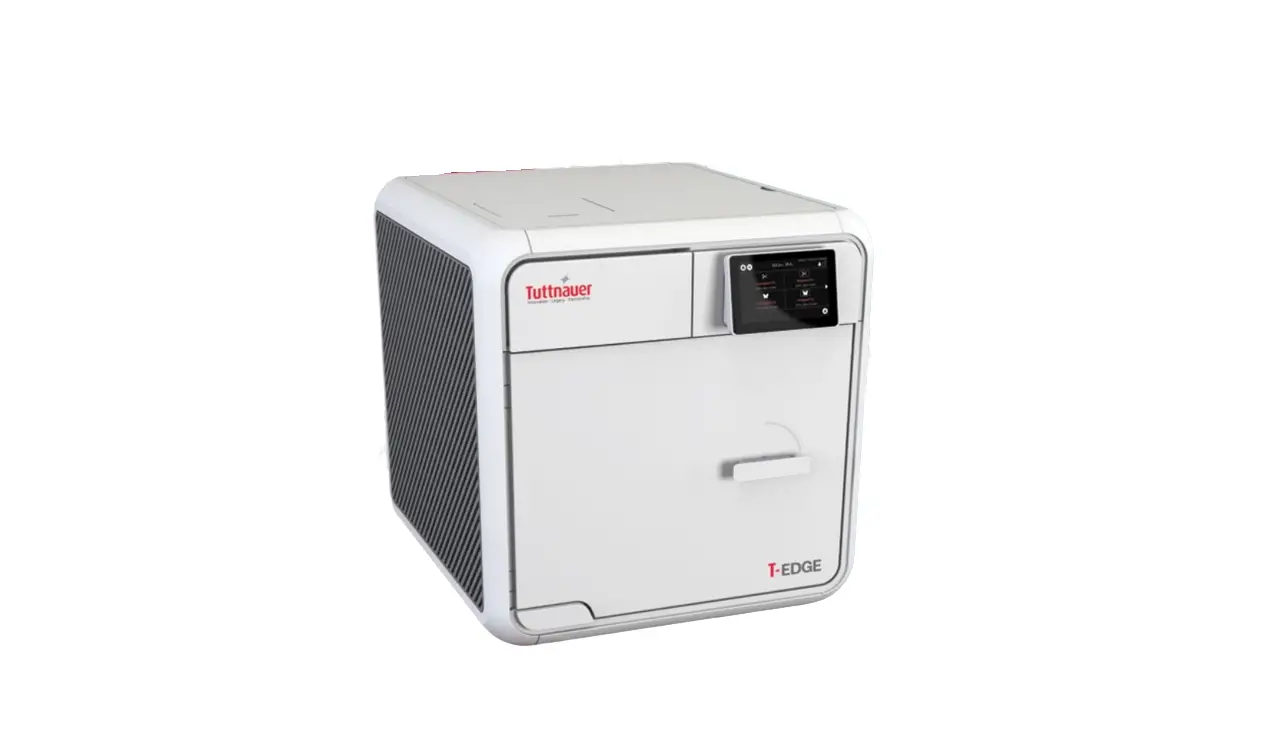
Tuttnauer T-Edge 10 Fully Automatic Tabletop Autoclave User Guide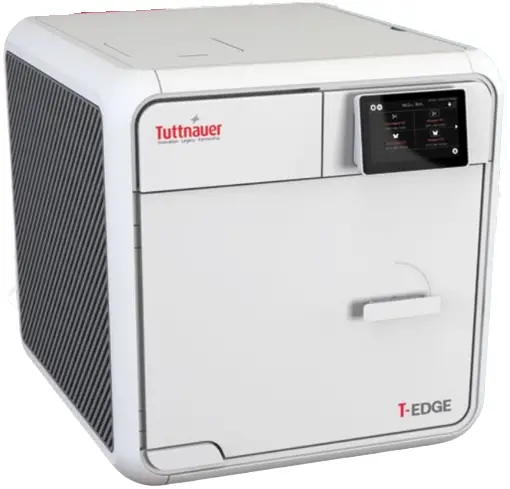
REQUIRED SAFETY CAUTIONS
IMPORTANT: Read the safety section in the T-Edge operation manual prior to operating T-Edge
 CAUTION: Hot surface.
 CAUTION: It is recommended that a ground fault circuit breaker (GFCI) be installed on the power outlet
NOTE: Refer to the T-Edge manual before operating the device/autoclave
T-EDGE OVERVIEW
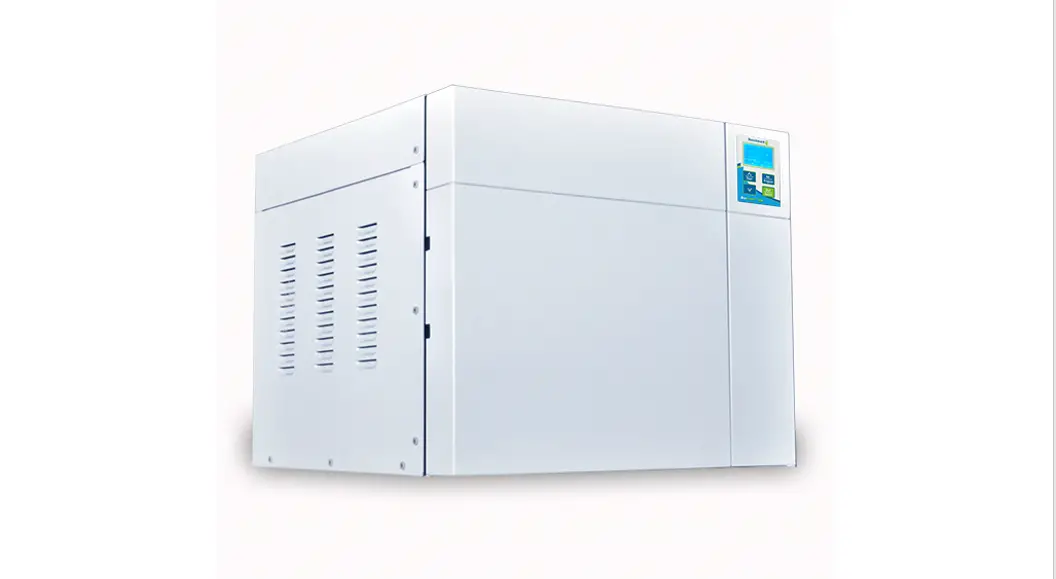
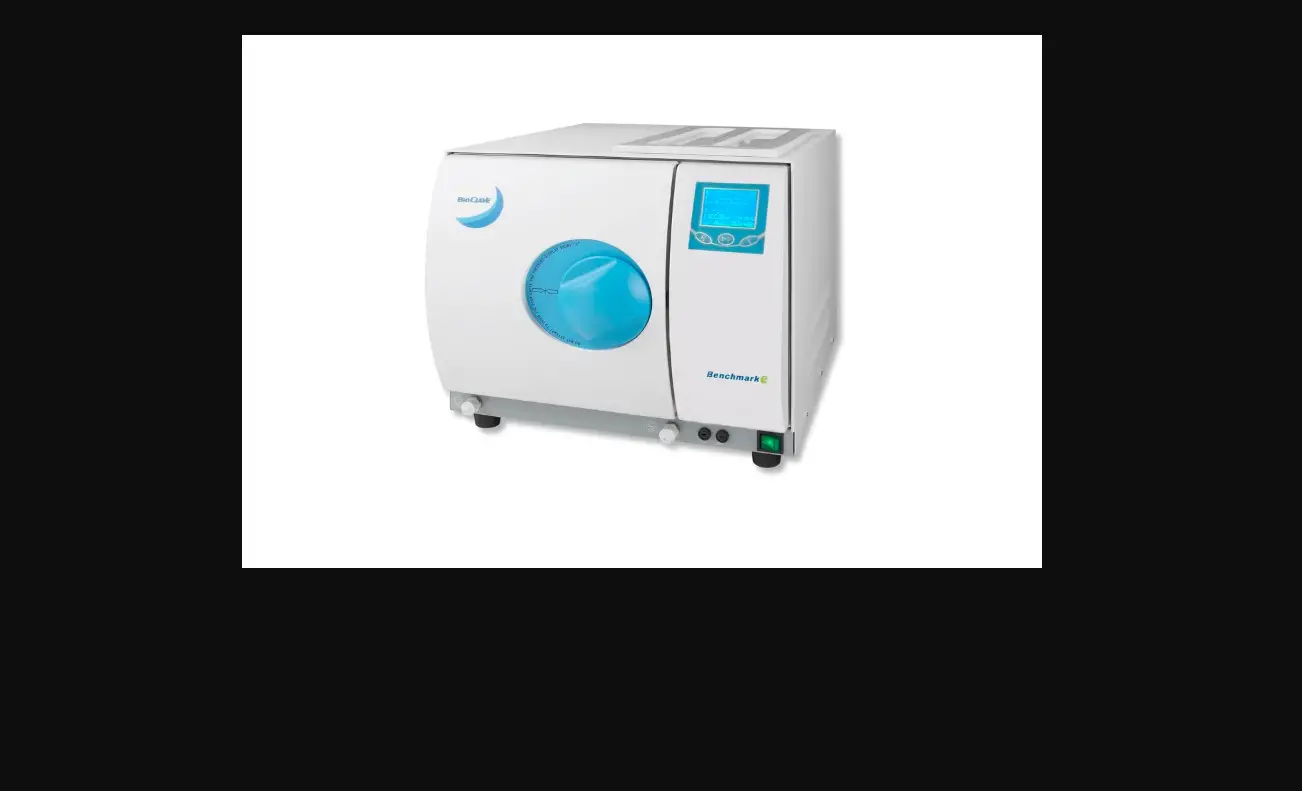
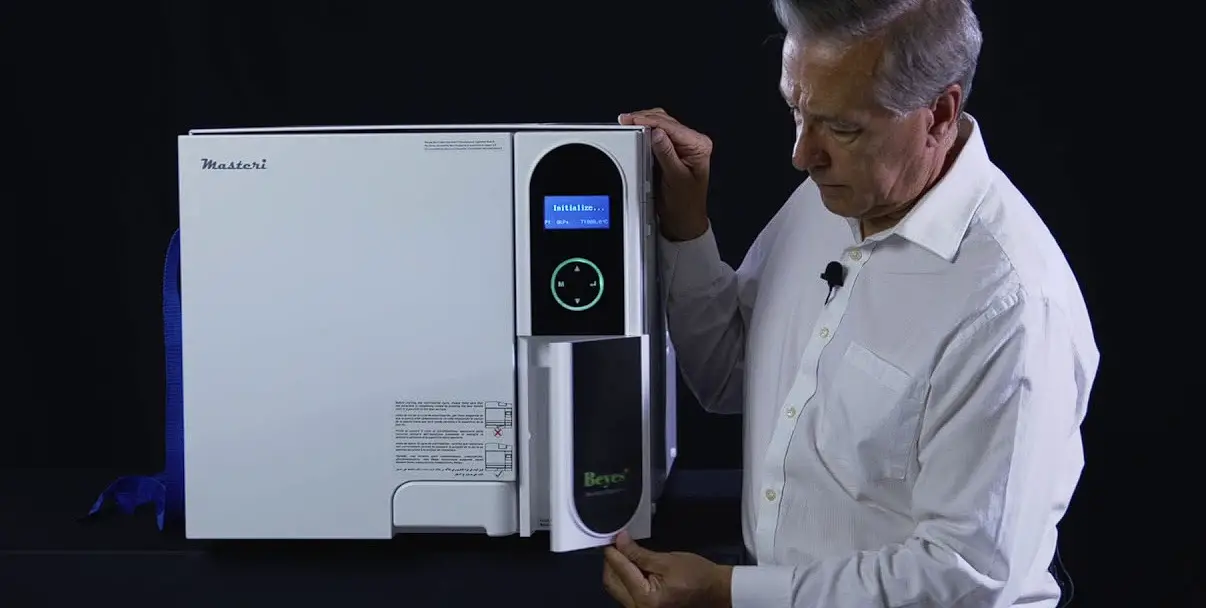
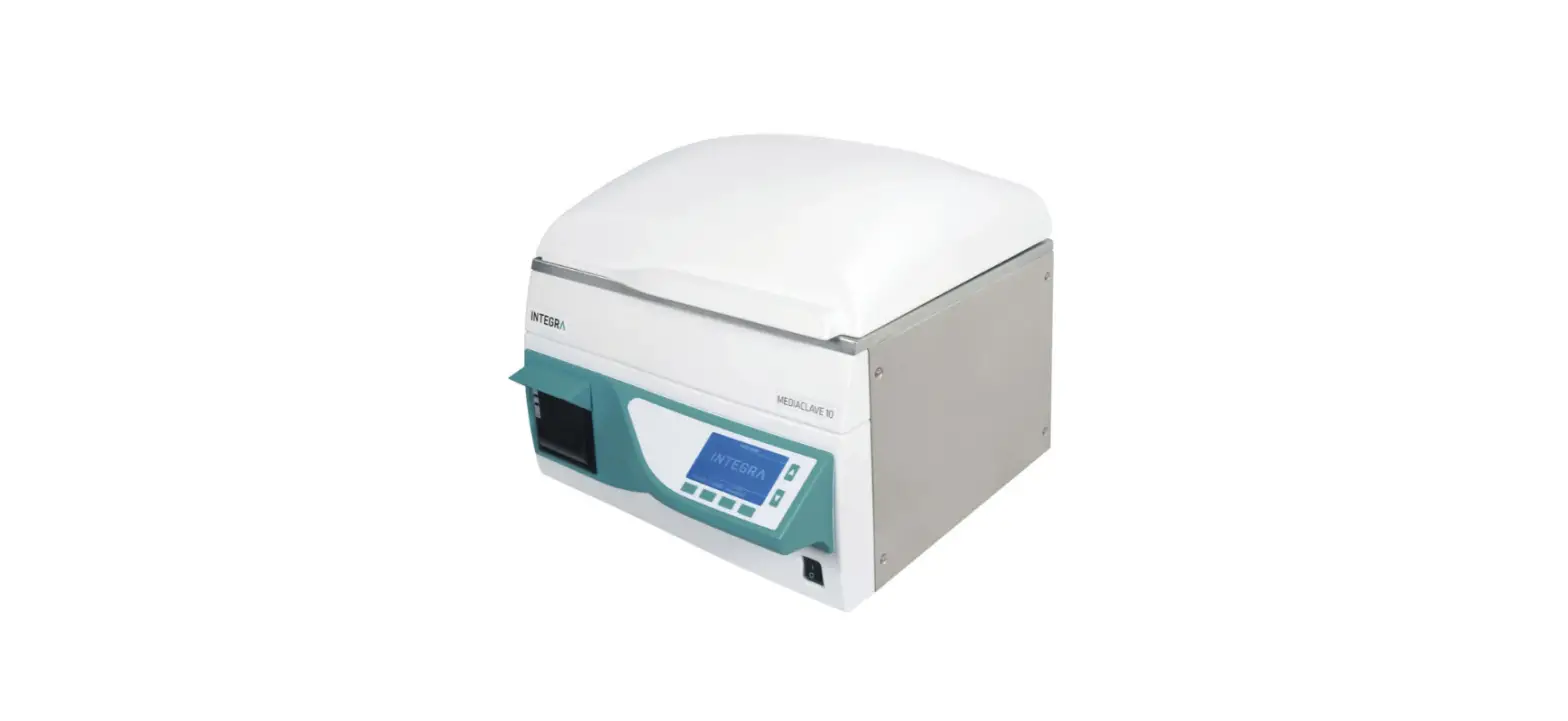
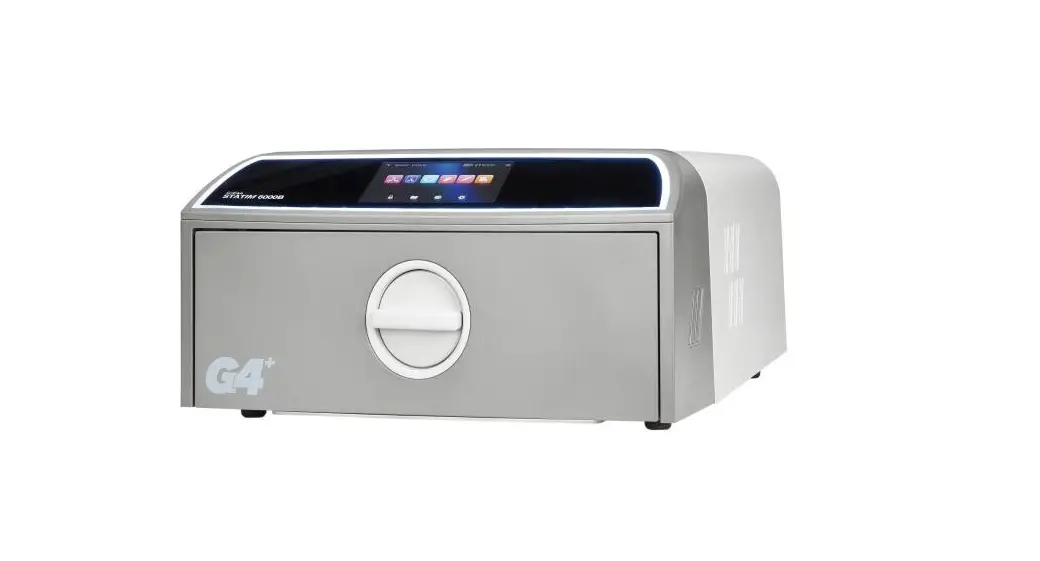
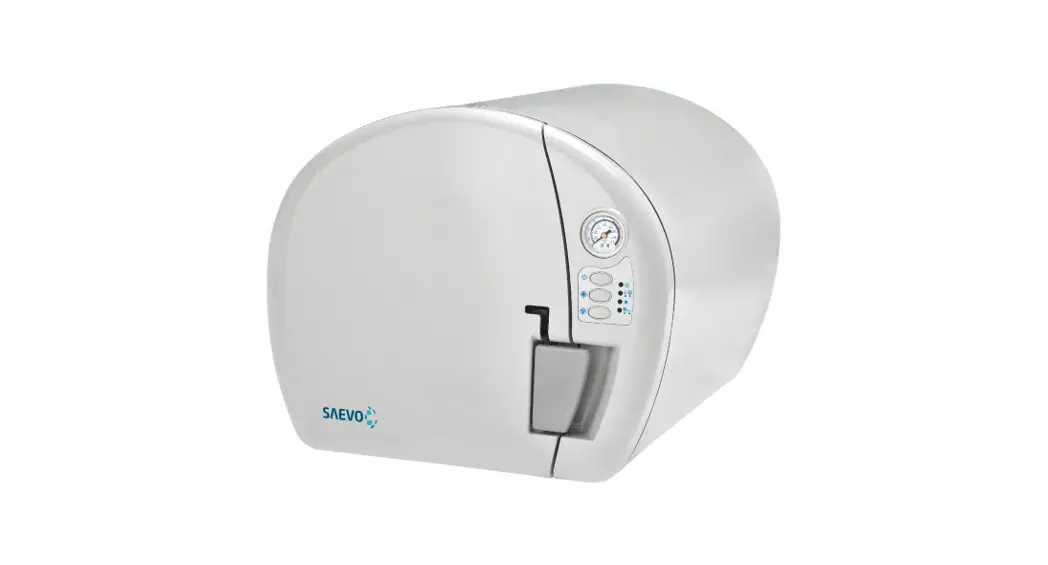
T-Edge is a fully automatic tabletop autoclave designed for sterilization of equipment used in first aid rooms, hospitals, dental clinics and medical clinics. It provides the following benefits:
- Strict compliance with international safety standards.
- Clinically proven sterilization capabilities.
- Optimal chamber capacity with convenient equipment loading.
- High-resolution tactile touchpad with a user friendly interface.


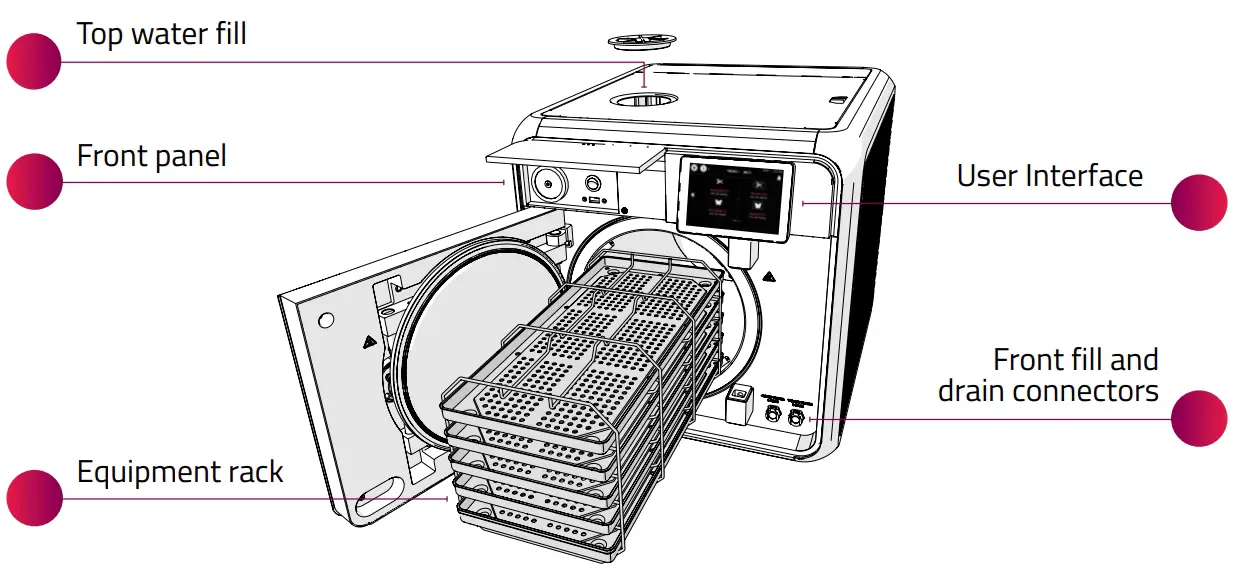
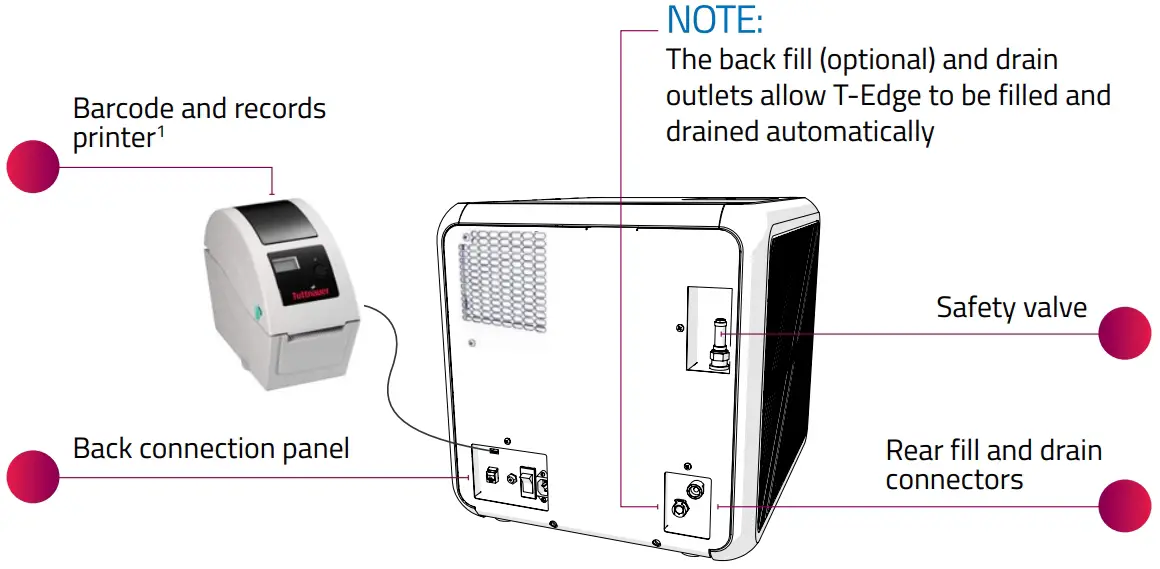
Optional equipment is supplied based on specific customers order.
CONNECTING T-EDGE
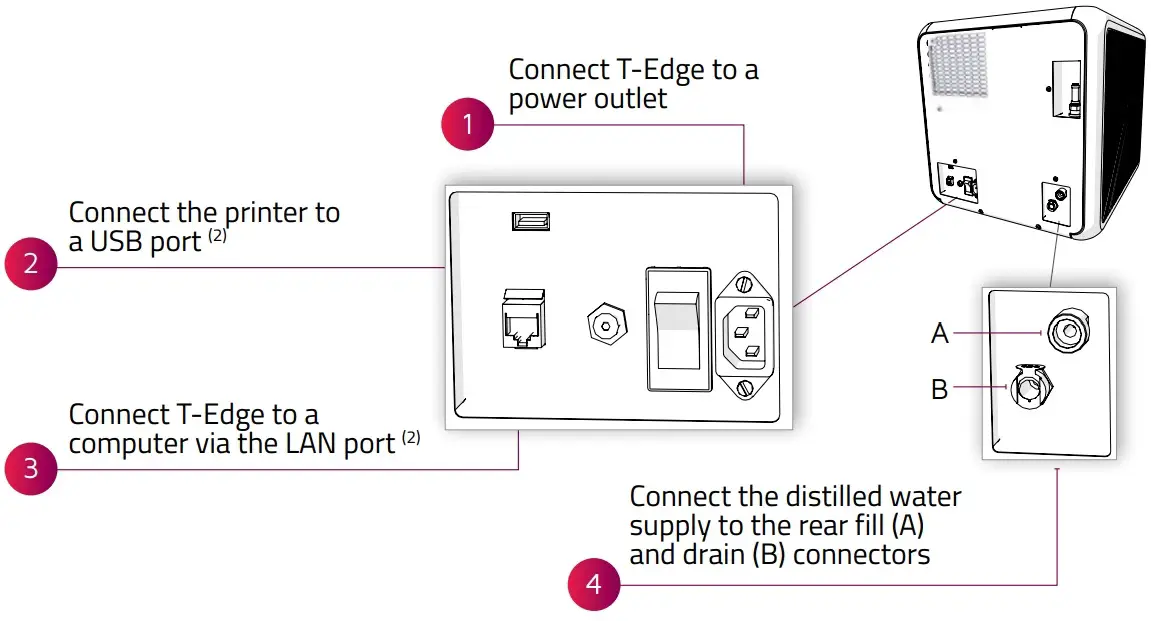
POWERING UP T-EDGE
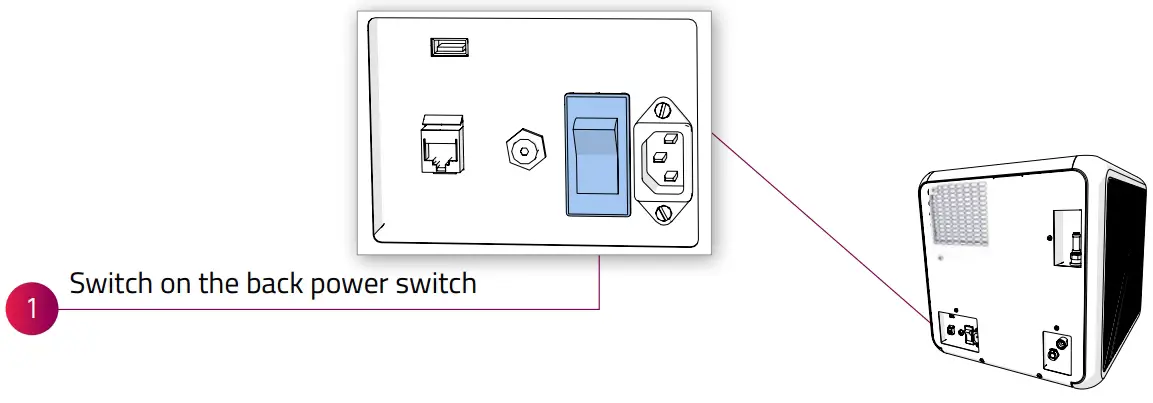
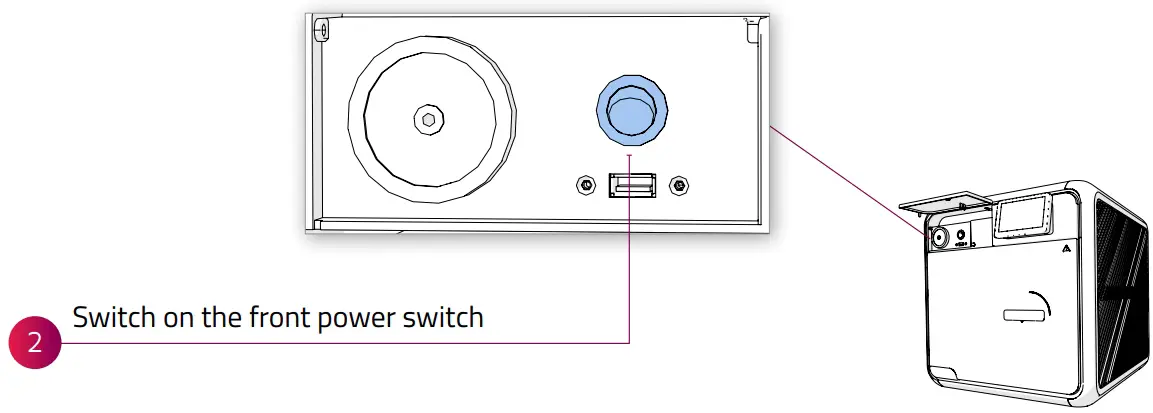
²Use of these ports and connectors is optional
INITIAL DATE AND LANGUAGE SETUP
When T-Edge powers on for the first time, perform the following steps: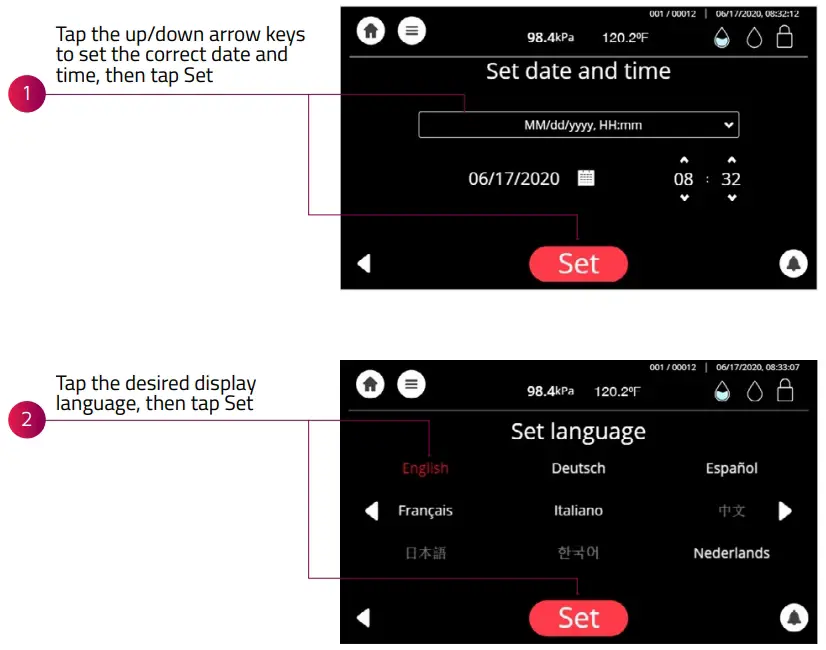
USER INTERFACE
Top bar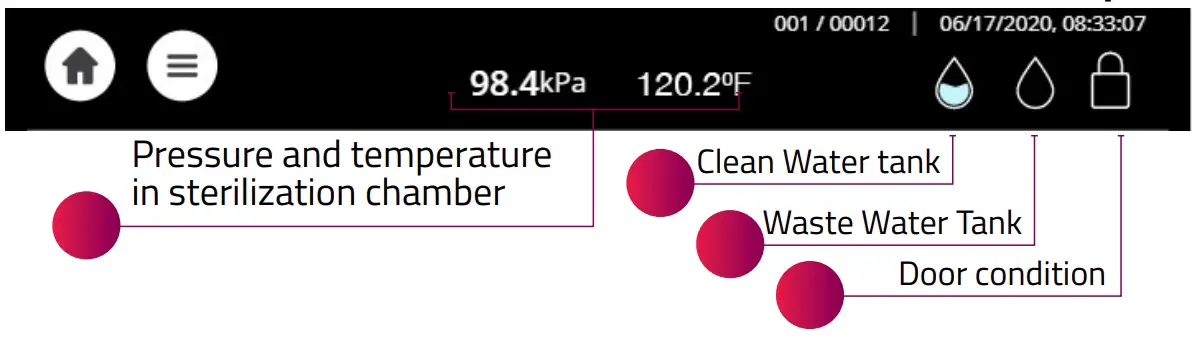
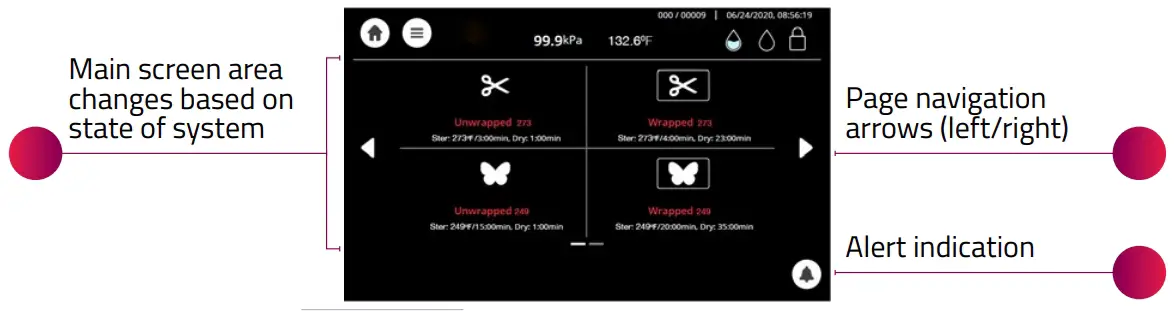
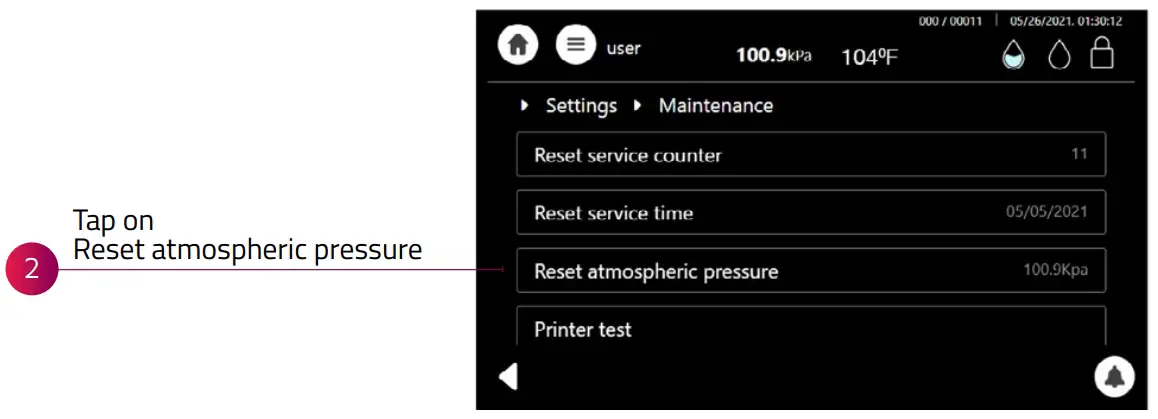
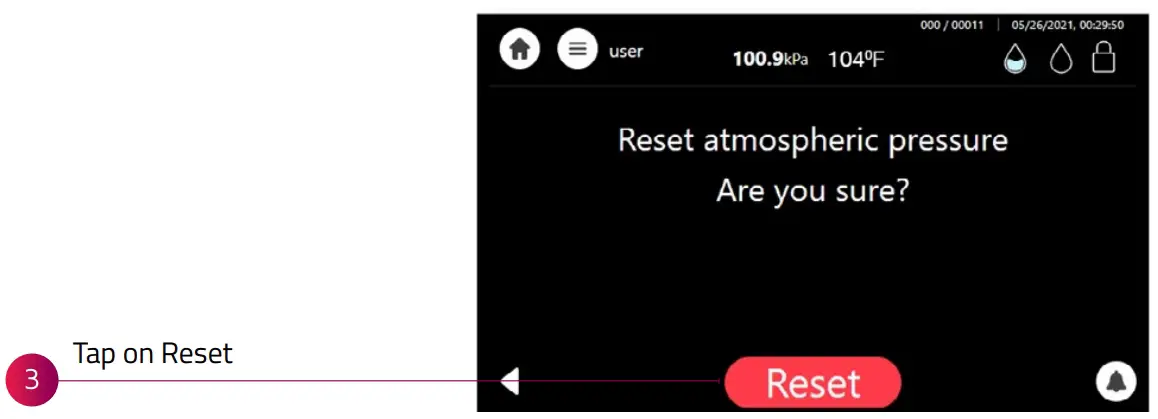
RESETTING ATMOSPHERIC PRESSURE
Prior to running the first cycle, resetting the atmospheric pressure is required.
To reset the atmospheric pressure, you must first open the Autoclave door and verify that the chamber’s temperature is below 113°F.
FILLING T-EDGE WITH WATER
Fill the water reservoir with distilled water as described below: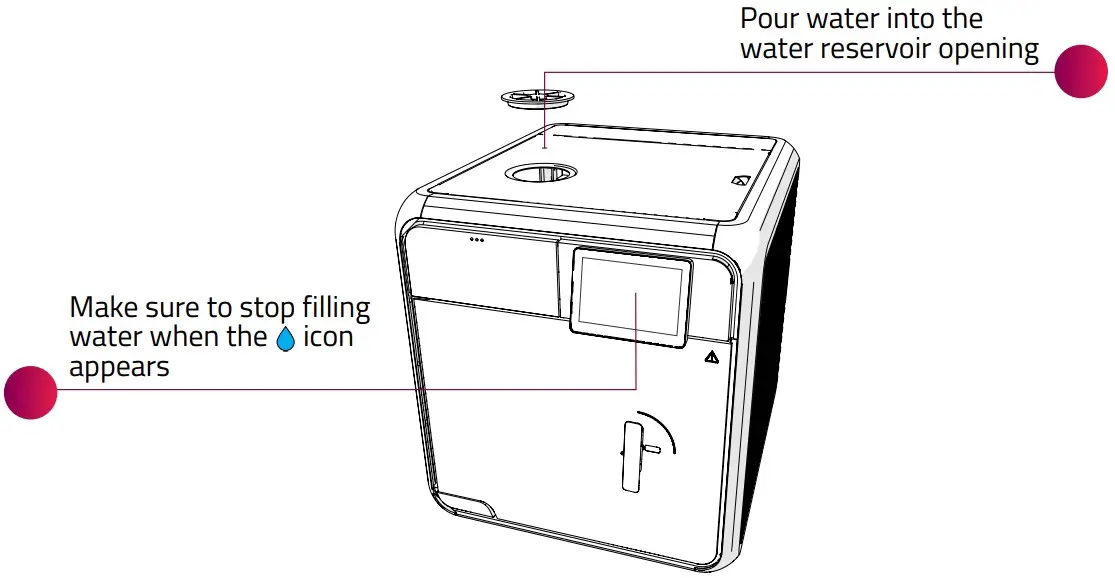
NOTE: The upper water insertion cover design may vary.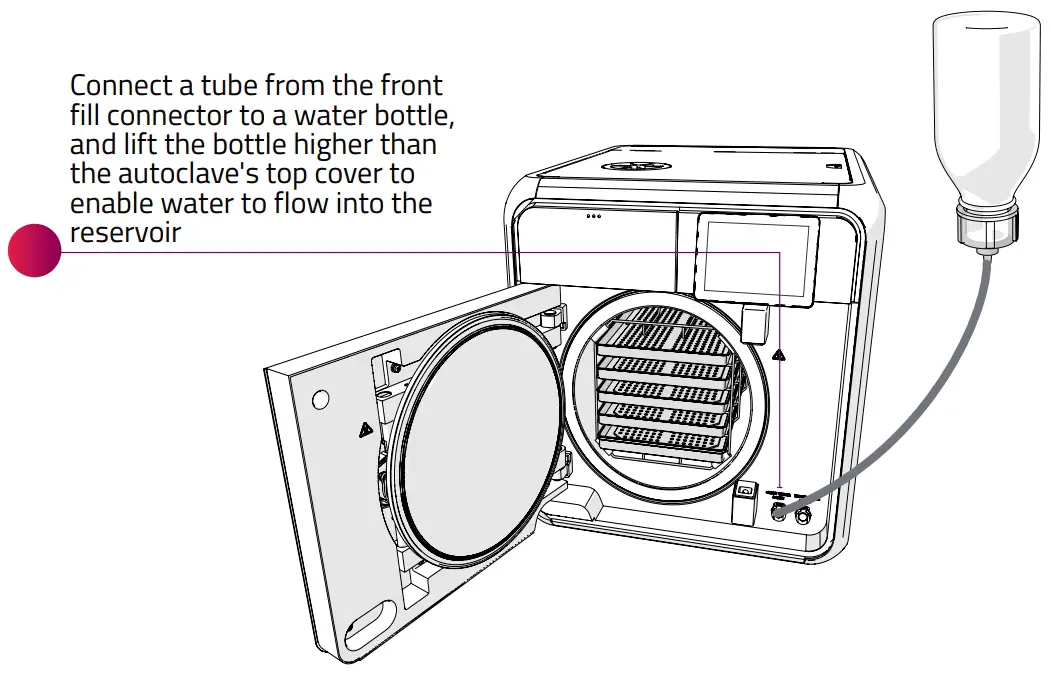
NOTE: Use flexible soft bottles (do not use glass or rigid plastic bottles)
NOTE: You may only fill T-Edge manually if it is not connected to the water supply facilities.
LOADING EQUIPMENT INTO T-EDGE
Load equipment into T-Edge in one of the following ways: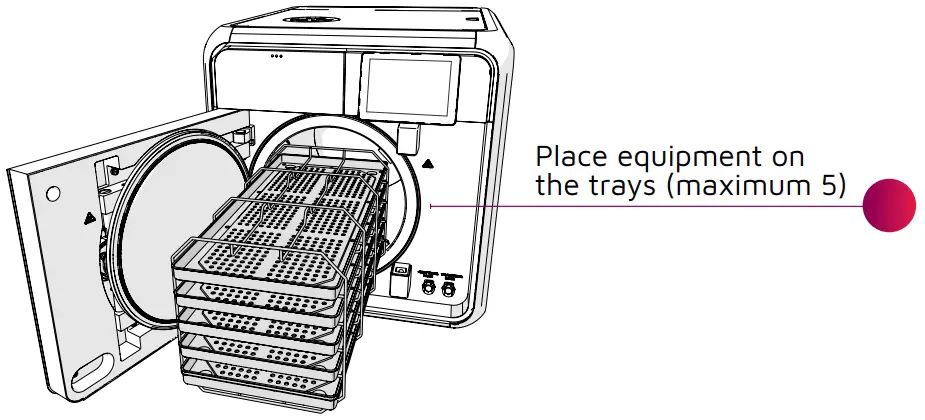
NOTE: Equipment must be thoroughly cleaned prior to loading.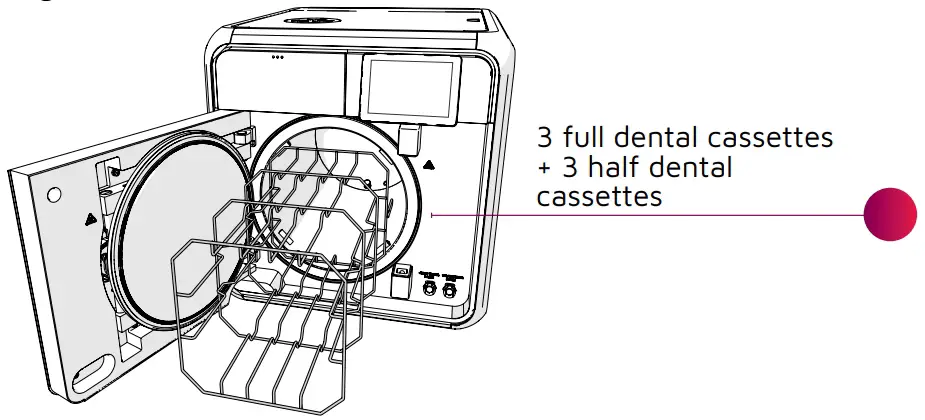
SELECTING STERILIZATION PROGRAM
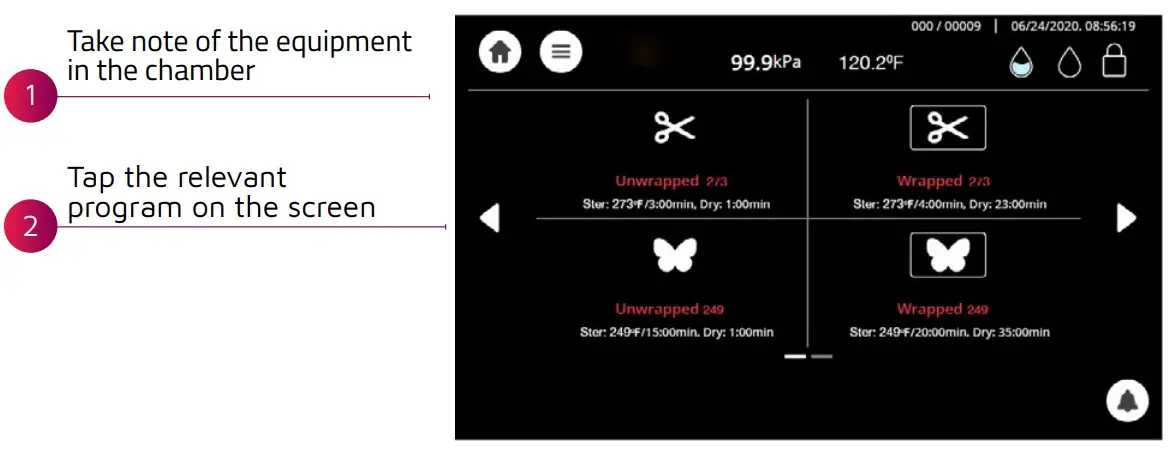
NOTE: The door must be open in order to select a program.
LOCKING THE DOOR
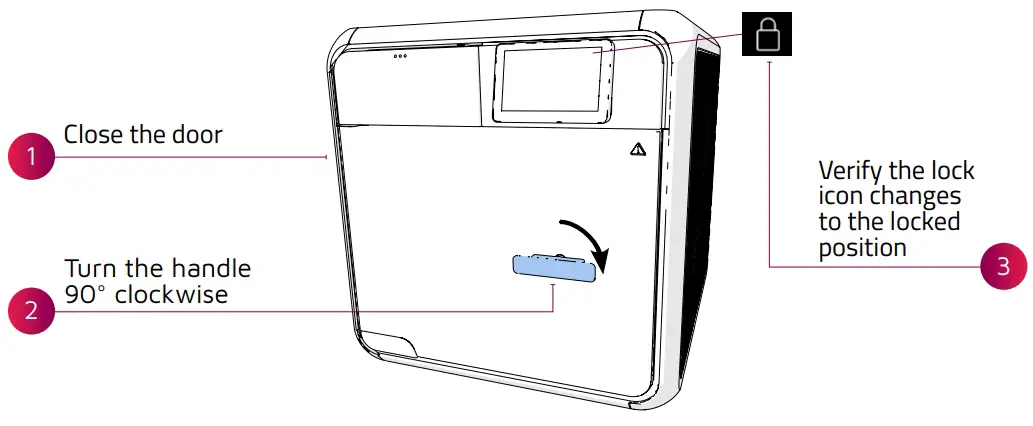
RUNNING STERILIZATION PROGRAM
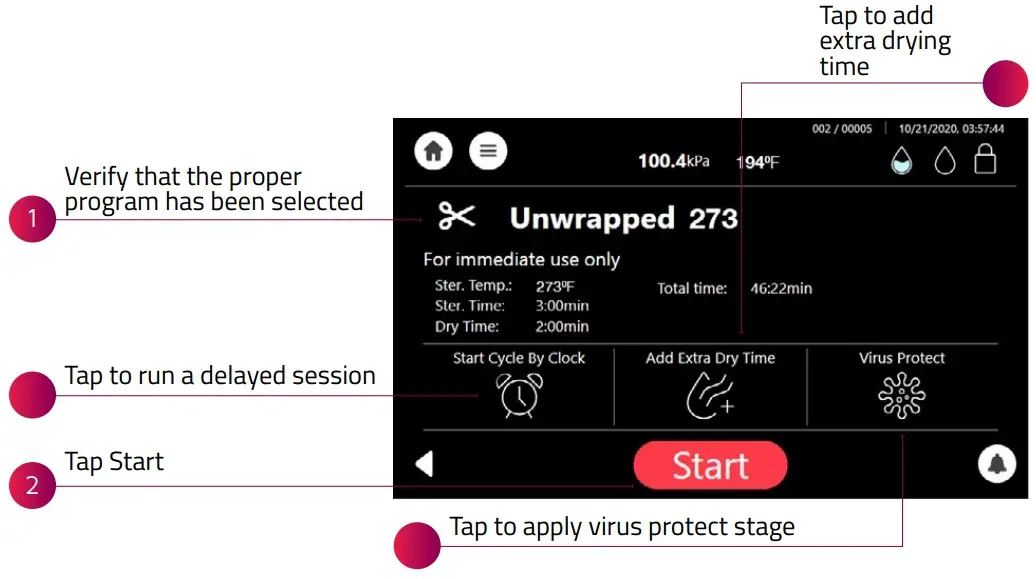
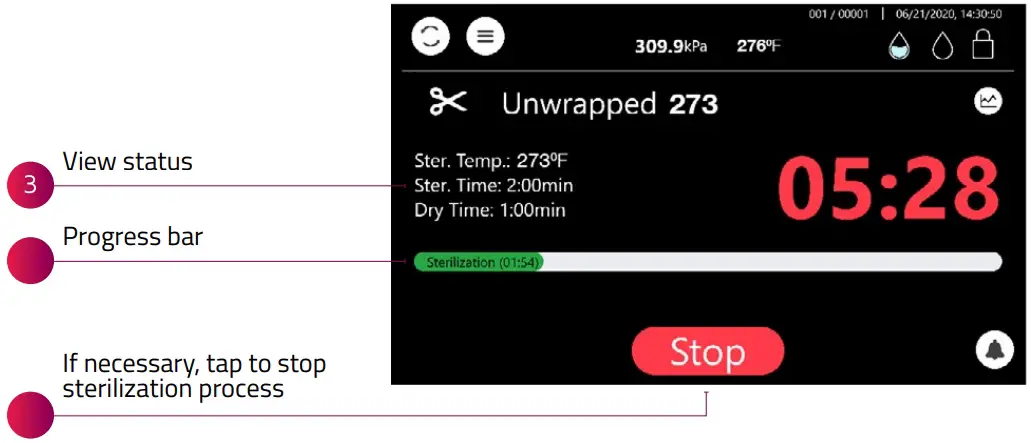
REMOVING STERILIZED EQUIPMENT
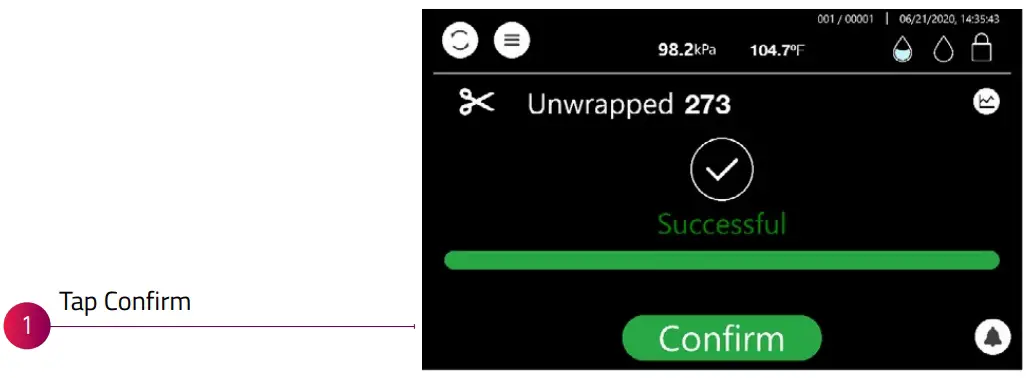
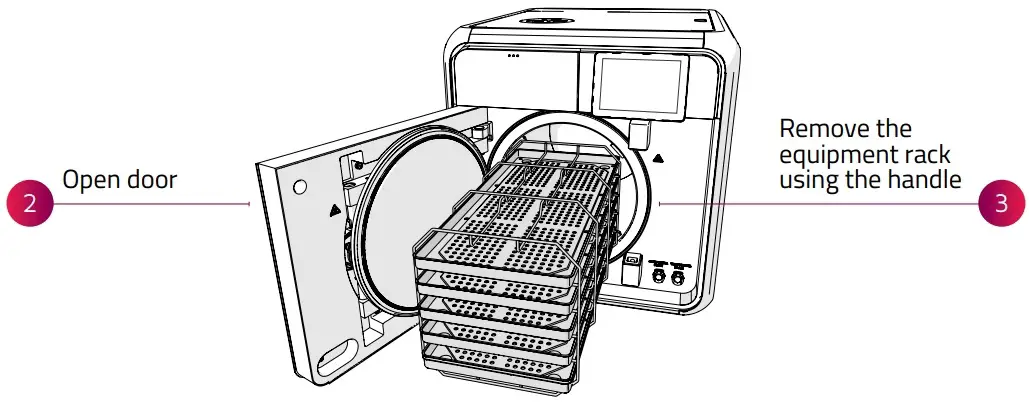
CAUTION!
Equipment rack is extremely hot watch for vapor release when opening the chamber
TURNING OFF T-EDGE
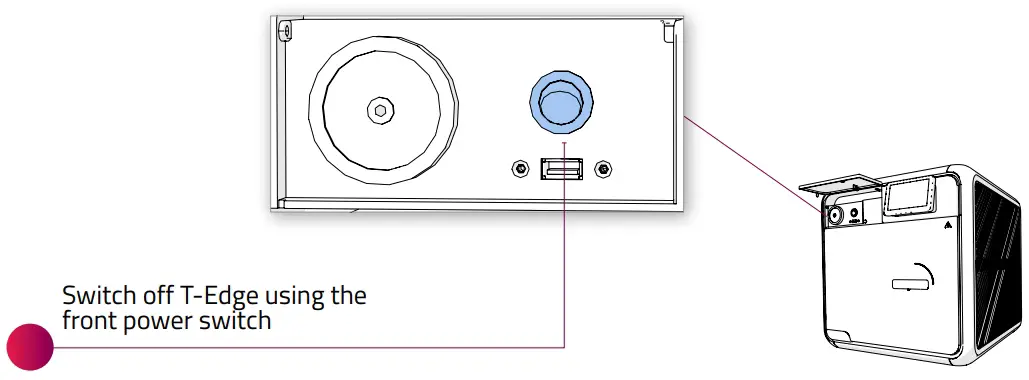
TROUBLESHOOTING
Issue/Message | Description | Required Action |
 | Full water level (waste water tank) | Empty waste water reservoir |
 | Low water level (waste water tank) | Informative symbol. No action required |
 | Empty water level (waste water tank) | Informative symbol. No action required |
 | Full water level (clean water tank) | Informative symbol. No action required |
 | Low water level (clean water tank) | Fill the water reservoir (clean water tank) |
 | Alert | Tap icon to read a description of the alert |
| Sterilization cycle failed due to the cycle being stopped by the user or due to a run-time error | Perform a new sterilization cycle |
| Blank display | User interface display is blank when T-Edge is turned on | Make sure the power switch on the back is turned ON Make sure the power cord is properly connected to the device and to the wall outlet Verify proper electrical power supply |
| “Low Temp” “High Temp” “High Temp (Ending)” “Low Pressure” “High Pressure” “High Pressure (Ending)” “High Pressure (Exhaust)” “High Pressure (Dry)” “Door is open (During the cycle)” “Canceled By User” “Air Error” “Power Down” | Various reasons (please refer to the Operation and Maintenance manual for more detailed information) | Perform a new sterilization cycle |
| “Heat Time Error” “Pressure Time Error” | Various reasons (please refer to the Operation and Maintenance manual for more detailed information) | Verify that T-Edge is not overloaded |

TECHNICAL SPECIFICATIONS – CLASS B PROGRAMS
| Autoclave Model | Chamber ( Size ) Inches | Volume | Overall Dimensions D x W x H (Inches) | No. of Trays | Connections | Standard Cassette Capacity | Item Supplies | Voltage (V) Freq. (Hz) | Weight |
| T-Edge10 220V | 18” depth x 10” diameter | 6 gal/ 23 liters | 21.1”x19” x19.7” | 5 | 1 ethernet port, 4 USB ports, WiFi, intergrated automatic water filling and drain connection | 3 Full + 3 Half | Drain tube, tray holder | 230V, Frq 50- 60Hz | 117 lbs. |
| T-Edge10 110V | 18” depth x 10” diameter | 6 gal/ 23 liters | 21.1”x19” x19.7” | 5 | 1 ethernet port, 4 USB ports, WiFi, intergrated automatic water filling and drain connection | 3 Full + 3 Half | Drain tube, tray holder | 120V, Frq 50- 60Hz | 117 lbs. |
| T-Edge11 110V | 18” depth x 11” diameter | 7 gal/ 27 liters | 21.1”x20” x19.7” | 5 | 1 ethernet port, 4 USB ports, WiFi, intergrated automatic water filling and drain connection | 4 Full + 4 Half | Drain tube, tray holder | 120V, Frq 50- 60Hz | 124 lbs. |
STERILIZATION PROGRAMS
Icon | Cycle Program | Load Type | *T-Edge10 Cycle Times Including Drying (Minutes) | *T-Edge11 Cycle Times Including Drying (Minutes) | |
| CLASS S |  | Unwrapped Instr. 2700 F | Unwrapped Instruments | 20 Minutes | 25 Minutes |
 | Wrapped Pouches 2700 F | Wrapped Pouches | 32 Minutes | 43 Minutes | |
 | Unwrapped Delicate 2500 F | Unwrapped Delicate Instruments | 45 Minutes | 47 Minutes | |
 | Handpieces 2700 F | Handpieces | 45 Minutes | 59 Minutes |
| Icon | Cycle Program | Load Type | *T-Edge10 Cycle Times Including Drying (Minutes) | *T-Edge11 Cycle Times Including Drying (Minutes) | |
| CLASS B |
| Unwrapped Instr. 2730 F | Unwrapped Instruments | 20 Minutes | 26 Minutes |
| Wrapped Pouches 2730 F | Wrapped Pouches | 39 Minutes | 49 Minutes | |
| Unwrapped Delicate 2500 F | Unwrapped Delicate Instruments | 35 Minutes | 35 Minutes | |
| Wrapped Delicate 2500 F | Wrapped Delicate Instruments | 58 Minutes | 75 Minutes |
*Cycle times are approximate and may vary based on the instrument load, heating, sterilization and drying.
Support
International Sales and Marketing
E-mail: [email protected]
www.tuttnauerusa.com
Tuttnauer USA Co., Ltd.
25 Power Drive, Hauppauge, NY 11788
Tel: +800 624 5836, +631 737 4850
Fax: +631 737 0720
E-mail: [email protected]
www.tuttnauerUSA.com
Distributed by:
Copyright © 2022 Tuttnauer Ltd, all rights reserved. No part of this publication may be reproduced, transmitted, transcribed, stored in a retrieval system, or translated into any language or computer language, in any form or by any means, electronic, mechanical or otherwise without prior written permission of Tuttnauer Ltd.
Learn from our experts
Join our blog tuttnauerusa.com/blog

 Blog | Tuttnauer USA
 Autoclave sterilizers for sterile processing | Tuttnauer USA