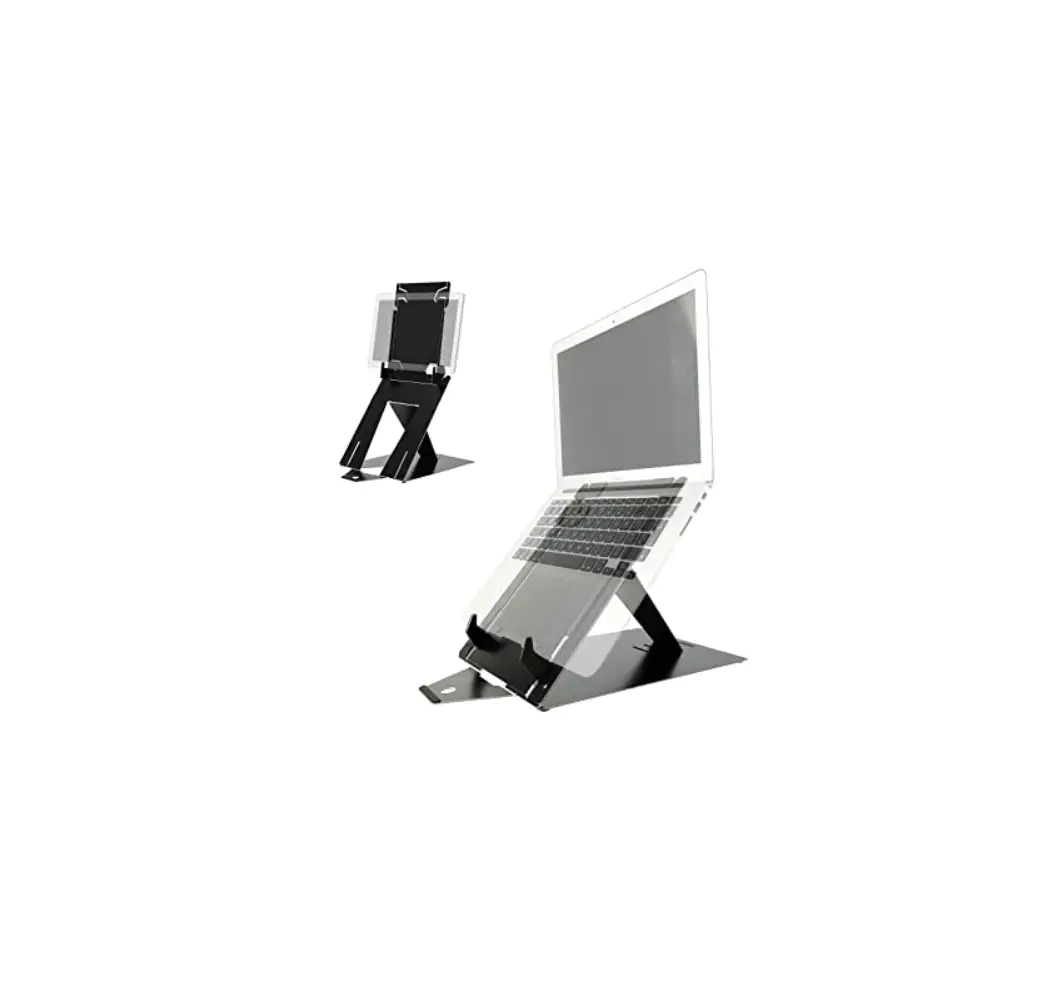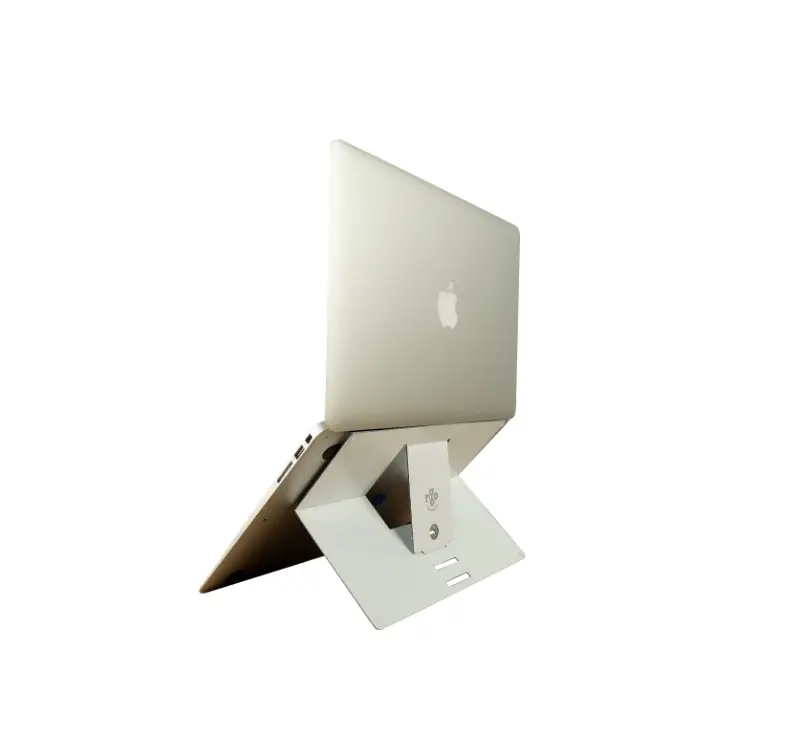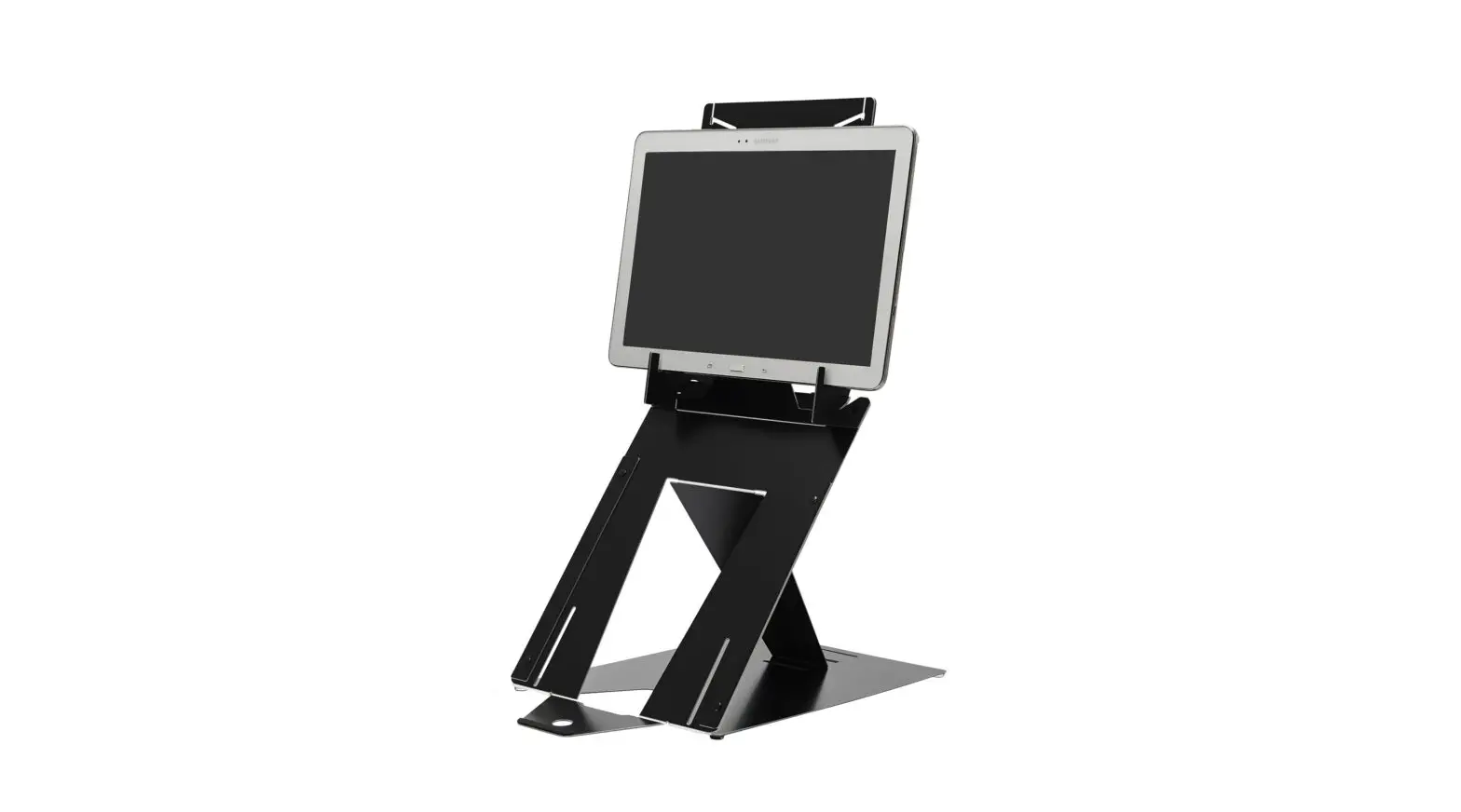

r-go 741RD Riser Duo Tablet Stand
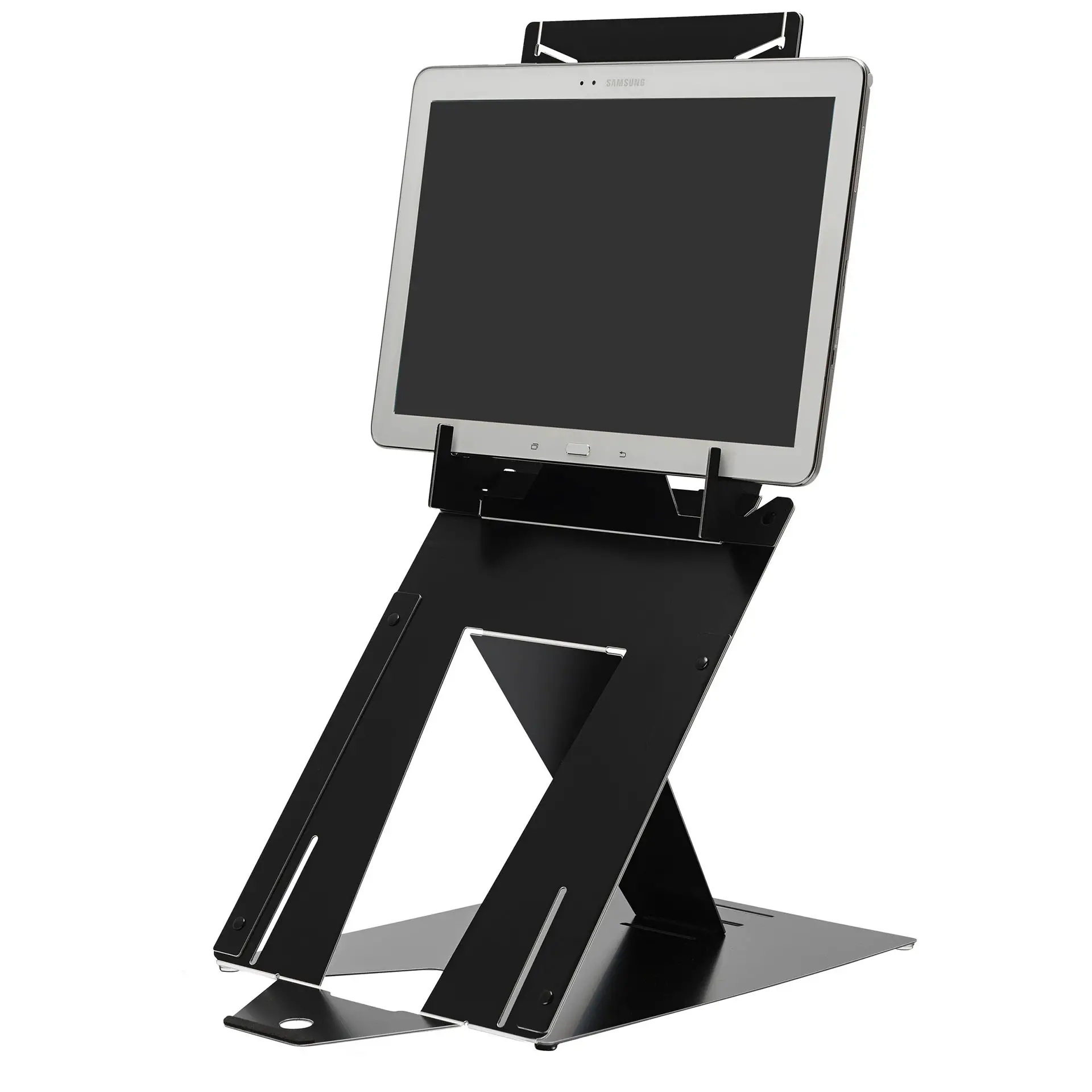
Instruction for tablet use
To set up the tablet stand, first follow steps A, B and C on the other side of the page
Step A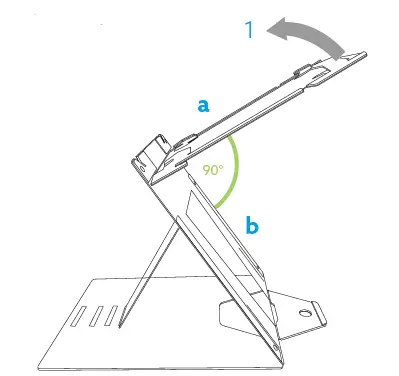
Lift the top plate of the stand until the top plate (a) is in a 90° angle with the middle plate (b)
Step B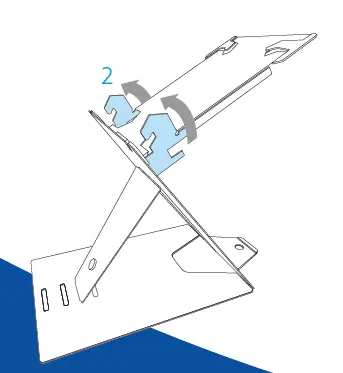
Turn both tablet supports at the same time (use both hands)
Step C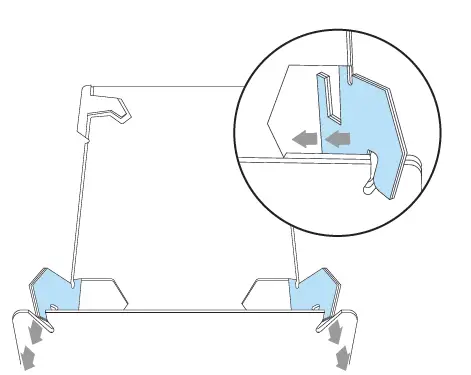
Place the tablet supports in the tablet slots
Step D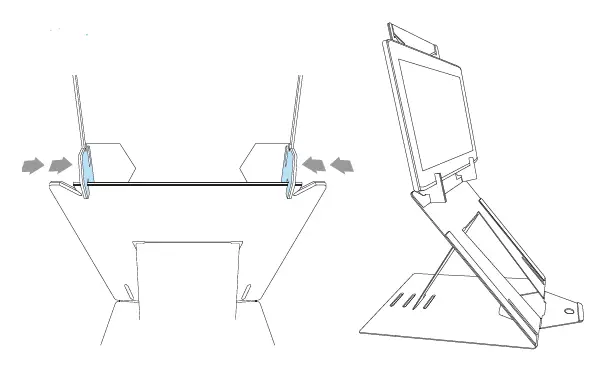
Move the tablet supports so that they are clamped around the middle plate. Your tablet stand is ready for use!
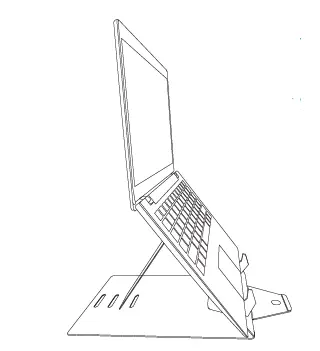
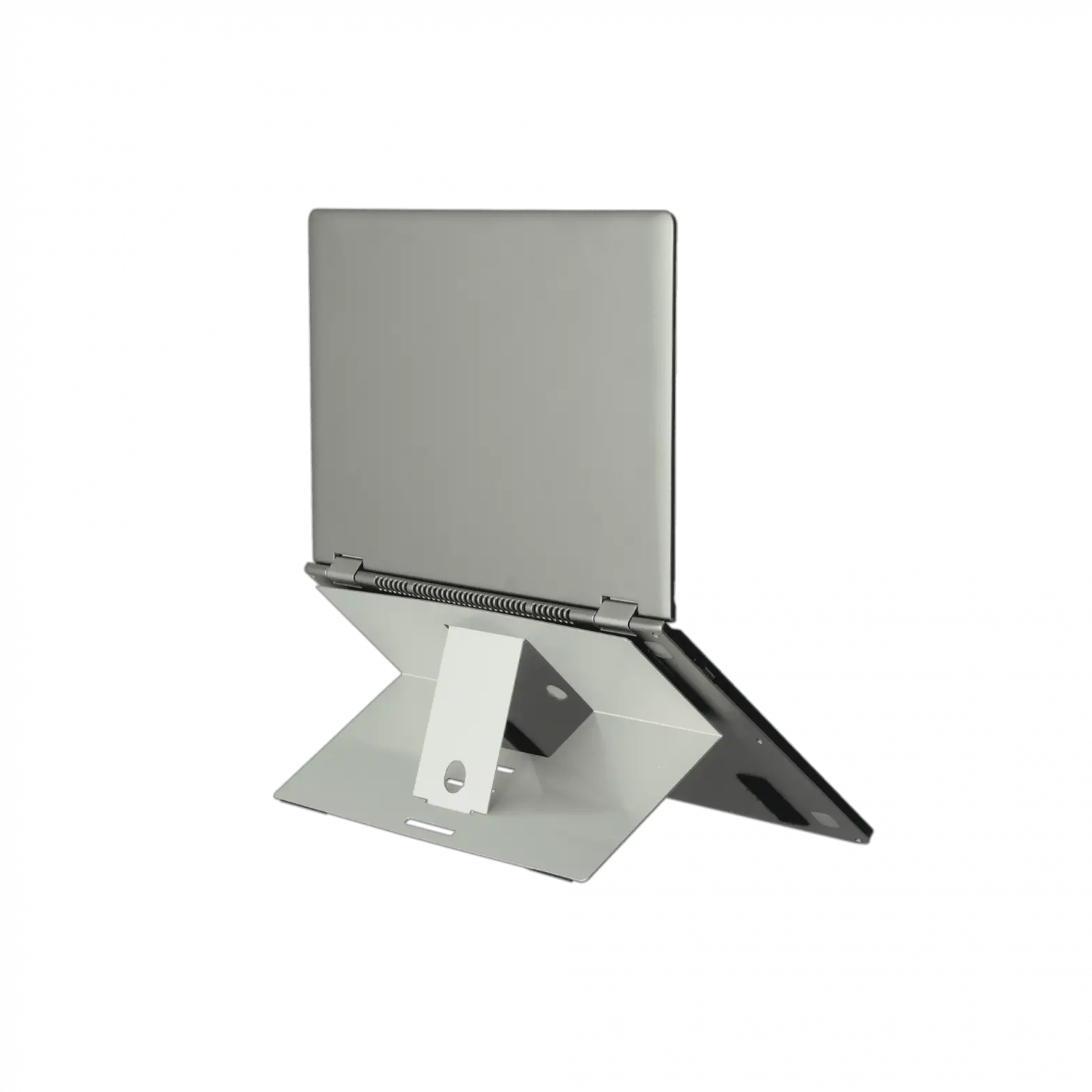
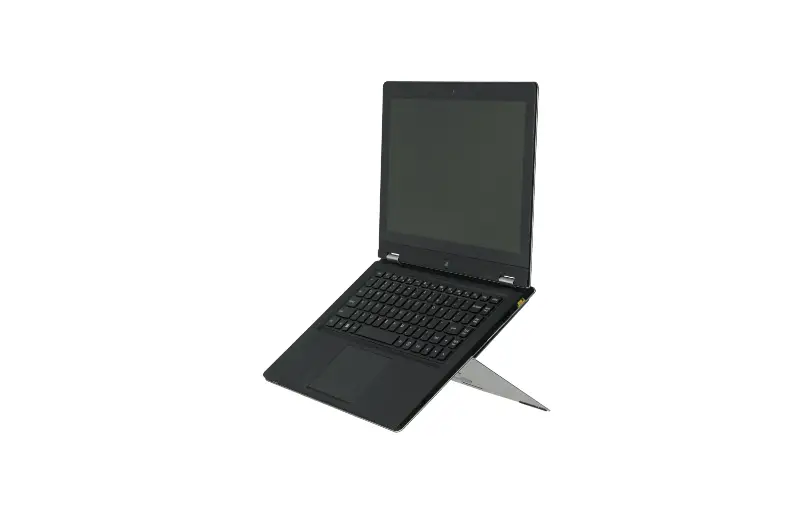
Instruction for laptop use
Step A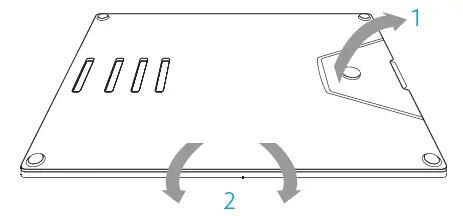
- Open the document holder
- Turn the whole stand
Step B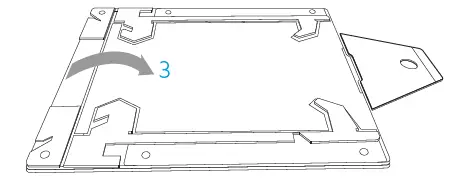
Grab the top and middle plate of the stand and leave the bottom on the table and open the stand
Step C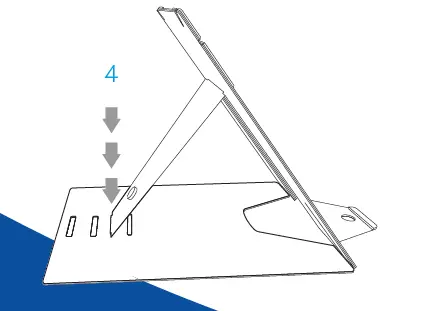
Put the stand in the desired slot of your height
Step D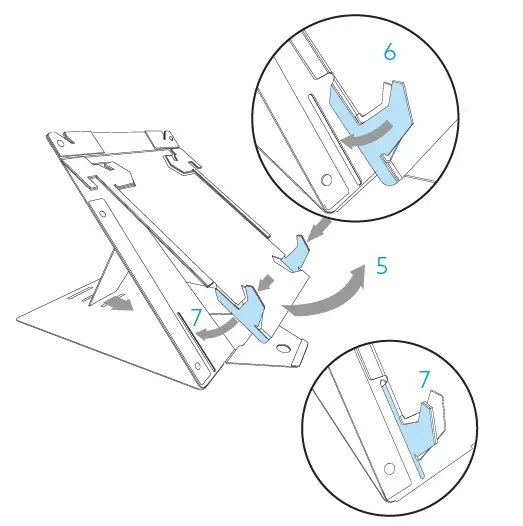
- Lift the top plate of the stand
- Turn both laptop supports. Make sure that both laptop supports are in a 90° angle to the top plate
- Lower the top plate and make sure that both laptop supports go into the laptop slot
Turn the page for instructions on how to set up as a tablet stand