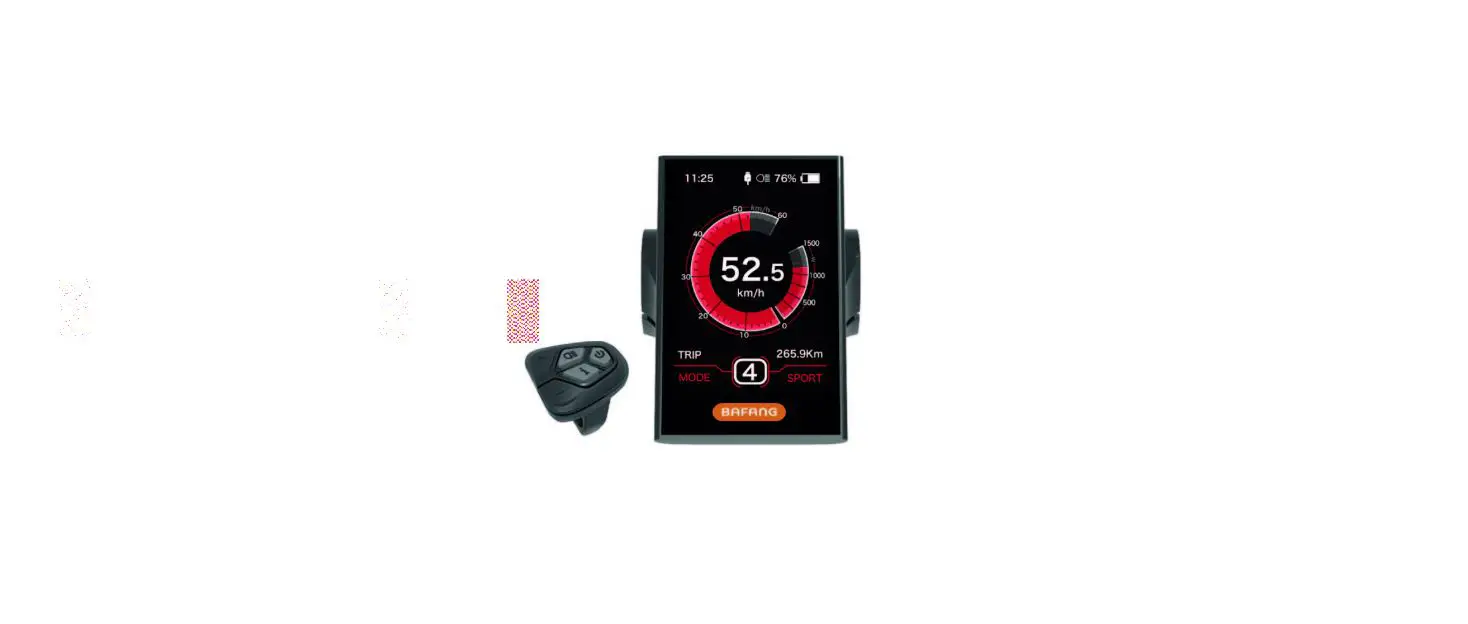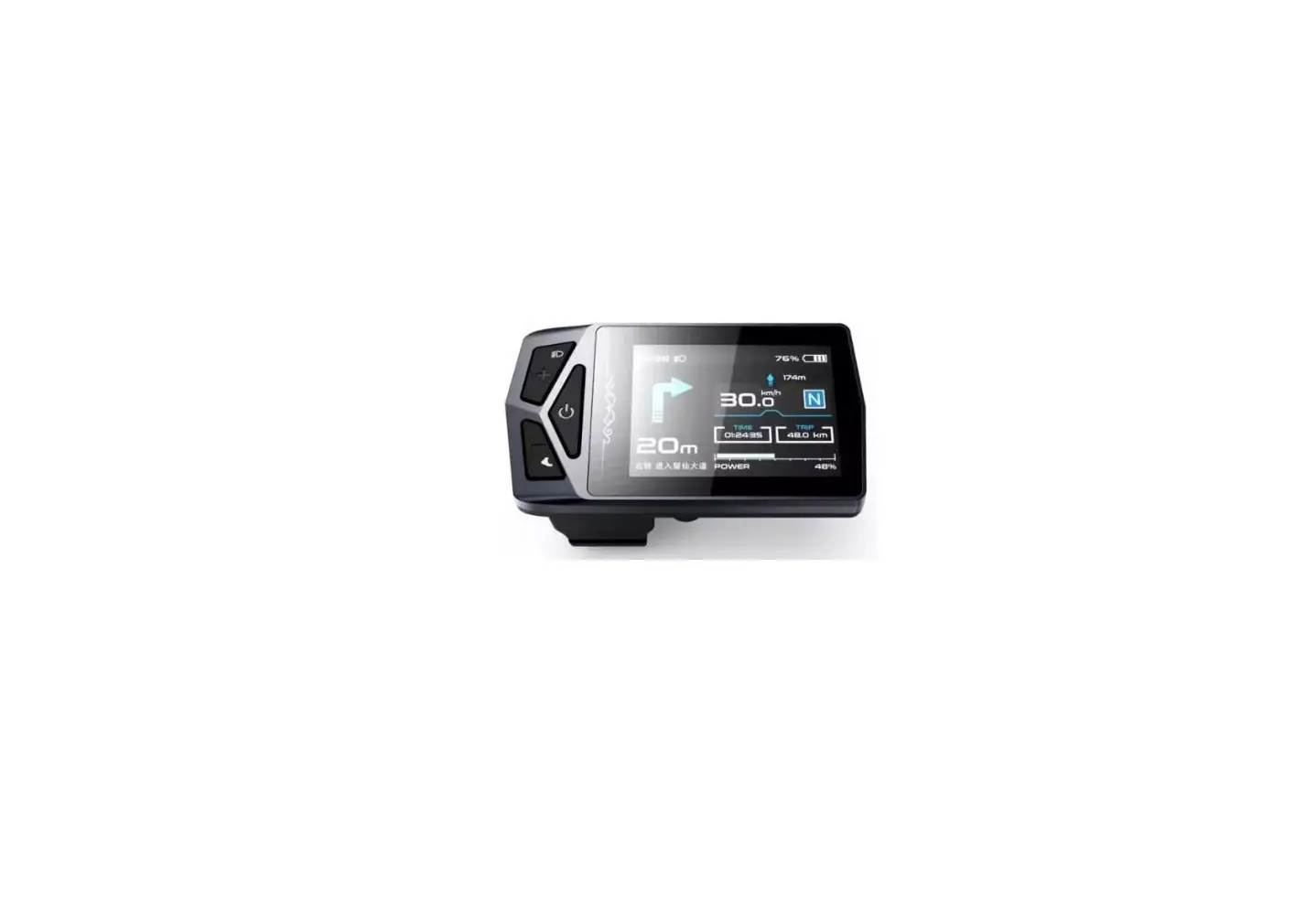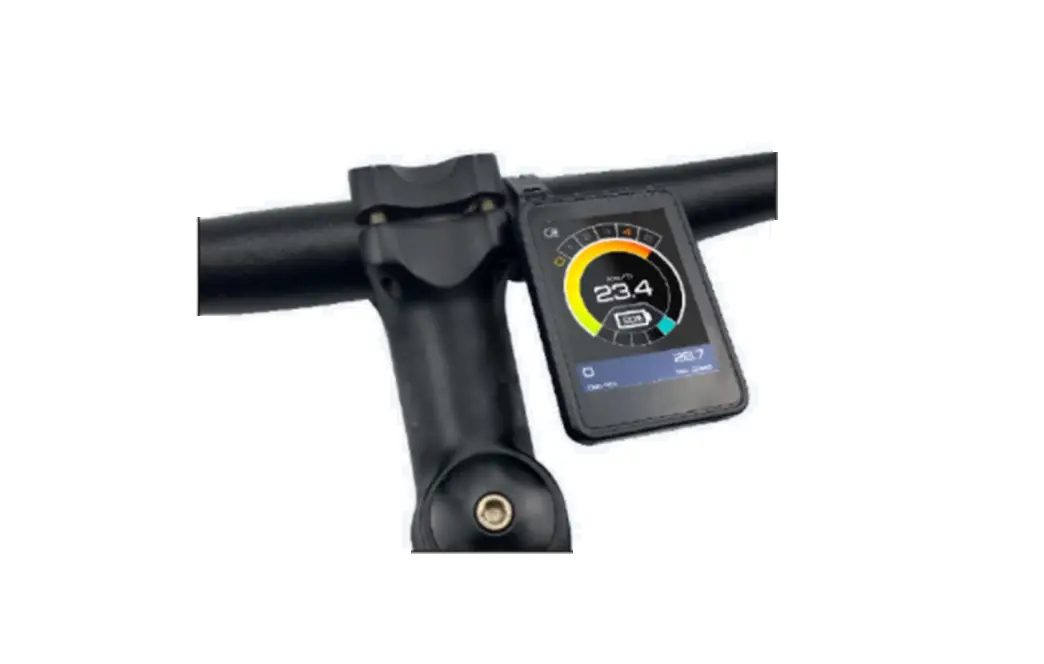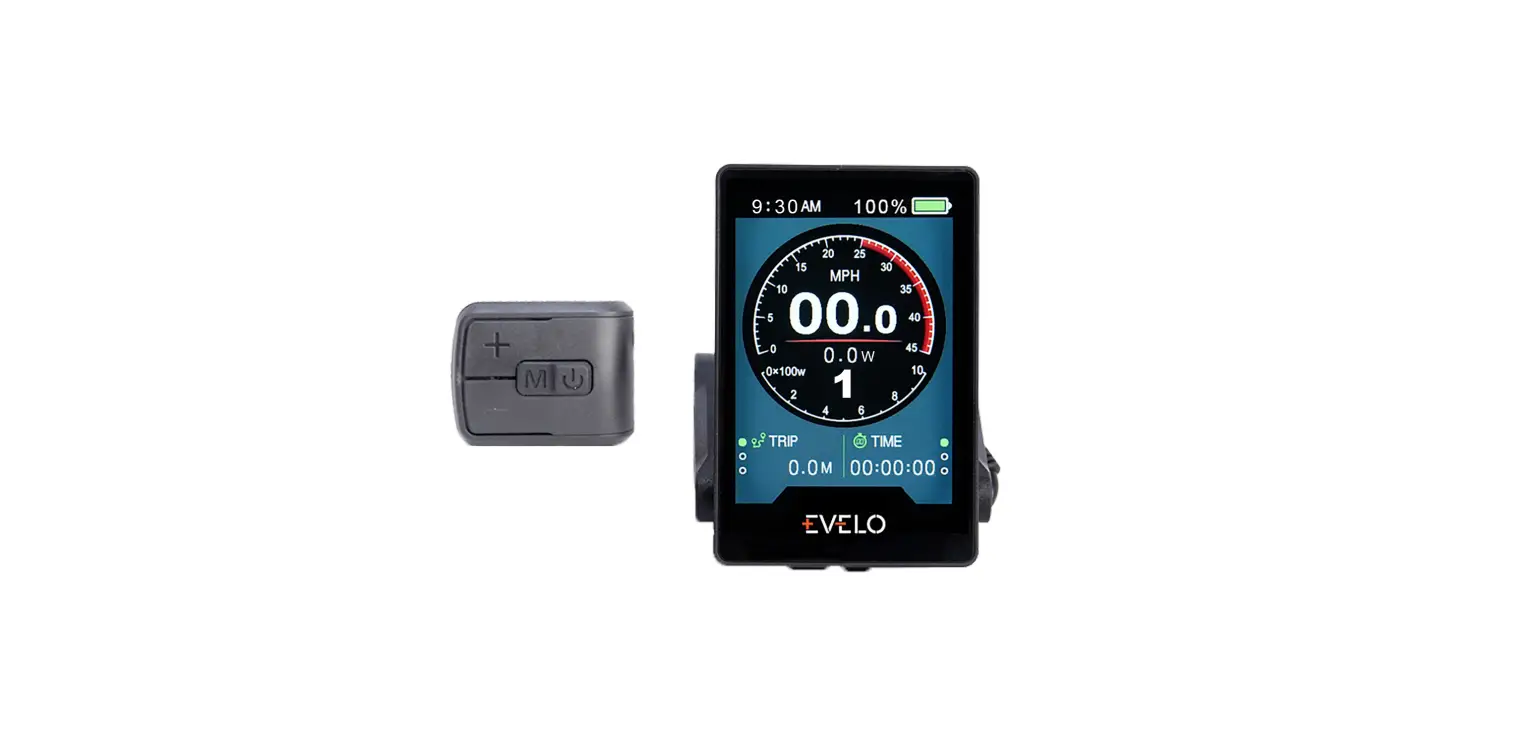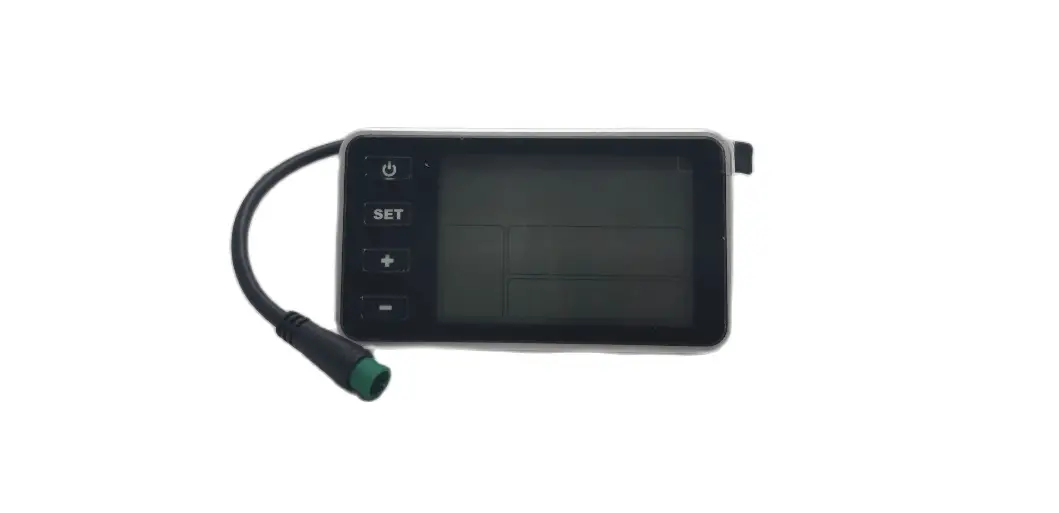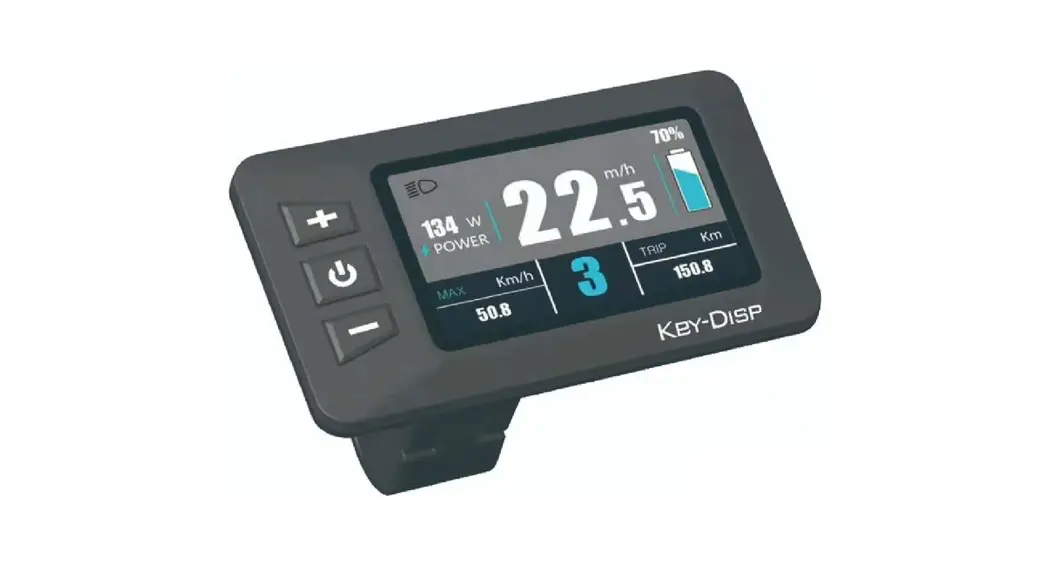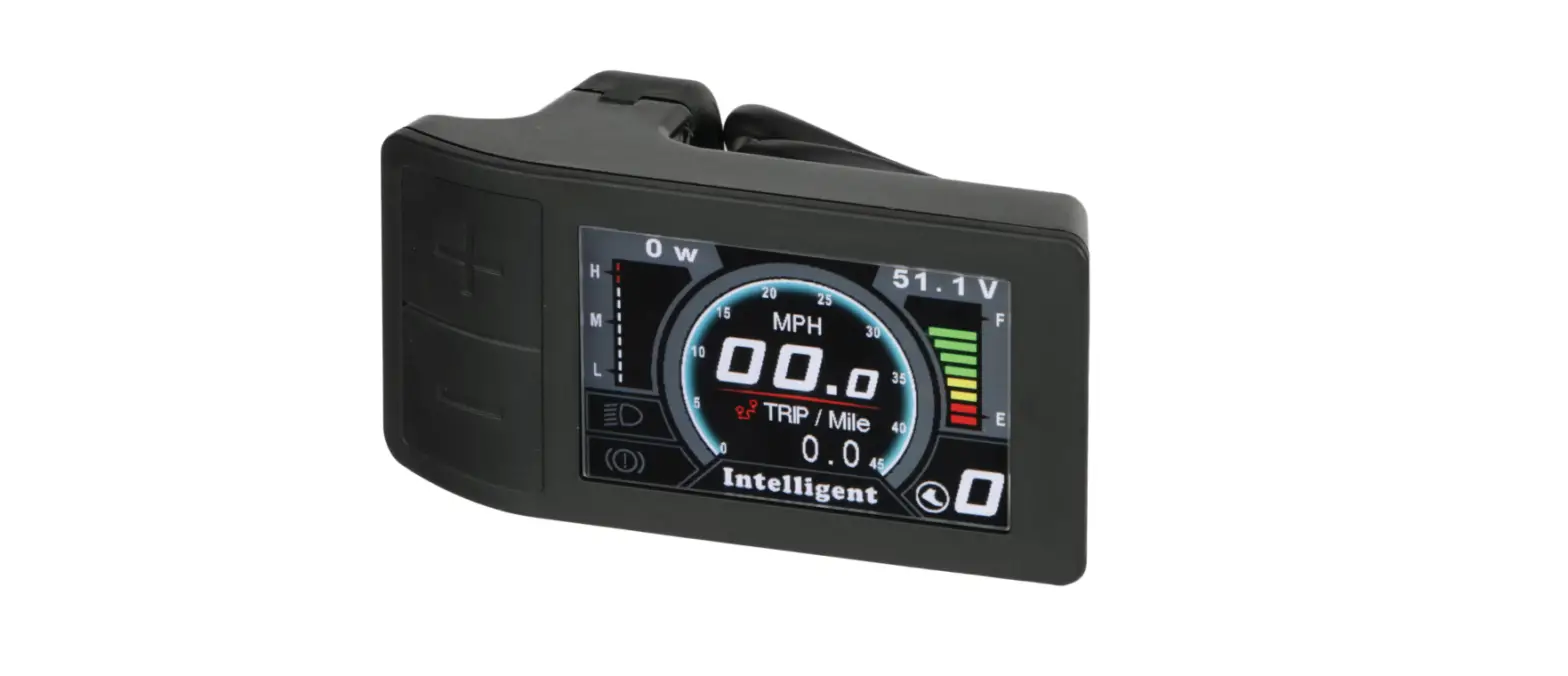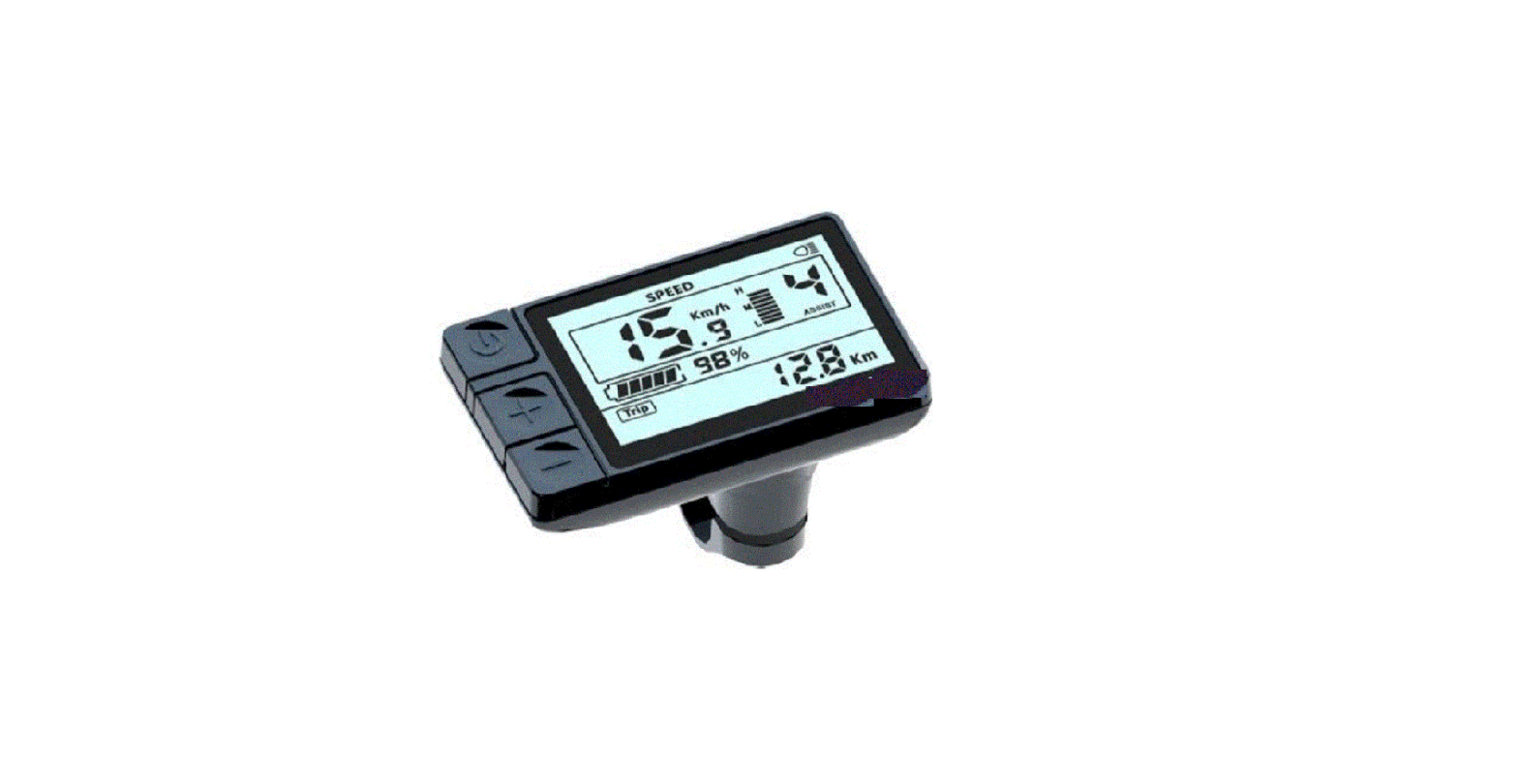

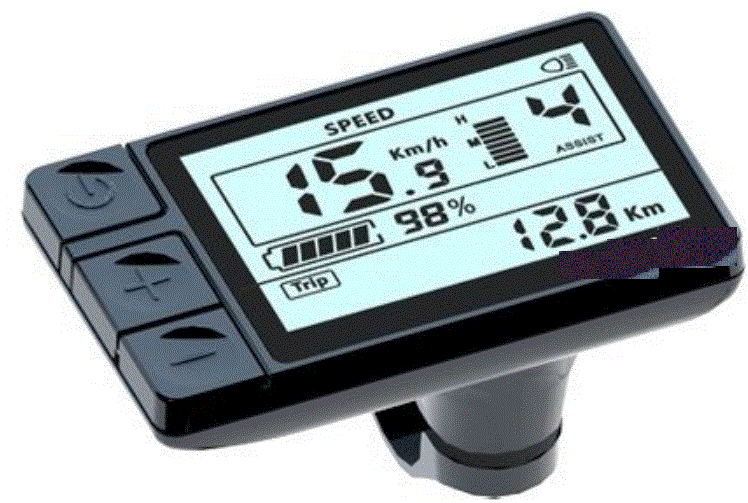
APT 600C-BLE E-Bike Display
Product Information
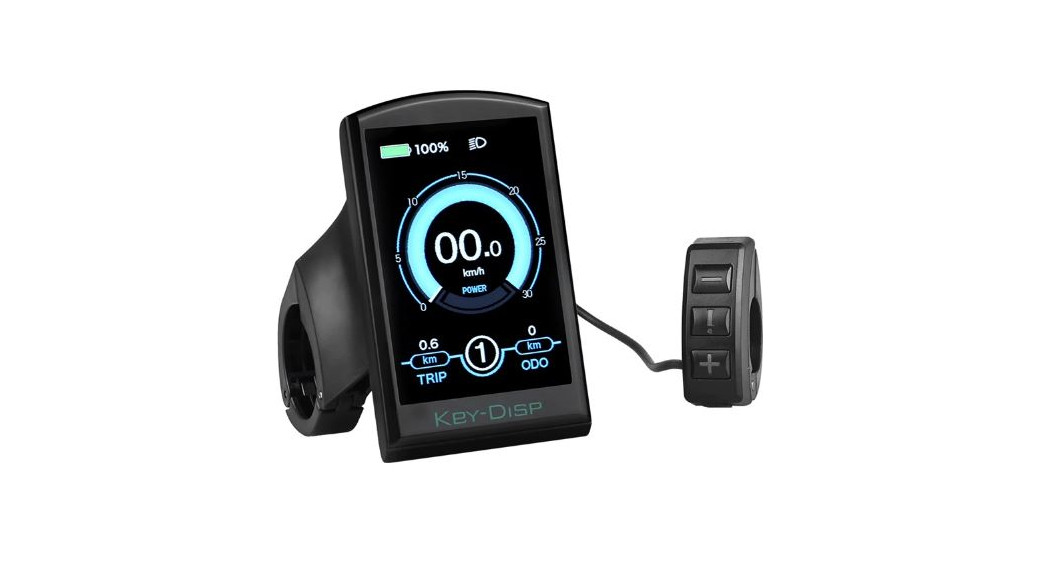
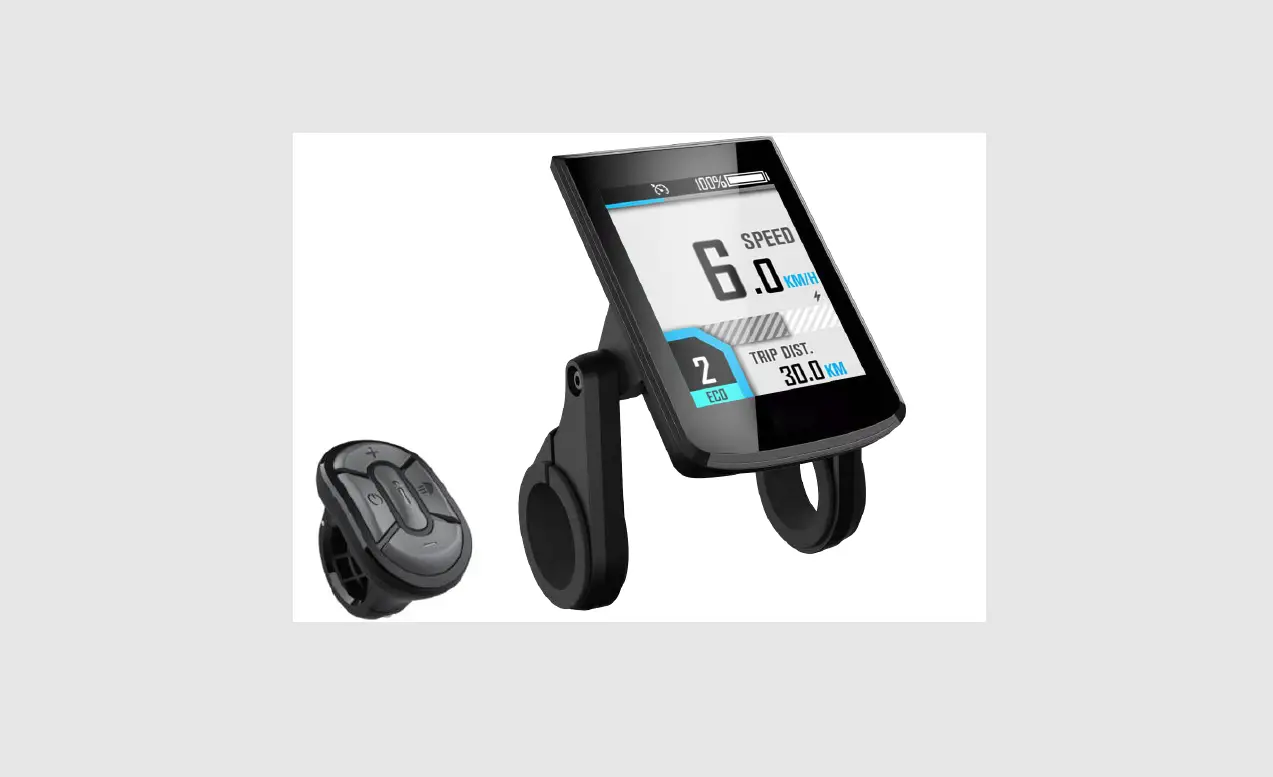
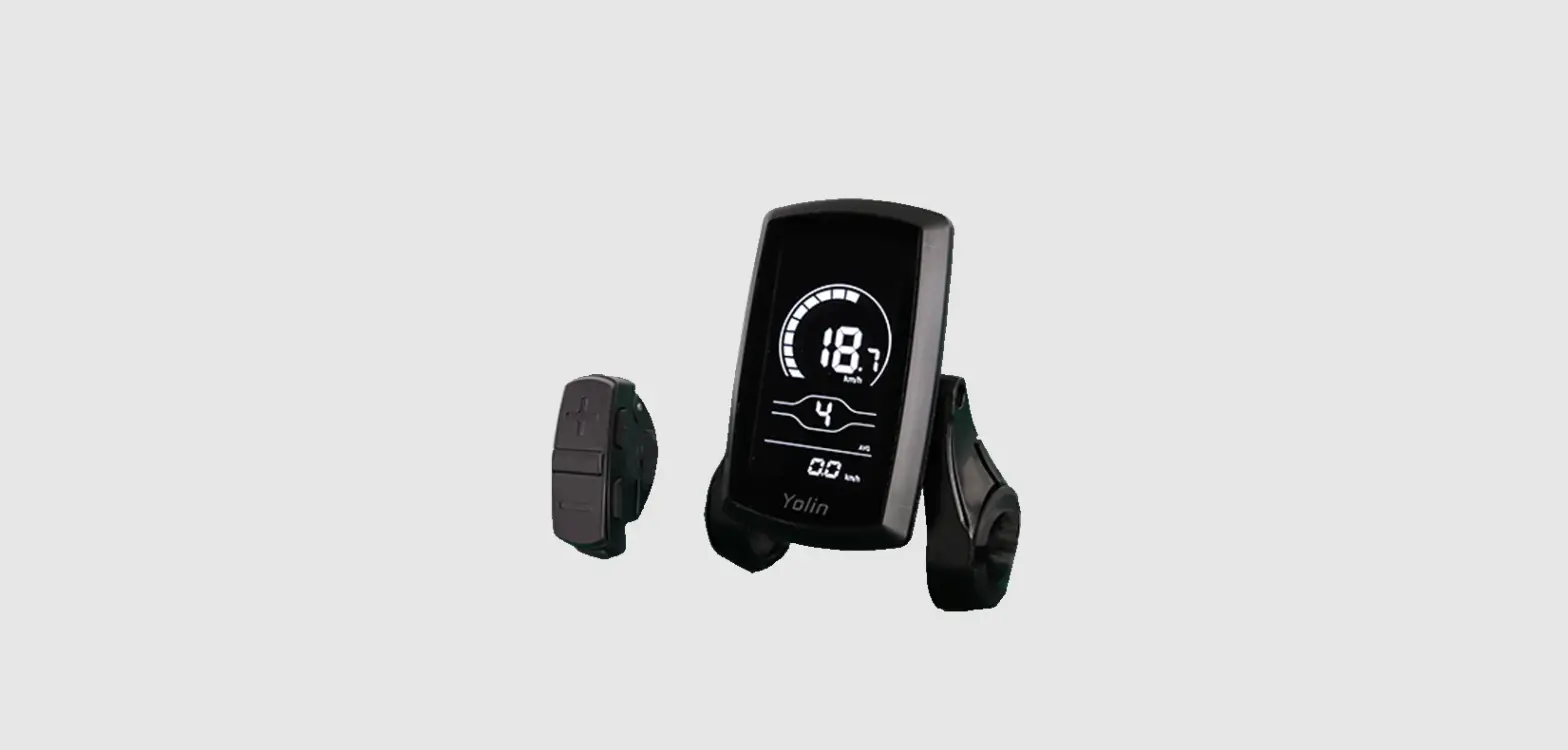
The APT Model 600C-BLE is a product developed by APT (Tianjin) Development Co., Ltd. It is a device that allows for wireless communication via Bluetooth Low-Energy (BLE) technology. The device is designed to be compact and easy to use, making it suitable for a variety of applications.
Product Specifications
- Model: 600C-BLE
- Wireless Communication: Bluetooth Low Energy (BLE)
- Dimensions: Compact and Portable
Product Usage Instructions
- Ensure that the device is fully charged before use.
- Turn on the device by pressing the power button.
- Activate Bluetooth on your smartphone or tablet.
- Search for available Bluetooth devices and select “600C-BLE” from the list.
- Once connected, you can use the device for wireless communication.
- To turn off the device, press and hold the power button until the LED light turns off.
Please refer to the user manual for further information and troubleshooting tips.
Product model
- Model: 600C-BLE
Suppliers
- APT (Tianjin) Development Co., Ltd.
Specifications
- 2.4inch TFT screen(IPS 240*320 pixel)
- Battery supply: 24V/36V/48V/52V
- Multi-language support(6 languages)
- Maximum output current to controller: 200mA, off-leakage current <1μA
- Operating temperature: -20~70℃, Storage temperature -30~80℃
- IP65
- EN 15194:2017
- RoHS
Dimensions and Material
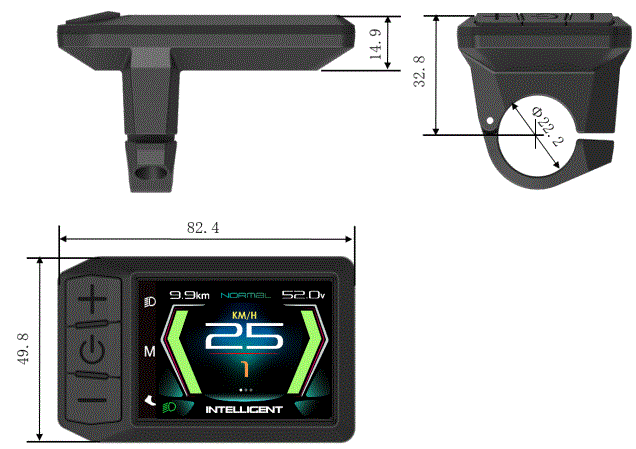
- The shell and bracket is made with ABS+PC, panel is high-hardness acrylic.
Features
- 2.4inch TFT screen.
- Ergonomic external button design, easy to operate, vibration function is provided during button operation.
- 6 languages: Czech, German, French, English, Italian, Spanish are supported.
- Speed indicator: Speed (Real-time), AVG Speed, MAX Speed.
- Metric / Imperial.
- Smart battery indicator: Capacity (percentage) or Voltage.
- Mileage / Riding time indicator: TRIPA&TIMEA (Data reset after shutdown), TRIPB&TIMEB(Data is saved after shutdown), Odometer, Range.
- Clock indicator: Built in battery, clock keeps running when power off.
- Brightness setting: Day and Night Brightness can be set independent.
- Assist level: 4 modes optional (3/5/9/U).
- Errors Code tips.
- 6km walking.
- Firmware upgrade: Upgrade the Logo individually.
Main page
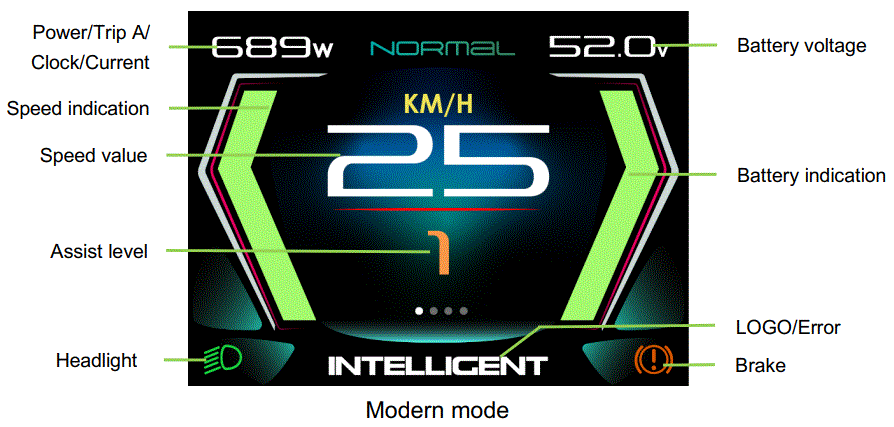
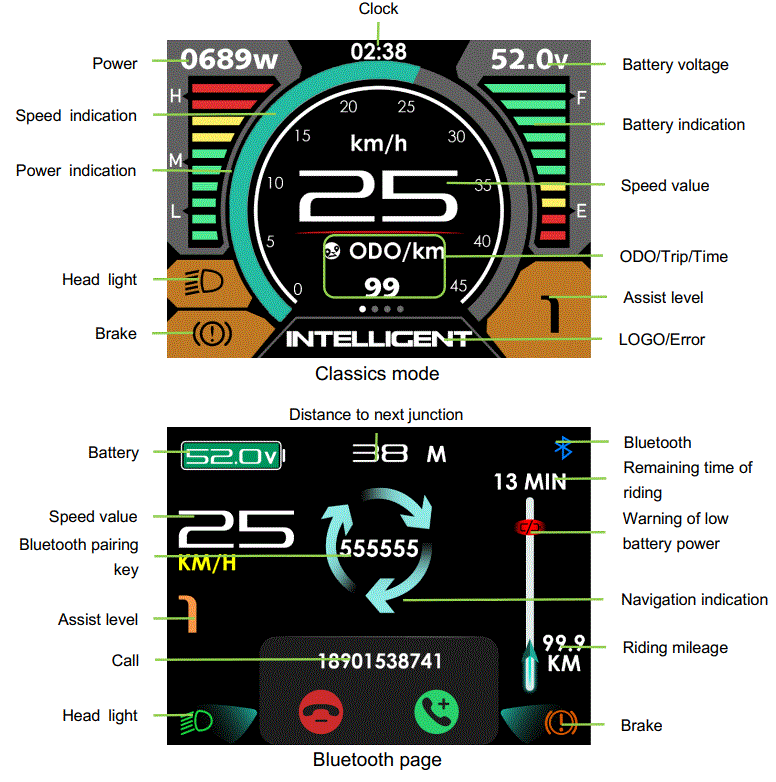
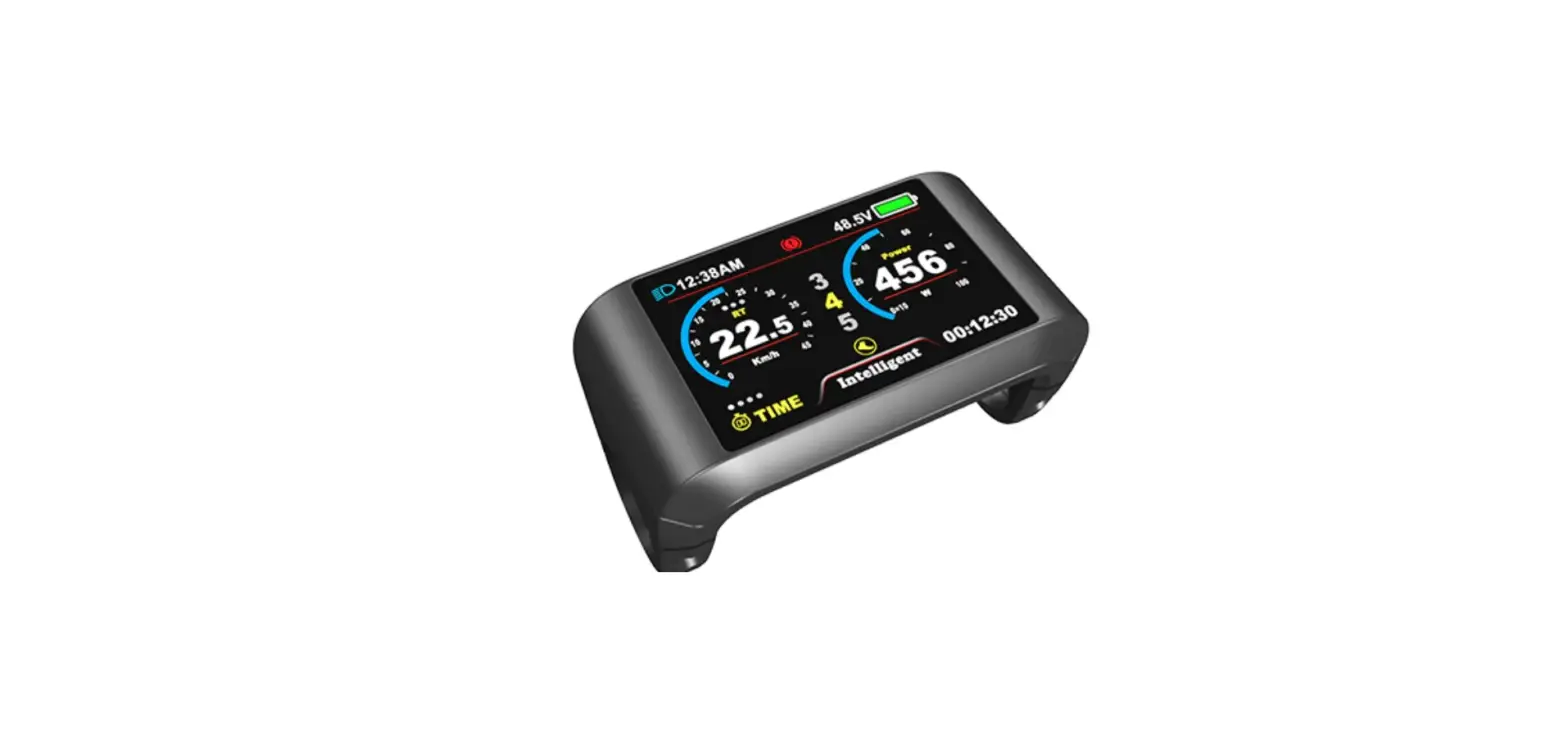
- Clock: Displayed in digital mode, 12h or 24h.
- Bluetooth: Show the Bluetooth connection status.
- Head Light: Head Light on/ off.
- Mileage mode/Riding time:
- Modern page: TRIPA (Data reset after shutdown)
- Classics page: TRIPA (Data reset after shutdown), TRIPB (Data is saved after shutdown), Odometer, Range, TIMEA (Data reset after shutdown), TIMEB (Data is saved after shutdown).
- Speed Value: Real-time Speed, KM/H or MPH.
- Speed indication: When the speed limit is less than 40km/h, the maximum indicator is 45; when the speed limit is more than 40km/h, the maximum indicator is 90; if the real-time speed exceeds the maximum indicated, its display is not affected.
- Smart battery Power indicator: Provide a reliable battery Power indicator.
- Assist level: Displays the current assist level.
- Brake: Show
 when checking error.
 - Error Code: Show
 when checking error.
 - LOGO.
 when checking error.
 when checking error.
Functional Description
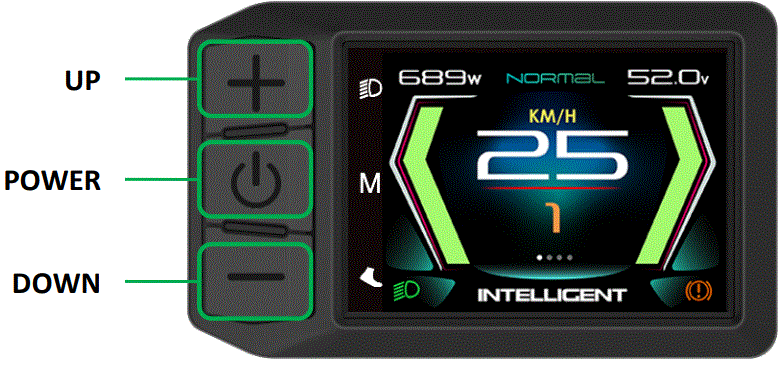
Power On/Off
Press POWER button for 2 seconds, you can turn on/off the display. The Display can automatically turn off when there is no operating and riding for 5 minutes. (The time can be set,refer to 8.1.4 ‘Auto off’)
- Input pattern in first if pattern unlock was activated.
- Display will be locked for 30 seconds after 3 times failed attempt.
Assist levels
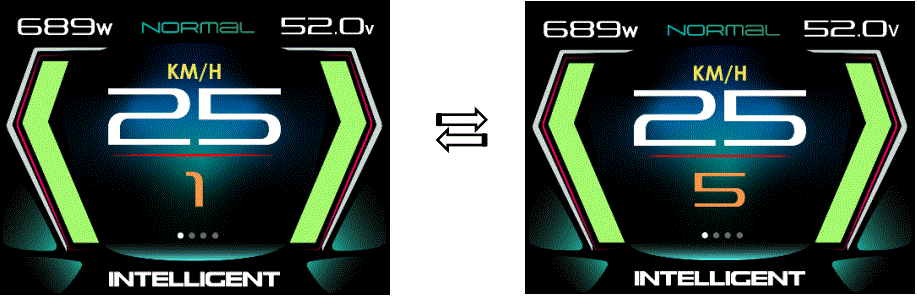
- Press UP/DOWN button to change assist level. If the default setting is 5-gear: Top assist level is 5, 0 for neutral. Level quantities can be adjusted according to the customer’s requirements.
Screen Switching
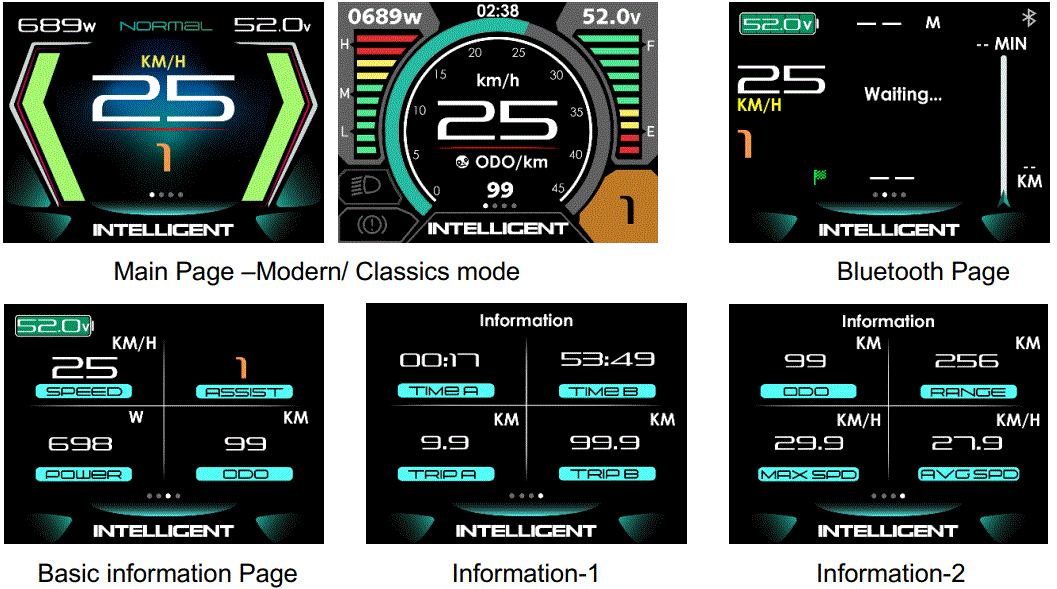
- Press POWER button to switch the screen, including Main Page, Bluetooth Page, Basic information Page and Information Page(The Main Page can be set,refer to 8.1.5 ‘Scenes’).
Headlight / Display Mode
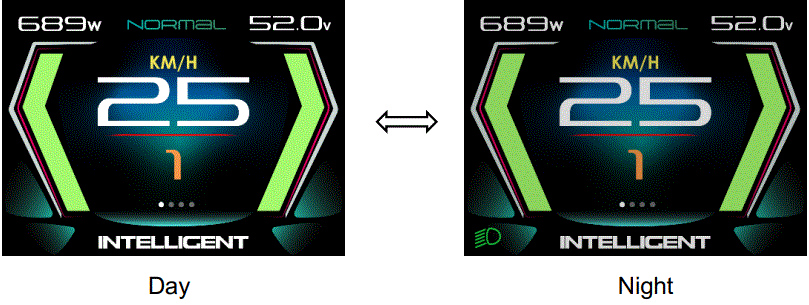
- Press and hold UP button for 2 seconds can turn on/off headlight, display will switch to the corresponding mode (Day or Night).
- The brightness of the Display can be set according to the user’s needs,Refer 8.1.3 Brightness.
- The motor does not work when the battery voltage is low, Display still can keep the headlight on for a while when E-bike is in riding.
Walking mode (6km)
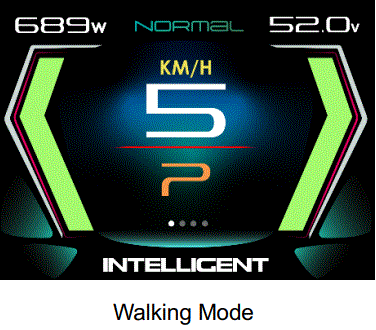
- Press and hold DOWN button for 2 seconds can get into walking mode, show ‘P’ and real-time speed on the screen, out of walking mode when releasing the button.
Bluetooth
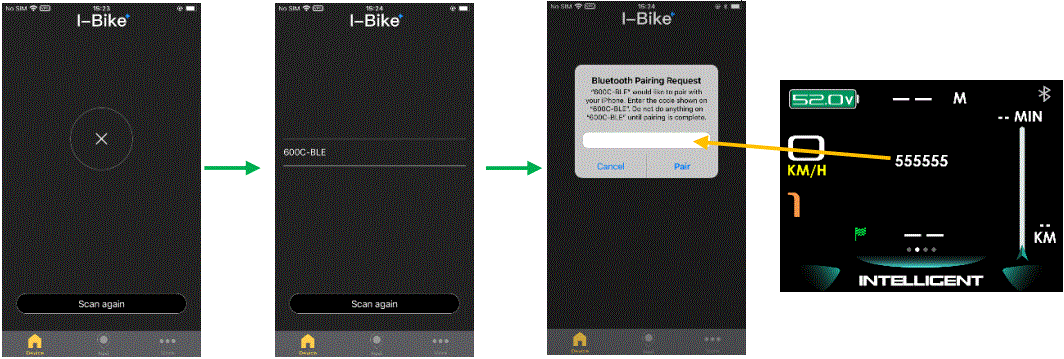
- Installing the “I-Bike” mobile app, turn on the Bluetooth of the mobile phone.
- Open “I-Bike” app, click “Scan for device”, find “600C-BLE” and connect, input the 6-digit pairing key and click “pair”.

- After the Bluetooth pairing is successful,
 is displayed in blue, and the I-Bike APP will enter the main interface. When the mobile phone calls, receives messages, etc., the Display can show the reminder icon.
- Phone that has successfully connected to the Display’s Bluetooth does not need to be paired again.
- Please note: For some Android™ driven smartphones, there might occur eventual Bluetooth™ connection problems with the APT display due to software mismatches.
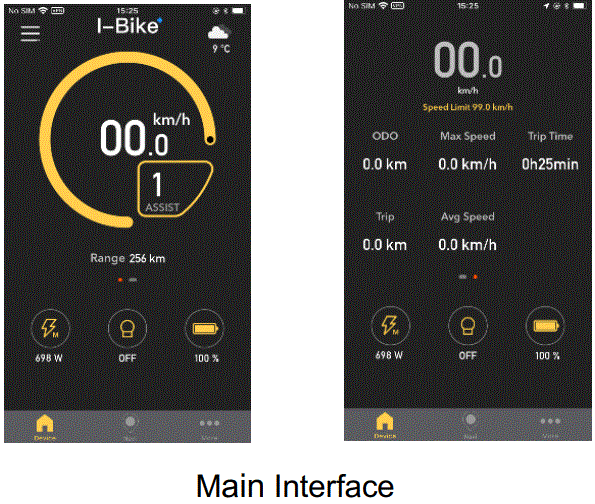
 is displayed in blue, and the I-Bike APP will enter the main interface. When the mobile phone calls, receives messages, etc., the Display can show the reminder icon.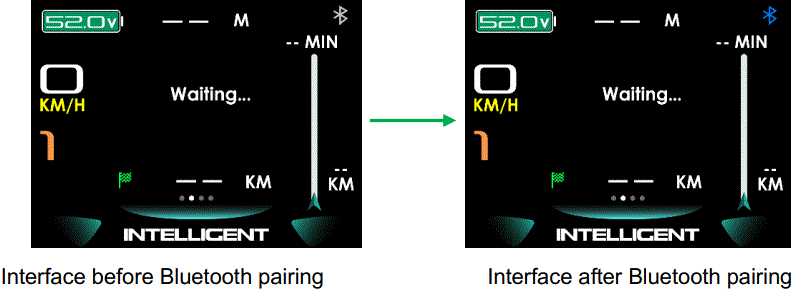
Settings
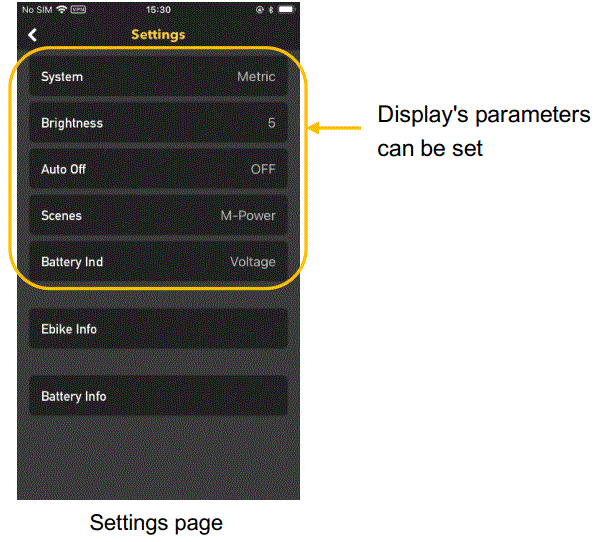
- Click the upper left corner of the “I-Bike” app to enter the Settings menu, including Display Settings, E-Bike Info and Battery Info.
Navigation
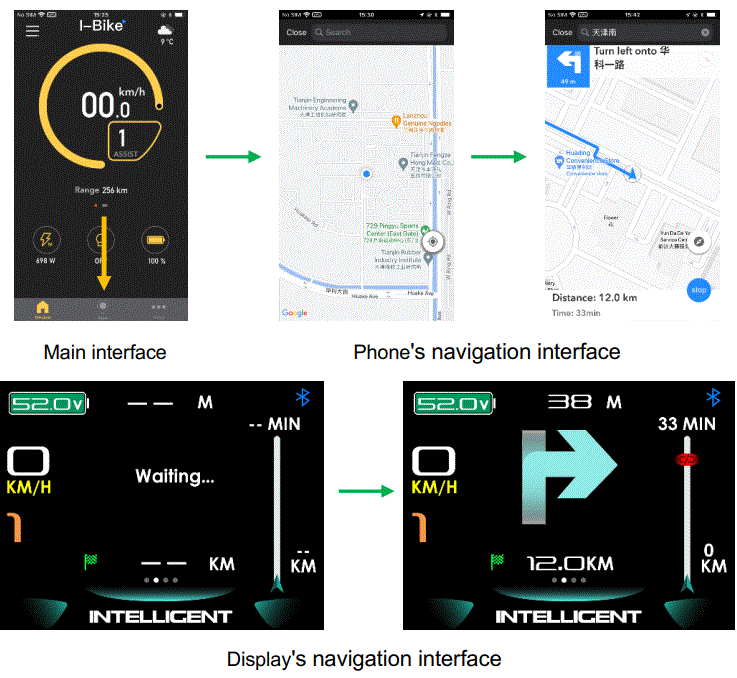
- Click “Navi” to enter the navigation interface of the “I-Bike” APP; After the navigation starts, the Display navigation interface can show the remaining mileage, the riding mileage, the remaining time of riding, navigation instructions and the warning of low battery power at end of endurance.
- The version information of the “I-Bike” APP is displayed in “More” on the main interface of the APP.
Data cleanup
Press and hold UP & DOWN button together for 1 second can clean temporary data (TRIPB, TIME B, AVG SPD, MAX SPD data).
- Temporary data is automatically saved when power off. Abnormal power outage will cause data lost.
- Restore Factory Mode (advanced settings in Menu Page) can clear temporary data (TRIPA TRIPB, TIMEA, TIMEB, AVG SPD, MAX SPD, MENU settings) except ODO.
- ODO will reset to zero over 99999km. TRIPB will reset to zero over 9999.9km.
Double press MENU button (press interval less than 0.3 second) can get into setting menus, press UP/DOWN button to change the parameter setting, press MENU button can get into or save the settings. Select EXIT or press MENU button twice to exit from menu.
- Display will automatically quit menu if there is no operation for 30 seconds.
- For safety reason, display will be locked on Main Page when riding (speed≥2.0km/h), function of MENU will be deactivated.
- Display didn’t save setting until click MENU to confirm.
- Display doesn’t quit parameter adjustment interface through pressing MENU button.
Display settings
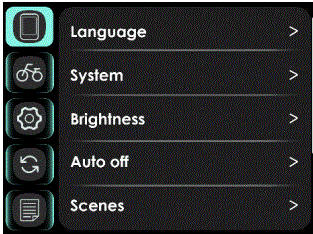
- Display settings include several items: Language, System, Brightness, Auto off, Scenes, Clock, Focus.
Language
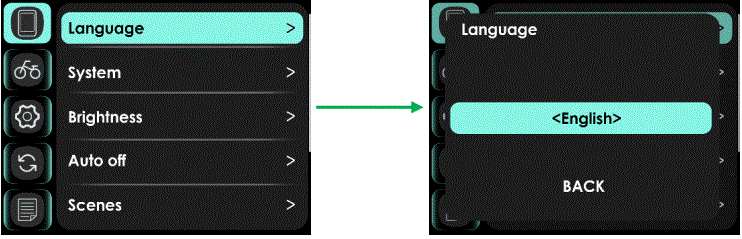
- 6 languages are supported: Czech, German, French, English, Italian, Spanish. Default is English. Select language then click “Back” to confirm.
System
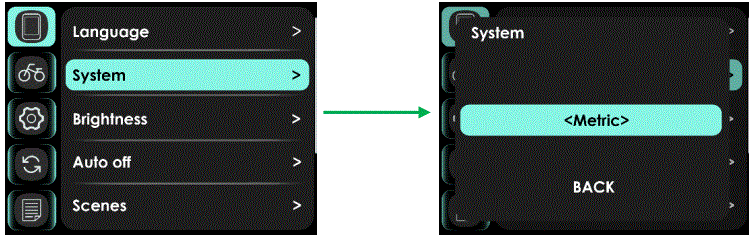
- Select Metric or Imperial.
Brightness
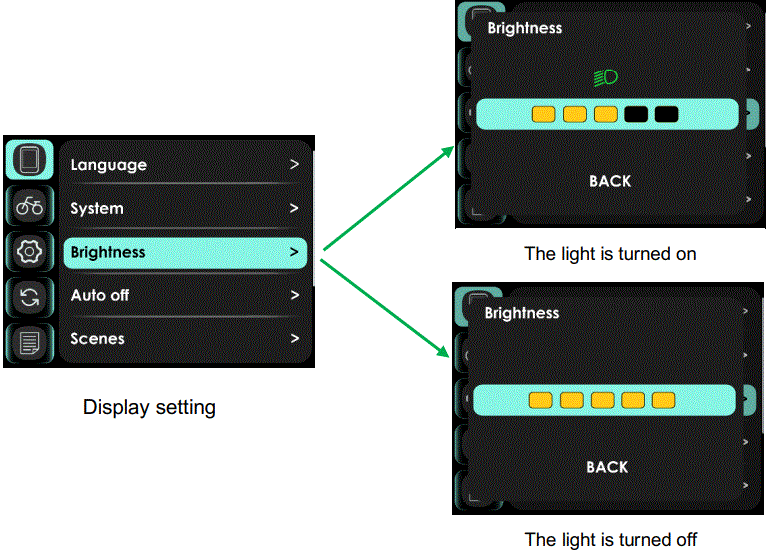
- You can set the backlight brightness in the light on and off state, press UP/DOWN button to change brightness of backlight, 1 is darkness, 5 is brightness.
Auto off
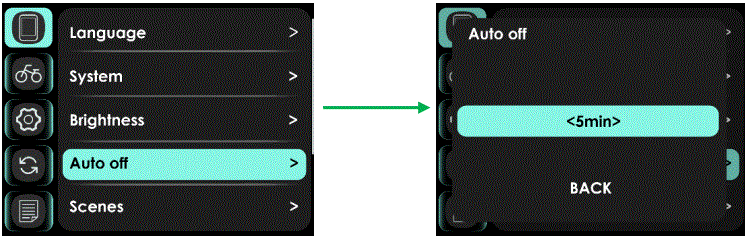
- This item enables to set the automatic shutdown time of the display, from 1 to 10min.
- Default value is 5 minutes, represents display shut down when there was no operation and riding for 5 minutes. OFF indicates that the display disables automatic shutdown.
Scenes
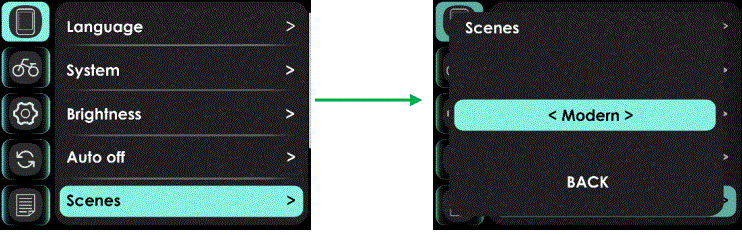
- Select Modern or Classics.
Clock
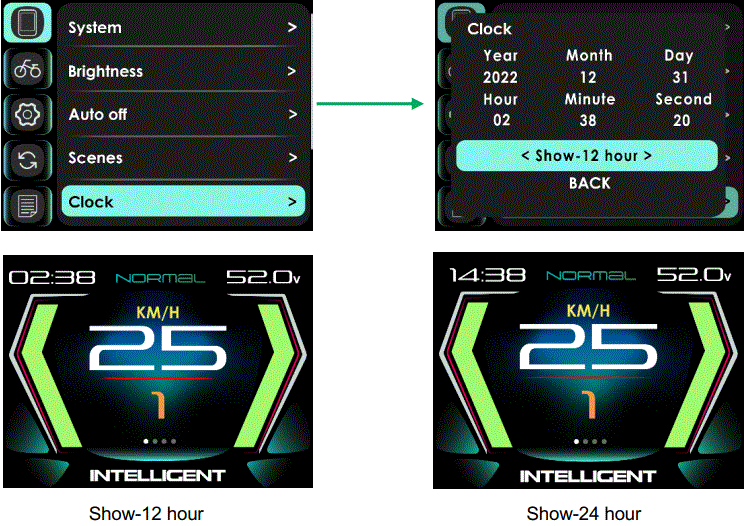
- This item can set date and time. You can choose Show-12 hour, Show-24 hour on Main Page.
Note: When display was powered off, internal Button Battery can keep clock running. When display is power on, Button Battery will be charged by external battery. If the display is not turned on for a long time, the Button Battery will drain (in winter or during long-distance transportation), Clock may slow or stop, please charge the battery as follows:
Set “Automatic shutdown” to “OFF” (Disable power off automatically), keep the display power on for 72 hours. Full charged Button Battery can keep clock running at least 3 months without charged.
Focus
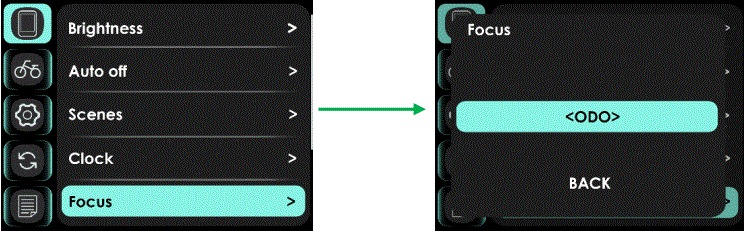
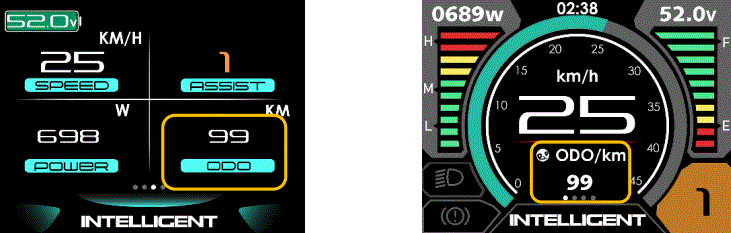
- 6 Settings are supported: ODO, Trip A, Time A, Trip B, Time B and Range. The Settings are displayed on the Basic information screen and the Main screen.
E-bike Settings
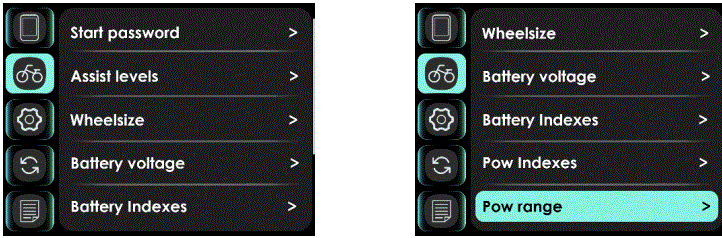
- E-bike settings include several items:Start password, Assist levels, Wheelsize, Battery voltage, Battery Indexes, Pow Indexes, Pow range.
Start password
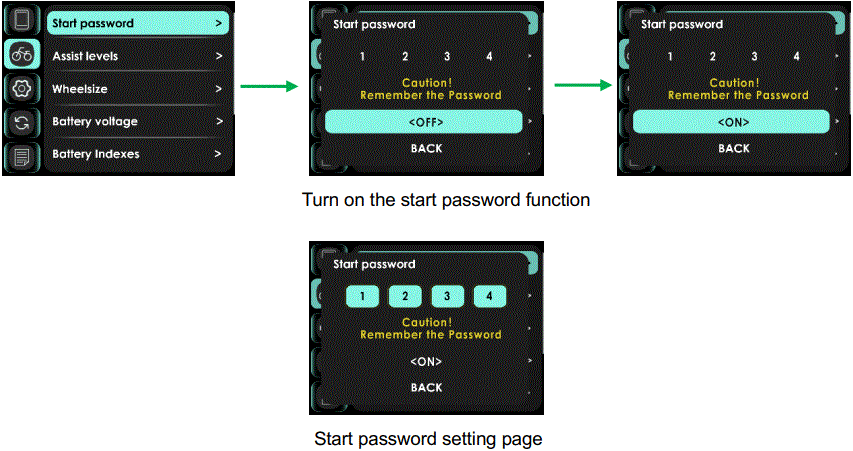
- The start password includes two parameter settings, Start password, OFF/ON.
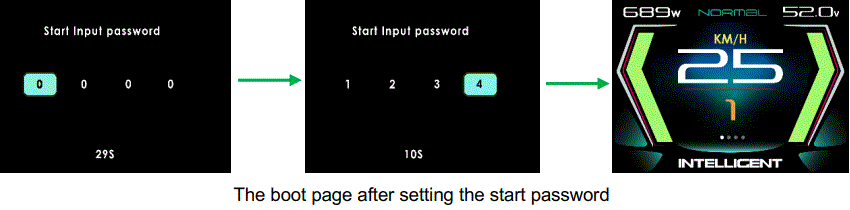
- If you had set start password ON, you must input right password before power on.

- You need to input the right password before start with 30 seconds.
- Display will automatically shut down if the correct password is not entered within 30S. Press and hold the POWER button to shut down while entering the password.
- Display will automatically shut down if the password was entered incorrectly 3 times.
Assist levels
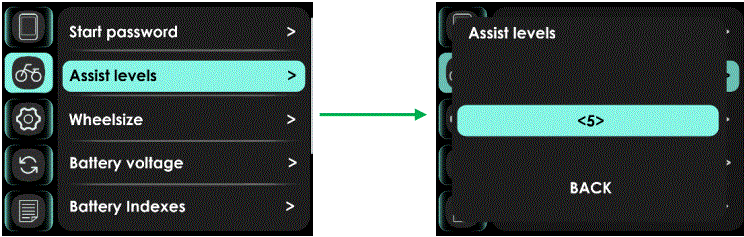
- This item can select assist levels, options are 3/4/5.
Wheelsize
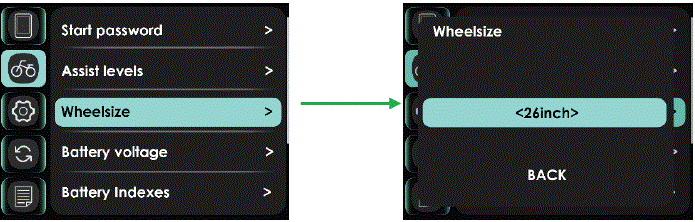
- This item can select wheel diameter, including 12/14/16/18/20/22/24/26/27/27.5/28~31 inch, 51cm~250cm. Incorrect wheel diameter selection can lead to abnormal speeds.
Battery voltage
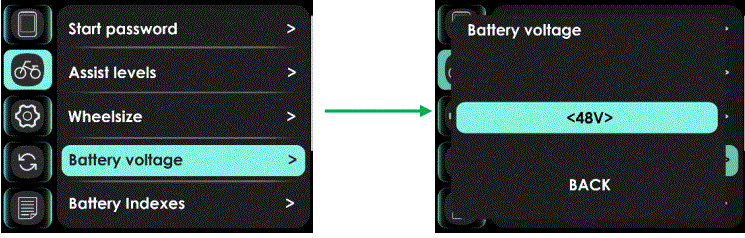
- The following voltage settings are supported: 24V/36V/48V/52V.
Battery Indexes
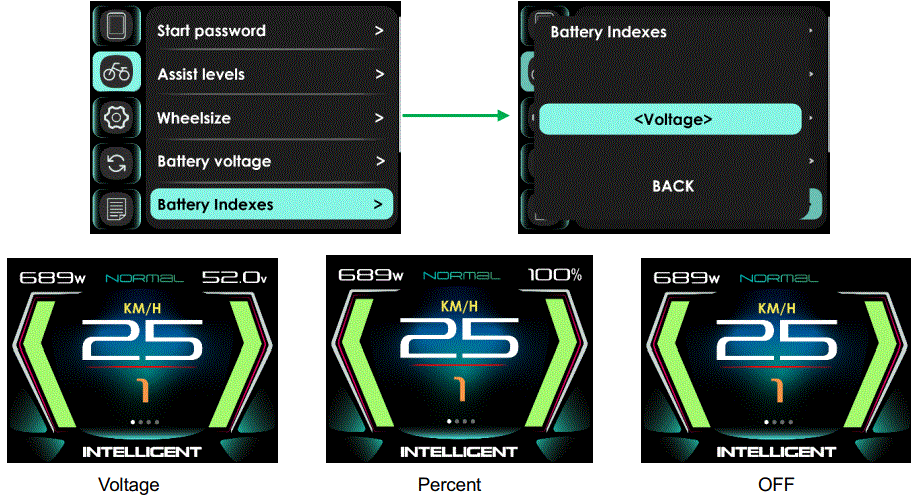
- This item can select battery Indexes setting, including OFF, Percent, Voltage.
Note: The voltage is the remaining voltage or percentage of the battery.
Pow Indexes
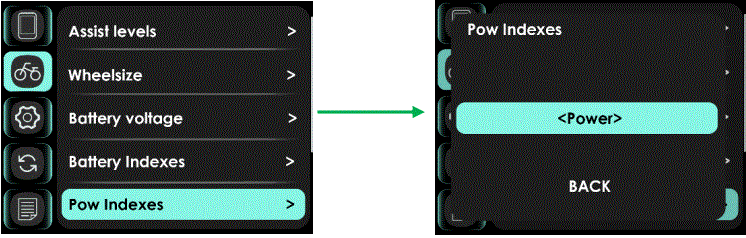
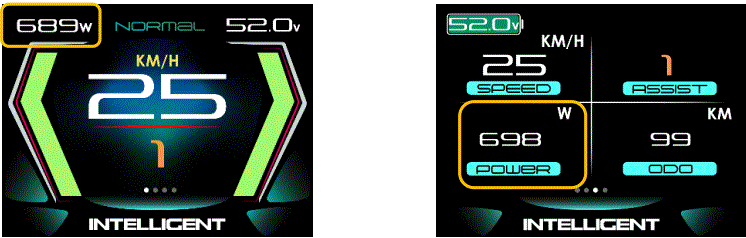
- Main Page can be set to display Power(W) , Current(A), Trip A, Range, Clock.
Pow range
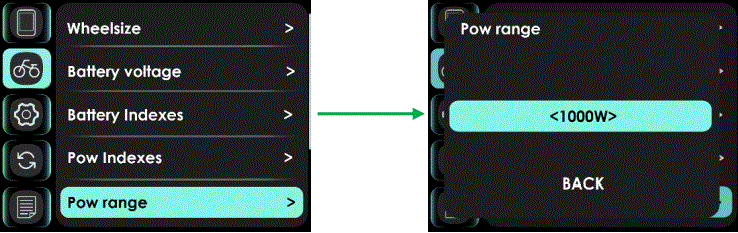
- Support Output power range Settings: 250W/500W/750W/1000W/1250W/1500W/1750W/2000W.
Advanced setting
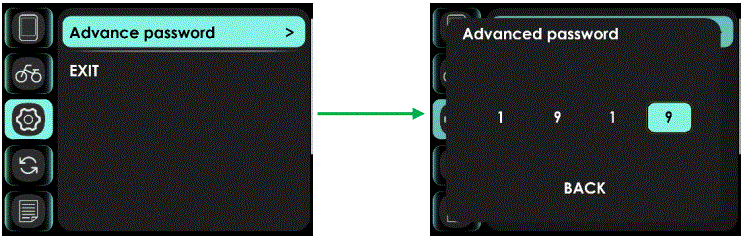
- Advanced settings have password to prevent illegal modification, default password is ‘1919’, password may be different according to request.

- Input correctly password to enter advanced setting page, where you can adjust the speed limit, range 10km/h~60km/h, 99 km/h(6.2Mile/h~37.2Mile/h, 61.4 Mile/h), and where you can see the error code messages of the last 10 times.
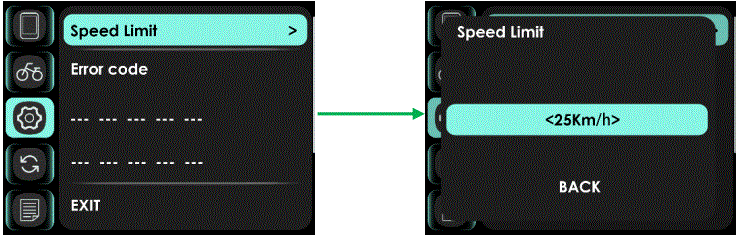
Note: The maximum speed is limited by the motor and controller, and it is not necessarily possible to reach the speed limit setting value.
Factory Setting
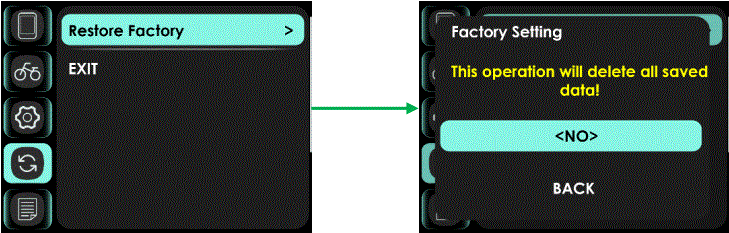
- Select ‘YES’ will restore all setting to factory defaults.
Note: ODO and CLOCK data are not cleared.
Information
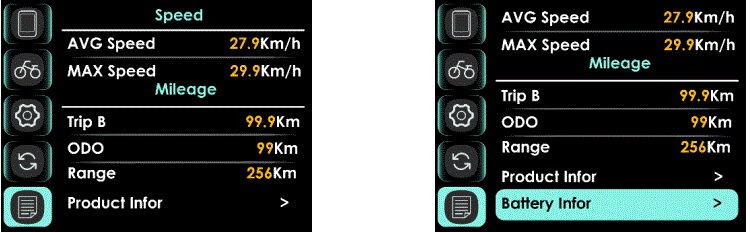
- The information display interface includes: Speed and Mileage Information, Product Information, Battery Information.
Product Infor
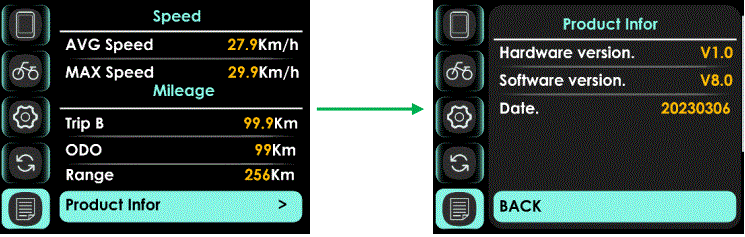
- Product Information show Hardware Version, Software Version, Date…
Battery Infor
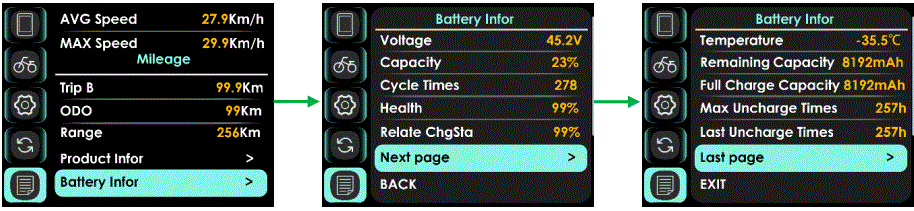
- Battery Voltage Information can be showed.
- The battery information is displayed when the E-bike is equipped with a battery with communication function.
Errors code
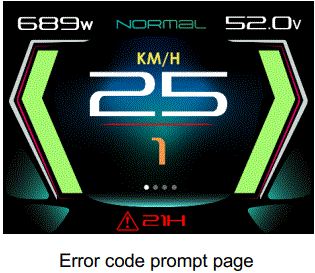
- Display shows error code and at the bottom of the screen when system checked abnormal.
| Error Code | Error description | Handle |
| 04 | Throttle error | Check throttle and connection |
| 05 | Throttle turn back fault | Check throttle and connection |
| 07 | Overvoltage protection | |
| 08 | Hall error | Check the hall connection |
| 09 | three-phase power error | Check three-phase power line connection |
| 10 | The controller is overheated | Stop using 10 minutes to restart |
| 11 | Motor overheating | Stop using 10 minutes to restart |
| 12 | Current sensor error | Check the sensor connection |
| 13 | battery temperature abnormality | Stop using 10 minutes to restart |
| 14 | Motor temperature sensor is abnormal | Check the sensor |
| 15 | Controller temperature sensor failure | Check the sensor |
| 21 | Speed sensor fault | Check the sensor |
| 22 | BMS Communication Error | Check the cable connection |
| 23 | Headlight error | Check the cable connection |
| 24 | Headlight sensor error | Check the cable connection |
| 25 | Torque sensor signal error | Contact the supplier |
| 26 | Torque sensor speed error | Contact the supplier |
| 30 | Communication Error | Check the cable connection |
Assembly instructions
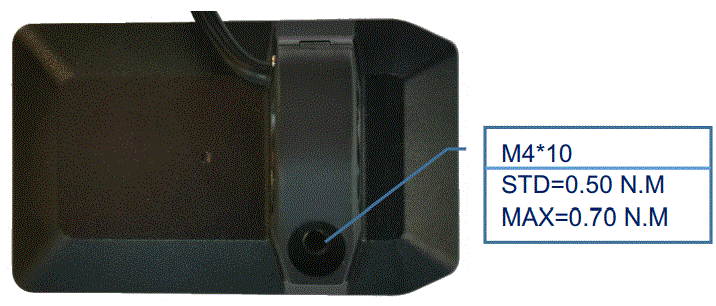
- Please pay attention to the torque value, exceeding the maximum torque can damage the part.
- Electrical or pneumatic tools is not recommended.
Install and use precautions
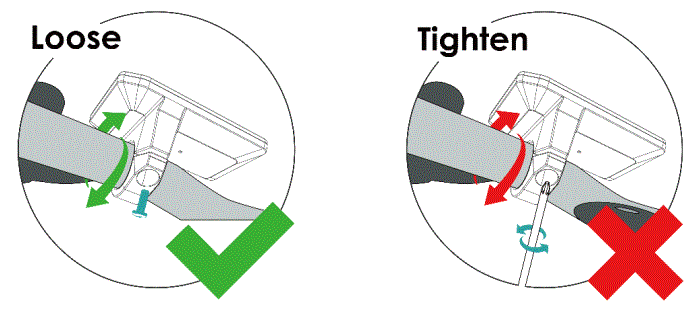
- Do not adjust viewing angle before loose the screws.
Copyright Notice
- Questions about your e-bike, please contact with dealer firstly.
- APT reserves the right to modify this specification file, without declaration in advance.
- Content and Image owner:APT (Tianjin) Development Co., Ltd.
- 1001, Building 5 HuaDing, No.1 HuaKe 3 Road, Binhai hi-tech Industrial Development Zone, Tianjin, China
- website: www.aptdevelop.com
FCC STATEMENT
NOTE: This equipment has been tested and found to comply with the limits for a Class B digital device, pursuant to part 15 of the FCC Rules. These limits are designed to provide reasonable protection against harmful interference in a residential installation. This equipment generates, uses and can radiate radio frequency energy and, if not installed and used in accordance with the instructions, may cause harmful interference to radio communications. However, there is no guarantee that interference will not occur in a particular installation. If this equipment does cause harmful interference to radio or television reception, which can be determined by turning the equipment off and on, the user is encouraged to try to correct the interference by one or more of the following measures:
- Reorient or relocate the receiving antenna.
- Increase the separation between the equipment and receiver.
- Connect the equipment into an outlet on a circuit different from that to which the receiver is connected.
- Consult the dealer or an experienced radio/TV technician for help.
Changes or modifications not expressly approved by the party responsible for compliance could void the user’s authority to operate the equipment.
CONTACTS
- APT Model: 600C-BLE
- Supplier: APT(Tianjin) Development Co., Ltd.
- 1001, Building 5 HuaDing, No.1 HuaKe 3 Road, Binhai hi-tech Industrial Development Zone, Tianjin, China
- TEL: 86 22 26345859
- FAX: 86 22 83719955
- Email: [email protected]