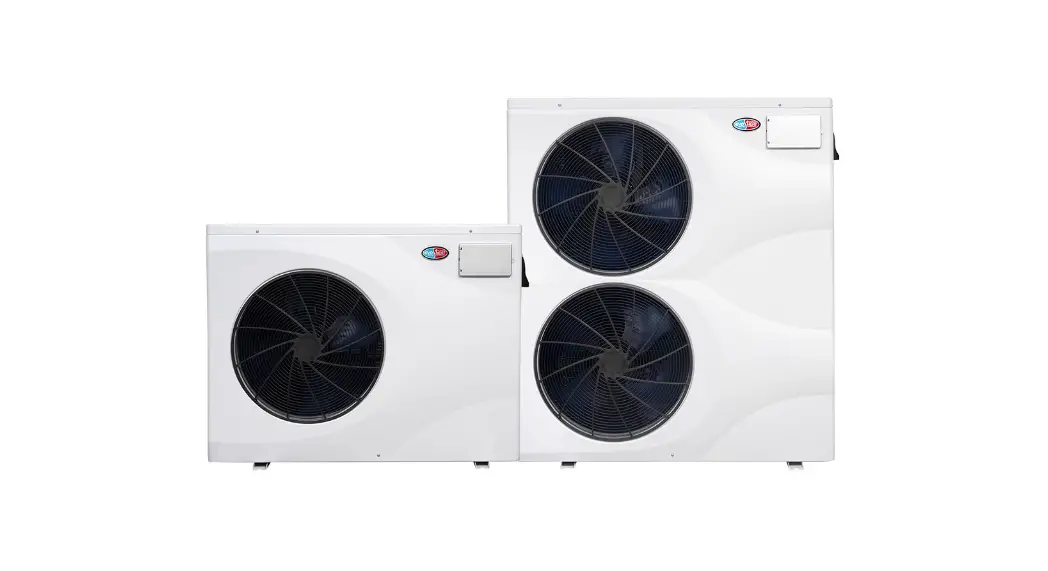
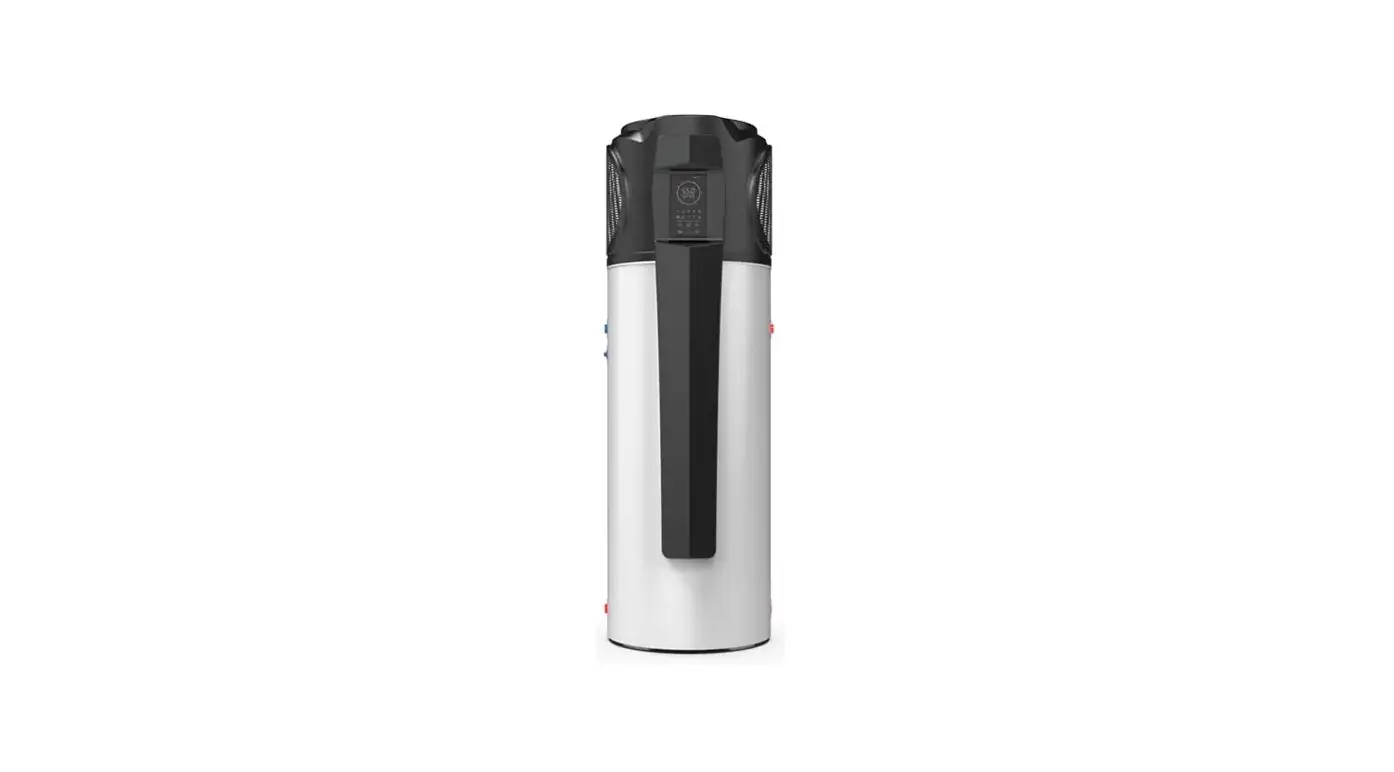
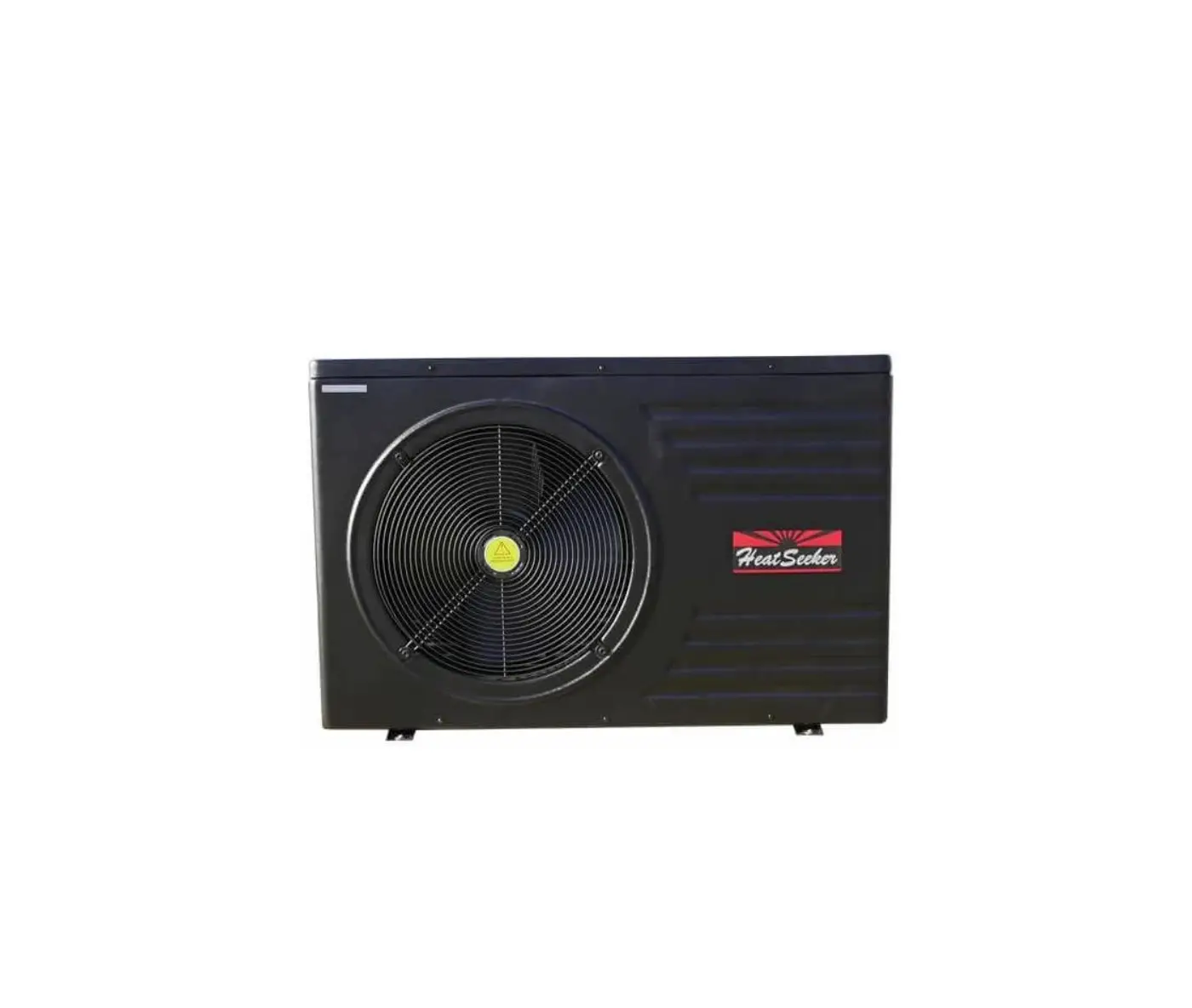
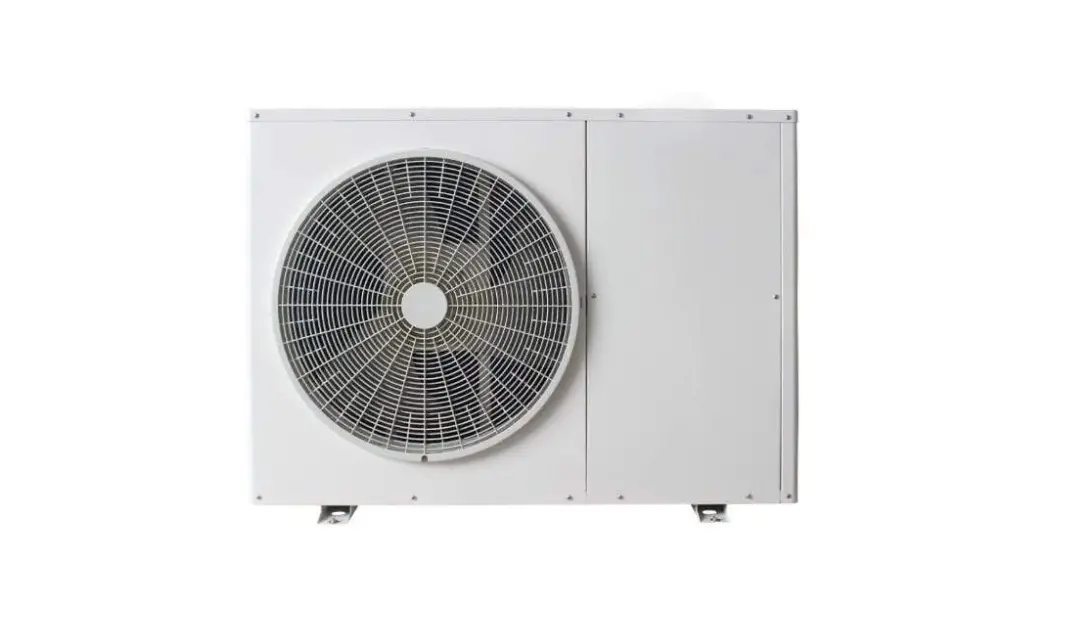
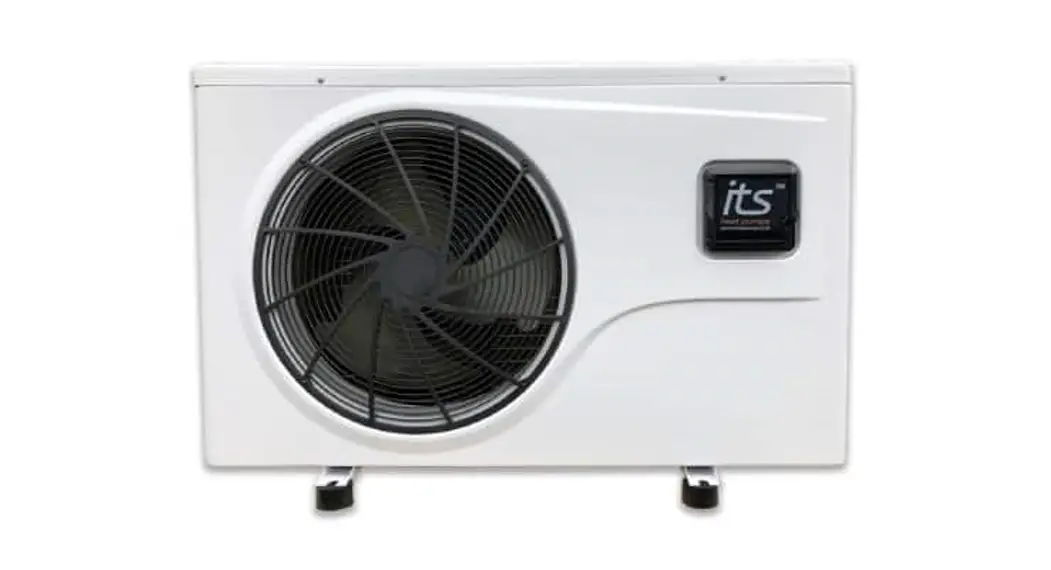
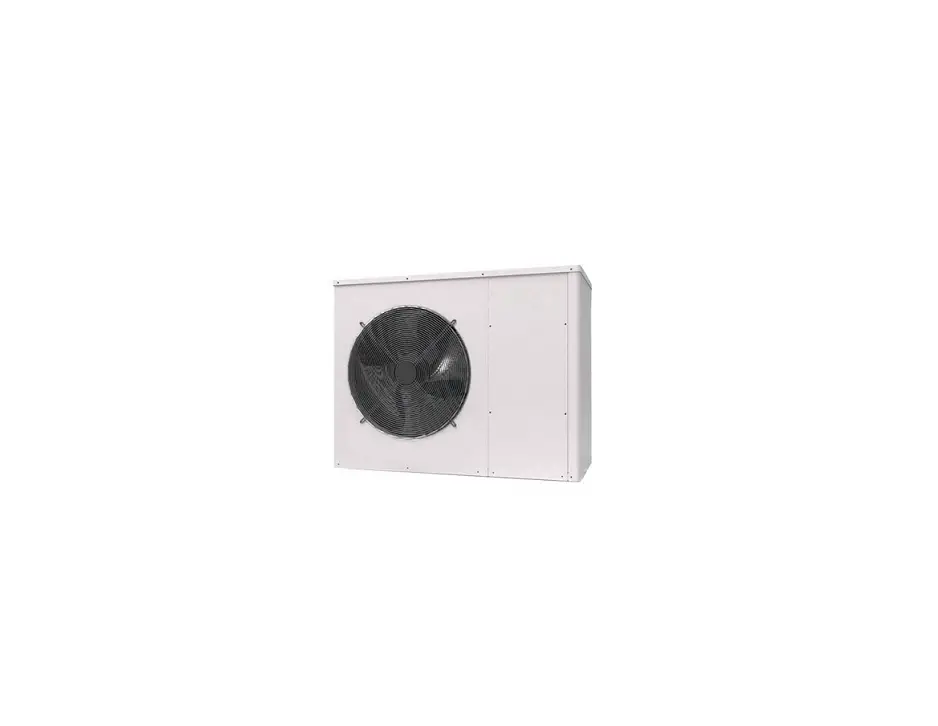
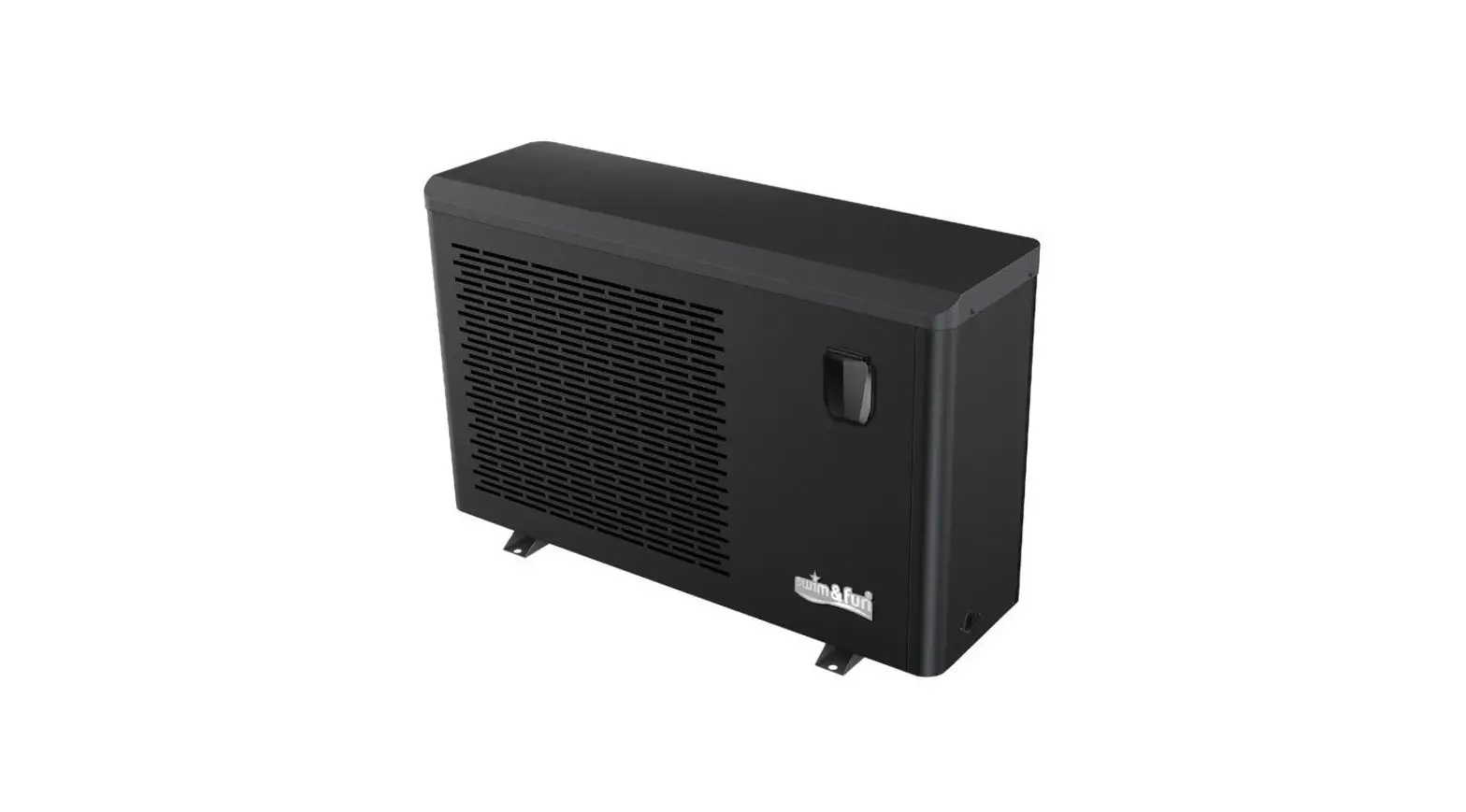
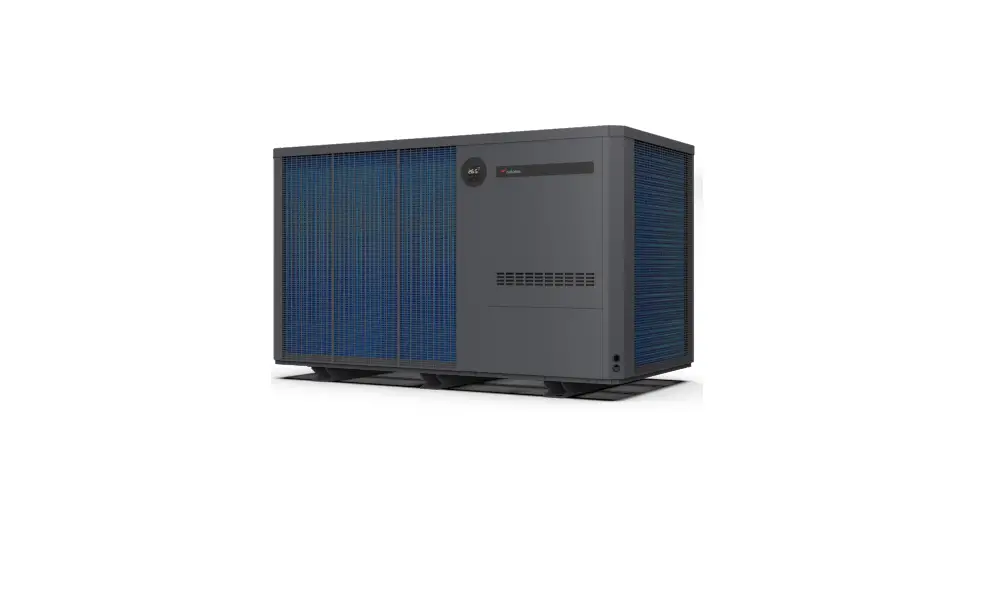
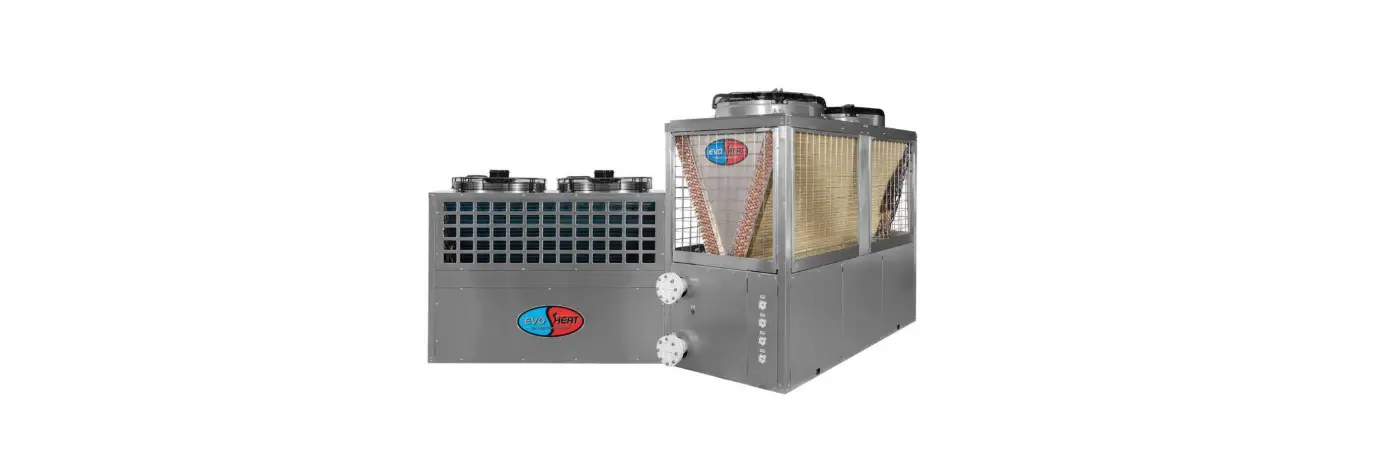
EDGE-i Inverter Pool and SPA Heat Pump
Product Information: Evo Edge-i Series Manual
The Evo Edge-i Series Manual contains information relating to
the installation, troubleshooting, operation, and maintenance of
the EvoHeat unit. It is important to follow the instructions in
this manual to ensure proper usage of the product. Failure to
comply with these recommendations will invalidate the warranty.
For any questions or technical support, you can contact the
EvoHeat office at 1300 859 933.
Technical Data
| Model | kW Range | Normal Running Current (A) | Power Supply | Connection Type | Fan Quantity | Fan Speed (RPM) | Air Flow (m3h) | Noise at 1M (dB(A)) | Noise at 1M (Silent Mode) (dB(A)) | Refrigerant Gas | PVC Water Connection | Water Flow Volume (L/min) | Water Pressure Drop (Max) (kPa) | Net Dimensions L/W/H (mm) | Net Weight (kg) |
|---|---|---|---|---|---|---|---|---|---|---|---|---|---|---|---|
| Edge-i 7 | 3.26-7.45 | 1.57-5.35 | 220-240/1/50 | 10amp | 1 | 600-800 | 2000 | 40-46.5 | 40 | 66.67 | R32 | 40 | 3.2 | 1034 / 450 / 626 | 67 |
| Edge-i 9 | 3.26-9.17 | 1.57-7.00 | 220-240/1/50 | 10amp | 1 | 600-800 | 2000 | 40-46.5 | 40 | 66.67 | R32 | 40 | 3.2 | 1034 / 450 / 626 | 67 |
| Edge-i 13 | 3.6-11.47 | 0.8~8.6 | 15amp | 1 | 500-900 | 2300 | 43-50 | 43 | 76.67 | R32 | 40 | 4 | 1034 / 450 / 626 | 67 | |
| Edge-i 17 | 6.6-16 | 2.40-12.89 | hardwired | 1 | 500-800 | 3800 | 43-53 | 43 | R32 | 39.5-52.5 | 7.5 | 1040 / 490 / 768 | 87 | ||
| Edge-i 20 | 6.57-18.10 | 2.48-12.9 | hardwired | 1 | 500-850 | 4000 | 39.5-52.5 | 39.5 | 115 | R32 | 8.8 | 1171 / 510 / 858 | 98 |
Note: The data above is based on the Evo heat pump only and does
not include auxiliary devices. Product specification information
provided above is correct at the date of printing, and this data
may change without notice. For the most current product
specifications, please contact an EvoHeat Specialist.
Dimensions
Unit: mm
Edge-i 7, Edge-i 9 & Edge-i 13
- A (L): 1034
- B (W): 450
- C (H): 626
- D: 1000
- E: 645
- F: 430
- G: 402
- H: 350
- I: 248
- J: 119
- K: 117
- L: 108
Edge-i 17
- A (L): 1040
- B (W): 490
- C (H): 768
- D: 1020
- E: 665
- F: 474
- G: 450
- H: 350
- I: 105
Edge-i 20
- A (L): 1171
- B (W): 510
- C (H): 858
- D: 1150
- E: 796
- F: 495
- G: 466
- H: 460
- I: 105
Quick Start Guide
Pre-Installation:
- Position the heater on a level pad in the desired location on
the pool water return line. - Install the supplied antivibration rubber pads under the feet
of the unit. - Install the supplied condensation barb to the underside of the
unit and direct the condensation to an appropriate drainage
point.
Airflow Clearances:
Ensure the heater is installed in a well-ventilated area with
plenty of fresh air. Maintain a minimum gap of 1500mm between
walls/fences on the sides and 500mm overhead clearance.
Plumbing Installation:
Note: Evo heat pumps standard plumbing fitting size can accept
32mm or 50mm NB PVC pipe for connection to the pool or spa
filtration plumbing.
- Attach the supplied barrel unions to the cold inlet and hot
outlet (hand tighten). - Use plumbing tape and ensure the ‘O’ ring is in position when
sealing. - Install a 3-way valve at the cold-water inlet and create a
bypass by connecting a T piece to the heated line. - Make the plumbing connections and brace pipework where
necessary.
Page 1
Evo Edge-i Series Manual
Contents
1. Introduction ………………………………………………………………………………………………………………………………. 2 2. Dimensions ………………………………………………………………………………………………………………………………. 3 3. Quick Start Guide ……………………………………………………………………………………………………………………… 4 4. Safety Instructions …………………………………………………………………………………………………………………….. 6 5. Installation………………………………………………………………………………………………………………………………… 7
5.1 System Installation ……………………………………………………………………………………………………………….. 7 5.2 Location of Installation ………………………………………………………………………………………………………….. 7 5.3 Airflow Clearances ……………………………………………………………………………………………………………….. 8 5.4 Adequate Water Flow……………………………………………………………………………………………………………. 8 5.5 Rubber Feet ………………………………………………………………………………………………………………………… 8 5.6 Condensate Drain Barb…………………………………………………………………………………………………………. 8 5.7 Drainage & Condensation ……………………………………………………………………………………………………… 8 5.8 Plumbing …………………………………………………………………………………………………………………………….. 9 5.9 Electrical Connection ……………………………………………………………………………………………………………. 9 5.10 Initial Start-Up ……………………………………………………………………………………………………………………. 9 6. Operation ……………………………………………………………………………………………………………………………….. 10 6.1 The Controller ……………………………………………………………………………………………………………………. 10 6.2 Operating Functions ……………………………………………………………………………………………………………. 10
6.2.1 Startup & Shutdown………………………………………………………………………………………………………. 10 6.2.2 Setting the Mode ………………………………………………………………………………………………………….. 10 6.2.3 Setting a Target Temperature ………………………………………………………………………………………… 10 6.2.4 System Time Settings……………………………………………………………………………………………………. 11 6.2.5 On-Off Timer………………………………………………………………………………………………………………… 11 6.2.6 Mute Timer ………………………………………………………………………………………………………………….. 12 6.2.7 Locking the Keyboard ……………………………………………………………………………………………………. 12 7. Troubleshooting ………………………………………………………………………………………………………………………. 13 7.1 Electronic Control Fault Table ………………………………………………………………………………………………. 13 7.2 Frequency Conversion Board Fault Table ……………………………………………………………………………… 14 8. Appendix………………………………………………………………………………………………………………………………… 15 8.1 Controller Interface Diagram ………………………………………………………………………………………………… 15 8.2 Parameter List……………………………………………………………………………………………………………………. 16 8.3 Cable Specifications……………………………………………………………………………………………………………. 16 9. Maintenance …………………………………………………………………………………………………………………………… 17 9.1 F.A.Q ………………………………………………………………………………………………………………………………… 17 9.2 Advanced ………………………………………………………………………………………………………………………….. 18 10. Warranty ………………………………………………………………………………………………………………………………. 21
1300 859 933
www.evoheat.com.au
Page 2
Evo Edge-i Series Manual
1. Introduction
This manual contains information relating to the installation, troubleshooting, operation, and maintenance of this EvoHeat unit. Instructions in this manual must always be followed. Failure to comply with these recommendations will invalidate the warranty. Should you have any questions or require technical support, call the EvoHeat office on 1300 859 933 to speak to our team.
The Evo Edge-i inverter heat pump is our latest innovation in domestic pool and spa heating and cooling. Thanks to its unique rear intake and side discharge design, the Evo Edge-i can be installed almost anywhere! Designed with our latest stepless full DC inverter compressors, fans, and control systems all working in perfect harmony to provide optimised year round heating and cooling with the lowest operating costs.
TECHNICAL DATA
Heating Output (27°C Air/26°C Water)
kW
Edge-i 7 3.26-7.45
Edge-i 9 3.26-9.17
Edge-i 13 3.6-11.47
Edge-i 17 6.6-16
Edge-i 20 6.57-18.10
Heating Output (15°C Air/26°C Water)
kW
C.O.P. at 27°C Air
Consumed Power at 27°C Air
kW
2.09-5.34 11.24~6.07 0.29-1.227
2.09-6.62 11.24~5.73
0.29-1.6
1.77-8.55 12.19~5.69 0.295-2.016
3.62-11.38 12.0~5.43 0.55-2.95
4.45-13.20 11.53~6.11 0.57-2.96
Normal Running Current
A
1.57-5.35
1.57-7.00
0.8~8.6
2.40-12.89
2.48-12.9
Power Supply
220-240/1/50
Connection Type Fan Quantity Fan Speed Air Flow Noise at 1M Noise at 1M (Silent Mode) Refrigerant Gas PVC Water Connection Water Flow Volume
RPM m3h dB(A)
mm L/min
10amp 1
600-800 2000
40-46.5 40
66.67
10amp 1
600-800 2000
40-46.5 40
66.67
15amp 1
500-900 2300 43-50 43 R32 40 76.67
hardwired 1
500-800 3800 43-53 43
hardwired 1
500-850 4000
39.5-52.5 39.5
115
128.33
Water Pressure Drop (Max) kPa
3.2
3.2
4
7.5
8.8
Net Dimensions L/W/H Net Weight
mm 1034 / 450 / 626 1034 / 450 / 626 1034 / 450 / 626 1040 / 490 / 768 1171 / 510 / 858
kg
67
67
67
87
98
The data above is based on the Evo heat pump only, it does not include auxiliary devices. Product specification information provided above is correct at the date of printing, this data may change without notice. Please speak with an EvoHeat Specialist for
the most current product specifications.
1300 859 933
www.evoheat.com.au
2. Dimensions
Unit: mm
A (L) 1034
B (W) 450
C (H) 626
Edge-i 7, Edge-i 9 & Edge-i 13
D
E
F
G
H
1000 645 430 402 350
Page 3
Evo Edge-i Series Manual
I
J
K
L
248 119 117 108
Edge-i 17
A (L)
B (W)
C (H)
D
E
F
G
H
I
Unit: mm
1040
490
768
1020
665
474
450
350
105
Edge-i 20
A (L)
B (W)
C (H)
D
E
F
G
H
I
Unit: mm
1171
510
858
1150
796
495
466
460
105
1300 859 933
www.evoheat.com.au
3. Quick Start Guide
Page 4
Evo Edge-i Series Manual
IMPORTANT THINGS TO NOTE · Ensure you meet the minimum clearances and recommended installation locations as outlined in the manual. · All heat pump accessories are contained in a plastic bag inside the packaging of your heat pump unit.
PRE-INSTALLATION
1. Position the heater on a level pad in the desired location on the pool water return line (as shown in the example image below).
2. Install the supplied antivibration rubber pads under the feet of the unit.
3. Install the supplied condensation barb to the underside of the unit and direct the condensation to an appropriate drainage point.
AIRFLOW CLEARANCES
Ensure the heater is installed in a wellventilated area with plenty of fresh air, a minimum gap between walls/fences etc of 1500mm on the sides and 500mm overhead clearance.
PLUMBING INSTALLATION
NOTE: Evo heat pumps standard plumbing fitting size can accept 32mm or 50mm NB PVC pipe for connection to the pool or spa filtration plumbing.
1. Attach the supplied barrel unions to the cold inlet and hot outlet (hand tighten). 2. Use plumbing tape and ensure the `O’ ring is in position when sealing. 3. Install a 3-way valve at the cold-water inlet and create a bypass by connecting a “T” piece to the heated line. 4. Make the plumbing connections and brace pipework where necessary.
1300 859 933
www.evoheat.com.au
Page 5
Evo Edge-i Series Manual
ELECTRICAL CONNECTION
NOTE: Electrical connection should only be completed by licenced personnel and in accordance with all relevant Australian Standards, applicable laws and local legislations.
1. Remove the external cover to the electrical terminal by removing the screws and the terminal cover panel. 2. Feed the electrical cable in through the conduit nipple and attach the electric supply wires to the applicable
Active Neutral and Earth connections located in the electrical terminal. 3. To complete the electrical connection, install electrical conduit, UF cable or other suitable means as specified
(as permitted by local electrical authorities) and connect the cable to a dedicated power supply branch circuit equipped with the appropriate size circuit breaker, or time delay fuse protection.
INITIAL STARTUP & COMMISSIONING
NOTE: The water pump must be running and water circulating through the heat pump for the system to operate.
1. Turn on your water filter pump and check for water leaks and verify flow to and from the pool. 2. Turn on the electrical power supply to the EvoHeat unit
3. Press the ON/OFF button of the controller so that the outlet temperature is displayed on screen, the unit will start within 60 seconds.
4. Press the MODE button to select a mode, continue pressing the button until the small sun icon appears for heating.
5. Go back to the main menu, press the UP or DOWN arrow keys to adjust the target temperature settings. Leave the new temperature idle on the screen for 5 seconds to automatically save the adjustment.
6. After the system has been running for approximately 5 minutes, check the Temperature Differential (TD) of the entering cold water to the exiting heated water.
a. On the main screen, the larger numbers on the display refer to the outlet O FF
water temperature. The smaller numbers below this refer to the inlet
ON
water temperature.
OUT
C
b. Review the inlet and outlet water temperatures and adjust the water flow
IN
by opening or closing the 3-way valve installed at the cold-water inlet to
achieve a target TD of approximately 2°C (ex. 26°C inlet water and
28°C outlet water).
7. If there is any interruption to water flow (i.e. when the water pump is turned off), the unit will automatically turn off and display an E03 error code no water flow. This is normal and the system will restart once water flow is reinstated.
INITIAL HEAT UP TIME
Initial heat up times will vary depending on the size of your pool, environmental conditions and the capacity of the system installed. After installation please allow the unit and pool pump to run continuously until the desired pool water temperature is reached (it may take several days for the pool to initially reach the set temperature).
Once the pool water reaches the desired set temperature, the unit will shut off. The unit will automatically restart (provided your pool pump is running) when the pool temperature falls more than 1°C below the desired set temperature.
1300 859 933
www.evoheat.com.au
4. Safety Instructions
Page 6
Evo Edge-i Series Manual
Installation, repair, or relocations must only be done by a fully qualified technician. If done incorrectly there is a number of hazards that can occur including fire, electric shock, water leakage and injury.
– A circuit breaker must be installed for the unit.
– Ensure the unit has a good power connection and earthing to avoid the risk of electrical shocks.
– Do not use any means to accelerate the defrosting processor or to clean other than those recommended by EvoHeat.
– The unit must be stored in a room without any continuously operating ignition sources (for example: open flames, an operating gas appliance)
– Do not pierce or burn the unit.
– If the supply cord is damaged, it must be replaced by a qualified service agent.
– This appliance must be installed in accordance with national wiring regulations.
– Before obtaining access to terminals all supply circuits must be disconnected.
The unit is equipped with an over-load protection system. After a previous stoppage, the unit will not start for at least 3 minutes.
Be aware that refrigerants may not contain an odour.
An all-pole disconnection device must be incorporated which as at least 3mm clearances in all poles, a leakage current that may exceed 10mA, residual current device (RCD) having a rated residual operating current not exceeding 30mA and disconnection must be incorporated in the fixed wiring in accordance with the wiring rules.
Installation
– The unit should be installed, operated and stored in a room with a floor area larger than 30m2.
– The installation of pipe-work should be kept to a minimum 30m2
– Spaces where refrigerant pipes are present must comply with national gas regulations.
– Use supply wires suitable for 75°C
Transport
When transporting equipment containing flammable refrigerants: – Comply with transport & local regulations
– Equipment must be stored safely in accordance with the instructions within this manual.
– Abide by any signage on the packaging
– The unit must be protected from damage and potential leak of the refrigerant charge.
*Caution: Single wall heat exchanger, not suitable for potable water connection.
1300 859 933
www.evoheat.com.au
5. Installation
Page 7
Evo Edge-i Series Manual
5.1 System Installation
Upon receiving the unit, check the packaging for any obvious signs of damage. Inform EvoHeat immediately if there is any evidence of rough handling. When the heater has been removed from the packaging check the refrigerant gauge on the front panel of the unit. The gauge should be showing a pressure of approx. 10 20 on the outside red band any less than this figure means there may be a leak in the refrigerant system, and you should immediately contact your EvoHeat Dealer.
Only the main unit and the water unit in the illustration are provided; the other items are necessary spare parts for the water system that are to be provided by customer or the installer.
When starting for the first time: 1. Open valve and charge water. 2. Make sure that the pump and the
water-in pipe have been filled with water. 3. Close the valve and start the unit.
The schematic diagram is for reference only. Please check the water inlet/outlet label on the heat pump
while plumbing the unit.
IMPORTANT: EvoHeat heat pumps MUST be connected by a licensed electrician. Under no circumstances should an unlicensed person attempt to install or repair an EvoHeat heat pump themselves. Heater electrical installation undertaken by an unlicensed installer will void the warranty. Correct installation is required to ensure safe and efficient operation of your pool heater.
Before installation it is very important to ensure 5 variables are carefully checked to allow the unit to operate correctly.
· Heater Condition · Location · Clearances & Air Flow · Adequate water flow & plumbing · Correct electrical connection & supply
5.2 Location of Installation
Evo recommend the heat pump should ONLY be installed in an outdoor location with appropriate ventilation. Installing the heater indoors without adequate ventilation, or in a poorly ventilated enclosed space, will result in very poor performance and can, in extreme cases, damage the heater.
The Evo unit should be installed:
– At least 3.5m away from the water’s edge. – No greater than 7.5m from the water’s edge (to avoid heat loss from the piping). – No greater than 5m below the water level of the pool/spa.
Make sure the heat pump is not located where large amounts of water may run-off from a roof into the unit. Sharp sloping roofs without gutters will allow excessive amounts of rainwater mixed with debris from the roof to be forced through the unit. A water deflector may be needed to protect the heat pump.
Ensure the heat pump is not installed close to harsh or corrosive chemicals.
The heat pump should be installed on a flat level surface. If a suitable outdoor location is unavailable please contact EvoHeat for specialist technical advice.
1300 859 933
www.evoheat.com.au
5.3 Airflow Clearances
Page 8
Evo Edge-i Series Manual
Ensure the heater is installed in a well-ventilated area with plenty of fresh air, a minimum gap between walls/fences etc of 1500mm on the sides and 500mm overhead clearance. At minimum gap of at least 50mm is required at the rear of the unit.
Leave sufficient space for unobstructed airflow into and out of the heater. Do not locate the heater in an enclosed area, or the discharged cold air will recirculate into the unit and consequently lower the heating efficiency as well as possibly icing up.
If the installation location does not comply with these suggested clearances, contact EvoHeat’s Tech Support to discuss possible solutions.
5.4 Adequate Water Flow
All EvoHeat heat pumps have a factory pre-set internal water flow switch. If there is insufficient water flow the unit will not operate.
It is VITAL that that there is sufficient water flow to the unit. Incorrect water flow can cause a loss of efficiency and possible damage to the unit. Optimal water flow rates are listed within this manual. It is imperative that water flow is kept as close as possible to these flow rates.
Before connecting the heater to the plumbing all piping must be thoroughly flushed to ensure no debris can enter the heater. Failure to remove pipe debris can jam or damage the flow switch and may cause damage to the heater. When cleaning the pool, it is advisable to turn off your heater as restricted water flow may cause the heater to shut down and indicate low water flow fault (E03 error) or high pressure fault (E01 Error).
A Variable speed pump or bypass valve and plumbing MUST be fitted to allow water flow to be adjusted through the heater. Do not direct connect a water pump with higher flow than required to the heat pump.
5.5 Rubber Feet All EvoHeat units are provided with rubber feet which we highly recommend being installed. The rubber feet help reduce vibration of the unit and provide a space below the heat pump to install the drainage barbs.
5.6 Condensate Drain Barb
Fit the condensate drain barb into the 2 holes under the unit if you need to direct water away from the heater.
If the barb is too stiff, place it in hot water to soften.
5.7 Drainage & Condensation
During operation, water in the air condenses on the fins of the evaporator. In high humidity, the condensate may be several litres per hour, giving the impression that the unit is leaking. This process is a normal function of heat pumps.
The heater will automatically activate reverse cycle or de-icing mode when required which also increases condensate discharge. This normally occurs at temperatures below 8°C. The condensate water will discharge through the base of the heater. As an option, a 20mm clear vinyl tube pipe can be connected by hand to the drain on the base of the unit to direct condensate water to an appropriate location.
A quick way to verify that the water is condensation is to shut off the unit and keep the pool pump running. If the water stops running out of the base pan, it is condensation. Another method is to test the drain water for chlorine if the is no chlorine present, then it’s condensation
NOTE
1300 859 933
www.evoheat.com.au
5.8 Plumbing
The unit’s exclusive rated flow titanium heat exchanger requires no special plumbing arrangements except bypass (set the flow rate according to the nameplate). The water pressure drop is less than 10kPa at max.
Page 9
Evo Edge-i Series Manual
Flow Rate Since there is no residual heat or flame temperatures the unit does not need copper heat sink piping. PVC pipe can be run straight
into the unit.
Location Connect the unit in the pool pump discharge (return)
line downstream of all filter and pool pumps, and upstream of any chlorinators, ozonators or chemical
pumps.
Standard models have slip glue fittings which accept 32mm or 50mm PVC pipe for connection to the pool or spa filtration piping. By using a 50NB to 40NB you can plumb 40NB.
Consider adding a quick coupler fitting at the unit’s inlet & outlet to allow easy draining of the unit and to provide easier access should servicing be required.
Ensure pipework connecting to the inlet/outlet unions is appropriately supported, any movement in this pipework can caused the rubber O-ring to pinch and leak.
5.9 Electrical Connection Always use a qualified Electrician to perform any electrical work. A licensed electrician must read the information before connecting.
Ensure the power cable and circuit breaker are of a suitable size for the heater being installed. Also check that there is adequate voltage and current available at the heater connection to run the unit.
Voltage range should be 220-240 volts for single phase, and 380-415 volts for 3 phase units. Voltage ranges outside these parameters will cause heater damage and void your warranty.
1. Ensure power is disconnected during installation or service.
2. Always comply with the national and local electrical codes and standards.
3. Ensure the electrical cable size is adequate for heater requirements at the installation location.
4. The heater must be equipped with a circuit breaker and isolation device.
5. The circuit breaker must be installed between the heater and the water circulation pump if the water pump is hard-wired into the heater. Please note recommended circuit breaker sizes make no allowance for a water pump hard wired into the heater.
6. The unit must be well earthed. Remove the front panel to access the electrical connection terminals of the heater. The electrical wiring diagram is affixed to the inside of the front panel or at the back of this manual.
5.10 Initial Start-Up For the unit to heat the pool or spa, the filter pump MUST be running to circulate water through the heat exchanger.
1. Turn on the filter pump. Check for water leaks and verify there is flow both to and from the pool. 2. Turn of the unit’s electrical power supply, then press the ON/OFF button on the unit to start it.
3. After a few minutes of running, make sure the air leaving the unit is roughly between 5-10°C cooler.
4. With the unit in operation, turn the filter pump off. The unit should then turn off automatically.
5. Allow the unit and the pool pump to run for at least 24 hours a day until the desired temperature is reached. Once this temperature is reached, the unit will periodically slow down and turn off if the temperature is maintained for at least 45 minutes. The unit will automatically restart (as long as the pool pump is running) when the pool temperature drops more than 0.2°C below set temperature.
1300 859 933
www.evoheat.com.au
6. Operation
6.1 The Controller
Page 10
Evo Edge-i Series Manual
ON/OFF Start up or shut down the unit.
CLOCK
System time or clock timer settings.
MODE
Switch unit mode, temperature setting and parameters.
UP DOWN
Increase or decrease a value. Scroll up or down page.
Defrosting
Compressor
Water Pump
Fan
The unit is currently defrosting.
The compressor has started.
The water pump has started.
The fan has started.
Water Outlet
OUT
The water outlet temperature.
Water Inlet
IN
The water inlet temperature.
6.2 Operating Functions
6.2.1 Startup & Shutdown To turn the unit on or off, press the ON/OFF button. When the unit is on, the outlet water temperature will appear on the screen instead of `Off’.
When the screen has not been touched for over a minute, the screen will go to sleep. Press any key to re-wake the screen.
6.2.2 Setting the Mode In the main menu, press the MODE button to switch between the modes: Heating, Cooling & Automatic.
OF F ON
A
OUT
C
IN
Once you have selected your desired mode, leave the control panel idle for a few seconds to automatically apply the changes.
6.2.3 Setting a Target Temperature
To change the set temperature of your unit, press either the UP or DOWN arrow key from the main menu. When you are altering the set temperature value, it will begin flashing to indicate it is being edited.
To save the changes either press the MODE button or leave the screen idle for 5 seconds. The controller will automatically save and return back to the main menu.
OUT IN
O FF ON
C
SET
C
1300 859 933
www.evoheat.com.au
Page 11
Evo Edge-i Series Manual
6.2.4 System Time Settings The system time is the clock that is displayed on your unit. We recommend you adjust this to your local time if your unit is not aligned with this.
From the main menu, press the CLOCK button to enter into the system time settings for your unit. Once the system time begins flashing, this indicates you can now edit it.
With the entire time flashing, press the CLOCK button again to begin altering the hour value of the time. Use the arrow keys to adjust the hour value as desired and then press CLOCK to save and begin altering the minute value.
Use the arrow keys again to adjust the minute value and press CLOCK to save and return to the main menu. If at any point you would like to cancel any adjustments, press the POWER button to cancel and return.
OUT IN
O FF ON
C
FL ASH IN G
OUT IN
O FF ON
C
6.2.5 On-Off Timer The On-Off Timer allows you to specify a timing period that the unit will startup and shutdown.
From the main menu, hold down the CLOCK button for up to 5 seconds until a small alarm clock symbol displays and is flashing. Press the CLOCK button to enter into the ON/OFF Timer settings.
OUT
C
IN
1300 859 933
www.evoheat.com.au
Page 12
Evo Edge-i Series Manual
Use the arrow keys to select either an ON timer or an OFF timer (you need to set both for this function to operate). Press CLOCK to begin adjusting the hour value, once adjustments have been made to the hour value, press CLOCK to adjust the minute value and continue pressing CLOCK once you’ve made any changes.
6.2.6 Mute Timer
The Mute Timer is a function that
will allow you to operate the unit at
reduced noise levels for a specified
time period.
ON
Note: When silent mode is active it locks the compressor into a lower speed, reducing the available full heating capacity
O FF
From the main menu, hold down the
ON
CLOCK button for up to 5 seconds
OUT
C
until a small alarm clock symbol
IN
displays and is flashing. Use the
arrow key to select the MUTE
option, then press the CLOCK
button to enter into the settings.
OFF OFF
OFF OFF
Use the same steps to alter the mute timer as the `On Off Timer’.
6.2.7 Locking the Keyboard
Lock the keyboard to prevent accidental or unauthorised changes to the unit’s operation. When the screen is locked, a small lock symbol will appear at the bottom right of the screen.
To unlock or relock the screen, simply hold down the POWER button for 5 seconds.
6.2.8 Fault Interface If your unit experiences a fault, a flashing warning symbol will appear to the left of the screen. While this warning is flashing, press the POWER button for half a second to view the fault/s. The main value on the fault screen is a code which refers to what issue the unit is experiencing. The smaller number below the fault code refers to how many errors have occurred. If you have more than one error, use the arrow keys to browse them.
1300 859 933
www.evoheat.com.au
Page 13
Evo Edge-i Series Manual
7. Troubleshooting
7.1 Electronic Control Fault Table
Protect/Fault
Standby Normal boot Inlet Temp. Sensor Fault
Fault Display
Non Non
Reason
P01 The temp. Sensor is broken or short circuit
Elimination Methods Check or change the temp. sensor
Outlet Temp. Sensor Fault Ambient Temp. Sensor Fault
P02 The temp. Sensor is broken or short circuit Check or change the temp. sensor P04 The temp. Sensor is broken or short circuit Check or change the temp. sensor
Coil1 Temp. Sensor Fault Coil2 Temp. Sensor Fault
P05 The temp. Sensor is broken or short circuit Check or change the temp. sensor P15 The temp. sensor is broken or short circuit Check or change the temp. sensor
Suction Temp. Sensor Fault Discharge Temp. Sensor Fault
P07 The temp. Sensor is broken or short circuit Check or change the temp. sensor P81 The temp. Sensor is broken or short circuit Check or change the temp. sensor
High Pressure Prot. Low Pressure Prot.
E01 The high-pressure switch is broken E02 Low pressure1 protection
Check the pressure switch and cold circuit Check the pressure switch and cold circuit
Flow Switch Prot. Anti-freezing Prot. Primary Anti-freezing Prot. Secondary Anti-freezing Prot. Inlet and outlet temp. too big Low temperature protection Comp. Overcurrent Prot. Exhaust Air over Temp Prot. Communication Fault Antifreeze Temp. Sensor Fault Waterway Anti-freezing Prot. EC fan feedback Fault Pressure sensor Fault
Fan Motor1 Fault
Low AT Protection
Fan Motor2 Fault
Communication Fault (speed control module)
E03 No water/little water in water system E07 Water flow is not enough E19 The ambient temp. Is low
Check the pipe water flow and water pump
Check the pipe water flow and whether water system is jammed or not
E29 The ambient temp. Is low
E06
Water flow is not enough and low differential pressure
Check the pipe water flow and whether water system is jammed or not
Non The environment temp. is low
E51 The compressor is overload
P82 The compressor is overload
E08
Communication failure between wire controller and mainboard
Check whether the system of the compressor running normally
Check whether the system of the compressor running normally
Check the wire connection between remote wire controller and main board
P09
Antifreeze temp sensor is broken or short circuited
check and replace this temp sensor
E05 Water temp. or ambient temp. is too low
F51
There is something wrong with fan motor and fan motor stops running
PP The pressure Sensor is broken
Check whether fan motor is broken or locked or not
Check or change the pressure sensor or pressure
1. Motor is in locked-rotor state
F31
2. The wire connection between DC-fan motor module and fan motor is in bad
contact
1. Change a new fan motor 2. Check the wire connection and make sure they are in good contact
TP Ambient temp is too low
1. Motor is in locked-rotor state
F32
2. The wire connection between DC-fan motor module and fan motor is in bad
contact
E81
Speed control module and main board communication fail
1. Change a new fan motor 2. Check the wire connection and make sure they are in good contact.
Check the communication connection
1300 859 933
www.evoheat.com.au
Page 14
Evo Edge-i Series Manual
7.2 Frequency Conversion Board Fault Table
Protect/Fault
Fault Display
Reason
Drv1 MOP alarm
F01 MOP drive alarm
Elimination Methods Recovery after the 150s
Inverter offline
F02
Frequency conversion board and main board communication failure
Check the communication connection
IPM protection
F03 IPM modular protection
Recovery after the 150s
Comp. Driver Failure DC Fan Fault
F04
Lack of phase, step or drive hardware damage
Check the measuring voltage check frequency conversion board hardware
F05
Motor current feedback open circuit or short circuit
Check whether current return wires connected motor
IPM Overcurrent
F06 IPM Input current is large
Check and adjust the current measurement
Inv. DC Overvoltage
F07
DC bus voltage>Dc bus over-voltage protection value
Check the input voltage measurement
Inv. DC Lessvoltage
F08
DC bus voltage<Dc bus over-voltage protection value
Check the input voltage measurement
Inv. Input Lessvolt.
F09
The input voltage is low, causing the input current to be high
Check the input voltage measurement
Inv. Input Overvolt
F10
The input voltage is too high, more than outage protection current RMS
Check the input voltage measurement
Inv. Sampling Volt
F11 The input voltage sampling fault
Check and adjust the current measurement
Comm. Err DSP-PFC
F12 DSP and PFC connect fault
Check the communication connection
Input Over Cur.
F26 The equipment load is too large
PFC Fault
F27 The PFC circuit protection
Check the PFC switch tube short circuit or not
IPM Over heating
F15 The IPM module is overheat
Check and adjust the current measurement
Weak Magnetic Warn
F16 Compressor magnetic force is not enough
Inv. Input Out Phase
F17 The input voltage lost phase
Check and measure the voltage adjustment
IPM Sampling Cur.
F18 IPM sampling electricity is fault
Check and adjust the current measurement
Inv. Temp Probe Fail
F19 Sensor is short circuit or open circuit
Inspect and replace the sensor
Inverter Overheating
F20 The transducer is overheat
Check and adjust the current measurement
Inv. Overheating Warn
F22 Transducer temperature is too high
Check and adjust the current measurement
Comp. Overcur. Warn
F23 Compressor electricity is large
The compressor over-current protection
Input Over Cur. Warn
F24 Input current is too large
Check and adjust the current measurement
EEPROM Error Warn
F25 MCU error
V15V over/undervoltage fault
F28 The V15C is overload or undervoltage
Check whether the chip is damaged Replace the chip Check the V15V input voltage in range 13.5v~16.5v or not
1300 859 933
www.evoheat.com.au
Page 15
Evo Edge-i Series Manual
8. Appendix
8.1 Controller Interface Diagram
A B
GND
RS 48 5-2
OT ET +12V GND
A CN30
B
RS 485
CN 9 7
IT SU T CT AT HP LP FS
MO DE RE MOTE
CN 66 CN 18 CN13 CN11 CN 99 (PS) CN15 (EE V)
P10 -1(U) P10 -2(V) P10 -3(W)
P14 (L)
CN 42
5V IN GND 12V A B C D
2AC32I27WO1
LE D
GND TO OLO RE SET
5V
CN 10
P1(AC L) P2(AC N)
P 00
P13 (L)
OT ET IT SUT CT AT
CN11 CN18 CN13 CN66
A1 B2
3
GND 4
1 2 3 4
+12V 1 2 1 2 1 2 1 2 1 2 1 2
GND A
CN30
HP LP
RS485-2 5 B
FS
RS485
MODE
CN97
REMOTE
CN99(PS) CN15(EEV)
P10-1(U) P10-2(V) P10-3(W)
P14(L)
CN42 1 2 3
123456
5V IN GND 12V A B C D
2AC32I26WO1
GND 4
TOOLO 3
RESET 2 5V 1
LED
CN10
P1(ACL) P2(ACN)
P00
P13(L)
No.
Sign
01 P10-1/2/3(U/V/W)
02 P13(L)/P14(L)
03 CN97
04 RS485-2
05 RS485
06 OT
07 ET
08 IT
09 SUT
10 CT
11 AT
12 HP
13 LP
14 FS
15 MODE
16 REMOTE
17 CN11
18 CN13
19 CN18
20 CN66
21 CN99
22 CN15
23 CN10
24 P00
25 P1
26 P2
Meaning
Compressor Resistance DC motor The port for centralized control Colour line controller communication/Wi-Fi Water output temperature System exhaust temperature Water input temperature System suction temperature System fan coil temperature Ambient temperature System high pressure System low pressure Water flow switch Mode switch Emergency switch 4-way valve Reserved Water pump Compressor signal Low pressure sensor Electronic expansion valve Program port Grounding Live wire Neutral wire
1300 859 933
www.evoheat.com.au
8.2 Parameter List
Meaning Refrigeration target temperature set point Heating the target temperature set point
Automatic target temperature set point
Page 16
Evo Edge-i Series Manual
Default 27°C 27°C 27°C
Remarks Adjustable Adjustable Adjustable
8.3 Cable Specifications
Nameplate maximum current No more than 10A 10~16A 16~25A 25~32A 32~40A 40~63A 63~75A 75~101A 101~123A 123~148A 148~186A 186~224A
Single Phase Unit
Phase line Earth line MCB
2 x 1.5mm2 1.5mm2
20A
2 x 2.5mm2 2.5mm2
32A
2 x 4mm2
4mm2
40A
2 x 6mm2
6mm2
40A
2 x 10mm2
10mm2
63A
2 x 16mm2
16mm2
80A
2 x 25mm2
25mm2
100A
2 x 25mm2
25mm2
125A
2 x 35mm2
35mm2
160A
2 x 50mm2
50mm2
225A
2 x 70mm2
70mm2
250A
2 x 95mm2
95mm2
280A
Creepage Protector Signal Line 30mA less than 0.1 sec n x 0.5mm2
Nameplate maximum current No more than 10A 10~16A 16~25A 25~32A 32~40A 40~63A 63~75A 75~101A 101~123A 123~148A 148~186A 186~224A
Three Phase Unit
Phase line Earth line MCB
3 x 1.5mm2 1.5mm2
20A
3 x 2.5mm2 2.5mm2
32A
3 x 4mm2
4mm2
40A
3 x 6mm2
6mm2
40A
3 x 10mm2
10mm2
63A
3 x 16mm2
16mm2
80A
3 x 25mm2
25mm2
100A
3 x 25mm2
25mm2
125A
3 x 35mm2
35mm2
160A
3 x 50mm2
50mm2
225A
3 x 70mm2
70mm2
250A
3 x 95mm2
95mm2
280A
Creepage Protector Signal Line 30mA less than 0.1 sec n x 0.5mm2
1300 859 933
www.evoheat.com.au
9. Maintenance
9.1 F.A.Q
Page 17
Evo Edge-i Series Manual
DO I NEED TO GET MY UNIT SERVICED?
It is recommended that you get your EvoHeat unit serviced once a year by your local certified air conditioning or refrigeration technician. If your unit is located in a coastal area, more frequent maintenance may be necessary. During the service, they will check the operational pressures of the refrigeration system and give the unit and fins a good clean to ensure maximum performance.
DO WE HAVE RECOMMENDED SERVICE AGENTS?
EvoHeat have a large database of recommended service agents. Please contact EvoHeat tech support on 1300 859 933 for your local service agent details.
SHOULD I CHECK MY UNIT REGULARLY?
We recommend you check your unit regularly to avoid potential issues and damage to your heat pump.
Check the water inlet/outlets often for leaks. You should avoid the condition of no water or air entering into the system, as this will influence unit’s performance and reliability.
You should clear the pool/spa filter regularly to avoid damage to the unit as a result of the dirty of clogged filter.
The area around the unit should be dry, clean and well ventilated. Make sure there is nothing blocking the airflow of the heater e.g. Leaf litter.
WHAT SHOULD I BE CHECKING REGULARLY?
Discharge all water in the water pump and water system, so that freezing of the water in the pump or water system does not occur. You should discharge the water at the bottom of water pump if the unit will not be used for an extended period. You should check the unit thoroughly and fill the system with water fully before using it for the first time after a period of time.
Check the power supply and cable connection often, should the unit begin to operate abnormally, switch it off and contact the qualified technician
1300 859 933
www.evoheat.com.au
Page 18
Evo Edge-i Series Manual
9.2 Advanced
CHECK THE AREA
Prior to beginning work on systems containing flammable refrigerants, safety checks are necessary to ensure that the risk of ignition is minimised. For repair to the refrigerating system, the following precautions shall be complied with prior to conducting
work on the system. prolonged period of no usage.
PRESENCE OF FIRE EXTINGUISHER
GENERAL WORK AREA
All maintenance staff and others working in the local area shall be instructed on the nature of work being carried out. Work in confined spaces shall be avoided. The area around
the workspace shall be sectioned off. Ensure that the conditions within the area have been made safe by control
of flammable material.
WORK PROCEDURES
If any hot work is to be conducted on the refrigeration equipment or any associated parts, appropriate fire extinguishing equipment
shall be available to hand. Have a dry powder or CO2 fire extinguisher adjacent to the charging
Work shall be undertaken under a controlled procedure to minimise the risk of a flammable gas or vapour being present while the work is being performed.
CHECKING FOR PRESENCE OF REFRIGERANT
The area shall be checked with an appropriate refrigerant detector prior to and during work, to ensure the technician is aware of potentially flammable atmospheres. Ensure that the leak detection equipment being used is suitable for use with flammable refrigerants, i.e. non-sparking, adequately sealed or
intrinsically safe.
CABLING
VENTILATED AREA
Ensure that the area is in the open or that it is adequately ventilated before breaking into the system or conducting any
hot work. A degree of ventilation shall continue during the period that the work is carried out. The ventilation should safely disperse any released refrigerant and preferably expel it externally into the atmosphere. prolonged period of
no usage.
DETECTION OF FLAMMABLE REFRIGERANTS
Check that cabling will not be subject to wear, corrosion, excessive pressure, vibration, sharp edges or any other adverse environmental effects. The check shall also consider the effects of aging or continual vibration from sources such as compressors
or fans.
Under no circumstances shall potential sources of ignition be used in the searching for or detection of refrigerant leaks.
A halide torch (or any other detector using a naked flame) shall not be used.
REPAIR TO INTRINSICALLY SAFE COMPONENTS
LABELLING
Do not apply any permanent inductive or capacitance loads to the circuit without ensuring that this will not exceed the
permissible voltage and current permitted for the equipment in use.
Intrinsically safe components are the only types that can be worked on while live in the presence of a flammable atmosphere.
The test apparatus shall be at the correct rating. Replace components only with parts specified by the manufacturer. Other
parts may result in the ignition of refrigerant in the atmosphere from a leak.
Equipment shall be labelled stating that it has been decommissioned and emptied of refrigerant. The label shall be
dated and signed. Ensure that there are labels on the equipment stating the equipment contains flammable
refrigerant.
NO IGNITION SOURCES
No person carrying out work in relation to a refrigeration system which involves exposing any pipe work that contains or has contained flammable refrigerant shall use any sources of ignition in such a manner that it may lead to the risk of fire or explosion. All possible ignition sources, including cigarette smoking, should be kept sufficiently far away from the site of installation, repairing, removing and disposal, during which flammable refrigerant can possibly be released to the surrounding space. Prior to work taking place, the area around the equipment is to be surveyed to make sure that there are no flammable hazards or ignition risks. No Smoking signs shall be displayed.
CHARGING PROCEDURES
In addition to conventional charging procedures, the following requirements shall be followed. · Ensure that contamination of different refrigerants does not occur when using charging equipment. Hoses or lines shall be as short as possible to minimise the amount of refrigerant contained in them. · Cylinders shall be kept upright. · Ensure that the refrigeration system is earthed prior to charging the system with refrigerant. · Label the system when charging is complete (if not already). · Extreme care shall be taken not to overfill the refrigeration system.
Prior to recharging the system, it shall be pressure tested with OFN. The system shall be leak tested on completion of charging but prior to commissioning. A follow up leak test shall be carried out prior to leaving the site. The safety wire model is 5*20_5A/250VAC, and must meet the explosion-proof requirements.
1300 859 933
www.evoheat.com.au
Page 19
Evo Edge-i Series Manual
CHECKS TO THE REFRIGERATION EQUIPMENT
CHECKS TO ELECTRICAL DEVICES
REPAIRS TO SEALED COMPONENTS
Where electrical components are being changed, they shall be fit for the purpose and to the correct specification. At all times the manufacturer’s maintenance and service guidelines shall be followed. If in doubt consult the manufacturer’s technical department for assistance.
The following checks shall be applied to installations using flammable refrigerants: · The charge size is in accordance with the room size within which the refrigerant containing parts are installed; · The ventilation machinery and outlets are operating adequately and are not obstructed; If an indirect refrigerating circuit is being used, the secondary circuit shall be checked for the presence of refrigerant; · Marking to the equipment continues to be visible and legible. Markings and signs that are illegible shall be corrected; · Refrigeration pipe or components are installed in a position where they are unlikely to be exposed to any substance which may corrode refrigerant containing components, unless the components are constructed of materials which are inherently resistant to being corroded or are suitably protected against being so corroded.
Repair and maintenance to electrical components shall include initial safety checks and component inspection procedures. If a fault exists that could compromise safety, then no electrical supply shall be connected to the circuit until it is satisfactorily dealt with. If the fault cannot be corrected immediately but it is necessary to continue operation, an adequate temporary solution shall be used. This shall be reported to the owner of the equipment, so all parties are advised.
Initial safety checks shall include: · That capacitors are
discharged: this shall be done in a safe manner to avoid possibility of sparking; · That there no live electrical components and wiring are exposed while charging, recovering or purging the system; · That there is continuity of earth bonding.
1. During repairs to sealed components, all electrical supplies shall be disconnected from the equipment being worked upon prior to any removal of sealed covers, etc. If it is necessary to have an electrical supply to equipment during servicing, then a permanently operating form of leak detection shall be located at the most critical point to warn of a potentially hazardous situation.
2. Particular attention shall be paid to the following to ensure that by working on electrical components, the casing is not altered in such a way that the level of protection is affected. This shall include damage to cables, excessive number of connections, terminals not made to original specification, damage to seals, incorrect fitting of glands, etc.
Ensure that apparatus is mounted securely.
Ensure that seals or sealing materials have not degraded such that they no longer serve the purpose of preventing the ingress of flammable atmospheres. Replacement parts shall be in accordance with the manufacturer’s specifications.
NOTE: The use of silicon sealant may inhibit the effectiveness of some types of leak detection equipment. Intrinsically safe components do not have to be isolated prior to.
LEAK DETECTION METHODS
The following leak detection methods are deemed acceptable for systems containing flammable refrigerants.
Electronic leak detectors shall be used to detect flammable refrigerants, but the sensitivity may not be adequate, or may need re-calibration. (Detection equipment shall be calibrated in a refrigerant-free area.) Ensure that the detector is not a potential source of ignition and is suitable for the refrigerant used. Leak detection equipment shall be set at a percentage of the LFL of the refrigerant and shall be calibrated to the refrigerant employed and the appropriate percentage of gas (25 % maximum) is confirmed.
Leak detection fluids are suitable for use with most refrigerants but the use of detergents containing chlorine shall be avoided as the chlorine may react with the refrigerant and corrode the copper pipework.
If a leak is suspected, all naked flames shall be removed/extinguished.
If a leakage of refrigerant is found which requires brazing, all of the refrigerant shall be recovered from the system, or isolated (by means of shut off valves) in a part of the system remote from the leak. Oxygen free nitrogen (OFN) shall then be purged through the system both before and during the brazing process.
1300 859 933
www.evoheat.com.au
Page 20
Evo Edge-i Series Manual
REMOVAL AND EVACUATION
RECOVERY
When breaking into the refrigerant circuit to make repairs or for any other purpose conventional procedures shall be used. However, it is important that best practice is followed since flammability is a consideration. The following procedure shall be adhered to:
Remove refrigerant; Purge the circuit with inert gas; Evacuate; Purge again with inert gas; Open the circuit by cutting or brazing.
The refrigerant charge shall be recovered into the correct recovery cylinders. The system shall be “flushed” with OFN to render the unit safe. This process may need to be repeated several times. Compressed air or oxygen shall not be used for this task.
Flushing shall be achieved by breaking the vacuum in the system with OFN and continuing to fill until the working pressure is achieved, then venting to atmosphere, and finally pulling down to a vacuum. This process shall be repeated until no refrigerant is within the system. When the final OFN charge is used, the system shall be vented down to atmospheric pressure to enable work to take place. This operation is absolutely vital if brazing operations on the pipe-work are to take place.
Ensure that the outlet for the vacuum pump is not close to any ignition sources and there is ventilation available. working on them.
When removing refrigerant from a system, either for servicing or decommissioning, it is recommended good practice that all refrigerants are removed safely.
When transferring refrigerant into cylinders, ensure that only appropriate refrigerant recovery cylinders are employed. Ensure that the correct number of cylinders for holding the total system charge is available. All cylinders to be used are designated for the recovered refrigerant and labelled for that refrigerant (i.e. special cylinders for the recovery of refrigerant). Cylinders shall be complete with pressure relief valve and associated shut- off valves in good working order. Empty recovery cylinders are evacuated and, if possible, cooled before recovery occurs.
The recovery equipment shall be in good working order with a set of instructions concerning the equipment that is at hand and shall be suitable for the recovery of flammable refrigerants. In addition, a set of calibrated weighing scales shall be available and in good working order. Hoses shall be complete with leakfree disconnect couplings and in good condition. Before using the recovery machine, check that it is in satisfactory working order, has been properly maintained and that any associated electrical components are sealed to prevent ignition in the event of a refrigerant release. Consult manufacturer if in doubt.
The recovered refrigerant shall be returned to the refrigerant supplier in the correct recovery cylinder, and the relevant Waste Transfer Note arranged. Do not mix refrigerants in recovery units and especially not in cylinders.
If compressors or compressor oils are to be removed, ensure that they have been evacuated to an acceptable level to make certain that flammable refrigerant does not remain within the lubricant. The evacuation process shall be carried out prior to returning the compressor to the suppliers. Only electric heating to the compressor body shall be employed to accelerate this process. When oil is drained from a system, it shall be carried out safely.
Before carrying out this procedure, it is essential that the technician is completely familiar with the equipment and all its detail. It is recommended good practice that all refrigerants are recovered safely. Prior to the task being carried out, an oil and refrigerant sample shall be taken in case analysis is required prior to re-use of reclaimed refrigerant. It is essential that electrical power is available before the task is commenced.
a) Become familiar with the equipment and its operation.
b) Isolate system electrically.
c) Before attempting the procedure ensure that:
– Mechanical handling equipment is available, if required, for handling refrigerant cylinders;
– All personal protective equipment is available and being used correctly;
– The recovery process is always supervised by a competent person;
DECOMMISSIONING
– Recovery equipment and cylinders conform to the appropriate standards.
d) Pump down refrigerant system, if possible.
e) If a vacuum is not possible, make a manifold so that refrigerant can be removed from various parts
of the system.
f) Make sure that cylinder is situated on the scales before recovery takes place.
g) Start the recovery machine and operate in accordance with manufacturer’s instructions.
h) Do not overfill cylinders. (No more than 80 % volume liquid charge).
i) Do not exceed the maximum working pressure of the cylinder, even temporarily.
j) When the cylinders have been filled correctly and the process completed, make sure that the
cylinders and the equipment are removed from site promptly and all isolation valves on the
equipment are closed off.
k) Recovered refrigerant shall not be charged into another refrigeration system unless it has been
cleaned and checked.
1300 859 933
www.evoheat.com.au
10. Warranty
Refer to the EvoHeat website for warranty details
·
Australia: https://evoheat.com.au/warranty-terms/
·
South East Asia: http://evoheat.com.sg/warranty/
Page 21
Evo Edge-i Series Manual
1. Warranty terms are from date of purchase.
2. This warranty excludes any defect or injury caused by or resulting from misuse, abuse, neglect, accidental damage, improper voltage, vermin infestation, incompetent installation, any fault not attributable to faulty manufacture or parts, any modifications which affect the reliability or performance of the unit.
3. This warranty does not cover the following:
a. Natural Disasters (hail, lightening, flood, fire etc.) b. Rust or damage to paintwork caused by a corrosive atmosphere c. When serviced by an unauthorized person without the permission of Evo Industries d. When a unit is installed by an unqualified person e. Where a unit is incorrectly installed f. When failure occurs due to improper or faulty installation g. Failure due to improper maintenance (refer Operating Instructions) h. `No Fault Found’ service calls where the perceived problem is explained within the operation
instructions. i. Costs associated with delivery, handling, freighting, or damage to the product in transit.
4. If warranty service is required, you should:
a. contact Evo Industries Australia on 1300 859 933 or via our Contact page on our web site b. provide a copy of your receipt as proof of purchase c. have completed the online Warranty Registration Form
5. Onsite technical service is available within the normal operating area of your Evo Authorised Service Agents. Service outside this area will incur a traveling fee.
6. Unless otherwise specified to the purchaser, the benefits conferred by this express warranty and additional to all other conditions, warranties, rights and remedies expressed or implied by the Trade Practices Act 1974 and similar consumer protection provisions contained in legislation of the States and Territories and all other obligations and liabilities on the part of the manufacturer or supplier and nothing contained herein shall restrict or modify such rights, remedies, obligations or liabilities.
REGISTER YOUR WARRANTY
EvoHeat highly recommend customers complete their warranty details online to ensure efficient warranty claim processing.
To register your warranty, scan our QR Code or head to our website and fill in the Warranty Registration Form: https://evoheat.com.au/warranty-registration/
1300 859 933
www.evoheat.com.au
 Warranty terms - EvoHeat
 Heat Pump | Pool Heating | Commercial and Domestic Heat Pump | EvoHeat
 Sign in to your account
 Warranty Registration - Evoheat