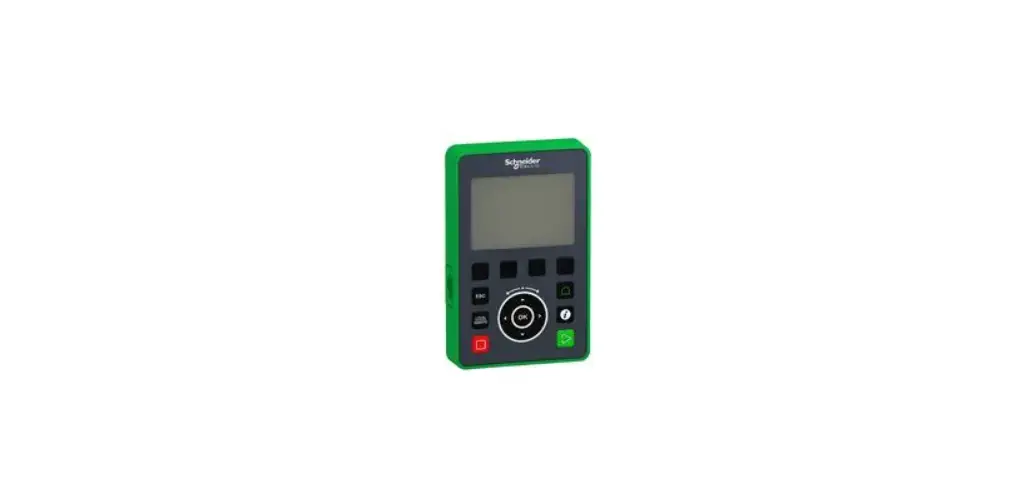

Schneider Electric VW3A1111 Graphic Display Terminal
OVERVIEW
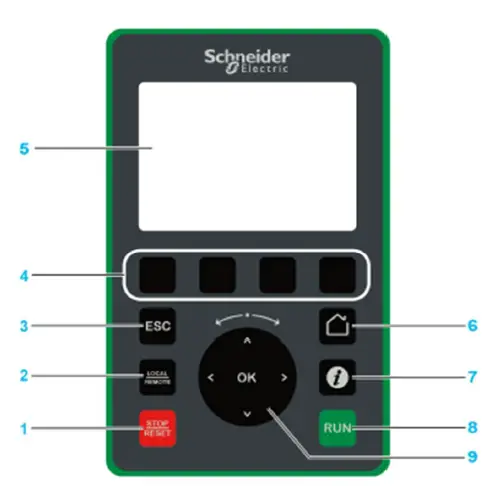
- STOP RESET: Stop the command/ apply a Fault Reset.
- LOCALI REMOTE: used to switch between local and remote control of the drive
- ESC: used to quit a menu/parameter or remove the current)y displayed value in order to revert to the previous value retained in the memory
- F1to F4: function keys used to access drive id, QR code, quick view, and submenus. Simultaneous press of F1 and F4 keys generates a screenshot file in the Graphic Display Terminal internal memory.
- Graphic display.
- Home: used to access directly at the home page.
- Information: used to have more information about menus, submenus, and parameters. The selected parameter or menu code is displayed on the first line of the information page.
- RUN: executes the function assuming it has been configured.
- Touch wheel /OK: used to save the current value or access the selected menu/parameter. The touch wheel is used to scroll fast into the menus. Up/down arrows are used for precise selections, rightleft arows are used to select digits when setting a numerical value of a parameter.
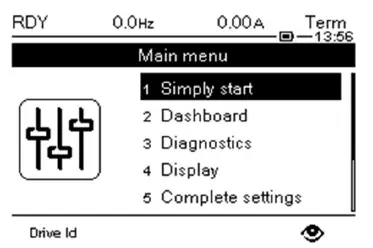
- To check the Drive Identification using the VW3A1111 keypad, Press the Home button or the ESC button (may require several presses) until you reach the Main Menu:

- Press the F1 function key (left most function key, display shows Drive ID directly above this button) to enter this menu:

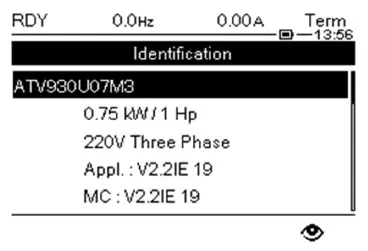
- Part number
- kW/HP rating
- Voltage rating
- Application version
- Motor control version
- Scroll using the up and down arrows on the keypad to view the information available.

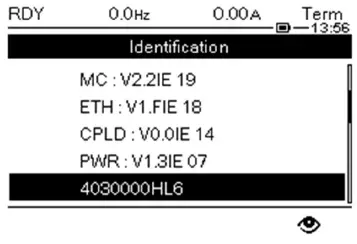
- Motor control version
- Embedded Ethernet version
- CPLD version
- PWR board version
- First half of Serial number

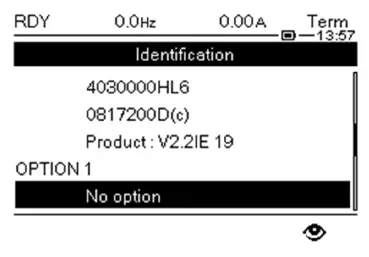
- First half of Serial number
- Second half of Serial number
- Product Version
- Option card 1 information (if installed)

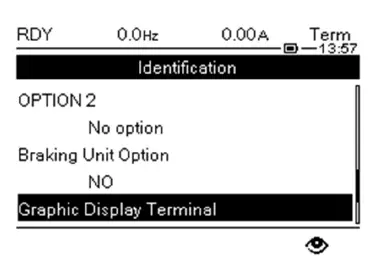
- Option card 2 information (if installed)
- Braking Unit information (if installed)

- Keypad version
- Keypad serial number
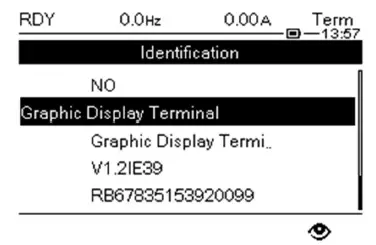
Press the Home button or press ESC to return to the normal screens.