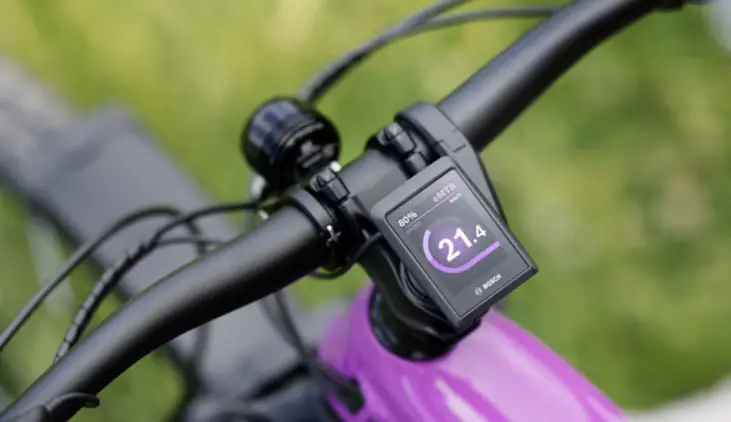
DM 06 30 TFT Display
Product Information – DM06 Electric Scooter
Product Number: DM 06
Manufacturer: Ningbo Kaabo Technology Co,. Ltd.
Version: 1.0
Contents
- Statement
- Product Name and Model
- Product Introduction
- Appearance and Size
- Instrument Coding Rules
- Example
- Configuration Characteristic Value
- Specifications
Statement
This manual is the product function manual of KAABO products. It
is part of the KAABO technical file.
Product Name and Model
Product Name: 3.5 IPS Electric Scooter
Model: DM06.KB
Product Introduction
- 2.5D Screen use imported tempered glass, 2.5D chamfering
processing technology - 3.5 IPS High-brightness 3.5-inch high-definition
high-brightness full viewing angle IPS color LCD screen - Use special bonding technology to ensure visibility for outdoor
use - Independent operation switch, ergonomic design button
- IP65 Reach IP65 waterproof
- Service Tool Support Service Tool function, can quickly realize
firmware upgrade and parameter setting, convenient for maintenance
service
Appearance and Size
The shell material of DM06 product is PC+ABS, and the screen use
high-hardness imported tempered glass, combined with 2.5D rounded
corner technology. The product is suitable for 22.2mm, 25.4mm,
31.8mm horizontal pipes.

- Length: 91 mm
- Width: 61 mm
- Height: 14.5 mm
- Compatible Pipe Sizes: 22.2mm, 25.4mm, 31.8mm
Instrument Coding Rules
The production serial number consists of the year and month of
production, manufacturer code, product number, and version number.
The last two digits represent the version number.

Example
Example DM06-C01M020340001 A08.01-36V2570
Configuration Characteristic Value
- wheel diameter value: 700C=70, 27.5=27
- speed limit value: 04-46, 00 means unlimited speed
- voltage value: 24/36/43/48/52, expandable
Specifications
- Power supply: DC 48/60/72V
- Rated working current: 42 mA
Product Usage Instructions
- Make sure the electric scooter is fully charged before
use. - Turn on the independent operation switch located on the
screen. - Use the ergonomic design button to adjust speed and navigate
through the menus on the IPS color LCD screen. - For outdoor use, make sure the screen is visible by using the
special bonding technology. - If maintenance is required, use the Service Tool to quickly
realize firmware upgrade and parameter setting.
Product numberDM 06
draw up
Audit
approve
signiture
date 2021.05.31
1 / 30
Version revision history
version number V1.0
Revised by
Revision date
2020.05.31
Content of revision
original version
2 / 30
Ningbo Kaabo Technology Co,. Ltd.
1.0
contents
statement ………………………………………………………………………………………………………5
Product name and model ………………………………………………………………..6 Product Introduction …………………………………………………………………………………6 Appearance and size………………………………………………………………………………7 Instrument coding rules ……………………………………………………………………..8 product manual ……………………………………………………………………………………………9 Specifications ………………………………………………………………………………………9 Functional Overview………………………………………………………………………………..10 Installation……………………………………………………………………………………………..10 1 Button rules …………………………………………………………………………………………11
1.1 Button name definition ……………………………………………………………11 Button operation definition……………………………………………………………12 2 Basic function operation ………………………………………………………………..12 2.1 / On/off……………………………………………………………………………………………..12 2.2 Boot interface………………………………………………………………………………..13 3 Basic interface and operation buttons …………………………………..14 3.1 Boot interface and basic function interface ………………14 4 Basic operation……………………………………………………………………………..15 4.1 Gear shifting ………………………………………………………………………………….15 4.2 Headlight function………………………………………………………………………….15 4.3 Information switching page………………………………………………………16 5 UI introduction ……………………………………………………………………………..16 5.1 Speed ……………………………………………………………………………………………16 5.2USB USB charging ……………………………………………………………………………17 5.3 time………………………………………………………………………………………………17 5.4 Single motor mode ………………………………………………………………18 5.5 Dual motor mode ………………………………………………………………..18 5.6 Brake state……………………………………………………………………………..19
3 / 30
5.7 eco eco mode ………………………………………………………………………………..20 5.8 Cruise mode…………………………………………………………………………………..20 5.9 – Cruise mode-without set the cruise mode………..22 5.10 kick start ………………………………………………………………………………22 5.11 Power-on password………………………………………………………………23 5.12 Power display ………………………………………………………………………………23 5.13 Average speed, maximum speed …………………………..25 5.14 Fault information display………………………………………………………..25 5.15 Riding information clear …………………………………………………………27 6 User configuration…………………………………………………………………………28
4 / 30
Ningbo Kaabo Technology Co,. Ltd.
1.0
statement
This manual is the product function manual of KAABO products.It is part of the KAABO technical file.
Customers is allowed to adjust the functions of the KAABO display according to their needs,All descriptions in this file are for reference only, the final product is subject to the result confirmed with the customer. As a component unit of the human-machine interaction , the display has the function of interaction between the vehicle and the user. However, all interactive functions depend on the function definition and data support of the overall electrical system. The realization of some of the functions will depend on your scooter configuration. If you have any questions about this manual, please consult KAABO sales or KAABO technical support.
Kaabo ® Kaabo ® reserves all interpretation and explanation authority of this product manual.
Ningbo Kaabo Technology Co.,Ltd
5 / 30
Product name and model
3.5 IPS Electric scooter 3.5 inch IPS color LCD display DM06.KB Model:DM06.KB
Product Introduction
2.5D Screen use imported tempered glass, 2.5D chamfering processing technology 3.5 IPS High-brightness 3.5-inch high-definition high-brightness full viewing angle IPS color LCD screen Use special bonding technology to ensure visibility for outdoor use Independent operation switch, ergonomic design button
6 / 30
Ningbo Kaabo Technology Co,. Ltd.
1.0
IP65 Reach IP65 waterproof Service Tool Support Service Tool function, can quickly realize firmware upgrade and parameter setting, convenient for maintenance service
Appearance and size
DM06 PC+ABS 2.5D 22.2mm25.4mm31.8mm
The shell material of DM06 product is PC+ABS, and the screen use high-hardness imported tempered glass, combined with 2.5D rounded corner technology. The product is suitable for 22.2mm, 25.4mm, 31.8mm horizontal pipes.
61 mm
7 / 30
14.5 mm
91 mm
22.2mm 25.4mm31.8mm
Instrument coding rules
As shown in the diagram
Production serial number
Year and month of production
M0, M1M2, M3 Manufacturer code M0, M1M2, M3
Product number
C-CAN, U-UART,
MHaanrduwfaarectvuerrseiorncaondumeber, C-CAN, U-UART, the last two d
represent the version number
M0 HW M0: on behalf of HW self-made
8 / 30
Ningbo Kaabo Technology Co,. Ltd.
1.0
example DM06-C01M020340001 A08.01-36V2570
Configuration characteristic value (can be vacant)
700C=70, 27.5=27 Configuration characteristic value (wheel diameter value, 700C=70, 27.5=27) 04-4600 Configuration characteristic value (speed limit value, value 04-46, 00 means unlimited speed)
24/36/43/48/52Configuration characteristic value (voltage value, 24/36/43/48/52, expandable)
* Customer specification version number (*allow vacant)
Customer code
* Software major version number (*allow vacant)
product manual
Specifications
DC 48/60/72V Power supply: DC 48/60/72V 42 mA Rated working current: 42 mA <1uA Shutdown leakage current: <1uA 3.5 IPS 320*480 Screen specifications: 3.5-inch IPS high-brightness and high-resolution LCD screen with a resolution of 320*480 UART Communication method: UART
9 / 30
-10°C ~ 60°C
Operating temperature: -10°C ~ 60°C
-20°C ~ 70°C Storage temperature: -20°C ~ 70°C
IP65 Waterproof rating: above IP65
Functional Overview
Single and double motor switching Cruise control / Support metric/imperial switch Conventional display function, speed, mileage, power and other instructions Fault code display, dual-motor controller working condition display Parameter setting and advanced setting RTC RTC module, providing real-time clock display Electronic brake USB USB charging
Installation
A 31.8mm B 25.4mm The instrument locking ring includes two sizes, A model is 31.8mm in diameter, and B model is 25.4mm in diameter. Please indicate the corresponding locking ring size requirements in the order according to the actual specifications of the horizontal tube. M3*10
10 / 30
Ningbo Kaabo Technology Co,. Ltd.
1.0
0.8 N.m (Tightening operation instructions: Adjust the meter to a suitable position, use M3*10 inner hexagon to fix and tighten the fixing screws, the tightening torque: 0.8 N.m.) * *Damage to the instrument caused by excessive torque is not covered by the warranty. Open the locking ring of the left key switch and then lock it on the left handlebar. Note that the middle instrument can be equipped with a left switch. Please refer to our product catalog for specific selection specifications. Connect the switch outlet plug-in with the meter, as well as the meter plug-in and the controller docking connector according to the signs.
1 Button rules
1.1 Button name definition
Power button
Function switch
USB USB socket
Adjustment button
11 / 30
Power-on button: switch machine operation
Adjustment button: adjust the gear position during riding and cooperate with the function switch button for setting operation Long press the adjustment button to perform the corresponding specific function operation Function switch button: switch the function display interface and enter the parameter setting interface operation USB USB socket: provide charging function
Button operation definition
Operation
type
Short press
Long press
description
Short press refers to pressing the button and then immediately releasing the button, and the corresponding function is triggered when the button bounces. 2s Long press means that the button is pressed and kept pressed. When the button is pressed for longer than the long press set time (usually 2s), the corresponding function is triggered.
2 Basic function operation
2.1 / On/off
12 / 30
Ningbo Kaabo Technology Co,. Ltd.
1.0
logo
0 1A
Keep the instrument and the controller in the normal connection state, long press
key when the instrument is off, the instrument will display the startup logo interface when it is turned on, and then enter the basic interface normally and start to
work; long press
in the power-on state, the instrument will turn off. If the
rider does not perform any operation on the meter within the set off time, and the
speed is 0, and the bus bar current is less than 1A, the meter will automatically turn
off within the set off time.
2.2 Boot interface
logo Boot logo
startup screen
3
When power on, the boot interface will be displayed for 3 seconds. After
the communication connection is established, the instrument enters the main interface
display state, and the instrument uses the information obtained from the controller
communication for actual display. (The displayed data information is executed
13 / 30
according to the communication protocol provided by the customer)
3 Basic interface and operation butto
3.1 Boot interface and basic function interface
USB charging Light on/fff Brake failure Eco mode
Number of gears
RTC clock
Single/dual motor Kick start Cruise mode
speed
battery power
Boot interface
Basic function interface
Riding statistics display
logo 3
After booting, the boot logo interface will be displayed for 3 seconds.
After the instrument establishes communication and obtains information normally, it
enters the normal riding display interface. BMS
The meter reads the relevant information stored in the
controller for display according to the communication protocol, reads the battery
BMS information for display, and displays the rest of the information in real time.
USB eco
The basic function interface includes real-time speed, power information, gears,
clock information, light on instructions, single and double motor modes, USB
charging, cruise mode, slow start, brake status, eco energy-saving mode connection
status, and cycling statistics display.
14 / 30
Ningbo Kaabo Technology Co,. Ltd.
1.0
4 Basic operation
4.1 Gear shifting / In the power-on state, operate the up/down button on the main interface to increase or decrease the gear position.
4.2 Headlight function
In the power-on state, the lights are controlled by the light switch. The main
controller detects the light-on state and returns the status value to the instrument. The instrument displays the headlight on icon in the upper left corner of the page according to the received communication data.
When the headlights are turned on, the brightness of the instrument backlight is reduced by half.
15 / 30
4.3 Information switching page M (
/ )
In the power-on state, short press the M button on the main page to switch to the information page (the indicator is in the status display area at the bottom, and according to the feedback value of the controller, the front/rear motor on status, temperature status, abnormal status and current status are corresponding to the attributes value)
5 UI introduction
5.1 Speed KM/H According to the data returned by the controller, the real-time vehicle speed is
16 / 30
Ningbo Kaabo Technology Co,. Ltd.
1.0
displayed, and the unit defaults to KM/H (the unit can be modified through user configuration).
5.2USB USB charging
USB
When the USB interface is connected to the device for charging, the controller returns to the charging indication state, and the meter displays the charging icon on the top after receiving the status command.
5.3 time
The meter can display the current time. The current time can be set and modified
17 / 30
through the setting interface.
5.4 Single motor mode
The instrument defaults to the single-motor mode. In the single-motor state, only the rear-wheel motor is turned on to work, and the single-motor working instrument displays on the upper right corner .
5.5 Dual motor mode
The icon in the upper right corner of the meter lights up after the dual motors are
18 / 30
Ningbo Kaabo Technology Co,. Ltd.
1.0
turned on In the single-motor working state of the meter, press and hold the key to turn on the dual-motor mode, and the controller will receive the command to turn on the
front-wheel motors, and the upper right corner of the meter will display
.
5.6 Brake state
After the user operates the electronic brake, the controller receives the brake status signal, cuts off the power supply of the motor and feeds back the brake status value to the meter, and the meter displays after receiving it.
19 / 30
5.7 eco eco mode
1 eco When the current gear of the instrument is in gear 1, short press to enter the eco
gear, the on display is on , and the energy saving mode can be exited by changing the gear.
5.8 Cruise mode
OFF/AUTO/MANUAL OFF OFF OFF AUTO AUTO MANUAL manual There are three modes for defining the cruise state of the vehicle: OFF/AUTO/MANUAL. The user can enter the advanced setting menu to select the corresponding cruise function state. OFF state: The cruise function is turned off. When the OFF option is selected in the advanced settings, the cruise is turned off (the system defaults to OFF), the user cannot trigger the cruise at a constant speed, and the screen does not display related
20 / 30
Ningbo Kaabo Technology Co,. Ltd.
1.0
icons. AUTO state: automatic cruise state. After the user selects the AUTO mode, the meter
will display a white auto cruise icon when it is turned on; in the automatic cruise state, the speed of the car is controlled by the handlebar, and the controller automatically judges whether it enters the cruise state. When the vehicle speed is stable and enters the cruise state, the instrument displays a green cruise control icon
. MANUAL status: Manual cruise status. After the user selects the manual mode, the system enters the endurance function manual control status, and the instrument
displays a white icon . In the manual control mode of cruise control, if you press and hold the key, you can directly enter the cruise control mode. The cruise speed is set at the current operating speed, and the instrument displays a green cruise control
icon .
1. 2. In the cruise state, exit the cruise condition: 1. The user turns the handle, and the controller detects the voltage change of the handle and exits the cruise state. 2. The user operates the electronic brake, and the controller detects the brake state and exits the cruise state
21 / 30
5.9 – Cruise mode-without set the cruise mode
5.10 kick start “KICK START” ON ON
KICK START OFF When the user sets the “KICK START” option in the first-level setting menu to the ON value (the system defaults to ON), the system enters a non-zero start state, and the instrument interface displays . In the non-zero start state, the whole vehicle needs to be at a speed greater than zero. In order to allow the user to start through the handlebar; in the zero start state (when KICK START is OFF), the user is allowed to directly turn the handlebar to start at zero speed.
22 / 30
Ningbo Kaabo Technology Co,. Ltd.
1.0
5.11 Power-on password
“GREETING””ADVANCED SET” OFF “1500””GREETING””ADVANCED SET””ON” “OFF” The password setting functions are divided into “GREETING” and “ADVANCED SET” (default OFF, if not set, the default password for advanced settings is “1500”), and select “ON” in the “GREETING” and “ADVANCED SET” menus to turn on either , The other is also turned on by default with the same password. Similarly, one of them is turned off by selecting “OFF”, and the other is turned off by default.
5.12 Power display
The screen displays the battery information returned by the controller , and
23 / 30
the screen displays the corresponding power bar according to the battery capacity
BMS
The corresponding table of battery capacity percentage and power display icon
is as follows (need BMS or controller to provide power percentage):
Remaining battery
Battery indicates
explanation
percentage information 80% SOC
5 Show full grid (5 grids)
60% SOC < 80%
4 Show 4 grids
40% SOC < 60%
3 Show 3 grids
20% SOC < 40%
2 Show 2 grids
24 / 30
Ningbo Kaabo Technology Co,. Ltd.
1.0
10% SOC < 20%
1 Show 1 grid
5% SOC < 10%
0 Show 0 grid
0% SOC < 5%
0 1Hz show 0 grid, and the battery symbol 1Hz flashes
5.13 Average speed, maximum speed
TOTAL TRIPAVGMAX
After the meter calculates the speed of motor rotation, the controller reads back to the meter, and records TOTAL, TRIP, AVG, MAX, and riding time respectively.
5.14 Fault information display
25 / 30
1Hz 5S
The instrument can prompt and warn the failure of the whole vehicle. When the fault is detected, the interface of the instrument will display the fault code and flash at 1Hz. When a fault code appears, the key function of the instrument is not affected, that is, when the fault code is displayed, the key operation can return to the normal display interface. If there is no key operation, the meter will return to the fault code display after 5S, and the error code interface will display as follows:.
error code Display 1 at the bottom of the information switching page Display 2 at the bottom of the information switching page Display 4 at the bottom of the information switching page Display 5 at the bottom of the information switching page Display 6 at the bottom of the information switching page
Failure description Motor phase loss Hall fault status Handlebar failure status Undervoltage protection status Controller failure status
26 / 30
Ningbo Kaabo Technology Co,. Ltd.
1.0
Display 7 at the bottom of the information switching page Display 8 at the bottom of the information switching page
communication fail Over temperature protection
error code Display 30 at the speed area
Failure description Instrument communication failure
5.15 Riding information clear
10s M YES
10s after the meter is turned on, long press the M button to pop up the subtotal mileage clearing prompt on the page, select YES to clear the subtotal mileage, riding time, average speed, and maximum speed (retain total mileage and number of charges).
27 / 30
6 User configuration
The user configuration functions are as follows, divided into a first-level menu and a second-level menu.
Schematic diagram of setting menu directory
28 / 30
Ningbo Kaabo Technology Co,. Ltd.
1.0
Method of operation 10s M M
M
Long press the M key within 10s after the meter is turned on to enter the basic setting interface In the setting interface, long press the M key to exit the setting page (or return to the previous menu)
29 / 30
In the setting interface, short press
to select the menu (or parameter
modification and edit), and short press the M key to enter the menu (or confirm the state that needs to be changed)
30 / 30