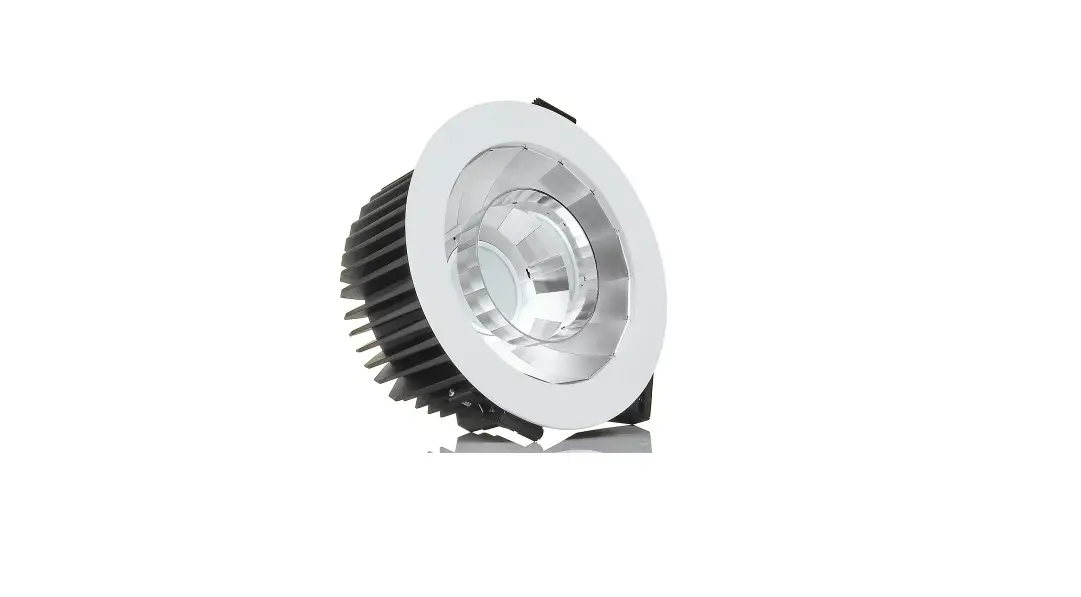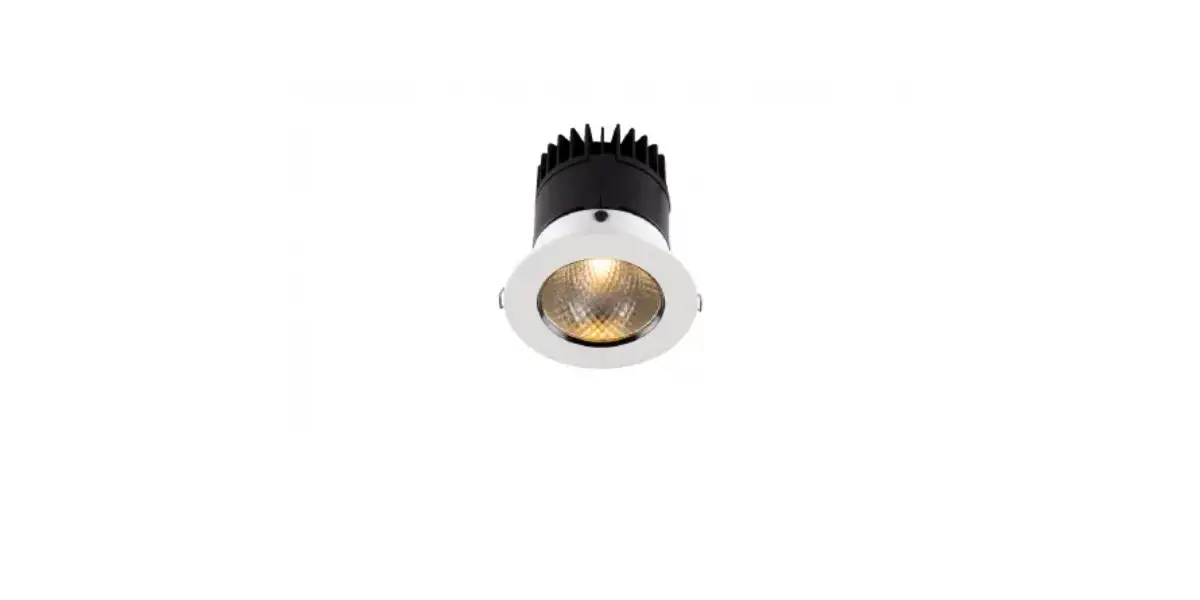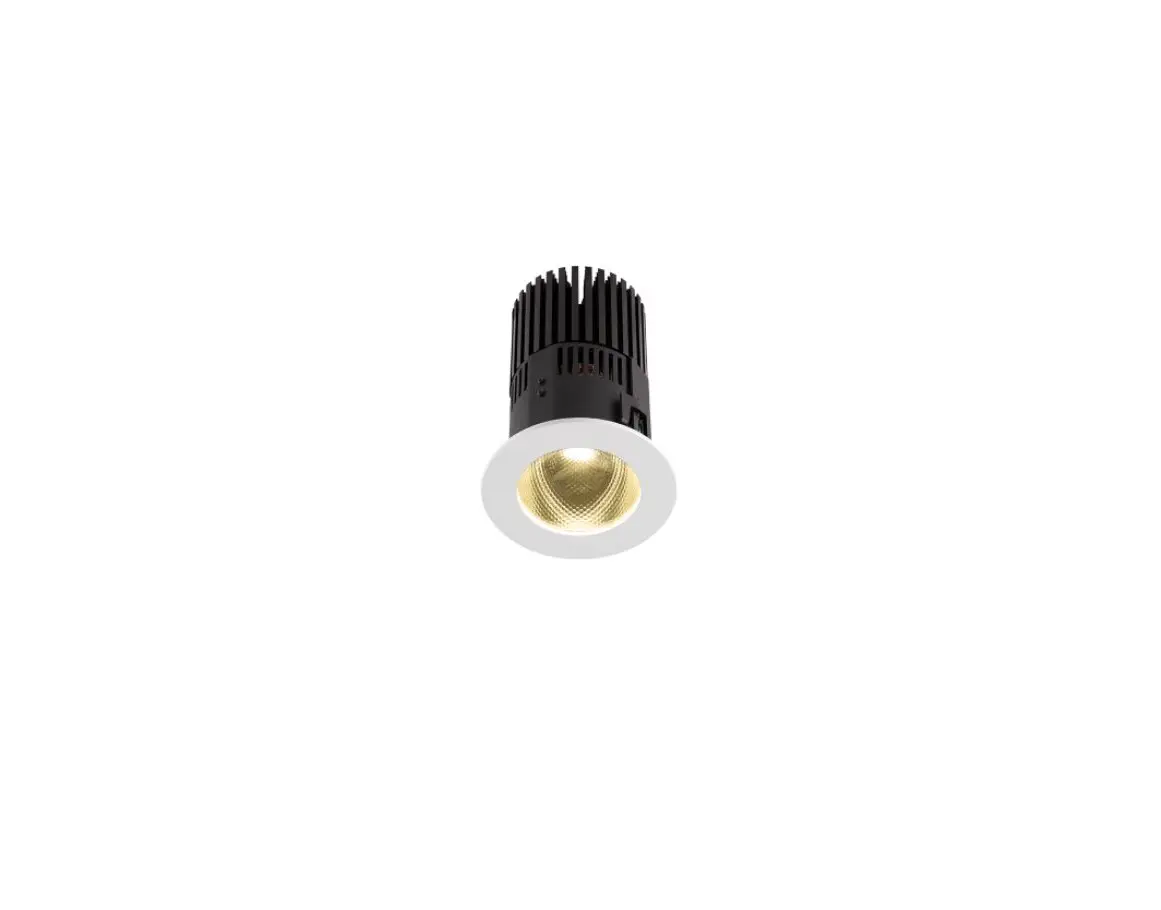

ANOLiS HP111 Recessed Ambiane LED Light
INSTALLATION INSTRUCTIONS
The unit must be installed by a qualified electrician in accordance with all national and local electrical and construction codes and regulations.
STEP 1
PREPARE CEILING OPENING
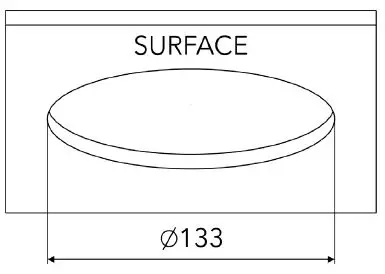
Prepare cut-out with diameter of 133 mm.
STEP 2
DISASSEMBLING OF FRONT FRAME WITH OPTICS
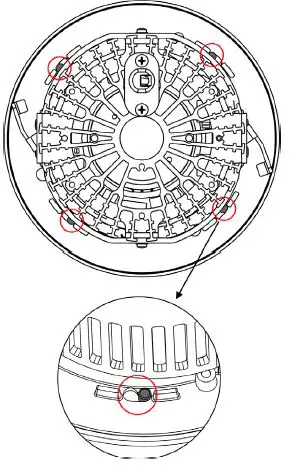
Locks that are holding a Front frame of luminaire.
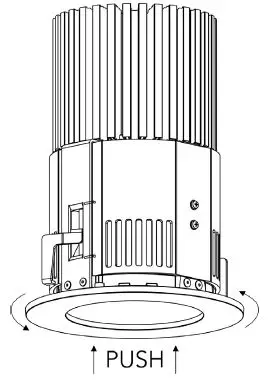
- Push in and twist the Front frame counter-clockwise to release it from locks.

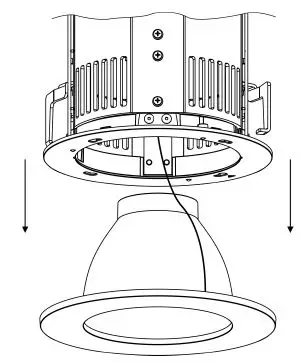
- Take out the Front frame with optics.
STEP 3
CONTROL UNIT INSTALLATION
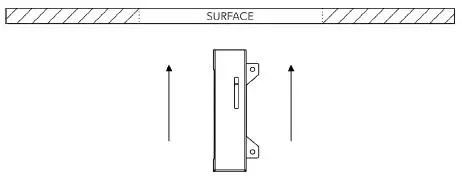
- Place control unit above the ceiling through the ceiling opening.

- Mount the control unit to ceiling via two mounting holes.
Use fasteners that are appropriate for use with your mounting surface.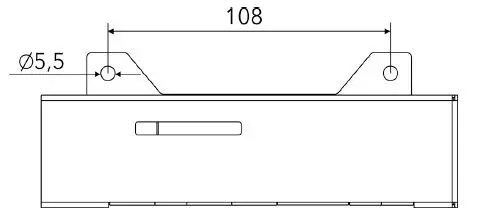
STEP 4
PRIMARY POWER CONNECTION
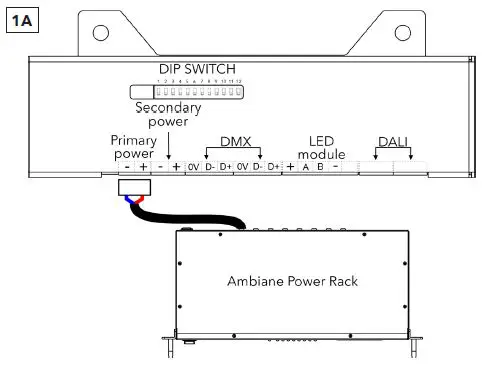
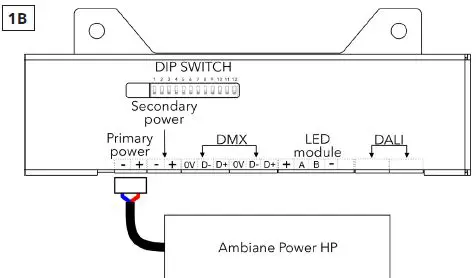
Install terminal blocks to power cables and connect them in to primary power socket of the control unit.
STEP 5
DATA CONNECTION (DMX OR DALI)
DMX CONNECTION
| 0V | D- | D+ |
| Data Ground | Data – | Data + |
Install terminal blocks on DMX or DALI cables and connect them to the control unit.
Set the DIP switches to positions according to your operation mode. The fixture can be controlled by DMX or DALI.
Set 11=OFF for control by DMX or DALI.
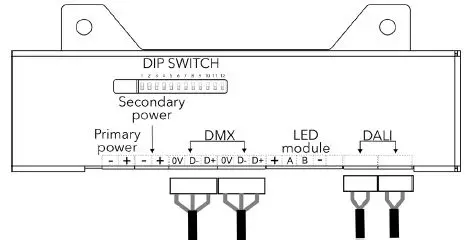
STEP 6
SECONDARY POWER CONNECTION 48V
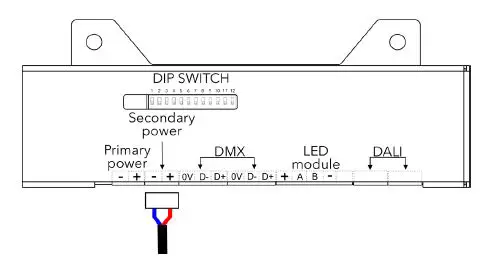
Install terminal block on power cables and connect them to Secondary power socket of the control unit.
STEP 7
LED UNIT CONNECTION
- Shorten the cables to necessary lengths.
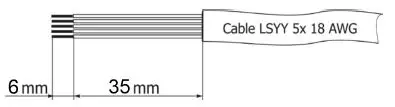
- Strip 41 mm of LED unit‘s cable and then strip 6 mm of individual wires to expose a conductor.
LED Unit ConnectionTERMINAL BLOCK + A B – Colour of Wire Red White Blue Black - Install terminal block on LED module‘s cable and connect it to the control unit.

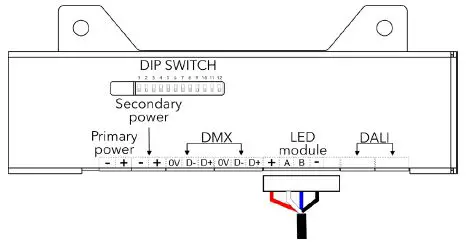
Connected luminaire before installation.
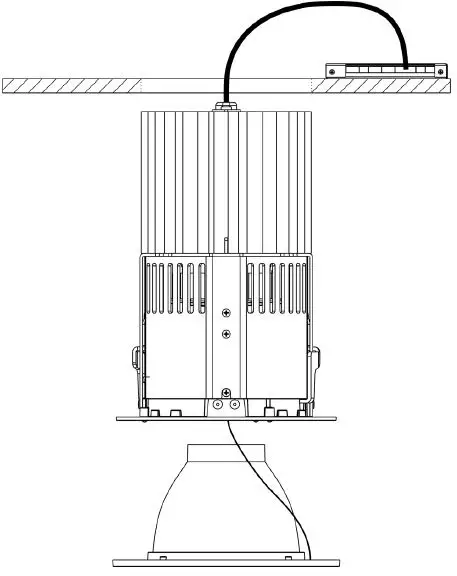
STEP 8
LUMINAIRE INSTALLATION
Make sure all cables are connected before installation. (Instructions above)
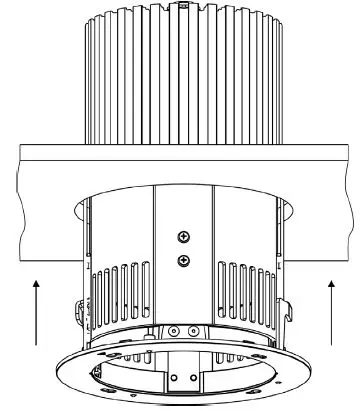
Insert luminaire into ceiling opening.
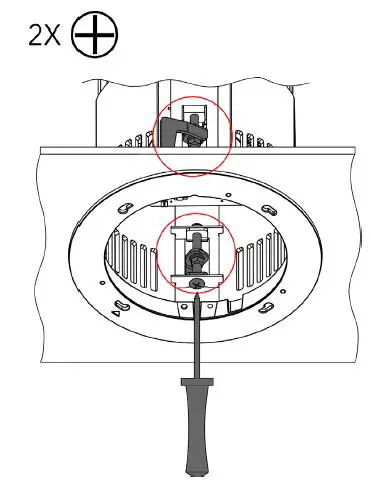
Secure the luminaire in the ceiling opening with two holders, adjustable via two screws located inside the luminaire. Use PH2 screwdriver to screw the holders into extended downward position, until they are holding the luminaire firmly in the ceiling. (Clockwise – holder moves down, Counter-clockwise – holder moves up)
Holders in extended downward position holding the fixture in the ceiling opening.
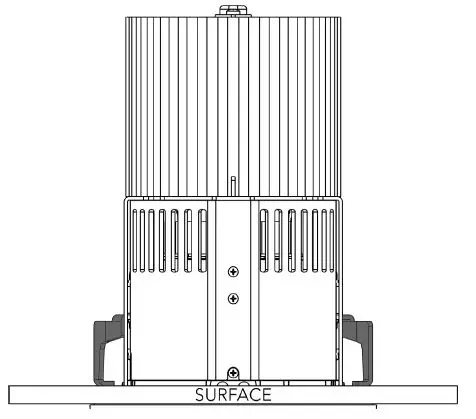
Top view of luminaire with extended holders.
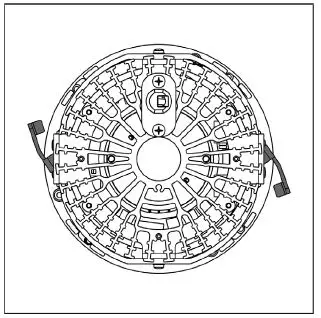
STEP 9
ASSEMBLING FRAME WITH OPTICS.
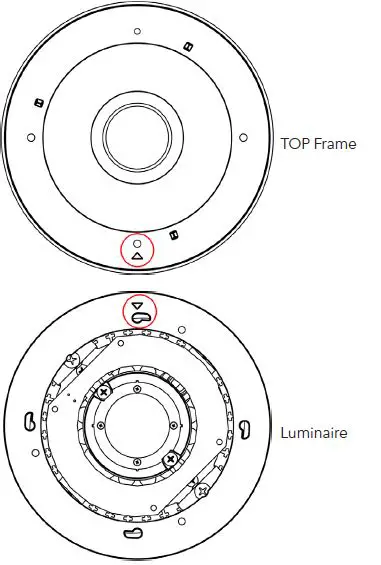
- Position the Top frame according to installation marks. Marks of the luminaire and Top frame must be on top of each other.
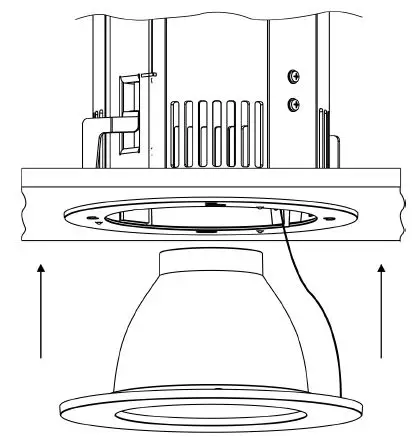
- Insert Top frame with optics into luminaire.
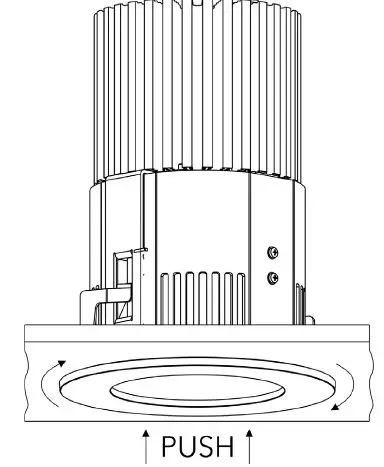
- Push Top frame into luminare and twist it clockwise, until it‘s locked in the position.
STEP 10
INSTALLATION OF ACCESSORIES RING LOUVER FOR 20° REFLECTOR
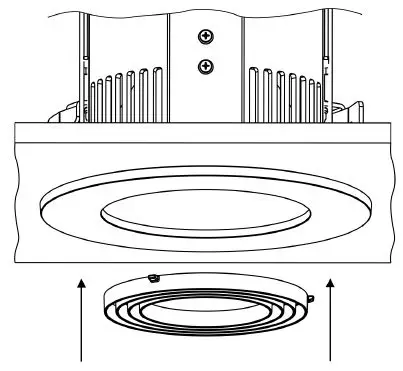
Insert the Ring Louver into the Top frame.
ROBE lighting s. r. o. | Palackeho 416 | 757 01 Valasske Mezirici | Czech Republic | Tel.: +420 571 751 500 | E-mail: [email protected]
www.anolis.eu
www.anolislighting.com
 Anolis - Architectural LED Lighting Solutions
 Anolis - Architectural LED Lighting Solutions