PXC7 Automation Stations
DesigoTM Automation Stations PXC7
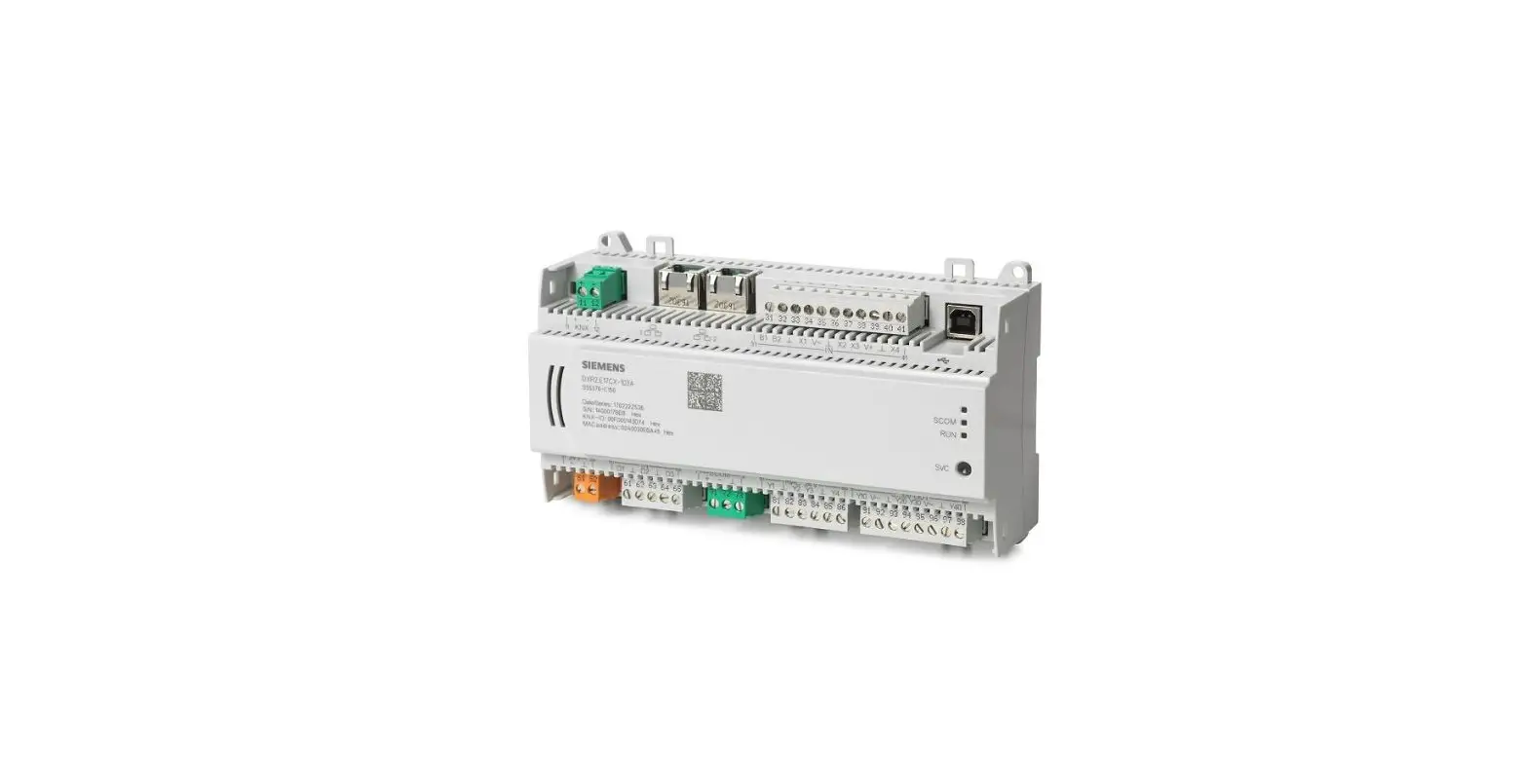
The DesigoTM Automation Stations PXC7 is a modular automation
station and system controller designed to automate building
automation and control systems. It is optimized for HVAC and
building automation and control systems with freely programmable
automation stations for maximum flexibility.
Functions
- Comprehensive management and system functions
- System functions including alarming, scheduling, trending,
access protection with individually definable user profiles and
categories - System controller for system networks with PXC3, PXC4, PXC5,
PXC7 and DXR controllers over BACnet/IP, BACnet/SC, or BACnet
MS/TP - Integrates data points and/or subsystems via Modbus RTU and/or
Modbus TCP - Integrates MS/TP devices
- Connects KNX PL-Link bus to connect sensors and operator units
(including bus power) - BTL tested BACnet communication on IP (BACnet/IP or BACnet/SC)
or BACnet MS/TP, in compliance with the BACnet standard including
B-BC profile (Rev. 1.15) - BACnet Secure Connect communication as BACnet/SC hub and
BACnet/SC node - Generic operation via embedded web interface
- Cloud connectivity for remote access
- 2-port Ethernet switch for low-cost cabling
- WLAN interface for engineering and commissioning
- Operating voltage AC 24 V or DC 24 V
- DIN rail or screw mounting
- Plug-in screw terminal blocks
TXM Input/Output Modules
The DesigoTM Automation Stations PXC7 can connect TXM
input/output modules. These modules include:
- Digital input module with 8 or 16 I/O points
- Universal module with/without local operation and LCD
- Super universal module with/without local operation and
LCD - Relay module with/without local operation
- Resistance measuring module (for Pt100 4-core cable)
- Triac module (only if PXC7.E400 is powered with AC)
- Digital input and relay module
Type Summary
The DesigoTM Automation Stations PXC7 is available in the
following variants:
| Variant | Order Number | Number of TXM Inputs and Outputs | Number of Integration Data Points (Modbus TCP and/or RTU) | Total Number TXM-I/Os and Integration DPs | Number of BACnet/SC Devices Connected as Nodes | Number of BACnet MS/TP Devices in a Field Level Network | Number of KNX PL-Link Devices | Number of Configurable RS485 Interfaces Either for Integration of Modbus RTU or BACnet MS/TP |
|---|---|---|---|---|---|---|---|---|
| E400S | S55375-C111 1) | Up to 100 | Up to 100 | 100 | Up to 100 | Up to 60 3) | Up to 64 | 1 |
| E400M | S55375-C110 1) | Up to 200 | Up to 200 | 250 | Up to 100 | Up to 120 3) (2 x 60) | Up to 64 | 2 |
| E400L | S55375-C105 1) | Up to 400 | Up to 400 | 600 | Up to 100 | Up to 240 3) (4 x 60) | Up to 64 | 4 |
Note:
- For details on engineering, see PXC4, PXC5 & PXC7 Planning
overview, A6V13054435. - KNX PL-Link DPs do not count as integration points. For KNX
PL-Link, only the limitation of BACnet objects have to be
considered. - Depending on the behavior of the third-party MS/TP
devices.
Product Usage Instructions:
The DesigoTM Automation Stations PXC7 is a modular automation
station and system controller designed for HVAC and building
automation and control systems. Follow the below instructions for
product usage:
- Mount the DesigoTM Automation Stations PXC7 on DIN rail or
screw mounting. - Connect the TXM input/output modules as per requirement.
- Connect sensors and operator units using KNX PL-Link bus.
- Integrate Modbus RTU and/or Modbus TCP data points or
subsystems as per requirement. - Integrate BACnet MS/TP devices as per requirement.
- Connect system networks with PXC3, PXC4, PXC5, PXC7 and DXR
controllers over BACnet/IP, BACnet/SC, or BACnet MS/TP. - Use the embedded web interface for generic operation.
- Use cloud connectivity for remote access.
DesigoTM
Automation stations
PXC7
To automate building automation and control systems
Modular automation station and system controller for HVAC and building automation and control systems
BACnet/IP communication (BTL certified) BACnet Secure Connect communication Comprehensive management and system functions Freely programmable automation stations for maximum flexibility Connects TXM input/output modules KNX PL-Link bus to connect sensors and operator units (including bus power) Integrates Modbus RTU and/or Modbus TCP data points or subsystems Integrates BACnet MS/TP devices Web interface Remote access via Cloud
A6V12505052_en–_c 2022-08-30
Smart Infrastructure
Functions
Optimized, flexible automation station for HVAC and building automation and control systems System functions (alarming, scheduling, trending, access protection with individually
definable user profiles and categories) System controller for system networks with PXC3, PXC4, PXC5, PXC7 and DXR
controllers over BACnet/IP, BACnet/SC, or BACnet MS/TP Integrates data points and/or subsystems via Modbus RTU and/or Modbus TCP Integrates MS/TP devices The following functions are available with KNX PL-Link bus:
Communication with room operator units and sensors.
Plug-and-play connection of Siemens field devices with KNX PL-Link. Engineering and commissioning with the ABT Site Tool using graphical function charts Freely programmable. All function blocks, available in libraries, can be graphically
connected. BTL tested BACnet communication on IP (BACnet/IP or BACnet/SC) or BACnet MS/TP,
in compliance with the BACnet standard including B-BC profile (Rev. 1.15) BACnet Secure Connect communication as BACnet/SC hub and BACnet/SC node Generic operation via embedded web interface Cloud connectivity for remote access 2-port Ethernet switch for low-cost cabling WLAN interface for engineering and commissioning Operating voltage AC 24 V or DC 24 V DIN rail or screw mounting Plug-in screw terminal blocks
Type summary
Standardized hardware
PXC7.E400S, M, and L are based on the same hardware and all have the same look and feel. Interfaces like RS485 are enabled and disabled according to the type specification.
PXC7 variants Order number Number of TXM inputs and outputs Number of integration data points (Modbus TCP and/or RTU) Total number TXM-I/Os and integration DPs Number of BACnet/SC devices connected as nodes Number of BACnet MS/TP devices in a field level network
Number of KNX PL-Link devices Number of configurable RS485 interfaces either for integration of Modbus RTU or BACnet MS/TP
E400S S55375-C111 1) up to 100 up to 100
100 2) up to 100 up to 60 3)
up to 64 1
E400M S55375-C110 1) up to 200 up to 200
250 2) up to 100 up to 120 3) (2 x 60) up to 64 2
E400L S55375-C105 1) up to 400 up to 400
600 2) up to 100 up to 240 3) (4 x 60) up to 64 4
1) For details on engineering, see PXC4, PXC5 & PXC7 Planning overview, A6V13054435. 2) KNX PL-Link DPs do not count as integration points. For KNX PL-Link, only the limitation of BACnet objects have to be considered. 3) Depending on the behavior of the third-party MS/TP devices.
2 Siemens Schweiz AG Smart infrastructure
A6V12505052_en–_c 2022-08-30
TXM input/output modules
Description Digital input module 8 or 16 I/O points Universal module with/without local operation and LCD Super universal module with/without local operation and LCD Relay module with/without local operation Resistance measuring module (for Pt100 4- core cable) Triac module (only if PXC7.E400 is powered with AC) Digital input and relay module
Power module Bus connection module Island bus extension module
Type TXM1.8D, TXM1.16D TXM1.8U, TXM1.8U-ML TXM1.8X, TXM1.8X-ML TXM1.6R, TXM1.6R-M TXM1.8P TXM1.8T TXM1.4D3R
TXS1.12F10 TXS1.EF10 TXA1.IBE
Data sheet CM2N8172 CM2N8173 CM2N8174 CM2N8175 CM2N8176 CM2N8179 CM2N8188
CM2N8183 CM2N8183 CM2N8184
For details, see planning overview A6V13054435 and data sheets.
KNX PL-Link devices
Description
Type
Wall-mounted temperature sensor
QMX3.P30
Wall-mounted temperature and humidity sensor
QMX3.P40
Wall-mounted temperature, humidity, and CO2 sensor Wall-mounted temperature sensor and room operator unit
QMX3.P70 QMX3.P34
Wall-mounted temperature and humidity sensor and room operator unit
QMX3.P44
Wall-mounted temperature, humidity, and CO2 sensor and room operator unit QMX3.P74
Data sheet CM2N1602
For details, see planning overview A6V13054435 and data sheets.
Desigo Control Point
Description
BACnet touch panels with integrated web server 7.0 ” 10.1 ” 15.6 ”
Touch panels with data storage in web server PXG3.Wx00-2 7.0 ” 10.1 ” 15.6 ”
BACnet/IP web server with standard functionality BACnet/IP web server with extended functionality
Type
PXM30.E PXM40.E PXM50.E
PXM30-1 PXM40-1 PXM50-1 PXG3.W100-2 PXG3.W200-2
Data sheet A6V11664137
A6V11664139
A6V12304192
Product documentation
Related documents such as environmental declarations, CE declarations, etc., can also be downloaded at the following Internet address:
www.siemens.com/bt/download
Siemens Schweiz AG Smart infrastructure
3 A6V12505052_en–_c
2022-08-30
Technical and mechanical design
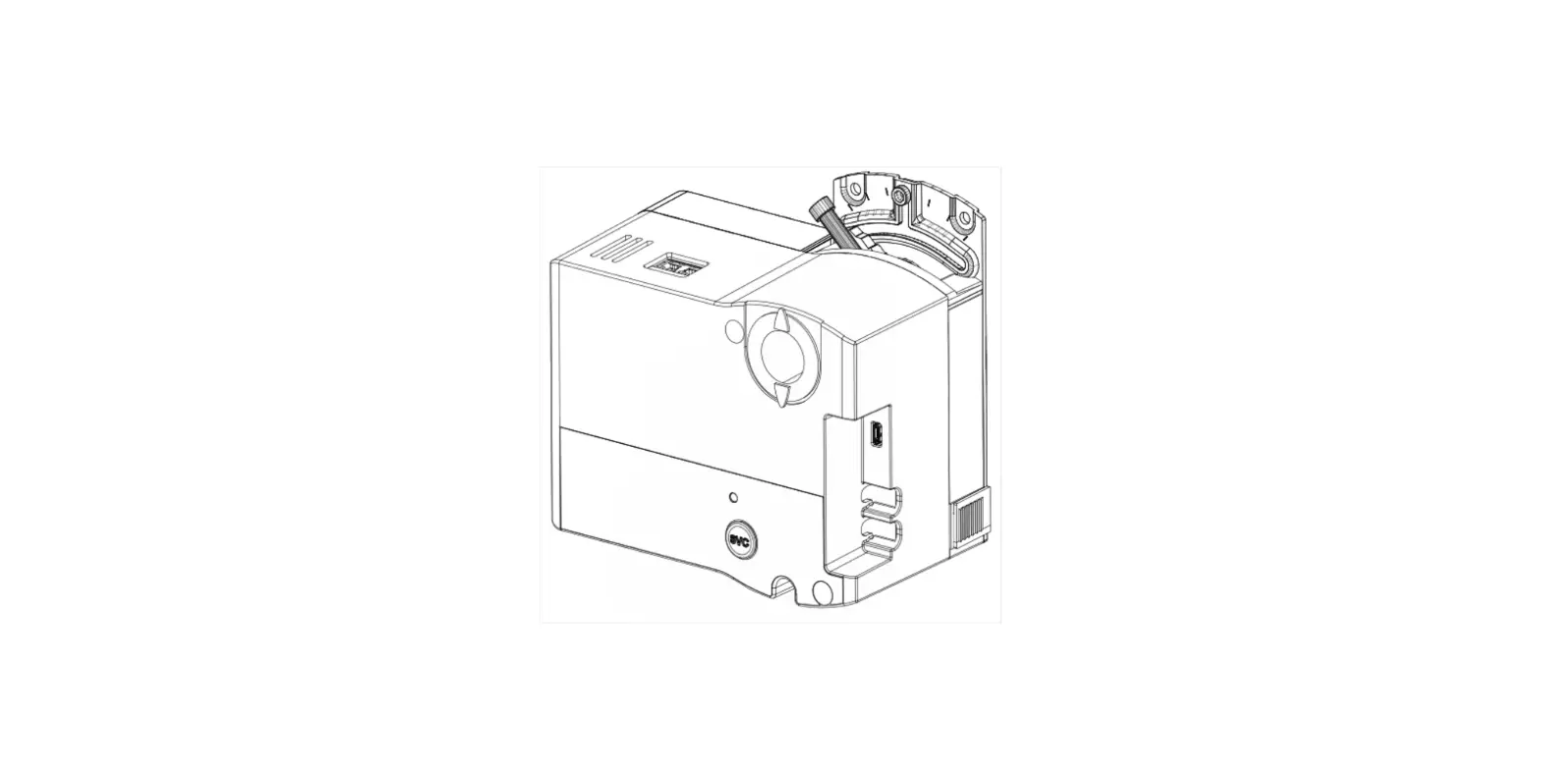
1 Plastic housing 2 Battery cover 3 LEDs for communication and state
4 Service button (ID on network and WLAN on/off)
5 2-port Ethernet switch (with 2 LEDs per port for display purposes)
6 Ethernet port (for future use)
7 Plug-in terminal block with screw terminals KNX PL-Link
8 Plug-in terminal blocks with screw terminals Power supply
9 Plug-in terminal block with screw terminals Digital input (for future use)
10 Data matrix code
11 Connection for TXM modules (island bus)
12 Plug-in terminal block with screw terminals M-bus (for future use)
Plug-in terminal block with screw terminals (either Modbus or MS/TP) 13 COM1 interface 14 COM2 interface 15 COM3 interface 16 COM4 interface Activation of COM 1/2/3/4 depending on Type (S,M,L)
17 DIP switches for bus termination and polarization
18 QR code for default WLAN access Description in technical data
19 Date/series and serial number
20 Slider for mounting on DIN rails
21 Eyelets for cable ties
22 Holes for wall mounting
4 Siemens Schweiz AG Smart infrastructure
A6V12505052_en–_c 2022-08-30
LED displays
Activity
LED Ethernet
Color Green
RUN
Yellow Green
Red
BAT TXM SVC
Blue Red Yellow Red
Activity
Steady ON Steady OFF Flashing
Steady ON Steady OFF
Steady ON Steady OFF Flashing
Steady OFF Steady ON Rapid flashing
Steady ON Steady OFF
Steady OFF Steady ON
Flashing Steady OFF
Steady OFF Flashing
Flashing after wink command
Function
Link active No connection Network traffic
Link 100 Mbps Link 10 Mbps
Device operational Device not operational Start-up or program stop
OK HW or SW fault Firmware or application missing/corrupted
Cloud connection OK No cloud connection
Optional battery OK Optional battery empty – replace
Communication No communication with TXM modules
OK Device not configured
Device ID after receipt of wink command
5 Hz
5 Hz
2s
1s
2s
1s
WLAN
COM… KNX M-bus Service button
Blue
Yellow Yellow Yellow
Steady OFF Steady ON
Flashing Flashing Steady OFF Flashing Steady OFF
Press 0.2 … 1 s Press 1 … 3 s
Factory reset
WLAN inactive WLAN active and at least one WLAN client connected WLAN active and no WLAN client connected
Communication (TX: Transmit, RX: Receive) No communication to subsystem
Communication (TX: Transmit, RX: Receive) No communication to subsystem
Reserved for future use
ID in the network WLAN enable/disable WLAN disables automatically after 10 minutes if no client is connected
1. Power off the device.
2. Power on the device.
3. Wait until all LEDs light up and turn off again, then press the Service button.
4. Keep the Service button pressed until all LEDs light up, then release the button. All LEDs go off, the device restarts.
5. Wait until the device has fully started unconfigured (green RUN LED and red SVC LED are flashing)
Siemens Schweiz AG Smart infrastructure
5 A6V12505052_en–_c
2022-08-30
Notes Safety & Security
CAUTION
National safety regulations Failure to comply with national safety regulations may result in personal injury and property damage. Observe national provisions and comply with the appropriate safety regulations.
Mounting position and ambient temperature The devices can be snapped onto standard rails or screwed onto a flat surface. Plug-in screw terminals connect power and interfaces.
Ambient temperature -5…50 °C (23…122 °F) Wall, horizontal
From left to right From right to left
Ambient temperature -5…45 °C (23…113 °F) Overhead Wall, vertically
From top to bottom
From bottom to top On a horizontal surface
Installation
CAUTION
Risk of overheating for failure to comply with ambient temperature Burning and damage to the device Ensure sufficient ventilation to comply with the permissible ambient temperature within
the panel or installation box. The temperature must be at least 10 K (18° F) lower outside the installation box.
WARNING
Electric shock Incorrect installation of the device may lead to electric shock injuries when touching the device! Install the device in a lockable cabinet or use terminal covers. Do not install the device in locations where children are likely to be present. Conductors with a cross-section of 0.5 mm2 (AWG24) or greater shall comply with the
requirements of IEC 60332-1-2 and IEC 60332-1-3 or IEC TS 60695-11-21.
6 Siemens Schweiz AG Smart infrastructure
A6V12505052_en–_c 2022-08-30
Technical data Power supply
Operating voltage AC 24 V (24 V, , )
Operating voltage DC 24 V (24 V, , )
Functional ground (US) Functional earth
Screw terminals for wire cross sections up to Internal fusing External supply line fusing (EU)
AC 24 V -15 / +20 % (PELV) AC 24 V Class 2 (US) 48…63 Hz
DC 24 V -15 / +20 % (PELV) DC 24 V Class 2 (US)
The terminal for the functional ground must be connected on the installation side with the building grounding system (PE).
Max. 2.5 mm2 (14 AWG)
4 A irreversible / non-replaceable
Non-renewable fuse max. 10 A slow-blow or circuit breaker max. 13 A Tripping characteristic B, C, D per EN 60898 or Power supply with current limitation of max. 10 A
Power consumption (for transformer / power supply planning)
Full load Base load (without loading by I/O modules TXM, KNX PL-Link, M-Bus, and field devices) I/O modules TXM supply KNX PL-Link supply M-Bus supply, for future use Field device supply V~
Operating voltage AC 24 V
71 VA / 3.0 A
15.4 VA / 0.64 A
Operating voltage DC 24 V
66 W / 2.8 A
7.8 W / 0.33 A
15 VA / 0.6 A
8 W / 0.3 A
4 VA / 0.17 A
2.2 W / 0.09 A
3 VA / 0.13 A
1.7 W / 0.07 A
Max. 2 A, total of the connected field devices < 48 VA / 48 W
Function data
Hardware information Processor Storage
NXP i.MX8 QuadXPlus, 1.2 GHz
2 GB RAM 8 GB eMMC
Data backup in the event of power failure
Energy reserve (Supercap) to support real-time clock (7 days). Energy reserve to support real-time clock can be extended using optional battery BR2032: depending on the life time of battery and use, typical 10 years. (Battery safety requirement and specification for BR2032 according to IEC 60086-4 or UL1642. Battery must be rated for ambient temperature 85 °C (185 °F)) Low power of battery will be indicated by LED and a system alarm will be generated
Data available if stored to flash memory. Occurs every 5 minutes. The interval of 5 minutes is only valid for change log but not for trending. In case of a power failure, trend log data can be lost up to 30 minutes.
Siemens Schweiz AG Smart infrastructure
7 A6V12505052_en–_c
2022-08-30
Interfaces
Ethernet interface Plug Interface type Bit rate Protocol
Cabling (in-house cabling only), cable type
Cable length
3 x RJ45, shielded
10Base-T / 100Base-TX, IEEE 802.3 compatible
10/100 Mbps, autosensing
BACnet/IP on UDP/IP, BACnet/SC on TCP/IP, and HTTPS on TCP/IP
10 Mbps: Min. CAT3, shielded cable is recommended 100 Mbps: Min. CAT5, shielded cable is recommended
Max. 100 m (330 ft)
The COM interfaces can be used either for Modbus or for MS/TP, according to type and configuration.
Modbus RTU interface Interface type Baud rate
Internal bus termination Internal bus polarization
Cabling (in-house cabling only) Cable length
Protection
EIA-485, electrically isolated
300, 600, 1200, 2400, 4800, 9600, 19200, 38400, 57600, 76800, 115200 (depending on the configuration)
120 Ohm, switchable with DIP switch
270 Ohm pull-up/pull-down resistances, switchable with DIP switch
3-wire cable, shielded cable recommended (shield must be connected to building earth in the mounting panel) Max. 1000 m (3300 ft)
Short-circuit proof Protection against faulty wiring with AC 24 V and DC 24 V
BACnet MS/TP interface Interface type Baud rate
Internal bus termination Internal bus polarization
Cabling (in-house cabling only) Distance between 2 devices Length of the MS/TP line Protection
EIA-485, electrically isolated
9600, 19200, 38400, 76800, 115200 (depending on the configuration)
120 Ohm, switchable with DIP switch
270 Ohm pull-up/pull-down resistances, switchable with DIP switch
3-wire cable, shielded Max. 500 m (1650 ft) Max. 1000 m (3300 ft)
Short-circuit proof Protection against faulty wiring with AC 24 V and DC 24 V
8 Siemens Schweiz AG Smart infrastructure
A6V12505052_en–_c 2022-08-30
WLAN interface
Interface type
Wireless access point
Supported standards Frequency band WLAN channels Maximum radio-frequency power
IEEE 802.11b/g/n 2.412…2.462 GHz 1…11 16.4 dBm
Distance (unobstructed field)
Min. 5 m (16 ft)
Device pairing
Activation / Deactivation with service button
Automatic switch off after 10 minutes if no WLAN-client is connected.
Optionally, for cyber security reasons, the WLAN can be permanently disabled via configuration.
Default SSID and WLAN password: Scan the QR code. It will show something like WIFI:S:PXC7.E400_0000550;T:WPA;P:1400052738;; Then SSID = PXC7.E400_0000550 and password = 1400052738
Determine manually: Use the information from the Date/Series/SN block It will show something like:
Date/Series: 202104230000550 S/N: 1400052738
SSID = <ASN>_<Running number after the series letter> and password = <S/N>
KNX PL-Link interface Type
Cabling (in-house cabling only) Cable length Internal bus power
KNX TP1 PL-Link, galvanic isolation Baud rate: 9.6 kbps
2-wire cable, 0.75 mm2 / AWG20 or 1 mm2 / AWG18 With internal supply: Max. 80 m (262 ft) With external supply: Max. 1000 m (3300 ft)
Max. 50 mA When using external bus power for KNX PL-Link, switch off the internal bus power via the ABT Site Tool.
I/O modules TXM interface Nominal voltage
TXM I/O module power
Switchable in parallel with DC 24 V power supply module TXS1.12F4
Protection
TXM I/O module plug: No protection against faulty wiring on AC 24 V
DC 24 V
Max. 300 mA
For details, see: TX-I/O- engineering and installation, CM110562
Short-circuit proof
No electric protection. Use cover
Field device power (I/O module TXM) AC 24 V (terminal V~ on the TXM module)
Max. 2 A, short-circuit proof (Only if PXC7 is powered with AC).
Screw terminals, plug-in Cu-wire or Cu-strand with wire end sleeve
Cu-strand without wire end sleeve
Stripping length Screwdriver Max. tightening torque
1 x 0.6 mm to 2.5 mm2 (22 to 14 AWG) or 2 x 0.6 mm to 1.0 mm2 (22 to 18 AWG) 1 x 0.6 mm to 2.5 mm2 (22 to 14 AWG) or 2 x 0.6 mm to 1.5 mm2 (22 to 16 AWG) 6…7.5 mm (0.24…0.29 in) Slot screws, screwdriver size 1 with shaft ø = 3 mm 0.6 Nm (0.44 lb ft)
Siemens Schweiz AG Smart infrastructure
9 A6V12505052_en–_c
2022-08-30
Conformity
Ambient conditions and protection classification
Classification as per EN 60730 Automatic action Control function Degree of pollution Overvoltage category
Type 1 Class A 2 I
Protection against electric shock
Protection class III
Degree of protection of housing to EN 60529 Front parts in DIN cut-out Terminal part
IP30 IP20
Climatic ambient conditions
Storage / Transport (packaged for transport) as per IEC EN 6072132
Operation as per IEC/EN 60721-3-3
Class 1K22 / 2K12 Temperature -25…70 °C (-13…158 °F) Air humidity 5…95 % (non-condensing)
Class 3K23 Operation in enclosed dry locations, having no temperature or humidity control Temperature -5…50 °C (23…122 °F) (for details see chapter Mounting) Air humidity 5…95 % (non-condensing)
Mechanical ambient conditions Transport per IEC/EN 60721-3-2 Operation as per IEC/EN 60721-3-3
Class 2M4 Class 3M11
Standards, directives and approvals Product standards Product family standard Electromagnetic compatibility (EMC)
EU conformity (CE) EAC compliance RCM conformity UL/cUL certification (US / Canada) CSA certification
FCC BACnet. Environmental compatibility 1)
IEC/EN 60730-1
IEC/EN 63044-x
For residential, commercial, and industrial environments
See CE declaration 1)
Eurasian compliance
See RCM declaration 1)
UL916; http://ul.com/database
C22.2, http://csagroup.org/services-industries/productlisting
CFR 47 Part 15C
B-BC
The product environmental declaration 1) contains data on environmentally compatible product design and assessments (RoHS compliance, materials composition, packaging, environmental benefit, disposal).
1) Documents can be downloaded at http://siemens.com/bt/download.
10 Siemens Schweiz AG Smart infrastructure
A6V12505052_en–_c 2022-08-30
Housing Disposal
FCC Statement This equipment has been tested and found to comply with the limits for a Class B digital device, pursuant to part 15 of the FCC Rules. These limits are designed to provide reasonable protection against harmful interference in a residential installation. This equipment generates, uses and can radiate radio frequency energy and, if not installed and used in accordance with the instructions, may cause harmful interference to radio communications. However, there is no guarantee that interference will not occur in a particular installation. If this equipment does cause harmful interference to radio or television reception, which can be determined by turning the equipment off and on, the user is encouraged to try to correct the interference by one or more of the following measures:
Reorient or relocate the receiving antenna.
Increase the separation between the equipment and receiver.
Connect the equipment into an outlet on a circuit different from that to which the receiver is connected.
Consult the dealer or an experienced radio/TV technician for help.
This device complies with Part 15 of the FCC rules. Operation is subject to the following two conditions:
1. This device may not cause harmful interference, and
2. this device must accept any interference received, including interference that may cause undesired operation
FCC Caution: Changes or modifications not expressly approved by Siemens Switzerland Ltd. could void user authority to operate the equipment. United States representative https://new.siemens.com/us/en/products/buildingtechnologies/home.html
Industry Canada statement This device complies with ISED’s license-exempt RSSs. Operation is subject to the following two conditions:
1. This device may not cause interference, and
2. This device must accept any interference received, including interference that may cause undesired operation.
Radiofrequency radiation exposure statement This equipment complies with FCC and IC radiation exposure limits set forth for an uncontrolled environment. This equipment should be installed and operated with a minimum distance of 20 cm between the radiator and your body.
This transmitter must not be co-located or operated in conjunction with any other antenna or transmitter.
Color top/bottom Dimensions Weight without/with packaging
2003 Ti-Grey / 804 Black per DIN 43880, see dimensions 516 g / 581 g
The device is considered an electronic device for disposal in accordance with European Directive and may not be disposed of as domestic waste.
Use only designated channels for disposing the devices.
Comply with all local and currently applicable laws and regulations.
Dispose of empty batteries at designated collection points.
Siemens Schweiz AG Smart infrastructure
11 A6V12505052_en–_c
2022-08-30
Warranty
Technical data on specific applications are valid only together with Siemens products listed under “Equipment combinations”. Siemens rejects any and all warranties in the event that third-party products are used.
Connection terminals
34
567
10 11
66 67
68 69 70
71 72 73
74 75 76
77 78 79
Terminal 1A, 1B
Symbol
2
3, 4
KNX
5, 6
~ ,
7
10, 11 Term Polar 66, 67 68, 69, 70 71, 72, 73 74, 75, 79 77, 78, 79 Right side of device
D, On, off On, off MBUS COM1 COM2 COM3 COM4
Description 2 x RJ45 interface for Ethernet with switch
1 x RJ45 interface (for future use) KNX PL-Link Operating voltage AC 24 V Functional ground (must be connected on the installation side with the building grounding system (PE). Digital input (for future use) Switch for bus termination Switch for polarization M-bus interface (for future use) Interface EIA-485 (Modbus and MS/TP) Remark: Activation of COM 1/2/3/4 depending on Type (S,M,L)
Interface for connecting TXM input/output modules
12 Siemens Schweiz AG Smart infrastructure
A6V12505052_en–_c 2022-08-30
Dimensions
All dimensions in mm and inches.
PXC7
198 (7.80″) 183 (7.20″)
3 (0.12″) 7 (0.28″)
74.5 (2.93″) 48.6 (1.91″)
117 (41.61″) 124 (4.88″) 45 (1.77″) 67 (2.64″) 110 (4.33″)
4.1 (0.16″)
PXC7 with four TXM modules
198 (7.80″)
64 (2.52″)
64 (2.52″)
26.6 (1.05″)
64 (2.52″)
64 (2.52″) 7 (0.28″)
90 (3.54″)
461 (18.15″)
124 (4.88″)
Siemens Schweiz AG Smart infrastructure
13 A6V12505052_en–_c
2022-08-30
Issued by Siemens Switzerland Ltd Smart Infrastructure Global Headquarters Theilerstrasse 1a CH-6300 Zug +41 58 724 2424 www.siemens.com/buildingtechnologies
Document ID Edition
A6V12505052_en–_c 2022-08-30
© Siemens Switzerland Ltd, 2022 Technical specifications and availability subject to change without notice.
 CSA Group Product Listing - CSA Group
 Smart Information Delivery
 Product Sourcing and Certifications Database | UL Solutions
 Smart Information Delivery
 Building Technologies - Building Technologies - USA