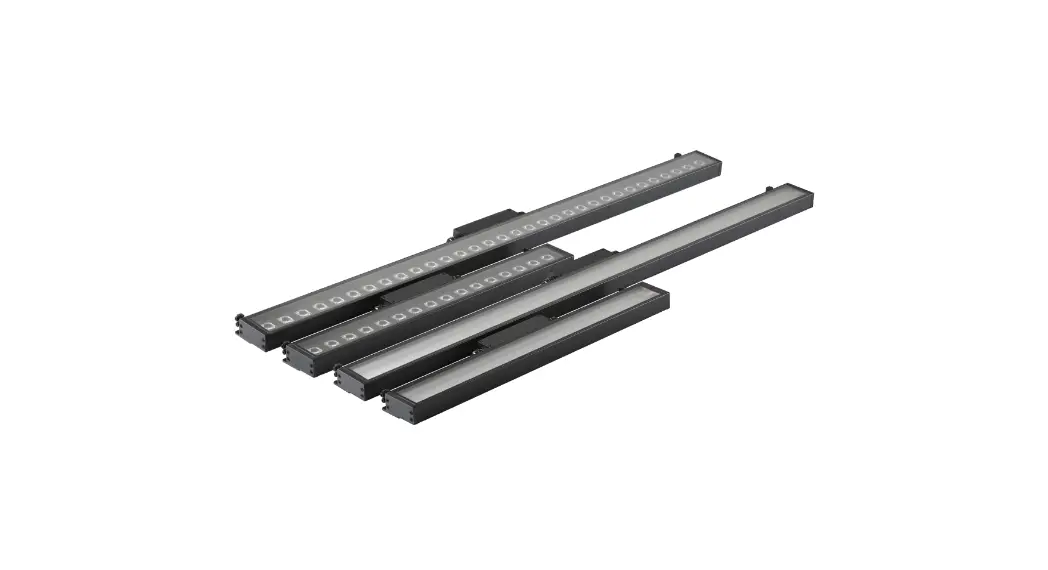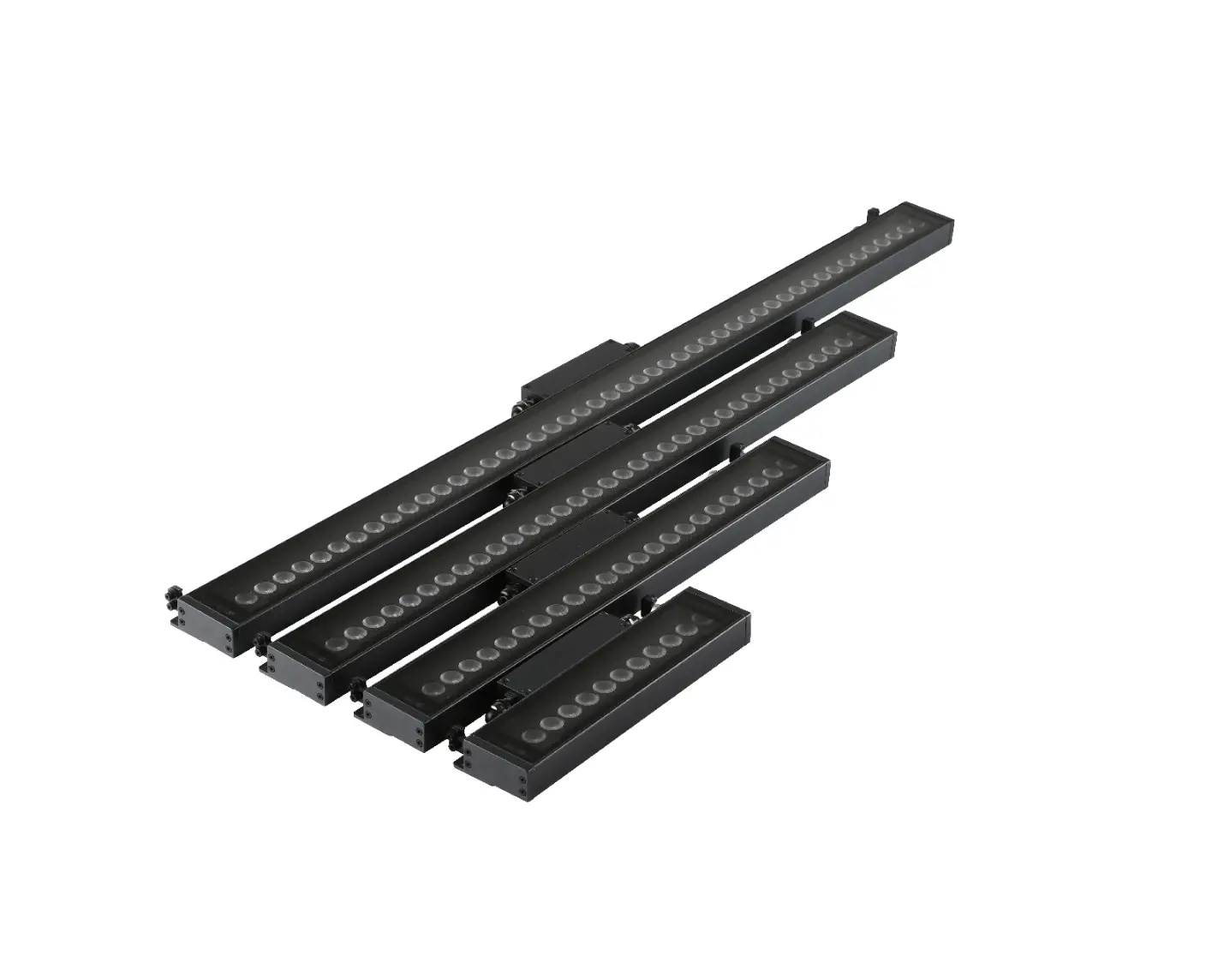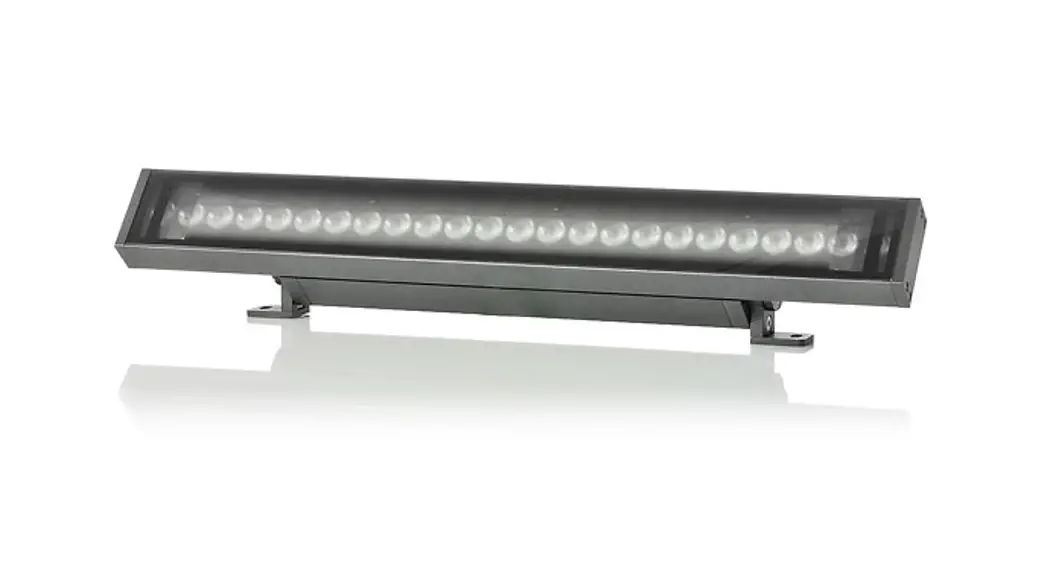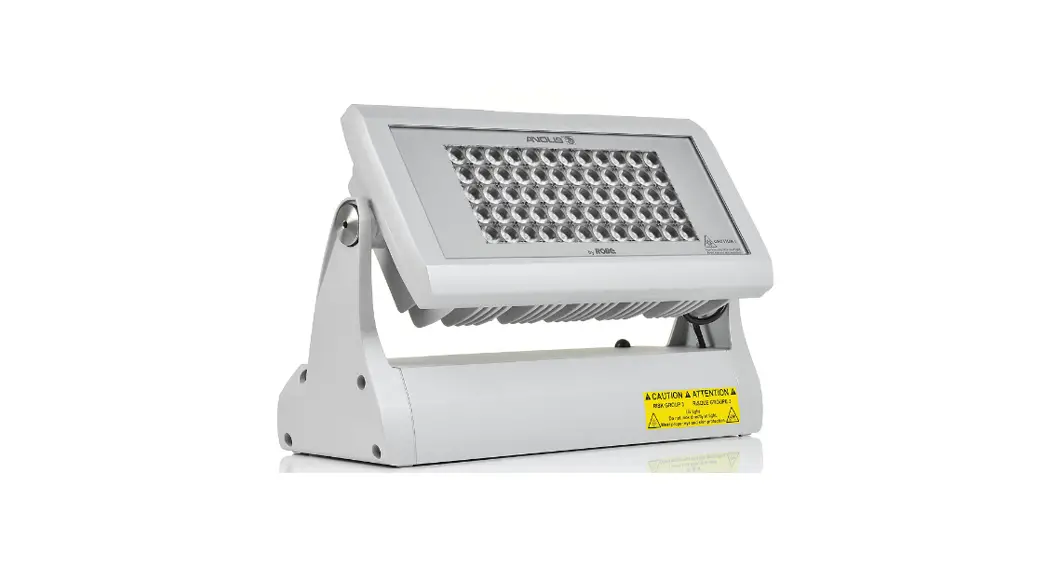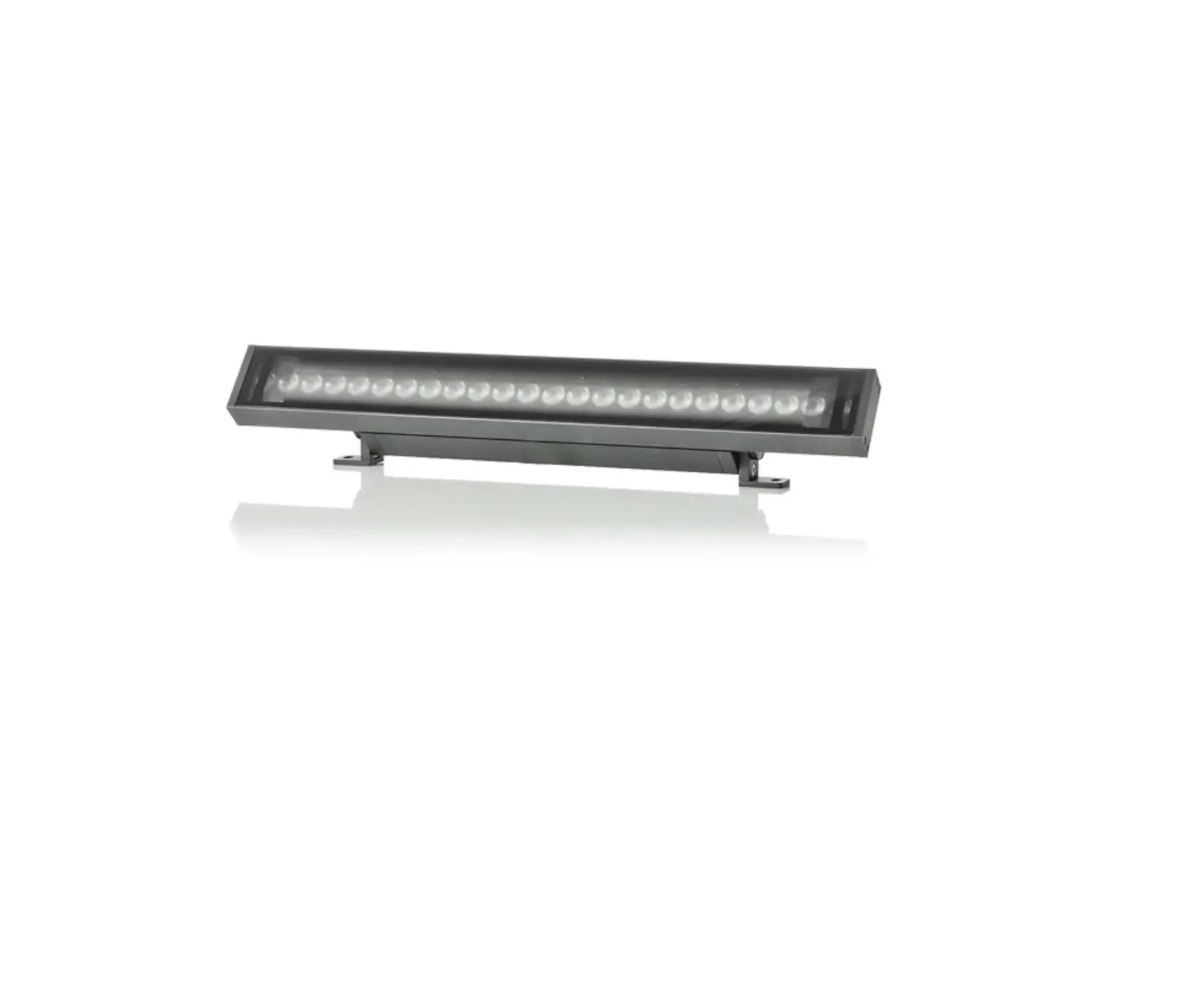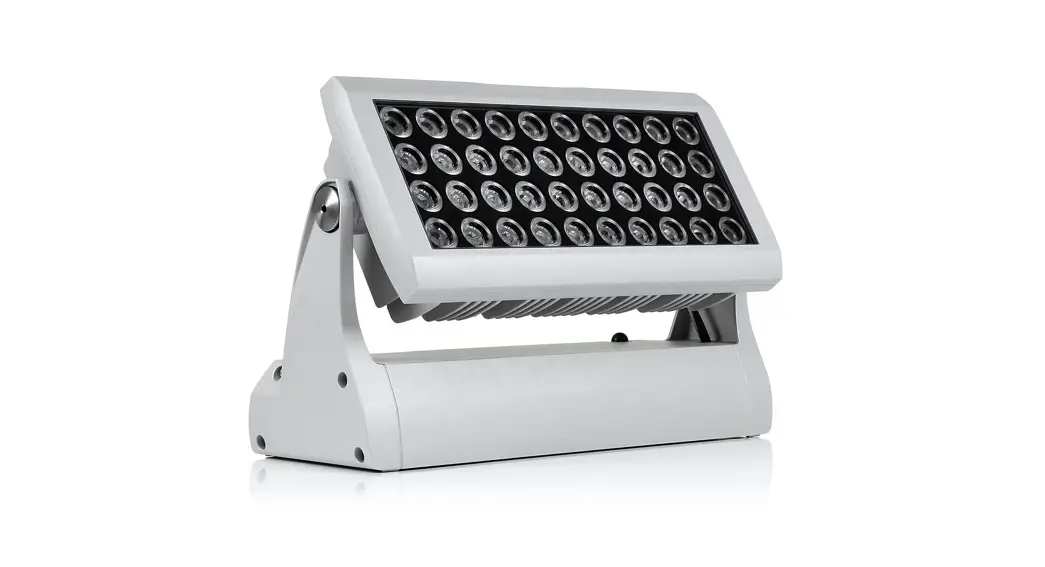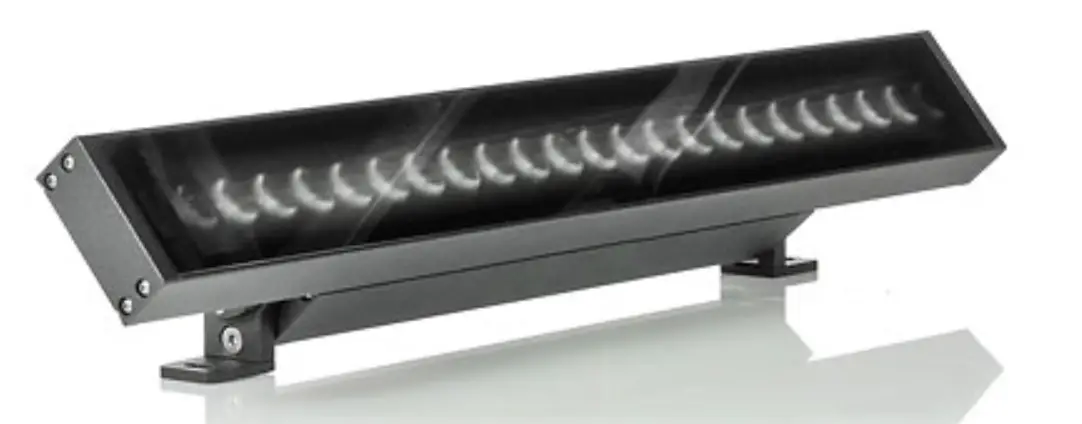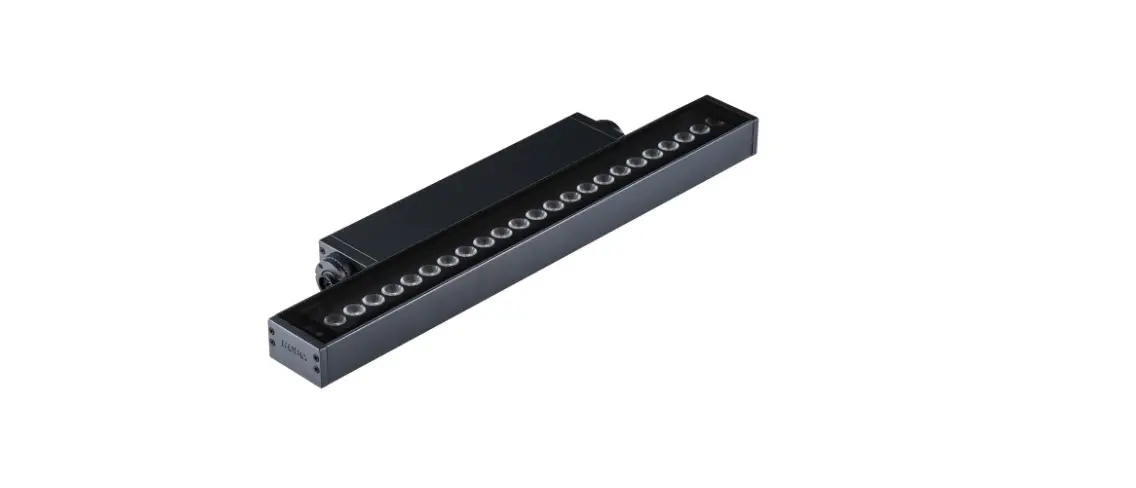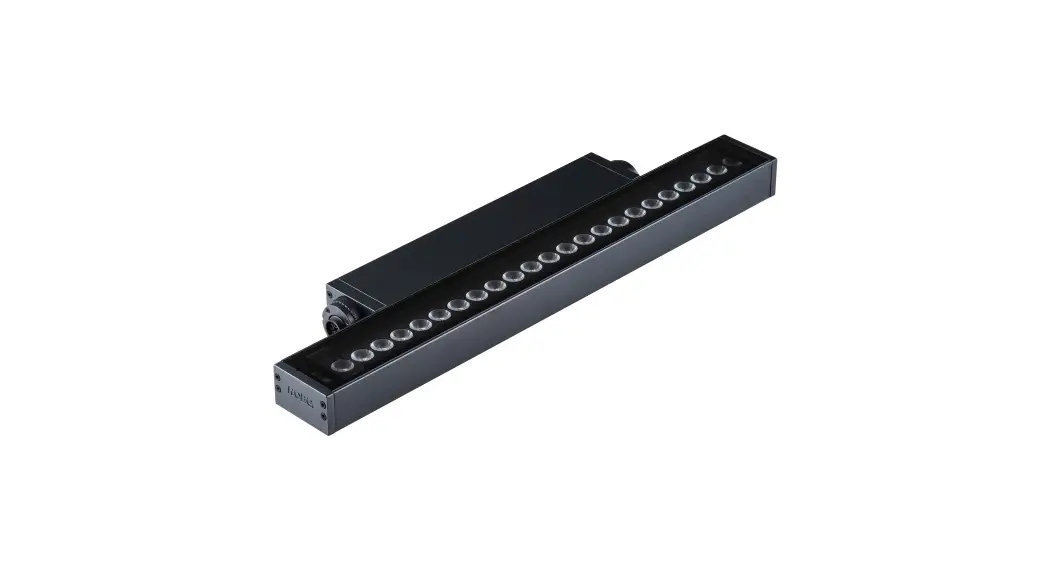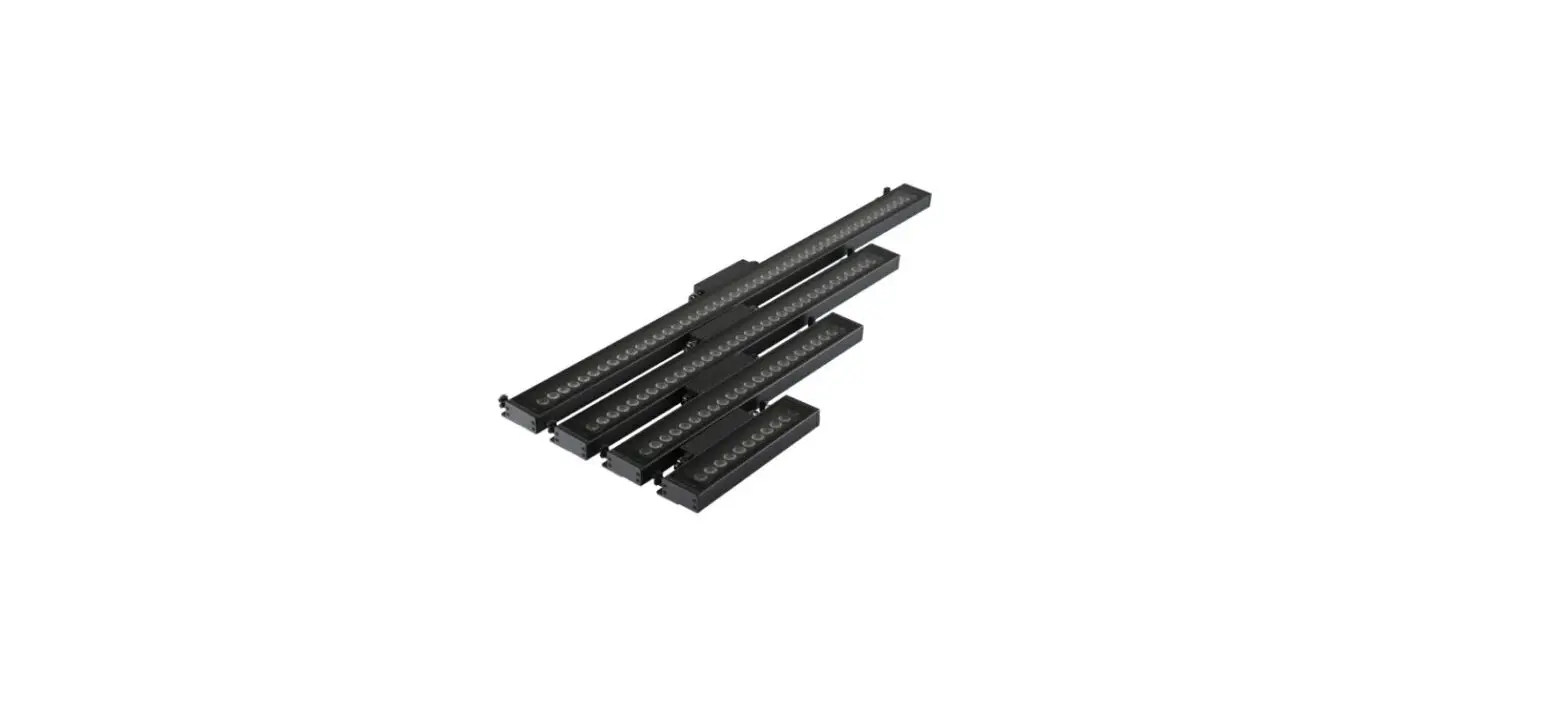

Anolis UVinere Remote 1 LED Lighting
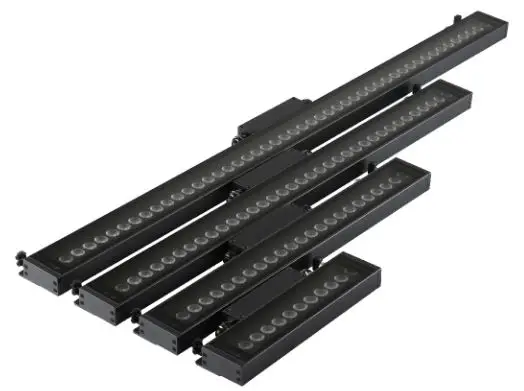
Safety Instructions
This luminaire is designed with UV LEDs and must be installed in compliance with competent technical directions to prevent the user’s eye and bare skin from exposure to harmful UV radiation.
CAUTION: Radiation exposure may cause blindness and cancer of skin!
| Distance from UV source | Non optical version | ||
|---|---|---|---|
| UVinere 1 | UVinere 2 | UVinere 4 | |
| 0.8m (2.6ft) | 21 | 27.5 | 24.5 |
| 0.9m (3.0ft) | 26.6 | 48.9 | 38.2 |
| 1m (3.3ft) | 32.9 | 76.5 | 55.0 |
| 1.5m (4.9ft) | 74.0 | 110.1 | 74.9 |
| 2m (6.6ft) | 131.5 | 149.8 | 97.9 |
| 3m (9.8ft) | 295.9 | 195.7 | 123.9 |
| 4m (13ft) | 526.0 | 247.7 | 152.9 |
| 5m (16.4ft) | 821.8 | 305.8 | |
| 6m (19.7ft) | 1183.4 | ||
| 7m (23ft) | 1610.8 | ||
| 8m (26ft) | 2103.9 | ||
| 9m (29.5ft) | 2662.7 | ||
| 10m (32.8ft) | 3287.3 | ||
Fixture Exterior View
- Transparent glass cover
- Gore tex valve
- Cable gland M20 (IN)
- Housing
- Mounting brackets
- Cable gland M20 (OUT)
- Junction box
Installation
Mounting the Fixture
The unit must be installed by a qualified electrician in accordance with all national and local electrical and construction codes and regulations.
Connection to Driver
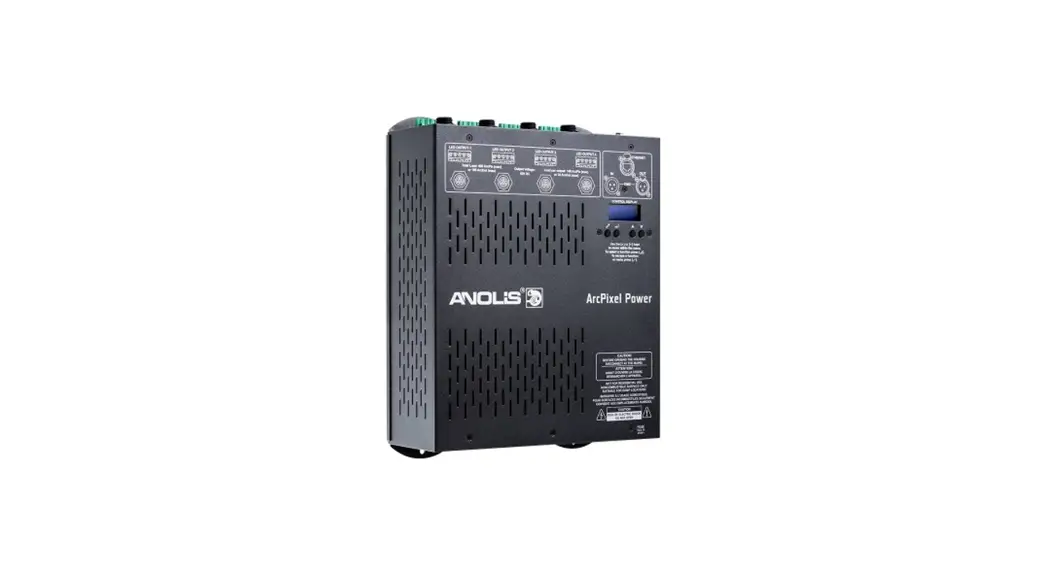
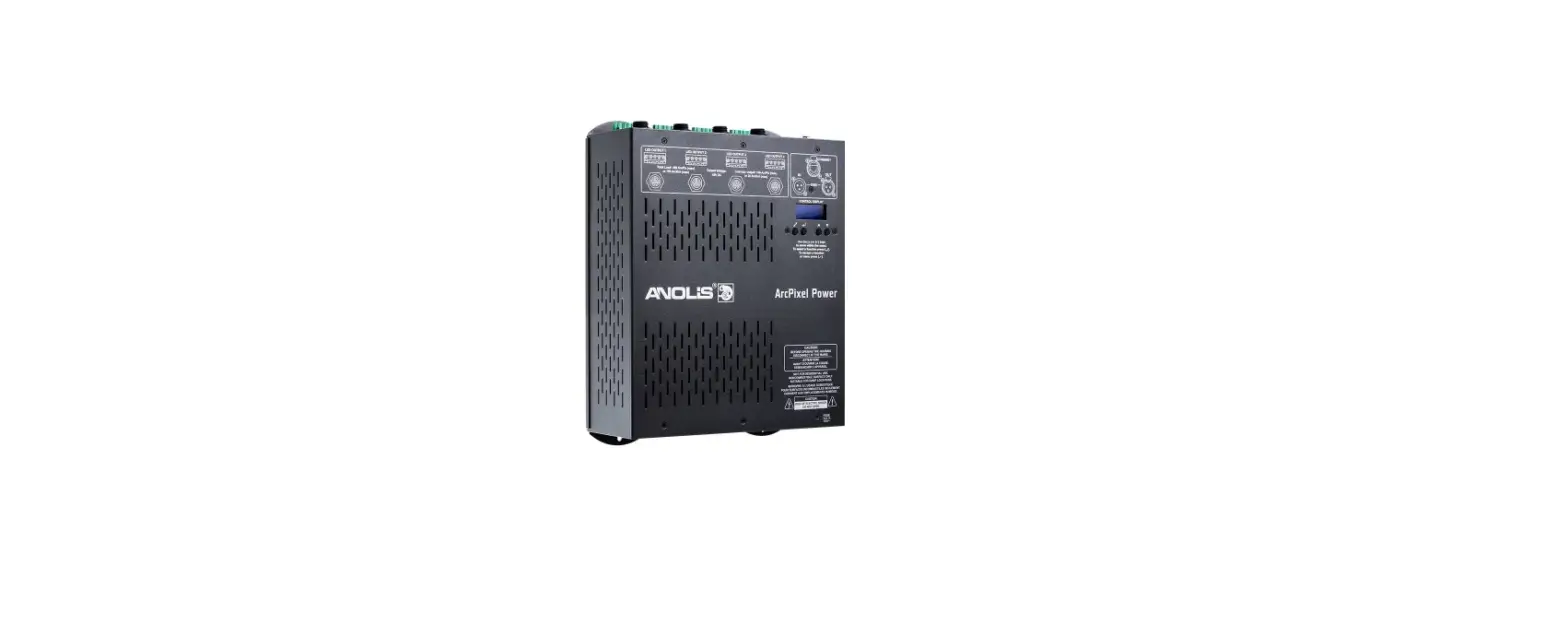
The UVinere Remote modules should be connected to the E-Box Remote or E-Box Remote basic as stated in the chapter Technical specifications. Example of connection:
Maximum Number of UVinere Remote Modules Connected to the E-Box Remote/E-Box Remote Basic
| Cable length | Max. number of UVinere Remote UV connected to the E-box Remote/E-box Remote Basic |
|---|---|
| 25 m | 20 |
| 50 m | 10 |
| 75 m | 5 |
| 100 m | 16 |
FOR YOUR OWN SAFETY, PLEASE READ THIS USER MANUAL CAREFULLY BEFORE POWERING OR INSTALLING YOUR UVinere Remote! Save it for future reference. This device has left our premises in absolutely perfect condition. In order to maintain this condition and to ensure
safe operation, it is absolutely necessary for the user to follow the safety instructions and warnings written in this manual. The manufacturer will not accept liability for any resulting damages caused by the non-observance of this manual or any unauthorized modification to the device. Unauthorized modification will void warranty.
Safety instructions
THIS LUMINAIRE IS DESIGNED WITH UV LEDS AND MUST BE INSTALLED IN COMPLIANCE WITH COMPETENT TECHNICAL DIRECTIONS TO PREVENT THE USER’S EYE AND BARE SKIN FROM EXPOSURE TO HARMFUL UV RADIATION. CE LUMINAIRE EST CONCU POUR ETRE UTILISE AVEC DES LED UV ET DOIT ETRE INSTALLE EN STRICTE CONFORMITE AVEC LES INSTRUCTIONS AFIN D’EVITER QUE LES YEUX OU LA PEAU L’UTILISATEUR NE SOIENT EXPOSES AUX EFFETS NEFASTES DES RAYONS UV.
CAUTION: RISK GROUP 3
ATTENTION: RISQUE GROUPE 3
UV light: Do not look directly at light. Wear proper eye and skin protection.
CAUTION: Radiation exposure may cause blindness and cancer of skin!
| Maximum exposure time (minutes) | ||||||
| Non optical version | 24° | |||||
| Distance from UV source | UVinere 1 | UVinere 2 | UVinere 4 | UVinere 1 | UVinere 2 | UVinere 4 |
| 0.8m (2.6ft) | 21 | – | – | – | – | – |
| 0.9m (3.0ft) | 26.6 | – | – | – | – | – |
| 1m (3.3ft) | 32.9 | – | – | – | – | – |
| 1.5m (4.9ft) | 74.0 | 37.0 | 18.5 | – | – | – |
| 2m (6.6ft) | 131.5 | 65.7 | 32.9 | 24.5 | – | – |
| 3m (9.8ft) | 295.9 | 147.9 | 74.0 | 55.0 | 27.5 | – |
| 4m (13ft) | 526.0 | 263.0 | 131.5 | 97.9 | 48.9 | 24.5 |
| 5m (16.4ft) | 821.8 | 410.9 | 205.5 | 152.9 | 76.5 | 38.2 |
| 6m (19.7ft) | 1183.4 | 591.7 | 295.9 | 220.2 | 110.1 | 55.0 |
| 7m (23ft) | 1610.8 | 805.4 | 402.7 | 299.7 | 149.8 | 74.9 |
| 8m (26ft) | 2103.9 | 1051.9 | 526.0 | 391.4 | 195.7 | 97.9 |
| 9m (29.5ft) | 2662.7 | 1331.4 | 665.7 | 495.4 | 247.7 | 123.9 |
| 10m (32.8ft) | 3287.3 | 1643.7 | 821.8 | 611.6 | 305.8 | 152.9 |
DANGEROUS VOLTAGE CONSTITUTING A RISK OF ELECTRIC SHOCK IS PRESENT WITHIN THIS UNIT!
Always disconnect the fixture from power before cleaning, servicing or installing. The fixture was designed for outdoor use. This fixture must not be used for underwater installation. When choosing the installation spot, please make sure that the fixture is not exposed to extreme heat or dust. Do not install the unit near an open flame. Avoid using the unit in locations subject to possible impacts. The fixture body never must be covered with cloth or other materials when the fixture is under operation. Only operate the fixture after having checked that the housing is firmly closed and all screws are tightly fastened. The fixture becomes hot during operation. Allow the fixture to cool approximately 30 minutes prior to servicing or maintenance. Operate the fixture only after having familiarized yourself with its functions. Do not permit operation by persons not qualified to operate the fixture. Immunity of the equipment is designed for electromagnetic environments E1, E2, E3 according to the standard EN55103-2 ed.2 Electromagnetic compatibility. Product family standard for audio, video, audiovisual and entertainment lighting control apparatus for professional use. Part 2: Immunity. The product (covers and cables) must not be exposed to a high frequency electromagnetic field higher than 3V/m. The installation company should check levels of possible interferences above the tested levels E1,E2,E3 given by this standard (e.g. transmitters in surrounding area) before installing the equipment. Emission of the equipment complies with the standard EN55032 Electromagnetic compatibility of multimedia equipment – Emission Requirements according to class B. Please consider that unauthorized modifications on the fixture are forbidden due to safety reasons! Please use the original packaging if the fixture is to be transported. If this device will be operated in any way different to the one described in this manual, the product may suffer damages and the warranty becomes void. Furthermore, any other operation may lead to dangers like short-circuit, burns, electric shock etc. Refer servicing to qualified service personnel.
Warning for fixtures with Harsh Environment Finish (HEF): Handle with care! Avoid any damage to the painted surface. Damaging the paint may result in corrosion and loss of warranty.
Fixture exterior view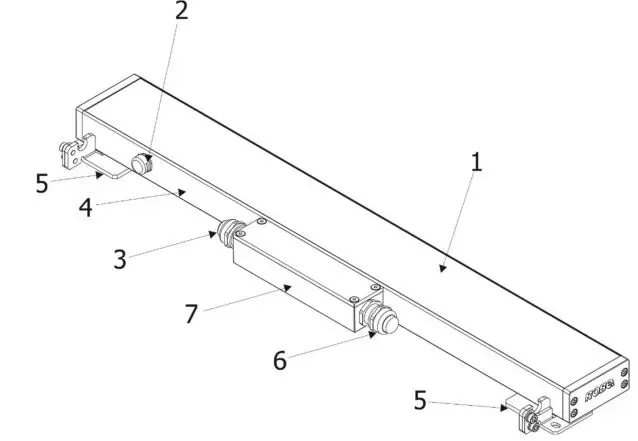
- Transparent glass cover
- Gore-tex valve
- Cable gland M20 (IN)
- Housing
- Mounting brackets
- Cable gland M20 (OUT)
- Junction box
Installation
Mounting the fixture
The UVinere Remote can be arranged in any orientation on a flat, non-flammable surface by means of two mounting brackets (5) which can be tilted by 30°.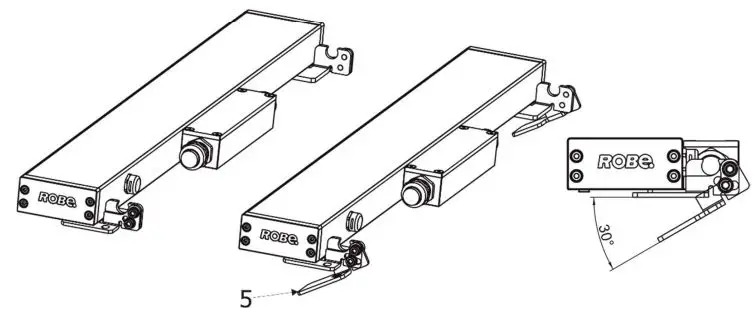
Connection to driver
The unit must be installed by a qualified electrician in accordance with all national and local electrical and construction codes and regulations. The UVinere Remote modules should be connected to the E-Box Remote or E-Box Remote basic as stated in the chapter “Technical specifications“.
Example of connection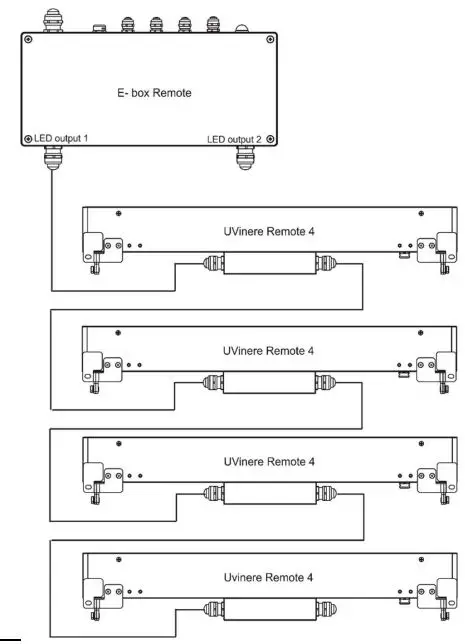
The table below states max. a number of UVinere Remote modules connected to the E-box Remote/E-box Remote Basic.
| Max. number of UVineres Remote UV connected to the E-box Remote/E-box Remote Basic | |||
| Cable length * | UVinere Remote 1 | UVinere Remote 2 | UVinere Remote 4 |
| 25 m | 20 | 10 | 5 |
| 50 m | 16 | 8 | 4 |
| 75 m | 13 | 6 | 3 |
| 100 m | 10 | 5 | 2 |
Cable length is a total cable length between E-box Remote (E-box Remote Basic) and last connected UVinere Remote.
Example: Total cable length=L1+L2+L3+L3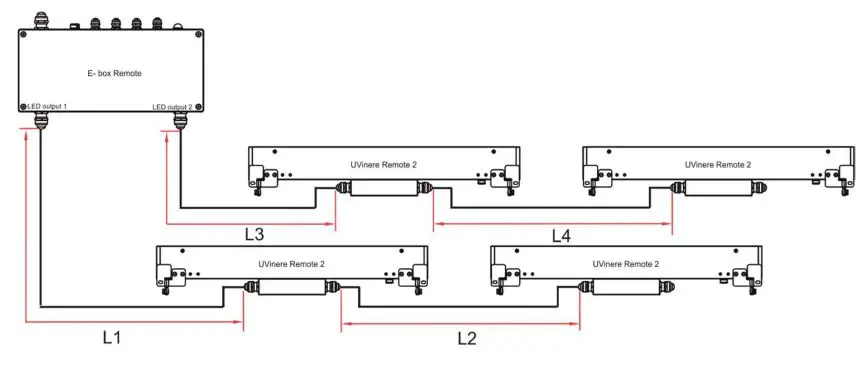
Max. number of UVinere Remote modules connected to the one output of the E-box Remote/E-box Remote Basic is stated in the following table.
| Max. number of UVineres Remote connected to the one output of the E-box Remote/E-box Remote Basic | ||
| UVinere Remote 1 | UVinere Remote 2 | UVinere Remote 4 |
| 16 | 8 | 4 |
Example: if you want to connect 10 UVineres Remote to the E-box Remote, you may connect 8 UVineres Remote 2 to the output 1 and 2 UVineres Remote UV 2 to the output 2 (at total cable length of 25 m).
Wiring of the junction box
- Unscrew the four screws (9) on the cover (8) of the junction box (7), remove the cover (8) and the gasket (10).
- Remove the end cap (11) from cable glands before passing cables throw cable glands M20 (3,6). The cable glands M20x1.5 can be used for cables of a diameter of 7-13mm.
- Pass the power/data cables through the cable glands (3,6) and connect them to the connection blocks (12, 13).
- After checking all connections, fill the junction box with synthetic resin. Make sure that the End cap is inserted in unused cable gland before filling it. At filling of the junction box proceed according instructions stated on the bag of the resin. The connection blocks have to be fully poured in the resin.
- Place the gasket (10) on the junction box (7) and screw the cover (8) to the junction box (7). Check that all cable glands (and blind flange) and screws are firmly tightened.
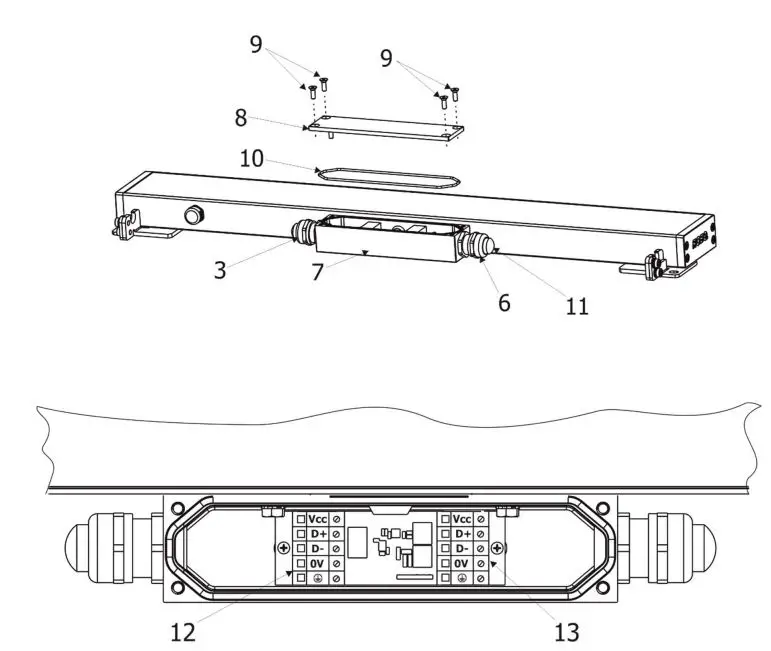
Wiring of connection blocks (12,13) in the junction box
CE version
| Connector | Vcc | D+ | D- | 0V | |
| Function | LEDs + | Data + | Data – | LEDs – | Ground |
| Colour of wire | Red | Orange | White | Black | Not connected |
US version
| Connector | Vcc | D+ | D- | 0V | |
| Function | LEDs + | Data + | Data – | LEDs – | Ground |
| Colour of wire | Red | Orange | White | Black | Green |
NOTE: Each line of UVineres Remote connected to the LED output of the E-box Remote/E-box Remote Basic has to be terminated at the last fixture.
EITHER connect a 120 Ohm resistor between terminals D+ and D- in the last fixture, OR terminate via RDM as described in the user manual for the E-box Remote.
Ensure ONLY the last fixture in the line is terminated using ONE of the above methods!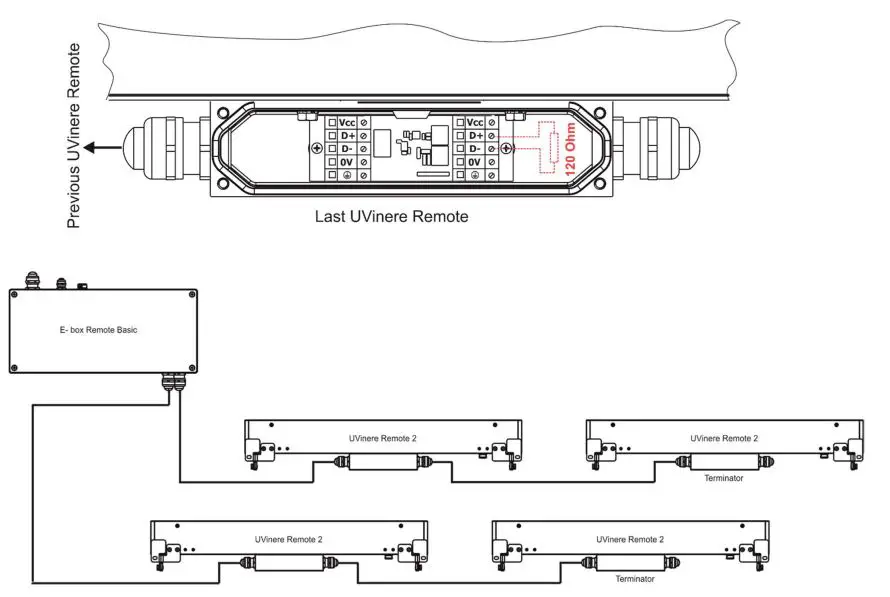 To keep declared IP rating of the fixture, every cable gland has to be covered with the end cap (11) if the cable gland is not used for cable passing. We recommend to apply an adequate layer of the paste LOCTITE 5331 on the plastic holder of the cable gland before inserting it into the body of the gland and an adequate layer of the paste LOCTITE 577 on the thread of the body of gland (if the cable gland was screwed out).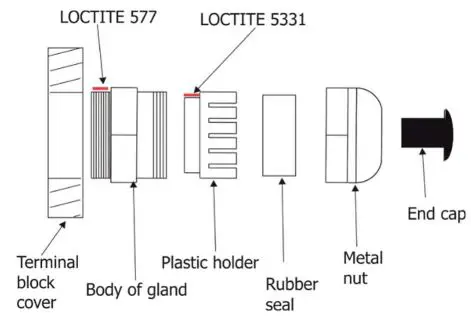
Software update
Software update of UVinere Remote has to be done by means of the software ROBE Uploader running on PC. The ROBE Uploader is software for automatized software updates of ROBE fixtures. The ROBE Uploader switches Emineres Remote UV to the update mode automatically. Please see https://www.robe.cz/robe-uploader/ for more information about ROBE uploader and the E-box Remote user manual (E-box Remote Basic user manual).
Technical specifications
Power supply
- Input voltage: 48 V
- Power consumption:
- UVinere Remote 1: 20W
- UVinere Remote 2: 40W
- UVinere Remote 4: 80W
Optic
- Light source:
- UVinere Remote 1: 8 x UV LEDs
- UVinere Remote 2: 16 x UV LEDs
- UVinere Remote 4: 32 x UV LEDs
- UV LEDs Wave Length: 365nm
Beam Angle:
- optical version: 24°
- non-optical version: 92°
- LEDs lifetime: 10.000 hrs
Compatible drivers
- E-box Remote, E-box Remote Basic
Mounting method
- Via two L-shape brackets with an adjustment range of 30°
Housing
- Aluminum extruded body
- Tempered glass
- Cooling system
- Convection
Total heat dissipation
- UVinere Remote 1: 51 BTU/h (calculated)
- UVinere Remote 2: 102 BTU/h (calculated)
- UVinere Remote 4: 205 BTU/h (calculated)
Weight
- UVinere Remote 1: 2 kg (4.41 lbs)
- UVinere Remote 2: 3.1 kg (6.83 lbs)
- UVinere Remote 4: 5.1 kg (11.24 lbs)
Dimensions (All dimensions in mm [inch])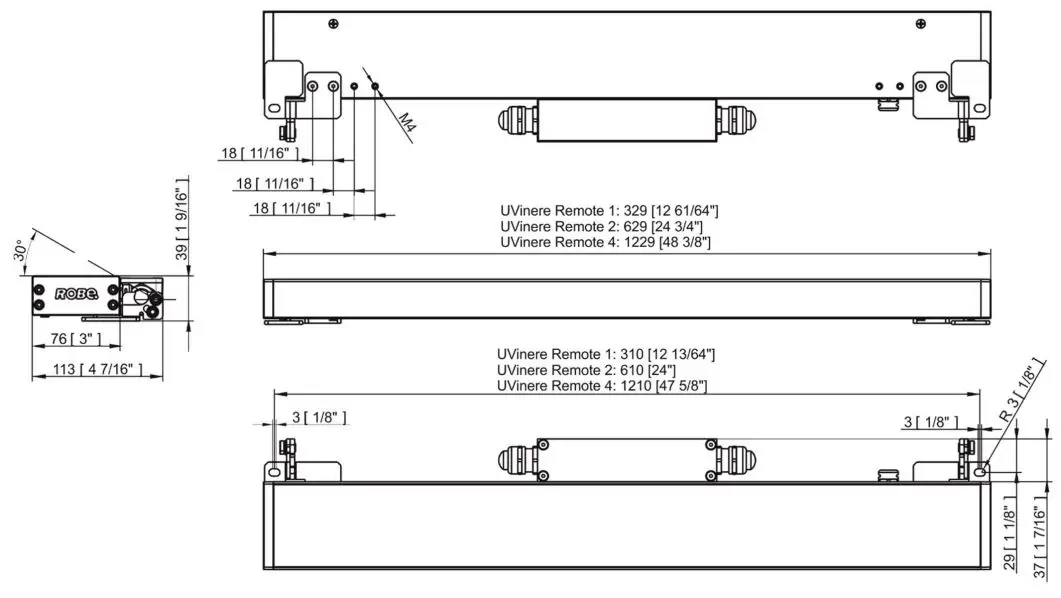
Protection factor
- CE: IP 67
- US: Suitable for wet location
Impact rating
- CE: IK06
Operating ambient temperature range
- -20°C /+40°C (-4°F /+104°F)
Operating temperature
- +67°C @ Ambient +40°C (+153°F @ Ambient +104°F)
Connection
- 5-cored cable
Included items
- 1 x UVinere Remote
- 1 x User manual
Optional accessories
- Cable for Eminere Remote (P/N 13053336)
- Black Glass Adaptor UVinere Remote 2 RAL9011 (P/N 10980752)
- Black Glass Adaptor UVinere Remote 4 RAL9011 (P/N 10980702)
Cleaning and maintenance
DANGER! Disconnect from the mains before starting any maintenance or cleaning work
Rinse off loose dirt with low pressure water spray. Wash the housing with a soft brush or sponge and a mild, nonabrasive washing detergent. Rinse it. Maintenance and service operations are only to be carried out by a qualified person. Should you need any spare parts, please use ROBE OEM parts.
Disposing of the product
To preserve the environment please dispose or recycle this product at the end of its life according to the local regulations and codes.
ChangeLog
This section summarizes changes in the user manual.
| Version of the manual | Date of issue | Description of changes |
| 1.0 | 19/05/2022 | QR code added |
| 1.1 | 17/08/2022 | Termination of Emineres line added, colors of wires changed |
| 1.2 | 09/01/2023 | Eminere Remote 1 added |
| 1.3 | 18/01/2023 | Device renamed to UVinere Remote |
| 1.4 | 10/02/2023 | DMX chart ver. 3.2 |
- Specifications are subject to change without notice.
- February 10, 2023
- Copyright © 2020-2023 Robe Lighting – All rights reserved
- Made in CZECH REPUBLIC by ROBE LIGHTING s.r.o. Palackeho 416/20 CZ 75701 Valasske Mezirici
| DMX protocol for: Eminere 1/2/3/4; Eminere Side 1/2/3/4; | |||||||||
| Eminere Inground 2/4; Eminere Remote 1/2/3/4; | |||||||||
| UVinere 2/4; UVinere Remote 1/2/4 | |||||||||
| Version: 3.2 (23 modes in total), software version 3.0 and higher | |||||||||
| Mode/Channels in all | Mode 1: RGBW(A)-8bit, Mode 2: RGB 8-bit, Mode 3: full RGBW(A) | ||||||||
| 1 | 2 | 3 | 4 | 5 | 6 | 7 | 8-10 | Mode 4: White-full control, Mode 5: Reduced RGBW(A) | |
| 4 | 3 | 12 | 3 | 6 | 8 | 15 | Reserved | Mode 6- Reduced RGBW(A)+white control | |
| Mode 7- full RGBW(A)+virtual colour wheel | |||||||||
| RGBW(A) / RGB modes | |||||||||
| Mode/channels | DMX Value | Function | Type of control | ||||||
| 1 | 2 | 3 | 4 | 5 | 6 | 7 | |||
| – | – | – | – | – | – | 1 | Special functions | ||
| 0 | No function | step | |||||||
| To activate following functions , stop in DMX value for at least 3 sec. | |||||||||
| 1-2 | Save current DMX values to fixture as initial DMX values. | step | |||||||
| 3-4 | Show saved initial DMX values | step | |||||||
| 5-6 | Run factory demo sequences at switching fixture on (without DMX) | step | |||||||
| 7-255 | Reserved | ||||||||
| 1 | 1 | 1 | – | 1 | 1 | 2 | Red | ||
| 0-255 | Red LEDs saturation control (0-100%) | proportional | |||||||
| – | – | 2 | – | – | – | 3 | Red Fine | ||
| 0-255 | Red LEDs saturation control fine | proportional | |||||||
| 2 | 2 | 3 | – | 2 | 2 | 4 | Green | ||
| 0-255 | Green LEDs saturation control (0-100%) | proportional | |||||||
| – | – | 4 | – | – | – | 5 | Green Fine | ||
| 0-255 | Green LEDs saturation control fine | proportional | |||||||
| 3 | 3 | 5 | – | 3 | 3 | 6 | Blue | ||
| 0-255 | Blue LEDs saturation control (0-100%) | proportional | |||||||
| – | – | 6 | – | – | – | 7 | Blue Fine | ||
| 0-255 | Blue LEDs saturation control fine | proportional | |||||||
| 4 | – | 7 | – | 4 | 4 | 8 | White (Amber) | ||
| 0-255 | White LEDs saturation control (0-100%) | proportional | |||||||
| – | – | 8 | – | – | – | 9 | White (Amber) Fine | ||
| 0-255 | White LEDs saturation control fine | proportional | |||||||
| – | – | 9 | 1 | – | 5 | 10 | Green correction | ||
| 0 | Uncorrected white | step | |||||||
| 1-127 | Minus green –> uncorrected white | proportional | |||||||
| 128 | Uncorrected white (128=default) | step | |||||||
| 129-255 | Uncorrected white –> Plus green | proportional | |||||||
| – | – | 10 | 2 | – | 6 | 11 | Colour temperature correction (CTC) | ||
| 0 | No function | step | |||||||
| 1-10 | Tungsten dimming 2700 K | step | |||||||
| 11-20 | Tungsten dimming 3200 K | step | |||||||
| 21-255 | Colour temperature changing from 1800 K –> 6500 K | proportional | |||||||
| (21-1800K, 66-2700K, 91-3200K,141-4200K, 211-5600K, 255- 6500K) | |||||||||
| – | – | – | – | – | – | 12 | Virtual Colour Wheel | ||
| 0 | No function | step | |||||||
| Mode/channels | DMX Value | Function | Type of control | ||||||
| 1 | 2 | 3 | 4 | 5 | 6 | 7 | |||
| 1-2 | White 1800 K | step | |||||||
| 3-4 | White 2700 K | step | |||||||
| 5-6 | White 3200 K | step | |||||||
| 7-8 | White 4200 K | step | |||||||
| 9-10 | White 5600 K | step | |||||||
| 11-12 | White 6500 K | step | |||||||
| 13 | Blue (Blue=full, Red+Green+White/Amber=0) | step | |||||||
| 14-23 | Red=0, Green->up,Blue =full, White/Amber=0 | proportional | |||||||
| 24 | Cyan (Red=0, Green=full, Blue =full, White/Amber=0) | step | |||||||
| 25-34 | Red=0, Green=full, Blue->down, White/Amber=0 | proportional | |||||||
| 35 | Green (Red=0, Green=full, Blue =0, White/Amber=0) | step | |||||||
| 36-45 | Red->up, Green=full, Blue=0, White/Amber=0 | proportional | |||||||
| 46 | Yellow (Red=full, Green=full, Blue=0, White/Amber=0) | step | |||||||
| 47-56 | Red=full, Green->down, Blue=0, White/Amber=0 | proportional | |||||||
| 57 | Red(Red=full, Green=0, Blue=0, White/Amber=0) | step | |||||||
| 58-67 | Red=full, Green=0, Blue->up, White/Amber=0 | proportional | |||||||
| 68 | Magenta (Red=full, Green=0, Blue=full, White/Amber=0) | step | |||||||
| 69-78 | Red -> down, Green=0, Blue=full, White/Amber=0 | proportional | |||||||
| 79 | Blue (Red=0, Green=0, Blue=full, White/Amber=0) | step | |||||||
| Transition effects | |||||||||
| 80-87 | Rainbow effect (with fade time) from slow-> fast | proportional | |||||||
| 88-95 | Rainbow effect (without fade time) from slow-> fast | proportional | |||||||
| 96-103 | Full dynamic white (1800K->6500K->1800K) (with fade time) from slow-> fast | proportional | |||||||
| 104-111 | Full dynamic white (1800K->6500K->1800K) (without fade time) from slow-> fast | proportional | |||||||
| 112-119 | Dynamic warm white (1800K-3000K-1800K) (with fade time) from slow-> fast | proportional | |||||||
| 120-127 | Dynamic warm white (1800K-3000K-1800K) (without fade time) from slow-> fast | proportional | |||||||
| 128-135 | Rainbow effect + full dynamic white (with fade time) from slow-> fast | proportional | |||||||
| 136-143 | Rainbow effect + full dynamic white (without fade time) from slow-> fast | proportional | |||||||
| 145-151 | Blue/Green effect (with fade time) from slow-> fast | proportional | |||||||
| 152-159 | Blue/Green effect (without fade time) from slow-> fast | proportional | |||||||
| 160-167 | Red/Blue effect (with fade time) from slow-> fast | proportional | |||||||
| 168-175 | Red/Blue effect (without fade time) from slow-> fast | proportional | |||||||
| 176-183 | Green/Red effect (with fade time) from slow-> fast | proportional | |||||||
| 184-191 | Green/Red effect (without fade time) from slow-> fast | proportional | |||||||
| 192-199 | Blue/4000K effect (with fade time) from slow-> fast | proportional | |||||||
| 200-207 | Blue/4000K effect (without fade time) from slow-> fast | proportional | |||||||
| 208-215 | Green/4000K effect (with fade time) from slow-> fast | proportional | |||||||
| 216-223 | Green/4000K effect (without fade time) from slow-> fast | proportional | |||||||
| 224-231 | Red/4000K effect (with fade time) from slow-> fast | proportional | |||||||
| 232-239 | Red/4000K effect (without fade time) from slow-> fast | proportional | |||||||
| 240-255 | Reserved | ||||||||
| 13 | Shutter/Strobe | ||||||||
| 0-31 | Shutter closed | step | |||||||
| 32-63 | Shutter open | step | |||||||
| Mode/channels | DMX Value | Function | Type of control | ||||||
| 1 | 2 | 3 | 4 | 5 | 6 | 7 | |||
| 64-95 | Strobe-effect from slow to fast | proportional | |||||||
| 96-127 | Shutter open | step | |||||||
| 128-143 | Opening pulse in sequences from slow to fast | proportional | |||||||
| 144-159 | Closing pulse in sequences from fast to slow | proportional | |||||||
| 160-191 | Shutter open | step | |||||||
| 192-223 | Random strobe-effect from slow to fast | proportional | |||||||
| 224-255 | Shutter open | step | |||||||
| – | – | 11 | 3 | 5 | 7 | 14 | Dimmer | ||
| 0-255 | Light intensity coarse (0-100%) | proportional | |||||||
| – | – | 12 | – | 6 | 8 | 15 | Dimmer Fine | ||
| 0-255 | Light intensity fine | proportional | |||||||
| Copyright © 2022-2023 Robe Lighting s.r.o. – All rights reserved | |||||||||
| All Specifications subject to change without notice | |||||||||
| DMX protocol for: Eminere 1/2/3/4; Eminere Side 1/2/3/4; | |||||
| Eminere Inground 2/4; Eminere Remote 1/2/3/4; | |||||
| UVinere 2/4; UVinere Remote 1/2/4 | |||||
| Version: 3.2 (23 modes in total) | |||||
| Mode/Channels in all | Mode 11: TW – White selection + Dimmer, Mode 12: TW – WW + CW | ||||
| 11 | 12 | 13 | 14-16 | Mode 13: PW – Dimmer | |
| 3 | 4 | 2 | Reserved | Mode 13 is suitable for UVinere and UVinere Remote | |
| TW and PW modes | |||||
| Mode/channels | DMX Value | Function | Type of control | ||
| 11 | 12 | 13 | |||
| 1 | – | – | White colour selection | ||
| 0 – 255 | White from 2700 K – 6500 K | proportional | |||
| – | 1 | – | Warm White | ||
| 0 – 255 | Warm White LEDs saturation control (0-100%) | proportional | |||
| – | 2 | – | Cool White | ||
| 0 – 255 | Cool White LEDs saturation control (0-100%) | proportional | |||
| 2 | 3 | 1 | Dimmer | ||
| 0 – 255 | Light intensity coarse (0 – 100%) | proportional | |||
| 3 | 4 | 2 | Dimmer Fine | ||
| 0 – 255 | Light intensity fine | proportional | |||
| Copyright © 2022-2023 Robe Lighting s.r.o. – All rights reserved | |||||
| All Specifications subject to change without notice | |||||
| DMX protocol for: Eminere 1/2/3/4; Eminere Side 1/2/3/4; | ||||||
| Eminere Inground 2/4; Eminere Remote 1/2/3/4; | ||||||
| Version: 3.2 (23 modes in total) | ||||||
| Mode/Channels in all | Mode 16: RGBW(A) pixels, Mode 17 RGB pixels, Mode 18: TW pixels, | |||||
| 17 | 18 | 19 | 20 | 21-23 | Mode 19- PW dimmer pixels | |
| 16 | 12 | 8 | 8 | Reserved | ||
| Pixel modes | ||||||
| Mode/channels | DMX Value | Function | Type of control | |||
| 17 | 18 | 19 | 20 | |||
| 1 | 1 | – | – | Red 1 -Eminere 1/2/3/4 | ||
| 0 – 255 | Red LEDs saturation control (0-100%) | proportional | ||||
| 2 | 2 | – | – | Green 1-Eminere 1/2/3/4 | ||
| 0 – 255 | Green LEDs saturation control (0-100%) | proportional | ||||
| 3 | 3 | – | – | Blue 1-Eminere 1/2/3/4 | ||
| 0 – 255 | Blue LEDs saturation control (0-100%) | proportional | ||||
| 4 | – | – | – | White (Amber) 1-Eminere 1/2/3/4 | ||
| 0 – 255 | White LEDs saturation control (0-100%) | proportional | ||||
| 5 | 4 | – | – | Red 2 -Eminere 2/3/4 | ||
| 0 – 255 | Red LEDs saturation control (0-100%) | proportional | ||||
| 6 | 5 | – | – | Green 2-Eminere 2/3/4 | ||
| 0 – 255 | Green LEDs saturation control (0-100%) | proportional | ||||
| 7 | 6 | – | – | Blue 2-Eminere 2/3/4 | ||
| 0 – 255 | Red LEDs saturation control (0-100%) | proportional | ||||
| 8 | – | – | – | White (Amber) 2-Eminere 2/3/4 | ||
| 0 – 255 | White LEDs saturation control (0-100%) | proportional | ||||
| 9 | 7 | – | – | Red 3-Eminere 3/4 | ||
| 0 – 255 | Red LEDs saturation control (0-100%) | proportional | ||||
| 10 | 8 | – | – | Green 3-Eminere 3/4 | ||
| 0 – 255 | Green LEDs saturation control (0-100%) | proportional | ||||
| 11 | 9 | – | – | Blue 3-Eminere 3/4 | ||
| 0 – 255 | Blue LEDs saturation control (0-100%) | proportional | ||||
| 12 | – | – | – | White (Amber) 3-Eminere 3/4 | ||
| 0 – 255 | White LEDs saturation control (0-100%) | proportional | ||||
| 13 | 10 | – | – | Red 4-Eminere 4 | ||
| 0 – 255 | Red LEDs saturation control (0-100%) | proportional | ||||
| 14 | 11 | – | – | Green 4-Eminere 4 | ||
| 0 – 255 | Green LEDs saturation control (0-100%) | proportional | ||||
| 15 | 12 | – | – | Blue 4-Eminere 4 | ||
| 0 – 255 | Blue LEDs saturation control (0-100%) | proportional | ||||
| 16 | – | – | – | White (Amber) 4 -Eminere 4 | ||
| 0 – 255 | White LEDs saturation control (0-100%) | proportional | ||||
| – | – | 1 | – | Warm White 1 -Eminere 1/2/3/4 | ||
| Warm White LEDs saturation control (0-100%) | proportional | |||||
| – | – | 2 | – | Cool White 1-Eminere 1/2/3/4 | ||
| 0 – 255 | Cool White LEDs saturation control (0-100%) | proportional | ||||
| – | – | 3 | – | Warm White 2-Eminere 2/3/4 | ||
| Mode/channels | DMX Value | Function | Type of control | |||
| 17 | 18 | 19 | 20 | |||
| 0 – 255 | Warm White LEDs saturation control (0-100%) | proportional | ||||
| – | – | 4 | – | Cool White 2-Eminere 2/3/4 | ||
| 0 – 255 | Cool White LEDs saturation control (0-100%) | proportional | ||||
| – | – | 5 | – | Warm White 3-Eminere 3/4 | ||
| 0 – 255 | Warm White LEDs saturation control (0-100%) | proportional | ||||
| – | – | 6 | – | Cool White 3-Eminere 3/4 | ||
| 0 – 255 | Cool White LEDs saturation control (0-100%) | proportional | ||||
| – | – | 7 | – | Warm White 4 -Eminere 4 | ||
| 0 – 255 | Warm White LEDs saturation control (0-100%) | proportional | ||||
| – | – | 8 | – | Cool White 4 -Eminere 4 | ||
| 0 – 255 | Cool White LEDs saturation control (0-100%) | proportional | ||||
| – | – | – | 1 | Dimmer 1 | ||
| 0 – 255 | Light intensity coarse (0 – 100%) | proportional | ||||
| – | – | – | 2 | Dimmer Fine 1 | ||
| 0 – 255 | Light intensity fine | proportional | ||||
| – | – | – | 3 | Dimmer 2 | ||
| 0 – 255 | Light intensity coarse (0 – 100%) | proportional | ||||
| – | – | – | 4 | Dimmer Fine 2 | ||
| 0 – 255 | Light intensity fine | proportional | ||||
| – | – | – | 5 | Dimmer 3 | ||
| 0 – 255 | Light intensity coarse (0 – 100%) | proportional | ||||
| – | – | – | 6 | Dimmer Fine 3 | ||
| 0 – 255 | Light intensity fine | proportional | ||||
| – | – | – | 7 | Dimmer 4 | ||
| 0 – 255 | Light intensity coarse (0 – 100%) | proportional | ||||
| – | – | – | 8 | Dimmer Fine 4 | ||
| 0 – 255 | Light intensity fine | proportional | ||||
| Copyright © 2022-2023 Robe Lighting s.r.o. – All rights reserved | ||||||
| All Specifications subject to change without notice | ||||||
QR code for user manual
 Robe Uploader | Products | ROBE Lighting