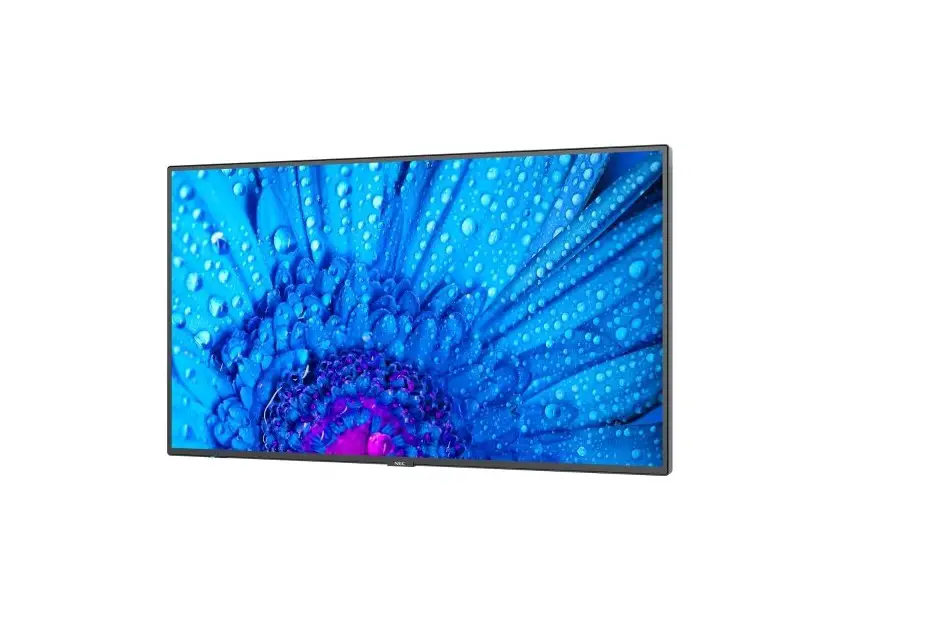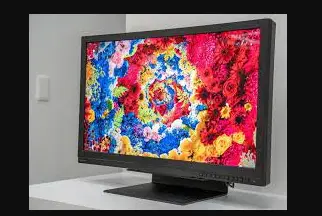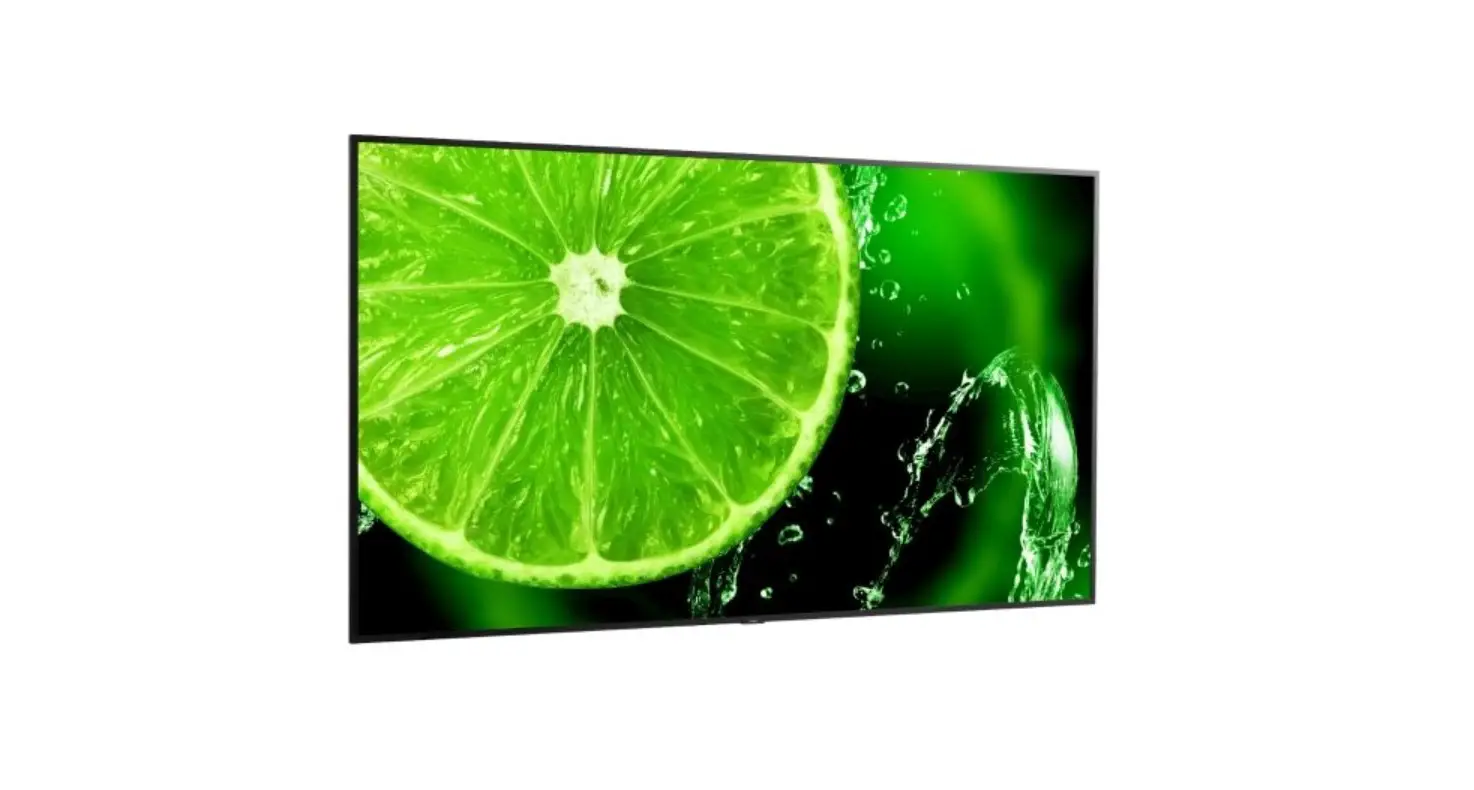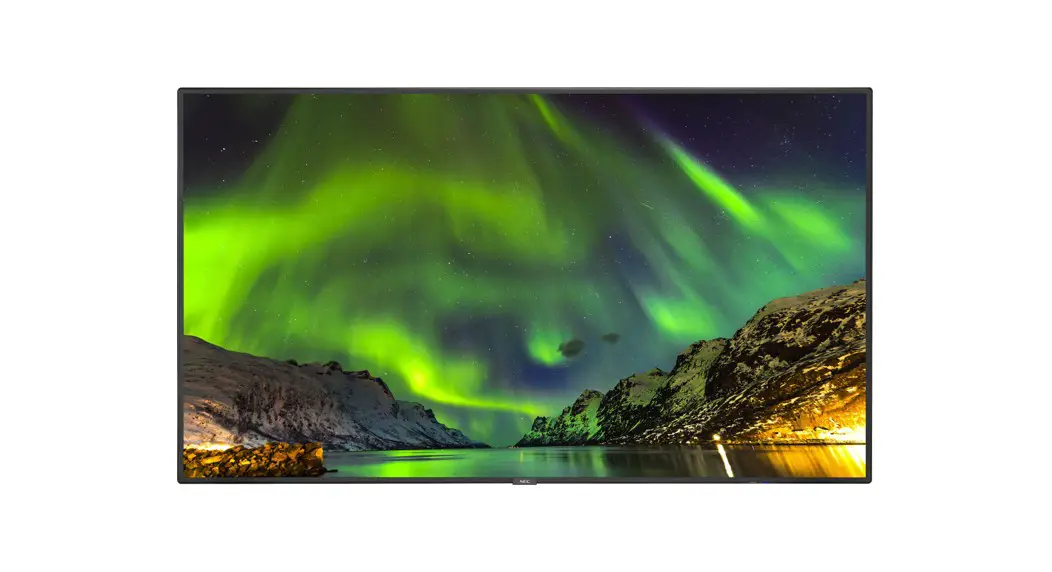

 E758 NEC Multi Sync LCD 75 Inch
 User Manual
Registration Information
Microsoft® and Windows® are either registered trademarks or trademarks of Microsoft Corporation in the United States and/or other countries.
The terms HDMI, HDMI High-Definition Multimedia Interface, HDMI Trade Dress and the HDMI Logos are trademarks or registered trademarks of HDMI Licensing Administrator, Inc.
Manufactured under license from Dolby Laboratories.
Dolby, Dolby Audio, Pro Logic, and the double-D symbol are trademarks of Dolby Laboratories Licensing Corporation.
Navi Set is a trademark or registered trademark of Sharp NEC Display Solutions, Ltd. in Japan and other countries.
CRESTRON and CRESTRON ROOMVIEW are trademarks or registered trademarks of Crestron Electronics, Inc. in the United States and other countries.
Blu-ray is a trademark of Blu-ray Disc Association.
USB Type-C® and USB-C® are registered trademarks of USB Implementers Forum.
All other brands and product names are trademarks or registered trademarks of their respective owners.


ENERGY STAR® is a program run by the U. S. Environmental Protection Agency (EPA) and U. S. Department of Energy (DOE) that promotes energy efficiency. This product qualifies for ENERGY STAR in the “factory default” settings and this is the setting in which power savings will be achieved. Changing the factory default picture settings or enabling other features will increase power consumption that could exceed the limits necessary to qualify for ENERGY STAR rating. For more information on the ENERGY STAR program, refer to energystar.gov.
Setup Manual
NOTE: This product can only be serviced in the country where it was purchased.
- The contents of this manual may not be reprinted in part or whole without permission.
- The contents of this manual are subject to change without notice.
- Great care has been taken in the preparation of this manual; however, should you notice any questionable points, errors or omissions, please contact us.
- The image shown in this manual is indicative only. If there is inconsistency between the image and the actual product, the actual product shall govern.
- Notwithstanding articles (3) and (4), we will not be responsible for any claims on loss of profit or other matters deemed to result from using this device.
- This manual is commonly provided to all regions so they may contain descriptions that are pertinent for other countries.
Contents
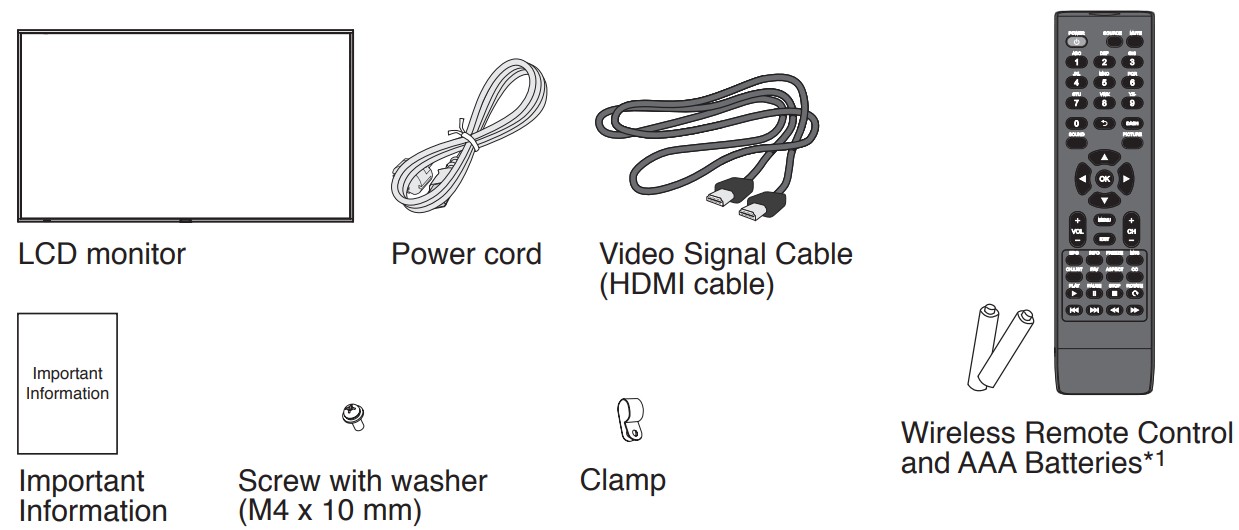
*1 Depending on the country where the LCD monitor is shipped to, AAA batteries are not included in the box contents.
Installation
Product warranty does not cover damage caused by improper installation. Failure to follow these recommendations could result in voiding the warranty. WARNING: Please refer to the “Important Information”.
- We recommend four or more people.
- Four handles are required when transporting.
CAUTION: Avoid locations with extreme temperatures and humidity.
The usage environment for this monitor is as follows. Failure to do so could damage to the product or lead to fire or electric shock.
- The operating temperature: 0 °C to 40 °C/32 °F to 104 °F/humidity: 20 to 80% (without condensation)
- The storage temperature: -20 °C to 60 °C/-4 °F to 140 °F/humidity: 10 to 90% (without condensation)
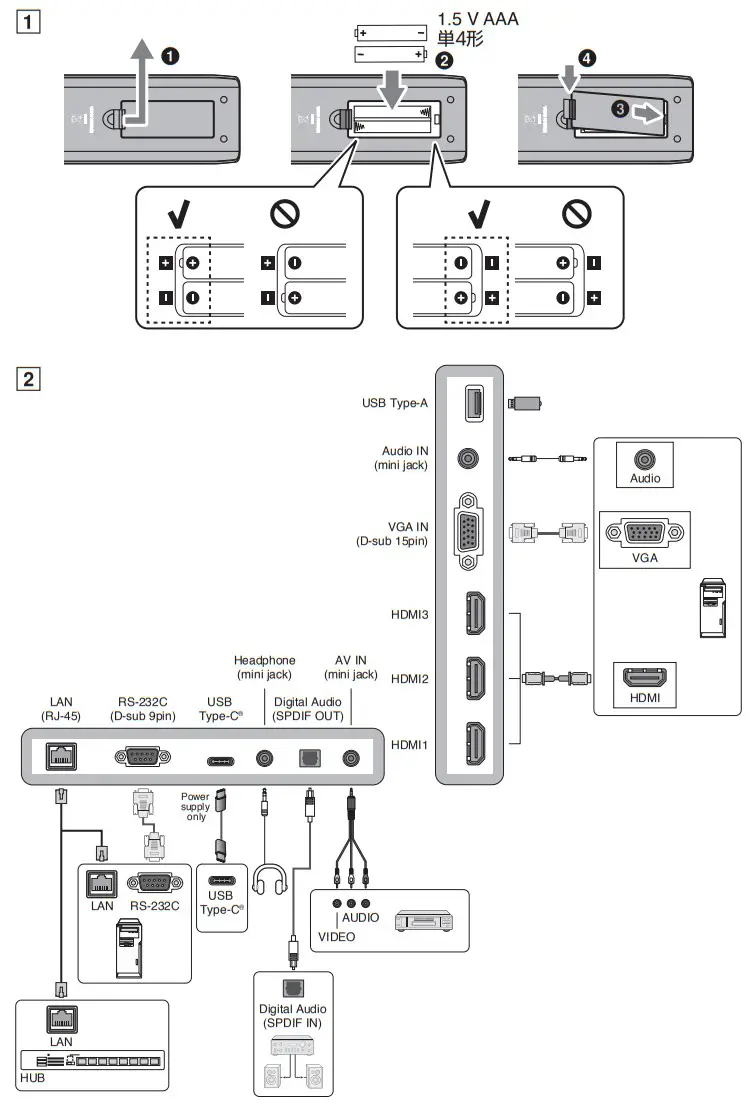
- Install the remote control batteries
- Connect external equipment
CAUTION: Use the provided specified cables with this product so as not to interfere with radio and television reception.
For USB and mini D-Sub 15-pin, please use a shielded signal cable with ferrite core.
For HDMI and RS-232C, please use a shielded signal cable.
Use of other cables and adapters may cause interference with radio and television reception.
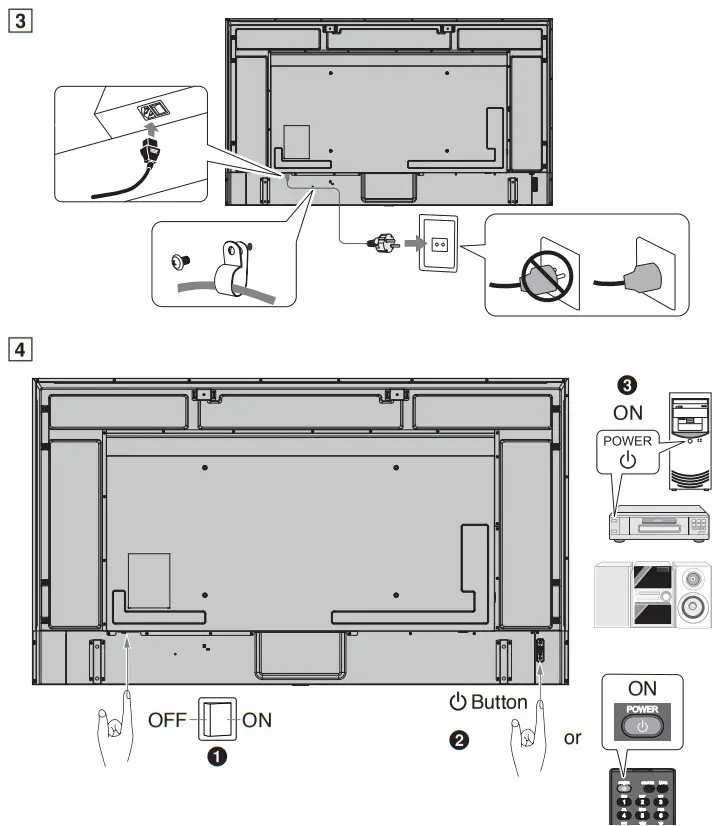
NOTE: Adjustment of the volume control as well as the equalizer to other settings than the center position may increase the ear-/headphones output voltage and therefore the sound pressure level. - Connect the supplied power cord
- Turn on the power for the monitor and the external equipment Switch on the monitor power first.
NOTE: Remember to save your original box and packing material to transport or ship the monitor.
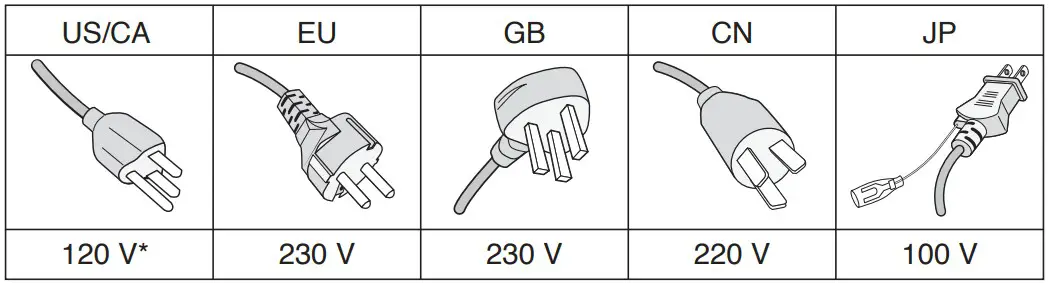
Please use this power cord under 125 V power supply.
FCC Information
CAUTION: Use the provided specified cables with this product so as not to interfere with radio and television reception.
For USB and mini D-Sub 15-pin, please use a shielded signal cable with ferrite core.
For HDMI and RS-232C, please use a shielded signal cable.
Use of other cables and adapters may cause interference with radio and television reception.
WARNING: The Federal Communications Commission does not allow any modifications or changes to the unit EXCEPT those specified by Sharp NEC Display Solutions of America, Inc. in this manual.
Failure to comply with this government regulation could void your right to operate this equipment.
This equipment has been tested and found to comply with the limits for a Class B digital device, pursuant to part 15 of the FCC Rules. These limits are designed to provide reasonable protection against harmful interference in a residential installation. This equipment generates, uses, and can radiate radio frequency energy, and, if not installed and used in accordance with the instructions, may cause harmful interference to radio communications.
However, there is no guarantee that interference will not occur in a particular installation. If this equipment does cause harmful interference to radio or television reception, which can be determined by turning the equipment off and on, the user is encouraged to try to correct the interference by one or more of the following measures:
- Reorient or relocate the receiving antenna.
- Increase the separation between the equipment and receiver.
- Connect the equipment into an outlet on a circuit different from that to which the receiver is connected.
- Consult your dealer or an experienced radio/TV technician for help.
If necessary, the user should contact the dealer or an experienced radio/television technician for additional suggestions.
The user may find the following booklet, prepared by the Federal Communications Commission, helpful: “How to Identify and Resolve Radio-TV Interference Problems.” This booklet is available from the U.S. Government Printing Office, Washington, D.C., 20402, Stock No. 004-000-00345-4.
SUPPLIER’S DECLARATION OF CONFORMITY
This device complies with Part 15 of the FCC Rules. Operation is subject to the following two conditions. (1) This device may not cause harmful interference, and (2) this device must accept any interference received, including interference that may cause undesired operation.
| U.S. Responsible Party: | Sharp NEC Display Solutions of America, Inc. |
| Address: | 3250 Lacey Rd, Ste 500 Downers Grove, IL 60515 |
| Tel. No.: | (630) 467-3000 |
| Type of Product: | LCD Monitor |
| Equipment Classification: | Class B Peripheral |
| Model: | E758, E868 |

IMPORTANT
The wires in this mains lead are coloured in accordance with the following code:
| GREEN-AND-YELLOW: | “Earth” |
| BLUE: | “Neutral” |
| BROWN: | “Live” |
- As the colors of the wires in the mains lead of this apparatus may not correspond with the coloured markings identifying the terminals in your plug proceed as follows:
- The wire which is coloured GREEN-AND-YELLOW must be connected to the terminal in the plug which is marked by the letter E or by the safety earth symbol or coloured green or green-and-yellow.
- The wire which is coloured BLUE must be connected to the terminal which is marked with the letter N or coloured black.
- The wire which is coloured BROWN must be connected to the terminal which is marked with the letter L or coloured red.
- Ensure that your equipment is connected correctly. If you are in any doubt consult a qualified electrician.
“WARNING: THIS APPARATUS MUST BE EARTHED.”
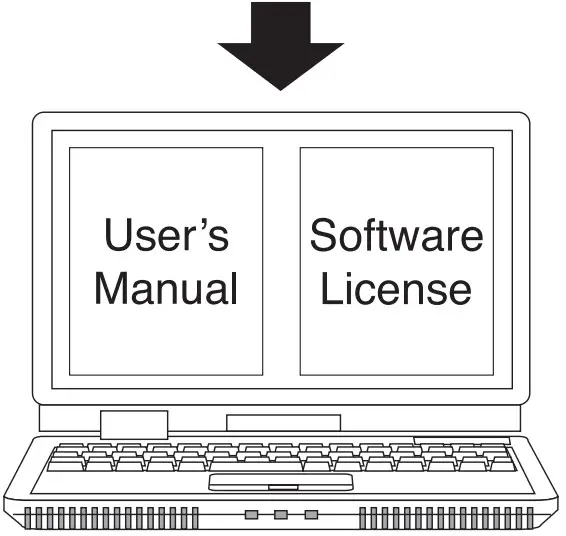
 https://www.sharp-nec-displays.com/dl/en/dp_manual/index.html
[US] https://www.sharpnecdisplays.us/
[EU] https://www.sharpnecdisplays.eu/p/hq/en/home.xhtml
[CN] http://monitor.nec.cn/
[JP] https://www.sharp-nec-displays.com/dl/jp/dp/man_dim/index.html
[Global website] https://www.sharp-nec-displays.com/dl/en/dp_manual/index.html
References
 ENERGY STAR | The simple choice for energy efficiency.
-
NEC显示产品解决方案
-
ENERGY STAR | The simple choice for energy efficiency.
-
Products | Sharp NEC Display Solutions
-
User's Manual : Display | Sharp NEC Display Solutions
-
取扱説明書・三面図ダウンロード: ディスプレイ | シャープNECディスプレイソリューションズ
-
グリーン購入について : J-Mossについて | シャープNECディスプレイソリューションズ
-
ディスプレイのリサイクル | シャープNECディスプレイソリューションズ
 Sharp NEC Display Solutions Europe - Sharp NEC Display Solutions
-
Главная страница - Sharp NEC Display Solutions
-
LCD Displays, Projectors, Desktop Monitors, Digital Signage
 ENERGY STAR | The simple choice for energy efficiency.
 NEC显示产品解决方案
 ENERGY STAR | The simple choice for energy efficiency.
 Products | Sharp NEC Display Solutions
 Sharp NEC Display Solutions Europe - Sharp NEC Display Solutions
 LCD Displays, Projectors, Desktop Monitors, Digital Signage