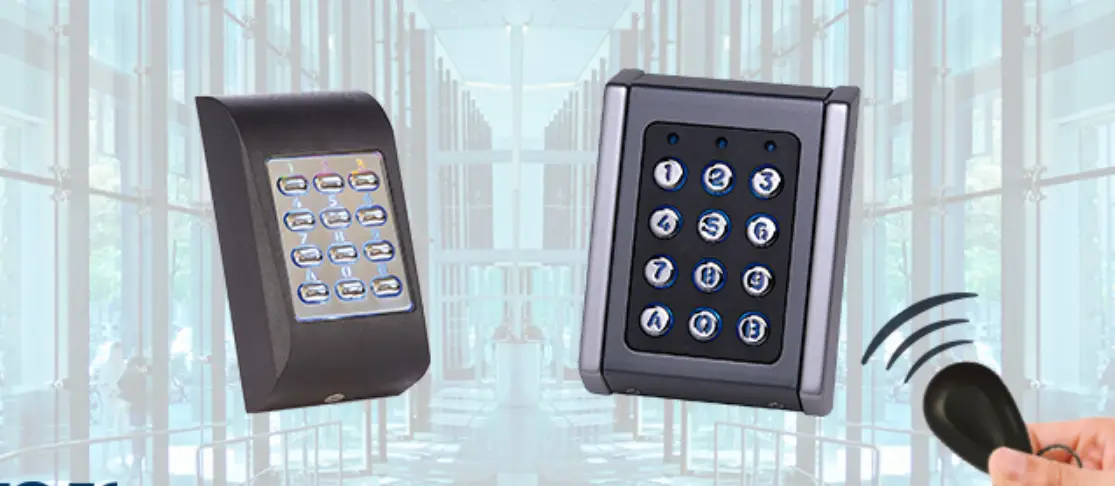
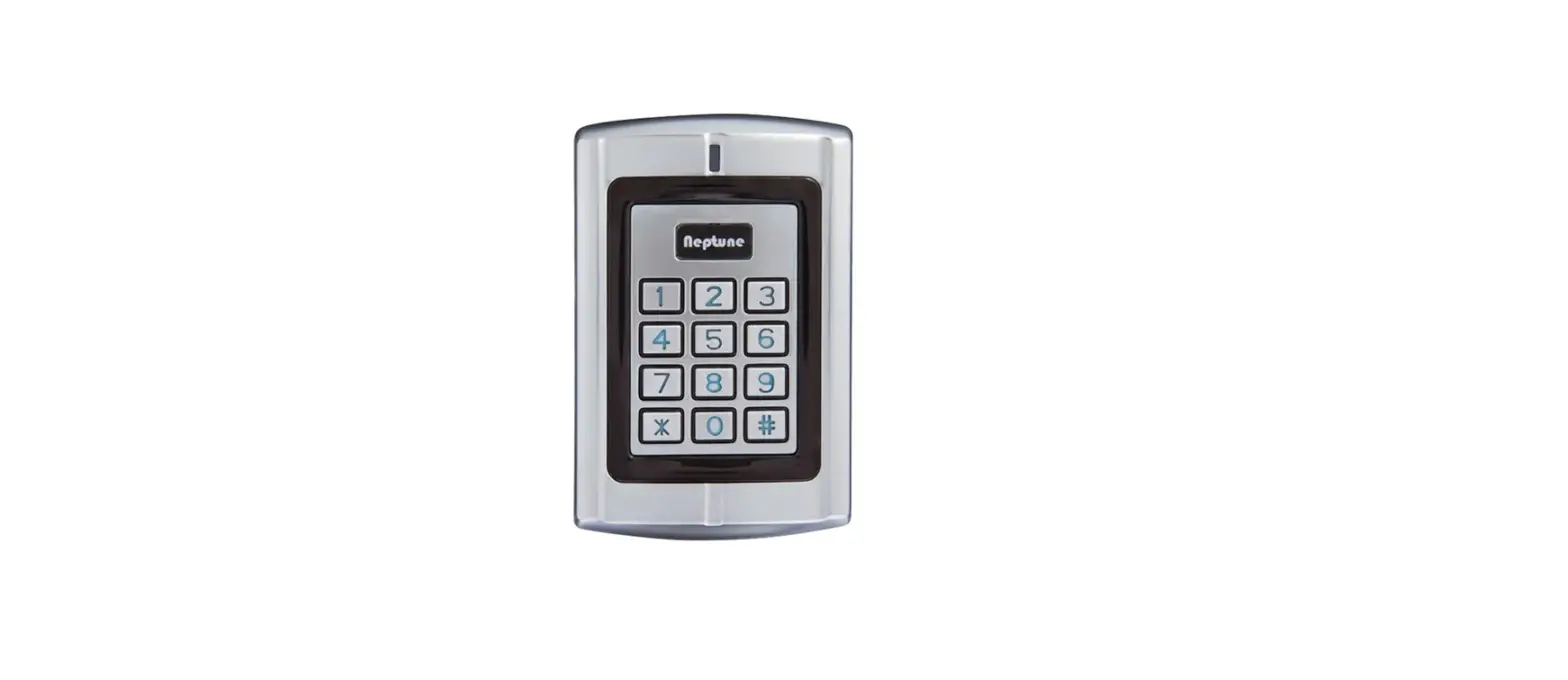
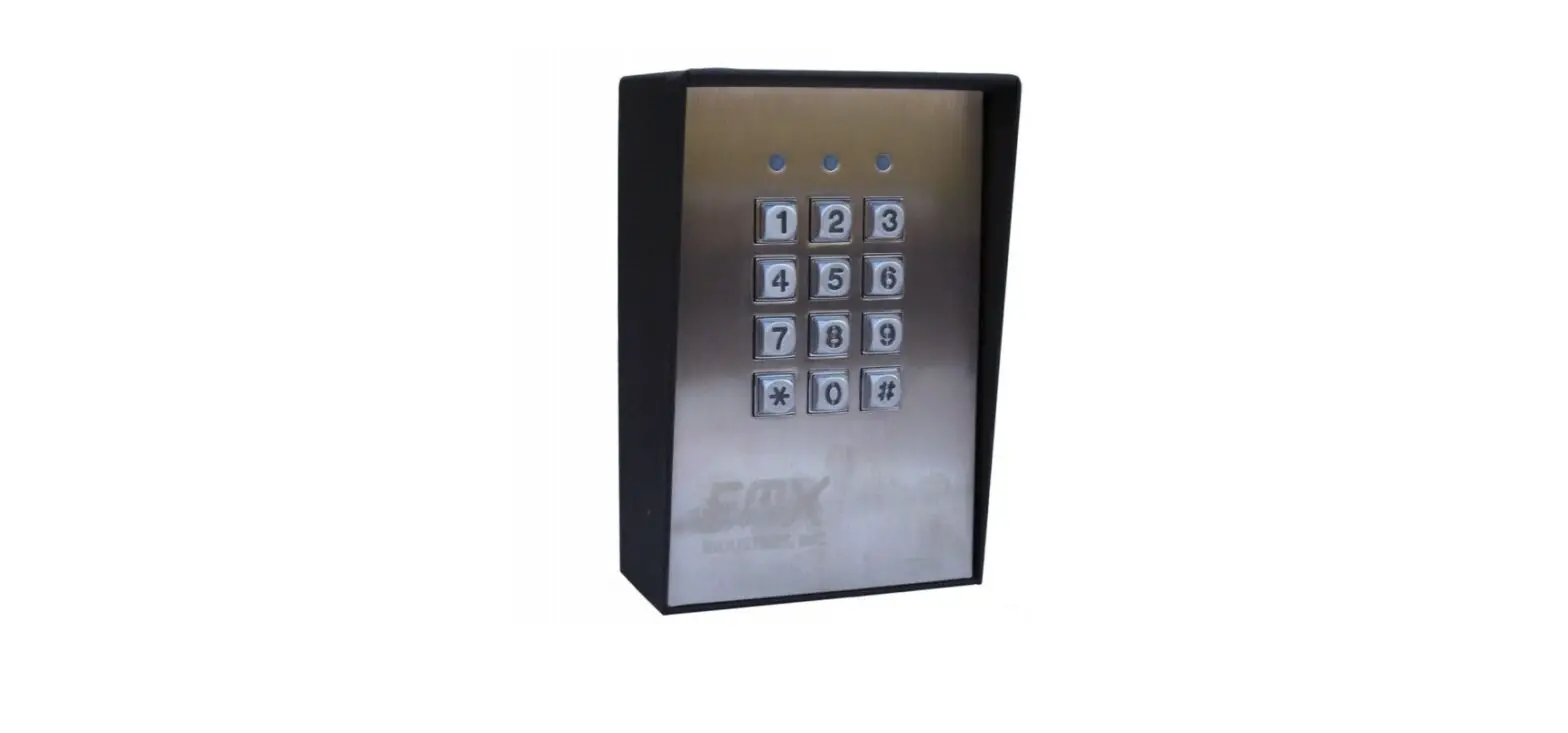
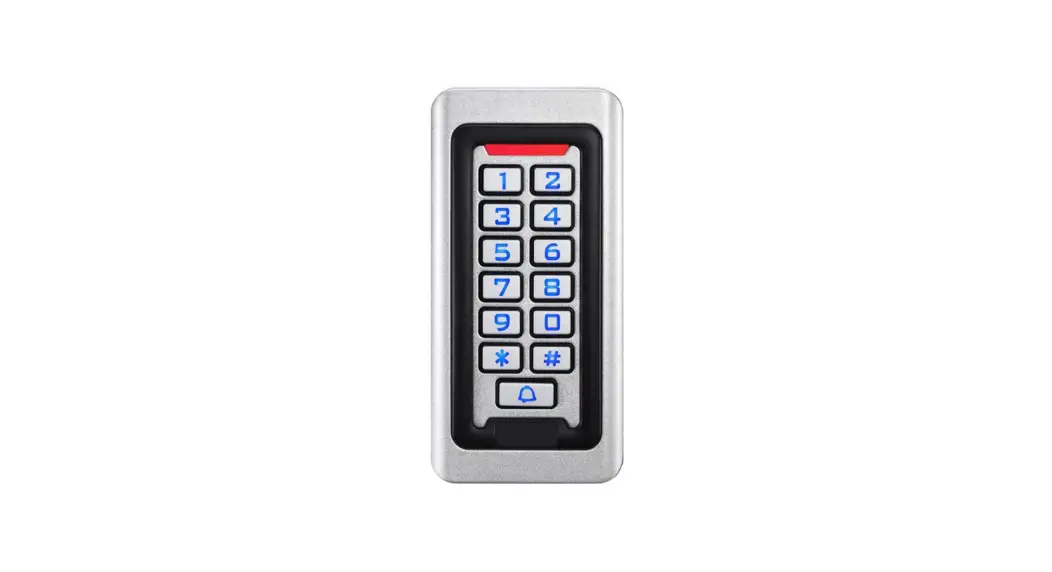
VKP99 Elegant Vandal Resistant Standalone Keypad
Product Information: VKP99
The VKP99 is a security keypad system that allows users to set
up master codes and user codes for access control. It features a
tamper switch, dipswitch, and proximity reader for added security.
The product is available in multiple languages including English,
French, Italian, Spanish, German, and Dutch.
Product Features:
- Tamper switch
- Dipswitch
- Proximity reader
- Available in multiple languages
Mounting Instructions:
The VKP99 should be mounted on a flat surface. Use three 30mm
CSK Philips screws for mounting. Additionally, use one M3 x 6mm
screw to secure the dipswitch.
Refer to the user manual for dipswitch configuration.
Product Usage Instructions:
- Disconnect power and turn Dipswitch 1 ON.
- Reconnect power. The keypad will beep continuously.
- Turn Dipswitch 1 OFF. (Yellow LED ON + long beep)
- Press 0+00.
- Enter the new MASTER Code (1 to 8 digits).
- Press A to confirm.
- Press B to exit (Yellow LED OFF).
Note: The VKP99 can also be used to assign a user code or
output, change the master code, and more. Refer to the programming
flowchart in the user manual for more information.
VKP99
EN FR IT ES DE NL
USER MANUAL
FEATURES
· Standalone vandal-resistant keypad · Potted aluminium cast keypad with
11- core cable · Operates on 12/24V AC/DC · 99 User memory (codes up to 8 digits
long) · 2 outputs that operate in pulse (01 …
99 sec) or latch mode (00) · 1 Exit button · 30 sec lockout after 8 consecutive
invalid codes · Dipswitch to regain default settings · Visual and audible feedback · Tamper switch for higher security · EEPROM prevents data loss during
power failure · Peripherals connected via
bi-directional CODIX bus · Dustproof and waterproof (IP66) · Built-in REED switch/tamper · Magnet holder provided · Current Consumption Standby: 10mA,
Maximum: 60mA · Cable: 0.5 m
CARACTERÍSTICAS
· Teclado autónomo antivandálico · Teclado moldeado en aluminio y
encapsulado en resina, con cable de 11 hilos · Funciona con 12/24V CA/CC · 99 códigos en memoria (hasta 8 dígitos de longitud) · 2 salidas que operan en modo impulsional (01 … 99 seg.) O modo conmutación (00) · 1 Botón de salida · 30 segundos de bloqueo tras 8 códigos inválidos consecutivos · Interruptor DIP para restauración de valores por defecto · Respuesta audible y visual · Interruptor Tamper para seguridad antisabotaje · La EEPROM evita la pérdida de datos · Periféricos conectados a través de un bus CODIX bidireccional · A prueba de polvo y resistente al agua (IP66) · Interruptor reed/antisabotaje incorporado · Soporte del imán, suministrado · Consumo de corriente en Reposo: 10 mA, Máx.: 60 mA · Cable: 0.5 m
CARACTÉRISTIQUES
· Clavier autonome anti-vandale · Clavier en aluminium moulé dans la résine avec un câble de 11 fils · Alimentation 12/24V CA/CC · Mémoire pour 99 Utilisateurs (codes jusqu’à 8 digits de long) · 2 sorties, en mode Impulsionnel (01…99 sec) ou en mode Marche/Arrêt (00) · 1 bouton-poussoir de sortie · Après 8 codes consécutifs erronés blocage du système pendant 30 secondes · Dipswitch pour réinitialiser la programmation d’usine · Signaux visuels et sonores · Switch d’auto-protection pour une plus grande sécurité · Mémoire EEPROM stocke les données en cas de coupure de courant · Périphériques connectés par un bus CODIX bi-directionnel · Résistant aux poussières et à l’eau (IP66) · REED switch/autoprotection incorporé · Support aimant fourni · Consommation au repos: 10mA, Max.: 60mA · 0.5 m de câble
CARATTERISTICHE
· Tastiera autonoma anti-vandalica · Tastiera in getto d’alluminio fuso con
cavo a 11 poli · Funzionamento a 12/24V c.a./c.c. · Memoria da 99 codici (ciascuno lungo
al massimo 8 caratteri) · 2 uscite: ad impulso (da 01 a 99 sec)
o bi-stabile (00) · 1 tasto Uscita · Blocco di funzionamento per 30 sec
dopo 8 tentativi di inserimento codice errato · Dipswitch per riottenere le impostazioni di default · Feedback acustico e visivo · Interruttore antimanomissione per una maggior sicurezza · EEPROM per evitare la perdita dei dati · Periferiche collegate mediante bus bidirezionale CODIX · A tenuta di polvere e stagna (IP66) · Incorporato REED Interruttore/ antimanomissione · Supporto del magnete fornito · Consumo di corrente Stanby: 10mA, Massimo: 60 mA · Cavo: 0.5 m
PRODUKTDETAILS
EIGENSCHAPPEN
· Vandalismussichere Standalone-Tastatur · Kunstharzvergossene Tastatur mit Gehäuse aus Aluminiumdruckguss und 11-adrigem Kabel · Spannungsversorgung: 12/24 VAC/DC · Speicher für 99 Benutzer (PIN-Code-Länge wählbar bis zu 8 Ziffern) · 2 Relais – Impuls- (01-99 Sek.) oder Schaltmodus (00) EIN/AUS wählbar · Ein Austrittstaster · 30 Sek. Tastatursperre nach 8 Mal in Folge falsch eingegebenem PIN Code · DIP-Schalter zum Zurücksetzen auf Werkseinstellungen · Akustische und optische Bestätigungssignale · Höhere Sicherheit durch Sabotageschutzschalter · Datensicherung über EEPROM bei Stromausfall · Anschluss von Peripheriegeräten über bi-direktionalen CODIX-Bus · Staub- und wassergeschützt (IP66) · Integrierter Reed- und Sabotageschalter · Integrierter Haftmagnet · Stromaufnahme: Standby 10 mA, Max.: 60 mA · Kabel: 0.5 m
· Standalone vandaalbestendig keypad · Gesloten alluminium keypad met
11-aderige kabel · Werkt op 12/24V AC/DC · 99 gebruikercodes (0 tot 8 karakters) · 2 uitgangen welke in pulsmode
werken (01….99 sec) houd mode (00) · 1 Exit drukknop · 30 sec blokkering na ingeven van
8 onjuiste codes · Dipswitch voor laden
fabrieksinstellingen · Visuele en hoorbare terugkoppeling · Sabotage schakelaar voor hogere
veiligheid · EEPROM voorkomt data verlies
gedurende spanningsuitval · Randapparatuur kan aangesloten worden op de bi-directionele CODIX bus · Stof- en waterdicht (IP66) · Ingebouwde Reedcontact en
sabotage · Magneethouder bijgeleverd · Stroomopname in rust: 10mA,
Maximaal: 60 mA · Kabel: 0.5 m
www.xprgroup.com
1
Rev. 1.02
MOUNTING/ MONTAGE/ INSTALLAZIONE/ MONTAJE/ MONTAGE/ MONTAGE
Flat surface/ Surface plane/ Superficie piana/Superficie llana/ Ebener Untergrund/ Plat oppervlak
Magnet holder/ Support d’aimant/ Supporto del magnete/ Soporte del imán/ Haftmagnet/ Magneet houder
2 (3 x 30mm CSK Philips)
3 (4 x 30mm CSK Philips)
1 (M3 x 6mm)
WIRING/ CÂBLAGE/ CABLAGGIO/ CABLEADO/ VERDRAHTUNG/ AANSLUITING
Dipswitch/ Dipswitch/ Dipswitch/ Conmutador DIP/ DIP-Schalter/ Dipswitch
Connection/ Connexion/ Colour/ Couleur/ Colore/ Color/ Farbe/ Kleur Connessione/ Conexión/
Anschlüsse/ Aansluiting
Option/ Option/ Opzione/ Opción/ Optional/ Optie: 3-Wire/ 3-fil/ 3-fili/ 3-hilos/ 3-Draht/ 3-aderige CODIX bus
Red/ Rouge/ Rosso/ Rojo/ Rot/ Rood Black/ Noir/ Nero/ Negro/ Schwarz/ Zwart
White/ Blanc/ Bianco/ Blanco/ Weiß/ Wit Yellow/ Jaune/ Giallo/ Amarillo/ Gelb/ Geel
Grey/ Gris/ Grigio/ Gris/ Grau/ Grijs Green/ Vert/ Verde/ Verde/ Grün/ Groen
Blue/ Bleu/ Blu/ Azul/ Blau/ Blauw Orange/ Orange/ Arancione/ Naranja/ Orange/ Oranje
Brown/ Brun/ Bruno/ Marrón/ Braun/ Bruin Violet/ Violet/ Violetto/ Morado/ Violett/ Paars
Pink/ Rose/ Rosa/ Rosado/ Rosa/ Roze
Mandatory/ Obligatoire/ Obbligatorio/ Obligatorio/ Vorschrift/ Mandataris
Black/ Noir/ Nero/ Negro/ Schwarz/ Zwart
G
Violet/ Violet/ Violetto/ Morado/
Violett/ Paars
DATA
Grey/ Gris/ Grigio/ Gris/ Grau/ Grijs
+
GND
DATA
+9V
INOX/ MINI/ VKP/ VPROX/ LCS/ MTPX
Do not apply any voltage to the CODIX BUS. N’appliquer aucune tension au bus CODIX. Non applicare alcuna tensione al bus CODIX. No aplique ninguna tensión al bus CODIX. Keine Spannung auf den CODIX Bus zuführen. Sluit geen spanningsbron aan op de CODIX bus.
www.xprgroup.com
2
CONNECTING STRIKE TO THE RELAY/ CONNEXION D’UNE GÂCHE AU RELAIS/ COLLEGAMENTO INNESCO AI RELÈ/ CONEXIÓN DE UNA CERRADURA AL RELÉ/ TÜRÖFFNER MIT RELAIS VERBINDEN/ AANSLUITEN SLOTEN OP DE RELAIS
Relay/ Relais/ Relè/ Relé/ Relais/ Relais: 2A
DC (CC)
NO White/ Blanc/ Bianco/ Blanco/ Weiß/ Wit
COM
Yellow/ Jaune/ Giallo/ Amarillo/
Gelb/ Geel
NC
Grey/ Gris/ Grigio/ Gris/
Grau/ Grijs
Diode – 1N4007
Strike Gâche Innesco Cerradura Türöffner
Slot
AC (CA)
NO
White/ Blanc/
Bianco/ Blanco/
Weiß/ Wit
COM Yellow/ Jaune/ Giallo/ Amarillo/ Gelb/ Geel
NC
Grey/ Gris/ Grigio/ Gris/
Grau/ Grijs
VKP99
Capacitor + Resistor Condensateur + Résistance Condensatore + Resistenza Condensador + Resistencia Kondensator + Widerstand Condensator + Weerstand
NO: Normally open Normalement ouvert Normalmente aperto Normalmente abierto Arbeitskontakt Open Normaal
COM: Common Commun Comune Común Wechselkontakt Gemeenschappelijk
NC: Normally closed Normalement fermé Normalmente chiuso Normalmente cerrado Ruhekontakt Normaal gesloten
CONNECTING THE TRANSISTOR/ RACCORDER LE TRANSISTOR/ COLLEGAMENTO TRANSISTOR/ CONEXIÓN DEL TRANSISTOR/TRANSISTOR ANSCHLIESSEN/ AANSLUITEN VAN DE TRANSISTOR
Transistor: Ptot=250 mW (Vce x Ic), Vceo max = 30V, Ic max. (DC (CC) = 100 mA)
VKP99 T Output 2
Green/ Vert/ Verde/ Verde/
Grün/ Groen
Note: The transistor output can be only used when the device is powered with DC Voltage 12 -24 Vdc. Note: La sortie transistorisée peut être seulement utilisé quand l’appareil est alimenté en 12/24 VDC. Nota: L’uscita transistor puo essere soltanto utilizzata quando l’apparrechiatura è alimentata in 12/24 VDC Nota: La salida transistorizada sólo puede ser usada cuando el aparato este alimentado en 12/24VDC. Bitte beachten: Der Transistorausgang kann nur verwendet werden, wenn das Gerät mit 12/24VDC betrieben wird Opmerking: De transistor uitgang kan alleen gebruikt worden wanneer het apparaat is ingeschakeld met 12/24 VDC.
GREEN AND RED LEDS FOR OUTPUT STATUS/ LEDS ROUGE ET VERTE POUR L’ÉTAT DE SORTIE LED VERDE E ROSSO PER LA SEGNALAZIONE DELLO STATO DI FUNZIONAMENTO/ LEDS ROJO Y VERDE PARA MOSTRAR EL ESTADO DE LAS SALIDAS/ GRÜNE UND ROTE LED ZUR STATUSANZEIGE/GROENE EN RODE LEDS VOOR UITGANG STATUS
Green LED indicates activation of relay output whereas Red LED indicates activation of transistor output. La Led verte indique l’activation du relais de sortie, alors que la Led rouge indique l’activation du transistor de sortie. Il LED verde indica l’attivazione dell’uscita relè, mentre il LED rosso indica l’attivazione dell’uscita transistor. El LED verde indica activación de la salida de relé mientras que el LED rojo indica activación de la salida transistor. Die grüne LED zeigt die Aktivierung des Relaisausgangs, die rote LED die Aktivierung des Transistorausgangs an. Groene LED geeft aan dat het relais bekrachtigd is en de rode LED geeft de transistoruitgang weer.
EXIT BUTTON/ BOUTON DE SORTIE/ PULSANTE USCITA/ BOTÓN DE SALIDA/ AUSTRITTSTASTER/ EXIT DRUKKNOP
Blue/ Bleu/ Blu/ Azul/
Blau/ Blauw PB
Orange/ Orange/ Arancione/ Naranja/
Orange/ Oranje
VKP99
Exit button (NO) automatically activates relay output. Le bouton-poussoir (NO) active automatiquement le relais de sortie. Il bottone per l’uscita (NO) attiva automaticamente l’uscita relè. El pulsador (NO) activa automáticamente la salida de relé. Durch den Austrittstaster (NO) wird der Relaisausgang automatisch aktiviert. Exit drukknop (NO) activeert automatisch de relais uitgang.
www.xprgroup.com
3
TAMPER SWITCH/ SWITCH D’AUTOPROTECTION/ INTERRUTTORE ANTIMANOMISSIONE/ INTERRUPTOR ANTISABOTAJE/SABOTAGESCHALTER/ SABOTAGE SCHAKELAAR
Magnet Aimant Magnete
Imán Haftmagnet
Magneet
TAMPER
Built-in REED switch REED switch incorporés Incorporato REED Interruttore Interruptor reed incorporado Integrierter REED-Schalter Ingebouwd REED contact
VKP99
Brown/ Brun/ Bruno/ Marrón/
Braun/ Bruin
Violet/ Violet/ Violetto/ Morado/
Violett/ Paars
REDEFINING MASTER CODE/ REDÉFINITION DU CODE MAÎTRE/ RIDEFINIZIONE DEL CODICE MASTER/ REDEFINICIÓN DEL CÓDIGO MAESTRO/ MASTERCODE NEU BESTIMMEN/ OPNIEUW DEFINIËREN MASTER CODE
It is possible to redefine and restore the default setting if the Master code is forgotten. Si le code Maître est oublié, il est possible de reconstituer les réglages par défaut et de les redéfinir. Si se olvida el código Maestro, es posible restaurar los ajustes por defecto y redefinirlo. Se il codice Master fosse dimenticato, e’possibile ristabilire i valori di default e ridefinirle. Wurde der Mastercode vergessen, kann das Gerät auf die Werkseinstellungen zurückgesetzt werden und ein neuer Code gewählt werden Indien de Master Code is vergeten is het is mogelijk om de standaardinstellingen te laden
Disconnect power and turn the Dipswitch 1 ON
Coupez l’alimentation et fermez le cavalier mettre le dipswicht 1 sur MARCHE
1.
Scollegare l’alimentazione e chiudere il ponticello posizionare l’interruttore DIP 1 su ON Desconecte la alimentación eléctrica y cierre el Puente girar el interruptor DIP 1 en la posición de ENCENDIDO
Gerät von Stromversorgung trennen und Jumper schließen Dip-Schalter 1 in Position EIN bringen
De stroomtoevoer uitschakelen en de jumper sluiten dipswitch 1 inschakelen (ON)
Reconnect power. The keypad will beep continuously
Rebranchez l’alimentation. Le clavier émet un bip continu
2.
Ricollegare l’alimentazione. La tastiera emetterà unsegnale acustico continuo Vuelva a conectar la alimentación. El teclado emitirá un pitido continuo
Stromversorgung wiederherstellen. Die Tastatur piept
De stroomtoevoer weer inschakelen. Het toetsenbord piept continu
Turn the Dipswitch 1 OFF. (Yellow LED ON + long beep)
Mettre le dipswitch 1 sur ARRÊT. (LED jaune allumée + bip long)
3.
Posizionare l’interruttore DIP 1 OFF. (LED ON giallo + Beep lungo) Girar el interruptor DIP 1 en la posición de APAGADO. (LED amarillo Encendido+ pitido largo)
Dip-Schalter 1 in Position AUS bringen. (Gelbe LED leuchtet+ langes Piepsignal ertönt)
Dipswitch 1 uitschakelen (OFF). (Gele LED AAN+ korte toon)
Press 0+00
Saisissez 0+00
4.
Premere 0+00 Pulse 0+00
0+00 eingeben
Druk op 0+00
Press the new MASTER Code (1 to 8 digits)
Saisissez le nouveau code maître (1 à 8 chiffres)
5.
Digitare il nuovo Codice MASTER (da 1 a 8 cifre) Introduzca el código MAESTRO nuevo (de 1 a 8 dígitos)
Neuen Mastercode eingeben (1 bis 8 Ziffern)
Voer de nieuwe Master-code in (1 tot 8-cijferig)
Press A to confirm
Appuyer sur A pour confirmer
6.
Premere A per confermare Pulse A para confirmar
Mit Taste A bestätigen
Druk op A om te bevestigen
Ex: 0 +00 + 2578 + A + B
Press B to exit (Yellow LED OFF)
Appuyez sur B pour quitter (LED jaune ETEINTE)
7.
Premere B per uscire (LED OFF giallo) Pulse B para salir (LED amarillo APAGADO)
Taste B zum Beenden drücken (Gelbe LED erlischt)
Druk op B om te beëindigen (Gele LED uit)
www.xprgroup.com
4
PROGRAMMING FLOWCHART
Start Enter “Master Code” OR “000” (if first time use)
Validate by pressing (B)
Validation OK?
NO
Multiple small beeps +
Yellow Led blinks rapidly
YES 1 small beep + 1 long beep + Yellow LED is `ON’
Assign a User Code
Press (0) +
Memory position from 01 to 99
Proximity Reader
Keypad Reader
Change Master Code
Press (0) +
Memory position (00)
Assign Output Press (3) +
Memory position from (01 to 99) +
Press (1) for Relay OR
Press (2) for Transistor OR
Press (12) for both
Set Output Timer Pulsed Mode (01 to 99 sec):
Relay (2A): Press (1) + (from 01 to 99)
Transistor: Pres (2) + (from 01 to 99)
OR Latch Mode (ON/OFF):
Press (1) or (2) + (00)
Delete Single Code
Press (9) +
Memory position from (01 to 99)
Delete All Codes Press (8) + (99)
Enter new code (1 to 8 digits)
Press A to validate
Present Card/Tag before the Reader*
NO Validation OK?
YES
Quit
NO
programming
YES Press B (Yellow LED is `OFF’)
End
Notes Memory Position for User Code is always 2 digits *no need to validate with A Assign Examples
Ex.1: To assign User Code “12345” at Memory Position “5” and Relay (2A) in Latch Mode assuming Master code = 000 Press 000B + 0 + 05 + 12345 + A + 3 + 05 + 1 + A + 1 + 00 + A + B.
Ex.2: To assign User Code “6789” at Memory Position “6” and Transistor that activates for 5 seconds assuming Master code = 000 Press 000B + 0 + 06 + 6789 + A + 3 + 06 + 2 + A + 2 + 05 + A + B.
See: Assign a User code above
See: Assign Output above
See: Output Timer above
www.xprgroup.com
5
SCHÉMA DE PROGRAMMATION
Commencez
Entrez le code Maître ou “000” (1ère utilisation)
Validez par (B)
Validation OK?
NON
Multiples petits bips +
Led jaune clignote
OUI Un bip court + un long bip + Led jaune reste allumée
Assigner 1 code Utilisateur Entrez (0) +
Enterz position de la mémoire (01 à 99)
Lecteur de
Proximité
Clavier esclave
Changer le code Maître
Entrez (0) +
Position de la mémoire (00)
Assigner 1 sortie Entrez (3) +
Entrez la position (01 à 99) +
Entrez (1) pour relais OU
Entrez (2) pour transistor OU
Entrez (12) pour les 2 sorties
Temporisation des relais
Mode impulsionnel (01 à 99 sec)
Pour relais (2A): Entrez (1) + (01 à 99)
OU Pour transistor: Entrez (2) + (01 à 99) Mode marche/arrêt: Entrez (1) ou (2) + (00)
Supprimer 1 code
Entrez (9) +
Position de la mémoire (01 à 99)
Supprimer tous les codes Entrez (8) + (99)
Entrez le nouveau code (1 à 8 digits)
Validez par (A)
Présentez carte/badge devant le lecteur*
NON Validation OK?
OUI
Quitter la
NON
programmation
OUI Entrez (B), Led jaune s’éteint
Fin
Remarques (01 à 99): Choisissez la position dans laquelle vous voulez enregistrer le code Utilisateurs (toujours 2 digits). *Il n’est pas nécessaire de valider par « A ».
Ex.1: P our attribuer le code Utilisateur 12345 dans la position 5 de la mémoire et lui assigner le relais en mode marche/arrêt, Entrez le code Maître ex: 000B + 0 + 05 + 12345 + A + 3 + 05 + 1 + A + 1 + 00 + A + B.
Ex. 2: P our attribuer le code Utilisateurs 6789 dans la position 6 de la mémoire et lui assigner le transistor en mode impulsionn el 5 secondes, Entrez le code Maître ex: 000B + 0 + 06 + 6789 + A + 3 + 06 + 2 + A + 2 + 05 + A + B.
Réf.: Assignez un code
Réf.: Assignez 1 sortie
Réf.: Temporisation des sortie
www.xprgroup.com
6
PROGRAMMAZIONE
Inizio Inserire il Codice Master oppure 000 (primo utilizzo)
Convalidare con B
Convalida OK?
NO
Ripetuti brevi Beeps +
lampeggio LED giallo
SI Un brevi Beep + un lungo Beep + LED Giallo Acceso
Memorizzare un codice Utente
Premere (0) +
Digitare la Locazione di memoria (01 … 99)
Lettore di
prossimità
Tastiera
Cambiare il codice Master
Premere (0) +
Digitare la locazione di memoria (00)
Assegnare un uscita ad un utente Premere (3) +
Digitare la locazione di memoria (01 … 99)
+ Premere (1) per relè
OPPURE Premere (2) per transistor
OPPURE Premere (12) per entrambi i uscita
Settare lo stato del uscita Modo impulsivo
(da 01 a 99 secondi): Per relè (2A):
Premere 1 + (01 a 99) OPPURE
Per transistor: Premere 2 + (01 a 99) Modo bi-stabile (ON/OFF): Premere 1 OPP. 2 + (00)
Cancellare un coidce Utente
Premere (9) +
Digitare la locazione di memoria (01 … 99)
Per cancellare TUTTI i
codici utente
Premere (8)
+
(99)
Premere nuovo codice (da 1 a 8 cifre)
Convalidare con (A)
Presentare il TAG in fronte al lettore*
NO Convalida OK?
SI
Uscita
NO
programmazione
SI Premere (B) il LED giallo si spegne
Fine Notes: (da 01 a 99): scegliere la posizione di memoria in cui memorizzare il codice (digitate sempre le due cifre della locazione di memoria) *on è necessario convalidare con (A).
Esempio 1: Se si desidera memorizzare un codice utente 12345 la posizione di memoria (5) e assegnare il relè che è nel modo bistabile Premere codice Master: 000B + 0 + 05 + 12345 + A + 3 + 05 + 1 + A + 1 + 00 + A + B.
Esempio 2: Se si desidera memorizzare un codice utente 6789 la posizione di memoria (6) e assegnarlo al trans istor che attiva per 5 secondi Premere codice Master: 000B + 0 + 06 + 6789 + A + 3 + 06 + 2 + A + 2 + 05 + A + B.
Memorizzare un codice Utente
Assegnare un uscita ad un utente
Settare lo stato del uscita
www.xprgroup.com
7
PROGRAMACIÓN
Inicio Entrar “Código Maestro” ó “000” (si es la primera vez)
Validar presionando (B)
Validación correcta?
NO
Múltiples bips cortos + parpadeo rápido
del LED amarillo
SI 1 bip corto + 1 bip largo + LED amarillo encendido
Asignar un código de usuario Presionar (0) +
Posición de memoria de 01 a 99
Cambiar Código Maestro
Presionar (0) +
Posición de memoria (00)
Lector de Lector proximidad Teclado
Asignar Salida Presionar (3) + Posición
de memoria de (01 a 99) +
Presionar (1) para el relé
ó Presionar (2) para el transistor
ó Presionar (12) para ambos
Temporarización de los salidas
Modo Impulsión (01 a 99 seg.):
Relé (2 A): Presionar (1) +
(de 01 a 99). Transistor: Presionar (2)
+ (de 01 a 99)
ó Modo Conmutación
(Marcha/Parada): Presionar (1) ó (2) + (00)
Eliminación de un código
Presionar (9) + Posición de memoria de (01 a 99)
Eliminación de todos los códigos
Presionar (8) +
(99)
Entrar nuevo código de (1 a 8 dígitos)
Presionar A para validar
Presentar la tarjeta/tag en frente del Lector
Validación
NO
correcta?
SI
Abandonar
NO
programación
SI Presionar B (El LED amarillo se apaga)
Fin Notas: (01 a 99): elija la posición de memoria en la que quiere guardar el código de Usuario (siempre 2 dígitos) *No es necesario validar con “A”
Ej.1: Para asignar el código de Usuario 12345 a la posición de memoria 5 y asignarle el relé en modo marcha/parada. Entrar el código Maestro ej.: 000B + 0 + 05 + 12345 + A + 3 + 05 + 1 + A + 1 + 00 + A + B.
Ej. 1: Para asignar el código de Usuario 6789 a la posición de memoria 6 y asignarle el transistor en modo impulsión de 5 segundos Entrar el código Maestro ej.: 000B + 0 + 06 + 6789 + A + 3 + 06 + 2 + A + 2 + 05 + A + B.
Ver: Asignar un código de Usuario arriba
Ver: Asignar una salid a arriba
Ver: Temporización de los salidas arriba
www.xprgroup.com
8
PROGRAMMIERUNG
Start Mastercode oder (beim 1. Mal) 000 eingeben
Mit Taste B bestätigen
Bestätigung abwarten ?
NEIN Mehrere kurze Pieptöne +
gelbe LED blinkt
JA Ein kurzer und ein langer Piepton + gelbe LED leuchtet
Benutzercode zuweisen Taste 0 +
Speicherplatz (01 … 99)
RFID-Leser Tastatur
Mastercode ändern Taste 0 +
Speicherplatz 00
Ausgänge zuweisen Taste 3 +
Speicherplatz (01 … 99) +
Taste 1 für Relais ODER
Taste 2 für Transistor ODER
Taste 1+ 2 für beide Ausgänge drücken
Relaisschaltzeit festlegen
Impulsmodus (01bis99 sec): Für Relais (2A) :
Taste 1 + (01 … 99) ODER
Für Transistor: Taste 2 + (01 … 99) Schaltmodus EIN/AUS: Taste 1 oder 2 + (00)
Code löschen Taste (9) +
Speicherplatz (01 … 99)
Alle Codes löschen Taste 8 + 99
Code eingeben (1 ..8 stellig)
Bestätigen mit Taste A
Karte / Tag einlesen*
Bestätigung abwarten ?
NEIN
JA
Ende
NEIN
programmierung
JA Bestätigung mit Taste B gelbe LED erlischt
Fertig
Bitte beachten: (01..99) Speicherplätze müssen immer 2-stellig eingegeben werden. * Eine Bestätigung durch Taste (A) ist nicht erforderlich
Beispiel 1: Zuweisung des Benutzercodes 12345 zu Speicherplatz 5 und Zuweisung des Relais 1 (10 A) im Schaltmodus EIN/A US; Mastercode = 000 Eingabe: 000B + 0 + 05 + 12345 + A + 3 + 05 + 1 + A + 1 + 00 + A + B.
Beispiel 2: Zuweisung des Benutzercodes 6789 zu Speicherplatz 6 und Zuweisung des Relais 2 (2A) im Impulsmodus (5 Sek); Mastercode = 000 Eingabe: 000B + 0 + 06 + 6789 + A + 3 + 06 + 2 + A + 2 + 05 + A + B.
Benutzercode zuweisen
Ausgänge zuweisen
Relaisschaltzeit festlegen
www.xprgroup.com
9
PROGRAMMEER OVERZICHT
Start Voer de Master Code in OF “000” (standaard)
Bevestig met (B)
Bevestiging OK? NEE
Korte pieptoontjes +
Gele LED knippert snel
JA 1 korte pieptoon + 1 lange pieptoon + gele LED is aan
Toekennen gebruikercode Toets (0) +
Geheugenplaats van 01 tot 99
Proximity lezer
Keypad lezer
Wijzigen Master Code
Toets (0) +
Geheugenplaats (00)
Toekennen UITGANG Toets (3)
+ Geheugenplaats van
(01 tot 99) +
Toets (1) voor relais en/of
Toets (2) voor Transistor en/of
Toets (12) voor beide
Instellen Tijd Uitgang Puls Mode (01 tot 99 sec):
Relais (2A): Toets (1) + (van 01 tot 99)
Transistor: Toets (2) + (van 01 tot 99)
en/of Houd Mode (AAN/UIT):
Toets (1) of (2) + (00)
Verwijderen Van Één Code Toets (9) +
Geheugenplaats van (01 tot 99)
Verwijderen Van Alle Codes Toets (8) + (99)
Voer nieuwe code in (1 tot 8 karakters)
Toets A om te bevestigen
Biedt kaart tag voor de lezer
Bevestiging OK? NEE
JA
Verlaten
NEE
programmering
JA Toets B (Gele LED is uit)
Opmerking: Geheugenpositie voor een gebruikercode bestaat altijd uit 2 karakters * Het is niet nodig om deze te bevestigen met A
Voorbeelden van toewijzen:
Einde
Vb.1: Geheugenplaats “12345” programmeren op gebruikerplaats “5” en relais in Houd Mode gebruikmakend van de Master code = 000 Toets: 000B + 0 + 05 + 12345 + A + 3 + 05 + 1 + A + 1 + 00 + A + B.
Vb.2: Geheugenplaats “6789” op geheugenplaats “6” en relais 2 welke geactiveerd wordt voor 5 seconden gebruikmakend van de Master code = 000 Toets: 000B + 0 + 06 + 6789 + A + 3 + 06 + 2 + A + 2 + 05 + A + B.
Zie: Toewijzen van een gebruikercode hierboven
Zie: Toewijzen van een uitgang hierboven
Zie: Instellen uitgangs tijd hierboven
www.xprgroup.com
10
APPLICATIONS/ APPLICATIONS/ APPLICAZIONI/ APLICACIONES/ ANWENDUNGEN/ APPLICATIE
Push button/ Bouton-poussoir/ Pulsante Pulsador/ Drucktaster/ Drukknop
Blinds/ Volets/ Serramenti Persianas/ Jalousien/ Zonwering
Vandal-proof/ Anti-vandale/ Anti-vandalo/ Antivandálico/ Vandalismussicher/ Vandaalbestendig
Mullion keypad/ Clavier etroit/ Tastiera adatta/ Teclado estrecho/ Zur Montage im Türrahmen/ Mullion keypad
Door strike/ Gâche de porte/ Cerradura/ Türöffner/ Innesco su porta/ Deurslot
www.xprgroup.com
11
This product herewith complies with requirements of EMC directive 2014/30/EU. In addition it complies with RoHS2 directive EN50581:2012 and RoHS3 Directive 2015/863/EU. Ce produit est conforme aux exigences de la directive CEM 2014/30/UE. En outre, il est conforme à la directive RoHS2 EN50581:2012 et RoHS3 2015/863/EU. Questo prodotto è conforme ai requisiti della Direttiva EMC 2014/30/UE. Inoltre, è conforme alla Direttiva RoHS2 EN50581:2012 e RoHS3 2015/863/EU. Este producto cumple con los requisitos de la Directiva EMC 2014/30/UE. Cumple además con la Directiva RoHS2 EN50581:2012 y RoHS3 2015/863/EU. Dieses Produkt erfüllt die Bestimmungen der EMV-Richtlinie 2014/30/EU. Darüber hinaus entspricht es der RoHS2-Richtlinie EN50581:2012 und RoHS3-Richtlinie 2015/863/EU. Dit product voldoet aan de eisen van de EMC-richtlijn 2014/30/EU. En voldoet tevens aan de RoHS2-richtlijn (BGS) EN50581:2012 en RoHS3-richtlijn 2015/863/EU.
www.xprgroup.com
12
 XPR Group - Safe access systems provider