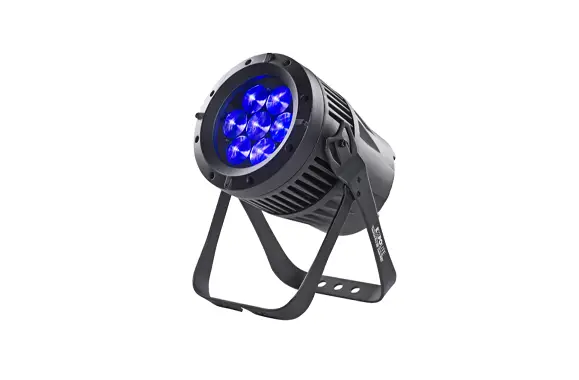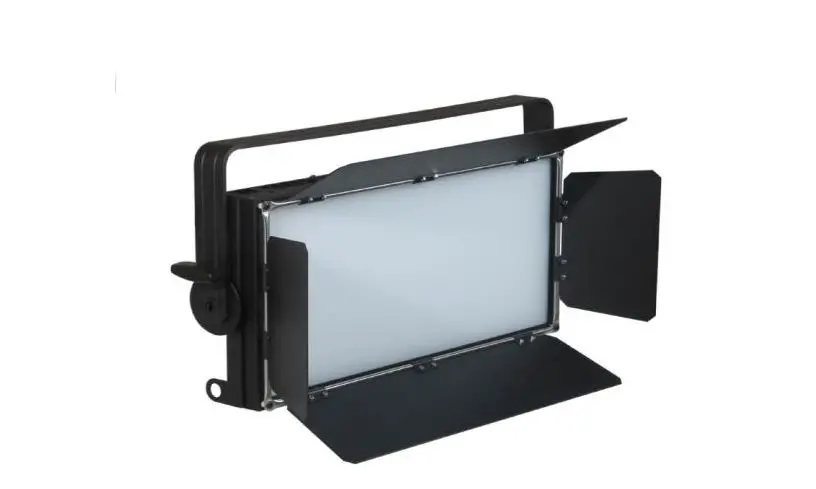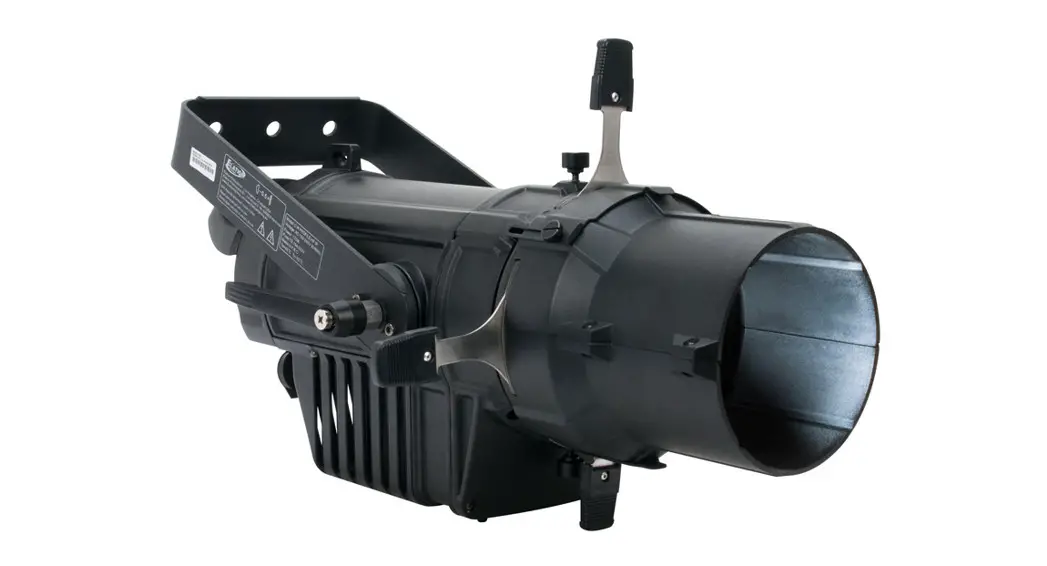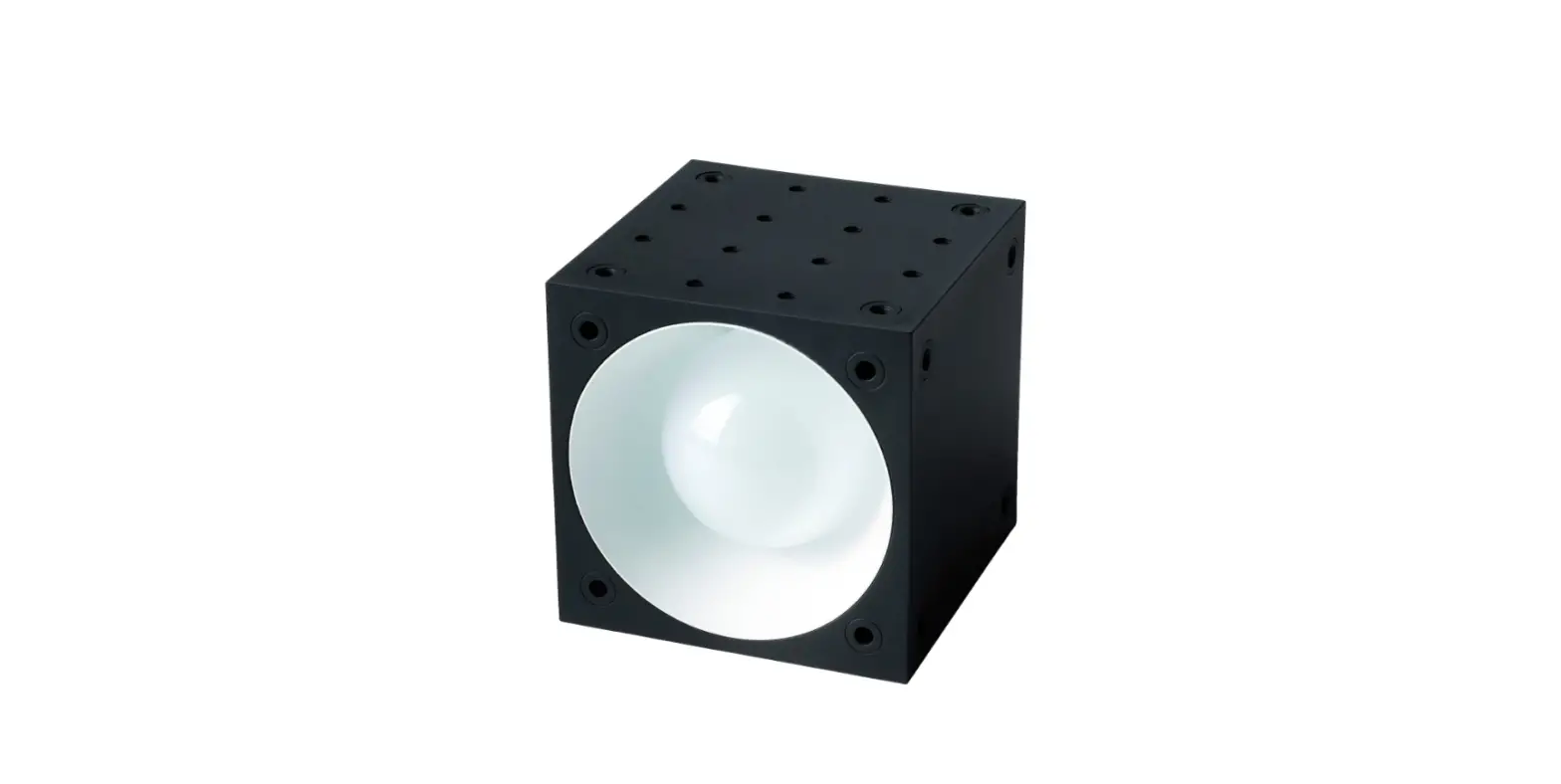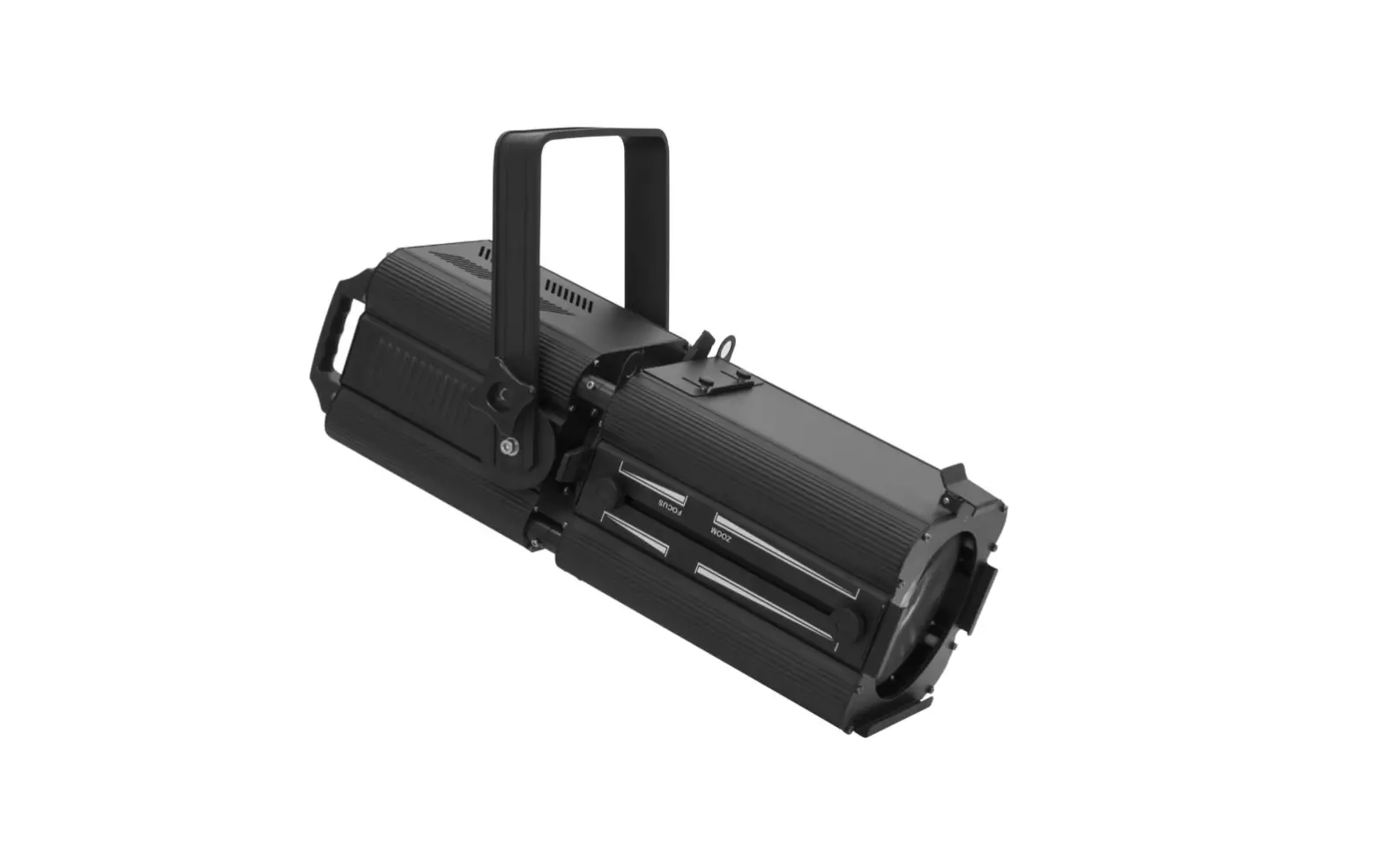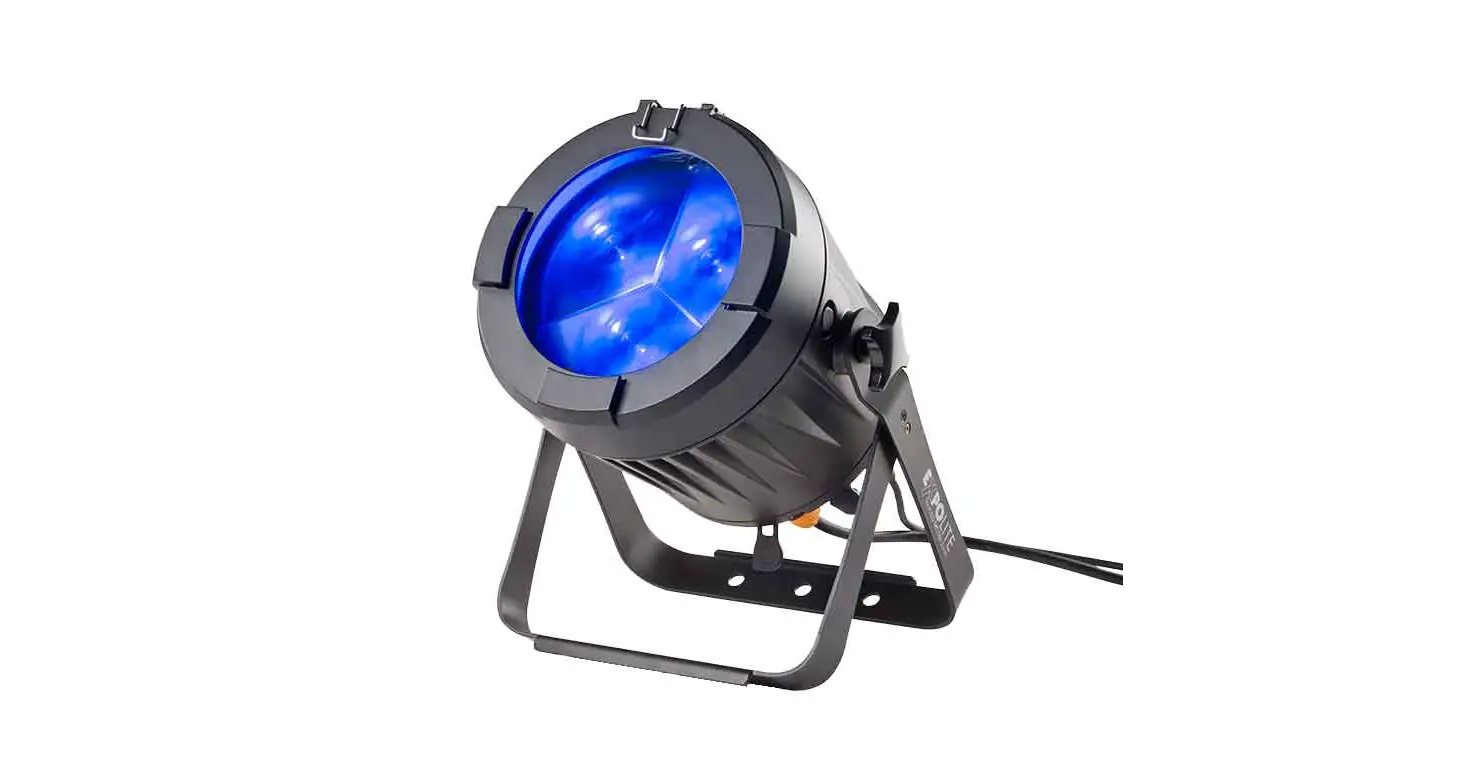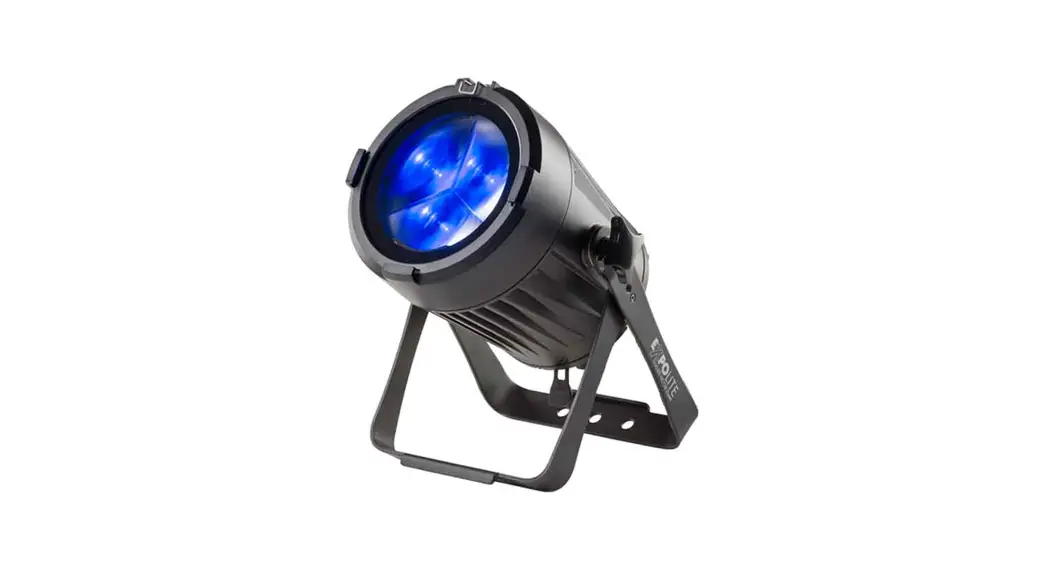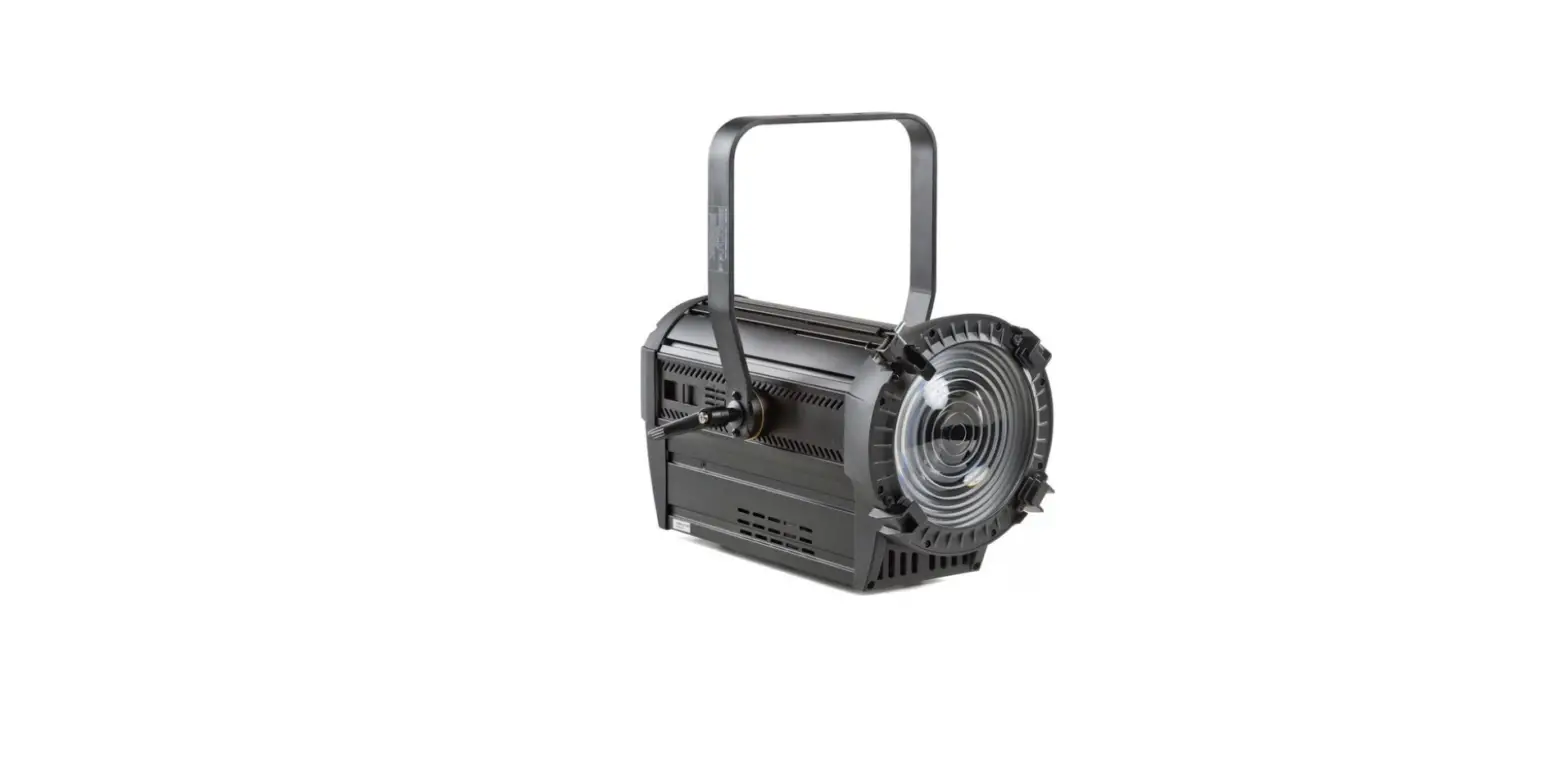

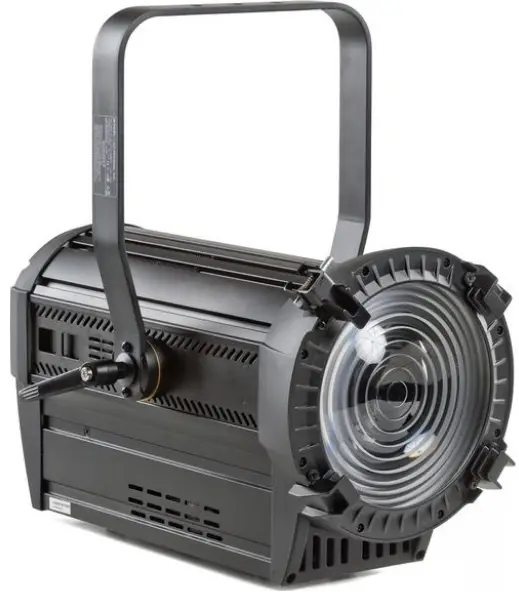
EXPOLITE led22955 XAL MKII LED Profile Spotlight
Product Information
The LED Profil XAL MKII is a lighting device produced by FOCON SHOWTECHNIC Vertriebsgesellschaft mbH. It is a DMX512-controlled LED profile spotlight that can be used to create various lighting effects. The device comes with a user manual that contains general information for Expolite Units.
Product Usage Instructions
- Read the enclosed General Information for Expolite Units carefully before operating the device.
- Install the device according to the instructions provided in the user manual. The dimensions of the device are as follows: 9790,404.0510, 3420,177.0502, and 3233,037.0460.
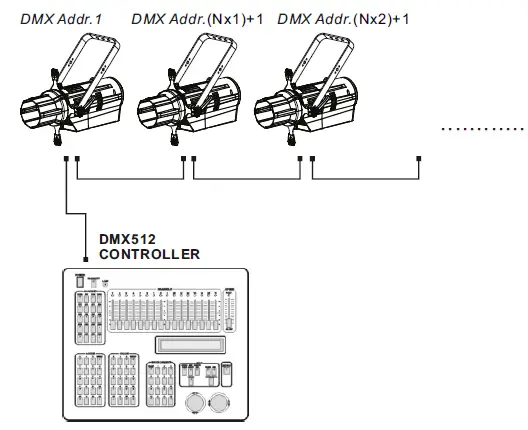
- Connect the device to a DMX512 controller using DMX Addr.1, DMX Addr.(Nx1)+1, DMX Addr.(Nx2)+1, or any other available DMX channel.
- Use the MENU, ENTER, UP, and DOWN buttons on the device to navigate through the settings and make adjustments as necessary.
- To set the DMX address, go to MENU > PAEDRDSORENSS > D.(H0S0I1C-512) and enter the desired address.
- To set the DMX channel allocation, go to MENU > PEPRESROSNOANLITY > HSIC SIMPLE and select either SDO COLOR 8BIT or COLOR 16BIT.
- To set a static color, go to MENU > PESRTSAOTNIC and select from one of the available colors: HSRIECD, GREEN, HBSILCUE, HASMICBER, HLSIMC E, or HSTSRICOBE. Then, adjust the values for R, G, B, A, L, and S using the MENU, ENTER, UP, and DOWN buttons.
- To recall a pre-saved color, go to MENU > PRPEESRESTOCNOLOR and select from one of the available options: HSL1IC06, HSRIC05, HSL1IC94, HSRIC54, HSL0IC19, HSRIC08, HSRIC89, HSRIC86, HSLI2C13, HRSI3C77, HSRIC80, HSLI2C02, HSL3IC28, HRS3IC314, HSLI1C01, or HSL7IC68.
- To make other adjustments and settings, go to MENU > PSEERTSTOING and select from the available options. Use the MENU, ENTER, UP, and DOWN buttons to navigate and make adjustments.
Delivery
- Expolite LED Profile XAL MKII
- Power connection cable
- General Information for Expolite Units
- User Manual
Expolite devices are carefully checked before shipment. If the delivery is not complete, please contact your distributor immediately.
Product Information
- Voltage: 100V – 240V AC 50/60Hz
- Power Consumption: 300W
- Dimensions: 702 x 301 x 233mm
- Weight: 10,3kg
- Connectors: Power In/Out | DMX In/Out
- Ambient Temperature: -0°C – 45°C
- Humidity: < 98%
- Protection: IP 20
- Housing: Extruded Aluminium Housing
- LEDs: ca. 230W RGBAL 5in1
- LED Current: 1,5A
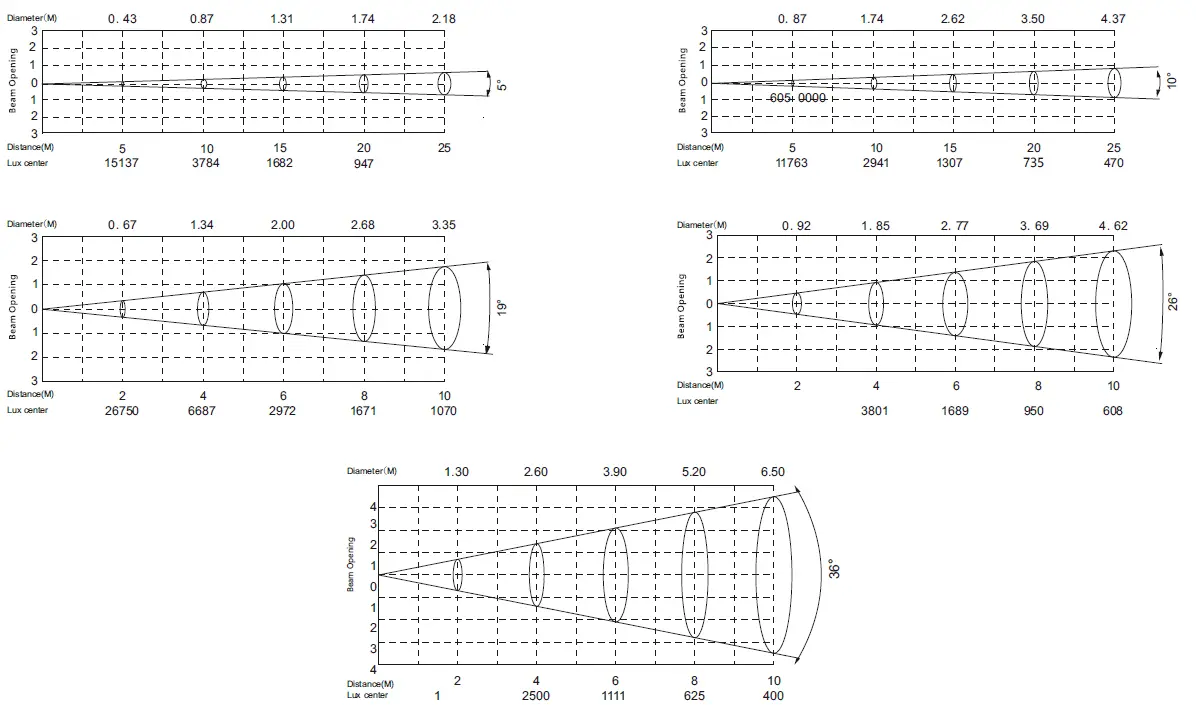
- Optics: 5°/10°/19°/26°/36°/15°-30°/25°-50°
- Control: Stand-Alone / DMX512 / RDM
- DMX-Channels: 5 – 16 (5/7/8/10/16)
ILLUMINANCE AT DISTANCE
Dimensions
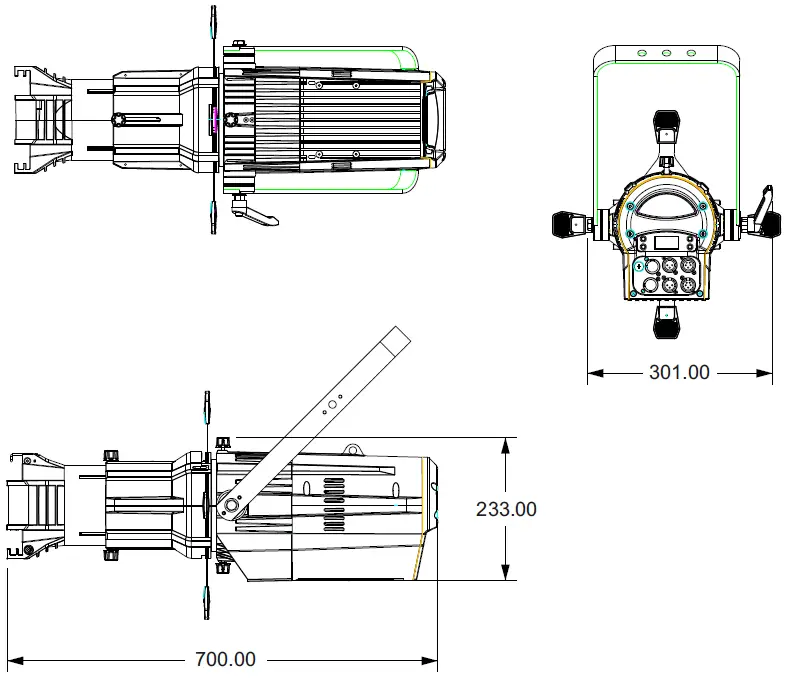
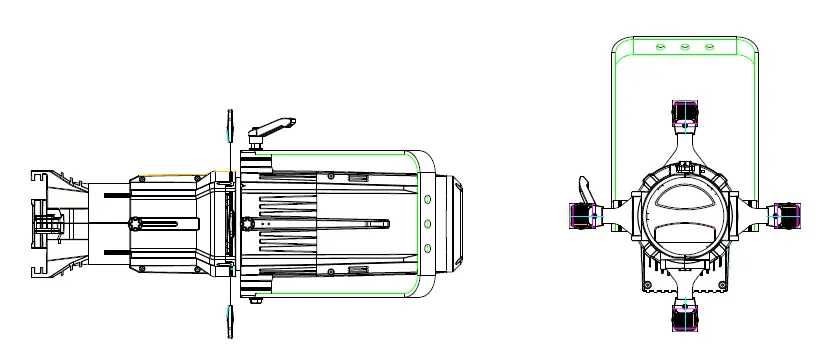
Installation
Hanging
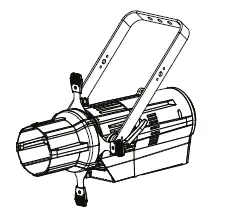
The fixture can be mounted in a hanging position using the mounting bracket. The fixture must be safe mounted in accordance with the relevant regulations and provided with a safety cord to prevent falling.
Standing
The fixture can be mounted in an upright or sitting position. An appropriate attachment (e.g. floor stand) is necessary. A safe and sufficient anti-slip ground must be ensured!
NOTE
The LED module can be operated in any position.
Power connection
- 230V: max. 7 fixtures in a row.
- 120V: max. 3 fixtures in a row.
DMX-Connection
Use specified DMX cables to connect the units to each other and to connect them to the control desk. Enter the addresses and personalities to the units.
Operation
Display Operation
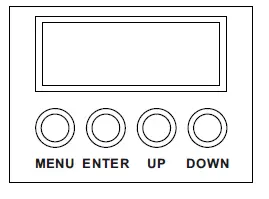
- MENU: Return to the previous menu
- ENTER: Enter the currently selected menu
- UP: Scroll Up, Increase the value
- DOWN: Scroll down: Decrease value
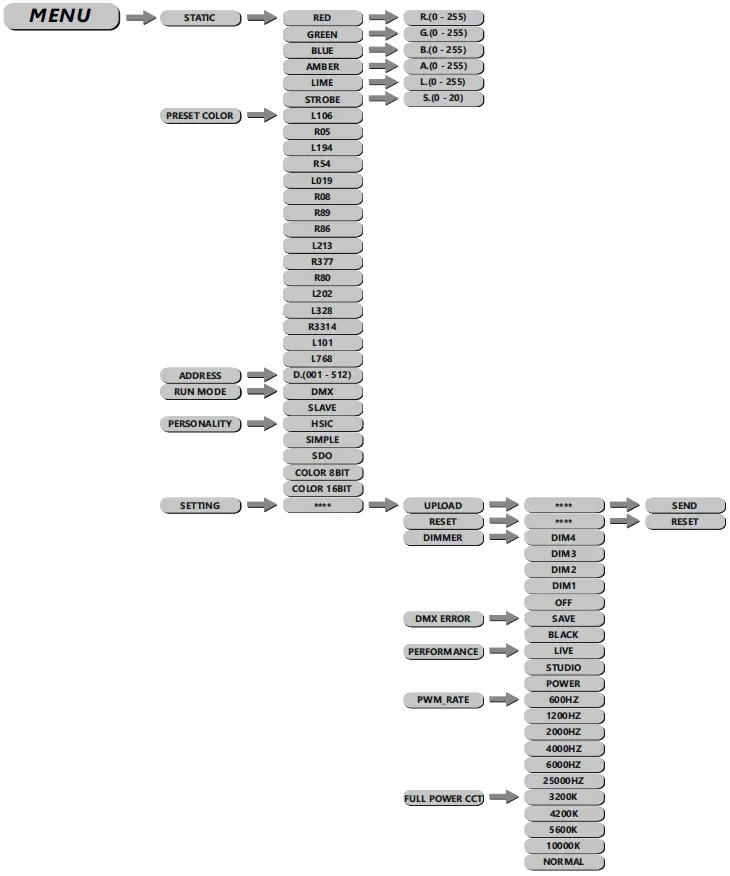
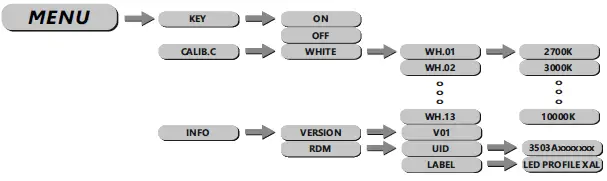
Setting DMX-Address

The DMX start address of the fixture is set in the menu ADDRESS. This is retained even when changing the personality.
Setting DMX-Personality
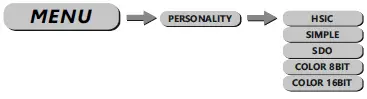
The personality is set in the menu PERSONALITY. There are four different modes that can be chosen: HSIC (10 channels), SIMPLE (6 channels), SDO (8 channels), COLOR 8BIT (11 channels) and COLOR 16BIT (17 channels).
Edit Static Colours
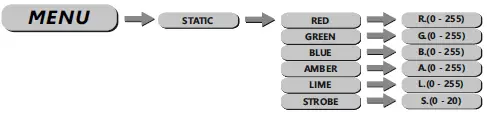
Static colors for stand-alone operation are set in STAT. These are mixed using the DMX value scale 0-255 for RED, GREEN, BLUE, AMBER, and LIME as well as the strobe value 0-20Hz STROBE.
Using Preset Colours
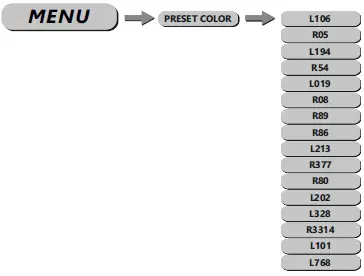
In the menu PRESET COLOR, the preset colors stored in the device are activated. These are based on the color scale of some Lee and Rosco filters (LXXX/RXX).
Choose Run Mode

The operating mode is set in the menu RUN. For operation on a DMX controller, DMX needs to be set. SLAVE sets the fixture into slave mode.
Miscellaneous Settings
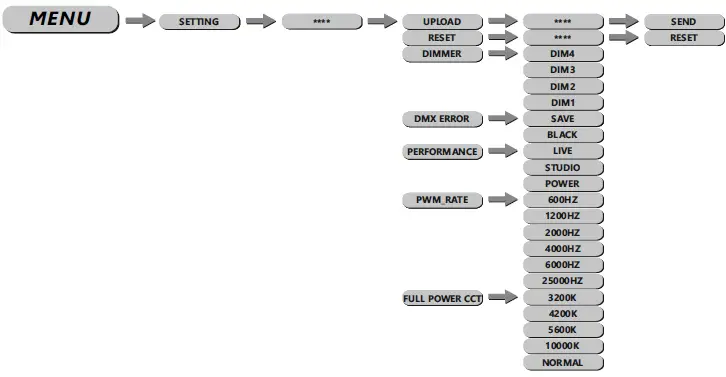
The default password is: UP – DOWN – UP – DOWN – ENTER
- UPLD: sends the user settings to connected slave fixtures.
- RESET: Set all editable settings back to factory default.
- DIMMER: controls different dimming speeds to simulate a halogen bulb (DIM4/DIM3/DIM2/DIM1/ OFF).
- DMX ERROR: sets how the fixture responds if the DMX signal gets lost. Set SAVE to hold the last received value or BLACK for the blackout.
- PERFORMANCE: gives the user the opportunity to change the performance of the fan between LIVE, STUDIO, and POWER. In STUDIO mode the fan is run on low noise. In case of overheating the intensity of the led module is regulated. In LIVE mode, fan speed and the intensity of the led module is balanced with each other to reach the best output with as low a fan speed as possible. In POWER mode the temperature of the fixture is primarily regulated by the fan, to keep a high intensity as long as possible.
- PWM: gives the user the possibility to adjust the PWM frequency of the leds (600Hz/1200Hz/2000Hz/ 4000Hz/6000Hz/25000Hz).
- FULL POWER CCT: sets the color temperature at maximum output. 3200K/4200K/5600K/10000K and NORMAL can be set.
Activate Password Protection

In the menu KEY, the password protection of the fixture is activated or deactivated. If set ON the fixture is password protected when started? 30 seconds after the last setting the menu is locked again. To be able to make changes in the menu the password UP – DOWN – UP – DOWN – ENTER needs to be typed in.
White adjustment

- In the menu CALIB.C the white adjustments can be set.
- In the submenu, WHITE the preset color temperatures for the white values are stored.
Info Menu
- In the info menu (INFO), submenu VERSION the currently installed firmware version is shown.
- In the submenu RDM, the submenu UID the RDM-ID, and in the submenu LABEL the model name of the fixture can be found.
Using DMX512 Control
DMX-Channel assignment
- This device has several DMX personalities. In each personality, a different number of DMX channels is used and the reaction of the device differs accordingly. There are five DMX personalities with 6, 8, 10, 11, and 17 channels selectable.
- Because of changes in the firmware of the fixture, functions can be added or changed.
- You can find the current version of „DMX-Channels“ as a PDF file on the website, ready to download.
| HSIC | ||
| 1 | 0-255 | Intensity |
| 2 | 0-255 | Hue |
| 3 | 0-255 | Hue Fine |
| 4 | 0-255 | Saturation |
|
5 | CCT | |
| 0-9 | No Function | |
| 10-24 | 1800K | |
| 25-39 | 2200K | |
| 40-54 | 2700K | |
| 55-69 | 3000K | |
| 70-84 | 3200K | |
| 85-99 | 4000K | |
| 100-114 | 4500K | |
| 115-129 | 5000K | |
| 130-144 | 5600K | |
| 145-159 | 6000K | |
| 160-174 | 6500K | |
| 175-189 | 7000K | |
| 190-204 | 8000K | |
| 205-254 | 10000K | |
| 255 | 10000K | |
|
6 | Strobe | |
| 0-9 | No Function | |
| 10-99 | Strobe (Slow to fast) | |
| 100-109 | No Function | |
| 110-179 | Lightning Strobe | |
| 180-189 | No Function | |
| 190-255 | Random Strobe | |
|
7 | Control | |
| 0-10 | No Function | |
| 11-60 | Reserved | |
| 61-70 | Live | |
| 71-80 | Studio | |
| 81-90 | Power | |
| 91-100 | Reserved | |
| 101-110 | Dimmer off | |
| 111-120 | Dimmer Dim4 | |
| 121-150 | Reserved | |
| 151-160 | 1200Hz | |
| 161-170 | 2400Hz | |
| 171-180 | 4000Hz | |
| 181-190 | 6000Hz | |
| 191-200 | 25000Hz | |
| 201-210 | All Reset | |
| 211-255 | Reserved |
| SIMPLE | ||
| 1 | 0-255 | Master Dimmer |
| 2 | 0-255 | Red |
| 3 | 0-255 | Green |
| 4 | 0-255 | Blue |
| 5 | 0-255 | Amber |
| 6 | 0-255 | Lime |
|
7 | Strobe | |
| 0-9 | No Function | |
| 10-99 | Strobe (Slow to fast) | |
| 100-109 | No Function | |
| 110-179 | Lightning Strobe | |
| 180-189 | No Function | |
| 190-255 | Random Strobe | |
|
8 | Control | |
| 0-10 | No Function | |
| 11-60 | Reserved | |
| 61-70 | Live | |
| 71-80 | Studio | |
| 81-90 | Power | |
| 91-100 | Reserved | |
| 101-110 | Dimmer off | |
| 111-120 | Dimmer Dim4 | |
| 121-150 | Reserved | |
| 151-160 | 1200Hz | |
| 161-170 | 2400Hz | |
| 171-180 | 4000Hz | |
| 181-190 | 6000Hz | |
| 191-200 | 25000Hz | |
| 201-210 | All Reset | |
| 211-255 | Reserved | |
| SDO | ||
| 1 | 0-255 | Master Dimmer |
| 2 | CCT | |
| 0-10 | No Function | |
| 11-255 | Preset Color (siehe Anhang/ see Annex) | |
|
3 | CCT | |
| 0-9 | No Function | |
| 10-24 | 1800K | |
| 25-39 | 2200K | |
| 40-54 | 2700K | |
| 55-69 | 3000K | |
| 70-84 | 3200K | |
| 85-99 | 4000K | |
| 100-114 | 4500K | |
| 115-129 | 5000K | |
| 130-144 | 5600K | |
| 145-159 | 6000K | |
| 160-174 | 6500K | |
| 175-189 | 7000K | |
| 190-204 | 8000K | |
| 205-254 | 10000K | |
| 255 | 10000K | |
|
4 | Strobe | |
| 0-9 | No Function | |
| 10-99 | Strobe (Slow to fast) | |
| 100-109 | No Function | |
| 110-179 | Lightning Strobe | |
| 180-189 | No Function | |
| 190-255 | Random Strobe | |
|
5 | Control | |
| 0-10 | No Function | |
| 11-60 | Reserved | |
| 61-70 | Live | |
| 71-80 | Studio | |
| 81-90 | Power | |
| 91-100 | Reserved | |
| 101-110 | Dimmer off | |
| 111-120 | Dimmer Dim4 | |
| 121-150 | Reserved | |
| 151-160 | 1200Hz | |
| 161-170 | 2400Hz | |
| 171-180 | 4000Hz | |
| 181-190 | 6000Hz | |
| 191-200 | 25000Hz | |
| 201-210 | All Reset | |
| 211-255 | Reserved | |
| COLOR 8BIT | ||
| 1 | 0-255 | Master Dimmer |
| 2 | 0-255 | Red |
| 3 | 0-255 | Green |
| 4 | 0-255 | Blue |
| 5 | 0-255 | Amber |
| 6 | 0-255 | Lime |
| 7 | Preset Colour | |
| 0-10 | No Function | |
| 11-255 | Preset Color (siehe Anhang/ see Annex) | |
|
8 | CCT | |
| 0-10 | No Function | |
| 11-30 | 2700K | |
| 31-50 | 3000K | |
| 51-70 | 3200K | |
| 71-90 | 3500K | |
| 91-110 | 4000K | |
| 111-130 | 4200K | |
| 131-150 | 4500K | |
| 151-170 | 5600K | |
| 171-190 | 6000K | |
| 191-210 | 6500K | |
| 211-230 | 7200K | |
| 231-255 | 8000K | |
|
9 | Strobe | |
| 0-9 | No Function | |
| 10-99 | Strobe (Slow to fast) | |
| 100-109 | No Function | |
| 110-179 | Lightning Strobe | |
| 180-189 | No Function | |
| 190-255 | Random Strobe | |
|
10 | Control | |
| 0-10 | No Function | |
| 11-60 | Reserved | |
| 61-70 | Live | |
| 71-80 | Studio | |
| 81-90 | Power | |
| 91-100 | Reserved | |
| 101-110 | Dimmer off | |
| 111-120 | Dimmer Dim4 | |
| 121-150 | Reserved | |
| 151-160 | 1200Hz | |
| 161-170 | 2400Hz | |
| 171-180 | 4000Hz | |
| 181-190 | 6000Hz | |
| 191-200 | 25000Hz | |
| 201-210 | All Reset | |
| 211-255 | Reserved |
| COLOR 16BIT | ||
| 1 | 0-255 | Master Dimmer |
| 2 | 0-255 | Master Dimmer Fine |
| 3 | 0-255 | Red |
| 4 | 0-255 | Red Fine |
| 5 | 0-255 | Green |
| 6 | 0-255 | Green Fine |
| 7 | 0-255 | Blue |
| 8 | 0-255 | Blue Fine |
| 9 | 0-255 | Amber |
| 10 | 0-255 | Amber Fine |
| 11 | 0-255 | Lime |
| 12 | 0-255 | Lime Fine |
| 13 | Preset Colour | |
| 0-10 | No Function | |
| 11-255 | Color Preset (siehe Anhang/ see Annex) | |
|
14 | CCT | |
| 0-10 | No Function | |
| 11-30 | 2700K | |
| 31-50 | 3000K | |
| 51-70 | 3200K | |
| 71-90 | 3500K | |
| 91-110 | 4000K | |
| 111-130 | 4200K | |
| 131-150 | 4500K | |
| 151-170 | 5600K | |
| 171-190 | 6000K | |
| 191-210 | 6500K | |
| 211-230 | 7200K | |
| 231-255 | 8000K | |
|
15 | Strobe | |
| 0-9 | No Function | |
| 10-99 | Strobe (Slow to fast) | |
| 100-109 | No Function | |
| 110-179 | Lightning Strobe | |
| 180-189 | No Function | |
| 190-255 | Random Strobe | |
|
16 | Control | |
| 0-10 | No Function | |
| 11-60 | Reserved | |
| 61-70 | Live | |
| 71-80 | Studio | |
| 81-90 | Power | |
| 91-100 | Reserved | |
| 101-110 | Dimmer off | |
| 111-120 | Dimmer Dim4 | |
| 121-150 | Reserved | |
| 151-160 | 1200Hz | |
| 161-170 | 2400Hz | |
| 171-180 | 4000Hz | |
| 181-190 | 6000Hz | |
| 191-200 | 25000Hz | |
| 201-210 | All Reset | |
| 211-255 | Reserved |
Anhang/ Annex
Annex 1
| PRESET COLOR | Value | Color Names | X | V | |
| 0-10 | NO FUNCTION | ||||
| COLOR 1 | 11-15 | L176 | Loving Amber | 0.407 | 0.321 |
| COLOR 2 | 16-20 | R40 | Light Salmon | 0.499 | 0.321 |
| COLOR 3 | 21-25 | L24 | Scarlet | 0.561 | 0.296 |
| COLOR4 | 26-30 | L164 | Flame Red | 0.659 | 0.302 |
| COLOR 5 | 31-35 | L747 | Easy White | 0.389 | 0.344 |
| COLOR 6 | 36-40 | R303 | Warm Peach | 0.448 | 0.353 |
| COLOR 7 | 41-45 | L08 | Dark Salmon | 0.498 | 0.347 |
| COLOR 8 | 46-50 | L25 | Sunset Red | 0.566 | 0.359 |
| COLOR 9 | 51-55 | L04 | Medium Bastard Amber | 0.37 | 0.335 |
| COLOR 10 | 56-60 | L237 | CID(To Tungsten) | 0.43 | 0.365 |
| COLOR 11 | 61-65 | R321 | Soft Golden Amber | 0.477 | 0.406 |
| COLOR 12 | 66-70 | L652 | Urban Sodium | 0.535 | 0.399 |
| COLOR 13 | 71-75 | L212 | LCT Yellow(Y1) | 0.34 | 0.363 |
| COLOR 14 | 76-80 | L765 | LEE Yellow | 0.389 | 0.412 |
| COLOR 15 | 81-85 | L513 | Ice And A Slice | 0.38 | 0.447 |
| COLOR 16 | 86-90 | L100 | Spring Yellow | 0.41 | 0.502 |
| COLOR 17 | 91-95 | L244 | LEE Plus Green | 0.324 | 0.388 |
| COLOR 18 | 96-100 | R4430 | CalColor 30 Green | 0.318 | 0.44 |
| COLOR 19 | 101-105 | L122 | Fern Green | 0.234 | 0.543 |
| COLOR 20 | 106-110 | L90 | Dark Yellow Green | 0.184 | 0.641 |
| COLOR 21 | 111-115 | L243 | LEE Fluorescent3600K | 0.286 | 0.37 |
| COLOR 22 | 116-120 | R92 | Tuiquoise | 0.235 | 0.36 |
| COLOR 23 | 121-125 | R94 | Kelly Green | 0.185 | 0.459 |
| COLOR 24 | 126-130 | L327 | Forest Green | 0.162 | 0.496 |
| COLOR 25 | 131-135 | L191 | Cosmetic Aqua Blue | 0.3 | 0.318 |
| COLOR 26 | 136-140 | L728 | Steel Green | 0.256 | 0.302 |
| COLOR 27 | 141-145 | L117 | Steel Blue | 0.223 | 0.278 |
| COLOR 28 | 146-150 | L354 | Special Steel Blue | 0.173 | 0.265 |
| COLOR 29 | 151-155 | L53 | Paler Lavender | 0.284 | 0.284 |
| COLOR 30 | 156-160 | L501 | New Colour Blue | 0.246 | 0.249 |
| COLOR 31 | 161-165 | L174 | Dark Steel Blue | 0.204 | 0.205 |
| COLOR 32 | 166-170 | L165 | Daylight Blue | 0.159 | 0.158 |
| COLOR 33 | 171-175 | L136 | Pale Lavender | 0.288 | 0.254 |
| COLOR 34 | 176-180 | L194 | Surprise Pink | 0.24 | 0.183 |
| COLOR 35 | 181-185 | L142 | Pale Violet | 0.209 | 0.148 |
| COLOR 36 | 186-190 | L700 | Perfect Lavender | 0.177 | 0.07 |
| COLOR 37 | 191-195 | L35 | Light Pink | 0.335 | 0.289 |
| COLOR 38 | 196-200 | L794 | Pretty’n Pink | 0.335 | 0.251 |
| COLOR 39 | 201-205 | L328 | Follies Pink | 0.335 | 0.18 |
| COLOR40 | 206-210 | L795 | Magical Magenta | 0.327 | 0.138 |
| COLOR 41 | 211-215 | L154 | Pale Rose | 0.35 | 0.318 |
| COLOR42 | 216-220 | L127 | Smokey Pink | 0.397 | 0.265 |
| COLOR43 | 221-225 | L192 | Flesh Pink | 0.41 | 0.237 |
| COLOR44 | 226-230 | L332 | Special Rose Pink | 0.465 | 0.193 |
| COLOR45 | 231-235 | L790 | Moroccan Pink | 0.378 | 0.324 |
| COLOR46 | 236-240 | L157 | Pink | 0.457 | 0.272 |
| COLOR47 | 241-245 | R332 I Cherry Rose | 0.489 I 0.295 | ||
| COLOR48 | 246-250 | L128 I Cool LED Bright Pink | 0.57 I 0.263 | ||
| 251-255 | NO FUNCTION | ||||
© 2021 by Focon Showtechnic Vertriebsgesellschaft mbH
FOCON SHOWTECHNIC
- Vertriebsgesellschaft mbH
- Teichweg 4+6
- D-49504 Lotte/Wersen
- Telefon: ++49 (0) 541-77095-0
- Fax: ++49 (0) 541-77095-27 [email protected] www.focon-showtechnic.com
Bedienungsanleitung bitte aufbewahren Keep this Manual for later queries
 showtechnic.com - This website is for sale! - showtechnic Resources and Information.
 Home
Home