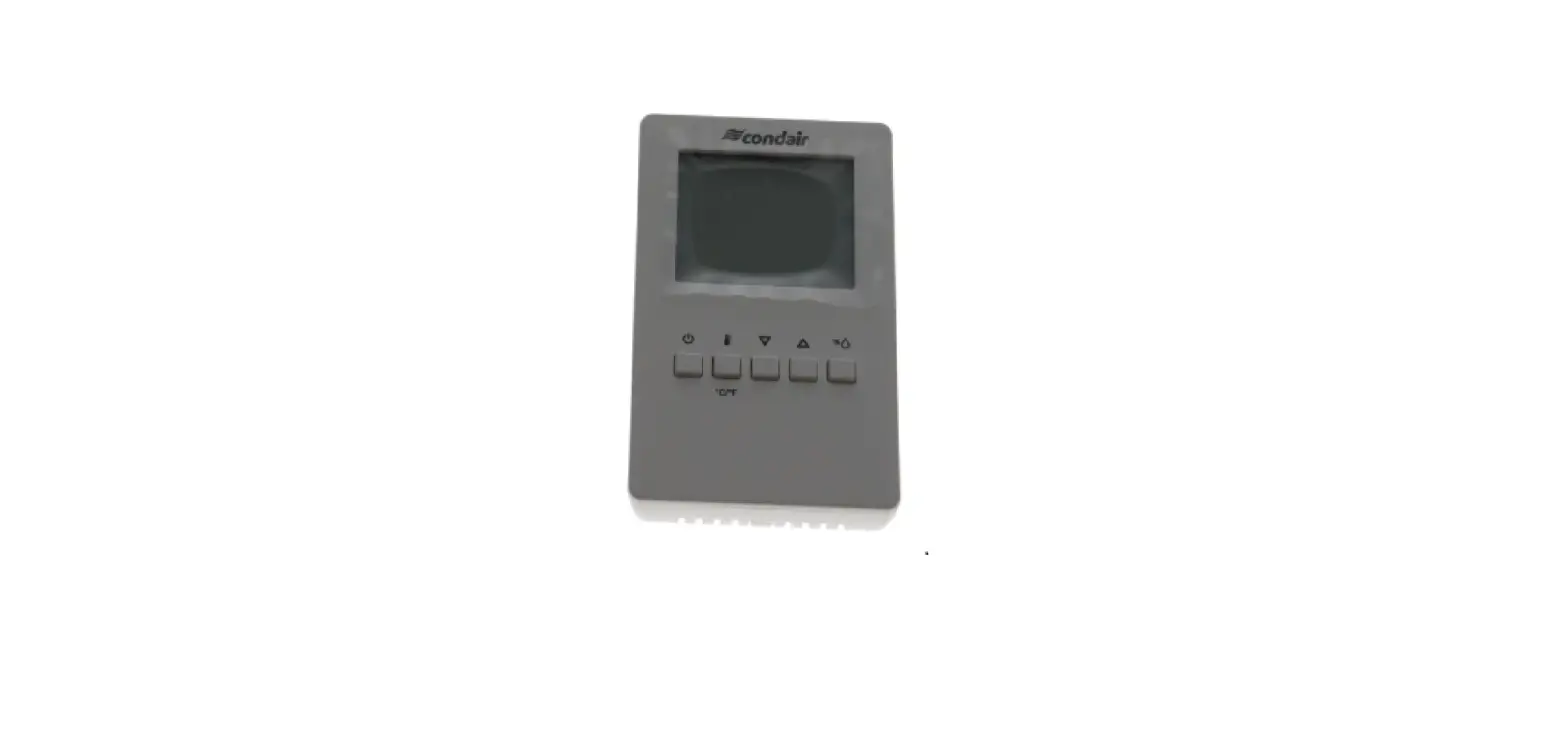
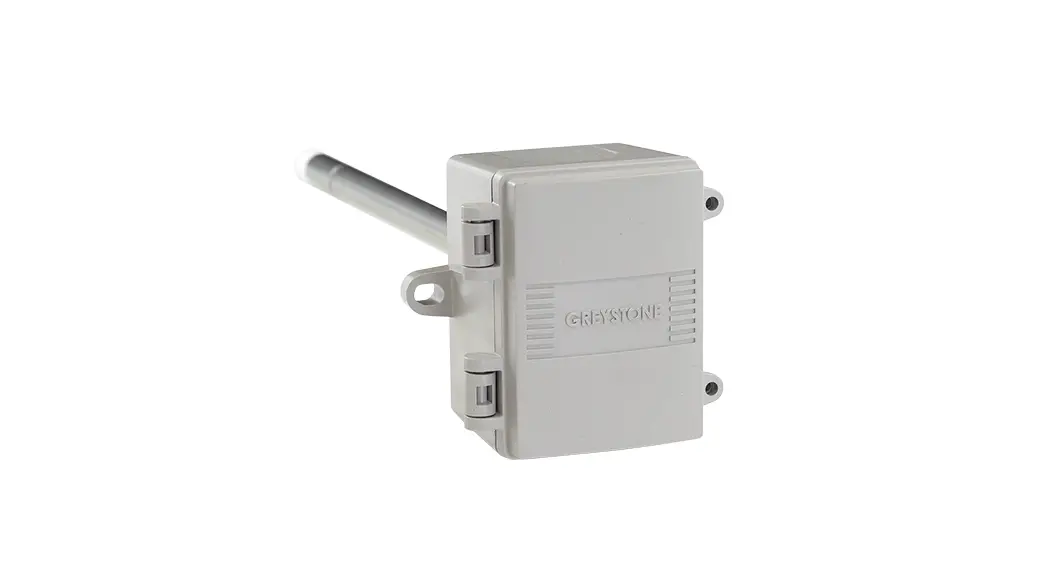
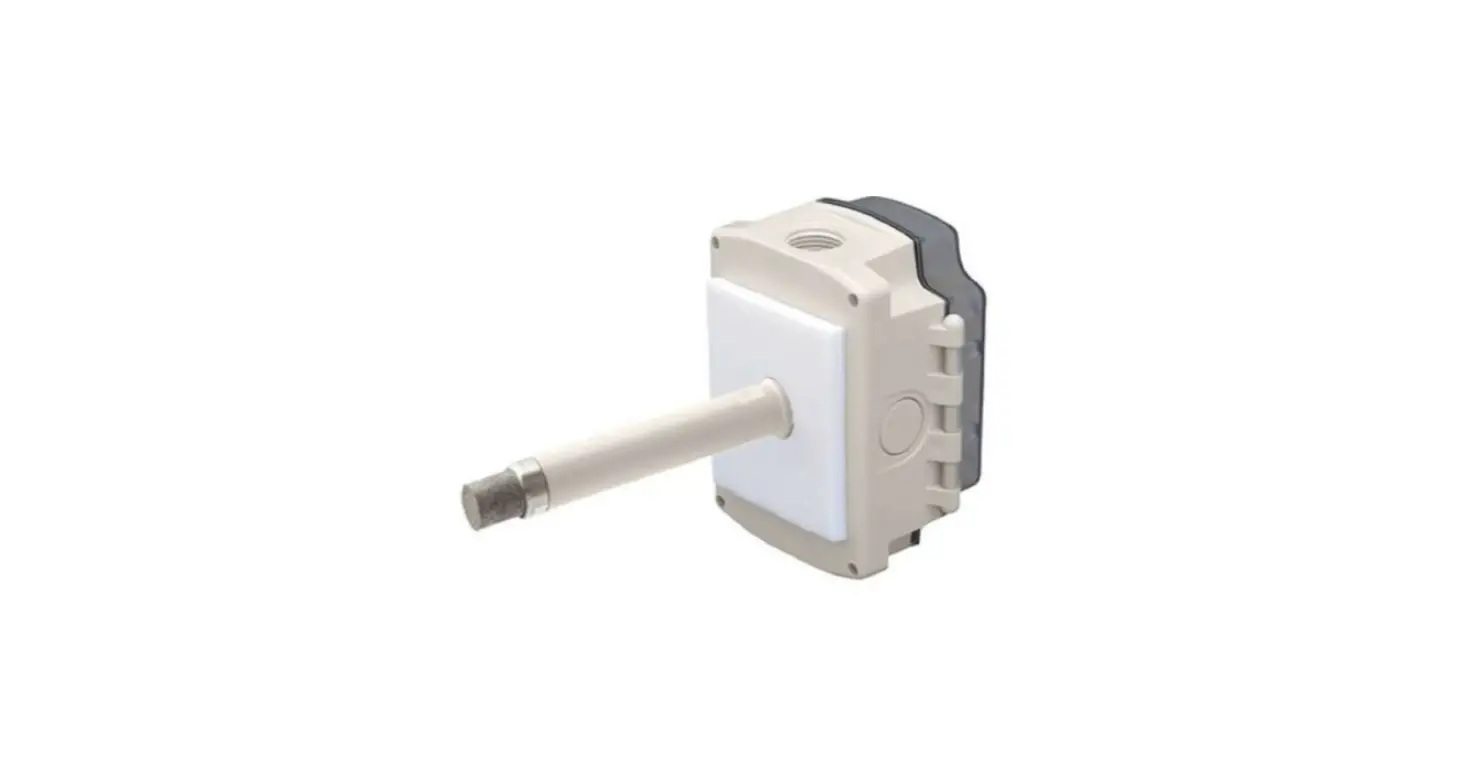
CHD-NA On-Off Digital Duct Humidistat
Product Information: CHD-NA – On/Off Digital Duct
Humidistat
The On/Off Digital Duct Humidistat is a Condair digital
humidistat that can be configured for either humidity control or as
a high limit safety device. It provides accurate control of the
relative humidity (RH) in a return duct and will
activate/deactivate a furnace or circulation fan. The humidistat
comes with a kit number 2597935 and component number 2548732.
Installation Instructions
The following are the installation instructions for the On/Off
Digital Duct Humidistat:
Duct High Limit Installation
When installed as a high limit safety device, the humidistat
prevents over-humidification as well as wetting of the supply duct.
Do not use fan relay when configuring as a high limit.
Location: Install directly on the supply duct
in an area where the air is well mixed with uniform flow.
Duct Humidity Control Installation
When configured as a humidity controller, the humidistat
provides accurate control of the RH in a return duct and will
activate/deactivate a furnace or circulation fan.
Location: Install on the return air duct, close
to the air inlet but upstream from a return fan if one is
present.
Installation:
Refer to installation overview in section 2.
- At the place of location, drill a hole with a diameter of 16 mm
(5/8) as well as 4 holes for the self-tapping screws into the
duct. - Open the screw on the housing cover and remove cover.
- Lead connecting cable through the cable gland and connect wires
to the terminals according to the wiring diagram. - Attach gasket to the sensor side of the housing
(self-adhesive). - Insert the probe into the hole in the duct, then fix housing to
the duct using the 4 self-tapping screws provided. - Snap cover into the hinge of the housing, then close cover and
fix it with the screw (do not tighten screw too much).
Note: We recommend using 18-gauge wire, and
maximum.
CHD-NA – On/Off Digital Duct Humidistat
On/Off Digital Duct Humidistat Installation Instructions
This document covers the operation and installation instructions for the following Condair digital humidistat:
Kit No. Component No. Description
2597935 2548732
On/Off Digital Duct Humidistat
The humidistat can be configured for either humidity control or as a high limit safety device.
1 Mounting and Installation
Duct High Limit Installation
Duct Humidity Control Installation
When installed as a high limit, the humidistat prevents When configured as a humidity controller, the humidistat over humidification as well as wetting of the supply duct. provides accurate control of the RH in a return duct Do not use fan relay when configuring as a high limit. and will activate/deactivate a furnace or circulation fan.
Location:
Location:
1. Install directly on the supply duct in an area where the air is well mixed with uniform flow.
2. Install downstream of the steam distributor at a distance 1.5 times the absorption distance (typically 10-12 feet or 3-3.7 m). Must be in a location to sense high humidity in addition to sensing when representative air is over humidified or approaching saturation.
1. Install on the retaurn air duct, close to the air inlet but upstream from a return fan if one is present.
Installation:
Refer to installation overview in section 2. 1. At the place of location drill a hole with a diameter of 16 mm (5/8″) as well as 4 holes for the self-tapping
screws into the duct.
2. Open the screw on the housing cover and remove cover.
3. Lead connecting cable through the cable gland and connect wires to the terminals according to the wiring diagram.
4. Attach gasket to the sensor side of the housing (self-adhesive). 5. Insert the probe into the hole in the duct, then fix housing to the duct using the 4 self-tapping screws provided. 6. Snap cover into the hinge of the housing, then close cover and fix it with the screw (do not tighten screw
too much).
Note: We recommend using 18-gauge wire, and maximum <100 ft distance from the unit.
2549737-F EN 2304
Page 1
2 Installation overview
A mm (inch)
14 x 77 47 (1.9) ( 0.55 x 3)
91 (3.6)
CHD-NA 2597935/2548732
B
68 (2.7)
C
4 3
i
2 1 © Condair Group AG, Switzerland
54 (2.1)
75 (2.9)
D
16 (0.6)
12345678
0V / GND 24V AC/DC DO1 DO1 DO2 DO2 RT RT
1: 0V / GND 2: 24 V AC/DC ±10% 3: DO1 4: DO1 5: DO2 6: DO2 7: RT 8: RT
1 6 (0.02)
2
For Wiring Schematic: Get the Condair
Sensor Connect App
70-000260/20201202 Page 2
3 Duct Humidistat LCD Display
<On/Off> button
<Up> button <Enter> button <Down> button
Actual humidity in %rH
Set humidity setpoint in %rH
Fig. 1: Duct Humidistat LCD Display
Switching the humidistat on and off Press the <On/Off> button to switch the humidistat on and off.
Humidistat switched off
Humidistat switched on
40.0 %
OFF
40.0 %
45.0
Output active
Set limit value (switching point) Proceed as follows to set the limit value: 1. Switch on the humidistat with the <On/Off> button. 2. Set the required limit value in% rH with the <Up>- or <Down> button.
4 Configuration
Duct High Limit
Duct Humidity Control
Using keypad, set humidity setpoint to specified Using keypad, set specified humidity level. For
level (85% maximum) as a safety to prevent
general health
saturation.
6 Sensor Calibration
Activate the controller by pressing the <On/Off> button. Press the <Enter> button for 3 sec until “SEL” is shown in the large digits. The menu can be left by pressing the <On/Off> button or by not pressing a button for more than 5 minutes.
Select “CALH” or “CALt” with the <Up>/<Down> buttons.
Small digits show “CALH” (internal humidity sensor calibration) and “CALt” (temperature setback sensor calibration). The current calibration value is displayed. Press <Enter> button and then change the value with <Up>/<Down> buttons and save it with the <Enter> button.
Page 3
7 Setting Parameters to Configure the Controller
The controller is preset to work for most applications. For special requirements it can be fine-tuned to work ideally with a simple parameter setup routine. The parameters can be changed on the unit without the need of additional equipment.
Identifying the firmware version:
The parameters and functionality of the controller depend on its firmware version and revision. It is therefore important to use a matching product version and parameter set. The firmware version and revision version can be found when pressing simultaneously the <Up> and <Down> buttons during several seconds. On the upper 7 segment display, the firmware version can be found, on the lower 7 segment display the current revision version (or “sub-version”).
How to change the parameters:
The parameters are password protected. There are two levels of parameters: User operation parameters for access control settings and expert parameters for control functions and unit setup. The passwords for user levels and expert level are different. Only control experts should be given the control parameter password.
The parameter can be changed as follows: 3. Press <Up> and <Down> buttons simultaneously for three seconds. The display will indicate the firmware
version in the upper large digits and the revision in the lower small digits. Pressing the key will show: “CODE”. 4. Select a password using the <Up> and <Down> buttons. Selection “009” in order to get access to the user
parameters, “241” for control parameters. Press <On/Off> button after selecting the correct password. 5. Once logged in, the parameter is displayed immediately. 6. Select the parameter with the <Up> and <Down> buttons. Change the parameter by pressing the “OPTION”
button. The “MIN” and “MAX” symbols show up and indicate that the parameter may be modified now. Use <Up> and <Down> buttons to adjust the values. 7. After you are done, press <On/Off> button in order to return to the parameter selection level. 8. Press the <On/Off> button again to leave the menu. The unit returns to normal operation if no key is pressed for more than 5 minutes.
User Parameters (Password 0009)
Table 1: User Parameters
Parameter UP 00 UP 01 UP 02
UP 03 UP 04
Description
Enable change of operation modes
Enable change of setpoints
State after power failure: 0 = Switched OFF, 1 = Switched ON, 2 = state before power failure
Celsius or Fahrenheit, Select ON for Fahrenheit, OFF for Celsius Select type of content for large digits (00= OFF): 01 = Setpoint 02 = Humidity Sensor 03 = External Temperature Sensor
Range ON, OFF ON, OFF
0, 1, 2
ON, OFF 00…03
Default ON (Enabled) ON (Enabled)
2
OFF (Celsius) 01
Control Parameters (Password 0241) Note: Only experts should change these settings! See user parameter for login procedure! Table 2: Output Configuration
Parameter CP 00 CP 01 CP 02
CP 03
Description
Minimum setpoint limit in humidification mode Maximum setpoint limit in humidification mode Start delay for fan [MM:SS] (Time the fan runs before control output starts) Stop delay for fan [MM:SS] (Time the fan keeps running after control output stops)
Range 0..100% 0..100% 00:00 – 98:30
00:00 – 98:30
Default 10% 90% 00:10
01:30
Page 4
Table 3: Temperature Setback Configuration *For humidity control only
Parameter CP 04
CP 05 CP 06
CP 07 CP 08
Description
Enable temperature setback OFF = Temperature set back is disabled ON =Temperature setback is enabled
Setpoint limit at full setback
Lower temperature limit: Outside temperature with maximum setback The setback will be equal to the minimum setpoint limit
Upper temperature limit: Outside temperature at begin of setback
Number of seconds taken into account to calculate the average input signal Low value = fast response High value = slow response
Range ON, OFF
0..100 % -40…60°C -40…160°F
-40…60°C 40…160°F
0…100
Default OFF
20 % -30 °C (-22°F)
0 °C (32°F) 10
8 Product Specification
Power Voltage Signal input Signal Output
Environment General
Operating voltage Power consumption Terminal connection
Measuring element Measuring range Hysteresis Digital signal output Switching type Switching power Admissible switching voltage
Operation: Climatic Conditions Temperature Humidity Housing and housing cover Filter material Weight (including packing)
24 V AC 50/60 Hz ± 10 %, 24 VDC ± 10 % Max. 3 VA For wires 0.34…2.5 mm2 (AWG 24…12)
Capacitive measuring element 0…100 % rH ± 1 % rH DO1 Relay, normally open 2(1.2) A 0..250 VAC / 0…24 VDC
IEC 721-3-3 Class 3 K5 0…50°C (32…122°F) <95 % rH not condensing PC and ABS PTFE coated 1µm pores 220 g (7.8 oz)
Page 5
9 Wiring Diagrams
Wiring diagram CHD-NA for RS, EL, GS, US and SE CHD-NA
On/Off Duct Humidistat / High Limit 2548732
1 234 567 8
0V / GND 24V AC/DC DO1 DO1 DO2 DO2 RT RT
EL / RS / GS / US / SE 1 2 3 4 5 6 7 8 9 10 11 12
24VAC Safety Loop
GND CH1 CH2 GND
Wiring diagram CHD-NA for DL and ME
ME / DL
Driver board ME / DL
X1
24/10 V TMP
HUM
GND
24V E
Enable
X16
SC1 SC2
JP5: 10V JP4: 24V
0V / GND 24V AC/DC DO1 DO1 DO2 DO2 RT RT
CHD-NA
On/Off Duct Humidistat / High Limit 2548732
1 234 567 8
Page 6
Com NO NC 0V / GND 24V AC/DC DO1 DO1 DO2 DO2 RT RT GND / 0V 24V N/A N/A N/A AO 0-10V N/A Temp. Reset
Wiring diagram CHD-NA with RCC-NA and APS for RS, EL, GS, US and SE
APS
Air Proofing 2598427
CHD-NA
On/Off Duct Humidistat / High Limit 2548732
RCC-NA
0-10V Wall Humidistat 1510142
1 234 567 8
1 234 567 8 Factory Jumper
EL / RS / GS / US / SE 1 2 3 4 5 6 7 8 9 10 11 12
24VAC Safety Loop
GND CH1 CH2 GND
Wiring diagram CHD-NA with RCC-NA for DL and ME
RCC-NA
2-10V Wall Humidistat 1510142
ME / DL
Driver board ME / DL
X1
24/10 V TMP
HUM
GND
24V E
Enable
X16
1 234 567 8
Factory Jumper
SC1 SC2
JP5: 10V JP4: 24V
GND / 0V 24V N/A N/A N/A AO 0-10V N/A Temp. Reset 0V / GND 24V AC/DC DO1 DO1 DO2 DO2 RT RT
CHD-NA
On/Off Duct Humidistat / High Limit 2548732
1 234 567 8
Page 7