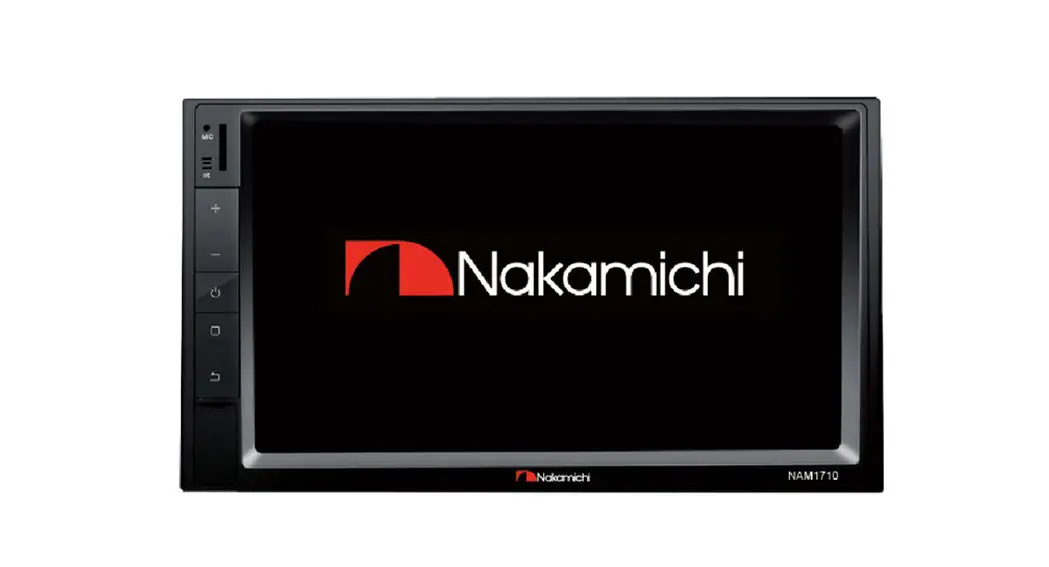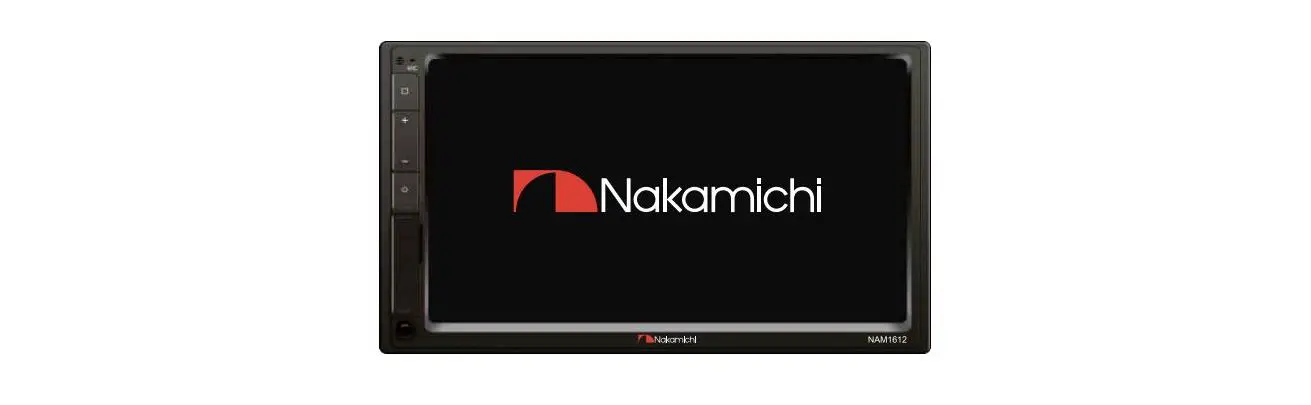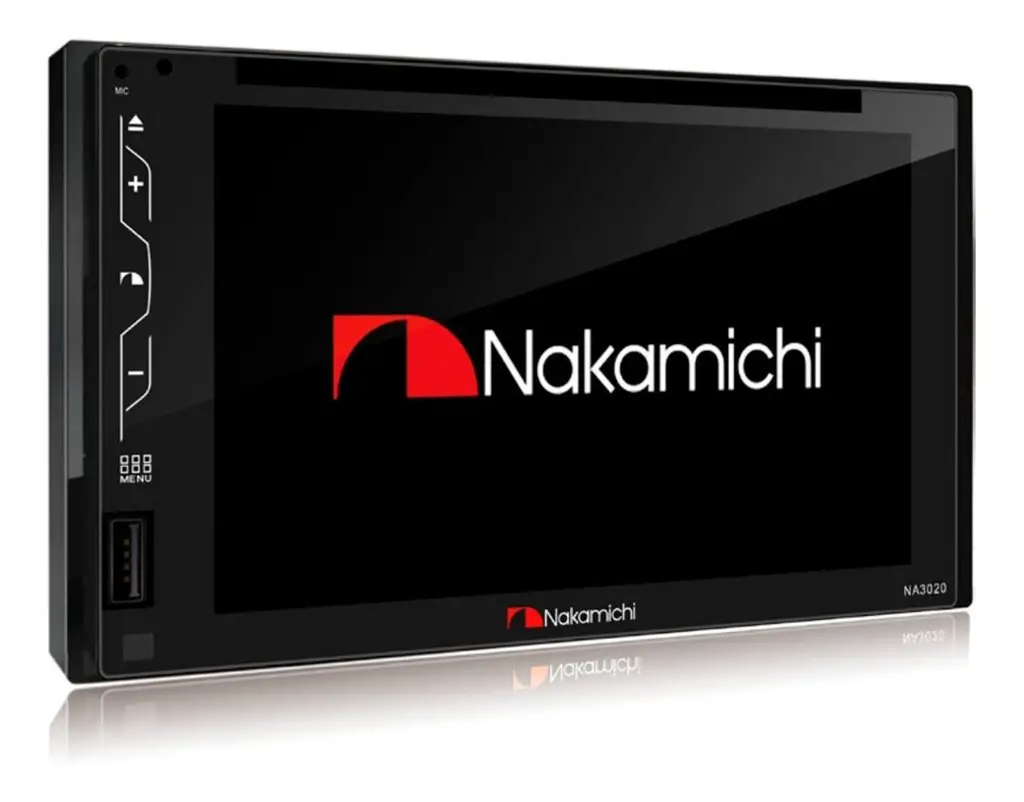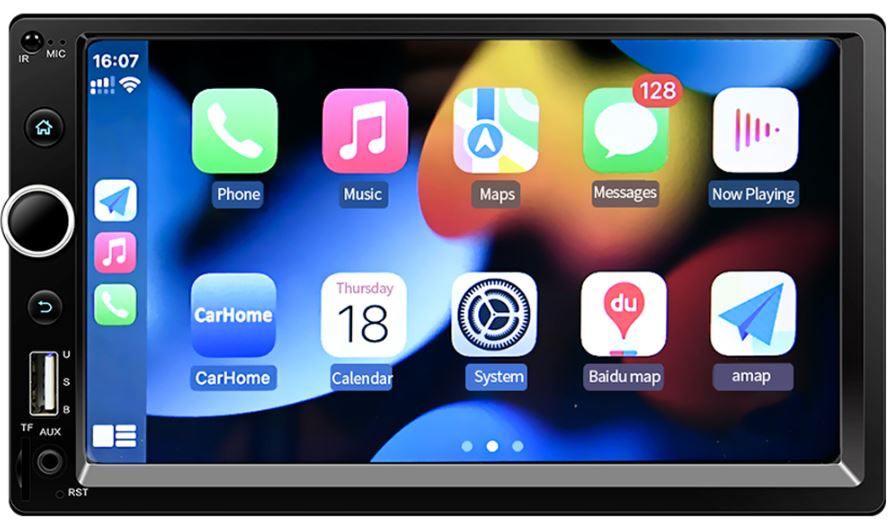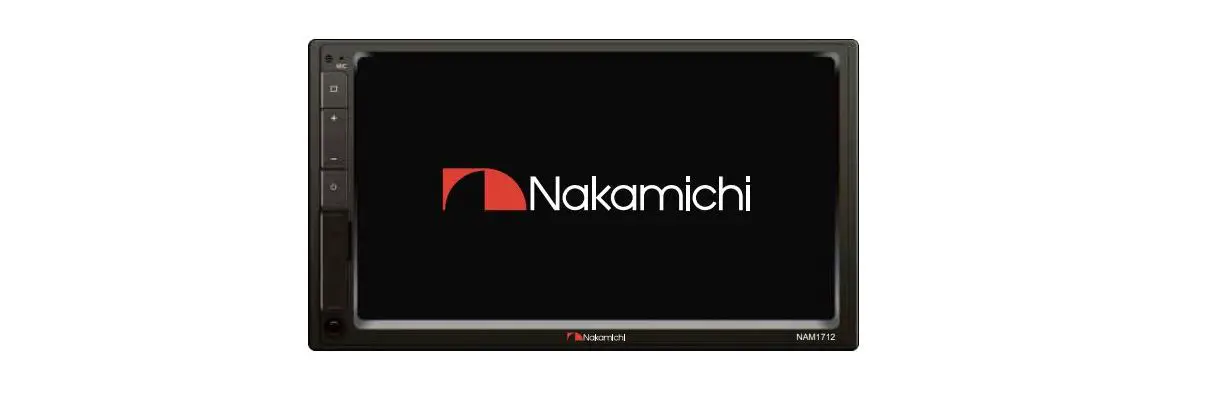
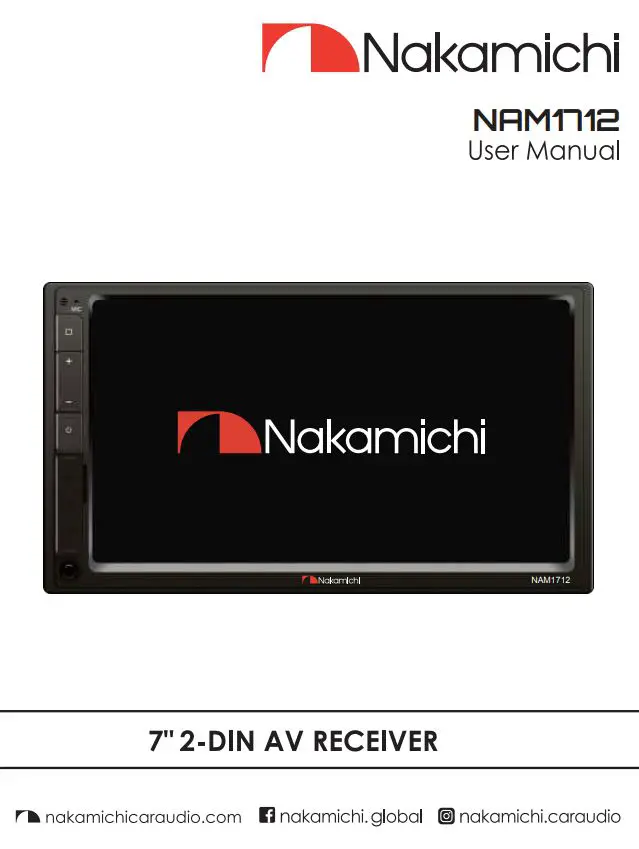
Nakamichi NAM1712 7 Inch 2-Din AV
Receiver User Manual
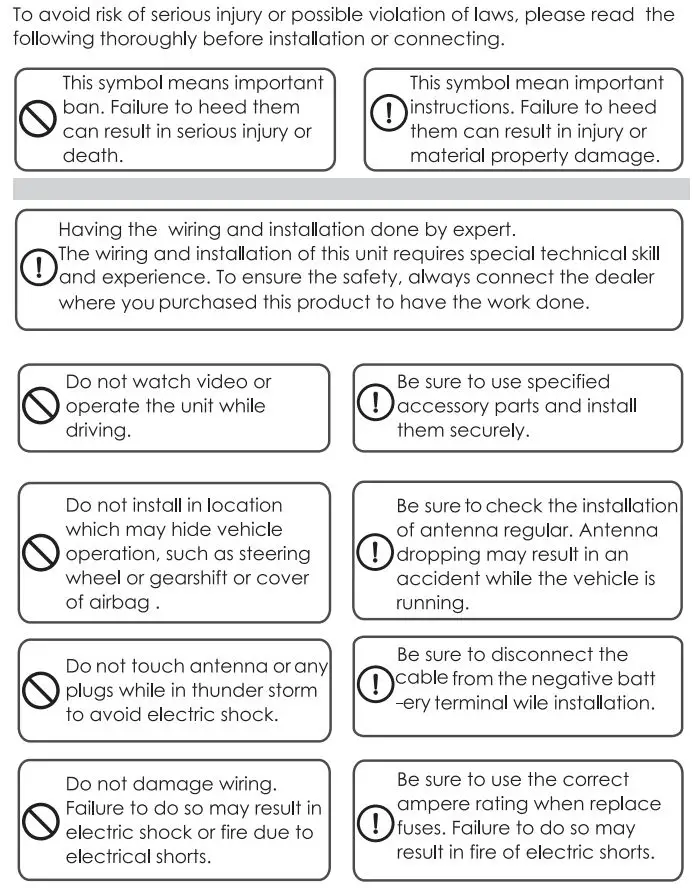
WARNING & PRECAUTION
FEATURES
- 2-Din receiver with capacitive panel
- 7-inch high-brightness and wide angle screen
- Support USB DYR
- Support Dual USB
- Support AHD Camaro
- Support iOS phone Mirrorlink
- Support android phone Mirrorlink
- Built DSP, support HPF,LPF
- Support Virtual bass
- Support time alignment
- Built-in 16 band EQ, Preset 7 sound effects
- Support lossless music
- Support l 080P video playback
- Support MP3/WMA/AAC/FLAC audio playback
- Support H264/WMV /DIVX/FLV video playback
- Built-in Bluetooth
- Support Bluetooth music playback
- Built-in multi-color lights
- Support subwoofer output
- Support subwoofer volume control
- 2 Video output
- 4V Pre-output
- 3V Subwoofer output
- Video input,2 Audio input
- Built-in jack
- Maximum power:4x50W
- Support extremal microphone
- High sensitivity FM/ AM, support RDS
- Support steering warned but Ion learning
ACCESSORY LIST
- Power cable —–1 PC
- Remote controller ———-1 PC
- User manual—————–1 PC
- Metal Card holder———– 1 PC
- Screw:5×8——————–8PCS
- 12P Expansion—- 1 PC
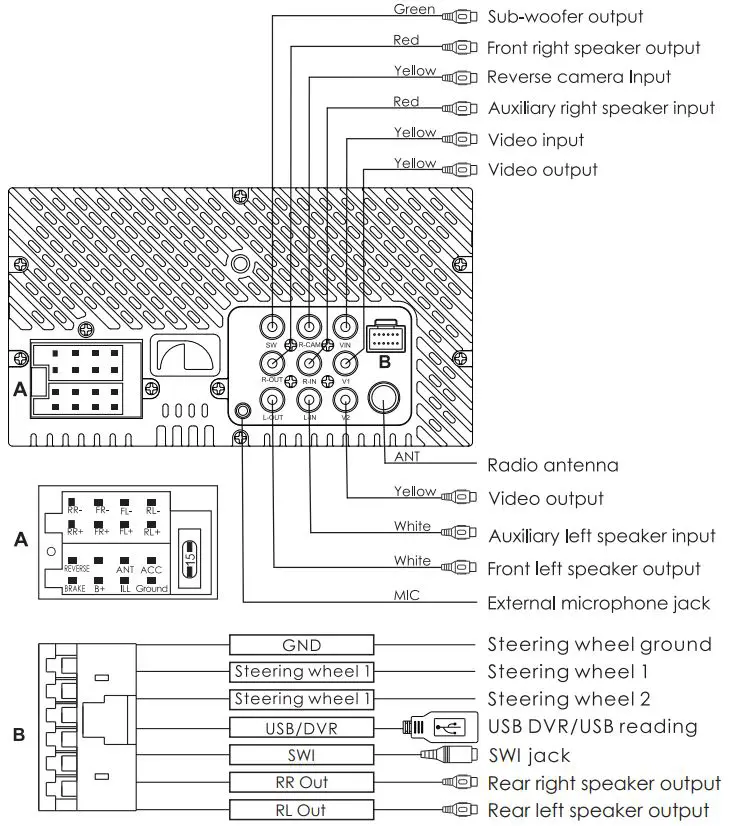
WIRING DIAGRAM
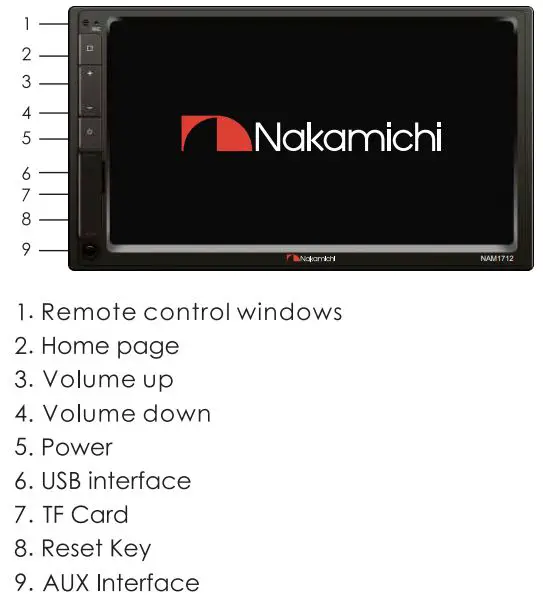
PANEL OPERATION
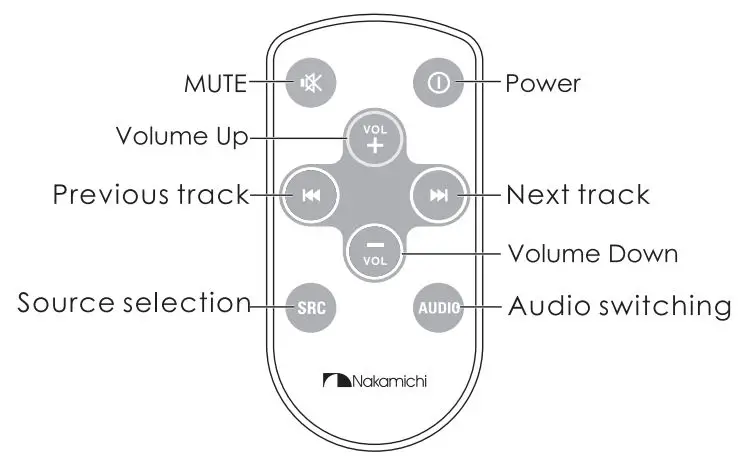
REMOTE CONTROL OPERATION
HOME PAGE OPERATION
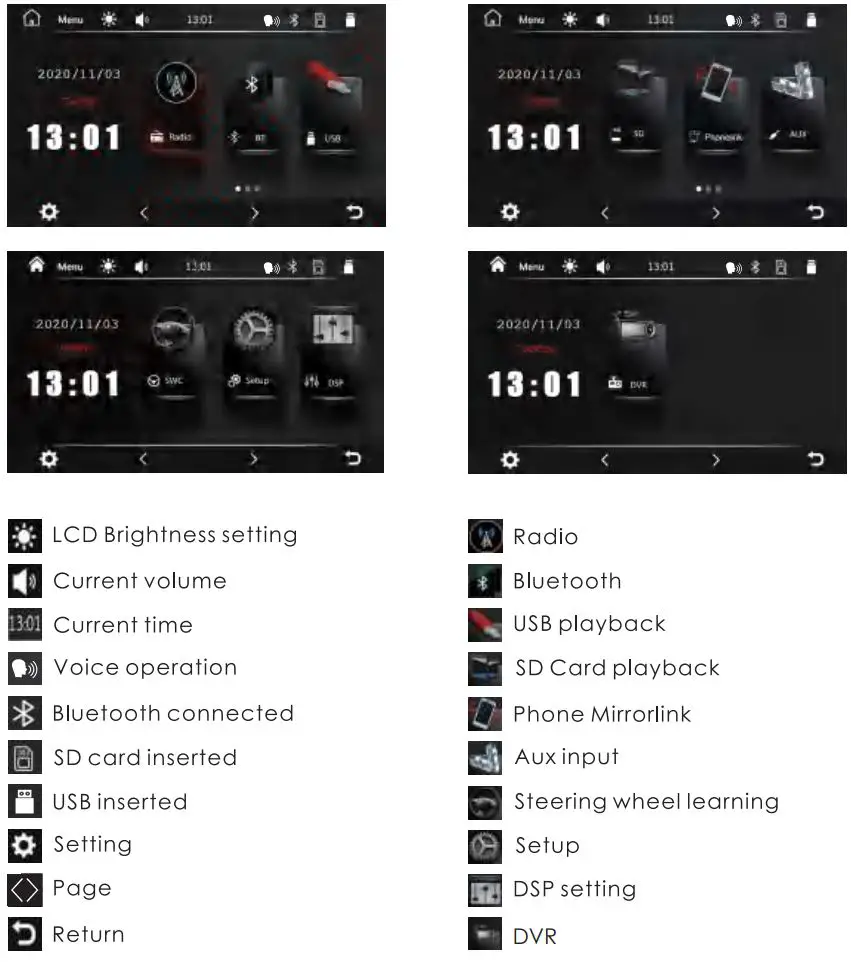
Press [ □ ] on the panel to enter the homepage, the homepage is displayed as follows:
RADIO OPERATION
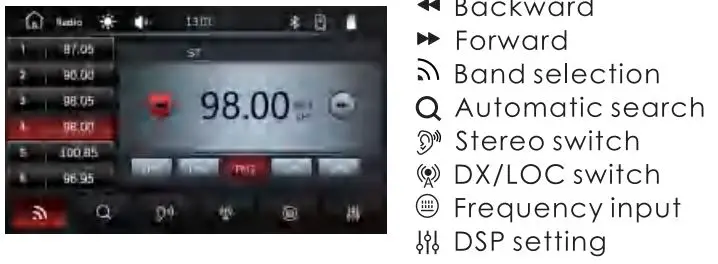
Radio Interface
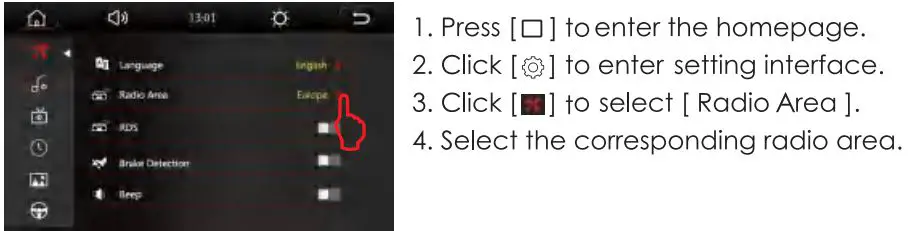
Radio Area Selection
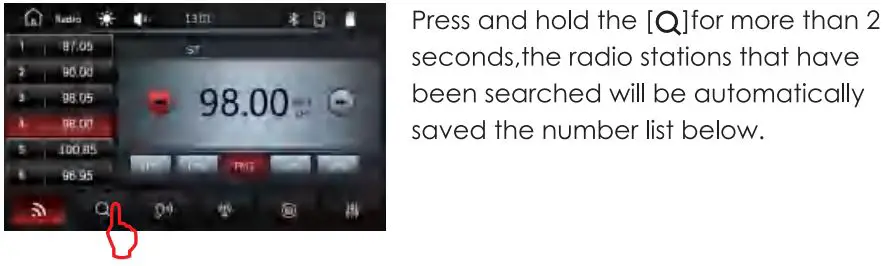
Automatic Search
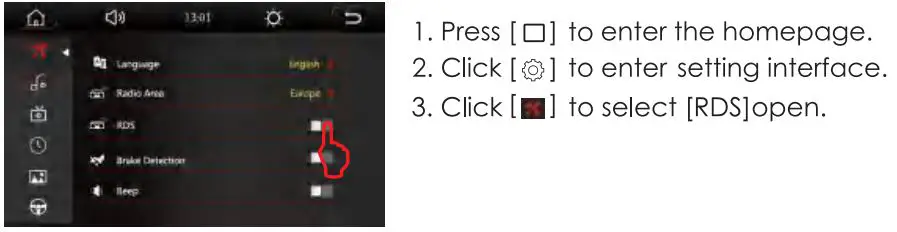
Rds Function
BLUETOOTH OPERATION
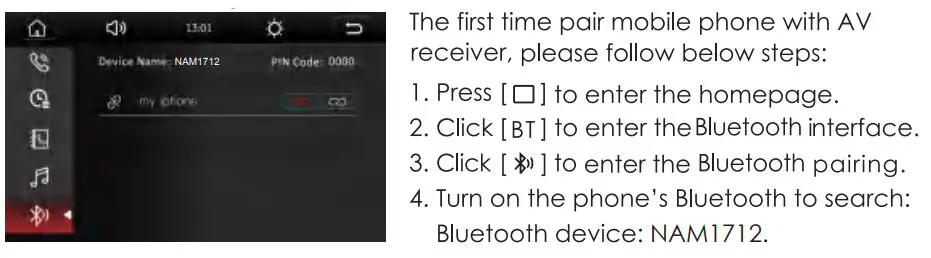
Bluetooth Pairing
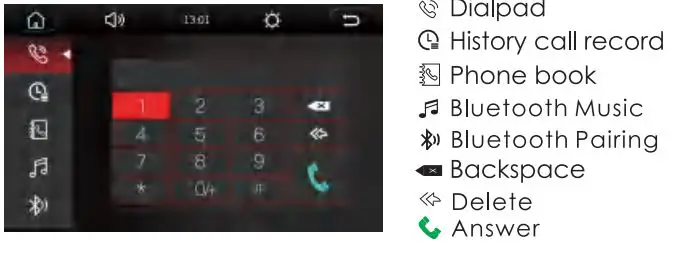
Call Interface
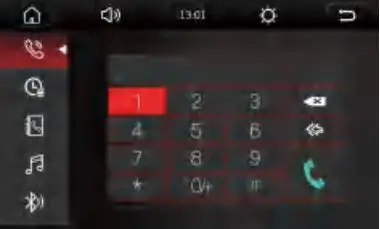
Call Record
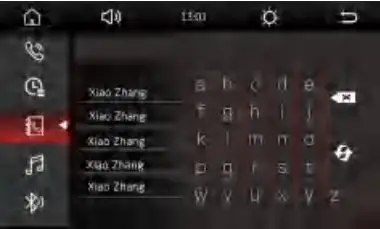
Phone Book
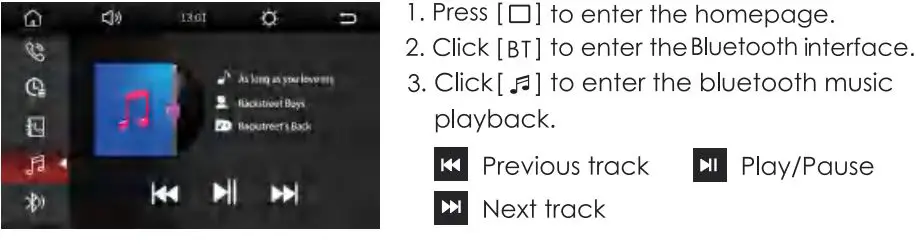
Bluetooth Music Playback
PHONE MIRROR LINK OPERATION
Remarks:
- Before the Mirrorlink operation, the Bluetooth must be paired and connected. When the Bluetooth is not connected, there will be no sound.
- Only the front USB supports miorrlink .
l Press [ □] to enter the homepage, - Click [ Auto link] to enter the phone Mirrorlink interface.
Mirrorlink Interface
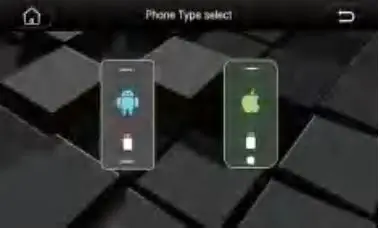
Android Phone Mirrorlink
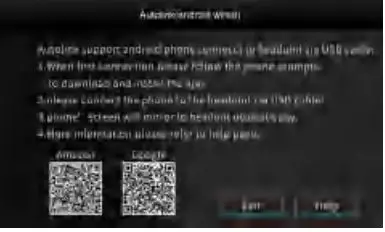
- Click to enter the android phone Mirrorlink
- Scan QR code to download the Auto link APP(First connection)
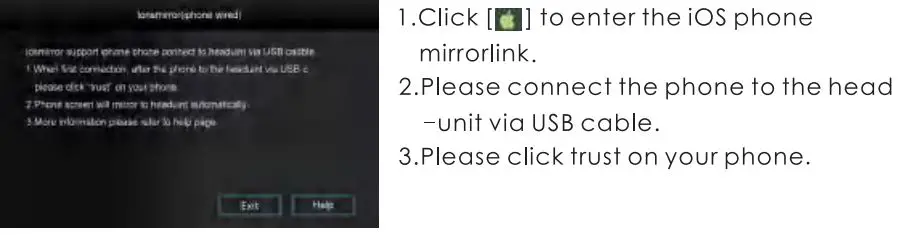
- Please connect the phone to the head unit via USB cable.
- Please click trust on your phone.
Remark: Some mobile phones need to turn on the USB debugging mode.
iOS Phone Mirrorlink
MULTIMEDIA OPERATION
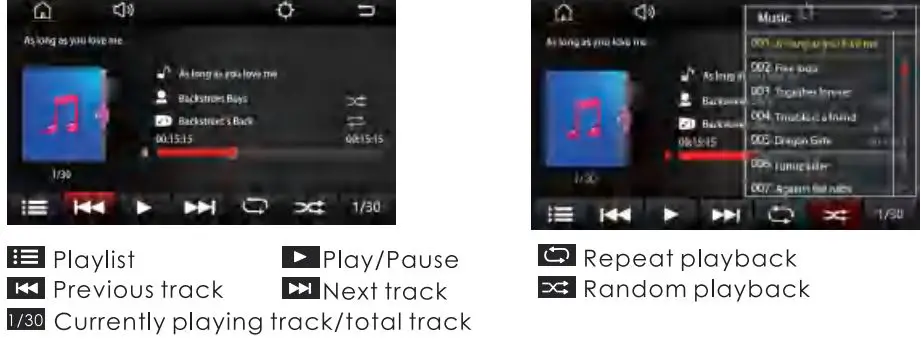
Music Playback
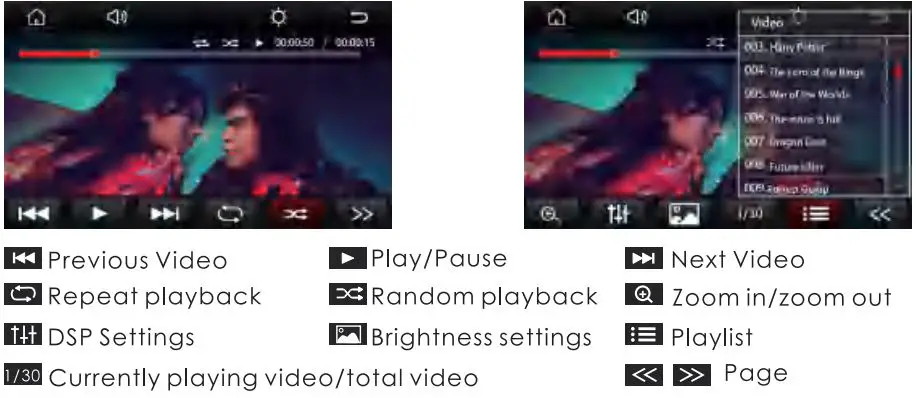
Video Playback
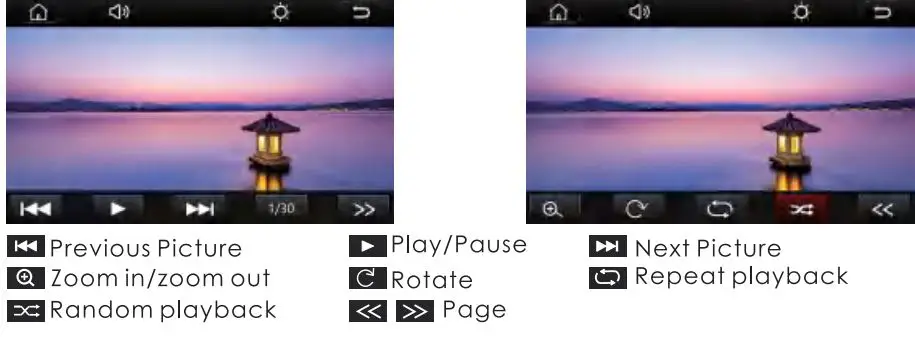
Picture Playback
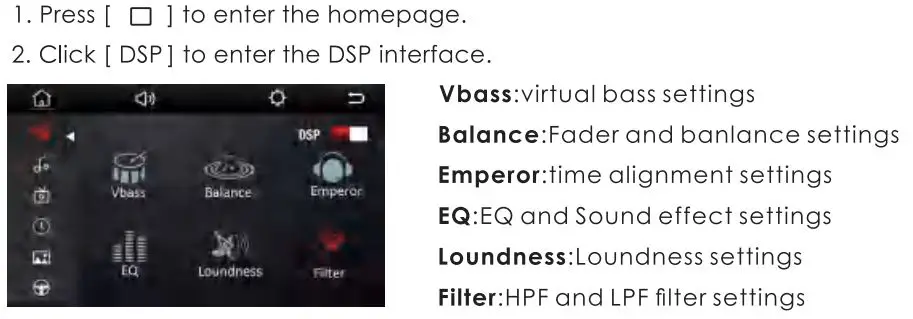
DSP SETTING
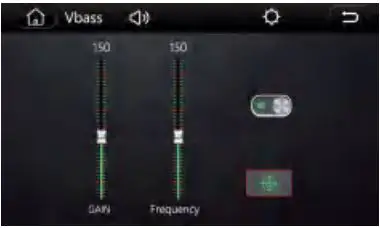
Virtual Bass Settings
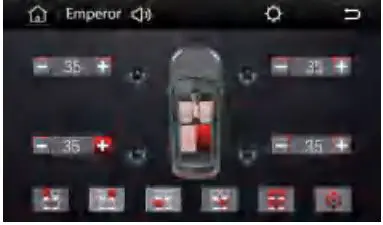
Time Alignment Settings
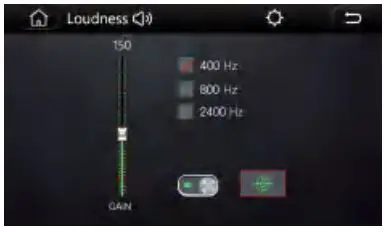
Loudness Settings
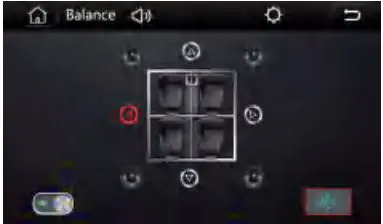
Balance Settings
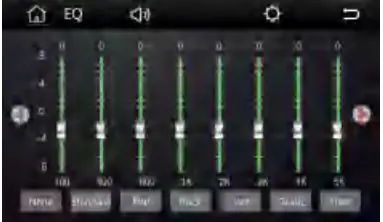
EQ And Sound Effect Settings
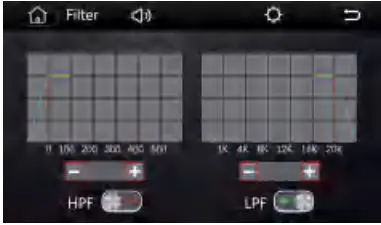
Filter Settings
SETTINGS
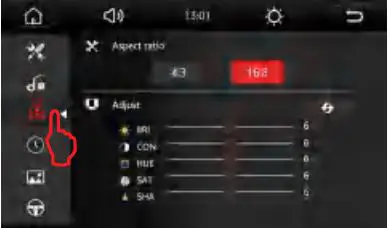
- Press[ □] to enter the homepage.
- Click [
 ] to enter setting interface.
 ] to enter setting interface.
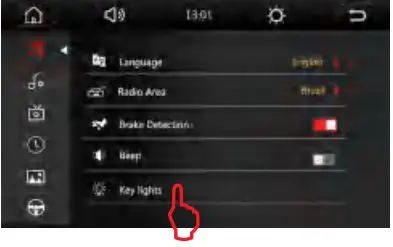
Key Lights Settings
Display Settings
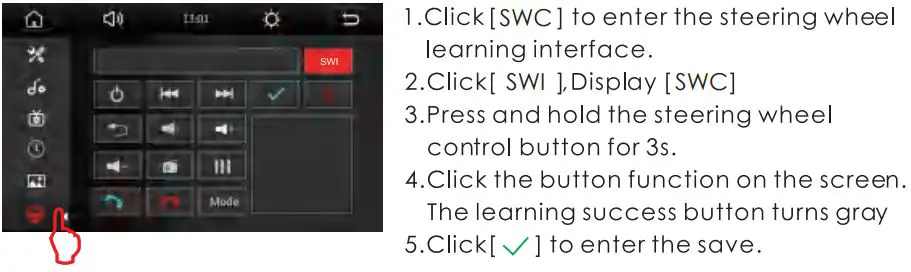
Steering Wheel Learning
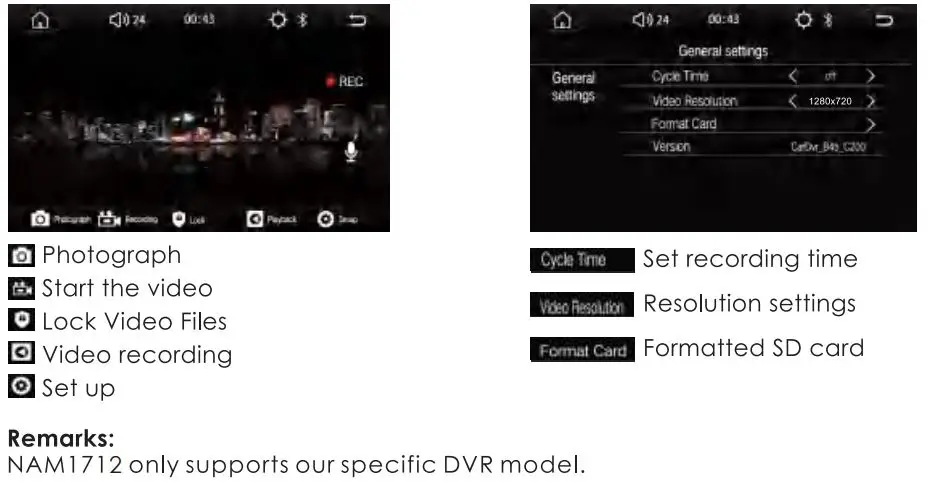
USB DVR
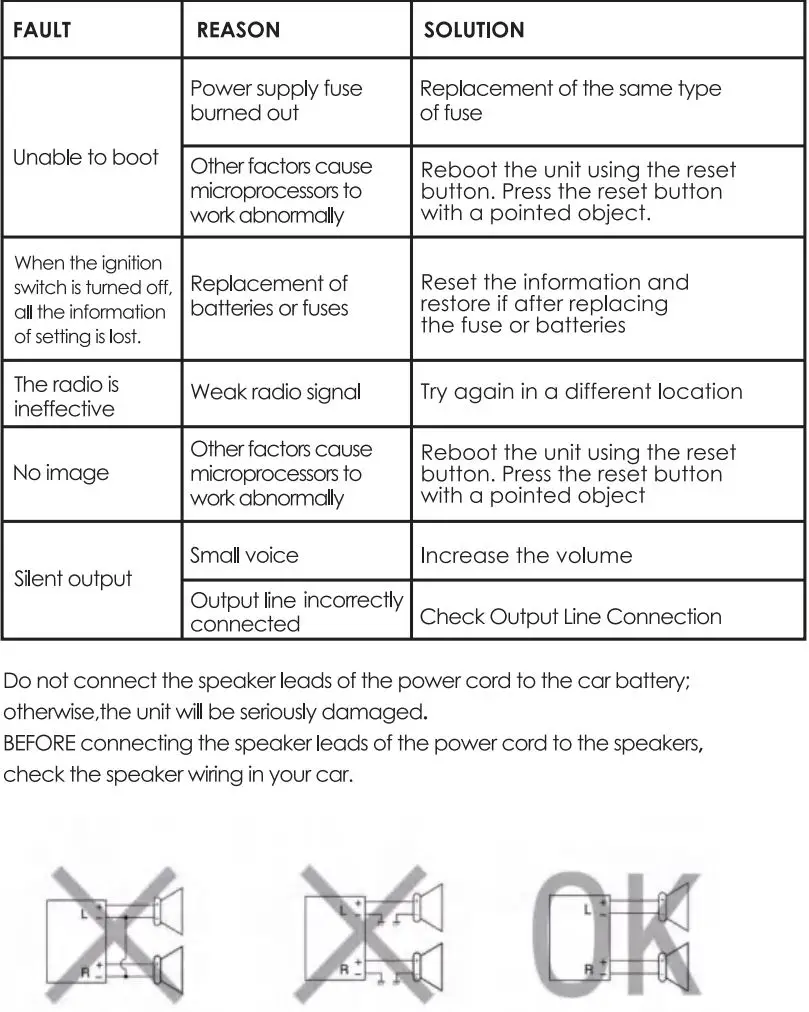
TROUBLE SHOOTING
SPECIFICATION
General
Operation Voltage: l 4.4V(l 0.5- l 6V)
Panel Installation Size: 178 x 100mm 170x 96mm
Operation temperature: -l0C +60C
Storage Temperature: -2o·c +70C
Net Weight: 800g
TFT Screen Item
Size: 7″
Display Resolution: 800 x 480
Contrast ratio: -400
Brightness:400nit
Bluetooth
Communication System:
BT4.0+EDR
Frequency Band: 2.4GHz
Max Range: 5m
Audio
Max Power: 4x50w
Front Output(V): 4V /1 OKO
Pre-output impedance: ≤600Ω
Speakers impedance: 4-8Ω
Video
External Video Input System:
NTSC/PAL/SECAM
External Video Input: l VP-P /75Ω
Video Format
H264/ MP4/ AVI/ MKV / FL V
Audio Format
MP3/ APE/ AAC/FLAC
USB Interface
USB: Readable/ Chargeable (5±0.25V /1 A)
Radio
FM Frequency: 87.5-108.0MHZ
AM Frequency: 522-1 620KHZ
SCAN OUR QR CODE OR VISIT WWW.NAKAMICHICARAUDIO.COM
FOR COMPLETE AUDIO SETTINGS INSTRUCTIONS


Made in china