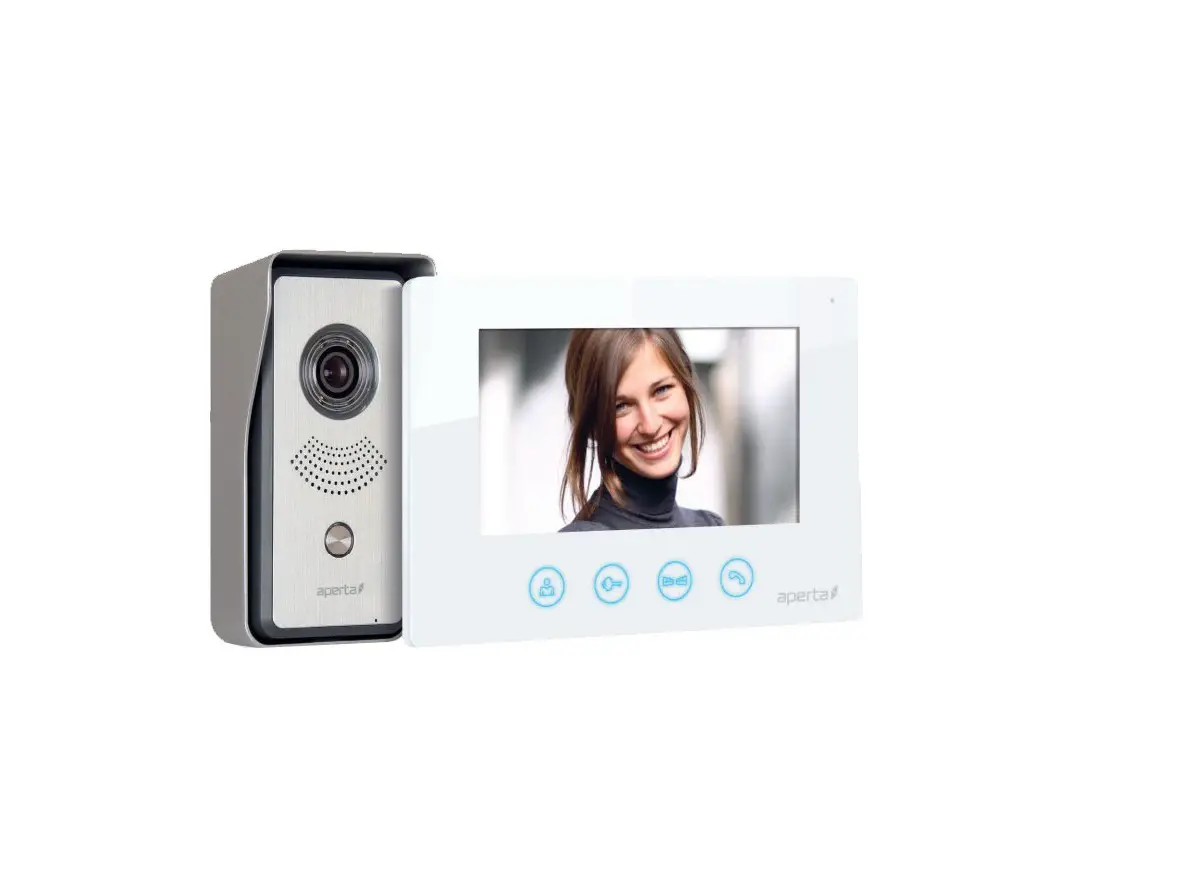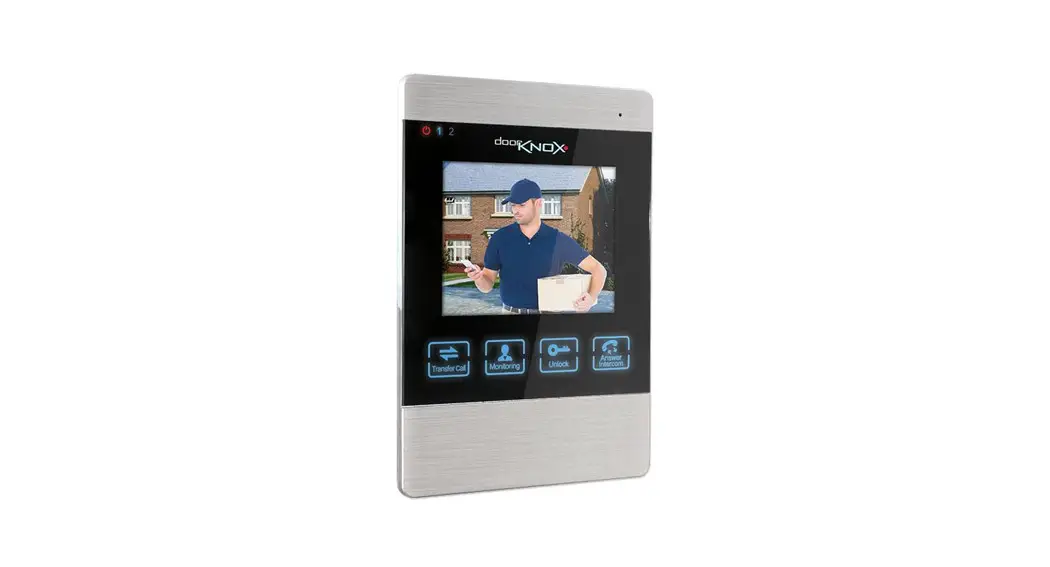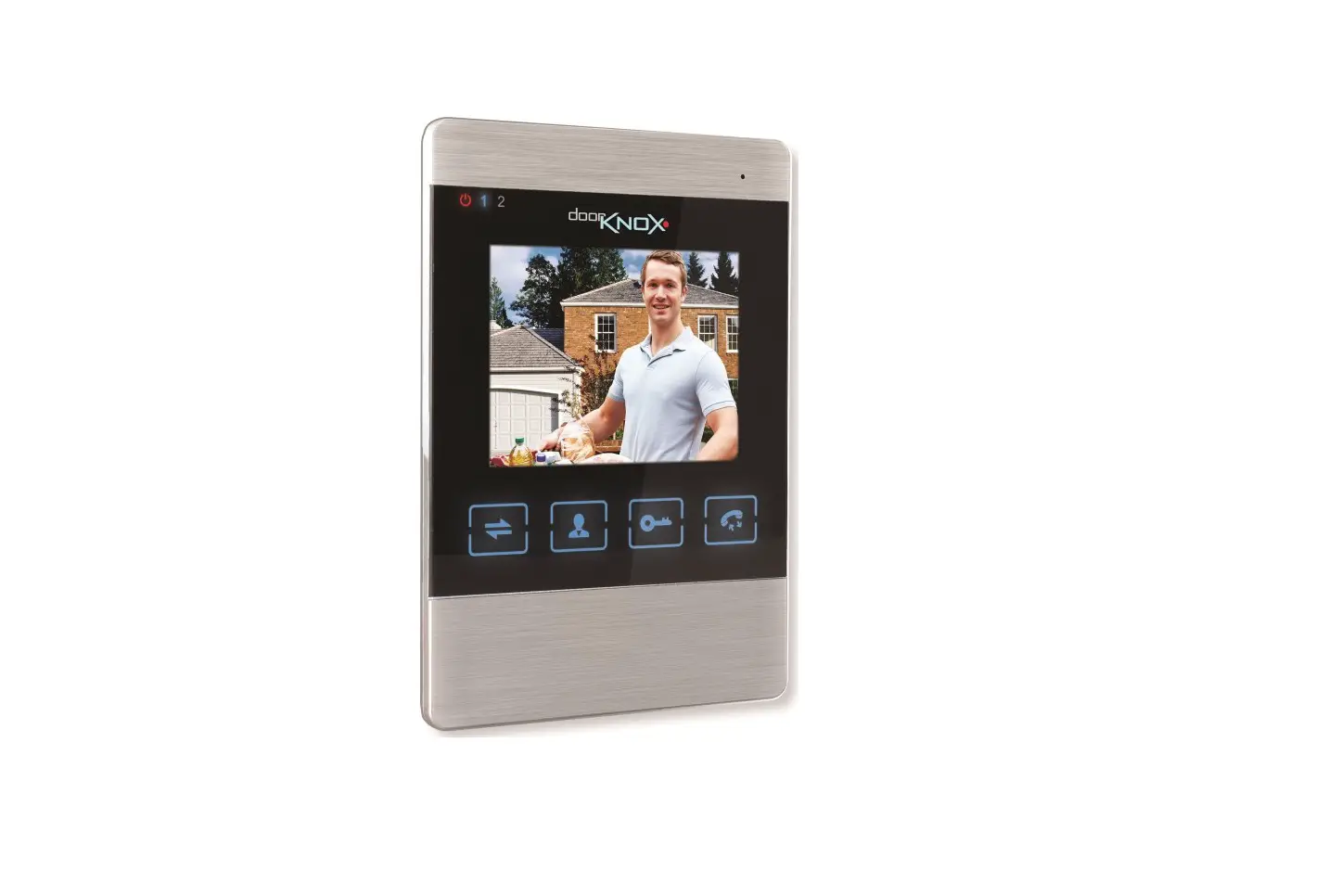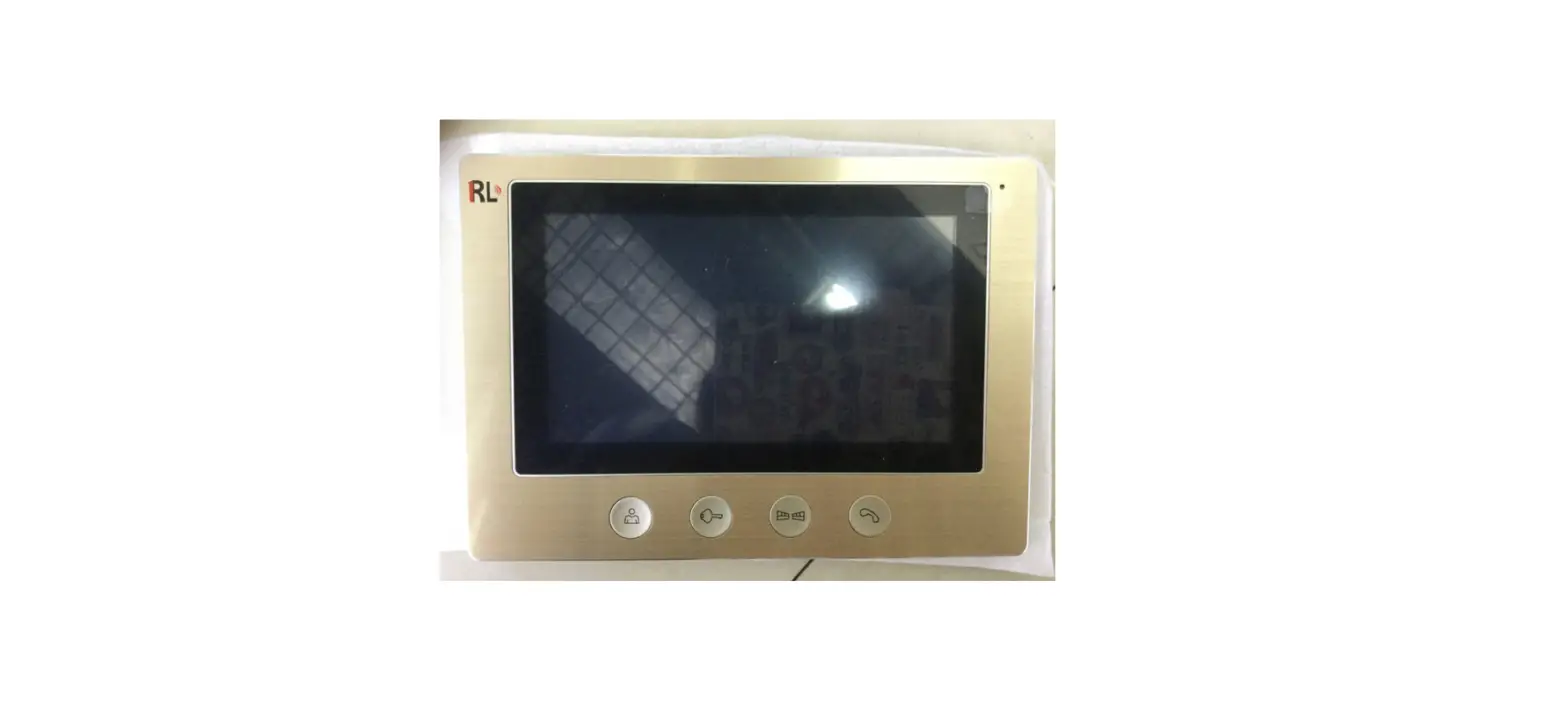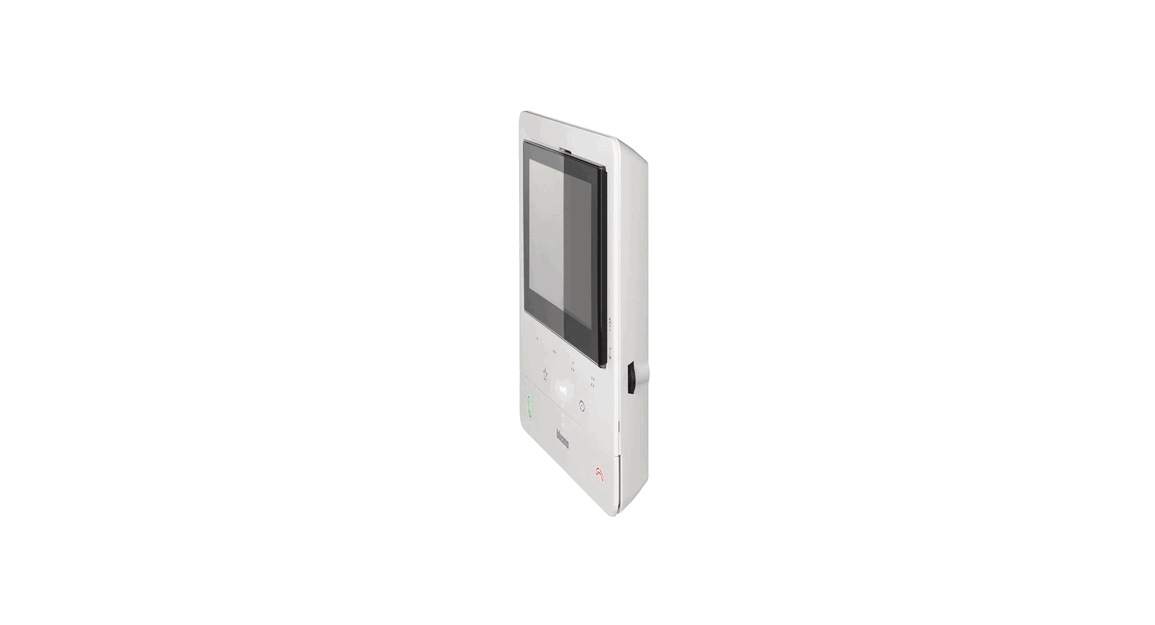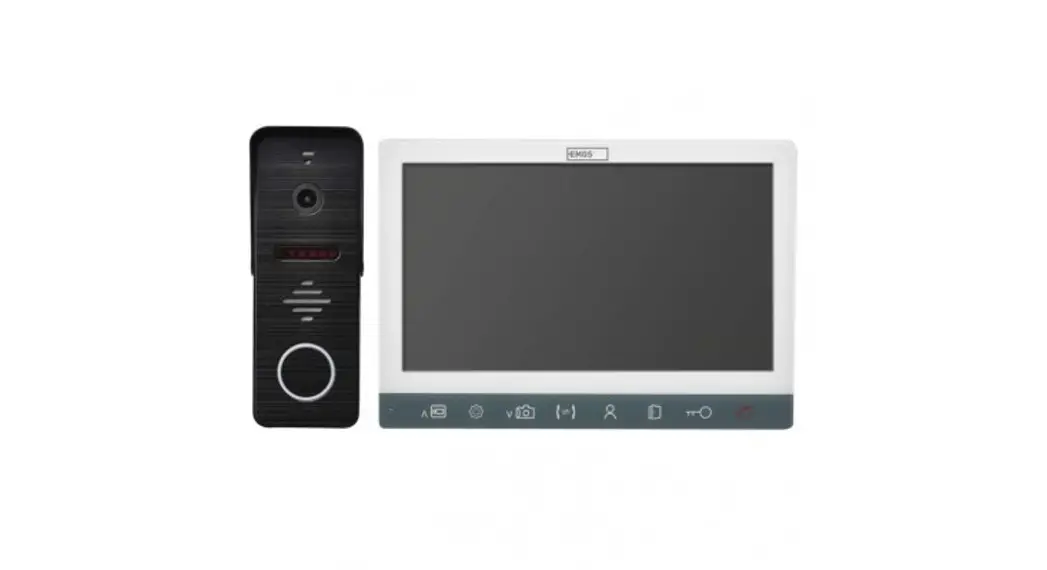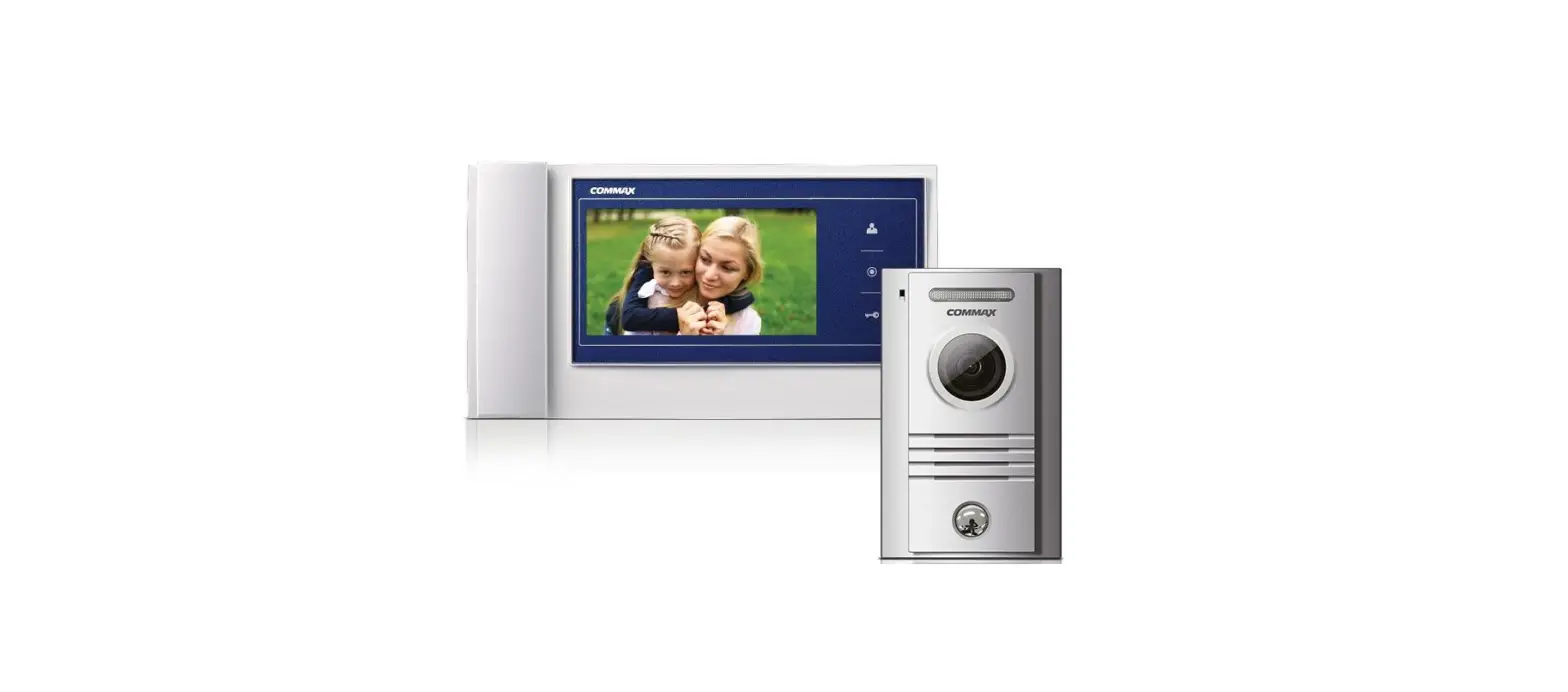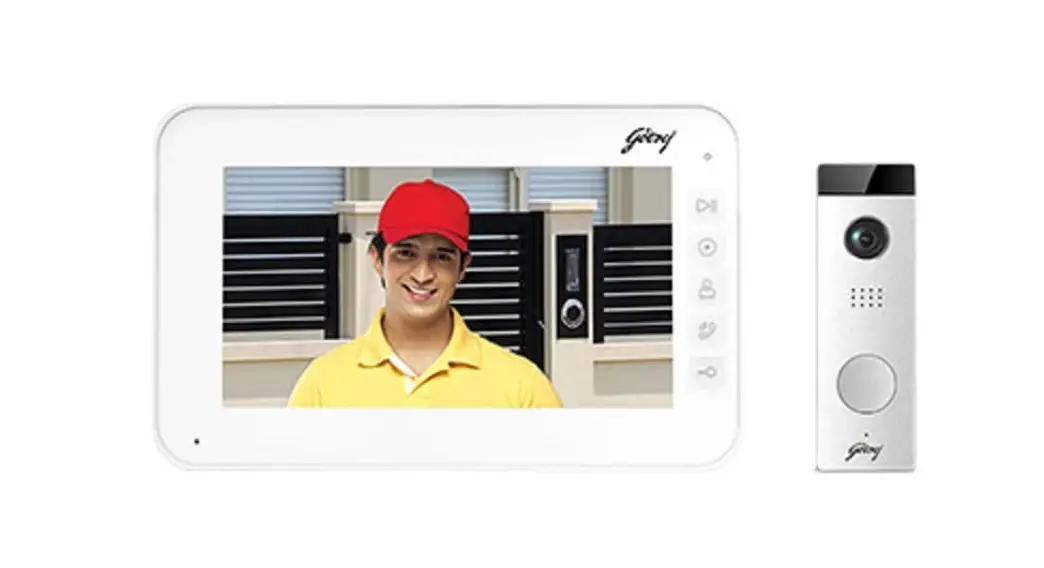

esp APMONBG Colour Video Door Entry Monitor

System Cabling
All system cabling (excluding mains 240vAC supply) has been tested with Cat5E UTP PVC cable.
Part Number – A8NFORCE5EUTP
Find this product online:
elandcables.com | Cables & Accessories | LAN Cable | Cat 5E UTP PVC Cable
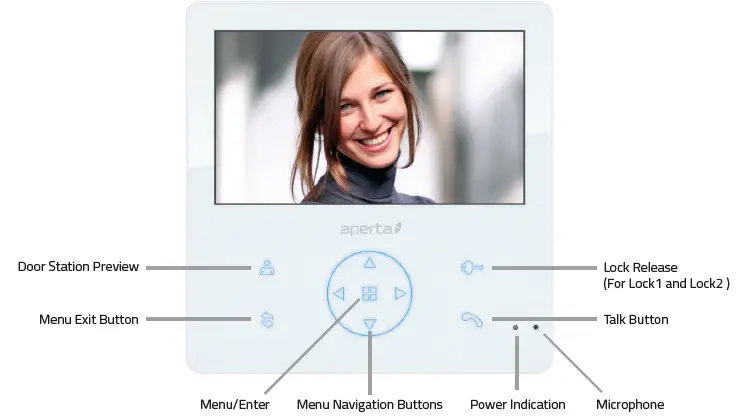
Monitor Functions Overview

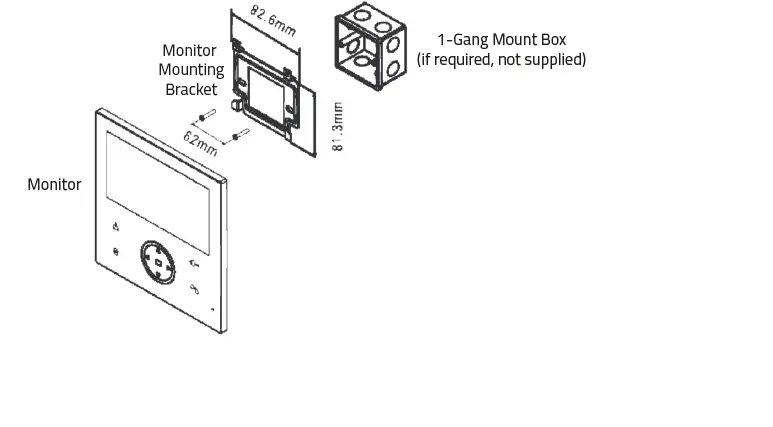
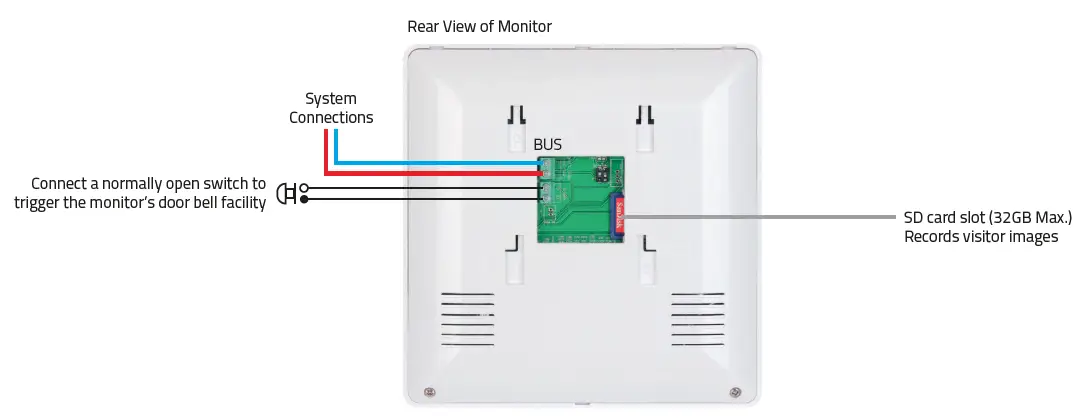
Installation

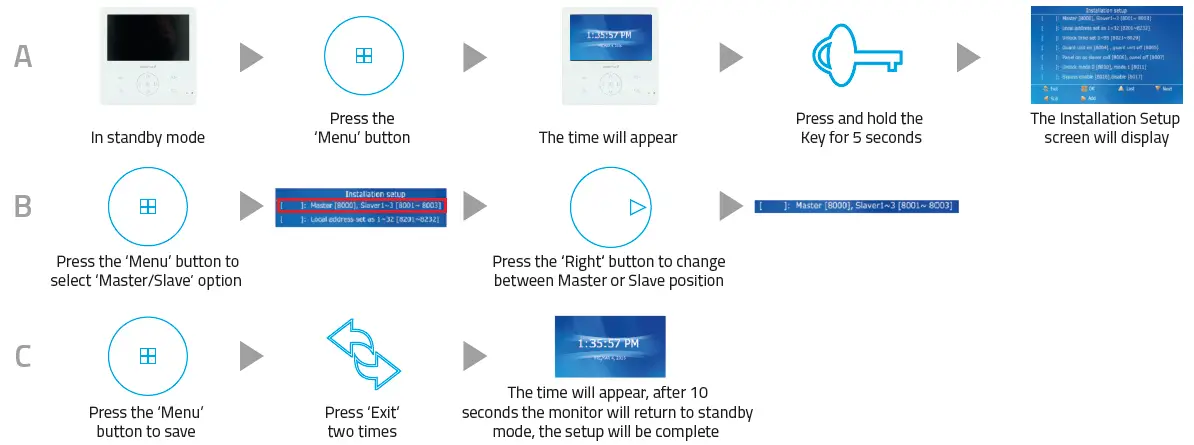
Master / Slave Setup
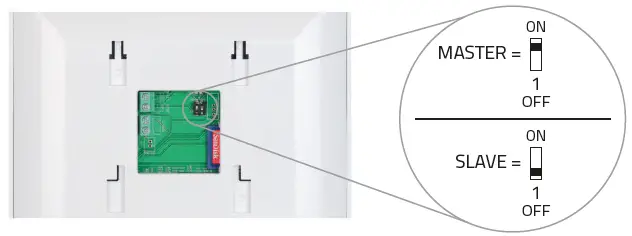
Switch Setup
For villa system:
Only 1 monitor is set as a MASTER. All other monitors are set to SLAVE.
For apartment system:
Each Address ID has 1 MASTER. All other monitors on the same Address ID are set to SLAVE.
Menu Setup
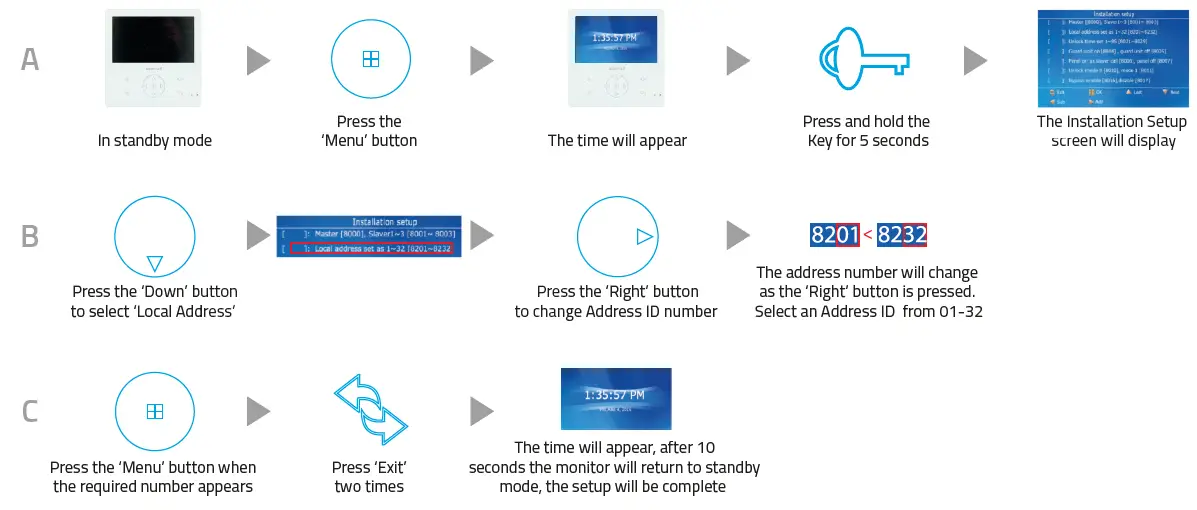
Setting Address ID – Only required for apartment systems
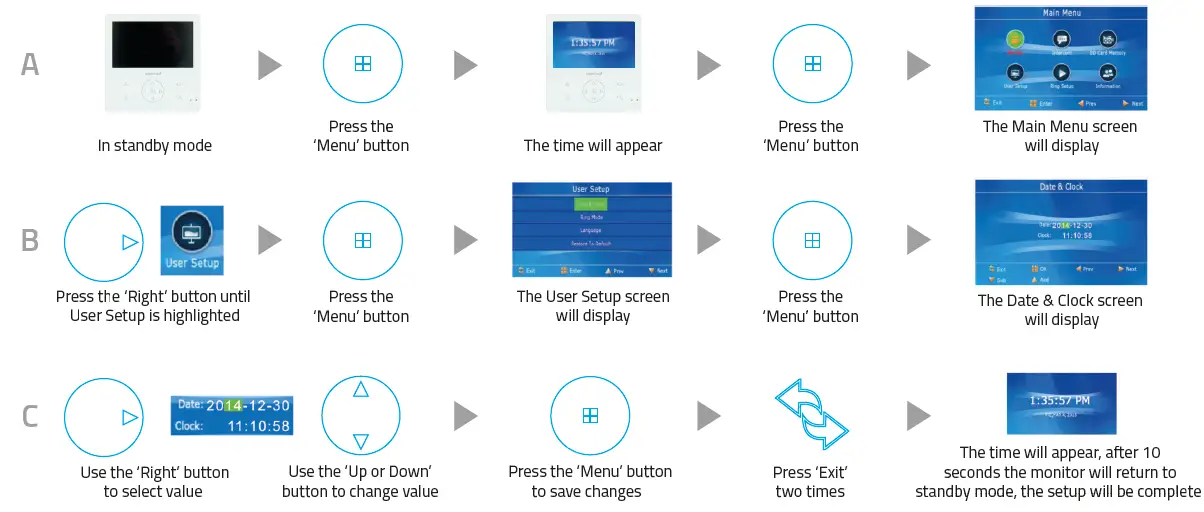
Setting the Time and Datte
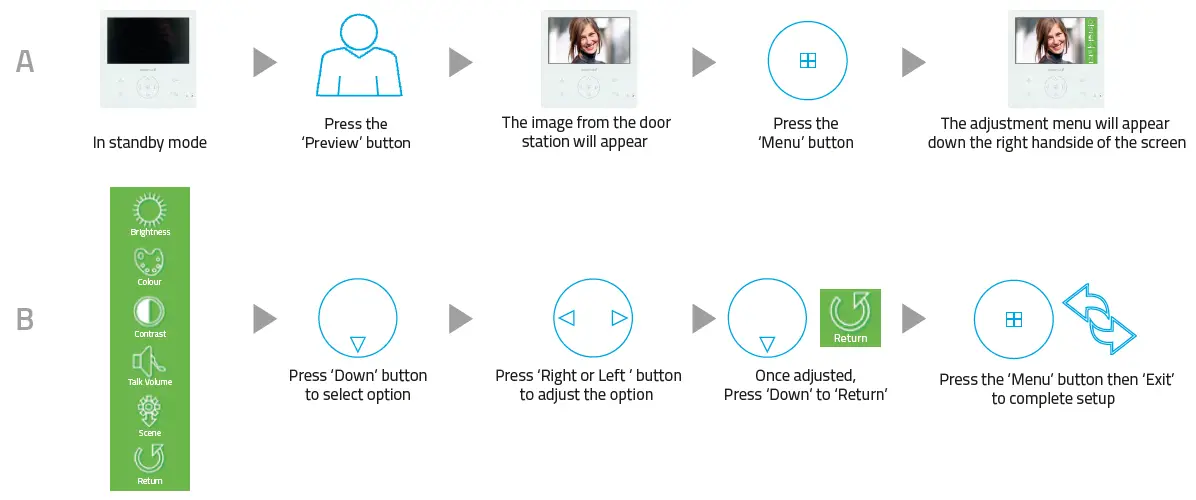
Monitor Image and Talk Volume Adjustment
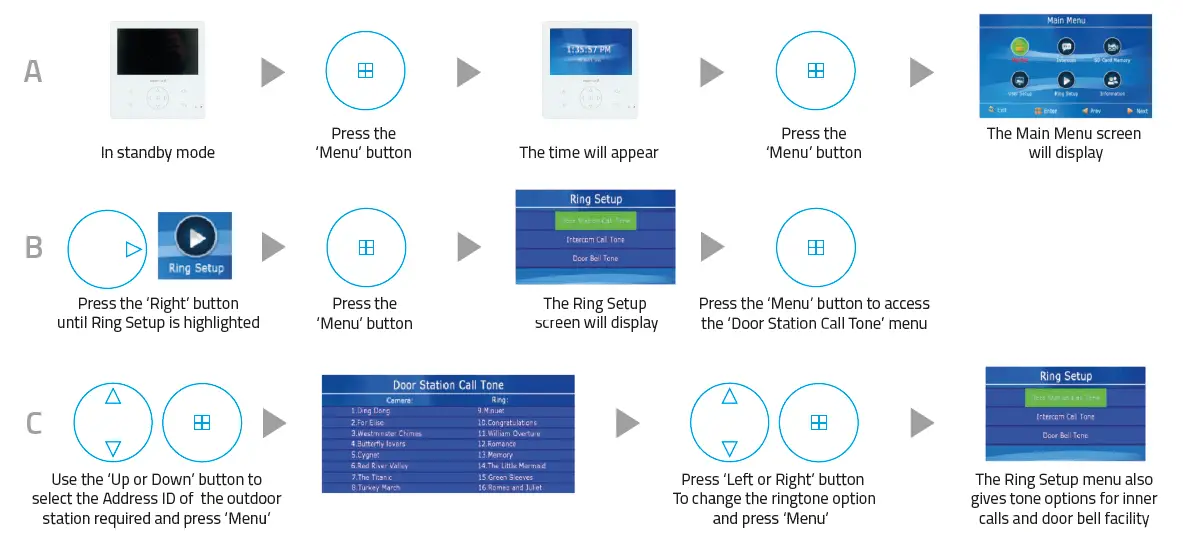
Changing Monitor Ringtone
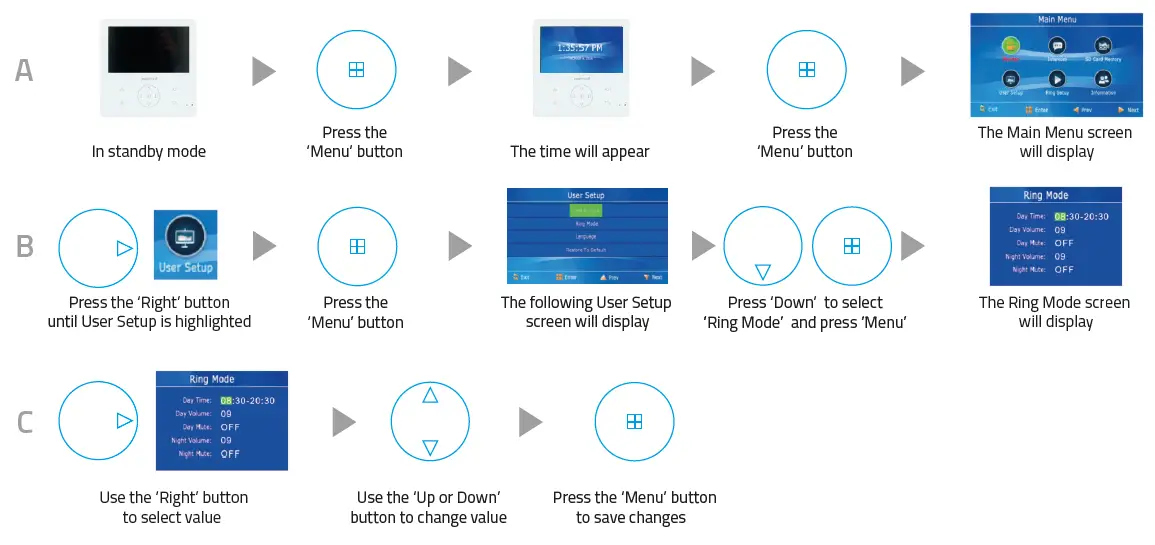
Monitor Ringtone Volume Adjustment
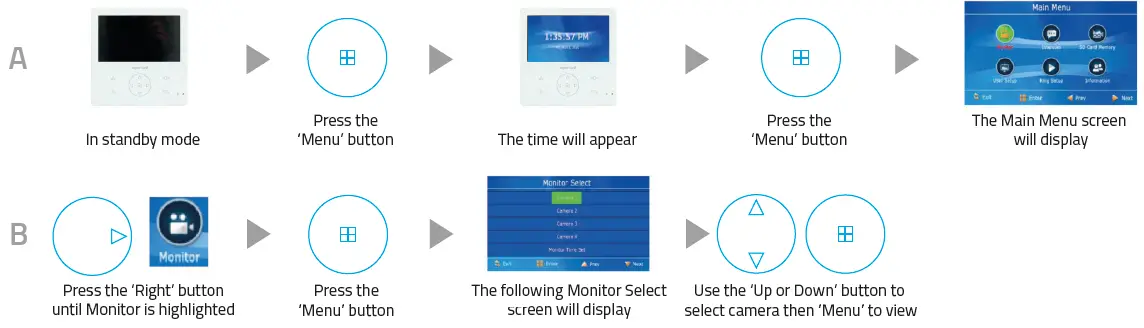
Preview Door Station’s Camera Image
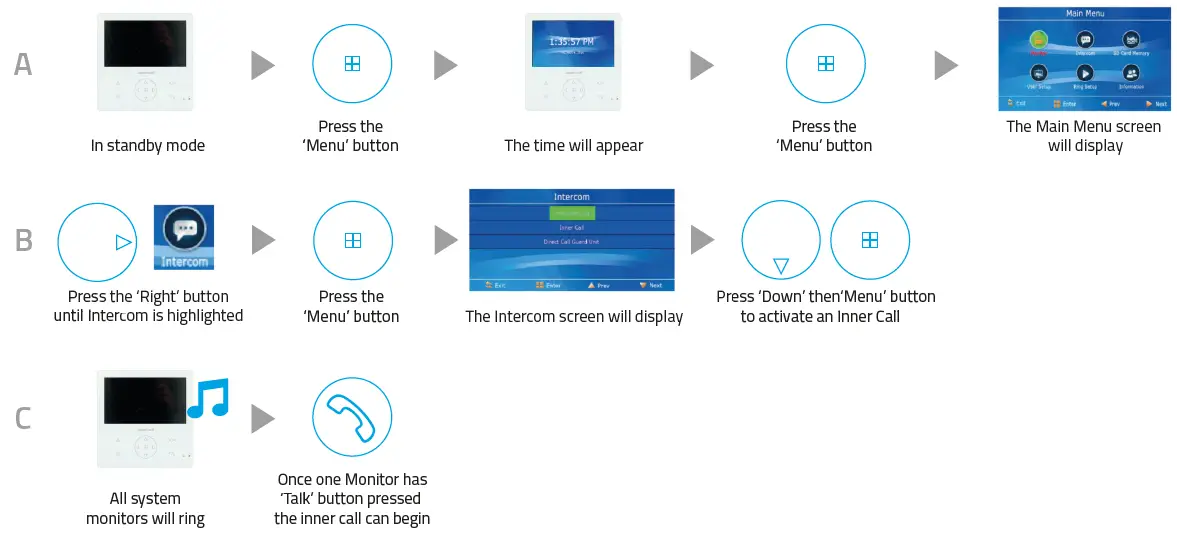
Inner Call – Calling to another monitor on the system or within the apartmentrtment
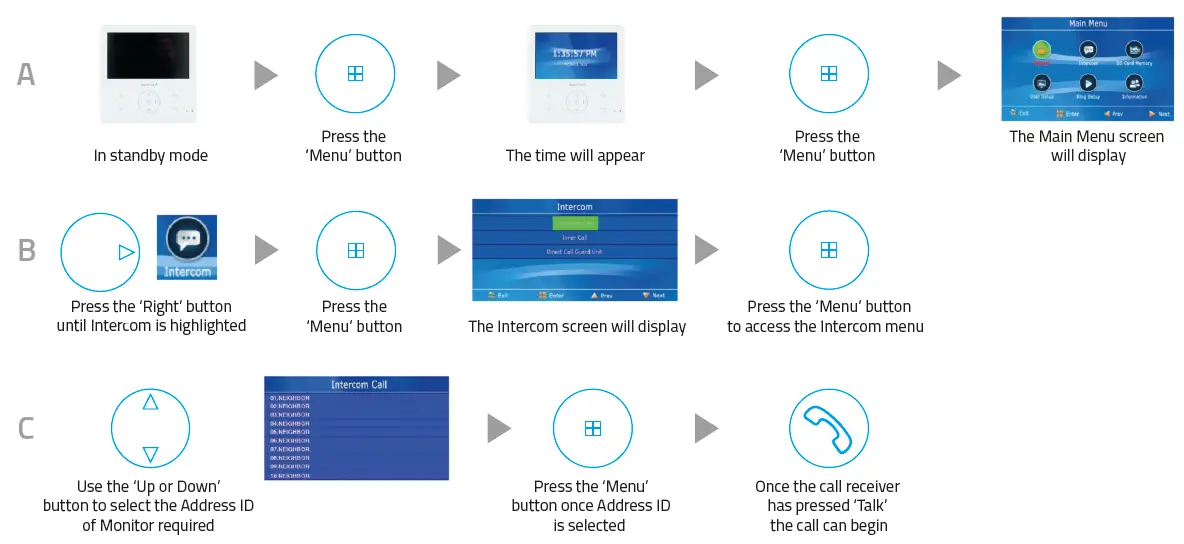
Intercom Call – Calling to another monitor for multiple occupancy systemem
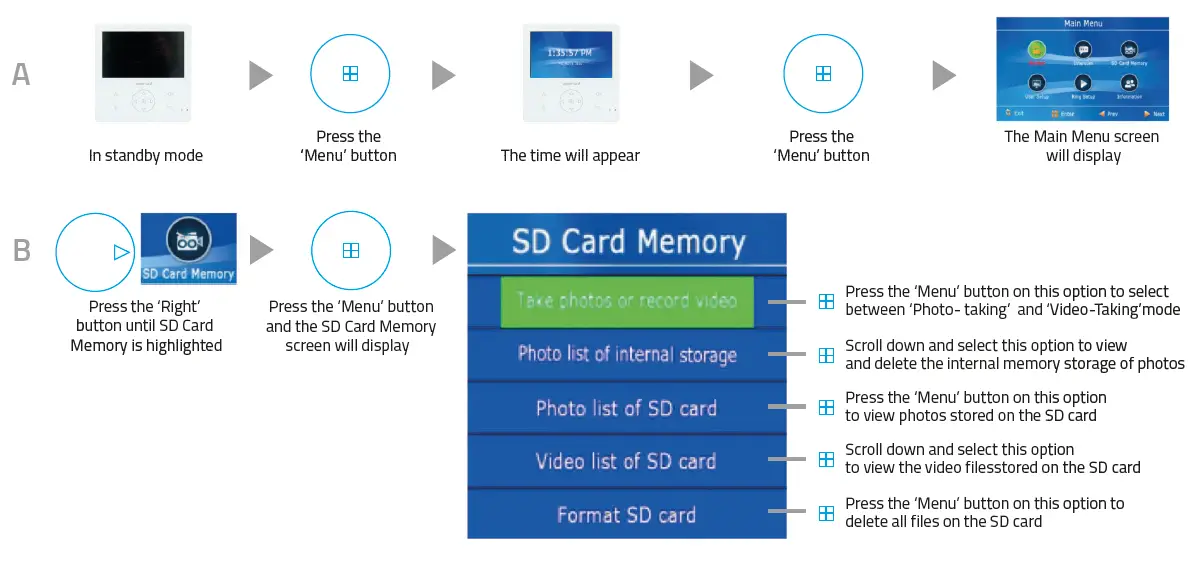
SD Card Record and Viewing Options
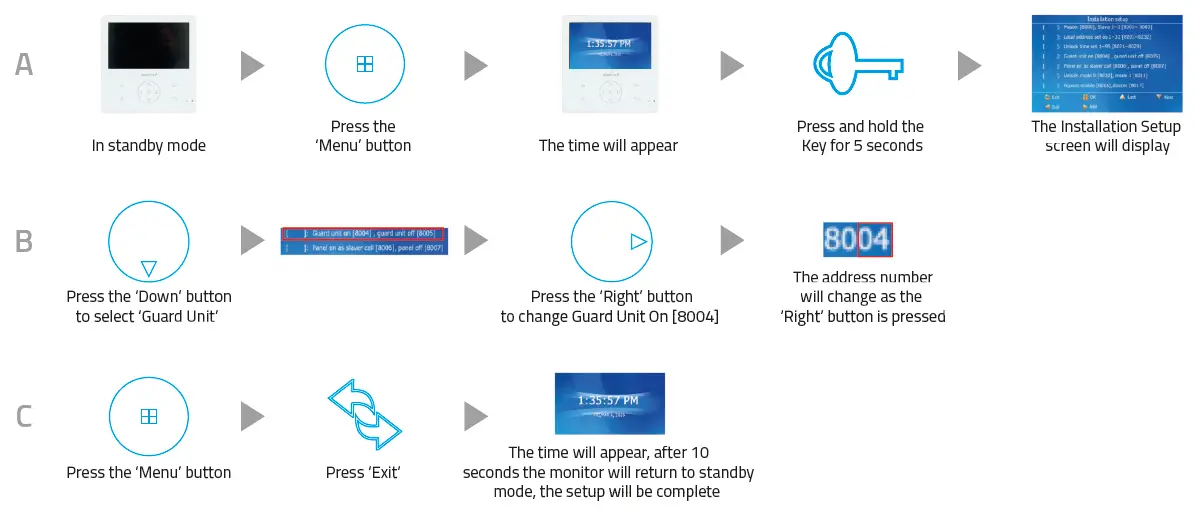
Monitor Installation Setup – Setting the monitor as a Guard Unit
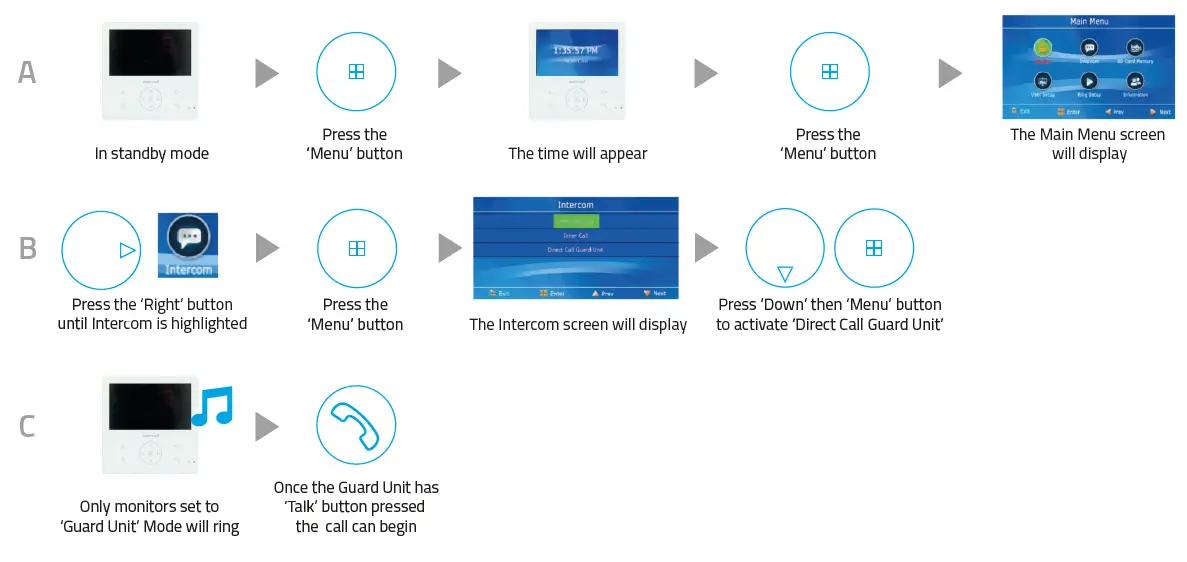
Guard Unit Facility – Calling to a monitor set to ‘Guard Unit’ mode
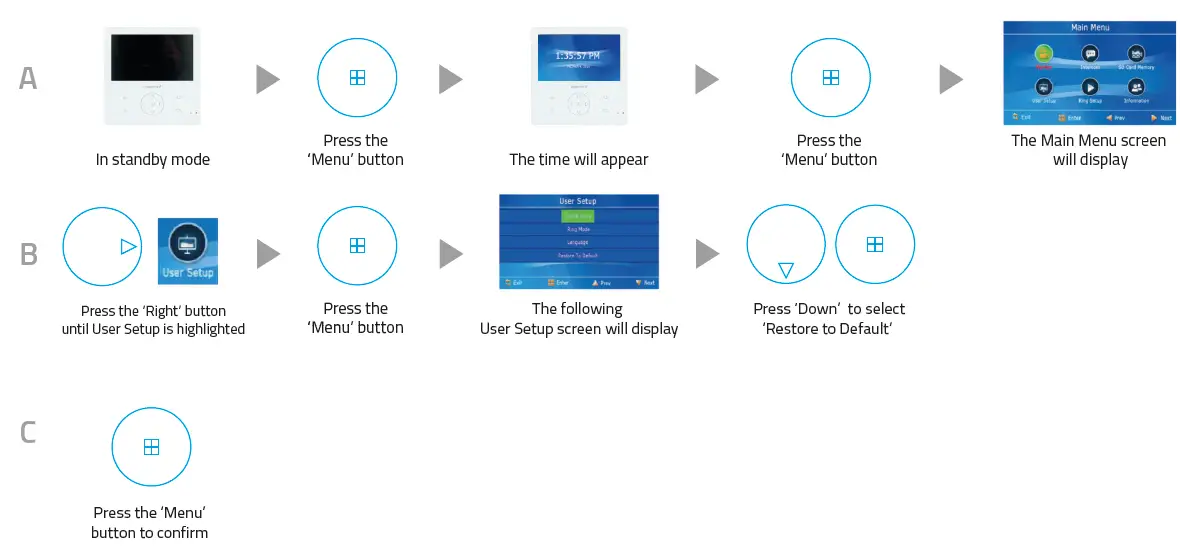
Restore Monitor Settings to Default
Elite Security Products
Unit 7, Target Park, Shawbank Rd Lakeside, Redditch B98 8YN
Telephone: 01527 51 51 50
Fax: 01527 51 51 43 email: [email protected]
E&OE – Errors and omissions excepted. A16
 Global Cables and Cable Accessories Supplier | Eland Cables