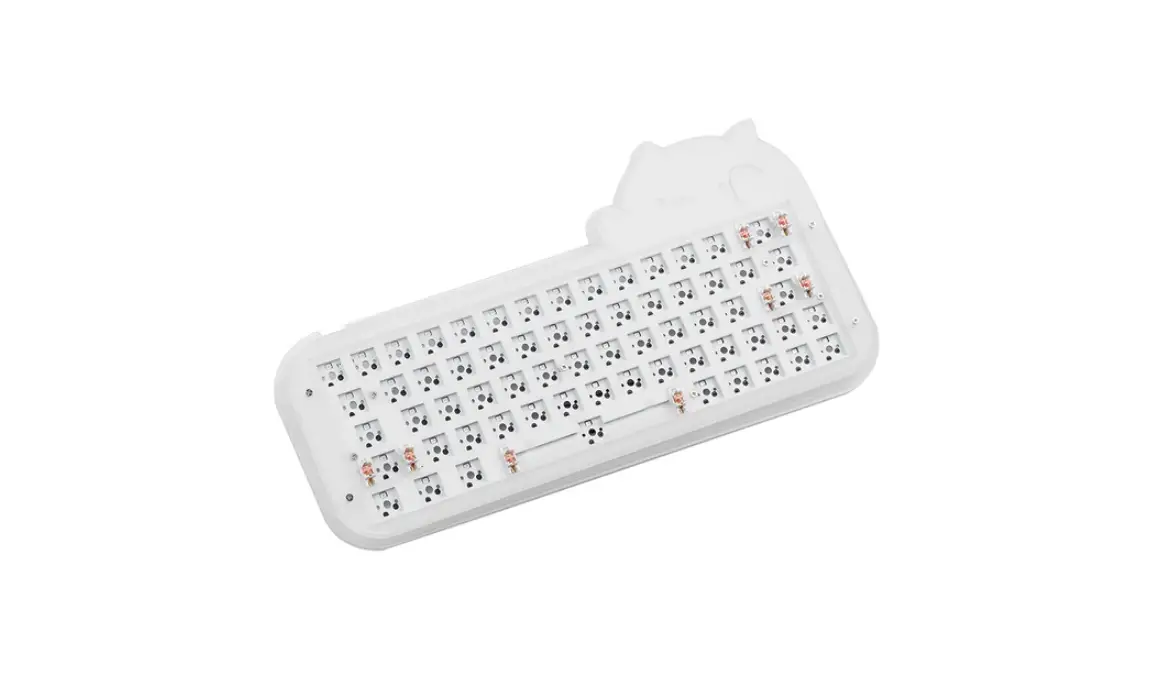
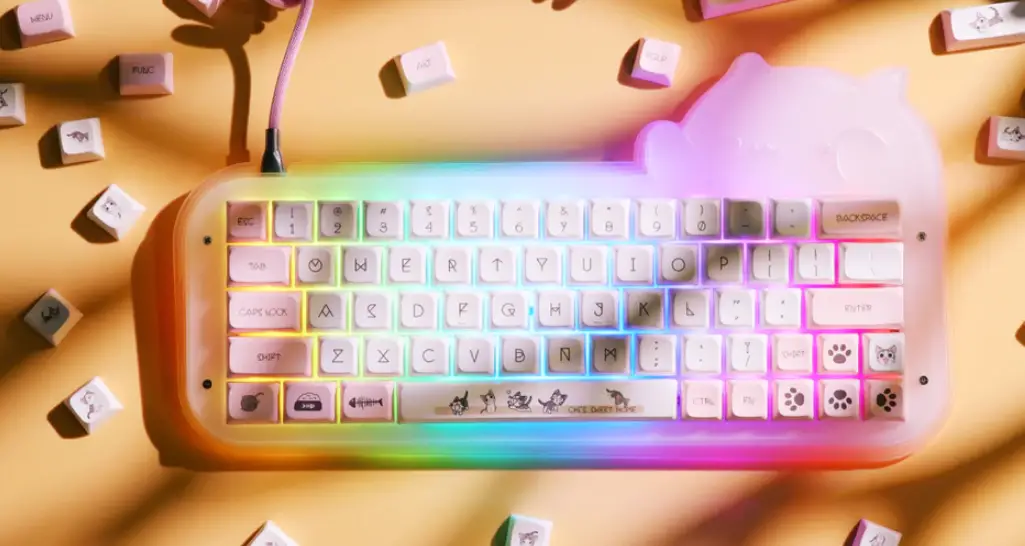
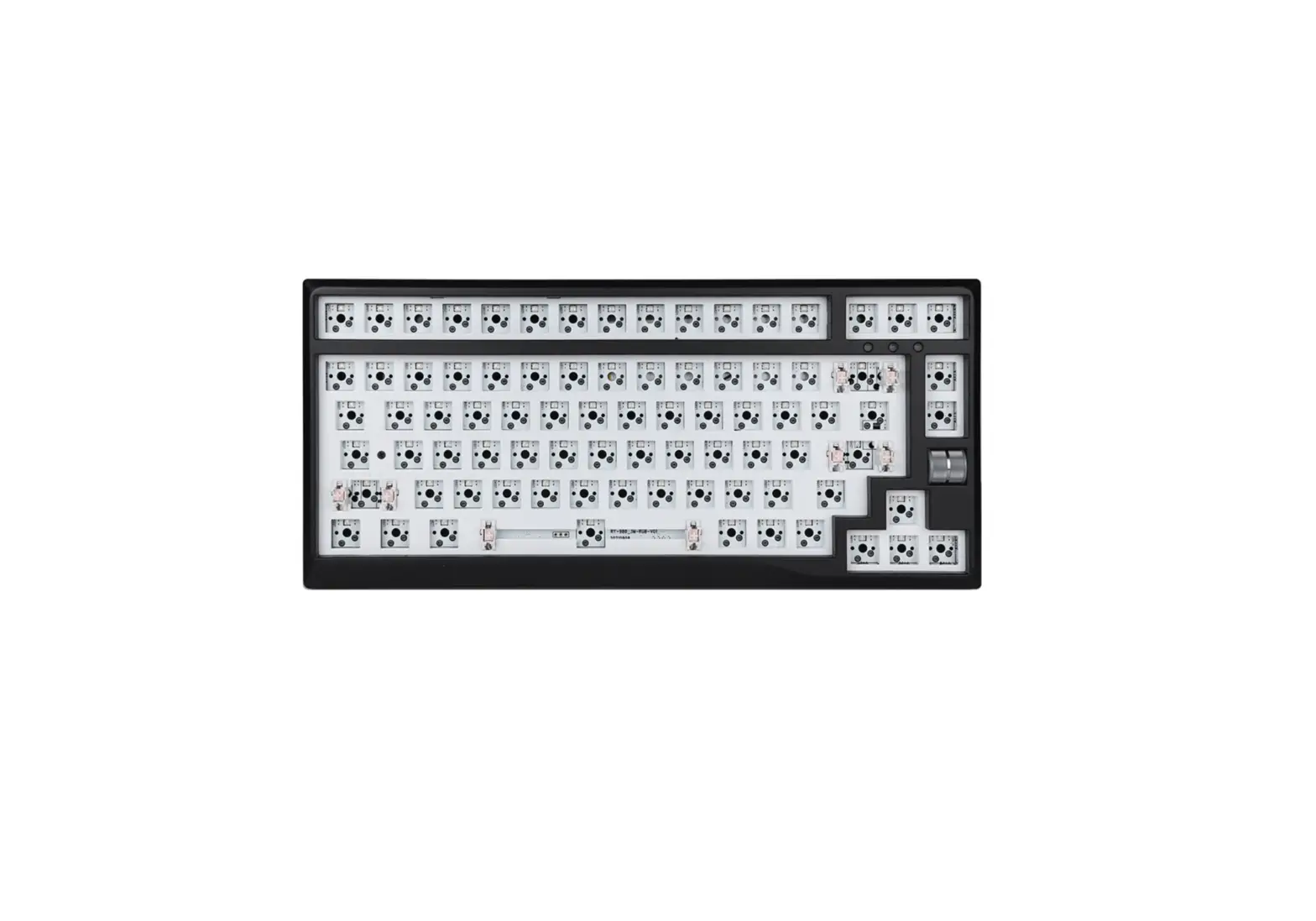
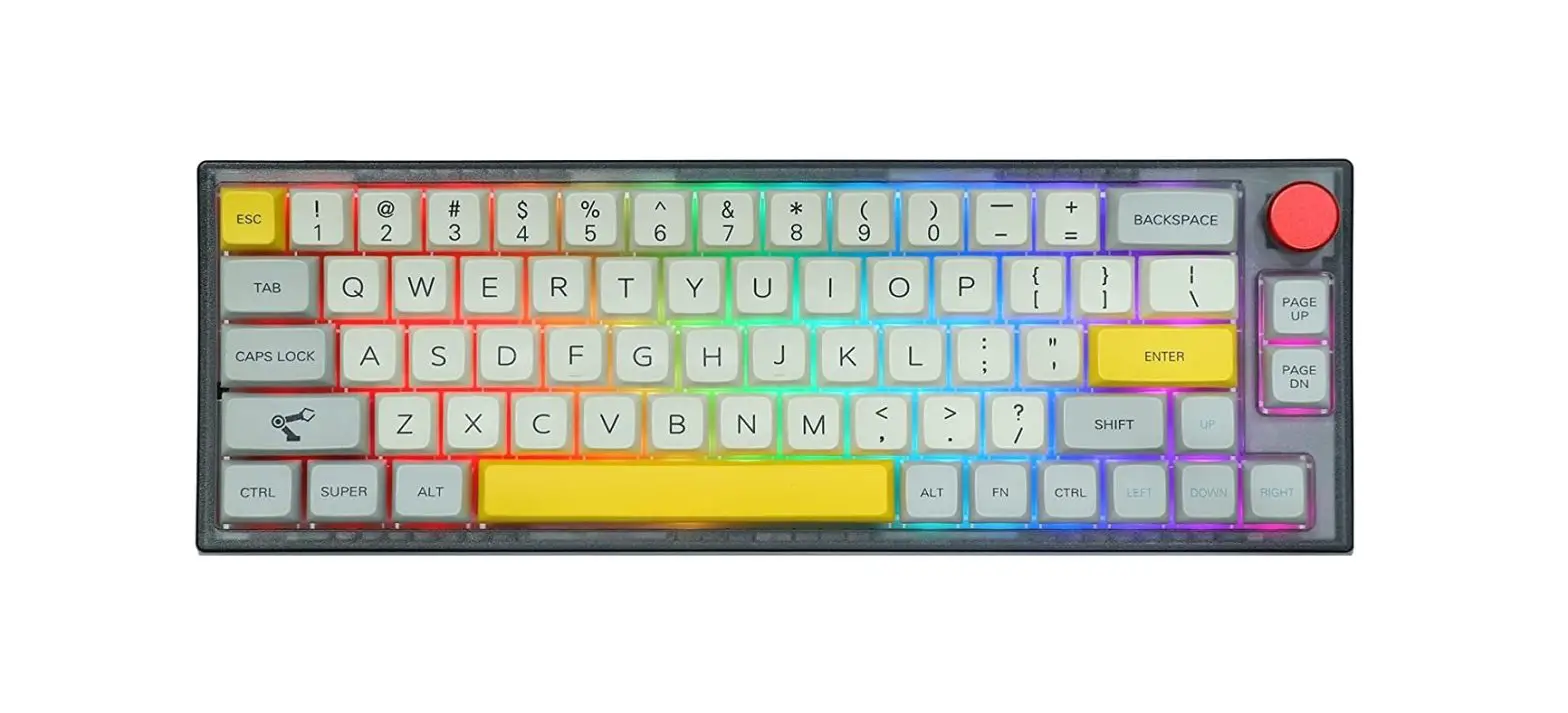
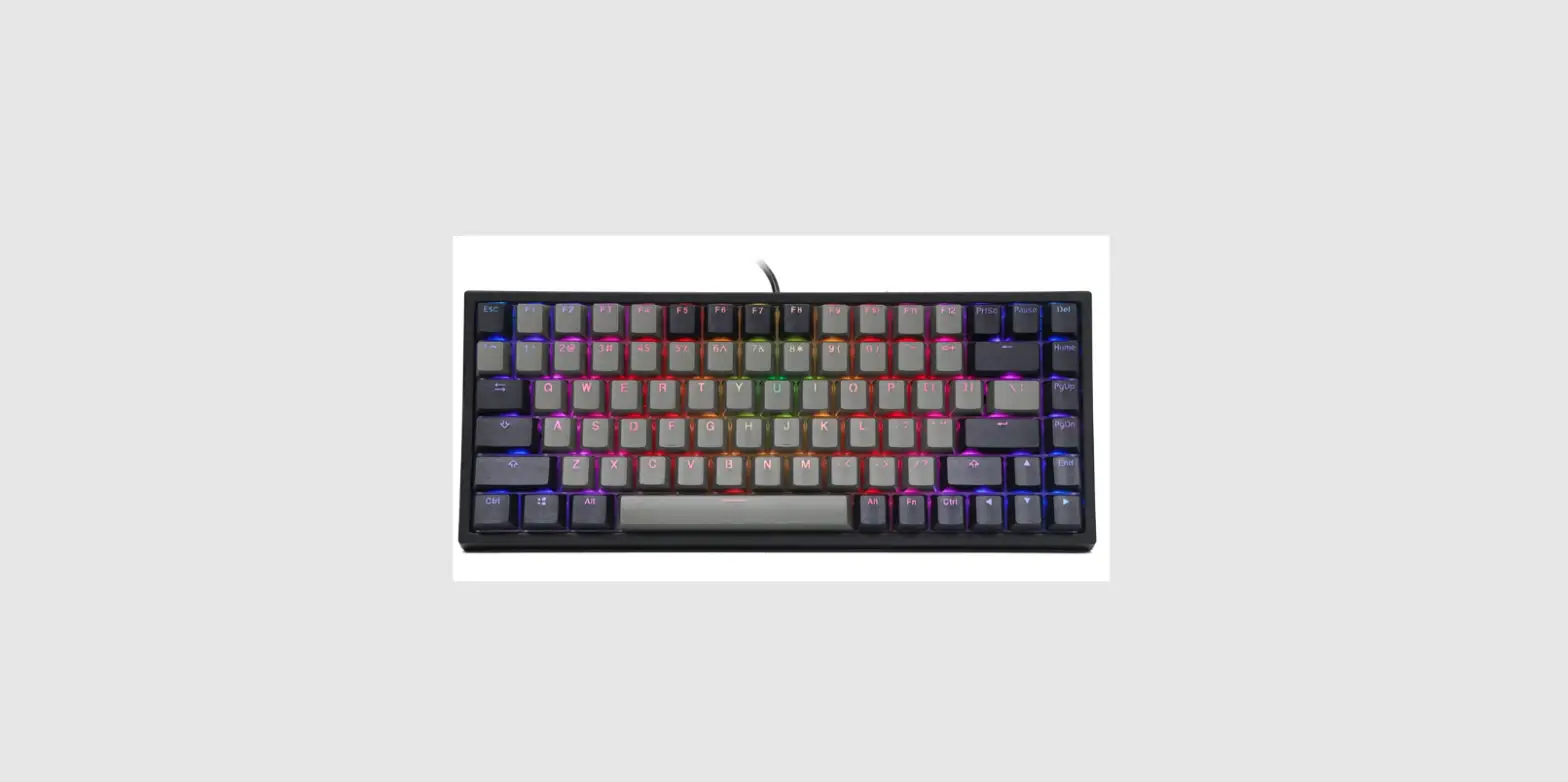
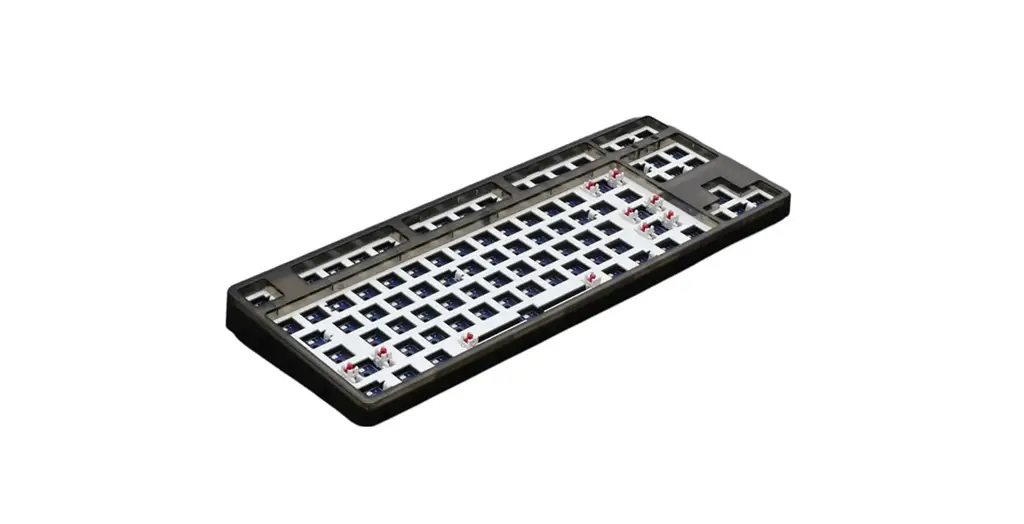
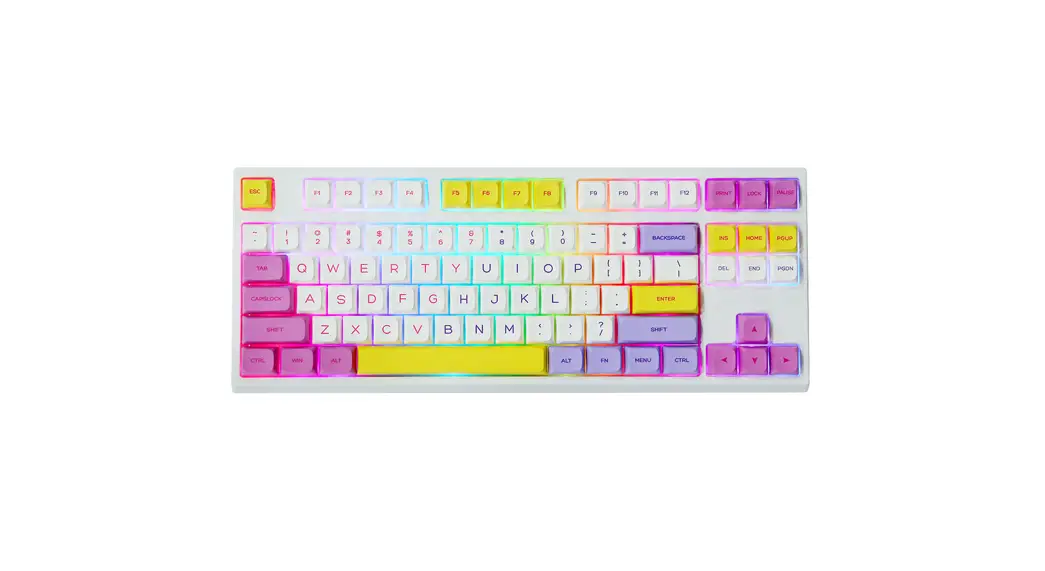
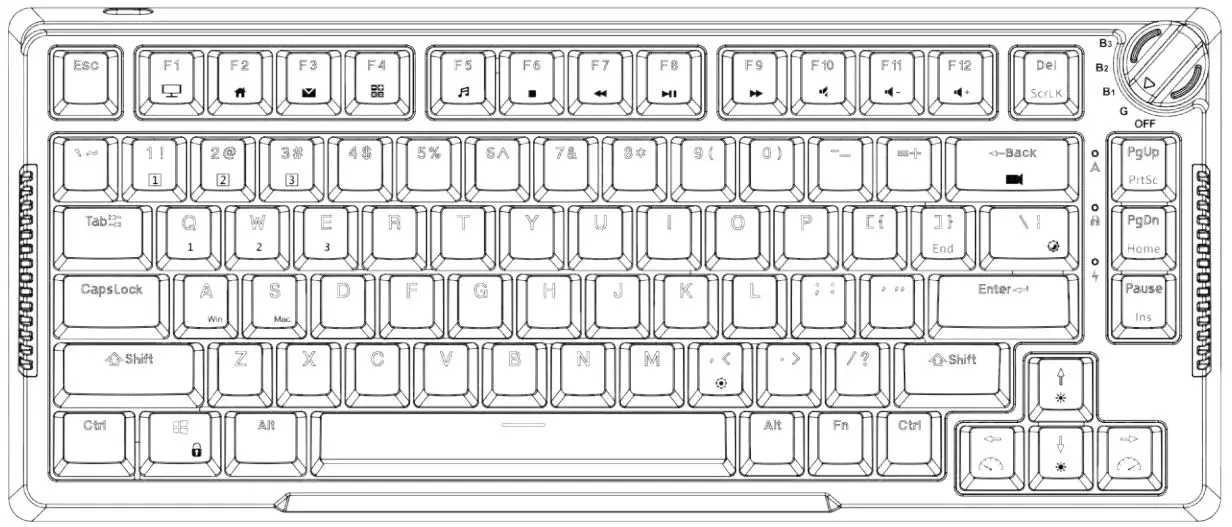
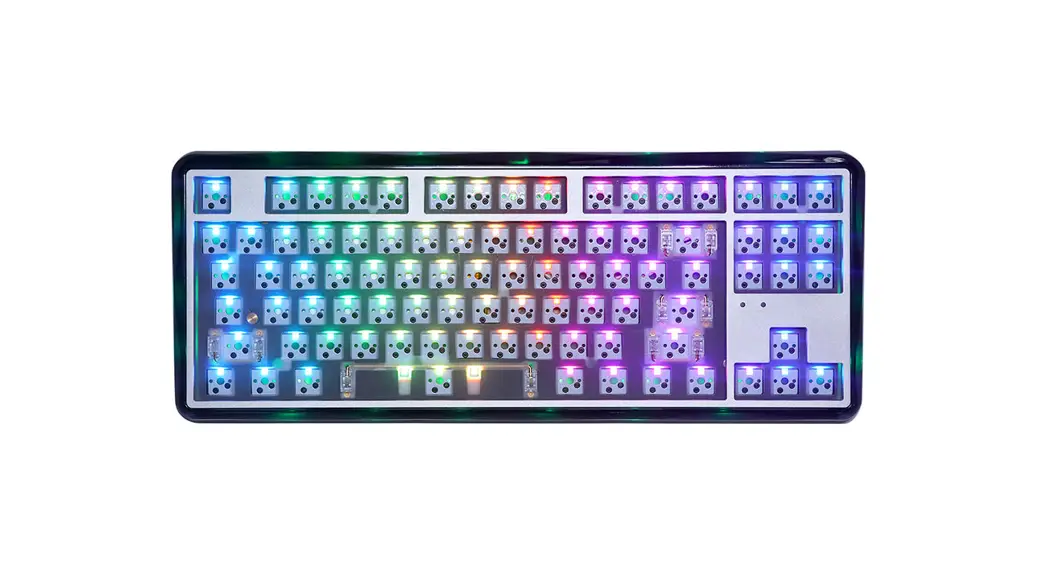
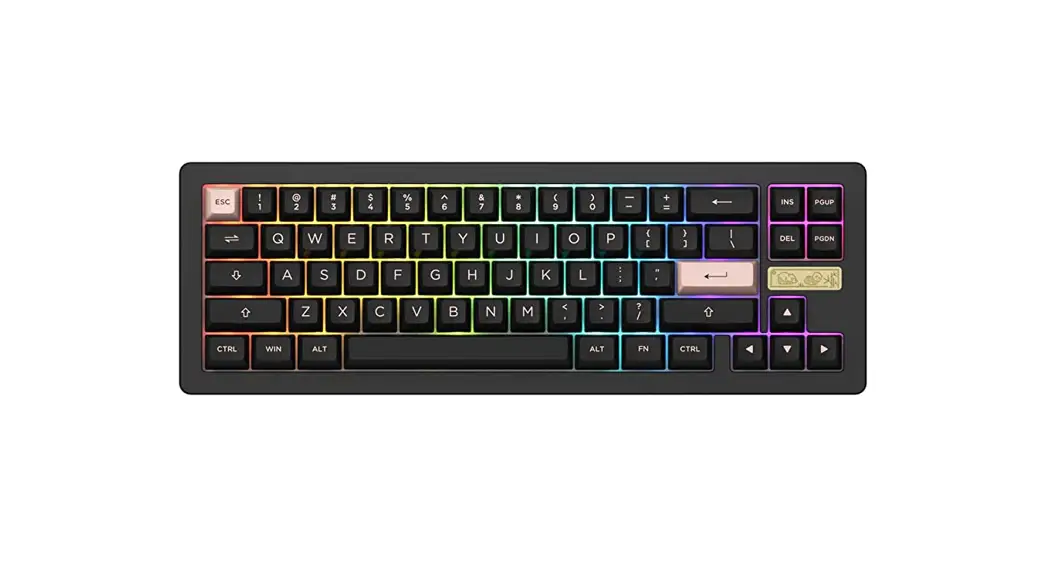
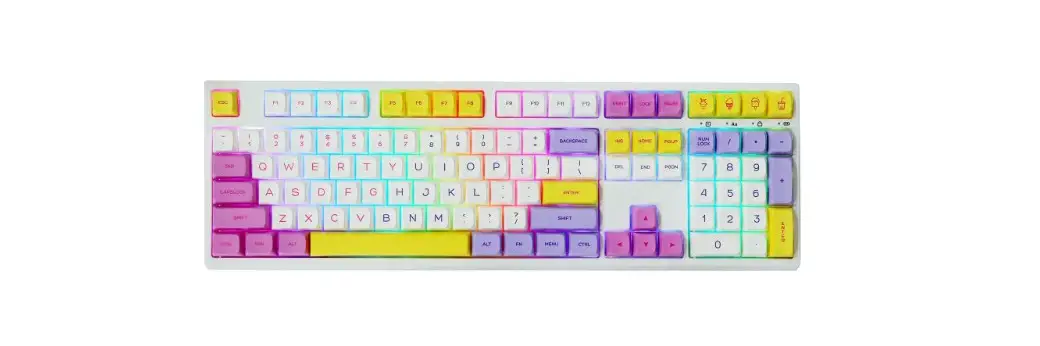
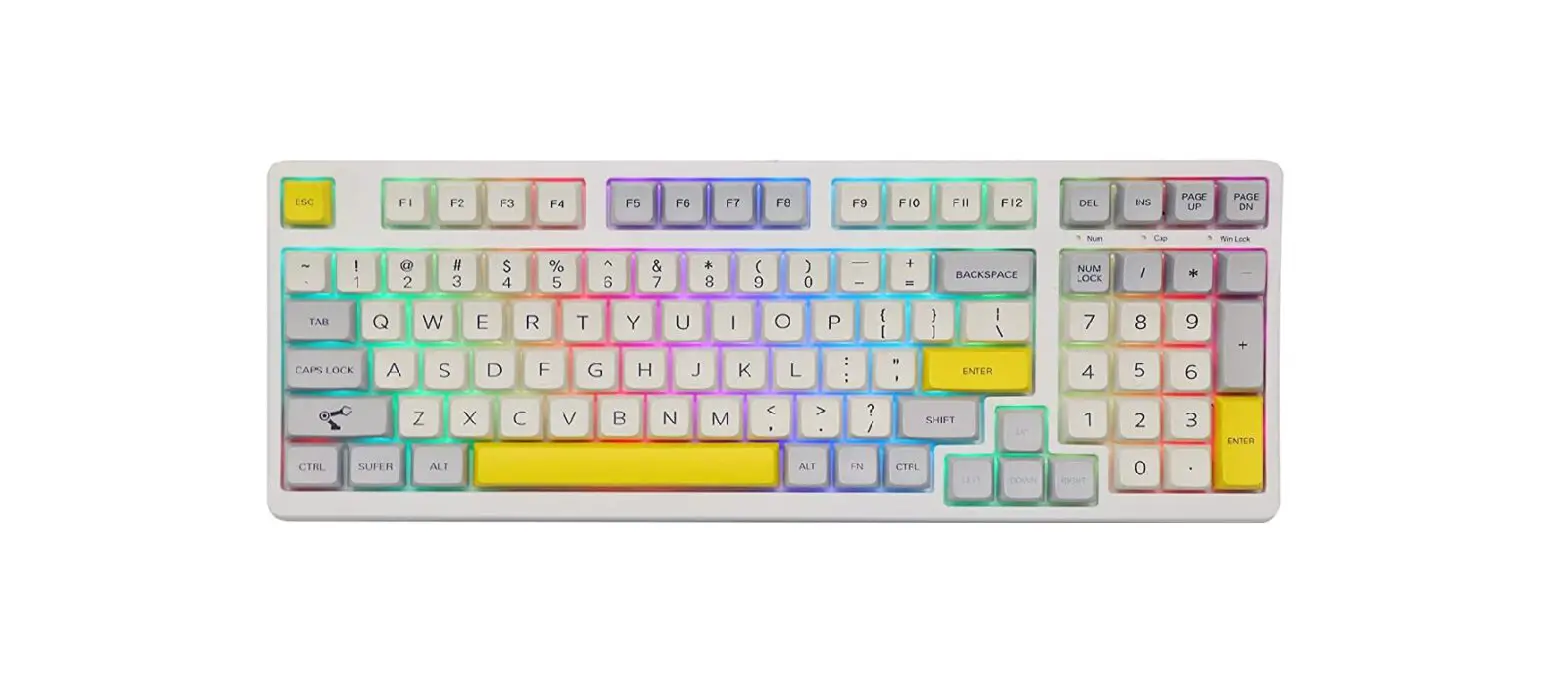
MINI CAT68 65 Degree Hot Swappable RGB Acrylic Keyboard Kit
Product Information
Product Name: EPOMAKER Mini Cat68
Description: 65% Hot Swappable RGB Acrylic Keyboard
Kit
Manufacturer: Shenzhen Changyun Technology Co., Ltd.
Address: Seventh Floor, Kai Daer Building, No.168 Tongsha
Road, Xili Street, Nanshan Disctrict, Shenzhen, Guangdong,
China
Email: [email protected]
Website: www.epomaker.com
RoHS Compliant: Yes
Product Usage Instructions
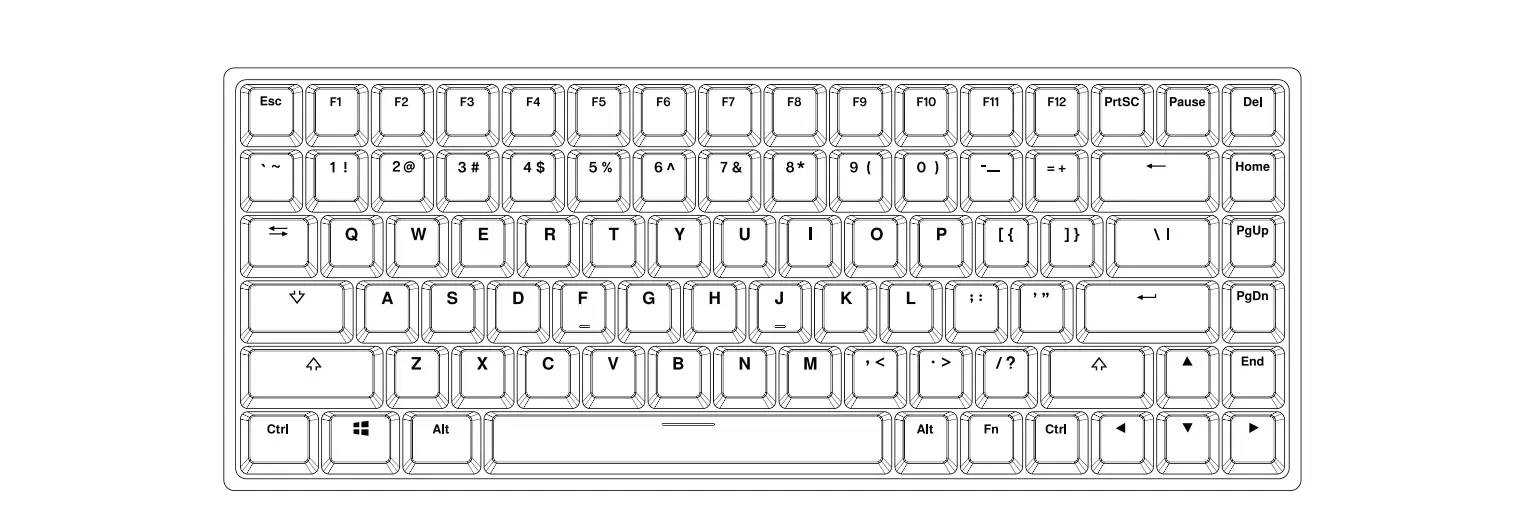
Shortcuts
- FN + 1: F1
- FN + 2: F2
- FN + 3: F3
- FN + 4: F4
- FN + 5: F5
- FN + 6: F6
- FN + 7: F7
- FN + 8: F8
- FN + 9: F9
- FN + 0: F10
- FN + -: F11
- FN + =: F12
- FN + Esc: Toggle light effects
Light Effects
- Fn + |: Turn On/Off Backlights
- Fn + ]}: Toggle RGB Effects
- Fn + P: Hue +
- Fn + ;: Hue –
- Fn + {[: Sat +
- F+’ (Single Quote): Sat –
- Fn + Page Down: Backlights Brightness –
- Fn + Page Up: Backlights Brightness +
- Fn + Insert: Backlights Speed –
- Fn + Home: Backlights Speed +
Function Key Combinations
- FN + Backspace (Hold 3s): Reset the Keyboard
- FN + A: Windows Mode
- FN + S: Mac Mode
How to Use VIA:
- Visit https://github.com/WestBerryVIA/via-releases/releases
to download the latest VIA application for your computer’s OS. Turn
on the button of Use V2 definitions (deprecated). - Download Epomaker Mini Cat 68 json file via
https://epomaker.com/blogs/qmk-via/epo-maker-mini-cat-68-via-json
and load the file.- Unzip the file to find the .exe and .json files.
- Install the .exe file on your computer.
- When the functions load, select the Mini Cat 68 in VIA.
- If you are using a Mac:
- Unzip the file to find the .exe and .json files.
- Unpack the .dmg file.
- Drag the VIA software to your applications folder to install
it. - Authorize the VIA software in: System Preferences > Security
& Privacy. - Import the JSON file to be able to edit the Mini Cat 68
settings inside VIA.
Specifications
| Model | Keys Amount | Case Material | Stabilizer Type | PCB Type | Connectivity | Anti-Ghost Key | Polling Rate | Compatibility | Dimension | Weight |
|---|---|---|---|---|---|---|---|---|---|---|
| EPOMAKER Mini Cat 68 | 68 Keys | Acrylic | Plate-mounted 3/5-pin Hotswap | PCB Type-C Wired | NKRO | 1000hz | Windows/Mac | 341 x 180 x 38 mm | Around 0.8kg |
Replacing Keycaps and Switches
For a full guide on how to remove keycaps and switches, scan the
QR Code or visit:
https://epomaker.com/blogs/guides/diy-guide-how-to-remove-and-replace-your-mechanical-keyboard-switches
Before installing switches, make sure the pins are clean and
straight.
To remove switches:
- Grab your Switch Removal Tool and align the gripping teeth
vertically (on the Y-Axis) at the center of the switch, as shown in
the example graphic above. - Grab the switch with the Switch Puller and apply pressure until
the switch releases itself from the plate. - Using firm but gentle force, pull the switch away from the
keyboard using a vertical motion.
QUICK START GUIDE
EN
EPOMAKER
MINI CAT68
65% Hot Swappable RGB Acrylic Keyboard Kit
Should you require more assistance please email us at [email protected]
Made in China Manufacturer: Shenzhen Changyun Technology Co., Ltd. Address: Seventh Floor, Kai Daer Building, No.168 Tongsha Road, Xili Street, Nanshan Disctrict, Shenzhen,Guangdong, CN Email: [email protected] Web: www.epomaker.com
RoHS
COMPLIANT
SHORTCUTS
FN + 1
F1
FN + 2
F2
FN + 3
F3
FN + 4
F4
FN + 5
F5
FN + 6
F6
FN + 7
F7
FN + 8
F8
FN + 9
F9
FN + 0
F10
FN + –
F11
FN + =
F12
FN + Esc
`
LIGHT EFFECTS
Fn + |
Turn On/Off Backlights
Fn + ]}
Toggle RGB Effects
Fn + P
Hue +
Fn + ;:
Hue –
Fn + [{
Sat +
F+'”
Sat –
Fn +
Backlights Brightness –
Fn +
Backlights Brightness +
Fn +
Backlights Speed –
Fn +
Backlights Speed +
FUNCTION KEY COMBINATIONS
FN+Backspace (Hold 3s)
Reset the Keyboard
Fn + A
Windows Mode
Fn + S
Mac Mode
HOW TO USE VIA:
1.Please visit “https://github.com/WestBerryVIA/via-releases/releases” to download the latest VIA application for your computer’s OS. Turn on the button of “Use V2 definitions (deprecated)”
EN 2. Download Epomaker Mini Cat 68 json file via https://epomaker.com/blogs/qmk-via/epo-
maker-mini-cat-68-via-json and load the file.
1. Unzip the file to find the .exe and .json files.
2. Install the .exe file in your computer.
3. When the functions.
load34in..gRImiuspncootrhmtetpVhleIeAteJsdSo,OftthNwefia”lrCeeotononfibgceeuriaenb”sltTeaatlbloeddeid.spitlatyhsetMheinliaCyoaut t6a8nsdetptrionggrsaimnsmidaeblVeIA.
1. Unzip the file to find the .exe and .json files. 2. Unpack the .dmg file 3. Drag the VIA software to your applications folder to install it. 4. Authorize the VIA software in: System Preferences > Security & Privacy. 5. Import the JSON file to be able to edit the Mini Cat 68 settings inside VIA.
SPECS
MODEL: KEYS AMOUNT: CASE MATERIAL: STABILIZER TYPE: PCB TYPE: CONNECTIVITY: ANTI-GHOST KEY: POLLING RATE: COMPATIBILITY: DIMENSION: WEIGHT:
EPOMAKER Mini Cat 68 68 Keys Acrylic Plate-mounted 3/5-pin Hotswap PCB Type-C Wired NKRO 1000hz WINDOWS/MAC 341 x 180 x 38 mm Around 0.8kg
REPLACING KEYCAPS AND SWITCHES
For a full guide on how to remove keycaps and switches scan the QR Code or type in your browser: https://epomaker.com/blogs/guides/diy-guide-how-to-remove-and-replace-your-mechanical-keyboard-switches
Before installing switches, be sure the pins are clean and straight.
Push Straight Down
Please be gentle. Be sure the pins are aligned with the slots.
Included Tools
Mechanical
Switch
Example of a switch as seen from top after you remove the keycap to prepare for switch removal.
EPOMAKER
Logo Switch Shaft
Switch Puller
Keycap Puller
The Switch Puller tool aligns Vertically to the Switch to unclip the plastic securing the switch to the plate.
Remove Switches
1. Grab your Switch Removal Tool and align the gripping teeth vertically (on the Y-Axis) at the center of the switch, as shown in the example graphic above.
2. Grab the switch with the Switch Puller and apply pressure until the switch releases itself from the plate.
3. Using firm but gentle force pull the switch away from the keyboard using a vertical motion.
Install Switches
1. Check that all the switch metallic pins are perfectly straight and clean. 2. Align the switch vertically to have the Gateron logo facing north. The
pins should align themselves to the keyboard PBC. 3. Press the switch down until you hear a click. This means your switch
clips have attached themselves to the keyboard plate. 4. Inspect the switch to ensure it’s properly attached to your keyboard,
and test it.
Note: If the key doesn’t work its possible you may have bent one of the switches while installing it. Pull the switch out and repeat the process.
Pins may be damaged beyond repair and need replacement if this process is not done correctly. Never apply excessive force when replacing keycaps or switches. If you cannot remove or install keycaps or switches please contact customer service as soon as possible to avoid damage to the keyboard due to operating errors.
TECHNICAL ASSISTANCE
EN
For technical assistance, please email to [email protected] with your purchase order number and a detailed description of your issue.
We normally respond to enquiries within 24 hours. If you purchased your keyboard from a distributor or not from any official store of Epomaker, please contact them directly for any additional help.
COMMUNITY FORUMS Join our community and learn together with other keyboard enthusiasts.
https://discord.gg/2q3Z7C2
https://www.reddit.com/r/Epomaker/
WARRANTY
EPOMAKER’s Warranty covers any factory defects that might affect the proper functionality of your purchase. It doesn’t cover any damage that may occur from normal wear and tear. If your product is defective we will send you a replacement unit. Replacement units might require you to send the defective unit back to Epomaker.
We provide a 1 year warranty for our products when bought from our website (EPOMAKER.com). Your item will not be covered by your 1 year warranty if the inspection shows any sign of modification or changes unsupported by the original product, these include: Changing internal components, Assembling and reassembling the product, Replacing Batteries, etc.
We will ONLY cover the item if it is bought from our official stores. You do not have a warranty with us if you bought the item from another reseller or likewise. Please contact the store that you bought your product from to resolve issues.
QUICK-START ANLEITUNG
DE
EPOMAKER
MINI CAT68
65% Hot-Swap für kabelgebundene mechanische Tastaturen
Sollten Sie weitere Hilfe benötigen, senden Sie uns bitte eine E-Mail an [email protected].
Made in China Manufacturer: Shenzhen Changyun Technology Co., Ltd. Address: Seventh Floor, Kai Daer Building, No.168 Tongsha Road, Xili Street, Nanshan Disctrict, Shenzhen,Guangdong, CN Email: [email protected]
Web: www.epomaker.com
RoHS
COMPLIANT
SHORTCUTS
FN + 1
F1
FN + 2
F2
FN + 3
F3
FN + 4
F4
FN + 5
F5
FN + 6
F6
FN + 7
F7
FN + 8
F8
FN + 9
F9
FN + 0
F10
FN + –
F11
FN + =
F12
FN + Esc
`
LICHTEFFEKTE
Fn + | Fn + ]}
Hintergrundbeleuchtung ein-/ausschalten
RGB-Effekte umschalten
Fn + P
Hue +
Fn + ;:
Hue –
Fn + [{
Sat +
F+'”
Sat –
Fn + Fn + Fn + Fn +
Hintergrundbeleuchtung Helligkeit –
Hintergrundbeleuchtung Helligkeit +
Hintergrundbeleuchtung Speed –
Hintergrundbeleuchtung Speed +
FUNKTIONSTASTEN-KOMBINATIONEN
FN+Backspace (3s halten)
Zurücksetzen der Tastatur
Fn + A
Windows-Modus
Fn + S
Mac-Modus
SO VERWENDEN SIE VIA:
1. besuchen Sie bitte “https://github.com/WestBerryVIA/via-releases/releases”, um die neueste VIA-Anwendung für Ihr Betriebssystem herunterzuladen. Schalten Sie die Schaltfläche “V2-Definitionen verwenden (veraltet)” ein.
2. Laden Sie die Epomaker Mini Cat 68 json-Datei über https://epomaker.com/blogs/qmk-via/epomaker-mini-cat-68-via-json herunter und laden Sie die Datei.
DE
3. Wenn der Ladevorgang abgeschlossen ist, zeigt die Registerkarte “Konfigurieren” das Layout und die programmierbaren Funktionen an.
SPEZIALIEN
MODELL: SCHLÜSSEL AMOUNT: GEHÄUSE-MATERIAL: STABILISATOR-TYP: PCB-TYP: VERBINDLICHKEIT: ANTI-GHOST-SCHLÜSSEL: WÄHLRATE: KOMPATIBILITÄT: ABMESSUNG: GEWICHT:
EPOMAKER Mini Cat 68 68 Keys Acrylic Plate-mounted 3/5-pin Hotswap PCB Type-C Wired NKRO 1000hz WINDOWS/MAC 341 x 180 x 38 mm Around 0.8kg
TOETSKAPJES EN SCHAKELAARS VERVANGEN
Voor een volledige handleiding over het verwijderen van toetskapjes en schakelaars, scan de QR-code of typ in uw browser: https://epomaker.com/blogs/guides/diy-guide-how-to-remove-andreplace-your-mechanical-keyboard-switches
Voordat u de schakelaars monteert, moet u ervoor zorgen dat de pennen schoon en recht zijn.
Gerade nach unten drücken
Ga voorzichtig te werk. Zorg ervoor dat de pinnen zijn uitgelijnd met de gleuven.
Meegeleverd gereedschap
Schakelaar
Toetskap trekker
Mechanische schakelaar
EPOMAKER
Logo Schacht van schakelaar
Voorbeeld van een schakelaar van bovenaf gezien nadat u de toetskap hebt verwijderd om het verwijderen van de schakelaar voor te bereiden.
Het gereedschap voor het uittrekken van schakelaars richt zich verticaal op de schakelaar om het plastic los te maken waarmee de schakelaar aan de plaat is bevestigd.
Schakelaars verwijderen
1. Pak uw gereedschap voor het verwijderen van schakelaars en lijn de grijptanden verticaal (op de Y-as) uit op het midden van de schakelaar, zoals weergegeven in de voorbeeldafbeelding hierboven.
2. Pak de schakelaar vast met de schakelaartrekker en oefen druk uit tot de schakelaar zichzelf losmaakt van de plaat
3. Trek de schakelaar met een stevige maar zachte kracht met een verticale beweging weg van het toetsenbord.
Schakelaars installeren
1. Controleer of alle metalen pennen van de schakelaar perfect recht en schoon zijn.
2. Lijn de schakelaar verticaal uit, zodat het Gateron-logo naar het noorden wijst. De pinnen moeten uitgelijnd zijn met de PBC van het toetsenbord.
3. Druk de schakelaar omlaag totdat u een klik hoort. Dit betekent dat de clips van de schakelaar zich aan de toetsenbordplaat hebben bevestigd.
4. Inspecteer de schakelaar om er zeker van te zijn dat hij goed is bevestigd aan uw toetsenbord, en test hem
Opmerking: Als de toets niet werkt, is het mogelijk dat u een van de schakelaars verbogen hebt tijdens de installatie ervan. Trek de schakelaar eruit en herhaal het proces Als dit proces niet correct wordt uitgevoerd, kunnen de pennen onherstelbaar beschadigd raken en moeten ze worden vervangen. Oefen nooit overmatige kracht uit bij het vervangen van toetskapjes of schakelaars. Als u de toetskapjes of schakelaars niet kunt verwijderen of installeren, neem dan zo snel mogelijk contact op met de klantenservice om schade aan het toetsenbord als gevolg van bedieningsfouten te voorkomen.
DE
TECHNISCHE BIJSTAND Voor technische bijstand stuurt u een e-mail naar [email protected] met uw bestelnummer en een gedetailleerde beschrijving van uw probleem.
Normaal gesproken beantwoorden wij uw vragen binnen 24 uur. Als u uw toetsenbord bij een distributeur of niet bij een officiële winkel van Epomaker hebt gekocht, neem dan rechtstreeks contact met hen op voor eventuele aanvullende hulp.
FORUMS VAN DE GEMEENSCHAP Word lid van onze community en leer samen met andere toetsenbordenthousiastelingen.
https://discord.gg/2q3Z7C2
https://www.reddit.com/r/Epomaker/
GARANTIE De garantie van EPOMAKER dekt alle fabrieksfouten die van invloed kunnen zijn op de goede werking van uw aankoop. Het dekt geen schade die kan ontstaan door normale slijtage. Als uw product defect is, sturen wij u een vervangend apparaat. Voor vervanging kan het nodig zijn dat u het defecte apparaat terugstuurt naar Epomaker.
Wij bieden 1 jaar garantie op onze producten bij aankoop via onze website (EPOMAKER.com). Uw item zal niet worden gedekt door uw 1 jaar garantie als de inspectie enig teken van wijziging of veranderingen toont die niet worden ondersteund door het originele product, deze omvatten: Het veranderen van interne onderdelen, Het in elkaar zetten en opnieuw in elkaar zetten van het product, Het vervangen van Batterijen, enz.
Wir decken den Artikel NUR ab, wenn er in unseren offiziellen Geschäften gekauft wurde. Sie haben keine Garantie bei uns, wenn Sie den Artikel bei einem anderen Händler oder ähnlichem gekauft haben. Bitte kontaktieren Sie das Geschäft, in dem Sie Ihr Produkt gekauft haben, um Probleme zu lösen.
GUÍA DE INICIO RÁPIDO
ES
EPOMAKER
MINI CAT68
de teclado mecánico con cable 65%.
Si necesita más ayuda, envíenos un correo electrónico a [email protected]
Made in China Manufacturer: Shenzhen Changyun Technology Co., Ltd. Address: Seventh Floor, Kai Daer Building, No.168 Tongsha Road, Xili Street, Nanshan Disctrict, Shenzhen,Guangdong, CN Email: [email protected] Web: www.epomaker.com
RoHS
COMPLIANT
ESCAPADAS
FN + 1
F1
FN + 2
F2
FN + 3
F3
FN + 4
F4
FN + 5
F5
FN + 6
F6
FN + 7
F7
FN + 8
F8
FN + 9
F9
FN + 0
F10
FN + –
F11
FN + =
F12
FN + Esc
`
EFECTOS DE LUZ
Fn + | Fn + ]}
Encender y apagar la retroiluminación
Alternar efectos RGB
Fn + P
Hue +
Fn + ;:
Hue –
Fn + [{
Sat +
F+'”
Sat –
Fn +
Retroiluminación Brillo –
Fn +
Retroiluminación Brillo +
Fn +
Retroiluminación Velocidad –
Fn +
Retroiluminación Velocidad +
COMBINACIONES DE TECLAS DE FUNCIÓN
FN+Backspace (Hold 3s)
Reiniciar el teclado
Fn + A
Modo Windows
Fn + S
Modo Mac
CÓMO UTILIZAR VIA:
1.Por favor, visite “https://github.com/WestBerryVIA/via-releases/releases” para descargar la última aplicación VIA para el sistema operativo de su ordenador. Activa el botón de “Usar definiciones V2 (obsoletas)”.
2. Descargue el archivo json de Epomaker Mini Cat 68 a través de https://epomaker.com/blogs/qmk-via/epomaker-mini-cat-68-via-json y cárguelo.
ES
1. Descomprima el archivo para encontrar los archivos .exe y .json. 2. Instale el archivo .exe en su ordenador. 3p.roUgnraavmeazbfliensa.liz34a..dEIamjleapccouarttreegeael,lslaaorpfctehwsiatvaroñeJaVS”IOCAoNunnpfaiagrvuaerazproi”ndmsetuareleasdtdrioata.erlldaisceoñnofiygularsafcuiónnciodneel sMini Cat 68 dentro d
1. Descomprimir el archivo para encontrar los archivos .exe y .json. 2. Descomprimir el archivo .dmg 3. Arrastre el software VIA a su carpeta de aplicaciones para instalarlo. 4. Autorice el software VIA en: Preferencias del Sistema > Seguridad y Privacidad. 5. Importe el archivo JSON para poder editar la configuración del Mini Cat 68 dentro d
ESPECIFICACIONES
MODELO: CANTIDAD DE LLAVES: MATERIAL DE LA CAJA: TIPO DE ESTABILIZADOR: TIPO PCB: CONECTIVIDAD: LLAVE ANTIFANTASMA: TASA DE ENCUESTA: COMPATIBILIDAD: DIMENSIONES: PESO:
EPOMAKER Mini Cat 68 68 Claves Acrílico Montaje en placa Placa de circuito impreso Hotswap de 3/5 patillas Tipo C con cable NKRO 1000HZ WINDOWS/MAC 341 x 180 x 38 mm Around 0.8kg
SUSTITUCIÓN DE LAS TECLAS Y DE LOS INTERRUPTORES Para obtener una guía completa sobre cómo quitar las tapas de las teclas y los interruptores, escanee el código QR o escriba en su navegador: https://epomaker.com/blogs/guides/diy-guide-how-to-remove-and-replace-your-mechanical-keyboard-switches
Antes de instalar los interruptores, asegúrese de que las clavijas estén limpias y rectas.
Empuje hacia abajo.
Tenga cuidado. Asegúrese de que las clavijas estén aline-a das con las ranuras.
Herramientas incluidas
Interruptor mecánico
Ejemplo de un interruptor visto desde arriba después de quitar la tapa del teclado para preparar la extracción del interruptor.
EPOMAKER
Logo Eje del interruptor
Extractor de interruptores
Extractor de tapas de teclas
Quitar los interruptores
1. Agarre su herramienta de extracción de interruptores y alinee los dientes de agarre verticalmente (en el eje Y) en el centro del interruptor, como se muestra en el gráfico de ejemplo anterior.
2. Agarre el interruptor con el extractor de interruptores y aplique presión hasta que el interruptor se libere de la placa
3. Con una fuerza firme pero suave, separe el interruptor del teclado con un movimiento vertical.
La herramienta de extracción de interruptores se alinea verticalmente con el interruptor para soltar el plástico que asegura el interruptor a la placa.
Instalar los interruptores
1. Compruebe que todos los pasadores metálicos del interruptor están perfectamente rectos y limpios.
2. Alinee el interruptor verticalmente para que el logotipo de Gateron esté orientado hacia el norte. Los pines deben alinearse con el PBC del teclado.
3. Presione el interruptor hacia abajo hasta que oiga un clic. Esto significa que los clips del interruptor se han unido a la placa del teclado.
4. Inspeccione el interruptor para asegurarse de que está bien conectado a su teclado, y pruébelo.
Nota: Si la tecla no funciona es posible que haya doblado uno de los interruptores al instalarlo. Saque el interruptor y repita el proceso
Las clavijas pueden dañarse de forma irreparable y necesitar ser reemplazadas si este proceso no se realiza correctamente. No aplique nunca una fuerza excesiva al sustituir las tapas de las teclas o los interruptores. Si no puede retirar o instalar las tapas de las teclas o los interruptores, póngase en contacto con el servicio de atención al cliente lo antes posible para evitar que el teclado sufra daños debido a errores de funcionamiento.
ASISTENCIA TÉCNICA
ES
Para obtener asistencia técnica, envíe un correo electrónico a [email protected] con su número de pedido y una descripción detallada de su problema.
Normalmente respondemos a las consultas en un plazo de 24 horas. Si ha adquirido su teclado a través de un distribuidor o no en ninguna tienda oficial de Epomaker, póngase en contacto con ellos directamente para cualquier ayuda adicional.
FOROS DE LA COMUNIDAD Únase a nuestra comunidad y aprenda junto a otros entusiastas de los teclados.
https://discord.gg/2q3Z7C2
https://www.reddit.com/r/Epomaker/
GARANTÍA
La garantía de EPOMAKER cubre cualquier defecto de fábrica que pueda afectar al correcto funcionamiento de su compra. No cubre ningún daño que pueda ocurrir por el desgaste normal. Si su producto es defectuoso, le enviaremos una unidad de reemplazo. Las unidades de reemplazo pueden requerir que usted envíe la unidad defectuosa de vuelta a Epomaker.
Ofrecemos una garantía de 1 año para nuestros productos cuando se compran en nuestra página web (EPOMAKER. com). Su artículo no estará cubierto por su garantía de 1 año si la inspección muestra cualquier signo de modificación o cambios no soportados por el producto original, estos incluyen: Cambio de componentes internos, Montaje y remontaje del producto, Sustitución de baterías, etc.
Sólo cubriremos el artículo si se ha comprado en nuestras tiendas oficiales. Usted no tiene una garantía con nosotros si usted compró el artículo de otro revendedor o de la misma manera. Por favor, póngase en contacto con la tienda en la que compró el producto para resolver los problemas.
GUIDE DE DÉMARRAGE RAPIDE
FR
EPOMAKER
MINI CAT68
clavier mécanique filaire fil 65% Hot-Swap
Si vous avez besoin d’une assistance supplémentaire, veuillez nous envoyer un e-mail à [email protected].
Made in China Manufacturer: Shenzhen Changyun Technology Co., Ltd. Address: Seventh Floor, Kai Daer Building, No.168 Tongsha Road, Xili Street, Nanshan Disctrict, Shenzhen,Guangdong, CN Email: [email protected]
Web: www.epomaker.com
RoHS
COMPLIANT
SHORTCUTS
FN + 1
F1
FN + 2
F2
FN + 3
F3
FN + 4
F4
FN + 5
F5
FN + 6
F6
FN + 7
F7
FN + 8
F8
FN + 9
F9
FN + 0
F10
FN + –
F11
FN + =
F12
FN + Esc
`
EFFETS DE LUMIÈRE
Fn + | Fn + ]}
Allumer/éteindre les rétroéclairages
Basculer les effets RVB
Fn + P
Hue +
Fn + ;:
Hue –
Fn + [{
Sat +
F+'”
Sat –
Fn +
Rétro-éclairage Luminosité –
Fn +
Rétro-éclairage Luminosité +
Fn +
Vitesse des rétro-éclairages –
Fn +
Vitesse des rétro-éclairages +
COMBINAISONS DE TOUCHES DE FONCTION
FN+Backspace (Tenir 3s)
Réinitialisation du clavier
Fn + A
Mode Windows
Fn + S
Mode Mac
COMMENT UTILISER VIA :
1. visitez le site “https://github.com/WestBerryVIA/via-releases/releases” pour télécharger la dernière application VIA pour le système d’exploitation de votre ordinateur. Activez le bouton “Utiliser les définitions V2 (obsolètes)”.
2. Téléchargez le fichier json d’Epomaker Mini Cat 68 via https://epomaker.com/blogs/qmk-via/epomaker-mini-cat-68-via-json et chargez le fichier.
FR
3. Lorsque le chargement est terminé, l’onglet “Configurer” affiche la disposition et les fonctions programmables.
SPECS
MODÈLE : MONTANT DES CLÉS : MATÉRIAU DE L’ÉTUI : TYPE DE STABILISATEUR : TYPE DE PCB : CONNECTIVITÉ : CLÉ ANTI-FUGUE : TAUX DE SONDAGE : COMPATIBILITÉ : DIMENSION : POIDS :
EPOMAKER Mini Cat 68 68 Clés Acrylique Monté sur plaque Carte de circuit imprimé 3/5 broches Hotswap Type-C câblé NKRO 1000hz WINDOWS/MAC 341 x 180 x 38 mm Environ 0,8 kg
REMPLACEMENT DES CAPUCHONS DE TOUCHES ET DES INTERRUPTEURS
Pour obtenir un guide complet sur la façon de retirer les capuchons et les interrupteurs, scannez le code QR ou tapez dans votre navigateur : https://epomaker.com/blogs/guides/diy-guide-how-to-remove-and-replace-yourmechanical-keyboard-switches.
Avant d’installer les interrupteurs, assurez-vous que les broches sont propres et droites.
Pousser droit vers le bas
Faites attention. A-s surez-vous que les broches sont alignées avec les fentes.
Outils inclus
Interrupteur mécanique
Exemple d’un interrupteur vu du dessus après avoir retiré le capuchon du clavier pour préparer le re trait de l’interrupteur.
EPOMAKER
Logo Arbre de l’interrupteur
Extracteur d’interrupteur
Extracteur de capuchon de touche
L’outil d’extraction de l’interrupteur s’aligne verticalement sur l’interrupteur pour déclipser le plastique qui fixe l’interrupteur à la plaque.
Retirer les interrupteurs
1. Saisissez votre outil de retrait d’interrupteur et alignez les dents de préhension verticalement (sur l’axe Y) au centre de l’interrupteur, comme indiqué dans l’exemple graphique ci-dessus.
2. Saisissez l’interrupteur avec l’extracteur d’interrupteur et exercez une pression jusqu’à ce que l’interrupteur se détache de la plaque.
3. En utilisant une force ferme mais douce, éloignez l’interrupteur du clavier en effectuant un mouvement vertical.
Install Switches
1. Vérifiez que toutes les broches métalliques de l’interrupteur sont parfaitement droites et propres.
2. Alignez l’interrupteur verticalement pour que le logo Gateron soit orienté vers le nord. Les broches doivent s’aligner sur le PBC du clavier.
3. Appuyez sur le commutateur jusqu’à ce que vous entendiez un clic. Cela signifie que les clips de l’interrupteur se sont fixés à la plaque du clavier.
4. Inspectez le commutateur pour vous assurer qu’il est correctement fixé à votre clavier, et testez-le.
Remarque : si la touche ne fonctionne pas, il est possible que vous ayez plié l’un des commutateurs lors de son installation. Retirez l’interrupteur et répétez le processus.
Si ce processus n’est pas effectué correctement, les broches peuvent être endommagées au point d’être irréparables et doivent être remplacées. N’appliquez jamais une force excessive lorsque vous remplacez des capuchons de touches ou des commutateurs. Si vous ne pouvez pas retirer ou installer les capuchons de touches ou les commutateurs, veuillez contacter le service clientèle dès que possible afin d’éviter d’endommager le clavier en raison d’erreurs de manipulation.
ASSISTANCE TECHNIQUE
FR
Pour obtenir une assistance technique, veuillez envoyer un courriel à[email protected] en indiquant votre numéro de commande et une description détaillée de votre problème.
Nous répondons normalement aux demandes dans les 24 heures. Si vous avez acheté votre clavier chez un distributeur ou dans un magasin officiel d’Epomaker, veuillez les contacter directement pour toute aide supplémentaire.
FORUMS DE LA COMMUNAUTÉ Rejoignez notre communauté et apprenez avec d’autres passionnés de claviers.
https://discord.gg/2q3Z7C2
https://www.reddit.com/r/Epomaker/
GARANTIE La garantie EPOMAKER couvre tout défaut d’usine qui pourrait affecter le bon fonctionnement de votre achat. Elle ne couvre pas les dommages qui pourraient résulter d’une usure normale. Si votre produit est défectueux, nous vous enverrons une unité de remplacement. Les unités de remplacement peuvent nécessiter que vous renvoyiez l’unité défectueuse à Epomaker.
Nous offrons une garantie d’un an pour nos produits achetés sur notre site Internet (EPOMAKER.com). Votre article ne sera pas couvert par la garantie d’un an si l’inspection montre tout signe de modification ou de changement non pris en charge par le produit d’origine : Le changement de composants internes, l’assemblage et le réassemblage du produit, le remplacement des piles, etc.
Nous ne couvrirons l’article que s’il est acheté dans nos magasins officiels. Vous n’avez pas de garantie avec nous si vous avez acheté l’article chez un autre revendeur ou de la même manière. Veuillez contacter le magasin où vous avez acheté votre produit pour résoudre les problèmes.
JP
EPOMAKER
MINI CAT68
65%
[email protected]
Manufacturer: Shenzhen Changyun Technology Co., Ltd. Address: Seventh Floor, Kai Daer Building, No.168 Tongsha Road, Xili Street, Nanshan Disctrict, Shenzhen,Guangdong, CN Email: [email protected] Web: www.epomaker.com
RoHS
COMPLIANT
FN + 1
F1
FN + 2
F2
FN + 3
F3
FN + 4
F4
FN + 5
F5
FN + 6
F6
FN + 7
F7
FN + 8
F8
FN + 9
F9
FN + 0
F10
FN + –
F11
FN + =
F12
FN + Esc
`
Fn + | Fn + ]} Fn + P Fn + ;: Fn + [{ F+'” Fn + Fn + Fn + Fn +
RGB + +
FN+Backspace (3)
Fn + A
Fn + S
VIA
1.https://github.com/WestBerryVIA/via-releases/releases VIAV2
2.https://epomaker.com/blogs/qmk-via/epomaker-mini-cat-68-via-json 68 jsonVIA.
EN
1. ZIP
3.2V. IA.exe
3. VIA
4. JSON
1. ZIP 2. .dmg 3. VIA 4. VIA 5. JSON
PCB
EPOMAKER Mini Cat 68 68 3/5 Type-C 1000hz WINDOWS/MAC 341 x 180 x 38 mm 0.8kg
QR https://epomaker.com/blogs/guides/diy-guide-how-to-remove-andreplace-your-mechanical-keyboard-switches
EPOMAKER
1. ( 3)
2.
3.
1. 2. PCB
(LED) Gateron() 3. 4.
JP
24
EPOMAKER
https://discord.gg/2q3Z7C2
https://www.reddit.com/r/Epomaker/
EPOMAKER
EPOMAKER(epomaker.com) / // ///
(epomaker.com)
CN
EPOMAKER
MINI CAT68
65%
[email protected]
1687 : [email protected] www.epomaker.com
RoHS
COMPLIANT
FN + 1
F1
FN + 2
F2
FN + 3
F3
FN + 4
F4
FN + 5
F5
FN + 6
F6
FN + 7
F7
FN + 8
F8
FN + 9
F9
FN + 0
F10
FN + –
F11
FN + =
F12
FN + Esc
`
Fn + | Fn + ]} Fn + P Fn + ;: Fn + [{ F+'” Fn + Fn + Fn + Fn +
/ RGB + + + +
FN+Backspace (3)
Fn + A
Windows
Fn + S
Mac
VIA:
1.https://github.com/WestBerryVIA/viareleases/releases VIA Use V2 definitions (deprecated)
2.https://epomaker.com/blogs/qmk-via/epomaker-mini-cat-68-via-json Epomaker Mini Cat 68 json VIA.
EN
3.VIA
: PCB
EPOMAKER Mini Cat 68 68 Keys 3/5PCB Type-C 1000hz WINDOWS/MAC 341 x 180 x 38 mm 0.8kg
https://epomaker.com/blogs/guides/diyguide-how-to-remove-and-replace-your-mechanical-keyboard-switches
EPOMAKER
1.
) 2.
3.
1. 2. PCB
LEDGateron 3. 4.
CN
support@epomaker. com 24 Epomaker
https://discord.gg/2q3Z7C2 https://www.reddit.com/r/Epomaker/
Epomaker Epomakerepomaker.com1 /// ///
 Epomaker – epomaker
 Epomaker – epomaker
 Epomaker
 Releases · WestBerryVIA/via-releases · GitHub
 Reddit - Dive into anything