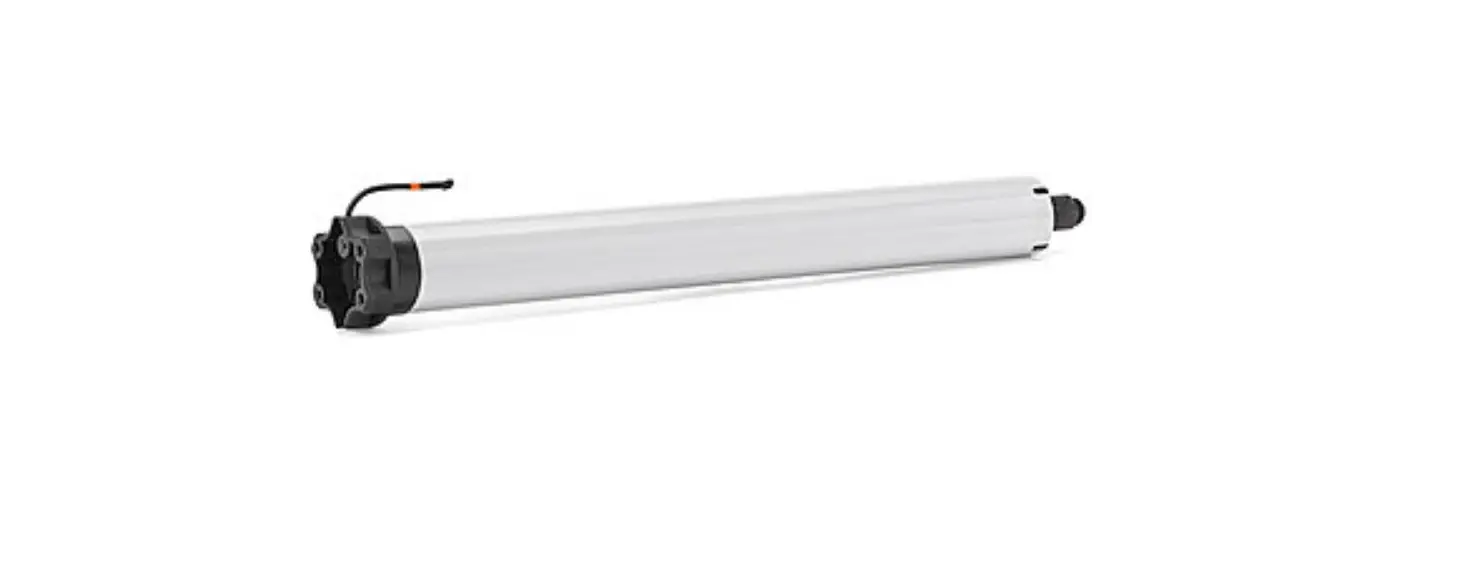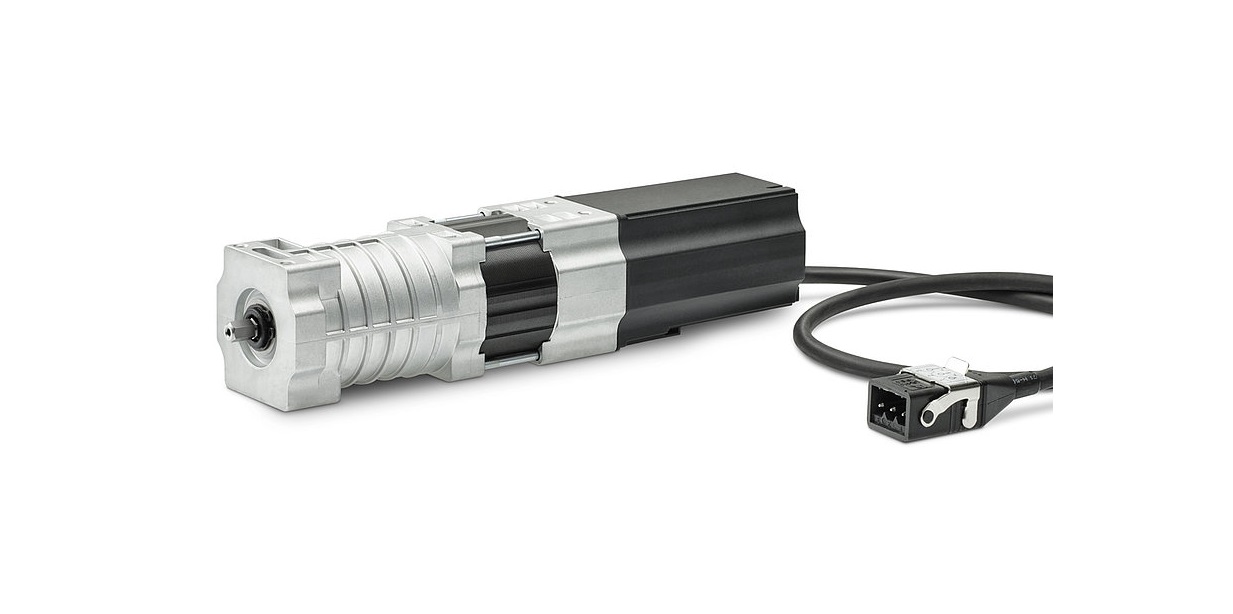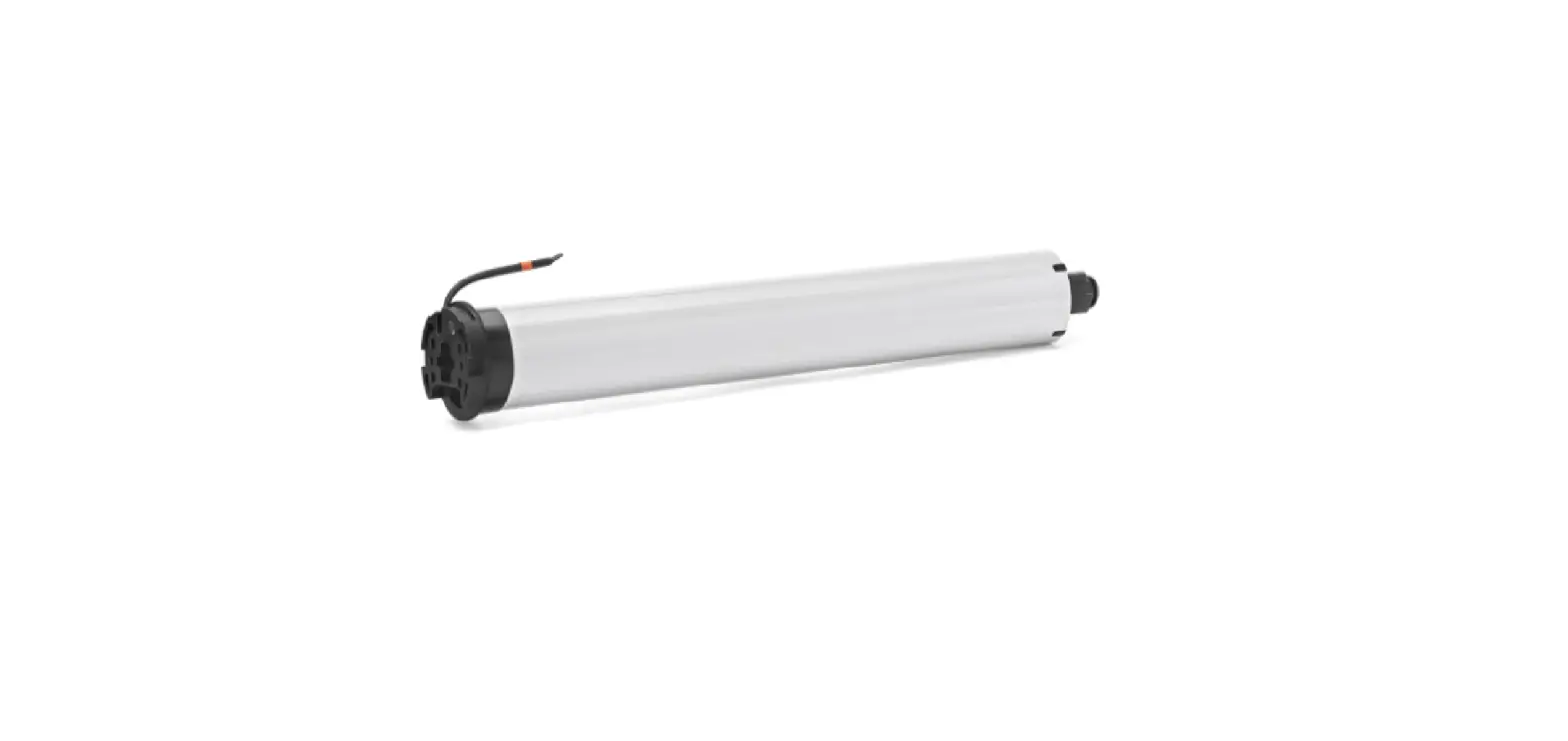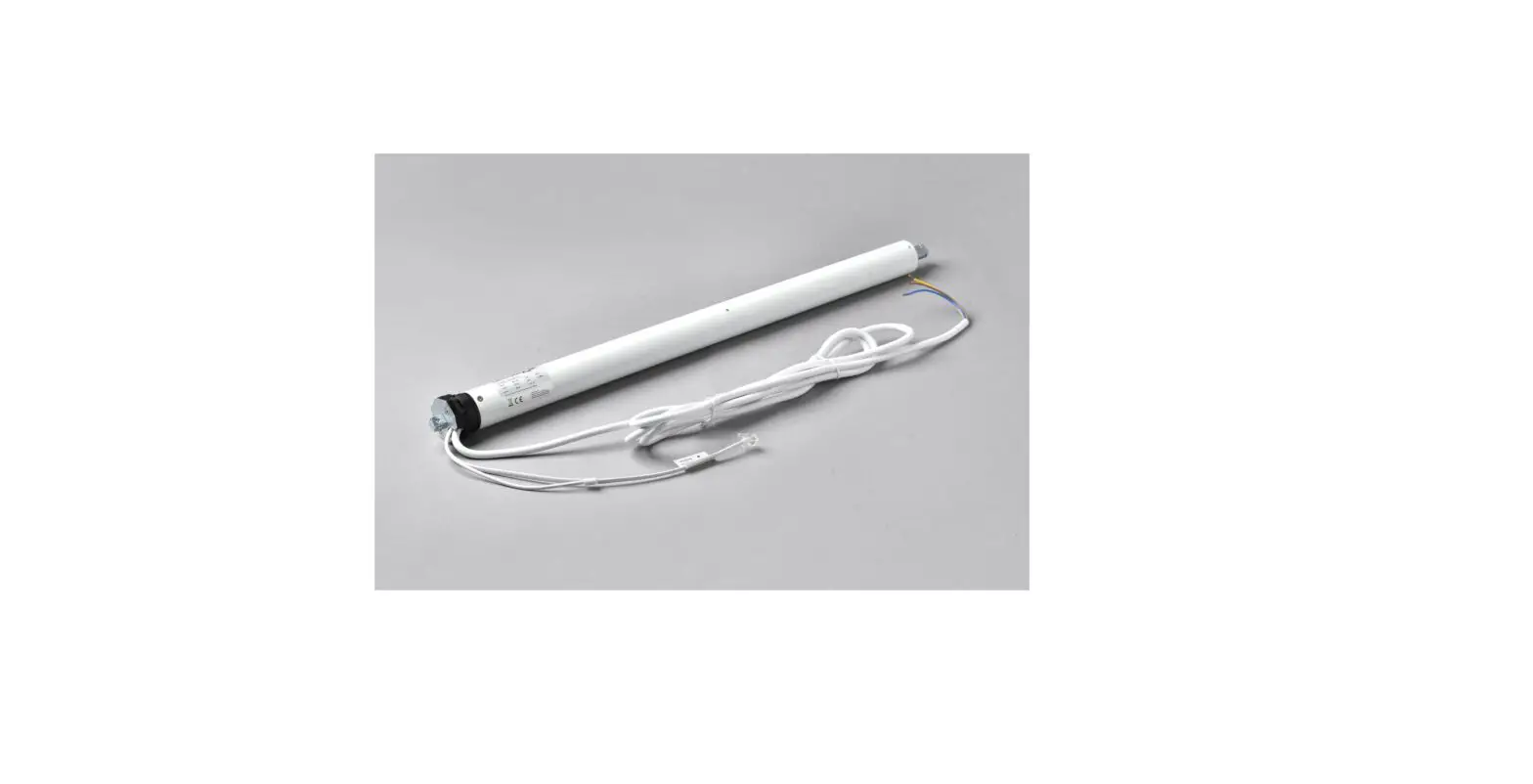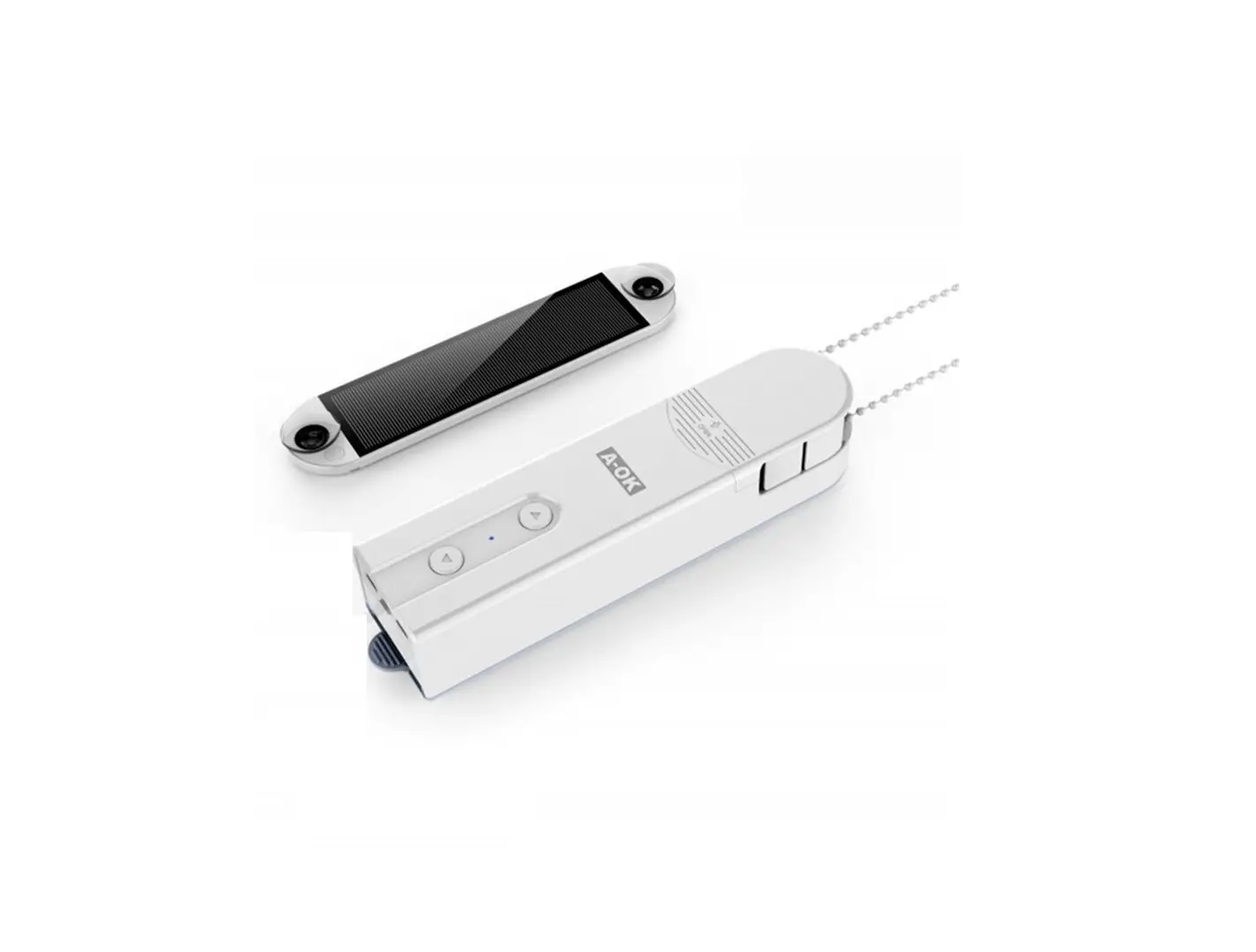
A-OK AM43 Blind Drive Motor
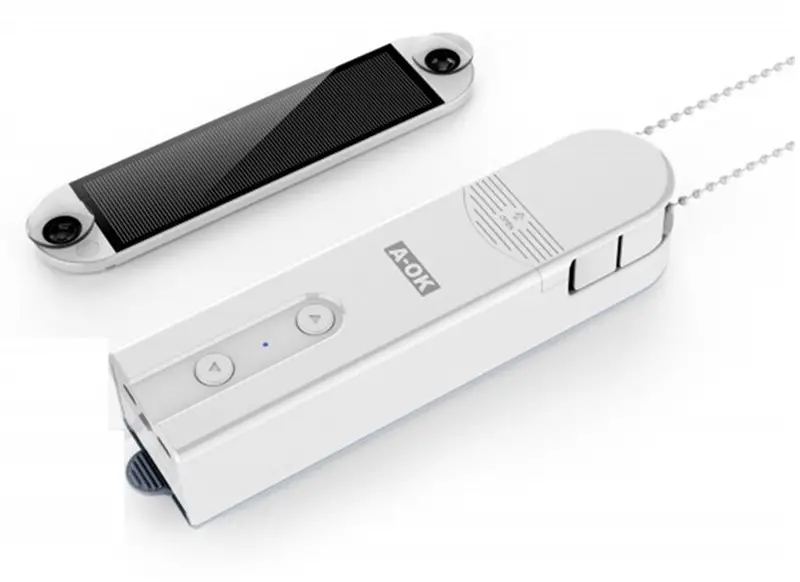
Features
1 ). Motor can set upper & bottom limit positions and limits can be saved even when motor power off.
2). Two running modes: tilt & lift mode. Default mode is tilt.
3 ). Smart phone APP control.
4 ). Zig bee Bi-direction technology, instant shades status can be showed on APP.
5). Motor speed is adjustable on the APP.
6). Large battery capacity supports long time working.
7). Powered by charger or solar panel , the solar panel with built in light sensor for auto-control.
Motor specifications
| Model | AM43-0.45/40-ES-E Z(TY) |
| Input Power | DC charger 8.4VDC |
| Solar panel specs | 12V/0.3W |
| Lock-rotor current | 1.8A |
| Speed Range | 20-50rpm |
| Torque | 0.45Nm |
| Rated Current | 1A |
| Battery Capacity | 7.4VDC/1000mAh |
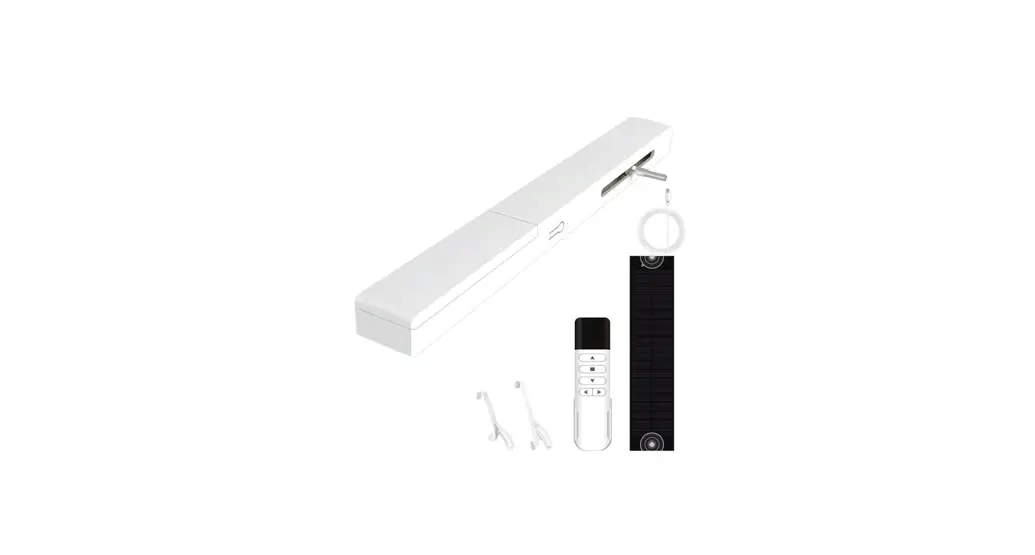
Motor Illustration

Installation
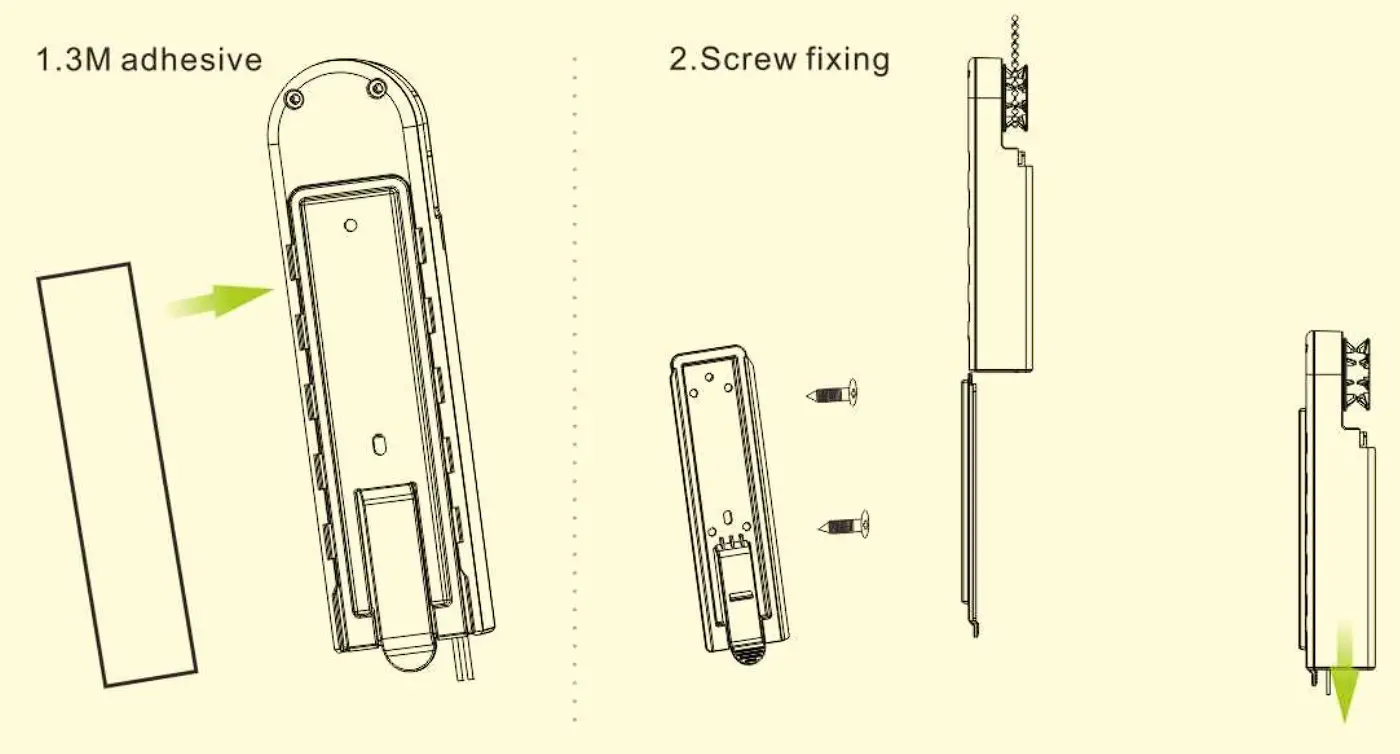
- Do not exposure it under strong direct sunshine. Keep the blind engine far away from high temperature or wet place for using or storing.

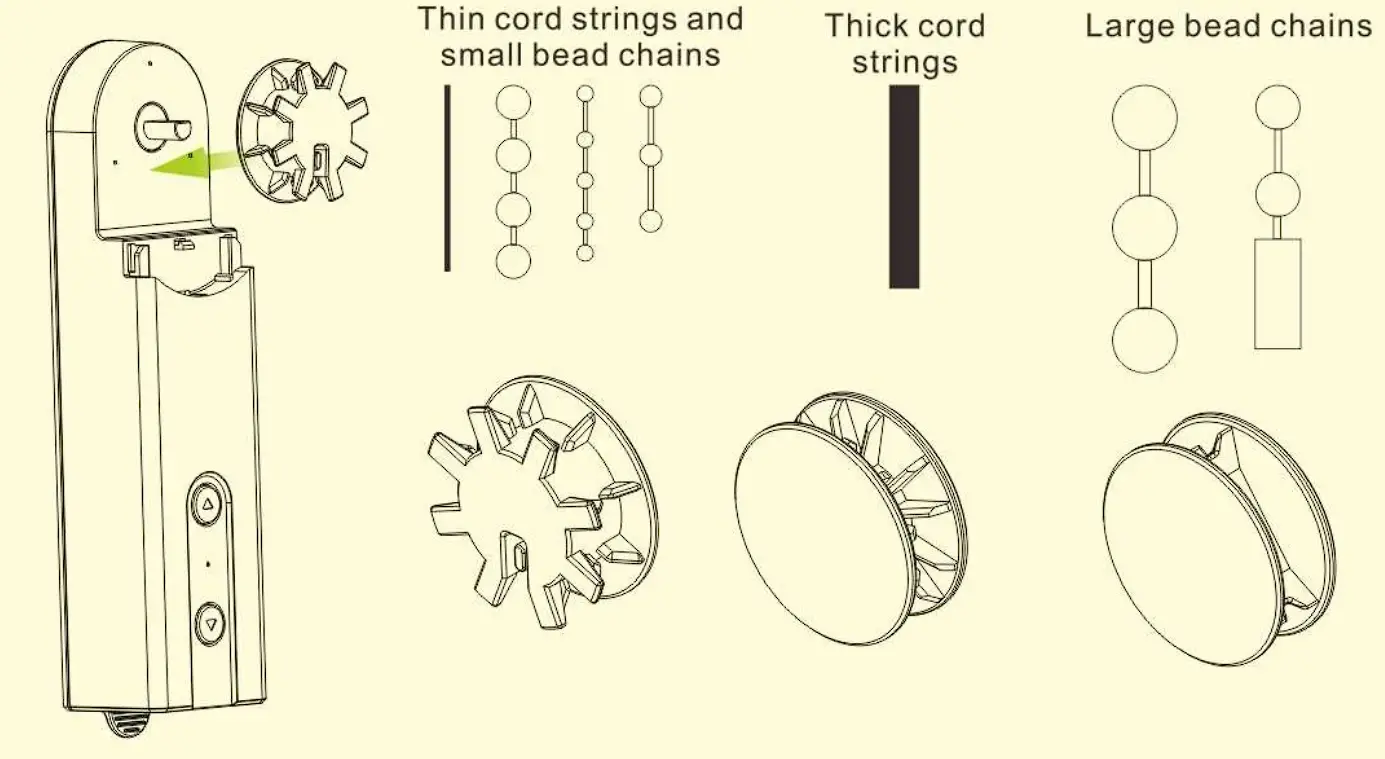
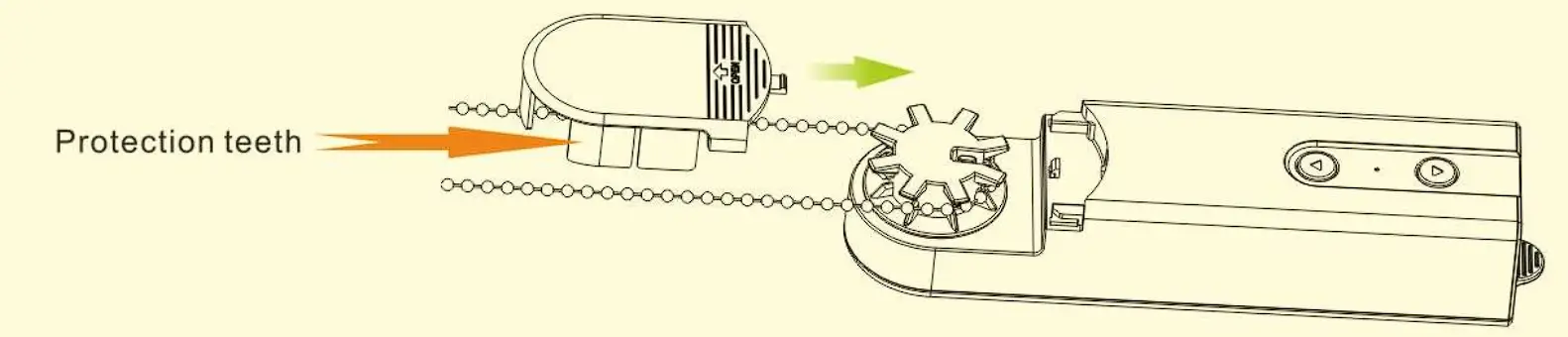
- Choose compatible driving gear.

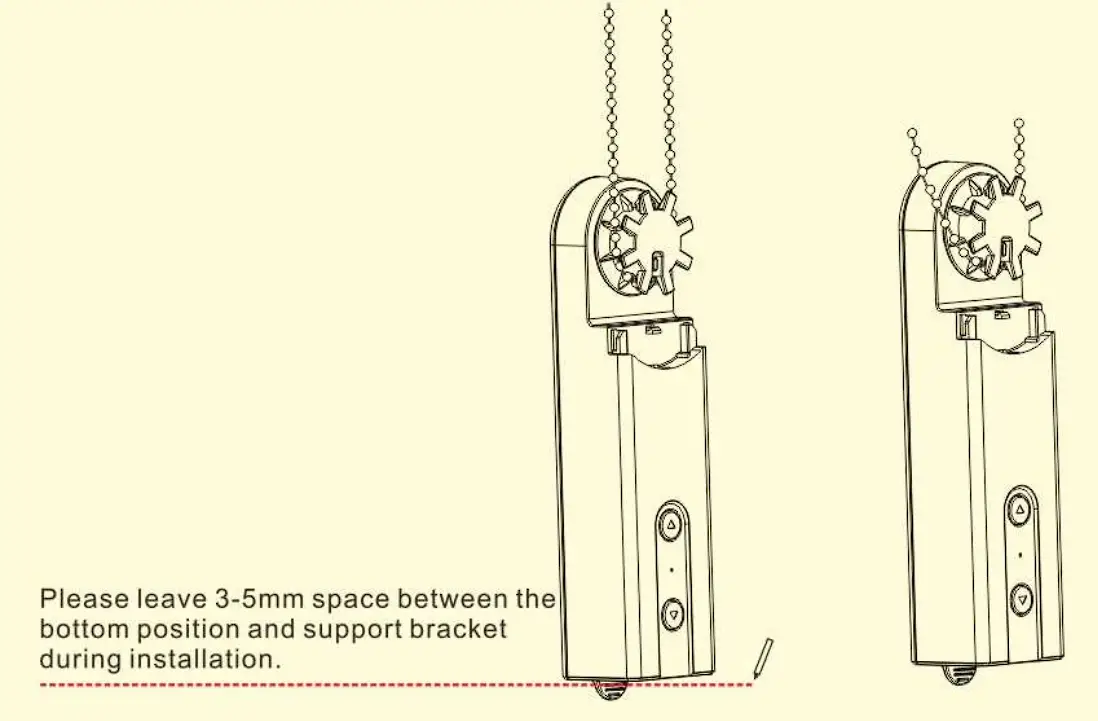
- Tighten the cords or chains to driving gear.

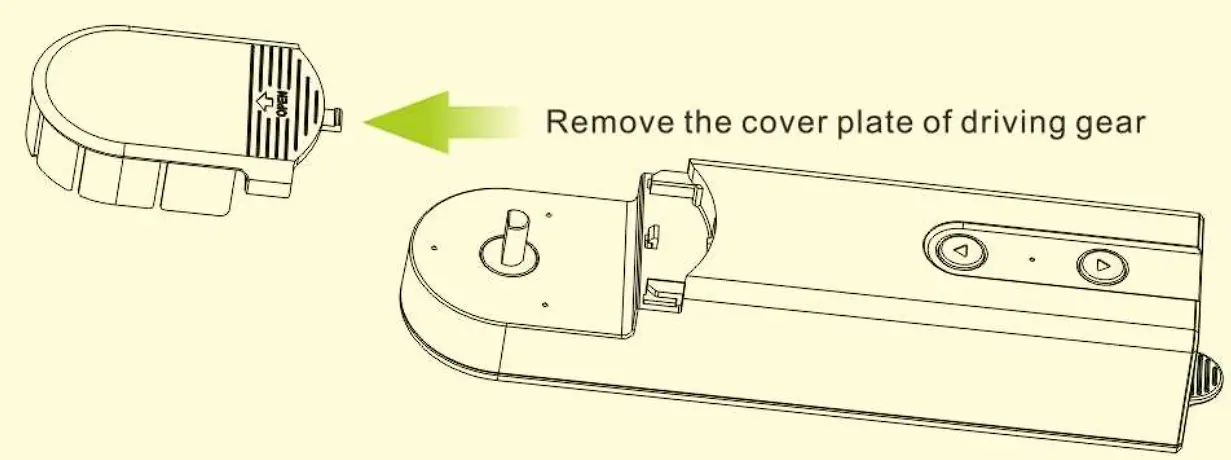
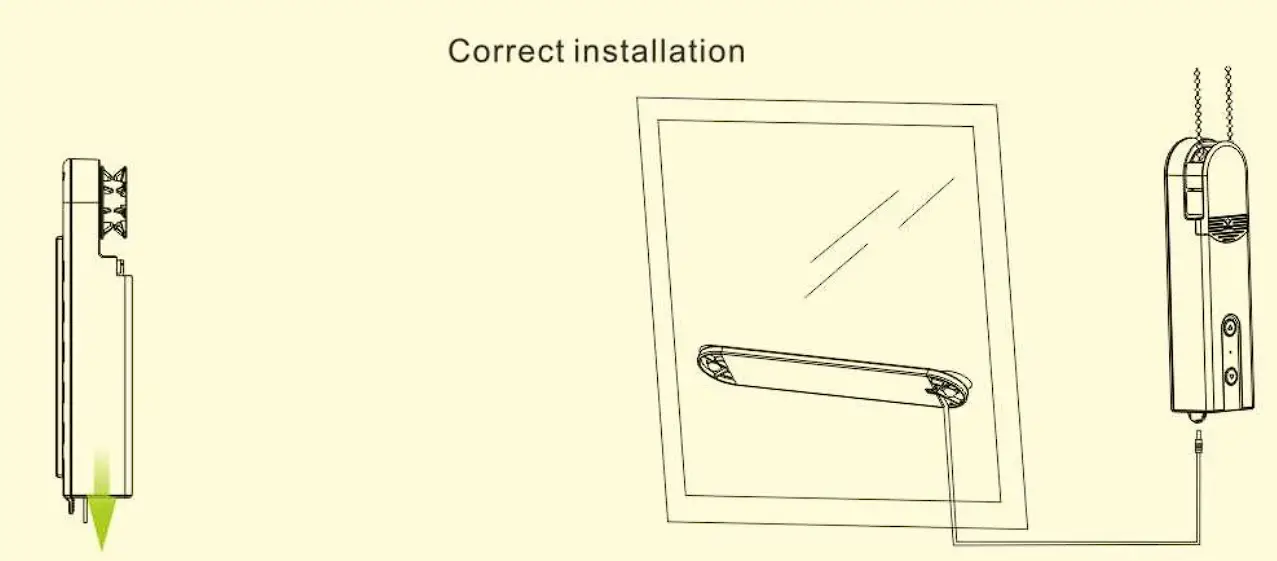
- Blind engine fixing plate installation options.

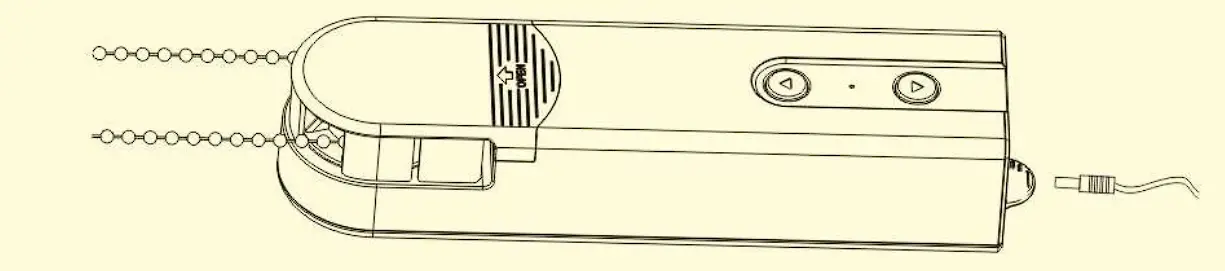
- Remove the teeth where from the cord or chains come out on cover plate; then lock the cover up.

- Connect the solar panel or sensor to blind engine; Please pay attention the wires in case wires wrapping.


Setting instruction
Power On/Off


Tilt/lift functions convert
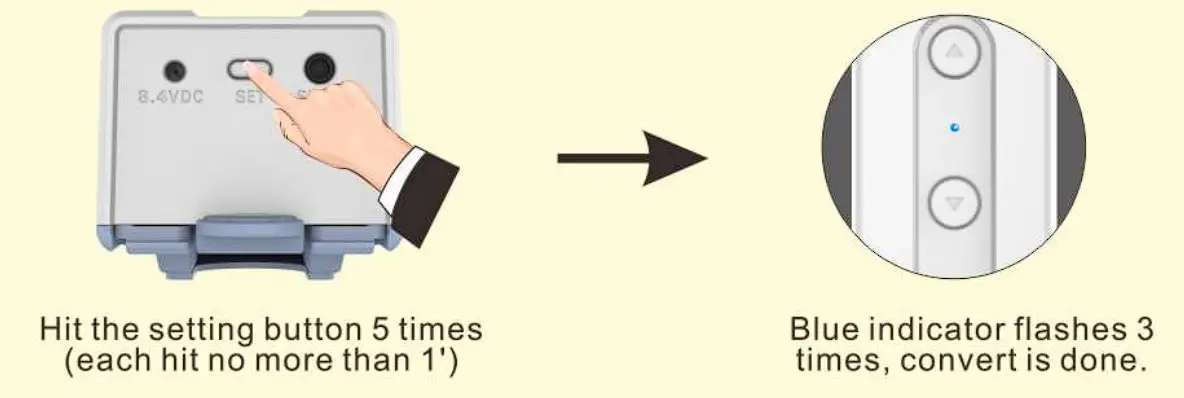
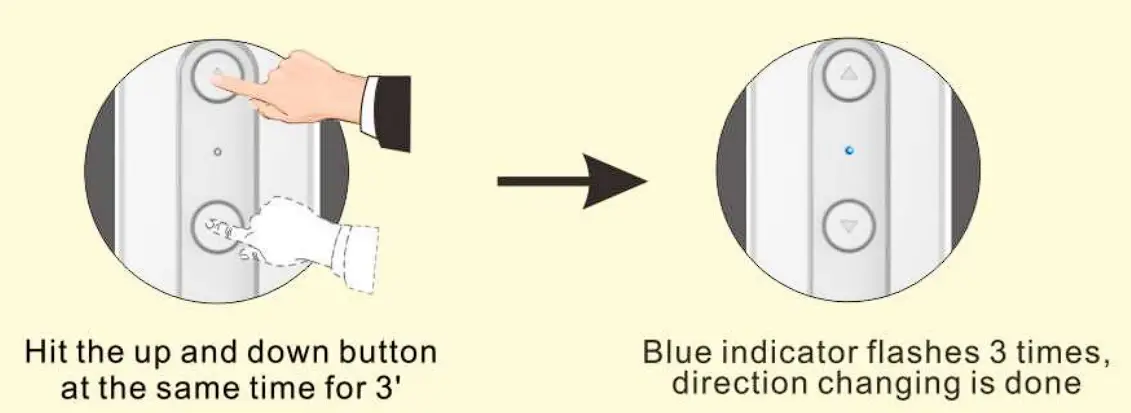
Change direction
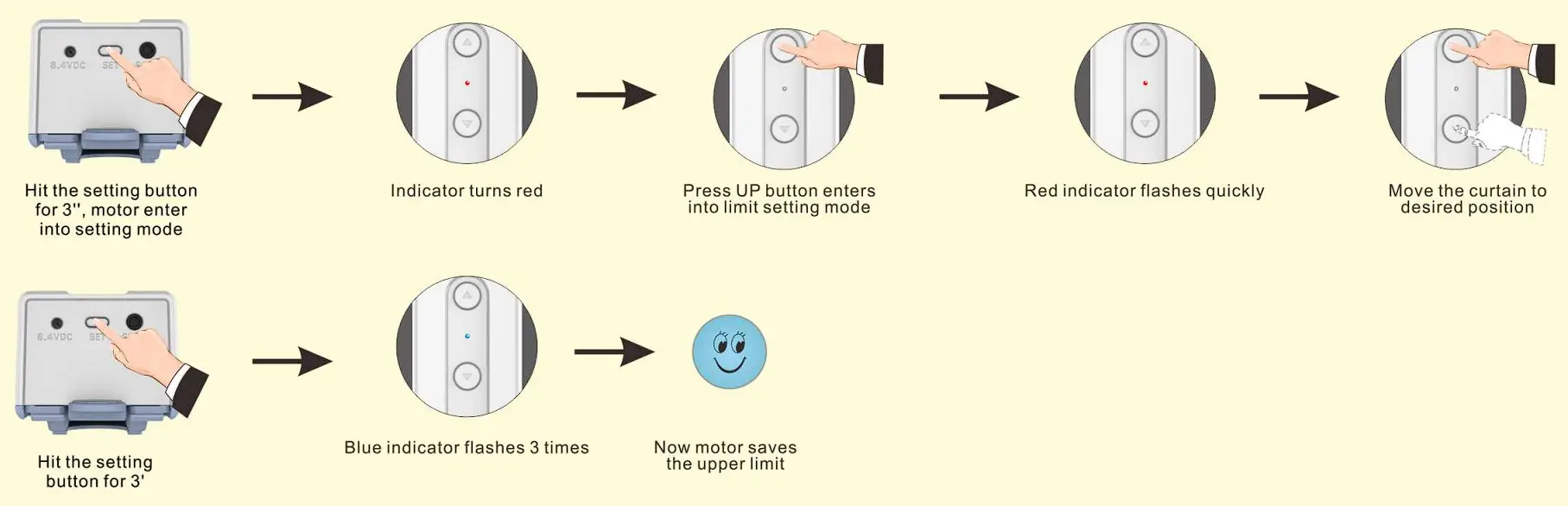
Upper limit setting
(Motor will quit setting mode automatically after 30′ if the motor receives any order)
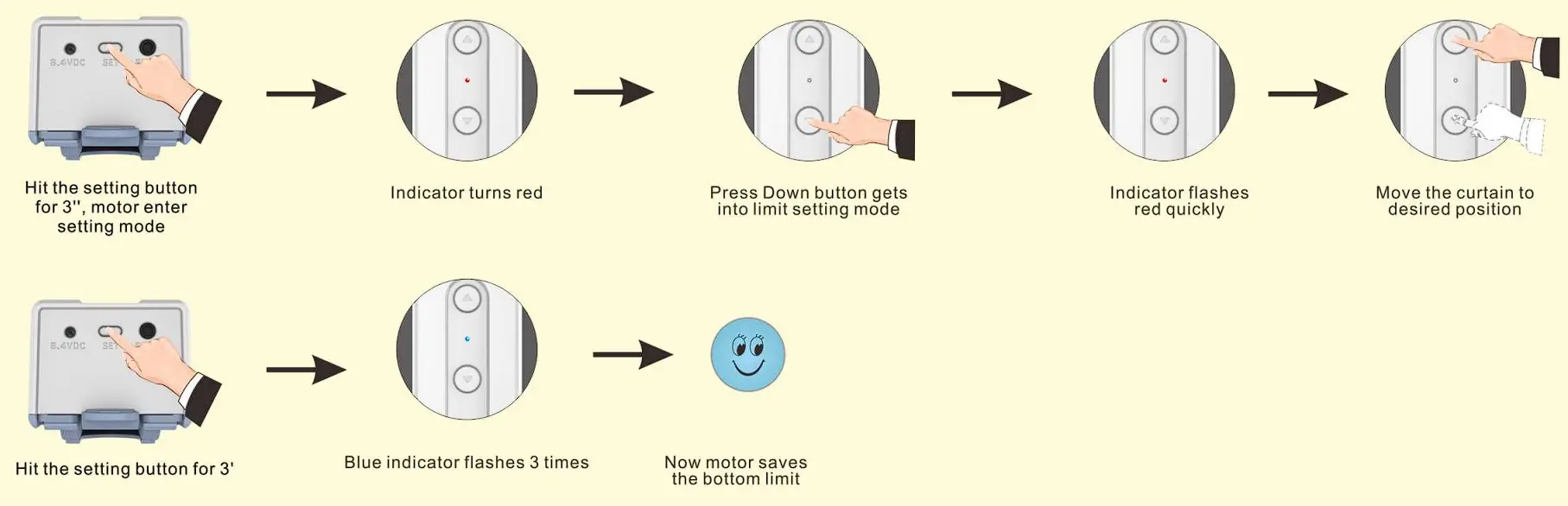
Bottom limit setting
(Motor will automatically exit setting mode after 30″ if motor without receiving any order)
Restore factory setting
(Motor will automatically exit programming mode after 30″ if motor without receiving any order Motor restore to factory setting will delete all the setting you done before)

APP control
Download APP
(search TUYA in APP store/ Google play, reg ister an account with mobile phone number or email address and then log in to APP)
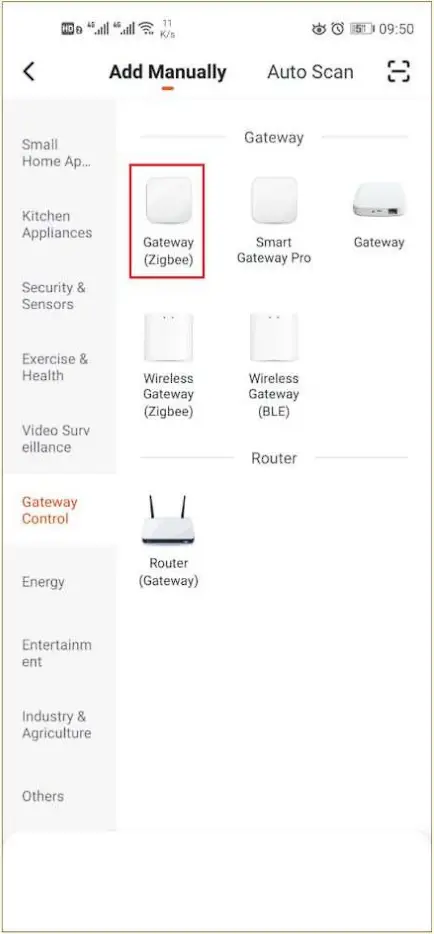
- Click”+” to add gateway

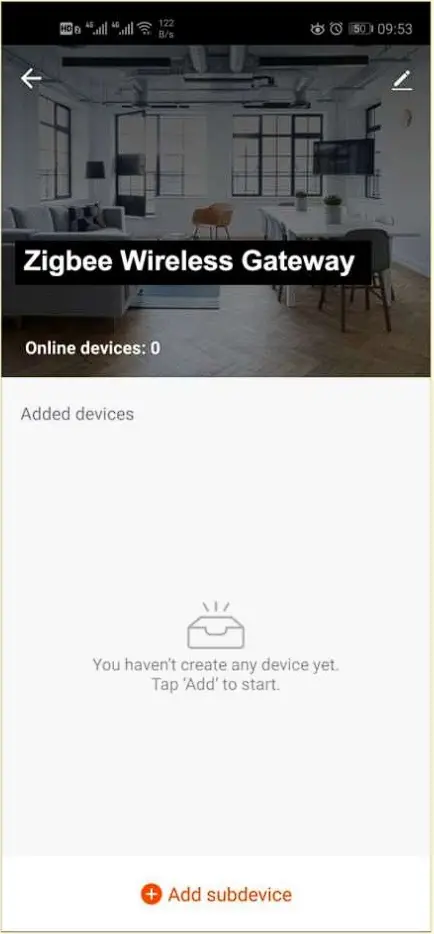
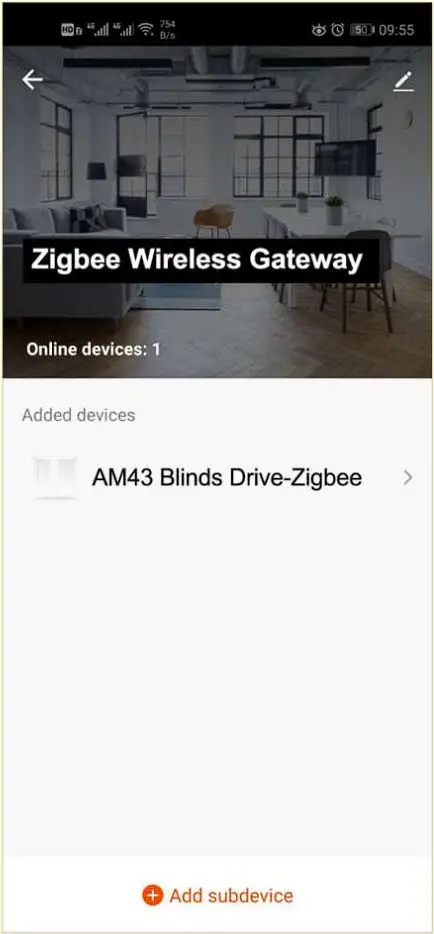
- After adding gateway , click”add sub devices”
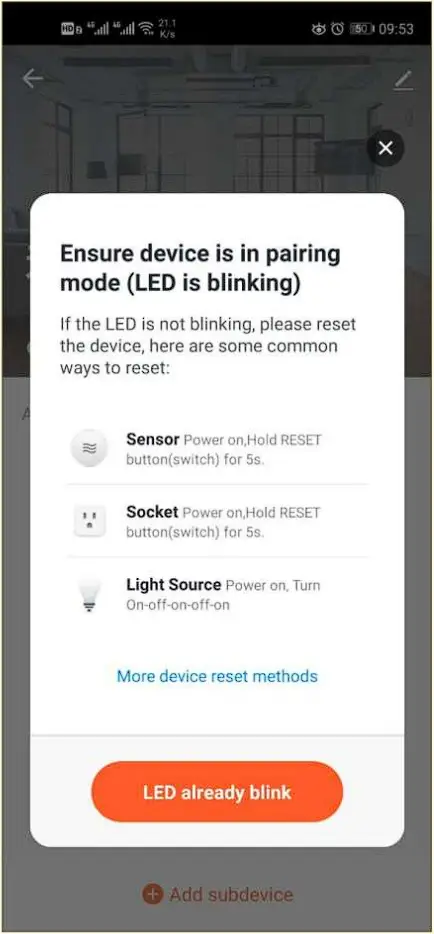
- devices get into pairing mode, then click ‘LED already blink’
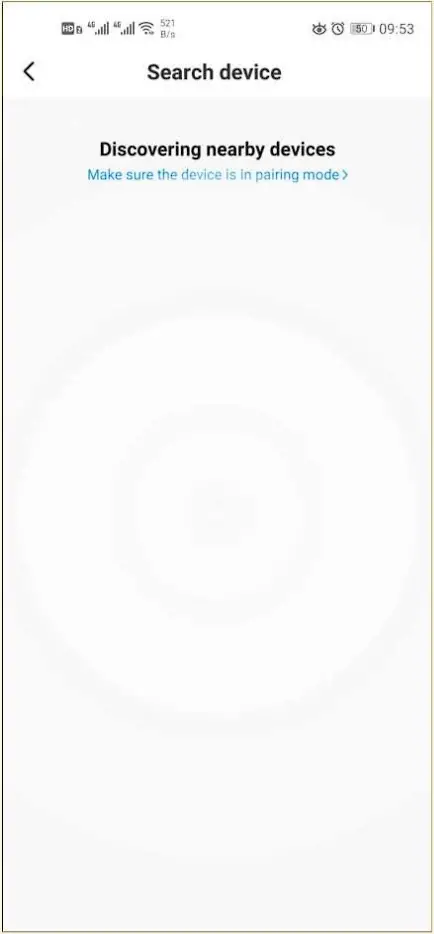
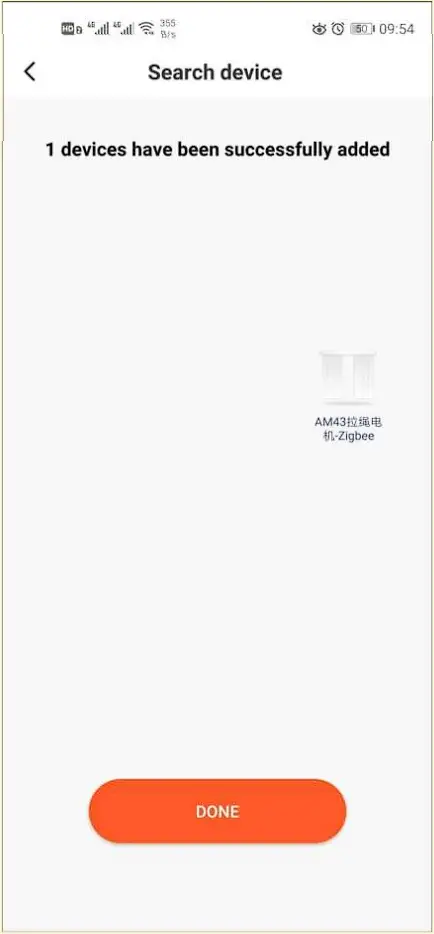
- Search nearby devices
- After searched devices, click “DONE”
- Choose the device just added
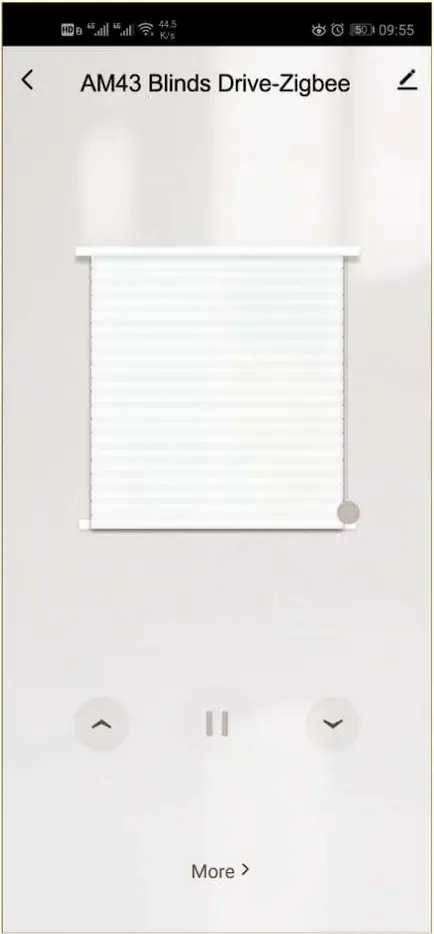
- this page can operate the motor going UP, STOP, DOWN; click ‘More’ to get into multiple functions setting page
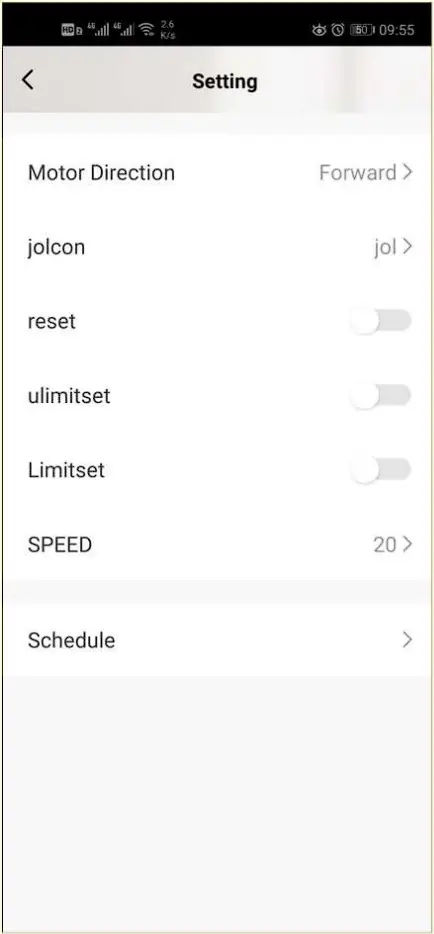
- Multiple functions setting.
Troubles shooting
No. | Troubles | Trouble Reason | Elimination Method |
1 | Motor doesn’t work or run slowly | A. Overloaded B. Improperly installation make motor stuck | A. Choose proper motor B. Check motor ins |
2 | Motor suddenly stop working | A. Power off B. Motor enter overloaded protection | A. charge the motor B. Check whether motor is overloaded or stuck |
3 | Motor doesn’t work when you charge motor | Put the charger on sensor connection port | Connect to charger port |
Tips: please check carefully and don’t make mistake on the 8.4VDC charger port and sensor connection port.